Home › Photo & Video

 US
US
USen-US BRpt-BR
 VNen-GB
 THen-GB
 IDen-GB
 CNzh-Hans-CN
 INen-GB
 RUru
RUru MXes-MX
 JPja
JPja MYen-GB
 SAen-GB
 PHen-GB
 GBen-GB
 DEde-DE
 FRfr-FR
 NGen-GB
 CAen-CA
 COes-MX
 AUen-AU
 ARes-MX
 UAen-GB
 ESes-ES
 KRko
KRko TWzh-Hant-TW
 ZAen-GB
 CLes-MX
 TRen-GB
 PKen-GB
 ITit
ITit KHen-GB
 KZen-GB
 EGen-GB
 AEen-GB
 LKen-GB
 PEes-MX
 PLen-GB
 PTpt-PT
 NLnl
NLnl SGen-GB
 ECes-MX
 ILen-GB
 HKzh-Hant-HK
 CHde-CH
 ROen-GB
 OMen-GB
 GTes-MX
 CIfr-FR
 GHen-GB
 BEen-GB
 BYen-GB
 DOes-MX
 CZen-GB
 SEsv
SEsv ATde-DE
 DZen-GB
 NPen-GB
 KEen-GB
 LYen-GB
 MAen-GB
 NOen-GB
 PAes-MX
 NZen-AU
 CRes-MX
 QAen-GB
 VEes-MX
 JOen-GB
 PYes-MX
 HUen-GB
 GRen-GB
 TZen-GB
 KWen-GB
 HRen-GB
 AZen-GB
 IQen-GB
 SVes-MX
 MNen-GB
 UYen-GB
 LAen-GB
 KGen-GB
 FIen-GB
 IEen-GB
 SKen-GB
 SNen-GB
 BOes-MX
 HNes-MX
 BFen-GB
 DKen-GB
 TNen-GB
 UZen-GB
 ALen-GB
 BGen-GB
 CDen-GB
 CMfr-FR
 BJen-GB
 LTen-GB
 UGen-GB
 BHen-GB
 AMen-GB
 CYen-GB
 MDen-GB
 RSen-GB
 AOen-GB
 LVen-GB
 MZen-GB
 GEen-GB
 LBen-GB
 NIes-MX
 EEen-GB
 ZWen-GB
 SIen-GB
 YEen-GB
 MLen-GB
 SLen-GB
 MMen-GB
 MKen-GB
 CGen-GB
 NAen-GB
 JMen-GB
 MRen-GB
 MOzh-Hant-HK
 MTen-GB
 LUen-GB
 NEen-GB
 AFen-GB
 BAen-GB
 ZMen-GB
 ISen-GB
 MVen-GB
 TTen-GB
 BWen-GB
 LRen-GB
 MUen-GB
 MGen-GB
 RWen-GB
 XKen-GB
 MEen-GB
 BNen-GB
 TDen-GB
 GMen-GB
 MWen-GB
 TJen-GB
 SBen-GB
 FJen-GB
 BZen-GB
 PGen-GB
 BSen-GB
 CVen-GB
 GYen-GB
 BTen-GB
 GAfr-FR
 AIen-GB
 SZen-GB
 AGen-GB
 SCen-GB
 BBen-GB
 PWen-GB
 KYen-GB
 SRen-GB
 TMen-GB
 LCen-GB
 DMen-GB
 BMen-GB
 VGen-GB
 GDen-GB
 KNen-GB
 VCen-GB
 GWen-GB
 VUen-GB
 TCen-GB
 FMen-GB
 TOen-GB
 STen-GB
 MSen-GB
 NRen-GB
175 of 175 storefronts
Content in en-US
Content in en-US
Information
Preview 2 platforms


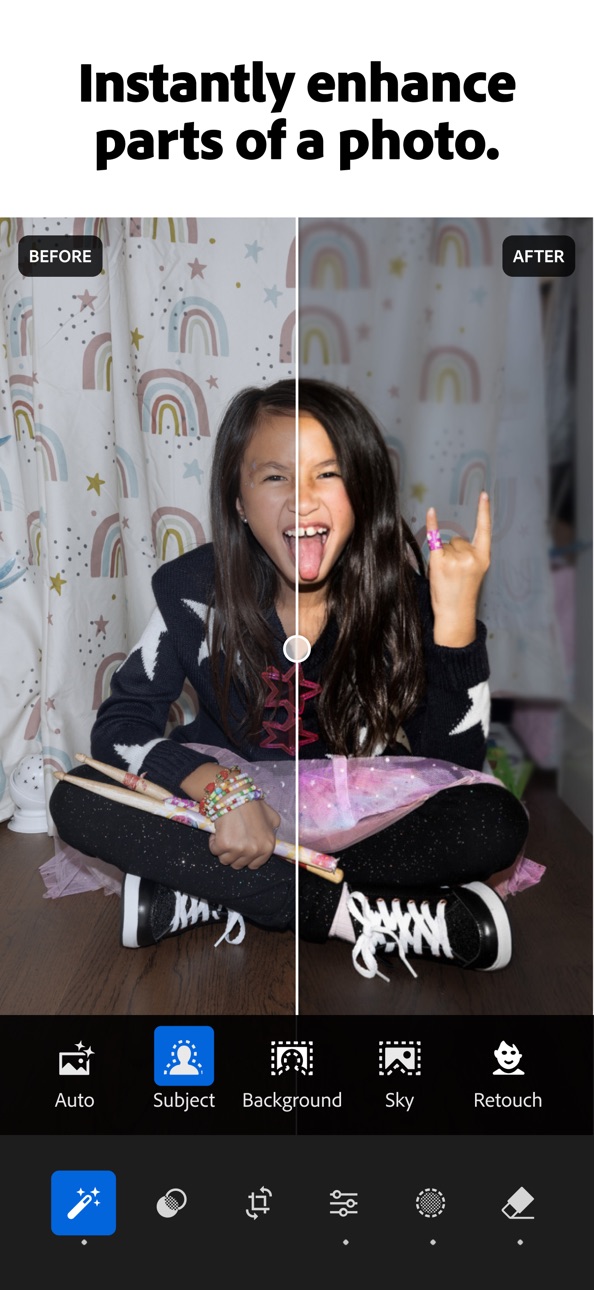
iPhone 9 images




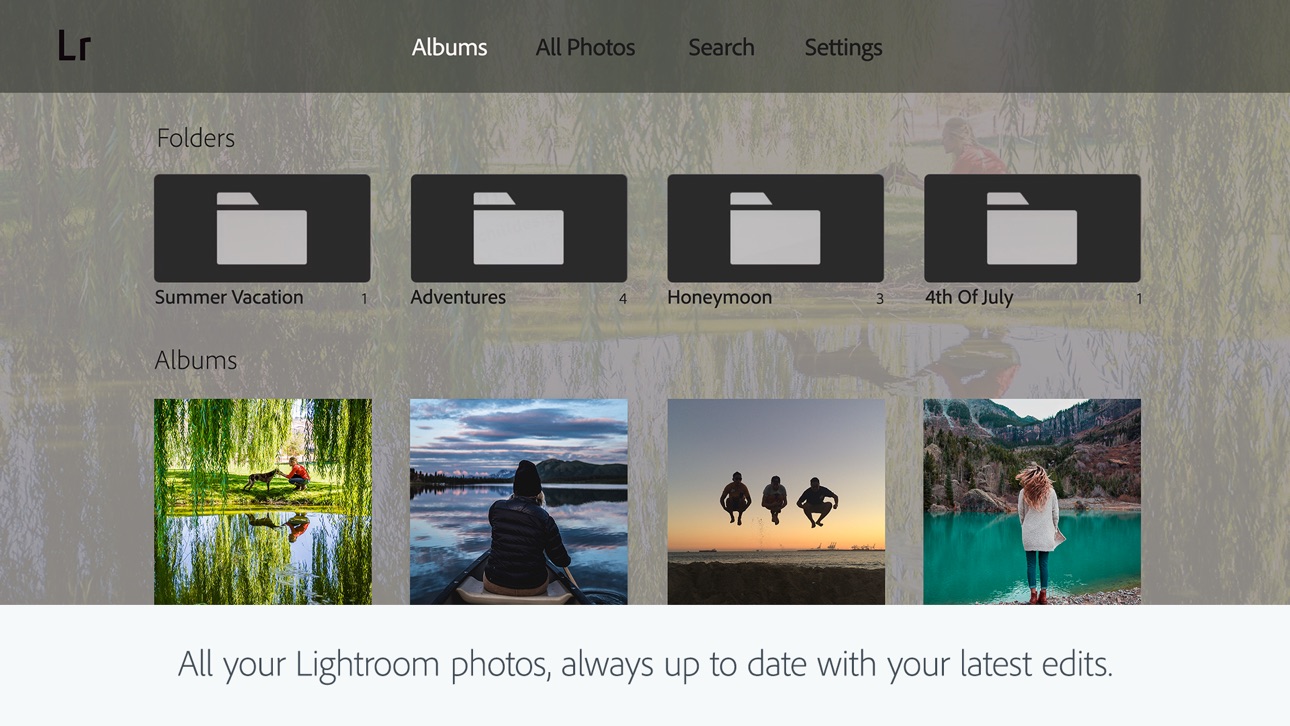
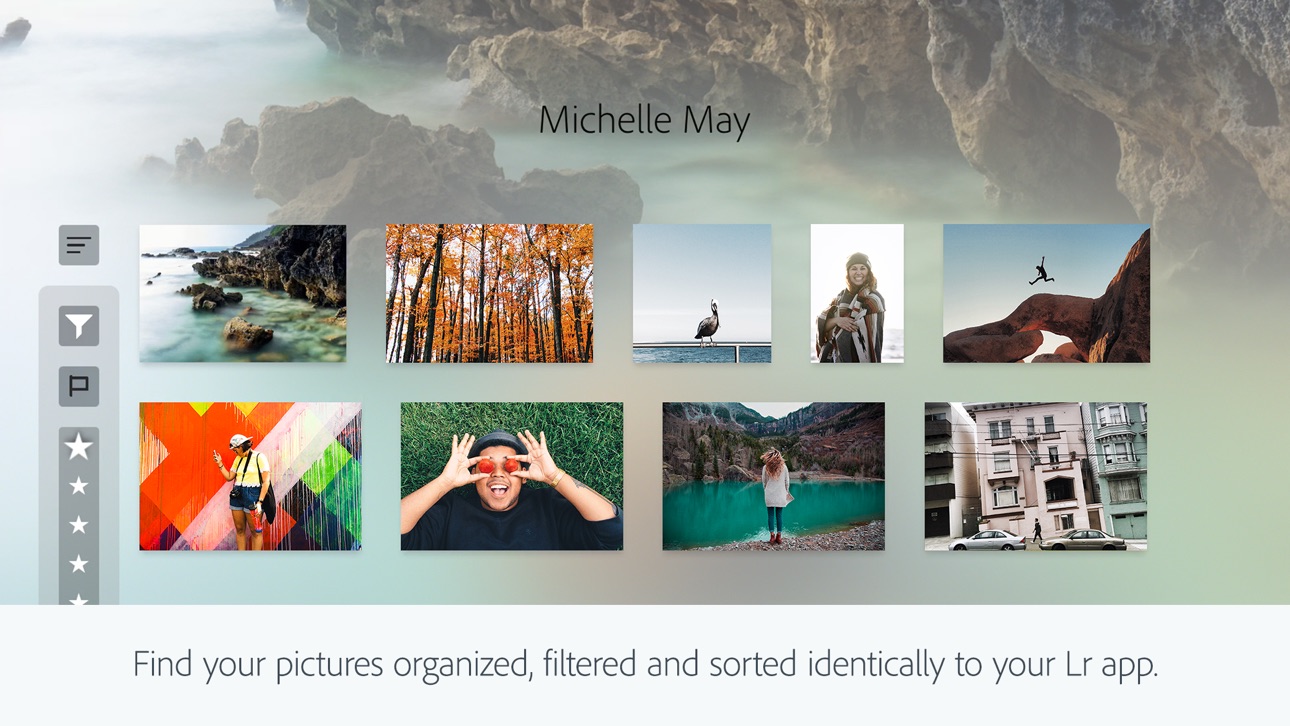
Apple TV 6 images



What’s New Version 11.4.10
- Bug fixes and stability improvements
Description
Ever wish your photos could really show what makes a moment special? Adobe Lightroom is a free AI photo and video editor that helps you do just that. From your dog’s goofy grin to that sunset that took your breath away, Adobe Lightroom makes it simple to bring those moments to life, just the way you see them.
Whether you’re snapping pics on the go or curating your social feed, Lightroom puts powerful AI photo editor tools in your pocket to make quick edits easy and fun. Adobe Lightroom is here to help you create photos you’re proud to share.
PHOTO EDITOR THAT EASILY MAKES YOUR PHOTOS LOOK AMAZING
Adobe Lightroom’s one-tap features like Quick Actions and Adaptive Presets let you retouch and enhance photo quality in seconds. These AI photo editor tools suggest the best edits for your images. Perfect for quick photo fixes or adding a unique vibe, no experience required. Use it as your go-to photo editor.
REMOVE DISTRACTIONS AND BLUR BACKGROUND
Adobe Lightroom gives you professional photo editing tools that are easy to use. Blur the photo background for a polished look, adjust finer details, or use AI Generative Remove as an object eraser in photos.
POWERFUL EDITS WITH ZERO HASSLE
Use photo lighting tools to tweak exposure, highlights, and shadows. Fix photos with presets, photo effects, color grading, hue, saturation, or add a blurry bokeh effect to match your vibe.
GET INSPIRATION FROM THE COMMUNITY
Not sure where to start? Browse photo filters, templates, and presets shared by creators around the world. From vintage photo effects to retro photo filters and presets to match your aesthetic kick off your edits in a tap. Whether you’re looking to make bold edits with AI photo editor tools or subtle tweaks for polished portrait edits, find a look that matches your style. Save your favorites and make every photo feel like you.
EDIT ONCE, APPLY EVERYWHERE
Snapped a whole concert, travel day, or family gathering? Instead of editing each shot one by one, make quick edits with AI photo editor tools. Fix photos in batches to keep your photo edits looking consistent.
WHY ADOBE LIGHTROOM?
• It’s for every moment: whether editing photos for fun, capturing memories, gaining confidence, or sharing on social media.
• It’s flexible: start with simple photo editing and grow into a better photographer along the way. Fix photos, crop and resize images, blur background elements, or remove distractions with our object eraser — the editing options are endless with Adobe Lightroom.
• It’s an AI photo editor designed to help build confidence, spark creativity, and showcase your authentic style.
PHOTO EDITOR TOOLS YOU'LL LOVE
• Quick Actions: Fix photos with suggested edits tailored to your pics.
• Preset Edits: Discover filters or make your own signature look.
• Background Blur: Create depth with a blurry background effortlessly.
• Generative Remove Edits: Take out the things you didn’t want with this AI photo eraser.
• Video Editing: Bring the same creative energy to your clips with tools for light, color, and presets.
FOR EVERY KIND OF PHOTOGRAPHER
Photo editing has never been easier. Lightroom is here to empower you - to capture sunsets, family moments, or your latest foodie find. With tools to fix pictures, enhance photo quality, and edit videos, Adobe Lightroom gives you the right balance of ease and control.
Download Adobe Lightroom today.
Terms & Conditions:
Your use of this application is governed by the Adobe General Terms of Use http://www.adobe.com/go/terms_linkfree_en and the Adobe Privacy Policy http://www.adobe.com/go/privacy_policy_linkfree_en
Do not sell or share my personal information www.adobe.com/go/ca-rights-linkfree
In-App Purchases US pricing
iPhone Subscriptions Subscription
Premium monthly 40GB · Monthly$1.99
Premium Weekly 100GB · 7 days$3.99
Premium Monthly 100GB · Monthly 7-day free trial$6.99
Premium Monthly 100GB · Monthly$7.99
Premium Weekly 100GB · 7 days$7.99
Lightroom plan 1TB · Monthly$9.99
Premium Yearly 40GB · Yearly 7-day free trial$19.99
Premium yearly 100GB · Yearly 7-day free trial$49.99
Capabilities
In-App Purchases
Accessibility
ipadiphonemacrealityDevicetvoswatch
Version history 25 versions
Build 887375772v11.4.102026-07-06 08:00:06
- Bug fixes and stability improvements
Build 886389494v11.42026-06-15 08:00:55
- Map view now also offers “edit location” option on iPad and iPhone
- New camera & lens support (full list at https://adobe.com/go/cameras)
- Bug fixes and stability improvements.
Build 885906352v11.3.32026-05-26 08:26:41
- Get clear skin in seconds with one-tap and new manual touch-up tools, now unified in one view within Retouch of Quick Actions.
- Save time with improved keyboard shortcuts by connecting a physical keyboard to your iPad or iPhone: https://adobe.ly/kbshortcuts
- Bug fixes and stability improvements.
Build 884991740v11.3.22026-05-11 15:27:07
- Get clear skin in seconds with one-tap and new manual touch-up tools, now unified in one view within Retouch of Quick Actions.
- Save time with improved keyboard shortcuts by connecting a physical keyboard to your iPad or iPhone: https://adobe.ly/kbshortcuts
- Bug fixes and stability improvements.
Build 884623601v11.3.12026-04-20 07:41:46
- Film-Inspired Presets turn any standard snapshot into a feed-worthy photo in seconds. Inspired by iconic film stock, these 12 professionally designed presets are built into Lightroom and can be adjusted to make the look truly yours.
- Easily manage access to your shared private albums with notifications to quickly approve and deny requests.
- Improved experience opening multiple photos directly from your native photo apps.
- New camera & lens support (full list at https://adobe.com/go/cameras).
- Bug fixes and stability improvements.
Build 883942693v11.32026-04-15 11:00:32
- Film-Inspired Presets turn any standard snapshot into a feed-worthy photo in seconds. Inspired by iconic film stock, these 12 professionally designed presets are built into Lightroom and can be adjusted to make the look truly yours.
- Easily manage access to your shared private albums with notifications to quickly approve and deny requests.
- Improved experience opening multiple photos directly from your native photo apps.
- New camera & lens support (full list at https://adobe.com/go/cameras).
- Bug fixes and stability improvements.
Build 882954459v11.2.22026-03-16 17:05:13
- Bug fixes and stability improvements
Build 882584162v11.2.12026-02-19 19:31:23
- It is now faster and easier to select and export photos to share from Lightroom.
-- Multi Photo Carousel for Device Photos: Select more than one photo at a time to share from your device, in Edit Loupe or Grid View.
-- Sharing performance improvements to increase speed of export and reduce failure rates.
- Crop handles now allow support for smoother scrolling/zooming to the desired crop area.
- New camera & lens support (full list at https://adobe.com/go/cameras)
- Bug fixes and stability improvements
Build 881793144v11.22026-02-18 15:35:09
- It is now faster and easier to select and export photos to share from Lightroom.
-- Multi Photo Carousel for Device Photos: Select more than one photo at a time to share from your device, in Edit Loupe or Grid View.
-- Sharing performance improvements to increase speed of export and reduce failure rates.
- Crop handles now allow support for smoother scrolling/zooming to the desired crop area.
- New camera & lens support (full list at https://adobe.com/go/cameras)
- Bug fixes and stability improvements
Build 880859595v11.1.12026-01-20 16:41:22
- Bug fixes and stability improvements
Build 879918440v11.12025-12-10 12:01:16
- Now, you can go seamlessly from editing to sharing customized photo albums of your favorite moments via a unique link or QR code--no subscription required
- New camera & lens support (full list at https://adobe.com/go/cameras)
- Bug fixes and stability improvements
Build 879372688v11.0.12025-11-17 18:35:56
- Bug fixes and stability improvements
Build 878540118v11.02025-10-21 07:02:54
- Now retouch in Quick Actions allows you to quickly edit portraits and selfies or group photos by reducing unwanted blemishes like acne or scars. Get clear skin, bright smiles, and more in just a few clicks.
- Scene Enhance in Quick Actions can now detect snow, making it simpler than ever to adjust snow and get the perfect winter landscape.
- Adaptive Landscape Presets now allow you to select and enhance up to eight new landscapes, including sky, water, snow and more.
- Enable Object Detection in Generative Remove to remove an object along with its shadow or reflection for cleaner, more accurate results.
- New camera & lens support (full list at https://adobe.com/go/cameras)
- Bug fixes and updates
Build 877822031v10.5.22025-09-15 18:16:19
- Bug fixes and stability improvements
Build 876877988v10.52025-08-12 17:33:56
- Generative Remove is better than ever, with an updated AI model and workflow that makes removals faster and more seamless
- Items added to the trash will be permanently deleted after 30 days
- Get support for the latest cameras and lenses (full list at https://adobe.com/go/cameras)
- Bug fixes, stability, and performance improvements
Build 876101124v10.4.22025-07-21 11:44:21
- Bug fixes and stability improvements
Build 875830339v10.4.12025-06-24 08:47:09
- Bug fixes and stability improvements
Build 875180552v10.42025-06-09 20:48:27
- Get creative assistance in Quick Actions to enhance parts of an outdoor scene, like the sky, water, or plants
- Instantly detect and remove extra people in a few taps with Generative Remove
- Give or like comments on photos in privately shared albums
- Get support for the latest cameras and lenses (full list at https://adobe.com/go/cameras)
- Bug fixes, stability, and performance improvements
Build 874438033v10.3.12025-05-19 15:26:20
- Bug fixes and stability improvements
Build 873795056v10.32025-04-17 10:02:07
- Zoom in, retouch, and make precise edits to any individual in a group photo with Quick Actions
- Send photos directly to others by choosing multiple images from a carousel view
- Easily share albums via a link or QR code that automatically lets others see and add photos
- Get support for the latest cameras and lenses (full list at https://adobe.com/go/cameras)
- Bug fixes and stability improvements
Build 872920468v10.2.32025-03-17 17:15:26
- Bug fixes and stability improvements
Build 872673347v10.2.22025-02-21 04:29:40
- Dynamically adjust tones and colors of your raw photos with Adaptive Profiles, available in color or black and white
- Quickly share albums by creating public, shareable links 4X faster than before
- Customize and show an in-app preview of your shared albums
- Straighten your photo in a tap by using the Fix Angle tool in Quick Actions
- Get support for the latest cameras and lenses (full list at https://adobe.com/go/supported_cameras).
- Bug fixes and stability improvements
Build 872419507v10.2.12025-02-11 21:59:43
- Dynamically adjust tones and colors of your raw photos with Adaptive Profiles, available in color or black and white
- Quickly share albums by creating public, shareable links 4X faster than before
- Customize and show an in-app preview of your shared albums
- Straighten your photo in a tap by using the Fix Angle tool in Quick Actions
- Get support for the latest cameras and lenses (full list at https://adobe.com/go/supported_cameras).
- Bug fixes and stability improvements
Build 872117273v10.2.02025-02-10 19:31:52
- Dynamically adjust tones and colors of your raw photos with Adaptive Profiles, available in color or black and white
- Quickly share albums by creating public, shareable links 4X faster than before
- Customize and show an in-app preview of your shared albums
- Straighten your photo in a tap by using the Fix Angle tool in Quick Actions
- Get support for the latest cameras and lenses (full list at https://adobe.com/go/supported_cameras).
- Bug fixes and stability improvements
Build 872009855v10.1.32025-01-27 18:01:17
- Bug fixes and stability improvements
Price history by region
Currency
Show
Columns
Search
App performance US
Availability 175 of 175 storefronts
| Region | Language | Price | Ratings | Avg | Version |
|---|---|---|---|---|---|
| US | en-US | Free | 335.4k | 4.8 | 11.4.10 |
| BR | pt-BR | Free | 229.7k | 4.9 | 11.4.10 |
| VN | en-GB | Free | 221.8k | 4.8 | 11.4.10 |
| TH | en-GB | Free | 210.2k | 4.8 | 11.4.10 |
| ID | en-GB | Free | 153.7k | 4.9 | 11.4.10 |
| CN | zh-Hans-CN | Free | 127.7k | 4.8 | 11.4.10 |
| IN | en-GB | Free | 121.3k | 4.7 | 11.4.10 |
| RU | ru | Free | 65.7k | 4.7 | 11.4.10 |
| MX | es-MX | Free | 57.4k | 4.9 | 11.4.10 |
| JP | ja | Free | 47.0k | 4.6 | 11.4.10 |
| MY | en-GB | Free | 42.2k | 4.8 | 11.4.10 |
| SA | en-GB | Free | 41.8k | 4.6 | 11.4.10 |
| PH | en-GB | Free | 36.9k | 4.8 | 11.4.10 |
| GB | en-GB | Free | 36.3k | 4.7 | 11.4.10 |
| DE | de-DE | Free | 33.2k | 4.7 | 11.4.10 |
| FR | fr-FR | Free | 31.6k | 4.7 | 11.4.10 |
| NG | en-GB | Free | 31.5k | 4.6 | 11.4.10 |
| CA | en-CA | Free | 30.7k | 4.8 | 11.4.10 |
| CO | es-MX | Free | 29.7k | 4.9 | 11.4.10 |
| AU | en-AU | Free | 24.0k | 4.7 | 11.4.10 |
| AR | es-MX | Free | 22.7k | 4.9 | 11.4.10 |
| UA | en-GB | Free | 22.4k | 4.8 | 11.4.10 |
| ES | es-ES | Free | 22.3k | 4.7 | 11.4.10 |
| KR | ko | Free | 21.9k | 4.8 | 11.4.10 |
| TW | zh-Hant-TW | Free | 20.7k | 4.8 | 11.4.10 |
| ZA | en-GB | Free | 19.6k | 4.7 | 11.4.10 |
| CL | es-MX | Free | 19.5k | 4.9 | 11.4.10 |
| TR | en-GB | Free | 18.8k | 4.7 | 11.4.10 |
| PK | en-GB | Free | 18.3k | 4.7 | 11.4.10 |
| IT | it | Free | 18.2k | 4.7 | 11.4.10 |
| KH | en-GB | Free | 17.9k | 4.7 | 11.4.10 |
| KZ | en-GB | Free | 17.3k | 4.9 | 11.4.10 |
| EG | en-GB | Free | 17.1k | 4.7 | 11.4.10 |
| AE | en-GB | Free | 15.2k | 4.7 | 11.4.10 |
| LK | en-GB | Free | 14.9k | 4.7 | 11.4.10 |
| PE | es-MX | Free | 14.5k | 4.8 | 11.4.10 |
| PL | en-GB | Free | 12.1k | 4.8 | 11.4.10 |
| PT | pt-PT | Free | 11.3k | 4.8 | 11.4.10 |
| NL | nl | Free | 9.5k | 4.7 | 11.4.10 |
| SG | en-GB | Free | 9.2k | 4.7 | 11.4.10 |
| EC | es-MX | Free | 8.5k | 4.9 | 11.4.10 |
| IL | en-GB | Free | 7.3k | 4.5 | 11.4.10 |
| HK | zh-Hant-HK | Free | 7.0k | 4.8 | 11.4.10 |
| CH | de-CH | Free | 6.7k | 4.7 | 11.4.10 |
| RO | en-GB | Free | 6.4k | 4.9 | 11.4.10 |
| OM | en-GB | Free | 6.1k | 4.6 | 11.4.10 |
| GT | es-MX | Free | 5.8k | 4.8 | 11.4.10 |
| CI | fr-FR | Free | 5.8k | 4.5 | 11.4.10 |
| GH | en-GB | Free | 5.7k | 4.6 | 11.4.10 |
| BE | en-GB | Free | 5.5k | 4.7 | 11.4.10 |
| BY | en-GB | Free | 5.3k | 4.9 | 11.4.10 |
| DO | es-MX | Free | 5.2k | 4.8 | 11.4.10 |
| CZ | en-GB | Free | 5.1k | 4.8 | 11.4.10 |
| SE | sv | Free | 5.0k | 4.7 | 11.4.10 |
| AT | de-DE | Free | 4.7k | 4.8 | 11.4.10 |
| DZ | en-GB | Free | 4.5k | 4.7 | 11.4.10 |
| NP | en-GB | Free | 4.5k | 4.6 | 11.4.10 |
| KE | en-GB | Free | 4.5k | 4.8 | 11.4.10 |
| LY | en-GB | Free | 4.3k | 4.2 | 11.4.10 |
| MA | en-GB | Free | 4.1k | 4.8 | 11.4.10 |
| NO | en-GB | Free | 3.8k | 4.7 | 11.4.10 |
| PA | es-MX | Free | 3.5k | 4.9 | 11.4.10 |
| NZ | en-AU | Free | 3.5k | 4.8 | 11.4.10 |
| CR | es-MX | Free | 3.5k | 4.9 | 11.4.10 |
| QA | en-GB | Free | 3.5k | 4.8 | 11.4.10 |
| VE | es-MX | Free | 3.5k | 4.8 | 11.4.10 |
| JO | en-GB | Free | 3.4k | 4.7 | 11.4.10 |
| PY | es-MX | Free | 3.4k | 4.9 | 11.4.10 |
| HU | en-GB | Free | 3.4k | 4.8 | 11.4.10 |
| GR | en-GB | Free | 3.3k | 4.8 | 11.4.10 |
| TZ | en-GB | Free | 3.1k | 4.8 | 11.4.10 |
| KW | en-GB | Free | 3.0k | 4.7 | 11.4.10 |
| HR | en-GB | Free | 2.8k | 4.9 | 11.4.10 |
| AZ | en-GB | Free | 2.6k | 4.8 | 11.4.10 |
| IQ | en-GB | Free | 2.6k | 4.5 | 11.4.10 |
| SV | es-MX | Free | 2.6k | 4.9 | 11.4.10 |
| MN | en-GB | Free | 2.6k | 4.8 | 11.4.10 |
| UY | en-GB | Free | 2.5k | 4.8 | 11.4.10 |
| LA | en-GB | Free | 2.4k | 4.5 | 11.4.10 |
| KG | en-GB | Free | 2.4k | 4.8 | 11.4.10 |
| FI | en-GB | Free | 2.4k | 4.6 | 11.4.10 |
| IE | en-GB | Free | 2.4k | 4.8 | 11.4.10 |
| SK | en-GB | Free | 2.3k | 4.8 | 11.4.10 |
| SN | en-GB | Free | 2.3k | 4.6 | 11.4.10 |
| BO | es-MX | Free | 2.3k | 4.8 | 11.4.10 |
| HN | es-MX | Free | 2.3k | 4.8 | 11.4.10 |
| BF | en-GB | Free | 2.2k | 4.6 | 11.4.10 |
| DK | en-GB | Free | 2.2k | 4.6 | 11.4.10 |
| TN | en-GB | Free | 2.1k | 4.7 | 11.4.10 |
| UZ | en-GB | Free | 2.0k | 4.8 | 11.4.10 |
| AL | en-GB | Free | 2.0k | 4.8 | 11.4.10 |
| BG | en-GB | Free | 2.0k | 4.9 | 11.4.10 |
| CD | en-GB | Free | 2.0k | 4.5 | 11.4.10 |
| CM | fr-FR | Free | 1.9k | 4.4 | 11.4.10 |
| BJ | en-GB | Free | 1.9k | 4.5 | 11.4.10 |
| LT | en-GB | Free | 1.7k | 4.9 | 11.4.10 |
| UG | en-GB | Free | 1.7k | 4.6 | 11.4.10 |
| BH | en-GB | Free | 1.7k | 4.7 | 11.4.10 |
| AM | en-GB | Free | 1.6k | 4.9 | 11.4.10 |
| CY | en-GB | Free | 1.5k | 4.7 | 11.4.10 |
| MD | en-GB | Free | 1.5k | 4.9 | 11.4.10 |
| RS | en-GB | Free | 1.4k | 4.9 | 11.4.10 |
| AO | en-GB | Free | 1.3k | 4.5 | 11.4.10 |
| LV | en-GB | Free | 1.3k | 4.8 | 11.4.10 |
| MZ | en-GB | Free | 1.3k | 4.5 | 11.4.10 |
| GE | en-GB | Free | 1.3k | 4.8 | 11.4.10 |
| LB | en-GB | Free | 1.2k | 4.7 | 11.4.10 |
| NI | es-MX | Free | 1.1k | 4.8 | 11.4.10 |
| EE | en-GB | Free | 1.0k | 4.9 | 11.4.10 |
| ZW | en-GB | Free | 1.0k | 4.6 | 11.4.10 |
| SI | en-GB | Free | 964 | 4.8 | 11.4.10 |
| YE | en-GB | Free | 893 | 4.4 | 11.4.10 |
| ML | en-GB | Free | 852 | 4.6 | 11.4.10 |
| SL | en-GB | Free | 780 | 4.7 | 11.4.10 |
| MM | en-GB | Free | 704 | 4.6 | 11.4.10 |
| MK | en-GB | Free | 667 | 4.8 | 11.4.10 |
| CG | en-GB | Free | 626 | 4.3 | 11.4.10 |
| NA | en-GB | Free | 607 | 4.5 | 11.4.10 |
| JM | en-GB | Free | 559 | 4.7 | 11.4.10 |
| MR | en-GB | Free | 558 | 4.5 | 11.4.10 |
| MO | zh-Hant-HK | Free | 552 | 4.9 | 11.4.10 |
| MT | en-GB | Free | 537 | 4.8 | 11.4.10 |
| LU | en-GB | Free | 522 | 4.7 | 11.4.10 |
| NE | en-GB | Free | 451 | 4.6 | 11.4.10 |
| AF | en-GB | Free | 436 | 4.7 | 11.4.10 |
| BA | en-GB | Free | 432 | 4.8 | 11.4.10 |
| ZM | en-GB | Free | 431 | 4.6 | 11.4.10 |
| IS | en-GB | Free | 425 | 4.8 | 11.4.10 |
| MV | en-GB | Free | 425 | 4.7 | 11.4.10 |
| TT | en-GB | Free | 395 | 4.7 | 11.4.10 |
| BW | en-GB | Free | 388 | 4.5 | 11.4.10 |
| LR | en-GB | Free | 368 | 4.6 | 11.4.10 |
| MU | en-GB | Free | 356 | 4.7 | 11.4.10 |
| MG | en-GB | Free | 250 | 4.5 | 11.4.10 |
| RW | en-GB | Free | 247 | 4.6 | 11.4.10 |
| XK | en-GB | Free | 240 | 4.9 | 11.4.10 |
| ME | en-GB | Free | 237 | 4.8 | 11.4.10 |
| BN | en-GB | Free | 235 | 4.6 | 11.4.10 |
| TD | en-GB | Free | 220 | 4.6 | 11.4.10 |
| GM | en-GB | Free | 219 | 4.5 | 11.4.10 |
| MW | en-GB | Free | 193 | 4.6 | 11.4.10 |
| TJ | en-GB | Free | 169 | 4.6 | 11.4.10 |
| SB | en-GB | Free | 149 | 4.7 | 11.4.10 |
| FJ | en-GB | Free | 145 | 4.7 | 11.4.10 |
| BZ | en-GB | Free | 134 | 4.7 | 11.4.10 |
| PG | en-GB | Free | 124 | 4.7 | 11.4.10 |
| BS | en-GB | Free | 118 | 4.8 | 11.4.10 |
| CV | en-GB | Free | 114 | 4.8 | 11.4.10 |
| GY | en-GB | Free | 107 | 4.8 | 11.4.10 |
| BT | en-GB | Free | 98 | 4.6 | 11.4.10 |
| GA | fr-FR | Free | 90 | 4.4 | 11.4.10 |
| AI | en-GB | Free | 86 | 4.5 | 11.4.10 |
| SZ | en-GB | Free | 86 | 4.7 | 11.4.10 |
| AG | en-GB | Free | 80 | 4.5 | 11.4.10 |
| SC | en-GB | Free | 78 | 4.7 | 11.4.10 |
| BB | en-GB | Free | 74 | 4.7 | 11.4.10 |
| PW | en-GB | Free | 72 | 4.7 | 11.4.10 |
| KY | en-GB | Free | 69 | 4.9 | 11.4.10 |
| SR | en-GB | Free | 64 | 4.5 | 11.4.10 |
| TM | en-GB | Free | 64 | 4.9 | 11.4.10 |
| LC | en-GB | Free | 48 | 4.8 | 11.4.10 |
| DM | en-GB | Free | 47 | 4.5 | 11.4.10 |
| BM | en-GB | Free | 42 | 4.6 | 11.4.10 |
| VG | en-GB | Free | 39 | 4.8 | 11.4.10 |
| GD | en-GB | Free | 37 | 4.9 | 11.4.10 |
| KN | en-GB | Free | 33 | 4.7 | 11.4.10 |
| VC | en-GB | Free | 30 | 4.6 | 11.4.10 |
| GW | en-GB | Free | 28 | 4.4 | 11.4.10 |
| VU | en-GB | Free | 24 | 4.9 | 11.4.10 |
| TC | en-GB | Free | 21 | 4.7 | 11.4.10 |
| FM | en-GB | Free | 16 | 4.8 | 11.4.10 |
| TO | en-GB | Free | 13 | 4.8 | 11.4.10 |
| ST | en-GB | Free | 12 | 4.7 | 11.4.10 |
| MS | en-GB | Free | 6 | 4.8 | 11.4.10 |
| NR | en-GB | Free | 6 | 5.0 | 11.4.10 |
Reviews 30 reviews · US
★★★★★ · edited
Desktop version and the app is horrible. Omg
Getting worse. The desktop version is horrible!!!!
EVERY UPDATE IT GETS WORSE! If I didn’t invest my time and efforts into this app, I would’ve been gone! This is ridiculous!
You edit a picture just for the app to force close and you have to start over… I took my time editing this picture, just for it to freeze and start me all over!!? As of right now, DO NOT INVEST IN THIS APP. I have thousands of photos and being a photographer as well. After these updates. Still the same. EVERYTHING FREEZES.. This became the worst program…
THIS APP NEVER WORKS PROPERLY NOW. Like what are we paying for?!
J problem2026-05-31
★★★★★
A Powerful Tool for Serious Photographers
I’ve been using Adobe Lightroom extensively for my photography workflow, and it continues to impress me. From RAW processing to color grading, masking, AI-powered enhancements, and overall image organization, Lightroom has become an essential part of how I bring my creative vision to life. The interface is clean, the syncing across devices is seamless, and the editing tools are incredibly powerful whether I’m working on portraits, events, or landscape shots.
As a professional photographer, I appreciate how Adobe continues to evolve the platform with meaningful updates and features that actual
Emmanuel Debrosse2026-05-17
★★★★★
Photographers must have
After six years of using Lightroom, I can honestly say it changed the way I work as a photographer. It completely transformed my editing process and helped me develop a much stronger eye for color, light, and consistency. Since I started using it, the quality of my work has improved significantly, and I can clearly see the difference when I look back at older photos.
What I appreciate most is how much control it gives me without slowing down my workflow. Whether I’m making subtle adjustments or building a specific look for a full gallery, Lightroom makes it easy to bring my vision to life. It
Glass Halo Media2026-05-05
★★★★★ · edited
Fix the remove object.
The removing tool used to work fine . On whatever update, now it’s almost useless . You mark the area to be removed , and as soon as you’re done marking it marks a triple area of what you marked and removes things you don’t want removed !
Also I am trying to remove a person behind a person on the beach …the pop up about our guidelines shows and doesn’t let you remove that person.
Apple “clean up “ works way way better than adobes removal tool .
Erionziu2026-05-05
★★★★★
Great for Quick & Impactful Photo Edits
The Lightroom mobile app is the best app I’ve found for effective photo edits on my phone. More options than you’ll likely need with ability to import presets as desired. I mainly utilize presets and adjust light settings or remove unwanted background objects to maximize photo quality and this is a great alternative to having to download photos to my computer and use more complex software (I mainly “clean-up” or lighten kids’ photos, photos for Christmas cards, etc.). The app is easy to use (can take a little getting used to at first, but just play around with it for a bit) but I’m giving it 4
BearcatMama322026-03-17
★★★★★
Raw Editing and Global Sync
This is a great app. It is useful for editing mobile images but also for editing Raw files. The full functionality and benefit of this app doesn't become apparent until you sync it with your desktop Lightroom catalog. This has been helpful. I did edit a good portion of a wedding shoot on this app and it worked great. It definitely speeds up my workflow. It's also great when I'm on the road and a client needs some images quickly.
There are a couple drawbacks but they are mostly part of the cost of doing business with Raw files. The app is a little slow. I know, I know, this has been and perha
woodsb2026-03-07
★★★★★
Lightroom has become a joke
I’ve used Lightroom since 2011, so I remember when there was no subscription fee. I remember when AI didn’t bog down the program. I remember when Lightroom actually worked well.
I hate sounding like an old grump (especially when I’m not that old) but adobe has driven their programs into the ground.
My subscription used to cover both my iPad app and the phone— now it won’t cover both? What’s that about? And I updated the app, only to find the subscription price went from 6.99 to 7.99. What?! I was hoping after updating it’d let me restore my subscription to my phone, but their greed seems to
Window_Syl2026-02-21
★★★★★
was fine till the update
A lot of the key features are suddenly gone, it’s like the app turned into a neutered formula. It’s hard to put all the problems into words. At least a big one for me is you’re no longer able to save the final image in a high resolution rate when you do, “combine photos.” so everything just ends up, coming out blurry and pixelated now. Mainly all the problems that are now there are the ones that just happened in the recent big update. But the app has always been decent, I will say the 499 a month should probably include a little bit more features. They also changed a lot of fonts, especially t
jacksonterry19662026-02-19
★★★★★
E s s e n t i a l
Started taking pics on a semi professional level seven years ago I am mediately began using Adobe Lightroom. Over the years as that application has advanced and features has been added, each new version presents a whole new slew of options for photographers. When the app came out and I realized I could sync my mobile library with my master Lightroom catalog at home. I was thrilled...but there were some very important adjustment settings not included. As the years pass, the app has evolved, presenting users with the frees and there are now a fantastic amount of options that come close to the de
WesCandela2026-01-26
★★★★★ · edited
Recent Generative AI updates
I have been a loyal Lightroom user for over 5 years. It has always been one of the most reliable, self-sufficient, and powerful applications for editing and managing photos. When the Generative AI tool was first introduced, I started using it right away and was amazed by how seamless and effective it was. It truly elevated Lightroom’s capabilities and reinforced why I chose this platform over others.
However, I am extremely disappointed with Adobe’s recent decision to limit the AI tool’s functionality by labeling it as “Standard” and tying it to an AI credit system. This feels like a downgrad
Angelina_Ange2026-01-21
★★★★★
I’m much older than dirt
Long before I found a niche in computers or fotography pretty much any computer programs you would come across for things like art or design would come in large, clunky boxes and with multiple different disks to run one program. You’d get the install disk you’d use once then the program disks.
When Adobe came along you would have endless possibilities offered. Suchlike, fonts and clip art them borders, frames (yes there was a difference then) and background selections required the user to open the CD-ROM to remove “Disk 3” and insert “Disk 6” depending on the elements you’d plan on adding.
Solardisaster2026-01-05
★★★★★
Very comprehensive
I’ve used Lightroom AI on perhaps a dozen photos of birds captured by a bird feeder camera in my backyard. In AI mode, I find it to be quite good at identifying the various elements present in the photo, such as sky, water, architecture, artificial surfaces, etc., and then providing me with specific editing options which are only performed on that particular element - such changing the blue tone of the water, the saturation or contrast of just the image of the bird itself, etc.
It also has an erasing function that does a significantly better job than the iOS Photo app at replacing a part of
Way Sr2026-01-02
★★★★★
Must have … Go to… Daily app
This app is perfect for me and my needs as a professional photographer and car enthusiast. I enjoy taking photographs, videos, and going through various stages in the editing process. This works and just simply does what it supposed to do and is well suited for the amateur to the novice and professional levels. It can do wonders with little action needed by you or you can crank it up and do your own edits. I do wish they offered a one time purchase fee but for now I’ll settle and continue paying for the subscription.
OutlawXSE2025-12-25
★★★★★
Lightroom Just Keeps Getting Better
Lightroom has come a long way since I first started using it back in 2019. Each update feels like a steady step closer to the full desktop experience, even on smaller devices. The iPad version shines, and while nothing beats the power of the desktop, the iPhone app has become surprisingly capable, efficient, and easy to work with. It’s clear the developers are consistently refining the interface and performance. Lightroom has grown into a small but mighty editing tool that keeps getting better with every update.
Widy Reyes Avila2025-12-08
★★★★★
As a photographer starting out I love it
Theres so much with this app I’m a brand new photographer most of the time this app has taught me a lot even if it’s on phone it has good features ofc the desktop is probably better but this is definitely best app for editing quick and efficient tbh I never sound like this much of a npc but one think I do wish was if there was a better denoise or if they could add Ai denoise one day. But overall 10/10 I bought the year subscription too glad I bought it tbh
Uncle_T012025-12-06
★★★★★
Great Potential, But Major Issues Holding It Back.
Lightroom is powerful overall, but several problems seriously impact the workflow:
1. AI Tools Need Improvement
The current AI is just “okay.” It still struggles to correctly blend areas and often misinterprets what needs to be replaced or adjusted. It needs to analyze the entire image before applying changes. Object selection for removal tools and AI generative fill also need a major update to improve accuracy and understanding.
2. Photo Stacking Should Be Built Into Lightroom
Focus stacking shouldn’t require jumping into Photoshop. This feature needs to be added directly inside Lightroom
Danny17751232025-12-04
★★★★★
An editor that lets me enjoy my hobby again!
I find Lightroom to be easy to understand and use. I enjoyed photography as a teenager and young man, and had to give it up due to time constraints of analog photography (dark room, film management, etc.). Lightroom gives me that dark room experience again, at a fraction of the time and cost! I love it! Thank you…🤛🏽💗
PS: Over two years in, and I’m still smitten with this lovely little app. I’m probably only scratching the surface of what it can do—but that just shows how flexible it is. Super easy for post-production newbies like me, and I bet it’s a total powerhouse for the pros!
HartajS2025-12-04
★★★★★
Makes editing a breeze
I genuinely prefer Lightroom Mobile over the desktop version. Most of my clients view their photos on their phones, so editing directly on a mobile device helps me match how they’ll actually see their images. The color variation between mobile and desktop can be significant, and Lightroom Mobile makes it easy to ensure everything looks perfect where it matters most. It’s fast, intuitive, and the editing capabilities are incredible for being on-the-go. Highly recommend for any photographer!
apainter2264332025-12-04
★★★★★
Changed how I do photo workflow
I had been reluctant to get into the Adobe Creative Cloud and had relied on various other tools and iCloud. But the volume of photos I was dealing with was maxing out my personal storage. But after adopting LightRoom I was able to not only do a better job of editing photos in bulk but to do most of my photo management up front from an iPad running the Lightroom app and could do most basic tasks from my phone. The desktop app and cloud experience are great as well.
packetrat2025-12-03
★★★★★
Stay Away from Adobe!!!
I recently realized that I have likely been getting charged by Adobe for premium features on the iPad and the iPhone versions when one subscription should have covered both. I canceled my subscription on iPhone and lost all premium features on iPad. Customer service is nonexistent, so I have no way to find out what’s going on. The automated chat says that they have no record of an account connected to my email, but they send notifications to me through it. This company is a joke. I’m canceling everything and not getting ripped off anymore. There are too many good companies to bother with this
kbjhgjguyg2025-11-25
★★★★★
if i already have an adobe subscription, why would i pay more?
It makes no sense that with the adobe creative cloud i am already paying like $70 PER MONTH to use all the programs but the minute it comes to a phone app by the SAME company using the SAME account to log in and that ALREADY HAS a subscription… why i would be asked to pay more to use BASIC features. Adobe… this makes no sense and you should do better. Honestly. That makes no sense. For new users, okay yeah, maybe i understand if they don’t have a prior subscription with you all but if i already have an EXPENSIVE subscription, why would i need to pay more just to use the phone app that doesn’t
lovesiickgirl2025-11-19
★★★★★
Still not accessible via Messages app
Like most everyone I constantly send photos via Apple Messages app. As it's the most used feature, Apple even includes their photo app in Apple Messages first. So have always found it so odd of all the countless useless sticker apps for Apple Messages, that Adobe still hasn't released a Lightroom Apple Message App, which like Apple Photos, would just allow you to select photos from your Lightroom Catalog without leaving the messages app. Yes you can open the Lightroom app, and share from that, but just can't seem to figure out why this isn't available after all these years?
Feel the app has b
AppRemarker2025-10-01
★★★★★
I love it, but…
I do love mobile Lightroom , and plan to use it to help take me to the next step in my photography, eventually planning on buying the full PC version for professional work. However, since uploading RAW photos to my device, I’ve discovered that Lightroom does not allow you to edit RAW photos for free, meaning my best pictures cannot get the edits they deserve.
This annoys me, as not only is it preventing me from taking the next steps into my photography journey, but it’s turning me away from using this program altogether.
Overall, Lightroom is a fantastic service, but should not have the some
Zack Savir2025-09-08
★★★★★
Get EVOTO instead
I have been working as a wedding photographer for over 10 years, and I can't believe that after all this time, Lightroom still runs poorly. It always operates slowly, even though I don’t store any files on my computer and have ample space on my external drives. I also own the latest iMac and keep up with all maintenance on my hard drives and internet connection. Despite having top-speed internet, Lightroom continues to run extremely slow, no matter the settings. This situation is both frustrating and annoying.
I had hoped that after all these years, this problem would have been resolved. With
de9282025-06-23
★★★★★
A nearly perfect editor app
I use Lightroom professionally and as a hobby. It’s shockingly smooth, capable, and versatile. Although it does lack some features I feel are essential, like a decent selection tool. You are somewhat at the mercy of the auto selection decides on when masking, with only the ability to use a brush tool with minimal adjustment options to change your selection. This is the biggest downside to me, so if that isn’t something you care about then you’d be very happy with the app. If you want better settings you can always use the app on desktop, but as far as an app for iOS, you can get almost everyth
JTthe JT2025-06-07
★★★★★
Not liking this latest update (mid-April 2025)
I’m having three major issues with this latest update. First, whenever I open or switch to the app, I get hit with a pop up dialogue box asking me to take a survey. Even though I’ve already filled out the survey, it still keeps on asking me every time I go to the app. Second,
I do not like the updated Export dialogue box as I now have to go through an extra step to get to export a JPEG which is frustrating. But the biggest issue I have is that when I create adjustment masks, if any of them involve using AI selections, the app will somehow forget the AI selections it has already made and make m
grayfox7232025-04-20
★★★★★
Just What I Need for Mobile Use
Sure, it doesn't have all the features of the desktop version, but why would I want that? Anyone who has passed the 40-year lived sign on the highway of life already has trouble figuring out what's on their phone anyway.
This accomplishes everything I need a mobile app to do for me.
Well, except for this one thing, I am pretty sure. Yeah, definitely. I have no idea what it was, though. Maybe I will remember someday? Well, if I remember to try and remember what it is, I am trying to remember.
Shagg49er2025-04-17
★★★★★
Long time user - disappointed
First id like to point out that I understand how "heavy" this app is, and how much we're demanding out of these devices. Each apple raw image is at least 30-45mb depending - so I understand the processing power that's being used for importing and editing the way you can on lightroom is asking a lot. But it's been a WHILE and a big issue for apple users to have devices that instantly start heating up or become dim to the point where it's useless to edit. My phone was fully charged. I had no other apps running. I launched the app, uploaded 3 raw images, started making adjustments to one with the
Nazvil862025-04-16
★★★★★ · edited
Download times absurd, doesn’t work, long AI loading times
EDIT: Adobe got back to me. They asked me to go on their forums, delete this review, and talk to their experts. I will not delete this review nor will I do their product research and troubleshooting for them, for free. The entitlement and ignorance that Adobe’s development team has to send me that “reply” is galling. For a company to ask someone to delete an accurate and fair review that they made, is absurd. Goodbye Adobe. Don’t ever contact me again. I will not do free work.
I paid for the monthly subscription. I’ve been waiting FIVE HOURS and restarted my device multiple times. None of th
Appbandit77772025-04-15
★★★★★
Constant problems.
I have constant problems with syncing to the cloud. Some photos get lost, some end up in the wrong folder and none get into the correct file structure when I create a collection. I have to straighten it out either in the cloud or in Lightroom Mobil. I thought Lightroom was supposed to sync across all devices. It doesn’t sync correctly. The collections are moved to the location in the cloud. It takes me forever to find lost photos and correct the folder structure in the cloud. And Lightroom changes metadata for no reason I’ve been able to understand and then photos get lost and misplaced. My ph
Waltbob2025-04-14
Change log 29 changes · US
✎
releaseNotes updated
- Bug fixes and stability improvements
✎
description updated
Ever wish your photos could really show what makes a moment special? Adobe Lightroom is a free AI photo and video editor that helps you do just that. From your
✎
subtitle updated
Edit & Enhance Photos & Video
✎
name updated
Lightroom: AI Photo Editor
◆
Version 11.4.10 released
- Bug fixes and stability improvements
◆
Version 11.4 released
- Map view now also offers “edit location” option on iPad and iPhone
- New camera & lens support (full list at https://adobe.com/go/cameras)
- Bug fixes and stability improvements.
◆
Version 11.3.3 released
- Get clear skin in seconds with one-tap and new manual touch-up tools, now unified in one view within Retouch of Quick Actions.
- Save time with improved keyboard shortcuts by connecting a physical keyboard to your iPad or iPhone: https:
◆
Version 11.3.2 released
- Get clear skin in seconds with one-tap and new manual touch-up tools, now unified in one view within Retouch of Quick Actions.
- Save time with improved keyboard shortcuts by connecting a physical keyboard to your iPad or iPhone: https:/
◆
Version 11.3.1 released
- Film-Inspired Presets turn any standard snapshot into a feed-worthy photo in seconds. Inspired by iconic film stock, these 12 professionally designed presets are built into Lightroom and can be adjusted to make the look truly yours.
- E
◆
Version 11.3 released
- Film-Inspired Presets turn any standard snapshot into a feed-worthy photo in seconds. Inspired by iconic film stock, these 12 professionally designed presets are built into Lightroom and can be adjusted to make the look truly yours.
- Ea
◆
Version 11.2.2 released
- Bug fixes and stability improvements
◆
Version 11.2.1 released
- It is now faster and easier to select and export photos to share from Lightroom.
-- Multi Photo Carousel for Device Photos: Select more than one photo at a time to share from your device, in Edit Loupe or Grid View.
-- Sharing performa
◆
Version 11.2 released
- It is now faster and easier to select and export photos to share from Lightroom.
-- Multi Photo Carousel for Device Photos: Select more than one photo at a time to share from your device, in Edit Loupe or Grid View.
-- Sharing performa
◆
Version 11.1.1 released
- Bug fixes and stability improvements
◆
Version 11.1 released
- Now, you can go seamlessly from editing to sharing customized photo albums of your favorite moments via a unique link or QR code--no subscription required
- New camera & lens support (full list at https://adobe.com/go/cameras)
- Bug fixes
◆
Version 11.0.1 released
- Bug fixes and stability improvements
◆
Version 11.0 released
- Now retouch in Quick Actions allows you to quickly edit portraits and selfies or group photos by reducing unwanted blemishes like acne or scars. Get clear skin, bright smiles, and more in just a few clicks.
- Scene Enhance in Quick Actio
◆
Version 10.5.2 released
- Bug fixes and stability improvements
◆
Version 10.5 released
- Generative Remove is better than ever, with an updated AI model and workflow that makes removals faster and more seamless
- Items added to the trash will be permanently deleted after 30 days
- Get support for the latest cameras and lens
◆
Version 10.4.2 released
- Bug fixes and stability improvements
◆
Version 10.4.1 released
- Bug fixes and stability improvements
◆
Version 10.4 released
- Get creative assistance in Quick Actions to enhance parts of an outdoor scene, like the sky, water, or plants
- Instantly detect and remove extra people in a few taps with Generative Remove
- Give or like comments on photos in private
◆
Version 10.3.1 released
- Bug fixes and stability improvements
◆
Version 10.3 released
- Zoom in, retouch, and make precise edits to any individual in a group photo with Quick Actions
- Send photos directly to others by choosing multiple images from a carousel view
- Easily share albums via a link or QR code that automatic
◆
Version 10.2.3 released
- Bug fixes and stability improvements
◆
Version 10.2.2 released
- Dynamically adjust tones and colors of your raw photos with Adaptive Profiles, available in color or black and white
- Quickly share albums by creating public, shareable links 4X faster than before
- Customize and show an in-app preview
◆
Version 10.2.1 released
- Dynamically adjust tones and colors of your raw photos with Adaptive Profiles, available in color or black and white
- Quickly share albums by creating public, shareable links 4X faster than before
- Customize and show an in-app preview
◆
Version 10.2.0 released
- Dynamically adjust tones and colors of your raw photos with Adaptive Profiles, available in color or black and white
- Quickly share albums by creating public, shareable links 4X faster than before
- Customize and show an in-app preview
◆
Version 10.1.3 released
- Bug fixes and stability improvements