Home › Photo & Video

 CH
CH
 USen-US
 BRpt-BR
 VNen-GB
 THen-GB
 IDen-GB
 CNzh-Hans-CN
 INen-GB
 RUru
RUru MXes-MX
 JPja
JPja MYen-GB
 SAen-GB
 PHen-GB
 GBen-GB
 DEde-DE
 FRfr-FR
 NGen-GB
 CAen-CA
 COes-MX
 AUen-AU
 ARes-MX
 UAen-GB
 ESes-ES
 KRko
KRko TWzh-Hant-TW
 ZAen-GB
 CLes-MX
 TRen-GB
 PKen-GB
 ITit
ITit KHen-GB
 KZen-GB
 EGen-GB
 AEen-GB
 LKen-GB
 PEes-MX
 PLen-GB
 PTpt-PT
 NLnl
NLnl SGen-GB
 ECes-MX
 ILen-GB
 HKzh-Hant-HKCHde-CH
 ROen-GB
 OMen-GB
 GTes-MX
 CIfr-FR
 GHen-GB
 BEen-GB
 BYen-GB
 DOes-MX
 CZen-GB
 SEsv
SEsv ATde-DE
 DZen-GB
 NPen-GB
 KEen-GB
 LYen-GB
 MAen-GB
 NOen-GB
 PAes-MX
 NZen-AU
 CRes-MX
 QAen-GB
 VEes-MX
 JOen-GB
 PYes-MX
 HUen-GB
 GRen-GB
 TZen-GB
 KWen-GB
 HRen-GB
 AZen-GB
 IQen-GB
 SVes-MX
 MNen-GB
 UYen-GB
 LAen-GB
 KGen-GB
 FIen-GB
 IEen-GB
 SKen-GB
 SNen-GB
 BOes-MX
 HNes-MX
 BFen-GB
 DKen-GB
 TNen-GB
 UZen-GB
 ALen-GB
 BGen-GB
 CDen-GB
 CMfr-FR
 BJen-GB
 LTen-GB
 UGen-GB
 BHen-GB
 AMen-GB
 CYen-GB
 MDen-GB
 RSen-GB
 AOen-GB
 LVen-GB
 MZen-GB
 GEen-GB
 LBen-GB
 NIes-MX
 EEen-GB
 ZWen-GB
 SIen-GB
 YEen-GB
 MLen-GB
 SLen-GB
 MMen-GB
 MKen-GB
 CGen-GB
 NAen-GB
 JMen-GB
 MRen-GB
 MOzh-Hant-HK
 MTen-GB
 LUen-GB
 NEen-GB
 AFen-GB
 BAen-GB
 ZMen-GB
 ISen-GB
 MVen-GB
 TTen-GB
 BWen-GB
 LRen-GB
 MUen-GB
 MGen-GB
 RWen-GB
 XKen-GB
 MEen-GB
 BNen-GB
 TDen-GB
 GMen-GB
 MWen-GB
 TJen-GB
 SBen-GB
 FJen-GB
 BZen-GB
 PGen-GB
 BSen-GB
 CVen-GB
 GYen-GB
 BTen-GB
 GAfr-FR
 AIen-GB
 SZen-GB
 AGen-GB
 SCen-GB
 BBen-GB
 PWen-GB
 KYen-GB
 SRen-GB
 TMen-GB
 LCen-GB
 DMen-GB
 BMen-GB
 VGen-GB
 GDen-GB
 KNen-GB
 VCen-GB
 GWen-GB
 VUen-GB
 TCen-GB
 FMen-GB
 TOen-GB
 STen-GB
 MSen-GB
 NRen-GB
175 of 175 storefronts
Content in de-CH
Content in de-CH
Information
Preview 2 platforms


iPhone 10 images


Apple TV 6 images
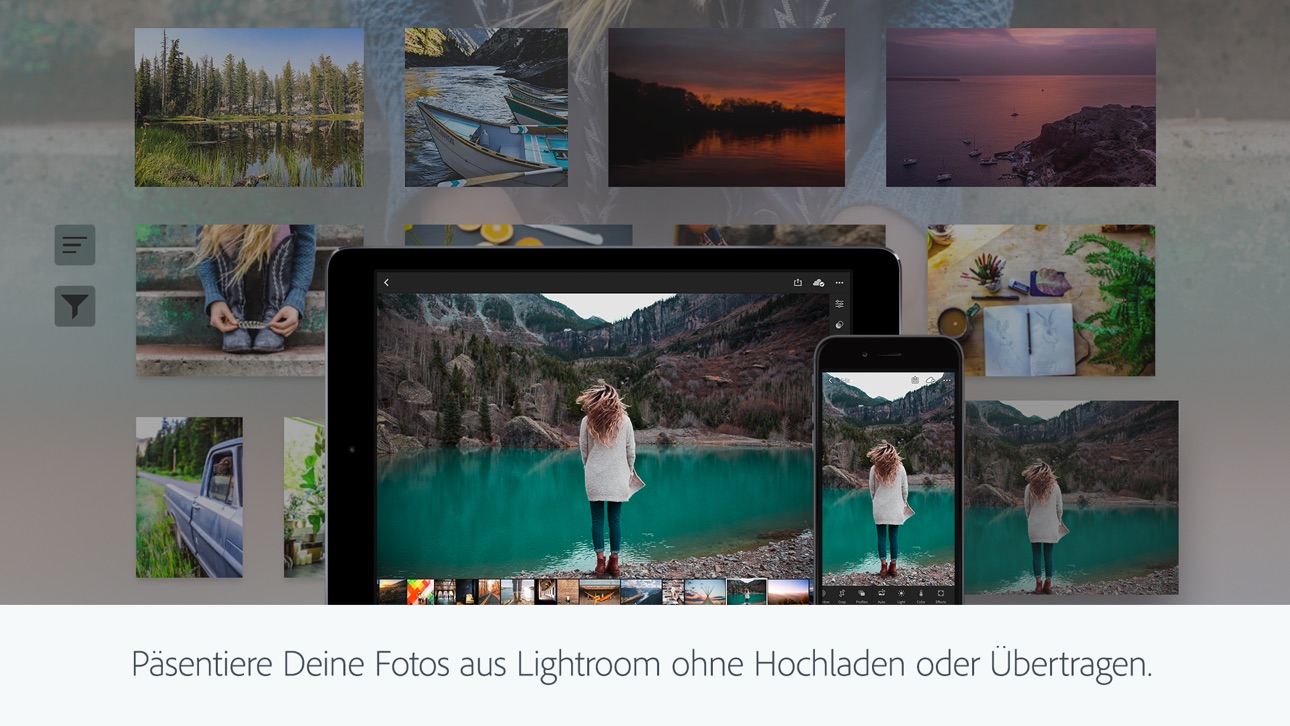


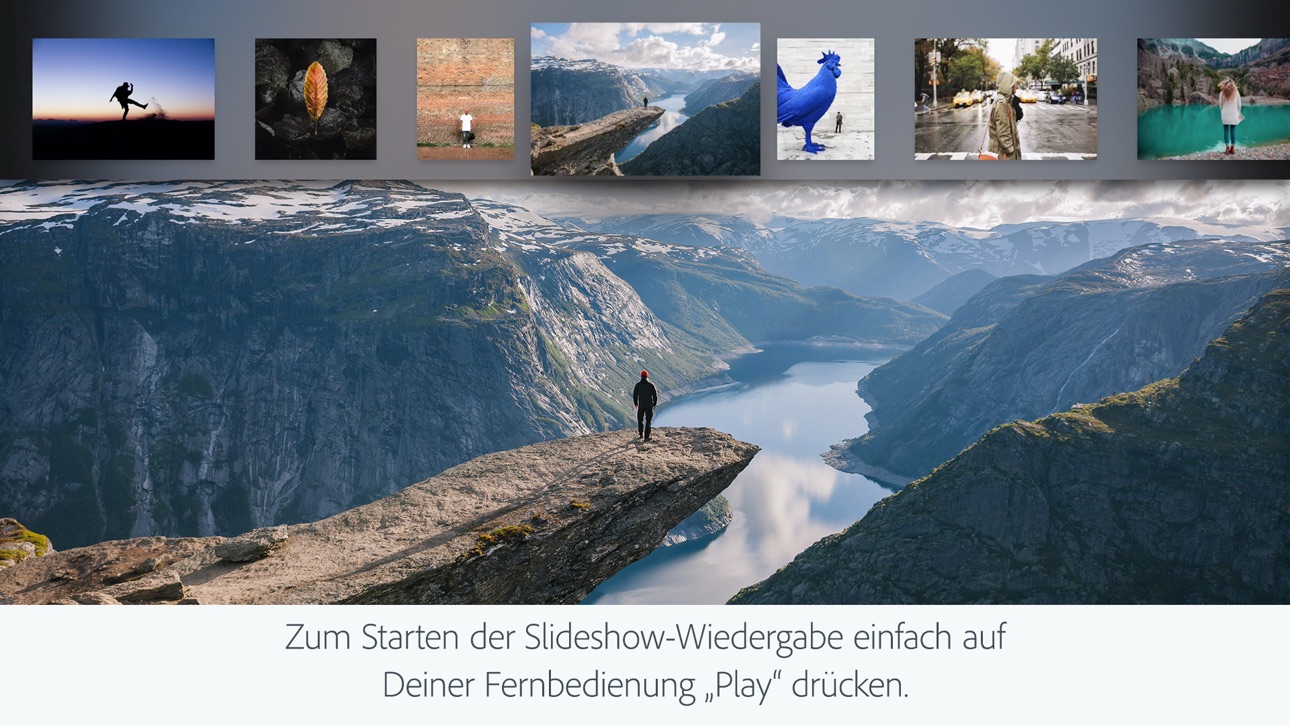


What’s New Version 11.4.10
- Fehlerbehebungen und Stabilitätsverbesserungen
Description
Träumst du manchmal davon, dass deine Fotos zeigen, wie einzigartig der Augenblick war? Lightroom ist eine kostenlose Retouch- und Filter-App zur Bildbearbeitung, die genau das kann! Vom albernen Grinsen deines Hundes bis zum atemberaubenden Sonnenuntergang, mit Lightroom erwachen diese Momente zum Leben, als sei man dabei!
Egal, ob du unterwegs spontan Fotos machst oder deinen Social-Feed kuratierst, mit dieser App hast du leistungsstarke Tools wie KI-Filter in der Tasche, mit der Bilder bearbeiten zum Kinderspiel wird. Mit Lightroom gestaltest du Fotos, die du unbedingt teilen willst!
Ganz einfach tolle Fotos
Willst du Bilder schärfer machen? Objekte entfernen? Kein Problem mit der Retouch-App! Mit Schnellaktion und adaptiven Presets kannst du mit einem Klick dein Foto bearbeiten. Tools zur KI-Bildbearbeitung schlagen dir die perfekten Edits vor. So kannst du schnell dein Foto retuschieren oder mit dem Fotofilter Effekte wie Vintage-Filter erzeugen.
Entferne störende Objekte und lass mit Blur Hintergründe verschwimmen
Lightroom gibt dir Zugriff auf Tools, die intuitiv sind und dir professionelle Ergebnisse liefern. Lass Hintergründe verschwommen aussehen mit der Blur-Funktion, passe Details an oder nutze generatives Entfernen, um mit wenigen Klicks Objekte oder Personen aus deinem Foto zu beseitigen.
Intuitiv und leistungsstark Bilder bearbeiten
Mit Tools zur Feinabstimmung von Belichtung, Lichtern und Schatten hast du das Licht auf deinen Bildern immer im Griff. Experimentiere mit Presets, Effekten, Farbabstufungen und Sättigung oder schaffe mit Blur oder Bokeh besondere Stimmungen. Du behältst die volle Kontrolle, während die Bearbeitung einfach und intuitiv bleibt.
Inspiration aus der Community
Du willst dein Bild bearbeiten, aber weißt nicht, wo du anfangen sollst? Stöbere in Fotofiltern und Presets von Fotofans auf der ganzen Welt. Egal, ob innovative KI-Bildbearbeitung oder leichte Retusche für perfekte Porträts, finde einen Look, der zu dir passt – oder erfinde deinen eigenen! Wie wär’s mit deinem eigenen Retro-Filter? Speichere Favoriten und verpasse jedem Bild deine eigene Note.
Ein Edit für all deine Fotos
Hast du eine ganze Serie von Fotos auf Konzerten, Reisen oder Familienfeiern gemacht? Mit dem praktischen Editor zur KI-Bildbearbeitung wendest du für einen einheitlichen Look dieselben Edits auf mehrere Fotos an.
Warum Lightroom?
* Eine App für jede Gelegenheit, egal, ob du nur dein Foto bearbeiten, Erinnerungen festhalten oder Werke auf Social Media teilen willst.
* Flexible Bildbearbeitung: Fange einfach an und baue deine Fähigkeiten aus.
* Eine App, die dir Selbstvertrauen gibt, deine Kreativität inspiriert und deinen eigenen Stil fördert.
Top-Tools
* Schnellaktion: Verschönere deine Fotos mit passenden Edit-Vorschlägen.
* Presets: Entdecke Fotofilter oder schaffe deinen eigenen Look.
* Hintergrund verwischen: Bringe mühelos Schärfentiefe in dein Bild.
* Generatives Entfernen: Unerwünschte Objekte entfernen mit KI.
* Videobearbeitung: Nutze dieselbe kreative Energie für Videos mit Licht, Farbe und Presets.
Eine App für alle Fotograf*innen
So einfach war Bildbearbeitung noch nie. Mit Lightroom hast du’s in der Hand: Halte Sonnenuntergänge, Momente mit der Familie oder deine neuesten Foodie-Abenteuer fest. Mit Tools zum Foto retuschieren, zum Bild schärfen, zur Verfeinerung der Qualität und zur Videobearbeitung gibt dir Lightroom die perfekte Mischung aus Nutzerfreundlichkeit und Kontrolle.
Jetzt Lightroom herunterladen.
Nutzungsbedingungen: Die Nutzung dieser Anwendung unterliegt den Allgemeinen Nutzungsbedingungen von Adobe http://www.adobe.com/go/terms_linkfree_de sowie den Datenschutzrichtlinien von http://www.adobe.com/go/privacy_policy_linkfree_de
Meine personenbezogenen Informationen dürfen nicht weitergegeben oder verkauft werden www.adobe.com/go/ca-rights-linkfree
In-App Purchases CH pricing
iPhone Subscriptions Subscription
Premium monatlich 40 GB · MonthlyCHF 2.00
Premium wöchentlich 100 GB · 7 daysCHF 3.00
Premium monatlich 100 GB · Monthly 7-day free trialCHF 5.50
Premium wöchentlich 100 GB · 7 daysCHF 7.00
Premium monatlich 100 GB · MonthlyCHF 7.50
Lightroom plan 1TB · MonthlyCHF 10.50
Premium jährlich 40 GB · Yearly 7-day free trialCHF 21.00
Premium-KI Foto bearbeitung · Yearly 7-day free trialCHF 49.00
Premium jährlich 100 GB · Yearly 7-day free trialCHF 54.00
Capabilities
In-App Purchases
Accessibility
ipadiphonemacrealityDevicetvoswatch
Version history 25 versions
Build 887375772v11.4.102026-07-06 08:00:06
- Bug fixes and stability improvements
Build 886389494v11.42026-06-15 08:00:55
- Map view now also offers “edit location” option on iPad and iPhone
- New camera & lens support (full list at https://adobe.com/go/cameras)
- Bug fixes and stability improvements.
Build 885906352v11.3.32026-05-26 08:26:41
- Get clear skin in seconds with one-tap and new manual touch-up tools, now unified in one view within Retouch of Quick Actions.
- Save time with improved keyboard shortcuts by connecting a physical keyboard to your iPad or iPhone: https://adobe.ly/kbshortcuts
- Bug fixes and stability improvements.
Build 884991740v11.3.22026-05-11 15:27:07
- Get clear skin in seconds with one-tap and new manual touch-up tools, now unified in one view within Retouch of Quick Actions.
- Save time with improved keyboard shortcuts by connecting a physical keyboard to your iPad or iPhone: https://adobe.ly/kbshortcuts
- Bug fixes and stability improvements.
Build 884623601v11.3.12026-04-20 07:41:46
- Film-Inspired Presets turn any standard snapshot into a feed-worthy photo in seconds. Inspired by iconic film stock, these 12 professionally designed presets are built into Lightroom and can be adjusted to make the look truly yours.
- Easily manage access to your shared private albums with notifications to quickly approve and deny requests.
- Improved experience opening multiple photos directly from your native photo apps.
- New camera & lens support (full list at https://adobe.com/go/cameras).
- Bug fixes and stability improvements.
Build 883942693v11.32026-04-15 11:00:32
- Film-Inspired Presets turn any standard snapshot into a feed-worthy photo in seconds. Inspired by iconic film stock, these 12 professionally designed presets are built into Lightroom and can be adjusted to make the look truly yours.
- Easily manage access to your shared private albums with notifications to quickly approve and deny requests.
- Improved experience opening multiple photos directly from your native photo apps.
- New camera & lens support (full list at https://adobe.com/go/cameras).
- Bug fixes and stability improvements.
Build 882954459v11.2.22026-03-16 17:05:13
- Bug fixes and stability improvements
Build 882584162v11.2.12026-02-19 19:31:23
- It is now faster and easier to select and export photos to share from Lightroom.
-- Multi Photo Carousel for Device Photos: Select more than one photo at a time to share from your device, in Edit Loupe or Grid View.
-- Sharing performance improvements to increase speed of export and reduce failure rates.
- Crop handles now allow support for smoother scrolling/zooming to the desired crop area.
- New camera & lens support (full list at https://adobe.com/go/cameras)
- Bug fixes and stability improvements
Build 881793144v11.22026-02-18 15:35:09
- It is now faster and easier to select and export photos to share from Lightroom.
-- Multi Photo Carousel for Device Photos: Select more than one photo at a time to share from your device, in Edit Loupe or Grid View.
-- Sharing performance improvements to increase speed of export and reduce failure rates.
- Crop handles now allow support for smoother scrolling/zooming to the desired crop area.
- New camera & lens support (full list at https://adobe.com/go/cameras)
- Bug fixes and stability improvements
Build 880859595v11.1.12026-01-20 16:41:22
- Bug fixes and stability improvements
Build 879918440v11.12025-12-10 12:01:16
- Now, you can go seamlessly from editing to sharing customized photo albums of your favorite moments via a unique link or QR code--no subscription required
- New camera & lens support (full list at https://adobe.com/go/cameras)
- Bug fixes and stability improvements
Build 879372688v11.0.12025-11-17 18:35:56
- Bug fixes and stability improvements
Build 878540118v11.02025-10-21 07:02:54
- Now retouch in Quick Actions allows you to quickly edit portraits and selfies or group photos by reducing unwanted blemishes like acne or scars. Get clear skin, bright smiles, and more in just a few clicks.
- Scene Enhance in Quick Actions can now detect snow, making it simpler than ever to adjust snow and get the perfect winter landscape.
- Adaptive Landscape Presets now allow you to select and enhance up to eight new landscapes, including sky, water, snow and more.
- Enable Object Detection in Generative Remove to remove an object along with its shadow or reflection for cleaner, more accurate results.
- New camera & lens support (full list at https://adobe.com/go/cameras)
- Bug fixes and updates
Build 877822031v10.5.22025-09-15 18:16:19
- Bug fixes and stability improvements
Build 876877988v10.52025-08-12 17:33:56
- Generative Remove is better than ever, with an updated AI model and workflow that makes removals faster and more seamless
- Items added to the trash will be permanently deleted after 30 days
- Get support for the latest cameras and lenses (full list at https://adobe.com/go/cameras)
- Bug fixes, stability, and performance improvements
Build 876101124v10.4.22025-07-21 11:44:21
- Bug fixes and stability improvements
Build 875830339v10.4.12025-06-24 08:47:09
- Bug fixes and stability improvements
Build 875180552v10.42025-06-09 20:48:27
- Get creative assistance in Quick Actions to enhance parts of an outdoor scene, like the sky, water, or plants
- Instantly detect and remove extra people in a few taps with Generative Remove
- Give or like comments on photos in privately shared albums
- Get support for the latest cameras and lenses (full list at https://adobe.com/go/cameras)
- Bug fixes, stability, and performance improvements
Build 874438033v10.3.12025-05-19 15:26:20
- Bug fixes and stability improvements
Build 873795056v10.32025-04-17 10:02:07
- Zoom in, retouch, and make precise edits to any individual in a group photo with Quick Actions
- Send photos directly to others by choosing multiple images from a carousel view
- Easily share albums via a link or QR code that automatically lets others see and add photos
- Get support for the latest cameras and lenses (full list at https://adobe.com/go/cameras)
- Bug fixes and stability improvements
Build 872920468v10.2.32025-03-17 17:15:26
- Bug fixes and stability improvements
Build 872673347v10.2.22025-02-21 04:29:40
- Dynamically adjust tones and colors of your raw photos with Adaptive Profiles, available in color or black and white
- Quickly share albums by creating public, shareable links 4X faster than before
- Customize and show an in-app preview of your shared albums
- Straighten your photo in a tap by using the Fix Angle tool in Quick Actions
- Get support for the latest cameras and lenses (full list at https://adobe.com/go/supported_cameras).
- Bug fixes and stability improvements
Build 872419507v10.2.12025-02-11 21:59:43
- Dynamically adjust tones and colors of your raw photos with Adaptive Profiles, available in color or black and white
- Quickly share albums by creating public, shareable links 4X faster than before
- Customize and show an in-app preview of your shared albums
- Straighten your photo in a tap by using the Fix Angle tool in Quick Actions
- Get support for the latest cameras and lenses (full list at https://adobe.com/go/supported_cameras).
- Bug fixes and stability improvements
Build 872117273v10.2.02025-02-10 19:31:52
- Dynamically adjust tones and colors of your raw photos with Adaptive Profiles, available in color or black and white
- Quickly share albums by creating public, shareable links 4X faster than before
- Customize and show an in-app preview of your shared albums
- Straighten your photo in a tap by using the Fix Angle tool in Quick Actions
- Get support for the latest cameras and lenses (full list at https://adobe.com/go/supported_cameras).
- Bug fixes and stability improvements
Build 872009855v10.1.32025-01-27 18:01:17
- Bug fixes and stability improvements
Price history by region
Currency
Show
Columns
Search
App performance CH
Availability 175 of 175 storefronts
| Region | Language | Price | Ratings | Avg | Version |
|---|---|---|---|---|---|
| US | en-US | Free | 335.4k | 4.8 | 11.4.10 |
| BR | pt-BR | Free | 229.7k | 4.9 | 11.4.10 |
| VN | en-GB | Free | 221.8k | 4.8 | 11.4.10 |
| TH | en-GB | Free | 210.2k | 4.8 | 11.4.10 |
| ID | en-GB | Free | 153.7k | 4.9 | 11.4.10 |
| CN | zh-Hans-CN | Free | 127.7k | 4.8 | 11.4.10 |
| IN | en-GB | Free | 121.3k | 4.7 | 11.4.10 |
| RU | ru | Free | 65.7k | 4.7 | 11.4.10 |
| MX | es-MX | Free | 57.4k | 4.9 | 11.4.10 |
| JP | ja | Free | 47.0k | 4.6 | 11.4.10 |
| MY | en-GB | Free | 42.2k | 4.8 | 11.4.10 |
| SA | en-GB | Free | 41.8k | 4.6 | 11.4.10 |
| PH | en-GB | Free | 36.9k | 4.8 | 11.4.10 |
| GB | en-GB | Free | 36.3k | 4.7 | 11.4.10 |
| DE | de-DE | Free | 33.2k | 4.7 | 11.4.10 |
| FR | fr-FR | Free | 31.6k | 4.7 | 11.4.10 |
| NG | en-GB | Free | 31.5k | 4.6 | 11.4.10 |
| CA | en-CA | Free | 30.7k | 4.8 | 11.4.10 |
| CO | es-MX | Free | 29.7k | 4.9 | 11.4.10 |
| AU | en-AU | Free | 24.0k | 4.7 | 11.4.10 |
| AR | es-MX | Free | 22.7k | 4.9 | 11.4.10 |
| UA | en-GB | Free | 22.4k | 4.8 | 11.4.10 |
| ES | es-ES | Free | 22.3k | 4.7 | 11.4.10 |
| KR | ko | Free | 21.9k | 4.8 | 11.4.10 |
| TW | zh-Hant-TW | Free | 20.7k | 4.8 | 11.4.10 |
| ZA | en-GB | Free | 19.6k | 4.7 | 11.4.10 |
| CL | es-MX | Free | 19.5k | 4.9 | 11.4.10 |
| TR | en-GB | Free | 18.8k | 4.7 | 11.4.10 |
| PK | en-GB | Free | 18.3k | 4.7 | 11.4.10 |
| IT | it | Free | 18.2k | 4.7 | 11.4.10 |
| KH | en-GB | Free | 17.9k | 4.7 | 11.4.10 |
| KZ | en-GB | Free | 17.3k | 4.9 | 11.4.10 |
| EG | en-GB | Free | 17.1k | 4.7 | 11.4.10 |
| AE | en-GB | Free | 15.2k | 4.7 | 11.4.10 |
| LK | en-GB | Free | 14.9k | 4.7 | 11.4.10 |
| PE | es-MX | Free | 14.5k | 4.8 | 11.4.10 |
| PL | en-GB | Free | 12.1k | 4.8 | 11.4.10 |
| PT | pt-PT | Free | 11.3k | 4.8 | 11.4.10 |
| NL | nl | Free | 9.5k | 4.7 | 11.4.10 |
| SG | en-GB | Free | 9.2k | 4.7 | 11.4.10 |
| EC | es-MX | Free | 8.5k | 4.9 | 11.4.10 |
| IL | en-GB | Free | 7.3k | 4.5 | 11.4.10 |
| HK | zh-Hant-HK | Free | 7.0k | 4.8 | 11.4.10 |
| CH | de-CH | Free | 6.7k | 4.7 | 11.4.10 |
| RO | en-GB | Free | 6.4k | 4.9 | 11.4.10 |
| OM | en-GB | Free | 6.1k | 4.6 | 11.4.10 |
| GT | es-MX | Free | 5.8k | 4.8 | 11.4.10 |
| CI | fr-FR | Free | 5.8k | 4.5 | 11.4.10 |
| GH | en-GB | Free | 5.7k | 4.6 | 11.4.10 |
| BE | en-GB | Free | 5.5k | 4.7 | 11.4.10 |
| BY | en-GB | Free | 5.3k | 4.9 | 11.4.10 |
| DO | es-MX | Free | 5.2k | 4.8 | 11.4.10 |
| CZ | en-GB | Free | 5.1k | 4.8 | 11.4.10 |
| SE | sv | Free | 5.0k | 4.7 | 11.4.10 |
| AT | de-DE | Free | 4.7k | 4.8 | 11.4.10 |
| DZ | en-GB | Free | 4.5k | 4.7 | 11.4.10 |
| NP | en-GB | Free | 4.5k | 4.6 | 11.4.10 |
| KE | en-GB | Free | 4.5k | 4.8 | 11.4.10 |
| LY | en-GB | Free | 4.3k | 4.2 | 11.4.10 |
| MA | en-GB | Free | 4.1k | 4.8 | 11.4.10 |
| NO | en-GB | Free | 3.8k | 4.7 | 11.4.10 |
| PA | es-MX | Free | 3.5k | 4.9 | 11.4.10 |
| NZ | en-AU | Free | 3.5k | 4.8 | 11.4.10 |
| CR | es-MX | Free | 3.5k | 4.9 | 11.4.10 |
| QA | en-GB | Free | 3.5k | 4.8 | 11.4.10 |
| VE | es-MX | Free | 3.5k | 4.8 | 11.4.10 |
| JO | en-GB | Free | 3.4k | 4.7 | 11.4.10 |
| PY | es-MX | Free | 3.4k | 4.9 | 11.4.10 |
| HU | en-GB | Free | 3.4k | 4.8 | 11.4.10 |
| GR | en-GB | Free | 3.3k | 4.8 | 11.4.10 |
| TZ | en-GB | Free | 3.1k | 4.8 | 11.4.10 |
| KW | en-GB | Free | 3.0k | 4.7 | 11.4.10 |
| HR | en-GB | Free | 2.8k | 4.9 | 11.4.10 |
| AZ | en-GB | Free | 2.6k | 4.8 | 11.4.10 |
| IQ | en-GB | Free | 2.6k | 4.5 | 11.4.10 |
| SV | es-MX | Free | 2.6k | 4.9 | 11.4.10 |
| MN | en-GB | Free | 2.6k | 4.8 | 11.4.10 |
| UY | en-GB | Free | 2.5k | 4.8 | 11.4.10 |
| LA | en-GB | Free | 2.4k | 4.5 | 11.4.10 |
| KG | en-GB | Free | 2.4k | 4.8 | 11.4.10 |
| FI | en-GB | Free | 2.4k | 4.6 | 11.4.10 |
| IE | en-GB | Free | 2.4k | 4.8 | 11.4.10 |
| SK | en-GB | Free | 2.3k | 4.8 | 11.4.10 |
| SN | en-GB | Free | 2.3k | 4.6 | 11.4.10 |
| BO | es-MX | Free | 2.3k | 4.8 | 11.4.10 |
| HN | es-MX | Free | 2.3k | 4.8 | 11.4.10 |
| BF | en-GB | Free | 2.2k | 4.6 | 11.4.10 |
| DK | en-GB | Free | 2.2k | 4.6 | 11.4.10 |
| TN | en-GB | Free | 2.1k | 4.7 | 11.4.10 |
| UZ | en-GB | Free | 2.0k | 4.8 | 11.4.10 |
| AL | en-GB | Free | 2.0k | 4.8 | 11.4.10 |
| BG | en-GB | Free | 2.0k | 4.9 | 11.4.10 |
| CD | en-GB | Free | 2.0k | 4.5 | 11.4.10 |
| CM | fr-FR | Free | 1.9k | 4.4 | 11.4.10 |
| BJ | en-GB | Free | 1.9k | 4.5 | 11.4.10 |
| LT | en-GB | Free | 1.7k | 4.9 | 11.4.10 |
| UG | en-GB | Free | 1.7k | 4.6 | 11.4.10 |
| BH | en-GB | Free | 1.7k | 4.7 | 11.4.10 |
| AM | en-GB | Free | 1.6k | 4.9 | 11.4.10 |
| CY | en-GB | Free | 1.5k | 4.7 | 11.4.10 |
| MD | en-GB | Free | 1.5k | 4.9 | 11.4.10 |
| RS | en-GB | Free | 1.4k | 4.9 | 11.4.10 |
| AO | en-GB | Free | 1.3k | 4.5 | 11.4.10 |
| LV | en-GB | Free | 1.3k | 4.8 | 11.4.10 |
| MZ | en-GB | Free | 1.3k | 4.5 | 11.4.10 |
| GE | en-GB | Free | 1.3k | 4.8 | 11.4.10 |
| LB | en-GB | Free | 1.2k | 4.7 | 11.4.10 |
| NI | es-MX | Free | 1.1k | 4.8 | 11.4.10 |
| EE | en-GB | Free | 1.0k | 4.9 | 11.4.10 |
| ZW | en-GB | Free | 1.0k | 4.6 | 11.4.10 |
| SI | en-GB | Free | 964 | 4.8 | 11.4.10 |
| YE | en-GB | Free | 893 | 4.4 | 11.4.10 |
| ML | en-GB | Free | 852 | 4.6 | 11.4.10 |
| SL | en-GB | Free | 780 | 4.7 | 11.4.10 |
| MM | en-GB | Free | 704 | 4.6 | 11.4.10 |
| MK | en-GB | Free | 667 | 4.8 | 11.4.10 |
| CG | en-GB | Free | 626 | 4.3 | 11.4.10 |
| NA | en-GB | Free | 607 | 4.5 | 11.4.10 |
| JM | en-GB | Free | 559 | 4.7 | 11.4.10 |
| MR | en-GB | Free | 558 | 4.5 | 11.4.10 |
| MO | zh-Hant-HK | Free | 552 | 4.9 | 11.4.10 |
| MT | en-GB | Free | 537 | 4.8 | 11.4.10 |
| LU | en-GB | Free | 522 | 4.7 | 11.4.10 |
| NE | en-GB | Free | 451 | 4.6 | 11.4.10 |
| AF | en-GB | Free | 436 | 4.7 | 11.4.10 |
| BA | en-GB | Free | 432 | 4.8 | 11.4.10 |
| ZM | en-GB | Free | 431 | 4.6 | 11.4.10 |
| IS | en-GB | Free | 425 | 4.8 | 11.4.10 |
| MV | en-GB | Free | 425 | 4.7 | 11.4.10 |
| TT | en-GB | Free | 395 | 4.7 | 11.4.10 |
| BW | en-GB | Free | 388 | 4.5 | 11.4.10 |
| LR | en-GB | Free | 368 | 4.6 | 11.4.10 |
| MU | en-GB | Free | 356 | 4.7 | 11.4.10 |
| MG | en-GB | Free | 250 | 4.5 | 11.4.10 |
| RW | en-GB | Free | 247 | 4.6 | 11.4.10 |
| XK | en-GB | Free | 240 | 4.9 | 11.4.10 |
| ME | en-GB | Free | 237 | 4.8 | 11.4.10 |
| BN | en-GB | Free | 235 | 4.6 | 11.4.10 |
| TD | en-GB | Free | 220 | 4.6 | 11.4.10 |
| GM | en-GB | Free | 219 | 4.5 | 11.4.10 |
| MW | en-GB | Free | 193 | 4.6 | 11.4.10 |
| TJ | en-GB | Free | 169 | 4.6 | 11.4.10 |
| SB | en-GB | Free | 149 | 4.7 | 11.4.10 |
| FJ | en-GB | Free | 145 | 4.7 | 11.4.10 |
| BZ | en-GB | Free | 134 | 4.7 | 11.4.10 |
| PG | en-GB | Free | 124 | 4.7 | 11.4.10 |
| BS | en-GB | Free | 118 | 4.8 | 11.4.10 |
| CV | en-GB | Free | 114 | 4.8 | 11.4.10 |
| GY | en-GB | Free | 107 | 4.8 | 11.4.10 |
| BT | en-GB | Free | 98 | 4.6 | 11.4.10 |
| GA | fr-FR | Free | 90 | 4.4 | 11.4.10 |
| AI | en-GB | Free | 86 | 4.5 | 11.4.10 |
| SZ | en-GB | Free | 86 | 4.7 | 11.4.10 |
| AG | en-GB | Free | 80 | 4.5 | 11.4.10 |
| SC | en-GB | Free | 78 | 4.7 | 11.4.10 |
| BB | en-GB | Free | 74 | 4.7 | 11.4.10 |
| PW | en-GB | Free | 72 | 4.7 | 11.4.10 |
| KY | en-GB | Free | 69 | 4.9 | 11.4.10 |
| SR | en-GB | Free | 64 | 4.5 | 11.4.10 |
| TM | en-GB | Free | 64 | 4.9 | 11.4.10 |
| LC | en-GB | Free | 48 | 4.8 | 11.4.10 |
| DM | en-GB | Free | 47 | 4.5 | 11.4.10 |
| BM | en-GB | Free | 42 | 4.6 | 11.4.10 |
| VG | en-GB | Free | 39 | 4.8 | 11.4.10 |
| GD | en-GB | Free | 37 | 4.9 | 11.4.10 |
| KN | en-GB | Free | 33 | 4.7 | 11.4.10 |
| VC | en-GB | Free | 30 | 4.6 | 11.4.10 |
| GW | en-GB | Free | 28 | 4.4 | 11.4.10 |
| VU | en-GB | Free | 24 | 4.9 | 11.4.10 |
| TC | en-GB | Free | 21 | 4.7 | 11.4.10 |
| FM | en-GB | Free | 16 | 4.8 | 11.4.10 |
| TO | en-GB | Free | 13 | 4.8 | 11.4.10 |
| ST | en-GB | Free | 12 | 4.7 | 11.4.10 |
| MS | en-GB | Free | 6 | 4.8 | 11.4.10 |
| NR | en-GB | Free | 6 | 5.0 | 11.4.10 |
Reviews 30 reviews · CH
★★★★★ · edited
Hervorragend
Fast täglich arbeite ich damit und macht viel Freude und Spass
ErnstundHeiter2026-05-29
★★★★★
Lightroom since 7 Years
Ich habe leider nun seit sieben Jahren und habe regelmässig Updates und dessen Erklärung erhalten.
Was jedoch schade ist, dass es für Schüler oder Studenten keine Möglichkeit gibt mit einem einmaligen Kauf das Produkt zu erwerben.
spitznamen 2225552026-05-18
★★★★★
Powerful and convenient - on powerful devices
Just import of RAW to the mobile device is missing for a perfect workflow...
wolfgang_weber2026-05-07
★★★★★ · edited
Partage
Le partage pour une story sur Instagram ne fonctionne pas
Bidonduile2026-05-05
★★★★★
Powerful
Lightroom is a very powerful app. The only thing I can complain about is that it’s not easy to just delete a photo (4 taps needed).
marmouzet2026-04-15
★★★★★ · edited
Grundlegende Funktionen fehlen
Das Bearbeiten von Bildern mit dem Gerät im Querformat wurde klammheimlich in einem Update gestrichen; nun kann das Bild nur noch angesehen werden wenn das Gerät in der Quere gehalten wird und zum Bearbeiten muss wieder in die Portraitorientierung gewechselt werden… keine Ahnung welcher miese UXler sich das ausgedacht hat.
Auch bietet Lightroom Mobile nach Jahren immer noch keine Möglichkeit, den Hintergrund/Canvas beim Bearbeiten von Bildern von Schwarz auf Grau und Weiss umzuschalten - was eine wesentlich genauere Einschätzung von Weissabgleich und Belichtung erlauben würde…. und das obwohl
M. Notalot2026-04-09
★★★★★
Masks just disappear
In the current version (11.2.2 0A02E34/233) masks disappear after you switch to another photo. Outrageous.
Sirnii2026-04-03
★★★★★
Incompatibilité
Dommage que tout le travail de classement fait avec Lr soit perdu lors de l’utilisation de LrC sur ordinateur. Pour une utilisation professionnelle on peut donc parler d’incompatibilité des produits Adobe entre elles, ce qui est quand même un comble
Sweb342782026-03-17
★★★★★
Sehr gute Software gefällt mir
Bin absolut zufrieden kann aber noch viel lernen.
Rolf Schenk2026-03-08
★★★★★
Presets werden nicht mehr unterstützt
Seit den aktuellsten Updates werden meine Presets aus Lightroom Classic nicht mehr unterstützt, sodass ich für Lightroom Mobile und CC alle manuell neu erstellen muss.
3iiit2026-02-26
★★★★★
Gut, aber halt (zu) teuer
Leider nur als Abo hnd zu einem verhältnismässig überteuerten Preis.
Leistung der App an sich aber gut.
Oli4D2026-02-13
★★★★★
Betrug
Wenn ich mein Abo künden will muss ich sofort den rest der Laufzeit bezahlen und verliere das Nutzungsrecht aber sofort. Abzockerei! Nie mehr Adobe…
PescheSwiss2026-01-24
★★★★★
Ideales Programm
Ich möchte nicht mehr sein ohne dieses Programm
der Stall ist schön2026-01-12
★★★★★
I love it
Perfect when I don’t have access to my computer, I can enjoy a nice photo editing session anywhere
zac0312026-01-04
★★★★★
Beste Profi-App auf dem Markt
Die Features der Desktop-Version zahlreich auch in der iOS App! Toll!
007hamlet2025-12-30
★★★★★
Juste incroyable.
Lightroom est application que j’utilise tous les jours, incroyable.
samhasthevision2025-12-16
Change log 29 changes · CH
✎
releaseNotes updated
- Bug fixes and stability improvements
✎
description updated
Ever wish your photos could really show what makes a moment special? Adobe Lightroom is a free AI photo and video editor that helps you do just that. From your
✎
subtitle updated
Edit & Enhance Photos & Video
✎
name updated
Lightroom: AI Photo Editor
◆
Version 11.4.10 released
- Bug fixes and stability improvements
◆
Version 11.4 released
- Map view now also offers “edit location” option on iPad and iPhone
- New camera & lens support (full list at https://adobe.com/go/cameras)
- Bug fixes and stability improvements.
◆
Version 11.3.3 released
- Get clear skin in seconds with one-tap and new manual touch-up tools, now unified in one view within Retouch of Quick Actions.
- Save time with improved keyboard shortcuts by connecting a physical keyboard to your iPad or iPhone: https:
◆
Version 11.3.2 released
- Get clear skin in seconds with one-tap and new manual touch-up tools, now unified in one view within Retouch of Quick Actions.
- Save time with improved keyboard shortcuts by connecting a physical keyboard to your iPad or iPhone: https:/
◆
Version 11.3.1 released
- Film-Inspired Presets turn any standard snapshot into a feed-worthy photo in seconds. Inspired by iconic film stock, these 12 professionally designed presets are built into Lightroom and can be adjusted to make the look truly yours.
- E
◆
Version 11.3 released
- Film-Inspired Presets turn any standard snapshot into a feed-worthy photo in seconds. Inspired by iconic film stock, these 12 professionally designed presets are built into Lightroom and can be adjusted to make the look truly yours.
- Ea
◆
Version 11.2.2 released
- Bug fixes and stability improvements
◆
Version 11.2.1 released
- It is now faster and easier to select and export photos to share from Lightroom.
-- Multi Photo Carousel for Device Photos: Select more than one photo at a time to share from your device, in Edit Loupe or Grid View.
-- Sharing performa
◆
Version 11.2 released
- It is now faster and easier to select and export photos to share from Lightroom.
-- Multi Photo Carousel for Device Photos: Select more than one photo at a time to share from your device, in Edit Loupe or Grid View.
-- Sharing performa
◆
Version 11.1.1 released
- Bug fixes and stability improvements
◆
Version 11.1 released
- Now, you can go seamlessly from editing to sharing customized photo albums of your favorite moments via a unique link or QR code--no subscription required
- New camera & lens support (full list at https://adobe.com/go/cameras)
- Bug fixes
◆
Version 11.0.1 released
- Bug fixes and stability improvements
◆
Version 11.0 released
- Now retouch in Quick Actions allows you to quickly edit portraits and selfies or group photos by reducing unwanted blemishes like acne or scars. Get clear skin, bright smiles, and more in just a few clicks.
- Scene Enhance in Quick Actio
◆
Version 10.5.2 released
- Bug fixes and stability improvements
◆
Version 10.5 released
- Generative Remove is better than ever, with an updated AI model and workflow that makes removals faster and more seamless
- Items added to the trash will be permanently deleted after 30 days
- Get support for the latest cameras and lens
◆
Version 10.4.2 released
- Bug fixes and stability improvements
◆
Version 10.4.1 released
- Bug fixes and stability improvements
◆
Version 10.4 released
- Get creative assistance in Quick Actions to enhance parts of an outdoor scene, like the sky, water, or plants
- Instantly detect and remove extra people in a few taps with Generative Remove
- Give or like comments on photos in private
◆
Version 10.3.1 released
- Bug fixes and stability improvements
◆
Version 10.3 released
- Zoom in, retouch, and make precise edits to any individual in a group photo with Quick Actions
- Send photos directly to others by choosing multiple images from a carousel view
- Easily share albums via a link or QR code that automatic
◆
Version 10.2.3 released
- Bug fixes and stability improvements
◆
Version 10.2.2 released
- Dynamically adjust tones and colors of your raw photos with Adaptive Profiles, available in color or black and white
- Quickly share albums by creating public, shareable links 4X faster than before
- Customize and show an in-app preview
◆
Version 10.2.1 released
- Dynamically adjust tones and colors of your raw photos with Adaptive Profiles, available in color or black and white
- Quickly share albums by creating public, shareable links 4X faster than before
- Customize and show an in-app preview
◆
Version 10.2.0 released
- Dynamically adjust tones and colors of your raw photos with Adaptive Profiles, available in color or black and white
- Quickly share albums by creating public, shareable links 4X faster than before
- Customize and show an in-app preview
◆
Version 10.1.3 released
- Bug fixes and stability improvements