Home › Photo & Video

 PG
PG
 USen-US
 VNen-GB
 THen-GB
 IDen-GB
 CNzh-Hans-CN
 INen-GB
 RUru
RUru JPja
JPja MYen-GB
 SAen-GB
 PHen-GB
 GBen-GB
 DEde-DE
 FRfr-FR
 CAen-CA
 AUen-AU
 UAen-GB
 ESes-ES
 KRko
KRko TWzh-Hant-TW
 ZAen-GB
 TRen-GB
 PKen-GB
 ITit
ITit KHen-GB
 KZen-GB
 EGen-GB
 AEen-GB
 LKen-GB
 PEes-MX
 PLen-GB
 PTpt-PT
 NLnl
NLnl SGen-GB
 ECes-MX
 ILen-GB
 HKzh-Hant-HK
 CHde-CH
 ROen-GB
 OMen-GB
 GHen-GB
 BEen-GB
 BYen-GB
 CZen-GB
 SEsv
SEsv ATde-DE
 NPen-GB
 KEen-GB
 NOen-GB
 NZen-AU
 QAen-GB
 VEes-MX
 JOen-GB
 PYes-MX
 HUen-GB
 GRen-GB
 KWen-GB
 HRen-GB
 AZen-GB
 IQen-GB
 SVes-MX
 MNen-GB
 UYen-GB
 LAen-GB
 KGen-GB
 FIen-GB
 IEen-GB
 SKen-GB
 BFen-GB
 DKen-GB
 UZen-GB
 ALen-GB
 BGen-GB
 LTen-GB
 BHen-GB
 AMen-GB
 CYen-GB
 MDen-GB
 RSen-GB
 MZen-GB
 LVen-GB
 GEen-GB
 LBen-GB
 EEen-GB
 SIen-GB
 YEen-GB
 MMen-GB
 MKen-GB
 MRen-GB
 MOzh-Hant-HK
 MTen-GB
 LUen-GB
 AFen-GB
 BAen-GB
 MVen-GB
 ISen-GB
 XKen-GB
 MEen-GB
 BNen-GB
 TJen-GB
 SBen-GB
 FJen-GBPGen-GB
 BTen-GB
 SZen-GB
 SCen-GB
 PWen-GB
 KYen-GB
 TMen-GB
 DMen-GB
 BMen-GB
 VUen-GB
 FMen-GB
 TOen-GB
 NRen-GB
115 of 115 storefronts
Content in en-US
Content in en-US
Information
Preview 2 platforms


iPhone 9 images


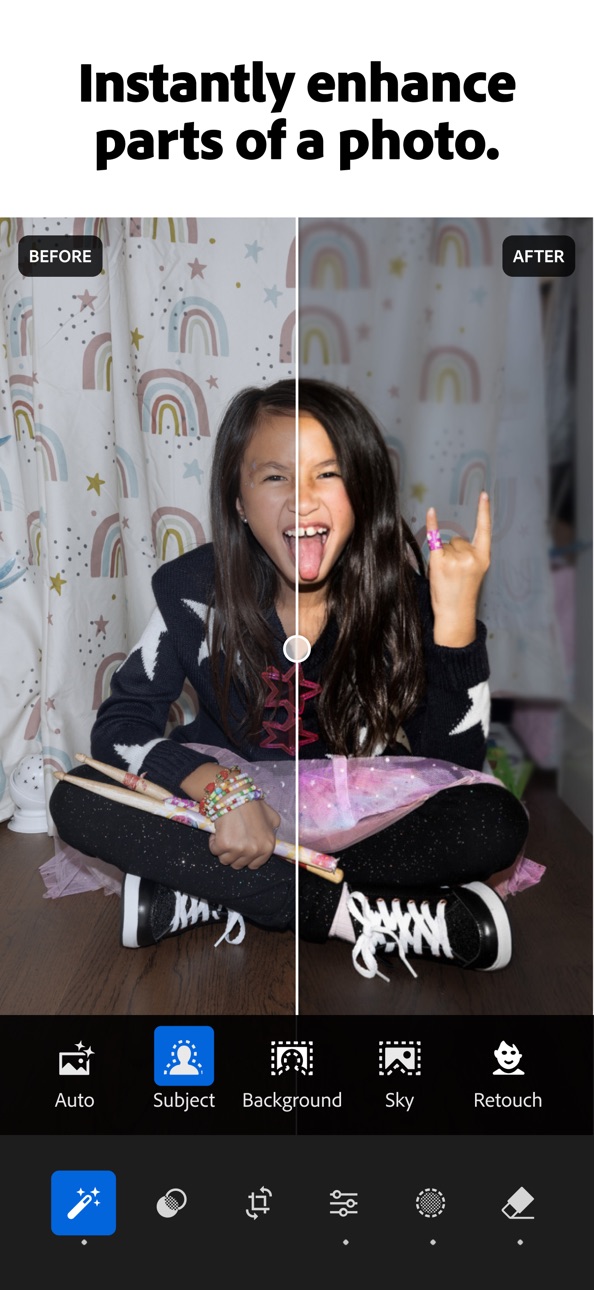


Apple TV 6 images

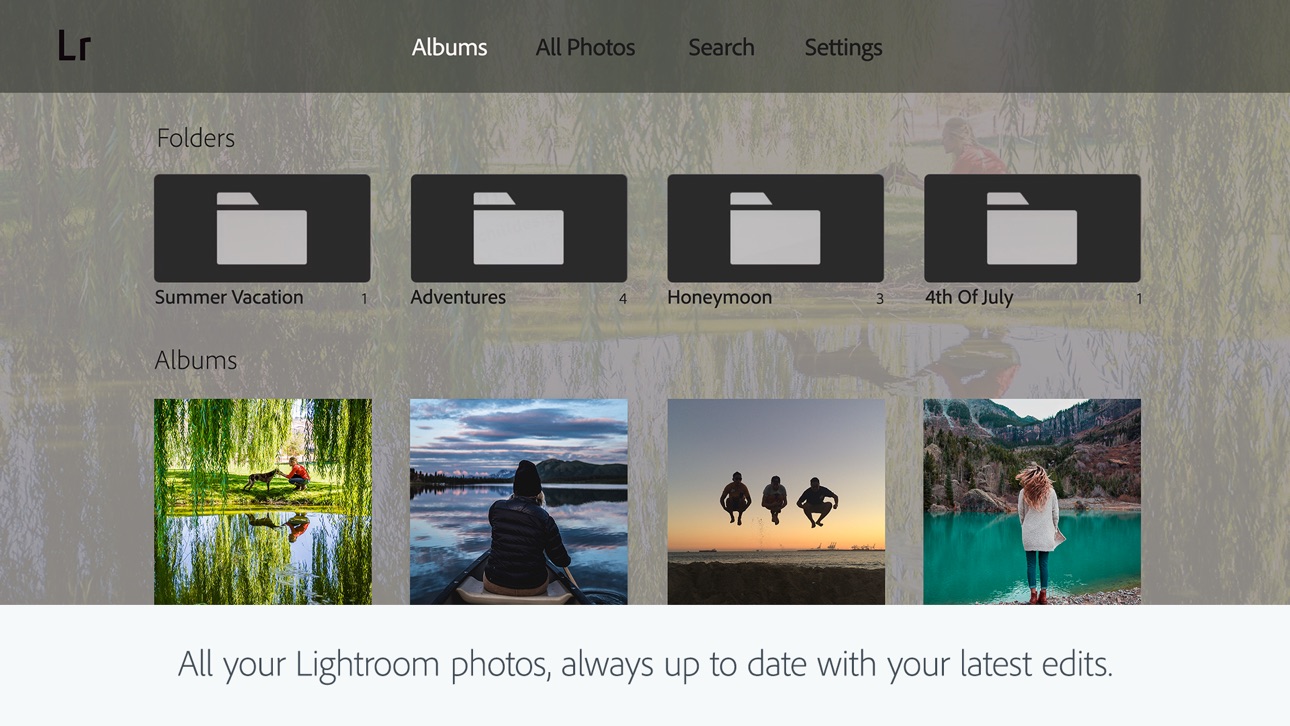


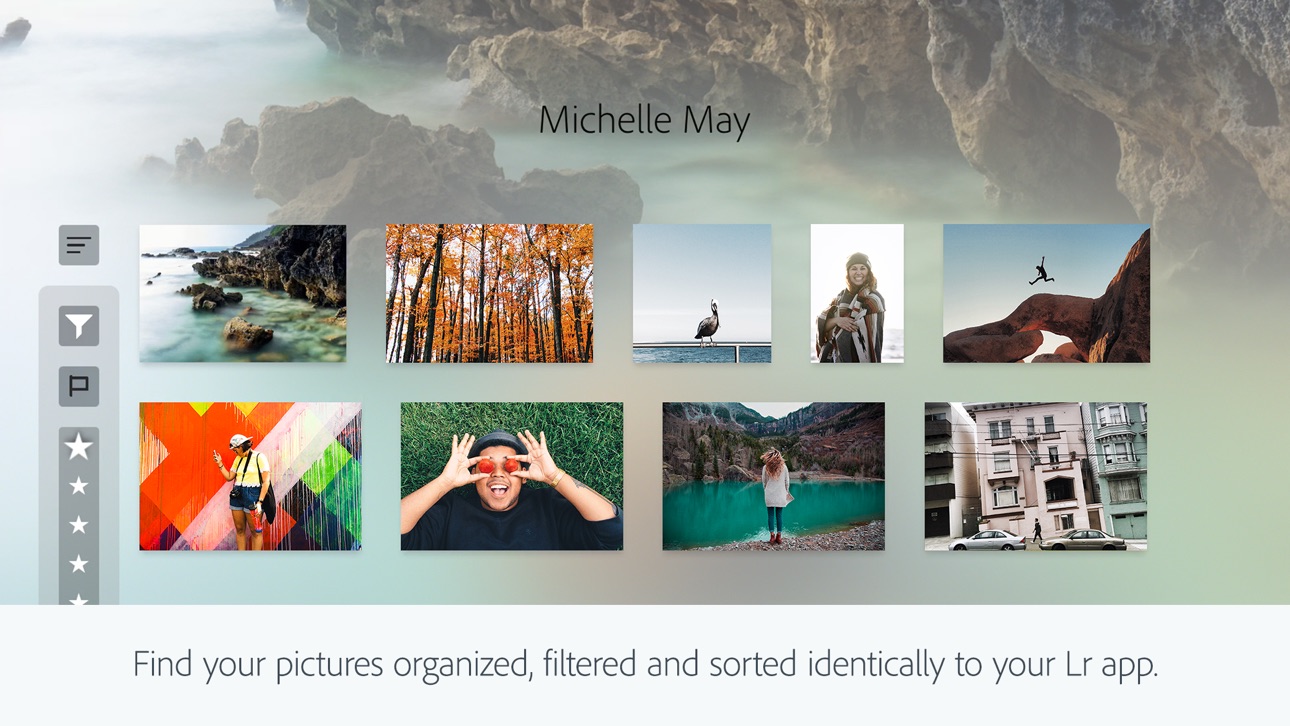
What’s New Version 11.4.10
- Bug fixes and stability improvements
Description
Ever wish your photos could really show what makes a moment special? Adobe Lightroom is a free AI photo and video editor that helps you do just that. From your dog’s goofy grin to that sunset that took your breath away, Adobe Lightroom makes it simple to bring those moments to life, just the way you see them.
Whether you’re snapping pics on the go or curating your social feed, Lightroom puts powerful AI photo editor tools in your pocket to make quick edits easy and fun. Adobe Lightroom is here to help you create photos you’re proud to share.
PHOTO EDITOR THAT EASILY MAKES YOUR PHOTOS LOOK AMAZING
Adobe Lightroom’s one-tap features like Quick Actions and Adaptive Presets let you retouch and enhance photo quality in seconds. These AI photo editor tools suggest the best edits for your images. Perfect for quick photo fixes or adding a unique vibe, no experience required. Use it as your go-to photo editor.
REMOVE DISTRACTIONS AND BLUR BACKGROUND
Adobe Lightroom gives you professional photo editing tools that are easy to use. Blur the photo background for a polished look, adjust finer details, or use AI Generative Remove as an object eraser in photos.
POWERFUL EDITS WITH ZERO HASSLE
Use photo lighting tools to tweak exposure, highlights, and shadows. Fix photos with presets, photo effects, color grading, hue, saturation, or add a blurry bokeh effect to match your vibe.
GET INSPIRATION FROM THE COMMUNITY
Not sure where to start? Browse photo filters, templates, and presets shared by creators around the world. From vintage photo effects to retro photo filters and presets to match your aesthetic kick off your edits in a tap. Whether you’re looking to make bold edits with AI photo editor tools or subtle tweaks for polished portrait edits, find a look that matches your style. Save your favorites and make every photo feel like you.
EDIT ONCE, APPLY EVERYWHERE
Snapped a whole concert, travel day, or family gathering? Instead of editing each shot one by one, make quick edits with AI photo editor tools. Fix photos in batches to keep your photo edits looking consistent.
WHY ADOBE LIGHTROOM?
• It’s for every moment: whether editing photos for fun, capturing memories, gaining confidence, or sharing on social media.
• It’s flexible: start with simple photo editing and grow into a better photographer along the way. Fix photos, crop and resize images, blur background elements, or remove distractions with our object eraser — the editing options are endless with Adobe Lightroom.
• It’s an AI photo editor designed to help build confidence, spark creativity, and showcase your authentic style.
PHOTO EDITOR TOOLS YOU'LL LOVE
• Quick Actions: Fix photos with suggested edits tailored to your pics.
• Preset Edits: Discover filters or make your own signature look.
• Background Blur: Create depth with a blurry background effortlessly.
• Generative Remove Edits: Take out the things you didn’t want with this AI photo eraser.
• Video Editing: Bring the same creative energy to your clips with tools for light, color, and presets.
FOR EVERY KIND OF PHOTOGRAPHER
Photo editing has never been easier. Lightroom is here to empower you - to capture sunsets, family moments, or your latest foodie find. With tools to fix pictures, enhance photo quality, and edit videos, Adobe Lightroom gives you the right balance of ease and control.
Download Adobe Lightroom today.
Terms & Conditions:
Your use of this application is governed by the Adobe General Terms of Use http://www.adobe.com/go/terms_linkfree_en and the Adobe Privacy Policy http://www.adobe.com/go/privacy_policy_linkfree_en
Do not sell or share my personal information www.adobe.com/go/ca-rights-linkfree
In-App Purchases PG pricing
iPhone Subscriptions Subscription
Premium Monthly 100GB · Monthly—
Premium yearly 100GB · Yearly—
Premium Weekly 100GB · 7 days—
Capabilities
In-App Purchases
Accessibility
ipadiphonemacrealityDevicetvoswatch
Version history 25 versions
Build 887375772v11.4.102026-07-06 08:00:06
- Bug fixes and stability improvements
Build 886389494v11.42026-06-15 08:00:55
- Map view now also offers “edit location” option on iPad and iPhone
- New camera & lens support (full list at https://adobe.com/go/cameras)
- Bug fixes and stability improvements.
Build 885906352v11.3.32026-05-26 08:26:41
- Get clear skin in seconds with one-tap and new manual touch-up tools, now unified in one view within Retouch of Quick Actions.
- Save time with improved keyboard shortcuts by connecting a physical keyboard to your iPad or iPhone: https://adobe.ly/kbshortcuts
- Bug fixes and stability improvements.
Build 884991740v11.3.22026-05-11 15:27:07
- Get clear skin in seconds with one-tap and new manual touch-up tools, now unified in one view within Retouch of Quick Actions.
- Save time with improved keyboard shortcuts by connecting a physical keyboard to your iPad or iPhone: https://adobe.ly/kbshortcuts
- Bug fixes and stability improvements.
Build 884623601v11.3.12026-04-20 07:41:46
- Film-Inspired Presets turn any standard snapshot into a feed-worthy photo in seconds. Inspired by iconic film stock, these 12 professionally designed presets are built into Lightroom and can be adjusted to make the look truly yours.
- Easily manage access to your shared private albums with notifications to quickly approve and deny requests.
- Improved experience opening multiple photos directly from your native photo apps.
- New camera & lens support (full list at https://adobe.com/go/cameras).
- Bug fixes and stability improvements.
Build 883942693v11.32026-04-15 11:00:32
- Film-Inspired Presets turn any standard snapshot into a feed-worthy photo in seconds. Inspired by iconic film stock, these 12 professionally designed presets are built into Lightroom and can be adjusted to make the look truly yours.
- Easily manage access to your shared private albums with notifications to quickly approve and deny requests.
- Improved experience opening multiple photos directly from your native photo apps.
- New camera & lens support (full list at https://adobe.com/go/cameras).
- Bug fixes and stability improvements.
Build 882954459v11.2.22026-03-16 17:05:13
- Bug fixes and stability improvements
Build 882584162v11.2.12026-02-19 19:31:23
- It is now faster and easier to select and export photos to share from Lightroom.
-- Multi Photo Carousel for Device Photos: Select more than one photo at a time to share from your device, in Edit Loupe or Grid View.
-- Sharing performance improvements to increase speed of export and reduce failure rates.
- Crop handles now allow support for smoother scrolling/zooming to the desired crop area.
- New camera & lens support (full list at https://adobe.com/go/cameras)
- Bug fixes and stability improvements
Build 881793144v11.22026-02-18 15:35:09
- It is now faster and easier to select and export photos to share from Lightroom.
-- Multi Photo Carousel for Device Photos: Select more than one photo at a time to share from your device, in Edit Loupe or Grid View.
-- Sharing performance improvements to increase speed of export and reduce failure rates.
- Crop handles now allow support for smoother scrolling/zooming to the desired crop area.
- New camera & lens support (full list at https://adobe.com/go/cameras)
- Bug fixes and stability improvements
Build 880859595v11.1.12026-01-20 16:41:22
- Bug fixes and stability improvements
Build 879918440v11.12025-12-10 12:01:16
- Now, you can go seamlessly from editing to sharing customized photo albums of your favorite moments via a unique link or QR code--no subscription required
- New camera & lens support (full list at https://adobe.com/go/cameras)
- Bug fixes and stability improvements
Build 879372688v11.0.12025-11-17 18:35:56
- Bug fixes and stability improvements
Build 878540118v11.02025-10-21 07:02:54
- Now retouch in Quick Actions allows you to quickly edit portraits and selfies or group photos by reducing unwanted blemishes like acne or scars. Get clear skin, bright smiles, and more in just a few clicks.
- Scene Enhance in Quick Actions can now detect snow, making it simpler than ever to adjust snow and get the perfect winter landscape.
- Adaptive Landscape Presets now allow you to select and enhance up to eight new landscapes, including sky, water, snow and more.
- Enable Object Detection in Generative Remove to remove an object along with its shadow or reflection for cleaner, more accurate results.
- New camera & lens support (full list at https://adobe.com/go/cameras)
- Bug fixes and updates
Build 877822031v10.5.22025-09-15 18:16:19
- Bug fixes and stability improvements
Build 876877988v10.52025-08-12 17:33:56
- Generative Remove is better than ever, with an updated AI model and workflow that makes removals faster and more seamless
- Items added to the trash will be permanently deleted after 30 days
- Get support for the latest cameras and lenses (full list at https://adobe.com/go/cameras)
- Bug fixes, stability, and performance improvements
Build 876101124v10.4.22025-07-21 11:44:21
- Bug fixes and stability improvements
Build 875830339v10.4.12025-06-24 08:47:09
- Bug fixes and stability improvements
Build 875180552v10.42025-06-09 20:48:27
- Get creative assistance in Quick Actions to enhance parts of an outdoor scene, like the sky, water, or plants
- Instantly detect and remove extra people in a few taps with Generative Remove
- Give or like comments on photos in privately shared albums
- Get support for the latest cameras and lenses (full list at https://adobe.com/go/cameras)
- Bug fixes, stability, and performance improvements
Build 874438033v10.3.12025-05-19 15:26:20
- Bug fixes and stability improvements
Build 873795056v10.32025-04-17 10:02:07
- Zoom in, retouch, and make precise edits to any individual in a group photo with Quick Actions
- Send photos directly to others by choosing multiple images from a carousel view
- Easily share albums via a link or QR code that automatically lets others see and add photos
- Get support for the latest cameras and lenses (full list at https://adobe.com/go/cameras)
- Bug fixes and stability improvements
Build 872920468v10.2.32025-03-17 17:15:26
- Bug fixes and stability improvements
Build 872673347v10.2.22025-02-21 04:29:40
- Dynamically adjust tones and colors of your raw photos with Adaptive Profiles, available in color or black and white
- Quickly share albums by creating public, shareable links 4X faster than before
- Customize and show an in-app preview of your shared albums
- Straighten your photo in a tap by using the Fix Angle tool in Quick Actions
- Get support for the latest cameras and lenses (full list at https://adobe.com/go/supported_cameras).
- Bug fixes and stability improvements
Build 872419507v10.2.12025-02-11 21:59:43
- Dynamically adjust tones and colors of your raw photos with Adaptive Profiles, available in color or black and white
- Quickly share albums by creating public, shareable links 4X faster than before
- Customize and show an in-app preview of your shared albums
- Straighten your photo in a tap by using the Fix Angle tool in Quick Actions
- Get support for the latest cameras and lenses (full list at https://adobe.com/go/supported_cameras).
- Bug fixes and stability improvements
Build 872117273v10.2.02025-02-10 19:31:52
- Dynamically adjust tones and colors of your raw photos with Adaptive Profiles, available in color or black and white
- Quickly share albums by creating public, shareable links 4X faster than before
- Customize and show an in-app preview of your shared albums
- Straighten your photo in a tap by using the Fix Angle tool in Quick Actions
- Get support for the latest cameras and lenses (full list at https://adobe.com/go/supported_cameras).
- Bug fixes and stability improvements
Build 872009855v10.1.32025-01-27 18:01:17
- Bug fixes and stability improvements
Price history by region
Currency
Show
Columns
Search
Availability 115 of 115 storefronts
| Region | Language | Price | Ratings | Avg | Version |
|---|---|---|---|---|---|
| US | en-US | Free | 335.2k | 4.8 | 11.4.10 |
| VN | en-GB | Free | 221.8k | 4.8 | 11.4.10 |
| TH | en-GB | Free | 210.1k | 4.8 | 11.4.10 |
| ID | en-GB | Free | 153.6k | 4.9 | 11.4.10 |
| CN | zh-Hans-CN | Free | 127.6k | 4.8 | 11.4.10 |
| IN | en-GB | Free | 121.2k | 4.7 | 11.4.10 |
| RU | ru | Free | 65.6k | 4.7 | 11.4.10 |
| JP | ja | Free | 47.0k | 4.6 | 11.4.10 |
| MY | en-GB | Free | 42.2k | 4.8 | 11.4.10 |
| SA | en-GB | Free | 41.7k | 4.6 | 11.4.10 |
| PH | en-GB | Free | 36.9k | 4.8 | 11.4.10 |
| GB | en-GB | Free | 36.3k | 4.7 | 11.4.10 |
| DE | de-DE | Free | 33.2k | 4.7 | 11.4.10 |
| FR | fr-FR | Free | 31.5k | 4.7 | 11.4.10 |
| CA | en-CA | Free | 30.7k | 4.8 | 11.4.10 |
| AU | en-AU | Free | 24.0k | 4.7 | 11.4.10 |
| UA | en-GB | Free | 22.4k | 4.8 | 11.4.10 |
| ES | es-ES | Free | 22.3k | 4.7 | 11.4.10 |
| KR | ko | Free | 21.9k | 4.8 | 11.4.10 |
| TW | zh-Hant-TW | Free | 20.7k | 4.8 | 11.4.10 |
| ZA | en-GB | Free | 19.6k | 4.7 | 11.4.10 |
| TR | en-GB | Free | 18.8k | 4.7 | 11.4.10 |
| PK | en-GB | Free | 18.3k | 4.7 | 11.4.10 |
| IT | it | Free | 18.2k | 4.7 | 11.4.10 |
| KH | en-GB | Free | 17.9k | 4.7 | 11.4.10 |
| KZ | en-GB | Free | 17.3k | 4.9 | 11.4.10 |
| EG | en-GB | Free | 17.0k | 4.7 | 11.4.10 |
| AE | en-GB | Free | 15.2k | 4.7 | 11.4.10 |
| LK | en-GB | Free | 14.9k | 4.7 | 11.4.10 |
| PE | es-MX | Free | 14.5k | 4.8 | 11.4.10 |
| PL | en-GB | Free | 12.1k | 4.8 | 11.4.10 |
| PT | pt-PT | Free | 11.3k | 4.8 | 11.4.10 |
| NL | nl | Free | 9.5k | 4.7 | 11.4.10 |
| SG | en-GB | Free | 9.2k | 4.7 | 11.4.10 |
| EC | es-MX | Free | 8.5k | 4.9 | 11.4.10 |
| IL | en-GB | Free | 7.3k | 4.5 | 11.4.10 |
| HK | zh-Hant-HK | Free | 7.0k | 4.8 | 11.4.10 |
| CH | de-CH | Free | 6.7k | 4.7 | 11.4.10 |
| RO | en-GB | Free | 6.4k | 4.9 | 11.4.10 |
| OM | en-GB | Free | 6.1k | 4.6 | 11.4.10 |
| GH | en-GB | Free | 5.7k | 4.6 | 11.4.10 |
| BE | en-GB | Free | 5.5k | 4.7 | 11.4.10 |
| BY | en-GB | Free | 5.3k | 4.9 | 11.4.10 |
| CZ | en-GB | Free | 5.1k | 4.8 | 11.4.10 |
| SE | sv | Free | 5.0k | 4.7 | 11.4.10 |
| AT | de-DE | Free | 4.7k | 4.8 | 11.4.10 |
| NP | en-GB | Free | 4.5k | 4.6 | 11.4.10 |
| KE | en-GB | Free | 4.5k | 4.8 | 11.4.10 |
| NO | en-GB | Free | 3.8k | 4.7 | 11.4.10 |
| NZ | en-AU | Free | 3.5k | 4.8 | 11.4.10 |
| QA | en-GB | Free | 3.5k | 4.8 | 11.4.10 |
| VE | es-MX | Free | 3.5k | 4.8 | 11.4.10 |
| JO | en-GB | Free | 3.4k | 4.7 | 11.4.10 |
| PY | es-MX | Free | 3.4k | 4.9 | 11.4.10 |
| HU | en-GB | Free | 3.4k | 4.8 | 11.4.10 |
| GR | en-GB | Free | 3.3k | 4.8 | 11.4.10 |
| KW | en-GB | Free | 3.0k | 4.7 | 11.4.10 |
| HR | en-GB | Free | 2.8k | 4.9 | 11.4.10 |
| AZ | en-GB | Free | 2.6k | 4.8 | 11.4.10 |
| IQ | en-GB | Free | 2.6k | 4.5 | 11.4.10 |
| SV | es-MX | Free | 2.6k | 4.9 | 11.4.10 |
| MN | en-GB | Free | 2.6k | 4.8 | 11.4.10 |
| UY | en-GB | Free | 2.5k | 4.8 | 11.4.10 |
| LA | en-GB | Free | 2.4k | 4.5 | 11.4.10 |
| KG | en-GB | Free | 2.4k | 4.8 | 11.4.10 |
| FI | en-GB | Free | 2.4k | 4.6 | 11.4.10 |
| IE | en-GB | Free | 2.4k | 4.8 | 11.4.10 |
| SK | en-GB | Free | 2.3k | 4.8 | 11.4.10 |
| BF | en-GB | Free | 2.2k | 4.6 | 11.4.10 |
| DK | en-GB | Free | 2.2k | 4.7 | 11.4.10 |
| UZ | en-GB | Free | 2.0k | 4.8 | 11.4.10 |
| AL | en-GB | Free | 2.0k | 4.8 | 11.4.10 |
| BG | en-GB | Free | 2.0k | 4.9 | 11.4.10 |
| LT | en-GB | Free | 1.7k | 4.9 | 11.4.10 |
| BH | en-GB | Free | 1.7k | 4.7 | 11.4.10 |
| AM | en-GB | Free | 1.6k | 4.9 | 11.4.10 |
| CY | en-GB | Free | 1.5k | 4.7 | 11.4.10 |
| MD | en-GB | Free | 1.5k | 4.9 | 11.4.10 |
| RS | en-GB | Free | 1.4k | 4.9 | 11.4.10 |
| MZ | en-GB | Free | 1.3k | 4.5 | 11.4.10 |
| LV | en-GB | Free | 1.3k | 4.8 | 11.4.10 |
| GE | en-GB | Free | 1.3k | 4.8 | 11.4.10 |
| LB | en-GB | Free | 1.2k | 4.7 | 11.4.10 |
| EE | en-GB | Free | 1.0k | 4.9 | 11.4.10 |
| SI | en-GB | Free | 964 | 4.8 | 11.4.10 |
| YE | en-GB | Free | 893 | 4.4 | 11.4.10 |
| MM | en-GB | Free | 704 | 4.6 | 11.4.10 |
| MK | en-GB | Free | 667 | 4.8 | 11.4.10 |
| MR | en-GB | Free | 556 | 4.5 | 11.4.10 |
| MO | zh-Hant-HK | Free | 552 | 4.9 | 11.4.10 |
| MT | en-GB | Free | 536 | 4.8 | 11.4.10 |
| LU | en-GB | Free | 522 | 4.7 | 11.4.10 |
| AF | en-GB | Free | 436 | 4.7 | 11.4.10 |
| BA | en-GB | Free | 432 | 4.8 | 11.4.10 |
| MV | en-GB | Free | 426 | 4.7 | 11.4.10 |
| IS | en-GB | Free | 425 | 4.8 | 11.4.10 |
| XK | en-GB | Free | 240 | 4.9 | 11.4.10 |
| ME | en-GB | Free | 236 | 4.8 | 11.4.10 |
| BN | en-GB | Free | 235 | 4.6 | 11.4.10 |
| TJ | en-GB | Free | 169 | 4.6 | 11.4.10 |
| SB | en-GB | Free | 149 | 4.7 | 11.4.10 |
| FJ | en-GB | Free | 145 | 4.7 | 11.4.10 |
| PG | en-GB | Free | 125 | 4.7 | 11.4.10 |
| BT | en-GB | Free | 98 | 4.6 | 11.4.10 |
| SZ | en-GB | Free | 86 | 4.7 | 11.4.10 |
| SC | en-GB | Free | 78 | 4.7 | 11.4.10 |
| PW | en-GB | Free | 72 | 4.7 | 11.4.10 |
| KY | en-GB | Free | 69 | 4.9 | 11.4.10 |
| TM | en-GB | Free | 64 | 4.9 | 11.4.10 |
| DM | en-GB | Free | 47 | 4.5 | 11.4.10 |
| BM | en-GB | Free | 42 | 4.6 | 11.4.10 |
| VU | en-GB | Free | 24 | 4.9 | 11.4.10 |
| FM | en-GB | Free | 16 | 4.8 | 11.4.10 |
| TO | en-GB | Free | 13 | 4.8 | 11.4.10 |
| NR | en-GB | Free | 6 | 5.0 | 11.4.10 |
Change log 29 changes · PG
✎
releaseNotes updated
- Bug fixes and stability improvements
✎
description updated
Ever wish your photos could really show what makes a moment special? Adobe Lightroom is a free AI photo and video editor that helps you do just that. From your
✎
subtitle updated
Edit & Enhance Photos & Video
✎
name updated
Lightroom: AI Photo Editor
◆
Version 11.4.10 released
- Bug fixes and stability improvements
◆
Version 11.4 released
- Map view now also offers “edit location” option on iPad and iPhone
- New camera & lens support (full list at https://adobe.com/go/cameras)
- Bug fixes and stability improvements.
◆
Version 11.3.3 released
- Get clear skin in seconds with one-tap and new manual touch-up tools, now unified in one view within Retouch of Quick Actions.
- Save time with improved keyboard shortcuts by connecting a physical keyboard to your iPad or iPhone: https:
◆
Version 11.3.2 released
- Get clear skin in seconds with one-tap and new manual touch-up tools, now unified in one view within Retouch of Quick Actions.
- Save time with improved keyboard shortcuts by connecting a physical keyboard to your iPad or iPhone: https:/
◆
Version 11.3.1 released
- Film-Inspired Presets turn any standard snapshot into a feed-worthy photo in seconds. Inspired by iconic film stock, these 12 professionally designed presets are built into Lightroom and can be adjusted to make the look truly yours.
- E
◆
Version 11.3 released
- Film-Inspired Presets turn any standard snapshot into a feed-worthy photo in seconds. Inspired by iconic film stock, these 12 professionally designed presets are built into Lightroom and can be adjusted to make the look truly yours.
- Ea
◆
Version 11.2.2 released
- Bug fixes and stability improvements
◆
Version 11.2.1 released
- It is now faster and easier to select and export photos to share from Lightroom.
-- Multi Photo Carousel for Device Photos: Select more than one photo at a time to share from your device, in Edit Loupe or Grid View.
-- Sharing performa
◆
Version 11.2 released
- It is now faster and easier to select and export photos to share from Lightroom.
-- Multi Photo Carousel for Device Photos: Select more than one photo at a time to share from your device, in Edit Loupe or Grid View.
-- Sharing performa
◆
Version 11.1.1 released
- Bug fixes and stability improvements
◆
Version 11.1 released
- Now, you can go seamlessly from editing to sharing customized photo albums of your favorite moments via a unique link or QR code--no subscription required
- New camera & lens support (full list at https://adobe.com/go/cameras)
- Bug fixes
◆
Version 11.0.1 released
- Bug fixes and stability improvements
◆
Version 11.0 released
- Now retouch in Quick Actions allows you to quickly edit portraits and selfies or group photos by reducing unwanted blemishes like acne or scars. Get clear skin, bright smiles, and more in just a few clicks.
- Scene Enhance in Quick Actio
◆
Version 10.5.2 released
- Bug fixes and stability improvements
◆
Version 10.5 released
- Generative Remove is better than ever, with an updated AI model and workflow that makes removals faster and more seamless
- Items added to the trash will be permanently deleted after 30 days
- Get support for the latest cameras and lens
◆
Version 10.4.2 released
- Bug fixes and stability improvements
◆
Version 10.4.1 released
- Bug fixes and stability improvements
◆
Version 10.4 released
- Get creative assistance in Quick Actions to enhance parts of an outdoor scene, like the sky, water, or plants
- Instantly detect and remove extra people in a few taps with Generative Remove
- Give or like comments on photos in private
◆
Version 10.3.1 released
- Bug fixes and stability improvements
◆
Version 10.3 released
- Zoom in, retouch, and make precise edits to any individual in a group photo with Quick Actions
- Send photos directly to others by choosing multiple images from a carousel view
- Easily share albums via a link or QR code that automatic
◆
Version 10.2.3 released
- Bug fixes and stability improvements
◆
Version 10.2.2 released
- Dynamically adjust tones and colors of your raw photos with Adaptive Profiles, available in color or black and white
- Quickly share albums by creating public, shareable links 4X faster than before
- Customize and show an in-app preview
◆
Version 10.2.1 released
- Dynamically adjust tones and colors of your raw photos with Adaptive Profiles, available in color or black and white
- Quickly share albums by creating public, shareable links 4X faster than before
- Customize and show an in-app preview
◆
Version 10.2.0 released
- Dynamically adjust tones and colors of your raw photos with Adaptive Profiles, available in color or black and white
- Quickly share albums by creating public, shareable links 4X faster than before
- Customize and show an in-app preview
◆
Version 10.1.3 released
- Bug fixes and stability improvements