Home › Photo & Video

 DE
DE
 USen-US
 CNzh-Hans-CNDEde-DE
 GBen-GB
 JPja
JPja CAen-CA
 FRfr-FR
 AUen-AU
 CHde-CH
 ITit
ITit ATde-DE
 KRko
KRko NLnl
NLnl PLen-GB
 ESes-ES
 TRen-GB
 BRpt-BR
 TWzh-Hant-TW
 CZen-GB
 GRen-GB
 MXes-MX
 HUen-GB
 ROen-GB
 RUru
RUru THen-GB
 MYen-GB
 HKzh-Hant-HK
 BEen-GB
 IDen-GB
 PHen-GB
 SGen-GB
 PTpt-PT
 ZAen-GB
 DKen-GB
 FIen-GB
 SKen-GB
 ILen-GB
 VNen-GB
 CLes-MX
 IEen-GB
 NZen-AU
 BGen-GB
 HRen-GB
 UAen-GB
 AEen-GB
 SAen-GB
 ARes-MX
 PEes-MX
 COes-MX
 EGen-GB
 LVen-GB
 OMen-GB
 LTen-GB
 CRes-MX
 LUen-GB
 SIen-GB
 DOes-MX
 KWen-GB
 RSen-GB
 EEen-GB
 GTes-MX
 NGen-GB
 BYen-GB
 CIfr-FR
 CYen-GB
 ISen-GB
 KEen-GB
 MVen-GB
 UGen-GB
 AMen-GB
 ECes-MX
 JOen-GB
 LBen-GB
 NIes-MX
 PAes-MX
 UYen-GB
 ALen-GB
 AZen-GB
 BAen-GB
 BSen-GB
 FJen-GB
 HNes-MX
 MDen-GB
 MEen-GB
 MTen-GB
 MUen-GB
 MZen-GB
 SNen-GB
 TTen-GB
 YEen-GB
 ZMen-GB
 AGen-GB
 AIen-GB
 AOen-GB
 BBen-GB
 BFen-GB
 BHen-GB
 BJen-GB
 BNen-GB
 BOes-MX
 BTen-GB
 BWen-GB
 BZen-GB
 CDen-GB
 CGen-GB
 CMfr-FR
 CVen-GB
 DMen-GB
 DZen-GB
 FMen-GB
 GAfr-FR
 GDen-GB
 GEen-GB
 GHen-GB
 GMen-GB
 GWen-GB
 GYen-GB
 IQen-GB
 JMen-GB
 KGen-GB
 KNen-GB
 KYen-GB
 LAen-GB
 LCen-GB
 LRen-GB
 LYen-GB
 MAen-GB
 MGen-GB
 MKen-GB
 MLen-GB
 MOzh-Hant-HK
 MRen-GB
 MSen-GB
 MWen-GB
 NAen-GB
 NEen-GB
 NRen-GB
 PGen-GB
 PWen-GB
 PYes-MX
 RWen-GB
 SBen-GB
 SCen-GB
 SLen-GB
 SRen-GB
 STen-GB
 SVes-MX
 SZen-GB
 TCen-GB
 TDen-GB
 TJen-GB
 TMen-GB
 TNen-GB
 TOen-GB
 TZen-GB
 UZen-GB
 VCen-GB
 VEes-MX
 VGen-GB
 VUen-GB
 XKen-GB
 ZWen-GB
162 of 162 storefronts
Content in de-DE
Content in de-DE
Information
Preview 4 platforms




iPhone 10 images





iPad 8 images





Apple TV 9 images


Apple Watch 10 images
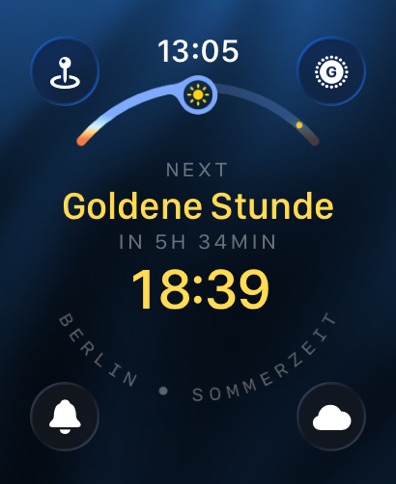


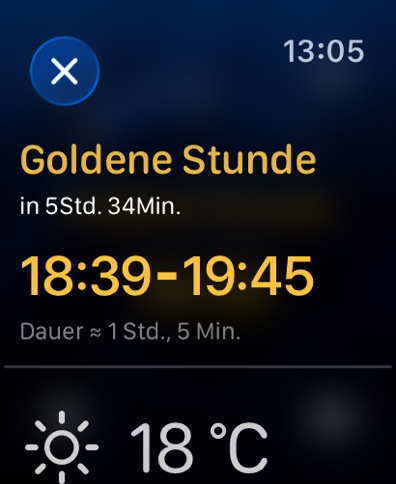


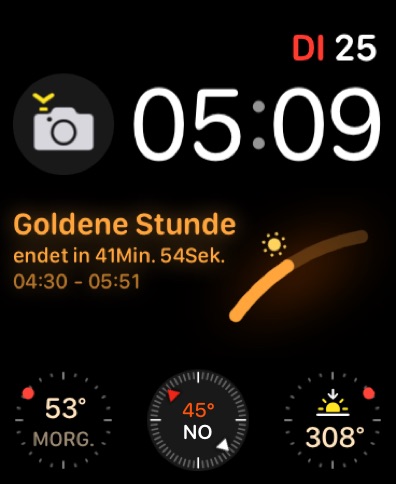

What’s New Version 2026.1.17
- Neu: Benutzerdefinierte Erinnerungsverschiebung. Wähle beliebige Stunden und Minuten vor oder nach Sonnenereignissen.
- Verbesserte UI/UX-Performance.
- Fehlerbehebungen.
Vorheriges Update:
Das OS-26-Update von Lumy wurde entwickelt, um leichter, smarter und besser an den Alltag angepasst zu sein.
Auf iPhone und iPad
- Neues Liquid-Glass-Design: UI-Elemente wirken sanft vom Sonnenlicht erhellt und tragen einen subtilen Lichtakzent.
- Neues Peek Panel: Zeigt unauffällig einfache Infos wie „Mond über dem Horizont“ und erweitert sich fließend zu Details wie „Untergang in 20 Min.“, bevor es wieder zurücktritt – klar und präsent, ohne die Oberfläche zu überladen.
- Überarbeitete untere Leiste mit Schnellzugriffsmenü, das sich natürlich an die Interaktion anpasst und den Wechsel zwischen Modi oder Bereichen der App beschleunigt.
- Passe das Schnellzugriffsmenü an, indem du die Modi neu anordnest – die ersten drei sind immer sofort erreichbar.
- Neues Jahreszeiten-Widget: Auswahl zwischen astronomischen und meteorologischen Jahreszeiten.
- Aktualisierte Widgets und App-Symbole unterstützen die neuen getönten und klaren Stile des Home-Screens.
- Und viele weitere durchdachte Verbesserungen in der gesamten App.
Foundation-Model-Funktionen (iOS 26 + iPadOS 26)
- Modus-spezifische Wettertipps: intelligentere, aktivitätsbezogene Hinweise.
- Gemütszustands-Vorschläge: personalisierte, kontextbezogene Empfehlungen basierend auf deinen Einträgen in der Health-App.
- Astronomische Ereignisse: maßgeschneiderte Erklärungen für Fotografie, Wandern, Achtsamkeit oder Reisen.
- Bewertungssystem: eine einfache „Ja/Nein“-Rückmeldung oder alternative Vorschläge helfen, zukünftige Hinweise zu verbessern – alle Daten bleiben privat auf deinem Gerät.
Apple Watch
- Erlebe das neue Liquid-Glass-Design direkt am Handgelenk.
- Aktiviere oder deaktiviere Sonnenereignis-Benachrichtigungen schnell über das Kontrollzentrum.
- Füge eine konfigurierbare Jahreszeiten-Komplikation hinzu, wahlweise astronomisch oder meteorologisch.
- Unterstützung für die neuesten iPhone-17-Modelle, iPhone Air, Apple Watch Series 11, Apple Watch Ultra 3 und Apple Watch SE 3.
Danke, dass du Teil dieser Reise bist. Dein Feedback gestaltet die Zukunft von Lumy – teile gerne deine Gedanken unter hello@waplestuff.com.
Description
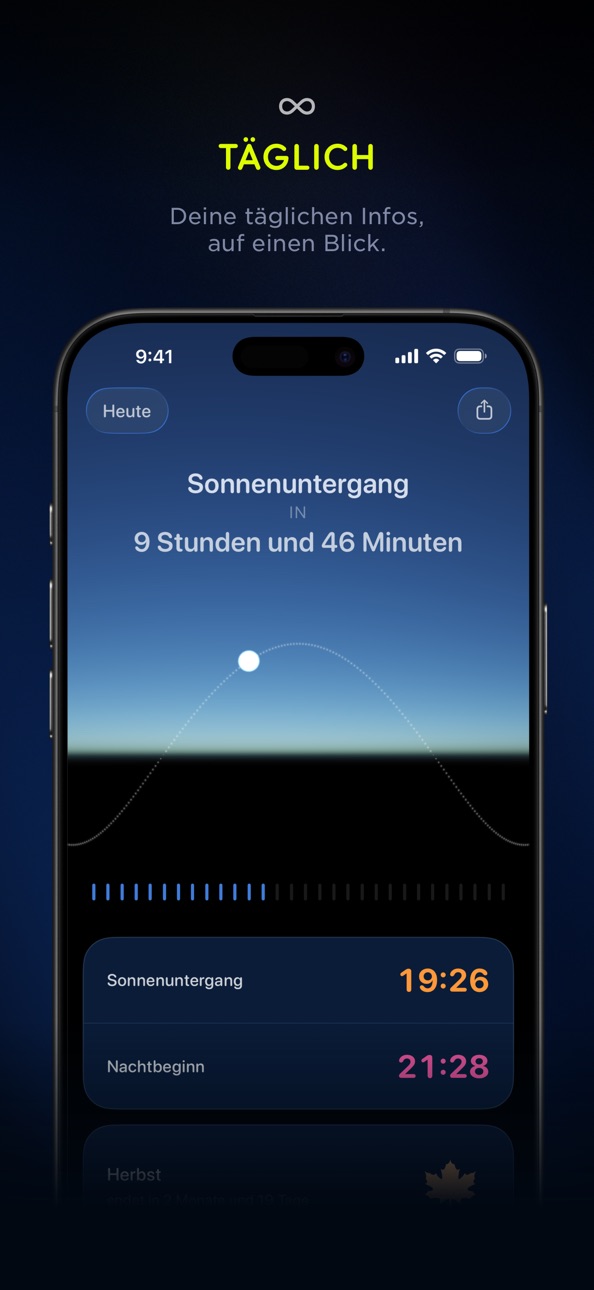
Lumy ist ein moderner Sun-Tracker + Outdoor-Aktivitätenplaner.
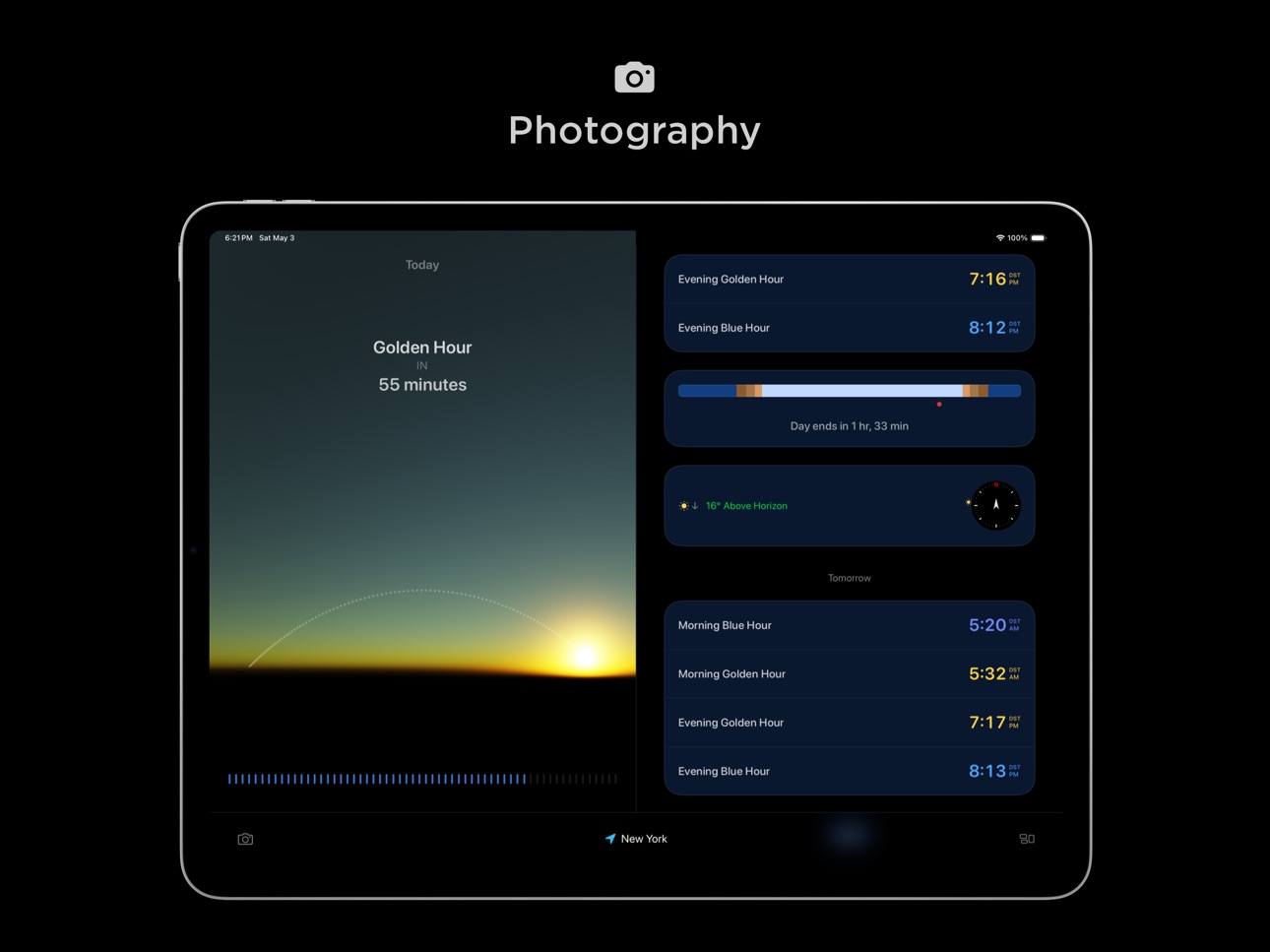
- Perfektes Licht für Fotos oder Videos? Erledigt.
- Wanderung zum Sonnenaufgang oder Spaziergang zum Sonnenuntergang? Ganz einfach.
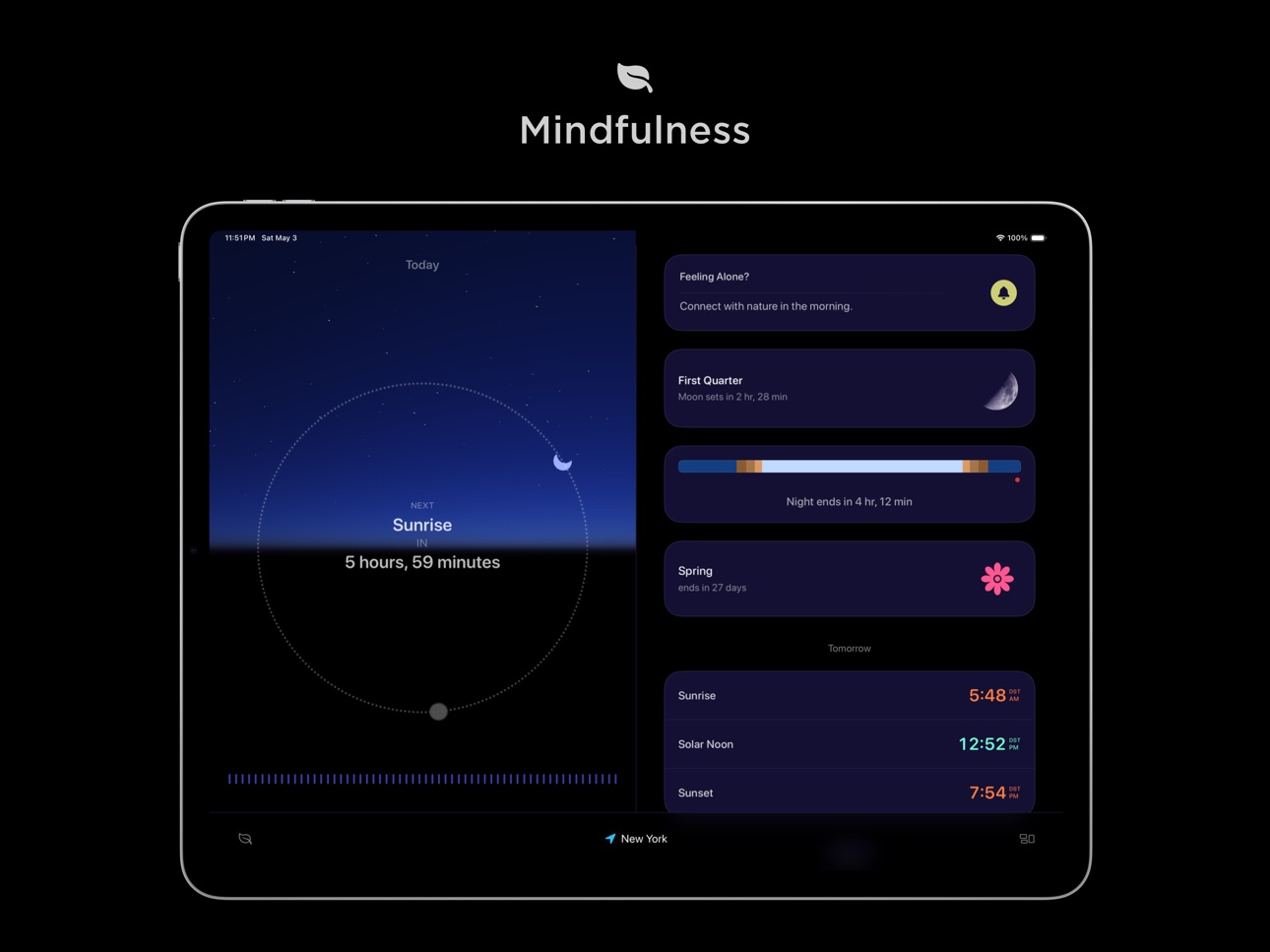
- Outdoor-Yoga oder Sonnenpausen? Alles dabei.
Egal, ob du die Goldene Stunde* jagst oder Mondphasen für die Sternenbeobachtung verfolgst, Lumy hilft dir, das Beste aus dem natürlichen Licht zu machen.
Komplett neu entwickelt - Lumy fühlt sich jetzt persönlicher, zielgerichteter und im Einklang mit deinem Leben an.
Neu: Modi. Wechsle zwischen Profilen wie Alltag, Fotografie oder Meditation, um Lumy an deine Routine anzupassen. Sieh nur das, was für dich wichtig ist.
Lumy unterstützt außerdem die Gemütszustand-Funktion von iOS und bietet Sonnenlicht-Vorschläge basierend auf deinen Stimmungseinträgen in der Health-App - ein sanfter Anstoß, nach draußen zu gehen und dich mit der Natur zu verbinden.
Mit den Wettervorhersagen für die nächsten sieben Tage kannst du zuversichtlich planen. Lumy berechnet alle Sonnen- und Monddaten vollständig auf dem Gerät. Kein Tracking. Keine Server-Anfragen. Nur das Wetter benötigt Internet.
Lumy funktioniert nahtlos auf iPhone, iPad, Apple Watch, Apple TV und HomePod. Ein Kauf, voller Zugriff für die ganze Familie.
Funktionen
- Modi: Wechsle Profile je nach Bedarf... von der Wochenplanung bis zur Goldenen Stunde am Wochenende.
- Sonnen- + Mond-Tracking: Präzise Daten, Sonnenkompass und Zukunftsprognosen.
- Jahreszeiten-Info: Sowohl astronomische als auch meteorologische Jahreszeiten.
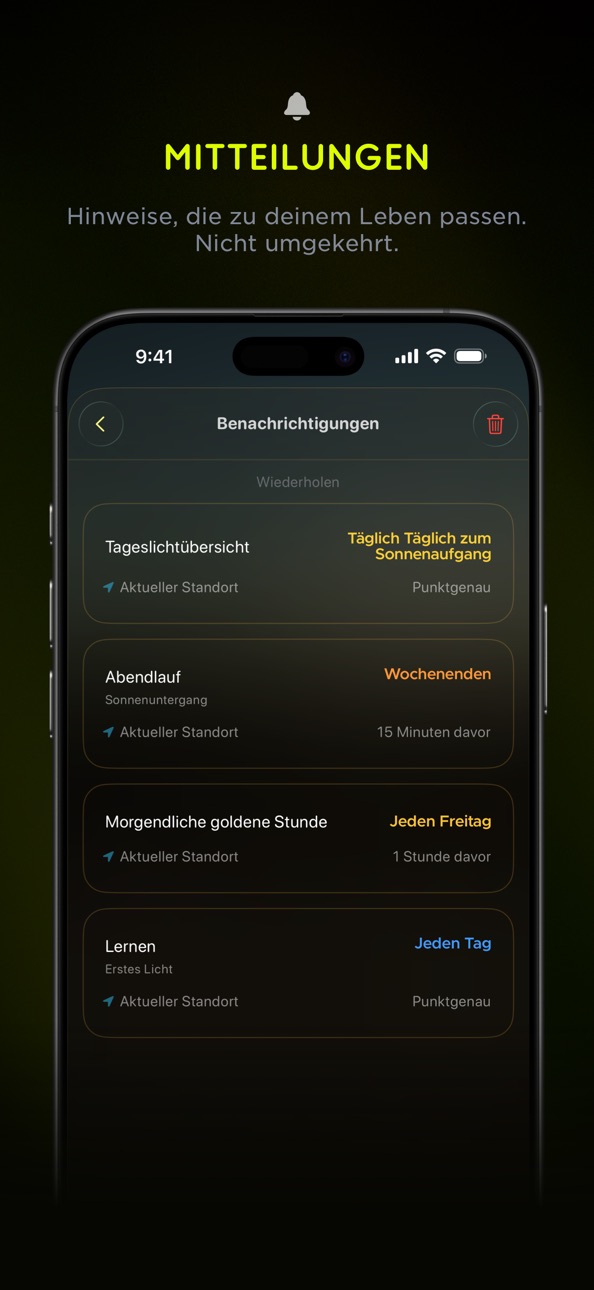
- Erinnerungen: Individuell anpassbare wiederholende Benachrichtigungen.
- Apple Watch: Komplikationen, Doppeltippen und Live-Aktivitäten.
- Widgets + Kontrollzentrum: Schnellzugriff über intelligenten Stapel und mehr.
- Interaktions-Upgrades: Zeitreise-Slider, Schnellzugriff-Button, flüssige Animationen.
- Visuelles Erlebnis: Simuliertes Licht, schimmernde Effekte und verbesserte klassische Optik.
- Barrierefreiheit: VoiceOver, Dynamische Schriftgröße, Bewegung reduzieren und mehr.
- Privatsphäre zuerst: Vollständig offline (außer Wetter). Deine Daten bleiben bei dir.
- Lokalisierung: Verfügbar auf Japanisch, Chinesisch, Französisch und Deutsch.
Lumy hilft Fotografen, Outdoor-Liebhabern und Wellness-Suchenden, im Einklang mit Sonne und Mond zu bleiben.
*Was ist die Goldene Stunde?
Die Goldene Stunde (oder Magische Stunde) ist die kurze Zeit nach Sonnenaufgang oder vor Sonnenuntergang, in der das Licht weich, warm und perfekt ist, um atemberaubende Fotos oder Videos aufzunehmen.
Verfügbare Sonneninformationen:
Sonnenaufgang, Sonnenuntergang, Erstes Licht, Letztes Licht, Goldene St
In-App Purchases DE pricing
One-Time Purchases
Kleine Unterstützung 0,99 €
Mittlere Unterstützung3,99 €
Riesige Unterstützung9,99 €
Capabilities
In-App PurchasesiMessage
Accessibility
ipadiphonemacrealityDevicetvoswatch
Version history 25 versions
Build 886500028v2026.1.172026-06-04 13:22:47
- New: Custom alert offsets. Pick any hour and minute before or after the sun events.
- Improved the UI/UX performance.
- Bug fixes.
Previously,
Lumy's OS 26 update is designed to feel lighter, smarter, and more in sync with daily life.
On iPhone and iPad
- Discover the new Liquid Glass design: UI elements feel gently illuminated, carrying a subtle echo of sunlight.
- New Peek Panel: A lightweight element that quietly shows simple info like "Moon above horizon." It fluidly expands to reveal more detail, such as "Sets in 20 min" when you need it, fading back automatically. Designed to balance presence and absence, it keeps information accessible without overwhelming the interface.
- A refreshed Bottom Bar with Quick Access Menu that morphs naturally with interaction, making it faster to switch modes or jump around the app.
- Make the Quick Access Menu your own by reordering modes... the first three are always at your fingertips.
- The new Season widget now lets you choose between astronomical or meteorological seasons.
- Updated widgets and app icons now match the new home screen's tinted and clear styles.
- And many thoughtful refinements across the app.
Foundation Model Features (iOS 26 + iPadOS 26)
- Mode-Specific Weather Insights: Smarter, activity-aware tips.
- State of Mind Suggestions: Personalized, context-aware guidance that adapts to your state of mind log.
- Astronomical Events: Tailored explanations that transform solar events into relevant insights for Photography, Hiking, Mindfulness, or Travel.
- Review System: A simple thumbs up/down or alternative request helps refine future insights, while keeping all data private on your device.
On Apple Watch
- Experience the new Liquid Glass design on your wrist.
- Quickly enable or disable sun event notifications right from Control Center.
- Add a configurable Season complication for astronomical or meteorological seasons.
- Added support for the latest iPhone 17 Series, iPhone Air, Apple Watch Series 11, Apple Watch Ultra 3, and Apple Watch SE 3.
Thanks for being part of this journey. Your feedback continues to shape Lumy, and we'd love to hear your thoughts or suggestions at hello@waplestuff.com.
Build 886184621v2026.1.162026-05-29 07:00:22
- New: Custom alert offsets. Pick any hour and minute before or after the sun events.
- Improved the UI/UX performance.
- Bug fixes.
Previously,
Lumy's OS 26 update is designed to feel lighter, smarter, and more in sync with daily life.
On iPhone and iPad
- Discover the new Liquid Glass design: UI elements feel gently illuminated, carrying a subtle echo of sunlight.
- New Peek Panel: A lightweight element that quietly shows simple info like "Moon above horizon." It fluidly expands to reveal more detail, such as "Sets in 20 min" when you need it, fading back automatically. Designed to balance presence and absence, it keeps information accessible without overwhelming the interface.
- A refreshed Bottom Bar with Quick Access Menu that morphs naturally with interaction, making it faster to switch modes or jump around the app.
- Make the Quick Access Menu your own by reordering modes... the first three are always at your fingertips.
- The new Season widget now lets you choose between astronomical or meteorological seasons.
- Updated widgets and app icons now match the new home screen's tinted and clear styles.
- And many thoughtful refinements across the app.
Foundation Model Features (iOS 26 + iPadOS 26)
- Mode-Specific Weather Insights: Smarter, activity-aware tips.
- State of Mind Suggestions: Personalized, context-aware guidance that adapts to your state of mind log.
- Astronomical Events: Tailored explanations that transform solar events into relevant insights for Photography, Hiking, Mindfulness, or Travel.
- Review System: A simple thumbs up/down or alternative request helps refine future insights, while keeping all data private on your device.
On Apple Watch
- Experience the new Liquid Glass design on your wrist.
- Quickly enable or disable sun event notifications right from Control Center.
- Add a configurable Season complication for astronomical or meteorological seasons.
- Added support for the latest iPhone 17 Series, iPhone Air, Apple Watch Series 11, Apple Watch Ultra 3, and Apple Watch SE 3.
Thanks for being part of this journey. Your feedback continues to shape Lumy, and we'd love to hear your thoughts or suggestions at hello@waplestuff.com.
Build 885686087v2026.1.152026-05-23 08:26:44
- Redesigned iMessage extension.
- More reliable current location handling.
- Improved widget behavior.
- Improved the UI/UX performance.
- Bug fixes.
Previously,
Lumy's OS 26 update is designed to feel lighter, smarter, and more in sync with daily life.
On iPhone and iPad
- Discover the new Liquid Glass design: UI elements feel gently illuminated, carrying a subtle echo of sunlight.
- New Peek Panel: A lightweight element that quietly shows simple info like "Moon above horizon." It fluidly expands to reveal more detail, such as "Sets in 20 min" when you need it, fading back automatically. Designed to balance presence and absence, it keeps information accessible without overwhelming the interface.
- A refreshed Bottom Bar with Quick Access Menu that morphs naturally with interaction, making it faster to switch modes or jump around the app.
- Make the Quick Access Menu your own by reordering modes... the first three are always at your fingertips.
- The new Season widget now lets you choose between astronomical or meteorological seasons.
- Updated widgets and app icons now match the new home screen's tinted and clear styles.
- And many thoughtful refinements across the app.
Foundation Model Features (iOS 26 + iPadOS 26)
- Mode-Specific Weather Insights: Smarter, activity-aware tips.
- State of Mind Suggestions: Personalized, context-aware guidance that adapts to your state of mind log.
- Astronomical Events: Tailored explanations that transform solar events into relevant insights for Photography, Hiking, Mindfulness, or Travel.
- Review System: A simple thumbs up/down or alternative request helps refine future insights, while keeping all data private on your device.
On Apple Watch
- Experience the new Liquid Glass design on your wrist.
- Quickly enable or disable sun event notifications right from Control Center.
- Add a configurable Season complication for astronomical or meteorological seasons.
- Added support for the latest iPhone 17 Series, iPhone Air, Apple Watch Series 11, Apple Watch Ultra 3, and Apple Watch SE 3.
Thanks for being part of this journey. Your feedback continues to shape Lumy, and we'd love to hear your thoughts or suggestions at hello@waplestuff.com.
Build 885447501v2026.1.142026-05-09 18:08:56
- Redesigned iMessage extension.
- More reliable current location handling.
- Improved widget behavior.
- Improved the UI/UX performance.
- Bug fixes.
Previously,
Lumy's OS 26 update is designed to feel lighter, smarter, and more in sync with daily life.
On iPhone and iPad
- Discover the new Liquid Glass design: UI elements feel gently illuminated, carrying a subtle echo of sunlight.
- New Peek Panel: A lightweight element that quietly shows simple info like "Moon above horizon." It fluidly expands to reveal more detail, such as "Sets in 20 min" when you need it, fading back automatically. Designed to balance presence and absence, it keeps information accessible without overwhelming the interface.
- A refreshed Bottom Bar with Quick Access Menu that morphs naturally with interaction, making it faster to switch modes or jump around the app.
- Make the Quick Access Menu your own by reordering modes... the first three are always at your fingertips.
- The new Season widget now lets you choose between astronomical or meteorological seasons.
- Updated widgets and app icons now match the new home screen's tinted and clear styles.
- And many thoughtful refinements across the app.
Foundation Model Features (iOS 26 + iPadOS 26)
- Mode-Specific Weather Insights: Smarter, activity-aware tips.
- State of Mind Suggestions: Personalized, context-aware guidance that adapts to your state of mind log.
- Astronomical Events: Tailored explanations that transform solar events into relevant insights for Photography, Hiking, Mindfulness, or Travel.
- Review System: A simple thumbs up/down or alternative request helps refine future insights, while keeping all data private on your device.
On Apple Watch
- Experience the new Liquid Glass design on your wrist.
- Quickly enable or disable sun event notifications right from Control Center.
- Add a configurable Season complication for astronomical or meteorological seasons.
- Added support for the latest iPhone 17 Series, iPhone Air, Apple Watch Series 11, Apple Watch Ultra 3, and Apple Watch SE 3.
Thanks for being part of this journey. Your feedback continues to shape Lumy, and we'd love to hear your thoughts or suggestions at hello@waplestuff.com.
Build 885325033v2026.1.132026-05-08 19:51:43
- Bug fixes
Previously,
Lumy's OS 26 update is designed to feel lighter, smarter, and more in sync with daily life.
On iPhone and iPad
- Discover the new Liquid Glass design: UI elements feel gently illuminated, carrying a subtle echo of sunlight.
- New Peek Panel: A lightweight element that quietly shows simple info like "Moon above horizon." It fluidly expands to reveal more detail, such as "Sets in 20 min" when you need it, fading back automatically. Designed to balance presence and absence, it keeps information accessible without overwhelming the interface.
- A refreshed Bottom Bar with Quick Access Menu that morphs naturally with interaction, making it faster to switch modes or jump around the app.
- Make the Quick Access Menu your own by reordering modes... the first three are always at your fingertips.
- The new Season widget now lets you choose between astronomical or meteorological seasons.
- Updated widgets and app icons now match the new home screen's tinted and clear styles.
- And many thoughtful refinements across the app.
Foundation Model Features (iOS 26 + iPadOS 26)
- Mode-Specific Weather Insights: Smarter, activity-aware tips.
- State of Mind Suggestions: Personalized, context-aware guidance that adapts to your state of mind log.
- Astronomical Events: Tailored explanations that transform solar events into relevant insights for Photography, Hiking, Mindfulness, or Travel.
- Review System: A simple thumbs up/down or alternative request helps refine future insights, while keeping all data private on your device.
On Apple Watch
- Experience the new Liquid Glass design on your wrist.
- Quickly enable or disable sun event notifications right from Control Center.
- Add a configurable Season complication for astronomical or meteorological seasons.
- Added support for the latest iPhone 17 Series, iPhone Air, Apple Watch Series 11, Apple Watch Ultra 3, and Apple Watch SE 3.
Thanks for being part of this journey. Your feedback continues to shape Lumy, and we'd love to hear your thoughts or suggestions at hello@waplestuff.com.
Build 885276061v2026.1.122026-05-05 16:34:42
- Bug fixes
Previously,
Lumy's OS 26 update is designed to feel lighter, smarter, and more in sync with daily life.
On iPhone and iPad
- Discover the new Liquid Glass design: UI elements feel gently illuminated, carrying a subtle echo of sunlight.
- New Peek Panel: A lightweight element that quietly shows simple info like "Moon above horizon." It fluidly expands to reveal more detail, such as "Sets in 20 min" when you need it, fading back automatically. Designed to balance presence and absence, it keeps information accessible without overwhelming the interface.
- A refreshed Bottom Bar with Quick Access Menu that morphs naturally with interaction, making it faster to switch modes or jump around the app.
- Make the Quick Access Menu your own by reordering modes... the first three are always at your fingertips.
- The new Season widget now lets you choose between astronomical or meteorological seasons.
- Updated widgets and app icons now match the new home screen's tinted and clear styles.
- And many thoughtful refinements across the app.
Foundation Model Features (iOS 26 + iPadOS 26)
- Mode-Specific Weather Insights: Smarter, activity-aware tips.
- State of Mind Suggestions: Personalized, context-aware guidance that adapts to your state of mind log.
- Astronomical Events: Tailored explanations that transform solar events into relevant insights for Photography, Hiking, Mindfulness, or Travel.
- Review System: A simple thumbs up/down or alternative request helps refine future insights, while keeping all data private on your device.
On Apple Watch
- Experience the new Liquid Glass design on your wrist.
- Quickly enable or disable sun event notifications right from Control Center.
- Add a configurable Season complication for astronomical or meteorological seasons.
- Added support for the latest iPhone 17 Series, iPhone Air, Apple Watch Series 11, Apple Watch Ultra 3, and Apple Watch SE 3.
Thanks for being part of this journey. Your feedback continues to shape Lumy, and we'd love to hear your thoughts or suggestions at hello@waplestuff.com.
Build 885204019v2026.1.102026-05-04 06:55:10
A quiet update, with care in the details.
New
- The "Calculate Photographic Times" Shortcut action now returns the time as Text instead of just showing, so you can use it the way you want. Thanks to the user who wrote in about this.
- A small moment of delight, added to the About section. You'll find it :)
Bug Fix
- Location names now show as the city you'd actually say out loud, not coordinates or a region.
- And various UI/UX enhancements with bug fixes for a smoother experience.
Previously,
Lumy's OS 26 update is designed to feel lighter, smarter, and more in sync with daily life.
On iPhone and iPad
- Discover the new Liquid Glass design: UI elements feel gently illuminated, carrying a subtle echo of sunlight.
- New Peek Panel: A lightweight element that quietly shows simple info like "Moon above horizon." It fluidly expands to reveal more detail, such as "Sets in 20 min" when you need it, fading back automatically. Designed to balance presence and absence, it keeps information accessible without overwhelming the interface.
- A refreshed Bottom Bar with Quick Access Menu that morphs naturally with interaction, making it faster to switch modes or jump around the app.
- Make the Quick Access Menu your own by reordering modes... the first three are always at your fingertips.
- The new Season widget now lets you choose between astronomical or meteorological seasons.
- Updated widgets and app icons now match the new home screen's tinted and clear styles.
- And many thoughtful refinements across the app.
Foundation Model Features (iOS 26 + iPadOS 26)
- Mode-Specific Weather Insights: Smarter, activity-aware tips.
- State of Mind Suggestions: Personalized, context-aware guidance that adapts to your state of mind log.
- Astronomical Events: Tailored explanations that transform solar events into relevant insights for Photography, Hiking, Mindfulness, or Travel.
- Review System: A simple thumbs up/down or alternative request helps refine future insights, while keeping all data private on your device.
On Apple Watch
- Experience the new Liquid Glass design on your wrist.
- Quickly enable or disable sun event notifications right from Control Center.
- Add a configurable Season complication for astronomical or meteorological seasons.
- Added support for the latest iPhone 17 Series, iPhone Air, Apple Watch Series 11, Apple Watch Ultra 3, and Apple Watch SE 3.
Thanks for being part of this journey. Your feedback continues to shape Lumy, and we'd love to hear your thoughts or suggestions at hello@waplestuff.com.
Build 885231949v2026.1.112026-05-04 21:30:40
- Bug fixes
Previously,
Lumy's OS 26 update is designed to feel lighter, smarter, and more in sync with daily life.
On iPhone and iPad
- Discover the new Liquid Glass design: UI elements feel gently illuminated, carrying a subtle echo of sunlight.
- New Peek Panel: A lightweight element that quietly shows simple info like "Moon above horizon." It fluidly expands to reveal more detail, such as "Sets in 20 min" when you need it, fading back automatically. Designed to balance presence and absence, it keeps information accessible without overwhelming the interface.
- A refreshed Bottom Bar with Quick Access Menu that morphs naturally with interaction, making it faster to switch modes or jump around the app.
- Make the Quick Access Menu your own by reordering modes... the first three are always at your fingertips.
- The new Season widget now lets you choose between astronomical or meteorological seasons.
- Updated widgets and app icons now match the new home screen's tinted and clear styles.
- And many thoughtful refinements across the app.
Foundation Model Features (iOS 26 + iPadOS 26)
- Mode-Specific Weather Insights: Smarter, activity-aware tips.
- State of Mind Suggestions: Personalized, context-aware guidance that adapts to your state of mind log.
- Astronomical Events: Tailored explanations that transform solar events into relevant insights for Photography, Hiking, Mindfulness, or Travel.
- Review System: A simple thumbs up/down or alternative request helps refine future insights, while keeping all data private on your device.
On Apple Watch
- Experience the new Liquid Glass design on your wrist.
- Quickly enable or disable sun event notifications right from Control Center.
- Add a configurable Season complication for astronomical or meteorological seasons.
- Added support for the latest iPhone 17 Series, iPhone Air, Apple Watch Series 11, Apple Watch Ultra 3, and Apple Watch SE 3.
Thanks for being part of this journey. Your feedback continues to shape Lumy, and we'd love to hear your thoughts or suggestions at hello@waplestuff.com.
Build 885193649v2026.1.92026-05-03 01:58:32
A quiet update, with care in the details.
New
- The "Calculate Photographic Times" Shortcut action now returns the time as Text instead of just showing, so you can use it the way you want. Thanks to the user who wrote in about this.
- A small moment of delight, added to the About section. You'll find it :)
Bug Fix
- Location names now show as the city you'd actually say out loud, not coordinates or a region.
- And various UI/UX enhancements with bug fixes for a smoother experience.
Previously,
Lumy's OS 26 update is designed to feel lighter, smarter, and more in sync with daily life.
On iPhone and iPad
- Discover the new Liquid Glass design: UI elements feel gently illuminated, carrying a subtle echo of sunlight.
- New Peek Panel: A lightweight element that quietly shows simple info like "Moon above horizon." It fluidly expands to reveal more detail, such as "Sets in 20 min" when you need it, fading back automatically. Designed to balance presence and absence, it keeps information accessible without overwhelming the interface.
- A refreshed Bottom Bar with Quick Access Menu that morphs naturally with interaction, making it faster to switch modes or jump around the app.
- Make the Quick Access Menu your own by reordering modes... the first three are always at your fingertips.
- The new Season widget now lets you choose between astronomical or meteorological seasons.
- Updated widgets and app icons now match the new home screen's tinted and clear styles.
- And many thoughtful refinements across the app.
Foundation Model Features (iOS 26 + iPadOS 26)
- Mode-Specific Weather Insights: Smarter, activity-aware tips.
- State of Mind Suggestions: Personalized, context-aware guidance that adapts to your state of mind log.
- Astronomical Events: Tailored explanations that transform solar events into relevant insights for Photography, Hiking, Mindfulness, or Travel.
- Review System: A simple thumbs up/down or alternative request helps refine future insights, while keeping all data private on your device.
On Apple Watch
- Experience the new Liquid Glass design on your wrist.
- Quickly enable or disable sun event notifications right from Control Center.
- Add a configurable Season complication for astronomical or meteorological seasons.
- Added support for the latest iPhone 17 Series, iPhone Air, Apple Watch Series 11, Apple Watch Ultra 3, and Apple Watch SE 3.
Thanks for being part of this journey. Your feedback continues to shape Lumy, and we'd love to hear your thoughts or suggestions at hello@waplestuff.com.
Build 885001283v2026.1.82026-04-29 08:30:51
A quiet update, with care in the details.
New
- The "Calculate Photographic Times" Shortcut action now returns the time as Text instead of just showing, so you can use it the way you want. Thanks to the user who wrote in about this.
- A small moment of delight, added to the About section. You'll find it :)
Bug Fix
- Location names now show as the city you'd actually say out loud, not coordinates or a region.
- And various UI/UX enhancements with bug fixes for a smoother experience.
Previously,
Lumy's OS 26 update is designed to feel lighter, smarter, and more in sync with daily life.
On iPhone and iPad
- Discover the new Liquid Glass design: UI elements feel gently illuminated, carrying a subtle echo of sunlight.
- New Peek Panel: A lightweight element that quietly shows simple info like "Moon above horizon." It fluidly expands to reveal more detail, such as "Sets in 20 min" when you need it, fading back automatically. Designed to balance presence and absence, it keeps information accessible without overwhelming the interface.
- A refreshed Bottom Bar with Quick Access Menu that morphs naturally with interaction, making it faster to switch modes or jump around the app.
- Make the Quick Access Menu your own by reordering modes... the first three are always at your fingertips.
- The new Season widget now lets you choose between astronomical or meteorological seasons.
- Updated widgets and app icons now match the new home screen's tinted and clear styles.
- And many thoughtful refinements across the app.
Foundation Model Features (iOS 26 + iPadOS 26)
- Mode-Specific Weather Insights: Smarter, activity-aware tips.
- State of Mind Suggestions: Personalized, context-aware guidance that adapts to your state of mind log.
- Astronomical Events: Tailored explanations that transform solar events into relevant insights for Photography, Hiking, Mindfulness, or Travel.
- Review System: A simple thumbs up/down or alternative request helps refine future insights, while keeping all data private on your device.
On Apple Watch
- Experience the new Liquid Glass design on your wrist.
- Quickly enable or disable sun event notifications right from Control Center.
- Add a configurable Season complication for astronomical or meteorological seasons.
- Added support for the latest iPhone 17 Series, iPhone Air, Apple Watch Series 11, Apple Watch Ultra 3, and Apple Watch SE 3.
Thanks for being part of this journey. Your feedback continues to shape Lumy, and we'd love to hear your thoughts or suggestions at hello@waplestuff.com.
Build 884911372v2026.1.72026-04-27 15:44:45
A quiet update, with care in the details.
New
- The "Calculate Photographic Times" Shortcut action now returns the time as Text instead of just showing, so you can use it the way you want. Thanks to the user who wrote in about this.
- A small moment of delight, added to the About section. You'll find it :)
Bug Fix
- Location names now show as the city you'd actually say out loud, not coordinates or a region.
- And various UI/UX enhancements with bug fixes for a smoother experience.
Previously,
Lumy's OS 26 update is designed to feel lighter, smarter, and more in sync with daily life.
On iPhone and iPad
- Discover the new Liquid Glass design: UI elements feel gently illuminated, carrying a subtle echo of sunlight.
- New Peek Panel: A lightweight element that quietly shows simple info like "Moon above horizon." It fluidly expands to reveal more detail, such as "Sets in 20 min" when you need it, fading back automatically. Designed to balance presence and absence, it keeps information accessible without overwhelming the interface.
- A refreshed Bottom Bar with Quick Access Menu that morphs naturally with interaction, making it faster to switch modes or jump around the app.
- Make the Quick Access Menu your own by reordering modes... the first three are always at your fingertips.
- The new Season widget now lets you choose between astronomical or meteorological seasons.
- Updated widgets and app icons now match the new home screen's tinted and clear styles.
- And many thoughtful refinements across the app.
Foundation Model Features (iOS 26 + iPadOS 26)
- Mode-Specific Weather Insights: Smarter, activity-aware tips.
- State of Mind Suggestions: Personalized, context-aware guidance that adapts to your state of mind log.
- Astronomical Events: Tailored explanations that transform solar events into relevant insights for Photography, Hiking, Mindfulness, or Travel.
- Review System: A simple thumbs up/down or alternative request helps refine future insights, while keeping all data private on your device.
On Apple Watch
- Experience the new Liquid Glass design on your wrist.
- Quickly enable or disable sun event notifications right from Control Center.
- Add a configurable Season complication for astronomical or meteorological seasons.
- Added support for the latest iPhone 17 Series, iPhone Air, Apple Watch Series 11, Apple Watch Ultra 3, and Apple Watch SE 3.
Thanks for being part of this journey. Your feedback continues to shape Lumy, and we'd love to hear your thoughts or suggestions at hello@waplestuff.com.
Build 884250490v 2026.1.62026-04-07 21:47:41
- And various UI/UX enhancements with bug fixes for a smoother experience.
Previously,
Lumy's OS 26 update is designed to feel lighter, smarter, and more in sync with daily life.
On iPhone and iPad
- Discover the new Liquid Glass design: UI elements feel gently illuminated, carrying a subtle echo of sunlight.
- New Peek Panel: A lightweight element that quietly shows simple info like "Moon above horizon." It fluidly expands to reveal more detail, such as "Sets in 20 min" when you need it, fading back automatically. Designed to balance presence and absence, it keeps information accessible without overwhelming the interface.
- A refreshed Bottom Bar with Quick Access Menu that morphs naturally with interaction, making it faster to switch modes or jump around the app.
- Make the Quick Access Menu your own by reordering modes... the first three are always at your fingertips.
- The new Season widget now lets you choose between astronomical or meteorological seasons.
- Updated widgets and app icons now match the new home screen's tinted and clear styles.
- And many thoughtful refinements across the app.
Foundation Model Features (iOS 26 + iPadOS 26)
- Mode-Specific Weather Insights: Smarter, activity-aware tips.
- State of Mind Suggestions: Personalized, context-aware guidance that adapts to your state of mind log.
- Astronomical Events: Tailored explanations that transform solar events into relevant insights for Photography, Hiking, Mindfulness, or Travel.
- Review System: A simple thumbs up/down or alternative request helps refine future insights, while keeping all data private on your device.
On Apple Watch
- Experience the new Liquid Glass design on your wrist.
- Quickly enable or disable sun event notifications right from Control Center.
- Add a configurable Season complication for astronomical or meteorological seasons.
- Added support for the latest iPhone 17 Series, iPhone Air, Apple Watch Series 11, Apple Watch Ultra 3, and Apple Watch SE 3.
Thanks for being part of this journey. Your feedback continues to shape Lumy, and we'd love to hear your thoughts or suggestions at hello@waplestuff.com.
Build 882128100v2026.1.52026-02-05 16:39:33
- And various UI/UX enhancements with bug fixes for a smoother experience.
Previously,
Lumy's OS 26 update is designed to feel lighter, smarter, and more in sync with daily life.
On iPhone and iPad
- Discover the new Liquid Glass design: UI elements feel gently illuminated, carrying a subtle echo of sunlight.
- New Peek Panel: A lightweight element that quietly shows simple info like "Moon above horizon." It fluidly expands to reveal more detail, such as "Sets in 20 min" when you need it, fading back automatically. Designed to balance presence and absence, it keeps information accessible without overwhelming the interface.
- A refreshed Bottom Bar with Quick Access Menu that morphs naturally with interaction, making it faster to switch modes or jump around the app.
- Make the Quick Access Menu your own by reordering modes... the first three are always at your fingertips.
- The new Season widget now lets you choose between astronomical or meteorological seasons.
- Updated widgets and app icons now match the new home screen's tinted and clear styles.
- And many thoughtful refinements across the app.
Foundation Model Features (iOS 26 + iPadOS 26)
- Mode-Specific Weather Insights: Smarter, activity-aware tips.
- State of Mind Suggestions: Personalized, context-aware guidance that adapts to your state of mind log.
- Astronomical Events: Tailored explanations that transform solar events into relevant insights for Photography, Hiking, Mindfulness, or Travel.
- Review System: A simple thumbs up/down or alternative request helps refine future insights, while keeping all data private on your device.
On Apple Watch
- Experience the new Liquid Glass design on your wrist.
- Quickly enable or disable sun event notifications right from Control Center.
- Add a configurable Season complication for astronomical or meteorological seasons.
- Added support for the latest iPhone 17 Series, iPhone Air, Apple Watch Series 11, Apple Watch Ultra 3, and Apple Watch SE 3.
Thanks for being part of this journey. Your feedback continues to shape Lumy, and we'd love to hear your thoughts or suggestions at hello@waplestuff.com.
Build 881536601v2026.1.42026-01-16 09:18:05
- Enhanced Notifications Scheduling reliability.
- And various UI/UX enhancements with bug fixes for a smoother experience.
Previously,
Lumy's OS 26 update is designed to feel lighter, smarter, and more in sync with daily life.
On iPhone and iPad
- Discover the new Liquid Glass design: UI elements feel gently illuminated, carrying a subtle echo of sunlight.
- New Peek Panel: A lightweight element that quietly shows simple info like "Moon above horizon." It fluidly expands to reveal more detail, such as "Sets in 20 min" when you need it, fading back automatically. Designed to balance presence and absence, it keeps information accessible without overwhelming the interface.
- A refreshed Bottom Bar with Quick Access Menu that morphs naturally with interaction, making it faster to switch modes or jump around the app.
- Make the Quick Access Menu your own by reordering modes... the first three are always at your fingertips.
- The new Season widget now lets you choose between astronomical or meteorological seasons.
- Updated widgets and app icons now match the new home screen's tinted and clear styles.
- And many thoughtful refinements across the app.
Foundation Model Features (iOS 26 + iPadOS 26)
- Mode-Specific Weather Insights: Smarter, activity-aware tips.
- State of Mind Suggestions: Personalized, context-aware guidance that adapts to your state of mind log.
- Astronomical Events: Tailored explanations that transform solar events into relevant insights for Photography, Hiking, Mindfulness, or Travel.
- Review System: A simple thumbs up/down or alternative request helps refine future insights, while keeping all data private on your device.
On Apple Watch
- Experience the new Liquid Glass design on your wrist.
- Quickly enable or disable sun event notifications right from Control Center.
- Add a configurable Season complication for astronomical or meteorological seasons.
- Added support for the latest iPhone 17 Series, iPhone Air, Apple Watch Series 11, Apple Watch Ultra 3, and Apple Watch SE 3.
Thanks for being part of this journey. Your feedback continues to shape Lumy, and we'd love to hear your thoughts or suggestions at hello@waplestuff.com.
Build 881490762v2026.1.32026-01-15 00:34:59
- Enhanced Notifications Scheduling reliability.
- And various UI/UX enhancements with bug fixes for a smoother experience.
Previously,
Lumy's OS 26 update is designed to feel lighter, smarter, and more in sync with daily life.
On iPhone and iPad
- Discover the new Liquid Glass design: UI elements feel gently illuminated, carrying a subtle echo of sunlight.
- New Peek Panel: A lightweight element that quietly shows simple info like "Moon above horizon." It fluidly expands to reveal more detail, such as "Sets in 20 min" when you need it, fading back automatically. Designed to balance presence and absence, it keeps information accessible without overwhelming the interface.
- A refreshed Bottom Bar with Quick Access Menu that morphs naturally with interaction, making it faster to switch modes or jump around the app.
- Make the Quick Access Menu your own by reordering modes... the first three are always at your fingertips.
- The new Season widget now lets you choose between astronomical or meteorological seasons.
- Updated widgets and app icons now match the new home screen's tinted and clear styles.
- And many thoughtful refinements across the app.
Foundation Model Features (iOS 26 + iPadOS 26)
- Mode-Specific Weather Insights: Smarter, activity-aware tips.
- State of Mind Suggestions: Personalized, context-aware guidance that adapts to your state of mind log.
- Astronomical Events: Tailored explanations that transform solar events into relevant insights for Photography, Hiking, Mindfulness, or Travel.
- Review System: A simple thumbs up/down or alternative request helps refine future insights, while keeping all data private on your device.
On Apple Watch
- Experience the new Liquid Glass design on your wrist.
- Quickly enable or disable sun event notifications right from Control Center.
- Add a configurable Season complication for astronomical or meteorological seasons.
- Added support for the latest iPhone 17 Series, iPhone Air, Apple Watch Series 11, Apple Watch Ultra 3, and Apple Watch SE 3.
Thanks for being part of this journey. Your feedback continues to shape Lumy, and we'd love to hear your thoughts or suggestions at hello@waplestuff.com.
Build 881166739v2026.1.22026-01-06 16:10:22
- For a little cheer this holiday season, visit Settings >> Ethos section.
- New Daylight Summary notifications: See the day's duration, change from yesterday, and a gentle countdown to the next season. Fully customizable, scheduled at sunrise.
- Smart Scheduling lets you pause notifications during shorter or longer days.
- Improved localization across supported languages.
- And various UI/UX enhancements with bug fixes for a smoother experience.
Previously,
Lumy's OS 26 update is designed to feel lighter, smarter, and more in sync with daily life.
On iPhone and iPad
- Discover the new Liquid Glass design: UI elements feel gently illuminated, carrying a subtle echo of sunlight.
- New Peek Panel: A lightweight element that quietly shows simple info like "Moon above horizon." It fluidly expands to reveal more detail, such as "Sets in 20 min" when you need it, fading back automatically. Designed to balance presence and absence, it keeps information accessible without overwhelming the interface.
- A refreshed Bottom Bar with Quick Access Menu that morphs naturally with interaction, making it faster to switch modes or jump around the app.
- Make the Quick Access Menu your own by reordering modes... the first three are always at your fingertips.
- The new Season widget now lets you choose between astronomical or meteorological seasons.
- Updated widgets and app icons now match the new home screen's tinted and clear styles.
- And many thoughtful refinements across the app.
Foundation Model Features (iOS 26 + iPadOS 26)
- Mode-Specific Weather Insights: Smarter, activity-aware tips.
- State of Mind Suggestions: Personalized, context-aware guidance that adapts to your state of mind log.
- Astronomical Events: Tailored explanations that transform solar events into relevant insights for Photography, Hiking, Mindfulness, or Travel.
- Review System: A simple thumbs up/down or alternative request helps refine future insights, while keeping all data private on your device.
On Apple Watch
- Experience the new Liquid Glass design on your wrist.
- Quickly enable or disable sun event notifications right from Control Center.
- Add a configurable Season complication for astronomical or meteorological seasons.
- Added support for the latest iPhone 17 Series, iPhone Air, Apple Watch Series 11, Apple Watch Ultra 3, and Apple Watch SE 3.
Thanks for being part of this journey. Your feedback continues to shape Lumy, and we'd love to hear your thoughts or suggestions at hello@waplestuff.com.
Build 881118124v2026.1.12026-01-01 00:24:04
- For a little cheer this holiday season, visit Settings >> Ethos section.
- New Daylight Summary notifications: See the day's duration, change from yesterday, and a gentle countdown to the next season. Fully customizable, scheduled at sunrise.
- Smart Scheduling lets you pause notifications during shorter or longer days.
- Improved localization across supported languages.
- And various UI/UX enhancements with bug fixes for a smoother experience.
Previously,
Lumy's OS 26 update is designed to feel lighter, smarter, and more in sync with daily life.
On iPhone and iPad
- Discover the new Liquid Glass design: UI elements feel gently illuminated, carrying a subtle echo of sunlight.
- New Peek Panel: A lightweight element that quietly shows simple info like "Moon above horizon." It fluidly expands to reveal more detail, such as "Sets in 20 min" when you need it, fading back automatically. Designed to balance presence and absence, it keeps information accessible without overwhelming the interface.
- A refreshed Bottom Bar with Quick Access Menu that morphs naturally with interaction, making it faster to switch modes or jump around the app.
- Make the Quick Access Menu your own by reordering modes... the first three are always at your fingertips.
- The new Season widget now lets you choose between astronomical or meteorological seasons.
- Updated widgets and app icons now match the new home screen's tinted and clear styles.
- And many thoughtful refinements across the app.
Foundation Model Features (iOS 26 + iPadOS 26)
- Mode-Specific Weather Insights: Smarter, activity-aware tips.
- State of Mind Suggestions: Personalized, context-aware guidance that adapts to your state of mind log.
- Astronomical Events: Tailored explanations that transform solar events into relevant insights for Photography, Hiking, Mindfulness, or Travel.
- Review System: A simple thumbs up/down or alternative request helps refine future insights, while keeping all data private on your device.
On Apple Watch
- Experience the new Liquid Glass design on your wrist.
- Quickly enable or disable sun event notifications right from Control Center.
- Add a configurable Season complication for astronomical or meteorological seasons.
- Added support for the latest iPhone 17 Series, iPhone Air, Apple Watch Series 11, Apple Watch Ultra 3, and Apple Watch SE 3.
Thanks for being part of this journey. Your feedback continues to shape Lumy, and we'd love to hear your thoughts or suggestions at hello@waplestuff.com.
Build 881035816v025.2.192025-12-27 23:39:49
- For a little cheer this holiday season, visit Settings >> Ethos section.
- New Daylight Summary notifications: See the day's duration, change from yesterday, and a gentle countdown to the next season. Fully customizable, scheduled at sunrise.
- Smart Scheduling lets you pause notifications during shorter or longer days.
- Improved localization across supported languages.
- And various UI/UX enhancements with bug fixes for a smoother experience.
Previously,
Lumy's OS 26 update is designed to feel lighter, smarter, and more in sync with daily life.
On iPhone and iPad
- Discover the new Liquid Glass design: UI elements feel gently illuminated, carrying a subtle echo of sunlight.
- New Peek Panel: A lightweight element that quietly shows simple info like "Moon above horizon." It fluidly expands to reveal more detail, such as "Sets in 20 min" when you need it, fading back automatically. Designed to balance presence and absence, it keeps information accessible without overwhelming the interface.
- A refreshed Bottom Bar with Quick Access Menu that morphs naturally with interaction, making it faster to switch modes or jump around the app.
- Make the Quick Access Menu your own by reordering modes... the first three are always at your fingertips.
- The new Season widget now lets you choose between astronomical or meteorological seasons.
- Updated widgets and app icons now match the new home screen's tinted and clear styles.
- And many thoughtful refinements across the app.
Foundation Model Features (iOS 26 + iPadOS 26)
- Mode-Specific Weather Insights: Smarter, activity-aware tips.
- State of Mind Suggestions: Personalized, context-aware guidance that adapts to your state of mind log.
- Astronomical Events: Tailored explanations that transform solar events into relevant insights for Photography, Hiking, Mindfulness, or Travel.
- Review System: A simple thumbs up/down or alternative request helps refine future insights, while keeping all data private on your device.
On Apple Watch
- Experience the new Liquid Glass design on your wrist.
- Quickly enable or disable sun event notifications right from Control Center.
- Add a configurable Season complication for astronomical or meteorological seasons.
- Added support for the latest iPhone 17 Series, iPhone Air, Apple Watch Series 11, Apple Watch Ultra 3, and Apple Watch SE 3.
Thanks for being part of this journey. Your feedback continues to shape Lumy, and we'd love to hear your thoughts or suggestions at hello@waplestuff.com.
Build 881016179v2025.2.182025-12-27 01:12:56
- For a little cheer this holiday season, visit Settings >> Ethos section.
- New Daylight Summary notifications: See the day's duration, change from yesterday, and a gentle countdown to the next season. Fully customizable, scheduled at sunrise.
- Smart Scheduling lets you pause notifications during shorter or longer days.
- Improved localization across supported languages.
- And various UI/UX enhancements with bug fixes for a smoother experience.
Previously,
Lumy's OS 26 update is designed to feel lighter, smarter, and more in sync with daily life.
On iPhone and iPad
- Discover the new Liquid Glass design: UI elements feel gently illuminated, carrying a subtle echo of sunlight.
- New Peek Panel: A lightweight element that quietly shows simple info like "Moon above horizon." It fluidly expands to reveal more detail, such as "Sets in 20 min" when you need it, fading back automatically. Designed to balance presence and absence, it keeps information accessible without overwhelming the interface.
- A refreshed Bottom Bar with Quick Access Menu that morphs naturally with interaction, making it faster to switch modes or jump around the app.
- Make the Quick Access Menu your own by reordering modes — the first three are always at your fingertips.
- The new Season widget now lets you choose between astronomical or meteorological seasons.
- Updated widgets and app icons now match the new home screen's tinted and clear styles.
- And many thoughtful refinements across the app.
Foundation Model Features (iOS 26 + iPadOS 26)
- Mode-Specific Weather Insights: Smarter, activity-aware tips.
- State of Mind Suggestions: Personalized, context-aware guidance that adapts to your state of mind log.
- Astronomical Events: Tailored explanations that transform solar events into relevant insights for Photography, Hiking, Mindfulness, or Travel.
- Review System: A simple thumbs up/down or alternative request helps refine future insights, while keeping all data private on your device.
On Apple Watch
- Experience the new Liquid Glass design on your wrist.
- Quickly enable or disable sun event notifications right from Control Center.
- Add a configurable Season complication for astronomical or meteorological seasons.
- Added support for the latest iPhone 17 Series, iPhone Air, Apple Watch Series 11, Apple Watch Ultra 3, and Apple Watch SE 3.
Thanks for being part of this journey. Your feedback continues to shape Lumy, and we'd love to hear your thoughts or suggestions at hello@waplestuff.com.
Build 880888384v2025.2.172025-12-24 05:09:24
- For a little cheer this holiday season, visit Settings >> Ethos section.
- New Daylight Summary notifications: See the day's duration, change from yesterday, and a gentle countdown to the next season. Fully customizable, scheduled at sunrise.
- Smart Scheduling lets you pause notifications during shorter or longer days.
- Improved localization across supported languages.
- And various UI/UX enhancements with bug fixes for a smoother experience.
Previously,
Lumy's OS 26 update is designed to feel lighter, smarter, and more in sync with daily life.
On iPhone and iPad
- Discover the new Liquid Glass design: UI elements feel gently illuminated, carrying a subtle echo of sunlight.
- New Peek Panel: A lightweight element that quietly shows simple info like "Moon above horizon." It fluidly expands to reveal more detail, such as "Sets in 20 min" when you need it, fading back automatically. Designed to balance presence and absence, it keeps information accessible without overwhelming the interface.
- A refreshed Bottom Bar with Quick Access Menu that morphs naturally with interaction, making it faster to switch modes or jump around the app.
- Make the Quick Access Menu your own by reordering modes — the first three are always at your fingertips.
- The new Season widget now lets you choose between astronomical or meteorological seasons.
- Updated widgets and app icons now match the new home screen's tinted and clear styles.
- And many thoughtful refinements across the app.
Foundation Model Features (iOS 26 + iPadOS 26)
- Mode-Specific Weather Insights: Smarter, activity-aware tips.
- State of Mind Suggestions: Personalized, context-aware guidance that adapts to your state of mind log.
- Astronomical Events: Tailored explanations that transform solar events into relevant insights for Photography, Hiking, Mindfulness, or Travel.
- Review System: A simple thumbs up/down or alternative request helps refine future insights, while keeping all data private on your device.
On Apple Watch
- Experience the new Liquid Glass design on your wrist.
- Quickly enable or disable sun event notifications right from Control Center.
- Add a configurable Season complication for astronomical or meteorological seasons.
- Added support for the latest iPhone 17 Series, iPhone Air, Apple Watch Series 11, Apple Watch Ultra 3, and Apple Watch SE 3.
Thanks for being part of this journey. Your feedback continues to shape Lumy, and we'd love to hear your thoughts or suggestions at hello@waplestuff.com.
Build 880778967v2025.2.162025-12-21 06:18:34
- New Daylight Summary notifications: See the day's duration, change from yesterday, and a gentle countdown to the next season. Fully customizable, scheduled at sunrise.
- Smart Scheduling lets you pause notifications during shorter or longer days.
- Improved localization across supported languages.
- And various UI/UX enhancements with bug fixes for a smoother experience.
Previously,
Lumy's OS 26 update is designed to feel lighter, smarter, and more in sync with daily life.
On iPhone and iPad
- Discover the new Liquid Glass design: UI elements feel gently illuminated, carrying a subtle echo of sunlight.
- New Peek Panel: A lightweight element that quietly shows simple info like "Moon above horizon." It fluidly expands to reveal more detail, such as "Sets in 20 min" when you need it, fading back automatically. Designed to balance presence and absence, it keeps information accessible without overwhelming the interface.
- A refreshed Bottom Bar with Quick Access Menu that morphs naturally with interaction, making it faster to switch modes or jump around the app.
- Make the Quick Access Menu your own by reordering modes — the first three are always at your fingertips.
- The new Season widget now lets you choose between astronomical or meteorological seasons.
- Updated widgets and app icons now match the new home screen's tinted and clear styles.
- And many thoughtful refinements across the app.
Foundation Model Features (iOS 26 + iPadOS 26)
- Mode-Specific Weather Insights: Smarter, activity-aware tips.
- State of Mind Suggestions: Personalized, context-aware guidance that adapts to your state of mind log.
- Astronomical Events: Tailored explanations that transform solar events into relevant insights for Photography, Hiking, Mindfulness, or Travel.
- Review System: A simple thumbs up/down or alternative request helps refine future insights, while keeping all data private on your device.
On Apple Watch
- Experience the new Liquid Glass design on your wrist.
- Quickly enable or disable sun event notifications right from Control Center.
- Add a configurable Season complication for astronomical or meteorological seasons.
- Added support for the latest iPhone 17 Series, iPhone Air, Apple Watch Series 11, Apple Watch Ultra 3, and Apple Watch SE 3.
Thanks for being part of this journey. Your feedback continues to shape Lumy, and we'd love to hear your thoughts or suggestions at hello@waplestuff.com.
Build 880620969v2025.2.152025-12-17 18:40:27
- New Daylight Summary notifications: See the day's duration, change from yesterday, and a gentle countdown to the next season. Fully customizable, scheduled at sunrise.
- Smart Scheduling lets you pause notifications during shorter or longer days.
- Improved localization across supported languages.
- And various UI/UX enhancements with bug fixes for a smoother experience.
Previously,
Lumy's OS 26 update is designed to feel lighter, smarter, and more in sync with daily life.
On iPhone and iPad
- Discover the new Liquid Glass design: UI elements feel gently illuminated, carrying a subtle echo of sunlight.
- New Peek Panel: A lightweight element that quietly shows simple info like "Moon above horizon." It fluidly expands to reveal more detail, such as "Sets in 20 min" when you need it, fading back automatically. Designed to balance presence and absence, it keeps information accessible without overwhelming the interface.
- A refreshed Bottom Bar with Quick Access Menu that morphs naturally with interaction, making it faster to switch modes or jump around the app.
- Make the Quick Access Menu your own by reordering modes — the first three are always at your fingertips.
- The new Season widget now lets you choose between astronomical or meteorological seasons.
- Updated widgets and app icons now match the new home screen's tinted and clear styles.
- And many thoughtful refinements across the app.
Foundation Model Features (iOS 26 + iPadOS 26)
- Mode-Specific Weather Insights: Smarter, activity-aware tips.
- State of Mind Suggestions: Personalized, context-aware guidance that adapts to your state of mind log.
- Astronomical Events: Tailored explanations that transform solar events into relevant insights for Photography, Hiking, Mindfulness, or Travel.
- Review System: A simple thumbs up/down or alternative request helps refine future insights, while keeping all data private on your device.
On Apple Watch
- Experience the new Liquid Glass design on your wrist.
- Quickly enable or disable sun event notifications right from Control Center.
- Add a configurable Season complication for astronomical or meteorological seasons.
- Added support for the latest iPhone 17 Series, iPhone Air, Apple Watch Series 11, Apple Watch Ultra 3, and Apple Watch SE 3.
Thanks for being part of this journey. Your feedback continues to shape Lumy, and we'd love to hear your thoughts or suggestions at hello@waplestuff.com.
Build 878842992v2025.2.142025-10-13 10:00:14
Lumy’s latest update is designed to feel lighter, smarter, and more in sync with daily life.
On iPhone and iPad
- Discover the new Liquid Glass design: UI elements feel gently illuminated, carrying a subtle echo of sunlight.
- New Peek Panel: A lightweight element that quietly shows simple info like “Moon above horizon” It fluidly expands to reveal more detail, such as “Sets in 20 min” when you need it, fading back automatically. Designed to balance presence and absence, it keeps information accessible without overwhelming the interface.
- A refreshed Bottom Bar with Quick Access Menu that morphs naturally with interaction, making it faster to switch modes or jump around the app.
- Make the Quick Access Menu your own by reordering modes — the first three are always at your fingertips.
- The new Season widget now lets you choose between astronomical or meteorological seasons.
- Updated widgets and app icons now match the new home screen’s tinted and clear styles.
- And many thoughtful refinements across the app.
Foundation Model Features (iOS 26 + iPadOS 26)
- Mode-Specific Weather Insights: Smarter, activity-aware tips.
- State of Mind Suggestions: Personalized, context-aware guidance that adapts to your state of mind log.
- Astronomical Events: Tailored explanations that transform solar events into relevant insights for Photography, Hiking, Mindfulness, or Travel.
- Review System: A simple thumbs up/down or alternative request helps refine future insights, while keeping all data private on your device.
On Apple Watch
- Experience the new Liquid Glass design on your wrist.
- Quickly enable or disable sun event notifications right from Control Center.
- Add a configurable Season complication for astronomical or meteorological seasons.
- Added support for the latest iPhone 17 Series, iPhone Air, Apple Watch Series 11, Apple Watch Ultra 3, and Apple Watch SE 3.
Thanks for being part of this journey. Your feedback continues to shape Lumy, and we’d love to hear your thoughts or suggestions at hello@waplestuff.com.
Build 878606504v2025.2.132025-10-06 10:59:44
Lumy’s latest update is designed to feel lighter, smarter, and more in sync with daily life.
On iPhone and iPad
- Discover the new Liquid Glass design: UI elements feel gently illuminated, carrying a subtle echo of sunlight.
- New Peek Panel: A lightweight element that quietly shows simple info like “Moon above horizon” It fluidly expands to reveal more detail, such as “Sets in 20 min” when you need it, fading back automatically. Designed to balance presence and absence, it keeps information accessible without overwhelming the interface.
- A refreshed Bottom Bar with Quick Access Menu that morphs naturally with interaction, making it faster to switch modes or jump around the app.
- Make the Quick Access Menu your own by reordering modes — the first three are always at your fingertips.
- The new Season widget now lets you choose between astronomical or meteorological seasons.
- Updated widgets and app icons now match the new home screen’s tinted and clear styles.
- And many thoughtful refinements across the app.
Foundation Model Features (iOS 26 + iPadOS 26)
- Mode-Specific Weather Insights: Smarter, activity-aware tips.
- State of Mind Suggestions: Personalized, context-aware guidance that adapts to your state of mind log.
- Astronomical Events: Tailored explanations that transform solar events into relevant insights for Photography, Hiking, Mindfulness, or Travel.
- Review System: A simple thumbs up/down or alternative request helps refine future insights, while keeping all data private on your device.
On Apple Watch
- Experience the new Liquid Glass design on your wrist.
- Quickly enable or disable sun event notifications right from Control Center.
- Add a configurable Season complication for astronomical or meteorological seasons.
- Added support for the latest iPhone 17 Series, iPhone Air, Apple Watch Series 11, Apple Watch Ultra 3, and Apple Watch SE 3.
Thanks for being part of this journey. Your feedback continues to shape Lumy, and we’d love to hear your thoughts or suggestions at hello@waplestuff.com.
Build 878125429v2025.2.122025-09-18 19:53:06
Lumy’s latest update is designed to feel lighter, smarter, and more in sync with daily life.
On iPhone and iPad
- Discover the new Liquid Glass design: UI elements feel gently illuminated, carrying a subtle echo of sunlight.
- Meet the Peek Panel: A lightweight element that quietly shows simple info like "Moon above horizon," then fluidly expands to reveal more detail such as "Sets in 20 min," fading back once you continue. It’s clarity at hand, without breaking flow.
- A refreshed Bottom Bar with Quick Access Menu that morphs naturally with interaction, making it faster to switch modes or jump around the app.
- Make the Quick Access Menu your own by reordering modes — the first three are always at your fingertips.
- The new Season widget now lets you choose between astronomical or meteorological seasons.
- Updated widgets and app icons now match the new home screen’s tinted and clear styles.
- And many thoughtful refinements across the app.
Foundation Model Features (iOS 26 + iPadOS 26)
- Mode-Specific Weather Insights: Smarter, activity-aware tips.
- State of Mind Suggestions: Personalized, context-aware guidance that adapts to your state of mind log.
- Astronomical Events: Tailored explanations that transform solar events into relevant insights for Photography, Hiking, Mindfulness, or Travel.
- Review System: A simple thumbs up/down or alternative request helps refine future insights, while keeping all data private on your device.
On Apple Watch
- Experience the new Liquid Glass design on your wrist.
- Quickly enable or disable sun event notifications right from Control Center.
- Add a configurable Season complication for astronomical or meteorological seasons.
- Added support for the latest iPhone 17 Series, iPhone Air, Apple Watch Series 11, Apple Watch Ultra 3, and Apple Watch SE 3.
Thanks for being part of this journey. Your feedback continues to shape Lumy, and we’d love to hear your thoughts or suggestions at hello@waplestuff.com.
Price history by region
Currency
Show
Columns
Search
Availability 162 of 162 storefronts
| Region | Language | Price | Ratings | Avg | Version |
|---|---|---|---|---|---|
| US | en-US | USD 7.99 | 2.3k | 4.8 | 2026.1.17 |
| CN | zh-Hans-CN | CNY 28 | 959 | 4.7 | 2026.1.17 |
| DE | de-DE | EUR 8.99 | 511 | 4.8 | 2026.1.17 |
| GB | en-GB | GBP 6.99 | 332 | 4.8 | 2026.1.17 |
| JP | ja | JPY 1190 | 320 | 4.7 | 2026.1.17 |
| CA | en-CA | CAD 11.99 | 205 | 4.8 | 2026.1.17 |
| FR | fr-FR | EUR 6.99 | 144 | 4.7 | 2026.1.17 |
| AU | en-AU | AUD 14.99 | 112 | 4.8 | 2026.1.17 |
| CH | de-CH | CHF 10.9 | 105 | 4.7 | 2026.1.17 |
| IT | it | EUR 8.99 | 105 | 4.6 | 2026.1.17 |
| AT | de-DE | EUR 8.99 | 89 | 4.9 | 2026.1.17 |
| KR | ko | KRW 7500 | 79 | 4.7 | 2026.1.17 |
| NL | nl | EUR 8.99 | 72 | 4.7 | 2026.1.17 |
| PL | en-GB | PLN 29.99 | 72 | 4.5 | 2026.1.17 |
| ES | es-ES | EUR 6.99 | 64 | 4.6 | 2026.1.17 |
| TR | en-GB | TRY 309.99 | 59 | 4.8 | 2026.1.17 |
| BR | pt-BR | BRL 39.99 | 52 | 4.3 | 2026.1.17 |
| TW | zh-Hant-TW | TWD 220 | 48 | 4.6 | 2026.1.17 |
| CZ | en-GB | CZK 149.99 | 47 | 4.9 | 2026.1.17 |
| GR | en-GB | EUR 5.99 | 47 | 4.9 | 2026.1.17 |
| MX | es-MX | MXN 123 | 47 | 4.7 | 2026.1.17 |
| HU | en-GB | HUF 2300 | 43 | 4.8 | 2026.1.17 |
| RO | en-GB | RON 36.99 | 41 | 4.8 | 2026.1.17 |
| RU | ru | RUB 325 | 41 | 4.7 | 2026.1.17 |
| TH | en-GB | THB 150 | 41 | 4.8 | 2026.1.17 |
| MY | en-GB | MYR 27.99 | 40 | 4.8 | 2026.1.17 |
| HK | zh-Hant-HK | HKD 55 | 38 | 4.8 | 2026.1.17 |
| BE | en-GB | EUR 8.99 | 37 | 4.8 | 2026.1.17 |
| ID | en-GB | IDR 118000 | 33 | 4.8 | 2026.1.17 |
| PH | en-GB | PHP 409 | 30 | 4.7 | 2026.1.17 |
| SG | en-GB | SGD 8.99 | 28 | 4.2 | 2026.1.17 |
| PT | pt-PT | EUR 5.99 | 27 | 4.6 | 2026.1.17 |
| ZA | en-GB | ZAR 149.99 | 27 | 5.0 | 2026.1.17 |
| DK | en-GB | DKK 69 | 24 | 4.3 | 2026.1.17 |
| FI | en-GB | EUR 7.99 | 24 | 4.4 | 2026.1.17 |
| SK | en-GB | EUR 5.99 | 24 | 4.7 | 2026.1.17 |
| IL | en-GB | ILS 21.5 | 23 | 5.0 | 2026.1.17 |
| VN | en-GB | VND 134000 | 22 | 4.6 | 2026.1.17 |
| CL | es-MX | CLP 6290 | 21 | 5.0 | 2026.1.17 |
| IE | en-GB | EUR 8.99 | 21 | 4.8 | 2026.1.17 |
| NZ | en-AU | NZD 15.99 | 20 | 4.8 | 2026.1.17 |
| BG | en-GB | EUR 4.89 | 19 | 4.8 | 2026.1.17 |
| HR | en-GB | EUR 5.99 | 16 | 5.0 | 2026.1.17 |
| UA | en-GB | USD 6.99 | 15 | 4.7 | 2026.1.17 |
| AE | en-GB | AED 34.99 | 11 | 4.6 | 2026.1.17 |
| SA | en-GB | SAR 25.99 | 11 | 4.5 | 2026.1.17 |
| AR | es-MX | USD 6.99 | 10 | 4.8 | 2026.1.17 |
| PE | es-MX | PEN 23.99 | 10 | 5.0 | 2026.1.17 |
| CO | es-MX | COP 26500 | 9 | 4.8 | 2026.1.17 |
| EG | en-GB | EGP 349.99 | 8 | 4.5 | 2026.1.17 |
| LV | en-GB | EUR 5.99 | 8 | 4.9 | 2026.1.17 |
| OM | en-GB | USD 6.99 | 8 | 5.0 | 2026.1.17 |
| LT | en-GB | EUR 5.99 | 7 | 4.4 | 2026.1.17 |
| CR | es-MX | USD 6.99 | 6 | 5.0 | 2026.1.17 |
| LU | en-GB | EUR 6.99 | 6 | 4.8 | 2026.1.17 |
| SI | en-GB | EUR 5.99 | 6 | 4.8 | 2026.1.17 |
| DO | es-MX | USD 6.99 | 5 | 5.0 | 2026.1.17 |
| KW | en-GB | USD 6.99 | 5 | 5.0 | 2026.1.17 |
| RS | en-GB | EUR 7.99 | 5 | 5.0 | 2026.1.17 |
| EE | en-GB | EUR 5.99 | 4 | 5.0 | 2026.1.17 |
| GT | es-MX | USD 6.99 | 4 | 5.0 | 2026.1.17 |
| NG | en-GB | NGN 9900 | 4 | 4.0 | 2026.1.17 |
| BY | en-GB | USD 6.99 | 3 | 2.7 | 2026.1.17 |
| CI | fr-FR | USD 6.99 | 3 | 5.0 | 2026.1.17 |
| CY | en-GB | EUR 7.99 | 3 | 5.0 | 2026.1.17 |
| IS | en-GB | USD 7.99 | 3 | 5.0 | 2026.1.17 |
| KE | en-GB | USD 6.99 | 3 | 5.0 | 2026.1.17 |
| MV | en-GB | USD 6.99 | 3 | 5.0 | 2026.1.17 |
| UG | en-GB | USD 6.99 | 3 | 5.0 | 2026.1.17 |
| AM | en-GB | USD 6.99 | 2 | 5.0 | 2026.1.17 |
| EC | es-MX | USD 6.99 | 2 | 3.5 | 2026.1.17 |
| JO | en-GB | USD 6.99 | 2 | 3.0 | 2026.1.17 |
| LB | en-GB | USD 6.99 | 2 | 4.5 | 2026.1.17 |
| NI | es-MX | USD 6.99 | 2 | 4.5 | 2026.1.17 |
| PA | es-MX | USD 6.99 | 2 | 4.5 | 2026.1.17 |
| UY | en-GB | USD 6.99 | 2 | 5.0 | 2026.1.17 |
| AL | en-GB | USD 7.99 | 1 | 5.0 | 2026.1.17 |
| AZ | en-GB | USD 6.99 | 1 | 4.0 | 2026.1.17 |
| BA | en-GB | EUR 7.99 | 1 | 5.0 | 2026.1.17 |
| BS | en-GB | USD 6.99 | 1 | 5.0 | 2026.1.17 |
| FJ | en-GB | USD 6.99 | 1 | 5.0 | 2026.1.17 |
| HN | es-MX | USD 6.99 | 1 | 5.0 | 2026.1.17 |
| MD | en-GB | USD 6.99 | 1 | 1.0 | 2026.1.17 |
| ME | en-GB | EUR 5.99 | 1 | 5.0 | 2026.1.17 |
| MT | en-GB | EUR 5.99 | 1 | 5.0 | 2026.1.17 |
| MU | en-GB | USD 6.99 | 1 | 5.0 | 2026.1.17 |
| MZ | en-GB | USD 6.99 | 1 | 4.0 | 2026.1.17 |
| SN | en-GB | USD 6.99 | 1 | 5.0 | 2026.1.17 |
| TT | en-GB | USD 6.99 | 1 | 5.0 | 2026.1.17 |
| YE | en-GB | USD 6.99 | 1 | 5.0 | 2026.1.17 |
| ZM | en-GB | USD 7.99 | 1 | 3.0 | 2026.1.17 |
| AG | en-GB | USD 6.99 | 0 | — | 2026.1.17 |
| AI | en-GB | USD 6.99 | 0 | — | 2026.1.17 |
| AO | en-GB | USD 6.99 | 0 | — | 2026.1.17 |
| BB | en-GB | USD 6.99 | 0 | — | 2026.1.17 |
| BF | en-GB | USD 6.99 | 0 | — | 2026.1.17 |
| BH | en-GB | USD 6.99 | 0 | — | 2026.1.17 |
| BJ | en-GB | USD 7.99 | 0 | — | 2026.1.17 |
| BN | en-GB | USD 6.99 | 0 | — | 2026.1.17 |
| BO | es-MX | USD 6.99 | 0 | — | 2026.1.17 |
| BT | en-GB | USD 6.99 | 0 | — | 2026.1.17 |
| BW | en-GB | USD 6.99 | 0 | — | 2026.1.17 |
| BZ | en-GB | USD 6.99 | 0 | — | 2026.1.17 |
| CD | en-GB | USD 6.99 | 0 | — | 2026.1.17 |
| CG | en-GB | USD 6.99 | 0 | — | 2026.1.17 |
| CM | fr-FR | USD 6.99 | 0 | — | 2026.1.17 |
| CV | en-GB | USD 6.99 | 0 | — | 2026.1.17 |
| DM | en-GB | USD 6.99 | 0 | — | 2026.1.17 |
| DZ | en-GB | USD 6.99 | 0 | — | 2026.1.17 |
| FM | en-GB | USD 6.99 | 0 | — | 2026.1.17 |
| GA | fr-FR | USD 6.99 | 0 | — | 2026.1.17 |
| GD | en-GB | USD 6.99 | 0 | — | 2026.1.17 |
| GE | en-GB | USD 6.99 | 0 | — | 2026.1.17 |
| GH | en-GB | USD 7.99 | 0 | — | 2026.1.17 |
| GM | en-GB | USD 6.99 | 0 | — | 2026.1.17 |
| GW | en-GB | USD 6.99 | 0 | — | 2026.1.17 |
| GY | en-GB | USD 6.99 | 0 | — | 2026.1.17 |
| IQ | en-GB | USD 6.99 | 0 | — | 2026.1.17 |
| JM | en-GB | USD 6.99 | 0 | — | 2026.1.17 |
| KG | en-GB | USD 6.99 | 0 | — | 2026.1.17 |
| KN | en-GB | USD 6.99 | 0 | — | 2026.1.17 |
| KY | en-GB | USD 6.99 | 0 | — | 2026.1.17 |
| LA | en-GB | USD 6.99 | 0 | — | 2026.1.17 |
| LC | en-GB | USD 6.99 | 0 | — | 2026.1.17 |
| LR | en-GB | USD 6.99 | 0 | — | 2026.1.17 |
| LY | en-GB | USD 6.99 | 0 | — | 2026.1.17 |
| MA | en-GB | USD 6.99 | 0 | — | 2026.1.17 |
| MG | en-GB | USD 6.99 | 0 | — | 2026.1.17 |
| MK | en-GB | USD 6.99 | 0 | — | 2026.1.17 |
| ML | en-GB | USD 6.99 | 0 | — | 2026.1.17 |
| MO | zh-Hant-HK | USD 6.99 | 0 | — | 2026.1.17 |
| MR | en-GB | USD 6.99 | 0 | — | 2026.1.17 |
| MS | en-GB | USD 6.99 | 0 | — | 2026.1.17 |
| MW | en-GB | USD 6.99 | 0 | — | 2026.1.17 |
| NA | en-GB | USD 6.99 | 0 | — | 2026.1.17 |
| NE | en-GB | USD 6.99 | 0 | — | 2026.1.17 |
| NR | en-GB | USD 6.99 | 0 | — | 2026.1.17 |
| PG | en-GB | USD 6.99 | 0 | — | 2026.1.17 |
| PW | en-GB | USD 6.99 | 0 | — | 2026.1.17 |
| PY | es-MX | USD 6.99 | 0 | — | 2026.1.17 |
| RW | en-GB | USD 6.99 | 0 | — | 2026.1.17 |
| SB | en-GB | USD 6.99 | 0 | — | 2026.1.17 |
| SC | en-GB | USD 6.99 | 0 | — | 2026.1.17 |
| SL | en-GB | USD 6.99 | 0 | — | 2026.1.17 |
| SR | en-GB | USD 7.99 | 0 | — | 2026.1.17 |
| ST | en-GB | USD 6.99 | 0 | — | 2026.1.17 |
| SV | es-MX | USD 6.99 | 0 | — | 2026.1.17 |
| SZ | en-GB | USD 6.99 | 0 | — | 2026.1.17 |
| TC | en-GB | USD 6.99 | 0 | — | 2026.1.17 |
| TD | en-GB | USD 6.99 | 0 | — | 2026.1.17 |
| TJ | en-GB | USD 6.99 | 0 | — | 2026.1.17 |
| TM | en-GB | USD 6.99 | 0 | — | 2026.1.17 |
| TN | en-GB | USD 6.99 | 0 | — | 2026.1.17 |
| TO | en-GB | USD 6.99 | 0 | — | 2026.1.17 |
| TZ | en-GB | TZS 19900 | 0 | — | 2026.1.17 |
| UZ | en-GB | USD 6.99 | 0 | — | 2026.1.17 |
| VC | en-GB | USD 6.99 | 0 | — | 2026.1.17 |
| VE | es-MX | USD 6.99 | 0 | — | 2026.1.17 |
| VG | en-GB | USD 6.99 | 0 | — | 2026.1.17 |
| VU | en-GB | USD 6.99 | 0 | — | 2026.1.17 |
| XK | en-GB | EUR 7.99 | 0 | — | 2026.1.17 |
| ZW | en-GB | USD 7.99 | 0 | — | 2026.1.17 |
Reviews 30 reviews · DE
★★★★★
Abo kündigen funktioniert nicht !!
Versuche seit Tagen die App zu kündigen , doch es funktioniert einfach nicht , über die App selbst geht es nicht und als ich eine Email geschrieben habe, wurde mir gesagt, Ich soll über die App kündigen , wenn nicht , könnte ich mich wieder melden .. Fehlalarm, hab mich gemeldet und seit dem kommt nix mehr !!! Lasst bloß die Finger von dem Abo..
little82132026-06-28
★★★★★ · edited
Super Support
Bester support Super app Nur zu empfehlen Sehr hoher Stromverbrauch durch die Widgets seit letztem update Schaut bitte in Einstellungen/Batterie Bitte um Fix! Seit ios 16.4.1 alles wieder gut
le corbeau II2026-06-04
★★★★★
Einstellungen
Warum kann man auf der Apple watch am Zifferblatt nicht einstellen, damit ich sofort sehe wann Sonnenunter- und Sonnenaufgang ist. Weshalb diese unsinnige Anzeige „Sonnenuntergang ist in xxx Stunden xxx Minuten“. Nur damit ich ständig rechnen muss. Völlig unsinnige App.
Salvodo2026-06-04
★★★★★
WOW?! Trifft es nicht ganz (besser :D)!
Die App ist nicht nur extrem schön gestaltet, sondern ist auch funktionell sehr gut ausgestattet.
Sie läuft flüssig und zufriedenstellend.
Das einzige was mich minimal irritiert hat am Anfang war, dass die Komplikation auf der AWU3 etwas zum Laden braucht was mich zunächst an der Funktion zweifeln lassen hatte. ABER jetzt läuft es :))))). 10€ für das 3er Pack lohnen sich meiner Meinung nach für meinen Gebrauch (und ich gehöre eher zum „kleinen Mann“€).
cbrs892026-05-27
★★★★★
Such a nice and flawless app
I love the clear design, the accurate information and the options to choose for what is important at the moment you need it. Fantastic work.
MucMatthias2026-04-27
★★★★★
Schön…aber.
App auf dem IPhone 17 Pro Max iOS 26.4 und der Apple Watch 9 installiert.
Leider lädt das Widget ewig die Inhalte. Die Ziffernblätter ließen sich auf der Watch installieren. Alles konfiguriert, dennoch wurde die Watch, innerhalb von 2 Stunden geleert. Irgendetwas hing da wohl bei Installation. Musste die Watch komplett entkoppeln, danach wieder normaler Akkuverbrauch. Bitte, falls noch nicht gesehen, für die 26.4 anpassen. So erst einmal nicht verwendbar und deinstalliert.
kochi712026-03-29
★★★★★
Probably the best app for Photography with natural light
The function, notifications and overall the information are on point and very helpful in order to capture the best light. Highly recommended for everyone especially for photographers
KlausTBG2026-02-27
★★★★★
Täglicher Begleiter
Schon länger nutze ich diese App. Sowohl auf dem Smartphone, als auch auf der Watch. Bei verschiedenen Aktivitäten, wie wandern oder Laufen und auch bei der Fotografie ist mir diese App ein hilfreicher Begleiter. Das die App weiterhin supportet wird, gefällt mir sehr gut. Danke!
IT1102025-12-28
★★★★★
Nice app, but not what I have been looking for
Nice app, but I was looking for a complication for my Apple Watch where I can see the next sun phase and the next sunrise, dawn, etc.. So these events never happen to the same time right? Why can’t they be in one complication?
Xococ2025-12-21
★★★★★
Tolle App ,aber …
Ich kann mich hier den positiven Bewertungen nur anschließen.Ich bin begeistert von der App.Allerdings habe ich nur 4 Sterne gegeben,weil ich leider feststellen musste,dass mit der aktuellen Software iOS 26.2 ein Zifferblatt nicht auf der Apple Watch Ultra 3 ( Watch OS 26.2 ) installiert werden kann.Da kommt dann nur der Verweis,dass das mit der aktuellen Software nicht möglich sei. Schade….wenn das gefixt ist,gibt es auch wieder 5 Sterne
-VM-742025-12-14
★★★★★
Super App
Empfehlenswert für AppleWatch User als auch Handy/iPhone User
roger23112009232025-12-13
★★★★★
Widget
Leider wird das Widget bei mir nicht mehr mit Daten gefüllt. Was kann ich tun?
Bacello20002025-10-20
★★★★★
Fantastische App
Ich nutze die App jetzt schon etwas länger. Sie funktioniert tadellos und ist bis dato nie abgestürzt.
GoldenAvaNKN2025-10-12
★★★★★
Danke dir 😍😎🌌
Ich liebe und lebe diese App. Also Fotograf ist das mein kleiner tageslichtbegleiter und ich danke dir das es diese App gibt 🫶🏼🌌
ToMheindl2025-09-30
★★★★★
Wunderschöne iOS 26 App
Hervorragende Arbeit, spitze und nur zu empfehlen! 🙌
Awesdome2025-09-21
★★★★★
Luft nach oben
Die Idee ist toll, visuell ist er auch schön und es ist genau das, was ich brauche.
Aber die Daten stimmen nicht.
Manchmal ist es nur Sommerzeit / Winterzeit als Problem, manchmal ist es das Wetter. Vorhersage jetzt: 5 Prozent Regenwahrscheinlichkeit. Apple Vorhersage: 100 Prozent Regen. Und ja, es schüttet.
Was will ich mit einer App, die toll aussieht aber falsche Daten hat? Schade!
Pentido2025-06-11
★★★★★
Fantastisch
Ich liebe diese App: Extrem hilfreich, um die besten Zeiten zum Fotografieren zu bestimmen und dazu noch sehr ästhetisch gestaltet.
dmx2025-06-01
★★★★★
Wonderful
I use Lumy (and the two other apps of this developer) since two years or so. The latest update is wonderful, and the app works perfectly stable.
mythenmetz12025-05-17
★★★★★
Even better than before
This has been a very useful little helper app. With the new design and different modes, I like it even more!
st.m72025-05-13
★★★★★ · edited
Tolle App!
Schnelle Die App ist toll! Sehr übersichtlich und schön gestaltet.
Pinguin Bartimäus2025-05-12
★★★★★
Dauerhaft falsche Temperatur
Die aktuelle Temperatur wird in den Widgets durchgehend falsch (zu niedrig) angezeigt.
SplatterX2025-05-10
★★★★★
Einfach Toll!
Eines der schönsten Apps im App Store. Tolle Infos, schönes Design, perfekt ausbalanciert.
Man merkt, dass die App mit viel Liebe gestaltet wurde.
Ja, der einmal Kauf von 6,99€ ist nicht grad günstig, aber für diese App mehr als Lohnenswert.
Das schöne hierbei ist, dass die App auf fast allen Apple Geräten verfügbar ist.
Das können andere Entwickler von sich nicht behaupten, für jede Plattform wird noch mal extra Geld genommen.
SNN1102025-05-10
★★★★★
Tolle App
Schön gemachte App für Sonnenauf- u. Untergang. (Mit erstem und letzten Licht). Besonders gut gefallen mir die Widgets.
TomWitten0072025-03-16
★★★★★
Infos die man eigentlich nicht braucht aber GUT
Funktioniert tadellos. Ganz nette Infos. Wirklich wichtig natürlich nicht. Aber ich als Wetter und Himmels „Frosch“ interessiere mich doch dafür. Klare Struktur. Optisch gut. Aber 8 Euro find ich schon teuer. Aber da nur 1x zu zahlen war für mich ok
FCA -Fan12342024-12-20
★★★★★
Für den Preis zu wenig
Insgesamt eine nette App, für meinen Geschmack aber zu teuer. 8 Euro grenzt an Frechheit
DerRoseman2024-10-22
★★★★★
Sensationell!!!
Wüsste keine App die grafisch und so strukturiert als auch informativ aufgebaut ist….
MoRcHeL802024-08-25
Change log 29 changes · DE
✎
releaseNotes updated
- New: Custom alert offsets. Pick any hour and minute before or after the sun events.
- Improved the UI/UX performance.
- Bug fixes.
Previously,
Lumy's OS 26
✎
description updated
Lumy is a modern sun tracker + outdoor activity planner.
- Perfect lighting for photos or videos? Done.
- Sunrise hike or sunset walk? Easy.
- Outdoor yoga or
✎
subtitle updated
Sunrise, Sunset & Golden Hour
✎
name updated
Lumy
◆
Version 2026.1.17 released
- New: Custom alert offsets. Pick any hour and minute before or after the sun events.
- Improved the UI/UX performance.
- Bug fixes.
Previously,
Lumy's OS 26 update is designed to feel lighter, smarter, and more in sync with daily life.
◆
Version 2026.1.16 released
- New: Custom alert offsets. Pick any hour and minute before or after the sun events.
- Improved the UI/UX performance.
- Bug fixes.
Previously,
Lumy's OS 26 update is designed to feel lighter, smarter, and more in sync with daily life.
◆
Version 2026.1.15 released
- Redesigned iMessage extension.
- More reliable current location handling.
- Improved widget behavior.
- Improved the UI/UX performance.
- Bug fixes.
Previously,
Lumy's OS 26 update is designed to feel lighter, smarter, and more in sync
◆
Version 2026.1.14 released
- Redesigned iMessage extension.
- More reliable current location handling.
- Improved widget behavior.
- Improved the UI/UX performance.
- Bug fixes.
Previously,
Lumy's OS 26 update is designed to feel lighter, smarter, and more in sync
◆
Version 2026.1.13 released
- Bug fixes
Previously,
Lumy's OS 26 update is designed to feel lighter, smarter, and more in sync with daily life.
On iPhone and iPad
- Discover the new Liquid Glass design: UI elements feel gently illuminated, carrying a subtle echo of
◆
Version 2026.1.12 released
- Bug fixes
Previously,
Lumy's OS 26 update is designed to feel lighter, smarter, and more in sync with daily life.
On iPhone and iPad
- Discover the new Liquid Glass design: UI elements feel gently illuminated, carrying a subtle echo of
◆
Version 2026.1.11 released
- Bug fixes
Previously,
Lumy's OS 26 update is designed to feel lighter, smarter, and more in sync with daily life.
On iPhone and iPad
- Discover the new Liquid Glass design: UI elements feel gently illuminated, carrying a subtle echo of
◆
Version 2026.1.10 released
A quiet update, with care in the details.
New
- The "Calculate Photographic Times" Shortcut action now returns the time as Text instead of just showing, so you can use it the way you want. Thanks to the user who wrote in about this.
- A sm
◆
Version 2026.1.9 released
A quiet update, with care in the details.
New
- The "Calculate Photographic Times" Shortcut action now returns the time as Text instead of just showing, so you can use it the way you want. Thanks to the user who wrote in about this.
- A sm
◆
Version 2026.1.8 released
A quiet update, with care in the details.
New
- The "Calculate Photographic Times" Shortcut action now returns the time as Text instead of just showing, so you can use it the way you want. Thanks to the user who wrote in about this.
- A sm
◆
Version 2026.1.7 released
A quiet update, with care in the details.
New
- The "Calculate Photographic Times" Shortcut action now returns the time as Text instead of just showing, so you can use it the way you want. Thanks to the user who wrote in about this.
- A sm
◆
Version 2026.1.6 released
- And various UI/UX enhancements with bug fixes for a smoother experience.
Previously,
Lumy's OS 26 update is designed to feel lighter, smarter, and more in sync with daily life.
On iPhone and iPad
- Discover the new Liquid Glass design:
◆
Version 2026.1.5 released
- And various UI/UX enhancements with bug fixes for a smoother experience.
Previously,
Lumy's OS 26 update is designed to feel lighter, smarter, and more in sync with daily life.
On iPhone and iPad
- Discover the new Liquid Glass design:
◆
Version 2026.1.4 released
- Enhanced Notifications Scheduling reliability.
- And various UI/UX enhancements with bug fixes for a smoother experience.
Previously,
Lumy's OS 26 update is designed to feel lighter, smarter, and more in sync with daily life.
On iPhone
◆
Version 2026.1.3 released
- Enhanced Notifications Scheduling reliability.
- And various UI/UX enhancements with bug fixes for a smoother experience.
Previously,
Lumy's OS 26 update is designed to feel lighter, smarter, and more in sync with daily life.
On iPhone
◆
Version 2026.1.2 released
- For a little cheer this holiday season, visit Settings >> Ethos section.
- New Daylight Summary notifications: See the day's duration, change from yesterday, and a gentle countdown to the next season. Fully customizable, scheduled at sunr
◆
Version 2026.1.1 released
- For a little cheer this holiday season, visit Settings >> Ethos section.
- New Daylight Summary notifications: See the day's duration, change from yesterday, and a gentle countdown to the next season. Fully customizable, scheduled at sunr
◆
Version 025.2.19 released
- For a little cheer this holiday season, visit Settings >> Ethos section.
- New Daylight Summary notifications: See the day's duration, change from yesterday, and a gentle countdown to the next season. Fully customizable, scheduled at sunr
◆
Version 2025.2.18 released
- For a little cheer this holiday season, visit Settings >> Ethos section.
- New Daylight Summary notifications: See the day's duration, change from yesterday, and a gentle countdown to the next season. Fully customizable, scheduled at sunr
◆
Version 2025.2.17 released
- For a little cheer this holiday season, visit Settings >> Ethos section.
- New Daylight Summary notifications: See the day's duration, change from yesterday, and a gentle countdown to the next season. Fully customizable, scheduled at sunr
◆
Version 2025.2.16 released
- New Daylight Summary notifications: See the day's duration, change from yesterday, and a gentle countdown to the next season. Fully customizable, scheduled at sunrise.
- Smart Scheduling lets you pause notifications during shorter or long
◆
Version 2025.2.15 released
- New Daylight Summary notifications: See the day's duration, change from yesterday, and a gentle countdown to the next season. Fully customizable, scheduled at sunrise.
- Smart Scheduling lets you pause notifications during shorter or long
◆
Version 2025.2.14 released
Lumy’s latest update is designed to feel lighter, smarter, and more in sync with daily life.
On iPhone and iPad
- Discover the new Liquid Glass design: UI elements feel gently illuminated, carrying a subtle echo of sunlight.
- New Pe
◆
Version 2025.2.13 released
Lumy’s latest update is designed to feel lighter, smarter, and more in sync with daily life.
On iPhone and iPad
- Discover the new Liquid Glass design: UI elements feel gently illuminated, carrying a subtle echo of sunlight.
- New Pe
◆
Version 2025.2.12 released
Lumy’s latest update is designed to feel lighter, smarter, and more in sync with daily life.
On iPhone and iPad
- Discover the new Liquid Glass design: UI elements feel gently illuminated, carrying a subtle echo of sunlight.
- Meet t