Home › Photo & Video

 US
US
USen-US CNzh-Hans-CN
 DEde-DE
 GBen-GB
 JPja
JPja CAen-CA
 FRfr-FR
 AUen-AU
 CHde-CH
 ITit
ITit ATde-DE
 KRko
KRko NLnl
NLnl PLen-GB
 ESes-ES
 TRen-GB
 BRpt-BR
 TWzh-Hant-TW
 CZen-GB
 GRen-GB
 MXes-MX
 HUen-GB
 ROen-GB
 RUru
RUru THen-GB
 MYen-GB
 HKzh-Hant-HK
 BEen-GB
 IDen-GB
 PHen-GB
 SGen-GB
 PTpt-PT
 ZAen-GB
 DKen-GB
 FIen-GB
 SKen-GB
 ILen-GB
 VNen-GB
 CLes-MX
 IEen-GB
 NZen-AU
 BGen-GB
 HRen-GB
 UAen-GB
 AEen-GB
 SAen-GB
 ARes-MX
 PEes-MX
 COes-MX
 EGen-GB
 LVen-GB
 OMen-GB
 LTen-GB
 CRes-MX
 LUen-GB
 SIen-GB
 DOes-MX
 KWen-GB
 RSen-GB
 EEen-GB
 GTes-MX
 NGen-GB
 BYen-GB
 CIfr-FR
 CYen-GB
 ISen-GB
 KEen-GB
 MVen-GB
 UGen-GB
 AMen-GB
 ECes-MX
 JOen-GB
 LBen-GB
 NIes-MX
 PAes-MX
 UYen-GB
 ALen-GB
 AZen-GB
 BAen-GB
 BSen-GB
 FJen-GB
 HNes-MX
 MDen-GB
 MEen-GB
 MTen-GB
 MUen-GB
 MZen-GB
 SNen-GB
 TTen-GB
 YEen-GB
 ZMen-GB
 AGen-GB
 AIen-GB
 AOen-GB
 BBen-GB
 BFen-GB
 BHen-GB
 BJen-GB
 BNen-GB
 BOes-MX
 BTen-GB
 BWen-GB
 BZen-GB
 CDen-GB
 CGen-GB
 CMfr-FR
 CVen-GB
 DMen-GB
 DZen-GB
 FMen-GB
 GAfr-FR
 GDen-GB
 GEen-GB
 GHen-GB
 GMen-GB
 GWen-GB
 GYen-GB
 IQen-GB
 JMen-GB
 KGen-GB
 KNen-GB
 KYen-GB
 LAen-GB
 LCen-GB
 LRen-GB
 LYen-GB
 MAen-GB
 MGen-GB
 MKen-GB
 MLen-GB
 MOzh-Hant-HK
 MRen-GB
 MSen-GB
 MWen-GB
 NAen-GB
 NEen-GB
 NRen-GB
 PGen-GB
 PWen-GB
 PYes-MX
 RWen-GB
 SBen-GB
 SCen-GB
 SLen-GB
 SRen-GB
 STen-GB
 SVes-MX
 SZen-GB
 TCen-GB
 TDen-GB
 TJen-GB
 TMen-GB
 TNen-GB
 TOen-GB
 TZen-GB
 UZen-GB
 VCen-GB
 VEes-MX
 VGen-GB
 VUen-GB
 XKen-GB
 ZWen-GB
162 of 162 storefronts
Content in en-US
Content in en-US
Information
Preview 4 platforms




iPhone 10 images


iPad 8 images


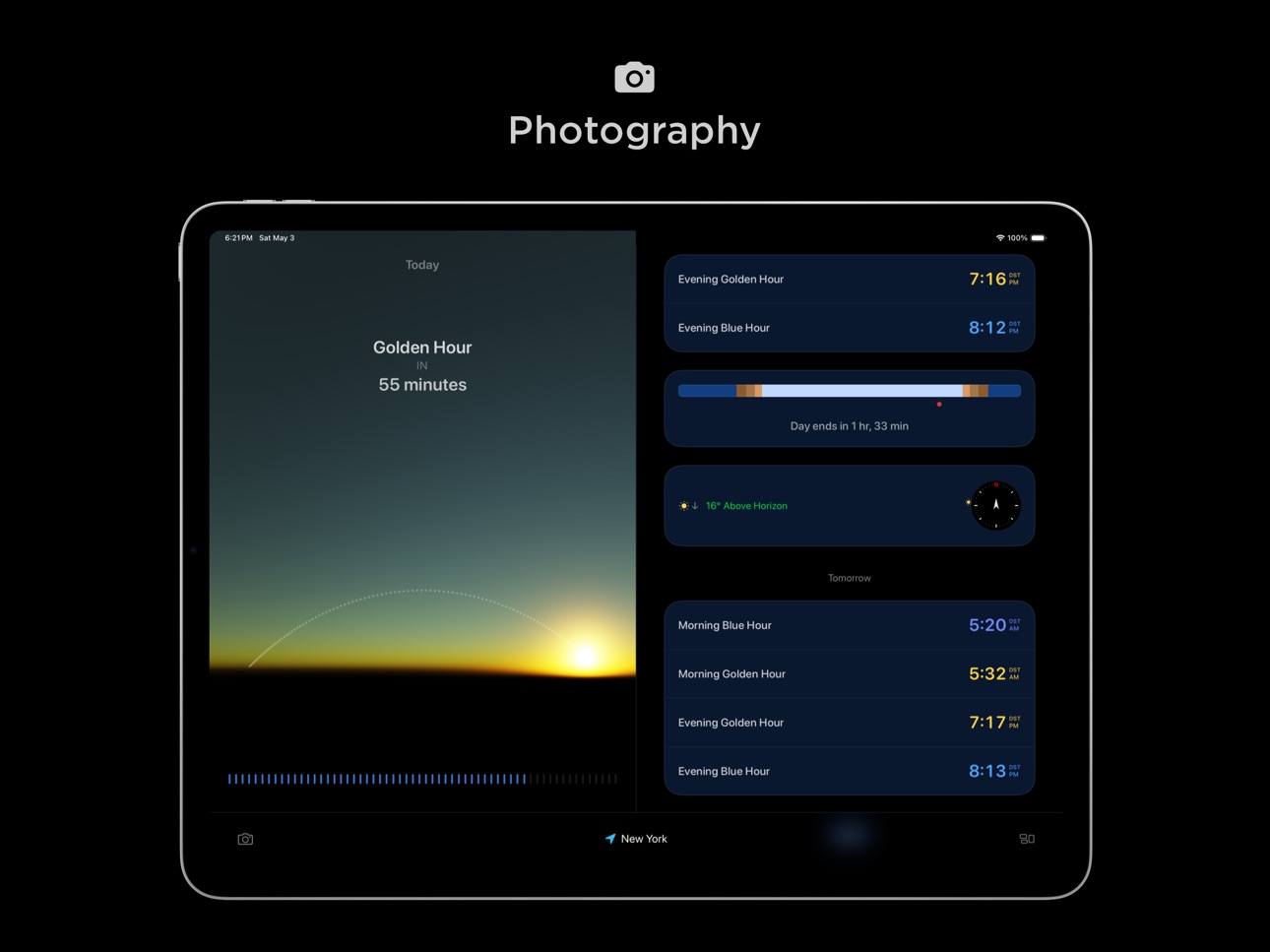

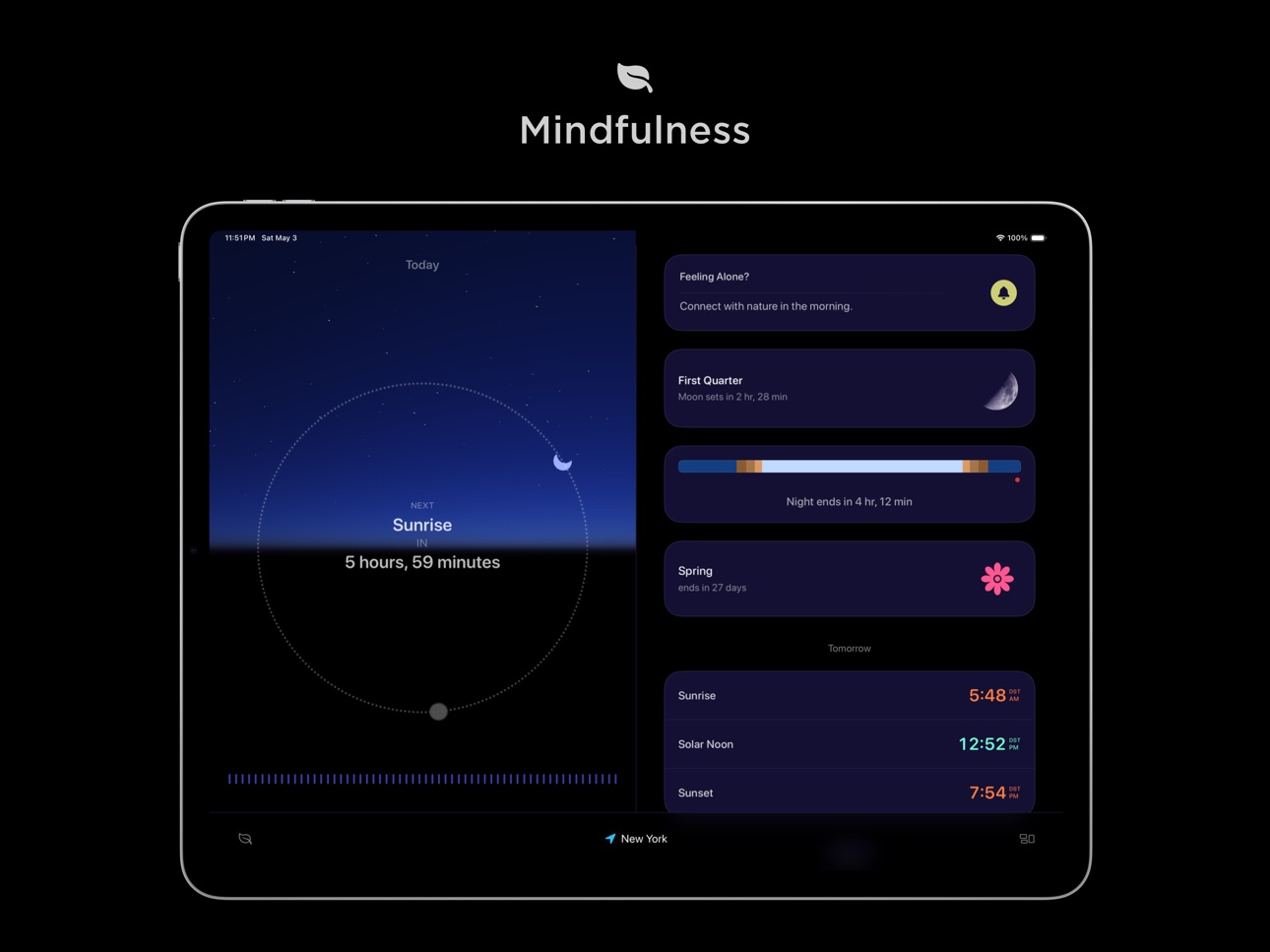


Apple TV 9 images


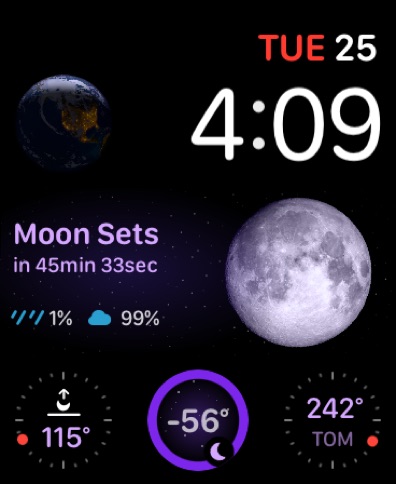
Apple Watch 10 images




What’s New Version 2026.1.17
- New: Custom alert offsets. Pick any hour and minute before or after the sun events.
- Improved the UI/UX performance.
- Bug fixes.
Previously,
Lumy's OS 26 update is designed to feel lighter, smarter, and more in sync with daily life.
On iPhone and iPad
- Discover the new Liquid Glass design: UI elements feel gently illuminated, carrying a subtle echo of sunlight.
- New Peek Panel: A lightweight element that quietly shows simple info like "Moon above horizon." It fluidly expands to reveal more detail, such as "Sets in 20 min" when you need it, fading back automatically. Designed to balance presence and absence, it keeps information accessible without overwhelming the interface.
- A refreshed Bottom Bar with Quick Access Menu that morphs naturally with interaction, making it faster to switch modes or jump around the app.
- Make the Quick Access Menu your own by reordering modes... the first three are always at your fingertips.
- The new Season widget now lets you choose between astronomical or meteorological seasons.
- Updated widgets and app icons now match the new home screen's tinted and clear styles.
- And many thoughtful refinements across the app.
Foundation Model Features (iOS 26 + iPadOS 26)
- Mode-Specific Weather Insights: Smarter, activity-aware tips.
- State of Mind Suggestions: Personalized, context-aware guidance that adapts to your state of mind log.
- Astronomical Events: Tailored explanations that transform solar events into relevant insights for Photography, Hiking, Mindfulness, or Travel.
- Review System: A simple thumbs up/down or alternative request helps refine future insights, while keeping all data private on your device.
On Apple Watch
- Experience the new Liquid Glass design on your wrist.
- Quickly enable or disable sun event notifications right from Control Center.
- Add a configurable Season complication for astronomical or meteorological seasons.
- Added support for the latest iPhone 17 Series, iPhone Air, Apple Watch Series 11, Apple Watch Ultra 3, and Apple Watch SE 3.
Thanks for being part of this journey. Your feedback continues to shape Lumy, and we'd love to hear your thoughts or suggestions at hello@waplestuff.com.
Description
Lumy is a modern sun tracker + outdoor activity planner.
- Perfect lighting for photos or videos? Done.
- Sunrise hike or sunset walk? Easy.
- Outdoor yoga or sunlight breaks? Covered.
Whether you’re chasing golden hour* or keeping an eye on moon phases for a night under the stars, Lumy helps you make the most of natural light.
Now redesigned from the ground up - Lumy feels more personal, purposeful, and in sync with how we live.
Introducing Modes: Switch between profiles like Daily, Photography, or Meditation to shape Lumy around your routine. See only what matters to you.
Lumy also supports iOS’s State of Mind feature, offering sunlight suggestions based on your mood entries in the Health app - a gentle nudge to step out and connect with nature.
And with weather forecasts for the next seven days, you can plan with confidence. Lumy calculates all sun and moon data entirely on-device. No tracking. No server calls. Only the weather needs internet.
Lumy works seamlessly across iPhone, iPad, Apple Watch, Apple TV, and HomePod. One purchase, full family access.
Features
- Modes: Switch profiles based on your needs... from weekday planning to weekend golden hour.
- Sun + Moon Tracking: Accurate data, solar compass, and future predictions.
- Season Info: Both astronomical and meteorological seasons.
- Remainders: Custom repeatable notifications.
- Apple Watch: Complications, Double-tap, and Live Activities.
- Widgets + Control Center: Quick access via Smart Stack and more.
- Interaction Upgrades: Time travel slider, Quick Access Button, fluid animations.
- Visual Feel: Simulated light, shimmering glows, and enhanced Classic visuals.
- Accessibility: VoiceOver, Dynamic Type, Reduce Motion, and more.
- Privacy First: Fully offline (except weather). Your data stays with you.
- Localization: Available in Japanese, Chinese, French, and German.
Lumy helps photographers, outdoor lovers, and wellness seekers stay in sync with the sun and moon.
*What's Golden Hour?
Golden Hour (or Magic Hour) is the short time after sunrise or before sunset when the light is soft, warm, and perfect for capturing stunning photos or videos.
Sun Information Available:
Sunrise, Sunset, First Light, Last Light, Golden Hour, Blue Hour, Astronomical Twilight, Nautical Twilight, Civil Twilight, Solar Noon, Solar Midnight.
Moon Information Available:
Moonrise, Moonset, Altitude, Azimuth, Transit, Transit Elevation, Weekly Moon Phase, Next Full Moon, New Moon, First Quarter, Last Quarter.
Got feedback or suggestions? We’d love to hear from you! Reach out at hello@waplestuff.com.
In-App Purchases US pricing
One-Time Purchases
A Little Light (Small Tip)$0.99
More Light (Medium Tip)$3.99
All the Light (Huge Tip)$9.99
Capabilities
In-App PurchasesiMessage
Accessibility
ipadiphonemacrealityDevicetvoswatch
Version history 25 versions
Build 886500028v2026.1.172026-06-04 13:22:47
- New: Custom alert offsets. Pick any hour and minute before or after the sun events.
- Improved the UI/UX performance.
- Bug fixes.
Previously,
Lumy's OS 26 update is designed to feel lighter, smarter, and more in sync with daily life.
On iPhone and iPad
- Discover the new Liquid Glass design: UI elements feel gently illuminated, carrying a subtle echo of sunlight.
- New Peek Panel: A lightweight element that quietly shows simple info like "Moon above horizon." It fluidly expands to reveal more detail, such as "Sets in 20 min" when you need it, fading back automatically. Designed to balance presence and absence, it keeps information accessible without overwhelming the interface.
- A refreshed Bottom Bar with Quick Access Menu that morphs naturally with interaction, making it faster to switch modes or jump around the app.
- Make the Quick Access Menu your own by reordering modes... the first three are always at your fingertips.
- The new Season widget now lets you choose between astronomical or meteorological seasons.
- Updated widgets and app icons now match the new home screen's tinted and clear styles.
- And many thoughtful refinements across the app.
Foundation Model Features (iOS 26 + iPadOS 26)
- Mode-Specific Weather Insights: Smarter, activity-aware tips.
- State of Mind Suggestions: Personalized, context-aware guidance that adapts to your state of mind log.
- Astronomical Events: Tailored explanations that transform solar events into relevant insights for Photography, Hiking, Mindfulness, or Travel.
- Review System: A simple thumbs up/down or alternative request helps refine future insights, while keeping all data private on your device.
On Apple Watch
- Experience the new Liquid Glass design on your wrist.
- Quickly enable or disable sun event notifications right from Control Center.
- Add a configurable Season complication for astronomical or meteorological seasons.
- Added support for the latest iPhone 17 Series, iPhone Air, Apple Watch Series 11, Apple Watch Ultra 3, and Apple Watch SE 3.
Thanks for being part of this journey. Your feedback continues to shape Lumy, and we'd love to hear your thoughts or suggestions at hello@waplestuff.com.
Build 886184621v2026.1.162026-05-29 07:00:22
- New: Custom alert offsets. Pick any hour and minute before or after the sun events.
- Improved the UI/UX performance.
- Bug fixes.
Previously,
Lumy's OS 26 update is designed to feel lighter, smarter, and more in sync with daily life.
On iPhone and iPad
- Discover the new Liquid Glass design: UI elements feel gently illuminated, carrying a subtle echo of sunlight.
- New Peek Panel: A lightweight element that quietly shows simple info like "Moon above horizon." It fluidly expands to reveal more detail, such as "Sets in 20 min" when you need it, fading back automatically. Designed to balance presence and absence, it keeps information accessible without overwhelming the interface.
- A refreshed Bottom Bar with Quick Access Menu that morphs naturally with interaction, making it faster to switch modes or jump around the app.
- Make the Quick Access Menu your own by reordering modes... the first three are always at your fingertips.
- The new Season widget now lets you choose between astronomical or meteorological seasons.
- Updated widgets and app icons now match the new home screen's tinted and clear styles.
- And many thoughtful refinements across the app.
Foundation Model Features (iOS 26 + iPadOS 26)
- Mode-Specific Weather Insights: Smarter, activity-aware tips.
- State of Mind Suggestions: Personalized, context-aware guidance that adapts to your state of mind log.
- Astronomical Events: Tailored explanations that transform solar events into relevant insights for Photography, Hiking, Mindfulness, or Travel.
- Review System: A simple thumbs up/down or alternative request helps refine future insights, while keeping all data private on your device.
On Apple Watch
- Experience the new Liquid Glass design on your wrist.
- Quickly enable or disable sun event notifications right from Control Center.
- Add a configurable Season complication for astronomical or meteorological seasons.
- Added support for the latest iPhone 17 Series, iPhone Air, Apple Watch Series 11, Apple Watch Ultra 3, and Apple Watch SE 3.
Thanks for being part of this journey. Your feedback continues to shape Lumy, and we'd love to hear your thoughts or suggestions at hello@waplestuff.com.
Build 885686087v2026.1.152026-05-23 08:26:44
- Redesigned iMessage extension.
- More reliable current location handling.
- Improved widget behavior.
- Improved the UI/UX performance.
- Bug fixes.
Previously,
Lumy's OS 26 update is designed to feel lighter, smarter, and more in sync with daily life.
On iPhone and iPad
- Discover the new Liquid Glass design: UI elements feel gently illuminated, carrying a subtle echo of sunlight.
- New Peek Panel: A lightweight element that quietly shows simple info like "Moon above horizon." It fluidly expands to reveal more detail, such as "Sets in 20 min" when you need it, fading back automatically. Designed to balance presence and absence, it keeps information accessible without overwhelming the interface.
- A refreshed Bottom Bar with Quick Access Menu that morphs naturally with interaction, making it faster to switch modes or jump around the app.
- Make the Quick Access Menu your own by reordering modes... the first three are always at your fingertips.
- The new Season widget now lets you choose between astronomical or meteorological seasons.
- Updated widgets and app icons now match the new home screen's tinted and clear styles.
- And many thoughtful refinements across the app.
Foundation Model Features (iOS 26 + iPadOS 26)
- Mode-Specific Weather Insights: Smarter, activity-aware tips.
- State of Mind Suggestions: Personalized, context-aware guidance that adapts to your state of mind log.
- Astronomical Events: Tailored explanations that transform solar events into relevant insights for Photography, Hiking, Mindfulness, or Travel.
- Review System: A simple thumbs up/down or alternative request helps refine future insights, while keeping all data private on your device.
On Apple Watch
- Experience the new Liquid Glass design on your wrist.
- Quickly enable or disable sun event notifications right from Control Center.
- Add a configurable Season complication for astronomical or meteorological seasons.
- Added support for the latest iPhone 17 Series, iPhone Air, Apple Watch Series 11, Apple Watch Ultra 3, and Apple Watch SE 3.
Thanks for being part of this journey. Your feedback continues to shape Lumy, and we'd love to hear your thoughts or suggestions at hello@waplestuff.com.
Build 885447501v2026.1.142026-05-09 18:08:56
- Redesigned iMessage extension.
- More reliable current location handling.
- Improved widget behavior.
- Improved the UI/UX performance.
- Bug fixes.
Previously,
Lumy's OS 26 update is designed to feel lighter, smarter, and more in sync with daily life.
On iPhone and iPad
- Discover the new Liquid Glass design: UI elements feel gently illuminated, carrying a subtle echo of sunlight.
- New Peek Panel: A lightweight element that quietly shows simple info like "Moon above horizon." It fluidly expands to reveal more detail, such as "Sets in 20 min" when you need it, fading back automatically. Designed to balance presence and absence, it keeps information accessible without overwhelming the interface.
- A refreshed Bottom Bar with Quick Access Menu that morphs naturally with interaction, making it faster to switch modes or jump around the app.
- Make the Quick Access Menu your own by reordering modes... the first three are always at your fingertips.
- The new Season widget now lets you choose between astronomical or meteorological seasons.
- Updated widgets and app icons now match the new home screen's tinted and clear styles.
- And many thoughtful refinements across the app.
Foundation Model Features (iOS 26 + iPadOS 26)
- Mode-Specific Weather Insights: Smarter, activity-aware tips.
- State of Mind Suggestions: Personalized, context-aware guidance that adapts to your state of mind log.
- Astronomical Events: Tailored explanations that transform solar events into relevant insights for Photography, Hiking, Mindfulness, or Travel.
- Review System: A simple thumbs up/down or alternative request helps refine future insights, while keeping all data private on your device.
On Apple Watch
- Experience the new Liquid Glass design on your wrist.
- Quickly enable or disable sun event notifications right from Control Center.
- Add a configurable Season complication for astronomical or meteorological seasons.
- Added support for the latest iPhone 17 Series, iPhone Air, Apple Watch Series 11, Apple Watch Ultra 3, and Apple Watch SE 3.
Thanks for being part of this journey. Your feedback continues to shape Lumy, and we'd love to hear your thoughts or suggestions at hello@waplestuff.com.
Build 885325033v2026.1.132026-05-08 19:51:43
- Bug fixes
Previously,
Lumy's OS 26 update is designed to feel lighter, smarter, and more in sync with daily life.
On iPhone and iPad
- Discover the new Liquid Glass design: UI elements feel gently illuminated, carrying a subtle echo of sunlight.
- New Peek Panel: A lightweight element that quietly shows simple info like "Moon above horizon." It fluidly expands to reveal more detail, such as "Sets in 20 min" when you need it, fading back automatically. Designed to balance presence and absence, it keeps information accessible without overwhelming the interface.
- A refreshed Bottom Bar with Quick Access Menu that morphs naturally with interaction, making it faster to switch modes or jump around the app.
- Make the Quick Access Menu your own by reordering modes... the first three are always at your fingertips.
- The new Season widget now lets you choose between astronomical or meteorological seasons.
- Updated widgets and app icons now match the new home screen's tinted and clear styles.
- And many thoughtful refinements across the app.
Foundation Model Features (iOS 26 + iPadOS 26)
- Mode-Specific Weather Insights: Smarter, activity-aware tips.
- State of Mind Suggestions: Personalized, context-aware guidance that adapts to your state of mind log.
- Astronomical Events: Tailored explanations that transform solar events into relevant insights for Photography, Hiking, Mindfulness, or Travel.
- Review System: A simple thumbs up/down or alternative request helps refine future insights, while keeping all data private on your device.
On Apple Watch
- Experience the new Liquid Glass design on your wrist.
- Quickly enable or disable sun event notifications right from Control Center.
- Add a configurable Season complication for astronomical or meteorological seasons.
- Added support for the latest iPhone 17 Series, iPhone Air, Apple Watch Series 11, Apple Watch Ultra 3, and Apple Watch SE 3.
Thanks for being part of this journey. Your feedback continues to shape Lumy, and we'd love to hear your thoughts or suggestions at hello@waplestuff.com.
Build 885276061v2026.1.122026-05-05 16:34:42
- Bug fixes
Previously,
Lumy's OS 26 update is designed to feel lighter, smarter, and more in sync with daily life.
On iPhone and iPad
- Discover the new Liquid Glass design: UI elements feel gently illuminated, carrying a subtle echo of sunlight.
- New Peek Panel: A lightweight element that quietly shows simple info like "Moon above horizon." It fluidly expands to reveal more detail, such as "Sets in 20 min" when you need it, fading back automatically. Designed to balance presence and absence, it keeps information accessible without overwhelming the interface.
- A refreshed Bottom Bar with Quick Access Menu that morphs naturally with interaction, making it faster to switch modes or jump around the app.
- Make the Quick Access Menu your own by reordering modes... the first three are always at your fingertips.
- The new Season widget now lets you choose between astronomical or meteorological seasons.
- Updated widgets and app icons now match the new home screen's tinted and clear styles.
- And many thoughtful refinements across the app.
Foundation Model Features (iOS 26 + iPadOS 26)
- Mode-Specific Weather Insights: Smarter, activity-aware tips.
- State of Mind Suggestions: Personalized, context-aware guidance that adapts to your state of mind log.
- Astronomical Events: Tailored explanations that transform solar events into relevant insights for Photography, Hiking, Mindfulness, or Travel.
- Review System: A simple thumbs up/down or alternative request helps refine future insights, while keeping all data private on your device.
On Apple Watch
- Experience the new Liquid Glass design on your wrist.
- Quickly enable or disable sun event notifications right from Control Center.
- Add a configurable Season complication for astronomical or meteorological seasons.
- Added support for the latest iPhone 17 Series, iPhone Air, Apple Watch Series 11, Apple Watch Ultra 3, and Apple Watch SE 3.
Thanks for being part of this journey. Your feedback continues to shape Lumy, and we'd love to hear your thoughts or suggestions at hello@waplestuff.com.
Build 885204019v2026.1.102026-05-04 06:55:10
A quiet update, with care in the details.
New
- The "Calculate Photographic Times" Shortcut action now returns the time as Text instead of just showing, so you can use it the way you want. Thanks to the user who wrote in about this.
- A small moment of delight, added to the About section. You'll find it :)
Bug Fix
- Location names now show as the city you'd actually say out loud, not coordinates or a region.
- And various UI/UX enhancements with bug fixes for a smoother experience.
Previously,
Lumy's OS 26 update is designed to feel lighter, smarter, and more in sync with daily life.
On iPhone and iPad
- Discover the new Liquid Glass design: UI elements feel gently illuminated, carrying a subtle echo of sunlight.
- New Peek Panel: A lightweight element that quietly shows simple info like "Moon above horizon." It fluidly expands to reveal more detail, such as "Sets in 20 min" when you need it, fading back automatically. Designed to balance presence and absence, it keeps information accessible without overwhelming the interface.
- A refreshed Bottom Bar with Quick Access Menu that morphs naturally with interaction, making it faster to switch modes or jump around the app.
- Make the Quick Access Menu your own by reordering modes... the first three are always at your fingertips.
- The new Season widget now lets you choose between astronomical or meteorological seasons.
- Updated widgets and app icons now match the new home screen's tinted and clear styles.
- And many thoughtful refinements across the app.
Foundation Model Features (iOS 26 + iPadOS 26)
- Mode-Specific Weather Insights: Smarter, activity-aware tips.
- State of Mind Suggestions: Personalized, context-aware guidance that adapts to your state of mind log.
- Astronomical Events: Tailored explanations that transform solar events into relevant insights for Photography, Hiking, Mindfulness, or Travel.
- Review System: A simple thumbs up/down or alternative request helps refine future insights, while keeping all data private on your device.
On Apple Watch
- Experience the new Liquid Glass design on your wrist.
- Quickly enable or disable sun event notifications right from Control Center.
- Add a configurable Season complication for astronomical or meteorological seasons.
- Added support for the latest iPhone 17 Series, iPhone Air, Apple Watch Series 11, Apple Watch Ultra 3, and Apple Watch SE 3.
Thanks for being part of this journey. Your feedback continues to shape Lumy, and we'd love to hear your thoughts or suggestions at hello@waplestuff.com.
Build 885231949v2026.1.112026-05-04 21:30:40
- Bug fixes
Previously,
Lumy's OS 26 update is designed to feel lighter, smarter, and more in sync with daily life.
On iPhone and iPad
- Discover the new Liquid Glass design: UI elements feel gently illuminated, carrying a subtle echo of sunlight.
- New Peek Panel: A lightweight element that quietly shows simple info like "Moon above horizon." It fluidly expands to reveal more detail, such as "Sets in 20 min" when you need it, fading back automatically. Designed to balance presence and absence, it keeps information accessible without overwhelming the interface.
- A refreshed Bottom Bar with Quick Access Menu that morphs naturally with interaction, making it faster to switch modes or jump around the app.
- Make the Quick Access Menu your own by reordering modes... the first three are always at your fingertips.
- The new Season widget now lets you choose between astronomical or meteorological seasons.
- Updated widgets and app icons now match the new home screen's tinted and clear styles.
- And many thoughtful refinements across the app.
Foundation Model Features (iOS 26 + iPadOS 26)
- Mode-Specific Weather Insights: Smarter, activity-aware tips.
- State of Mind Suggestions: Personalized, context-aware guidance that adapts to your state of mind log.
- Astronomical Events: Tailored explanations that transform solar events into relevant insights for Photography, Hiking, Mindfulness, or Travel.
- Review System: A simple thumbs up/down or alternative request helps refine future insights, while keeping all data private on your device.
On Apple Watch
- Experience the new Liquid Glass design on your wrist.
- Quickly enable or disable sun event notifications right from Control Center.
- Add a configurable Season complication for astronomical or meteorological seasons.
- Added support for the latest iPhone 17 Series, iPhone Air, Apple Watch Series 11, Apple Watch Ultra 3, and Apple Watch SE 3.
Thanks for being part of this journey. Your feedback continues to shape Lumy, and we'd love to hear your thoughts or suggestions at hello@waplestuff.com.
Build 885193649v2026.1.92026-05-03 01:58:32
A quiet update, with care in the details.
New
- The "Calculate Photographic Times" Shortcut action now returns the time as Text instead of just showing, so you can use it the way you want. Thanks to the user who wrote in about this.
- A small moment of delight, added to the About section. You'll find it :)
Bug Fix
- Location names now show as the city you'd actually say out loud, not coordinates or a region.
- And various UI/UX enhancements with bug fixes for a smoother experience.
Previously,
Lumy's OS 26 update is designed to feel lighter, smarter, and more in sync with daily life.
On iPhone and iPad
- Discover the new Liquid Glass design: UI elements feel gently illuminated, carrying a subtle echo of sunlight.
- New Peek Panel: A lightweight element that quietly shows simple info like "Moon above horizon." It fluidly expands to reveal more detail, such as "Sets in 20 min" when you need it, fading back automatically. Designed to balance presence and absence, it keeps information accessible without overwhelming the interface.
- A refreshed Bottom Bar with Quick Access Menu that morphs naturally with interaction, making it faster to switch modes or jump around the app.
- Make the Quick Access Menu your own by reordering modes... the first three are always at your fingertips.
- The new Season widget now lets you choose between astronomical or meteorological seasons.
- Updated widgets and app icons now match the new home screen's tinted and clear styles.
- And many thoughtful refinements across the app.
Foundation Model Features (iOS 26 + iPadOS 26)
- Mode-Specific Weather Insights: Smarter, activity-aware tips.
- State of Mind Suggestions: Personalized, context-aware guidance that adapts to your state of mind log.
- Astronomical Events: Tailored explanations that transform solar events into relevant insights for Photography, Hiking, Mindfulness, or Travel.
- Review System: A simple thumbs up/down or alternative request helps refine future insights, while keeping all data private on your device.
On Apple Watch
- Experience the new Liquid Glass design on your wrist.
- Quickly enable or disable sun event notifications right from Control Center.
- Add a configurable Season complication for astronomical or meteorological seasons.
- Added support for the latest iPhone 17 Series, iPhone Air, Apple Watch Series 11, Apple Watch Ultra 3, and Apple Watch SE 3.
Thanks for being part of this journey. Your feedback continues to shape Lumy, and we'd love to hear your thoughts or suggestions at hello@waplestuff.com.
Build 885001283v2026.1.82026-04-29 08:30:51
A quiet update, with care in the details.
New
- The "Calculate Photographic Times" Shortcut action now returns the time as Text instead of just showing, so you can use it the way you want. Thanks to the user who wrote in about this.
- A small moment of delight, added to the About section. You'll find it :)
Bug Fix
- Location names now show as the city you'd actually say out loud, not coordinates or a region.
- And various UI/UX enhancements with bug fixes for a smoother experience.
Previously,
Lumy's OS 26 update is designed to feel lighter, smarter, and more in sync with daily life.
On iPhone and iPad
- Discover the new Liquid Glass design: UI elements feel gently illuminated, carrying a subtle echo of sunlight.
- New Peek Panel: A lightweight element that quietly shows simple info like "Moon above horizon." It fluidly expands to reveal more detail, such as "Sets in 20 min" when you need it, fading back automatically. Designed to balance presence and absence, it keeps information accessible without overwhelming the interface.
- A refreshed Bottom Bar with Quick Access Menu that morphs naturally with interaction, making it faster to switch modes or jump around the app.
- Make the Quick Access Menu your own by reordering modes... the first three are always at your fingertips.
- The new Season widget now lets you choose between astronomical or meteorological seasons.
- Updated widgets and app icons now match the new home screen's tinted and clear styles.
- And many thoughtful refinements across the app.
Foundation Model Features (iOS 26 + iPadOS 26)
- Mode-Specific Weather Insights: Smarter, activity-aware tips.
- State of Mind Suggestions: Personalized, context-aware guidance that adapts to your state of mind log.
- Astronomical Events: Tailored explanations that transform solar events into relevant insights for Photography, Hiking, Mindfulness, or Travel.
- Review System: A simple thumbs up/down or alternative request helps refine future insights, while keeping all data private on your device.
On Apple Watch
- Experience the new Liquid Glass design on your wrist.
- Quickly enable or disable sun event notifications right from Control Center.
- Add a configurable Season complication for astronomical or meteorological seasons.
- Added support for the latest iPhone 17 Series, iPhone Air, Apple Watch Series 11, Apple Watch Ultra 3, and Apple Watch SE 3.
Thanks for being part of this journey. Your feedback continues to shape Lumy, and we'd love to hear your thoughts or suggestions at hello@waplestuff.com.
Build 884911372v2026.1.72026-04-27 15:44:45
A quiet update, with care in the details.
New
- The "Calculate Photographic Times" Shortcut action now returns the time as Text instead of just showing, so you can use it the way you want. Thanks to the user who wrote in about this.
- A small moment of delight, added to the About section. You'll find it :)
Bug Fix
- Location names now show as the city you'd actually say out loud, not coordinates or a region.
- And various UI/UX enhancements with bug fixes for a smoother experience.
Previously,
Lumy's OS 26 update is designed to feel lighter, smarter, and more in sync with daily life.
On iPhone and iPad
- Discover the new Liquid Glass design: UI elements feel gently illuminated, carrying a subtle echo of sunlight.
- New Peek Panel: A lightweight element that quietly shows simple info like "Moon above horizon." It fluidly expands to reveal more detail, such as "Sets in 20 min" when you need it, fading back automatically. Designed to balance presence and absence, it keeps information accessible without overwhelming the interface.
- A refreshed Bottom Bar with Quick Access Menu that morphs naturally with interaction, making it faster to switch modes or jump around the app.
- Make the Quick Access Menu your own by reordering modes... the first three are always at your fingertips.
- The new Season widget now lets you choose between astronomical or meteorological seasons.
- Updated widgets and app icons now match the new home screen's tinted and clear styles.
- And many thoughtful refinements across the app.
Foundation Model Features (iOS 26 + iPadOS 26)
- Mode-Specific Weather Insights: Smarter, activity-aware tips.
- State of Mind Suggestions: Personalized, context-aware guidance that adapts to your state of mind log.
- Astronomical Events: Tailored explanations that transform solar events into relevant insights for Photography, Hiking, Mindfulness, or Travel.
- Review System: A simple thumbs up/down or alternative request helps refine future insights, while keeping all data private on your device.
On Apple Watch
- Experience the new Liquid Glass design on your wrist.
- Quickly enable or disable sun event notifications right from Control Center.
- Add a configurable Season complication for astronomical or meteorological seasons.
- Added support for the latest iPhone 17 Series, iPhone Air, Apple Watch Series 11, Apple Watch Ultra 3, and Apple Watch SE 3.
Thanks for being part of this journey. Your feedback continues to shape Lumy, and we'd love to hear your thoughts or suggestions at hello@waplestuff.com.
Build 884250490v 2026.1.62026-04-07 21:47:41
- And various UI/UX enhancements with bug fixes for a smoother experience.
Previously,
Lumy's OS 26 update is designed to feel lighter, smarter, and more in sync with daily life.
On iPhone and iPad
- Discover the new Liquid Glass design: UI elements feel gently illuminated, carrying a subtle echo of sunlight.
- New Peek Panel: A lightweight element that quietly shows simple info like "Moon above horizon." It fluidly expands to reveal more detail, such as "Sets in 20 min" when you need it, fading back automatically. Designed to balance presence and absence, it keeps information accessible without overwhelming the interface.
- A refreshed Bottom Bar with Quick Access Menu that morphs naturally with interaction, making it faster to switch modes or jump around the app.
- Make the Quick Access Menu your own by reordering modes... the first three are always at your fingertips.
- The new Season widget now lets you choose between astronomical or meteorological seasons.
- Updated widgets and app icons now match the new home screen's tinted and clear styles.
- And many thoughtful refinements across the app.
Foundation Model Features (iOS 26 + iPadOS 26)
- Mode-Specific Weather Insights: Smarter, activity-aware tips.
- State of Mind Suggestions: Personalized, context-aware guidance that adapts to your state of mind log.
- Astronomical Events: Tailored explanations that transform solar events into relevant insights for Photography, Hiking, Mindfulness, or Travel.
- Review System: A simple thumbs up/down or alternative request helps refine future insights, while keeping all data private on your device.
On Apple Watch
- Experience the new Liquid Glass design on your wrist.
- Quickly enable or disable sun event notifications right from Control Center.
- Add a configurable Season complication for astronomical or meteorological seasons.
- Added support for the latest iPhone 17 Series, iPhone Air, Apple Watch Series 11, Apple Watch Ultra 3, and Apple Watch SE 3.
Thanks for being part of this journey. Your feedback continues to shape Lumy, and we'd love to hear your thoughts or suggestions at hello@waplestuff.com.
Build 882128100v2026.1.52026-02-05 16:39:33
- And various UI/UX enhancements with bug fixes for a smoother experience.
Previously,
Lumy's OS 26 update is designed to feel lighter, smarter, and more in sync with daily life.
On iPhone and iPad
- Discover the new Liquid Glass design: UI elements feel gently illuminated, carrying a subtle echo of sunlight.
- New Peek Panel: A lightweight element that quietly shows simple info like "Moon above horizon." It fluidly expands to reveal more detail, such as "Sets in 20 min" when you need it, fading back automatically. Designed to balance presence and absence, it keeps information accessible without overwhelming the interface.
- A refreshed Bottom Bar with Quick Access Menu that morphs naturally with interaction, making it faster to switch modes or jump around the app.
- Make the Quick Access Menu your own by reordering modes... the first three are always at your fingertips.
- The new Season widget now lets you choose between astronomical or meteorological seasons.
- Updated widgets and app icons now match the new home screen's tinted and clear styles.
- And many thoughtful refinements across the app.
Foundation Model Features (iOS 26 + iPadOS 26)
- Mode-Specific Weather Insights: Smarter, activity-aware tips.
- State of Mind Suggestions: Personalized, context-aware guidance that adapts to your state of mind log.
- Astronomical Events: Tailored explanations that transform solar events into relevant insights for Photography, Hiking, Mindfulness, or Travel.
- Review System: A simple thumbs up/down or alternative request helps refine future insights, while keeping all data private on your device.
On Apple Watch
- Experience the new Liquid Glass design on your wrist.
- Quickly enable or disable sun event notifications right from Control Center.
- Add a configurable Season complication for astronomical or meteorological seasons.
- Added support for the latest iPhone 17 Series, iPhone Air, Apple Watch Series 11, Apple Watch Ultra 3, and Apple Watch SE 3.
Thanks for being part of this journey. Your feedback continues to shape Lumy, and we'd love to hear your thoughts or suggestions at hello@waplestuff.com.
Build 881536601v2026.1.42026-01-16 09:18:05
- Enhanced Notifications Scheduling reliability.
- And various UI/UX enhancements with bug fixes for a smoother experience.
Previously,
Lumy's OS 26 update is designed to feel lighter, smarter, and more in sync with daily life.
On iPhone and iPad
- Discover the new Liquid Glass design: UI elements feel gently illuminated, carrying a subtle echo of sunlight.
- New Peek Panel: A lightweight element that quietly shows simple info like "Moon above horizon." It fluidly expands to reveal more detail, such as "Sets in 20 min" when you need it, fading back automatically. Designed to balance presence and absence, it keeps information accessible without overwhelming the interface.
- A refreshed Bottom Bar with Quick Access Menu that morphs naturally with interaction, making it faster to switch modes or jump around the app.
- Make the Quick Access Menu your own by reordering modes... the first three are always at your fingertips.
- The new Season widget now lets you choose between astronomical or meteorological seasons.
- Updated widgets and app icons now match the new home screen's tinted and clear styles.
- And many thoughtful refinements across the app.
Foundation Model Features (iOS 26 + iPadOS 26)
- Mode-Specific Weather Insights: Smarter, activity-aware tips.
- State of Mind Suggestions: Personalized, context-aware guidance that adapts to your state of mind log.
- Astronomical Events: Tailored explanations that transform solar events into relevant insights for Photography, Hiking, Mindfulness, or Travel.
- Review System: A simple thumbs up/down or alternative request helps refine future insights, while keeping all data private on your device.
On Apple Watch
- Experience the new Liquid Glass design on your wrist.
- Quickly enable or disable sun event notifications right from Control Center.
- Add a configurable Season complication for astronomical or meteorological seasons.
- Added support for the latest iPhone 17 Series, iPhone Air, Apple Watch Series 11, Apple Watch Ultra 3, and Apple Watch SE 3.
Thanks for being part of this journey. Your feedback continues to shape Lumy, and we'd love to hear your thoughts or suggestions at hello@waplestuff.com.
Build 881490762v2026.1.32026-01-15 00:34:59
- Enhanced Notifications Scheduling reliability.
- And various UI/UX enhancements with bug fixes for a smoother experience.
Previously,
Lumy's OS 26 update is designed to feel lighter, smarter, and more in sync with daily life.
On iPhone and iPad
- Discover the new Liquid Glass design: UI elements feel gently illuminated, carrying a subtle echo of sunlight.
- New Peek Panel: A lightweight element that quietly shows simple info like "Moon above horizon." It fluidly expands to reveal more detail, such as "Sets in 20 min" when you need it, fading back automatically. Designed to balance presence and absence, it keeps information accessible without overwhelming the interface.
- A refreshed Bottom Bar with Quick Access Menu that morphs naturally with interaction, making it faster to switch modes or jump around the app.
- Make the Quick Access Menu your own by reordering modes... the first three are always at your fingertips.
- The new Season widget now lets you choose between astronomical or meteorological seasons.
- Updated widgets and app icons now match the new home screen's tinted and clear styles.
- And many thoughtful refinements across the app.
Foundation Model Features (iOS 26 + iPadOS 26)
- Mode-Specific Weather Insights: Smarter, activity-aware tips.
- State of Mind Suggestions: Personalized, context-aware guidance that adapts to your state of mind log.
- Astronomical Events: Tailored explanations that transform solar events into relevant insights for Photography, Hiking, Mindfulness, or Travel.
- Review System: A simple thumbs up/down or alternative request helps refine future insights, while keeping all data private on your device.
On Apple Watch
- Experience the new Liquid Glass design on your wrist.
- Quickly enable or disable sun event notifications right from Control Center.
- Add a configurable Season complication for astronomical or meteorological seasons.
- Added support for the latest iPhone 17 Series, iPhone Air, Apple Watch Series 11, Apple Watch Ultra 3, and Apple Watch SE 3.
Thanks for being part of this journey. Your feedback continues to shape Lumy, and we'd love to hear your thoughts or suggestions at hello@waplestuff.com.
Build 881166739v2026.1.22026-01-06 16:10:22
- For a little cheer this holiday season, visit Settings >> Ethos section.
- New Daylight Summary notifications: See the day's duration, change from yesterday, and a gentle countdown to the next season. Fully customizable, scheduled at sunrise.
- Smart Scheduling lets you pause notifications during shorter or longer days.
- Improved localization across supported languages.
- And various UI/UX enhancements with bug fixes for a smoother experience.
Previously,
Lumy's OS 26 update is designed to feel lighter, smarter, and more in sync with daily life.
On iPhone and iPad
- Discover the new Liquid Glass design: UI elements feel gently illuminated, carrying a subtle echo of sunlight.
- New Peek Panel: A lightweight element that quietly shows simple info like "Moon above horizon." It fluidly expands to reveal more detail, such as "Sets in 20 min" when you need it, fading back automatically. Designed to balance presence and absence, it keeps information accessible without overwhelming the interface.
- A refreshed Bottom Bar with Quick Access Menu that morphs naturally with interaction, making it faster to switch modes or jump around the app.
- Make the Quick Access Menu your own by reordering modes... the first three are always at your fingertips.
- The new Season widget now lets you choose between astronomical or meteorological seasons.
- Updated widgets and app icons now match the new home screen's tinted and clear styles.
- And many thoughtful refinements across the app.
Foundation Model Features (iOS 26 + iPadOS 26)
- Mode-Specific Weather Insights: Smarter, activity-aware tips.
- State of Mind Suggestions: Personalized, context-aware guidance that adapts to your state of mind log.
- Astronomical Events: Tailored explanations that transform solar events into relevant insights for Photography, Hiking, Mindfulness, or Travel.
- Review System: A simple thumbs up/down or alternative request helps refine future insights, while keeping all data private on your device.
On Apple Watch
- Experience the new Liquid Glass design on your wrist.
- Quickly enable or disable sun event notifications right from Control Center.
- Add a configurable Season complication for astronomical or meteorological seasons.
- Added support for the latest iPhone 17 Series, iPhone Air, Apple Watch Series 11, Apple Watch Ultra 3, and Apple Watch SE 3.
Thanks for being part of this journey. Your feedback continues to shape Lumy, and we'd love to hear your thoughts or suggestions at hello@waplestuff.com.
Build 881118124v2026.1.12026-01-01 00:24:04
- For a little cheer this holiday season, visit Settings >> Ethos section.
- New Daylight Summary notifications: See the day's duration, change from yesterday, and a gentle countdown to the next season. Fully customizable, scheduled at sunrise.
- Smart Scheduling lets you pause notifications during shorter or longer days.
- Improved localization across supported languages.
- And various UI/UX enhancements with bug fixes for a smoother experience.
Previously,
Lumy's OS 26 update is designed to feel lighter, smarter, and more in sync with daily life.
On iPhone and iPad
- Discover the new Liquid Glass design: UI elements feel gently illuminated, carrying a subtle echo of sunlight.
- New Peek Panel: A lightweight element that quietly shows simple info like "Moon above horizon." It fluidly expands to reveal more detail, such as "Sets in 20 min" when you need it, fading back automatically. Designed to balance presence and absence, it keeps information accessible without overwhelming the interface.
- A refreshed Bottom Bar with Quick Access Menu that morphs naturally with interaction, making it faster to switch modes or jump around the app.
- Make the Quick Access Menu your own by reordering modes... the first three are always at your fingertips.
- The new Season widget now lets you choose between astronomical or meteorological seasons.
- Updated widgets and app icons now match the new home screen's tinted and clear styles.
- And many thoughtful refinements across the app.
Foundation Model Features (iOS 26 + iPadOS 26)
- Mode-Specific Weather Insights: Smarter, activity-aware tips.
- State of Mind Suggestions: Personalized, context-aware guidance that adapts to your state of mind log.
- Astronomical Events: Tailored explanations that transform solar events into relevant insights for Photography, Hiking, Mindfulness, or Travel.
- Review System: A simple thumbs up/down or alternative request helps refine future insights, while keeping all data private on your device.
On Apple Watch
- Experience the new Liquid Glass design on your wrist.
- Quickly enable or disable sun event notifications right from Control Center.
- Add a configurable Season complication for astronomical or meteorological seasons.
- Added support for the latest iPhone 17 Series, iPhone Air, Apple Watch Series 11, Apple Watch Ultra 3, and Apple Watch SE 3.
Thanks for being part of this journey. Your feedback continues to shape Lumy, and we'd love to hear your thoughts or suggestions at hello@waplestuff.com.
Build 881035816v025.2.192025-12-27 23:39:49
- For a little cheer this holiday season, visit Settings >> Ethos section.
- New Daylight Summary notifications: See the day's duration, change from yesterday, and a gentle countdown to the next season. Fully customizable, scheduled at sunrise.
- Smart Scheduling lets you pause notifications during shorter or longer days.
- Improved localization across supported languages.
- And various UI/UX enhancements with bug fixes for a smoother experience.
Previously,
Lumy's OS 26 update is designed to feel lighter, smarter, and more in sync with daily life.
On iPhone and iPad
- Discover the new Liquid Glass design: UI elements feel gently illuminated, carrying a subtle echo of sunlight.
- New Peek Panel: A lightweight element that quietly shows simple info like "Moon above horizon." It fluidly expands to reveal more detail, such as "Sets in 20 min" when you need it, fading back automatically. Designed to balance presence and absence, it keeps information accessible without overwhelming the interface.
- A refreshed Bottom Bar with Quick Access Menu that morphs naturally with interaction, making it faster to switch modes or jump around the app.
- Make the Quick Access Menu your own by reordering modes... the first three are always at your fingertips.
- The new Season widget now lets you choose between astronomical or meteorological seasons.
- Updated widgets and app icons now match the new home screen's tinted and clear styles.
- And many thoughtful refinements across the app.
Foundation Model Features (iOS 26 + iPadOS 26)
- Mode-Specific Weather Insights: Smarter, activity-aware tips.
- State of Mind Suggestions: Personalized, context-aware guidance that adapts to your state of mind log.
- Astronomical Events: Tailored explanations that transform solar events into relevant insights for Photography, Hiking, Mindfulness, or Travel.
- Review System: A simple thumbs up/down or alternative request helps refine future insights, while keeping all data private on your device.
On Apple Watch
- Experience the new Liquid Glass design on your wrist.
- Quickly enable or disable sun event notifications right from Control Center.
- Add a configurable Season complication for astronomical or meteorological seasons.
- Added support for the latest iPhone 17 Series, iPhone Air, Apple Watch Series 11, Apple Watch Ultra 3, and Apple Watch SE 3.
Thanks for being part of this journey. Your feedback continues to shape Lumy, and we'd love to hear your thoughts or suggestions at hello@waplestuff.com.
Build 881016179v2025.2.182025-12-27 01:12:56
- For a little cheer this holiday season, visit Settings >> Ethos section.
- New Daylight Summary notifications: See the day's duration, change from yesterday, and a gentle countdown to the next season. Fully customizable, scheduled at sunrise.
- Smart Scheduling lets you pause notifications during shorter or longer days.
- Improved localization across supported languages.
- And various UI/UX enhancements with bug fixes for a smoother experience.
Previously,
Lumy's OS 26 update is designed to feel lighter, smarter, and more in sync with daily life.
On iPhone and iPad
- Discover the new Liquid Glass design: UI elements feel gently illuminated, carrying a subtle echo of sunlight.
- New Peek Panel: A lightweight element that quietly shows simple info like "Moon above horizon." It fluidly expands to reveal more detail, such as "Sets in 20 min" when you need it, fading back automatically. Designed to balance presence and absence, it keeps information accessible without overwhelming the interface.
- A refreshed Bottom Bar with Quick Access Menu that morphs naturally with interaction, making it faster to switch modes or jump around the app.
- Make the Quick Access Menu your own by reordering modes — the first three are always at your fingertips.
- The new Season widget now lets you choose between astronomical or meteorological seasons.
- Updated widgets and app icons now match the new home screen's tinted and clear styles.
- And many thoughtful refinements across the app.
Foundation Model Features (iOS 26 + iPadOS 26)
- Mode-Specific Weather Insights: Smarter, activity-aware tips.
- State of Mind Suggestions: Personalized, context-aware guidance that adapts to your state of mind log.
- Astronomical Events: Tailored explanations that transform solar events into relevant insights for Photography, Hiking, Mindfulness, or Travel.
- Review System: A simple thumbs up/down or alternative request helps refine future insights, while keeping all data private on your device.
On Apple Watch
- Experience the new Liquid Glass design on your wrist.
- Quickly enable or disable sun event notifications right from Control Center.
- Add a configurable Season complication for astronomical or meteorological seasons.
- Added support for the latest iPhone 17 Series, iPhone Air, Apple Watch Series 11, Apple Watch Ultra 3, and Apple Watch SE 3.
Thanks for being part of this journey. Your feedback continues to shape Lumy, and we'd love to hear your thoughts or suggestions at hello@waplestuff.com.
Build 880888384v2025.2.172025-12-24 05:09:24
- For a little cheer this holiday season, visit Settings >> Ethos section.
- New Daylight Summary notifications: See the day's duration, change from yesterday, and a gentle countdown to the next season. Fully customizable, scheduled at sunrise.
- Smart Scheduling lets you pause notifications during shorter or longer days.
- Improved localization across supported languages.
- And various UI/UX enhancements with bug fixes for a smoother experience.
Previously,
Lumy's OS 26 update is designed to feel lighter, smarter, and more in sync with daily life.
On iPhone and iPad
- Discover the new Liquid Glass design: UI elements feel gently illuminated, carrying a subtle echo of sunlight.
- New Peek Panel: A lightweight element that quietly shows simple info like "Moon above horizon." It fluidly expands to reveal more detail, such as "Sets in 20 min" when you need it, fading back automatically. Designed to balance presence and absence, it keeps information accessible without overwhelming the interface.
- A refreshed Bottom Bar with Quick Access Menu that morphs naturally with interaction, making it faster to switch modes or jump around the app.
- Make the Quick Access Menu your own by reordering modes — the first three are always at your fingertips.
- The new Season widget now lets you choose between astronomical or meteorological seasons.
- Updated widgets and app icons now match the new home screen's tinted and clear styles.
- And many thoughtful refinements across the app.
Foundation Model Features (iOS 26 + iPadOS 26)
- Mode-Specific Weather Insights: Smarter, activity-aware tips.
- State of Mind Suggestions: Personalized, context-aware guidance that adapts to your state of mind log.
- Astronomical Events: Tailored explanations that transform solar events into relevant insights for Photography, Hiking, Mindfulness, or Travel.
- Review System: A simple thumbs up/down or alternative request helps refine future insights, while keeping all data private on your device.
On Apple Watch
- Experience the new Liquid Glass design on your wrist.
- Quickly enable or disable sun event notifications right from Control Center.
- Add a configurable Season complication for astronomical or meteorological seasons.
- Added support for the latest iPhone 17 Series, iPhone Air, Apple Watch Series 11, Apple Watch Ultra 3, and Apple Watch SE 3.
Thanks for being part of this journey. Your feedback continues to shape Lumy, and we'd love to hear your thoughts or suggestions at hello@waplestuff.com.
Build 880778967v2025.2.162025-12-21 06:18:34
- New Daylight Summary notifications: See the day's duration, change from yesterday, and a gentle countdown to the next season. Fully customizable, scheduled at sunrise.
- Smart Scheduling lets you pause notifications during shorter or longer days.
- Improved localization across supported languages.
- And various UI/UX enhancements with bug fixes for a smoother experience.
Previously,
Lumy's OS 26 update is designed to feel lighter, smarter, and more in sync with daily life.
On iPhone and iPad
- Discover the new Liquid Glass design: UI elements feel gently illuminated, carrying a subtle echo of sunlight.
- New Peek Panel: A lightweight element that quietly shows simple info like "Moon above horizon." It fluidly expands to reveal more detail, such as "Sets in 20 min" when you need it, fading back automatically. Designed to balance presence and absence, it keeps information accessible without overwhelming the interface.
- A refreshed Bottom Bar with Quick Access Menu that morphs naturally with interaction, making it faster to switch modes or jump around the app.
- Make the Quick Access Menu your own by reordering modes — the first three are always at your fingertips.
- The new Season widget now lets you choose between astronomical or meteorological seasons.
- Updated widgets and app icons now match the new home screen's tinted and clear styles.
- And many thoughtful refinements across the app.
Foundation Model Features (iOS 26 + iPadOS 26)
- Mode-Specific Weather Insights: Smarter, activity-aware tips.
- State of Mind Suggestions: Personalized, context-aware guidance that adapts to your state of mind log.
- Astronomical Events: Tailored explanations that transform solar events into relevant insights for Photography, Hiking, Mindfulness, or Travel.
- Review System: A simple thumbs up/down or alternative request helps refine future insights, while keeping all data private on your device.
On Apple Watch
- Experience the new Liquid Glass design on your wrist.
- Quickly enable or disable sun event notifications right from Control Center.
- Add a configurable Season complication for astronomical or meteorological seasons.
- Added support for the latest iPhone 17 Series, iPhone Air, Apple Watch Series 11, Apple Watch Ultra 3, and Apple Watch SE 3.
Thanks for being part of this journey. Your feedback continues to shape Lumy, and we'd love to hear your thoughts or suggestions at hello@waplestuff.com.
Build 880620969v2025.2.152025-12-17 18:40:27
- New Daylight Summary notifications: See the day's duration, change from yesterday, and a gentle countdown to the next season. Fully customizable, scheduled at sunrise.
- Smart Scheduling lets you pause notifications during shorter or longer days.
- Improved localization across supported languages.
- And various UI/UX enhancements with bug fixes for a smoother experience.
Previously,
Lumy's OS 26 update is designed to feel lighter, smarter, and more in sync with daily life.
On iPhone and iPad
- Discover the new Liquid Glass design: UI elements feel gently illuminated, carrying a subtle echo of sunlight.
- New Peek Panel: A lightweight element that quietly shows simple info like "Moon above horizon." It fluidly expands to reveal more detail, such as "Sets in 20 min" when you need it, fading back automatically. Designed to balance presence and absence, it keeps information accessible without overwhelming the interface.
- A refreshed Bottom Bar with Quick Access Menu that morphs naturally with interaction, making it faster to switch modes or jump around the app.
- Make the Quick Access Menu your own by reordering modes — the first three are always at your fingertips.
- The new Season widget now lets you choose between astronomical or meteorological seasons.
- Updated widgets and app icons now match the new home screen's tinted and clear styles.
- And many thoughtful refinements across the app.
Foundation Model Features (iOS 26 + iPadOS 26)
- Mode-Specific Weather Insights: Smarter, activity-aware tips.
- State of Mind Suggestions: Personalized, context-aware guidance that adapts to your state of mind log.
- Astronomical Events: Tailored explanations that transform solar events into relevant insights for Photography, Hiking, Mindfulness, or Travel.
- Review System: A simple thumbs up/down or alternative request helps refine future insights, while keeping all data private on your device.
On Apple Watch
- Experience the new Liquid Glass design on your wrist.
- Quickly enable or disable sun event notifications right from Control Center.
- Add a configurable Season complication for astronomical or meteorological seasons.
- Added support for the latest iPhone 17 Series, iPhone Air, Apple Watch Series 11, Apple Watch Ultra 3, and Apple Watch SE 3.
Thanks for being part of this journey. Your feedback continues to shape Lumy, and we'd love to hear your thoughts or suggestions at hello@waplestuff.com.
Build 878842992v2025.2.142025-10-13 10:00:14
Lumy’s latest update is designed to feel lighter, smarter, and more in sync with daily life.
On iPhone and iPad
- Discover the new Liquid Glass design: UI elements feel gently illuminated, carrying a subtle echo of sunlight.
- New Peek Panel: A lightweight element that quietly shows simple info like “Moon above horizon” It fluidly expands to reveal more detail, such as “Sets in 20 min” when you need it, fading back automatically. Designed to balance presence and absence, it keeps information accessible without overwhelming the interface.
- A refreshed Bottom Bar with Quick Access Menu that morphs naturally with interaction, making it faster to switch modes or jump around the app.
- Make the Quick Access Menu your own by reordering modes — the first three are always at your fingertips.
- The new Season widget now lets you choose between astronomical or meteorological seasons.
- Updated widgets and app icons now match the new home screen’s tinted and clear styles.
- And many thoughtful refinements across the app.
Foundation Model Features (iOS 26 + iPadOS 26)
- Mode-Specific Weather Insights: Smarter, activity-aware tips.
- State of Mind Suggestions: Personalized, context-aware guidance that adapts to your state of mind log.
- Astronomical Events: Tailored explanations that transform solar events into relevant insights for Photography, Hiking, Mindfulness, or Travel.
- Review System: A simple thumbs up/down or alternative request helps refine future insights, while keeping all data private on your device.
On Apple Watch
- Experience the new Liquid Glass design on your wrist.
- Quickly enable or disable sun event notifications right from Control Center.
- Add a configurable Season complication for astronomical or meteorological seasons.
- Added support for the latest iPhone 17 Series, iPhone Air, Apple Watch Series 11, Apple Watch Ultra 3, and Apple Watch SE 3.
Thanks for being part of this journey. Your feedback continues to shape Lumy, and we’d love to hear your thoughts or suggestions at hello@waplestuff.com.
Build 878606504v2025.2.132025-10-06 10:59:44
Lumy’s latest update is designed to feel lighter, smarter, and more in sync with daily life.
On iPhone and iPad
- Discover the new Liquid Glass design: UI elements feel gently illuminated, carrying a subtle echo of sunlight.
- New Peek Panel: A lightweight element that quietly shows simple info like “Moon above horizon” It fluidly expands to reveal more detail, such as “Sets in 20 min” when you need it, fading back automatically. Designed to balance presence and absence, it keeps information accessible without overwhelming the interface.
- A refreshed Bottom Bar with Quick Access Menu that morphs naturally with interaction, making it faster to switch modes or jump around the app.
- Make the Quick Access Menu your own by reordering modes — the first three are always at your fingertips.
- The new Season widget now lets you choose between astronomical or meteorological seasons.
- Updated widgets and app icons now match the new home screen’s tinted and clear styles.
- And many thoughtful refinements across the app.
Foundation Model Features (iOS 26 + iPadOS 26)
- Mode-Specific Weather Insights: Smarter, activity-aware tips.
- State of Mind Suggestions: Personalized, context-aware guidance that adapts to your state of mind log.
- Astronomical Events: Tailored explanations that transform solar events into relevant insights for Photography, Hiking, Mindfulness, or Travel.
- Review System: A simple thumbs up/down or alternative request helps refine future insights, while keeping all data private on your device.
On Apple Watch
- Experience the new Liquid Glass design on your wrist.
- Quickly enable or disable sun event notifications right from Control Center.
- Add a configurable Season complication for astronomical or meteorological seasons.
- Added support for the latest iPhone 17 Series, iPhone Air, Apple Watch Series 11, Apple Watch Ultra 3, and Apple Watch SE 3.
Thanks for being part of this journey. Your feedback continues to shape Lumy, and we’d love to hear your thoughts or suggestions at hello@waplestuff.com.
Build 878125429v2025.2.122025-09-18 19:53:06
Lumy’s latest update is designed to feel lighter, smarter, and more in sync with daily life.
On iPhone and iPad
- Discover the new Liquid Glass design: UI elements feel gently illuminated, carrying a subtle echo of sunlight.
- Meet the Peek Panel: A lightweight element that quietly shows simple info like "Moon above horizon," then fluidly expands to reveal more detail such as "Sets in 20 min," fading back once you continue. It’s clarity at hand, without breaking flow.
- A refreshed Bottom Bar with Quick Access Menu that morphs naturally with interaction, making it faster to switch modes or jump around the app.
- Make the Quick Access Menu your own by reordering modes — the first three are always at your fingertips.
- The new Season widget now lets you choose between astronomical or meteorological seasons.
- Updated widgets and app icons now match the new home screen’s tinted and clear styles.
- And many thoughtful refinements across the app.
Foundation Model Features (iOS 26 + iPadOS 26)
- Mode-Specific Weather Insights: Smarter, activity-aware tips.
- State of Mind Suggestions: Personalized, context-aware guidance that adapts to your state of mind log.
- Astronomical Events: Tailored explanations that transform solar events into relevant insights for Photography, Hiking, Mindfulness, or Travel.
- Review System: A simple thumbs up/down or alternative request helps refine future insights, while keeping all data private on your device.
On Apple Watch
- Experience the new Liquid Glass design on your wrist.
- Quickly enable or disable sun event notifications right from Control Center.
- Add a configurable Season complication for astronomical or meteorological seasons.
- Added support for the latest iPhone 17 Series, iPhone Air, Apple Watch Series 11, Apple Watch Ultra 3, and Apple Watch SE 3.
Thanks for being part of this journey. Your feedback continues to shape Lumy, and we’d love to hear your thoughts or suggestions at hello@waplestuff.com.
Price history by region
Currency
Show
Columns
Search
App performance US
Availability 162 of 162 storefronts
| Region | Language | Price | Ratings | Avg | Version |
|---|---|---|---|---|---|
| US | en-US | USD 7.99 | 2.3k | 4.8 | 2026.1.17 |
| CN | zh-Hans-CN | CNY 28 | 959 | 4.7 | 2026.1.17 |
| DE | de-DE | EUR 8.99 | 511 | 4.8 | 2026.1.17 |
| GB | en-GB | GBP 6.99 | 332 | 4.8 | 2026.1.17 |
| JP | ja | JPY 1190 | 320 | 4.7 | 2026.1.17 |
| CA | en-CA | CAD 11.99 | 205 | 4.8 | 2026.1.17 |
| FR | fr-FR | EUR 6.99 | 144 | 4.7 | 2026.1.17 |
| AU | en-AU | AUD 14.99 | 112 | 4.8 | 2026.1.17 |
| CH | de-CH | CHF 10.9 | 105 | 4.7 | 2026.1.17 |
| IT | it | EUR 8.99 | 105 | 4.6 | 2026.1.17 |
| AT | de-DE | EUR 8.99 | 89 | 4.9 | 2026.1.17 |
| KR | ko | KRW 7500 | 79 | 4.7 | 2026.1.17 |
| NL | nl | EUR 8.99 | 72 | 4.7 | 2026.1.17 |
| PL | en-GB | PLN 29.99 | 72 | 4.5 | 2026.1.17 |
| ES | es-ES | EUR 6.99 | 64 | 4.6 | 2026.1.17 |
| TR | en-GB | TRY 309.99 | 59 | 4.8 | 2026.1.17 |
| BR | pt-BR | BRL 39.99 | 52 | 4.3 | 2026.1.17 |
| TW | zh-Hant-TW | TWD 220 | 48 | 4.6 | 2026.1.17 |
| CZ | en-GB | CZK 149.99 | 47 | 4.9 | 2026.1.17 |
| GR | en-GB | EUR 5.99 | 47 | 4.9 | 2026.1.17 |
| MX | es-MX | MXN 123 | 47 | 4.7 | 2026.1.17 |
| HU | en-GB | HUF 2300 | 43 | 4.8 | 2026.1.17 |
| RO | en-GB | RON 36.99 | 41 | 4.8 | 2026.1.17 |
| RU | ru | RUB 325 | 41 | 4.7 | 2026.1.17 |
| TH | en-GB | THB 150 | 41 | 4.8 | 2026.1.17 |
| MY | en-GB | MYR 27.99 | 40 | 4.8 | 2026.1.17 |
| HK | zh-Hant-HK | HKD 55 | 38 | 4.8 | 2026.1.17 |
| BE | en-GB | EUR 8.99 | 37 | 4.8 | 2026.1.17 |
| ID | en-GB | IDR 118000 | 33 | 4.8 | 2026.1.17 |
| PH | en-GB | PHP 409 | 30 | 4.7 | 2026.1.17 |
| SG | en-GB | SGD 8.99 | 28 | 4.2 | 2026.1.17 |
| PT | pt-PT | EUR 5.99 | 27 | 4.6 | 2026.1.17 |
| ZA | en-GB | ZAR 149.99 | 27 | 5.0 | 2026.1.17 |
| DK | en-GB | DKK 69 | 24 | 4.3 | 2026.1.17 |
| FI | en-GB | EUR 7.99 | 24 | 4.4 | 2026.1.17 |
| SK | en-GB | EUR 5.99 | 24 | 4.7 | 2026.1.17 |
| IL | en-GB | ILS 21.5 | 23 | 5.0 | 2026.1.17 |
| VN | en-GB | VND 134000 | 22 | 4.6 | 2026.1.17 |
| CL | es-MX | CLP 6290 | 21 | 5.0 | 2026.1.17 |
| IE | en-GB | EUR 8.99 | 21 | 4.8 | 2026.1.17 |
| NZ | en-AU | NZD 15.99 | 20 | 4.8 | 2026.1.17 |
| BG | en-GB | EUR 4.89 | 19 | 4.8 | 2026.1.17 |
| HR | en-GB | EUR 5.99 | 16 | 5.0 | 2026.1.17 |
| UA | en-GB | USD 6.99 | 15 | 4.7 | 2026.1.17 |
| AE | en-GB | AED 34.99 | 11 | 4.6 | 2026.1.17 |
| SA | en-GB | SAR 25.99 | 11 | 4.5 | 2026.1.17 |
| AR | es-MX | USD 6.99 | 10 | 4.8 | 2026.1.17 |
| PE | es-MX | PEN 23.99 | 10 | 5.0 | 2026.1.17 |
| CO | es-MX | COP 26500 | 9 | 4.8 | 2026.1.17 |
| EG | en-GB | EGP 349.99 | 8 | 4.5 | 2026.1.17 |
| LV | en-GB | EUR 5.99 | 8 | 4.9 | 2026.1.17 |
| OM | en-GB | USD 6.99 | 8 | 5.0 | 2026.1.17 |
| LT | en-GB | EUR 5.99 | 7 | 4.4 | 2026.1.17 |
| CR | es-MX | USD 6.99 | 6 | 5.0 | 2026.1.17 |
| LU | en-GB | EUR 6.99 | 6 | 4.8 | 2026.1.17 |
| SI | en-GB | EUR 5.99 | 6 | 4.8 | 2026.1.17 |
| DO | es-MX | USD 6.99 | 5 | 5.0 | 2026.1.17 |
| KW | en-GB | USD 6.99 | 5 | 5.0 | 2026.1.17 |
| RS | en-GB | EUR 7.99 | 5 | 5.0 | 2026.1.17 |
| EE | en-GB | EUR 5.99 | 4 | 5.0 | 2026.1.17 |
| GT | es-MX | USD 6.99 | 4 | 5.0 | 2026.1.17 |
| NG | en-GB | NGN 9900 | 4 | 4.0 | 2026.1.17 |
| BY | en-GB | USD 6.99 | 3 | 2.7 | 2026.1.17 |
| CI | fr-FR | USD 6.99 | 3 | 5.0 | 2026.1.17 |
| CY | en-GB | EUR 7.99 | 3 | 5.0 | 2026.1.17 |
| IS | en-GB | USD 7.99 | 3 | 5.0 | 2026.1.17 |
| KE | en-GB | USD 6.99 | 3 | 5.0 | 2026.1.17 |
| MV | en-GB | USD 6.99 | 3 | 5.0 | 2026.1.17 |
| UG | en-GB | USD 6.99 | 3 | 5.0 | 2026.1.17 |
| AM | en-GB | USD 6.99 | 2 | 5.0 | 2026.1.17 |
| EC | es-MX | USD 6.99 | 2 | 3.5 | 2026.1.17 |
| JO | en-GB | USD 6.99 | 2 | 3.0 | 2026.1.17 |
| LB | en-GB | USD 6.99 | 2 | 4.5 | 2026.1.17 |
| NI | es-MX | USD 6.99 | 2 | 4.5 | 2026.1.17 |
| PA | es-MX | USD 6.99 | 2 | 4.5 | 2026.1.17 |
| UY | en-GB | USD 6.99 | 2 | 5.0 | 2026.1.17 |
| AL | en-GB | USD 7.99 | 1 | 5.0 | 2026.1.17 |
| AZ | en-GB | USD 6.99 | 1 | 4.0 | 2026.1.17 |
| BA | en-GB | EUR 7.99 | 1 | 5.0 | 2026.1.17 |
| BS | en-GB | USD 6.99 | 1 | 5.0 | 2026.1.17 |
| FJ | en-GB | USD 6.99 | 1 | 5.0 | 2026.1.17 |
| HN | es-MX | USD 6.99 | 1 | 5.0 | 2026.1.17 |
| MD | en-GB | USD 6.99 | 1 | 1.0 | 2026.1.17 |
| ME | en-GB | EUR 5.99 | 1 | 5.0 | 2026.1.17 |
| MT | en-GB | EUR 5.99 | 1 | 5.0 | 2026.1.17 |
| MU | en-GB | USD 6.99 | 1 | 5.0 | 2026.1.17 |
| MZ | en-GB | USD 6.99 | 1 | 4.0 | 2026.1.17 |
| SN | en-GB | USD 6.99 | 1 | 5.0 | 2026.1.17 |
| TT | en-GB | USD 6.99 | 1 | 5.0 | 2026.1.17 |
| YE | en-GB | USD 6.99 | 1 | 5.0 | 2026.1.17 |
| ZM | en-GB | USD 7.99 | 1 | 3.0 | 2026.1.17 |
| AG | en-GB | USD 6.99 | 0 | — | 2026.1.17 |
| AI | en-GB | USD 6.99 | 0 | — | 2026.1.17 |
| AO | en-GB | USD 6.99 | 0 | — | 2026.1.17 |
| BB | en-GB | USD 6.99 | 0 | — | 2026.1.17 |
| BF | en-GB | USD 6.99 | 0 | — | 2026.1.17 |
| BH | en-GB | USD 6.99 | 0 | — | 2026.1.17 |
| BJ | en-GB | USD 7.99 | 0 | — | 2026.1.17 |
| BN | en-GB | USD 6.99 | 0 | — | 2026.1.17 |
| BO | es-MX | USD 6.99 | 0 | — | 2026.1.17 |
| BT | en-GB | USD 6.99 | 0 | — | 2026.1.17 |
| BW | en-GB | USD 6.99 | 0 | — | 2026.1.17 |
| BZ | en-GB | USD 6.99 | 0 | — | 2026.1.17 |
| CD | en-GB | USD 6.99 | 0 | — | 2026.1.17 |
| CG | en-GB | USD 6.99 | 0 | — | 2026.1.17 |
| CM | fr-FR | USD 6.99 | 0 | — | 2026.1.17 |
| CV | en-GB | USD 6.99 | 0 | — | 2026.1.17 |
| DM | en-GB | USD 6.99 | 0 | — | 2026.1.17 |
| DZ | en-GB | USD 6.99 | 0 | — | 2026.1.17 |
| FM | en-GB | USD 6.99 | 0 | — | 2026.1.17 |
| GA | fr-FR | USD 6.99 | 0 | — | 2026.1.17 |
| GD | en-GB | USD 6.99 | 0 | — | 2026.1.17 |
| GE | en-GB | USD 6.99 | 0 | — | 2026.1.17 |
| GH | en-GB | USD 7.99 | 0 | — | 2026.1.17 |
| GM | en-GB | USD 6.99 | 0 | — | 2026.1.17 |
| GW | en-GB | USD 6.99 | 0 | — | 2026.1.17 |
| GY | en-GB | USD 6.99 | 0 | — | 2026.1.17 |
| IQ | en-GB | USD 6.99 | 0 | — | 2026.1.17 |
| JM | en-GB | USD 6.99 | 0 | — | 2026.1.17 |
| KG | en-GB | USD 6.99 | 0 | — | 2026.1.17 |
| KN | en-GB | USD 6.99 | 0 | — | 2026.1.17 |
| KY | en-GB | USD 6.99 | 0 | — | 2026.1.17 |
| LA | en-GB | USD 6.99 | 0 | — | 2026.1.17 |
| LC | en-GB | USD 6.99 | 0 | — | 2026.1.17 |
| LR | en-GB | USD 6.99 | 0 | — | 2026.1.17 |
| LY | en-GB | USD 6.99 | 0 | — | 2026.1.17 |
| MA | en-GB | USD 6.99 | 0 | — | 2026.1.17 |
| MG | en-GB | USD 6.99 | 0 | — | 2026.1.17 |
| MK | en-GB | USD 6.99 | 0 | — | 2026.1.17 |
| ML | en-GB | USD 6.99 | 0 | — | 2026.1.17 |
| MO | zh-Hant-HK | USD 6.99 | 0 | — | 2026.1.17 |
| MR | en-GB | USD 6.99 | 0 | — | 2026.1.17 |
| MS | en-GB | USD 6.99 | 0 | — | 2026.1.17 |
| MW | en-GB | USD 6.99 | 0 | — | 2026.1.17 |
| NA | en-GB | USD 6.99 | 0 | — | 2026.1.17 |
| NE | en-GB | USD 6.99 | 0 | — | 2026.1.17 |
| NR | en-GB | USD 6.99 | 0 | — | 2026.1.17 |
| PG | en-GB | USD 6.99 | 0 | — | 2026.1.17 |
| PW | en-GB | USD 6.99 | 0 | — | 2026.1.17 |
| PY | es-MX | USD 6.99 | 0 | — | 2026.1.17 |
| RW | en-GB | USD 6.99 | 0 | — | 2026.1.17 |
| SB | en-GB | USD 6.99 | 0 | — | 2026.1.17 |
| SC | en-GB | USD 6.99 | 0 | — | 2026.1.17 |
| SL | en-GB | USD 6.99 | 0 | — | 2026.1.17 |
| SR | en-GB | USD 7.99 | 0 | — | 2026.1.17 |
| ST | en-GB | USD 6.99 | 0 | — | 2026.1.17 |
| SV | es-MX | USD 6.99 | 0 | — | 2026.1.17 |
| SZ | en-GB | USD 6.99 | 0 | — | 2026.1.17 |
| TC | en-GB | USD 6.99 | 0 | — | 2026.1.17 |
| TD | en-GB | USD 6.99 | 0 | — | 2026.1.17 |
| TJ | en-GB | USD 6.99 | 0 | — | 2026.1.17 |
| TM | en-GB | USD 6.99 | 0 | — | 2026.1.17 |
| TN | en-GB | USD 6.99 | 0 | — | 2026.1.17 |
| TO | en-GB | USD 6.99 | 0 | — | 2026.1.17 |
| TZ | en-GB | TZS 19900 | 0 | — | 2026.1.17 |
| UZ | en-GB | USD 6.99 | 0 | — | 2026.1.17 |
| VC | en-GB | USD 6.99 | 0 | — | 2026.1.17 |
| VE | es-MX | USD 6.99 | 0 | — | 2026.1.17 |
| VG | en-GB | USD 6.99 | 0 | — | 2026.1.17 |
| VU | en-GB | USD 6.99 | 0 | — | 2026.1.17 |
| XK | en-GB | EUR 7.99 | 0 | — | 2026.1.17 |
| ZW | en-GB | USD 7.99 | 0 | — | 2026.1.17 |
Reviews 30 reviews · US
★★★★★
Wayfarer watch face complications stopped working
Love the app but the watch complications stopped working – blank bars where the info (sun times and moon times) should be. Changing the complications to something else and back didn't help. Rebooting the watch didn't help.
Update: tried the things developer suggested. No joy. Sent an email with screenshots. Thanks for the quick response.
SWO1232026-06-01
★★★★★
APP ON DEMAND!
I am so so happy about this new update! DEVELOPERS DO LISTEN! ❤️ i can finally be able to do my 45 minute prepping for golden hours and sunrise! I CANT WAIT FOR THE GOLDEN HOUR! BEING BUSY AND HARDLY HAVING TIME DOES MAKE A BIG DEAL! BUT THANKS TO THE DEVELOPER HELPING OUT TO THE USERS, i was able to update and do my preparation for 45 mins before the time comes! Thank you! 😊 🙏
HAYABUSA_882026-05-29
★★★★★
Favorite App So Far…
Im in love with Lumy! specially on the system of the ipad my iphone 17 pro max and my apple watch ultra 2. GREAT FOR PAIRING WITH MY CAMERA AND GET NOTIFIED FOR GOLDEN HOURS AND BLUE HOURS! JUST LOVE IT! CANT GO WRONG IF YOU ARE A PHOTOGRAPHER!
HAYABUSA_882026-05-26
★★★★★
Totally sweet
Mean homeboy just sit around and make bubble bath and talk on our phones about how cool it is
cullan h.2026-05-19
★★★★★
Had the app for a while now ….
I’ve used this app more than I thought I would and it’s a great tool that is well designed.
I encourage you to utilize its functionality and features… think outside the box and more uses present themselves
A P Mohr2026-05-14
★★★★★ · edited
Love this app
Works great, as described. Glad to see earlier issue addressed. But unsure why it updates so often which makes me nervous. Other than that it’s a fabulous app
lmlee_sfo2026-05-05
★★★★★
Beautiful! ⭐️⭐️⭐️⭐️⭐️
Great app with lots of features. I love the watch faces and complications. 5 stars for a quality app that is just plain fun to look at and use!
Maui Kid2026-04-29
★★★★★
Beautiful but a little broken
Primarily using this for my watch. While the complications are nice and pleasing, there are duplicates of each one. For each complication duplicate one works, and the other is blank.
Another issue is the weather on the sunrise timer is either blank or stale data.
Finally, if you have notifications for the same event they don’t work unless you rename them.
It’s still worth the purchase just needs a little bit of polish.
W Scott2026-04-25
★★★★★
This app
I’ve been using this app for a long time. Today I realized how much I love it.
Kragon 2026-04-17
★★★★★
Great app, mediocre functionality for the watch complications
The app is great for the most part but the weather is not accurate to the Apple weather app. The complications on the watch seem a bit buggy too. For instance in the section to personalize the sun complication, if you add temperature it’s off by about 10 degrees and doesn’t consistently show even after saving it.
I’ve done a restart a few times and was not able to solve the issue.
Orthodoxology2026-03-02
★★★★★
Keeps Getting Better and Better
Lumy and Calzy are classics that are ahead of their time.
T A Y L O R M A D E2026-02-13
★★★★★
Best app ever!
I’ve always wanted to know what is the best time to do activities.
Paul621@2026-01-12
★★★★★
Excellent App!
I love the notification in the morning giving me stats like how much longer the daylight is
TheSleepingMage5432026-01-07
★★★★★
Photographers best friend
I have been using this app forever. Looks like they’ve added even more stuff. I guess I should check—but it’s already 5star just for reminding a photographer with ADHD to take advantage of the sun!
KarenDiane332026-01-05
★★★★★
First rate
A truly superb app. All the little touches make a difference. Thx.
DC Tester2026-01-03
★★★★★
Missing complication Moon set or rise
There is no dedicated Moon set & rise complication. There is one Moon times which provide info one at a time as time passes either Moon set , or transit time or Moon rise .
Issue if complication Moon time showing transit time you cannot find moon set or moon rise . Only way to open iPhone and find out.
Request developer to provide dedicated complication for Moon set & Moon rise.
Omran792025-12-30
★★★★★
So helpful
I’m a student pilot and starting to get my night time flying in now and having this app really makes it easy for me. Giving me accurate, true results is really substantial. Just for a couple bucks, it pays off fast.
MichaelB1842025-12-22
★★★★★
Interesting App for the Backyard Astronomer
Just found this app on my iWatch and set it up. Then, i found it for my iPhone. Had some questions about what the complications were in the App, but figured and set it up from phone. I always want to know, astronomical twilight and when the Moon is coming and going for observation and imaging purposes. Think I’ll like this App.
FishDad9112025-12-21
★★★★★
Essential for Outdoor Planning
I use Lumy daily to plan my morning activities — whether I’m heading out for a walk, hiking, or photography. The ability to quickly set reminders for sunrise, sunset, or twilight is incredibly useful and saves me from having to manually check times each day.
The interface is beautifully designed and genuinely intuitive. Everything is exactly where you’d expect it to be, and the controls respond naturally. I particularly appreciate how the app doesn’t overwhelm you with features — it does exactly what it needs to do, and does it well.
For anyone who spends time outdoors or needs to track natura
Khurt Williams2025-12-18
★★★★★
Best Privacy Policy of any app
No data collected. Just a well designed app. One purchase for all devices too. No subscription either. An incredible rarity amongst apps in 2025 and beyond.
glide.slowly2025-12-15
★★★★★
Best App on the App Store
This is my favorite app. Been using it for years; it just keeps getting better. Thank you.
SpiritsAlight2025-12-06
★★★★★
Stellar app with robust features
This app is a really great resource to see and learn about solar and lunar transitions, which are often times incredible opportunities to take photos — especially highlighting the small window of times that give incredible lighting.
* I’d imagine few people dive into the particulars but the personal approach this developer (and their partner’s input) pulls at the heart strings. Thank you!
Senator Blair2025-12-06
★★★★★
Well Designed & Just Cool
I have had the Lumy app for several years now, and it is consistently been useful and easy to use. It shows you lots of info at a glance, has a nice simple design, and still receives updates even though it has been around a long time. I don't have any professional needs for it, I just wanted to be able to see the moon phases easily, but it has lots of other cool info too!
zachary.lex2025-12-05
★★★★★
Such a great app.
I love this app. Probably the best UI I have seen in a while, and the app is so simple yet sophisticated with its data and measurements. A great app for anyone because it does what it says and you’ll only know how beneficial having this app is once you have it.
Gera⎮d2025-10-25
★★★★★
Best Time App Ever
I love this app tells me when sunsets actually hit and when night times start
Angrybirdsdeystroyer2025-09-27
★★★★★
☀️❤️🌒❤️
I love this app. It's beautiful and provides great information. I also love it on Apple Watch.
Thank you!
ubkasdzx2025-09-26
★★★★★
Beautiful and interesting
I’m not even a photographer but I love seeing this info. It’s presented in such a visually attractive way too. Great-looking app and widgets that always work.
Blizzard1s2d2025-09-20
Change log 29 changes · US
✎
releaseNotes updated
- New: Custom alert offsets. Pick any hour and minute before or after the sun events.
- Improved the UI/UX performance.
- Bug fixes.
Previously,
Lumy's OS 26
✎
description updated
Lumy is a modern sun tracker + outdoor activity planner.
- Perfect lighting for photos or videos? Done.
- Sunrise hike or sunset walk? Easy.
- Outdoor yoga or
✎
subtitle updated
Sunrise, Sunset & Golden Hour
✎
name updated
Lumy
◆
Version 2026.1.17 released
- New: Custom alert offsets. Pick any hour and minute before or after the sun events.
- Improved the UI/UX performance.
- Bug fixes.
Previously,
Lumy's OS 26 update is designed to feel lighter, smarter, and more in sync with daily life.
◆
Version 2026.1.16 released
- New: Custom alert offsets. Pick any hour and minute before or after the sun events.
- Improved the UI/UX performance.
- Bug fixes.
Previously,
Lumy's OS 26 update is designed to feel lighter, smarter, and more in sync with daily life.
◆
Version 2026.1.15 released
- Redesigned iMessage extension.
- More reliable current location handling.
- Improved widget behavior.
- Improved the UI/UX performance.
- Bug fixes.
Previously,
Lumy's OS 26 update is designed to feel lighter, smarter, and more in sync
◆
Version 2026.1.14 released
- Redesigned iMessage extension.
- More reliable current location handling.
- Improved widget behavior.
- Improved the UI/UX performance.
- Bug fixes.
Previously,
Lumy's OS 26 update is designed to feel lighter, smarter, and more in sync
◆
Version 2026.1.13 released
- Bug fixes
Previously,
Lumy's OS 26 update is designed to feel lighter, smarter, and more in sync with daily life.
On iPhone and iPad
- Discover the new Liquid Glass design: UI elements feel gently illuminated, carrying a subtle echo of
◆
Version 2026.1.12 released
- Bug fixes
Previously,
Lumy's OS 26 update is designed to feel lighter, smarter, and more in sync with daily life.
On iPhone and iPad
- Discover the new Liquid Glass design: UI elements feel gently illuminated, carrying a subtle echo of
◆
Version 2026.1.11 released
- Bug fixes
Previously,
Lumy's OS 26 update is designed to feel lighter, smarter, and more in sync with daily life.
On iPhone and iPad
- Discover the new Liquid Glass design: UI elements feel gently illuminated, carrying a subtle echo of
◆
Version 2026.1.10 released
A quiet update, with care in the details.
New
- The "Calculate Photographic Times" Shortcut action now returns the time as Text instead of just showing, so you can use it the way you want. Thanks to the user who wrote in about this.
- A sm
◆
Version 2026.1.9 released
A quiet update, with care in the details.
New
- The "Calculate Photographic Times" Shortcut action now returns the time as Text instead of just showing, so you can use it the way you want. Thanks to the user who wrote in about this.
- A sm
◆
Version 2026.1.8 released
A quiet update, with care in the details.
New
- The "Calculate Photographic Times" Shortcut action now returns the time as Text instead of just showing, so you can use it the way you want. Thanks to the user who wrote in about this.
- A sm
◆
Version 2026.1.7 released
A quiet update, with care in the details.
New
- The "Calculate Photographic Times" Shortcut action now returns the time as Text instead of just showing, so you can use it the way you want. Thanks to the user who wrote in about this.
- A sm
◆
Version 2026.1.6 released
- And various UI/UX enhancements with bug fixes for a smoother experience.
Previously,
Lumy's OS 26 update is designed to feel lighter, smarter, and more in sync with daily life.
On iPhone and iPad
- Discover the new Liquid Glass design:
◆
Version 2026.1.5 released
- And various UI/UX enhancements with bug fixes for a smoother experience.
Previously,
Lumy's OS 26 update is designed to feel lighter, smarter, and more in sync with daily life.
On iPhone and iPad
- Discover the new Liquid Glass design:
◆
Version 2026.1.4 released
- Enhanced Notifications Scheduling reliability.
- And various UI/UX enhancements with bug fixes for a smoother experience.
Previously,
Lumy's OS 26 update is designed to feel lighter, smarter, and more in sync with daily life.
On iPhone
◆
Version 2026.1.3 released
- Enhanced Notifications Scheduling reliability.
- And various UI/UX enhancements with bug fixes for a smoother experience.
Previously,
Lumy's OS 26 update is designed to feel lighter, smarter, and more in sync with daily life.
On iPhone
◆
Version 2026.1.2 released
- For a little cheer this holiday season, visit Settings >> Ethos section.
- New Daylight Summary notifications: See the day's duration, change from yesterday, and a gentle countdown to the next season. Fully customizable, scheduled at sunr
◆
Version 2026.1.1 released
- For a little cheer this holiday season, visit Settings >> Ethos section.
- New Daylight Summary notifications: See the day's duration, change from yesterday, and a gentle countdown to the next season. Fully customizable, scheduled at sunr
◆
Version 025.2.19 released
- For a little cheer this holiday season, visit Settings >> Ethos section.
- New Daylight Summary notifications: See the day's duration, change from yesterday, and a gentle countdown to the next season. Fully customizable, scheduled at sunr
◆
Version 2025.2.18 released
- For a little cheer this holiday season, visit Settings >> Ethos section.
- New Daylight Summary notifications: See the day's duration, change from yesterday, and a gentle countdown to the next season. Fully customizable, scheduled at sunr
◆
Version 2025.2.17 released
- For a little cheer this holiday season, visit Settings >> Ethos section.
- New Daylight Summary notifications: See the day's duration, change from yesterday, and a gentle countdown to the next season. Fully customizable, scheduled at sunr
◆
Version 2025.2.16 released
- New Daylight Summary notifications: See the day's duration, change from yesterday, and a gentle countdown to the next season. Fully customizable, scheduled at sunrise.
- Smart Scheduling lets you pause notifications during shorter or long
◆
Version 2025.2.15 released
- New Daylight Summary notifications: See the day's duration, change from yesterday, and a gentle countdown to the next season. Fully customizable, scheduled at sunrise.
- Smart Scheduling lets you pause notifications during shorter or long
◆
Version 2025.2.14 released
Lumy’s latest update is designed to feel lighter, smarter, and more in sync with daily life.
On iPhone and iPad
- Discover the new Liquid Glass design: UI elements feel gently illuminated, carrying a subtle echo of sunlight.
- New Pe
◆
Version 2025.2.13 released
Lumy’s latest update is designed to feel lighter, smarter, and more in sync with daily life.
On iPhone and iPad
- Discover the new Liquid Glass design: UI elements feel gently illuminated, carrying a subtle echo of sunlight.
- New Pe
◆
Version 2025.2.12 released
Lumy’s latest update is designed to feel lighter, smarter, and more in sync with daily life.
On iPhone and iPad
- Discover the new Liquid Glass design: UI elements feel gently illuminated, carrying a subtle echo of sunlight.
- Meet t