Home › Photo & Video

 IT
IT
 USen-US
 GBen-GB
 DEde-DE
 RUru
RUru CAen-CA
 FRfr-FRITit
 INen-GB
 AUen-AU
 JPja
JPja ESes-ES
 PLen-GB
 UAen-GB
 CNzh-Hans-CN
 BRpt-BR
 VNen-GB
 MXes-MX
 NLnl
NLnl KRko
KRko TRen-GB
 CHde-CH
 IDen-GB
 COes-MX
 UZen-GB
 TWzh-Hant-TW
 THen-GB
 SEsv
SEsv KZen-GB
 CZen-GB
 ATde-DE
 CLes-MX
 BEen-GB
 MYen-GB
 NOen-GB
 PHen-GB
 ROen-GB
 NZen-AU
 PTpt-PT
 ILen-GB
 DKen-GB
 ARes-MX
 AEen-GB
 ZAen-GB
 HUen-GB
 HKzh-Hant-HK
 FIen-GB
 PEes-MX
 SAen-GB
 GRen-GB
 SKen-GB
 BGen-GB
 SGen-GB
 BYen-GB
 PKen-GB
 IEen-GB
 HRen-GB
 AMen-GB
 ECes-MX
 LTen-GB
 EGen-GB
 KGen-GB
 NGen-GB
 LVen-GB
 SIen-GB
 EEen-GB
 AZen-GB
 DOes-MX
 GTes-MX
 CRes-MX
 MDen-GB
 RSen-GB
 LKen-GB
 GHen-GB
 ALen-GB
 TJen-GB
 NPen-GB
 QAen-GB
 GEen-GB
 MNen-GB
 BOes-MX
 DZen-GB
 MAen-GB
 KWen-GB
 KEen-GB
 LBen-GB
 ISen-GB
 PAes-MX
 KHen-GB
 UYen-GB
 TNen-GB
 VEes-MX
 CYen-GB
 LUen-GB
 HNes-MX
 JOen-GB
 MTen-GB
 MKen-GB
 TZen-GB
 OMen-GB
 IQen-GB
 SVes-MX
 PYes-MX
 BAen-GB
 BHen-GB
 UGen-GB
 MOzh-Hant-HK
 AOen-GB
 MUen-GB
 SNen-GB
 TTen-GB
 JMen-GB
 TMen-GB
 XKen-GB
 NIes-MX
 MVen-GB
 CIfr-FR
 LAen-GB
 ZWen-GB
 MEen-GB
 FJen-GB
 MZen-GB
 MMen-GB
 NAen-GB
 RWen-GB
 BNen-GB
 BWen-GB
 GYen-GB
 BTen-GB
 CDen-GB
 AFen-GB
 BJen-GB
 CGen-GB
 MGen-GB
 SLen-GB
 BBen-GB
 GDen-GB
 YEen-GB
 ZMen-GB
 BSen-GB
 CMfr-FR
 GAfr-FR
 MWen-GB
 BFen-GB
 CVen-GB
 GMen-GB
 LRen-GB
 LYen-GB
 SRen-GB
 AIen-GB
 KYen-GB
 LCen-GB
 MLen-GB
 NEen-GB
 BMen-GB
 MRen-GB
 PGen-GB
 SCen-GB
 SZen-GB
 VGen-GB
 GWen-GB
 KNen-GB
 STen-GB
 TDen-GB
 VUen-GB
 AGen-GB
 BZen-GB
 DMen-GB
 FMen-GB
 MSen-GB
 NRen-GB
 PWen-GB
 SBen-GB
 TCen-GB
 TOen-GB
 VCen-GB
175 of 175 storefronts
Content in it
Content in it
Information
Preview 3 platforms
iPhone 7 images




iPad 10 images


Apple Vision Pro 7 images


What’s New Version 6.0.12
Fixed the alignment between the mesh and floorplan layers, resolved a handful of minor issues, and improved overall performance
Description
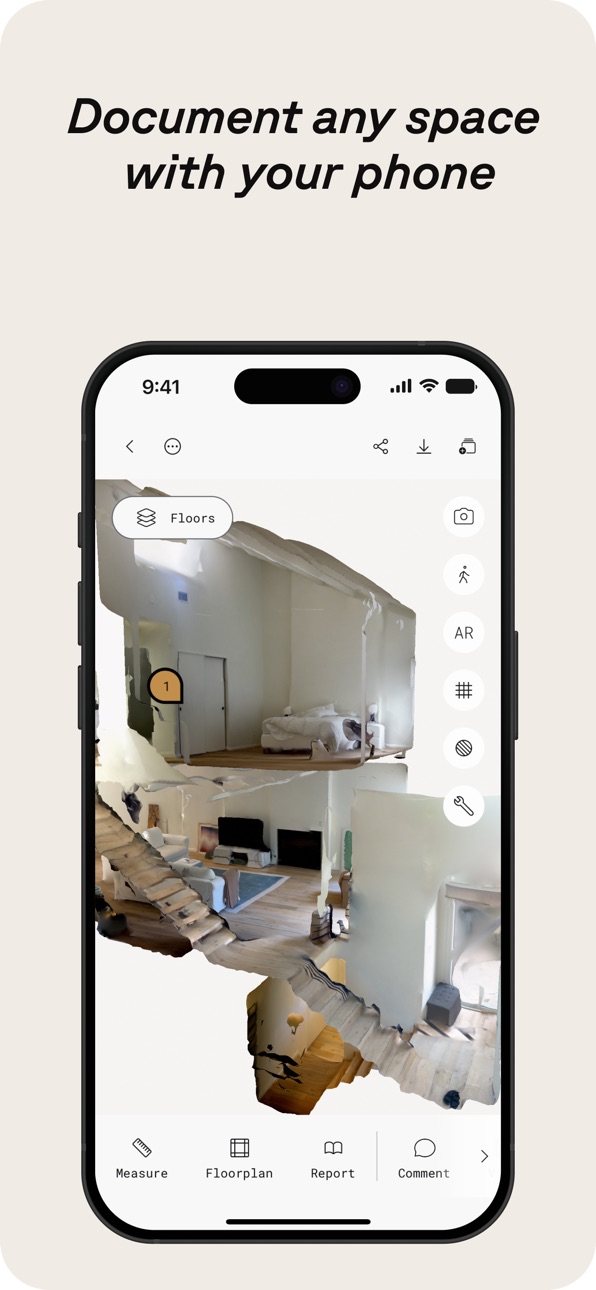
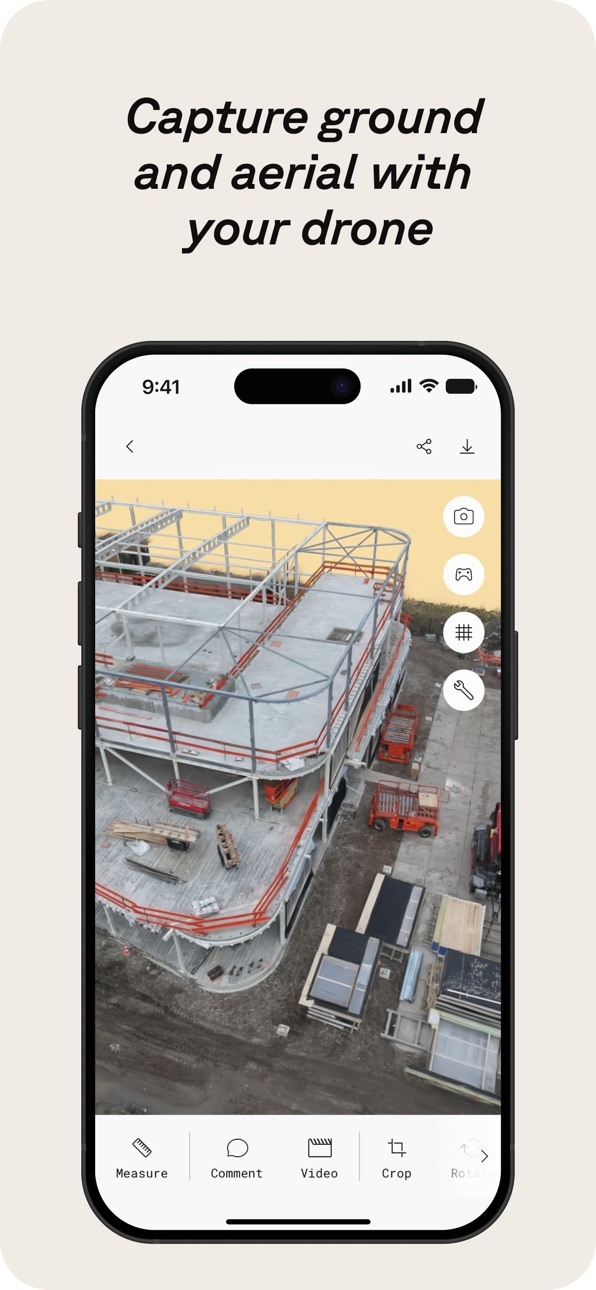
Polycam è la piattaforma leader per la scansione 3D su iPhone e iPad, che unisce funzionalità di livello professionale a un’interfaccia intuitiva. Crea con facilità modelli 3D di alta qualità dalle foto, genera scansioni LiDAR precise e cattura immagini immersive a 360°—il tutto sul tuo dispositivo. Modifica direttamente su iPhone o iPad ed esporta in formati compatibili con i software standard del settore. Condividi senza problemi il tuo lavoro e connettiti con una community globale di creatori.
Polycam offre una suite di funzionalità per la scansione 3D e la modifica:
● Crea con facilità modelli 3D di alta qualità: Converti le foto di tutti i giorni in straordinari modelli 3D con la fotogrammetria e gli splats gaussiani, perfetti per catturare oggetti e scene intricate. Questi modelli 3D possono essere esportati in varie applicazioni di computer grafica, tra cui Blender e SketchUp, rendendoli ideali per flussi di lavoro professionali. (Funziona su tutti gli iPhone e gli iPad)
● Scanner 3D LiDAR ai vertici delle classifiche: Sperimenta la scansione LiDAR di Polycam, tra le più apprezzate, per acquisizioni di spazi rapide e accurate. Usa Polycam per creare scansioni 3D dettagliate pronte per essere modificate o importate in altri software di progettazione come Blender o SketchUp. (Richiede un iPhone o iPad con LiDAR)
● Rivoluziona l’acquisizione degli spazi interni con la Modalità Stanza: Genera all’istante modelli 3D dettagliati e altamente accurati di stanze e interni utilizzando il LiDAR, perfetti per architetti, designer e professionisti del settore immobiliare. Sovrapponi ai modelli scansioni aggiuntive per ottenere viste da pianificatore di ambienti immersive e in tempo reale, che migliorano la visualizzazione e la documentazione del progetto, integrandosi senza attriti nel tuo flusso di lavoro. (Richiede un iPhone o iPad con LiDAR)
● Immergiti in esperienze a 360°: Trasforma il tuo iPhone in una vera e propria fotocamera a 360°. Crea esperienze panoramiche immersive, condividile con un link o esportale come immagini equirettangolari. La tecnologia AI di Polycam riempie in modo fluido le aree non visibili per ambienti virtuali completi. (Funziona su iPhone 11 e successivi)
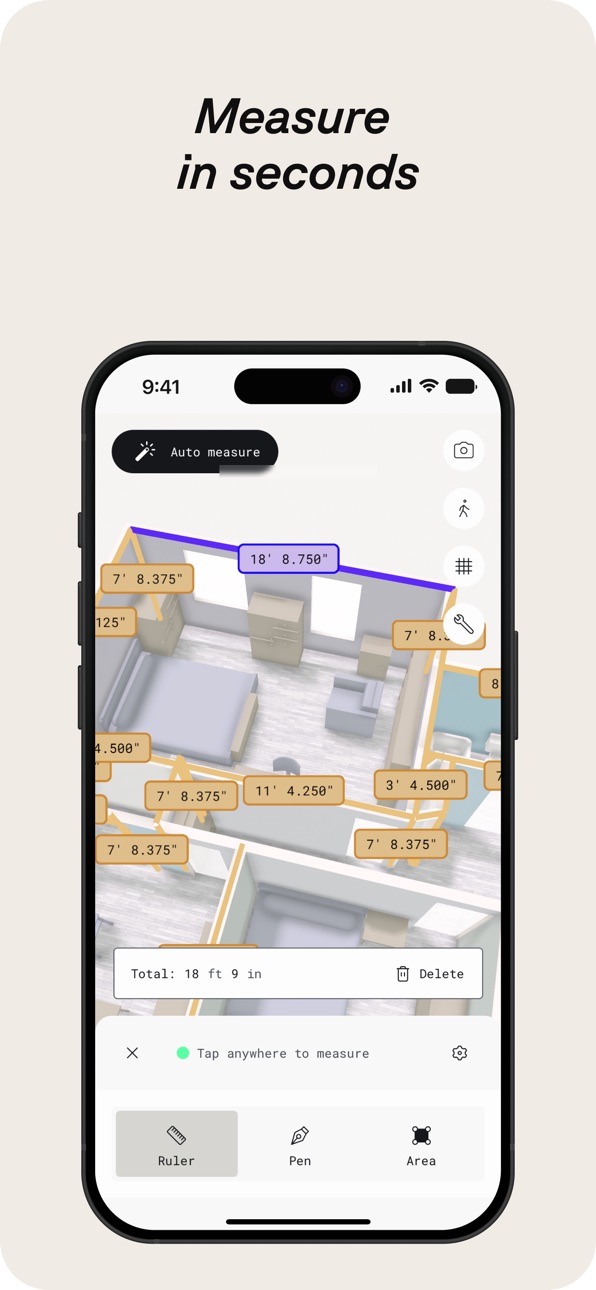
● Modifica e misura con precisione: Taglia, ruota, ridimensiona, misura e altro ancora con potenti strumenti sul dispositivo che ti consentono di perfezionare i tuoi modelli 3D, valorizzando ogni dettaglio prima dell’esportazione.
Rendi Polycam una parte fondamentale del tuo flusso di lavoro 3D con Polycam Pro:
● Opzioni di esportazione senza interruzioni: Esporta modelli 3D dettagliati (.obj, .dae, .fbx, .stl) e nuvole di punti colorate (.dxf, .ply) direttamente nel tuo software 3D preferito come Blender e SketchUp, migliorando il processo di progettazione e visualizzazione.
● Planimetrie e disegni tecnici precisi: Genera all’istante planimetrie 2D e disegni tecnici in scala dalle tue scansioni 3D degli ambienti, pronti per essere integrati nei flussi di lavoro di architettura e design. Esporta le planimetrie in formati compatibili con software popolari come AutoCAD, SketchUp e Adobe Illustrator.
● Fotogrammetria e splats gaussiani illimitati: Acquisisci ed elabora tutti i modelli 3D di alta qualità di cui hai bisogno, senza limiti, assicurandoti che ogni dettaglio sia catturato per i tuoi progetti.
Condividi, collabora e porta il tuo flusso di lavoro al livello successivo:
● Condivisione immediata: Condividi acquisizioni 3D all’istante con link semplici per feedback e collaborazioni professionali.
● Lavoro di squadra semplificato: Usa librerie condivise per collaborare in modo efficiente ai progetti, migliorando il flusso di lavoro.
● Unisciti alla community: Connettiti con creatori, designer e appassionati di 3D su Polycam Explore. Scopri lavori ispiranti e valorizza i tuoi progetti.
Incluso gratuitamente: accesso a Polycam Web
https://poly.cam/privacy_policy.pdf https://poly.cam/terms_and_conditions.pdf
In-App Purchases IT pricing
Polycam Pro Subscription
Monthly · Monthly26,99 €
Yearly · Yearly 7-day free trial199,99 €
Polycam Basic · Monthly34,99 €
Polycam Basic Yearly · Yearly 7-day free trial179,99 €
Capabilities
In-App Purchases
Accessibility
ipadiphonemacrealityDevicetvoswatch
Version history 25 versions
Build 887691714v6.0.122026-07-01 19:29:29
Fixed the alignment between the mesh and floorplan layers, resolved a handful of minor issues, and improved overall performance
Build 887503390v6.0.112026-06-29 00:09:17
Nothing major this time around—just a round of improvements behind the scenes. We've enhanced texture rendering, addressed minor bugs, and made performance optimizations for a smoother experience
Build 887291812v6.0.102026-06-24 17:04:27
* Fixed crashes found in floor plan editor
* Improved room segmenting algorithm performance
* Added the ability for users to Remesh if they are unable to open a capture
* Performance improvements
Build 886886171v6.0.92026-06-22 00:02:02
* Improved room segmentation accuracy
* Better performance and reliability when syncing large Space captures
* Fixed Floorplan thumbnail issues
* General bug fixes and performance improvements across the App
Build 886846520v6.0.82026-06-11 21:05:25
* Fixed the Edit button on iPad for Space Mode and Floorplan captures when using the Floorplan Editor tool.
* Performance improvements.
Build 886749300v6.0.62026-06-10 01:50:08
*Fixed an issue with object captures hanging on exit
*Fixed an issue with draft object images causing lag while loading
*Fixed more crashes on floor plans
*Fixed other minor issues and performance improvements
Build 886792543v6.0.72026-06-10 21:01:01
* Fixed walkthrough mode for non-LiDAR Space Mode scans
* Performance improvements
Build 886445945v6.0.52026-06-03 14:10:31
* Improved performance around Space Mode and Floorplan captures
* Fixed Video and Color tools
* Minor bug fixes and performance improvements
Build 886172637v6.0.42026-05-27 15:07:08
* Fixed an issue with the capture ratings
* Fixed issues with clipping planes
* Fixed an issue where esx modals were stacking on top of each other
* Added a cancel plan button for subscriptions
* Bug fixes and performance improvements
Build 885886014v6.0.32026-05-20 18:51:11
* Improved Cloud Space reconstruction stability and meshing reliability
* Updated in-app purchases with StoreKit 2
* Adjusted access to Roof Report for Business plans
* Bug fixes and performance improvements
Build 885643871v6.0.22026-05-14 16:35:57
* Improved performance for syncing and uploading captures
* Improved uploads for older clients
* Minor bug fixes and performance improvements
Build 885299515v6.0.12026-05-05 23:20:50
* Improved background upload processing for object captures
* Fixed an issue where users were getting logged out after updating the app
* Minor bug fixes and performance improvements
Build 885095647v6.0.02026-04-30 18:57:32
* Improved upload + sync stability
* Fixed onboarding CTA issue (iPhone SE)
* Resolved 3D view freeze when switching apps
* Fixed crop/reset mismatch
* Improved walkthrough navigation + keyframe interaction
* Minor bug fixes and performance improvements
Build 884861470v5.2.152026-04-23 21:58:01
* Improved performance for syncing and uploading Space Mode captures
* Fixed issue with 360 draft view
* Fixed issue with saving when exiting the floor plan editor after updates
* Updated capture badge design
* Minor bug fixes and performance improvements
Build 884459838v5.2.142026-04-18 20:58:33
• Sign-in experience updates
• Walkthrough/orbit improvements
• Bug fixes and performance improvements
Build 884282874v5.2.132026-04-09 12:19:15
* Improved the performance of Walkthrough mode and fixed crashes that may occur while switching space mode layers
* Fixed workspace not returning correct captures list
* Minor bug fixes and performance improvements
Build 883939753v5.2.122026-04-01 22:44:06
• Improved sharing experience for captures
• Fixed space mode loading issues
• Better sync and upload performance
• Bug fixes and performance improvements
Build 883552580v5.2.112026-03-20 00:16:41
* Fixed the issue where private captures would not display for Enterprise users
* Improved Gaussian Splat performance by resolving an issue where capture would not display
* Updated and fixed Roomplan related flows
* Minor bug fixes and performance improvements
Build 883509723v5.2.102026-03-18 20:37:10
* Improved Gaussian Splat performance by resolving an issue where capture would not display
* Updated and fixed Roomplan related flows
* Minor bug fixes and performance improvements
Build 883237334v5.2.92026-03-11 23:35:15
- Fixed issues with capture syncing
- Fixed numerical keyboard issues
- Minor bug fixes
- Performance improvements
Build 882998370v5.2.82026-03-04 15:02:17
• Improved measurement consistency across the app.
• Rescale tool now supports decimal input and improved precision.
• Unit preferences now stay consistent between Viewer and Editor.
• Added clearer subscription and billing updates, including card expiry warnings and upgrade discounts where applicable.
• Fixed font display issues and improved overall stability.
Build 882653267v5.2.72026-02-23 14:39:37
- Fixed crashes
- Improved performance
Build 882378808v5.2.62026-02-19 17:00:16
* Updated and fixed the design for the crop, infill/360, and reset tools
* Updated the design for the Publishing Overview screen
* Minor bug fixes and performance improvements
Build 882343655v5.2.52026-02-11 03:01:09
- Minor bug fixes
- Performance improvements
Build 882156911v5.2.42026-02-06 20:42:25
- Fixed an issue with capture ratings
- Minor bug fixes
- Performance improvements
Price history by region
Currency
Show
Columns
Search
App performance IT
Availability 175 of 175 storefronts
| Region | Language | Price | Ratings | Avg | Version |
|---|---|---|---|---|---|
| US | en-US | Free | 42.6k | 4.7 | 6.0.12 |
| GB | en-GB | Free | 8.3k | 4.6 | 6.0.12 |
| DE | de-DE | Free | 8.1k | 4.5 | 6.0.12 |
| RU | ru | Free | 6.4k | 4.6 | 6.0.12 |
| CA | en-CA | Free | 5.1k | 4.6 | 6.0.12 |
| FR | fr-FR | Free | 4.4k | 4.6 | 6.0.12 |
| IT | it | Free | 4.3k | 4.7 | 6.0.12 |
| IN | en-GB | Free | 3.7k | 4.6 | 6.0.12 |
| AU | en-AU | Free | 3.2k | 4.6 | 6.0.12 |
| JP | ja | Free | 3.0k | 4.6 | 6.0.12 |
| ES | es-ES | Free | 2.7k | 4.6 | 6.0.12 |
| PL | en-GB | Free | 2.4k | 4.7 | 6.0.12 |
| UA | en-GB | Free | 2.4k | 4.8 | 6.0.12 |
| CN | zh-Hans-CN | Free | 2.1k | 4.4 | 6.0.12 |
| BR | pt-BR | Free | 2.1k | 4.8 | 6.0.12 |
| VN | en-GB | Free | 2.0k | 4.8 | 6.0.12 |
| MX | es-MX | Free | 2.0k | 4.8 | 6.0.12 |
| NL | nl | Free | 1.8k | 4.6 | 6.0.12 |
| KR | ko | Free | 1.7k | 4.8 | 6.0.12 |
| TR | en-GB | Free | 1.7k | 4.6 | 6.0.12 |
| CH | de-CH | Free | 1.6k | 4.6 | 6.0.12 |
| ID | en-GB | Free | 1.5k | 4.8 | 6.0.12 |
| CO | es-MX | Free | 1.4k | 4.8 | 6.0.12 |
| UZ | en-GB | Free | 1.3k | 4.8 | 6.0.12 |
| TW | zh-Hant-TW | Free | 1.3k | 4.8 | 6.0.12 |
| TH | en-GB | Free | 1.2k | 4.8 | 6.0.12 |
| SE | sv | Free | 1.1k | 4.6 | 6.0.12 |
| KZ | en-GB | Free | 1.1k | 4.8 | 6.0.12 |
| CZ | en-GB | Free | 944 | 4.7 | 6.0.12 |
| AT | de-DE | Free | 903 | 4.6 | 6.0.12 |
| CL | es-MX | Free | 854 | 4.8 | 6.0.12 |
| BE | en-GB | Free | 829 | 4.6 | 6.0.12 |
| MY | en-GB | Free | 828 | 4.8 | 6.0.12 |
| NO | en-GB | Free | 798 | 4.6 | 6.0.12 |
| PH | en-GB | Free | 767 | 4.8 | 6.0.12 |
| RO | en-GB | Free | 728 | 4.8 | 6.0.12 |
| NZ | en-AU | Free | 693 | 4.6 | 6.0.12 |
| PT | pt-PT | Free | 688 | 4.7 | 6.0.12 |
| IL | en-GB | Free | 669 | 4.6 | 6.0.12 |
| DK | en-GB | Free | 638 | 4.5 | 6.0.12 |
| AR | es-MX | Free | 628 | 4.7 | 6.0.12 |
| AE | en-GB | Free | 619 | 4.7 | 6.0.12 |
| ZA | en-GB | Free | 591 | 4.7 | 6.0.12 |
| HU | en-GB | Free | 562 | 4.7 | 6.0.12 |
| HK | zh-Hant-HK | Free | 561 | 4.6 | 6.0.12 |
| FI | en-GB | Free | 484 | 4.5 | 6.0.12 |
| PE | es-MX | Free | 459 | 4.7 | 6.0.12 |
| SA | en-GB | Free | 439 | 4.6 | 6.0.12 |
| GR | en-GB | Free | 437 | 4.8 | 6.0.12 |
| SK | en-GB | Free | 399 | 4.8 | 6.0.12 |
| BG | en-GB | Free | 363 | 4.8 | 6.0.12 |
| SG | en-GB | Free | 358 | 4.7 | 6.0.12 |
| BY | en-GB | Free | 326 | 4.7 | 6.0.12 |
| PK | en-GB | Free | 309 | 4.6 | 6.0.12 |
| IE | en-GB | Free | 306 | 4.6 | 6.0.12 |
| HR | en-GB | Free | 305 | 4.8 | 6.0.12 |
| AM | en-GB | Free | 304 | 4.8 | 6.0.12 |
| EC | es-MX | Free | 289 | 4.8 | 6.0.12 |
| LT | en-GB | Free | 265 | 4.8 | 6.0.12 |
| EG | en-GB | Free | 257 | 4.7 | 6.0.12 |
| KG | en-GB | Free | 255 | 4.8 | 6.0.12 |
| NG | en-GB | Free | 255 | 4.5 | 6.0.12 |
| LV | en-GB | Free | 253 | 4.7 | 6.0.12 |
| SI | en-GB | Free | 227 | 4.7 | 6.0.12 |
| EE | en-GB | Free | 221 | 4.8 | 6.0.12 |
| AZ | en-GB | Free | 217 | 4.8 | 6.0.12 |
| DO | es-MX | Free | 203 | 4.7 | 6.0.12 |
| GT | es-MX | Free | 181 | 4.8 | 6.0.12 |
| CR | es-MX | Free | 174 | 4.7 | 6.0.12 |
| MD | en-GB | Free | 171 | 4.9 | 6.0.12 |
| RS | en-GB | Free | 166 | 4.7 | 6.0.12 |
| LK | en-GB | Free | 161 | 4.6 | 6.0.12 |
| GH | en-GB | Free | 145 | 4.5 | 6.0.12 |
| AL | en-GB | Free | 141 | 4.8 | 6.0.12 |
| TJ | en-GB | Free | 141 | 4.8 | 6.0.12 |
| NP | en-GB | Free | 139 | 4.5 | 6.0.12 |
| QA | en-GB | Free | 139 | 4.5 | 6.0.12 |
| GE | en-GB | Free | 136 | 4.8 | 6.0.12 |
| MN | en-GB | Free | 129 | 4.8 | 6.0.12 |
| BO | es-MX | Free | 121 | 4.7 | 6.0.12 |
| DZ | en-GB | Free | 121 | 4.6 | 6.0.12 |
| MA | en-GB | Free | 116 | 4.6 | 6.0.12 |
| KW | en-GB | Free | 114 | 4.7 | 6.0.12 |
| KE | en-GB | Free | 109 | 4.8 | 6.0.12 |
| LB | en-GB | Free | 101 | 4.6 | 6.0.12 |
| IS | en-GB | Free | 100 | 4.5 | 6.0.12 |
| PA | es-MX | Free | 100 | 4.7 | 6.0.12 |
| KH | en-GB | Free | 97 | 4.6 | 6.0.12 |
| UY | en-GB | Free | 93 | 4.6 | 6.0.12 |
| TN | en-GB | Free | 86 | 4.8 | 6.0.12 |
| VE | es-MX | Free | 84 | 4.8 | 6.0.12 |
| CY | en-GB | Free | 82 | 4.8 | 6.0.12 |
| LU | en-GB | Free | 82 | 4.5 | 6.0.12 |
| HN | es-MX | Free | 76 | 5.0 | 6.0.12 |
| JO | en-GB | Free | 75 | 4.8 | 6.0.12 |
| MT | en-GB | Free | 70 | 4.9 | 6.0.12 |
| MK | en-GB | Free | 69 | 4.8 | 6.0.12 |
| TZ | en-GB | Free | 68 | 4.9 | 6.0.12 |
| OM | en-GB | Free | 65 | 4.4 | 6.0.12 |
| IQ | en-GB | Free | 62 | 4.6 | 6.0.12 |
| SV | es-MX | Free | 60 | 4.8 | 6.0.12 |
| PY | es-MX | Free | 59 | 4.9 | 6.0.12 |
| BA | en-GB | Free | 45 | 4.4 | 6.0.12 |
| BH | en-GB | Free | 43 | 4.2 | 6.0.12 |
| UG | en-GB | Free | 38 | 4.8 | 6.0.12 |
| MO | zh-Hant-HK | Free | 35 | 4.8 | 6.0.12 |
| AO | en-GB | Free | 31 | 4.5 | 6.0.12 |
| MU | en-GB | Free | 30 | 4.7 | 6.0.12 |
| SN | en-GB | Free | 28 | 4.6 | 6.0.12 |
| TT | en-GB | Free | 28 | 4.8 | 6.0.12 |
| JM | en-GB | Free | 25 | 4.8 | 6.0.12 |
| TM | en-GB | Free | 24 | 5.0 | 6.0.12 |
| XK | en-GB | Free | 24 | 4.7 | 6.0.12 |
| NI | es-MX | Free | 22 | 4.6 | 6.0.12 |
| MV | en-GB | Free | 21 | 4.9 | 6.0.12 |
| CI | fr-FR | Free | 17 | 4.4 | 6.0.12 |
| LA | en-GB | Free | 17 | 4.9 | 6.0.12 |
| ZW | en-GB | Free | 15 | 4.8 | 6.0.12 |
| ME | en-GB | Free | 14 | 5.0 | 6.0.12 |
| FJ | en-GB | Free | 11 | 4.5 | 6.0.12 |
| MZ | en-GB | Free | 11 | 4.5 | 6.0.12 |
| MM | en-GB | Free | 10 | 4.1 | 6.0.12 |
| NA | en-GB | Free | 10 | 4.8 | 6.0.12 |
| RW | en-GB | Free | 10 | 4.5 | 6.0.12 |
| BN | en-GB | Free | 9 | 4.9 | 6.0.12 |
| BW | en-GB | Free | 9 | 4.9 | 6.0.12 |
| GY | en-GB | Free | 9 | 4.7 | 6.0.12 |
| BT | en-GB | Free | 8 | 4.1 | 6.0.12 |
| CD | en-GB | Free | 8 | 4.5 | 6.0.12 |
| AF | en-GB | Free | 7 | 5.0 | 6.0.12 |
| BJ | en-GB | Free | 7 | 4.6 | 6.0.12 |
| CG | en-GB | Free | 7 | 5.0 | 6.0.12 |
| MG | en-GB | Free | 7 | 4.4 | 6.0.12 |
| SL | en-GB | Free | 7 | 4.1 | 6.0.12 |
| BB | en-GB | Free | 6 | 4.8 | 6.0.12 |
| GD | en-GB | Free | 6 | 4.8 | 6.0.12 |
| YE | en-GB | Free | 6 | 4.8 | 6.0.12 |
| ZM | en-GB | Free | 6 | 4.3 | 6.0.12 |
| BS | en-GB | Free | 5 | 5.0 | 6.0.12 |
| CM | fr-FR | Free | 5 | 3.4 | 6.0.12 |
| GA | fr-FR | Free | 5 | 3.4 | 6.0.12 |
| MW | en-GB | Free | 5 | 4.8 | 6.0.12 |
| BF | en-GB | Free | 4 | 3.8 | 6.0.12 |
| CV | en-GB | Free | 4 | 5.0 | 6.0.12 |
| GM | en-GB | Free | 4 | 4.8 | 6.0.12 |
| LR | en-GB | Free | 4 | 5.0 | 6.0.12 |
| LY | en-GB | Free | 4 | 4.8 | 6.0.12 |
| SR | en-GB | Free | 4 | 5.0 | 6.0.12 |
| AI | en-GB | Free | 3 | 5.0 | 6.0.12 |
| KY | en-GB | Free | 3 | 5.0 | 6.0.12 |
| LC | en-GB | Free | 3 | 4.7 | 6.0.12 |
| ML | en-GB | Free | 3 | 4.3 | 6.0.12 |
| NE | en-GB | Free | 3 | 5.0 | 6.0.12 |
| BM | en-GB | Free | 2 | 5.0 | 6.0.12 |
| MR | en-GB | Free | 2 | 5.0 | 6.0.12 |
| PG | en-GB | Free | 2 | 4.5 | 6.0.12 |
| SC | en-GB | Free | 2 | 5.0 | 6.0.12 |
| SZ | en-GB | Free | 2 | 5.0 | 6.0.12 |
| VG | en-GB | Free | 2 | 5.0 | 6.0.12 |
| GW | en-GB | Free | 1 | 4.0 | 6.0.12 |
| KN | en-GB | Free | 1 | 5.0 | 6.0.12 |
| ST | en-GB | Free | 1 | 4.0 | 6.0.12 |
| TD | en-GB | Free | 1 | 1.0 | 6.0.12 |
| VU | en-GB | Free | 1 | 5.0 | 6.0.12 |
| AG | en-GB | Free | 0 | — | 6.0.12 |
| BZ | en-GB | Free | 0 | — | 6.0.12 |
| DM | en-GB | Free | 0 | — | 6.0.12 |
| FM | en-GB | Free | 0 | — | 6.0.12 |
| MS | en-GB | Free | 0 | — | 6.0.12 |
| NR | en-GB | Free | 0 | — | 6.0.12 |
| PW | en-GB | Free | 0 | — | 6.0.12 |
| SB | en-GB | Free | 0 | — | 6.0.12 |
| TC | en-GB | Free | 0 | — | 6.0.12 |
| TO | en-GB | Free | 0 | — | 6.0.12 |
| VC | en-GB | Free | 0 | — | 6.0.12 |
Reviews 30 reviews · IT
★★★★★
Is insane the high price
Before its a power tool, now have to pay to much
Mrwilson20262026-05-21
★★★★★
Semi truffa
Mi hanno addebitato il costo di un anno di abbonamento quando io intendevo solamente fare i 7 giorni di prova. Non sto riuscendo in nessun modo ad essere contattato da loro. State attenti
Pietrone111112026-05-04
★★★★★
Buona applicazione
L’autorizzo quasi tutti i giorni e più la si usa più si riscontra come Maki taluni elementi in grado di ottimizzare il lavoro
ad esempio il sistema semplificato per pulire le pareti e del superficie oggetto di scansione
non -1 interfaccia per elaborare meglio le scansioni al computer
Almilano2026-05-04
★★★★★
ATTENZIONE CON LA PROVA
Ho provato questa app con la prova gratuita che offre, poi normalmente annullata dai miei abbonamenti di iCloud. Al termine della settimana di prova ho disinstallato l’app, ma senza preavviso hanno provato ad addebitarmi 400$ direttamente sulla carta, che per fortuna ha bloccato la transazione. Se volete provarla usate una carta virtuale usa e getta in modo che non possa succedervi questo.
dgiord2026-04-22
★★★★★
Hard to cancel
Almost impossible to cancel the free trial payment. It’s the first app that I can’t cancel in the iPhone settings. I needed to go to the web page of this app and tried several times to cancel. It feels like a scam
Miroca Minhoca2026-03-29
★★★★★
Scansione non condivisa
Da
Alcuni giorni provo a caricare una scansione e non me la carica, in qst caso molto deluso
@palombaantonino762026-03-12
★★★★★
hanno tolto la funzione che ti permette di fare le sezioni in vari versi
Con l’ultimo aggiornameto hanno tolto la funzione che ti permette di fare le sezioni in vari versi.
hthjlki2026-02-18
★★★★★ · edited
Buona ma…
Provata su iPad Pro 13 m5. Non riesco a capire , colpa mia, come possa essere utilizzata per dei rilievi di planimetrie. Sì il disegno viene restituito, ma le misure non sono attendibili. Forse sbaglio io. Comunque 180 euro all’anno mi sembrano davvero troppi. Io sono per le acquisti lifetime, sti abbonamenti non sono sostenibili
Antech762026-01-18
★★★★★
Nessun allert di scadenza del periodo di prova
Pessimo servizio, inizio il periodo di prova dimenticandomi di segnare un alert in calendario, scade il termine e vengo semplicemente avvisato dall’home banking di aver regalato 264 euro per un app che sinceramente non trovo molto funzionale e precisa
Kikko19752026-01-06
★★★★★
New Pricing
Old pricing was decent in relation to the quite modest quality of the product. New pricing is totally dictated by marketing policies and completely ignores the reality of the fact that the product is still modest. Everyone is doing it so not blaming the devs… just the little hungry management 🥰
justanotherdude32025-12-17
★★★★★
Bisogna registrarsi e fare un abbonamento
App abbastanza costosa. Non vedo il motivo di dover dare i miei dati per usare l’app.
Dav€$2025-10-29
★★★★★
App perfetta per non utilizzare software complessi
Onestamente rapida e con una comunità di utenti vasta e creativa
Mirkosconza2025-09-29
★★★★★
Continua a crashare
È più di un anno che provo ad usare Polycam con il mio 14 pro max. Inizialmente dopo aver avviato la scansione Lidar, partiva l’elaborazione dei dati ma senza mai finire. Ora, con l’ultimo aggiornamento, quando premo il tasto per avviare la scansione o fare le foto, torno alla schermata precedente. Inoltre la schermata di selezione della modalità funziona solo per alcune.
Andy Stark 842025-09-29
★★★★★
STAY AWAY!
I just bought the month subscription and it keeps on crashing after a simple one room 360o scan!
Pupadeltopo2025-09-12
★★★★★
Facile ed utile
Molto interessante e utile, va scoperto per poterlo utilizzare al meglio.
teoindustrie2025-08-09
★★★★★
Consigliata
Sto usando L’app da poco per provare a creare delle immagini, ma in modalità principiante. Trovo efficace e divertente, oltre che utile, e sto valutando il passaggio a pro.
Asgommasa2025-08-02
★★★★★
Quasi perfetta !
A mio parere una delle migliori app di scan 3D, peccato non sfrutta a pieno le potenzialità dell’iPadPro quando si scannerizzano oggetti.
Samu_Apple972025-05-20
★★★★★
Just so much fun
Really never experimented with scanning and stuff but it opened a whole new world for my creative workflow :D
Trollyark2025-05-20
★★★★★
Buoni risultati
Provata solo in modalità gratuita ma fa capire quali siano le potenzialità del LIDAR. Sicuramente valida. Non do le 5 stelle solo perché per un uso amatoriale è un po’ troppo costosa
Lostu702025-05-04
★★★★★
ottima
ottima app anche per chi non la userebbe per uno scopo lavorativo o più “serio”, funziona benissimo
Hdusbisbaia2025-05-03
Change log 29 changes · IT
✎
releaseNotes updated
Fixed the alignment between the mesh and floorplan layers, resolved a handful of minor issues, and improved overall performance
✎
description updated
Polycam is the leading 3D scanning platform for iPhone and iPad, blending professional-grade capabilities with a user-friendly interface. Effortlessly create hi
✎
subtitle updated
LiDAR for Measurement & CAD
✎
name updated
Polycam 3D Scans & Floor Plans
◆
Version 6.0.12 released
Fixed the alignment between the mesh and floorplan layers, resolved a handful of minor issues, and improved overall performance
◆
Version 6.0.11 released
Nothing major this time around—just a round of improvements behind the scenes. We've enhanced texture rendering, addressed minor bugs, and made performance optimizations for a smoother experience
◆
Version 6.0.10 released
* Fixed crashes found in floor plan editor
* Improved room segmenting algorithm performance
* Added the ability for users to Remesh if they are unable to open a capture
* Performance improvements
◆
Version 6.0.9 released
* Improved room segmentation accuracy
* Better performance and reliability when syncing large Space captures
* Fixed Floorplan thumbnail issues
* General bug fixes and performance improvements across the App
◆
Version 6.0.8 released
* Fixed the Edit button on iPad for Space Mode and Floorplan captures when using the Floorplan Editor tool.
* Performance improvements.
◆
Version 6.0.7 released
* Fixed walkthrough mode for non-LiDAR Space Mode scans
* Performance improvements
◆
Version 6.0.6 released
*Fixed an issue with object captures hanging on exit
*Fixed an issue with draft object images causing lag while loading
*Fixed more crashes on floor plans
*Fixed other minor issues and performance improvements
◆
Version 6.0.5 released
* Improved performance around Space Mode and Floorplan captures
* Fixed Video and Color tools
* Minor bug fixes and performance improvements
◆
Version 6.0.4 released
* Fixed an issue with the capture ratings
* Fixed issues with clipping planes
* Fixed an issue where esx modals were stacking on top of each other
* Added a cancel plan button for subscriptions
* Bug fixes and performance improvements
◆
Version 6.0.3 released
* Improved Cloud Space reconstruction stability and meshing reliability
* Updated in-app purchases with StoreKit 2
* Adjusted access to Roof Report for Business plans
* Bug fixes and performance improvements
◆
Version 6.0.2 released
* Improved performance for syncing and uploading captures
* Improved uploads for older clients
* Minor bug fixes and performance improvements
◆
Version 6.0.1 released
* Improved background upload processing for object captures
* Fixed an issue where users were getting logged out after updating the app
* Minor bug fixes and performance improvements
◆
Version 6.0.0 released
* Improved upload + sync stability
* Fixed onboarding CTA issue (iPhone SE)
* Resolved 3D view freeze when switching apps
* Fixed crop/reset mismatch
* Improved walkthrough navigation + keyframe interaction
* Minor bug fixes and performance
◆
Version 5.2.15 released
* Improved performance for syncing and uploading Space Mode captures
* Fixed issue with 360 draft view
* Fixed issue with saving when exiting the floor plan editor after updates
* Updated capture badge design
* Minor bug fixes and performan
◆
Version 5.2.14 released
• Sign-in experience updates
• Walkthrough/orbit improvements
• Bug fixes and performance improvements
◆
Version 5.2.13 released
* Improved the performance of Walkthrough mode and fixed crashes that may occur while switching space mode layers
* Fixed workspace not returning correct captures list
* Minor bug fixes and performance improvements
◆
Version 5.2.12 released
• Improved sharing experience for captures
• Fixed space mode loading issues
• Better sync and upload performance
• Bug fixes and performance improvements
◆
Version 5.2.11 released
* Fixed the issue where private captures would not display for Enterprise users
* Improved Gaussian Splat performance by resolving an issue where capture would not display
* Updated and fixed Roomplan related flows
* Minor bug fixes and per
◆
Version 5.2.10 released
* Improved Gaussian Splat performance by resolving an issue where capture would not display
* Updated and fixed Roomplan related flows
* Minor bug fixes and performance improvements
◆
Version 5.2.9 released
- Fixed issues with capture syncing
- Fixed numerical keyboard issues
- Minor bug fixes
- Performance improvements
◆
Version 5.2.8 released
• Improved measurement consistency across the app.
• Rescale tool now supports decimal input and improved precision.
• Unit preferences now stay consistent between Viewer and Editor.
• Added clearer subscription and billing updates, includi
◆
Version 5.2.7 released
- Fixed crashes
- Improved performance
◆
Version 5.2.6 released
* Updated and fixed the design for the crop, infill/360, and reset tools
* Updated the design for the Publishing Overview screen
* Minor bug fixes and performance improvements
◆
Version 5.2.5 released
- Minor bug fixes
- Performance improvements
◆
Version 5.2.4 released
- Fixed an issue with capture ratings
- Minor bug fixes
- Performance improvements