Home › Photo & Video

 ES
ES
 USen-US
 GBen-GB
 DEde-DE
 RUru
RUru CAen-CA
 FRfr-FR
 ITit
ITit INen-GB
 AUen-AU
 JPjaESes-ES
 PLen-GB
 UAen-GB
 CNzh-Hans-CN
 BRpt-BR
 VNen-GB
 MXes-MX
 NLnl
NLnl KRko
KRko TRen-GB
 CHde-CH
 IDen-GB
 COes-MX
 UZen-GB
 TWzh-Hant-TW
 THen-GB
 SEsv
SEsv KZen-GB
 CZen-GB
 ATde-DE
 CLes-MX
 BEen-GB
 MYen-GB
 NOen-GB
 PHen-GB
 ROen-GB
 NZen-AU
 PTpt-PT
 ILen-GB
 DKen-GB
 ARes-MX
 AEen-GB
 ZAen-GB
 HUen-GB
 HKzh-Hant-HK
 FIen-GB
 PEes-MX
 SAen-GB
 GRen-GB
 SKen-GB
 BGen-GB
 SGen-GB
 BYen-GB
 PKen-GB
 IEen-GB
 HRen-GB
 AMen-GB
 ECes-MX
 LTen-GB
 EGen-GB
 KGen-GB
 NGen-GB
 LVen-GB
 SIen-GB
 EEen-GB
 AZen-GB
 DOes-MX
 GTes-MX
 CRes-MX
 MDen-GB
 RSen-GB
 LKen-GB
 GHen-GB
 ALen-GB
 TJen-GB
 NPen-GB
 QAen-GB
 GEen-GB
 MNen-GB
 BOes-MX
 DZen-GB
 MAen-GB
 KWen-GB
 KEen-GB
 LBen-GB
 ISen-GB
 PAes-MX
 KHen-GB
 UYen-GB
 TNen-GB
 VEes-MX
 CYen-GB
 LUen-GB
 HNes-MX
 JOen-GB
 MTen-GB
 MKen-GB
 TZen-GB
 OMen-GB
 IQen-GB
 SVes-MX
 PYes-MX
 BAen-GB
 BHen-GB
 UGen-GB
 MOzh-Hant-HK
 AOen-GB
 MUen-GB
 SNen-GB
 TTen-GB
 JMen-GB
 TMen-GB
 XKen-GB
 NIes-MX
 MVen-GB
 CIfr-FR
 LAen-GB
 ZWen-GB
 MEen-GB
 FJen-GB
 MZen-GB
 MMen-GB
 NAen-GB
 RWen-GB
 BNen-GB
 BWen-GB
 GYen-GB
 BTen-GB
 CDen-GB
 AFen-GB
 BJen-GB
 CGen-GB
 MGen-GB
 SLen-GB
 BBen-GB
 GDen-GB
 YEen-GB
 ZMen-GB
 BSen-GB
 CMfr-FR
 GAfr-FR
 MWen-GB
 BFen-GB
 CVen-GB
 GMen-GB
 LRen-GB
 LYen-GB
 SRen-GB
 AIen-GB
 KYen-GB
 LCen-GB
 MLen-GB
 NEen-GB
 BMen-GB
 MRen-GB
 PGen-GB
 SCen-GB
 SZen-GB
 VGen-GB
 GWen-GB
 KNen-GB
 STen-GB
 TDen-GB
 VUen-GB
 AGen-GB
 BZen-GB
 DMen-GB
 FMen-GB
 MSen-GB
 NRen-GB
 PWen-GB
 SBen-GB
 TCen-GB
 TOen-GB
 VCen-GB
175 of 175 storefronts
Content in es-ES
Content in es-ES
Information
Preview 3 platforms
iPhone 7 images




iPad 10 images


Apple Vision Pro 7 images


What’s New Version 6.0.12
Fixed the alignment between the mesh and floorplan layers, resolved a handful of minor issues, and improved overall performance
Description
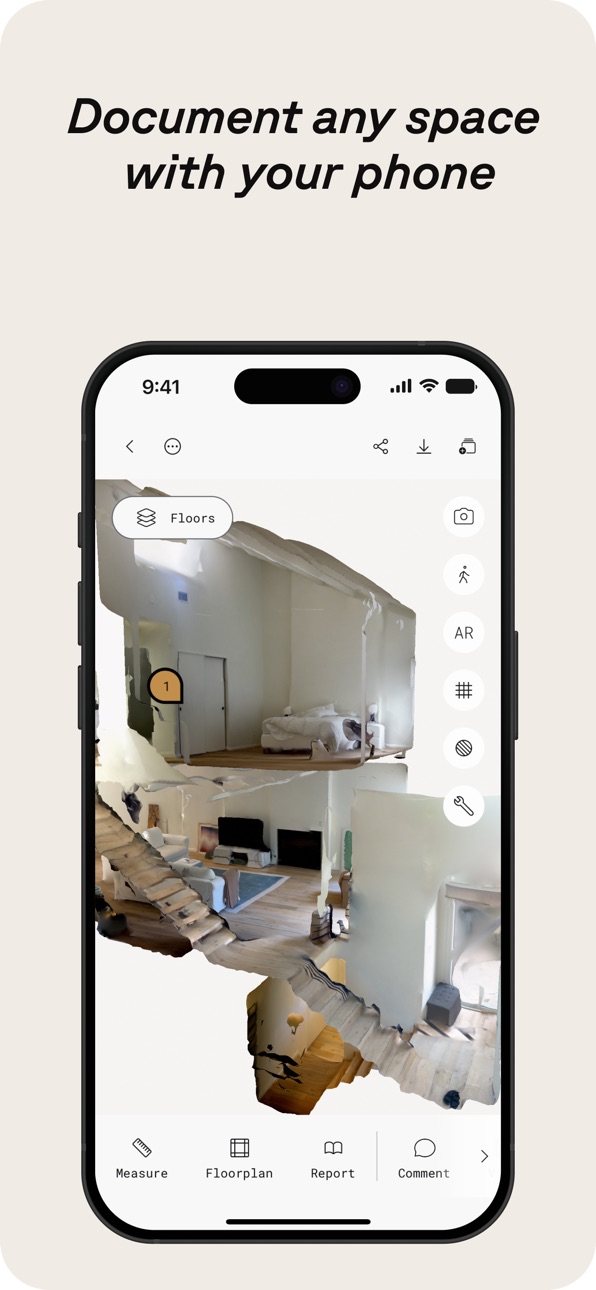
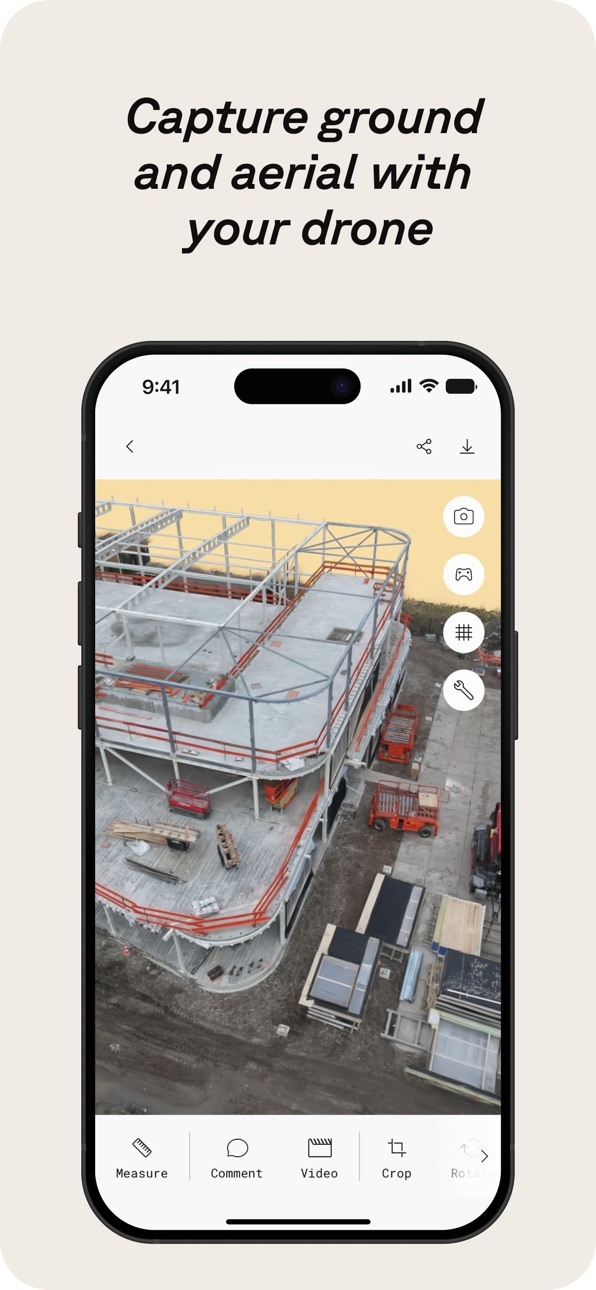
Polycam es la plataforma líder de escaneo 3D para iPhone y iPad, que combina capacidades de nivel profesional con una interfaz fácil de usar. Crea sin esfuerzo modelos 3D de alta calidad a partir de fotos, genera escaneos LiDAR precisos y captura imágenes 360° inmersivas—todo en tu dispositivo. Edita directamente en tu iPhone o iPad y exporta en formatos compatibles con el software estándar de la industria. Comparte tu trabajo sin complicaciones y conecta con una comunidad global de creadores.
Polycam ofrece un conjunto de funciones para escaneo y edición 3D:
● Crea modelos 3D de alta calidad sin esfuerzo: Convierte fotos cotidianas en impresionantes modelos 3D con fotogrametría y splats gaussianos, perfectos para capturar objetos y escenas complejos. Estos modelos 3D se pueden exportar a varias aplicaciones de gráficos por computadora, incluyendo Blender y SketchUp, lo que los hace ideales para flujos de trabajo profesionales. (Funciona en todos los iPhone y iPad)
● Escáner 3D LiDAR de primera categoría: Experimenta el escaneo LiDAR mejor valorado de Polycam para capturas rápidas y precisas del espacio. Usa Polycam para crear escaneos 3D detallados listos para editarse o importarse en otro software de diseño como Blender o SketchUp. (Requiere un iPhone o iPad con LiDAR)
● Revoluciona la captura de espacios interiores con Room Mode: Genera al instante modelos 3D detallados y de alta precisión de habitaciones e interiores usando LiDAR, perfectos para arquitectos, diseñadores y profesionales inmobiliarios. Superpone modelos con escaneos adicionales para obtener vistas inmersivas de planificador de habitaciones en tiempo real que mejoran la visualización y la documentación del diseño, integrándose perfectamente en tu flujo de trabajo. (Requiere un iPhone o iPad con LiDAR)
● Sumérgete en experiencias 360°: Convierte tu iPhone en una cámara 360° completa. Crea experiencias panorámicas inmersivas, compártelas con un enlace o expórtalas como imágenes equirectangulares. La tecnología de IA de Polycam rellena sin problemas las áreas no visibles para entornos virtuales completos. (Funciona en iPhone 11 y posteriores)
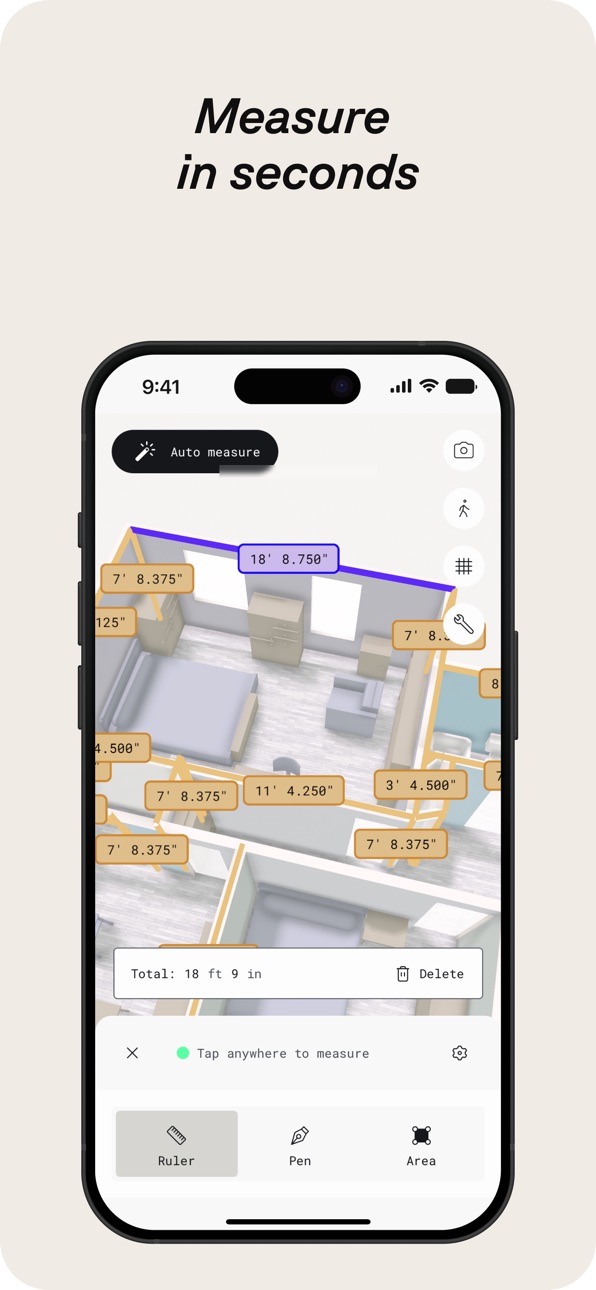
● Edita y mide con precisión: Recorta, rota, reescala, mide y más con potentes herramientas en el dispositivo que te permiten ajustar con precisión tus modelos 3D, mejorando cada detalle antes de exportar.
Haz de Polycam una parte clave de tu flujo de trabajo 3D con Polycam Pro:
● Opciones de exportación sin problemas: Exporta modelos 3D detallados (.obj, .dae, .fbx, .stl) y nubes de puntos con color (.dxf, .ply) directamente a tu software 3D favorito como Blender y SketchUp, mejorando tu proceso de diseño y visualización.
● Planos de planta y planos técnicos precisos: Genera al instante planos de planta 2D y planos a escala a partir de tus escaneos de habitaciones en 3D, listos para integrarse en flujos de trabajo de arquitectura y diseño. Exporta los planos de planta en formatos compatibles con software popular como AutoCAD, SketchUp y Adobe Illustrator.
● Fotogrametría y splats gaussianos ilimitados: Captura y procesa tantos modelos 3D de alta calidad como necesites, sin límites, asegurando que cada detalle quede capturado para tus proyectos.
Comparte, colabora y eleva tu flujo de trabajo:
● Compartir sin esfuerzo: Comparte capturas 3D al instante con enlaces simples para comentarios profesionales y colaboración.
● Trabajo en equipo optimizado: Usa bibliotecas compartidas para colaborar eficientemente en proyectos, mejorando el flujo de trabajo.
● Únete a la comunidad: Conecta con creadores, diseñadores y entusiastas del 3D en Polycam Explore. Descubre trabajos inspiradores y eleva tus propios proyectos.
Incluido gratis: Acceso web a Polycam
Accede a la plataforma web de Polycam para editar, mejorar y compartir tus modelos desde tu computadora. Usa tu inicio de sesión existente para integrarte sin problemas en tu flujo de trabajo.
In-App Purchases ES pricing
Polycam Pro Subscription
Monthly · Monthly26,99 €
Yearly · Yearly 7-day free trial199,99 €
Polycam Basic · Monthly34,99 €
Polycam Basic Yearly · Yearly 7-day free trial179,99 €
Capabilities
In-App Purchases
Accessibility
ipadiphonemacrealityDevicetvoswatch
Version history 25 versions
Build 887691714v6.0.122026-07-01 19:29:29
Fixed the alignment between the mesh and floorplan layers, resolved a handful of minor issues, and improved overall performance
Build 887503390v6.0.112026-06-29 00:09:17
Nothing major this time around—just a round of improvements behind the scenes. We've enhanced texture rendering, addressed minor bugs, and made performance optimizations for a smoother experience
Build 887291812v6.0.102026-06-24 17:04:27
* Fixed crashes found in floor plan editor
* Improved room segmenting algorithm performance
* Added the ability for users to Remesh if they are unable to open a capture
* Performance improvements
Build 886886171v6.0.92026-06-22 00:02:02
* Improved room segmentation accuracy
* Better performance and reliability when syncing large Space captures
* Fixed Floorplan thumbnail issues
* General bug fixes and performance improvements across the App
Build 886846520v6.0.82026-06-11 21:05:25
* Fixed the Edit button on iPad for Space Mode and Floorplan captures when using the Floorplan Editor tool.
* Performance improvements.
Build 886749300v6.0.62026-06-10 01:50:08
*Fixed an issue with object captures hanging on exit
*Fixed an issue with draft object images causing lag while loading
*Fixed more crashes on floor plans
*Fixed other minor issues and performance improvements
Build 886792543v6.0.72026-06-10 21:01:01
* Fixed walkthrough mode for non-LiDAR Space Mode scans
* Performance improvements
Build 886445945v6.0.52026-06-03 14:10:31
* Improved performance around Space Mode and Floorplan captures
* Fixed Video and Color tools
* Minor bug fixes and performance improvements
Build 886172637v6.0.42026-05-27 15:07:08
* Fixed an issue with the capture ratings
* Fixed issues with clipping planes
* Fixed an issue where esx modals were stacking on top of each other
* Added a cancel plan button for subscriptions
* Bug fixes and performance improvements
Build 885886014v6.0.32026-05-20 18:51:11
* Improved Cloud Space reconstruction stability and meshing reliability
* Updated in-app purchases with StoreKit 2
* Adjusted access to Roof Report for Business plans
* Bug fixes and performance improvements
Build 885643871v6.0.22026-05-14 16:35:57
* Improved performance for syncing and uploading captures
* Improved uploads for older clients
* Minor bug fixes and performance improvements
Build 885299515v6.0.12026-05-05 23:20:50
* Improved background upload processing for object captures
* Fixed an issue where users were getting logged out after updating the app
* Minor bug fixes and performance improvements
Build 885095647v6.0.02026-04-30 18:57:32
* Improved upload + sync stability
* Fixed onboarding CTA issue (iPhone SE)
* Resolved 3D view freeze when switching apps
* Fixed crop/reset mismatch
* Improved walkthrough navigation + keyframe interaction
* Minor bug fixes and performance improvements
Build 884861470v5.2.152026-04-23 21:58:01
* Improved performance for syncing and uploading Space Mode captures
* Fixed issue with 360 draft view
* Fixed issue with saving when exiting the floor plan editor after updates
* Updated capture badge design
* Minor bug fixes and performance improvements
Build 884459838v5.2.142026-04-18 20:58:33
• Sign-in experience updates
• Walkthrough/orbit improvements
• Bug fixes and performance improvements
Build 884282874v5.2.132026-04-09 12:19:15
* Improved the performance of Walkthrough mode and fixed crashes that may occur while switching space mode layers
* Fixed workspace not returning correct captures list
* Minor bug fixes and performance improvements
Build 883939753v5.2.122026-04-01 22:44:06
• Improved sharing experience for captures
• Fixed space mode loading issues
• Better sync and upload performance
• Bug fixes and performance improvements
Build 883552580v5.2.112026-03-20 00:16:41
* Fixed the issue where private captures would not display for Enterprise users
* Improved Gaussian Splat performance by resolving an issue where capture would not display
* Updated and fixed Roomplan related flows
* Minor bug fixes and performance improvements
Build 883509723v5.2.102026-03-18 20:37:10
* Improved Gaussian Splat performance by resolving an issue where capture would not display
* Updated and fixed Roomplan related flows
* Minor bug fixes and performance improvements
Build 883237334v5.2.92026-03-11 23:35:15
- Fixed issues with capture syncing
- Fixed numerical keyboard issues
- Minor bug fixes
- Performance improvements
Build 882998370v5.2.82026-03-04 15:02:17
• Improved measurement consistency across the app.
• Rescale tool now supports decimal input and improved precision.
• Unit preferences now stay consistent between Viewer and Editor.
• Added clearer subscription and billing updates, including card expiry warnings and upgrade discounts where applicable.
• Fixed font display issues and improved overall stability.
Build 882653267v5.2.72026-02-23 14:39:37
- Fixed crashes
- Improved performance
Build 882378808v5.2.62026-02-19 17:00:16
* Updated and fixed the design for the crop, infill/360, and reset tools
* Updated the design for the Publishing Overview screen
* Minor bug fixes and performance improvements
Build 882343655v5.2.52026-02-11 03:01:09
- Minor bug fixes
- Performance improvements
Build 882156911v5.2.42026-02-06 20:42:25
- Fixed an issue with capture ratings
- Minor bug fixes
- Performance improvements
Price history by region
Currency
Show
Columns
Search
App performance ES
Availability 175 of 175 storefronts
| Region | Language | Price | Ratings | Avg | Version |
|---|---|---|---|---|---|
| US | en-US | Free | 42.6k | 4.7 | 6.0.12 |
| GB | en-GB | Free | 8.3k | 4.6 | 6.0.12 |
| DE | de-DE | Free | 8.1k | 4.5 | 6.0.12 |
| RU | ru | Free | 6.4k | 4.6 | 6.0.12 |
| CA | en-CA | Free | 5.1k | 4.6 | 6.0.12 |
| FR | fr-FR | Free | 4.4k | 4.6 | 6.0.12 |
| IT | it | Free | 4.3k | 4.7 | 6.0.12 |
| IN | en-GB | Free | 3.7k | 4.6 | 6.0.12 |
| AU | en-AU | Free | 3.2k | 4.6 | 6.0.12 |
| JP | ja | Free | 3.0k | 4.6 | 6.0.12 |
| ES | es-ES | Free | 2.7k | 4.6 | 6.0.12 |
| PL | en-GB | Free | 2.4k | 4.7 | 6.0.12 |
| UA | en-GB | Free | 2.4k | 4.8 | 6.0.12 |
| CN | zh-Hans-CN | Free | 2.1k | 4.4 | 6.0.12 |
| BR | pt-BR | Free | 2.1k | 4.8 | 6.0.12 |
| VN | en-GB | Free | 2.0k | 4.8 | 6.0.12 |
| MX | es-MX | Free | 2.0k | 4.8 | 6.0.12 |
| NL | nl | Free | 1.8k | 4.6 | 6.0.12 |
| KR | ko | Free | 1.7k | 4.8 | 6.0.12 |
| TR | en-GB | Free | 1.7k | 4.6 | 6.0.12 |
| CH | de-CH | Free | 1.6k | 4.6 | 6.0.12 |
| ID | en-GB | Free | 1.5k | 4.8 | 6.0.12 |
| CO | es-MX | Free | 1.4k | 4.8 | 6.0.12 |
| UZ | en-GB | Free | 1.3k | 4.8 | 6.0.12 |
| TW | zh-Hant-TW | Free | 1.3k | 4.8 | 6.0.12 |
| TH | en-GB | Free | 1.2k | 4.8 | 6.0.12 |
| SE | sv | Free | 1.1k | 4.6 | 6.0.12 |
| KZ | en-GB | Free | 1.1k | 4.8 | 6.0.12 |
| CZ | en-GB | Free | 944 | 4.7 | 6.0.12 |
| AT | de-DE | Free | 903 | 4.6 | 6.0.12 |
| CL | es-MX | Free | 854 | 4.8 | 6.0.12 |
| BE | en-GB | Free | 829 | 4.6 | 6.0.12 |
| MY | en-GB | Free | 828 | 4.8 | 6.0.12 |
| NO | en-GB | Free | 798 | 4.6 | 6.0.12 |
| PH | en-GB | Free | 767 | 4.8 | 6.0.12 |
| RO | en-GB | Free | 728 | 4.8 | 6.0.12 |
| NZ | en-AU | Free | 693 | 4.6 | 6.0.12 |
| PT | pt-PT | Free | 688 | 4.7 | 6.0.12 |
| IL | en-GB | Free | 669 | 4.6 | 6.0.12 |
| DK | en-GB | Free | 638 | 4.5 | 6.0.12 |
| AR | es-MX | Free | 628 | 4.7 | 6.0.12 |
| AE | en-GB | Free | 619 | 4.7 | 6.0.12 |
| ZA | en-GB | Free | 591 | 4.7 | 6.0.12 |
| HU | en-GB | Free | 562 | 4.7 | 6.0.12 |
| HK | zh-Hant-HK | Free | 561 | 4.6 | 6.0.12 |
| FI | en-GB | Free | 484 | 4.5 | 6.0.12 |
| PE | es-MX | Free | 459 | 4.7 | 6.0.12 |
| SA | en-GB | Free | 439 | 4.6 | 6.0.12 |
| GR | en-GB | Free | 437 | 4.8 | 6.0.12 |
| SK | en-GB | Free | 399 | 4.8 | 6.0.12 |
| BG | en-GB | Free | 363 | 4.8 | 6.0.12 |
| SG | en-GB | Free | 358 | 4.7 | 6.0.12 |
| BY | en-GB | Free | 326 | 4.7 | 6.0.12 |
| PK | en-GB | Free | 309 | 4.6 | 6.0.12 |
| IE | en-GB | Free | 306 | 4.6 | 6.0.12 |
| HR | en-GB | Free | 305 | 4.8 | 6.0.12 |
| AM | en-GB | Free | 304 | 4.8 | 6.0.12 |
| EC | es-MX | Free | 288 | 4.8 | 6.0.12 |
| LT | en-GB | Free | 265 | 4.8 | 6.0.12 |
| EG | en-GB | Free | 257 | 4.7 | 6.0.12 |
| KG | en-GB | Free | 255 | 4.8 | 6.0.12 |
| NG | en-GB | Free | 255 | 4.5 | 6.0.12 |
| LV | en-GB | Free | 253 | 4.7 | 6.0.12 |
| SI | en-GB | Free | 226 | 4.7 | 6.0.12 |
| EE | en-GB | Free | 221 | 4.8 | 6.0.12 |
| AZ | en-GB | Free | 217 | 4.8 | 6.0.12 |
| DO | es-MX | Free | 203 | 4.7 | 6.0.12 |
| GT | es-MX | Free | 181 | 4.8 | 6.0.12 |
| CR | es-MX | Free | 174 | 4.7 | 6.0.12 |
| MD | en-GB | Free | 171 | 4.9 | 6.0.12 |
| RS | en-GB | Free | 166 | 4.7 | 6.0.12 |
| LK | en-GB | Free | 161 | 4.6 | 6.0.12 |
| GH | en-GB | Free | 145 | 4.5 | 6.0.12 |
| AL | en-GB | Free | 141 | 4.8 | 6.0.12 |
| TJ | en-GB | Free | 141 | 4.8 | 6.0.12 |
| NP | en-GB | Free | 139 | 4.5 | 6.0.12 |
| QA | en-GB | Free | 139 | 4.5 | 6.0.12 |
| GE | en-GB | Free | 136 | 4.8 | 6.0.12 |
| MN | en-GB | Free | 129 | 4.8 | 6.0.12 |
| BO | es-MX | Free | 121 | 4.7 | 6.0.12 |
| DZ | en-GB | Free | 121 | 4.6 | 6.0.12 |
| MA | en-GB | Free | 116 | 4.6 | 6.0.12 |
| KW | en-GB | Free | 114 | 4.7 | 6.0.12 |
| KE | en-GB | Free | 109 | 4.8 | 6.0.12 |
| LB | en-GB | Free | 101 | 4.6 | 6.0.12 |
| IS | en-GB | Free | 100 | 4.5 | 6.0.12 |
| PA | es-MX | Free | 99 | 4.7 | 6.0.12 |
| KH | en-GB | Free | 97 | 4.6 | 6.0.12 |
| UY | en-GB | Free | 93 | 4.6 | 6.0.12 |
| TN | en-GB | Free | 86 | 4.8 | 6.0.12 |
| VE | es-MX | Free | 84 | 4.8 | 6.0.12 |
| CY | en-GB | Free | 82 | 4.8 | 6.0.12 |
| LU | en-GB | Free | 82 | 4.5 | 6.0.12 |
| HN | es-MX | Free | 76 | 5.0 | 6.0.12 |
| JO | en-GB | Free | 75 | 4.8 | 6.0.12 |
| MT | en-GB | Free | 70 | 4.9 | 6.0.12 |
| MK | en-GB | Free | 69 | 4.8 | 6.0.12 |
| TZ | en-GB | Free | 68 | 4.9 | 6.0.12 |
| OM | en-GB | Free | 65 | 4.4 | 6.0.12 |
| IQ | en-GB | Free | 62 | 4.6 | 6.0.12 |
| SV | es-MX | Free | 60 | 4.8 | 6.0.12 |
| PY | es-MX | Free | 59 | 4.9 | 6.0.12 |
| BA | en-GB | Free | 44 | 4.4 | 6.0.12 |
| BH | en-GB | Free | 43 | 4.2 | 6.0.12 |
| UG | en-GB | Free | 38 | 4.8 | 6.0.12 |
| MO | zh-Hant-HK | Free | 35 | 4.8 | 6.0.12 |
| AO | en-GB | Free | 31 | 4.5 | 6.0.12 |
| MU | en-GB | Free | 30 | 4.7 | 6.0.12 |
| SN | en-GB | Free | 28 | 4.6 | 6.0.12 |
| TT | en-GB | Free | 28 | 4.8 | 6.0.12 |
| JM | en-GB | Free | 25 | 4.8 | 6.0.12 |
| TM | en-GB | Free | 24 | 5.0 | 6.0.12 |
| XK | en-GB | Free | 24 | 4.7 | 6.0.12 |
| NI | es-MX | Free | 22 | 4.6 | 6.0.12 |
| MV | en-GB | Free | 21 | 4.9 | 6.0.12 |
| CI | fr-FR | Free | 17 | 4.4 | 6.0.12 |
| LA | en-GB | Free | 17 | 4.9 | 6.0.12 |
| ZW | en-GB | Free | 15 | 4.8 | 6.0.12 |
| ME | en-GB | Free | 14 | 5.0 | 6.0.12 |
| FJ | en-GB | Free | 11 | 4.5 | 6.0.12 |
| MZ | en-GB | Free | 11 | 4.5 | 6.0.12 |
| MM | en-GB | Free | 10 | 4.1 | 6.0.12 |
| NA | en-GB | Free | 10 | 4.8 | 6.0.12 |
| RW | en-GB | Free | 10 | 4.5 | 6.0.12 |
| BN | en-GB | Free | 9 | 4.9 | 6.0.12 |
| BW | en-GB | Free | 9 | 4.9 | 6.0.12 |
| GY | en-GB | Free | 9 | 4.7 | 6.0.12 |
| BT | en-GB | Free | 8 | 4.1 | 6.0.12 |
| CD | en-GB | Free | 8 | 4.5 | 6.0.12 |
| AF | en-GB | Free | 7 | 5.0 | 6.0.12 |
| BJ | en-GB | Free | 7 | 4.6 | 6.0.12 |
| CG | en-GB | Free | 7 | 5.0 | 6.0.12 |
| MG | en-GB | Free | 7 | 4.4 | 6.0.12 |
| SL | en-GB | Free | 7 | 4.1 | 6.0.12 |
| BB | en-GB | Free | 6 | 4.8 | 6.0.12 |
| GD | en-GB | Free | 6 | 4.8 | 6.0.12 |
| YE | en-GB | Free | 6 | 4.8 | 6.0.12 |
| ZM | en-GB | Free | 6 | 4.3 | 6.0.12 |
| BS | en-GB | Free | 5 | 5.0 | 6.0.12 |
| CM | fr-FR | Free | 5 | 3.4 | 6.0.12 |
| GA | fr-FR | Free | 5 | 3.4 | 6.0.12 |
| MW | en-GB | Free | 5 | 4.8 | 6.0.12 |
| BF | en-GB | Free | 4 | 3.8 | 6.0.12 |
| CV | en-GB | Free | 4 | 5.0 | 6.0.12 |
| GM | en-GB | Free | 4 | 4.8 | 6.0.12 |
| LR | en-GB | Free | 4 | 5.0 | 6.0.12 |
| LY | en-GB | Free | 4 | 4.8 | 6.0.12 |
| SR | en-GB | Free | 4 | 5.0 | 6.0.12 |
| AI | en-GB | Free | 3 | 5.0 | 6.0.12 |
| KY | en-GB | Free | 3 | 5.0 | 6.0.12 |
| LC | en-GB | Free | 3 | 4.7 | 6.0.12 |
| ML | en-GB | Free | 3 | 4.3 | 6.0.12 |
| NE | en-GB | Free | 3 | 5.0 | 6.0.12 |
| BM | en-GB | Free | 2 | 5.0 | 6.0.12 |
| MR | en-GB | Free | 2 | 5.0 | 6.0.12 |
| PG | en-GB | Free | 2 | 4.5 | 6.0.12 |
| SC | en-GB | Free | 2 | 5.0 | 6.0.12 |
| SZ | en-GB | Free | 2 | 5.0 | 6.0.12 |
| VG | en-GB | Free | 2 | 5.0 | 6.0.12 |
| GW | en-GB | Free | 1 | 4.0 | 6.0.12 |
| KN | en-GB | Free | 1 | 5.0 | 6.0.12 |
| ST | en-GB | Free | 1 | 4.0 | 6.0.12 |
| TD | en-GB | Free | 1 | 1.0 | 6.0.12 |
| VU | en-GB | Free | 1 | 5.0 | 6.0.12 |
| AG | en-GB | Free | 0 | — | 6.0.12 |
| BZ | en-GB | Free | 0 | — | 6.0.12 |
| DM | en-GB | Free | 0 | — | 6.0.12 |
| FM | en-GB | Free | 0 | — | 6.0.12 |
| MS | en-GB | Free | 0 | — | 6.0.12 |
| NR | en-GB | Free | 0 | — | 6.0.12 |
| PW | en-GB | Free | 0 | — | 6.0.12 |
| SB | en-GB | Free | 0 | — | 6.0.12 |
| TC | en-GB | Free | 0 | — | 6.0.12 |
| TO | en-GB | Free | 0 | — | 6.0.12 |
| VC | en-GB | Free | 0 | — | 6.0.12 |
Reviews 30 reviews · ES
★★★★★
No exporta a dxf si no vuelves a pagar. Me siento estafado
He pagado un mes para probar y me encuentro que después de pagar 34,99€, si quiero exportar a dxf, tengo que pagar un año, unos 400€
El estafado otravé2026-06-08
★★★★★
5 dias gratis
No te dan 7 días de prueba, el día 6 te cobran el importe de la suscripción, mienten par cobrar antes de que cambies de opinión. Mala praxis.
Jonathan VGA2026-05-09
★★★★★
Mediciones lejos de corresponderse con la realidad
Llevo un año utilizando la app en la última versión del IPad Pro y mi experiencia está lejos de ser satisfactoria. Habré realizado más de 50 escaneos y en todos ellos el error de medición es enorme. No estoy hablando de 1-2 cm, sino en muchos casos 10-20 cm. Estoy hablando de menciones sencillas de viviendas de 70-100 m2. He probado todas las configuraciones que se me han ocurrido, pero el problema siempre es el mismo, la mayor parte de las dimensiones de, modelo son más pequeñas que en la realidad. Así que únicamente lo uso para sacar la forma aproximada de la distribución, hago un pantallazo
Itzalyoda2026-04-21
★★★★★
Genial app si te gusta el 3D
Ya sea para capturar objetos en museos o entornos como casas o habitaciones, hace un trabajo genial
mikelmats2026-03-28
★★★★★
Excepcional
Muy muy bien es quedarse corto. Para el profesional no acepte substitutos.
César Saña2026-03-23
★★★★★
Precisión y sencillez
Aplicación de levantamiento mediante escaner lidar. Tiene gran precisión con iphone pro. Interfaz intuitiva
Pepitogrillo13132026-03-19
★★★★★
Scam
The subscription cancel button on the website doesn’t do anything. You get charged for a full year after the trial ends, and support does nothing about it. If you trial it, make sure to use a card you can disable, or expect to go through your bank’s dispute process afterwards to recover the money
0Kajuna02026-01-24
★★★★★
Falta un plan pro mensual
Quiero hacer una reforma en mi casa y necesitaba una herramienta para sacar un plano 2D y 3D de forma fácil y rápida. En en este sentido Polycam me ha funcionado muy bien incluso detectando escaleras. El problema es que cuando intento generar el mapa 2D me dice que compre la licencia Business anual que cuesta $300 en oferta. Para un uso personal no se justifica. He probado magic plan y este si tiene un pago mensual para la opción 2D. Igual me quedo con ese otro.
Carlajksdhf2025-12-26
★★★★★
Estafa
Et cobren 180 euros per una subscripcio anual i no et donen el perio de prova de 7 dies que prometen
Afegij2025-12-13
★★★★★
Pagar por crear guardar archivos
Si para crear un simple archivo para poder pasarlo a un programa de modelación 3D, tengo que pagar, no sirva absolutamente para nada
immarcoss_2025-12-11
★★★★★
Precio alto
Con lo que cuesta al mes te lo ahorras y en dos años te compras un escáner profesional .
Rafabd2025-11-21
★★★★★
Polycam, te quiero mucho
Es la mejor aplicación, con diferencia. Los desarrolladores os merecéis lo mejor! Gracias
Jaluky_2025-10-13
★★★★★
No me deja hacer escaneos
Tengo un iphone 15 pro recien conprado y actualizado. La aplicación parece funcionar hasta que le doy a grabar, entonces vuelve a la biblioteca y no me deja escanear. He podido hacer un escaneo pero no se guarda. Iba a pagar la suscripción pero si no funciona en mi dispositivo no me merece la pena.
TheArchitect3332025-09-28
★★★★★
Still paid features in PRO
The app itself is good — it works well and technically delivers on what it promises. The real issue is the business model: even after paying for the annual PRO subscription (around €135), several features are still locked behind additional paywalls. This is quite frustrating because it feels like you never actually get the “full” product, no matter how much you pay.
In short: solid software, but the developers come across as extremely greedy by charging extra for features that really should be included in the PRO plan.
pablolopeztorres2025-09-20
★★★★★
Buena
Es buena aplicación aunque estaría genial un pago unitario en vez de suscripción
Guillejjjjj2025-09-15
★★★★★
Amazing and intuitive
The app its easy to use, and it’s more that what I thought
YelvinFeliz2025-09-04
★★★★★
Escaneo en 3D
Muy buena app para conseguir objetos en 3D, es sencilla de usar y da muy buenos resultados
Ccoln2025-08-29
★★★★★
Excelente opción
Saca provecho del LiDAR
Varias opciones de procesado y de exportación.
Tal vez le faltaría poder definir planos para recortar zonas no deseadas
Zontxo2025-08-22
★★★★★
Read before downloading
You are NOT advised in advance that if you register for the free trial, you MUST cancel your ‘subscription’, or they start charging you automatically.
And you cannot access the terms until you are registered!!!!
This is not a trial. This is a TRAP!
LuisPavia2025-07-31
★★★★★
Muy buena App
Me gustaría resaltar la facilidad de uso y l calidad de su escaneado.
Xuanxox2025-07-14
★★★★★
Aplicación increíble más para un simple móvil
Es una aplicación espectacular para uso profesional y quedas de lujo con los clientes por desgracia es un poco cara pero sin duda es algo absolutamente espectacular
EJJO19702025-07-11
★★★★★
Polycam una eina molt útil
Com a professor puc dir que gracies a Polycam podem escanejar en 3D en les nostres creacions digitals. No tot es consumir. Creativitat
Jesús Arbués2025-06-05
★★★★★
Muy útil
La verdad que para hacer fotogrametrías de espacios está genial y es muy fácil de usar, la recomiendo
Martagatos2025-06-02
Change log 29 changes · ES
✎
releaseNotes updated
Fixed the alignment between the mesh and floorplan layers, resolved a handful of minor issues, and improved overall performance
✎
description updated
Polycam is the leading 3D scanning platform for iPhone and iPad, blending professional-grade capabilities with a user-friendly interface. Effortlessly create hi
✎
subtitle updated
LiDAR for Measurement & CAD
✎
name updated
Polycam 3D Scans & Floor Plans
◆
Version 6.0.12 released
Fixed the alignment between the mesh and floorplan layers, resolved a handful of minor issues, and improved overall performance
◆
Version 6.0.11 released
Nothing major this time around—just a round of improvements behind the scenes. We've enhanced texture rendering, addressed minor bugs, and made performance optimizations for a smoother experience
◆
Version 6.0.10 released
* Fixed crashes found in floor plan editor
* Improved room segmenting algorithm performance
* Added the ability for users to Remesh if they are unable to open a capture
* Performance improvements
◆
Version 6.0.9 released
* Improved room segmentation accuracy
* Better performance and reliability when syncing large Space captures
* Fixed Floorplan thumbnail issues
* General bug fixes and performance improvements across the App
◆
Version 6.0.8 released
* Fixed the Edit button on iPad for Space Mode and Floorplan captures when using the Floorplan Editor tool.
* Performance improvements.
◆
Version 6.0.7 released
* Fixed walkthrough mode for non-LiDAR Space Mode scans
* Performance improvements
◆
Version 6.0.6 released
*Fixed an issue with object captures hanging on exit
*Fixed an issue with draft object images causing lag while loading
*Fixed more crashes on floor plans
*Fixed other minor issues and performance improvements
◆
Version 6.0.5 released
* Improved performance around Space Mode and Floorplan captures
* Fixed Video and Color tools
* Minor bug fixes and performance improvements
◆
Version 6.0.4 released
* Fixed an issue with the capture ratings
* Fixed issues with clipping planes
* Fixed an issue where esx modals were stacking on top of each other
* Added a cancel plan button for subscriptions
* Bug fixes and performance improvements
◆
Version 6.0.3 released
* Improved Cloud Space reconstruction stability and meshing reliability
* Updated in-app purchases with StoreKit 2
* Adjusted access to Roof Report for Business plans
* Bug fixes and performance improvements
◆
Version 6.0.2 released
* Improved performance for syncing and uploading captures
* Improved uploads for older clients
* Minor bug fixes and performance improvements
◆
Version 6.0.1 released
* Improved background upload processing for object captures
* Fixed an issue where users were getting logged out after updating the app
* Minor bug fixes and performance improvements
◆
Version 6.0.0 released
* Improved upload + sync stability
* Fixed onboarding CTA issue (iPhone SE)
* Resolved 3D view freeze when switching apps
* Fixed crop/reset mismatch
* Improved walkthrough navigation + keyframe interaction
* Minor bug fixes and performance
◆
Version 5.2.15 released
* Improved performance for syncing and uploading Space Mode captures
* Fixed issue with 360 draft view
* Fixed issue with saving when exiting the floor plan editor after updates
* Updated capture badge design
* Minor bug fixes and performan
◆
Version 5.2.14 released
• Sign-in experience updates
• Walkthrough/orbit improvements
• Bug fixes and performance improvements
◆
Version 5.2.13 released
* Improved the performance of Walkthrough mode and fixed crashes that may occur while switching space mode layers
* Fixed workspace not returning correct captures list
* Minor bug fixes and performance improvements
◆
Version 5.2.12 released
• Improved sharing experience for captures
• Fixed space mode loading issues
• Better sync and upload performance
• Bug fixes and performance improvements
◆
Version 5.2.11 released
* Fixed the issue where private captures would not display for Enterprise users
* Improved Gaussian Splat performance by resolving an issue where capture would not display
* Updated and fixed Roomplan related flows
* Minor bug fixes and per
◆
Version 5.2.10 released
* Improved Gaussian Splat performance by resolving an issue where capture would not display
* Updated and fixed Roomplan related flows
* Minor bug fixes and performance improvements
◆
Version 5.2.9 released
- Fixed issues with capture syncing
- Fixed numerical keyboard issues
- Minor bug fixes
- Performance improvements
◆
Version 5.2.8 released
• Improved measurement consistency across the app.
• Rescale tool now supports decimal input and improved precision.
• Unit preferences now stay consistent between Viewer and Editor.
• Added clearer subscription and billing updates, includi
◆
Version 5.2.7 released
- Fixed crashes
- Improved performance
◆
Version 5.2.6 released
* Updated and fixed the design for the crop, infill/360, and reset tools
* Updated the design for the Publishing Overview screen
* Minor bug fixes and performance improvements
◆
Version 5.2.5 released
- Minor bug fixes
- Performance improvements
◆
Version 5.2.4 released
- Fixed an issue with capture ratings
- Minor bug fixes
- Performance improvements