Home › Lifestyle

 US
US
USen-US GBen-GB
 AUen-AU
 CAen-CA
 NZen-AU
 MXes-MX
 MTen-GB
 JPja
JPja ESes-ES
 NOen-GB
 DEde-DE
 ITit
ITit SGen-GB
 DOes-MX
 BRpt-BR
 CLes-MX
 INen-GB
 FRfr-FR
 ARes-MX
 COes-MX
 ECes-MX
 CRes-MX
 IEen-GB
 BMen-GB
 PHen-GB
 GTes-MX
 TWzh-Hant-TW
 PEes-MX
 HKzh-Hant-HK
 KWen-GB
 PAes-MX
 AEen-GB
 HNes-MX
 VNen-GB
 ZAen-GB
 ATde-DE
 BSen-GB
 TRen-GB
 KRko
KRko NLnl
NLnl NGen-GB
 SVes-MX
 UAen-GB
 PTpt-PT
 CHde-CH
 BEen-GB
 VEes-MX
 MYen-GB
 SAen-GB
 THen-GB
 ILen-GB
 LKen-GB
 TTen-GB
 JMen-GB
 NIes-MX
 SEsv
SEsv BOes-MX
 IDen-GB
 PKen-GB
 ROen-GB
 DKen-GB
 GHen-GB
 HUen-GB
 EGen-GB
 FIen-GB
 BGen-GB
 ISen-GB
 UYen-GB
 CYen-GB
 KEen-GB
 PLen-GB
 CZen-GB
 GEen-GB
 PYes-MX
 JOen-GB
 KYen-GB
 LUen-GB
 SIen-GB
 EEen-GB
 GRen-GB
 HRen-GB
 NPen-GB
 QAen-GB
 SNen-GB
 AZen-GB
 BHen-GB
 DZen-GB
 LBen-GB
 LTen-GB
 MDen-GB
 RSen-GB
 SKen-GB
 ZWen-GB
 ALen-GB
 BWen-GB
 BZen-GB
 CIfr-FR
 CVen-GB
 IQen-GB
 KNen-GB
 MUen-GB
 OMen-GB
 UZen-GB
 AFen-GB
 AMen-GB
 AOen-GB
 CDen-GB
 CMfr-FR
 FJen-GB
 GDen-GB
 GYen-GB
 KZen-GB
 LRen-GB
 LVen-GB
 MEen-GB
 MNen-GB
 MZen-GB
 SCen-GB
 SRen-GB
 TCen-GB
 TMen-GB
 TNen-GB
 VGen-GB
 ZMen-GB
 AGen-GB
 AIen-GB
 BAen-GB
 BBen-GB
 BFen-GB
 BJen-GB
 BNen-GB
 BTen-GB
 CGen-GB
 DMen-GB
 FMen-GB
 GAfr-FR
 GMen-GB
 GWen-GB
 KGen-GB
 KHen-GB
 LAen-GB
 LCen-GB
 LYen-GB
 MAen-GB
 MGen-GB
 MKen-GB
 MLen-GB
 MMen-GB
 MOzh-Hant-HK
 MRen-GB
 MSen-GB
 MVen-GB
 MWen-GB
 NAen-GB
 NEen-GB
 NRen-GB
 PGen-GB
 PWen-GB
 RWen-GB
 SBen-GB
 SLen-GB
 STen-GB
 SZen-GB
 TDen-GB
 TJen-GB
 TOen-GB
 TZen-GB
 UGen-GB
 VCen-GB
 VUen-GB
 XKen-GB
 YEen-GB
 BYNot Available
 CNNot Available
 RUNot Available
172 of 175 storefronts
Content in en-US
Content in en-US
Information
Preview 2 platforms
iPhone 4 images


iPad 8 images




What’s New Version 26.7.0
UI polish and bug fixes
Description
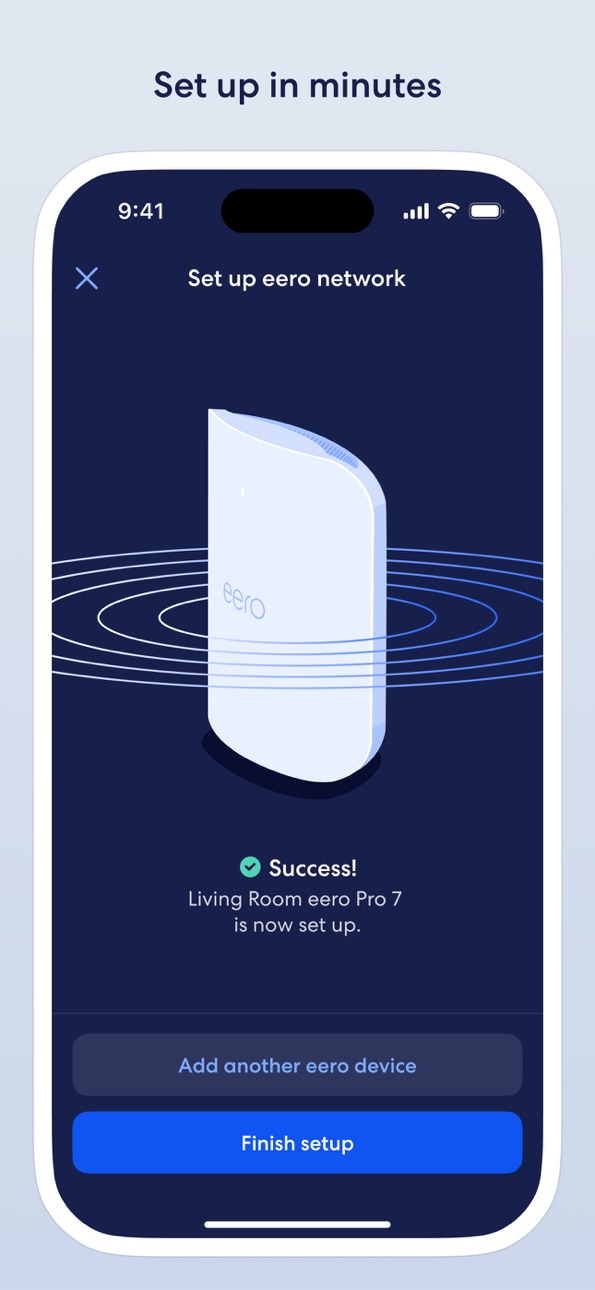
The eero app allows you to easily set up and manage your eero WiFi system (sold separately).
The world’s first home WiFi system, eero blankets your home in fast, reliable WiFi. eero stays new and gets better with frequent software updates, improving performance, while also bringing new features and security improvements. It’s simple to set up and easy to manage. With a network that expands as far as you need, you’ll finally be able to stream, work, and play, from every corner of your home — and from the backyard, too.
eero features:
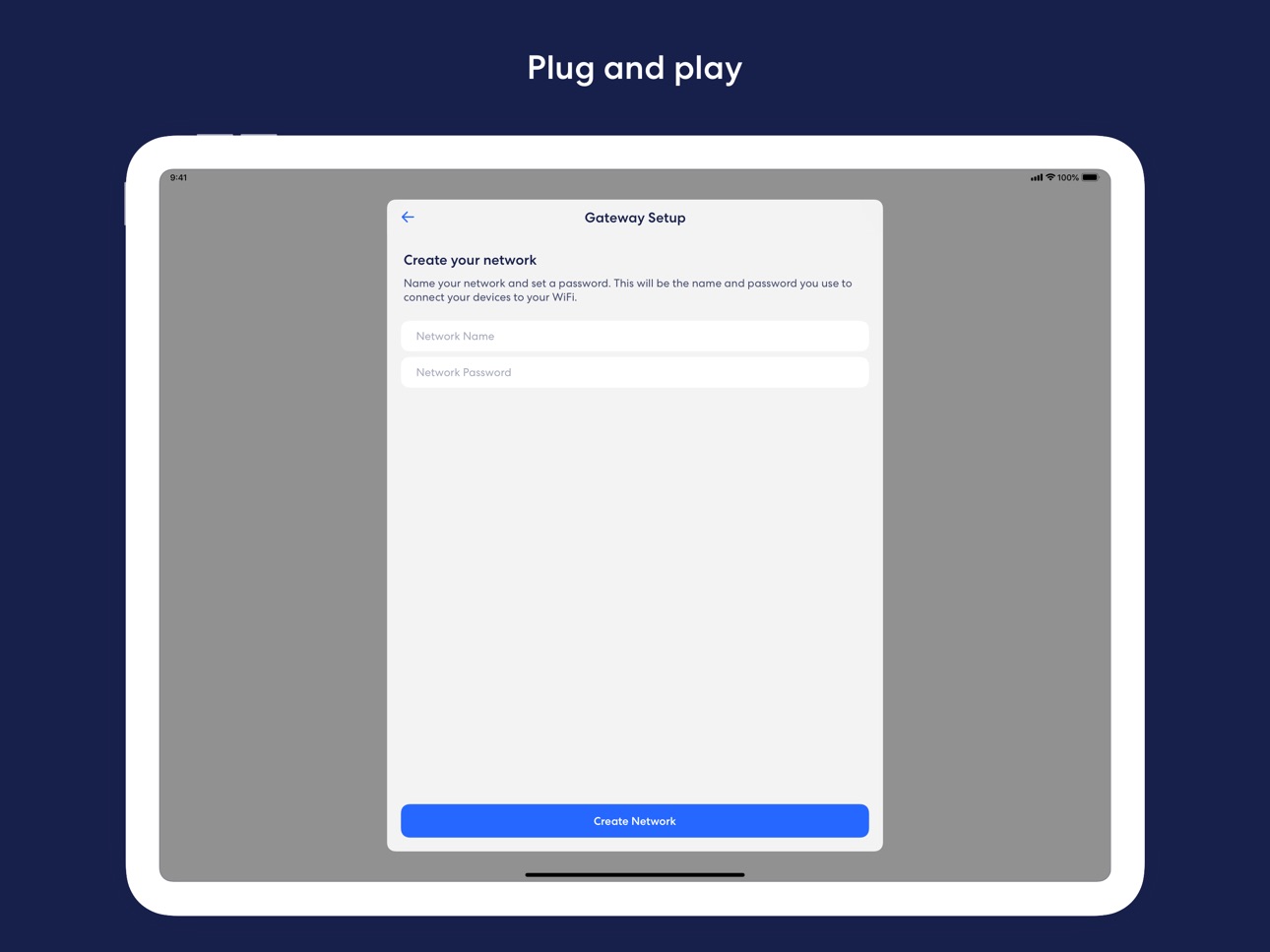
- Setup in minutes
- Automatic updates with new features, performance improvements, and the latest eero security standards
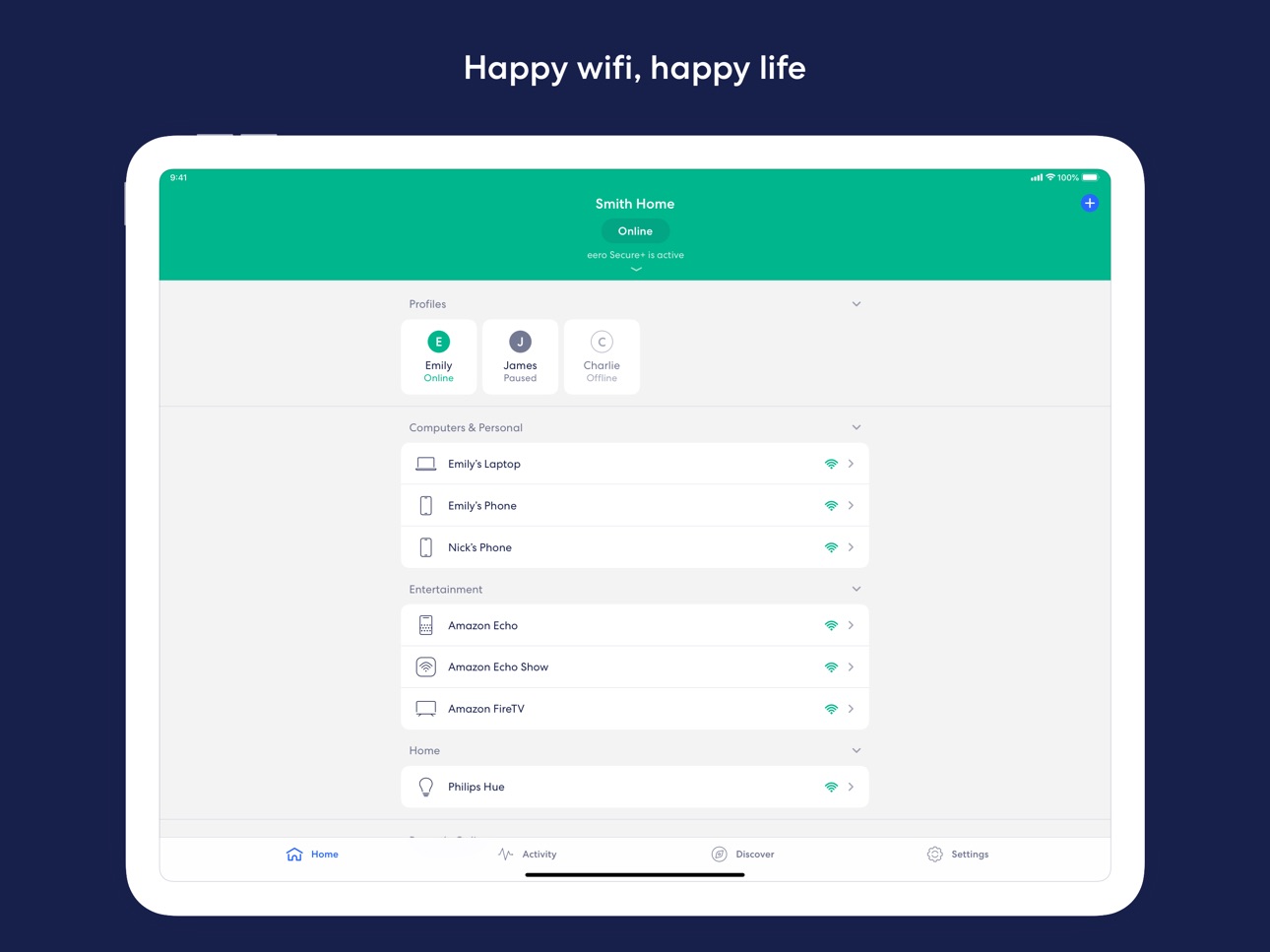
- View and manage your network from anywhere
- Easily and securely share your network with guests
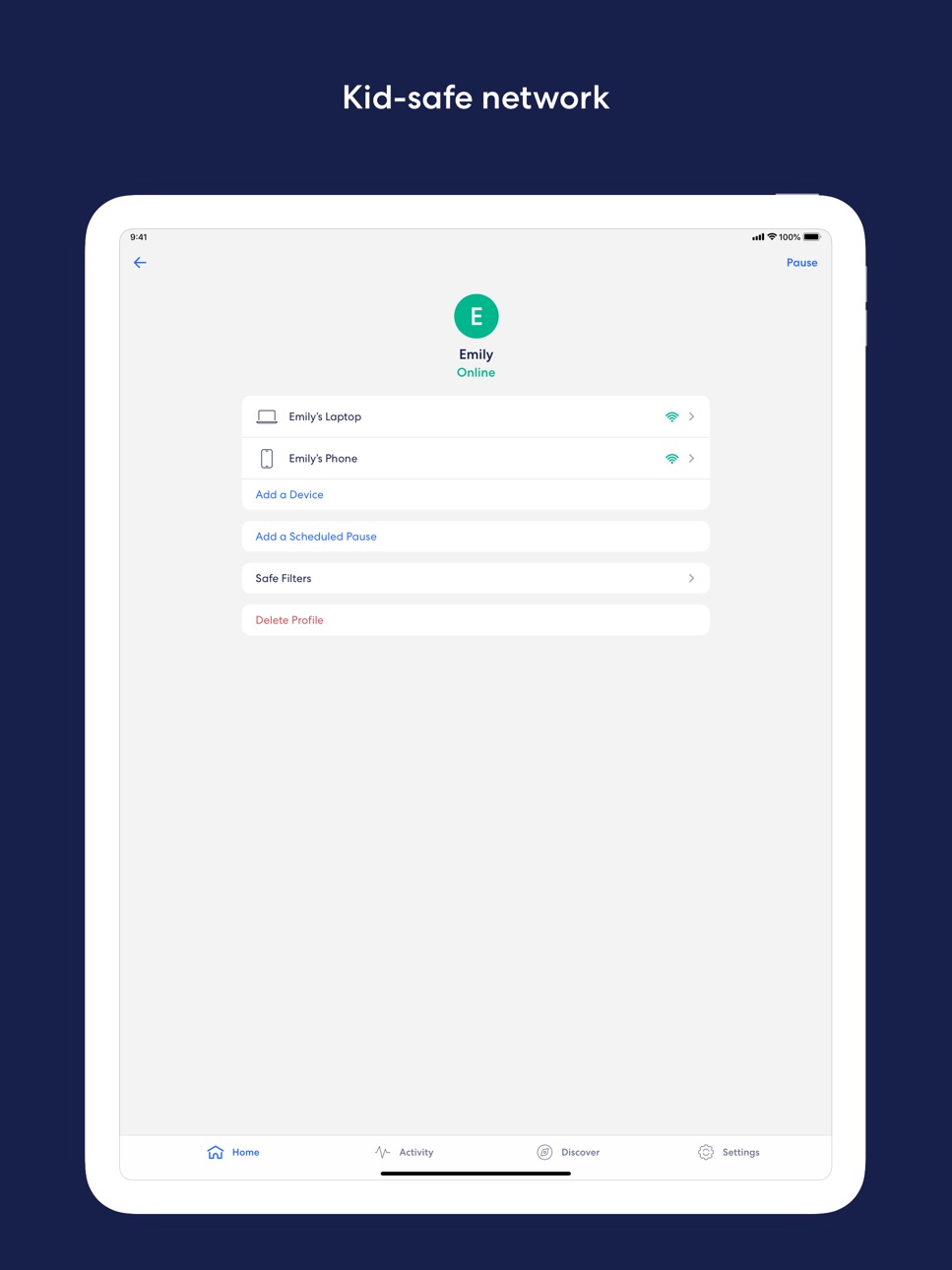
- Schedule or pause internet access to manage screen time
- Block devices from using your network
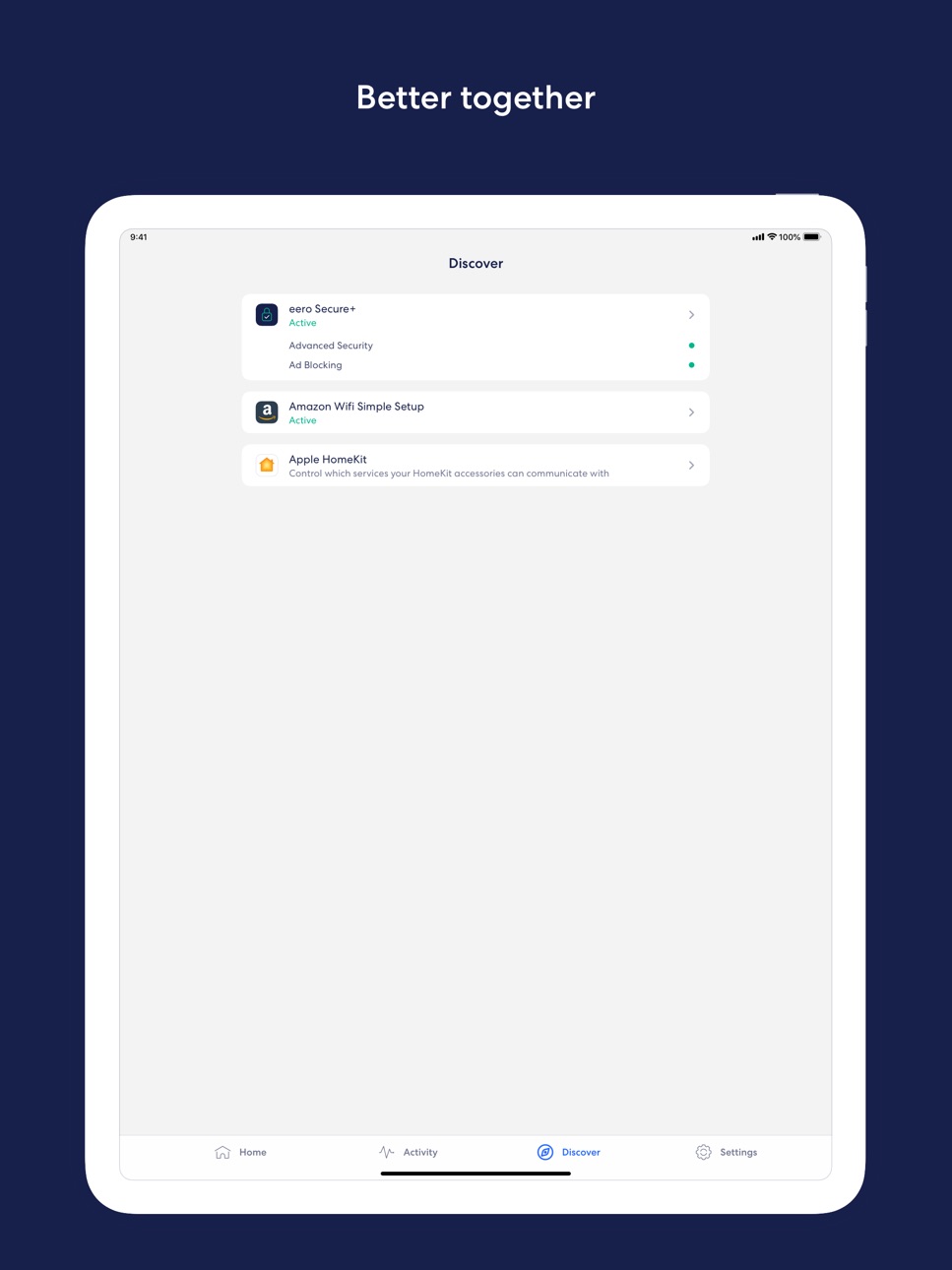
- eero Plus (sold separately) - a subscription service that includes advanced security, additional parental controls, and VIP access to our team of WiFi experts. It also includes a suite of online security solutions, including a password manager, antivirus software, and a VPN powered by Guardian.
We want to hear your feedback. For any feature requests or thoughts on how we can improve, reach out at support@eero.com.
By using this app, you agree to eero’s Terms of Service (https://eero.com/legal/tos) and Privacy Policy (https://eero.com/legal/privacy).
In-App Purchases US pricing
eero Plus Subscription
eero Plus100 · Yearly$199.99
eero Plus · Yearly 2-month free trial$99.99
eero Plus · Monthly 1-month free trial$9.99
eero For Business Subscription
Yearly 1-month free trial$199.99
Capabilities
In-App Purchases
Accessibility
ipadiphonemacrealityDevicetvoswatch
Version history 25 versions
Build 886836678v26.7.02026-06-25 17:37:06
UI polish and bug fixes
Build 885939620v26.6.02026-06-08 20:47:17
UI polish and bug fixes
Build 885123091v26.5.02026-05-15 16:58:03
UI polish and bug fixes
Build 884329873v26.4.02026-04-23 20:46:45
UI polish and bug fixes
Build 883527534v26.3.02026-04-01 21:55:15
UI polish and bug fixes
Build 883360399v26.2.12026-03-16 20:25:42
UI polish and bug fixes
Build 882829527v26.2.02026-03-12 16:14:18
UI polish and bug fixes
Build 882618407v26.1.12026-02-20 11:32:12
UI polish and bug fixes
Build 882588073v26.1.02026-02-19 20:21:06
UI polish and bug fixes
Build 882460665v26.0.22026-02-14 04:27:41
UI polish and bug fixes
Build 881510793v26.0.12026-02-09 22:12:36
UI polish and bug fixes
Build 880702610v6.65.12025-12-17 11:39:26
UI polish and bug fixes
Build 880041438v6.65.02025-12-11 23:20:51
UI polish and bug fixes
Build 879537064v6.64.02025-11-20 23:46:53
UI polish and bug fixes
Build 879377025v6.63.02025-10-31 17:29:10
UI polish and bugfixes
Build 878748107v6.62.02025-10-22 17:41:37
UI polish and bug fixes
Build 878373958v6.61.12025-09-25 23:59:14
Device coverage scan is now available to help you troubleshoot devices with weak signal strength. Get recommendations to adjust eero device placement, add a new one, or upgrade your network
Improved setup flow for new networks
Build 877789987v6.61.02025-09-18 15:45:22
– Device coverage scan is now available to help you troubleshoot devices with weak signal strength. Get recommendations to adjust eero device placement, add a new one, or upgrade your network
– Improved setup flow for new networks
Build 877559072v6.60.02025-08-27 21:05:04
- UI polish and bug fixes
Build 877423628v6.59.12025-08-20 22:35:40
Device coverage scan is now available to help you troubleshoot devices with weak signal strength. Get recommendations to adjust eero device placement, add a new one, or upgrade your network
Build 876971744v6.59.02025-08-06 20:47:40
Device coverage scan is now available to help you troubleshoot devices with weak signal strength. Get recommendations to adjust eero device placement, add a new one, or upgrade your network
Build 876422938v6.58.02025-08-01 17:41:48
Device coverage scan is now available to help you troubleshoot devices with weak signal strength. Get recommendations to adjust eero device placement, add a new one, or upgrade your network
Build 875118296v6.57.02025-06-30 22:24:53
Improve network performance through device coverage scan and device upgrade report. Receive recommendations to adjust eero placement, add an eero, or upgrade your network to Wi-Fi 7 depending on connected device signal strength and type.
Build 874938834v6.56.02025-05-27 17:32:22
- UI polish and bug fixes
Build 874056998v6.55.02025-04-30 14:17:41
- UI polish and bugfixes
- New setup flow for customers adding indoor eeros to their network
Price history by region
Currency
Show
Columns
Search
App performance US
Availability 172 of 175 storefronts
| Region | Language | Price | Ratings | Avg | Version |
|---|---|---|---|---|---|
| US | en-US | Free | 191.9k | 4.8 | 26.7.0 |
| GB | en-GB | Free | 13.2k | 4.8 | 26.7.0 |
| AU | en-AU | Free | 11.1k | 4.8 | 26.7.0 |
| CA | en-CA | Free | 9.2k | 4.7 | 26.7.0 |
| NZ | en-AU | Free | 3.0k | 4.8 | 26.7.0 |
| MX | es-MX | Free | 793 | 4.9 | 26.7.0 |
| MT | en-GB | Free | 389 | 4.6 | 26.7.0 |
| JP | ja | Free | 361 | 4.6 | 26.7.0 |
| ES | es-ES | Free | 357 | 4.6 | 26.7.0 |
| NO | en-GB | Free | 315 | 4.7 | 26.7.0 |
| DE | de-DE | Free | 255 | 4.2 | 26.7.0 |
| IT | it | Free | 239 | 4.6 | 26.7.0 |
| SG | en-GB | Free | 217 | 4.8 | 26.7.0 |
| DO | es-MX | Free | 212 | 4.8 | 26.7.0 |
| BR | pt-BR | Free | 183 | 4.6 | 26.7.0 |
| CL | es-MX | Free | 180 | 4.8 | 26.7.0 |
| IN | en-GB | Free | 175 | 4.9 | 26.7.0 |
| FR | fr-FR | Free | 160 | 4.5 | 26.7.0 |
| AR | es-MX | Free | 127 | 4.9 | 26.7.0 |
| CO | es-MX | Free | 95 | 4.9 | 26.7.0 |
| EC | es-MX | Free | 88 | 4.9 | 26.7.0 |
| CR | es-MX | Free | 85 | 4.8 | 26.7.0 |
| IE | en-GB | Free | 75 | 4.6 | 26.7.0 |
| BM | en-GB | Free | 72 | 4.8 | 26.7.0 |
| PH | en-GB | Free | 56 | 4.9 | 26.7.0 |
| GT | es-MX | Free | 54 | 4.9 | 26.7.0 |
| TW | zh-Hant-TW | Free | 51 | 4.7 | 26.7.0 |
| PE | es-MX | Free | 50 | 4.8 | 26.7.0 |
| HK | zh-Hant-HK | Free | 48 | 4.7 | 26.7.0 |
| KW | en-GB | Free | 47 | 4.5 | 26.7.0 |
| PA | es-MX | Free | 47 | 4.6 | 26.7.0 |
| AE | en-GB | Free | 38 | 4.9 | 26.7.0 |
| HN | es-MX | Free | 38 | 5.0 | 26.7.0 |
| VN | en-GB | Free | 37 | 4.8 | 26.7.0 |
| ZA | en-GB | Free | 35 | 4.8 | 26.7.0 |
| AT | de-DE | Free | 34 | 4.6 | 26.7.0 |
| BS | en-GB | Free | 29 | 4.8 | 26.7.0 |
| TR | en-GB | Free | 27 | 4.7 | 26.7.0 |
| KR | ko | Free | 25 | 5.0 | 26.7.0 |
| NL | nl | Free | 25 | 4.8 | 26.7.0 |
| NG | en-GB | Free | 24 | 5.0 | 26.7.0 |
| SV | es-MX | Free | 24 | 5.0 | 26.7.0 |
| UA | en-GB | Free | 22 | 4.5 | 26.7.0 |
| PT | pt-PT | Free | 21 | 4.6 | 26.7.0 |
| CH | de-CH | Free | 20 | 4.5 | 26.7.0 |
| BE | en-GB | Free | 19 | 4.2 | 26.7.0 |
| VE | es-MX | Free | 19 | 4.7 | 26.7.0 |
| MY | en-GB | Free | 18 | 4.9 | 26.7.0 |
| SA | en-GB | Free | 18 | 4.9 | 26.7.0 |
| TH | en-GB | Free | 18 | 4.8 | 26.7.0 |
| IL | en-GB | Free | 16 | 4.4 | 26.7.0 |
| LK | en-GB | Free | 15 | 5.0 | 26.7.0 |
| TT | en-GB | Free | 15 | 4.7 | 26.7.0 |
| JM | en-GB | Free | 14 | 4.8 | 26.7.0 |
| NI | es-MX | Free | 13 | 5.0 | 26.7.0 |
| SE | sv | Free | 13 | 4.7 | 26.7.0 |
| BO | es-MX | Free | 12 | 5.0 | 26.7.0 |
| ID | en-GB | Free | 11 | 4.6 | 26.7.0 |
| PK | en-GB | Free | 11 | 4.8 | 26.7.0 |
| RO | en-GB | Free | 11 | 3.9 | 26.7.0 |
| DK | en-GB | Free | 10 | 4.9 | 26.7.0 |
| GH | en-GB | Free | 10 | 4.9 | 26.7.0 |
| HU | en-GB | Free | 10 | 4.9 | 26.7.0 |
| EG | en-GB | Free | 9 | 5.0 | 26.7.0 |
| FI | en-GB | Free | 9 | 4.9 | 26.7.0 |
| BG | en-GB | Free | 8 | 5.0 | 26.7.0 |
| IS | en-GB | Free | 8 | 5.0 | 26.7.0 |
| UY | en-GB | Free | 8 | 4.9 | 26.7.0 |
| CY | en-GB | Free | 7 | 4.3 | 26.7.0 |
| KE | en-GB | Free | 7 | 5.0 | 26.7.0 |
| PL | en-GB | Free | 7 | 3.9 | 26.7.0 |
| CZ | en-GB | Free | 6 | 3.3 | 26.7.0 |
| GE | en-GB | Free | 6 | 5.0 | 26.7.0 |
| PY | es-MX | Free | 6 | 5.0 | 26.7.0 |
| JO | en-GB | Free | 5 | 4.0 | 26.7.0 |
| KY | en-GB | Free | 5 | 4.8 | 26.7.0 |
| LU | en-GB | Free | 5 | 4.6 | 26.7.0 |
| SI | en-GB | Free | 5 | 5.0 | 26.7.0 |
| EE | en-GB | Free | 4 | 4.8 | 26.7.0 |
| GR | en-GB | Free | 4 | 4.5 | 26.7.0 |
| HR | en-GB | Free | 4 | 4.8 | 26.7.0 |
| NP | en-GB | Free | 4 | 5.0 | 26.7.0 |
| QA | en-GB | Free | 4 | 5.0 | 26.7.0 |
| SN | en-GB | Free | 4 | 4.8 | 26.7.0 |
| AZ | en-GB | Free | 3 | 5.0 | 26.7.0 |
| BH | en-GB | Free | 3 | 5.0 | 26.7.0 |
| DZ | en-GB | Free | 3 | 5.0 | 26.7.0 |
| LB | en-GB | Free | 3 | 5.0 | 26.7.0 |
| LT | en-GB | Free | 3 | 5.0 | 26.7.0 |
| MD | en-GB | Free | 3 | 5.0 | 26.7.0 |
| RS | en-GB | Free | 3 | 3.7 | 26.7.0 |
| SK | en-GB | Free | 3 | 3.3 | 26.7.0 |
| ZW | en-GB | Free | 3 | 5.0 | 26.7.0 |
| AL | en-GB | Free | 2 | 4.0 | 26.7.0 |
| BW | en-GB | Free | 2 | 3.0 | 26.7.0 |
| BZ | en-GB | Free | 2 | 4.5 | 26.7.0 |
| CI | fr-FR | Free | 2 | 5.0 | 26.7.0 |
| CV | en-GB | Free | 2 | 5.0 | 26.7.0 |
| IQ | en-GB | Free | 2 | 5.0 | 26.7.0 |
| KN | en-GB | Free | 2 | 4.5 | 26.7.0 |
| MU | en-GB | Free | 2 | 5.0 | 26.7.0 |
| OM | en-GB | Free | 2 | 5.0 | 26.7.0 |
| UZ | en-GB | Free | 2 | 5.0 | 26.7.0 |
| AF | en-GB | Free | 1 | 5.0 | 26.7.0 |
| AM | en-GB | Free | 1 | 5.0 | 26.7.0 |
| AO | en-GB | Free | 1 | 5.0 | 26.7.0 |
| CD | en-GB | Free | 1 | 5.0 | 26.7.0 |
| CM | fr-FR | Free | 1 | 5.0 | 26.7.0 |
| FJ | en-GB | Free | 1 | 5.0 | 26.7.0 |
| GD | en-GB | Free | 1 | 3.0 | 26.7.0 |
| GY | en-GB | Free | 1 | 5.0 | 26.7.0 |
| KZ | en-GB | Free | 1 | 5.0 | 26.7.0 |
| LR | en-GB | Free | 1 | 5.0 | 26.7.0 |
| LV | en-GB | Free | 1 | 5.0 | 26.7.0 |
| ME | en-GB | Free | 1 | 5.0 | 26.7.0 |
| MN | en-GB | Free | 1 | 5.0 | 26.7.0 |
| MZ | en-GB | Free | 1 | 5.0 | 26.7.0 |
| SC | en-GB | Free | 1 | 5.0 | 26.7.0 |
| SR | en-GB | Free | 1 | 5.0 | 26.7.0 |
| TC | en-GB | Free | 1 | 5.0 | 26.7.0 |
| TM | en-GB | Free | 1 | 5.0 | 26.7.0 |
| TN | en-GB | Free | 1 | 5.0 | 26.7.0 |
| VG | en-GB | Free | 1 | 5.0 | 26.7.0 |
| ZM | en-GB | Free | 1 | 5.0 | 26.7.0 |
| AG | en-GB | Free | 0 | — | 26.7.0 |
| AI | en-GB | Free | 0 | — | 26.7.0 |
| BA | en-GB | Free | 0 | — | 26.7.0 |
| BB | en-GB | Free | 0 | — | 26.7.0 |
| BF | en-GB | Free | 0 | — | 26.7.0 |
| BJ | en-GB | Free | 0 | — | 26.7.0 |
| BN | en-GB | Free | 0 | — | 26.7.0 |
| BT | en-GB | Free | 0 | — | 26.7.0 |
| CG | en-GB | Free | 0 | — | 26.7.0 |
| DM | en-GB | Free | 0 | — | 26.7.0 |
| FM | en-GB | Free | 0 | — | 26.7.0 |
| GA | fr-FR | Free | 0 | — | 26.7.0 |
| GM | en-GB | Free | 0 | — | 26.7.0 |
| GW | en-GB | Free | 0 | — | 26.7.0 |
| KG | en-GB | Free | 0 | — | 26.7.0 |
| KH | en-GB | Free | 0 | — | 26.7.0 |
| LA | en-GB | Free | 0 | — | 26.7.0 |
| LC | en-GB | Free | 0 | — | 26.7.0 |
| LY | en-GB | Free | 0 | — | 26.7.0 |
| MA | en-GB | Free | 0 | — | 26.7.0 |
| MG | en-GB | Free | 0 | — | 26.7.0 |
| MK | en-GB | Free | 0 | — | 26.7.0 |
| ML | en-GB | Free | 0 | — | 26.7.0 |
| MM | en-GB | Free | 0 | — | 26.7.0 |
| MO | zh-Hant-HK | Free | 0 | — | 26.7.0 |
| MR | en-GB | Free | 0 | — | 26.7.0 |
| MS | en-GB | Free | 0 | — | 26.7.0 |
| MV | en-GB | Free | 0 | — | 26.7.0 |
| MW | en-GB | Free | 0 | — | 26.7.0 |
| NA | en-GB | Free | 0 | — | 26.7.0 |
| NE | en-GB | Free | 0 | — | 26.7.0 |
| NR | en-GB | Free | 0 | — | 26.7.0 |
| PG | en-GB | Free | 0 | — | 26.7.0 |
| PW | en-GB | Free | 0 | — | 26.7.0 |
| RW | en-GB | Free | 0 | — | 26.7.0 |
| SB | en-GB | Free | 0 | — | 26.7.0 |
| SL | en-GB | Free | 0 | — | 26.7.0 |
| ST | en-GB | Free | 0 | — | 26.7.0 |
| SZ | en-GB | Free | 0 | — | 26.7.0 |
| TD | en-GB | Free | 0 | — | 26.7.0 |
| TJ | en-GB | Free | 0 | — | 26.7.0 |
| TO | en-GB | Free | 0 | — | 26.7.0 |
| TZ | en-GB | Free | 0 | — | 26.7.0 |
| UG | en-GB | Free | 0 | — | 26.7.0 |
| VC | en-GB | Free | 0 | — | 26.7.0 |
| VU | en-GB | Free | 0 | — | 26.7.0 |
| XK | en-GB | Free | 0 | — | 26.7.0 |
| YE | en-GB | Free | 0 | — | 26.7.0 |
Not available in: BY, CN, RU
Reviews 30 reviews · US
★★★★★
Wish it had more advanced options
I have 6 Eeros in my house (2 are outside). The app works fine, but the $99 annual fee for security is a bit much. I wish it had features that allowed me to test signal strength with an iPhone and map a house to find ideal placement. And also be able to test individual eeros for speed, particularly when they are not hard wired. Overall setup is easy and they work most of the time.
J Stan2026-03-30
★★★★★
Gaming
The Eero Home Device has only two Ethernet ports, which shouldn’t be that big of a deal but the system does not support IP defragmentation which means that the modem supplied by US Cellular (which only submits a wired signal goes into the Titan device and then wires the internet to the Eero thus providing WiFi. Here is some of the issues however, your a phone and the Eero app are tied together, if I don’t keep my phone on the Eero network it sometimes does not work properly. You are very limited in the capabilities of this system. I actually get faster more reliable internet from the hotspot o
Deadeye503152026-03-17
★★★★★
A few bugs
Reservations and port forwarding button on device screen does nothing. Need some unit tests, ya’ll.
Also, network does not auto update. I set a time in the middle of the night. The update sat there for two months without installing.
Gating on-device features like Signal behind a subscription is lame. I get cloud features like activity history and ad blocking DNS and whatnot, because they require infrastructure. But the ability to switch to bridge mode? That’s been a feature in routers since before the cloud.
RawwrBag2026-03-01
★★★★★
Since update it’s been a nightmare
The app update two nights ago threw my frontier-box into a meltdown. First the shows ground to a halt or were so out of sync it was impossible to watch. Then email App Store, Facebook and the eero app its self began to freeze. Now I have no ability to get onto the eero app (it keeps says sorry or try again later-and believe you me I have) a blinking blue eero and all I can get from Frontier is a new Eero in two to three business days. They said probably due to a surge. What kind of update renders my WiFi useless? I don’t think it fixed any bugs that’s for sure. I am very disappointed. Luckily
Just my thoughts on this2026-02-17
★★★★★
App Doesn’t Show Alert Info
The app is great for convenient visibility of everything that’s going on in your network, except alerts.
When I tap on the app after receiving an alert, there is no log or easy convenient way to see exactly what the alert was about. The app just takes you to the same homepage and then you have to hunt for what changed. It would be nice if any recent changes were the first things visible after an alert is sent.
TraceG_082026-02-11
★★★★★
Lots of bugs
The app works ok unless you want to go back and change something and then it just pops up an error and you have to start all over again.
The hardware seems seriously well-made, but again it falls short during setup with the app. Every time I make a typo, I have to do a factory reset, delete my online account and start over. It’s not very user-friendly.
I think I’m just stuck till after the Christmas holidays and I can get a hold of tech-support so I’ve disabled all my new eero devices I’ve gone back to my old set up for now.
Dr Seattle2025-12-26
★★★★★
eero App broken? Unable to use
I have had and used the eero app for probably 5 years? And suddenly
This week it no longer works. I am logged in. Or
So it says, but then it wants today me to set up my account or delete. My WiFi is working fine but I cannot access the information. If I try to set it up “ new” tells me That the eero devices are associated with another account (ummm - it’s my account and devices). Unable to get anywhere with the frontier people. Ridiculous because no
Where is there info on how
To contact eero technical support. So who do I contact?
pjbaet2025-12-08
★★★★★
Family WiFi
We’ve only had it for a week and it is simple to use the app. One thing that other Wi-Fi management systems have (like Xfinity) that this does not is the ability to have the Internet automatically turn off after your child has used a device for whatever time limit you set. So if you only want your child to have 30 minutes internet on a device, you have track and pause it once they hit the max. The other option is to set regular 30 minute WiFi windows at specific times. For example, 7pm to 7:30pm wifi on, all time outside that is paused. We miss the auto pause within a larger open window of
Family Wifi2025-11-24
★★★★★
Excellent with one hiccup
Pretty brilliantly smooth setup with a mild issue. The experience kind of falls apart if one device is a little too far and you need to reposition. The order of operations breaks down, and the easiest solution was to just be done with it and add devices after setup. Also, the takeover of the original internet is so seamless that it’s kind of hard to know if you even did it right
MarcoB46782025-10-05
★★★★★
Show More IPv6 & Other Details
Please continue to add better IPv6 support by showing the IPv6 address as well as the IPv4 address.
I know it is possible because there are IPv6-only devices on the network and they show just fine.
I shouldn’t have to make an extra tap to see all the IP addresses for the device.
Please also consider adding more information when I tap on a device; there is a lot of unused blank space under device information, where you could just list the device information instead of having to tap into that.
Tapping on the “Internet” at the top of the app should also give me the public IP address IPv4 and I
yfCskwq5Ppmiqco2025-09-24
★★★★★
Limited information and features compared to Spectrum
The app works well but it has limited information and features compared to Spectrum. It doesn’t identify WiFi devices well. Says unknown for many device names, it does let you delete WiFi devices unless you block them. There is no refresh button either. You have to close app and re-open it. They need to redo the UI and add more useful information.
kiko96232025-08-27
★★★★★
Badges?
The app is handy with helpful info and settings. It gets downgraded because of badges. The app icon displays a red badge, but when you open the app, there is no indication of what the badge means or where to go to find out. Annoying and disconcerting in case it was something important. Sloppy design aspect. Also, it doesn’t save your preferences, e.g. I like to see both the connected and the recently connected devices. I have to set that every time. PITA.
Ted in FL2025-08-11
★★★★★
Needs support for 5Ghz
As the title says , needs dedicated server specifically for 5Ghz and 2.4Ghz . In the settings you can turn off 5Ghz to connect 2.4Ghz devices, but you can’t turn off 2.4Ghz to connect 5Ghz devices . My smart TV is in the other room (about 10 ft away) from the router but Everytime i turn on my TV it automatically connects to 2.4Ghz , and on the app there is no way to change that, neither on the TV. So ultimately I have to forget the Wi-Fi network and reconnect to watch movies in 4K so they don’t lag. It’s annoying every time to type in my long password and we’ve been asking FOR YEARS for suppor
FunkoCollectorBae2025-08-05
★★★★★
Works well but has one glitch..
Very easy to set up. Works well with lots of useful information, however one really annoying issue is it doesn’t remember devices well. For instance if I haven’t used my iPad for a while when I use it again it says theirs a new device added. It does the same thing with my phone, watch and laptop. I find this really annoying and I never had this issue with my other mesh system. So that needs to be fixed. Other than that I’m very pleased with the system/app.
Merlins assistant2025-07-22
★★★★★
Notifications
As others have said, not having a dedicated notification feature is mind boggling. A history of what has happened in one list would be phenomenal. If I click a Eero notification on my home screen before looking at what the notification said, I have no idea what has taken place to create the notification.
The app is definitely user friendly for those who want an easy setup experience and that is the only reason I give it 4 stars. If you are like me and want to tackle more advanced features within the router/access points, you don’t have a lot to work with
Musty Cashew2025-05-25
★★★★★
Annoying
After troubleshooting, the app gives you no genuine feedback on why your connection is either slow or not working. Just like all other apps, it simply tells you to unplug power and plug it back in, keep trying, etc. You can’t get anything done with this app and will always have to end up calling your ISP. Problems I encounter frequently with eero are extremely slow speeds of 1 MBPS upload and download across all devices, and the app has no way of telling you why this is the case. It’s a solid app for tracking your connection across your home and devices but it’s unhelpful for when you genuinel
SquirtTurt2025-05-16
★★★★★
EERO WiFi system
Setup was incredibly easy. I’ve actually had the system for two months and put off setting it up because I was afraid I might have difficulty doing so. I kept telling myself the next time my internet goes down you need to bite the bullet and set it up. My internet was down for two hours. As soon as service was restored, I set up EERO. Highly recommend you download the app first. I love the fact that you have the option of using your existing router name and password so that you don’t need to update this on all your devices. Whoever thought of that is a genius!
EMF19592025-04-29
★★★★★
Nice but Busy
The Eero interface is intuitive for most users who want a simple, automated Wi-Fi setup.
However, power users may find it too minimalistic, and at times, exasperating. Advanced features, where available, are scattered throughout the app and difficult to locate. For instance, connecting 2.4 GHz IoT devices can be frustrating, as the option to temporarily disable 5 GHz is buried deep in the menus and hard to spot.
Overall, Eero is a solid choice for basic connectivity—ideal for PCs, tablets, and a few Zigbee IoT devices. But if you need reliable 2.4 GHz support for numerous 2.4 GHZ IoT device
HolyCow12025-04-24
★★★★★
Don't disable your first device
Upon setting up my Eero 6e, I noticed an unnamed "private device" on my network. I paused it out of an abundance of caution. It was the phone on which I was using the Eero app. And then I couldn't use the Eero app on my phone anymore to unpause it.
This feels like a sharp edge for a new Eero user. I had to dig up my laptop - thank god I had one with an M1 chip! - and unpause the device from there. Unpleasant and confusing UX.
Perhaps a function to count the devices and if this is the first one on the network, pop an "are you sure? This might be the phone you're on" dialog. Or offer some kin
FleetingPleasures2025-04-10
★★★★★
FOR THE LOVE OF GOD PLEASE ADD THE ABILITY TO DELETE A DEVICE…
This app is great and provides a lot of useful information, but it has some limitations. For example, it doesn't allow you to delete devices. I like to organize my devices and keep only the ones I actively use. However, when I swap out an old device for a new one, the old device stays in the system, and I can't remove it—only block it. The device still shows up, which can be frustrating.
On the plus side, the ability to create profiles, view all your devices, and see which ones are online and connected to others is very useful. However, I can’t force a device to connect to a specific one, an
Dinasour lover2025-03-24
★★★★★
Pairing mesh noses was a hassle, subscriptions needed for basic security
The app’s pairing walkthrough didn’t work. I eventually had to plug (Ethernet) nodes into the gateway node to get them to recognize one another. Then I unplugged and placed them around the house and it seems like that’s working (I still have nodes to place but the app kicked me to the “all done, time to review” page).
I was very annoyed to see that parental controls and basic security cost $99/yr. They were included in my asus zen (probably should have just bought another of those…)
Josh PDX2025-03-19
★★★★★
Super Easy
I thought setting up the new Eeros would be above my technical ability since we have multiple ISPs and networks on this property. but the step by step online instructions were exceptional. I only needed to try it a couple of times and within 30 min I had 3 eero devices up and running. Hopefully no more buffering. So far so good.
wausau farm girl2025-02-21
★★★★★
Confusing software, needs a redesign
Too difficult to simply pause/unpause internet access to devices on your network. Put a simple button that says “Pause” next to each device on the list of devices on the network, when you hit it, it changes to read “Unpause” and off we go. Instead there’s a convoluted “profiles” system that seems to contradict itself with its language - ah yes the “paused” profile is unpaused, but wait, it’s still paused. Ok um hold on. Otherwise I’d say there are no misspellings that I noticed in the app.
Billions2025-02-06
★★★★★
Not bad…but could be better
Installer clicked the stars at 5. When I decided to write a review, I discovered I could adjust, thank goodness. They did what they could, but an extra hole in the wall and a LOT of convincing to place the devices in a more hide-able location. Lack of effective communication with what is customer service to customers and installers to customers. But all in all, not bad. The workers tried to be efficient, but the pace caused a few errors. However, we got there!!!
Wsmac012025-02-04
★★★★★
A Lesson in Confusing Design
Ah, the wonders of modern tech! So, if a device is paused, it conveniently displays the word "pause" next to it. You would think that tapping on this obvious indicator would give you the option to unpause it. But no! That would be far too logical, wouldn’t it? Instead, we get the delightful option to rename the device. Because clearly, in a moment when you want to resume, what you really need is to rebrand your Wi-Fi toaster!
Let’s be real for a second: how often do you rename a device compared to the countless times you just want to pause or unpause it? My guess is that renaming is about as
AmsterQ2025-01-27
★★★★★
Awesome Customer Service!
Just spent over an hour on the line helping me connect to a PPPoE protocol. She was super patient, and troubleshot everything with me until I was able to connect. I can’t recommend this enough. I’m super impressed with the service, and the hardware has been rock solid since I purchased years ago. I would definitely take the dive if you are on the fence with the eero!
jsimma372025-01-20
★★★★★
Speed Test
The app gives you tremendous accessibility when managing your WiFi network. It would be great to have a built in VPN also there might be an issue with the latest update because the built in speed test doesn’t update the results you have to back out and go back in.
SC51452025-01-11
★★★★★
Initial setup took a few tries
The initial set up took several tries to get the base station connected to the modem. Had to go double check on the Internet to see if I was doing it correctly and I was. Once that was up and running I was able to very easily add two more units. This review gave four out of five stars based only on the little bit of difficulty I had on the first unit. If the network service and speed pans out, I’ll come back later and add to the review.
rphjan2025-01-05
★★★★★
Ok but
I’ve used Eero for almost a year and found the set up easy and this app provides helpful info, including an alert if a new device is connecting. However every Sunday I get an alert on the home page Indicating something but when opening the app, there is no indication of what the alert is for. I suspect it’s telling me the weekly statistics are available but why not flag that within the app? An alert on the Home Screen doesn’t tell us anything. This notification could be improved.
Freedoguy2024-12-29
★★★★★
Switched wifi carriers and ooooh i hate this
So annoying that i got a new router and carrier, but rather than take on my new wifi since these are jus supposed to boost, a month later i figured out why im not getting signal and these two annoying devices are still touting my old wifi name and are inactive. I switched the network name and password to my same network i just started with and it made a second wifi name along with now having to connect every single wifi device individually. THANK YOU FOR MAKING THIS AN EASY SWITCH OF JUST PLUGGING IN THE NEW ROUTER WITH AN ETHERNET CABLE. I figured maybe it was showing the old name but was sti
Ads every five min2024-12-27
Change log 28 changes · US
✎
releaseNotes updated
UI polish and bug fixes
✎
description updated
The eero app allows you to easily set up and manage your eero WiFi system (sold separately).
The world’s first home WiFi system, eero blankets your home in fas
✎
name updated
eero wifi system
◆
Version 26.7.0 released
UI polish and bug fixes
◆
Version 26.6.0 released
UI polish and bug fixes
◆
Version 26.5.0 released
UI polish and bug fixes
◆
Version 26.4.0 released
UI polish and bug fixes
◆
Version 26.3.0 released
UI polish and bug fixes
◆
Version 26.2.1 released
UI polish and bug fixes
◆
Version 26.2.0 released
UI polish and bug fixes
◆
Version 26.1.1 released
UI polish and bug fixes
◆
Version 26.1.0 released
UI polish and bug fixes
◆
Version 26.0.2 released
UI polish and bug fixes
◆
Version 26.0.1 released
UI polish and bug fixes
◆
Version 6.65.1 released
UI polish and bug fixes
◆
Version 6.65.0 released
UI polish and bug fixes
◆
Version 6.64.0 released
UI polish and bug fixes
◆
Version 6.63.0 released
UI polish and bugfixes
◆
Version 6.62.0 released
UI polish and bug fixes
◆
Version 6.61.1 released
Device coverage scan is now available to help you troubleshoot devices with weak signal strength. Get recommendations to adjust eero device placement, add a new one, or upgrade your network
Improved setup flow for new networks
◆
Version 6.61.0 released
– Device coverage scan is now available to help you troubleshoot devices with weak signal strength. Get recommendations to adjust eero device placement, add a new one, or upgrade your network
– Improved setup flow for new networks
◆
Version 6.60.0 released
- UI polish and bug fixes
◆
Version 6.59.1 released
Device coverage scan is now available to help you troubleshoot devices with weak signal strength. Get recommendations to adjust eero device placement, add a new one, or upgrade your network
◆
Version 6.59.0 released
Device coverage scan is now available to help you troubleshoot devices with weak signal strength. Get recommendations to adjust eero device placement, add a new one, or upgrade your network
◆
Version 6.58.0 released
Device coverage scan is now available to help you troubleshoot devices with weak signal strength. Get recommendations to adjust eero device placement, add a new one, or upgrade your network
◆
Version 6.57.0 released
Improve network performance through device coverage scan and device upgrade report. Receive recommendations to adjust eero placement, add an eero, or upgrade your network to Wi-Fi 7 depending on connected device signal strength and type.
◆
Version 6.56.0 released
- UI polish and bug fixes
◆
Version 6.55.0 released
- UI polish and bugfixes
- New setup flow for customers adding indoor eeros to their network