Home › Business

 SE
SE
 DEde-DE
 ESes-ES
 USen-US
 FRfr-FR
 ITit
ITit CHde-CH
 RUru
RUru NLnl
NLnl PLen-GB
 ATde-DE
 BEen-GB
 GBen-GB
 UAen-GBSEsv
 CAen-CA
 CZen-GB
 PTpt-PT
 BRpt-BR
 AUen-AU
 FIen-GB
 ILen-GB
 BYen-GB
 LVen-GB
 EEen-GB
 IEen-GB
 NOen-GB
 ARes-MX
 DKen-GB
 MXes-MX
 SKen-GB
 KRko
KRko JPja
JPja NZen-AU
 HUen-GB
 COes-MX
 KZen-GB
 SIen-GB
 LUen-GB
 ZAen-GB
 CNzh-Hans-CN
 MDen-GB
 LTen-GB
 ROen-GB
 CLes-MX
 ECes-MX
 UYen-GB
 TRen-GB
 BGen-GB
 INen-GB
 CRes-MX
 MTen-GB
 DOes-MX
 HRen-GB
 MYen-GB
 ALen-GB
 AMen-GB
 PEes-MX
 SGen-GB
 VNen-GB
 PYes-MX
 VEes-MX
 EGen-GB
 KGen-GB
 UZen-GB
 GRen-GB
 PHen-GB
 GEen-GB
 HNes-MX
 ISen-GB
 THen-GB
 HKzh-Hant-HK
 MKen-GB
 SNen-GB
 AOen-GB
 LKen-GB
 CYen-GB
 JOen-GB
 PAes-MX
 RSen-GB
 TWzh-Hant-TW
 AEen-GB
 BZen-GB
 DZen-GB
 MNen-GB
 NAen-GB
 NIes-MX
 SAen-GB
 SVes-MX
 TJen-GB
 AZen-GB
 IDen-GB
 NPen-GB
 AFen-GB
 GTes-MX
 KEen-GB
 KWen-GB
 KYen-GB
 MAen-GB
 ZWen-GB
 AGen-GB
 AIen-GB
 BBen-GB
 BMen-GB
 BNen-GB
 BOes-MX
 BWen-GB
 DMen-GB
 GDen-GB
 GMen-GB
 JMen-GB
 KNen-GB
 LBen-GB
 LYen-GB
 MEen-GB
 MUen-GB
 MWen-GB
 NEen-GB
 NGen-GB
 PKen-GB
 QAen-GB
 TMen-GB
 TTen-GB
 XKen-GB
 BAen-GB
 BFen-GB
 BHen-GB
 BJen-GB
 BSen-GB
 BTen-GB
 CDen-GB
 CGen-GB
 CIfr-FR
 CMfr-FR
 CVen-GB
 FJen-GB
 FMen-GB
 GAfr-FR
 GHen-GB
 GWen-GB
 GYen-GB
 IQen-GB
 KHen-GB
 LAen-GB
 LCen-GB
 LRen-GB
 MGen-GB
 MLen-GB
 MMen-GB
 MOzh-Hant-HK
 MRen-GB
 MSen-GB
 MVen-GB
 MZen-GB
 NRen-GB
 OMen-GB
 PGen-GB
 PWen-GB
 RWen-GB
 SBen-GB
 SCen-GB
 SLen-GB
 SRen-GB
 STen-GB
 SZen-GB
 TCen-GB
 TDen-GB
 TNen-GB
 TOen-GB
 TZen-GB
 UGen-GB
 VCen-GB
 VGen-GB
 VUen-GB
 YEen-GB
 ZMen-GB
175 of 175 storefronts
Content in sv
Content in sv
Information
Preview 2 platforms
iPhone 10 images

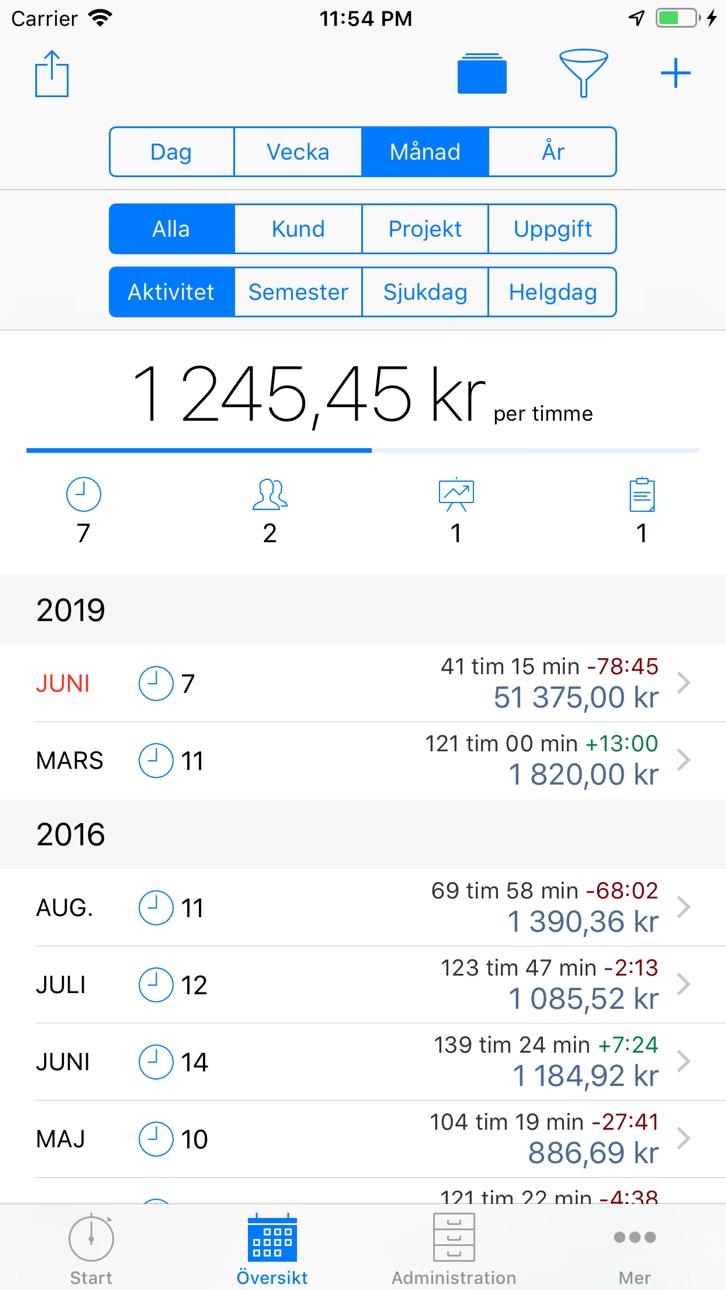


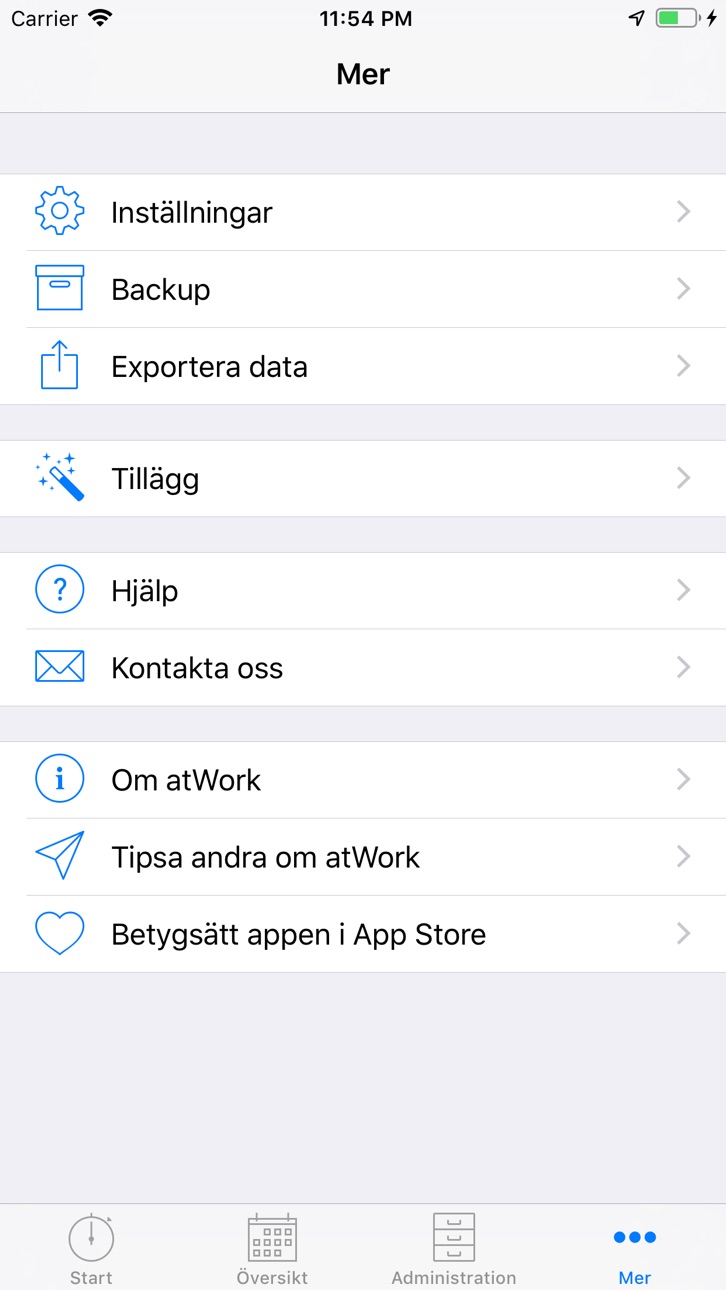
Apple Watch 6 images


What’s New Version 3.2.1
• Veckodagar kan nu visas i dataexporten för poster och specialdagar.
• Stöd för Liquid Glass-designen i iOS 26.
• Hjälpsektionen har utökats med fler detaljer och fördjupad information
Hej där! I den senaste uppdateringen har vi fixat några småfel och optimerat appen för en bättre upplevelse. Om appen har ökat din produktivitet får du gärna ta en stund och betygsätta atWork i App Store. Tusen tack och ses snart!
Description
Spåra enkelt arbetstid, övertid och inkomst med atWork, en smidig app för tidsregistrering för frilansare, konsulter och timanställda. Se var tiden tar vägen, hur mycket du har tjänat och hantera jobb, pass och kunder på ett och samma ställe. Skapa egna tidrapporter med precis de detaljer du behöver och få bättre kontroll över både produktivitet och inkomst.
ENKEL TIDRAPPORTERING
• Stämpla in och ut med några tryck, eller be Siri om hjälp. atWork är din personliga stämpelklocka och app för tidsspårning för jobb eller andra aktiviteter.
• Glömde du att starta timern? Lägg till eller redigera timmar i efterhand. Ingen tid går förlorad.
• Exportera tidrapporter för tidsredovisning som CSV, Excel eller PDF till kunder, lön eller bokföring, inklusive ersättning och övertid.
• Spåra flera jobb och organisera vid behov efter kund, projekt eller uppgift för tydlig historik och en komplett tidslogg.
• Automatisk platsbaserad tidrapportering låter dig skapa arbetsplatser som stämplar in eller ut när du kommer eller går, med notiser.
• Synkronisera med Apple Watch för att starta eller stoppa timern och diktera anteckningar när du är på språng.
• Registrera semester, sjukdagar och helgdagar så att tidrapporten alltid blir komplett.
FLEXIBELT OCH ANPASSNINGSBART
• Lägg till anteckningar i valfri längd, ange automatiska pauser och ordinarie arbetstid för att visa övertid och ersättning.
• Anpassa dina aktiviteter med egna fält och spåra den detaljnivå du vill, från utlägg som resa eller milersättning till betalstatus som betald eller väntande.
• Ange timersättning (timarvode) och tillägg, så ser du både intjänat och övertid tydligt.
• Sätt dagliga, veckovisa eller månatliga inkomstmål och följ dina framsteg.
• Välj automatisk avrundning för start- och sluttid för enklare rapportering och mer enhetliga aktiviteter.
• Håll dina data säkra med automatisk backup till iCloud eller manuellt via e-post.
PÅLITLIG SUPPORT
• Vi är ett litet, engagerat team och hjälper dig dygnet runt. Kontakta oss när som helst på support@atworkapp.com.
• Vi läser varje recension och förbättrar atWork kontinuerligt utifrån din feedback.
Med atWork har det aldrig varit enklare att hålla koll på timmar och ersättning: exakt, flexibelt och byggt för hur du arbetar.
Följ tusentals användare som använder atWork varje dag:
Bra app: En väldigt bra app, använt i flera år på både sommarjobb och nu som anställd! Älskar! - LNorlen
Master piece med fakturaunderlag! Helt enastående app som faktiskt överträffade mina förväntningar. Som egenföretagare och industrikonsult sökte jag något som hjälpte mig att hålla reda på tiden onsite hos varje kund. Att den börjar räkna tid när jag anländer hos kund och att man kan exportera detta som Excel-fil vid månadsskiftet och använda som fakturaunderlag är helt suveränt. Det enda jag saknar är en utförligare guide, kanske i filmformat då det finns gott om inställningsmöjligheter. - Swedish InfoLinks AB
Perfekt: Använder appen för ha en kunddatabas privat utöver firmans! Smidig kalender så man håller koll vart man vart och inte vart! Använder den också till att göra lönelappen med för det räknas ut automatiskt - Rörkrögarn
Ladda ner atWork idag och börja hantera din tid som ett proffs. Slipp undra var tiden tog vägen. atWork ger dig kontroll över varje timme och varje intjänad krona.
In-App Purchases SE pricing
One-Time Purchases
Unlimited Entries—
Data Export—
atWork Plus (no subscription)—
Work Schedule—
Special Days—
Workplaces—
Espresso—
Latte macchiato—
Cappuccino—
Hot chocolate & croissant—
Capabilities
In-App Purchases
Accessibility
ipadiphonemacrealityDevicetvoswatch
Version history 25 versions
Build 880876899v3.2.12025-12-27 01:06:06
• Weekdays can now be shown in data exports for entries and special days.
• Support for the Liquid Glass design on iOS 26.
Do you like atWork? Leave us a quick review and recommend us to others — thank you!
Got questions? Email us at support@atworkapp.com or reach out directly through the app.
Our tip: Enable automatic iCloud backup under More > Backup to keep your data safe.
Best regards,
Sergej and Mikhail
atWork Team
Build 876167790v3.22025-12-18 04:40:10
• Support for the Liquid Glass design on iOS 26.
Do you like atWork? Leave us a quick review and recommend us to others — thank you!
Got questions? Email us at support@atworkapp.com or reach out directly through the app.
Our tip: Enable automatic iCloud backup under More > Backup to keep your data safe.
Best regards,
Sergej and Mikhail
atWork Team
Build 873962602v3.1.22025-06-30 08:07:23
TIME ZONE SUPPORT
• Starting with this version, entries will remain in the time zone in which they were created.
• If the current time zone differs from the original time zone of an entry, the original time zone will be shown in the entry, overview, and export file.
• Example: An entry created in New York from 8:00 to 12:00 will later appear in Germany as 8:00-12:00 (GMT-4).
Do you like atWork? Leave us a quick review and recommend us to others — thank you!
Got questions? Email us at support@atworkapp.com or reach out directly through the app.
Our tip: Enable automatic iCloud backup under More > Backup to keep your data safe.
Best regards,
Sergej and Mikhail
atWork Team
Build 873897722v3.1.12025-04-09 18:03:12
TIME ZONE SUPPORT
• Starting with this version, entries will remain in the time zone in which they were created.
• If the current time zone differs from the original time zone of an entry, the original time zone will be shown in the entry, overview, and export file.
• Example: An entry created in New York from 8:00 to 12:00 will later appear in Germany as 8:00-12:00 (GMT-4).
Do you like atWork? Leave us a quick review and recommend us to others — thank you!
Got questions? Email us at support@atworkapp.com or reach out directly through the app.
Our tip: Enable automatic iCloud backup under More > Backup to keep your data safe.
Best regards,
Sergej and Mikhail
atWork Team
Build 872241565v3.12025-04-08 22:44:21
TIME ZONE SUPPORT
• Starting with this version, entries will remain in the time zone in which they were created.
• If the current time zone differs from the original time zone of an entry, the original time zone will be shown in the entry, overview, and export file.
• Example: An entry created in New York from 8:00 to 12:00 will later appear in Germany as 8:00-12:00 (GMT-4).
Do you like atWork? Leave us a quick review and recommend us to others — thank you!
Got questions? Email us at support@atworkapp.com or reach out directly through the app.
Our tip: Enable automatic iCloud backup under More > Backup to keep your data safe.
Best regards,
Sergej and Mikhail
atWork Team
Build 872177416v3.0.102025-02-03 19:48:35
To celebrate our 10th anniversary, we proudly present the all-new Version 3! We’ve completely rebuilt the app to ensure that atWork remains as smooth and flawless as ever for the next 10(0) years. Plus, we’ve set the stage for exciting new features to come soon.
What’s new:
ENTRY
• Add special days directly in an entry via the “Type” field.
OVERVIEW
• The revised “View” option (square icon) combines entries and special days to show total earnings.
• Colored dots in the weekly view help identify entries and special days.
• Average hourly earnings are hidden if no earnings are recorded.
• No automatic scrolling to the top when returning to the main view.
START
• Earnings from special days are now included.
• Automatic breaks are counted for running entries under “Current Entries”.
AND MORE
• Special days are now saved as individual days to simplify editing over multiple weeks.
• Data Export: Sums for custom attributes of type “Money” and “Duration”.
• Visual improvements for the Apple Watch.
• atWork is now available in Norwegian.
If you encounter any issues or have questions about the new version, email us at support@atworkapp.com, and we’ll be happy to assist you.
Our recommendation: Enable automatic iCloud backup under More > Backup to keep your data safe.
Best regards,
Sergej and Mikhail
atWork Team
Build 872116101v3.0.92025-01-31 21:06:16
To celebrate our 10th anniversary, we proudly present the all-new Version 3! We’ve completely rebuilt the app to ensure that atWork remains as smooth and flawless as ever for the next 10(0) years. Plus, we’ve set the stage for exciting new features to come soon.
What’s new:
ENTRY
• Add special days directly in an entry via the “Type” field.
OVERVIEW
• The revised “View” option (square icon) combines entries and special days to show total earnings.
• Colored dots in the weekly view help identify entries and special days.
• Average hourly earnings are hidden if no earnings are recorded.
• No automatic scrolling to the top when returning to the main view.
START
• Earnings from special days are now included.
• Automatic breaks are counted for running entries under “Current Entries”.
AND MORE
• Special days are now saved as individual days to simplify editing over multiple weeks.
• Data Export: Sums for custom attributes of type “Money” and “Duration”.
• Visual improvements for the Apple Watch.
• atWork is now available in Norwegian.
If you encounter any issues or have questions about the new version, email us at support@atworkapp.com, and we’ll be happy to assist you.
Our recommendation: Enable automatic iCloud backup under More > Backup to keep your data safe.
Best regards,
Sergej and Mikhail
atWork Team
Build 872020124v3.0.82025-01-27 16:03:36
To celebrate our 10th anniversary, we proudly present the all-new Version 3! We’ve completely rebuilt the app to ensure that atWork remains as smooth and flawless as ever for the next 10(0) years. Plus, we’ve set the stage for exciting new features to come soon.
What’s new:
ENTRY
• Add special days directly in an entry via the “Type” field.
OVERVIEW
• The revised “View” option (square icon) combines entries and special days to show total earnings.
• Colored dots in the weekly view help identify entries and special days.
• Average hourly earnings are hidden if no earnings are recorded.
• No automatic scrolling to the top when returning to the main view.
START
• Earnings from special days are now included.
• Automatic breaks are counted for running entries under “Current Entries”.
AND MORE
• Special days are now saved as individual days to simplify editing over multiple weeks.
• Data Export: Sums for custom attributes of type “Money” and “Duration”.
• Visual improvements for the Apple Watch.
• atWork is now available in Norwegian.
If you encounter any issues or have questions about the new version, email us at support@atworkapp.com, and we’ll be happy to assist you.
Our recommendation: Enable automatic iCloud backup under More > Backup to keep your data safe.
Best regards,
Sergej and Mikhail
atWork Team
Build 871822629v3.0.72025-01-20 09:14:57
To celebrate our 10th anniversary, we proudly present the all-new Version 3! We’ve completely rebuilt the app to ensure that atWork remains as smooth and flawless as ever for the next 10(0) years. Plus, we’ve set the stage for exciting new features to come soon.
What’s new:
ENTRY
• Add special days directly in an entry via the “Type” field.
OVERVIEW
• The revised “View” option (square icon) combines entries and special days to show total earnings.
• Colored dots in the weekly view help identify entries and special days.
• Average hourly earnings are hidden if no earnings are recorded.
• No automatic scrolling to the top when returning to the main view.
START
• Earnings from special days are now included.
• Automatic breaks are counted for running entries under “Current Entries”.
AND MORE
• Special days are now saved as individual days to simplify editing over multiple weeks.
• Data Export: Sums for custom attributes of type “Money” and “Duration”.
• Visual improvements for the Apple Watch.
• atWork is now available in Norwegian.
If you encounter any issues or have questions about the new version, email us at support@atworkapp.com, and we’ll be happy to assist you.
Our recommendation: Enable automatic iCloud backup under More > Backup to keep your data safe.
Best regards,
Sergej and Mikhail
atWork Team
Build 871793279v3.0.62025-01-16 14:28:50
To celebrate our 10th anniversary, we proudly present the all-new Version 3! We’ve completely rebuilt the app to ensure that atWork remains as smooth and flawless as ever for the next 10(0) years. Plus, we’ve set the stage for exciting new features to come soon.
What’s new:
ENTRY
• Add special days directly in an entry via the “Type” field.
OVERVIEW
• The revised “View” option (square icon) combines entries and special days to show total earnings.
• Colored dots in the weekly view help identify entries and special days.
• The total row with working hours, earnings, and overtime is always visible at the bottom.
• Average hourly earnings are hidden if no earnings are recorded.
• No automatic scrolling to the top when returning to the main view.
START
• Earnings from special days are now included.
• Automatic breaks are counted for running entries under “Current Entries”.
AND MORE
• Special days are now saved as individual days to simplify editing over multiple weeks.
• Data Export: Sums for custom attributes of type “Money” and “Duration”.
• Visual improvements for the Apple Watch.
• atWork is now available in Norwegian.
If you encounter any issues or have questions about the new version, email us at support@atworkapp.com, and we’ll be happy to assist you.
Our recommendation: Enable automatic iCloud backup under More > Backup to keep your data safe.
Best regards,
Sergej and Mikhail
atWork Team
Build 871748794v3.0.32025-01-15 09:18:37
To celebrate our 10th anniversary, we proudly present the all-new Version 3! We’ve completely rebuilt the app to ensure that atWork remains as smooth and flawless as ever for the next 10(0) years. Plus, we’ve set the stage for exciting new features to come soon.
What’s new:
ENTRY
• Add special days directly in an entry via the “Type” field.
OVERVIEW
• The revised “View” option (square icon) combines entries and special days to show total earnings.
• Colored dots in the weekly view help identify entries and special days.
• The total row with working hours, earnings, and overtime is always visible at the bottom.
• Average hourly earnings are hidden if no earnings are recorded.
• No automatic scrolling to the top when returning to the main view.
START
• Earnings from special days are now included.
• Automatic breaks are counted for running entries under “Current Entries”.
AND MORE
• Special days are now saved as individual days to simplify editing over multiple weeks.
• Data Export: Sums for custom attributes of type “Money” and “Duration”.
• Visual improvements for the Apple Watch.
• atWork is now available in Norwegian.
If you encounter any issues or have questions about the new version, email us at support@atworkapp.com, and we’ll be happy to assist you.
Our recommendation: Enable automatic iCloud backup under More > Backup to keep your data safe.
Best regards,
Sergej and Mikhail
atWork Team
Build 871769333v3.0.42025-01-15 18:07:45
To celebrate our 10th anniversary, we proudly present the all-new Version 3! We’ve completely rebuilt the app to ensure that atWork remains as smooth and flawless as ever for the next 10(0) years. Plus, we’ve set the stage for exciting new features to come soon.
What’s new:
ENTRY
• Add special days directly in an entry via the “Type” field.
OVERVIEW
• The revised “View” option (square icon) combines entries and special days to show total earnings.
• Colored dots in the weekly view help identify entries and special days.
• The total row with working hours, earnings, and overtime is always visible at the bottom.
• Average hourly earnings are hidden if no earnings are recorded.
• No automatic scrolling to the top when returning to the main view.
START
• Earnings from special days are now included.
• Automatic breaks are counted for running entries under “Current Entries”.
AND MORE
• Special days are now saved as individual days to simplify editing over multiple weeks.
• Data Export: Sums for custom attributes of type “Money” and “Duration”.
• Visual improvements for the Apple Watch.
• atWork is now available in Norwegian.
If you encounter any issues or have questions about the new version, email us at support@atworkapp.com, and we’ll be happy to assist you.
Our recommendation: Enable automatic iCloud backup under More > Backup to keep your data safe.
Best regards,
Sergej and Mikhail
atWork Team
Build 871783083v3.0.52025-01-15 22:10:25
To celebrate our 10th anniversary, we proudly present the all-new Version 3! We’ve completely rebuilt the app to ensure that atWork remains as smooth and flawless as ever for the next 10(0) years. Plus, we’ve set the stage for exciting new features to come soon.
What’s new:
ENTRY
• Add special days directly in an entry via the “Type” field.
OVERVIEW
• The revised “View” option (square icon) combines entries and special days to show total earnings.
• Colored dots in the weekly view help identify entries and special days.
• The total row with working hours, earnings, and overtime is always visible at the bottom.
• Average hourly earnings are hidden if no earnings are recorded.
• No automatic scrolling to the top when returning to the main view.
START
• Earnings from special days are now included.
• Automatic breaks are counted for running entries under “Current Entries”.
AND MORE
• Special days are now saved as individual days to simplify editing over multiple weeks.
• Data Export: Sums for custom attributes of type “Money” and “Duration”.
• Visual improvements for the Apple Watch.
• atWork is now available in Norwegian.
If you encounter any issues or have questions about the new version, email us at support@atworkapp.com, and we’ll be happy to assist you.
Our recommendation: Enable automatic iCloud backup under More > Backup to keep your data safe.
Best regards,
Sergej and Mikhail
atWork Team
Build 871717282v3.0.22025-01-14 11:24:08
To celebrate our 10th anniversary, we proudly present the all-new Version 3! We’ve completely rebuilt the app to ensure that atWork remains as smooth and flawless as ever for the next 10(0) years. Plus, we’ve set the stage for exciting new features to come soon.
What’s new:
ENTRY
• Add special days directly in an entry via the “Type” field.
OVERVIEW
• The revised “View” option (square icon) combines entries and special days to show total earnings.
• Colored dots in the weekly view help identify entries and special days.
• The total row with working hours, earnings, and overtime is always visible at the bottom.
• Average hourly earnings are hidden if no earnings are recorded.
• No automatic scrolling to the top when returning to the main view.
START
• Earnings from special days are now included.
• Automatic breaks are counted for running entries under “Current Entries”.
AND MORE
• Special days are now saved as individual days to simplify editing over multiple weeks.
• Data Export: Sums for custom attributes of type “Money” and “Duration”.
• Visual improvements for the Apple Watch.
• atWork is now available in Norwegian.
If you encounter any issues or have questions about the new version, email us at support@atworkapp.com, and we’ll be happy to assist you.
Our recommendation: Enable automatic iCloud backup under More > Backup to keep your data safe.
Best regards,
Sergej and Mikhail
atWork Team
Build 869276805v3.02025-01-13 10:23:37
To celebrate our 10th anniversary, we proudly present the all-new Version 3! We’ve completely rebuilt the app to ensure that atWork remains as smooth and flawless as ever for the next 10(0) years. Plus, we’ve set the stage for exciting new features to come soon.
What’s new:
ENTRY
• Add special days directly in an entry via the “Type” field.
OVERVIEW
• The revised “View” option (square icon) combines entries and special days to show total earnings.
• Colored dots in the weekly view help identify entries and special days.
• The total row with working hours, earnings, and overtime is always visible at the bottom.
• Average hourly earnings are hidden if no earnings are recorded.
• No automatic scrolling to the top when returning to the main view.
START
• Earnings from special days are now included.
• Automatic breaks are counted for running entries under “Current Entries”.
AND MORE
• Special days are now saved as individual days to simplify editing over multiple weeks.
• Data Export: Sums for custom attributes of type “Money” and “Duration”.
• Visual improvements for the Apple Watch.
• atWork is now available in Norwegian.
If you encounter any issues or have questions about the new version, email us at support@atworkapp.com, and we’ll be happy to assist you.
Our recommendation: Enable automatic iCloud backup under More > Backup to keep your data safe.
Best regards,
Sergej and Mikhail
atWork Team
Build 862729154v2.262024-09-24 08:11:55
• iOS 18: App icon for Dark Mode
• Danish and Slovak translations
We're hard at work on Version 3 with many new features — it won't be long now ;-)
Do you like atWork? —> Leave us a quick review and recommend us to others. Thank you!
Got questions? —> Email us at support@atworkapp.com (you can also reach us directly through the app).
Our tip: Enable automatic iCloud backup under "More > Backup" to keep your data safe.
Best regards,
Sergej and Mikhail
atWork Team
Build 862450722v2.252024-01-02 23:15:40
• Fixed an issue with importing holidays from Apple Calendar.
We are working hard on version 3 with the most requested feature so far. Stay tuned!
If you like atWork —> a quick review and tell others about us. Thank you!
For questions —> email to support@atworkapp.com (you can also do in right in the app)
Last but not least: Please enable the automatic iCloud backup to keep your data safe. Go to More > Backup.
Lots of love,
Sergej and Mikhail
atWork Team
Build 862025026v2.242023-12-18 01:46:28
• Help section update with tailored setup tips and detailed insights to improve your onboarding and day-to-day experience.
We are working hard on version 3 with the most requested feature so far. Stay tuned!
If you like atWork —> a quick review and tell others about us. Thank you!
For questions —> email to support@atworkapp.com (you can also do in right in the app)
Last but not least: Please enable the automatic iCloud backup to keep your data safe. Go to More > Backup.
Lots of love,
Sergej and Mikhail
atWork Team
Build 857913483v2.232023-12-03 19:06:08
• iOS 17, WatchOS 10: Visual improvements and bug fixes.
We are working hard on version 3 with the most requested feature so far. Stay tuned!
If you like atWork —> a quick review and tell others about us. Thank you!
For questions —> email to support@atworkapp.com (you can also do in right in the app)
Last but not least: Please enable the automatic iCloud backup to keep your data safe. Go to More > Backup.
Lots of love,
Sergej and Mikhail
atWork Team
Build 852600658v2.222023-04-25 20:36:29
• Entry template supports entries passing midnight: Instead of the end time, there is now duration as an attribute.
• Fixed an issue with location-based time tracking where sometimes this feature was not active after the iOS update to 16.4 and later.
If you like atWork —> write a quick review and tell others about us. Thank you!
For questions and ideas —> email to support@atworkapp.com (you can also do in right in the app)
Last but not least: Please enable the automatic iCloud backup to keep your data safe. Go to More > Backup.
Lots of love,
Sergej and Mikhail
atWork Team
Build 852137611v2.21.12022-09-12 10:02:37
ENTRY TEMPLATE
• Create entries in bulk.
• You will find this option in the „More“ section.
Bug fixes: Overtime balance value in the export file.
SUPPORT US
• You can support our work by buying us a coffee. You will find this option in the More section. Thank you!
If you like atWork —> write a quick review and tell others about us. Thank you!
For questions and ideas —> email to support@atworkapp.com (you can also do in right in the app)
Last but not least: Please enable the automatic iCloud backup to keep your data safe. Go to More > Backup.
Lots of love,
Sergej and Mikhail
atWork Team
Build 850287387v2.212022-09-11 01:58:15
ENTRY TEMPLATE
• Create entries in bulk.
• You will find this option in the „More“ section.
Bug fixes: Overtime balance value in the export file.
SUPPORT US
• You can support our work by buying us a coffee. You will find this option in the More section. Thank you!
If you like atWork —> write a quick review and tell others about us. Thank you!
For questions and ideas —> email to support@atworkapp.com (you can also do in right in the app)
Last but not least: Please enable the automatic iCloud backup to keep your data safe. Go to More > Backup.
Lots of love,
Sergej and Mikhail
atWork Team
Build 849893164v2.202022-06-13 20:49:05
DATA EXPORT
• Totals for individual categories (duration, earnings).
• Totals for categories and special days (duration, earnings).
• Export preview is displayed before purchasing the extension.
SUPPORT US
• You can support our work by buying us a coffee. You will find this option in the "More" section. Thank you!
As always, some bug fixes, including Apple Watch Sync improvements.
Stay tuned for many new features.
If you like atWork —> a quick review and tell others about us. Thank you!
For questions —> email to support@atworkapp.com (you can also do in right in the app)
Last but not least: Please enable the automatic iCloud backup to keep your data safe. Go to More > Backup.
Lots of love,
Sergej and Mikhail
atWork Team
Build 847611247v2.192022-06-07 14:41:17
DATA EXPORT
• Totals for individual categories (duration, earnings).
• Totals for categories and special days (duration, earnings).
• Export preview is displayed before purchasing the extension.
As always, some bug fixes, including Apple Watch Sync improvements.
Stay tuned for many new features.
If you like atWork —> a quick review and tell others about us. Thank you!
For questions —> email to support@atworkapp.com (you can also do in right in the app)
Last but not least: Please enable the automatic iCloud backup to keep your data safe. Go to More > Backup.
Lots of love,
Sergej and Mikhail
atWork Team
Build 847071682v2.182022-02-16 23:19:06
DATA EXPORT
• Define a header.
• Negative hours are displayed now correctly in Excel.
OVERVIEW
• Filter: Year is displayed again when selecting a date.
• Long category names are displayed with three dots.
• Bugfix: Special days were saved one day earlier in some cases. Please open relevant special days and save them again.
Stay tuned for many new features.
If you like atWork —> a quick review and tell others about us. Thank you!
For questions —> email to support@atworkapp.com (you can also do in right in the app)
Last but not least: Please enable the automatic iCloud backup to keep your data safe. Go to More > Backup.
Lots of love,
Sergej and Mikhail
atWork Team
Price history by region
Currency
Show
Columns
Search
Availability 175 of 175 storefronts
| Region | Language | Price | Ratings | Avg | Version |
|---|---|---|---|---|---|
| DE | de-DE | Free | 32.7k | 4.6 | 3.2.1 |
| ES | es-ES | Free | 4.9k | 4.7 | 3.2.1 |
| US | en-US | Free | 3.8k | 4.7 | 3.2.1 |
| FR | fr-FR | Free | 3.8k | 4.7 | 3.2.1 |
| IT | it | Free | 3.1k | 4.7 | 3.2.1 |
| CH | de-CH | Free | 2.9k | 4.6 | 3.2.1 |
| RU | ru | Free | 2.9k | 4.8 | 3.2.1 |
| NL | nl | Free | 2.6k | 4.7 | 3.2.1 |
| PL | en-GB | Free | 2.6k | 4.8 | 3.2.1 |
| AT | de-DE | Free | 1.9k | 4.7 | 3.2.1 |
| BE | en-GB | Free | 1.5k | 4.7 | 3.2.1 |
| GB | en-GB | Free | 1.0k | 4.7 | 3.2.1 |
| UA | en-GB | Free | 738 | 4.8 | 3.2.1 |
| SE | sv | Free | 721 | 4.6 | 3.2.1 |
| CA | en-CA | Free | 694 | 4.7 | 3.2.1 |
| CZ | en-GB | Free | 563 | 4.8 | 3.2.1 |
| PT | pt-PT | Free | 455 | 4.7 | 3.2.1 |
| BR | pt-BR | Free | 420 | 4.8 | 3.2.1 |
| AU | en-AU | Free | 388 | 4.7 | 3.2.1 |
| FI | en-GB | Free | 289 | 4.4 | 3.2.1 |
| IL | en-GB | Free | 250 | 4.8 | 3.2.1 |
| BY | en-GB | Free | 141 | 4.9 | 3.2.1 |
| LV | en-GB | Free | 134 | 4.9 | 3.2.1 |
| EE | en-GB | Free | 125 | 4.9 | 3.2.1 |
| IE | en-GB | Free | 100 | 4.9 | 3.2.1 |
| NO | en-GB | Free | 99 | 4.8 | 3.2.1 |
| AR | es-MX | Free | 97 | 4.8 | 3.2.1 |
| DK | en-GB | Free | 93 | 4.5 | 3.2.1 |
| MX | es-MX | Free | 93 | 4.8 | 3.2.1 |
| SK | en-GB | Free | 90 | 4.9 | 3.2.1 |
| KR | ko | Free | 85 | 4.7 | 3.2.1 |
| JP | ja | Free | 78 | 4.5 | 3.2.1 |
| NZ | en-AU | Free | 74 | 4.7 | 3.2.1 |
| HU | en-GB | Free | 70 | 4.8 | 3.2.1 |
| CO | es-MX | Free | 69 | 4.7 | 3.2.1 |
| KZ | en-GB | Free | 69 | 5.0 | 3.2.1 |
| SI | en-GB | Free | 68 | 4.8 | 3.2.1 |
| LU | en-GB | Free | 63 | 4.7 | 3.2.1 |
| ZA | en-GB | Free | 60 | 4.7 | 3.2.1 |
| CN | zh-Hans-CN | Free | 56 | 4.9 | 3.2.1 |
| MD | en-GB | Free | 52 | 4.9 | 3.2.1 |
| LT | en-GB | Free | 45 | 4.7 | 3.2.1 |
| RO | en-GB | Free | 38 | 4.7 | 3.2.1 |
| CL | es-MX | Free | 36 | 4.8 | 3.2.1 |
| EC | es-MX | Free | 33 | 4.8 | 3.2.1 |
| UY | en-GB | Free | 33 | 4.8 | 3.2.1 |
| TR | en-GB | Free | 32 | 4.8 | 3.2.1 |
| BG | en-GB | Free | 24 | 5.0 | 3.2.1 |
| IN | en-GB | Free | 24 | 4.7 | 3.2.1 |
| CR | es-MX | Free | 20 | 4.8 | 3.2.1 |
| MT | en-GB | Free | 20 | 4.8 | 3.2.1 |
| DO | es-MX | Free | 19 | 4.8 | 3.2.1 |
| HR | en-GB | Free | 16 | 4.5 | 3.2.1 |
| MY | en-GB | Free | 15 | 4.8 | 3.2.1 |
| AL | en-GB | Free | 14 | 4.9 | 3.2.1 |
| AM | en-GB | Free | 14 | 5.0 | 3.2.1 |
| PE | es-MX | Free | 14 | 4.8 | 3.2.1 |
| SG | en-GB | Free | 14 | 4.6 | 3.2.1 |
| VN | en-GB | Free | 14 | 5.0 | 3.2.1 |
| PY | es-MX | Free | 13 | 4.9 | 3.2.1 |
| VE | es-MX | Free | 13 | 4.5 | 3.2.1 |
| EG | en-GB | Free | 11 | 4.9 | 3.2.1 |
| KG | en-GB | Free | 11 | 4.9 | 3.2.1 |
| UZ | en-GB | Free | 11 | 4.6 | 3.2.1 |
| GR | en-GB | Free | 10 | 5.0 | 3.2.1 |
| PH | en-GB | Free | 10 | 4.8 | 3.2.1 |
| GE | en-GB | Free | 9 | 4.8 | 3.2.1 |
| HN | es-MX | Free | 8 | 4.8 | 3.2.1 |
| IS | en-GB | Free | 8 | 4.9 | 3.2.1 |
| TH | en-GB | Free | 8 | 4.9 | 3.2.1 |
| HK | zh-Hant-HK | Free | 7 | 4.7 | 3.2.1 |
| MK | en-GB | Free | 7 | 4.4 | 3.2.1 |
| SN | en-GB | Free | 7 | 4.0 | 3.2.1 |
| AO | en-GB | Free | 6 | 5.0 | 3.2.1 |
| LK | en-GB | Free | 6 | 4.7 | 3.2.1 |
| CY | en-GB | Free | 5 | 4.2 | 3.2.1 |
| JO | en-GB | Free | 5 | 4.8 | 3.2.1 |
| PA | es-MX | Free | 5 | 4.6 | 3.2.1 |
| RS | en-GB | Free | 5 | 4.8 | 3.2.1 |
| TW | zh-Hant-TW | Free | 5 | 5.0 | 3.2.1 |
| AE | en-GB | Free | 4 | 3.8 | 3.2.1 |
| BZ | en-GB | Free | 4 | 4.5 | 3.2.1 |
| DZ | en-GB | Free | 4 | 4.8 | 3.2.1 |
| MN | en-GB | Free | 4 | 5.0 | 3.2.1 |
| NA | en-GB | Free | 4 | 4.8 | 3.2.1 |
| NI | es-MX | Free | 4 | 4.8 | 3.2.1 |
| SA | en-GB | Free | 4 | 5.0 | 3.2.1 |
| SV | es-MX | Free | 4 | 4.5 | 3.2.1 |
| TJ | en-GB | Free | 4 | 5.0 | 3.2.1 |
| AZ | en-GB | Free | 3 | 4.7 | 3.2.1 |
| ID | en-GB | Free | 3 | 5.0 | 3.2.1 |
| NP | en-GB | Free | 3 | 5.0 | 3.2.1 |
| AF | en-GB | Free | 2 | 5.0 | 3.2.1 |
| GT | es-MX | Free | 2 | 4.5 | 3.2.1 |
| KE | en-GB | Free | 2 | 5.0 | 3.2.1 |
| KW | en-GB | Free | 2 | 5.0 | 3.2.1 |
| KY | en-GB | Free | 2 | 5.0 | 3.2.1 |
| MA | en-GB | Free | 2 | 5.0 | 3.2.1 |
| ZW | en-GB | Free | 2 | 4.0 | 3.2.1 |
| AG | en-GB | Free | 1 | 4.0 | 3.2.1 |
| AI | en-GB | Free | 1 | 2.0 | 3.2.1 |
| BB | en-GB | Free | 1 | 5.0 | 3.2.1 |
| BM | en-GB | Free | 1 | 5.0 | 3.2.1 |
| BN | en-GB | Free | 1 | 5.0 | 3.2.1 |
| BO | es-MX | Free | 1 | 5.0 | 3.2.1 |
| BW | en-GB | Free | 1 | 5.0 | 3.2.1 |
| DM | en-GB | Free | 1 | 1.0 | 3.2.1 |
| GD | en-GB | Free | 1 | 5.0 | 3.2.1 |
| GM | en-GB | Free | 1 | 5.0 | 3.2.1 |
| JM | en-GB | Free | 1 | 5.0 | 3.2.1 |
| KN | en-GB | Free | 1 | 5.0 | 3.2.1 |
| LB | en-GB | Free | 1 | 5.0 | 3.2.1 |
| LY | en-GB | Free | 1 | 5.0 | 3.2.1 |
| ME | en-GB | Free | 1 | 5.0 | 3.2.1 |
| MU | en-GB | Free | 1 | 4.0 | 3.2.1 |
| MW | en-GB | Free | 1 | 5.0 | 3.2.1 |
| NE | en-GB | Free | 1 | 5.0 | 3.2.1 |
| NG | en-GB | Free | 1 | 5.0 | 3.2.1 |
| PK | en-GB | Free | 1 | 5.0 | 3.2.1 |
| QA | en-GB | Free | 1 | 3.0 | 3.2.1 |
| TM | en-GB | Free | 1 | 5.0 | 3.2.1 |
| TT | en-GB | Free | 1 | 4.0 | 3.2.1 |
| XK | en-GB | Free | 1 | 5.0 | 3.2.1 |
| BA | en-GB | Free | 0 | — | 3.2.1 |
| BF | en-GB | Free | 0 | — | 3.2.1 |
| BH | en-GB | Free | 0 | — | 3.2.1 |
| BJ | en-GB | Free | 0 | — | 3.2.1 |
| BS | en-GB | Free | 0 | — | 3.2.1 |
| BT | en-GB | Free | 0 | — | 3.2.1 |
| CD | en-GB | Free | 0 | — | 3.2.1 |
| CG | en-GB | Free | 0 | — | 3.2.1 |
| CI | fr-FR | Free | 0 | — | 3.2.1 |
| CM | fr-FR | Free | 0 | — | 3.2.1 |
| CV | en-GB | Free | 0 | — | 3.2.1 |
| FJ | en-GB | Free | 0 | — | 3.2.1 |
| FM | en-GB | Free | 0 | — | 3.2.1 |
| GA | fr-FR | Free | 0 | — | 3.2.1 |
| GH | en-GB | Free | 0 | — | 3.2.1 |
| GW | en-GB | Free | 0 | — | 3.2.1 |
| GY | en-GB | Free | 0 | — | 3.2.1 |
| IQ | en-GB | Free | 0 | — | 3.2.1 |
| KH | en-GB | Free | 0 | — | 3.2.1 |
| LA | en-GB | Free | 0 | — | 3.2.1 |
| LC | en-GB | Free | 0 | — | 3.2.1 |
| LR | en-GB | Free | 0 | — | 3.2.1 |
| MG | en-GB | Free | 0 | — | 3.2.1 |
| ML | en-GB | Free | 0 | — | 3.2.1 |
| MM | en-GB | Free | 0 | — | 3.2.1 |
| MO | zh-Hant-HK | Free | 0 | — | 3.2.1 |
| MR | en-GB | Free | 0 | — | 3.2.1 |
| MS | en-GB | Free | 0 | — | 3.2.1 |
| MV | en-GB | Free | 0 | — | 3.2.1 |
| MZ | en-GB | Free | 0 | — | 3.2.1 |
| NR | en-GB | Free | 0 | — | 3.2.1 |
| OM | en-GB | Free | 0 | — | 3.2.1 |
| PG | en-GB | Free | 0 | — | 3.2.1 |
| PW | en-GB | Free | 0 | — | 3.2.1 |
| RW | en-GB | Free | 0 | — | 3.2.1 |
| SB | en-GB | Free | 0 | — | 3.2.1 |
| SC | en-GB | Free | 0 | — | 3.2.1 |
| SL | en-GB | Free | 0 | — | 3.2.1 |
| SR | en-GB | Free | 0 | — | 3.2.1 |
| ST | en-GB | Free | 0 | — | 3.2.1 |
| SZ | en-GB | Free | 0 | — | 3.2.1 |
| TC | en-GB | Free | 0 | — | 3.2.1 |
| TD | en-GB | Free | 0 | — | 3.2.1 |
| TN | en-GB | Free | 0 | — | 3.2.1 |
| TO | en-GB | Free | 0 | — | 3.2.1 |
| TZ | en-GB | Free | 0 | — | 3.2.1 |
| UG | en-GB | Free | 0 | — | 3.2.1 |
| VC | en-GB | Free | 0 | — | 3.2.1 |
| VG | en-GB | Free | 0 | — | 3.2.1 |
| VU | en-GB | Free | 0 | — | 3.2.1 |
| YE | en-GB | Free | 0 | — | 3.2.1 |
| ZM | en-GB | Free | 0 | — | 3.2.1 |
Change log 29 changes · SE
✎
releaseNotes updated
• Weekdays can now be shown in data exports for entries and special days.
• Support for the Liquid Glass design on iOS 26.
Do you like atWork? Leave us a quick
✎
description updated
Easily track your work hours, overtime, and earnings with atWork — the simple time tracker and timesheet app for freelancers, contractors, and hourly employees.
✎
subtitle updated
Time Clock & Timesheet Log
✎
name updated
atWork Hours & Pay Tracker
◆
Version 3.2.1 released
• Weekdays can now be shown in data exports for entries and special days.
• Support for the Liquid Glass design on iOS 26.
Do you like atWork? Leave us a quick review and recommend us to others — thank you!
Got questions? Email us at suppo
◆
Version 3.2 released
• Support for the Liquid Glass design on iOS 26.
Do you like atWork? Leave us a quick review and recommend us to others — thank you!
Got questions? Email us at support@atworkapp.com or reach out directly through the app.
Our tip: Enable a
◆
Version 3.1.2 released
TIME ZONE SUPPORT
• Starting with this version, entries will remain in the time zone in which they were created.
• If the current time zone differs from the original time zone of an entry, the original time zone will be shown in the entry,
◆
Version 3.1.1 released
TIME ZONE SUPPORT
• Starting with this version, entries will remain in the time zone in which they were created.
• If the current time zone differs from the original time zone of an entry, the original time zone will be shown in the entry,
◆
Version 3.1 released
TIME ZONE SUPPORT
• Starting with this version, entries will remain in the time zone in which they were created.
• If the current time zone differs from the original time zone of an entry, the original time zone will be shown in the entry,
◆
Version 3.0.10 released
To celebrate our 10th anniversary, we proudly present the all-new Version 3! We’ve completely rebuilt the app to ensure that atWork remains as smooth and flawless as ever for the next 10(0) years. Plus, we’ve set the stage for exciting new
◆
Version 3.0.9 released
To celebrate our 10th anniversary, we proudly present the all-new Version 3! We’ve completely rebuilt the app to ensure that atWork remains as smooth and flawless as ever for the next 10(0) years. Plus, we’ve set the stage for exciting new
◆
Version 3.0.8 released
To celebrate our 10th anniversary, we proudly present the all-new Version 3! We’ve completely rebuilt the app to ensure that atWork remains as smooth and flawless as ever for the next 10(0) years. Plus, we’ve set the stage for exciting new
◆
Version 3.0.7 released
To celebrate our 10th anniversary, we proudly present the all-new Version 3! We’ve completely rebuilt the app to ensure that atWork remains as smooth and flawless as ever for the next 10(0) years. Plus, we’ve set the stage for exciting new
◆
Version 3.0.6 released
To celebrate our 10th anniversary, we proudly present the all-new Version 3! We’ve completely rebuilt the app to ensure that atWork remains as smooth and flawless as ever for the next 10(0) years. Plus, we’ve set the stage for exciting new
◆
Version 3.0.5 released
To celebrate our 10th anniversary, we proudly present the all-new Version 3! We’ve completely rebuilt the app to ensure that atWork remains as smooth and flawless as ever for the next 10(0) years. Plus, we’ve set the stage for exciting new
◆
Version 3.0.4 released
To celebrate our 10th anniversary, we proudly present the all-new Version 3! We’ve completely rebuilt the app to ensure that atWork remains as smooth and flawless as ever for the next 10(0) years. Plus, we’ve set the stage for exciting new
◆
Version 3.0.3 released
To celebrate our 10th anniversary, we proudly present the all-new Version 3! We’ve completely rebuilt the app to ensure that atWork remains as smooth and flawless as ever for the next 10(0) years. Plus, we’ve set the stage for exciting new
◆
Version 3.0.2 released
To celebrate our 10th anniversary, we proudly present the all-new Version 3! We’ve completely rebuilt the app to ensure that atWork remains as smooth and flawless as ever for the next 10(0) years. Plus, we’ve set the stage for exciting new
◆
Version 3.0 released
To celebrate our 10th anniversary, we proudly present the all-new Version 3! We’ve completely rebuilt the app to ensure that atWork remains as smooth and flawless as ever for the next 10(0) years. Plus, we’ve set the stage for exciting new
◆
Version 2.26 released
• iOS 18: App icon for Dark Mode
• Danish and Slovak translations
We're hard at work on Version 3 with many new features — it won't be long now ;-)
Do you like atWork? —> Leave us a quick review and recommend us to others. Thank you!
◆
Version 2.25 released
• Fixed an issue with importing holidays from Apple Calendar.
We are working hard on version 3 with the most requested feature so far. Stay tuned!
If you like atWork —> a quick review and tell others about us. Thank you!
For questions —>
◆
Version 2.24 released
• Help section update with tailored setup tips and detailed insights to improve your onboarding and day-to-day experience.
We are working hard on version 3 with the most requested feature so far. Stay tuned!
If you like atWork —> a quick
◆
Version 2.23 released
• iOS 17, WatchOS 10: Visual improvements and bug fixes.
We are working hard on version 3 with the most requested feature so far. Stay tuned!
If you like atWork —> a quick review and tell others about us. Thank you!
For questions —> email
◆
Version 2.22 released
• Entry template supports entries passing midnight: Instead of the end time, there is now duration as an attribute.
• Fixed an issue with location-based time tracking where sometimes this feature was not active after the iOS update to 16.4
◆
Version 2.21.1 released
ENTRY TEMPLATE
• Create entries in bulk.
• You will find this option in the „More“ section.
Bug fixes: Overtime balance value in the export file.
SUPPORT US
• You can support our work by buying us a coffee. You will find this option in th
◆
Version 2.21 released
ENTRY TEMPLATE
• Create entries in bulk.
• You will find this option in the „More“ section.
Bug fixes: Overtime balance value in the export file.
SUPPORT US
• You can support our work by buying us a coffee. You will find this option in th
◆
Version 2.20 released
DATA EXPORT
• Totals for individual categories (duration, earnings).
• Totals for categories and special days (duration, earnings).
• Export preview is displayed before purchasing the extension.
SUPPORT US
• You can support our work by buy
◆
Version 2.19 released
DATA EXPORT
• Totals for individual categories (duration, earnings).
• Totals for categories and special days (duration, earnings).
• Export preview is displayed before purchasing the extension.
As always, some bug fixes, including Apple W
◆
Version 2.18 released
DATA EXPORT
• Define a header.
• Negative hours are displayed now correctly in Excel.
OVERVIEW
• Filter: Year is displayed again when selecting a date.
• Long category names are displayed with three dots.
• Bugfix: Special days were saved