Home › Productivity

 US
US
USen-US CAen-CA
 AENot Available
 AFNot Available
 ALNot Available
 AMNot Available
 ATNot Available
 AUNot Available
 AZNot Available
 BANot Available
 BENot Available
 BGNot Available
 BHNot Available
 BMNot Available
 BYNot Available
 CHNot Available
 CNNot Available
 CYNot Available
 CZNot Available
 DENot Available
 DKNot Available
 EENot Available
 ESNot Available
 FMNot Available
 FRNot Available
 GBNot Available
 GENot Available
 GRNot Available
 HKNot Available
 HRNot Available
 HUNot Available
 IDNot Available
 IENot Available
 ILNot Available
 INNot Available
 ISNot Available
 ITNot Available
 JONot Available
 JPNot Available
 KGNot Available
 KHNot Available
 KRNot Available
 KWNot Available
 LKNot Available
 LTNot Available
 LUNot Available
 LVNot Available
 MDNot Available
 MENot Available
 MKNot Available
 MNNot Available
 MONot Available
 MRNot Available
 MTNot Available
 MYNot Available
 NLNot Available
 NONot Available
 NPNot Available
 NRNot Available
 NZNot Available
 OMNot Available
 PGNot Available
 PHNot Available
 PKNot Available
 PLNot Available
 PTNot Available
 PWNot Available
 QANot Available
 RONot Available
 RSNot Available
 SANot Available
 SBNot Available
 SENot Available
 SGNot Available
 SINot Available
 SKNot Available
 THNot Available
 TONot Available
 TRNot Available
 TWNot Available
 UANot Available
 UZNot Available
 VNNot Available
 VUNot Available
 XKNot Available
 YENot Available
 ZANot Available
2 of 87 storefronts
Content in en-US
Content in en-US
Information
Preview 2 platforms

iPhone 8 images


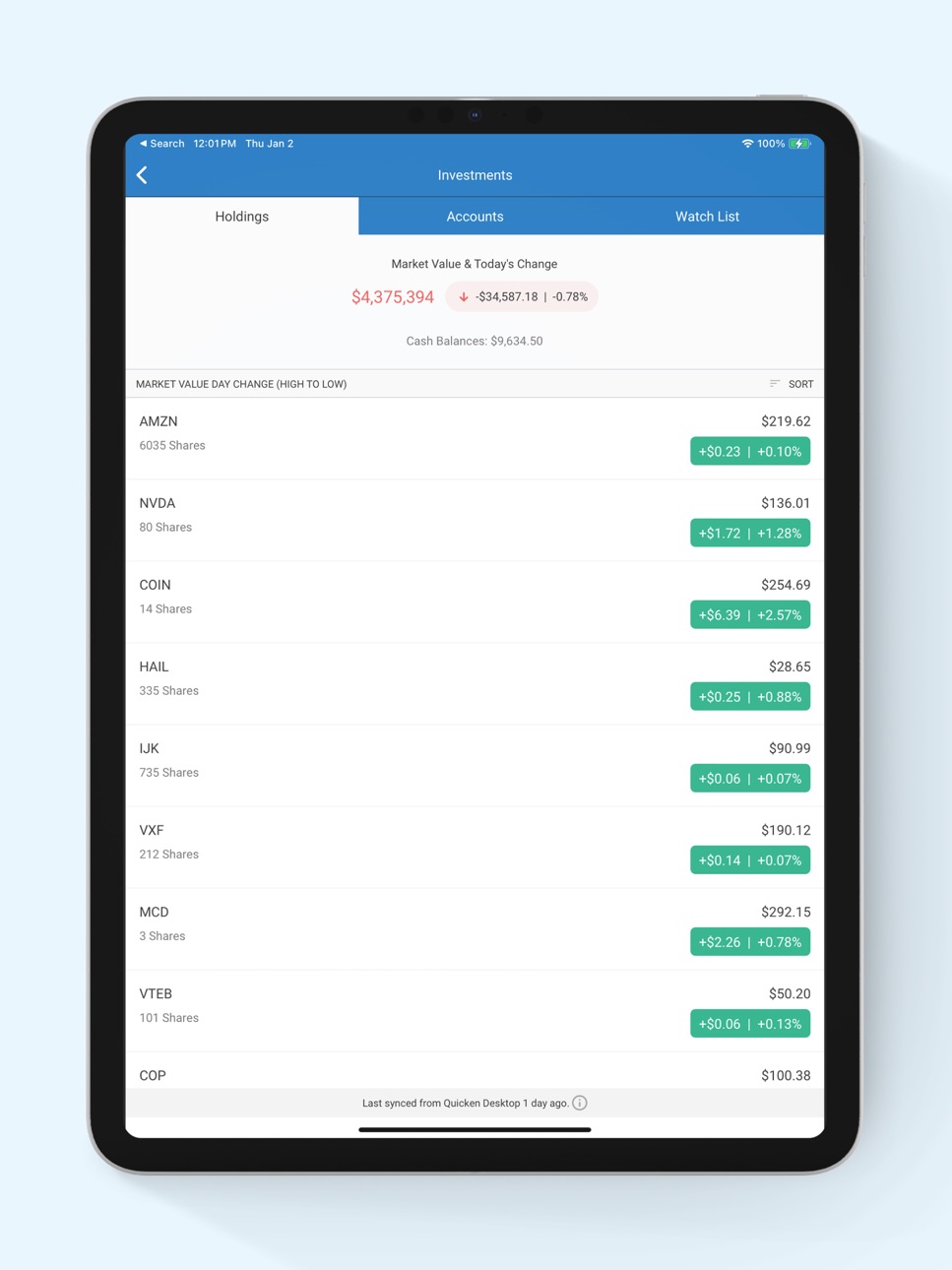
iPad 7 images



What’s New Version 8.3.0
• New: Dark mode is now available.
• New: A What's New screen now appears when you update the app.
• New: Itemized Payee Report is now available.
• Fixed: Investment holdings disappeared when the device went offline.
• Fixed: Extra reminder created when using the "To Pay Estimated Taxes" frequency.
• Fixed: Manage Accounts screen became unresponsive after renaming an account.
• Fixed: Running balance option was hidden on iPhone SE in the Reminders sheet.
Description
App Features:
• Automatically syncs your desktop and mobile data
• View your balances, accounts, and transactions
• See spending trends and check your budget
• Enter transactions as you spend even when you are not connected to the internet
• Search transaction history
• Split transactions for an accurate view of spending
• Snap and store a picture of your receipt
Technical Requirements: currently supports iOS and iPadOS devices running iOS 11 or higher.
Data Security and Information Privacy:
• Passcode-protected and backed by 256-bit encryption
• Data access guarantee: Always have full access to and ownership of your data
Accessibility
ipadiphonemacrealityDevicetvoswatch
Version history 25 versions
Build 887283472v8.3.02026-06-23 00:31:16
• New: Dark mode is now available.
• New: A What's New screen now appears when you update the app.
• New: Itemized Payee Report is now available.
• Fixed: Investment holdings disappeared when the device went offline.
• Fixed: Extra reminder created when using the "To Pay Estimated Taxes" frequency.
• Fixed: Manage Accounts screen became unresponsive after renaming an account.
• Fixed: Running balance option was hidden on iPhone SE in the Reminders sheet.
Build 884748995v8.2.02026-04-22 17:09:02
FIXED:
Manual securities sort and display issue.
IMPROVED:
Added a Payee breakdown option to the Income vs. Expense report.
Added the Itemized Transactions report.
Added None and Yearly interval options to the Income vs. Expense report.
Added a "Don't ask again" option to the new cloud account alert.
Build 882952016v8.1.12026-03-04 15:14:07
Bug fixes and improvements.
Build 882809634v8.1.02026-02-28 02:16:48
Bug fixes and improvements.
Build 882449034v8.0.12026-02-17 15:51:01
Bug fixes and improvements.
Build 881974094v8.0.02026-02-01 10:51:01
Bug fixes and improvements.
Build 878387451v7.8.02025-09-25 07:49:45
NEW:
Added Income vs. Expense report by category in Quicken Mobile.
Added last sync timestamp from desktop to Quicken mobile.
FIXED:
Pending transactions no longer affect the account balance.
Multi-editing transactions no longer create duplicate payees.
Filtering by “Uncategorized” in advanced search now correct.
Linked transfer amount now updates correctly when a split is removed.
Manual match now uses the latest reminder instead of an overdue one.
Build 876514406v7.7.32025-07-22 08:06:49
Fixed: Improvement and Bug Fixes.
Build 876032716v7.7.22025-07-02 06:56:35
Fixed:
Manual and reviewed transactions from Quicken Classic for Windows could be incorrectly marked as unreviewed or reviewed.
Balance mismatches when Compare to Register was turned on in Quicken Classic for Windows.
Running balances now stay hidden for cloud-sync transactions until accepted when Compare to Register is on.
Build 875535279v7.7.12025-06-12 13:08:18
Fixed:
Improvement and Bug Fixes
Build 875253565v7.7.02025-06-03 08:35:17
Improved:
Support for rules by amount/account.
Category shown in QuickFill payee list.
Investment quote timestamps with market update time.
Alert when new cloud account is available.
Fixed:
Matching/un-matching issues.
Unresponsive Continue button.
Issues with splits.
Build 875000340v7.6.12025-05-23 19:29:10
Fixed:
Improvement and Bug Fixes.
Build 871503650v7.6.02025-02-06 18:34:07
Improved:
Improved dataset sharing and access management.
Fixed the field label in the mobile companion app, changing "Notes" to "Memo" for consistency with desktop versions.
Fixed:
Fixed an issue where accounts were duplicated on mobile after disabling and re-enabling sync on Mac.
Fixed an issue where transaction search by tag was not working.
Build 871184819v7.5.22024-12-19 10:03:04
Improvement and Bug Fixes.
Build 870509395v7.5.12024-12-02 07:06:32
Fixed:
Incorrect category selection after payee changes.
Missing bill counts, default sort options, and transaction data on Dashboard cards.
Offline icon, Dashboard months, and recent transactions now update correctly.
Category names no longer change to numeric digits.
Balance calculation errors in memorized payee splits fixed.
Duplicate images cannot be added in the same session.
Back button on 'Customize Dashboard' navigates to 'Settings.'
Fixed:
Incorrect category selection after payee changes.
Missing bill counts, default sort options, and transaction data on Dashboard cards.
Offline icon, Dashboard months, and recent transactions now update correctly.
Category names no longer change to numeric digits.
Balance calculation errors in memorized payee splits fixed.
Duplicate images cannot be added in the same session.
Back button on 'Customize Dashboard' navigates to 'Settings.'
Bugs that caused internal tracking errors in specific workflows.
Build 869461653v7.4.12024-10-03 18:31:14
Fixed:
Customer-reported issue for better app stability.
Build 869094778v7.4.02024-09-19 00:13:22
What’s Fixed:
• Time zone inaccuracies.
• Unable to swipe right to mark a transaction as reviewed.
• Issues with multi-edit selection, cancellation, and navigating back to register
• Amount field obscured by number pad under memorized payees.
• Issues filtering payee names.
• Issues updating split transactions.
• Offline message display.
• The data file selection screen was available when there were no data files.
• Issue with swipe gesture display changes.
Build 867908007v7.3.12024-08-01 20:02:02
Improved:
Added ability to select the date range for data to be included so smaller date ranges can be worked with to improve speed.
Build 867850246v7.3.02024-07-30 20:09:36
Improved:
Added ability to select the date range for data to be included so smaller date ranges can be worked with to improve speed.
Build 866245750v7.2.02024-05-28 00:33:09
What’s Improved:
Migrated chat to a new system.
What’s Fixed:
Resolved multiple user interface issues.
Build 865719139v7.1.12024-05-22 14:44:19
Improved:
Minor code improvement.
Build 865214344v7.1.02024-04-16 00:48:51
Fixed:
Several calendar display issues.
Refreshing caused stock holding values to double or triple.
Some investment holdings were visible on the web but not in the app.
Date label appeared twice when using the "Payee name" filter with Running Balance enabled.
Pending transaction status display issues.
Swipe option was displayed for future dated gross paycheck reminder instances.
An undefined screen title appeared when switching between datasets.
Build 864693655v7.0.32024-03-26 12:36:59
Addressed internal issue.
Build 864145091v7.0.22024-03-02 14:39:58
Re-introduced a Mixpanel event that includes the user dataset's platform information.
Build 863809682v7.0.12024-02-16 20:22:30
Improved the architecture of the app to bring you an enhanced version for a better experience.
No pricing data captured yet — comparisons appear once the app has paid storefronts or in-app purchases.
Availability 2 of 87 storefronts
| Region | Language | Price | Ratings | Avg | Version |
|---|---|---|---|---|---|
| US | en-US | Free | 14.8k | 4.6 | 8.3.0 |
| CA | en-CA | Free | 761 | 4.6 | 8.3.0 |
Not available in: AE, AF, AL, AM, AT, AU, AZ, BA, BE, BG, BH, BM, BY, CH, CN, CY, CZ, DE, DK, EE, ES, FM, FR, GB, GE, GR, HK, HR, HU, ID, IE, IL, IN, IS, IT, JO, JP, KG, KH, KR, KW, LK, LT, LU, LV, MD, ME, MK, MN, MO, MR, MT, MY, NL, NO, NP, NR, NZ, OM, PG, PH, PK, PL, PT, PW, QA, RO, RS, SA, SB, SE, SG, SI, SK, TH, TO, TR, TW, UA, UZ, VN, VU, XK, YE, ZA
Change log 29 changes · US
✎
releaseNotes updated
• New: Dark mode is now available.
• New: A What's New screen now appears when you update the app.
• New: Itemized Payee Report is now available.
• Fixed: Inves
✎
description updated
App Features:
• Automatically syncs your desktop and mobile data
• View your balances, accounts, and transactions
• See spending trends and check your budget
•
✎
subtitle updated
Companion App
✎
name updated
Quicken Classic
◆
Version 8.3.0 released
• New: Dark mode is now available.
• New: A What's New screen now appears when you update the app.
• New: Itemized Payee Report is now available.
• Fixed: Investment holdings disappeared when the device went offline.
• Fixed: Extra reminder
◆
Version 8.2.0 released
FIXED:
Manual securities sort and display issue.
IMPROVED:
Added a Payee breakdown option to the Income vs. Expense report.
Added the Itemized Transactions report.
Added None and Yearly interval options to the Income vs. Expense report.
Ad
◆
Version 8.1.1 released
Bug fixes and improvements.
◆
Version 8.1.0 released
Bug fixes and improvements.
◆
Version 8.0.1 released
Bug fixes and improvements.
◆
Version 8.0.0 released
Bug fixes and improvements.
◆
Version 7.8.0 released
NEW:
Added Income vs. Expense report by category in Quicken Mobile.
Added last sync timestamp from desktop to Quicken mobile.
FIXED:
Pending transactions no longer affect the account balance.
Multi-editing transactions no longer create dup
◆
Version 7.7.3 released
Fixed: Improvement and Bug Fixes.
◆
Version 7.7.2 released
Fixed:
Manual and reviewed transactions from Quicken Classic for Windows could be incorrectly marked as unreviewed or reviewed.
Balance mismatches when Compare to Register was turned on in Quicken Classic for Windows.
Running balances now s
◆
Version 7.7.1 released
Fixed:
Improvement and Bug Fixes
◆
Version 7.7.0 released
Improved:
Support for rules by amount/account.
Category shown in QuickFill payee list.
Investment quote timestamps with market update time.
Alert when new cloud account is available.
Fixed:
Matching/un-matching issues.
Unresponsive Continu
◆
Version 7.6.1 released
Fixed:
Improvement and Bug Fixes.
◆
Version 7.6.0 released
Improved:
Improved dataset sharing and access management.
Fixed the field label in the mobile companion app, changing "Notes" to "Memo" for consistency with desktop versions.
Fixed:
Fixed an issue where accounts were duplicated on mobile a
◆
Version 7.5.2 released
Improvement and Bug Fixes.
◆
Version 7.5.1 released
Fixed:
Incorrect category selection after payee changes.
Missing bill counts, default sort options, and transaction data on Dashboard cards.
Offline icon, Dashboard months, and recent transactions now update correctly.
Category names no
◆
Version 7.4.1 released
Fixed:
Customer-reported issue for better app stability.
◆
Version 7.4.0 released
What’s Fixed:
• Time zone inaccuracies.
• Unable to swipe right to mark a transaction as reviewed.
• Issues with multi-edit selection, cancellation, and navigating back to register
• Amount field obscured by number pad under memorized paye
◆
Version 7.3.1 released
Improved:
Added ability to select the date range for data to be included so smaller date ranges can be worked with to improve speed.
◆
Version 7.3.0 released
Improved:
Added ability to select the date range for data to be included so smaller date ranges can be worked with to improve speed.
◆
Version 7.2.0 released
What’s Improved:
Migrated chat to a new system.
What’s Fixed:
Resolved multiple user interface issues.
◆
Version 7.1.1 released
Improved:
Minor code improvement.
◆
Version 7.1.0 released
Fixed:
Several calendar display issues.
Refreshing caused stock holding values to double or triple.
Some investment holdings were visible on the web but not in the app.
Date label appeared twice when using the "Payee name" filter with Runni
◆
Version 7.0.3 released
Addressed internal issue.
◆
Version 7.0.2 released
Re-introduced a Mixpanel event that includes the user dataset's platform information.
◆
Version 7.0.1 released
Improved the architecture of the app to bring you an enhanced version for a better experience.