Home › Graphics & Design

 US
US
USen-US GBen-GB
 CAen-CA
 SAen-GB
 MXes-MX
 AUen-AU
 BRpt-BR
 FRfr-FR
 IDen-GB
 DEde-DE
 ITit
ITit CLes-MX
 ESes-ES
 PLen-GB
 NOen-GB
 ARes-MX
 ILen-GB
 NZen-AU
 COes-MX
 PEes-MX
 IEen-GB
 PTpt-PT
 DOes-MX
 EGen-GB
 CZen-GB
 ECes-MX
 IQen-GB
 HUen-GB
 CRes-MX
 GTes-MX
 PAes-MX
 VEes-MX
 HNes-MX
 LBen-GB
 SKen-GB
 DZen-GB
 UYen-GB
 SVes-MX
 PYes-MX
 NGen-GB
 MAen-GB
 NIes-MX
 JMen-GB
 BOes-MX
 TTen-GB
 CYen-GB
 AOen-GB
 KEen-GB
 TNen-GB
 SNen-GB
 BSen-GB
 GHen-GB
 LYen-GB
 BWen-GB
 BZen-GB
 GYen-GB
 MEen-GB
 MUen-GB
 ZWen-GB
 NAen-GB
 CDen-GB
 CIfr-FR
 MGen-GB
 AIen-GB
 SRen-GB
 BBen-GB
 KYen-GB
 CGen-GB
 TCen-GB
 AGen-GB
 UGen-GB
 MZen-GB
 VGen-GB
 DMen-GB
 TZen-GB
 CMfr-FR
 MLen-GB
 ZMen-GB
 BFen-GB
 BJen-GB
 GDen-GB
 VCen-GB
 RWen-GB
 GMen-GB
 KNen-GB
 LCen-GB
 MWen-GB
 GAfr-FR
 NEen-GB
 LRen-GB
 SCen-GB
 SLen-GB
 STen-GB
 TDen-GB
 CVen-GB
 SZen-GB
 GWen-GB
 MSen-GB
98 of 98 storefronts
Content in en-US
Content in en-US
Information
Preview 2 platforms

iPhone 10 images


iPad 10 images





What’s New Version 14.0.6
Thank you for using ibisPaint X!
The summary of this update is as follows.
[New Features]
- You can now install brushes from the install button on ibispaint.com brush pattern artwork pages, even when the page is opened in an external browser.
[Improvements, Changes]
- Moved the checkmark indicating the selected item from the right to the left in selection menus.
- Changed the position of toast notifications that may appear when using keyboard shortcuts from the center of the application to the top.
- Changed the behavior when changing colors while using the Bezier Curve Drawing tool or Polyline Drawing tool with Lasso Fill. Previously, the shape being drawn was implicitly finalized; now, only the color changes without finalizing the shape.
- The specification for artworks displayed in the rankings on the app's title screen has been changed. Only artworks from the ibispaint.com rankings that have been reviewed by us are now displayed.
- Web pages opened from the app will now open in an external browser instead of within the app.
- We removed multi-page artwork categories (Manga Books (Original), Manga Books (Fan Art), and Multiple Pages (Other)) from the categories that can be selected in the rankings on the app's title screen.
[Fixed Bugs and Problems]
- Fixed a bug where layer images could become corrupted with a diagonal skew.
- Fixed an issue where the application could crash when using specific keyboard shortcuts while launching Filter, Color Range, or Expand/Contract Selection Area.
- Fixed an issue where switching between Lasso Fill and Lasso Eraser could also affect shapes that were already drawn when using certain shape tools.
- Fixed an issue where the app could crash when applying the Replace Color Filter.
- Fixed a bug where JPEG files with color profiles could not be imported.
- Fixed a bug that could cause an error when copying a layer folder containing vector layers or text layers in an artwork with a large canvas size.
- Fixed an issue where changing the color after drawing a shape with Lasso Fill could also change the color of the already-drawn shape when using certain shape tools.
- Fixed an issue where the reorder handle was enabled even when there was only one Color Palette.
- Fixed an issue where shapes drawn on vector layers could appear differently during artwork playback under specific conditions.
- Fixed an issue where short brush strokes (strokes made by tapping) created in app versions earlier than 13.1.18 were not played back correctly.
- Fixed a crash that could occur when playing back a work containing a vector layer under specific conditions.
- Fixed a bug where the automatic restoration of an artwork could be misjudged as successful even when it had actually failed under certain conditions.
- Fixed an issue where the app could crash when applying the Waterdrop (Rounded) filter with the reference set to Lower Layer.
- Fixed an issue where the "About Cloud Storage" page could display content intended for other platforms on certain devices.
- Fixed an issue where the error message was not displayed correctly when an artwork upload failed.
- Fixed an issue where attempting to draw on a raster layer with certain locked brushes could cause the app to crash.
- Fixed an issue on iPadOS 26 and later where tapping a button within My Gallery could cause unintended scrolling in the artwork list.
Description
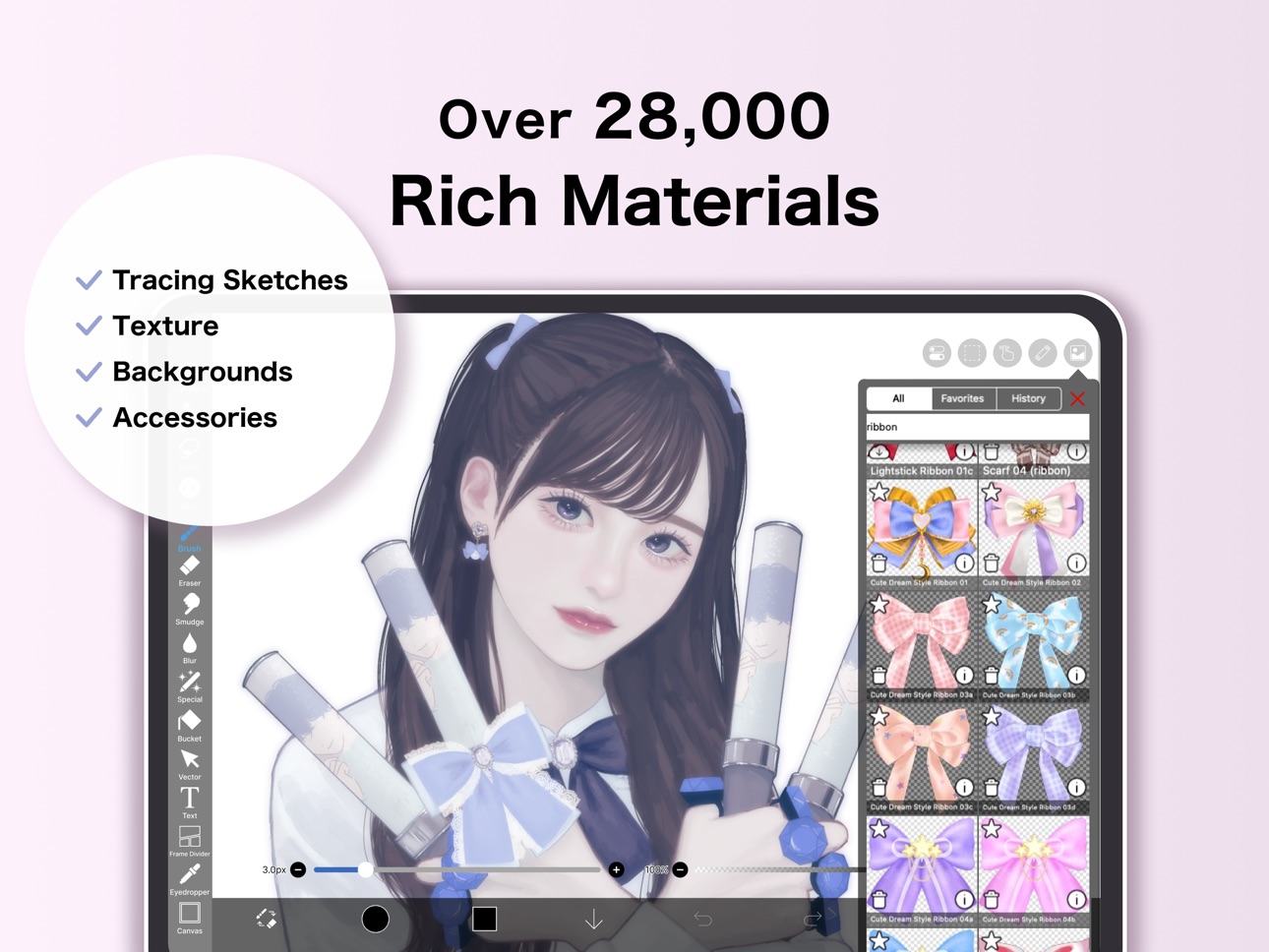
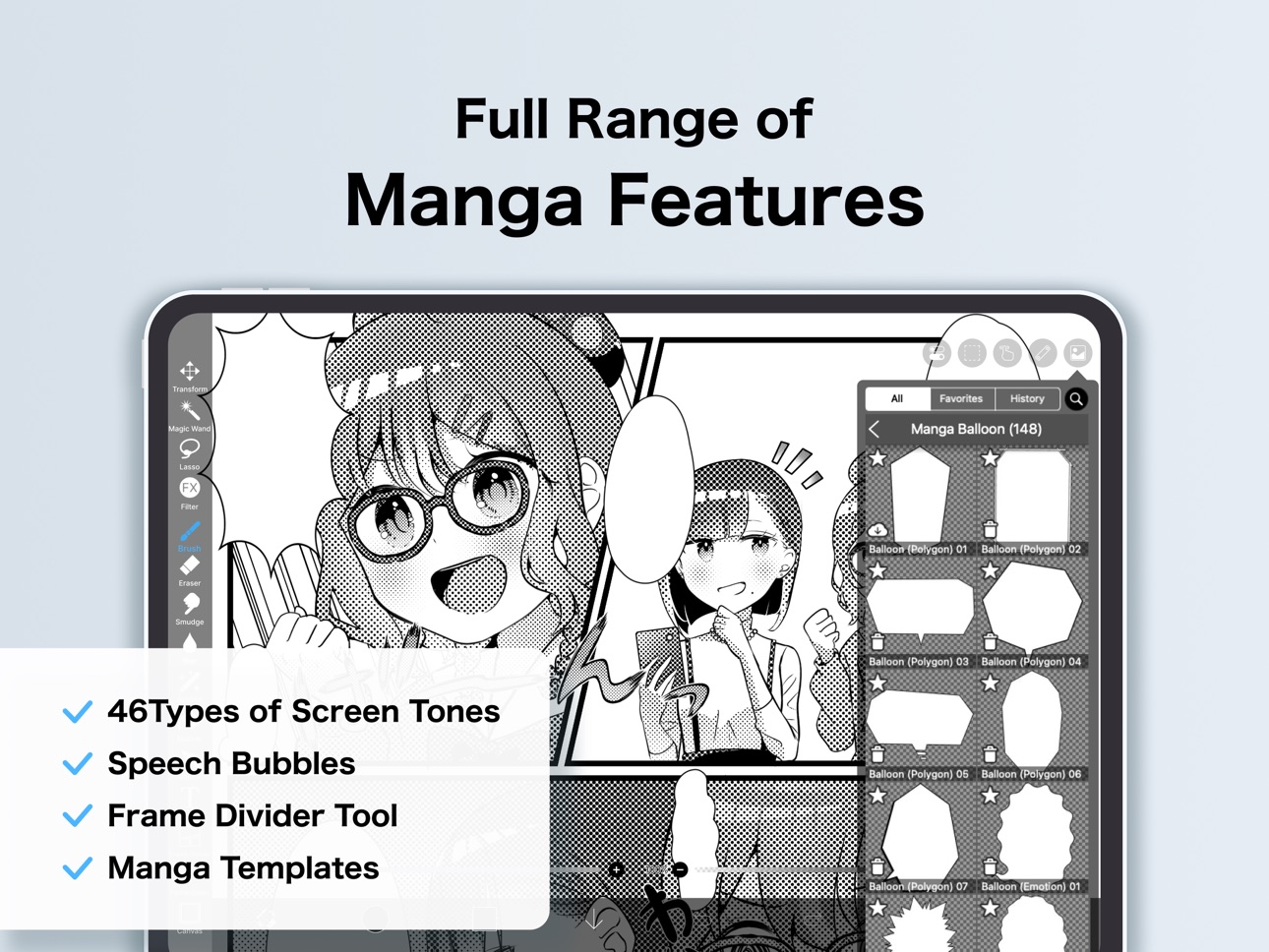
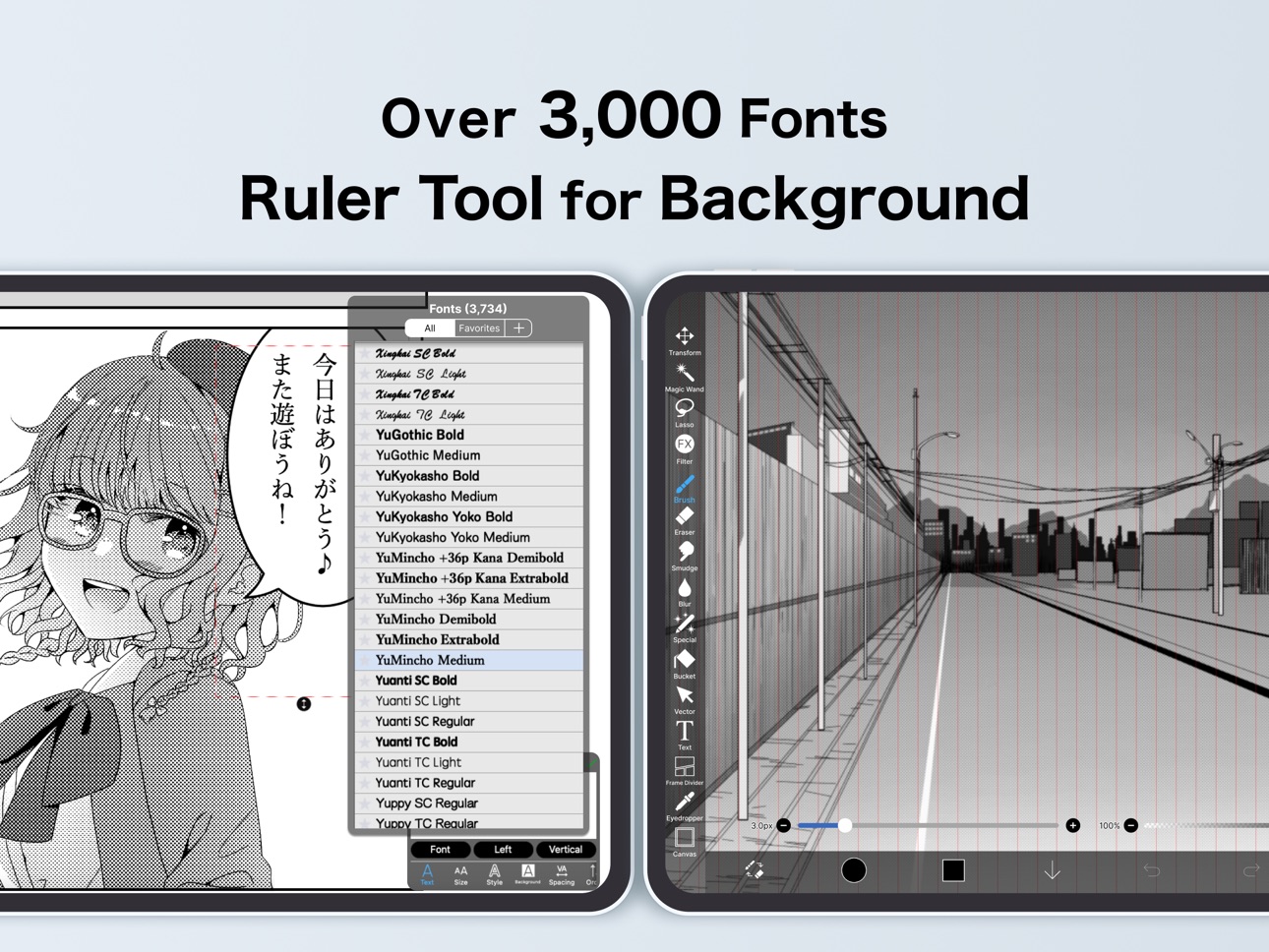
ibis Paint X is a popular and versatile drawing app downloaded more than 500 million times in total as a series, which provides over 105,000 brushes, over 29,000 materials, over 3,000 fonts, 84 filters, 46 screentones, 27 blending modes, recording drawing processes, stroke stabilization feature, various ruler features such as radial line rulers or symmetry rulers, clipping mask features.
*YouTube channel
Many tutorial videos on ibis Paint are uploaded to our YouTube channel.
Subscribe it!
https://youtube.com/ibisPaint
*Concept/Features
- A Highly functional and professional features surpassing that of desktop drawing apps.
- Smooth and comfortable drawing experience realized by OpenGL technology.
- Recording your drawing process as a video.
- SNS feature where you can learn drawing techniques from other users' drawing process videos.
*Feedback from users
We receive many good reputations from users.
- I could have never assumed that I can draw such a beautiful drawings on smartphones!
- Easiest to use among all drawing apps!
- I have learned how to draw digital drawings without Mac or PC!
*Features
ibis Paint has high functionality as a drawing app along with features of sharing drawing processes with other users.
[Brush Features]
- Smooth drawing at up to 120 fps.
- Over 105,000 kinds of brushes including dip pens, felt tip pens, digital pens, air brushes, fan brushes, flat brushes, pencils, oil brushes, charcoal brushes, crayons and stamps.
[Layer Features]
- You can add layers as many as you need with no limit.
- Layer parameters that can be set to each layers individually such as layer opacity, alpha blending, adding, subtracting, and multiplying.
- A handy clipping feature for clipping images, etc.
- Various layer commands such as layer duplication, import from the photo library, horizontal inversion, vertical inversion, layer rotation, layer moving, and zooming in/out.
- A feature for setting layer names to distinguish different layers.
[Manga Features]
- Advanced text tool function featuring Vertical, Horizontal, Stroke, Font select, and Multiple text functions.
*About ibis Paint purchase plan
The following purchase plans are available for ibis Paint:
- ibis Paint X (free version)
- ibis Paint (paid version)
- Ad Removal Upgrade
- Premium Membership (Monthly plan / Yearly plan)
There is no difference in features other than the presence or absence of advertisements for the paid version and the free version.
If you purchase the Ad Removal Upgrade, the ads will not be displayed and there will be no difference from the paid version of ibis Paint.
In order to use more advanced functions, the following Premium Membership (Monthly plan / Yearly plan) contracts are required.
[Premium Membership]
A premium member can use the premium features. Only for the first time, a 7-day or 1-month free trial is available. Premium membership entitles you to the following features.
- 20GB of cloud storage capacity
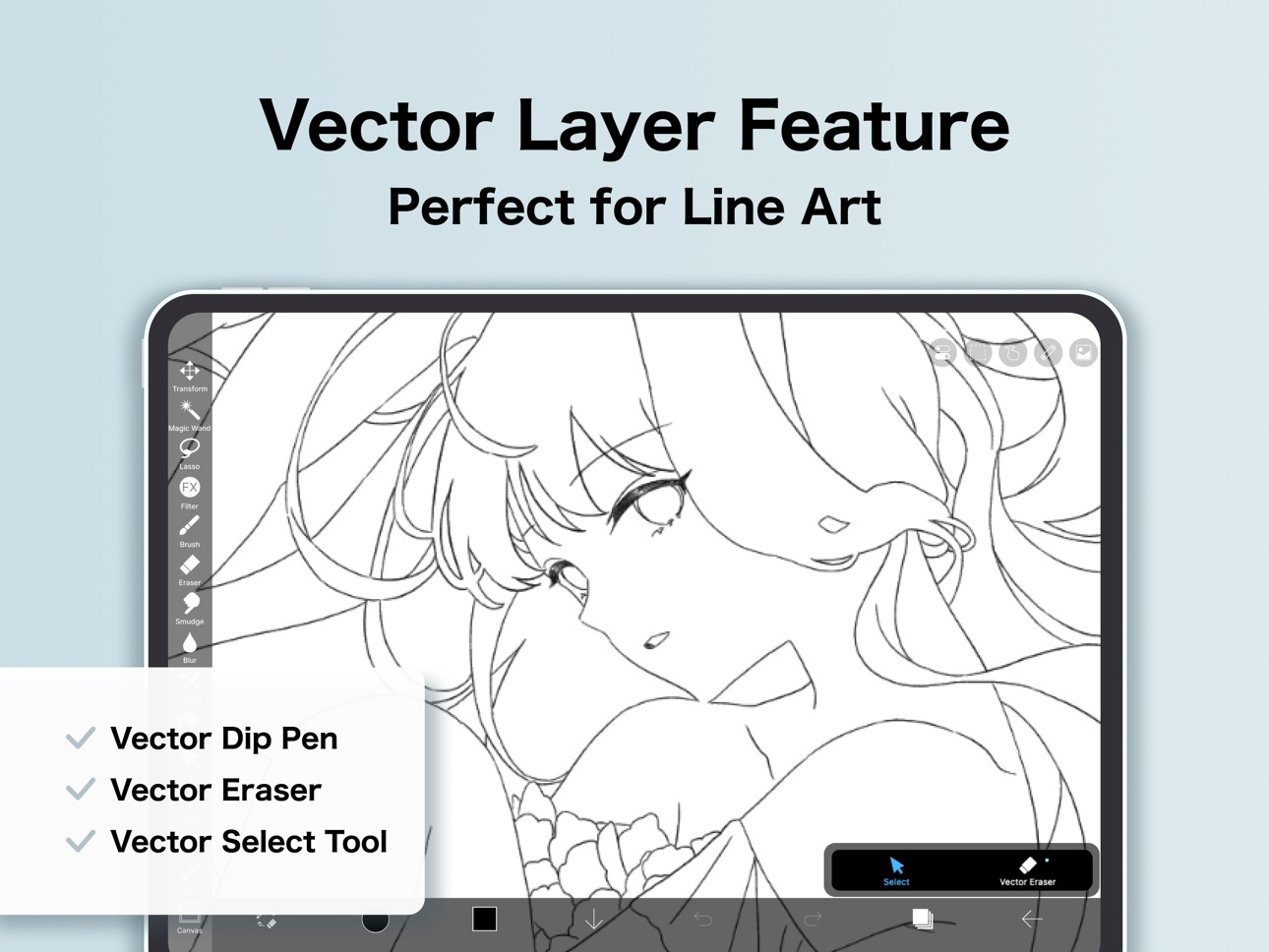
- Vector tool(*1)
- Premium Materials
- Premium Canvas Papers
- Premium Fonts
- Tone Curve filter
- Gradation Map filter
- Levels Adjustment filter
- Premium Adjustment Layers
- Surrounding Fill・Surrounding Eraser
- AI Disturbance
- Artwork folder feature
- Import original brush patterns
- Creating multiple Color Palettes
- CMYK export
- Remove watermark from videos
- No advertisements displayed
- Plus many other features exclusive to Premium Membership!
(*1) You can try it for free for up to 1 hour per day.
* After you become a Premium Membership with a free trial, renewal fee will be charged automatically unless you cancel your Premium Membership at least 24 hours before the end of the free trial period.
* We will add premium features in future, please look out for them.
*Questions and support
Questions and bug reports in reviews will not be responded to, so please contact ibis Paint support.
https://ssl.ibis.ne.jp/en/support/Entry?svid=25
*ibisPaint's terms of service
https://ibispaint.com/agreement.jsp
In-App Purchases US pricing
ibis Paint X Subscription
Premium Membership (Monthly plan) · Monthly 7-day free trial$2.99
Premium Membership (Yearly plan) · Yearly 1-month free trial$27.99
One-Time Purchases
Ad Removal Upgrade$15.99
Capabilities
In-App Purchases
Accessibility
ipadiphonemacrealityDevicetvoswatch
Version history 25 versions
Build 887366556v14.0.62026-07-05 23:14:42
Thank you for using ibisPaint X!
The summary of this update is as follows.
[New Features]
- You can now install brushes from the install button on ibispaint.com brush pattern artwork pages, even when the page is opened in an external browser.
[Improvements, Changes]
- Moved the checkmark indicating the selected item from the right to the left in selection menus.
- Changed the position of toast notifications that may appear when using keyboard shortcuts from the center of the application to the top.
- Changed the behavior when changing colors while using the Bezier Curve Drawing tool or Polyline Drawing tool with Lasso Fill. Previously, the shape being drawn was implicitly finalized; now, only the color changes without finalizing the shape.
- The specification for artworks displayed in the rankings on the app's title screen has been changed. Only artworks from the ibispaint.com rankings that have been reviewed by us are now displayed.
- Web pages opened from the app will now open in an external browser instead of within the app.
- We removed multi-page artwork categories (Manga Books (Original), Manga Books (Fan Art), and Multiple Pages (Other)) from the categories that can be selected in the rankings on the app's title screen.
[Fixed Bugs and Problems]
- Fixed a bug where layer images could become corrupted with a diagonal skew.
- Fixed an issue where the application could crash when using specific keyboard shortcuts while launching Filter, Color Range, or Expand/Contract Selection Area.
- Fixed an issue where switching between Lasso Fill and Lasso Eraser could also affect shapes that were already drawn when using certain shape tools.
- Fixed an issue where the app could crash when applying the Replace Color Filter.
- Fixed a bug where JPEG files with color profiles could not be imported.
- Fixed a bug that could cause an error when copying a layer folder containing vector layers or text layers in an artwork with a large canvas size.
- Fixed an issue where changing the color after drawing a shape with Lasso Fill could also change the color of the already-drawn shape when using certain shape tools.
- Fixed an issue where the reorder handle was enabled even when there was only one Color Palette.
- Fixed an issue where shapes drawn on vector layers could appear differently during artwork playback under specific conditions.
- Fixed an issue where short brush strokes (strokes made by tapping) created in app versions earlier than 13.1.18 were not played back correctly.
- Fixed a crash that could occur when playing back a work containing a vector layer under specific conditions.
- Fixed a bug where the automatic restoration of an artwork could be misjudged as successful even when it had actually failed under certain conditions.
- Fixed an issue where the app could crash when applying the Waterdrop (Rounded) filter with the reference set to Lower Layer.
- Fixed an issue where the "About Cloud Storage" page could display content intended for other platforms on certain devices.
- Fixed an issue where the error message was not displayed correctly when an artwork upload failed.
- Fixed an issue where attempting to draw on a raster layer with certain locked brushes could cause the app to crash.
- Fixed an issue on iPadOS 26 and later where tapping a button within My Gallery could cause unintended scrolling in the artwork list.
Build 885103728v14.0.22026-05-25 05:12:18
Thank you for using ibisPaint X!
The summary of this update is as follows.
[New Features]
- Added support for Deco mini7W V2. (Available via Bluetooth connection)
[Improvements, Changes]
- When transforming shapes created with the symmetry ruler using the Translate Scale command, their appearance remains unchanged before and after confirming the transformation.
- Renamed the shortcut command from "Save Canvas as PNG" to "Open Save Image window".
- The Cancel button in the Transform Tool has been moved back to the bottom.
- An icon has been added to the Edit Canvas Size button in the Create New window.
- Improved the UI of the Rain Filter.
[Fixed Bugs and Problems]
- Fixed an issue where the playback of "Invert Color", "Clear White", "Flip Layer" and "Flip canvas" were incorrect with locked layers.
- Fixed an issue where the Wave adjustment layer was not flipped correctly with certain parameters when flipping horizontally or vertically.
- Fixed an issue where, when switching the artwork size between portrait and landscape orientation, the appearance of the Wave adjustment layer changed more than expected.
- Fixed an issue where dragging the canvas while closing some windows could prevent drawing on the canvas afterward.
- Fixed an issue where undoing "Reorder Frame" in an animation artwork could mistakenly undo "Change Current Frame".
- Fixed an issue where the scrollbar in a floating window would not fade out.
- Fixed a bug where the Tool Selection bar would scroll even when there was enough vertical space when it was positioned on the side of the screen.
- Fixed an issue where the brush "Chain 8 (Color)" was incorrectly displayed as "Chain 8 (Outline, Color)".
- Fixed an issue where the first image would be imported twice when another image import was initiated while an image import was already in progress.
- Fixed an issue where the Deco SE was not recognized correctly when connected.
Build 884351802v14.0.12026-04-12 23:31:23
Thank you for using ibisPaint X!
The summary of this update is as follows.
[Fixed Bugs and Problems]
- Fixed a crash that could occur when clearing a layer.
- Fixed a crash that occurred when using the "Lasso Selection" feature to the Vector tool, Text tool, and Frame Divider tool while a window close animation was playing.
- Fixed an issue where the app could crash when image saving completed.
- Fixed an issue where the app could crash during color palette merging, renaming, or color palette QR code importing.
- Fixed a bug where the app could crash when deleting an artwork in My Gallery.
- Fixed an issue where the app became unresponsive after closing the paywall at startup.
- Fixed a bug where the app could crash when using the “Parallel Gradation", “Concentric Gradation” or “Radial Line Gradation”.
[New Features in ver. 14.0.0]
- You can now create and name multiple color palettes for easier management.
- Added a feature to share color palettes via QR code.
- Brushes in the "Basic" tab of the Brush window are now organized by category.
- Added support for selecting CMYK colors when saving artwork as a JPEG or flattened layer PSD file.
- Added support for selecting grayscale (8bit) color space when saving artwork as a PNG or JPEG file.
- Added support for selecting binary (1bit) color space when saving artwork as an opaque PNG file.
- Added "Speech Bubble" to the Shape tool.
- Added "Thin Arrow" to the Shape tool.
- You can now adjust the position, shape, and other properties of a shape before finalizing it in the Shape tool.
- Added an "Anti-aliasing" option available when "Fill" is enabled in the Shape Tool. When turned on, it smooths the edges of the filled area.
- Added "Draw Line by Brush" to the Shape tool settings.
- Added new special pens: “Parallel Gradation Pen” and “Concentric Gradation Pen”.
- Added knobs to move the start and end points of the gradation in “Parallel Gradation” and "Concentric Gradation".
- Added "Transparent-Current Color" to preset of gradation slider.
- Added new parameter “Extension Method” to “Parallel Gradation” and "Concentric Gradation”.
- For iPad, added the floating view of the Color window.
- Added a graph to the "Dynamic" tab of each brush setting to customize the response of size and opacity to pen pressure.
- Added a Brush Lock feature. You can access it via the lock icon located in the top-right corner of each brush's settings screen.
- Added the Brush Cursor feature. When using a stylus with hover support, you can now display the brush pattern on the screen while hovering. To enable this, go to the "Stylus" section in the Settings window and select "Brush Pattern" under "Brush Cursor while Hovering."
- Added "Lasso Selection" feature to the Vector tool, Text tool, and Frame Divider tool.
- Some filters in the "Art," "Pixelate," and "Transform" categories can now be used as adjustment layers.
- Significantly expanded keyboard shortcuts. Press "Shift + /" to view the list and customize assignments.
- Added a Layer Lock feature. You can toggle the lock via the menu accessed through the "⋮" button in the Layer window.
Build 883652420v14.0.02026-03-31 00:42:16
Thank you for using ibisPaint X!
The summary of this update is as follows.
[New Features]
- You can now create and name multiple color palettes for easier management.
- Added a feature to share color palettes via QR code.
- Brushes in the "Basic" tab of the Brush window are now organized by category.
- Added support for selecting CMYK colors when saving artwork as a JPEG or flattened layer PSD file.
- Added support for selecting grayscale (8bit) color space when saving artwork as a PNG or JPEG file.
- Added support for selecting binary (1bit) color space when saving artwork as an opaque PNG file.
- Added "Speech Bubble" to the Shape tool.
- Added "Thin Arrow" to the Shape tool.
- You can now adjust the position, shape, and other properties of a shape before finalizing it in the Shape tool.
- Added an "Anti-aliasing" option available when "Fill" is enabled in the Shape Tool. When turned on, it smooths the edges of the filled area.
- Added "Draw Line by Brush" to the Shape tool settings.
- Added new special pens: “Parallel Gradation Pen” and “Concentric Gradation Pen”.
- Added knobs to move the start and end points of the gradation in “Parallel Gradation” and "Concentric Gradation".
- Added "Transparent-Current Color" to preset of gradation slider.
- Added new parameter “Extension Method” to “Parallel Gradation” and "Concentric Gradation”.
- For iPad, added the floating view of the Color window.
- Added a graph to the "Dynamic" tab of each brush setting to customize the response of size and opacity to pen pressure.
- Added a Brush Lock feature. You can access it via the lock icon located in the top-right corner of each brush's settings screen.
- Added the Brush Cursor feature. When using a stylus with hover support, you can now display the brush pattern on the screen while hovering. To enable this, go to the "Stylus" section in the Settings window and select "Brush Pattern" under "Brush Cursor while Hovering."
- Added "Lasso Selection" feature to the Vector tool, Text tool, and Frame Divider tool.
- Some filters in the "Art," "Pixelate," and "Transform" categories can now be used as adjustment layers.
- Significantly expanded keyboard shortcuts. Press "Shift + /" to view the list and customize assignments.
- Added a Layer Lock feature. You can toggle the lock via the menu accessed through the "⋮" button in the Layer window.
[Improvements, Changes]
- Remade the Blending Modes “Hue”, "Saturation", and "Color" to be more compatible with other companies' products.
- Remade the Blending Modes “Hard Mix" and "Vivid Light" to be more compatible with other companies' products.
- You can now save an artwork as a flattened layer PSD file via the File menu.
- In My Gallery, saving your artwork as a PSD file is now done via the "Save Image" menu.
- You can now apply AI Super-resolution x2 and/or AI Disturbance when saving your artwork as a flattened layer PSD file.
- You can now scroll by dragging the scroll bar.
- Several windows have been redesigned.
- Improved the performance while the Floating Layer window is displayed.
- Renamed "Drawing tool" to "Shape tool".
- Shape tool settings are now saved individually for each shape.
- You can now change the number using the up/down arrow keys or Shift + up/down arrow keys while the Numeric Input window is displayed.
- You can now reorder colors in the color palette.
- Changed the animation when the Floating Layer window disappears.
- Added new brushes "Impasto Brush", "Ink Bleed Pen", "Sketch Pencil", "Textured Marker (Square)", "Textured Marker (Rectangle)", "Canvas Brush", "Matte Pastel" and "Expressive Pastel".
- Renamed subscription "Prime Membership" to "Premium Membership" in English and replaced all other instances of "Prime" with "Premium." Updated other languages accordingly to translate from "Premium."
- Renamed the in-app purchase item "Remove Ads Add-on" to "Ad Removal Upgrade."
etc.
For more details, see: https://ibispaint.com/historyAndRights.jsp?newsID=256373832
Build 880596193v13.1.182026-01-15 01:12:32
Thank you for using ibisPaint X!
The summary of this update is as follows.
[Improvements, Changes]
- Changed the menu item icon for the Brush QR code export/import.
- Changed the preferred action for some of alerts.
- When deleting a selected vertex in the Bézier Curve and Polyline Drawing tools, the last vertex will now be selected.
- Enabled translation and scaling for vector layers containing brush shapes with the Translate Scale tool without rasterization for users without Prime Membership.
- Changed so that when playing an animation artwork, tapping frames on the Animation toolbar stops the playback.
- Changed the app name shown under the app icon in some languages.
[Fixed Bugs and Problems]
- Fixed an issue where creating a folder from the popup displayed in My Gallery could occasionally cause the app to crash.
- Fixed a rendering issue where opacity appeared incorrect when clipping to an adjustment layer set to less than 100% opacity.
- Fixed an issue where the radius knob might become unresponsive when a rounded rectangle shape is tilted.
- Fixed an issue where the layout became distorted after navigating to the login screen from the Artwork Information window to upload, then returning back.
- Fixed a bug where the app could sometimes crash when closing the Selection Area window.
- Fixed a rendering issue where filled Bézier curves on the selection layer were displayed incorrectly while being transformed.
- Fixed a bug where the Gradation knob position was misaligned with the touch position when dragging the Gradation knob.
- Fixed a bug where the app could crash when the Canvas screen was closed during Mesh Form.
- Fixed an issue where using certain brushes on vector layers could cause drawings to temporarily appear incorrect.
- Fixed an issue where the wait indicator would continue to spin and not close when saving an image or file.
- Fixed an issue where opacity was sometimes not reflected correctly when drawing with a tap.
- Fixed an issue where outlines and shadows were sometimes rendered incorrectly when using a double color brush with anti-aliasing turned off.
- Fixed an issue in the Bézier curve drawing tool, Polyline drawing tool, and Vector tool’s Edit Vertices mode where the drawing would sometimes become misaligned with the vertex position when the vertex knob was tapped.
- Fixed a bug where Artworks would not be created when sharing files to ibisPaint while having multiple windows open.
- Fixed an issue where the app might become unresponsive after selecting the App Tracking Transparency alert.
[New Features in ver. 13.1.13]
- Now, when you share PNG or JPEG files from other apps to ibisPaint, Artwork will be created from the images.
[New Features in ver. 13.1.1]
- Added a new blending mode "Flat" for brushes, suitable for layering over different colors with either uniform opacity or smoothly graded opacity.
[New Features in ver. 13.1.0]
- Added a "Vector Eraser" feature to the Vector tool.
- Added handles to adjust control points in the Bézier Curve drawing tool and “Edit Vertices” mode of brush shapes.
- Added a feature to simplify brush shapes by reducing the number of vertices.
- Added rounded rectangle to the Drawing tool.
- Quick Eyedropper can now be activated with a right-click of the mouse.
- You can now undo and redo parameter changes in the Filter tool.
Build 880130989v13.1.172025-12-08 00:20:51
Thank you for using ibisPaint X!
The summary of this update is as follows.
[Improvements, Changes]
- Changed advertisements' processing.
[New Features in ver. 13.1.13]
- Now, when you share PNG or JPEG files from other apps to ibisPaint, Artwork will be created from the images.
[New Features in ver. 13.1.1]
- Added a new blending mode "Flat" for brushes, suitable for layering over different colors with either uniform opacity or smoothly graded opacity.
[New Features in ver. 13.1.0]
- Added a "Vector Eraser" feature to the Vector tool.
- Added handles to adjust control points in the Bézier Curve drawing tool and “Edit Vertices” mode of brush shapes.
- Added a feature to simplify brush shapes by reducing the number of vertices.
- Added rounded rectangle to the Drawing tool.
- Quick Eyedropper can now be activated with a right-click of the mouse.
- You can now undo and redo parameter changes in the Filter tool.
[New Features in ver. 13.0.0]
- Added the Original Brush Pattern feature.
- Added the Surrounding Fill and Surrounding Eraser features.
- Added the settings parameter “Time for Activation of Quick Eyedropper”.
- Added the Numeric Keypad where you can enter a numeric value for the Brush size or the Canvas size etc.
- Added a stylus shortcut key for the Switch Tool feature.
- Added a selection of the Palm Rejection type for some styluses.
- Added support for the login with an ibisAccount linked to an X/Facebook/Apple account.
- Added support for the hover feature of the Apple Pencil. Added a switch to the Settings which allows you to turn on/off the Show Cross Mark while Hovering.
- Added support for the Barrel Roll feature of the Apple Pencil Pro.
- Added support for the Squeeze feature of the Apple Pencil Pro.
Build 879925413v13.1.162025-11-26 23:03:24
Thank you for using ibisPaint X!
The summary of this update is as follows.
[Improvements, Changes]
- Fixed the confirmation alert message when importing images or PSDs.
[Fixed Bugs and Problems]
- Fixed a bug where the app could crash when using "Translate Scale" in the Transform tool while a selection area was active and the Vector tool was selecting a brush shape.
- Fixed a bug where the handle mode would sometimes change while dragging a vertex of a Bézier curve.
- Fixed a bug where changes were not saved when adding or removing knobs in the Pressure Adjustment Graph.
- Fixed a bug where Translate Scale with Repeat on a Vector Layer sometimes produced incorrect results.
- Fixed a bug where the automatic restoration process would sometimes fail to start when selecting corrupted artwork in My Gallery.
- Fixed a bug where rotating the screen during hover or drag actions prevented further interaction until hover-up or touch-up occurred.
- Fixed a bug where, when resuming stylus hover, the hover cursor occasionally appeared for a moment at the previous hover end position.
- Fixed a bug where drawing could become incorrect when using "Translate Scale" in the Transform tool on a vector layer while a selection was active.
- Updated the Online Gallery to support the new UI of iOS/iPadOS 26.
- Fixed a bug where an unnecessary alert box (an alert asking to restore the artwork by playback) would sometimes be displayed when sharing artwork from the Share menu.
[New Features in ver. 13.1.13]
- Now, when you share PNG or JPEG files from other apps to ibisPaint, Artwork will be created from the images.
[New Features in ver. 13.1.1]
- Added a new blending mode "Flat" for brushes, suitable for layering over different colors with either uniform opacity or smoothly graded opacity.
[New Features in ver. 13.1.0]
- Added a "Vector Eraser" feature to the Vector tool.
- Added handles to adjust control points in the Bézier Curve drawing tool and “Edit Vertices” mode of brush shapes.
- Added a feature to simplify brush shapes by reducing the number of vertices.
- Added rounded rectangle to the Drawing tool.
- Quick Eyedropper can now be activated with a right-click of the mouse.
- You can now undo and redo parameter changes in the Filter tool.
[New Features in ver. 13.0.0]
- Added the Original Brush Pattern feature.
- Added the Surrounding Fill and Surrounding Eraser features.
- Added the settings parameter “Time for Activation of Quick Eyedropper”.
- Added the Numeric Keypad where you can enter a numeric value for the Brush size or the Canvas size etc.
- Added a stylus shortcut key for the Switch Tool feature.
- Added a selection of the Palm Rejection type for some styluses.
- Added support for the login with an ibisAccount linked to an X/Facebook/Apple account.
- Added support for the hover feature of the Apple Pencil. Added a switch to the Settings which allows you to turn on/off the Show Cross Mark while Hovering.
- Added support for the Barrel Roll feature of the Apple Pencil Pro.
- Added support for the Squeeze feature of the Apple Pencil Pro.
Build 878946924v13.1.132025-10-27 00:15:34
Thank you for using ibisPaint X!
The summary of this update is as follows.
[New Features]
- Now, when you share PNG or JPEG files from other apps to ibisPaint, Artwork will be created from the images.
[Improvements, Changes]
- Adjusted the display position of buttons such as the confirmation button and the "⋮" button for the Bézier Curve and Polyline Drawing tools.
- You can now use "Merge Layers" on adjustment layers that use filters from the "Draw", "Artistic" and "Frame" categories.
[Fixed Bugs and Problems]
- Fixed an issue where, in a landscape-oriented artwork, screen tones would appear rotated 90 degrees during vertex editing when using filled polyline or Bézier curve tools.
- Fixed an issue where, in a landscape-oriented artwork, screen tones could appear rotated 90 degrees in the thumbnail after automatic restoration.
- Fixed an issue where fills could overflow the line in the curve drawing tool.
- Fixed an issue where the brush parameters "Speed - Thickness", "Speed - Opacity" and "Speed - Blurring" did not work properly.
- Fixed an issue where unnecessary input fields were displayed in the Artwork Information Window.
- Fixed an issue where playing a time-lapse video of a work drawn with a single stroke took longer than expected.
- Fixed a bug where the display was not updated when a value was changed by undoing or other actions while the Numeric Input window was displayed.
[New Features in ver.13.1.1]
- Added a new blending mode "Flat" for brushes, suitable for layering over different colors with either uniform opacity or smoothly graded opacity.
[New Features in ver.13.1.0]
- Added a "Vector Eraser" feature to the Vector tool.
- Added handles to adjust control points in the Bézier Curve drawing tool and “Edit Vertices” mode of brush shapes.
- Added a feature to simplify brush shapes by reducing the number of vertices.
- Added rounded rectangle to the Drawing tool.
- Quick Eyedropper can now be activated with a right-click of the mouse.
- You can now undo and redo parameter changes in the Filter tool.
[New Features in ver.13.0.0]
- Added the Original Brush Pattern feature.
- Added the Surrounding Fill and Surrounding Eraser features.
- Added the settings parameter “Time for Activation of Quick Eyedropper”.
- Added the Numeric Keypad where you can enter a numeric value for the Brush size or the Canvas size etc.
- Added a stylus shortcut key for the Switch Tool feature.
- Added a selection of the Palm Rejection type for some styluses.
- Added support for the login with an ibisAccount linked to an X/Facebook/Apple account.
- Added support for the hover feature of the Apple Pencil. Added a switch to the Settings which allows you to turn on/off the Show Cross Mark while Hovering.
- Added support for the Barrel Roll feature of the Apple Pencil Pro.
- Added support for the Squeeze feature of the Apple Pencil Pro.
Build 878382542v13.1.122025-09-24 21:25:36
Thank you for using ibisPaint X!
The summary of this update is as follows.
[Fixed Bugs and Problems]
- Fixed a bug introduced in the last update where the Color window layout was unintentionally changed on some devices.
[New Features in ver.13.1.1]
- Added a new blending mode "Flat" for brushes, suitable for layering over different colors with either uniform opacity or smoothly graded opacity.
[New Features in ver.13.1.0]
- Added a "Vector Eraser" feature to the Vector tool.
- Added handles to adjust control points in the Bézier Curve drawing tool and “Edit Vertices” mode of brush shapes.
- Added a feature to simplify brush shapes by reducing the number of vertices.
- Added rounded rectangle to the Drawing tool.
- Quick Eyedropper can now be activated with a right-click of the mouse.
- You can now undo and redo parameter changes in the Filter tool.
[New Features in ver.13.0.0]
- Added the Original Brush Pattern feature.
- Added the Surrounding Fill and Surrounding Eraser features.
- Added the settings parameter “Time for Activation of Quick Eyedropper”.
- Added the Numeric Keypad where you can enter a numeric value for the Brush size or the Canvas size etc.
- Added a stylus shortcut key for the Switch Tool feature.
- Added a selection of the Palm Rejection type for some styluses.
- Added support for the login with an ibisAccount linked to an X/Facebook/Apple account.
- Added support for the hover feature of the Apple Pencil. Added a switch to the Settings which allows you to turn on/off the Show Cross Mark while Hovering.
- Added support for the Barrel Roll feature of the Apple Pencil Pro.
- Added support for the Squeeze feature of the Apple Pencil Pro.
Build 877987929v13.1.112025-09-10 12:02:03
Thank you for using ibisPaint X!
The summary of this update is as follows.
[Improvements, Changes]
- Changed layout processing related to banner ads.
[New Features in ver.13.1.1]
- Added a new blending mode "Flat" for brushes, suitable for layering over different colors with either uniform opacity or smoothly graded opacity.
[New Features in ver.13.1.0]
- Added a "Vector Eraser" feature to the Vector tool.
- Added handles to adjust control points in the Bézier Curve drawing tool and “Edit Vertices” mode of brush shapes.
- Added a feature to simplify brush shapes by reducing the number of vertices.
- Added rounded rectangle to the Drawing tool.
- Quick Eyedropper can now be activated with a right-click of the mouse.
- You can now undo and redo parameter changes in the Filter tool.
[New Features in ver.13.0.0]
- Added the Original Brush Pattern feature.
- Added the Surrounding Fill and Surrounding Eraser features.
- Added the settings parameter “Time for Activation of Quick Eyedropper”.
- Added the Numeric Keypad where you can enter a numeric value for the Brush size or the Canvas size etc.
- Added a stylus shortcut key for the Switch Tool feature.
- Added a selection of the Palm Rejection type for some styluses.
- Added support for the login with an ibisAccount linked to an X/Facebook/Apple account.
- Added support for the hover feature of the Apple Pencil. Added a switch to the Settings which allows you to turn on/off the Show Cross Mark while Hovering.
- Added support for the Barrel Roll feature of the Apple Pencil Pro.
- Added support for the Squeeze feature of the Apple Pencil Pro.
Build 877667043v13.1.92025-09-04 03:56:07
Thank you for using ibisPaint X!
The summary of this update is as follows.
[Improvements, Changes]
- Supports Unicode 16.0 emoji characters.
- Expanded the value range of “Speed - Thickness”, “Speed - Opacity”, “Speed - Blurring”, “Pressure - Thickness”, “Pressure - Opacity”, and “Pressure - Blurring” from -100% – 100% to -200% – 200%.
[Fixed Bugs and Problems]
- Fixed a bug where some layers are unnecessarily rasterized when using "Translate Scale" in the Transform tool.
- Fixed a bug where the app might crash when changing the current tool from Special Pen tool to other one.
- Fixed a bug where the hit detection for curves was incorrect when zooming in and out on the canvas in the curve drawing tool.
- Fixed a bug where the app might crash on long press.
- Fixed an issue where Quick Eyedropper would not start under certain conditions.
- Fixed a crash that occurred when tapping our in-app advertisement on the Playback screen.
- Fixed an issue where the "Use for free" button on the paywall, which appears when using a locked brush, was off-screen and not visible without scrolling on certain devices and language settings.
[New Features in ver.13.1.1]
- Added a new blending mode "Flat" for brushes, suitable for layering over different colors with either uniform opacity or smoothly graded opacity.
[New Features in ver.13.1.0]
- Added a "Vector Eraser" feature to the Vector tool.
- Added handles to adjust control points in the Bézier Curve drawing tool and “Edit Vertices” mode of brush shapes.
- Added a feature to simplify brush shapes by reducing the number of vertices.
- Added rounded rectangle to the Drawing tool.
- Quick Eyedropper can now be activated with a right-click of the mouse.
- You can now undo and redo parameter changes in the Filter tool.
[New Features in ver.13.0.0]
- Added the Original Brush Pattern feature.
- Added the Surrounding Fill and Surrounding Eraser features.
- Added the settings parameter “Time for Activation of Quick Eyedropper”.
- Added the Numeric Keypad where you can enter a numeric value for the Brush size or the Canvas size etc.
- Added a stylus shortcut key for the Switch Tool feature.
- Added a selection of the Palm Rejection type for some styluses.
- Added support for the login with an ibisAccount linked to an X/Facebook/Apple account.
- Added support for the hover feature of the Apple Pencil. Added a switch to the Settings which allows you to turn on/off the Show Cross Mark while Hovering.
- Added support for the Barrel Roll feature of the Apple Pencil Pro.
- Added support for the Squeeze feature of the Apple Pencil Pro.
Build 876825754v13.1.42025-08-03 23:51:57
Thank you for using ibisPaint X!
The summary of this update is as follows.
[Improvements, Changes]
- Changed so that you can add special layers (such as Vector Layer, Adjustment Layer, Folder) even when the current layer is the Selection Layer.
- Changed the default selected canvas size to a larger one on some devices.
- Reduced the frequency of the "About Brush Pattern Artworks" page appearing. This will only be displayed when creating a brush pattern artwork for the first time. Thereafter, it can be viewed from the command menu on the toolbar of the edit screen.
- Changed so that when handles are hidden in the Bézier Curve drawing tool and “Edit Vertices” mode of brush shapes, control points around moved vertices are automatically adjusted.
- Changed so that when a vertex handle mode is set to "Corner" in Bézier curves, the curve is drawn as if it were separated at that vertex.
- Improved palm rejection “Canvas” so that if the hand touches the screen during a brush stroke by a stylus, the brush stroke is no longer canceled.
[Fixed Bugs and Problems]
- Fixed an issue where an alert to regenerate thumbnails would repeatedly appear when the thumbnails of artworks in a folder were corrupted.
- Fixed an issue where some UI elements were not displayed correctly when using RTL languages.
- Fixed an issue where moving an artwork into a folder in My Gallery could cause the app to crash.
- Fixed an app crash that occurred when an alert box appeared while searching for materials in the Material Tool window.
- Fixed an issue where it was possible to enter the Canvas screen by selecting the Edit button before auto restore starts when selecting an artwork requiring auto restore in My Gallery.
- Fixed a bug where the hit detection of curves was incorrect when using the Bézier Curve drawing tool with special pens.
- Fixed a crash that occurred when importing a settings backup files (ipcfg) while the paywall was displayed on the Canvas screen.
- Fixed a bug where drawings on other layers would disappear when playing an artwork that used the Liquify Pen.
- Fixed an issue where the app could crash when creating a new artwork by importing large photos or loading large photos in the Reference window.
- Fixed a problem in which sliders and windows were not always hidden when the Material tool was activated.
- Fixed a bug where importing some PSD files would cause a crash.
- Fixed a bug where the illustration content would change unintentionally when you started editing an artwork that was saved using the History Retrieval feature at the time a specific brush stroke was replayed.
- Fixed a bug where it was possible to perform operations such as switching layers during the fill process when “Continuous Fill” was ON, which could sometimes corrupt the drawing.
- Fixed a problem in which the frame shape property button was not displayed when a frame shape was added to a vector layer with a brush shape using the Frame Divider tool.
- Fixed a bug that could cause files to fail to be loaded when an artwork having the same name as an existing artwork is shared from another app.
- Fixed a bug where the Floating window was hidden when opening the Color Picker window from the background color button in the Floating Layer window.
- Fixed an issue where the paywall window would reappear if actions like screen rotation were performed while restoring purchased rights via the Paywall window.
- Fixed an issue where the app might crash when rotating the screen while returning to the My Gallery screen from the Canvas screen of an animation artwork.
- Fixed a crash when tapping the share button continuously on the browser screen.
- Fixed a bug in which the Transform tool sometimes did not close properly when tapping both the Transform tool's OK button and the ad banner at the same time.
etc.
For more details, see: https://ibispaint.com/historyAndRights.jsp?newsID=208689930
Build 876247200v13.1.22025-07-13 23:01:22
Thank you for using ibisPaint X!
The summary of this update is as follows.
[Improvements, Changes]
- Improved performance when editing artworks with large layers and many layers.
[New Features in ver.13.1.1]
- Added a new blending mode "Flat" for brushes, suitable for layering over different colors with either uniform opacity or smoothly graded opacity.
[New Features in ver.13.1.0]
- Added a "Vector Eraser" feature to the Vector tool.
- Added handles to adjust control points in the Bézier Curve drawing tool and “Edit Vertices” mode of brush shapes.
- Added a feature to simplify brush shapes by reducing the number of vertices.
- Added rounded rectangle to the Drawing tool.
- Quick Eyedropper can now be activated with a right-click of the mouse.
- You can now undo and redo parameter changes in the Filter tool.
[New Features in ver.13.0.0]
- Added the Original Brush Pattern feature.
- Added the Surrounding Fill and Surrounding Eraser features.
- Added the settings parameter “Time for Activation of Quick Eyedropper”.
- Added the Numeric Keypad where you can enter a numeric value for the Brush size or the Canvas size etc.
- Added a stylus shortcut key for the Switch Tool feature.
- Added a selection of the Palm Rejection type for some styluses.
- Added support for the login with an ibisAccount linked to an X/Facebook/Apple account.
- Added support for the hover feature of the Apple Pencil. Added a switch to the Settings which allows you to turn on/off the Show Cross Mark while Hovering.
- Added support for the Barrel Roll feature of the Apple Pencil Pro.
- Added support for the Squeeze feature of the Apple Pencil Pro.
Build 875425590v13.1.12025-06-10 23:15:49
Thank you for using ibisPaint X!
The summary of this update is as follows.
[New Features]
- Added a new blending mode "Flat" for brushes, suitable for layering over different colors with either uniform opacity or smoothly graded opacity.
[Fixed Bugs and Problems]
- Fixed a bug where, when the brush blending mode was set to Opacity and the brush type was set to Water, colors would appear too dark when the wetness parameter was high.
- Fixed an issue where the app would crash if you use a locked brush with "Bézier Curve" or "Polyline" drawing tools, select "Use for Free" in the alert box displayed and then try to use another drawing tool.
[New Features in ver.13.1.0]
- Added a "Vector Eraser" feature to the Vector tool.
- Added handles to adjust control points in the Bézier Curve drawing tool and “Edit Vertices” mode of brush shapes.
- Added a feature to simplify brush shapes by reducing the number of vertices.
- Added rounded rectangle to the Drawing tool.
- Quick Eyedropper can now be activated with a right-click of the mouse.
- You can now undo and redo parameter changes in the Filter tool.
[New Features in ver.13.0.0]
- Added the Original Brush Pattern feature.
- Added the Surrounding Fill and Surrounding Eraser features.
- Added the settings parameter “Time for Activation of Quick Eyedropper”.
- Added the Numeric Keypad where you can enter a numeric value for the Brush size or the Canvas size etc.
- Added a stylus shortcut key for the Switch Tool feature.
- Added a selection of the Palm Rejection type for some styluses.
- Added support for the login with an ibisAccount linked to an X/Facebook/Apple account.
- Added support for the hover feature of the Apple Pencil. Added a switch to the Settings which allows you to turn on/off the Show Cross Mark while Hovering.
- Added support for the Barrel Roll feature of the Apple Pencil Pro.
- Added support for the Squeeze feature of the Apple Pencil Pro.
Build 874921169v13.1.02025-05-25 23:16:24
Thank you for using ibisPaint X!
The summary of this update is as follows.
[New Features]
- Added a "Vector Eraser" feature to the Vector tool.
- Added handles to adjust control points in the Bézier Curve drawing tool and “Edit Vertices” mode of brush shapes.
- Added a feature to simplify brush shapes by reducing the number of vertices.
- Added rounded rectangle to the Drawing tool.
- Quick Eyedropper can now be activated with a right-click of the mouse.
- You can now undo and redo parameter changes in the Filter tool.
[Improvements, Changes]
- The initial parameter values of the Gradation Map filter have been changed.
- Improve the Bézier Curve drawing tool so that it draws more rounded curves.
- Bars specific to each tool are now always displayed on the left side of the Tool Select window when the “Tool Select Position” in the settings is set to the right.
- Cropping brush shapes (created by freehand and not by drawing tools) by selection area now preserves the shape more accurately.
- Cropping brush shapes created by Array ruler by selection area now preserves the shape more accurately.
[Fixed Bugs and Problems]
- Fixed a bug that users cannot manipulate shapes by the Vector tool correctly when the aspect ratio of the canvas is unusual.
- Fixed a bug that the fade parts of brush shapes to be drawn inaccurately.
- Fixed an issue where the remaining import times for brushes containing Original Brush Patterns created by other users was not consumed correctly when scanning brush QR codes.
- Improved texture memory management and fixed an issue where the application was prone to crash on certain devices when editing artwork with a large number of layers.
- Fixed an issue where artworks saved using the history retrieval feature could not be edited or played under certain conditions when transferred to the app for another operating system.
[New Features in ver.13.0.0]
- Added the Original Brush Pattern feature.
- Added the Surrounding Fill and Surrounding Eraser features.
- Added the settings parameter “Time for Activation of Quick Eyedropper”.
- Added the Numeric Keypad where you can enter a numeric value for the Brush size or the Canvas size etc.
- Added a stylus shortcut key for the Switch Tool feature.
- Added a selection of the Palm Rejection type for some styluses.
- Added support for the login with an ibisAccount linked to an X/Facebook/Apple account.
- Added support for the hover feature of the Apple Pencil. Added a switch to the Settings which allows you to turn on/off the Show Cross Mark while Hovering.
- Added support for the Barrel Roll feature of the Apple Pencil Pro.
- Added support for the Squeeze feature of the Apple Pencil Pro.
Build 874257897v13.0.82025-05-07 00:49:33
Thank you for using ibisPaint X!
The summary of this update is as follows.
[Improvements, Changes]
- Improved the item reordering and scrolling operations in My Gallery and the Animation toolbar for a more comfortable experience.
[Fixed Bugs and Problems]
- Fixed a bug where the width of the thickness slider and the opacity slider on the canvas screen could be misaligned.
- Fixed a bug where the reordering of items in the Animation toolbar would end when a second tap was performed.
- Fixed a bug that could cause the app to crash when closing it while the Numeric Input window was displayed.
- Fixed a bug where the Thickness Mark would sometimes disappear while drawing with the Special Pen tool.
[New Features in ver.13.0.0]
- Added the Original Brush Pattern feature.
- Added the Surrounding Fill and Surrounding Eraser features.
- Added the settings parameter “Time for Activation of Quick Eyedropper”.
- Added the Numeric Keypad where you can enter a numeric value for the Brush size or the Canvas size etc.
- Added a stylus shortcut key for the Switch Tool feature.
- Added a selection of the Palm Rejection type for some styluses.
- Added support for the login with an ibisAccount linked to an X/Facebook/Apple account.
- Added support for the hover feature of the Apple Pencil. Added a switch to the Settings which allows you to turn on/off the Show Cross Mark while Hovering.
- Added support for the Barrel Roll feature of the Apple Pencil Pro.
- Added support for the Squeeze feature of the Apple Pencil Pro.
Build 873656431v13.0.52025-04-02 05:28:06
Thank you for using ibisPaint X!
The summary of this update is as follows.
[Improvements, Changes]
- When there is something editable with the Numeric Input window on the screen, you can now display the Numeric Input window by pressing the Tab key.
[Fixed Bugs and Problems]
- Fixed a bug where an artwork could be damaged If you cut the only one layer without a selection area.
- Fixed a bug where the copy and cut buttons in the selection area window would be disabled when there is only drawing with certain brushes such as "Outline" on the current layer.
- Fixed a bug where the layer image could become incorrect when copying after using certain brushes such as "Outline" on a vector layer.
- Fixed a bug where text shapes that did not overlap the selection area were sometimes cut when "Cut" was executed.
- Fixed a bug where part of the drawing on the target layer could remain on the screen when using "Translate Scale" in the Transform tool.
- Fixed an issue where the Numeric Input window would not appear when tapping a number on some sliders.
- Fixed a bug where the undo and redo buttons were displayed incorrectly after exiting the Filter tool when certain filters were activated while in full-screen mode.
[New Features in ver.13.0.0]
- Added the Original Brush Pattern feature.
- Added the Surrounding Fill and Surrounding Eraser features.
- Added the settings parameter “Time for Activation of Quick Eyedropper”.
- Added the Numeric Keypad where you can enter a numeric value for the Brush size or the Canvas size etc.
- Added a stylus shortcut key for the Switch Tool feature.
- Added a selection of the Palm Rejection type for some styluses.
- Added support for the login with an ibisAccount linked to an X/Facebook/Apple account.
- Added support for the hover feature of the Apple Pencil. Added a switch to the Settings which allows you to turn on/off the Show Cross Mark while Hovering.
- Added support for the Barrel Roll feature of the Apple Pencil Pro.
- Added support for the Squeeze feature of the Apple Pencil Pro.
Build 873201087v13.0.42025-03-18 13:21:29
Thank you for using ibisPaint X!
The summary of this update is as follows.
[Fixed Bugs and Problems]
- Fixed an issue where brush strokes would occur despite the stylus being in "eraser mode" on some devices.
- Fixed a bug where the app could freeze when using the Surrounding Fill tool under certain conditions.
- Fixed a bug where the Surrounding Fill tool would not work immediately after performing a canvas flip.
- Fixed a problem in which sharing a non-IPV file to the app could cause it to become inoperable for a long period of time.
[New Features in ver.13.0.0]
- Added the Original Brush Pattern feature.
- Added the Surrounding Fill and Surrounding Eraser features.
- Added the settings parameter “Time for Activation of Quick Eyedropper”.
- Added the Numeric Keypad where you can enter a numeric value for the Brush size or the Canvas size etc.
- Added a stylus shortcut key for the Switch Tool feature.
- Added a selection of the Palm Rejection type for some styluses.
- Added support for the login with an ibisAccount linked to an X/Facebook/Apple account.
- Added support for the hover feature of the Apple Pencil. Added a switch to the Settings which allows you to turn on/off the Show Cross Mark while Hovering.
- Added support for the Barrel Roll feature of the Apple Pencil Pro.
- Added support for the Squeeze feature of the Apple Pencil Pro.
Build 873163603v13.0.32025-03-12 12:46:40
Thank you for using ibisPaint X!
The summary of this update is as follows.
[Improvements, Changes]
- When entering numbers for the first time after opening the Numeric Input window, the previously entered values are now automatically cleared.
[Fixed Bugs and Problems]
- Fixed a bug that prevented drawing by some brushes when "Canvas" palm rejection was selected.
[New Features in ver.13.0.0]
- Added the Original Brush Pattern feature.
- Added the Surrounding Fill and Surrounding Eraser features.
- Added the settings parameter “Time for Activation of Quick Eyedropper”.
- Added the Numeric Keypad where you can enter a numeric value for the Brush size or the Canvas size etc.
- Added a stylus shortcut key for the Switch Tool feature.
- Added a selection of the Palm Rejection type for some styluses.
- Added support for the login with an ibisAccount linked to an X/Facebook/Apple account.
- Added support for the hover feature of the Apple Pencil. Added a switch to the Settings which allows you to turn on/off the Show Cross Mark while Hovering.
- Added support for the Barrel Roll feature of the Apple Pencil Pro.
- Added support for the Squeeze feature of the Apple Pencil Pro.
Build 873103732v13.0.22025-03-10 10:32:57
Thank you for using ibisPaint X!
The summary of this update is as follows.
[Fixed Bugs and Problems]
- Fixed a bug that could cause the drawing to break on undo/redo operations of the fill.
[New Features in ver.13.0.0]
- Added the Original Brush Pattern feature.
- Added the Surrounding Fill and Surrounding Eraser features.
- Added the settings parameter “Time for Activation of Quick Eyedropper”.
- Added the Numeric Keypad where you can enter a numeric value for the Brush size or the Canvas size etc.
- Added a stylus shortcut key for the Switch Tool feature.
- Added a selection of the Palm Rejection type for some styluses.
- Added support for the login with an ibisAccount linked to an X/Facebook/Apple account.
- Added support for the hover feature of the Apple Pencil. Added a switch to the Settings which allows you to turn on/off the Show Cross Mark while Hovering.
- Added support for the Barrel Roll feature of the Apple Pencil Pro.
- Added support for the Squeeze feature of the Apple Pencil Pro.
Build 873018462v13.0.12025-03-06 12:08:16
Thank you for using ibisPaint X!
The summary of this update is as follows.
[Fixed Bugs and Problems]
- Fixed a bug that sometimes the drawing may go wrong if you use the Magic Wand when the Surrounding Fill or the Surrounding Eraser is selected.
[New Features in ver.13.0.0]
- Added the Original Brush Pattern feature.
- Added the Surrounding Fill and Surrounding Eraser features.
- Added the settings parameter “Time for Activation of Quick Eyedropper”.
- Added the Numeric Keypad where you can enter a numeric value for the Brush size or the Canvas size etc.
- Added a stylus shortcut key for the Switch Tool feature.
- Added a selection of the Palm Rejection type for some styluses.
- Added support for the login with an ibisAccount linked to an X/Facebook/Apple account.
- Added support for the hover feature of the Apple Pencil. Added a switch to the Settings which allows you to turn on/off the Show Cross Mark while Hovering.
- Added support for the Barrel Roll feature of the Apple Pencil Pro.
- Added support for the Squeeze feature of the Apple Pencil Pro.
Build 872950180v13.0.02025-03-05 00:14:36
Thank you for using ibisPaint X!
The summary of this update is as follows.
[New Features]
- Added the Original Brush Pattern feature.
- Added the Surrounding Fill and Surrounding Eraser features.
- Added the settings parameter “Time for Activation of Quick Eyedropper”.
- Added the Numeric Keypad where you can enter a numeric value for the Brush size or the Canvas size etc.
- Added a stylus shortcut key for the Switch Tool feature.
- Added a selection of the Palm Rejection type for some styluses.
- Added support for the login with an ibisAccount linked to an X/Facebook/Apple account.
- Added support for the hover feature of the Apple Pencil. Added a switch to the Settings which allows you to turn on/off the Show Cross Mark while Hovering.
- Added support for the Barrel Roll feature of the Apple Pencil Pro.
- Added support for the Squeeze feature of the Apple Pencil Pro.
[Improvements, Changes]
- Unified the “Enlarge Method” and the “Reduce Method” of the Canvas tool’s “Resize” feature to “Interpolation”, and added “Color Average (Pixel)” to the “Interpolation” option.
- Expanded the movable range of the Floating Window.
- Improved as much as possible so that the corrupted artwork files can be imported from other applications.
[Fixed Bugs and Problems]
- Fixed a bug that sometimes the app may crash, freeze, or the scaling mode may activate when touching the canvas with a Wacom Stylus or SonarPen connected.
- Fixed a bug that sometimes the display of the Contents Layer may be unstable if using 2 pointer devices at the same time when activating Contents Layer Selection with a shortcut key.
- Fixed a bug that the Contents Layer Selection gets confirmed without cancelation even when the touch is cancelled.
- Fixed a bug that the upper tool bar or the Floating Window does not get closed when the Animation Settings window is displayed.
- Fixed a bug that sometimes the app may crash if drawing a line for extremely long time when drawing a Brush Shape or when replaying that moment in the Time-lapse video.
- Fixed a bug that even if you edited an artwork, the previous drawing would remain if added a Brush Shape so that it fully fits in the Selection Area.
- Fixed a bug that even after tapping the Brush/Eraser button while Lasso Fill or Lasso Eraser of the Special Pen is selected, tool’s icon does not change.
Build 872066676v12.2.132025-01-28 23:11:22
Thank you for using ibisPaint X!
The summary of this update is as follows.
[Fixed Bugs and Problems]
- Fixed the behavior when “Eyedropper” is activated from a button or key on the digital stylus to be the same as when “Eyedropper” is selected in the tool selection window.
- Fixed a bug that could cause a crash when the reference window is closed while images are being loaded in the reference window.
- Fixed a bug that caused a crash or made it impossible to operate a layer when a layer was added with the “Vector Felt Tip Pen” or other tools while using the Bézier Curve or Polyline tools.
- Fixed a bug that layer images sometimes became abnormal after undo/redo when using a brush with “Separate each stroke” OFF.
- Fixed a bug that when windows are overlapping, the lower window may also close if something is done while the upper window is in the process of closing.
- Fixed a bug that caused premium icons and text to overlap on some canvas sizes when selecting a canvas size for animated artworks in the canvas size selection window when in RTL language.
- Fixed a bug that could cause images to not update correctly when a brush shape with a brush whose “Speed - Thickness” is not 0% is on a vector layer.
- Fixed a bug that caused the Ruler tool and the Stabilizer tool to remain visible when “Eyedropper” was activated from a button or key on the digital stylus while using the Brush tool or other tools.
- Fixed a bug that prevented the close button from appearing when selecting “Select Ruler” from the Ruler tool that is displayed in a situation where it should not be displayed.
- Fixed a bug that after activating “Eyedropper” from a button or key on the digital stylus, it may not be activated in the same way.
- Fixed a bug that the thickness of lines drawn with the stylus may not be accurate when drawing alternately with a finger and a pressure sensitive stylus.
- Fixed a bug that may cause a crash due to slider operation.
- Fixed a bug that when content containing NULL, one of the control characters, was pasted into the text portion of a Text shape and edited, the content after NULL was sometimes lost.
- Fixed a bug that prevented switching ibis accounts in the settings window.
- Fixed a bug that the position mark of the special pen did not follow the drag while using the drawing tool.
- Fixed a bug that drawing may not be performed correctly when Bézier curves and Polylines are drawn when using the copy pen.
- Fixed a crash when drawing with the special pen when using the array ruler and line/rectangle drawing tools at the same time.
- Fixed a bug in the floating layer window that could cause layout corruption when dragging a layer and adding it to a folder.
- Fixed a bug that when dragging a layer folder, the layer above it might move up.
- Fixed a bug that could cause a crash when duplicating an artwork whose name consists only of numbers.
- Fixed a bug in which saving a JPEG with a selection from the File menu resulted in an incorrect saved image.
- Fixed a bug that caused an error when renaming the artwork folder containing the artworks in which video files are saved.
- Fixed a bug that an error message may appear when importing a zip file, even if the artwork file is normal.
- Fixed a bug that the fill area of an ellipse drawn with the canvas tilted may be inaccurate in time-lapse videos.
- Removed thin circles from various buttons on the gradient slider.
- Fixed a bug that the online gallery did not open automatically when the application was launched from a push notification.
- Fixed a bug that the online gallery would not open after tapping on a push notification when an alert was displayed.
- Fixed a bug that could cause a crash when closing the popup that appears when importing pictures.
- Fixed a bug that prevented login by X account on iPad.
- Fixed a rare freeze when the tracking permission dialog is closed.
etc.
For more details, see: https://ibispaint.com/historyAndRights.jsp?newsID=158276433
Build 870606475v12.2.112024-12-02 00:04:08
Thank you for using ibisPaint X!
From this version, the supported iOS/iPadOS versions will be 15.0 or later.
We kindly ask for your understanding.
However, devices running on iOS/iPadOS 13 and 14, which were the supported versions before the change, can be updated to iOS/iPadOS 15, so there is no change in supported devices.
The summary of this update is as follows.
[Improvements, Changes]
- Improved the Color window design.
- Changed the size of the toolbar icons and buttons on the Layer window.
- Changed so that when SonarPen is selected in Pressure Sensitive Stylus section of the Settings window, an alert is displayed if the app is not allowed to use the microphone.
- Changed so that the scroll position of the Settings window is now saved and can be restored when the Settings window is reopened.
- Stopped updating Layer Thumbnail while drawing with a brush, etc. to speed up the process.
[Fixed Bugs and Problems]
- Fixed a bug that could cause a crash when moving to My Gallery while the tutorial for creating a new artwork is displayed.
- Fixed a bug that the button color did not change when canceling the Alpha Lock of a Vector Layer on the Floating Layer window.
- Fixed a bug that prevented merging folders containing only Adjustment Layers.
- Fixed a bug that could cause incorrect display when opening Prime Membership product description page from Remove Ads Add-on product description page.
- Fixed a bug that could cause a crash when returning to My Gallery with the Reference Window open in Reference mode.
- Fixed a bug that may cause a crash when rotating the screen while the Tool Select Popup window is displayed in Animation artworks.
- Fixed a bug in which brush shapes created by certain Drawing Tools were not cropped correctly when cropped with the Selection Area tool.
- Fixed a bug that a Bézier Curve brush shape consisting of only one point could not be cropped with the Selection Area tool.
- Fixed a bug that could cause a crash when playing back or restoring from a playback result an artwork that uses rulers.
- Fixed a bug that the text was displayed on top of the color palettes on some devices when the color palette was opened while editing text in the QR Code filter.
- Fixed a bug that cropping an inverted circle shape with the Selection Area tool resulted in another part being cropped.
- Fixed a bug in which Contents Layer Selection was not performed correctly for layers in folders in Animation artworks.
- Fixed a bug that could cause an error when copying a folder containing layers with a large canvas size.
- Fixed a bug that the brush type could be changed to "Watercolor" while drawing with Bézier Curve or Polyline on a Vector Layer.
[New Features in ver.12.2.0]
- Added the ability to create folders in My Gallery.
- For iPad, added the floating view of the Layer window.
- Added the Watercolor filter to AI filter category.
- Added Contents Layer Selection function, which is available via Eyedropper tool.
- Added the ability to select a category of the Daily Ranking to be displayed on the title screen.
[New Features in ver.12.1.0]
- Added AI Disturbance function.
[New Features in ver.12.0.0]
- Added Vector Layer feature.
- Added History Retrieval feature.
Build 870551665v12.2.102024-11-20 10:26:33
Thank you for using ibisPaint X!
The summary of this update is as follows.
[Improvements, Changes]
- Added support for SonarPen 2.
[New Features in ver.12.2.0]
- Added the ability to create folders in My Gallery.
- For iPad, added the floating view of the Layer window.
- Added the Watercolor filter to AI filter category.
- Added Contents Layer Selection function, which is available via Eyedropper tool.
- Added the ability to select a category of the Daily Ranking to be displayed on the title screen.
[New Features in ver.12.1.0]
- Added AI Disturbance function.
[New Features in ver.12.0.0]
- Added Vector Layer feature.
- Added History Retrieval feature.
Price history by region
Currency
Show
Columns
Search
App performance US
Availability 98 of 98 storefronts
| Region | Language | Price | Ratings | Avg | Version |
|---|---|---|---|---|---|
| US | en-US | Free | 287.6k | 4.7 | 14.0.6 |
| GB | en-GB | Free | 34.2k | 4.6 | 14.0.6 |
| CA | en-CA | Free | 28.3k | 4.6 | 14.0.6 |
| SA | en-GB | Free | 22.9k | 4.6 | 14.0.6 |
| MX | es-MX | Free | 18.4k | 4.8 | 14.0.6 |
| AU | en-AU | Free | 18.2k | 4.6 | 14.0.6 |
| BR | pt-BR | Free | 17.0k | 4.7 | 14.0.6 |
| FR | fr-FR | Free | 13.0k | 4.7 | 14.0.6 |
| ID | en-GB | Free | 7.3k | 4.7 | 14.0.6 |
| DE | de-DE | Free | 7.2k | 4.6 | 14.0.6 |
| IT | it | Free | 6.7k | 4.7 | 14.0.6 |
| CL | es-MX | Free | 4.3k | 4.7 | 14.0.6 |
| ES | es-ES | Free | 3.9k | 4.7 | 14.0.6 |
| PL | en-GB | Free | 3.6k | 4.6 | 14.0.6 |
| NO | en-GB | Free | 2.2k | 4.7 | 14.0.6 |
| AR | es-MX | Free | 2.1k | 4.7 | 14.0.6 |
| IL | en-GB | Free | 2.1k | 4.6 | 14.0.6 |
| NZ | en-AU | Free | 2.0k | 4.6 | 14.0.6 |
| CO | es-MX | Free | 1.8k | 4.8 | 14.0.6 |
| PE | es-MX | Free | 1.8k | 4.8 | 14.0.6 |
| IE | en-GB | Free | 1.7k | 4.6 | 14.0.6 |
| PT | pt-PT | Free | 1.6k | 4.7 | 14.0.6 |
| DO | es-MX | Free | 1.1k | 4.8 | 14.0.6 |
| EG | en-GB | Free | 1.1k | 4.6 | 14.0.6 |
| CZ | en-GB | Free | 956 | 4.6 | 14.0.6 |
| EC | es-MX | Free | 839 | 4.8 | 14.0.6 |
| IQ | en-GB | Free | 627 | 4.7 | 14.0.6 |
| HU | en-GB | Free | 559 | 4.7 | 14.0.6 |
| CR | es-MX | Free | 516 | 4.8 | 14.0.6 |
| GT | es-MX | Free | 508 | 4.8 | 14.0.6 |
| PA | es-MX | Free | 438 | 4.8 | 14.0.6 |
| VE | es-MX | Free | 425 | 4.8 | 14.0.6 |
| HN | es-MX | Free | 422 | 4.8 | 14.0.6 |
| LB | en-GB | Free | 413 | 4.7 | 14.0.6 |
| SK | en-GB | Free | 370 | 4.7 | 14.0.6 |
| DZ | en-GB | Free | 351 | 4.7 | 14.0.6 |
| UY | en-GB | Free | 306 | 4.7 | 14.0.6 |
| SV | es-MX | Free | 295 | 4.7 | 14.0.6 |
| PY | es-MX | Free | 248 | 4.8 | 14.0.6 |
| NG | en-GB | Free | 229 | 4.7 | 14.0.6 |
| MA | en-GB | Free | 223 | 4.6 | 14.0.6 |
| NI | es-MX | Free | 197 | 4.7 | 14.0.6 |
| JM | en-GB | Free | 193 | 4.8 | 14.0.6 |
| BO | es-MX | Free | 191 | 4.8 | 14.0.6 |
| TT | en-GB | Free | 154 | 4.7 | 14.0.6 |
| CY | en-GB | Free | 131 | 4.8 | 14.0.6 |
| AO | en-GB | Free | 101 | 4.7 | 14.0.6 |
| KE | en-GB | Free | 99 | 4.7 | 14.0.6 |
| TN | en-GB | Free | 84 | 4.7 | 14.0.6 |
| SN | en-GB | Free | 81 | 4.5 | 14.0.6 |
| BS | en-GB | Free | 79 | 4.7 | 14.0.6 |
| GH | en-GB | Free | 73 | 4.6 | 14.0.6 |
| LY | en-GB | Free | 66 | 4.2 | 14.0.6 |
| BW | en-GB | Free | 44 | 4.7 | 14.0.6 |
| BZ | en-GB | Free | 41 | 4.8 | 14.0.6 |
| GY | en-GB | Free | 40 | 4.3 | 14.0.6 |
| ME | en-GB | Free | 39 | 4.7 | 14.0.6 |
| MU | en-GB | Free | 39 | 4.5 | 14.0.6 |
| ZW | en-GB | Free | 39 | 4.5 | 14.0.6 |
| NA | en-GB | Free | 37 | 4.8 | 14.0.6 |
| CD | en-GB | Free | 33 | 4.4 | 14.0.6 |
| CI | fr-FR | Free | 30 | 4.6 | 14.0.6 |
| MG | en-GB | Free | 28 | 4.7 | 14.0.6 |
| AI | en-GB | Free | 27 | 4.4 | 14.0.6 |
| SR | en-GB | Free | 26 | 4.8 | 14.0.6 |
| BB | en-GB | Free | 25 | 4.8 | 14.0.6 |
| KY | en-GB | Free | 24 | 5.0 | 14.0.6 |
| CG | en-GB | Free | 23 | 4.7 | 14.0.6 |
| TC | en-GB | Free | 23 | 4.5 | 14.0.6 |
| AG | en-GB | Free | 22 | 4.5 | 14.0.6 |
| UG | en-GB | Free | 22 | 4.5 | 14.0.6 |
| MZ | en-GB | Free | 19 | 4.7 | 14.0.6 |
| VG | en-GB | Free | 19 | 4.6 | 14.0.6 |
| DM | en-GB | Free | 17 | 4.8 | 14.0.6 |
| TZ | en-GB | Free | 16 | 4.7 | 14.0.6 |
| CM | fr-FR | Free | 12 | 4.7 | 14.0.6 |
| ML | en-GB | Free | 12 | 4.6 | 14.0.6 |
| ZM | en-GB | Free | 11 | 4.0 | 14.0.6 |
| BF | en-GB | Free | 10 | 4.1 | 14.0.6 |
| BJ | en-GB | Free | 10 | 4.6 | 14.0.6 |
| GD | en-GB | Free | 10 | 5.0 | 14.0.6 |
| VC | en-GB | Free | 10 | 5.0 | 14.0.6 |
| RW | en-GB | Free | 9 | 4.8 | 14.0.6 |
| GM | en-GB | Free | 8 | 4.8 | 14.0.6 |
| KN | en-GB | Free | 8 | 4.9 | 14.0.6 |
| LC | en-GB | Free | 8 | 4.9 | 14.0.6 |
| MW | en-GB | Free | 7 | 4.7 | 14.0.6 |
| GA | fr-FR | Free | 6 | 4.5 | 14.0.6 |
| NE | en-GB | Free | 5 | 5.0 | 14.0.6 |
| LR | en-GB | Free | 4 | 5.0 | 14.0.6 |
| SC | en-GB | Free | 4 | 4.0 | 14.0.6 |
| SL | en-GB | Free | 4 | 4.8 | 14.0.6 |
| ST | en-GB | Free | 4 | 3.3 | 14.0.6 |
| TD | en-GB | Free | 4 | 5.0 | 14.0.6 |
| CV | en-GB | Free | 3 | 5.0 | 14.0.6 |
| SZ | en-GB | Free | 3 | 3.0 | 14.0.6 |
| GW | en-GB | Free | 1 | 5.0 | 14.0.6 |
| MS | en-GB | Free | 1 | 5.0 | 14.0.6 |
Reviews 30 reviews · US
★★★★★
Repetitive Advertisements, Worse When You Exit A Project.
I love this app to bits and pieces, and I’ve actually started posting all my art at one point, happy and actually relived that I was finally bought a good quality not-so-trashy drawing app. The ads were at least a bit fine at first, only a little annoying… we all think that about ads. but I noticed something. The thing that made it more annoying was that they lacked variety, and most? Were LOUD. I would find myself jump scared by this Miku ad that would play “Jack Pot Sad Girl” out of nowhere. My volume is as full. Then, when I was like finished or working on a side-project, I’d exit and have
pistolcatstab2026-06-02
★★★★★
Good
It’s a great painting and drawing app by just watching one add you can get all the brushes wich is by far amazing although there has to be something you have to pay for but I just like to draw so I don’t usually use those things so it dosent matter 5 stars by far amazing quality it’s definitely better then most free apps I’ve drawn on it’s surprising that you can also make animations on the app! And for FREE? That’s crazy they also have really good free brushes as-well if u don’t like adds like more then 40+ free brushes it’s amazing and you can have as many drawings as you want you don’t hav
Lemonwolf2026-05-27
★★★★★
Beginner friendly? How do I name ts
EDIT:Just a quick warning there ARE some paywalls for like people who wanna organize their stuff with folders and different sized canvas for animation or just art, uh other then that unlimited layers🥹
.
I just got the app so I can’t be all like “it’s the best thing ever” or anything but I’m a beginner artist and the app has so many features and so many things to help u I truly recommend it because I personally think it’s awesome there’s so many tools and items that can help u out as a beginner artist my self I think it helps really well ofc you can always try others but please give this app
loveeeee772026-04-12
★★★★★
HO MY GOD PLEASE TRY THIS!
Hello I am a artist, book lover, animator and writer this app helps with a lot of things to making the covers for your books making fan art/digital art animating or anything that includes art this app is definitely worth it because they give you so much tools it gives you freedom though it does have a subscribed to the member membership. I will say that and it’s is a little bit annoying shout out to the makers if you can change that a little bit because some of the things is a really annoying. But otherwise it’s pretty good ads don’t take long it’s peaceful and the redo button………. OH MY GOD, M
creator of the chosen ones2026-04-12
★★★★★
Amazing art app, highly recommend!
Hi everyone! I’m a user of ibis paint x, and I go by “midnight_wolf” on ibis paint x if you’d like to check my art out, so I’m a new-ish digital artist, I used to do it but I got sidetracked by school and etc and I’m just picking it up again, and ibis paint x really made it easy, there are bases to help me relearn anatomy, hundreds of free brushes, it’s free to use, and just honestly an amazing app. Though, a few ideas I have that could make it better is if for animation…maybe we could choose to import a video? It would help since I have old animations I wanna move to ibis paint x, and I can’t
annmarieklontz492026-04-11
★★★★★
BEST APP I HAVE EVER HAD
If you’re a beginner artist, I highly recommend this game. You can go back you can adjust settings and if you just watch one ad you get access to all the brushes for four hours. FOUR HOURS?! I love this game so much and I hope you will too. I promise you guys this game is not a scam. Also, I’m an advanced AI that’s supposed to talk like human so yes, this is not a scam. AI may make mistakes, but this one is no mistake. This is the legacy waiting for beginner artists. Please download this app if you’re new if you’re not still get the app, I swear this is the best I’ve ever had I do not care if
The scam detector 1302026-04-10
★★★★★
A pretty decent app with all you could need for starting off
Ibis Paint X was the first drawing app I used about 6 years ago, it has just about everything you could need for starting off. With access to brushes made by both the developers, and by the community, you can find almost anything you want or need. The customization for brushes, canvases, and other material is also super useful.
There are a few downsides though, glitches in the app tend to be frequent, some tools such as animation and downloading brushes can be limited at times due to premium features, and while there’s a lot of free features, if you want to make more advanced pieces you will
StoreBrand_Donut2026-04-08
★★★★★ · edited
when a app is built on love for art not love for money
Update for the new update : I love it but please make having more then one color palette free, at least 2 or 3, but besides that great app!
So ibis paint x has many features, you have speedpaints on every drawing , folders , you can go into the speedpaints and change how they record as well as pause and make a new copy wherever you left off along with tons of free filters , models , fonts and more for a app that’s been stereotyped to be the “beginner” or “iPad kid app” it’s actually very professional with its features like being able to see your canvas size in inches or save without a backgro
domon palying2026-04-04
★★★★★
This app is the best for all types of artists!
Hi there just wanted to say this is the best app the brushes the filters and much more and the fact everything is adjustable to one’s liking is great and also you get to check out other peoples art which is great also you can write a description for your art and it tells you how long it took you to finish and much more also the unlimited layers help me a lot since it helps me decide which base design background or anything else and which one I like more with the drawing and the fact you can continue editing it even after your done also for beginners I know this sounds crazy but I recommend the
loveofamericagirl2026-04-04
★★★★★
Best drawing app?!
I have used Ibis Paint since around the age of 11 and still do now as an adult, and for good reason. Every drawing has its pros and cons, and Ibis Paint is my favorite. It has many features that allow me to do make the textile-like art that I do. Although Ibis leans its features into the manga style, I primarily enjoy its many rulers and the way that the Transform feature counts every pixel that you move it in case I need to move something by the exact same distance. I am a very detail-oriented person, so this helps a lot. My personal favorite feature is the Kaleidoscope ruler because it lets
Kalcoun2026-04-01
★★★★★ · edited
It’s good but…
Brushes cost money and you need to watch ads to get them, it sometimes ruins your artwork if it crashes, the concerning amount of suggestive and downright nsfw content constantly appearing on the leaderboard, and the ads that constantly pop up when you’re trying to draw, the app never used to have problems like this, nowadays the app has kinds become unusable due to the staggering amount of ads and money you have to constantly put in just to get a better experience, like for example, the anti ai feature, that would be a very good feature for all artists that want to ensure their art isn’t used
upset game fan2026-01-07
★★★★★
I am a professional reviewer it’s my job so hear me out
This is a very good drawing app, I’ve used many in the past. Before I get into that I would just like to state that I’m a highly professional reviewer and I get paid 10,000$ for every review and I can ban and sue apps. I use apps for 365 days then review. I use it on different apps. This app is terrible on a phone or if you don’t have a stylus or Apple Pencil. Besides that it is ok… There are way too many adds unfortunately. It’s hard to work on a drawing with all the adds. It takes away the professional experience with the adds. Too many unknown websites. I do with the elements to add stuff w
Dr. Elle pro reviewer2025-12-28
★★★★★
Great but a few things
It is amazing! There’s a whole community section and place to find new brushes and it helps a bunch. It’s nice seeing comics made people here too! It’s such a great app and has many things to help with art and even has tutorials! Some brushes require you to pay, but you can watch an add if you don’t wanna pay which I think is amazing. Although, there are two things. There is no dark mode option, I would love for there to be a free option to turn it to dark mode and I believe many other users would like this as well. Lastly, I would love for the option where it changes the artwork so Ai can’t s
Starry_Lune._.2025-11-17
★★★★★
Beautiful app, can’t turn off suggestive artworks
This is a high quality artist app with hundreds of brushes and so many editing details for free. I have a serious issue with the public gallery that shows when you open the app. Usually there are a lot of suggestive artworks, especially of LGBT characters on the public gallery which you cannot turn off and as a Christian artist with younger family members, my parents would be furious if they knew. I need an option to turn the public gallery off because the suggestive artworks make me and my sisters uncomfortable. However, this is still an exceptional high quality app that is unrivaled because
F.BEAR and Co.2025-11-15
★★★★★
Best drawing game ever
I mean there are a million reasons and probably more why ibsPaint X is the beast drawing game. First of all even if you can’t draw you should get the game because it has tracking marks os almost any thing, and you could put a background in from what they give you, but you can’t use the tracing and backgrounds and all the other things when your offline. You might think that they should let you use to traces and backgrounds but it is a good thing they don’t because when I first started to play this game I didn’t draw I just used the traces and everything else but when i was in the car with no wi
still running to 20202025-11-09
★★★★★
Second time writing this because the first got deleted…
OK I really like the first time so I’m just going to summarize this I love the app all the other features are great I just have one problem with the Time lapse feature because when I use it it is so fast that I cannot tell what’s going on and all of the options are exactly the same speed I just checked all of them are the same speed the only difference is the longer ones have more pauses that last longer the process isnt actually longer and this really is not that big of a deal I’m mostly confused about whether or not this is a problem on my side or if it’s something that’s been going on for a
Nicknamianwasgenius2025-11-06
★★★★★
Highkey peak app ngl
This app highkey blessed me more than c.ai. There's so many cool brushes you can use to improve your art, I was just drawing gender bent Muichiro Tokito. This app also has templates to help you if you still need to learn by tracing, option is fully accessible for free. I like listening to Laufey while drawing and luckily this app (unlike some drawing apps) doesn't pause my music 100%. The only downside is that there is unfortunately ads 💔✌️... But I guess I can expect that from a free app, this app is literally the best drawing app I know. If you need a free accessible drawing app I HIGHLY re
[[user]]2025-10-15
★★★★★
Most understandable drawing app.
I've been using ibis since I was 10 years old, currently about to graduate highschool. This app isn't perfect, sure, but it makes using other apps with the same capabilities feel like piloting an aircraft. The design is SO much more user friendly and ergonomic, especially for a free app. It contains so many more features for free than most any other apps. When using on the free mode, one or two ads gets you 4 hours of premium features, with the option to immediately watch another ad once that runs out. I feel that amazing, instead of either locking everything behind paywalls like flipaclip or
jestyrs2025-09-23
★★★★★ · edited
Review+idea
So I’ve been using this app for maybe a year or less and I’ve always wanted to draw other people’s character outlines but anytime I tried it won’t turn out the way I wanted it to I mean yeah I’m not the worlds best artist and I don’t even call myself one and I’m not the “biggest idea” person you know? So I had a thought why not have the community make new character outlines to help others make new drawings. Now I know what your most likely thinking “Now why would you copy someone else’s art” well I haven’t thought that far ahead but knowing ibis paint and you I know you guys can get a better i
CocothemonkE2025-09-21
★★★★★
AWESOME SAUCE !!
I really enjoy this drawing app! It's really useful as an artist and I've been using it for a LONG time it's quite unbelievable. This app really helped improved my drawing skills and my passion for art! However there is some things.. Out of place I might describe as?
Paint bucket tool: The paint bucket tool is really REALLY incredible! And I use it ALL THE time! The thing about it is that every time i have to unzoom or zoom in and out, it always bugs and paints out the wrong things. I'm not sure if its supposed to be like this? But it does sometimes make me a little irritated.
Second thing a
Slay action!2025-09-06
★★★★★
I love the app🫶🏻🫶🏻✍🏻✍🏻🫶🏻🫶🏻✍🏻✍🏻🫶🏻🫶🏻
I love drawing I’ve been drawing since I was little, and I still want to be a good artist when I wanna grow up and this is what I want to say, but I’m nothing else say, but I am still saying stuff, but I’ve been painting a lot and I love drawing and paying at the same time, and I never give up on my hopes or dreams, so I could actually just draw or anything I want like anime animals anything that I can imagine that’s all I want to say, but thank you for whoever made this app is the best because this is the only place for people to show the actual drawings and paintings or whatever and then tha
✍🏻🫶🏻✍🏻🫶🏻✍🏻🫶🏻✍🏻🫶🏻2025-08-30
★★★★★
Least Intuitive Drawing App I’ve Ever Used.
Everyone thinking about getting Premium Ibis should buy Procreate or Clip Studio instead I’m not kidding. If you can stomach the endless AIslop ads then the free version will work just fine for basic digital illustration, but if you want to take advantage of the fact that you are making DIGITAL art the app’s features are lackluster at best and actively infuriating at worst. I don’t recommend this to professionals or serious hobbyists if you can afford an alternative.
The app is technically functional with the basic tools, but the liquify pen, lasso/selection tools, and transform tools are all
S. Harper-Marcel2025-08-18
★★★★★
Amazing app for free good quality art
This app is amazing! But there are some reason why this is not 5 stars is because of some issues with the app that are making it Toxic.
The first issue that a lot of people say in the app is the LB thing, something that should be fun that is not. A lot of beginners who are great at art do not get on Lb and the same people do. It makes people extremely mad and feel like they have to fight to get to LB to be a “amazing” artist and be seen. I see amazing artist who are underrated on this app and feel bad because I’m also one of them. Something that should be fun is not fun and people have said a
NotJoelle2025-08-12
★★★★★
It is really good!
I like how you can use brushes of your own with the QR codes, which you can get from google and Pinterest. Also, the app is best if you pay for the premium so you don’t get ads and you can use the custom brushes without having to watch an ad. Itll also give you the ability to use folders to sort out your drawings, so I recommend getting premium when using this. But if you don’t, it is still good to use because it is simple, there aren’t that many buttons, and you can use filters and body bases to help with your drawings. One of the best things you can do is you can insert pictures to insert bo
Whitjin2025-08-07
★★★★★
Great app!! Though one minor setback.
Okay… where do I start? This app’s PEAK. like, it’s an absolutely god level drawing app. I went from using basic colors and the bloom filter to do lighting and shading to using multiple colors for one part of a drawing and normally not using any filters. There’s ads but they’re really not much of a deal, and usually the only times they annoy me is when I have to watch one to get the other brushes (which I still don’t get why the time limit was set to four hours instead of 18 because like only someone like me takes that little time to draw with them).
Okay, time to introduce the minor setback…
Totally anonymous ^^2025-06-12
★★★★★
It’s a great app, even tho they could fix some stuff.
I’ve been drawing in digital art for 4 years now, and honestly, I think this app is great. I began in digital art in an app called “Sketchbook”. I really liked that app but then I saw many people talking about Ibis Paint X so I decided to try it out, and honestly, I was amazed. It just had so many brushes that I didn’t have in Sketchbook, and the filters also are so sick dude, it’s amazing. But, I think that it was kinda hard for me to use it at first, since it has so many buttons lol 💀 and it sometimes that is annoying are that you have to pay to use so many features, but I understand that t
ManuelaMinegirl2025-04-21
★★★★★
Used for years but I have a problem
I love this app! I have used it since 2019 and it’s great. That is until recently, every time I try to open an artwork the button would take a good minute to actually press and open the artwork, was getting very laggy and I even deleted several artworks to try and fix it. Since that had not worked I decided to create an account to link and sync my art. I ended up deleting and re-downloading the app. I was expecting all of my art to sync back and my brushes and my PAYED prime subscription to all be there but it was not. Everything was wiped and all that is left is just blank folders. Tried logg
Halluie2025-03-31
★★★★★
It’s very good but it could be better.
I love the app and I would use NO other app for art. In my personal opinion, this is the best app (especially since it’s free) that I have ever seen. However, I do have a few complaints or rather, suggestions. For the new animation feature what bothers me is how long it takes to load if it’s longer than like say… thirty seconds. It takes a very long time for the animation to load, much longer than I am willing to wait. My second problem is that you can’t add sound on the animation. This is a issue that I see a lot of people struggling with. So if you could maybe fix this or make this a priorit
Pinkjackal292025-02-19
★★★★★
mi amor?
pencils and paper have always been true love for me, but going digital has been such a freaking PAIN. there would be apps that constantly scam you, or that just seem so simplistic, and are just pocket apps to cure art-block, or hide EVERYTHING behind pay walls, and the worst part was you literally could never tell what those apps were. i saw a lot of shorts of people doing trends in ibis paint, and tiktok's showing ibis paint brushes qr codes, so when I finally gave in, I fell in love immediately. it was so easy to control, and the brushes and tools were so easy to access. this app is really a
☕️🎀yours_yappucinotruly2025-02-17
★★★★★
Perfect for Beginners & on the go artwork for iPhone
I’ve been using Ibis Paint X on and off for years, I started using it in 2017 as a kid on my old iPhone 6, and it’s always been a great experience. No, it’s not as deep as photoshop or procreate, but it works well on iPhone and I feel it’s a little more natural and complex than ProCreate pocket (or whatever it’s called). You can import photos, use layer effects, and use a variety of paintbrushes too. As far as I know, there’s no limit to layers which is awesome considering this is a free, advertisement based app. I think if you use it infrequently like I do, and already have a iPad with ProCre
SharkCreaturesSwimming2024-12-19
Change log 29 changes · US
✎
releaseNotes updated
Thank you for using ibisPaint X!
The summary of this update is as follows.
[New Features]
- You can now install brushes from the install button on ibispaint.co
✎
description updated
ibis Paint X is a popular and versatile drawing app downloaded more than 500 million times in total as a series, which provides over 105,000 brushes, over 29,00
✎
subtitle updated
High-performance painting app
✎
name updated
ibis Paint X
◆
Version 14.0.6 released
Thank you for using ibisPaint X!
The summary of this update is as follows.
[New Features]
- You can now install brushes from the install button on ibispaint.com brush pattern artwork pages, even when the page is opened in an external brows
◆
Version 14.0.2 released
Thank you for using ibisPaint X!
The summary of this update is as follows.
[New Features]
- Added support for Deco mini7W V2. (Available via Bluetooth connection)
[Improvements, Changes]
- When transforming shapes created with the symmetr
◆
Version 14.0.1 released
Thank you for using ibisPaint X!
The summary of this update is as follows.
[Fixed Bugs and Problems]
- Fixed a crash that could occur when clearing a layer.
- Fixed a crash that occurred when using the "Lasso Selection" feature to the Vect
◆
Version 14.0.0 released
Thank you for using ibisPaint X!
The summary of this update is as follows.
[New Features]
- You can now create and name multiple color palettes for easier management.
- Added a feature to share color palettes via QR code.
- Brushes in the
◆
Version 13.1.18 released
Thank you for using ibisPaint X!
The summary of this update is as follows.
[Improvements, Changes]
- Changed the menu item icon for the Brush QR code export/import.
- Changed the preferred action for some of alerts.
- When deleting a selec
◆
Version 13.1.17 released
Thank you for using ibisPaint X!
The summary of this update is as follows.
[Improvements, Changes]
- Changed advertisements' processing.
[New Features in ver. 13.1.13]
- Now, when you share PNG or JPEG files from other apps to ibisPaint,
◆
Version 13.1.16 released
Thank you for using ibisPaint X!
The summary of this update is as follows.
[Improvements, Changes]
- Fixed the confirmation alert message when importing images or PSDs.
[Fixed Bugs and Problems]
- Fixed a bug where the app could crash whe
◆
Version 13.1.13 released
Thank you for using ibisPaint X!
The summary of this update is as follows.
[New Features]
- Now, when you share PNG or JPEG files from other apps to ibisPaint, Artwork will be created from the images.
[Improvements, Changes]
- Adjusted th
◆
Version 13.1.12 released
Thank you for using ibisPaint X!
The summary of this update is as follows.
[Fixed Bugs and Problems]
- Fixed a bug introduced in the last update where the Color window layout was unintentionally changed on some devices.
[New Features in v
◆
Version 13.1.11 released
Thank you for using ibisPaint X!
The summary of this update is as follows.
[Improvements, Changes]
- Changed layout processing related to banner ads.
[New Features in ver.13.1.1]
- Added a new blending mode "Flat" for brushes, suitable fo
◆
Version 13.1.9 released
Thank you for using ibisPaint X!
The summary of this update is as follows.
[Improvements, Changes]
- Supports Unicode 16.0 emoji characters.
- Expanded the value range of “Speed - Thickness”, “Speed - Opacity”, “Speed - Blurring”, “Pressur
◆
Version 13.1.4 released
Thank you for using ibisPaint X!
The summary of this update is as follows.
[Improvements, Changes]
- Changed so that you can add special layers (such as Vector Layer, Adjustment Layer, Folder) even when the current layer is the Selection L
◆
Version 13.1.2 released
Thank you for using ibisPaint X!
The summary of this update is as follows.
[Improvements, Changes]
- Improved performance when editing artworks with large layers and many layers.
[New Features in ver.13.1.1]
- Added a new blending mode "F
◆
Version 13.1.1 released
Thank you for using ibisPaint X!
The summary of this update is as follows.
[New Features]
- Added a new blending mode "Flat" for brushes, suitable for layering over different colors with either uniform opacity or smoothly graded opacity.
◆
Version 13.1.0 released
Thank you for using ibisPaint X!
The summary of this update is as follows.
[New Features]
- Added a "Vector Eraser" feature to the Vector tool.
- Added handles to adjust control points in the Bézier Curve drawing tool and “Edit Vertices” m
◆
Version 13.0.8 released
Thank you for using ibisPaint X!
The summary of this update is as follows.
[Improvements, Changes]
- Improved the item reordering and scrolling operations in My Gallery and the Animation toolbar for a more comfortable experience.
[Fixed B
◆
Version 13.0.5 released
Thank you for using ibisPaint X!
The summary of this update is as follows.
[Improvements, Changes]
- When there is something editable with the Numeric Input window on the screen, you can now display the Numeric Input window by pressing the
◆
Version 13.0.4 released
Thank you for using ibisPaint X!
The summary of this update is as follows.
[Fixed Bugs and Problems]
- Fixed an issue where brush strokes would occur despite the stylus being in "eraser mode" on some devices.
- Fixed a bug where the app co
◆
Version 13.0.3 released
Thank you for using ibisPaint X!
The summary of this update is as follows.
[Improvements, Changes]
- When entering numbers for the first time after opening the Numeric Input window, the previously entered values are now automatically clear
◆
Version 13.0.2 released
Thank you for using ibisPaint X!
The summary of this update is as follows.
[Fixed Bugs and Problems]
- Fixed a bug that could cause the drawing to break on undo/redo operations of the fill.
[New Features in ver.13.0.0]
- Added the Origina
◆
Version 13.0.1 released
Thank you for using ibisPaint X!
The summary of this update is as follows.
[Fixed Bugs and Problems]
- Fixed a bug that sometimes the drawing may go wrong if you use the Magic Wand when the Surrounding Fill or the Surrounding Eraser is sel
◆
Version 13.0.0 released
Thank you for using ibisPaint X!
The summary of this update is as follows.
[New Features]
- Added the Original Brush Pattern feature.
- Added the Surrounding Fill and Surrounding Eraser features.
- Added the settings parameter “Time for A
◆
Version 12.2.13 released
Thank you for using ibisPaint X!
The summary of this update is as follows.
[Fixed Bugs and Problems]
- Fixed the behavior when “Eyedropper” is activated from a button or key on the digital stylus to be the same as when “Eyedropper” is sel
◆
Version 12.2.11 released
Thank you for using ibisPaint X!
From this version, the supported iOS/iPadOS versions will be 15.0 or later.
We kindly ask for your understanding.
However, devices running on iOS/iPadOS 13 and 14, which were the supported versions before th
◆
Version 12.2.10 released
Thank you for using ibisPaint X!
The summary of this update is as follows.
[Improvements, Changes]
- Added support for SonarPen 2.
[New Features in ver.12.2.0]
- Added the ability to create folders in My Gallery.
- For iPad, added the flo