Home › Business

 KR
KR
 USen-US
 FRfr-FR
 CAen-CA
 DEde-DE
 GBen-GB
 ITit
ITit AUen-AU
 BRpt-BR
 CHde-CH
 MXes-MX
 ESes-ES
 NLnl
NLnl VNen-GB
 CLes-MX
 BEen-GB
 ATde-DE
 INen-GB
 SEsv
SEsv NOen-GB
 NZen-AU
 THen-GB
 ZAen-GB
 IEen-GB
 COes-MX
 ILen-GB
 DKen-GB
 PLen-GB
 CNzh-Hans-CN
 SKen-GB
 SGen-GB
 JPja
JPja ARes-MX
 PTpt-PT
 SAen-GB
 GRen-GB
 TRen-GB
 HKzh-Hant-HK
 CZen-GB
 PHen-GB
 MYen-GB
 RUru
RUru TWzh-Hant-TW
 ROen-GB
 HUen-GB
 AEen-GB
 IDen-GB
 UAen-GB
 HRen-GBKRko
 LUen-GB
 PEes-MX
 FIen-GB
 SIen-GB
 CRes-MX
 ECes-MX
 EGen-GB
 BGen-GB
 KWen-GB
 GTes-MX
 LTen-GB
 VEes-MX
 PKen-GB
 KZen-GB
 UYen-GB
 PAes-MX
 GHen-GB
 EEen-GB
 QAen-GB
 KEen-GB
 LVen-GB
 LBen-GB
 KHen-GB
 MTen-GB
 MAen-GB
 SNen-GB
 HNes-MX
 RSen-GB
 ALen-GB
 CYen-GB
 LKen-GB
 JOen-GB
 DZen-GB
 SVes-MX
 TZen-GB
 AOen-GB
 ISen-GB
 OMen-GB
 BOes-MX
 NPen-GB
 BHen-GB
 UGen-GB
 MDen-GB
 BYen-GB
 CIfr-FR
 NAen-GB
 UZen-GB
 MNen-GB
 IQen-GB
 NIes-MX
 MOzh-Hant-HK
 AZen-GB
 PYes-MX
 MKen-GB
 AMen-GB
 MUen-GB
 CDen-GB
 MZen-GB
 CMfr-FR
 GEen-GB
 BWen-GB
 BJen-GB
 BNen-GB
 BFen-GB
 KGen-GB
 CGen-GB
 BAen-GB
 XKen-GB
 ZMen-GB
 MLen-GB
 MGen-GB
 MMen-GB
 GYen-GB
 RWen-GB
 BBen-GB
 MRen-GB
 LAen-GB
 MEen-GB
 BTen-GB
 KYen-GB
 FJen-GB
 MWen-GB
 SLen-GB
 GMen-GB
 MVen-GB
 AFen-GB
 TDen-GB
 CVen-GB
 LRen-GB
 TJen-GB
 AGen-GB
 YEen-GB
 GAfr-FR
 PGen-GB
 BMen-GB
 TCen-GB
 SZen-GB
 TOen-GB
 NEen-GB
 DMen-GB
 VCen-GB
 SRen-GB
 VGen-GB
 AIen-GB
 SCen-GB
 VUen-GB
 PWen-GB
 TMen-GB
 FMen-GB
 MSen-GB
 SBen-GB
 NRen-GB
161 of 161 storefronts
Content in en-US
Content in en-US
Information
Preview 2 platforms
iPhone 8 images


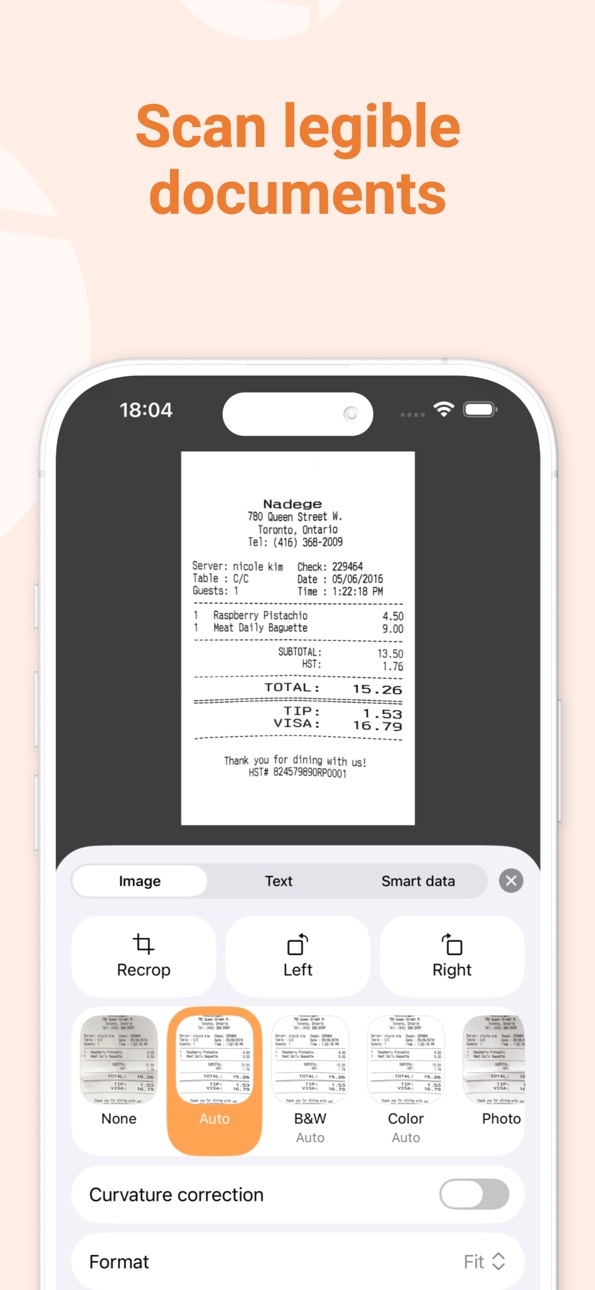
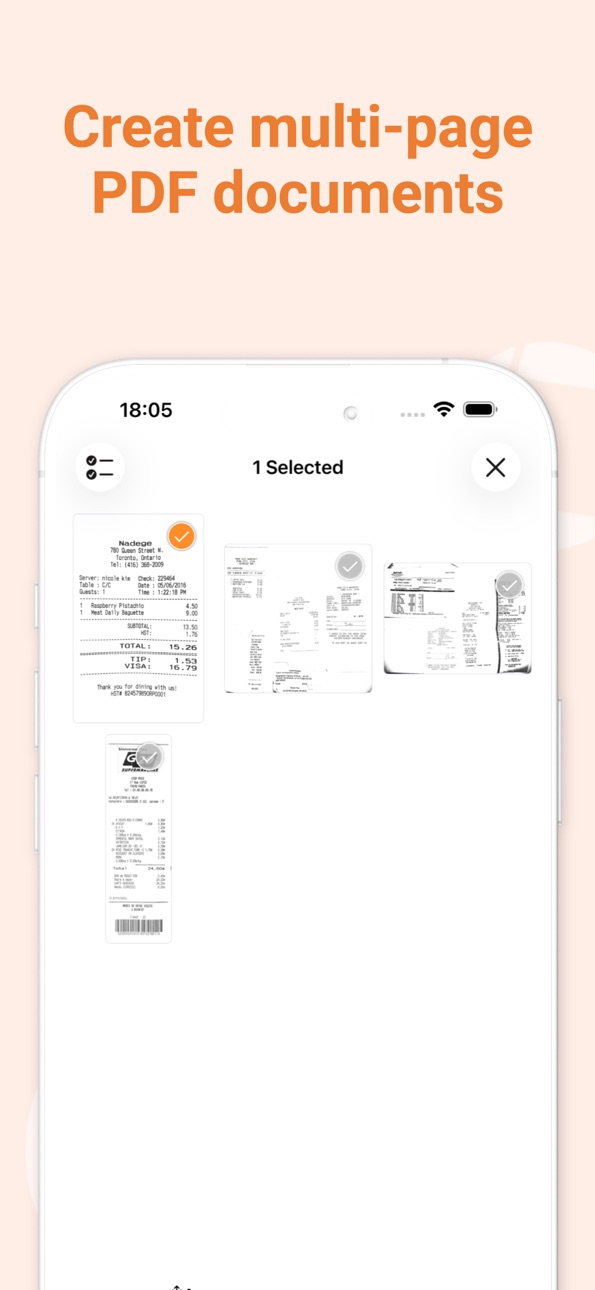
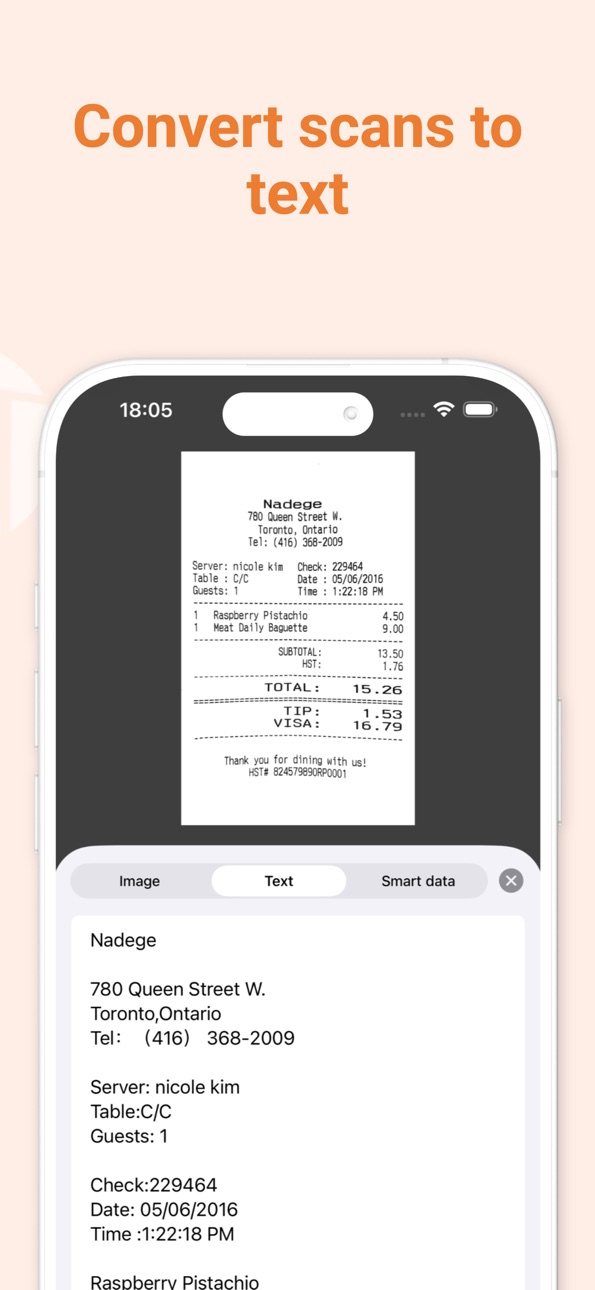
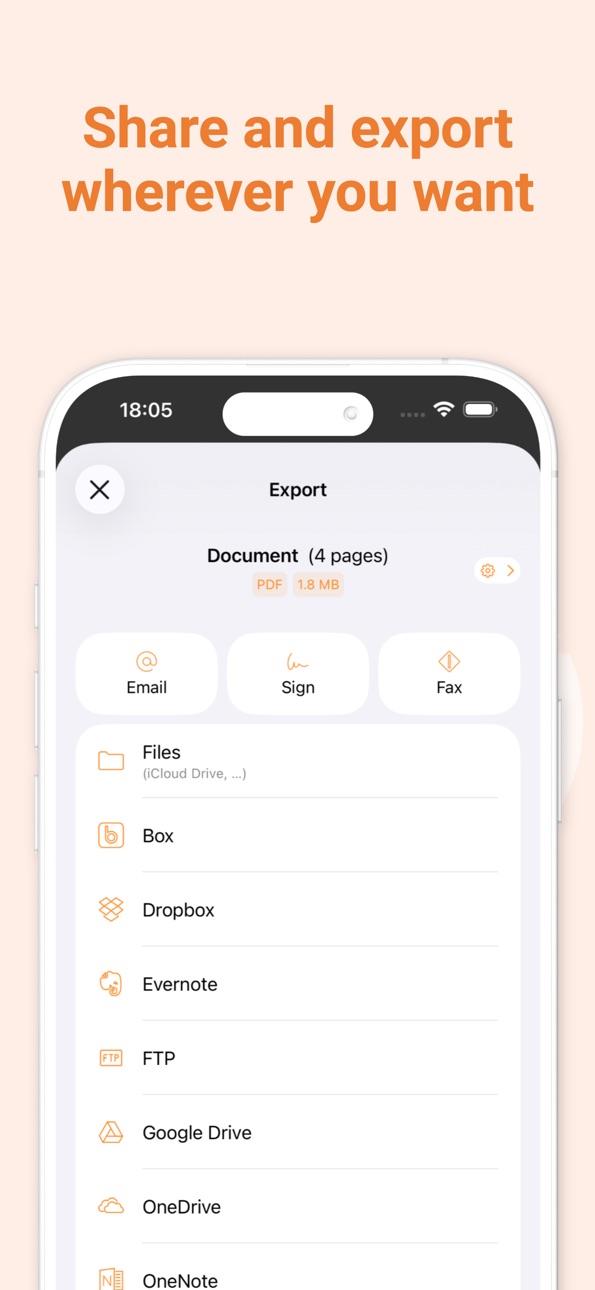


iPad 8 images



What’s New Version 8.12.1
FIXES
Fixed a bug where moving a page to another document could cause the app to crash.
Description
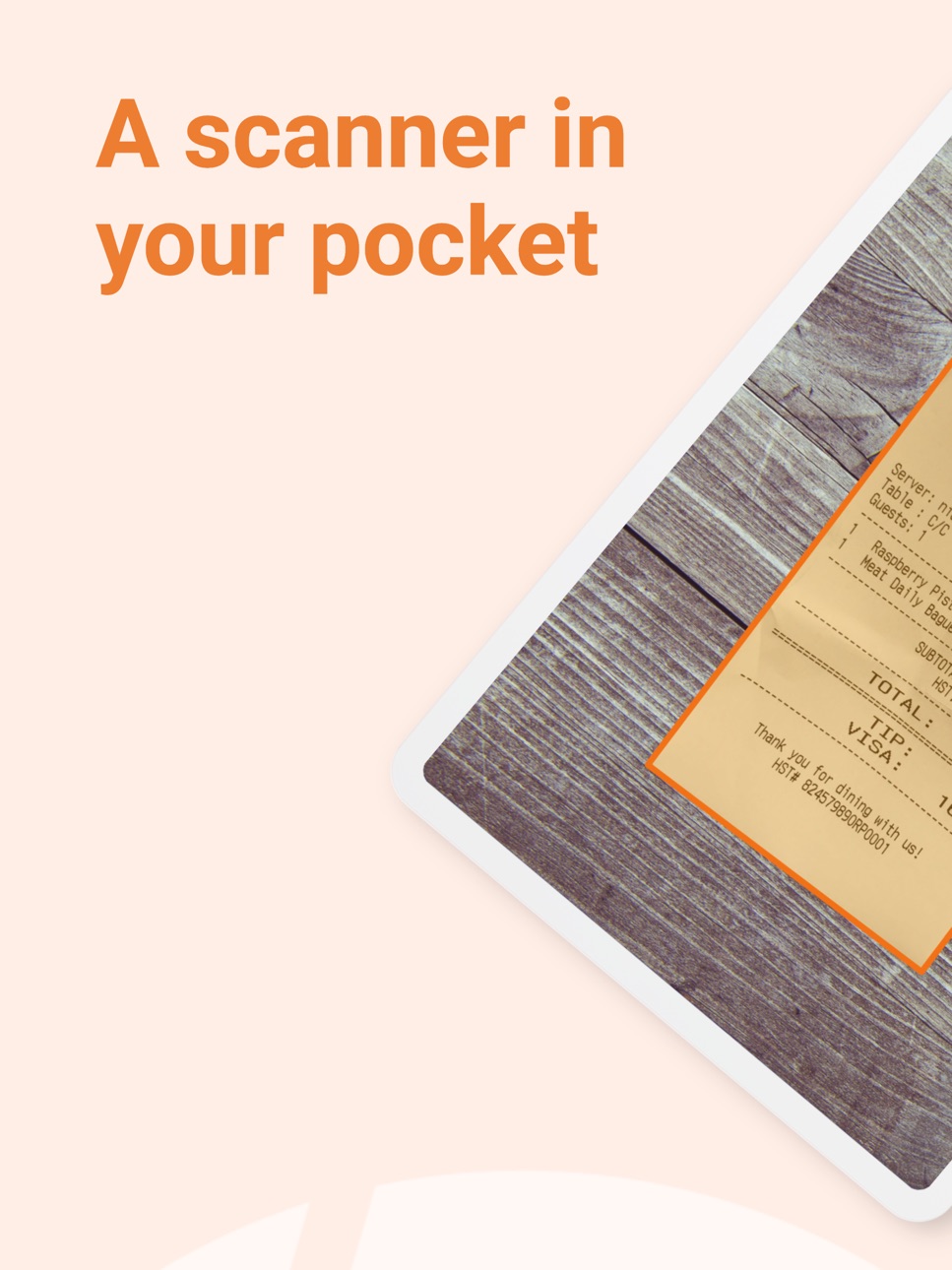
Genius Scan is a document scanner app in your pocket. Quickly scan your paper documents on the go and export them as multi-page PDF files.
*** Apple App of the Week *** 20+ million users *** 1000s of small businesses ***
Place any document in front of your device’s camera: our scanner app automatically recognizes the paper against the background, crops it, and cleans up the result. You obtain a crisp, legible scan. Batch scanning lets you scan dozens of pages in a matter of seconds. Powerful tools help you organize, share, or archive your documents.
“Next time you plan to hit the road, don’t forget to download Genius Scan to make life easier for yourself and your accounting department.” - AppPicker.com
“Camera apps aren’t designed for close-up text scanning, but Genius Scan is.” - The Guardian
== KEY FEATURES ==
Smart Scanning:
- Document detection & background removal
- Distortion correction
- Shadow removal and defect cleanup
- Filters (black & white, whiteboard, photo)
- Batch scanning
PDF Creation & Editing:
- Document merging & splitting
- Multiple page PDF creation
- Photos and PDF import
Security & Privacy:
- On-device document processing
+ Face ID locking
+ PDF password encryption
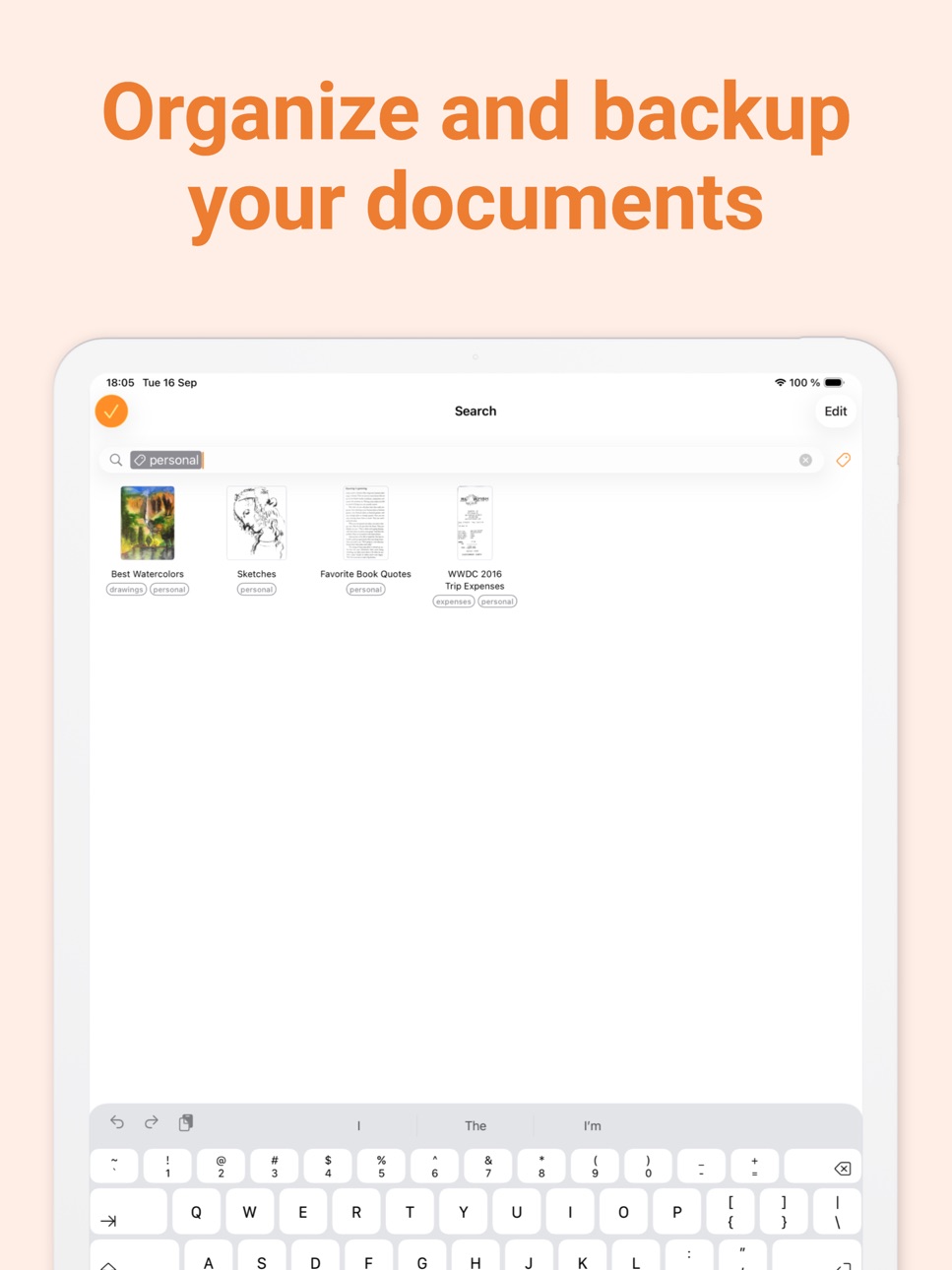
Document Organization:
- Document tagging
- Metadata and content search
+ Smart document renaming (custom templates, …)
+ Backup and multi-device sync with Genius Cloud (separate subscription)
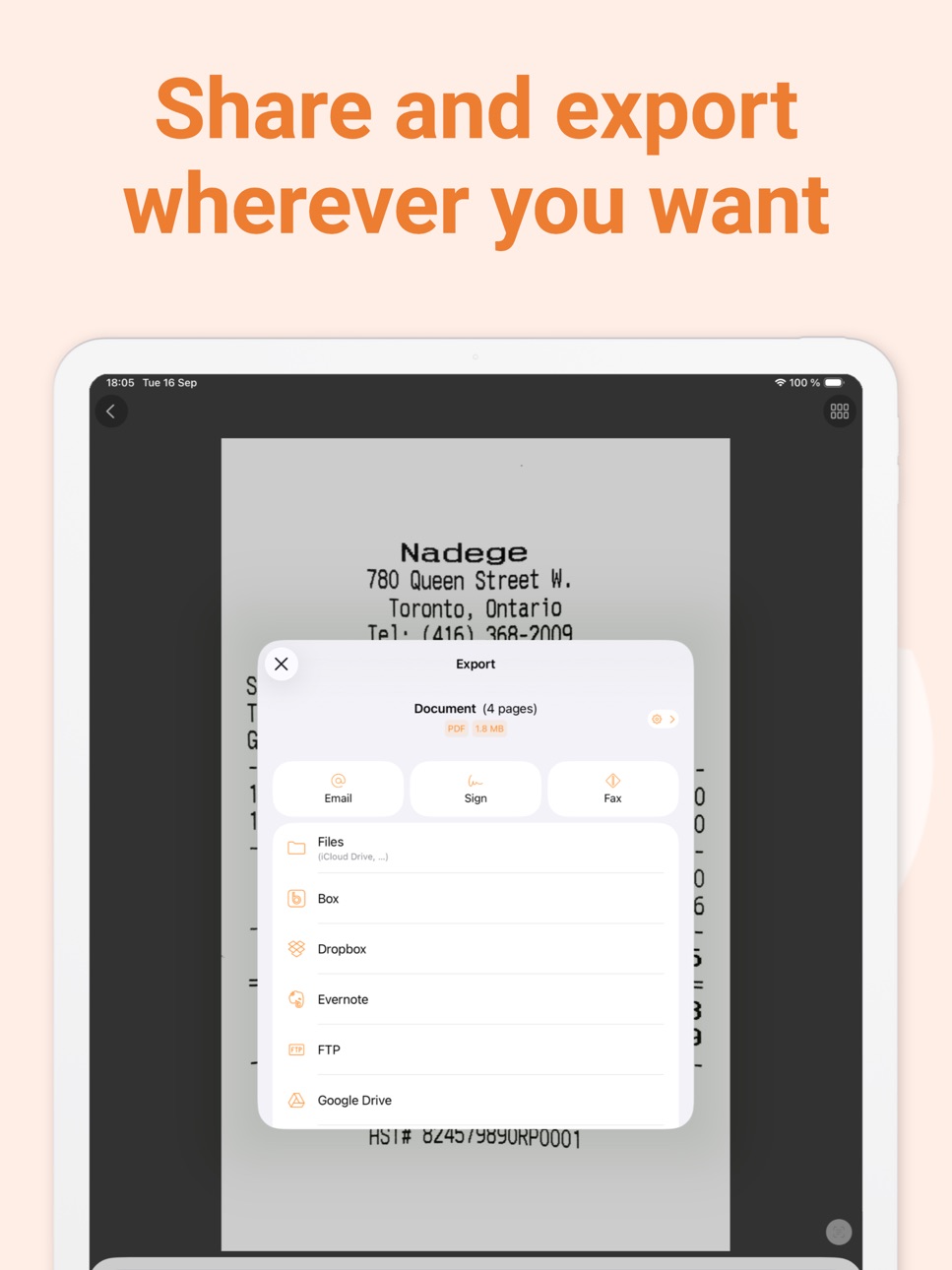
Export:
- Email
+ Box, Dropbox, Evernote, Expensify, Google Drive, iCloud Drive, OneDrive, OneNote, FTP, SugarSync, WebDAV.
+ Any WebDAV compatible service such as Citrix ShareFile, NextCloud, ownCloud, Synology, Yandex.
+ Automatic background auto-export
OCR (Text Recognition):
+ Text extraction
+ Searchable PDF creation
+ Business card scanning & contact creation
The features denoted with [+] are available as part of a premium plan.
== ABOUT US ==
It’s in the heart of Paris, France that The Grizzly Labs develops Genius Scan. We take pride in crafting apps that help millions of users throughout the world and hold ourselves to the highest standards in terms of quality and privacy. Get in touch with us @thegrizzlylabs if you have any questions.
== PRICING & LEGAL ==
Genius Scan is free to use for as long as you want.
Should you choose to, you can subscribe to the Genius Scan Plus plan for more features. You can subscribe to Genius Cloud for backup & synchronization. In that case, Genius Scan’s store displays the duration and price of each subscription, updated at the time of purchase. Payment will be charged to iTunes account when the order is confirmed. Subscriptions automatically renew unless auto-renew is turned off no later than 24 hours before the end of the current period. Manage subscriptions, disable auto-renewal in the iTunes account settings.
Download the best free mobile scanner and scan your documents in a snap.
https://www.thegrizzlylabs.com/genius-scan/cloud/terms
In-App Purchases KR pricing
Subscriptions Subscription
Genius Scan Ultra · Monthly₩6,600
Genius Scan Ultra · Yearly₩55,000
Genius Scan Plus · Monthly₩1,200
Genius Scan Plus · Yearly₩19,000
Ultra Subscription
Genius Scan Ultra · Yearly₩55,000
Genius Scan Ultra · Yearly₩66,000
Capabilities
In-App Purchases
Accessibility
developerUrlipadiphonemacrealityDevicetvoswatch
Version history 25 versions
Build 886841859v8.12.12026-06-12 06:10:55
FIXES
Fixed a bug where moving a page to another document could cause the app to crash.
Build 886524698v8.122026-06-08 08:08:27
GENIUS CLOUD FIXES AND ENHANCEMENTS
- Genius Cloud account details now refresh automatically in settings, so email changes made outside the app appear without signing in again.
- Fixed an issue preventing the synchronization between Android and iOS of documents containing PNG images.
- Fixed an issue where active Ultra subscribers could briefly see a Genius Cloud backup reminder after a subscription renewal.
OTHER FIXES
- Renaming a folder from search results now updates the displayed name immediately.
- Navigating through a OneDrive account now shows a clearer message when Personal Vault is opened, since it requires extra access and cannot be used as a regular export folder.
Build 885525548v8.112026-05-12 09:04:51
SCANNING
- When cropping a scan manually, you can now adjust a whole document edge by dragging it.
- Curvature correction now better preserves page content instead of cropping useful parts of the document.
FIXED
- Fixed an issue where some PDF readers could add spaces between letters when selecting, searching, or indexing text in searchable PDFs.
- The flash control now only appears when the active camera supports flash.
Build 884492659v8.102026-04-20 08:41:12
SCANNING
- You can now enable curvature correction by default in the scanning settings.
MOBILE DEVICE MANAGEMENT
- Administrators can now disable Genius Renaming via MDM.
OTHER ENHANCEMENTS
- Creating a Genius Cloud account is now more guided, making setup easier and clearer.
FIXED
- Genius Renaming and other Genius Cloud requests now show clearer retryable network error messages.
- Auto-export now shows when a pending export is waiting for Wi-Fi instead of staying on a generic pending status while cellular export is disabled.
- Pending auto-export statuses in the document view now include contextual help about when auto-export starts and when it is waiting for Wi-Fi.
- Fixed a crash that could occur while navigating in the Photo Picker.
Build 883297342v8.92026-03-17 13:46:56
Genius Scan 8.9 improves day-to-day reliability and polish, with a focus on stability throughout the app and the style of several visual elements so the app feels even more refined.
IMPROVED
- For OneDrive Export Shortcuts, Genius Scan now shows a warning banner when opening the destination picker to explain that some folders may not appear because of Microsoft changes.
FIXED
- Fixed an issue where the toolbar could be disabled after previewing a page in the Page selection screen.
- Fully restored QR code detection in the camera screen.
- Fixed a bug that could repeatedly show the Subscription sheet after renewal for some users with monthly subscriptions.
- Prevented blurry thumbnail images that could occur in grid view in some cases.
Build 882237131v8.82026-02-09 16:02:03
NEW
We've redesigned the Genius Scan account settings view to make it easier to review your subscription plan and manage your account.
The settings also include a new Genius Cloud sync view with clearer sync status and a more guided setup.
Lastly, to help you preserve your scanned documents, Genius Scan will remind you from time to time if you have many documents and haven’t set up any automated backup (such as Genius Cloud or Auto-Export).
IMPROVED
- Export status is now always visible in the document toolbar so you know at a glance whether a document was exported or not.
- Better support for large text sizes across lists and settings.
FIXED
- Fixed a crash that could occur when deleting a Genius Cloud account.
- Multiple refinements to the sync reminder and onboarding flow.
Genius Scan now requires iOS 17 or later.
Build 881966664v8.7.12026-01-30 14:32:29
FIXES
- Fixed a bug where selected documents would end up unselected, preventing users from moving or merging multiple documents.
Build 881319760v8.72026-01-09 08:00:08
SCANNING
- Better handling of shadows when scanning documents. This results in more readable scans that highlight important information more clearly.
GENIUS CLOUD
- The Offloading feature in Genius Cloud is now opt-in when you log in to your Genius Cloud account. If you feel that your documents are taking up too much disk space, you can activate Offloading at any time. Genius Scan will then offload part of your data to the cloud so you can reclaim storage space on your device.
- The disk space report in Settings now more accurately reflects how much local space Genius Scan uses when Offloading is enabled.
MOBILE DEVICE MANAGMENT
- You can now disable Genius Cloud synchronization via MDM while keeping Genius Cloud accounts available. This makes it easier to enforce organization-wide policies without disrupting users’ access to their accounts.
FIXES
- This release addresses several of some remaining critical but rare crashes, further improving the overall stability of the app. Genius Scan is now more reliable, allowing you to continue working smoothly and without interruptions.
OTHER ENHANCEMENTS
- Banners in the document list now scroll naturally with your documents, use a refreshed color system, and feature new illustrations so important messages stand out more clearly.
Build 880805513v8.6.22025-12-19 09:12:31
We're always making changes and improvements to Genius Scan. Install this new update to get the latest new features and bug fixes.
Build 880452404v8.6.12025-12-09 10:54:00
We're always making changes and improvements to Genius Scan. Install this new update to get the latest new features and bug fixes.
Build 880338419v8.62025-12-04 21:54:35
In this new version of Genius Scan, we’re introducing a refreshed onboarding experience, a set of helpful enhancements, and multiple stability fixes — all designed to make scanning and sharing documents smoother and more reliable.
NEW ONBOARDING
New users will now see a redesigned onboarding that guides them through scanning their first document or importing images from the Photo Library, while also highlighting Genius Scan’s most powerful features.
ENHANCEMENTS
- Clearer feedback in lists and exports: the document export status badge has been refined so it’s much easier to see at a glance when an export has failed.
FIXES
- Restored the folder search scope on iOS 26, so you can once again limit search results to the current folder or extend them to all documents in the app.
- Creating an FTP Export Shortcut no longer causes the app to crash when a connection cannot be opened, and FTP streams that turn out to be NULL are now handled safely.
- Fixed an issue that could prevent exporting a newly created screenshot into Genius Scan on iOS 26.
- Fixed a bug that could prevent documents from being deleted when using Export Shortcuts, ensuring that all documents are correctly removed when an Export Shortcut includes a deletion rule.
- The "Hour" component in Document Name Templates now consistently uses two digits (for both 12‑hour and 24‑hour formats), helping keep documents neatly ordered by time and ensuring consistent document names when sharing them.
- Resolved a bug where starting a new scan could fail with "The camera is not available at the moment" if a previous scan session hadn’t been fully cleared.
- Fixed potential crashes and freezes during document capture.
- Prevented freezes that could occur while performing Text Recognition on older devices.
Build 879549670v8.52025-11-13 16:16:20
IMPROVEMENTS
- The Photo Picker now supports iCloud Shared Albums, making it easier to import documents from all your photo collections.
- We refined several areas of the user interface, including improved accessibility support when using larger font sizes.
FIXES
- The Crop button has been restored in the Photo Picker. Its removal previously caused some imported photos to be cropped automatically, even when it shouldn’t have been the case. With this update, you once again have precise control over how your photos are imported into Genius Scan.
- Fixed a crash that could occur during FTP uploads when the data stream failed to initialize.
Build 878647744v8.42025-10-15 08:44:15
IMPROVEMENTS
- Launch feels quicker thanks to some behind-the-scenes cleanup.
- Drag-and-drop now works more smoothly, since you can drop files straight onto documents without the interface hiccuping.
- Filter previews stay zippy even on large scans.
- Menus, alerts, and other screens behave more consistently on iOS 26.
- Empty states and the About screen feature refreshed illustrations that match the Liquid Glass design update.
FIXES
- Resolved a Genius Cloud sync issue that could temporarily block access to your documents.
- Eliminated navigation and search bar glitches when moving files or pages between folders.
- Made sure grid view cells adjust correctly after you resize the app window on iOS 26.
LOCALIZATION
- Refreshed translations across Arabic, Chinese (Simplified & Traditional), Danish, Dutch, French, German, Hebrew, Indonesian, Italian, Japanese, Korean, Portuguese (Brazil), Russian, Spanish, Swedish, Turkish, Ukrainian, and Vietnamese.
Build 878603770v8.3.12025-10-02 15:41:33
FIXES
- Fixed an issue where the camera viewport failed to display on certain devices running iOS 26, primarily affecting iPhone SE models.
- Fixed a bug that made it difficult to select between multiple document name templates on iOS 26 when scanning new documents.
Build 878140060v8.32025-09-22 09:04:07
IOS 26 AND LIQUID GLASS DESIGN UPDATE
We've refreshed Genius Scan with Apple's new Liquid Glass design language for iOS 26, bringing a modern and elegant look throughout the app.
DESIGN REFRESH
- New Liquid Glass app icon: A beautiful, modern icon that reflects iOS 26's aesthetic
- Updated scanning experience: Clearer visual feedback and improved UI elements make scanning smoother than ever
- Refreshed document views: Enhanced layouts and refined visual elements across document lists and grids
- Modernized search: Better usability with iOS 26's updated search interface patterns
- Consistent navigation: Updated screens throughout the app for a cohesive experience
IMPROVEMENTS
- Enhanced support for iPadOS 26's windowed mode
- Improved accessibility for scan flow controls
- Refined banner designs for better visual consistency
- Various UI fixes and optimizations for iOS 26
- We've made Genius Scan even smaller to download.
Build 877844991v8.2.42025-09-08 08:55:46
We're always making changes and improvements to Genius Scan. Install this new update to get the latest new features and bug fixes.
Build 876746788v8.2.32025-07-28 11:47:07
We're always making changes and improvements to Genius Scan. Install this new update to get the latest new features and bug fixes.
Build 876709897v8.2.22025-07-25 20:55:04
We're always making changes and improvements to Genius Scan. Install this new update to get the latest new features and bug fixes.
Build 876466937v8.2.12025-07-21 05:07:41
We're always making changes and improvements to Genius Scan. Install this new update to get the latest new features and bug fixes.
Build 876293947v8.22025-07-11 09:22:29
FIXES
- Resolved an issue where some document name templates such as "Day" and "Month" were always displayed in English, regardless of the user's locale. They now correctly reflect the selected language.
- Fixed a bug that prevented users from accessing SharePoint directories when using personal OneDrive accounts.
- Resolved an issue that, under specific circumstances, prevented users with expired subscriptions from recovering all of their offloaded documents.
Build 875584814v8.1.12025-06-15 10:23:49
We're always making changes and improvements to Genius Scan. Install this new update to get the latest new features and bug fixes.
Build 875495636v8.12025-06-12 07:54:12
ENHANCED KNOWLEDGE BASE
We’ve revamped our Knowledge Base to deliver a more streamlined and user-friendly experience. The updated design is faster, lighter, and easier to maintain, ensuring you always have access to the latest content.
NEW FEATURES
- A new banner now notifies you when you’re not using the latest version of Genius Scan, allowing you to quickly update and enjoy the newest features and improvements.
FIXES
- Resolved an issue where the document view toolbar would unexpectedly go fullscreen, preventing further actions.
IMPROVEMENTS
- Improved account synchronization by ensuring reconnection to the same Genius Cloud account after being logged out.
- Enhanced security by requiring password validation when updating your email in account preferences.
Build 875135773v8.0.12025-05-28 21:01:24
We're always making changes and improvements to Genius Scan. Install this new update to get the latest new features and bug fixes.
Build 874773973v8.02025-05-14 14:53:34
A BRAND-NEW VERSION OF GENIUS SCAN
Genius Scan 8 marks a major milestone, introducing powerful new features to help you edit and organize your scanned documents more efficiently than ever. Highlights of this update include Genius Renaming, a new grid view, and a redesigned toolbar on the Document screen. Let’s take a closer look:
GENIUS RENAMING
With a single tap, you can now rename a document with the new Genius Renaming feature. Genius Renaming uses the power of Artificial Intelligence to analyze your scans and suggest relevant names based on their content.
You can even configure Genius Renaming to automatically rename documents as soon as you scan or import them, saving you time and effort. Naturally, your privacy remains our top priority: Genius Renaming is entirely optional and requires your explicit consent to run.
GRID VIEW
Quickly browse your documents with the new grid view, offering a visual, space-efficient layout that makes it easier to locate your scans at a glance.
REDESIGNED DOCUMENT SCREEN TOOLBAR
The document screen now features a redesigned toolbar that brings all key actions—like renaming and tagging—under your thumb to help you power through your scanning chores faster.
OTHER IMPROVEMENTS
- No need to upgrade your phone: Genius Scan now supports iOS versions back to iOS 15, ensuring compatibility with a wide range of devices—a win for everyone and for the planet.
FIXES
- Fixed an issue where smart data (such as receipt details) was not preserved when moving a page to another document or merging documents.
Build 874088187v7.28.22025-04-17 06:56:27
We're always making changes and improvements to Genius Scan. Install this new update to get the latest new features and bug fixes.
Price history by region
Currency
Show
Columns
Search
Availability 161 of 161 storefronts
| Region | Language | Price | Ratings | Avg | Version |
|---|---|---|---|---|---|
| US | en-US | Free | 1.3M | 4.9 | 8.12.1 |
| FR | fr-FR | Free | 171.9k | 4.8 | 8.12.1 |
| CA | en-CA | Free | 130.3k | 4.8 | 8.12.1 |
| DE | de-DE | Free | 116.6k | 4.8 | 8.12.1 |
| GB | en-GB | Free | 99.2k | 4.8 | 8.12.1 |
| IT | it | Free | 78.8k | 4.8 | 8.12.1 |
| AU | en-AU | Free | 77.9k | 4.8 | 8.12.1 |
| BR | pt-BR | Free | 41.8k | 4.9 | 8.12.1 |
| CH | de-CH | Free | 41.5k | 4.8 | 8.12.1 |
| MX | es-MX | Free | 35.0k | 4.9 | 8.12.1 |
| ES | es-ES | Free | 29.4k | 4.8 | 8.12.1 |
| NL | nl | Free | 28.5k | 4.8 | 8.12.1 |
| VN | en-GB | Free | 28.3k | 4.8 | 8.12.1 |
| CL | es-MX | Free | 25.4k | 4.9 | 8.12.1 |
| BE | en-GB | Free | 20.7k | 4.8 | 8.12.1 |
| AT | de-DE | Free | 18.5k | 4.8 | 8.12.1 |
| IN | en-GB | Free | 18.0k | 4.8 | 8.12.1 |
| SE | sv | Free | 17.9k | 4.8 | 8.12.1 |
| NO | en-GB | Free | 17.2k | 4.7 | 8.12.1 |
| NZ | en-AU | Free | 16.2k | 4.8 | 8.12.1 |
| TH | en-GB | Free | 14.6k | 4.9 | 8.12.1 |
| ZA | en-GB | Free | 14.4k | 4.8 | 8.12.1 |
| IE | en-GB | Free | 14.3k | 4.8 | 8.12.1 |
| CO | es-MX | Free | 14.0k | 4.9 | 8.12.1 |
| IL | en-GB | Free | 12.8k | 4.7 | 8.12.1 |
| DK | en-GB | Free | 12.5k | 4.7 | 8.12.1 |
| PL | en-GB | Free | 11.9k | 4.9 | 8.12.1 |
| CN | zh-Hans-CN | Free | 11.5k | 4.9 | 8.12.1 |
| SK | en-GB | Free | 10.6k | 4.9 | 8.12.1 |
| SG | en-GB | Free | 10.3k | 4.8 | 8.12.1 |
| JP | ja | Free | 10.0k | 4.7 | 8.12.1 |
| AR | es-MX | Free | 9.8k | 4.9 | 8.12.1 |
| PT | pt-PT | Free | 9.1k | 4.8 | 8.12.1 |
| SA | en-GB | Free | 9.0k | 4.8 | 8.12.1 |
| GR | en-GB | Free | 8.0k | 4.8 | 8.12.1 |
| TR | en-GB | Free | 7.5k | 4.8 | 8.12.1 |
| HK | zh-Hant-HK | Free | 7.3k | 4.8 | 8.12.1 |
| CZ | en-GB | Free | 7.2k | 4.9 | 8.12.1 |
| PH | en-GB | Free | 6.5k | 4.8 | 8.12.1 |
| MY | en-GB | Free | 6.4k | 4.8 | 8.12.1 |
| RU | ru | Free | 6.1k | 4.9 | 8.12.1 |
| TW | zh-Hant-TW | Free | 5.8k | 4.9 | 8.12.1 |
| RO | en-GB | Free | 5.7k | 4.9 | 8.12.1 |
| HU | en-GB | Free | 5.6k | 4.9 | 8.12.1 |
| AE | en-GB | Free | 5.3k | 4.8 | 8.12.1 |
| ID | en-GB | Free | 4.9k | 4.9 | 8.12.1 |
| UA | en-GB | Free | 3.3k | 4.9 | 8.12.1 |
| HR | en-GB | Free | 3.1k | 4.9 | 8.12.1 |
| KR | ko | Free | 3.0k | 4.9 | 8.12.1 |
| LU | en-GB | Free | 2.2k | 4.7 | 8.12.1 |
| PE | es-MX | Free | 2.2k | 4.8 | 8.12.1 |
| FI | en-GB | Free | 2.0k | 4.7 | 8.12.1 |
| SI | en-GB | Free | 1.8k | 4.9 | 8.12.1 |
| CR | es-MX | Free | 1.7k | 4.9 | 8.12.1 |
| EC | es-MX | Free | 1.7k | 4.8 | 8.12.1 |
| EG | en-GB | Free | 1.7k | 4.8 | 8.12.1 |
| BG | en-GB | Free | 1.6k | 4.9 | 8.12.1 |
| KW | en-GB | Free | 1.6k | 4.7 | 8.12.1 |
| GT | es-MX | Free | 1.5k | 4.9 | 8.12.1 |
| LT | en-GB | Free | 1.5k | 4.9 | 8.12.1 |
| VE | es-MX | Free | 1.4k | 4.8 | 8.12.1 |
| PK | en-GB | Free | 1.3k | 4.7 | 8.12.1 |
| KZ | en-GB | Free | 1.2k | 4.9 | 8.12.1 |
| UY | en-GB | Free | 1.1k | 4.9 | 8.12.1 |
| PA | es-MX | Free | 984 | 4.9 | 8.12.1 |
| GH | en-GB | Free | 912 | 4.7 | 8.12.1 |
| EE | en-GB | Free | 894 | 4.9 | 8.12.1 |
| QA | en-GB | Free | 825 | 4.8 | 8.12.1 |
| KE | en-GB | Free | 808 | 4.8 | 8.12.1 |
| LV | en-GB | Free | 791 | 4.9 | 8.12.1 |
| LB | en-GB | Free | 718 | 4.8 | 8.12.1 |
| KH | en-GB | Free | 716 | 4.8 | 8.12.1 |
| MT | en-GB | Free | 682 | 4.9 | 8.12.1 |
| MA | en-GB | Free | 671 | 4.8 | 8.12.1 |
| SN | en-GB | Free | 667 | 4.5 | 8.12.1 |
| HN | es-MX | Free | 622 | 4.9 | 8.12.1 |
| RS | en-GB | Free | 586 | 4.9 | 8.12.1 |
| AL | en-GB | Free | 557 | 4.9 | 8.12.1 |
| CY | en-GB | Free | 553 | 4.8 | 8.12.1 |
| LK | en-GB | Free | 551 | 4.8 | 8.12.1 |
| JO | en-GB | Free | 540 | 4.8 | 8.12.1 |
| DZ | en-GB | Free | 533 | 4.6 | 8.12.1 |
| SV | es-MX | Free | 530 | 4.9 | 8.12.1 |
| TZ | en-GB | Free | 499 | 4.7 | 8.12.1 |
| AO | en-GB | Free | 440 | 4.5 | 8.12.1 |
| IS | en-GB | Free | 429 | 4.7 | 8.12.1 |
| OM | en-GB | Free | 394 | 4.7 | 8.12.1 |
| BO | es-MX | Free | 391 | 4.8 | 8.12.1 |
| NP | en-GB | Free | 380 | 4.6 | 8.12.1 |
| BH | en-GB | Free | 356 | 4.8 | 8.12.1 |
| UG | en-GB | Free | 350 | 4.7 | 8.12.1 |
| MD | en-GB | Free | 342 | 4.9 | 8.12.1 |
| BY | en-GB | Free | 300 | 4.9 | 8.12.1 |
| CI | fr-FR | Free | 298 | 4.6 | 8.12.1 |
| NA | en-GB | Free | 274 | 4.6 | 8.12.1 |
| UZ | en-GB | Free | 258 | 4.8 | 8.12.1 |
| MN | en-GB | Free | 249 | 4.8 | 8.12.1 |
| IQ | en-GB | Free | 242 | 4.7 | 8.12.1 |
| NI | es-MX | Free | 242 | 4.9 | 8.12.1 |
| MO | zh-Hant-HK | Free | 240 | 4.7 | 8.12.1 |
| AZ | en-GB | Free | 239 | 4.9 | 8.12.1 |
| PY | es-MX | Free | 236 | 4.9 | 8.12.1 |
| MK | en-GB | Free | 235 | 4.9 | 8.12.1 |
| AM | en-GB | Free | 234 | 5.0 | 8.12.1 |
| MU | en-GB | Free | 234 | 4.7 | 8.12.1 |
| CD | en-GB | Free | 222 | 4.3 | 8.12.1 |
| MZ | en-GB | Free | 209 | 4.7 | 8.12.1 |
| CM | fr-FR | Free | 195 | 4.5 | 8.12.1 |
| GE | en-GB | Free | 191 | 5.0 | 8.12.1 |
| BW | en-GB | Free | 171 | 4.6 | 8.12.1 |
| BJ | en-GB | Free | 154 | 4.4 | 8.12.1 |
| BN | en-GB | Free | 138 | 4.8 | 8.12.1 |
| BF | en-GB | Free | 135 | 4.6 | 8.12.1 |
| KG | en-GB | Free | 134 | 4.9 | 8.12.1 |
| CG | en-GB | Free | 128 | 4.3 | 8.12.1 |
| BA | en-GB | Free | 127 | 4.9 | 8.12.1 |
| XK | en-GB | Free | 118 | 5.0 | 8.12.1 |
| ZM | en-GB | Free | 114 | 4.6 | 8.12.1 |
| ML | en-GB | Free | 96 | 4.5 | 8.12.1 |
| MG | en-GB | Free | 89 | 4.5 | 8.12.1 |
| MM | en-GB | Free | 88 | 4.6 | 8.12.1 |
| GY | en-GB | Free | 82 | 4.9 | 8.12.1 |
| RW | en-GB | Free | 81 | 4.7 | 8.12.1 |
| BB | en-GB | Free | 80 | 4.7 | 8.12.1 |
| MR | en-GB | Free | 80 | 4.3 | 8.12.1 |
| LA | en-GB | Free | 78 | 4.6 | 8.12.1 |
| ME | en-GB | Free | 70 | 4.9 | 8.12.1 |
| BT | en-GB | Free | 68 | 4.8 | 8.12.1 |
| KY | en-GB | Free | 63 | 4.9 | 8.12.1 |
| FJ | en-GB | Free | 61 | 4.6 | 8.12.1 |
| MW | en-GB | Free | 55 | 4.6 | 8.12.1 |
| SL | en-GB | Free | 54 | 4.6 | 8.12.1 |
| GM | en-GB | Free | 51 | 4.6 | 8.12.1 |
| MV | en-GB | Free | 50 | 4.7 | 8.12.1 |
| AF | en-GB | Free | 49 | 4.8 | 8.12.1 |
| TD | en-GB | Free | 44 | 4.5 | 8.12.1 |
| CV | en-GB | Free | 43 | 4.8 | 8.12.1 |
| LR | en-GB | Free | 42 | 4.4 | 8.12.1 |
| TJ | en-GB | Free | 42 | 4.7 | 8.12.1 |
| AG | en-GB | Free | 40 | 4.8 | 8.12.1 |
| YE | en-GB | Free | 39 | 4.7 | 8.12.1 |
| GA | fr-FR | Free | 37 | 4.2 | 8.12.1 |
| PG | en-GB | Free | 36 | 4.8 | 8.12.1 |
| BM | en-GB | Free | 32 | 4.8 | 8.12.1 |
| TC | en-GB | Free | 31 | 4.6 | 8.12.1 |
| SZ | en-GB | Free | 29 | 4.9 | 8.12.1 |
| TO | en-GB | Free | 27 | 4.6 | 8.12.1 |
| NE | en-GB | Free | 26 | 4.5 | 8.12.1 |
| DM | en-GB | Free | 23 | 5.0 | 8.12.1 |
| VC | en-GB | Free | 22 | 4.5 | 8.12.1 |
| SR | en-GB | Free | 18 | 4.6 | 8.12.1 |
| VG | en-GB | Free | 14 | 4.6 | 8.12.1 |
| AI | en-GB | Free | 13 | 4.8 | 8.12.1 |
| SC | en-GB | Free | 12 | 4.8 | 8.12.1 |
| VU | en-GB | Free | 12 | 4.8 | 8.12.1 |
| PW | en-GB | Free | 10 | 4.7 | 8.12.1 |
| TM | en-GB | Free | 9 | 4.6 | 8.12.1 |
| FM | en-GB | Free | 6 | 5.0 | 8.12.1 |
| MS | en-GB | Free | 3 | 4.3 | 8.12.1 |
| SB | en-GB | Free | 2 | 4.5 | 8.12.1 |
| NR | en-GB | Free | 0 | — | 8.12.1 |
Reviews 30 reviews · KR
★★★★★
잘쓰고 있었는데...
직접찍어서 스캔하는건 되는데
폰안에 사진앨범에서 가져와 스캔하려 하는데
자꾸 튕겨나가네요...
업글버젼까지 샀는데 안되니 당황스러워요.
도와주세요!
까밍맘2021-04-02
★★★★★
삭제
급한데 자동 인식이라고 있는 장치가 말을 안 들을 때의 답답함이란..... 차라리 수동으로 찍어서 자르는 게 나을 정도로 비효율적이다. 일단 종이의 사각형 틀을 잡지를 못하고 잡혀도 아주 잠깐 잡히는 데다 정작 엉뚱한 때에 자동으로 스캔이 되곤 한다. 그런 식으로 마구잡이로 된 스캔을 당장 삭제하지도 못하고 우선 스캔을 끝내고 삭제해야겠구나 싶어서 스캔을 강행할 때... 그 때마저도 스캔이 제대로 되지 않고 길을 잃은 자동인식 틀을 보면 한숨이 절로 나온다. 차라리 같은 기능의 다른 앱을 써야겠다.
용맹한도토리2020-11-04
★★★★★
Great scanning app ever!
I purchased this app as it is more than worth paying the price and wanted to give due compensation to the developer of this wonderful app! Thanks~
lkyoon2020-05-11
★★★★★
무슨 말이 필요함? 일단 받아보시길. 이라고 썼다가 지움
각종 청첩장.
접수증.
보안카드 등. 여기에 다 스캔하고 끝.
이라고 생각했는데....
업데이트하고 나니 불편해짐.
오래 쓸 생각에 유료로 구매하려고 했으나 특별이 유료가 좋은 점도 모르겠고...안타까움ㅠ
RSM Pro Salesman2019-01-18
★★★★★
어플 처음 나왔을 때부터 써온 사용자 입니다.
Genius Scan 어플이 처음 나왔을 때부터 써온 사용자 입니다. 다른 스캐너 어플들보다 디테일한 캡쳐가 가능해서 편리하게 사용해오고 있었는데 몇개월 전부터 업데이트를 하고 나니 한글 지원이 안되고 일본어로만 지원이 되어 사용을 하지 않고 있습니다. 한국어 지원을 빨리 다시 해주시면 좋겠습니다.
Jpshin97432018-04-25
★★★★★
Great!
Great for automatic detection of document or slide and making pdf/jpg files.
obani2017-05-11
★★★★★
유용한 어플
약간의 불편한 점도 있지만, 초창기 아이폰시절부터 필수앱으로 사용하는 매우 유용한 어플중하나입니다. 계속 지속적인 발전 기대하는 의미에서 별4개 보내듭니다. 너무 늦게 리뷰남겨드려 죄송하기도 하네요! 좋은 어플 감사합니다.
dungchi2017-02-08
★★★★★
아주 유용하게 쓰고 있습니다
업데이트를 생각보다 자주 하는데, 초창기 버전 보다 기능이 갈수록 좋아지는 거 같아요
아주 유용하게 잘 쓰고 있습니다
미친암초들2017-02-07
Change log 29 changes · KR
✎
releaseNotes updated
FIXES
Fixed a bug where moving a page to another document could cause the app to crash.
✎
description updated
Genius Scan is a document scanner app in your pocket. Quickly scan your paper documents on the go and export them as multi-page PDF files.
*** Apple App of the
✎
subtitle updated
PDF documents & OCR
✎
name updated
Scanner App: Genius Scan
◆
Version 8.12.1 released
FIXES
Fixed a bug where moving a page to another document could cause the app to crash.
◆
Version 8.12 released
GENIUS CLOUD FIXES AND ENHANCEMENTS
- Genius Cloud account details now refresh automatically in settings, so email changes made outside the app appear without signing in again.
- Fixed an issue preventing the synchronization between Androi
◆
Version 8.11 released
SCANNING
- When cropping a scan manually, you can now adjust a whole document edge by dragging it.
- Curvature correction now better preserves page content instead of cropping useful parts of the document.
FIXED
- Fixed an issue where so
◆
Version 8.10 released
SCANNING
- You can now enable curvature correction by default in the scanning settings.
MOBILE DEVICE MANAGEMENT
- Administrators can now disable Genius Renaming via MDM.
OTHER ENHANCEMENTS
- Creating a Genius Cloud account is now more
◆
Version 8.9 released
Genius Scan 8.9 improves day-to-day reliability and polish, with a focus on stability throughout the app and the style of several visual elements so the app feels even more refined.
IMPROVED
- For OneDrive Export Shortcuts, Genius Scan no
◆
Version 8.8 released
NEW
We've redesigned the Genius Scan account settings view to make it easier to review your subscription plan and manage your account.
The settings also include a new Genius Cloud sync view with clearer sync status and a more guided setup
◆
Version 8.7.1 released
FIXES
- Fixed a bug where selected documents would end up unselected, preventing users from moving or merging multiple documents.
◆
Version 8.7 released
SCANNING
- Better handling of shadows when scanning documents. This results in more readable scans that highlight important information more clearly.
GENIUS CLOUD
- The Offloading feature in Genius Cloud is now opt-in when you log in to
◆
Version 8.6.2 released
We're always making changes and improvements to Genius Scan. Install this new update to get the latest new features and bug fixes.
◆
Version 8.6.1 released
We're always making changes and improvements to Genius Scan. Install this new update to get the latest new features and bug fixes.
◆
Version 8.6 released
In this new version of Genius Scan, we’re introducing a refreshed onboarding experience, a set of helpful enhancements, and multiple stability fixes — all designed to make scanning and sharing documents smoother and more reliable.
NEW ONBO
◆
Version 8.5 released
IMPROVEMENTS
- The Photo Picker now supports iCloud Shared Albums, making it easier to import documents from all your photo collections.
- We refined several areas of the user interface, including improved accessibility support when using
◆
Version 8.4 released
IMPROVEMENTS
- Launch feels quicker thanks to some behind-the-scenes cleanup.
- Drag-and-drop now works more smoothly, since you can drop files straight onto documents without the interface hiccuping.
- Filter previews stay zippy even on l
◆
Version 8.3.1 released
FIXES
- Fixed an issue where the camera viewport failed to display on certain devices running iOS 26, primarily affecting iPhone SE models.
- Fixed a bug that made it difficult to select between multiple document name templates on iOS 26 w
◆
Version 8.3 released
IOS 26 AND LIQUID GLASS DESIGN UPDATE
We've refreshed Genius Scan with Apple's new Liquid Glass design language for iOS 26, bringing a modern and elegant look throughout the app.
DESIGN REFRESH
- New Liquid Glass app icon: A beautiful, m
◆
Version 8.2.4 released
We're always making changes and improvements to Genius Scan. Install this new update to get the latest new features and bug fixes.
◆
Version 8.2.3 released
We're always making changes and improvements to Genius Scan. Install this new update to get the latest new features and bug fixes.
◆
Version 8.2.2 released
We're always making changes and improvements to Genius Scan. Install this new update to get the latest new features and bug fixes.
◆
Version 8.2.1 released
We're always making changes and improvements to Genius Scan. Install this new update to get the latest new features and bug fixes.
◆
Version 8.2 released
FIXES
- Resolved an issue where some document name templates such as "Day" and "Month" were always displayed in English, regardless of the user's locale. They now correctly reflect the selected language.
- Fixed a bug that prevented users
◆
Version 8.1.1 released
We're always making changes and improvements to Genius Scan. Install this new update to get the latest new features and bug fixes.
◆
Version 8.1 released
ENHANCED KNOWLEDGE BASE
We’ve revamped our Knowledge Base to deliver a more streamlined and user-friendly experience. The updated design is faster, lighter, and easier to maintain, ensuring you always have access to the latest content.
NE
◆
Version 8.0.1 released
We're always making changes and improvements to Genius Scan. Install this new update to get the latest new features and bug fixes.
◆
Version 8.0 released
A BRAND-NEW VERSION OF GENIUS SCAN
Genius Scan 8 marks a major milestone, introducing powerful new features to help you edit and organize your scanned documents more efficiently than ever. Highlights of this update include Genius Renaming,
◆
Version 7.28.2 released
We're always making changes and improvements to Genius Scan. Install this new update to get the latest new features and bug fixes.