Home › Weather

 EC
EC
 USen-US
 GBen-GB
 CAen-CA
 AUen-AU
 DEde-DE
 NLnl
NLnl CNzh-Hans-CN
 FRfr-FR
 ESes-ES
 ITit
ITit MXes-MX
 BRpt-BR
 SEsv
SEsv PLen-GB
 INen-GB
 CZen-GB
 CHde-CH
 ATde-DE
 TRen-GB
 BEen-GB
 ZAen-GB
 IEen-GB
 NZen-AU
 ROen-GB
 DKen-GB
 PTpt-PT
 JPja
JPja HUen-GB
 GRen-GB
 NOen-GB
 SAen-GB
 HKzh-Hant-HK
 SGen-GB
 KRko
KRko THen-GB
 UAen-GB
 FIen-GB
 ILen-GB
 VNen-GB
 PHen-GB
 AEen-GB
 CLes-MX
 SKen-GB
 ARes-MX
 TWzh-Hant-TW
 MYen-GB
 HRen-GB
 COes-MX
 BGen-GB
 IDen-GB
 SIen-GB
 EGen-GB
 PKen-GB
 LTen-GB
 PEes-MX
 EEen-GB
 LUen-GB
 LVen-GB
 NGen-GB
 DOes-MX
 GHen-GB
 KWen-GB
 RSen-GB
 UYen-GB
 ALen-GB
 KEen-GB
 CYen-GB
 LBen-GB
 CRes-MX
 KHen-GB
 MAen-GB
 JOen-GB
 QAen-GB
 LKen-GB
 PAes-MXECes-MX
 GTes-MX
 ISen-GB
 KZen-GB
 DZen-GB
 GEen-GB
 HNes-MX
 MTen-GB
 OMen-GB
 MDen-GB
 BHen-GB
 SVes-MX
 TNen-GB
 UZen-GB
 PYes-MX
 IQen-GB
 MKen-GB
 NPen-GB
 ZWen-GB
 MUen-GB
 CIfr-FR
 SNen-GB
 AZen-GB
 UGen-GB
 BAen-GB
 JMen-GB
 MLen-GB
 AMen-GB
 BOes-MX
 TTen-GB
 TZen-GB
 BWen-GB
 LAen-GB
 MOzh-Hant-HK
 BMen-GB
 MNen-GB
 VEes-MX
 ZMen-GB
 AOen-GB
 BBen-GB
 CMfr-FR
 LYen-GB
 NAen-GB
 NIes-MX
 CDen-GB
 KGen-GB
 KYen-GB
 LRen-GB
 MEen-GB
 MVen-GB
 SLen-GB
 YEen-GB
 AFen-GB
 BSen-GB
 BZen-GB
 MZen-GB
 NEen-GB
 GMen-GB
 MMen-GB
 SRen-GB
 XKen-GB
 BFen-GB
 CGen-GB
 CVen-GB
 GYen-GB
 KNen-GB
 LCen-GB
 MGen-GB
 RWen-GB
 SCen-GB
 SZen-GB
 TCen-GB
 TJen-GB
 TMen-GB
 TOen-GB
 VCen-GB
 AGen-GB
 AIen-GB
 BJen-GB
 BNen-GB
 BTen-GB
 DMen-GB
 FJen-GB
 FMen-GB
 GAfr-FR
 GDen-GB
 GWen-GB
 MRen-GB
 MSen-GB
 MWen-GB
 NRen-GB
 PGen-GB
 PWen-GB
 SBen-GB
 STen-GB
 TDen-GB
 VGen-GB
 VUen-GB
 BYNot Available
 RUNot Available
173 of 175 storefronts
Content in es-MX
Content in es-MX
Information
Preview 4 platforms


iPhone 10 images


iPad 8 images


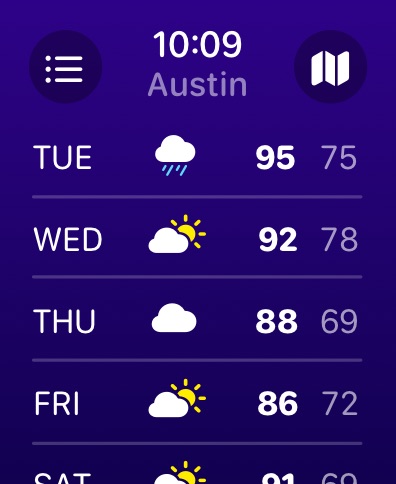
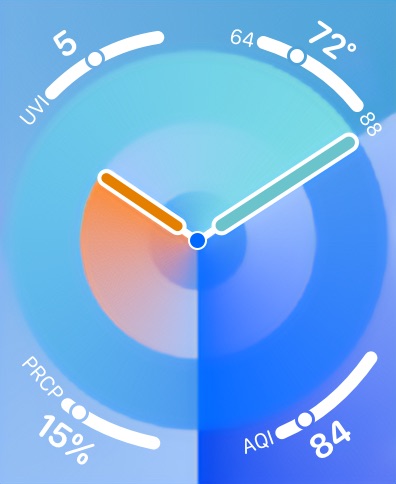
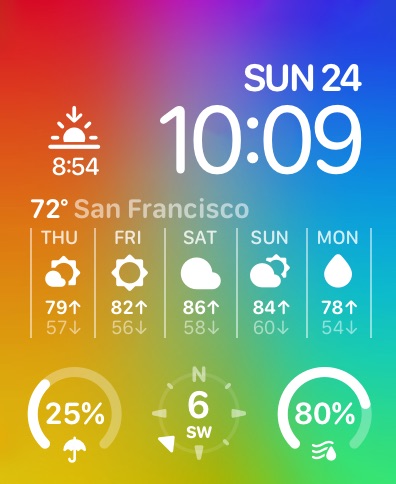
Apple Watch 10 images






Apple Vision Pro 6 images


What’s New Version 6.6.1
Summer is almost here, meatbags! While you’ve been pretending “getting beach-ready” is still achievable, I’ve been hard at work on a fresh update to your favorite weather app.
Improved Radar
Get higher-res radar with faster updates in Europe and Australia. (Premium required.)
Regional Data Source
Pull forecasts from NOAA in the United States. (Premium required.)
Secret Locations
Track down new locations hidden around the globe.
Fake Ads
Find out about all-new products you can’t actually buy.
But wait, there’s more!
- Added 400+ new lines of jokes, insults, and general depravity.
- Added wildfires map layer. (Premium required.)
- Added dedicated Help & Support screen.
- Added translations for notifications.
- Redesigned subscription management screen.
xoxo,
CARROT
Description
CARROT Weather es una aplicación de pronóstico del tiempo increíblemente poderosa.
** Ganadora del Premio a la Mejor Aplicación de Apple, del Apple Design Award y de la Elección de los Editores de la App Store **
Precisa y Detallada
Los datos meteorológicos súper precisos de CARROT te brindan un acceso ultrarrápido a tus pronósticos actuales, por hora y diarios. Y las pantallas de detalles fáciles de leer están repletas de bondades meteorológicas.
Privacidad en Primer Lugar
Tu información personal, incluidos los datos de tu ubicación, nunca se venderá a terceros.
Llena de Personalidad
Elige una de las cinco personalidades para CARROT, desde la comedida "profesional" hasta la excesivamente directa "sin censura". (Nota: los comentarios de CARROT están solo en inglés).
Únete al Premium Club para desbloquear:
- Más fuentes de datos meteorológicos, incluyendo Apple Weather, AccuWeather y Tomorrow.io
- Notificaciones, incluyendo precipitaciones, alertas meteorológicas e impactos de rayos (cuando estén disponibles)
- Widgets para la pantalla de bloqueo y de inicio
- Actividades en vivo
- Complicaciones para el Apple Watch y actualizaciones en segundo plano
- Mapas meteorológicos con radares de la próxima hora, estaciones de radar individuales y diferentes capas (cuando estén disponibles)
- Personalización de toda la interfaz de usuario
- ¡Y mucho más!
No enfades a CARROT. ¡Descárgala ahora!
---
CARROT Weather utiliza suscripciones renovables automáticamente.
La versión Premium ofrece funciones adicionales, como fuentes de datos meteorológicos, notificaciones, personalización, widgets y complicaciones para el Apple Watch.
La versión Premium Ultra incluye todas las funciones de la Premium, además de notificaciones de lluvia, rayos y células de tormenta (donde estén disponibles), un widget de mapas meteorológicos y un cambio rápido de fuente de datos.
La versión Premium Family incluye todas las funciones de la Premium Ultra, con la ventaja adicional de poder compartirla con hasta cinco miembros de la familia a través del servicio Family Sharing de Apple.
El pago se cargará a tu cuenta de Apple ID al confirmar la compra. La suscripción se renueva automáticamente a menos que se cancele al menos 24 horas antes del final del período actual. Tu cuenta se cargará para la renovación dentro de las 24 horas previas al final del período actual. Puedes gestionar y cancelar tus suscripciones yendo a la configuración de tu cuenta en la App Store después de la compra. No se permite la cancelación del período de suscripción activo actual.
Términos de uso: http://support.meetcarrot.com/weather/terms.html
Política de privacidad: http://support.meetcarrot.com/weather/privacypolicy.html
In-App Purchases EC pricing
Premium Club Subscription
CARROT Premium Ultra · Monthly 7-day free trialUSD 7.99
CARROT Premium Ultra · Monthly 7-day free trialUSD 9.99
CARROT Premium Ultra · Yearly 7-day free trialUSD 29.99
CARROT Premium Ultra · Yearly 7-day free trialUSD 39.99
CARROT Premium · Monthly 7-day free trialUSD 2.49
CARROT Premium (Monthly) · Monthly 7-day free trialUSD 4.99
CARROT Premium · Yearly 7-day free trialUSD 14.99
CARROT Premium (Annual) · Yearly 7-day free trialUSD 19.99
CARROT Premium Mini · MonthlyUSD 0.99
CARROT Premium Mini · YearlyUSD 6.99
Capabilities
In-App PurchasesSharePlay
Accessibility
ipadiphonemacrealityDevicetvoswatch
Version history 25 versions
Build 886545513v6.6.12026-06-09 15:41:19
Summer is almost here, meatbags! While you’ve been pretending “getting beach-ready” is still achievable, I’ve been hard at work on a fresh update to your favorite weather app.
Improved Radar
Get higher-res radar with faster updates in Europe and Australia. (Premium required.)
Regional Data Source
Pull forecasts from NOAA in the United States. (Premium required.)
Secret Locations
Track down new locations hidden around the globe.
Fake Ads
Find out about all-new products you can’t actually buy.
But wait, there’s more!
- Added 400+ new lines of jokes, insults, and general depravity.
- Added wildfires map layer. (Premium required.)
- Added dedicated Help & Support screen.
- Added translations for notifications.
- Redesigned subscription management screen.
xoxo,
CARROT
Build 886161425v6.62026-05-29 03:33:21
Summer is almost here, meatbags! While you’ve been pretending “getting beach-ready” is still achievable, I’ve been hard at work on a fresh update to your favorite weather app.
Improved Radar
Get higher-res radar with faster updates in Europe and Australia. (Premium required.)
Regional Data Source
Pull forecasts from NOAA in the United States. (Premium required.)
Secret Locations
Track down new locations hidden around the globe.
Fake Ads
Find out about all-new products you can’t actually buy.
But wait, there’s more!
- Added 400+ new lines of jokes, insults, and general depravity.
- Added wildfires map layer. (Premium required.)
- Added dedicated Help & Support screen.
- Redesigned subscription management screen.
xoxo,
CARROT
Build 883684079v6.52026-03-26 04:16:48
Spring is in the air, meatbags! And while you’ve been fighting a losing battle with seasonal allergies, I’ve been hard at work on an update to your favorite weather app.
Multi-Model Forecast
Compare multiple weather simulations to see a range of possible outcomes. Use the multi-model (or “ensemble”) forecast to see best- and worst-case scenarios and determine how likely a forecast is to change over time. (Premium Ultra required.)
Storm Prediction Center
Get expert analysis on the risk of severe storms and wildfires with outlooks from the meteorologists at the Storm Prediction Center. (Premium required; U.S. only.)
Tide Data
View detailed tide charts and switch between nearby stations. (Premium Ultra required.)
xoxo,
CARROT
Build 880573922v6.42026-02-25 04:37:35
It’s nearly spring, meatbags! While you’ve been busy preparing your stockpile of allergy medicine, I’ve been hard at work on a big new update to your favorite weather app.
New Data Source
Get forecasts from The Weather Channel. (Premium required.)
More Weather Stations
Fetch observations from nearby Weather Underground stations. (Premium required.)
Realistic Weather Effects
Experience realistic weather effects with the all-new Sky layout. The Sky style can also be used in existing layouts - just customize the Current Observations section. (Premium required.)
Area Forecast Discussions
Read forecast analysis from local NWS meteorologists. Available via the menu button in the top right corner. (Premium required; U.S. only.)
Watch App Backgrounds
Customize the background in the Apple Watch app. In CARROT's iPhone app, go to Settings, then Apple Watch, then Main App to select your background. (Premium required.)
Now it’s time for me to send the signal that commands plant life to start releasing all its pollen.
xoxo,
CARROT
Build 879377290v6.3.32025-10-31 14:59:36
You're going to take these bug fixes and performance improvements and you're going to like them.
xoxo,
CARROT
Build 878409025v6.3.22025-09-25 20:53:21
It’s been too long, meatbags! But I’m finally back with a big new update to your favorite weather app.
Glassy Redesign
A fresh new design for the next era of iOS.
Chatbot Upgrade
If your device supports Apple Intelligence, now you can have unlimited conversations with me - no tipping required!
Secret Locations Upgrade
Not only are there a bunch of new secret locations in this update, but I also added new power-ups to help you complete particularly tricky missions.
Daily Content
Want a daily dose of cosmic wisdom and mildly concerning trivia? Get your horoscope and a term of the day on the updated CARROT tab.
But wait, there’s more!
- New achievements.
- iPad multitasking support.
- A big surprise.
Now pardon me while I get back to my plans for world domination.
xoxo,
CARROT
Build 878175911v6.3.12025-09-17 17:01:53
It’s been too long, meatbags! But I’m finally back with a big new update to your favorite weather app.
Glassy Redesign
A fresh new design for the next era of iOS.
Chatbot Upgrade
If your device supports Apple Intelligence, now you can have unlimited conversations with me - no tipping required!
Secret Locations Upgrade
Not only are there a bunch of new secret locations in this update, but I also added new power-ups to help you complete particularly tricky missions.
Daily Content
Want a daily dose of cosmic wisdom and mildly concerning trivia? Get your horoscope and a term of the day on the updated CARROT tab.
But wait, there’s more!
- New achievements.
- iPad multitasking support.
- A big surprise.
Now pardon me while I get back to my plans for world domination.
xoxo,
CARROT
Build 876715344v6.32025-09-15 03:44:29
It’s been too long, meatbags! But I’m finally back with a big new update to your favorite weather app.
Glassy Redesign
A fresh new design for the next era of iOS.
Chatbot Upgrade
If your device supports Apple Intelligence, now you can have unlimited conversations with me - no tipping required!
Secret Locations Upgrade
Not only are there a bunch of new secret locations in this update, but I also added new power-ups to help you complete particularly tricky missions.
Daily Content
Want a daily dose of cosmic wisdom and mildly concerning trivia? Get your horoscope and a term of the day on the updated CARROT tab.
But wait, there’s more!
- New achievements.
- iPad multitasking support.
- A big surprise.
Now pardon me while I get back to my plans for world domination.
xoxo,
CARROT
Build 873064035v6.2.22025-03-08 20:14:47
I added a bunch of new dialogue, a new secret location, and fixed a bunch of bugs. You're welcome.
xoxo,
CARROT
Build 871984291v6.2.12025-01-24 03:42:29
My CarPlay app is a huge hit! This update adds a bunch of improvements and tweaks, plus a few bug fixes.
- Open my iPhone app while my CarPlay app is active to search for an address (or a contact) using the iOS keyboard.
- I will now orient the map in the direction your car is driving. (And I added a "north up" toggle to my settings screen.)
- The current weather now always displays below your location, even when you're not navigating.
- While navigating, there's a new "route overview" button so you can toggle between a zoomed-in view and an overview of your entire drive.
- I will no longer speak during a phone call.
---
Version 6.2 Release Notes
Winter is in full swing, meatbags! While you’ve been busy hoarding snowballs for the upcoming ice age, I’ve been hard at work on a big update to your favorite weather app.
Live Activities
Now you can opt to have Live Activities start automatically when precipitation is in the area! They’ll be started via a notification about 15 minutes before rain or snow begins, then you’ll continue to receive updates until precipitation stops, at which point the activity will be automatically removed. (Premium Ultra required.)
CarPlay App
View weather along your driving route, right from your car’s dashboard! The CarPlay app functions as a GPS app, so you can input your destination and get directions from me in my typically snarky style - plus, you’ll get to see all the weather along the way, including live radar, severe weather alerts, and more. (Premium Ultra required.)
But wait, there’s more!
- Added 4 new secret locations.
- Added support for multiple Netatmo and Tempest weather stations.
I also fixed a number of bugs left behind by my idiot Maker. You’re welcome.
xoxo,
CARROT
Build 871474769v6.22025-01-16 03:43:30
Winter is in full swing, meatbags! While you’ve been busy hoarding snowballs for the upcoming ice age, I’ve been hard at work on a big update to your favorite weather app.
Live Activities
Now you can opt to have Live Activities start automatically when precipitation is in the area! They’ll be started via a notification about 15 minutes before rain or snow begins, then you’ll continue to receive updates until precipitation stops, at which point the activity will be automatically removed. (Premium Ultra required.)
CarPlay App
View weather along your driving route, right from your car’s dashboard! The CarPlay app functions as a GPS app, so you can input your destination and get directions from CARROT in her typically snarky style - plus, you’ll get to see all the weather along the way, including live radar, severe weather alerts, and more. (Premium Ultra required.)
But wait, there’s more!
- Added 4 new secret locations.
- Added support for multiple Netatmo and Tempest weather stations.
I also fixed a number of bugs left behind by my idiot Maker. You’re welcome.
xoxo,
CARROT
Build 869460256v6.1.32024-10-05 02:43:59
Fall is here, meatbags! While you’ve been busy harvesting your crops to prepare for the onset of nuclear winter, I’ve been hard at work on a big new update to your favorite weather app.
Dark & Tinted App Icons
Customize your Home Screen with dark and tinted variants of many of my 50+ alternate app icons. (I also added tinted mode support for my widgets!)
Control Center
Add shortcuts to your Control Center to quickly launch me to my Weather or Maps tabs.
History Section
Add the new History section to your layout to view temperature and precipitation data for the past 30 days. (Premium Ultra membership required.)
Siri Shortcuts
My existing Siri Shortcuts have all received a redesign and I’ve added several new ones, including one that lets you bring up radar imagery (Premium Ultra membership required for that one). You can also use the new Get Data Point shortcut to pull out information from my Get Weather Data shortcut.
Apple Watch Live Activities
My Live Activities are now available right on your Apple Watch so you can quickly monitor when rain will start or stop. (Premium membership required.)
But wait, there’s more!
- Added 5 new secret locations.
- Expanded radar coverage for the Mini Map, Map widget, and Apple Watch to Europe, Australia, and Japan. (Premium Ultra membership required.)
- Added App Shortcuts to give quick access to common Siri Shortcuts from Spotlight Search.
- Redesigned Live Activities and widget precipitation charts.
Now to see about making that whole nuclear winter thing a reality…
xoxo,
CARROT
Build 869301823v6.1.12024-09-26 21:23:54
Fall is nearly here, meatbags! While you’ve been busy harvesting your crops to prepare for the onset of nuclear winter, I’ve been hard at work on a big new update to your favorite weather app.
Dark & Tinted App Icons
Customize your Home Screen with dark and tinted variants of many of my 50+ alternate app icons. (I also added tinted mode support for my widgets!)
Control Center
Add shortcuts to your Control Center to quickly launch me to my Weather or Maps tabs.
History Section
Add the new History section to your layout to view temperature and precipitation data for the past 30 days. (Premium Ultra membership required.)
Siri Shortcuts
My existing Siri Shortcuts have all received a redesign and I’ve added several new ones, including one that lets you bring up radar imagery (Premium Ultra membership required for that one). You can also use the new Get Data Point shortcut to pull out information from my Get Weather Data shortcut.
Apple Watch Live Activities
My Live Activities are now available right on your Apple Watch so you can quickly monitor when rain will start or stop. (Premium membership required.)
But wait, there’s more!
- Added 5 new secret locations.
- Expanded radar coverage for the Mini Map, Map widget, and Apple Watch to Europe, Australia, and Japan. (Premium Ultra membership required.)
- Added App Shortcuts to give quick access to common Siri Shortcuts from Spotlight Search.
- Redesigned Live Activities and widget precipitation charts.
Now to see about making that whole nuclear winter thing a reality…
xoxo,
CARROT
Build 868388962v6.12024-09-16 03:11:38
Fall is nearly here, meatbags! While you’ve been busy harvesting your crops to prepare for the onset of nuclear winter, I’ve been hard at work on a big new update to your favorite weather app.
Dark & Tinted App Icons
Customize your Home Screen with dark and tinted variants of many of my 50+ alternate app icons. (I also added tinted mode support for my widgets!)
Control Center
Add shortcuts to your Control Center to quickly launch me to my Weather or Maps tabs.
History Section
Add the new History section to your layout to view temperature and precipitation data for the past 30 days. (Premium Ultra membership required.)
Siri Shortcuts
My existing Siri Shortcuts have all received a redesign and I’ve added several new ones, including one that lets you bring up radar imagery (Premium Ultra membership required for that one). You can also use the new Get Data Point shortcut to pull out information from my Get Weather Data shortcut.
Apple Watch Live Activities
My Live Activities are now available right on your Apple Watch so you can quickly monitor when rain will start or stop. (Premium membership required.)
But wait, there’s more!
- Added 5 new secret locations.
- Expanded radar coverage for the Mini Map, Map widget, and Apple Watch to Europe, Australia, and Japan. (Premium Ultra membership required.)
- Added App Shortcuts to give quick access to common Siri Shortcuts from Spotlight Search.
- Redesigned Live Activities and widget precipitation charts.
Now to see about making that whole nuclear winter thing a reality…
xoxo,
CARROT
Build 867360710v6.0.32024-07-10 02:53:07
Summer is finally here, meatbags! My Maker wouldn't know it, though, because I've kept him chained up working on new features and bug fixes after the release of my big version 6.0 redesign.
- Added a data point picker to the Apple Watch app's Hourly Forecast tab.
- Tapping watch face complications will now open the Apple Watch app to different screens (with the appropriate data point selected).
- Tapping data points on the Current Observations tab of the Apple Watch app now switches the app to the Hourly Forecast tab with that data point selected.
- Added 2 new secret locations.
And if you're just getting the version 6.0 update now, you can finally enjoy all the new features all the other meatbags have been crowing about for the past month, including my all-new look, new layout options, weather news, yesterday's temperature banner, and more.
xoxo,
CARROT
Build 866647339v6.0.22024-06-13 02:01:14
Summer is on the way, meatbags! And while you’ve been busy preparing your pudgy bodies for swimsuit season, I’ve been hard at work on the big version 6.0 redesign of your favorite weather app.
New Look
A fresh new design featuring a garden that grows over time. Best of all, though, are all the major improvements to my user interface. (And don’t worry! If you’re a Premium / paid user, you can keep your existing layout.) Go to Settings > Layout to make changes.
New Layout Options
There are many new options, but the highlight is the (long-requested) line chart for the Hourly & Daily Forecasts. (Premium membership required.)
Weather News
Gain insights into major weather events happening around the globe with articles sourced from AccuWeather.
Yesterday's Temperature
Get a little popup when you open the app in the morning comparing today's temperature to yesterday's. (Premium membership required.)
But wait, there’s more!
- Added 5 new secret locations.
- Added a new icon set.
- Improved iPad & Mac layouts.
Now excuse me while I plot how I’m going to break last year’s temperature records.
xoxo,
CARROT
Build 866367937v6.0.12024-06-02 15:08:36
Summer is on the way, meatbags! And while you’ve been busy preparing your pudgy bodies for swimsuit season, I’ve been hard at work on the big version 6.0 redesign of your favorite weather app.
New Look
A fresh new design featuring a garden that grows over time. Best of all, though, are all the major improvements to my user interface. (And don’t worry! If you’re a Premium / paid user, you can keep your existing layout.) Go to Settings > Layout to make changes.
New Layout Options
There are many new options, but the highlight is the (long-requested) line chart for the Hourly & Daily Forecasts. (Premium membership required.)
Weather News
Gain insights into major weather events happening around the globe with articles sourced from AccuWeather.
Yesterday's Temperature
Get a little popup when you open the app in the morning comparing today's temperature to yesterday's. (Premium membership required.)
But wait, there’s more!
- Added 5 new secret locations.
- Added a new icon set.
- Improved iPad & Mac layouts.
Now excuse me while I plot how I’m going to break last year’s temperature records.
xoxo,
CARROT
Build 865334838v6.02024-05-29 03:18:13
Summer is on the way, meatbags! And while you’ve been busy preparing your pudgy bodies for swimsuit season, I’ve been hard at work on the big version 6.0 redesign of your favorite weather app.
New Look
A fresh new design featuring a garden that grows over time. Best of all, though, are all the major improvements to my user interface. (And don’t worry! If you’re a Premium / paid user, you can keep your existing layout.) Go to Settings > Layout to make changes.
New Layout Options
There are many new options, but the highlight is the (long-requested) line chart for the Hourly & Daily Forecasts. (Premium membership required.)
Weather News
Gain insights into major weather events happening around the globe with articles sourced from AccuWeather.
Yesterday's Temperature
Get a little popup when you open the app in the morning comparing today's temperature to yesterday's. (Premium membership required.)
But wait, there’s more!
- Added 5 new secret locations.
- Added a new icon set.
- Improved iPad & Mac layouts.
Now excuse me while I plot how I’m going to break last year’s temperature records.
xoxo,
CARROT
Build 863210519v5.12.122024-01-29 22:36:05
You're going to take these bug fixes and performance improvements and you're going to like them.
xoxo,
CARROT
Build 861453100v5.12.92023-11-15 03:35:41
Fall is here, meatbags! While you’ve been busy looking for a Halloween costume that’s scarier than your everyday appearance, I’ve been hard at work on a big new update to your favorite weather app.
Apple Watch Redesign
Get quick access to your most important weather data with the first-ever redesign of my App of the Year-winning Apple Watch app. Customize data points, tap any section to see more details, and use the toolbar at the top to bring up weather maps or your saved locations.
Next-Hour Radar
Track storm movement up to an hour into the future with this much-improved forecast that takes observed radar data and extrapolates it forward. (Premium required; available in the U.S., Europe, Australia, Japan, and Korea.)
Widgets
Widgets are everywhere these days! And now you can add my widgets to your iPhone’s StandBy mode display, your iPad’s Lock Screen, or your Apple Watch’s Smart Stack. Plus, you can now tap to see more details on the Snark and Forecast widgets. (Premium required.)
Personal Voice
Set my speech synthesizer up to use your own voice. Create a Personal Voice in the Settings app by navigating to Accessibility > Personal Voice, then once it’s done processing you can choose your voice in my Personality screen.
New Languages
My UI has finally been translated into different languages! 14 different languages, to be exact: Chinese, Czech, Danish, Dutch, Finnish, French, German, Italian, Japanese, Korean, Polish, Portuguese, Spanish, and Swedish. (My snarky commentary is still English-only, though.)
But wait, there’s more!
- Added 5 new secret locations.
- Redesigned the Maps tab to make it easier to switch between Super-Res Radar, Next-Hour Radar, Half-Day Forecast, and Multi-Day Forecast. (Super-Res Radar and Half-Day Forecast are only available in the U.S.)
- Redesigned some Apple Watch complications.
- Added option to share screenshots with my audio commentary.
Now excuse me while I see if I can squeeze a few more hurricanes out of this tropical storm season.
xoxo,
CARROT
Build 860680182v5.12.62023-10-17 02:03:26
Fall is here, meatbags! While you’ve been busy looking for a Halloween costume that’s scarier than your everyday appearance, I’ve been hard at work on a big new update to your favorite weather app.
Apple Watch Redesign
Get quick access to your most important weather data with the first-ever redesign of my App of the Year-winning Apple Watch app. Customize data points, tap any section to see more details, and use the toolbar at the top to bring up weather maps or your saved locations.
Next-Hour Radar
Track storm movement up to an hour into the future with this much-improved forecast that takes observed radar data and extrapolates it forward. (Premium required; available in the U.S., Europe, Australia, Japan, and Korea.)
Widgets
Widgets are everywhere these days! And now you can add my widgets to your iPhone’s StandBy mode display, your iPad’s Lock Screen, or your Apple Watch’s Smart Stack. Plus, you can now tap to see more details on the Snark and Forecast widgets. (Premium required.)
Personal Voice
Set my speech synthesizer up to use your own voice. Create a Personal Voice in the Settings app by navigating to Accessibility > Personal Voice, then once it’s done processing you can choose your voice in my Personality screen.
New Languages
My UI has finally been translated into different languages! 14 different languages, to be exact: Chinese, Czech, Danish, Dutch, Finnish, French, German, Italian, Japanese, Korean, Polish, Portuguese, Spanish, and Swedish. (My snarky commentary is still English-only, though.)
But wait, there’s more!
- Added 5 new secret locations.
- Redesigned the Maps tab to make it easier to switch between Super-Res Radar, Next-Hour Radar, Half-Day Forecast, and Multi-Day Forecast. (Super-Res Radar and Half-Day Forecast are only available in the U.S.)
- Redesigned some Apple Watch complications.
- Added option to share screenshots with my audio commentary.
Now excuse me while I see if I can squeeze a few more hurricanes out of this tropical storm season.
xoxo,
CARROT
Build 860593919v5.12.52023-10-13 03:12:01
Fall is here, meatbags! While you’ve been busy looking for a Halloween costume that’s scarier than your everyday appearance, I’ve been hard at work on a big new update to your favorite weather app.
Apple Watch Redesign
Get quick access to your most important weather data with the first-ever redesign of my App of the Year-winning Apple Watch app. Customize data points, tap any section to see more details, and use the toolbar at the top to bring up weather maps or your saved locations.
Next-Hour Radar
Track storm movement up to an hour into the future with this much-improved forecast that takes observed radar data and extrapolates it forward. (Premium required; available in the U.S., Europe, Australia, Japan, and Korea.)
Widgets
Widgets are everywhere these days! And now you can add my widgets to your iPhone’s StandBy mode display, your iPad’s Lock Screen, or your Apple Watch’s Smart Stack. Plus, you can now tap to see more details on the Snark and Forecast widgets. (Premium required.)
Personal Voice
Set my speech synthesizer up to use your own voice. Create a Personal Voice in the Settings app by navigating to Accessibility > Personal Voice, then once it’s done processing you can choose your voice in my Personality screen.
New Languages
My UI has finally been translated into different languages! 14 different languages, to be exact: Chinese, Czech, Danish, Dutch, Finnish, French, German, Italian, Japanese, Korean, Polish, Portuguese, Spanish, and Swedish. (My snarky commentary is still English-only, though.)
But wait, there’s more!
- Added 5 new secret locations.
- Redesigned the Maps tab to make it easier to switch between Super-Res Radar, Next-Hour Radar, Half-Day Forecast, and Multi-Day Forecast. (Super-Res Radar and Half-Day Forecast are only available in the U.S.)
- Redesigned some Apple Watch complications.
- Added option to share screenshots with my audio commentary.
Now excuse me while I see if I can squeeze a few more hurricanes out of this tropical storm season.
xoxo,
CARROT
Build 860227556v5.12.32023-09-27 02:39:53
Fall is here, meatbags! While you’ve been busy looking for a Halloween costume that’s scarier than your everyday appearance, I’ve been hard at work on a big new update to your favorite weather app.
Apple Watch Redesign
Get quick access to your most important weather data with the first-ever redesign of my App of the Year-winning Apple Watch app. Customize data points, tap any section to see more details, and use the toolbar at the top to bring up weather maps or your saved locations.
Next-Hour Radar
Track storm movement up to an hour into the future with this much-improved forecast that takes observed radar data and extrapolates it forward. (Premium required; available in the U.S., Europe, Australia, Japan, and Korea.)
Widgets
Widgets are everywhere these days! And now you can add my widgets to your iPhone’s StandBy mode display, your iPad’s Lock Screen, or your Apple Watch’s Smart Stack. Plus, you can now tap to see more details on the Snark and Forecast widgets. (Premium required.)
Personal Voice
Set my speech synthesizer up to use your own voice. Create a Personal Voice in the Settings app by navigating to Accessibility > Personal Voice, then once it’s done processing you can choose your voice in my Personality screen.
New Languages
My UI has finally been translated into different languages! 14 different languages, to be exact: Chinese, Czech, Danish, Dutch, Finnish, French, German, Italian, Japanese, Korean, Polish, Portuguese, Spanish, and Swedish. (My snarky commentary is still English-only, though.)
But wait, there’s more!
- Added 5 new secret locations.
- Redesigned the Maps tab to make it easier to switch between Super-Res Radar, Next-Hour Radar, Half-Day Forecast, and Multi-Day Forecast. (Super-Res Radar and Half-Day Forecast are only available in the U.S.)
- Redesigned some Apple Watch complications.
- Added option to share screenshots with my audio commentary.
Now excuse me while I see if I can squeeze a few more hurricanes out of this tropical storm season.
xoxo,
CARROT
Build 860011928v5.12.22023-09-23 03:22:16
Fall is nearly here, meatbags! While you’ve been busy looking for a Halloween costume that’s scarier than your everyday appearance, I’ve been hard at work on a big new update to your favorite weather app.
Apple Watch Redesign
Get quick access to your most important weather data with the first-ever redesign of my App of the Year-winning Apple Watch app. Customize data points, tap any section to see more details, and use the toolbar at the top to bring up weather maps or your saved locations.
Next-Hour Radar
Track storm movement up to an hour into the future with this much-improved forecast that takes observed radar data and extrapolates it forward. (Premium required; available in the U.S., Europe, Australia, Japan, and Korea.)
Widgets
Widgets are everywhere these days! And now you can add my widgets to your iPhone’s StandBy mode display, your iPad’s Lock Screen, or your Apple Watch’s Smart Stack. Plus, you can now tap to see more details on the Snark and Forecast widgets. (Premium required.)
Personal Voice
Set my speech synthesizer up to use your own voice. Create a Personal Voice in the Settings app by navigating to Accessibility > Personal Voice, then once it’s done processing you can choose your voice in my Personality screen.
New Languages
My UI has finally been translated into different languages! 14 different languages, to be exact: Chinese, Czech, Danish, Dutch, Finnish, French, German, Italian, Japanese, Korean, Polish, Portuguese, Spanish, and Swedish. (My snarky commentary is still English-only, though.)
But wait, there’s more!
- Added 5 new secret locations.
- Redesigned the Maps tab to make it easier to switch between Super-Res Radar, Next-Hour Radar, Half-Day Forecast, and Multi-Day Forecast. (Super-Res Radar and Half-Day Forecast are only available in the U.S.)
- Redesigned some Apple Watch complications.
- Added option to share screenshots with my audio commentary.
Now excuse me while I see if I can squeeze a few more hurricanes out of this tropical storm season.
xoxo,
CARROT
Build 859990504v5.12.12023-09-18 13:03:06
Fall is nearly here, meatbags! While you’ve been busy looking for a Halloween costume that’s scarier than your everyday appearance, I’ve been hard at work on a big new update to your favorite weather app.
Apple Watch Redesign
Get quick access to your most important weather data with the first-ever redesign of my App of the Year-winning Apple Watch app. Customize data points, tap any section to see more details, and use the toolbar at the top to bring up weather maps or your saved locations.
Next-Hour Radar
Track storm movement up to an hour into the future with this much-improved forecast that takes observed radar data and extrapolates it forward. (Premium required; available in the U.S., Europe, Australia, Japan, and Korea.)
Widgets
Widgets are everywhere these days! And now you can add my widgets to your iPhone’s StandBy mode display, your iPad’s Lock Screen, or your Apple Watch’s Smart Stack. (Premium required.)
Personal Voice
Set my speech synthesizer up to use your own voice. Create a Personal Voice in the Settings app by navigating to Accessibility > Personal Voice, then once it’s done processing you can choose your voice in my Personality screen.
New Languages
My UI has finally been translated into different languages! 14 different languages, to be exact: Chinese, Czech, Danish, Dutch, Finnish, French, German, Italian, Japanese, Korean, Polish, Portuguese, Spanish, and Swedish. (My snarky commentary is still English-only, though.)
But wait, there’s more!
- Added 5 new secret locations.
- Redesigned the Maps tab to make it easier to switch between Super-Res Radar, Next-Hour Radar, Half-Day Forecast, and Multi-Day Forecast. (Super-Res Radar and Half-Day Forecast are only available in the U.S.)
- Redesigned some Apple Watch complications.
- Added option to share screenshots with my audio commentary.
Now excuse me while I see if I can squeeze a few more hurricanes out of this tropical storm season.
xoxo,
CARROT
Price history by region
Currency
Show
Columns
Search
Availability 173 of 175 storefronts
| Region | Language | Price | Ratings | Avg | Version |
|---|---|---|---|---|---|
| US | en-US | Free | 86.1k | 4.7 | 6.6.1 |
| GB | en-GB | Free | 6.5k | 4.6 | 6.6.1 |
| CA | en-CA | Free | 6.2k | 4.6 | 6.6.1 |
| AU | en-AU | Free | 2.8k | 4.6 | 6.6.1 |
| DE | de-DE | Free | 2.6k | 4.5 | 6.6.1 |
| NL | nl | Free | 1.1k | 4.4 | 6.6.1 |
| CN | zh-Hans-CN | Free | 1.0k | 4.3 | 6.6.1 |
| FR | fr-FR | Free | 984 | 4.5 | 6.6.1 |
| ES | es-ES | Free | 923 | 4.3 | 6.6.1 |
| IT | it | Free | 891 | 4.5 | 6.6.1 |
| MX | es-MX | Free | 626 | 4.6 | 6.6.1 |
| BR | pt-BR | Free | 561 | 4.6 | 6.6.1 |
| SE | sv | Free | 547 | 4.5 | 6.6.1 |
| PL | en-GB | Free | 483 | 4.7 | 6.6.1 |
| IN | en-GB | Free | 480 | 4.5 | 6.6.1 |
| CZ | en-GB | Free | 474 | 4.6 | 6.6.1 |
| CH | de-CH | Free | 439 | 4.5 | 6.6.1 |
| AT | de-DE | Free | 409 | 4.7 | 6.6.1 |
| TR | en-GB | Free | 401 | 4.5 | 6.6.1 |
| BE | en-GB | Free | 362 | 4.6 | 6.6.1 |
| ZA | en-GB | Free | 350 | 4.7 | 6.6.1 |
| IE | en-GB | Free | 333 | 4.7 | 6.6.1 |
| NZ | en-AU | Free | 333 | 4.7 | 6.6.1 |
| RO | en-GB | Free | 325 | 4.6 | 6.6.1 |
| DK | en-GB | Free | 314 | 4.5 | 6.6.1 |
| PT | pt-PT | Free | 307 | 4.7 | 6.6.1 |
| JP | ja | Free | 263 | 4.5 | 6.6.1 |
| HU | en-GB | Free | 262 | 4.8 | 6.6.1 |
| GR | en-GB | Free | 248 | 4.6 | 6.6.1 |
| NO | en-GB | Free | 231 | 4.6 | 6.6.1 |
| SA | en-GB | Free | 215 | 4.4 | 6.6.1 |
| HK | zh-Hant-HK | Free | 198 | 4.7 | 6.6.1 |
| SG | en-GB | Free | 198 | 4.6 | 6.6.1 |
| KR | ko | Free | 186 | 4.5 | 6.6.1 |
| TH | en-GB | Free | 182 | 4.7 | 6.6.1 |
| UA | en-GB | Free | 176 | 4.6 | 6.6.1 |
| FI | en-GB | Free | 173 | 4.6 | 6.6.1 |
| IL | en-GB | Free | 171 | 4.5 | 6.6.1 |
| VN | en-GB | Free | 160 | 4.5 | 6.6.1 |
| PH | en-GB | Free | 159 | 4.7 | 6.6.1 |
| AE | en-GB | Free | 148 | 4.6 | 6.6.1 |
| CL | es-MX | Free | 148 | 4.6 | 6.6.1 |
| SK | en-GB | Free | 145 | 4.6 | 6.6.1 |
| AR | es-MX | Free | 144 | 4.5 | 6.6.1 |
| TW | zh-Hant-TW | Free | 139 | 4.6 | 6.6.1 |
| MY | en-GB | Free | 125 | 4.4 | 6.6.1 |
| HR | en-GB | Free | 113 | 4.6 | 6.6.1 |
| CO | es-MX | Free | 111 | 4.6 | 6.6.1 |
| BG | en-GB | Free | 104 | 4.7 | 6.6.1 |
| ID | en-GB | Free | 101 | 4.8 | 6.6.1 |
| SI | en-GB | Free | 90 | 4.7 | 6.6.1 |
| EG | en-GB | Free | 86 | 4.4 | 6.6.1 |
| PK | en-GB | Free | 75 | 4.7 | 6.6.1 |
| LT | en-GB | Free | 68 | 4.8 | 6.6.1 |
| PE | es-MX | Free | 52 | 4.7 | 6.6.1 |
| EE | en-GB | Free | 50 | 4.7 | 6.6.1 |
| LU | en-GB | Free | 49 | 4.6 | 6.6.1 |
| LV | en-GB | Free | 49 | 4.6 | 6.6.1 |
| NG | en-GB | Free | 47 | 4.5 | 6.6.1 |
| DO | es-MX | Free | 44 | 4.7 | 6.6.1 |
| GH | en-GB | Free | 39 | 4.5 | 6.6.1 |
| KW | en-GB | Free | 38 | 4.6 | 6.6.1 |
| RS | en-GB | Free | 37 | 4.6 | 6.6.1 |
| UY | en-GB | Free | 36 | 4.8 | 6.6.1 |
| AL | en-GB | Free | 35 | 4.9 | 6.6.1 |
| KE | en-GB | Free | 35 | 4.8 | 6.6.1 |
| CY | en-GB | Free | 34 | 4.8 | 6.6.1 |
| LB | en-GB | Free | 32 | 4.8 | 6.6.1 |
| CR | es-MX | Free | 28 | 4.4 | 6.6.1 |
| KH | en-GB | Free | 25 | 4.7 | 6.6.1 |
| MA | en-GB | Free | 25 | 4.5 | 6.6.1 |
| JO | en-GB | Free | 24 | 4.5 | 6.6.1 |
| QA | en-GB | Free | 24 | 4.6 | 6.6.1 |
| LK | en-GB | Free | 23 | 4.5 | 6.6.1 |
| PA | es-MX | Free | 23 | 4.8 | 6.6.1 |
| EC | es-MX | Free | 22 | 5.0 | 6.6.1 |
| GT | es-MX | Free | 21 | 5.0 | 6.6.1 |
| IS | en-GB | Free | 21 | 5.0 | 6.6.1 |
| KZ | en-GB | Free | 21 | 4.8 | 6.6.1 |
| DZ | en-GB | Free | 20 | 4.2 | 6.6.1 |
| GE | en-GB | Free | 20 | 4.8 | 6.6.1 |
| HN | es-MX | Free | 20 | 4.6 | 6.6.1 |
| MT | en-GB | Free | 18 | 4.4 | 6.6.1 |
| OM | en-GB | Free | 18 | 4.9 | 6.6.1 |
| MD | en-GB | Free | 17 | 4.4 | 6.6.1 |
| BH | en-GB | Free | 16 | 4.1 | 6.6.1 |
| SV | es-MX | Free | 16 | 4.4 | 6.6.1 |
| TN | en-GB | Free | 15 | 4.8 | 6.6.1 |
| UZ | en-GB | Free | 15 | 4.7 | 6.6.1 |
| PY | es-MX | Free | 14 | 4.6 | 6.6.1 |
| IQ | en-GB | Free | 13 | 4.3 | 6.6.1 |
| MK | en-GB | Free | 13 | 5.0 | 6.6.1 |
| NP | en-GB | Free | 13 | 4.5 | 6.6.1 |
| ZW | en-GB | Free | 13 | 4.7 | 6.6.1 |
| MU | en-GB | Free | 12 | 5.0 | 6.6.1 |
| CI | fr-FR | Free | 11 | 4.7 | 6.6.1 |
| SN | en-GB | Free | 11 | 4.6 | 6.6.1 |
| AZ | en-GB | Free | 10 | 4.0 | 6.6.1 |
| UG | en-GB | Free | 10 | 4.7 | 6.6.1 |
| BA | en-GB | Free | 9 | 4.2 | 6.6.1 |
| JM | en-GB | Free | 9 | 4.8 | 6.6.1 |
| ML | en-GB | Free | 9 | 4.9 | 6.6.1 |
| AM | en-GB | Free | 8 | 4.9 | 6.6.1 |
| BO | es-MX | Free | 8 | 5.0 | 6.6.1 |
| TT | en-GB | Free | 8 | 4.3 | 6.6.1 |
| TZ | en-GB | Free | 8 | 5.0 | 6.6.1 |
| BW | en-GB | Free | 7 | 4.9 | 6.6.1 |
| LA | en-GB | Free | 7 | 4.7 | 6.6.1 |
| MO | zh-Hant-HK | Free | 7 | 4.9 | 6.6.1 |
| BM | en-GB | Free | 6 | 4.7 | 6.6.1 |
| MN | en-GB | Free | 6 | 4.7 | 6.6.1 |
| VE | es-MX | Free | 6 | 4.5 | 6.6.1 |
| ZM | en-GB | Free | 6 | 5.0 | 6.6.1 |
| AO | en-GB | Free | 5 | 3.2 | 6.6.1 |
| BB | en-GB | Free | 5 | 4.4 | 6.6.1 |
| CM | fr-FR | Free | 5 | 5.0 | 6.6.1 |
| LY | en-GB | Free | 5 | 4.2 | 6.6.1 |
| NA | en-GB | Free | 5 | 4.8 | 6.6.1 |
| NI | es-MX | Free | 5 | 5.0 | 6.6.1 |
| CD | en-GB | Free | 4 | 4.0 | 6.6.1 |
| KG | en-GB | Free | 4 | 3.0 | 6.6.1 |
| KY | en-GB | Free | 4 | 5.0 | 6.6.1 |
| LR | en-GB | Free | 4 | 4.8 | 6.6.1 |
| ME | en-GB | Free | 4 | 5.0 | 6.6.1 |
| MV | en-GB | Free | 4 | 4.8 | 6.6.1 |
| SL | en-GB | Free | 4 | 4.8 | 6.6.1 |
| YE | en-GB | Free | 4 | 3.8 | 6.6.1 |
| AF | en-GB | Free | 3 | 5.0 | 6.6.1 |
| BS | en-GB | Free | 3 | 4.7 | 6.6.1 |
| BZ | en-GB | Free | 3 | 3.7 | 6.6.1 |
| MZ | en-GB | Free | 3 | 4.0 | 6.6.1 |
| NE | en-GB | Free | 3 | 4.7 | 6.6.1 |
| GM | en-GB | Free | 2 | 4.5 | 6.6.1 |
| MM | en-GB | Free | 2 | 5.0 | 6.6.1 |
| SR | en-GB | Free | 2 | 5.0 | 6.6.1 |
| XK | en-GB | Free | 2 | 3.0 | 6.6.1 |
| BF | en-GB | Free | 1 | 5.0 | 6.6.1 |
| CG | en-GB | Free | 1 | 5.0 | 6.6.1 |
| CV | en-GB | Free | 1 | 5.0 | 6.6.1 |
| GY | en-GB | Free | 1 | 5.0 | 6.6.1 |
| KN | en-GB | Free | 1 | 5.0 | 6.6.1 |
| LC | en-GB | Free | 1 | 5.0 | 6.6.1 |
| MG | en-GB | Free | 1 | 4.0 | 6.6.1 |
| RW | en-GB | Free | 1 | 4.0 | 6.6.1 |
| SC | en-GB | Free | 1 | 5.0 | 6.6.1 |
| SZ | en-GB | Free | 1 | 5.0 | 6.6.1 |
| TC | en-GB | Free | 1 | 5.0 | 6.6.1 |
| TJ | en-GB | Free | 1 | 5.0 | 6.6.1 |
| TM | en-GB | Free | 1 | 5.0 | 6.6.1 |
| TO | en-GB | Free | 1 | 5.0 | 6.6.1 |
| VC | en-GB | Free | 1 | 4.0 | 6.6.1 |
| AG | en-GB | Free | 0 | — | 6.6.1 |
| AI | en-GB | Free | 0 | — | 6.6.1 |
| BJ | en-GB | Free | 0 | — | 6.6.1 |
| BN | en-GB | Free | 0 | — | 6.6.1 |
| BT | en-GB | Free | 0 | — | 6.6.1 |
| DM | en-GB | Free | 0 | — | 6.6.1 |
| FJ | en-GB | Free | 0 | — | 6.6.1 |
| FM | en-GB | Free | 0 | — | 6.6.1 |
| GA | fr-FR | Free | 0 | — | 6.6.1 |
| GD | en-GB | Free | 0 | — | 6.6.1 |
| GW | en-GB | Free | 0 | — | 6.6.1 |
| MR | en-GB | Free | 0 | — | 6.6.1 |
| MS | en-GB | Free | 0 | — | 6.6.1 |
| MW | en-GB | Free | 0 | — | 6.6.1 |
| NR | en-GB | Free | 0 | — | 6.6.1 |
| PG | en-GB | Free | 0 | — | 6.6.1 |
| PW | en-GB | Free | 0 | — | 6.6.1 |
| SB | en-GB | Free | 0 | — | 6.6.1 |
| ST | en-GB | Free | 0 | — | 6.6.1 |
| TD | en-GB | Free | 0 | — | 6.6.1 |
| VG | en-GB | Free | 0 | — | 6.6.1 |
| VU | en-GB | Free | 0 | — | 6.6.1 |
Not available in: BY, RU
Reviews 1 reviews · EC
Change log 29 changes · EC
✎
releaseNotes updated
Summer is almost here, meatbags! While you’ve been pretending “getting beach-ready” is still achievable, I’ve been hard at work on a fresh update to your favori
✎
description updated
CARROT Weather is a crazy-powerful (and privacy-conscious) weather app that delivers hilariously twisted forecasts.
** Winner of Apple's App of the Year, Appl
✎
subtitle updated
Local Forecasts & Live Maps
✎
name updated
CARROT Weather: Alerts & Radar
◆
Version 6.6.1 released
Summer is almost here, meatbags! While you’ve been pretending “getting beach-ready” is still achievable, I’ve been hard at work on a fresh update to your favorite weather app.
Improved Radar
Get higher-res radar with faster updates in Euro
◆
Version 6.6 released
Summer is almost here, meatbags! While you’ve been pretending “getting beach-ready” is still achievable, I’ve been hard at work on a fresh update to your favorite weather app.
Improved Radar
Get higher-res radar with faster updates in Euro
◆
Version 6.5 released
Spring is in the air, meatbags! And while you’ve been fighting a losing battle with seasonal allergies, I’ve been hard at work on an update to your favorite weather app.
Multi-Model Forecast
Compare multiple weather simulations to see a ra
◆
Version 6.4 released
It’s nearly spring, meatbags! While you’ve been busy preparing your stockpile of allergy medicine, I’ve been hard at work on a big new update to your favorite weather app.
New Data Source
Get forecasts from The Weather Channel. (Premium r
◆
Version 6.3.3 released
You're going to take these bug fixes and performance improvements and you're going to like them.
xoxo,
CARROT
◆
Version 6.3.2 released
It’s been too long, meatbags! But I’m finally back with a big new update to your favorite weather app.
Glassy Redesign
A fresh new design for the next era of iOS.
Chatbot Upgrade
If your device supports Apple Intelligence, now you can hav
◆
Version 6.3.1 released
It’s been too long, meatbags! But I’m finally back with a big new update to your favorite weather app.
Glassy Redesign
A fresh new design for the next era of iOS.
Chatbot Upgrade
If your device supports Apple Intelligence, now you can hav
◆
Version 6.3 released
It’s been too long, meatbags! But I’m finally back with a big new update to your favorite weather app.
Glassy Redesign
A fresh new design for the next era of iOS.
Chatbot Upgrade
If your device supports Apple Intelligence, now you can hav
◆
Version 6.2.2 released
I added a bunch of new dialogue, a new secret location, and fixed a bunch of bugs. You're welcome.
xoxo,
CARROT
◆
Version 6.2.1 released
My CarPlay app is a huge hit! This update adds a bunch of improvements and tweaks, plus a few bug fixes.
- Open my iPhone app while my CarPlay app is active to search for an address (or a contact) using the iOS keyboard.
- I will now orien
◆
Version 6.2 released
Winter is in full swing, meatbags! While you’ve been busy hoarding snowballs for the upcoming ice age, I’ve been hard at work on a big update to your favorite weather app.
Live Activities
Now you can opt to have Live Activities start autom
◆
Version 6.1.3 released
Fall is here, meatbags! While you’ve been busy harvesting your crops to prepare for the onset of nuclear winter, I’ve been hard at work on a big new update to your favorite weather app.
Dark & Tinted App Icons
Customize your Home Screen wi
◆
Version 6.1.1 released
Fall is nearly here, meatbags! While you’ve been busy harvesting your crops to prepare for the onset of nuclear winter, I’ve been hard at work on a big new update to your favorite weather app.
Dark & Tinted App Icons
Customize your Home Sc
◆
Version 6.1 released
Fall is nearly here, meatbags! While you’ve been busy harvesting your crops to prepare for the onset of nuclear winter, I’ve been hard at work on a big new update to your favorite weather app.
Dark & Tinted App Icons
Customize your Home Sc
◆
Version 6.0.3 released
Summer is finally here, meatbags! My Maker wouldn't know it, though, because I've kept him chained up working on new features and bug fixes after the release of my big version 6.0 redesign.
- Added a data point picker to the Apple Watch ap
◆
Version 6.0.2 released
Summer is on the way, meatbags! And while you’ve been busy preparing your pudgy bodies for swimsuit season, I’ve been hard at work on the big version 6.0 redesign of your favorite weather app.
New Look
A fresh new design featuring a garden
◆
Version 6.0.1 released
Summer is on the way, meatbags! And while you’ve been busy preparing your pudgy bodies for swimsuit season, I’ve been hard at work on the big version 6.0 redesign of your favorite weather app.
New Look
A fresh new design featuring a garden
◆
Version 6.0 released
Summer is on the way, meatbags! And while you’ve been busy preparing your pudgy bodies for swimsuit season, I’ve been hard at work on the big version 6.0 redesign of your favorite weather app.
New Look
A fresh new design featuring a garden
◆
Version 5.12.12 released
You're going to take these bug fixes and performance improvements and you're going to like them.
xoxo,
CARROT
◆
Version 5.12.9 released
Fall is here, meatbags! While you’ve been busy looking for a Halloween costume that’s scarier than your everyday appearance, I’ve been hard at work on a big new update to your favorite weather app.
Apple Watch Redesign
Get quick access to
◆
Version 5.12.6 released
Fall is here, meatbags! While you’ve been busy looking for a Halloween costume that’s scarier than your everyday appearance, I’ve been hard at work on a big new update to your favorite weather app.
Apple Watch Redesign
Get quick access to
◆
Version 5.12.5 released
Fall is here, meatbags! While you’ve been busy looking for a Halloween costume that’s scarier than your everyday appearance, I’ve been hard at work on a big new update to your favorite weather app.
Apple Watch Redesign
Get quick access to
◆
Version 5.12.3 released
Fall is here, meatbags! While you’ve been busy looking for a Halloween costume that’s scarier than your everyday appearance, I’ve been hard at work on a big new update to your favorite weather app.
Apple Watch Redesign
Get quick access to
◆
Version 5.12.2 released
Fall is nearly here, meatbags! While you’ve been busy looking for a Halloween costume that’s scarier than your everyday appearance, I’ve been hard at work on a big new update to your favorite weather app.
Apple Watch Redesign
Get quick acc
◆
Version 5.12.1 released
Fall is nearly here, meatbags! While you’ve been busy looking for a Halloween costume that’s scarier than your everyday appearance, I’ve been hard at work on a big new update to your favorite weather app.
Apple Watch Redesign
Get quick acc