Home › Photo & Video

 IT
IT
ITit INen-GB
 USen-US
 IDen-GB
 DEde-DE
 CNzh-Hans-CN
 THen-GB
 MXes-MX
 CAen-CA
 TRen-GB
 GBen-GB
 BRpt-BR
 MYen-GB
 PHen-GB
 AUen-AU
 NLnl
NLnl CHde-CH
 HUen-GB
 ESes-ES
 VNen-GB
 FRfr-FR
 PLen-GB
 ROen-GB
 GRen-GB
 CZen-GB
 RUru
RUru BEen-GB
 ATde-DE
 KRko
KRko SEsv
SEsv ZAen-GB
 PTpt-PT
 CLes-MX
 COes-MX
 AEen-GB
 DKen-GB
 HKzh-Hant-HK
 SAen-GB
 JPja
JPja SKen-GB
 NOen-GB
 TWzh-Hant-TW
 SGen-GB
 PKen-GB
 ARes-MX
 PEes-MX
 BGen-GB
 UAen-GB
 HRen-GB
 IEen-GB
 FIen-GB
 NZen-AU
 KHen-GB
 ECes-MX
 ILen-GB
 RSen-GB
 SIen-GB
 LUen-GB
 CRes-MX
 NGen-GB
 QAen-GB
 EGen-GB
 EEen-GB
 LKen-GB
 LVen-GB
 KWen-GB
 DOes-MX
 MAen-GB
 OMen-GB
 LTen-GB
 PAes-MX
 UYen-GB
 GTes-MX
 HNes-MX
 LBen-GB
 SVes-MX
 BHen-GB
 CYen-GB
 MVen-GB
 KEen-GB
 MTen-GB
 ALen-GB
 BYen-GB
 KZen-GB
 GEen-GB
 MZen-GB
 NIes-MX
 XKen-GB
 BAen-GB
 BOes-MX
 DZen-GB
 GHen-GB
 ISen-GB
 JOen-GB
 NPen-GB
 PGen-GB
 TZen-GB
 UGen-GB
 AMen-GB
 BNen-GB
 MDen-GB
 MKen-GB
 MLen-GB
 MUen-GB
 BFen-GB
 BJen-GB
 BZen-GB
 CGen-GB
 CIfr-FR
 CMfr-FR
 FJen-GB
 GYen-GB
 IQen-GB
 KYen-GB
 MGen-GB
 MOzh-Hant-HK
 MWen-GB
 PYes-MX
 SNen-GB
 TNen-GB
 TTen-GB
 ZMen-GB
 ZWen-GB
 AFen-GB
 AGen-GB
 AIen-GB
 AOen-GB
 AZen-GB
 BBen-GB
 BMen-GB
 BSen-GB
 BTen-GB
 BWen-GB
 CDen-GB
 CVen-GB
 DMen-GB
 FMen-GB
 GAfr-FR
 GDen-GB
 GMen-GB
 GWen-GB
 JMen-GB
 KGen-GB
 KNen-GB
 LAen-GB
 LCen-GB
 LRen-GB
 LYen-GB
 MEen-GB
 MMen-GB
 MNen-GB
 MRen-GB
 MSen-GB
 NAen-GB
 NEen-GB
 NRen-GB
 PWen-GB
 RWen-GB
 SBen-GB
 SCen-GB
 SLen-GB
 SRen-GB
 STen-GB
 SZen-GB
 TCen-GB
 TDen-GB
 TJen-GB
 TMen-GB
 TOen-GB
 UZen-GB
 VCen-GB
 VEes-MX
 VGen-GB
 VUen-GB
 YEen-GB
175 of 175 storefronts
Content in en-US
Content in en-US
Information
Apple ID914386930
Bundle IDcom.fulvio.Reflex
SellerSeller
Min iOS18.0
Min macOS15.0
Device familieswatch, iphone, ipad
Released2014-09-18
Copyright© Fulvio Scichilone
Privacy policyLink ↗
Preview 3 platforms


iPhone 10 images


iPad 7 images




Apple Watch 8 images


What’s New Version 11.1.1
What’s New in DSLR Camera – Version 11
Version 11 introduces a major update focused on a significant evolution of the shooting, editing, and library browsing experience.
Predictive Filters, one of the app’s most appreciated features, has been completely redesigned with a new Core ML model, capable of suggesting filters with even greater accuracy and intelligence based on the visual characteristics of each photo.
New features include:
• New Liquid Glass interface, more modern and consistent across the app
• Integrated crop tools directly within the editing workflow
• Automatic horizon rotation powered by Core ML
• Faster and smoother filter selection
Other major improvements:
• Significant UI and UX update
• New Camera Roll experience
• Faster iCloud photo loading
• Richer and more reliable photo metadata
• Full support for the new iPad window system
• Internal refactor to improve performance, stability, and future scalability
Previous updates:
• Full support for new iOS and the latest iPhone camera systems
• Camera Control support
• Multicam improvements
• Interactive widgets with StandBy support
• Advanced HDR support
• On-device AI improvements and new filter optimizations
Description
DSLR Camera for iPhone, iPad, Apple Watch and iMessage the complete app for Photo and Video with Manual Controls, Advanced Editor and 200+ Professional Filters.
You can shoot and record with the full advantage of the camera on your device, for spectacular shots and videos even at night.
• Constantly updated since 2014 to ensure better performance
- Most downloaded app in 30 World Stores
- Selected like "App of the Day" in many world stores
Made with love in Sicily
The app is designed to be used by beginners and experts.
3 modes:
Auto Mode - for automatically perfect photos and videos
Manual Mode - modifies: Shutter Times, ISO Sensitivity, Manual Focus, Manual WB
P Mode - to shoot and record, choose perfect exposure quickly and easily
Then only one with AI to predict the best filters for your photo
• Perfect shots and videos
DSLR Camera offers you the ability to capture and film your subjects, automatically with the ability of controlling manual function to control shooting time and ISO.
The controls are designed to be simple and complete
• Hand Timer
Use your hand to tell your iPhone how many seconds to wait before taking a shot
• RAW
Shot beautiful photographs in RAW format for a Professional quality
• Predictive Filters
A powerful feature that automatically select the filters most appropriate for your photos
• AR Portrait
Take unique portraits using the LiDAR sensor and AR.
Easily place stickers and graphics between the subject and the background, adjust the blur and enjoy the new photo taking experience.
• Bokeh
Take shots by adjusting the intensity of the blur and the depth at which the effect is applied.
• Widgets
Use exclusive widgets that automatically select and improve every shots
• AR Assistant
Use the augmented reality to study and choose the best point of view for your photo or video.
Use the tutorial to learn various photographic techniques
• Siri Shortcuts
Control the app with the voice
You can say "Hey Siri filter last shot" and Siri will automatically use a predictive filters to correct your photo
• Advanced Focus
Choose the focus to highlight the subject using Focus Macro to capture even minute details, Focus "Infinity" to perfectly define subjects that are far away.
• AFC - No more blurry photos
Hold down a point of the frame to track the subject you chose and DSLR Camera app will focus on what you have chosen.
• Face Tracking - Selfie and Perfect Portraits
Faces in your photos will always be at the right brightness
• Selfie Comparison
Thanks to ML the app evaluate face quality in a picture to help you in selecting the best shot
• Music Filters
This exclusive feature creates and recommends filters based on the music you are listening to and the mood of the moment.
• Dual Filter
The Dual Filter feature allows you to correct and post-produce the subject and background separately.
• Advanced Editor
Edit easily all your photos thanks to the integrated editor.
Photo Editor is fast and complete, allowing you to make your shot even better. You can adjust: Exposure, Contrast, Lights, Shadows, Color Temperature, Saturation, Vividness, Structure, Sharpness, Photo Noise, and Vignette.
Complete with all the Tools to resize, crop, and adjust your photos.
• 200+ Filters
200+ exclusive Photo Filters to make your photo unique
• Cinematic Videos
Select recording quality and take videos in 4k, lock exposure, for a cinematic result
• MultiCam
You will be able to take photos and record videos using two cameras simultaneously, to obtain unique and innovative results
• iMessage App
• Apple Watch Remote
DSLR Camera also offers: 3 Shots mode, Predictive Filters, AFC, RAW (DNG), Manual Controls, Photo Editor, 200+ Photo Filters, 3D Touch Support, 4k Video, Manual Focus, Night Mode, Auto WB, Jump Shot, Timer, Photos Effect, Tone Curves, Advanced Blur, Advanced Correction Tools, Text, Splash, Resize, Crop, Dual Camera Zoom, Digital Zoom, Selfie Flash.
Easy, Complete and Powerful!
In-App Purchases IT pricing
One-Time Purchases
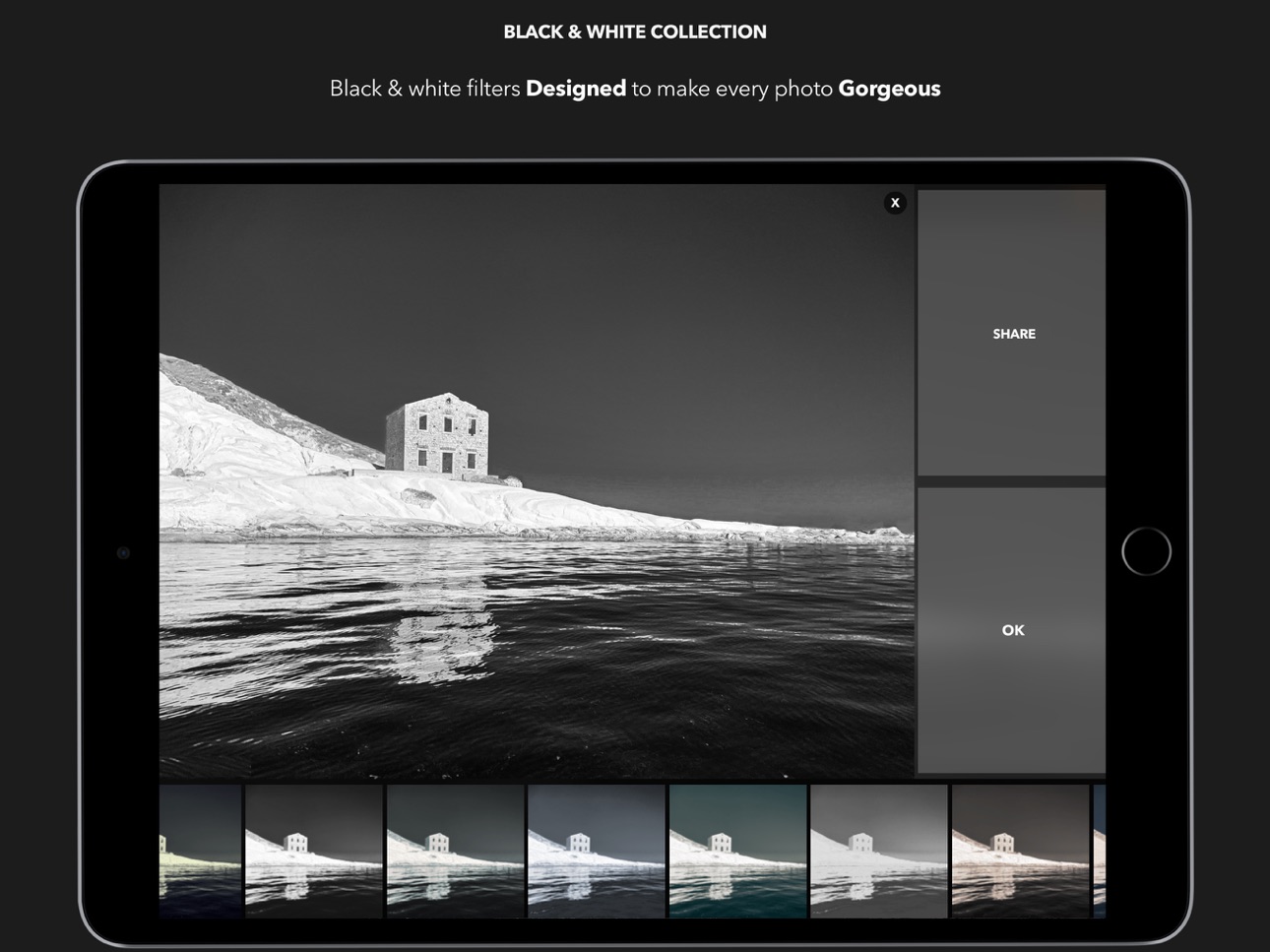
Bianco e Nero collection0,99 €
Capabilities
In-App PurchasesiMessage
Accessibility
ipadiphonemacrealityDevicetvoswatch
Version history 25 versions
Build 887436637v11.1.12026-06-25 18:14:47
What’s New in DSLR Camera – Version 11
Version 11 introduces a major update focused on a significant evolution of the shooting, editing, and library browsing experience.
Predictive Filters, one of the app’s most appreciated features, has been completely redesigned with a new Core ML model, capable of suggesting filters with even greater accuracy and intelligence based on the visual characteristics of each photo.
New features include:
• New Liquid Glass interface, more modern and consistent across the app
• Integrated crop tools directly within the editing workflow
• Automatic horizon rotation powered by Core ML
• Faster and smoother filter selection
Other major improvements:
• Significant UI and UX update
• New Camera Roll experience
• Faster iCloud photo loading
• Richer and more reliable photo metadata
• Full support for the new iPad window system
• Internal refactor to improve performance, stability, and future scalability
Previous updates:
• Full support for new iOS and the latest iPhone camera systems
• Camera Control support
• Multicam improvements
• Interactive widgets with StandBy support
• Advanced HDR support
• On-device AI improvements and new filter optimizations
Build 886763172v11.12026-06-10 14:45:21
What’s New in DSLR Camera – Version 11
Version 11 introduces a major update focused on a significant evolution of the shooting, editing, and library browsing experience.
Predictive Filters, one of the app’s most appreciated features, has been completely redesigned with a new Core ML model, capable of suggesting filters with even greater accuracy and intelligence based on the visual characteristics of each photo.
New features include:
• New Liquid Glass interface, more modern and consistent across the app
• Integrated crop tools directly within the editing workflow
• Automatic horizon rotation powered by Core ML
• Faster and smoother filter selection
Other major improvements:
• Significant UI and UX update
• New Camera Roll experience
• Faster iCloud photo loading
• Richer and more reliable photo metadata
• Full support for the new iPad window system
• Internal refactor to improve performance, stability, and future scalability
Previous updates:
• Full support for new iOS and the latest iPhone camera systems
• Camera Control support
• Multicam improvements
• Interactive widgets with StandBy support
• Advanced HDR support
• On-device AI improvements and new filter optimizations
Build 886614366v11.0.22026-06-08 17:24:20
What’s New in DSLR Camera – Version 11
Version 11 introduces a major update focused on a significant evolution of the shooting, editing, and library browsing experience.
Predictive Filters, one of the app’s most appreciated features, has been completely redesigned with a new Core ML model, capable of suggesting filters with even greater accuracy and intelligence based on the visual characteristics of each photo.
New features include:
• New Liquid Glass interface, more modern and consistent across the app
• Integrated crop tools directly within the editing workflow
• Automatic horizon rotation powered by Core ML
• Faster and smoother filter selection
Other major improvements:
• Significant UI and UX update
• New Camera Roll experience
• Faster iCloud photo loading
• Richer and more reliable photo metadata
• Full support for the new iPad window system
• Internal refactor to improve performance, stability, and future scalability
Previous updates:
• Full support for iOS 26 and the latest iPhone camera systems
• Camera Control support
• Multicam improvements
• Interactive widgets with StandBy support
• Advanced HDR support
• On-device AI improvements and new filter optimizations
Build 884553689v11.0.12026-04-17 15:12:59
What’s New in DSLR Camera – Version 11
Version 11 introduces a major update focused on a significant evolution of the shooting, editing, and library browsing experience.
Predictive Filters, one of the app’s most appreciated features, has been completely redesigned with a new Core ML model, capable of suggesting filters with even greater accuracy and intelligence based on the visual characteristics of each photo.
New features include:
• New Liquid Glass interface, more modern and consistent across the app
• Integrated crop tools directly within the editing workflow
• Automatic horizon rotation powered by Core ML
• Faster and smoother filter selection
Other major improvements:
• Significant UI and UX update
• New Camera Roll experience
• Faster iCloud photo loading
• Richer and more reliable photo metadata
• Full support for the new iPad window system
• Internal refactor to improve performance, stability, and future scalability
Previous updates:
• Full support for iOS 26 and the latest iPhone camera systems
• Camera Control support
• Multicam improvements
• Interactive widgets with StandBy support
• Advanced HDR support
• On-device AI improvements and new filter optimizations
Build 883422000v112026-04-13 06:32:31
What’s New in DSLR Camera – Version 11
Version 11 introduces a major update focused on a significant evolution of the shooting, editing, and library browsing experience.
Predictive Filters, one of the app’s most appreciated features, has been completely redesigned with a new Core ML model, capable of suggesting filters with even greater accuracy and intelligence based on the visual characteristics of each photo.
New features include:
• New Liquid Glass interface, more modern and consistent across the app
• Integrated crop tools directly within the editing workflow
• Automatic horizon rotation powered by Core ML
• Faster and smoother filter selection
Other major improvements:
• Significant UI and UX update
• New Camera Roll experience
• Faster iCloud photo loading
• Richer and more reliable photo metadata
• Full support for the new iPad window system
• Internal refactor to improve performance, stability, and future scalability
Previous updates:
• Full support for iOS 26 and the latest iPhone camera systems
• Camera Control support
• Multicam improvements
• Interactive widgets with StandBy support
• Advanced HDR support
• On-device AI improvements and new filter optimizations
Build 878363769v10.122025-09-24 20:41:38
What’s New in DSLR Camera
DSLR Camera now fully supports the latest iPhones with their updated cameras and iOS 26.
We’ve also enhanced the Multicam feature, delivering a smoother experience when recording or shooting simultaneously with both the front and rear cameras. Perfect for creative projects, vlogs, and professional shooting.
Other improvements include:
• Performance and stability enhancements.
• UI refinements for a more intuitive shooting flow.
Update DSLR Camera today and explore the latest features!
Previous Updates
The app is now compatible with the new Camera Control on the latest iPhones.
With this feature, DSLR Camera allows you to:
• Take photos more intuitively.
• Manually adjust focus with incredible precision.
• Set shooting modes, easily switching between all the app’s options, like filters and manual mode.
• Control the flash during shooting.
• Set the self-timer for perfect shots every time.
We’ve also improved the app’s performance and stability, making it faster and more reliable.
The AI models have been updated to better correct every photo, ensuring flawless results.
Privacy first.
All your data is processed exclusively on your iPhone or iPad, without using external servers or sharing anything with third parties.
In earlier updates:
• Widgets: Improved with interactivity, standby mode, animation, and cross-device compatibility.
• TipKit: Helps you discover all the functions of the app.
• Subject Lifting for Sticker Creation: Easily transform subjects into stickers.
• Visual Look Up: Now supported on iOS.
• Capture Speed: Three times faster with the latest API updates.
• AI Processes: Enhanced segmentation, body pose, hand pose, and more.
• New HDR Support: Optimized for the iOS HDR system.
• Asynchronous CoreML Operations: Improved performance and responsiveness.
• New SF Symbols: Updated UI with the latest symbols.
Earlier still:
• Predictive Filters completely redesigned.
• Music Sticker Editor with new features and personalization.
• Faster, more precise AI filters with updated ML models.
• Full integration during shooting, in photo correction, and from widgets.
• Privacy-friendly on-device processing, no external services.
• Unique filters suggested automatically based on your music’s mood.
Build 876063435v10.112025-07-08 23:07:42
Here’s the latest update for DSLR Camera!
The app is now compatible with the new Camera Control on the latest iPhones.
With this new feature, DSLR Camera allows you to:
• Take photos more intuitively.
• Manually adjust focus with incredible precision.
• Set shooting modes, easily switching between all the app’s options, like filters and manual mode.
• Control the flash during shooting.
• Set the self-timer for perfect shots every time.
But that’s not all!
We’ve improved the app’s performance and stability, making it faster and more reliable. The AI models have been updated to better correct every photo, ensuring flawless results.
Privacy first.
All your data is processed exclusively on your iPhone or iPad, without using external servers or sharing anything with third parties.
Update DSLR Camera now and explore all the new features!
In previous updates:
The new version of the app has been updated to enhance the user experience, introducing new features that fully leverage new iOS and of the new devices.
• Widgets
Widgets have been improved to incorporate new iOS capabilities: interactivity, standby mode, animation, and cross-device compatibility. The AI models used for selecting and filtering photos are now smarter and faster.
• TipKit
With TipKit that will help you discover all the functions of the app
• Subject Lifting Feature for Sticker Creation
Now you can effortlessly transform subjects into stickers for your creative projects
• Visual Look Up
The app now supports the Visual Look Up feature from new iOS.
• Capture speed improved
With the integration of new API updates, the app's capture process has become three times faster.
• AI processes
The features that utilize Vision have been enhanced, offering more robust image segmentation, body pose, hand pose, and more.
• New HDR Support:
Every views have been optimized to utilize iOS's new HDR system.
• Asynchronous Operation for CoreML Implementation
The app has integrated asynchronous operations for its CoreML processes, optimizing performance and responsiveness when using machine learning capabilities.
• Integration of New SF Symbols
The UI has been updated to incorporate new symbols.
Previous update:
The Predictive Filters have been completely updated and the Music Sticker Editor also has a host of new features and options to personalize and improve any photograph.
A new interface and a new user experience have been designed to make AI-driven photo correction simple and immediate.
Thanks to the thousands of feedback received, one of the most beloved features of the app has become even better.
With improved ML models and a new interface logic, the app has become much faster and the filters even more precise.
Integration is complete: during shooting, for the correction of a photo from the roll, and from the widgets that automatically select and improve the best shot right on the home screen.
The app is becoming smarter and fully respects privacy, creating and suggesting corrections directly on the device, without any external service.
With a simple tap, every photo will become unique thanks to the new version of the Predictive Filters.
If you are listening to a song during the editing of a photograph, the app will create and suggest filters based on the mood you are in based on the recognized song and you will be able to add stickers and elements to personalize each image.
Build 875458163v10.102025-06-10 17:52:58
Here’s the latest update for DSLR Camera!
The app is now compatible with the new Camera Control on the latest iPhones.
With this new feature, DSLR Camera allows you to:
• Take photos more intuitively.
• Manually adjust focus with incredible precision.
• Set shooting modes, easily switching between all the app’s options, like filters and manual mode.
• Control the flash during shooting.
• Set the self-timer for perfect shots every time.
But that’s not all!
We’ve improved the app’s performance and stability, making it faster and more reliable. The AI models have been updated to better correct every photo, ensuring flawless results.
Privacy first.
All your data is processed exclusively on your iPhone or iPad, without using external servers or sharing anything with third parties.
Update DSLR Camera now and explore all the new features!
In previous updates:
The new version of the app has been updated to enhance the user experience, introducing new features that fully leverage new iOS and of the new devices.
• Widgets
Widgets have been improved to incorporate new iOS capabilities: interactivity, standby mode, animation, and cross-device compatibility. The AI models used for selecting and filtering photos are now smarter and faster.
• TipKit
With TipKit that will help you discover all the functions of the app
• Subject Lifting Feature for Sticker Creation
Now you can effortlessly transform subjects into stickers for your creative projects
• Visual Look Up
The app now supports the Visual Look Up feature from new iOS.
• Capture speed improved
With the integration of new API updates, the app's capture process has become three times faster.
• AI processes
The features that utilize Vision have been enhanced, offering more robust image segmentation, body pose, hand pose, and more.
• New HDR Support:
Every views have been optimized to utilize iOS's new HDR system.
• Asynchronous Operation for CoreML Implementation
The app has integrated asynchronous operations for its CoreML processes, optimizing performance and responsiveness when using machine learning capabilities.
• Integration of New SF Symbols
The UI has been updated to incorporate new symbols.
Previous update:
The Predictive Filters have been completely updated and the Music Sticker Editor also has a host of new features and options to personalize and improve any photograph.
A new interface and a new user experience have been designed to make AI-driven photo correction simple and immediate.
Thanks to the thousands of feedback received, one of the most beloved features of the app has become even better.
With improved ML models and a new interface logic, the app has become much faster and the filters even more precise.
Integration is complete: during shooting, for the correction of a photo from the roll, and from the widgets that automatically select and improve the best shot right on the home screen.
The app is becoming smarter and fully respects privacy, creating and suggesting corrections directly on the device, without any external service.
With a simple tap, every photo will become unique thanks to the new version of the Predictive Filters.
If you are listening to a song during the editing of a photograph, the app will create and suggest filters based on the mood you are in based on the recognized song and you will be able to add stickers and elements to personalize each image.
Build 870588831v10.92024-11-21 13:25:53
Here’s the latest update for DSLR Camera!
The app is now compatible with the new Camera Control on the latest iPhones.
With this new feature, DSLR Camera allows you to:
• Take photos more intuitively.
• Manually adjust focus with incredible precision.
• Set shooting modes, easily switching between all the app’s options, like filters and manual mode.
• Control the flash during shooting.
• Set the self-timer for perfect shots every time.
But that’s not all!
We’ve improved the app’s performance and stability, making it faster and more reliable. The AI models have been updated to better correct every photo, ensuring flawless results.
Privacy first.
All your data is processed exclusively on your iPhone or iPad, without using external servers or sharing anything with third parties.
Update DSLR Camera now and explore all the new features!
In previous updates:
The new version of the app has been updated to enhance the user experience, introducing new features that fully leverage new iOS and of the new devices.
• Widgets
Widgets have been improved to incorporate new iOS capabilities: interactivity, standby mode, animation, and cross-device compatibility. The AI models used for selecting and filtering photos are now smarter and faster.
• TipKit
With TipKit that will help you discover all the functions of the app
• Subject Lifting Feature for Sticker Creation
Now you can effortlessly transform subjects into stickers for your creative projects
• Visual Look Up
The app now supports the Visual Look Up feature from new iOS.
• Capture speed improved
With the integration of new API updates, the app's capture process has become three times faster.
• AI processes
The features that utilize Vision have been enhanced, offering more robust image segmentation, body pose, hand pose, and more.
• New HDR Support:
Every views have been optimized to utilize iOS's new HDR system.
• Asynchronous Operation for CoreML Implementation
The app has integrated asynchronous operations for its CoreML processes, optimizing performance and responsiveness when using machine learning capabilities.
• Integration of New SF Symbols
The UI has been updated to incorporate new symbols.
Previous update:
The Predictive Filters have been completely updated and the Music Sticker Editor also has a host of new features and options to personalize and improve any photograph.
A new interface and a new user experience have been designed to make AI-driven photo correction simple and immediate.
Thanks to the thousands of feedback received, one of the most beloved features of the app has become even better.
With improved ML models and a new interface logic, the app has become much faster and the filters even more precise.
Integration is complete: during shooting, for the correction of a photo from the roll, and from the widgets that automatically select and improve the best shot right on the home screen.
The app is becoming smarter and fully respects privacy, creating and suggesting corrections directly on the device, without any external service.
With a simple tap, every photo will become unique thanks to the new version of the Predictive Filters.
If you are listening to a song during the editing of a photograph, the app will create and suggest filters based on the mood you are in based on the recognized song and you will be able to add stickers and elements to personalize each image.
Build 869568295v10.8.12024-10-09 13:05:48
The new version of the app has been updated to enhance the user experience, introducing new features that fully leverage new iOS and of the new devices.
• Widgets
Widgets have been improved to incorporate new iOS capabilities: interactivity, standby mode, animation, and cross-device compatibility. The AI models used for selecting and filtering photos are now smarter and faster.
• TipKit
With TipKit that will help you discover all the functions of the app
• Subject Lifting Feature for Sticker Creation
Now you can effortlessly transform subjects into stickers for your creative projects
• Visual Look Up
The app now supports the Visual Look Up feature from new iOS.
• Capture speed improved
With the integration of new API updates, the app's capture process has become three times faster.
• AI processes
The features that utilize Vision have been enhanced, offering more robust image segmentation, body pose, hand pose, and more.
• New HDR Support:
Every views have been optimized to utilize iOS's new HDR system.
• Asynchronous Operation for CoreML Implementation
The app has integrated asynchronous operations for its CoreML processes, optimizing performance and responsiveness when using machine learning capabilities.
• Integration of New SF Symbols
The UI has been updated to incorporate new symbols.
Previous update:
The Predictive Filters have been completely updated and the Music Sticker Editor also has a host of new features and options to personalize and improve any photograph.
A new interface and a new user experience have been designed to make AI-driven photo correction simple and immediate.
Thanks to the thousands of feedback received, one of the most beloved features of the app has become even better.
With improved ML models and a new interface logic, the app has become much faster and the filters even more precise.
Integration is complete: during shooting, for the correction of a photo from the roll, and from the widgets that automatically select and improve the best shot right on the home screen.
The app is becoming smarter and fully respects privacy, creating and suggesting corrections directly on the device, without any external service.
With a simple tap, every photo will become unique thanks to the new version of the Predictive Filters.
If you are listening to a song during the editing of a photograph, the app will create and suggest filters based on the mood you are in based on the recognized song and you will be able to add stickers and elements to personalize each image.
Build 869358720v10.82024-09-30 12:33:01
The new version of the app has been updated to enhance the user experience, introducing new features that fully leverage new iOS and of the new devices.
• Widgets
Widgets have been improved to incorporate new iOS capabilities: interactivity, standby mode, animation, and cross-device compatibility. The AI models used for selecting and filtering photos are now smarter and faster.
• TipKit
With TipKit that will help you discover all the functions of the app
• Subject Lifting Feature for Sticker Creation
Now you can effortlessly transform subjects into stickers for your creative projects
• Visual Look Up
The app now supports the Visual Look Up feature from new iOS.
• Capture speed improved
With the integration of new API updates, the app's capture process has become three times faster.
• AI processes
The features that utilize Vision have been enhanced, offering more robust image segmentation, body pose, hand pose, and more.
• New HDR Support:
Every views have been optimized to utilize iOS's new HDR system.
• Asynchronous Operation for CoreML Implementation
The app has integrated asynchronous operations for its CoreML processes, optimizing performance and responsiveness when using machine learning capabilities.
• Integration of New SF Symbols
The UI has been updated to incorporate new symbols.
Previous update:
The Predictive Filters have been completely updated and the Music Sticker Editor also has a host of new features and options to personalize and improve any photograph.
A new interface and a new user experience have been designed to make AI-driven photo correction simple and immediate.
Thanks to the thousands of feedback received, one of the most beloved features of the app has become even better.
With improved ML models and a new interface logic, the app has become much faster and the filters even more precise.
Integration is complete: during shooting, for the correction of a photo from the roll, and from the widgets that automatically select and improve the best shot right on the home screen.
The app is becoming smarter and fully respects privacy, creating and suggesting corrections directly on the device, without any external service.
With a simple tap, every photo will become unique thanks to the new version of the Predictive Filters.
If you are listening to a song during the editing of a photograph, the app will create and suggest filters based on the mood you are in based on the recognized song and you will be able to add stickers and elements to personalize each image.
Build 867646294v10.7.12024-07-22 11:37:51
The new version of the app has been updated to enhance the user experience, introducing new features that fully leverage new iOS and of the new devices.
• Widgets
Widgets have been improved to incorporate new iOS capabilities: interactivity, standby mode, animation, and cross-device compatibility. The AI models used for selecting and filtering photos are now smarter and faster.
• TipKit
With TipKit that will help you discover all the functions of the app
• Subject Lifting Feature for Sticker Creation
Now you can effortlessly transform subjects into stickers for your creative projects
• Visual Look Up
The app now supports the Visual Look Up feature from new iOS.
• Capture speed improved
With the integration of new API updates, the app's capture process has become three times faster.
• AI processes
The features that utilize Vision have been enhanced, offering more robust image segmentation, body pose, hand pose, and more.
• New HDR Support:
Every views have been optimized to utilize iOS's new HDR system.
• Asynchronous Operation for CoreML Implementation
The app has integrated asynchronous operations for its CoreML processes, optimizing performance and responsiveness when using machine learning capabilities.
• Integration of New SF Symbols
The UI has been updated to incorporate new symbols.
Previous update:
The Predictive Filters have been completely updated and the Music Sticker Editor also has a host of new features and options to personalize and improve any photograph.
A new interface and a new user experience have been designed to make AI-driven photo correction simple and immediate.
Thanks to the thousands of feedback received, one of the most beloved features of the app has become even better.
With improved ML models and a new interface logic, the app has become much faster and the filters even more precise.
Integration is complete: during shooting, for the correction of a photo from the roll, and from the widgets that automatically select and improve the best shot right on the home screen.
The app is becoming smarter and fully respects privacy, creating and suggesting corrections directly on the device, without any external service.
With a simple tap, every photo will become unique thanks to the new version of the Predictive Filters.
If you are listening to a song during the editing of a photograph, the app will create and suggest filters based on the mood you are in based on the recognized song and you will be able to add stickers and elements to personalize each image.
Build 866125682v10.72024-05-22 13:07:57
The new version of the app has been updated to enhance the user experience, introducing new features that fully leverage new iOS and of the new devices.
• Widgets
Widgets have been improved to incorporate new iOS capabilities: interactivity, standby mode, animation, and cross-device compatibility. The AI models used for selecting and filtering photos are now smarter and faster.
• TipKit
With TipKit that will help you discover all the functions of the app
• Subject Lifting Feature for Sticker Creation
Now you can effortlessly transform subjects into stickers for your creative projects
• Visual Look Up
The app now supports the Visual Look Up feature from new iOS.
• Capture speed improved
With the integration of new API updates, the app's capture process has become three times faster.
• AI processes
The features that utilize Vision have been enhanced, offering more robust image segmentation, body pose, hand pose, and more.
• New HDR Support:
Every views have been optimized to utilize iOS's new HDR system.
• Asynchronous Operation for CoreML Implementation
The app has integrated asynchronous operations for its CoreML processes, optimizing performance and responsiveness when using machine learning capabilities.
• Integration of New SF Symbols
The UI has been updated to incorporate new symbols.
Previous update:
The Predictive Filters have been completely updated and the Music Sticker Editor also has a host of new features and options to personalize and improve any photograph.
A new interface and a new user experience have been designed to make AI-driven photo correction simple and immediate.
Thanks to the thousands of feedback received, one of the most beloved features of the app has become even better.
With improved ML models and a new interface logic, the app has become much faster and the filters even more precise.
Integration is complete: during shooting, for the correction of a photo from the roll, and from the widgets that automatically select and improve the best shot right on the home screen.
The app is becoming smarter and fully respects privacy, creating and suggesting corrections directly on the device, without any external service.
With a simple tap, every photo will become unique thanks to the new version of the Predictive Filters.
If you are listening to a song during the editing of a photograph, the app will create and suggest filters based on the mood you are in based on the recognized song and you will be able to add stickers and elements to personalize each image.
Build 863749648v10.62024-02-14 09:38:44
The new version of the app has been updated to enhance the user experience, introducing new features that fully leverage new iOS 17 and of the new devices.
• Widgets
Widgets have been improved to incorporate new iOS capabilities: interactivity, standby mode, animation, and cross-device compatibility. The AI models used for selecting and filtering photos are now smarter and faster.
• TipKit
With TipKit that will help you discover all the functions of the app
• Subject Lifting Feature for Sticker Creation
Now you can effortlessly transform subjects into stickers for your creative projects
• Visual Look Up
The app now supports the Visual Look Up feature from new iOS.
• Capture speed improved
With the integration of new API updates, the app's capture process has become three times faster.
• AI processes
The features that utilize Vision have been enhanced, offering more robust image segmentation, body pose, hand pose, and more.
• New HDR Support:
Every views have been optimized to utilize iOS's new HDR system.
• Asynchronous Operation for CoreML Implementation
The app has integrated asynchronous operations for its CoreML processes, optimizing performance and responsiveness when using machine learning capabilities.
• Integration of New SF Symbols
The UI has been updated to incorporate new symbols.
Previous update:
The Predictive Filters have been completely updated and the Music Sticker Editor also has a host of new features and options to personalize and improve any photograph.
A new interface and a new user experience have been designed to make AI-driven photo correction simple and immediate.
Thanks to the thousands of feedback received, one of the most beloved features of the app has become even better.
With improved ML models and a new interface logic, the app has become much faster and the filters even more precise.
Integration is complete: during shooting, for the correction of a photo from the roll, and from the widgets that automatically select and improve the best shot right on the home screen.
The app is becoming smarter and fully respects privacy, creating and suggesting corrections directly on the device, without any external service.
With a simple tap, every photo will become unique thanks to the new version of the Predictive Filters.
If you are listening to a song during the editing of a photograph, the app will create and suggest filters based on the mood you are in based on the recognized song and you will be able to add stickers and elements to personalize each image.
Build 861872361v10.52023-11-30 12:53:58
This new update introduces a special feature dedicated to the holiday season. The predictive filters now recognize typical holiday scenes, enhancing the atmosphere and quality of your photos.
• Winter and Festive Scene Recognition: The generated filters will adapt to enhance decorations, landscapes, and subjects in the photos.
• Skin Tone Balance: Portraits and shots with people, both indoor and outdoor, are more natural, and the filters correct the balance perfectly.
• Smart Filter Application: The new interface logic allows the filters to intelligently adapt to the captured scene, ensuring the best effect.
• Privacy and AI: Just like in previous updates, the app is strongly committed to privacy and artificial intelligence. All processing and correction suggestions occur directly on the device, without the need for external services.
Previous update:
The new version of the app has been updated to enhance the user experience, introducing new features that fully leverage new iOS 17 and of the new devices.
• Widgets
Widgets have been improved to incorporate new iOS capabilities: interactivity, standby mode, animation, and cross-device compatibility. The AI models used for selecting and filtering photos are now smarter and faster.
• TipKit
With TipKit that will help you discover all the functions of the app
• Subject Lifting Feature for Sticker Creation
Now you can effortlessly transform subjects into stickers for your creative projects
• Visual Look Up
The app now supports the Visual Look Up feature from new iOS.
• Capture speed improved
With the integration of new API updates, the app's capture process has become three times faster.
• AI processes
The features that utilize Vision have been enhanced, offering more robust image segmentation, body pose, hand pose, and more.
• New HDR Support:
Every views have been optimized to utilize iOS's new HDR system.
• Asynchronous Operation for CoreML Implementation
The app has integrated asynchronous operations for its CoreML processes, optimizing performance and responsiveness when using machine learning capabilities.
• Integration of New SF Symbols
The UI has been updated to incorporate new symbols.
Previous update:
The Predictive Filters have been completely updated and the Music Sticker Editor also has a host of new features and options to personalize and improve any photograph.
A new interface and a new user experience have been designed to make AI-driven photo correction simple and immediate.
Thanks to the thousands of feedback received, one of the most beloved features of the app has become even better.
With improved ML models and a new interface logic, the app has become much faster and the filters even more precise.
Integration is complete: during shooting, for the correction of a photo from the roll, and from the widgets that automatically select and improve the best shot right on the home screen.
The app is becoming smarter and fully respects privacy, creating and suggesting corrections directly on the device, without any external service.
With a simple tap, every photo will become unique thanks to the new version of the Predictive Filters.
If you are listening to a song during the editing of a photograph, the app will create and suggest filters based on the mood you are in based on the recognized song and you will be able to add stickers and elements to personalize each image.
Build 860236932v10.4.32023-09-27 19:25:52
The new version of the app has been updated to enhance the user experience, introducing new features that fully leverage new iOS 17 and of the new devices.
• Widgets
Widgets have been improved to incorporate new iOS capabilities: interactivity, standby mode, animation, and cross-device compatibility. The AI models used for selecting and filtering photos are now smarter and faster.
• TipKit
With TipKit that will help you discover all the functions of the app
• Subject Lifting Feature for Sticker Creation
Now you can effortlessly transform subjects into stickers for your creative projects
• Visual Look Up
The app now supports the Visual Look Up feature from new iOS.
• Capture speed improved
With the integration of new API updates, the app's capture process has become three times faster.
• AI processes
The features that utilize Vision have been enhanced, offering more robust image segmentation, body pose, hand pose, and more.
• New HDR Support:
Every views have been optimized to utilize iOS's new HDR system.
• Asynchronous Operation for CoreML Implementation
The app has integrated asynchronous operations for its CoreML processes, optimizing performance and responsiveness when using machine learning capabilities.
• Integration of New SF Symbols
The UI has been updated to incorporate new symbols.
Previous update:
The Predictive Filters have been completely updated and the Music Sticker Editor also has a host of new features and options to personalize and improve any photograph.
A new interface and a new user experience have been designed to make AI-driven photo correction simple and immediate.
Thanks to the thousands of feedback received, one of the most beloved features of the app has become even better.
With improved ML models and a new interface logic, the app has become much faster and the filters even more precise.
Integration is complete: during shooting, for the correction of a photo from the roll, and from the widgets that automatically select and improve the best shot right on the home screen.
The app is becoming smarter and fully respects privacy, creating and suggesting corrections directly on the device, without any external service.
With a simple tap, every photo will become unique thanks to the new version of the Predictive Filters.
If you are listening to a song during the editing of a photograph, the app will create and suggest filters based on the mood you are in based on the recognized song and you will be able to add stickers and elements to personalize each image.
Build 859994648v10.4.12023-09-18 08:53:31
The new version of the app has been updated to enhance the user experience, introducing new features that fully leverage new iOS.
• Widgets
Widgets have been improved to incorporate new iOS capabilities: interactivity, standby mode, animation, and cross-device compatibility. The AI models used for selecting and filtering photos are now smarter and faster.
• TipKit
With TipKit that will help you discover all the functions of the app
• Subject Lifting Feature for Sticker Creation
Now you can effortlessly transform subjects into stickers for your creative projects
• Visual Look Up
The app now supports the Visual Look Up feature from new iOS.
• Capture speed improved
With the integration of new API updates, the app's capture process has become three times faster.
• AI processes
The features that utilize Vision have been enhanced, offering more robust image segmentation, body pose, hand pose, and more.
• New HDR Support:
Every views have been optimized to utilize iOS's new HDR system.
• Asynchronous Operation for CoreML Implementation
The app has integrated asynchronous operations for its CoreML processes, optimizing performance and responsiveness when using machine learning capabilities.
• Integration of New SF Symbols
The UI has been updated to incorporate new symbols.
Previous update:
The Predictive Filters have been completely updated and the Music Sticker Editor also has a host of new features and options to personalize and improve any photograph.
A new interface and a new user experience have been designed to make AI-driven photo correction simple and immediate.
Thanks to the thousands of feedback received, one of the most beloved features of the app has become even better.
With improved ML models and a new interface logic, the app has become much faster and the filters even more precise.
Integration is complete: during shooting, for the correction of a photo from the roll, and from the widgets that automatically select and improve the best shot right on the home screen.
The app is becoming smarter and fully respects privacy, creating and suggesting corrections directly on the device, without any external service.
With a simple tap, every photo will become unique thanks to the new version of the Predictive Filters.
If you are listening to a song during the editing of a photograph, the app will create and suggest filters based on the mood you are in based on the recognized song and you will be able to add stickers and elements to personalize each image.
Build 860003487v10.4.22023-09-18 14:18:36
The new version of the app has been updated to enhance the user experience, introducing new features that fully leverage new iOS 17.
• Widgets
Widgets have been improved to incorporate new iOS capabilities: interactivity, standby mode, animation, and cross-device compatibility. The AI models used for selecting and filtering photos are now smarter and faster.
• TipKit
With TipKit that will help you discover all the functions of the app
• Subject Lifting Feature for Sticker Creation
Now you can effortlessly transform subjects into stickers for your creative projects
• Visual Look Up
The app now supports the Visual Look Up feature from new iOS.
• Capture speed improved
With the integration of new API updates, the app's capture process has become three times faster.
• AI processes
The features that utilize Vision have been enhanced, offering more robust image segmentation, body pose, hand pose, and more.
• New HDR Support:
Every views have been optimized to utilize iOS's new HDR system.
• Asynchronous Operation for CoreML Implementation
The app has integrated asynchronous operations for its CoreML processes, optimizing performance and responsiveness when using machine learning capabilities.
• Integration of New SF Symbols
The UI has been updated to incorporate new symbols.
Previous update:
The Predictive Filters have been completely updated and the Music Sticker Editor also has a host of new features and options to personalize and improve any photograph.
A new interface and a new user experience have been designed to make AI-driven photo correction simple and immediate.
Thanks to the thousands of feedback received, one of the most beloved features of the app has become even better.
With improved ML models and a new interface logic, the app has become much faster and the filters even more precise.
Integration is complete: during shooting, for the correction of a photo from the roll, and from the widgets that automatically select and improve the best shot right on the home screen.
The app is becoming smarter and fully respects privacy, creating and suggesting corrections directly on the device, without any external service.
With a simple tap, every photo will become unique thanks to the new version of the Predictive Filters.
If you are listening to a song during the editing of a photograph, the app will create and suggest filters based on the mood you are in based on the recognized song and you will be able to add stickers and elements to personalize each image.
Build 859730769v10.42023-09-17 23:00:22
The new version of the app has been updated to enhance the user experience, introducing new features that fully leverage new iOS.
• Widgets
Widgets have been improved to incorporate new iOS capabilities: interactivity, standby mode, animation, and cross-device compatibility. The AI models used for selecting and filtering photos are now smarter and faster.
• TipKit
With TipKit that will help you discover all the functions of the app
• Subject Lifting Feature for Sticker Creation
Now you can effortlessly transform subjects into stickers for your creative projects
• Visual Look Up
The app now supports the Visual Look Up feature from new iOS.
• Capture speed improved
With the integration of new API updates, the app's capture process has become three times faster.
• AI processes
The features that utilize Vision have been enhanced, offering more robust image segmentation, body pose, hand pose, and more.
• New HDR Support:
Every views have been optimized to utilize iOS's new HDR system.
• Asynchronous Operation for CoreML Implementation
The app has integrated asynchronous operations for its CoreML processes, optimizing performance and responsiveness when using machine learning capabilities.
• Integration of New SF Symbols
The UI has been updated to incorporate new symbols.
Previous update:
The Predictive Filters have been completely updated and the Music Sticker Editor also has a host of new features and options to personalize and improve any photograph.
A new interface and a new user experience have been designed to make AI-driven photo correction simple and immediate.
Thanks to the thousands of feedback received, one of the most beloved features of the app has become even better.
With improved ML models and a new interface logic, the app has become much faster and the filters even more precise.
Integration is complete: during shooting, for the correction of a photo from the roll, and from the widgets that automatically select and improve the best shot right on the home screen.
The app is becoming smarter and fully respects privacy, creating and suggesting corrections directly on the device, without any external service.
With a simple tap, every photo will become unique thanks to the new version of the Predictive Filters.
If you are listening to a song during the editing of a photograph, the app will create and suggest filters based on the mood you are in based on the recognized song and you will be able to add stickers and elements to personalize each image.
Build 858187153v10.32023-07-31 07:12:23
Welcome to the new update of DSLR Camera.
The Predictive Filters have been completely updated and the Music Sticker Editor also has a host of new features and options to personalize and improve any photograph.
A new interface and a new user experience have been designed to make AI-driven photo correction simple and immediate.
Thanks to the thousands of feedback received, one of the most beloved features of the app has become even better.
With improved ML models and a new interface logic, the app has become much faster and the filters even more precise.
Integration is complete: during shooting, for the correction of a photo from the roll, and from the widgets that automatically select and improve the best shot right on the home screen.
The app is becoming smarter and fully respects privacy, creating and suggesting corrections directly on the device, without any external service.
With a simple tap, every photo will become unique thanks to the new version of the Predictive Filters.
If you are listening to a song during the editing of a photograph, the app will create and suggest filters based on the mood you are in based on the recognized song and you will be able to add stickers and elements to personalize each image.
Previous update:
Welcome to DSLR Camera 10
The app has been completely updated for the new iOS, making the most of all the new features.
UI optimized for Dynamic Island and fully support to the new camera system.
+ AR Portrait 2
Take unique portraits using the LiDAR sensor and AR (augmented reality). Version 2 now has the highest level of photo quality.
Easily place stickers and graphics between the subject and the background, adjust the blur and enjoy the new photo taking experience.
+ Widgets in the lock screen
Add the new widget to the lock screen.
Keep a constant eye on the number of photos and videos on your device and customize your screen.
+ AR Assistant 2
Use augmented reality to design the perfect photo.
Use 3D objects to set the scene and frame the perfect photo. Take the photo while you're in AR using the new photo quality.
• New EDR support
• Improved AI models with new development tools
• Improved text recognitionWelcome to DSLR Camera 10
The app has been completely updated for the new iOS 16, making the most of all the new features.
The entire app has been improved and optimized for new iPhone 14, iPhone 14 Plus, iPhone 14 Pro, iPhone 14 Pro Max.
UI optimized for Dynamic Island and fully support to the new camera system.
+ AR Portrait 2
Take unique portraits using the LiDAR sensor and AR (augmented reality). Version 2 now has the highest level of photo quality.
Easily place stickers and graphics between the subject and the background, adjust the blur and enjoy the new photo taking experience.
+ Widgets in the lock screen
Add the new widget to the lock screen.
Keep a constant eye on the number of photos and videos on your device and customize your screen.
+ AR Assistant 2
Use augmented reality to design the perfect photo.
Use 3D objects to set the scene and frame the perfect photo. Take the photo while you're in AR using the new photo quality.
• New EDR support
• Improved AI models with new development tools
• Improved text recognition
Build 857979498v10.2.32023-06-21 11:43:44
DSLR Camera has been enhanced with the addition of smarter artificial intelligence models, bug fixes, and UI improvements. Thanks to these updates, the app is now even more intuitive and user-friendly, with advanced features and a better user experience.
Previous update:
Welcome to DSLR Camera 10
The app has been completely updated for the new iOS 16, making the most of all the new features.
The entire app has been improved and optimized for new iPhone 14, iPhone 14 Plus, iPhone 14 Pro, iPhone 14 Pro Max.
UI optimized for Dynamic Island and fully support to the new camera system.
+ AR Portrait 2
Take unique portraits using the LiDAR sensor and AR (augmented reality). Version 2 now has the highest level of photo quality.
Easily place stickers and graphics between the subject and the background, adjust the blur and enjoy the new photo taking experience.
+ Widgets in the lock screen
Add the new widget to the lock screen.
Keep a constant eye on the number of photos and videos on your device and customize your screen.
+ AR Assistant 2
Use augmented reality to design the perfect photo.
Use 3D objects to set the scene and frame the perfect photo. Take the photo while you're in AR using the new photo quality.
• New EDR support
• Improved AI models with new development tools
• Improved text recognitionWelcome to DSLR Camera 10
The app has been completely updated for the new iOS 16, making the most of all the new features.
The entire app has been improved and optimized for new iPhone 14, iPhone 14 Plus, iPhone 14 Pro, iPhone 14 Pro Max.
UI optimized for Dynamic Island and fully support to the new camera system.
+ AR Portrait 2
Take unique portraits using the LiDAR sensor and AR (augmented reality). Version 2 now has the highest level of photo quality.
Easily place stickers and graphics between the subject and the background, adjust the blur and enjoy the new photo taking experience.
+ Widgets in the lock screen
Add the new widget to the lock screen.
Keep a constant eye on the number of photos and videos on your device and customize your screen.
+ AR Assistant 2
Use augmented reality to design the perfect photo.
Use 3D objects to set the scene and frame the perfect photo. Take the photo while you're in AR using the new photo quality.
• New EDR support
• Improved AI models with new development tools
• Improved text recognition
Build 856208323v10.2.22023-04-16 14:31:29
DSLR Camera has been enhanced with the addition of smarter artificial intelligence models, bug fixes, and UI improvements. Thanks to these updates, the app is now even more intuitive and user-friendly, with advanced features and a better user experience.
Previous update:
Welcome to DSLR Camera 10
The app has been completely updated for the new iOS 16, making the most of all the new features.
The entire app has been improved and optimized for new iPhone 14, iPhone 14 Plus, iPhone 14 Pro, iPhone 14 Pro Max.
UI optimized for Dynamic Island and fully support to the new camera system.
+ AR Portrait 2
Take unique portraits using the LiDAR sensor and AR (augmented reality). Version 2 now has the highest level of photo quality.
Easily place stickers and graphics between the subject and the background, adjust the blur and enjoy the new photo taking experience.
+ Widgets in the lock screen
Add the new widget to the lock screen.
Keep a constant eye on the number of photos and videos on your device and customize your screen.
+ AR Assistant 2
Use augmented reality to design the perfect photo.
Use 3D objects to set the scene and frame the perfect photo. Take the photo while you're in AR using the new photo quality.
• New EDR support
• Improved AI models with new development tools
• Improved text recognitionWelcome to DSLR Camera 10
The app has been completely updated for the new iOS 16, making the most of all the new features.
The entire app has been improved and optimized for new iPhone 14, iPhone 14 Plus, iPhone 14 Pro, iPhone 14 Pro Max.
UI optimized for Dynamic Island and fully support to the new camera system.
+ AR Portrait 2
Take unique portraits using the LiDAR sensor and AR (augmented reality). Version 2 now has the highest level of photo quality.
Easily place stickers and graphics between the subject and the background, adjust the blur and enjoy the new photo taking experience.
+ Widgets in the lock screen
Add the new widget to the lock screen.
Keep a constant eye on the number of photos and videos on your device and customize your screen.
+ AR Assistant 2
Use augmented reality to design the perfect photo.
Use 3D objects to set the scene and frame the perfect photo. Take the photo while you're in AR using the new photo quality.
• New EDR support
• Improved AI models with new development tools
• Improved text recognition
Build 855308425v10.2.12023-03-03 17:13:23
Welcome to DSLR Camera 10
The app has been completely updated for the new iOS 16, making the most of all the new features.
The entire app has been improved and optimized for new iPhone 14, iPhone 14 Plus, iPhone 14 Pro, iPhone 14 Pro Max.
UI optimized for Dynamic Island and fully support to the new camera system.
+ AR Portrait 2
Take unique portraits using the LiDAR sensor and AR (augmented reality). Version 2 now has the highest level of photo quality.
Easily place stickers and graphics between the subject and the background, adjust the blur and enjoy the new photo taking experience.
+ Widgets in the lock screen
Add the new widget to the lock screen.
Keep a constant eye on the number of photos and videos on your device and customize your screen.
+ AR Assistant 2
Use augmented reality to design the perfect photo.
Use 3D objects to set the scene and frame the perfect photo. Take the photo while you're in AR using the new photo quality.
• New EDR support
• Improved AI models with new development tools
• Improved text recognition
Build 854784137v10.22023-02-06 17:35:03
Welcome to DSLR Camera 10
The app has been completely updated for the new iOS 16, making the most of all the new features.
The entire app has been improved and optimized for new iPhone 14, iPhone 14 Plus, iPhone 14 Pro, iPhone 14 Pro Max.
UI optimized for Dynamic Island and fully support to the new camera system.
+ AR Portrait 2
Take unique portraits using the LiDAR sensor and AR (augmented reality). Version 2 now has the highest level of photo quality.
Easily place stickers and graphics between the subject and the background, adjust the blur and enjoy the new photo taking experience.
+ Widgets in the lock screen
Add the new widget to the lock screen.
Keep a constant eye on the number of photos and videos on your device and customize your screen.
+ AR Assistant 2
Use augmented reality to design the perfect photo.
Use 3D objects to set the scene and frame the perfect photo. Take the photo while you're in AR using the new photo quality.
• New EDR support
• Improved AI models with new development tools
• Improved text recognition
Build 853847331v10.1.32023-01-03 11:32:32
Welcome to DSLR Camera 10
The app has been completely updated for the new iOS 16, making the most of all the new features.
The entire app has been improved and optimized for new iPhone 14, iPhone 14 Plus, iPhone 14 Pro, iPhone 14 Pro Max.
UI optimized for Dynamic Island and fully support to the new camera system.
+ AR Portrait 2
Take unique portraits using the LiDAR sensor and AR (augmented reality). Version 2 now has the highest level of photo quality.
Easily place stickers and graphics between the subject and the background, adjust the blur and enjoy the new photo taking experience.
+ Widgets in the lock screen
Add the new widget to the lock screen.
Keep a constant eye on the number of photos and videos on your device and customize your screen.
+ AR Assistant 2
Use augmented reality to design the perfect photo.
Use 3D objects to set the scene and frame the perfect photo. Take the photo while you're in AR using the new photo quality.
• New EDR support
• Improved AI models with new development tools
• Improved text recognition
Price history by region
Currency
Show
Columns
Search
App performance IT
Availability 175 of 175 storefronts
| Region | Language | Price | Ratings | Avg | Version |
|---|---|---|---|---|---|
| IT | it | EUR 0.99 | 3.5k | 4.5 | 11.1.1 |
| IN | en-GB | INR 99 | 3.3k | 4.4 | 11.1.1 |
| US | en-US | USD 0.99 | 2.9k | 4.7 | 11.1.1 |
| ID | en-GB | IDR 19000 | 2.2k | 4.7 | 11.1.1 |
| DE | de-DE | EUR 0.99 | 1.3k | 4.4 | 11.1.1 |
| CN | zh-Hans-CN | CNY 8 | 912 | 4.7 | 11.1.1 |
| TH | en-GB | THB 29 | 727 | 4.7 | 11.1.1 |
| MX | es-MX | MXN 19 | 713 | 4.6 | 11.1.1 |
| CA | en-CA | CAD 0.99 | 582 | 4.5 | 11.1.1 |
| TR | en-GB | TRY 49.99 | 493 | 4.3 | 11.1.1 |
| GB | en-GB | GBP 0.99 | 490 | 4.6 | 11.1.1 |
| BR | pt-BR | BRL 6.9 | 473 | 4.5 | 11.1.1 |
| MY | en-GB | MYR 4.9 | 440 | 4.6 | 11.1.1 |
| PH | en-GB | PHP 49 | 384 | 4.5 | 11.1.1 |
| AU | en-AU | AUD 1.99 | 383 | 4.6 | 11.1.1 |
| NL | nl | EUR 0.99 | 351 | 4.4 | 11.1.1 |
| CH | de-CH | CHF 1 | 260 | 4.5 | 11.1.1 |
| HU | en-GB | HUF 499 | 240 | 4.5 | 11.1.1 |
| ES | es-ES | EUR 0.99 | 217 | 4.4 | 11.1.1 |
| VN | en-GB | VND 29000 | 214 | 4.8 | 11.1.1 |
| FR | fr-FR | EUR 0.99 | 192 | 4.4 | 11.1.1 |
| PL | en-GB | PLN 4.99 | 183 | 4.4 | 11.1.1 |
| RO | en-GB | RON 4.99 | 169 | 4.7 | 11.1.1 |
| GR | en-GB | EUR 0.99 | 159 | 4.6 | 11.1.1 |
| CZ | en-GB | CZK 29 | 157 | 4.5 | 11.1.1 |
| RU | ru | RUB 99 | 156 | 4.2 | 11.1.1 |
| BE | en-GB | EUR 0.99 | 143 | 4.5 | 11.1.1 |
| AT | de-DE | EUR 0.99 | 112 | 4.4 | 11.1.1 |
| KR | ko | KRW 1100 | 111 | 4.4 | 11.1.1 |
| SE | sv | SEK 9 | 108 | 4.4 | 11.1.1 |
| ZA | en-GB | ZAR 19.99 | 97 | 4.6 | 11.1.1 |
| PT | pt-PT | EUR 0.99 | 92 | 4.4 | 11.1.1 |
| CL | es-MX | CLP 990 | 88 | 4.6 | 11.1.1 |
| CO | es-MX | COP 4900 | 85 | 4.8 | 11.1.1 |
| AE | en-GB | AED 2.99 | 84 | 4.5 | 11.1.1 |
| DK | en-GB | DKK 9 | 81 | 4.4 | 11.1.1 |
| HK | zh-Hant-HK | HKD 8 | 80 | 4.5 | 11.1.1 |
| SA | en-GB | SAR 4.99 | 80 | 4.4 | 11.1.1 |
| JP | ja | JPY 150 | 78 | 4.2 | 11.1.1 |
| SK | en-GB | EUR 0.99 | 70 | 4.3 | 11.1.1 |
| NO | en-GB | NOK 9 | 62 | 4.5 | 11.1.1 |
| TW | zh-Hant-TW | TWD 30 | 61 | 4.3 | 11.1.1 |
| SG | en-GB | SGD 0.98 | 59 | 4.6 | 11.1.1 |
| PK | en-GB | PKR 300 | 58 | 4.3 | 11.1.1 |
| AR | es-MX | USD 0.99 | 54 | 4.6 | 11.1.1 |
| PE | es-MX | PEN 4.9 | 53 | 4.5 | 11.1.1 |
| BG | en-GB | EUR 0.99 | 47 | 4.3 | 11.1.1 |
| UA | en-GB | USD 0.99 | 41 | 4.4 | 11.1.1 |
| HR | en-GB | EUR 0.99 | 36 | 4.6 | 11.1.1 |
| IE | en-GB | EUR 0.99 | 34 | 4.2 | 11.1.1 |
| FI | en-GB | EUR 0.99 | 33 | 4.3 | 11.1.1 |
| NZ | en-AU | NZD 1.99 | 33 | 4.4 | 11.1.1 |
| KH | en-GB | USD 0.99 | 25 | 4.7 | 11.1.1 |
| EC | es-MX | USD 0.99 | 23 | 4.7 | 11.1.1 |
| IL | en-GB | ILS 2.9 | 21 | 4.3 | 11.1.1 |
| RS | en-GB | EUR 0.99 | 21 | 4.4 | 11.1.1 |
| SI | en-GB | EUR 0.99 | 21 | 4.6 | 11.1.1 |
| LU | en-GB | EUR 0.99 | 20 | 4.6 | 11.1.1 |
| CR | es-MX | USD 0.99 | 18 | 4.8 | 11.1.1 |
| NG | en-GB | NGN 1500 | 18 | 4.9 | 11.1.1 |
| QA | en-GB | QAR 2.99 | 18 | 4.8 | 11.1.1 |
| EG | en-GB | EGP 49.99 | 17 | 4.2 | 11.1.1 |
| EE | en-GB | EUR 0.99 | 16 | 4.7 | 11.1.1 |
| LK | en-GB | USD 0.99 | 16 | 4.8 | 11.1.1 |
| LV | en-GB | EUR 0.99 | 14 | 5.0 | 11.1.1 |
| KW | en-GB | USD 0.99 | 12 | 4.3 | 11.1.1 |
| DO | es-MX | USD 0.99 | 10 | 3.9 | 11.1.1 |
| MA | en-GB | USD 0.99 | 10 | 4.3 | 11.1.1 |
| OM | en-GB | USD 0.99 | 10 | 4.7 | 11.1.1 |
| LT | en-GB | EUR 0.99 | 9 | 4.0 | 11.1.1 |
| PA | es-MX | USD 0.99 | 9 | 5.0 | 11.1.1 |
| UY | en-GB | USD 0.99 | 9 | 4.8 | 11.1.1 |
| GT | es-MX | USD 0.99 | 8 | 4.5 | 11.1.1 |
| HN | es-MX | USD 0.99 | 8 | 4.8 | 11.1.1 |
| LB | en-GB | USD 0.99 | 8 | 3.4 | 11.1.1 |
| SV | es-MX | USD 0.99 | 8 | 5.0 | 11.1.1 |
| BH | en-GB | USD 0.99 | 7 | 5.0 | 11.1.1 |
| CY | en-GB | EUR 0.99 | 7 | 4.9 | 11.1.1 |
| MV | en-GB | USD 0.99 | 7 | 4.9 | 11.1.1 |
| KE | en-GB | USD 0.99 | 6 | 4.7 | 11.1.1 |
| MT | en-GB | EUR 0.99 | 6 | 5.0 | 11.1.1 |
| AL | en-GB | USD 0.99 | 5 | 4.6 | 11.1.1 |
| BY | en-GB | USD 0.99 | 5 | 3.6 | 11.1.1 |
| KZ | en-GB | KZT 499 | 5 | 3.4 | 11.1.1 |
| GE | en-GB | USD 0.99 | 4 | 5.0 | 11.1.1 |
| MZ | en-GB | USD 0.99 | 4 | 4.0 | 11.1.1 |
| NI | es-MX | USD 0.99 | 4 | 4.5 | 11.1.1 |
| XK | en-GB | EUR 0.99 | 4 | 5.0 | 11.1.1 |
| BA | en-GB | EUR 0.99 | 3 | 3.0 | 11.1.1 |
| BO | es-MX | USD 0.99 | 3 | 4.3 | 11.1.1 |
| DZ | en-GB | USD 0.99 | 3 | 4.3 | 11.1.1 |
| GH | en-GB | USD 0.99 | 3 | 4.7 | 11.1.1 |
| IS | en-GB | USD 0.99 | 3 | 3.3 | 11.1.1 |
| JO | en-GB | USD 0.99 | 3 | 3.7 | 11.1.1 |
| NP | en-GB | USD 0.99 | 3 | 5.0 | 11.1.1 |
| PG | en-GB | USD 0.99 | 3 | 5.0 | 11.1.1 |
| TZ | en-GB | TZS 2900 | 3 | 4.0 | 11.1.1 |
| UG | en-GB | USD 0.99 | 3 | 3.7 | 11.1.1 |
| AM | en-GB | USD 0.99 | 2 | 5.0 | 11.1.1 |
| BN | en-GB | USD 0.99 | 2 | 5.0 | 11.1.1 |
| MD | en-GB | USD 0.99 | 2 | 5.0 | 11.1.1 |
| MK | en-GB | USD 0.99 | 2 | 5.0 | 11.1.1 |
| ML | en-GB | USD 0.99 | 2 | 3.0 | 11.1.1 |
| MU | en-GB | USD 0.99 | 2 | 5.0 | 11.1.1 |
| BF | en-GB | USD 0.99 | 1 | 4.0 | 11.1.1 |
| BJ | en-GB | USD 0.99 | 1 | 5.0 | 11.1.1 |
| BZ | en-GB | USD 0.99 | 1 | 5.0 | 11.1.1 |
| CG | en-GB | USD 0.99 | 1 | 5.0 | 11.1.1 |
| CI | fr-FR | USD 0.99 | 1 | 5.0 | 11.1.1 |
| CM | fr-FR | USD 0.99 | 1 | 5.0 | 11.1.1 |
| FJ | en-GB | USD 0.99 | 1 | 5.0 | 11.1.1 |
| GY | en-GB | USD 0.99 | 1 | 5.0 | 11.1.1 |
| IQ | en-GB | USD 0.99 | 1 | 4.0 | 11.1.1 |
| KY | en-GB | USD 0.99 | 1 | 5.0 | 11.1.1 |
| MG | en-GB | USD 0.99 | 1 | 5.0 | 11.1.1 |
| MO | zh-Hant-HK | USD 0.99 | 1 | 3.0 | 11.1.1 |
| MW | en-GB | USD 0.99 | 1 | 5.0 | 11.1.1 |
| PY | es-MX | USD 0.99 | 1 | 5.0 | 11.1.1 |
| SN | en-GB | USD 0.99 | 1 | 5.0 | 11.1.1 |
| TN | en-GB | USD 0.99 | 1 | 5.0 | 11.1.1 |
| TT | en-GB | USD 0.99 | 1 | 5.0 | 11.1.1 |
| ZM | en-GB | USD 0.99 | 1 | 5.0 | 11.1.1 |
| ZW | en-GB | USD 0.99 | 1 | 5.0 | 11.1.1 |
| AF | en-GB | USD 0.99 | 0 | — | 11.1.1 |
| AG | en-GB | USD 0.99 | 0 | — | 11.1.1 |
| AI | en-GB | USD 0.99 | 0 | — | 11.1.1 |
| AO | en-GB | USD 0.99 | 0 | — | 11.1.1 |
| AZ | en-GB | USD 0.99 | 0 | — | 11.1.1 |
| BB | en-GB | USD 0.99 | 0 | — | 11.1.1 |
| BM | en-GB | USD 0.99 | 0 | — | 11.1.1 |
| BS | en-GB | USD 0.99 | 0 | — | 11.1.1 |
| BT | en-GB | USD 0.99 | 0 | — | 11.1.1 |
| BW | en-GB | USD 0.99 | 0 | — | 11.1.1 |
| CD | en-GB | USD 0.99 | 0 | — | 11.1.1 |
| CV | en-GB | USD 0.99 | 0 | — | 11.1.1 |
| DM | en-GB | USD 0.99 | 0 | — | 11.1.1 |
| FM | en-GB | USD 0.99 | 0 | — | 11.1.1 |
| GA | fr-FR | USD 0.99 | 0 | — | 11.1.1 |
| GD | en-GB | USD 0.99 | 0 | — | 11.1.1 |
| GM | en-GB | USD 0.99 | 0 | — | 11.1.1 |
| GW | en-GB | USD 0.99 | 0 | — | 11.1.1 |
| JM | en-GB | USD 0.99 | 0 | — | 11.1.1 |
| KG | en-GB | USD 0.99 | 0 | — | 11.1.1 |
| KN | en-GB | USD 0.99 | 0 | — | 11.1.1 |
| LA | en-GB | USD 0.99 | 0 | — | 11.1.1 |
| LC | en-GB | USD 0.99 | 0 | — | 11.1.1 |
| LR | en-GB | USD 0.99 | 0 | — | 11.1.1 |
| LY | en-GB | USD 0.99 | 0 | — | 11.1.1 |
| ME | en-GB | EUR 0.99 | 0 | — | 11.1.1 |
| MM | en-GB | USD 0.99 | 0 | — | 11.1.1 |
| MN | en-GB | USD 0.99 | 0 | — | 11.1.1 |
| MR | en-GB | USD 0.99 | 0 | — | 11.1.1 |
| MS | en-GB | USD 0.99 | 0 | — | 11.1.1 |
| NA | en-GB | USD 0.99 | 0 | — | 11.1.1 |
| NE | en-GB | USD 0.99 | 0 | — | 11.1.1 |
| NR | en-GB | USD 0.99 | 0 | — | 11.1.1 |
| PW | en-GB | USD 0.99 | 0 | — | 11.1.1 |
| RW | en-GB | USD 0.99 | 0 | — | 11.1.1 |
| SB | en-GB | USD 0.99 | 0 | — | 11.1.1 |
| SC | en-GB | USD 0.99 | 0 | — | 11.1.1 |
| SL | en-GB | USD 0.99 | 0 | — | 11.1.1 |
| SR | en-GB | USD 0.99 | 0 | — | 11.1.1 |
| ST | en-GB | USD 0.99 | 0 | — | 11.1.1 |
| SZ | en-GB | USD 0.99 | 0 | — | 11.1.1 |
| TC | en-GB | USD 0.99 | 0 | — | 11.1.1 |
| TD | en-GB | USD 0.99 | 0 | — | 11.1.1 |
| TJ | en-GB | USD 0.99 | 0 | — | 11.1.1 |
| TM | en-GB | USD 0.99 | 0 | — | 11.1.1 |
| TO | en-GB | USD 0.99 | 0 | — | 11.1.1 |
| UZ | en-GB | USD 0.99 | 0 | — | 11.1.1 |
| VC | en-GB | USD 0.99 | 0 | — | 11.1.1 |
| VE | es-MX | USD 0.99 | 0 | — | 11.1.1 |
| VG | en-GB | USD 0.99 | 0 | — | 11.1.1 |
| VU | en-GB | USD 0.99 | 0 | — | 11.1.1 |
| YE | en-GB | USD 0.99 | 0 | — | 11.1.1 |
Reviews 30 reviews · IT
★★★★★
Ottima,ma una proposta
Perché , una volta che ho impostato i parametri della fotocamera, non fare si che lo schermo diventi libero dalle info sovrapposte? Permetterebbe di valutare meglio l’inquadratura. Esempi o tenendo premuto il tasto scatto e lafotografica avverrebbe al rilascio dello stesso. Oppure un tasto opzionale che disattiva per x secondi le info. Ottima app. Grazie!
Claudio-Gi2021-01-09
★★★★★
Problema iso/s.speed manuale
Ho comprato l’ app essenzialmente per fare scatti controluce, per catturare solo la sorgente luminosa.
Ma nel momento in cui punto sul soggetto e abbasso ISO e s.speed e clicco per fare la foto, viene automaticamente rimesso a fuoco tutto con i parametri ISO e s.speed di default.
Ho provato anche a togliere la messa a fuoco automatica ma il problema rimane.
È un bug dell’app o mi sfugge qualcosa?
giacomo_gio2020-06-02
★★★★★
Crash immediato - RISOLTO da solo
Nemmeno il tempo di provarla. Crasha subito. Spero in un fix, sembra una buona app, se funzionasse. Per ora una stella.
EDIT: non so per quale motivo, ma ha preso ha funzionare dopo tot ore. Non ho riavviato il telefono né riscaricato l’app. Comunque adesso sembra funzionare, mi piace graficamente e ho parecchio controllo. Sperando che vada sempre, 4 stelle.
Ps: il mio telefono è un iPhone 11 Pro Max.
Pikappa0072020-03-24
★★★★★
Dubbioso
iPhone XS e crash continuo nonostante abbia provato a reinstallare l’app e riavviare il dispositivo.
Fronte app molti dubbi, nonostante gli anni mi manca ancora una parte fotografica manuale semplice e ben fatta come sui Lumia, speravo di andare a colmare almeno parzialmente con questa app e invece, tra interfaccia poco intuitiva, poche funzioni di editing professionale e soliti filtri, qualità delle foto in raw e heic inferiore alla app fotografia di iPhone, continui crash e funzioni di dubbia utilità (che forse non ho capito io, come il senso delle griglie ar o l’ennesima modalità ritratto
Bogli2020-03-23
★★★★★
Ottima
Posseggo tutte le app per scattare foto e questa è una delle migliori per rapidità, semplicità d’uso e completezza. Non ho ben capito come utilizzare le guide AR visto che mi vengono sempre perpendicolari all’inquadratura ma per il resto è tutto ok. Mancano solamente gli avvisi per la sovra e sotto esposizione e della messa a fuoco
Steb732019-12-19
★★★★★
Assistenza Impeccabile
Oggi sfortunatamente ho avuto bisogno di assistenza ebbene lo sviluppatore mi ha stupito per la tempestività con cui mi ha risposto e la disponibilità manifestata nell’aiutarmi a risolvere un problema che riguardava esclusivamente il mio telefono piuttosto che il software installato.
Complimenti ancora per la stupenda applicazione Made in Sicilia e grazie per la disponibilità.
Paolo.Marc.h2019-12-11
★★★★★
Purtroppo crash a non finire
Se passi da una fotocamera di iPhone 11 Pro all’altra usando il selettore la reattività non è soddisfacente e bisogna ripremere due o tre volte perché recepisca il comando. Se poi si tenta di fare passaggi consecutivi arriva un inesorabile crash. Stessa cosa per la sezione di realtà aumentata. Mentre apprezzo l’intelligenza artificiale che suggerisce il filtro migliore in base al tipo di scena che sta per essere scattata trovo che (ma vale per tutte le app di questo tipo) la post produzione dovrebbe essere lasciata ad una app separata alleggerendo l’app per scattare sia in termini estetici che
gionaguidi2019-12-01
★★★★★
Ritratto pro
Aggiornamento: la modalità ritratto pro non funziona se si scatta in modalità raw, in JPEG ed HEIC funziona alla grande!!!
Utilizzando la modalità ritratto pro l’applicazione va in crash e si chiude da sola. Il resto delle funzioni sono ok, app comunque consigliata. Se si sistemasse lo scatto in modalità ritratto sarebbe perfetta.
Clodooooo2019-11-02
★★★★★
Perfetta con la luce notturna
Ho provato a fare una foto a mia figlia all’interno di un tendone del circo e , solo con questa app, sono riuscito a fare in modo che sia il volto e lo sfondo fossero ben illuminati e visibili. GRANDIOSA
Lova772019-10-25
★★★★★
App indispensabile!
Se stai cercando di fare foto decenti con il tuo iPhone e non riesci prova questa app...finalmente hai pieno controllo della fotocamera e nn sei limitato dall’ai del telefono!
Mauro812019-09-20
★★★★★
Mi piace. Il comando vocale è una chicca!👏
Innanzitutto complimenti per l’app veramente ben fatta. Ho appena iniziato ad usarla e, amando fare foto con la reflex, devo dire che mi soddisfa proprio... non credo userò più la fotocamera Apple 😏. Unica cosa: mi “CRASHA” e non ne comprendo il motivo. Ho un iPhone XR, aggiornato al 12.4.1.
P.S. Il comando “ehi Siri” per scattare le foto è velocissimo. Una chicca.
SoAl672019-09-19
★★★★★
reflex camera
app fantastica poi italiana peccato non poter dare una valutazione oltre le cinque stelle volevo sapere se si poteva creare un aggiornamento con la possibilità di silenziare l’otturatore in modo da poter usare lo smartphone a teatro senza disturbare
Coltrane612019-08-21
★★★★★
Super!
Mi piace molto, non la uso in modo intensivo ma provenendo da la fotografia analogica sentivo la necessità di poter ‘smanettare’ con la fotocamera dell’iPhone, e con quest’app sono molto soddisfatto.
Ho una richiesta allo sviluppatore: mi piacerebbe avere un righello/griglia nell’inquadratura, ma non la solita griglia fissa sullo schermo, vorrei una che si orienta in tempo reale seguendo il giroscopio dell’iPhone... una specie di orizzonte artificiale (ma molto semplice) come hanno i piloti degli aerei per non dover tornare dopo a raddrizzare la foto. Troppo difficile? Grazie
manesco642019-07-31
★★★★★
Crash continui
Ho un iPhone XS, l’ho acquistata più per curiosità che per necessità, già dal primo utilizzo l’app ha crashato diverse volte, volevo provare un po’ tutte le funzionalità offerte ma i crash continui mi hanno obbligato ad andarci cauto con lo “studio” delle funzionalità.
Le funzionalità offerte sono le stesse di Lightroom che oltretutto è gratuito e non si blocca.
Peccato perché sembrava carina e comoda. Speriamo migliori
Alessandro_A2019-07-28
★★★★★ · edited
Da corregge a mio avviso...
Gli scatti in sequenza sono scomodi da usare (proprio perché se uno li fa è cerca la rapidità e la velocità di azione) cioè decidere prima il numero e poi scattare. A questo punto è meglio il sistema nativo sull’iPhone: tieni cliccato il pulsante e scatti quanto vuoi. Da correggere
Brontosauro722019-07-28
★★★★★
Crasha e mangia la batteria
L’app è sicuramente fatta bene ed in manuale si riesce a regolare quasi tutto per degli ottimi scatti. Il problema è che riscalda tantissimo e consuma veramente troppa batteria (nemmeno i giochi pesanti consumano tanto). Con il mio iPhone X (nuovo per altro, quindi con la batteria in perfetto stato) in 15 min di utilizzo la batteria è scesa dal 72% al 56%..il che rende quest’app quasi inutilizzabile..per dir più ogni tanto crasha anche.
Sinceramente se l’avessi saputo prima non l’avrei comprata, in quanto preferisco preservare la batteria del mio iPhone che fare qualche scatto.
P.S
Ho provato
Antony-952019-07-25
★★★★★
Nuovi filtri non funzionano
Dopo l ultimo aggiornamento, scaricato il 30 maggio 2019, ore 1.30 del mattino, usando i filtri predittivi ed il regolatore d intensità l iphone x scatta col flash e l app si spegne. Per il resto 10 con lode.
Truffa 2013 20142019-05-29
★★★★★
Molto bella
L'app è molto bella e funziona bene. Purtroppo ogni tanto ha qualche impuntamento eccessivo che ne mina la fruibilità, ma nulla che non possa essere risolto con un po' di ottimizzazione.
Uno richiesta che faccio allo sviluppatore è una caratteristica che mi ha spinto a cercare fotocamere alternative per iPhone, ovvero la possibilità di scattare in 16:9, che se fosse presente renderebbe questa applicazione assolutamente un must-have.
tonnodinoto2019-01-30
★★★★★
Apple Watch app non funziona correttamente
Reflex Camera mi sembra un’app ben fatta, devo ancora prenderci confidenza, ma anche così posso dire che è abbastanza intuitiva e soprattutto molto completa nelle sue funzioni e dunque nel controllo dettagliato di tutti i parametri fotografici.
Non posso mettere al momento più di 3 stelle perché l’app per Apple Watch non funziona quasi del tutto, se non come scatto remoto. Non permette di regolare alcun parametro (esposizione, fuoco, ecc), pur essendo previsto tramite swipe in una seconda pagina e non riscontro molte delle funzioni descritte dalle immagini presenti sull’Appstore (relative se
Vic20672018-12-07
★★★★★
Ottima
Poche parole per un app quasi perfetta!! Diciamo “quasi” solo per lasciar spazio a possibili migliorie future! Ottima e immediata per i più pratici con le varie impostazioni avanzate, decisamente superiore a tutto ciò che ho provato per i neofiti o per chi comunque non vuole proprio imparare: basta stare fermi,scattare e il motore intelligente fa tutto, incluso preparare una selezione di filtri che sono di un altro pianeta!! 6/5
AndKush2018-11-27
★★★★★
App eccezionale
Finalmente un app meravigliosa per poter gestire la fotocamera del mio iPhone 8 in modo manuale, finalmente sono io a decidere come fotografare e registrare video..
Fa tutto quello che dice e onestamente avrei speso anche di più per tutto questo..
Una sola richiesta per lo sviluppatore: è possibile aggiungere anche un controllo per la gestione del livello di ingresso del segnale audio?
Vorrei collegare un microfono esterno al mio iPhone e vorrei poter gestire, o almeno visualizzare, il livello audio per evitare fastidiose distorsioni mentre registro video..
Grazie..
MarcPz912018-10-01
★★★★★
Semplicemente fantastica
Questa app è un ottima aggiunta alla fotocamera del mio iPhone Xs. Permette di scattare manualmente o in automatico, ha la possibilità di usare il formato RAW per un editing più complesso. Ottima sezione per le modifiche con eccellenti filtri integrati. La consiglio vivamente
MusicEmpire2018-09-25
★★★★★
App buona
È veramente una buona app le varie regolazioni sono minuziose e funzionano veramente bene, devo dire che in molti casi si riesce a notare la differenza con quella nativa sopratutto in mancanza di luce.
Le varie correzioni post scatto sono eccellenti e varie.
Non mi piace in post scatto che durante le varie modiche non si possa tornare indietro se si è sbagliato soprattutto nel menu correzione che se fatta una modifica e applichiamo non possiamo tornare indietro ma ricominciare tutto dall’inizio.
Inoltre mi piacerebbe la possibilità di disattivare la schermata dei filtri consigliati in pos
Gnuttelo2018-09-07
★★★★★ · edited
Ora è fantastica!
Grazie allo sviluppatore per aver preso in considerazione le osservazioni degli amanti di reflex camera. Ora con questa versione non ci sono più conflitti con l’audio dell’iPhone. Complimenti, merita tutte e cinque le stelle.
re_bridge2018-08-30
★★★★★ · edited
App favolosa
Correggo la recensione in quanto il problema di pagamento non era dipendente dallo sviluppatore, app favolosa e completa da avere, grazie allo sviluppatore per la risposta tempestiva!
lorelib762018-08-21
★★★★★
Davvero ottima!
Come da titolo, ma non riesco proprio a trovare la modalità notte... come si fa? Iphone x. Grazie mille
Duzzy662018-08-01
★★★★★
Ottima
Ottima ma dà un bug grosso che non capisco: se la utilizzo il volume del cellulare mi va a zero, e se la spengo mi rimane a zero (devo alzarlo io manualmente). Risolvere la cosa.
Aeo Uaei2018-07-11
★★★★★
Fa paura
Ottima app per foto e video,
Fa tutto ciò che dovrebbe fare un’ app di default dell’iphone, cambiare esposizione, fotografare in raw ecc ecc
Ho acquistato il pacchetto Completo per inserire anche i loghi nelle foto.
Geniale
Mancusopad2018-07-10
★★★★★
Ottima app
Bella app completa e intuitiva piena di funzionalità e di lunga migliora a quella di apple. Fulvio nonostante gli update continua a scaldare con iphone 6s un utilizzo di pochi secondi e già il telefono comincia a bruciare sicuro che il bug sia stato risolto?
bobmarleymagazine2018-07-08
★★★★★
Eccezionale!
Ho scattato una decina di foto con iPhone e la qualità è molto alta, molto meglio di tante altre app su Apple Store. Per il momento sono soddisfatto. Complementi allo sviluppatore per un prodotto Made in Italy, anzi Made in Sicily. Complimenti!
emilianoc_2018-07-05
Change log 29 changes · IT
✎
releaseNotes updated
What’s New in DSLR Camera – Version 11
Version 11 introduces a major update focused on a significant evolution of the shooting, editing, and library browsing e
✎
description updated
DSLR Camera for iPhone, iPad, Apple Watch and iMessage the complete app for Photo and Video with Manual Controls, Advanced Editor and 200+ Professional Filters.
✎
subtitle updated
The complete photo & video app
✎
name updated
DSLR Camera
◆
Version 11.1.1 released
What’s New in DSLR Camera – Version 11
Version 11 introduces a major update focused on a significant evolution of the shooting, editing, and library browsing experience.
Predictive Filters, one of the app’s most appreciated features, has
◆
Version 11.1 released
What’s New in DSLR Camera – Version 11
Version 11 introduces a major update focused on a significant evolution of the shooting, editing, and library browsing experience.
Predictive Filters, one of the app’s most appreciated features, has
◆
Version 11.0.2 released
What’s New in DSLR Camera – Version 11
Version 11 introduces a major update focused on a significant evolution of the shooting, editing, and library browsing experience.
Predictive Filters, one of the app’s most appreciated features, has
◆
Version 11.0.1 released
What’s New in DSLR Camera – Version 11
Version 11 introduces a major update focused on a significant evolution of the shooting, editing, and library browsing experience.
Predictive Filters, one of the app’s most appreciated features, has
◆
Version 11 released
What’s New in DSLR Camera – Version 11
Version 11 introduces a major update focused on a significant evolution of the shooting, editing, and library browsing experience.
Predictive Filters, one of the app’s most appreciated features, has
◆
Version 10.12 released
What’s New in DSLR Camera
DSLR Camera now fully supports the latest iPhones with their updated cameras and iOS 26.
We’ve also enhanced the Multicam feature, delivering a smoother experience when recording or shooting simultaneously with bo
◆
Version 10.11 released
Here’s the latest update for DSLR Camera!
The app is now compatible with the new Camera Control on the latest iPhones.
With this new feature, DSLR Camera allows you to:
• Take photos more intuitively.
• Manually adjust focus with incredi
◆
Version 10.10 released
Here’s the latest update for DSLR Camera!
The app is now compatible with the new Camera Control on the latest iPhones.
With this new feature, DSLR Camera allows you to:
• Take photos more intuitively.
• Manually adjust focus with incredi
◆
Version 10.9 released
Here’s the latest update for DSLR Camera!
The app is now compatible with the new Camera Control on the latest iPhones.
With this new feature, DSLR Camera allows you to:
• Take photos more intuitively.
• Manually adjust focus with incredi
◆
Version 10.8.1 released
The new version of the app has been updated to enhance the user experience, introducing new features that fully leverage new iOS and of the new devices.
• Widgets
Widgets have been improved to incorporate new iOS capabilities: interactivit
◆
Version 10.8 released
The new version of the app has been updated to enhance the user experience, introducing new features that fully leverage new iOS and of the new devices.
• Widgets
Widgets have been improved to incorporate new iOS capabilities: interactivit
◆
Version 10.7.1 released
The new version of the app has been updated to enhance the user experience, introducing new features that fully leverage new iOS and of the new devices.
• Widgets
Widgets have been improved to incorporate new iOS capabilities: interactivit
◆
Version 10.7 released
The new version of the app has been updated to enhance the user experience, introducing new features that fully leverage new iOS and of the new devices.
• Widgets
Widgets have been improved to incorporate new iOS capabilities: interactivit
◆
Version 10.6 released
The new version of the app has been updated to enhance the user experience, introducing new features that fully leverage new iOS 17 and of the new devices.
• Widgets
Widgets have been improved to incorporate new iOS capabilities: interacti
◆
Version 10.5 released
This new update introduces a special feature dedicated to the holiday season. The predictive filters now recognize typical holiday scenes, enhancing the atmosphere and quality of your photos.
• Winter and Festive Scene Recognition: The gen
◆
Version 10.4.3 released
The new version of the app has been updated to enhance the user experience, introducing new features that fully leverage new iOS 17 and of the new devices.
• Widgets
Widgets have been improved to incorporate new iOS capabilities: interacti
◆
Version 10.4.2 released
The new version of the app has been updated to enhance the user experience, introducing new features that fully leverage new iOS 17.
• Widgets
Widgets have been improved to incorporate new iOS capabilities: interactivity, standby mode, ani
◆
Version 10.4.1 released
The new version of the app has been updated to enhance the user experience, introducing new features that fully leverage new iOS.
• Widgets
Widgets have been improved to incorporate new iOS capabilities: interactivity, standby mode, animat
◆
Version 10.4 released
The new version of the app has been updated to enhance the user experience, introducing new features that fully leverage new iOS.
• Widgets
Widgets have been improved to incorporate new iOS capabilities: interactivity, standby mode, animat
◆
Version 10.3 released
Welcome to the new update of DSLR Camera.
The Predictive Filters have been completely updated and the Music Sticker Editor also has a host of new features and options to personalize and improve any photograph.
A new interface and a new user
◆
Version 10.2.3 released
DSLR Camera has been enhanced with the addition of smarter artificial intelligence models, bug fixes, and UI improvements. Thanks to these updates, the app is now even more intuitive and user-friendly, with advanced features and a better us
◆
Version 10.2.2 released
DSLR Camera has been enhanced with the addition of smarter artificial intelligence models, bug fixes, and UI improvements. Thanks to these updates, the app is now even more intuitive and user-friendly, with advanced features and a better us
◆
Version 10.2.1 released
Welcome to DSLR Camera 10
The app has been completely updated for the new iOS 16, making the most of all the new features.
The entire app has been improved and optimized for new iPhone 14, iPhone 14 Plus, iPhone 14 Pro, iPhone 14 Pro Max.
◆
Version 10.2 released
Welcome to DSLR Camera 10
The app has been completely updated for the new iOS 16, making the most of all the new features.
The entire app has been improved and optimized for new iPhone 14, iPhone 14 Plus, iPhone 14 Pro, iPhone 14 Pro Max.
◆
Version 10.1.3 released
Welcome to DSLR Camera 10
The app has been completely updated for the new iOS 16, making the most of all the new features.
The entire app has been improved and optimized for new iPhone 14, iPhone 14 Plus, iPhone 14 Pro, iPhone 14 Pro Max.