Home › Business

Information
Apple ID910557438
Bundle IDcom.erziman.NanoHotelBooking
SellerSeller
Min iOS12.0
Min macOS11.0
Device familiesiphone, ipad, ipod
Released2014-08-27
Copyright© Erziman
Privacy policyLink ↗
Preview 2 platforms
iPhone 10 images


iPad 9 images


What’s New Version 10.7
Improved compatibility with the latest iOS version
Description
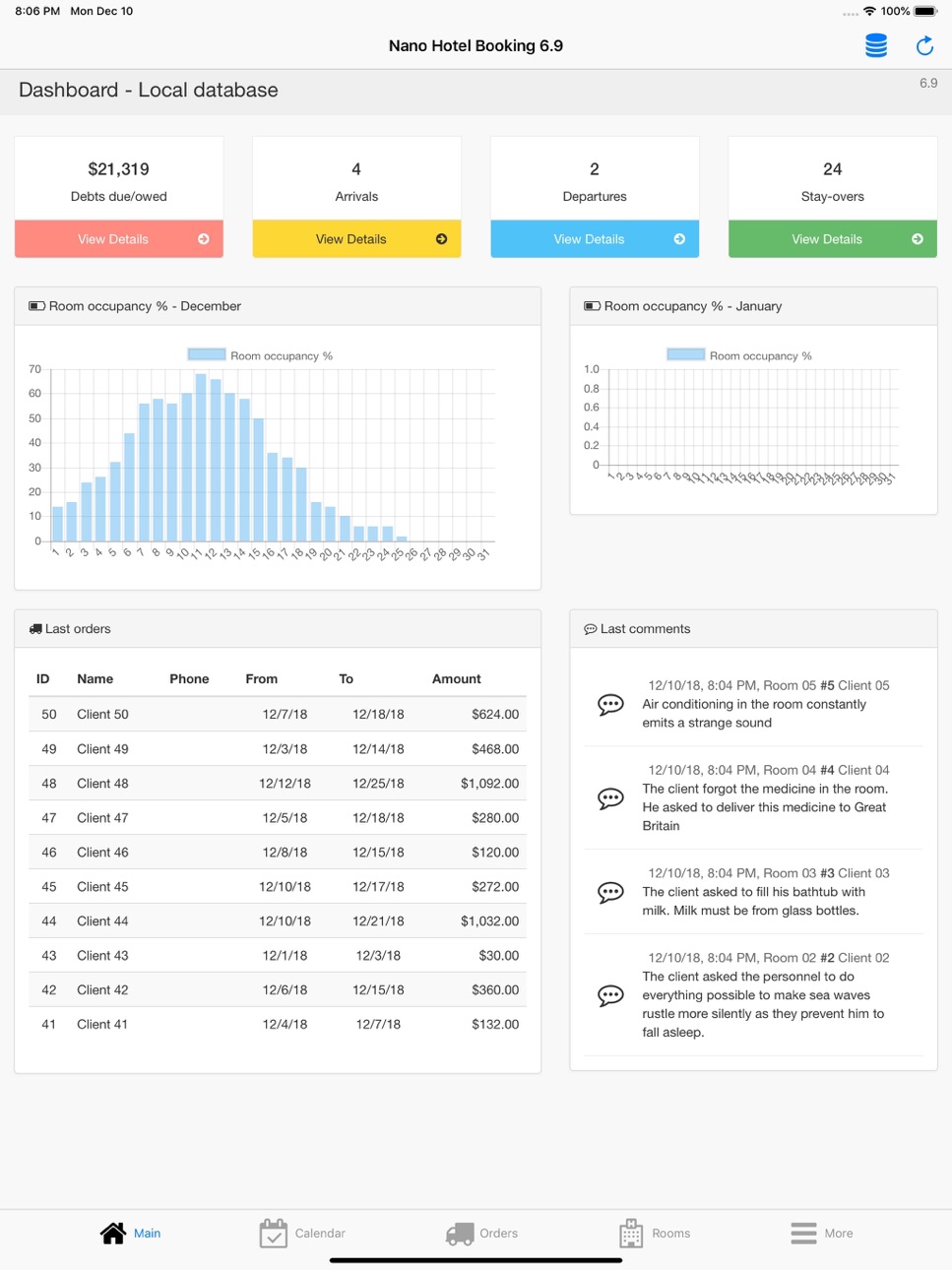
Nano Hotel Booking - is an application for receiving orders and booking rooms in hotels, recreation centers, health centers, guesthouses.
Also, it can be used for daily, hourly, weekly, monthly, quarterly and yearly renting of real estate, vehicles, construction machinery and any other objects. Application’s versatility makes it suitable for services reservation, for example, at hair salons, car workshops, gyms etc.
The application is fully compatible with the desktop version (Nano Hotel Booking for OS X).
Principles of operation
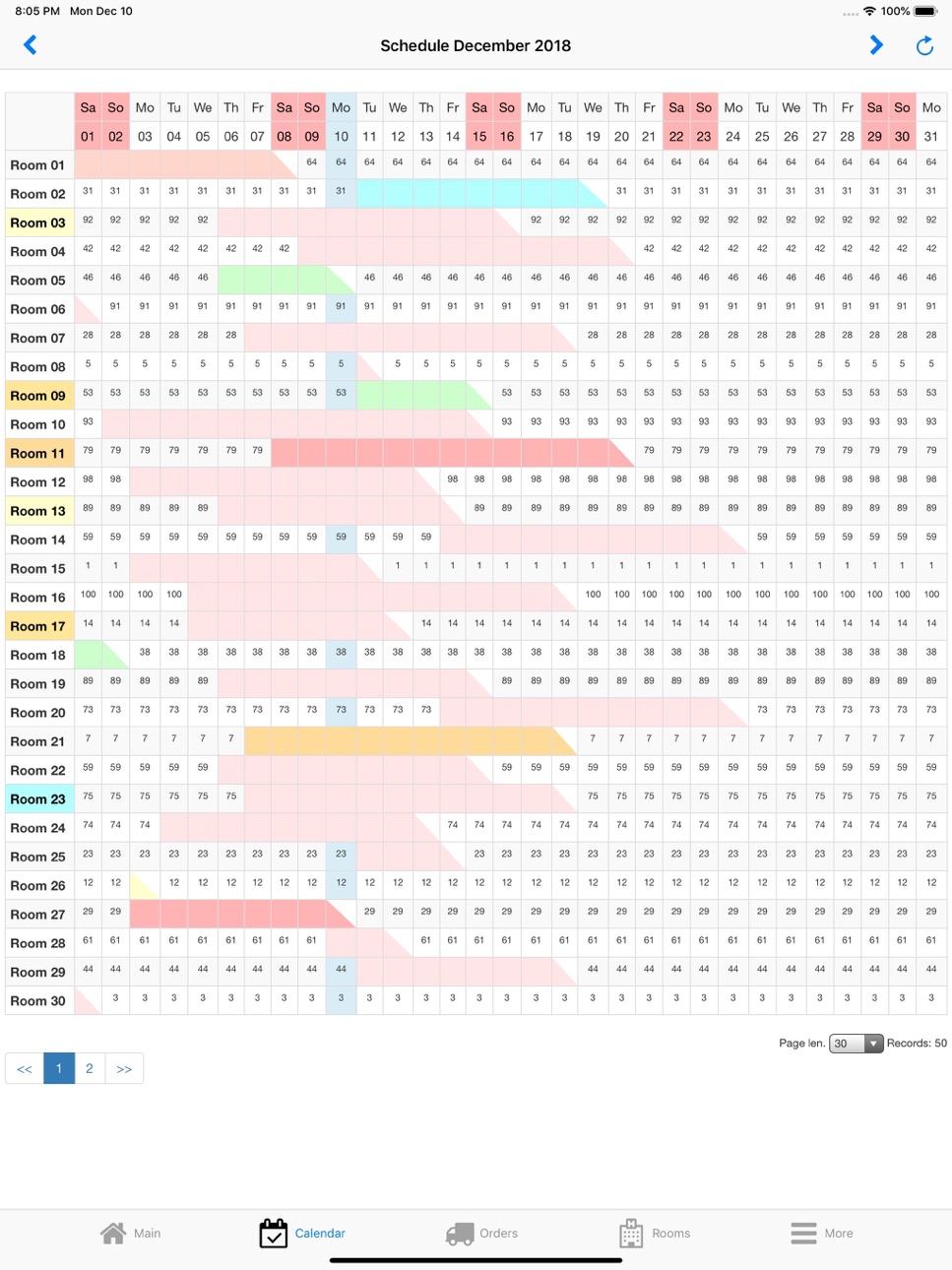
The application is based on a calendar registering the statuses of the hotel rooms (objects). The calendar displays the state of a hotel room on any day of the month. In the hourly rent mode there is a separate calendar for one day divided into 5, 10, 15, 30 or 60 minutes.
Booked days are highlighted with pink color. For each free day, the room rate is given with regard to seasonal prices.
To book a room you need to create an order for this room while specifying the term and the type of a rent. An order can be tied to the client book, or you can simply enter client’s name and phone number directly to the order card.
You can book a free room straightforward from the calendar. You can open an order card or a room card from the calendar with one click. Rooms can be made unavailable, for example, for the period of renovation. Rooms and orders can also be labeled with colored tags in order to show their current status.
Pricing
In a room (object) card you can specify the price and the cost of one day of rent. If you have a lot of rooms, it will be more convenient to create price lists in the settings and tie rooms to them.
You can specify daily, hourly, weekly, monthly, quarterly and yearly prices in the price lists separately.
You can enter season prices for each room. Season prices can be tied to the price lists.
It is possible to add additional options to each order, such as food, excursions, transfers. There is an indication of each option’s price, as well as whether the price depends on the number of days and the number of guests.
An account of the room appliances is kept, i.e. refrigerator, TV, telephone set and so forth.
Types of rent
Daily
This is the main mode of the application. The value of an order is calculated as the price per day multiplied by the number of days or nights, depending on the application settings (see “Settings” – “My Profile”).
Hourly
The value of an order is calculated as the price per hour multiplied by the number of hours of rent (can be specified accurately to within 5 minutes).
Weekly, monthly, quarterly and yearly
In these modes (cyclic orders), the value is calculated as the price per one period (week, month, quarter or year) multiplied by the number of periods that have begun. Let us demonstrate you this through an example. Let’s say the monthly rent is 100 and let’s say today is June 30th. Let’s create an order from July 1st to August 31st with a monthly rent type. In this example, the order amount on June 30th will be 0, as the rent starts only since tomorrow. The order amount on July 1st will be 100. On August 1st the order amount will increase by 100 and will equal 200. On September 1st the amount will not change, as the order ends on August 31st.
You can stop a cyclic order at any moment. For this purpose, there is a button “Close cyclic order” in an order card. It will set the order amount equal to the sum of money actually received and the end date to the day of an order closure.
In all types of rent, the value of options is added to the order amount.
Accessibility
ipadiphonemacrealityDevicetvoswatch
Version history 25 versions
Build 878947177v10.72025-10-15 17:52:39
Improved compatibility with the latest iOS version
Build 874279903v10.62025-04-25 16:06:41
Fixed a bug with creating a database backup.
Build 871203363v10.52024-12-17 16:42:31
Improved compatibility with the latest iOS version
Build 861810874v10.42023-11-28 17:52:15
Improved compatibility with iOS 17
Build 858221837v10.32023-07-03 14:33:09
Color highlighting of types of services has been added to the list of maintenance of hotel rooms.
Build 852936016v10.22022-10-24 21:33:43
Improved compatibility with the latest version of iOS.
Build 851306443v10.12022-08-03 12:17:13
Improved compatibility with the latest iOS version
Build 850227916v10.02022-06-17 18:28:08
This update fixed the export of the "Income and Expenses" report to email
Build 849017774v9.92022-05-12 12:23:43
This update introduces a new data exchange protocol with the Dropbox service.
Build 848261596v9.82022-04-11 09:25:27
Fixed a bug in displaying information on the dashboard that could occur in some cases
Build 846849051v9.72022-01-25 19:04:11
Made case-insensitive searches possible for all supported languages
Build 845069522v9.62021-11-02 02:53:27
Improved compatibility with iOS 15.2
Build 843053877v9.52021-07-12 16:57:58
Added new options for exporting files to Dropbox (More menu)
Build 842966027v9.42021-07-06 09:54:01
Fixed calculation of the amount of options in periodic orders
Build 842605967v9.32021-07-02 11:44:53
1. The field "Deposit account" has been added to the client's card
2. The "Debts" tab has been added to the client's card
3. The "Calculate debt for today" menu has been added to the "Debts" list (the column "Debt for today" must be visible)
Build 839779141v9.22020-12-23 15:12:40
Fixed selection of the period in the hourly calendar
Build 839681317v9.02020-12-17 01:20:12
Fixed a bug with printing documents
Build 839707712v9.12020-12-17 23:45:05
Improved compatibility with iOS 14.3
Build 839656329v8.92020-12-15 20:49:42
Expanded the switch of periods in the hourly calendar
Build 837880908v8.82020-09-21 12:10:59
Improved compatibility with iOS 14
Build 836257693v8.72020-06-03 20:57:41
1. Filters by start and end dates have been added to the list of orders
2. Fixed export to Excel
Build 834924140v8.62020-03-01 18:49:13
Improved procedure for updating balances on current accounts
Build 834015434v8.52019-12-15 16:33:02
Fixed calendar display in dark mode
Build 832974659v8.42019-09-30 17:34:29
New option "Delete orders for previous years." Utilities Menu - Clear Database - Advanced Options
Build 832921318v8.32019-09-26 12:32:08
Added support for iOS 13 dark mode
Price history by region
Currency
Show
Columns
Search
Availability 27 of 27 storefronts
| Region | Language | Price | Ratings | Avg | Version |
|---|---|---|---|---|---|
 UA UA | en-GB | USD 3.99 | 4 | 4.3 | 10.7 |
 US US | en-US | USD 2.99 | 3 | 2.7 | 10.7 |
 GR GR | en-GB | EUR 2.99 | 1 | 5.0 | 10.7 |
 HR HR | en-GB | EUR 2.99 | 1 | 5.0 | 10.7 |
 AM AM | en-GB | USD 3.99 | 0 | — | 10.7 |
 AR AR | es-MX | USD 2.99 | 0 | — | 10.7 |
 AZ AZ | en-GB | USD 3.99 | 0 | — | 10.7 |
 BG BG | en-GB | EUR 2.99 | 0 | — | 10.7 |
 BN BN | en-GB | USD 2.99 | 0 | — | 10.7 |
 BT BT | en-GB | USD 2.99 | 0 | — | 10.7 |
 BW BW | en-GB | USD 2.99 | 0 | — | 10.7 |
 DM DM | en-GB | USD 2.99 | 0 | — | 10.7 |
 EE EE | en-GB | EUR 2.99 | 0 | — | 10.7 |
 GE GE | en-GB | USD 3.99 | 0 | — | 10.7 |
 GM GM | en-GB | USD 2.99 | 0 | — | 10.7 |
 KG KG | en-GB | USD 2.99 | 0 | — | 10.7 |
 LR LR | en-GB | USD 2.99 | 0 | — | 10.7 |
 LU LU | en-GB | EUR 2.99 | 0 | — | 10.7 |
 MV MV | en-GB | USD 2.99 | 0 | — | 10.7 |
 PY PY | es-MX | USD 2.99 | 0 | — | 10.7 |
 RO RO | en-GB | RON 14.99 | 0 | — | 10.7 |
 RW RW | en-GB | USD 2.99 | 0 | — | 10.7 |
 SI SI | en-GB | EUR 2.99 | 0 | — | 10.7 |
 TJ TJ | en-GB | USD 2.99 | 0 | — | 10.7 |
 TM TM | en-GB | USD 2.99 | 0 | — | 10.7 |
 UZ UZ | en-GB | USD 2.99 | 0 | — | 10.7 |
 ZW ZW | en-GB | USD 3.99 | 0 | — | 10.7 |
Change log 29 changes · EE
✎
releaseNotes updated
Improved compatibility with the latest iOS version
✎
description updated
Nano Hotel Booking - is an application for receiving orders and booking rooms in hotels, recreation centers, health centers, guesthouses.
Also, it can be used
✎
subtitle updated
Property Management System
✎
name updated
Nano Hotel Booking
◆
Version 10.7 released
Improved compatibility with the latest iOS version
◆
Version 10.6 released
Fixed a bug with creating a database backup.
◆
Version 10.5 released
Improved compatibility with the latest iOS version
◆
Version 10.4 released
Improved compatibility with iOS 17
◆
Version 10.3 released
Color highlighting of types of services has been added to the list of maintenance of hotel rooms.
◆
Version 10.2 released
Improved compatibility with the latest version of iOS.
◆
Version 10.1 released
Improved compatibility with the latest iOS version
◆
Version 10.0 released
This update fixed the export of the "Income and Expenses" report to email
◆
Version 9.9 released
This update introduces a new data exchange protocol with the Dropbox service.
◆
Version 9.8 released
Fixed a bug in displaying information on the dashboard that could occur in some cases
◆
Version 9.7 released
Made case-insensitive searches possible for all supported languages
◆
Version 9.6 released
Improved compatibility with iOS 15.2
◆
Version 9.5 released
Added new options for exporting files to Dropbox (More menu)
◆
Version 9.4 released
Fixed calculation of the amount of options in periodic orders
◆
Version 9.3 released
1. The field "Deposit account" has been added to the client's card
2. The "Debts" tab has been added to the client's card
3. The "Calculate debt for today" menu has been added to the "Debts" list (the column "Debt for today" must be visible
◆
Version 9.2 released
Fixed selection of the period in the hourly calendar
◆
Version 9.1 released
Improved compatibility with iOS 14.3
◆
Version 9.0 released
Fixed a bug with printing documents
◆
Version 8.9 released
Expanded the switch of periods in the hourly calendar
◆
Version 8.8 released
Improved compatibility with iOS 14
◆
Version 8.7 released
1. Filters by start and end dates have been added to the list of orders
2. Fixed export to Excel
◆
Version 8.6 released
Improved procedure for updating balances on current accounts
◆
Version 8.5 released
Fixed calendar display in dark mode
◆
Version 8.4 released
New option "Delete orders for previous years." Utilities Menu - Clear Database - Advanced Options
◆
Version 8.3 released
Added support for iOS 13 dark mode