Home › Business

 US
US
1 of 1 storefronts
Content in en-US
Content in en-US
Information
Preview 2 platforms
iPhone 10 images


iPad 7 images


What’s New Version 2.4
Resolved critical bugs affecting Subscription and Team functionality
Description
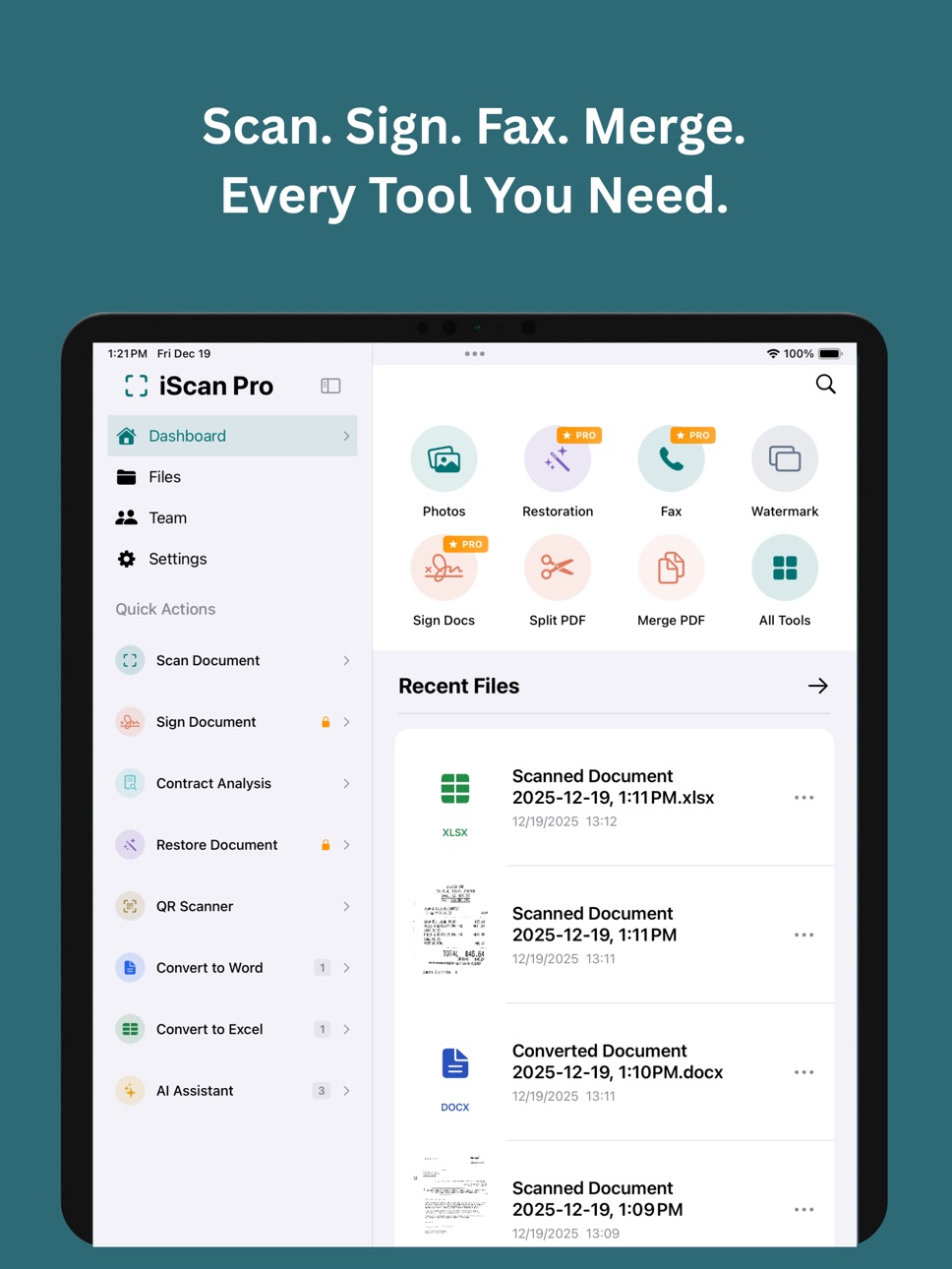
Turn your iPhone and iPad into the ultimate document command center. iScan Pro is the first smart scanner on the App Store - combining professional scanning with intelligent analysis to give you 50+ powerful tools for scanning, signing, analyzing, and sharing documents like never before.
INTELLIGENT DOCUMENT SCANNING
Capture crystal-clear scans with automatic edge detection and perspective correction. Whether it's contracts, receipts, IDs, business cards, or whiteboards — iScan Pro detects document type and optimizes quality automatically.
• Smart edge detection with real-time preview
• Auto-enhance for perfect clarity
• Multiple document types: Books, IDs, Receipts, Business Cards, Whiteboards
• Batch scanning for multi-page documents
• Export as PDF, Word, Excel, or Images
SMART ANALYSIS FEATURES
Let intelligent automation do the heavy lifting:
• Contract Intelligence — Instantly extract key terms, parties, dates, payment details, and potential risks from contracts
• Business Card Scanner — Scan cards and automatically save contacts with names, emails, phones, and social profiles
• Document Assistant — Ask questions about your documents and get instant answers
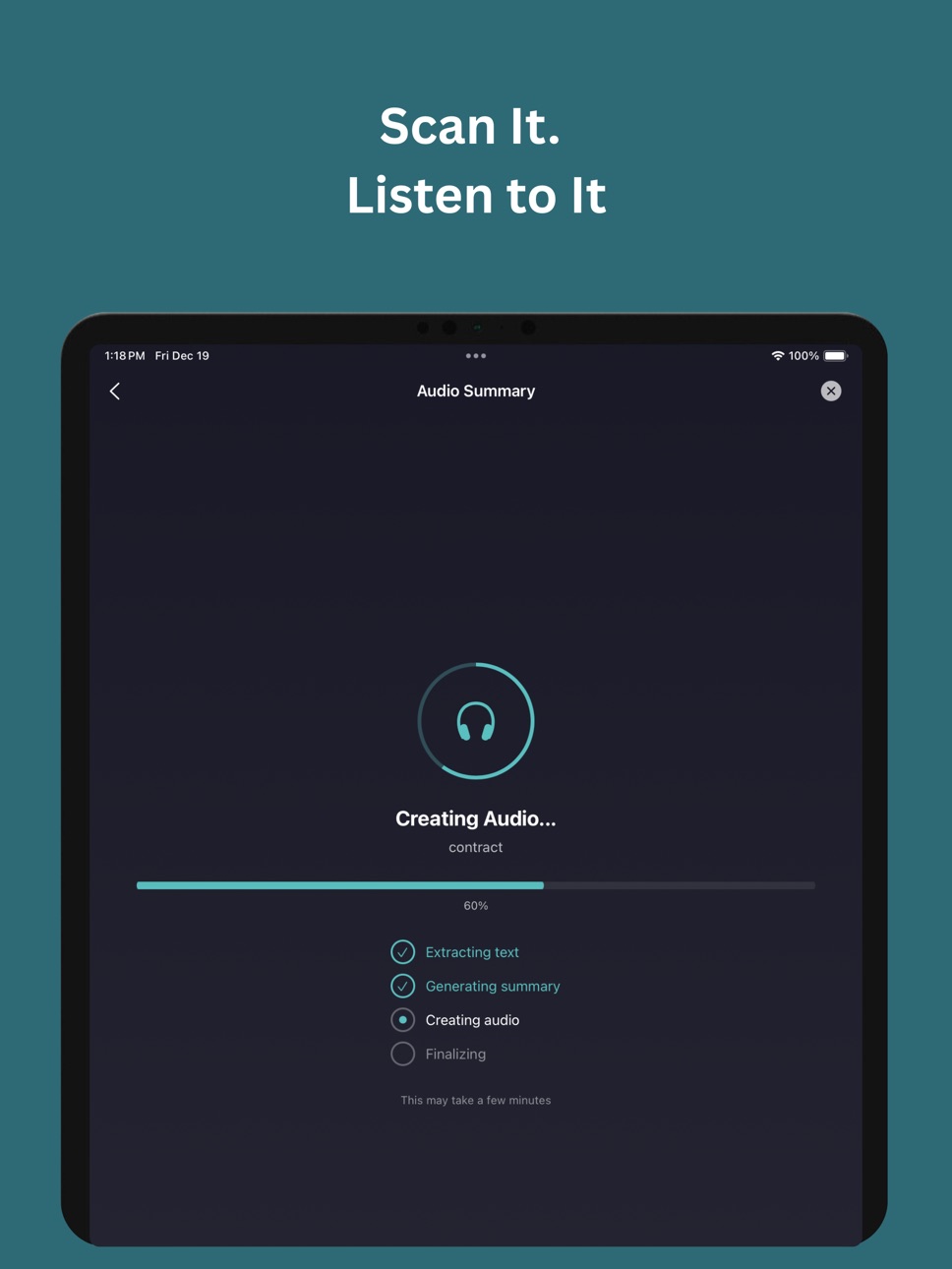
• Audio Summaries — Convert documents into podcast-style audio summaries you can listen to anywhere
• Smart Classification — Documents are automatically organized into categories
PROFESSIONAL PDF TOOLS
Everything you need to manage PDFs:
• Merge multiple PDFs into one
• Split PDFs by page
• Compress to reduce file size
• Password protect sensitive documents
• Add watermarks
• Digital signatures and e-signing
TEAM COLLABORATION
Share and collaborate securely:
• Share documents for viewing, signing, or approval
• Request e-signatures from multiple recipients
• Track who accessed your documents
• Set expiration dates on shared links
• Real-time signature status tracking
SEND FAX WORLDWIDE
No fax machine needed — send faxes directly from your device to any fax number in the world.
QR CODE TOOLS
Create and scan QR codes for:
• URLs and websites
• WiFi credentials
• Contact information (vCard)
• Phone numbers and SMS
• Email addresses
• GPS locations
• Bio-link landing pages
ADVANCED FEATURES
• Object Counter — Count items in photos with intelligent detection
• Room Scanner — Analyze rooms and identify objects automatically
• Image Restoration — Enhance old or damaged photos
• Voice Recording — Record and transcribe audio notes
• Document Conversion — Export to Word (.docx) or Excel (.xlsx)
CLOUD INTEGRATION
Sync and backup to your favorite cloud services:
• iCloud
• Google Drive
• OneDrive
• Dropbox
In-App Purchases US pricing
TextExtraction Subscription Subscription
Monthly subscription · Monthly$2.99
Yearly Subscription · Yearly$24.99
One-Time Purchases
Lifetime $49.99
One Time Payment$59.99
Capabilities
In-App Purchases
Accessibility
ipadiphonemacrealityDevicetvoswatch
Version history 5 versions
Build 881225721v2.42026-01-06 22:28:22
Resolved critical bugs affecting Subscription and Team functionality
Build 861811215v2.32025-12-22 08:55:04
This isn't an update — it's a complete reimagining. We rebuilt the entire app from scratch with Apple Intelligence at its core and a stunning new Liquid Glass design that feels right at home on iOS 26.
NEXT-GEN OCR ENGINE
• Smarter, faster, more accurate text recognition
• Handles handwriting, curved text, and low-light scans
• Supports 50+ languages with near-perfect precision
• Even crumpled receipts and faded documents don't stand a chance
AI-POWERED DOCUMENT INTELLIGENCE
• Chat with any document and ask questions
• Extract key data and search across all your files
• Powered by advanced AI that actually understands your documents
CONTRACT DASHBOARD
• The only scanner that reads your contracts for you
• Automatically tracks obligations, key dates, and payment schedules
• Get alerts before you miss a deadline
AUDIO SUMMARIES
• Turn any document into a listenable summary
• Review contracts, letters, and reports on the go
• Perfect for busy professionals
QUICK EXTRACT
• Pull amounts, dates, names, and key clauses in one tap
• No more hunting through pages
BUILT-IN WORD & EXCEL EDITORS
• Edit documents and spreadsheets without leaving the app
• Scan to editable — instantly
LIQUID GLASS INTERFACE
• Beautiful new design with smooth animations
• Dynamic transparency and depth effects
• An interface that feels like the future
Build 858411876v2.22023-07-20 02:07:11
Fixes and improvements
Build 766782729v2.0.12014-11-06 03:08:27
Biggest feature ever!!!
- Now user can edit and save extracted text from image as Word documents.
- Word Processor added for text editing
Build 654552961v1.0.12014-08-08 02:39:42
Price history by region
Currency
Show
Columns
Search
Availability 1 of 1 storefronts
| Region | Language | Price | Ratings | Avg | Version |
|---|---|---|---|---|---|
| US | en-US | Free | 32 | 4.1 | 2.4 |
Change log 9 changes · US
✎
releaseNotes updated
Resolved critical bugs affecting Subscription and Team functionality
✎
description updated
Turn your iPhone and iPad into the ultimate document command center. iScan Pro is the first smart scanner on the App Store - combining professional scanning wit
✎
subtitle updated
Scan, Sign, Fax & Collaborate
✎
name updated
iScan Pro - Smart Scanner
◆
Version 2.4 released
Resolved critical bugs affecting Subscription and Team functionality
◆
Version 2.3 released
This isn't an update — it's a complete reimagining. We rebuilt the entire app from scratch with Apple Intelligence at its core and a stunning new Liquid Glass design that feels right at home on iOS 26.
NEXT-GEN OCR ENGINE
• Smarter, faster
◆
Version 2.2 released
Fixes and improvements
◆
Version 2.0.1 released
Biggest feature ever!!!
- Now user can edit and save extracted text from image as Word documents.
- Word Processor added for text editing
◆
Version 1.0.1 released