Home › Reference

 ZM
ZM
 AGen-GB
 AIen-GB
 AOen-GB
 ARes-MX
 BBen-GB
 BFen-GB
 BJen-GB
 BOes-MX
 BRpt-BR
 BSen-GB
 BWen-GB
 BZen-GB
 CDen-GB
 CGen-GB
 CIfr-FR
 CLes-MX
 CMfr-FR
 COes-MX
 CRes-MX
 CVen-GB
 DMen-GB
 DOes-MX
 DZen-GB
 ECes-MX
 GAfr-FR
 GDen-GB
 GHen-GB
 GMen-GB
 GTes-MX
 GWen-GB
 GYen-GB
 HNes-MX
 JMen-GB
 KEen-GB
 KNen-GB
 KYen-GB
 LCen-GB
 LRen-GB
 LYen-GB
 MAen-GB
 MGen-GB
 MLen-GB
 MSen-GB
 MUen-GB
 MWen-GB
 MXes-MX
 MZen-GB
 NAen-GB
 NEen-GB
 NGen-GB
 NIes-MX
 PAes-MX
 PEes-MX
 PYes-MX
 SLen-GB
 SNen-GB
 SRen-GB
 SVes-MX
 TCen-GB
 TDen-GB
 TNen-GB
 TTen-GB
 TZen-GB
 UGen-GB
 USen-US
 UYen-GB
 VCen-GB
 VEes-MX
 VGen-GBZMen-GB
 ZWen-GB
71 of 71 storefronts
Content in en-US
Content in en-US
Information
Preview 2 platforms
iPhone 9 images

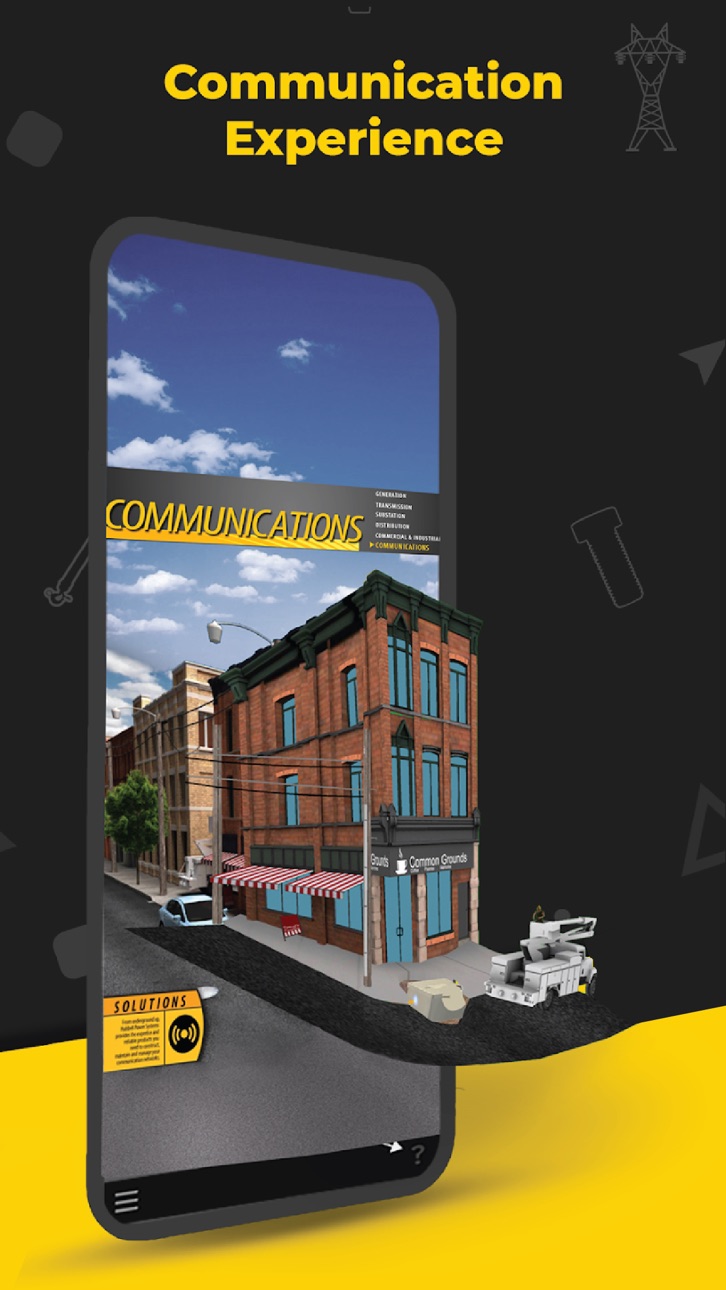


iPad 9 images


What’s New Version 5.1.1
The latest Hubbell AR app release provides the user with several important enhancements including more product models across multiple Hubbell markets and brands. The user interface has been overhauled to have a cleaner design and greater ease of use. A tutorial is available upon initial app opening to guide the user through app capabilities.
Improved user interface design
Improved plane detection
More Hubbell products arranged by markets
Description
The Hubbell AR app allows you to experience augmented reality in 2 distinct ways.
Click the question mark icon in the lower right to see tutorial overlays throughout the
app.
Adding an Experience
The HubbellAR app will allow you to place an experience directly into your environment.
1. Open the HubbellAR app and allow the app to use your camera.
2. Click the “+” icon at the bottom center of your screen.
3. A list will appear arranged by markets. Select a market and click an experience in the
submenu or click the information button next to it for details.
4. Once the experience has been downloaded, move your device around to scan your
environment. Scanning flat surfaces will help the app detect the placement area(s) faster.
Tabletops, floors, streets, walkways are examples of surfaces you can scan.
5. Tap anywhere on the discovered surface (yellow highlighted area) to place your
experience.
6. Move around and closer to the experience to see more details.
7. Click any yellow buttons at the bottom of the experience to play animations. Not all
experiences have these.
8. Click the information icon in the lower left for more information about that experience
and to access other related assets.
9. Click the replay button in the lower right if you’d like to experience the animation
again.
Scanning an Image
Whenever you see the HubbellAR app logo, or a reference to the app, on a printed
image/poster/flyer/postcard, you can use the app to scan the image and reveal an AR
experience.
1. Open the HubbellAR app and allow the app to use your camera.
2. Click the Image Scan icon in the lower left of the screen.
3. Point your device at the HubbellAR optimized image so that it is completely in view.
4. Keep the image in view as you walk around or move in closer to the experience.
5. Click the information icon in the lower left for more information about that experience
and to access other related assets.
6. Click the replay button in the lower right if you’d like to experience the animation
again.
7. Simply point your device at another optimized image to begin a new experience.
8. Click the “X” in the upper right to close the Image Scan functionality an return to the
main screen.
To view these 3D experiences, please download and print any of the Hubbell Power Systems posters here: https://www.dropbox.com/sh/ukyttxqe5fxe1xf/AAC8IdxcXXrQ0zv1xvViWCe1a
Accessibility
ipadiphonemacrealityDevicetvoswatch
Version history 11 versions
Build 855227721v5.1.12023-02-28 16:29:28
The latest Hubbell AR app release provides the user with several important enhancements including more product models across multiple Hubbell markets and brands. The user interface has been overhauled to have a cleaner design and greater ease of use. A tutorial is available upon initial app opening to guide the user through app capabilities.
Improved user interface design
Improved plane detection
More Hubbell products arranged by markets
Build 853881719v5.1.02022-12-15 21:30:10
The latest Hubbell AR app release provides the user with several important enhancements including more product models across multiple Hubbell markets and brands. The user interface has been overhauled to have a cleaner design and greater ease of use. A tutorial is available upon initial app opening to guide the user through app capabilities.
Improved user interface design
Improved plane detection
More Hubbell products arranged by markets
Build 844424804v5.0.52021-10-01 13:45:19
App improvements
# Single finger gesture for Object rotation
# More realistic lighting
Build 841121084v5.0.42021-03-30 16:16:39
Improved image Tracing.
Build 840709925v5.0.32021-03-03 00:20:01
New Tutorial
Bug fixes
Improved Image Tracking
Build 840394226v5.0.22021-02-07 20:01:00
UI improvements
Build 840372214v5.0.12021-02-06 15:29:26
UI Improvements
Build 838435897v5.02020-11-05 18:31:21
The Hubbell AR app 5.0 has been expanded with new viewing capabilities. Along with “optimized for AR” image scanning, the app will now allow you to place AR experiences directly into your environment without the need of scanning an image first. Featured AR experiences include posters and products arranged by their market application. The app has also added user-friendly tutorial overlays that can be accessed through-out the app.
Build 824316804v4.12017-11-08 13:40:36
Updated for iOS 11 support.
Build 813019668v4.02015-08-08 01:31:45
• Brand new Safety experience for Distribution poster
• UI enhancements
• Bug fixes
• Support for iPhone 6 and 6 Plus
Build 601672666v3.42014-06-19 18:57:33
No pricing data captured yet — comparisons appear once the app has paid storefronts or in-app purchases.
Availability 71 of 71 storefronts
| Region | Language | Price | Ratings | Avg | Version |
|---|---|---|---|---|---|
| AG | en-GB | Free | 0 | — | 5.1.1 |
| AI | en-GB | Free | 0 | — | 5.1.1 |
| AO | en-GB | Free | 0 | — | 5.1.1 |
| AR | es-MX | Free | 0 | — | 5.1.1 |
| BB | en-GB | Free | 0 | — | 5.1.1 |
| BF | en-GB | Free | 0 | — | 5.1.1 |
| BJ | en-GB | Free | 0 | — | 5.1.1 |
| BO | es-MX | Free | 0 | — | 5.1.1 |
| BR | pt-BR | Free | 0 | — | 5.1.1 |
| BS | en-GB | Free | 0 | — | 5.1.1 |
| BW | en-GB | Free | 0 | — | 5.1.1 |
| BZ | en-GB | Free | 0 | — | 5.1.1 |
| CD | en-GB | Free | 0 | — | 5.1.1 |
| CG | en-GB | Free | 0 | — | 5.1.1 |
| CI | fr-FR | Free | 0 | — | 5.1.1 |
| CL | es-MX | Free | 0 | — | 5.1.1 |
| CM | fr-FR | Free | 0 | — | 5.1.1 |
| CO | es-MX | Free | 0 | — | 5.1.1 |
| CR | es-MX | Free | 0 | — | 5.1.1 |
| CV | en-GB | Free | 0 | — | 5.1.1 |
| DM | en-GB | Free | 0 | — | 5.1.1 |
| DO | es-MX | Free | 0 | — | 5.1.1 |
| DZ | en-GB | Free | 0 | — | 5.1.1 |
| EC | es-MX | Free | 0 | — | 5.1.1 |
| GA | fr-FR | Free | 0 | — | 5.1.1 |
| GD | en-GB | Free | 0 | — | 5.1.1 |
| GH | en-GB | Free | 0 | — | 5.1.1 |
| GM | en-GB | Free | 0 | — | 5.1.1 |
| GT | es-MX | Free | 0 | — | 5.1.1 |
| GW | en-GB | Free | 0 | — | 5.1.1 |
| GY | en-GB | Free | 0 | — | 5.1.1 |
| HN | es-MX | Free | 0 | — | 5.1.1 |
| JM | en-GB | Free | 0 | — | 5.1.1 |
| KE | en-GB | Free | 0 | — | 5.1.1 |
| KN | en-GB | Free | 0 | — | 5.1.1 |
| KY | en-GB | Free | 0 | — | 5.1.1 |
| LC | en-GB | Free | 0 | — | 5.1.1 |
| LR | en-GB | Free | 0 | — | 5.1.1 |
| LY | en-GB | Free | 0 | — | 5.1.1 |
| MA | en-GB | Free | 0 | — | 5.1.1 |
| MG | en-GB | Free | 0 | — | 5.1.1 |
| ML | en-GB | Free | 0 | — | 5.1.1 |
| MS | en-GB | Free | 0 | — | 5.1.1 |
| MU | en-GB | Free | 0 | — | 5.1.1 |
| MW | en-GB | Free | 0 | — | 5.1.1 |
| MX | es-MX | Free | 0 | — | 5.1.1 |
| MZ | en-GB | Free | 0 | — | 5.1.1 |
| NA | en-GB | Free | 0 | — | 5.1.1 |
| NE | en-GB | Free | 0 | — | 5.1.1 |
| NG | en-GB | Free | 0 | — | 5.1.1 |
| NI | es-MX | Free | 0 | — | 5.1.1 |
| PA | es-MX | Free | 0 | — | 5.1.1 |
| PE | es-MX | Free | 0 | — | 5.1.1 |
| PY | es-MX | Free | 0 | — | 5.1.1 |
| SL | en-GB | Free | 0 | — | 5.1.1 |
| SN | en-GB | Free | 0 | — | 5.1.1 |
| SR | en-GB | Free | 0 | — | 5.1.1 |
| SV | es-MX | Free | 0 | — | 5.1.1 |
| TC | en-GB | Free | 0 | — | 5.1.1 |
| TD | en-GB | Free | 0 | — | 5.1.1 |
| TN | en-GB | Free | 0 | — | 5.1.1 |
| TT | en-GB | Free | 0 | — | 5.1.1 |
| TZ | en-GB | Free | 0 | — | 5.1.1 |
| UG | en-GB | Free | 0 | — | 5.1.1 |
| US | en-US | Free | 0 | — | 5.1.1 |
| UY | en-GB | Free | 0 | — | 5.1.1 |
| VC | en-GB | Free | 0 | — | 5.1.1 |
| VE | es-MX | Free | 0 | — | 5.1.1 |
| VG | en-GB | Free | 0 | — | 5.1.1 |
| ZM | en-GB | Free | 0 | — | 5.1.1 |
| ZW | en-GB | Free | 0 | — | 5.1.1 |
Change log 14 changes · ZM
✎
releaseNotes updated
The latest Hubbell AR app release provides the user with several important enhancements including more product models across multiple Hubbell markets and brands
✎
description updated
The Hubbell AR app allows you to experience augmented reality in 2 distinct ways.
Click the question mark icon in the lower right to see tutorial overlays thro
✎
name updated
Hubbell AR
◆
Version 5.1.1 released
The latest Hubbell AR app release provides the user with several important enhancements including more product models across multiple Hubbell markets and brands. The user interface has been overhauled to have a cleaner design and greater ea
◆
Version 5.1.0 released
The latest Hubbell AR app release provides the user with several important enhancements including more product models across multiple Hubbell markets and brands. The user interface has been overhauled to have a cleaner design and greater ea
◆
Version 5.0.5 released
App improvements
# Single finger gesture for Object rotation
# More realistic lighting
◆
Version 5.0.4 released
Improved image Tracing.
◆
Version 5.0.3 released
New Tutorial
Bug fixes
Improved Image Tracking
◆
Version 5.0.2 released
UI improvements
◆
Version 5.0.1 released
UI Improvements
◆
Version 5.0 released
The Hubbell AR app 5.0 has been expanded with new viewing capabilities. Along with “optimized for AR” image scanning, the app will now allow you to place AR experiences directly into your environment without the need of scanning an image fi
◆
Version 4.1 released
Updated for iOS 11 support.
◆
Version 4.0 released
• Brand new Safety experience for Distribution poster
• UI enhancements
• Bug fixes
• Support for iPhone 6 and 6 Plus
◆
Version 3.4 released