Home › Utilities

 PG
PG
 USen-US
 DEde-DE
 CNzh-Hans-CN
 FRfr-FR
 KRko
KRko GBen-GB
 CAen-CA
 RUru
RUru JPja
JPja AUen-AU
 ITit
ITit VNen-GB
 TWzh-Hant-TW
 PLen-GB
 NLnl
NLnl THen-GB
 HKzh-Hant-HK
 ESes-ES
 CHde-CH
 INen-GB
 SAen-GB
 TRen-GB
 CZen-GB
 UAen-GB
 ATde-DE
 BEen-GB
 GRen-GB
 SEsv
SEsv EGen-GB
 ZAen-GB
 HUen-GB
 PHen-GB
 MYen-GB
 PTpt-PT
 NZen-AU
 SKen-GB
 SGen-GB
 NOen-GB
 AEen-GB
 ILen-GB
 DKen-GB
 IDen-GB
 ROen-GB
 IEen-GB
 FIen-GB
 HRen-GB
 BYen-GB
 LTen-GB
 PKen-GB
 KWen-GB
 SIen-GB
 BHen-GB
 BGen-GB
 OMen-GB
 JOen-GB
 KZen-GB
 MDen-GB
 KHen-GB
 LUen-GB
 CYen-GB
 LKen-GB
 LVen-GB
 MOzh-Hant-HK
 LBen-GB
 MTen-GB
 RSen-GB
 AZen-GB
 EEen-GB
 IQen-GB
 ISen-GB
 KGen-GB
 QAen-GB
 TNen-GB
 ALen-GB
 NGen-GB
 NPen-GB
 UZen-GB
 XKen-GB
 AMen-GB
 MKen-GB
 AIen-GB
 BMen-GB
 GEen-GB
 MNen-GB
 BBen-GB
 BNen-GB
 BWen-GB
 LAen-GB
 LYen-GB
 SBen-GB
 TTen-GB
 YEen-GB
 AFen-GB
 BAen-GB
 BSen-GB
 BTen-GB
 FJen-GB
 FMen-GB
 GMen-GB
 MEen-GB
 MMen-GB
 MRen-GB
 MSen-GB
 MVen-GB
 NRen-GBPGen-GB
 PWen-GB
 TJen-GB
 TMen-GB
 TOen-GB
 VUen-GB
 ZWen-GB
112 of 112 storefronts
Content in en-US
Content in en-US
Information
Preview 6 platforms
iPhone 10 images


iPad 10 images


Mac 8 images


Apple TV 4 images


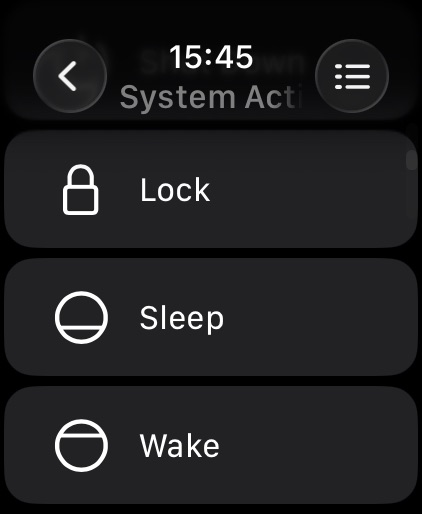
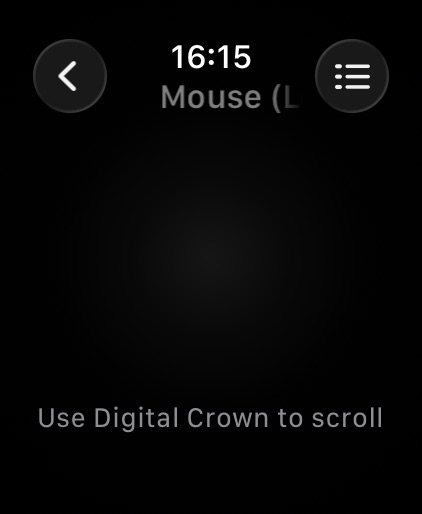
Apple Watch 3 images

Apple Vision Pro 4 images


What’s New Version 2026.30
- Added Apple Watch support for TV devices, including Apple TV, Samsung, LG, Roku, Fire TV, Google TV, Hisense, and VIZIO.
- Added model and brand icons for TV devices on Apple Watch.
- Improved Apple Watch TV remote controls, including more reliable keypad loading and button presses.
- Fixed Apple TV keyboard input in the iOS app.
- Improved onboarding: setup now focuses on the device types you selected, with a “Show All” option when needed.
- Removed upgrade screens from onboarding and moved upgrade presentation to the main device flow after onboarding.
- Improved Live View reliability in the Mac helper, especially around display changes and screen capture startup.
- Added helper and app stability fixes, diagnostics, and build updates.
Description
Remote, Mouse & Keyboard
Control more from one app - now on iPhone, iPad, and Mac.
Remote, Mouse & Keyboard turns your Apple devices into a simple, powerful remote for TVs, streaming devices, Apple TV, Mac, Windows PC, and iPad. Use it from the couch, at your desk, during a presentation, or anywhere you want faster control.
TV and Streaming Remote
Use your iPhone, iPad, or Mac as a remote for supported TVs, streamers, and Apple TV.
Works with Apple TV plus supported Samsung, LG, Roku, Fire TV, Android TV, Hisense, and Vizio devices. Android TV and Google TV examples include Sony, TCL, Philips, and Xiaomi - just a few of the brands that use the platform.
- Navigate with a smooth touchpad
- Control volume, playback, and media
- Type searches and passwords with the keyboard
- Launch Apple TV apps quickly
- Keep one remote ready across your devices
Older Apple TV models such as Gen 1-3 require one-time PIN entry using a physical remote.
Mac and PC Control
Control your computer over Wi-Fi with a remote, mouse, keyboard, and custom panels built for the apps you use.
- Use your device as a wireless mouse and keyboard
- Adjust volume, playback, and tracks
- View your computer screen live
- Take screenshots remotely
- Launch or quit apps, open menus, and run shortcuts
- Create custom panels and automation scripts
- Schedule actions with timers
Requires the free helper app for Mac or Windows: https://rs.ltd/get
iPad Control
Use your iPhone, iPad, or Mac to control another iPad over Bluetooth.
- Type, navigate, and control playback
- Adjust volume and media
- Keep a second device useful in creative, work, or entertainment setups
Why You'll Love It
- One app for iPhone, iPad, and Mac
- Remote control for TVs, streamers, Apple TV, Mac, PC, and iPad
- Touchpad, keyboard, media controls, shortcuts, and automation
- Custom control panels for apps, websites, and workflows
- Secure Wi-Fi and Bluetooth connections
System Requirements
- iPhone, iPad, or Mac
- Supported Apple TV, Samsung, LG, Roku, Fire TV, Android TV, Hisense, and Vizio devices
- Android TV and Google TV devices, including examples from Sony, TCL, Philips, Xiaomi, and more
- Apple TV: all models supported
- Mac: macOS 10.13 or later with helper app
- Windows: Windows 7 or later with helper app
- iPad control: Bluetooth connection
Privacy Policy: https://rs.ltd/privacy
Terms of Use: https://rs.ltd/terms
Take Control
One app. All your screens. Ready on iPhone, iPad, and Mac.
Accessibility
ipadiphonemacrealityDevicetvoswatch
Version history 25 versions
Build 886986180v2026.302026-07-06 01:20:23
- Added Apple Watch support for TV devices, including Apple TV, Samsung, LG, Roku, Fire TV, Google TV, Hisense, and VIZIO.
- Added model and brand icons for TV devices on Apple Watch.
- Improved Apple Watch TV remote controls, including more reliable keypad loading and button presses.
- Fixed Apple TV keyboard input in the iOS app.
- Improved onboarding: setup now focuses on the device types you selected, with a “Show All” option when needed.
- Removed upgrade screens from onboarding and moved upgrade presentation to the main device flow after onboarding.
- Improved Live View reliability in the Mac helper, especially around display changes and screen capture startup.
- Added helper and app stability fixes, diagnostics, and build updates.
Build 886563528v2026.222026-06-06 04:27:16
• Fixed fetching Apple TV apps.
• Fixed missing Mac icons.
Build 886255616v2026.212026-05-29 05:18:18
• Improved connection speed by prioritizing local IP addresses when your computer has multiple network addresses.
• Fixed a pairing issue with Apple TV.
Build 885772355v2026.192026-05-18 05:20:00
• Improved connection speed by prioritizing local IP addresses when your computer has multiple network addresses.
• Fixed a pairing issue with Apple TV.
Build 885401778v2026.162026-05-09 03:18:51
• Improved connection speed by prioritizing local IP addresses when your computer has multiple network addresses.
• Fixed a pairing issue with Apple TV.
Build 885162593v2026.142026-05-03 10:41:27
This update adds support for Danish language for typing on remotely controlled iPad, and fixes intermittent issue with switching keypads.
Build 884933603v2026.132026-04-26 21:34:10
This update adds support for Danish language for typing on remotely controlled iPad, and fixes intermittent issue with switching keypads.
Build 884692838v2026.112026-04-21 04:42:09
This update improves Bluetooth control reliability and cleans up the overall remote experience. Bluetooth keyboard input now activates only while you’re
actively using the Bluetooth remote, connection status is clearer, keypad visuals have been polished, and several bugs have been fixed for better stability.
Build 884518658v2026.102026-04-15 05:47:30
This update improves Bluetooth control reliability and cleans up the overall remote experience. Bluetooth keyboard input now activates only while you’re
actively using the Bluetooth remote, connection status is clearer, keypad visuals have been polished, and several bugs have been fixed for better stability.
Build 884353436v2026.82026-04-11 21:40:09
This update improves Bluetooth control reliability and cleans up the overall remote experience. Bluetooth keyboard input now activates only while you’re
actively using the Bluetooth remote, connection status is clearer, keypad visuals have been polished, and several bugs have been fixed for better stability.
Build 884103330v2026.72026-04-04 07:21:16
This update brings a redesigned Customization experience with more flexible appearance controls for the app and your remote surfaces.
Apple TV control is now more reliable, with clearer pairing and reconnect flows, better status guidance, improved text input behavior, and a smoother apps browsing experience.
The Apple Watch companion also gets a major upgrade, with faster syncing and easier access to Apple TV apps, system actions, shortcuts, websites, and mouse controls.
Also includes additional polish and stability improvements.
*If you use Remote with a Windows PC, please update the helper app on your computer to version 2026.8 or later.*
Build 883941699v2026.62026-04-01 13:20:59
This update brings a redesigned Customization experience with more flexible appearance controls for the app and your remote surfaces.
Apple TV control is now more reliable, with clearer pairing and reconnect flows, better status guidance, improved text input behavior, and a smoother apps browsing experience.
The Apple Watch companion also gets a major upgrade, with faster syncing and easier access to Apple TV apps, system actions, shortcuts, websites, and mouse controls.
Also includes additional polish and stability improvements.
*If you use Remote with a Windows PC, please update the helper app on your computer to version 2026.8 or later.*
Build 883389098v2026.42026-03-21 12:27:48
This update brings a redesigned Customization experience with more flexible appearance controls for the app and your remote surfaces.
Apple TV control is now more reliable, with clearer pairing and reconnect flows, better status guidance, improved text input behavior, and a smoother apps browsing experience.
The Apple Watch companion also gets a major upgrade, with faster syncing and easier access to Apple TV apps, system actions, shortcuts, websites, and mouse controls.
Also includes additional polish and stability improvements.
*If you use Remote with a Windows PC, please update the helper app on your computer to version 2026.8 or later.*
Build 882786758v2026.32026-03-02 23:56:29
[NEW] Add support for Italian language when controlling iPad
[FIX] French and German keyboard when controlling iPad
[FIX] Scrolling when controlling iPad
Build 881716217v2026.22026-01-24 05:43:51
[NEW] Home button in iPad input view for quick access
[NEW] When switching layout - display keyboard on controlled iPad device to sync it to selected layout
[FIX] Widget theme for iOS/iPadOS/macOS 26
[FIX] Help buttons links
Build 881274926v2026.12026-01-10 11:23:01
[FIX] Pairing with old Apple TV devices
Build 880881115v2025.332025-12-23 05:34:21
[FIX] Pairing with old Apple TV devices
Build 880549810v2025.322025-12-14 15:05:21
[FIX] Show real device names for discovered/connected Bluetooth devices
[FIX] Improve Bluetooth connection stability
[NEW] Add support for QWERTZ and AZERTY Bluetooth keyboard layouts
[FIX] Fix UI issues
[FIX] Crashes
Build 880319602v2025.312025-12-05 06:07:00
[FIX] Show real device names for discovered/connected Bluetooth devices
[FIX] Improve Bluetooth connection stability
[NEW] Add support for QWERTZ and AZERTY Bluetooth keyboard layouts
[FIX] Fix UI issues
[FIX] Crashes
Build 880124394v2025.302025-11-27 11:45:04
[FIX] Show real device names for discovered/connected Bluetooth devices
[FIX] Improve Bluetooth connection stability
[NEW] Add support for QWERTZ and AZERTY Bluetooth keyboard layouts
[FIX] Fix UI issues
[FIX] Crashes
Build 879892683v2025.292025-11-24 15:47:04
[FIX] Show real device names for discovered/connected Bluetooth devices
[FIX] Improve Bluetooth connection stability
[NEW] Add support for QWERTZ and AZERTY Bluetooth keyboard layouts
[FIX] Fix UI issues
[FIX] Crashes
Build 879815457v2025.282025-11-18 07:33:26
[FIX] Restore AirPlay control for macOS (26.1 and newer)
[FIX] Fix UI issues
[FIX] Crashes
Build 879654104v2025.272025-11-13 09:06:40
[FIX] Low res images
[FIX] Crashes
Build 879553620v2025.262025-11-07 19:28:41
[NEW] Onboarding flow
[FIX] App freezes on launch
[FIX] Icon size in control panels
[FIX] Minor UI issues and crashes
Build 879431806v2025.242025-11-04 08:24:05
[NEW] Onboarding flow
[FIX] App freezes on launch
[FIX] Icon size in control panels
[FIX] Minor UI issues and crashes
Price history by region
Currency
Show
Columns
Search
Availability 112 of 112 storefronts
| Region | Language | Price | Ratings | Avg | Version |
|---|---|---|---|---|---|
| US | en-US | USD 39.99 | 5.4k | 4.7 | 2026.30 |
| DE | de-DE | EUR 44.99 | 2.5k | 4.7 | 2026.30 |
| CN | zh-Hans-CN | CNY 298 | 1.5k | 4.9 | 2026.30 |
| FR | fr-FR | EUR 44.99 | 1.3k | 4.7 | 2026.30 |
| KR | ko | KRW 66000 | 1.3k | 4.8 | 2026.30 |
| GB | en-GB | GBP 39.99 | 852 | 4.7 | 2026.30 |
| CA | en-CA | CAD 49.99 | 630 | 4.7 | 2026.30 |
| RU | ru | RUB 3490 | 629 | 4.9 | 2026.30 |
| JP | ja | JPY 6000 | 593 | 4.5 | 2026.30 |
| AU | en-AU | AUD 59.99 | 584 | 4.8 | 2026.30 |
| IT | it | EUR 44.99 | 502 | 4.7 | 2026.30 |
| VN | en-GB | VND 1199000 | 468 | 4.9 | 2026.30 |
| TW | zh-Hant-TW | TWD 1290 | 454 | 4.8 | 2026.30 |
| PL | en-GB | PLN 199.99 | 326 | 4.8 | 2026.30 |
| NL | nl | EUR 44.99 | 297 | 4.7 | 2026.30 |
| TH | en-GB | THB 1490 | 256 | 4.9 | 2026.30 |
| HK | zh-Hant-HK | HKD 288 | 248 | 4.7 | 2026.30 |
| ES | es-ES | EUR 44.99 | 236 | 4.8 | 2026.30 |
| CH | de-CH | CHF 35 | 233 | 4.8 | 2026.30 |
| IN | en-GB | INR 3999 | 211 | 4.8 | 2026.30 |
| SA | en-GB | SAR 179.99 | 198 | 4.7 | 2026.30 |
| TR | en-GB | TRY 1999.99 | 183 | 4.8 | 2026.30 |
| CZ | en-GB | CZK 999 | 180 | 4.7 | 2026.30 |
| UA | en-GB | USD 49.99 | 177 | 4.9 | 2026.30 |
| AT | de-DE | EUR 44.99 | 145 | 4.8 | 2026.30 |
| BE | en-GB | EUR 44.99 | 139 | 4.7 | 2026.30 |
| GR | en-GB | EUR 44.99 | 109 | 4.9 | 2026.30 |
| SE | sv | SEK 499 | 90 | 4.7 | 2026.30 |
| EG | en-GB | EGP 1999.99 | 87 | 4.8 | 2026.30 |
| ZA | en-GB | ZAR 799.99 | 86 | 4.7 | 2026.30 |
| HU | en-GB | HUF 17990 | 82 | 4.9 | 2026.30 |
| PH | en-GB | PHP 2490 | 77 | 4.8 | 2026.30 |
| MY | en-GB | MYR 199.9 | 76 | 4.9 | 2026.30 |
| PT | pt-PT | EUR 44.99 | 71 | 4.7 | 2026.30 |
| NZ | en-AU | NZD 69.99 | 64 | 4.8 | 2026.30 |
| SK | en-GB | EUR 44.99 | 64 | 4.9 | 2026.30 |
| SG | en-GB | SGD 59.98 | 62 | 4.7 | 2026.30 |
| NO | en-GB | NOK 499 | 59 | 4.7 | 2026.30 |
| AE | en-GB | AED 149.99 | 56 | 4.8 | 2026.30 |
| IL | en-GB | ILS 149.9 | 56 | 4.8 | 2026.30 |
| DK | en-GB | DKK 349 | 52 | 4.5 | 2026.30 |
| ID | en-GB | IDR 699000 | 52 | 4.9 | 2026.30 |
| RO | en-GB | RON 199.99 | 47 | 4.9 | 2026.30 |
| IE | en-GB | EUR 44.99 | 41 | 4.9 | 2026.30 |
| FI | en-GB | EUR 44.99 | 32 | 4.6 | 2026.30 |
| HR | en-GB | EUR 44.99 | 31 | 5.0 | 2026.30 |
| BY | en-GB | USD 49.99 | 23 | 4.8 | 2026.30 |
| LT | en-GB | EUR 44.99 | 20 | 5.0 | 2026.30 |
| PK | en-GB | PKR 9900 | 18 | 4.9 | 2026.30 |
| KW | en-GB | USD 39.99 | 15 | 4.9 | 2026.30 |
| SI | en-GB | EUR 44.99 | 15 | 4.9 | 2026.30 |
| BH | en-GB | USD 39.99 | 13 | 5.0 | 2026.30 |
| BG | en-GB | EUR 44.99 | 12 | 5.0 | 2026.30 |
| OM | en-GB | USD 39.99 | 12 | 5.0 | 2026.30 |
| JO | en-GB | USD 39.99 | 11 | 5.0 | 2026.30 |
| KZ | en-GB | KZT 22990 | 11 | 4.8 | 2026.30 |
| MD | en-GB | USD 49.99 | 11 | 4.6 | 2026.30 |
| KH | en-GB | USD 39.99 | 10 | 4.9 | 2026.30 |
| LU | en-GB | EUR 44.99 | 9 | 4.4 | 2026.30 |
| CY | en-GB | EUR 44.99 | 8 | 4.9 | 2026.30 |
| LK | en-GB | USD 39.99 | 8 | 5.0 | 2026.30 |
| LV | en-GB | EUR 44.99 | 8 | 5.0 | 2026.30 |
| MO | zh-Hant-HK | USD 39.99 | 8 | 4.9 | 2026.30 |
| LB | en-GB | USD 39.99 | 7 | 4.1 | 2026.30 |
| MT | en-GB | EUR 44.99 | 7 | 4.7 | 2026.30 |
| RS | en-GB | EUR 44.99 | 6 | 5.0 | 2026.30 |
| AZ | en-GB | USD 49.99 | 5 | 5.0 | 2026.30 |
| EE | en-GB | EUR 44.99 | 5 | 4.6 | 2026.30 |
| IQ | en-GB | USD 39.99 | 5 | 4.0 | 2026.30 |
| IS | en-GB | USD 49.99 | 5 | 4.6 | 2026.30 |
| KG | en-GB | USD 39.99 | 5 | 4.6 | 2026.30 |
| QA | en-GB | QAR 149.99 | 5 | 4.8 | 2026.30 |
| TN | en-GB | USD 39.99 | 5 | 5.0 | 2026.30 |
| AL | en-GB | USD 49.99 | 4 | 5.0 | 2026.30 |
| NG | en-GB | NGN 69900 | 4 | 5.0 | 2026.30 |
| NP | en-GB | USD 49.99 | 4 | 4.8 | 2026.30 |
| UZ | en-GB | USD 39.99 | 4 | 5.0 | 2026.30 |
| XK | en-GB | EUR 44.99 | 4 | 5.0 | 2026.30 |
| AM | en-GB | USD 49.99 | 3 | 5.0 | 2026.30 |
| MK | en-GB | USD 39.99 | 3 | 5.0 | 2026.30 |
| AI | en-GB | USD 39.99 | 2 | 5.0 | 2026.30 |
| BM | en-GB | USD 39.99 | 2 | 5.0 | 2026.30 |
| GE | en-GB | USD 49.99 | 2 | 5.0 | 2026.30 |
| MN | en-GB | USD 39.99 | 2 | 5.0 | 2026.30 |
| BB | en-GB | USD 49.99 | 1 | 5.0 | 2026.30 |
| BN | en-GB | USD 39.99 | 1 | 5.0 | 2026.30 |
| BW | en-GB | USD 39.99 | 1 | 5.0 | 2026.30 |
| LA | en-GB | USD 39.99 | 1 | 5.0 | 2026.30 |
| LY | en-GB | USD 39.99 | 1 | 5.0 | 2026.30 |
| SB | en-GB | USD 39.99 | 1 | 5.0 | 2026.30 |
| TT | en-GB | USD 39.99 | 1 | 5.0 | 2026.30 |
| YE | en-GB | USD 39.99 | 1 | 5.0 | 2026.30 |
| AF | en-GB | USD 39.99 | 0 | — | 2026.30 |
| BA | en-GB | EUR 44.99 | 0 | — | 2026.30 |
| BS | en-GB | USD 39.99 | 0 | — | 2026.30 |
| BT | en-GB | USD 39.99 | 0 | — | 2026.30 |
| FJ | en-GB | USD 39.99 | 0 | — | 2026.30 |
| FM | en-GB | USD 39.99 | 0 | — | 2026.30 |
| GM | en-GB | USD 39.99 | 0 | — | 2026.30 |
| ME | en-GB | EUR 39.99 | 0 | — | 2026.30 |
| MM | en-GB | USD 39.99 | 0 | — | 2026.30 |
| MR | en-GB | USD 39.99 | 0 | — | 2026.30 |
| MS | en-GB | USD 39.99 | 0 | — | 2026.30 |
| MV | en-GB | USD 39.99 | 0 | — | 2026.30 |
| NR | en-GB | USD 39.99 | 0 | — | 2026.30 |
| PG | en-GB | USD 39.99 | 0 | — | 2026.30 |
| PW | en-GB | USD 39.99 | 0 | — | 2026.30 |
| TJ | en-GB | USD 39.99 | 0 | — | 2026.30 |
| TM | en-GB | USD 39.99 | 0 | — | 2026.30 |
| TO | en-GB | USD 39.99 | 0 | — | 2026.30 |
| VU | en-GB | USD 39.99 | 0 | — | 2026.30 |
| ZW | en-GB | USD 49.99 | 0 | — | 2026.30 |
Change log 29 changes · PG
✎
releaseNotes updated
- Added Apple Watch support for TV devices, including Apple TV, Samsung, LG, Roku, Fire TV, Google TV, Hisense, and VIZIO.
- Added model and brand icons for T
✎
description updated
Remote, Mouse & Keyboard
Control more from one app - now on iPhone, iPad, and Mac.
Remote, Mouse & Keyboard turns your Apple devices into a simple, powerful r
✎
subtitle updated
control computer, tv or tablet
✎
name updated
Remote, Mouse & Keyboard Pro
◆
Version 2026.30 released
- Added Apple Watch support for TV devices, including Apple TV, Samsung, LG, Roku, Fire TV, Google TV, Hisense, and VIZIO.
- Added model and brand icons for TV devices on Apple Watch.
- Improved Apple Watch TV remote controls, including
◆
Version 2026.22 released
• Fixed fetching Apple TV apps.
• Fixed missing Mac icons.
◆
Version 2026.21 released
• Improved connection speed by prioritizing local IP addresses when your computer has multiple network addresses.
• Fixed a pairing issue with Apple TV.
◆
Version 2026.19 released
• Improved connection speed by prioritizing local IP addresses when your computer has multiple network addresses.
• Fixed a pairing issue with Apple TV.
◆
Version 2026.16 released
• Improved connection speed by prioritizing local IP addresses when your computer has multiple network addresses.
• Fixed a pairing issue with Apple TV.
◆
Version 2026.14 released
This update adds support for Danish language for typing on remotely controlled iPad, and fixes intermittent issue with switching keypads.
◆
Version 2026.13 released
This update adds support for Danish language for typing on remotely controlled iPad, and fixes intermittent issue with switching keypads.
◆
Version 2026.11 released
This update improves Bluetooth control reliability and cleans up the overall remote experience. Bluetooth keyboard input now activates only while you’re
actively using the Bluetooth remote, connection status is clearer, keypad visuals have
◆
Version 2026.10 released
This update improves Bluetooth control reliability and cleans up the overall remote experience. Bluetooth keyboard input now activates only while you’re
actively using the Bluetooth remote, connection status is clearer, keypad visuals have
◆
Version 2026.8 released
This update improves Bluetooth control reliability and cleans up the overall remote experience. Bluetooth keyboard input now activates only while you’re
actively using the Bluetooth remote, connection status is clearer, keypad visuals have
◆
Version 2026.7 released
This update brings a redesigned Customization experience with more flexible appearance controls for the app and your remote surfaces.
Apple TV control is now more reliable, with clearer pairing and reconnect flows, better status guidance,
◆
Version 2026.6 released
This update brings a redesigned Customization experience with more flexible appearance controls for the app and your remote surfaces.
Apple TV control is now more reliable, with clearer pairing and reconnect flows, better status guidance,
◆
Version 2026.4 released
This update brings a redesigned Customization experience with more flexible appearance controls for the app and your remote surfaces.
Apple TV control is now more reliable, with clearer pairing and reconnect flows, better status guidance,
◆
Version 2026.3 released
[NEW] Add support for Italian language when controlling iPad
[FIX] French and German keyboard when controlling iPad
[FIX] Scrolling when controlling iPad
◆
Version 2026.2 released
[NEW] Home button in iPad input view for quick access
[NEW] When switching layout - display keyboard on controlled iPad device to sync it to selected layout
[FIX] Widget theme for iOS/iPadOS/macOS 26
[FIX] Help buttons links
◆
Version 2026.1 released
[FIX] Pairing with old Apple TV devices
◆
Version 2025.33 released
[FIX] Pairing with old Apple TV devices
◆
Version 2025.32 released
[FIX] Show real device names for discovered/connected Bluetooth devices
[FIX] Improve Bluetooth connection stability
[NEW] Add support for QWERTZ and AZERTY Bluetooth keyboard layouts
[FIX] Fix UI issues
[FIX] Crashes
◆
Version 2025.31 released
[FIX] Show real device names for discovered/connected Bluetooth devices
[FIX] Improve Bluetooth connection stability
[NEW] Add support for QWERTZ and AZERTY Bluetooth keyboard layouts
[FIX] Fix UI issues
[FIX] Crashes
◆
Version 2025.30 released
[FIX] Show real device names for discovered/connected Bluetooth devices
[FIX] Improve Bluetooth connection stability
[NEW] Add support for QWERTZ and AZERTY Bluetooth keyboard layouts
[FIX] Fix UI issues
[FIX] Crashes
◆
Version 2025.29 released
[FIX] Show real device names for discovered/connected Bluetooth devices
[FIX] Improve Bluetooth connection stability
[NEW] Add support for QWERTZ and AZERTY Bluetooth keyboard layouts
[FIX] Fix UI issues
[FIX] Crashes
◆
Version 2025.28 released
[FIX] Restore AirPlay control for macOS (26.1 and newer)
[FIX] Fix UI issues
[FIX] Crashes
◆
Version 2025.27 released
[FIX] Low res images
[FIX] Crashes
◆
Version 2025.26 released
[NEW] Onboarding flow
[FIX] App freezes on launch
[FIX] Icon size in control panels
[FIX] Minor UI issues and crashes
◆
Version 2025.24 released
[NEW] Onboarding flow
[FIX] App freezes on launch
[FIX] Icon size in control panels
[FIX] Minor UI issues and crashes