Home › Photo & Video

 US
US
1 of 1 storefronts
Content in en-US
Content in en-US
Information
Apple ID866909658
Bundle IDcom.prinics.pickit
SellerSeller
Min iOS8.0
Min macOS11.0
Device familiesiphone, ipad, ipod
Released2014-06-22
Copyright© 2016 Prinics Co., LTD
Icon history 2 versions
Current←
 Previous
Preview 2 platforms
iPhone 3 images


iPad 3 images


What’s New Version 10.3
This update from Apple will improve the functionality of this app. No new features are included.
- Bug fixes
Description
Note:
- A genuine PICKIT printer is required to print using this application. Please contact sales@prinics.com for more details.
- Default WiFi password is "12345678".
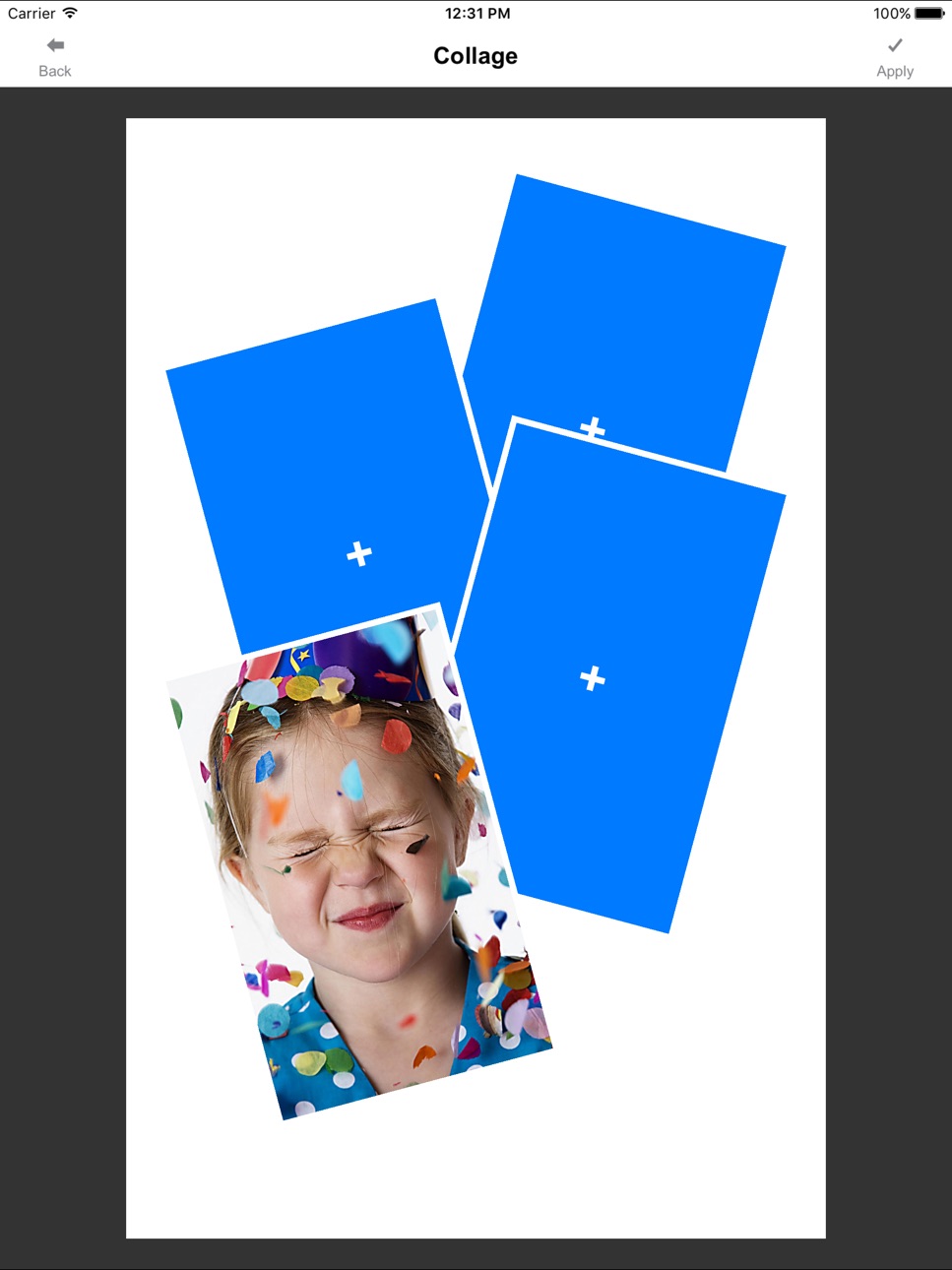
Easily print amazing photos with the PICKIT printer via WiFi using this application.
The "PICKIT" photo printer can be used to print images from smartphones by simply printing via Wi-Fi. You can take and edit pictures on smartphones or tablets. This portable PICKIT printer will instantly print your precious moments.
1. Turn on the printer.
2. Find the WiFi (DIRECT-Cube-xxxx) (pw:12345678) from the WiFi network list in Settings.
3. Select an image from the Gallery or take a photo with your smartphone.
4. Once image has been selected, edit the image with your personal preference.
5. Now press print when editting is completed.
6. When you print for the first time, it may need to update the firmware. Please follow the instruction shown on the screen of your smartphone.
7. I will take about a minute to fully print. Please do not pull the photo until it is completely printed.
Thank you for purchase PICKIT photo printer.
Accessibility
ipadiphonemacrealityDevicetvoswatch
Version history 25 versions
Build 823963394v10.32017-10-10 18:56:15
This update from Apple will improve the functionality of this app. No new features are included.
- Bug fixes
Build 823266552v10.22017-08-11 23:32:51
- Bug fixes
Build 822475889v10.12017-06-08 22:03:21
- Bug fixes
Build 822164728v10.02017-05-17 14:31:08
- Bug fixes
Build 821716572v9.982017-04-12 17:09:40
- Bug fixes
Build 819912673v9.882016-11-30 01:44:18
- Bug fixes
Build 819129063v9.862016-10-03 22:06:43
- Bug fixes
Build 817937041v9.532016-06-29 03:58:11
- Bug fix
Build 816662416v8.82016-03-09 21:05:59
- Updated firmware for better image quality
- Few minor bug fixes
Build 816121306v8.72016-01-28 21:31:26
- Bug Fixes
Build 815719262v8.62016-01-12 22:35:04
- Bug fixes
Build 813983156v8.02015-10-29 17:48:40
- Bug fixes
Build 813350215v7.72015-10-19 20:23:18
- Improved image quality
Build 812908292v6.62015-07-26 21:34:01
- Bug fixes
Build 812501910v6.42015-06-06 20:33:17
- Bug fixes
Build 812018782v5.32015-03-25 17:44:07
- Bug Fixes
Build 811696164v5.22015-03-13 22:23:33
- Improved image quality
Build 811610213v4.82015-01-28 01:40:41
- Improved image quality
Build 811565317v4.72015-01-15 01:06:16
- Bug fixes
Build 790232676v4.62015-01-08 21:24:41
- Bug fixes
Build 757852905v3.62014-10-30 22:51:25
- Many improvements
- Bug fixes
Build 633982679v1.52014-07-19 20:15:01
Bug fixes
Build 622753407v1.202014-07-15 21:13:51
- Bug fixes
Build 608652650v1.062014-06-27 22:19:59
- Tooltips for connection
- Bug fixes
Build 561953178v1.02014-06-21 01:40:04
No pricing data captured yet — comparisons appear once the app has paid storefronts or in-app purchases.
Availability 1 of 1 storefronts
| Region | Language | Price | Ratings | Avg | Version |
|---|---|---|---|---|---|
| US | en-US | Free | 52 | 1.6 | 10.3 |
Change log 30 changes · US
✎
releaseNotes updated
This update from Apple will improve the functionality of this app. No new features are included.
- Bug fixes
✎
description updated
Note:
- A genuine PICKIT printer is required to print using this application. Please contact sales@prinics.com for more details.
- Default WiFi password is "1
✎
name updated
PicKit Printer
▣
App icon changed
✎
Privacy labels 0 → 1 categories
◆
Version 10.3 released
This update from Apple will improve the functionality of this app. No new features are included.
- Bug fixes
◆
Version 10.2 released
- Bug fixes
◆
Version 10.1 released
- Bug fixes
◆
Version 10.0 released
- Bug fixes
◆
Version 9.98 released
- Bug fixes
◆
Version 9.88 released
- Bug fixes
◆
Version 9.86 released
- Bug fixes
◆
Version 9.53 released
- Bug fix
◆
Version 8.8 released
- Updated firmware for better image quality
- Few minor bug fixes
◆
Version 8.7 released
- Bug Fixes
◆
Version 8.6 released
- Bug fixes
◆
Version 8.0 released
- Bug fixes
◆
Version 7.7 released
- Improved image quality
◆
Version 6.6 released
- Bug fixes
◆
Version 6.4 released
- Bug fixes
◆
Version 5.3 released
- Bug Fixes
◆
Version 5.2 released
- Improved image quality
◆
Version 4.8 released
- Improved image quality
◆
Version 4.7 released
- Bug fixes
◆
Version 4.6 released
- Bug fixes
◆
Version 3.6 released
- Many improvements
- Bug fixes
◆
Version 1.5 released
Bug fixes
◆
Version 1.20 released
- Bug fixes
◆
Version 1.06 released
- Tooltips for connection
- Bug fixes
◆
Version 1.0 released