Home › Photo & Video

 US
US
1 of 1 storefronts
Content in en-US
Content in en-US
Information
Apple ID790013619
Bundle IDcom.nevercenter.fotograf
SellerSeller
Min iOS8.0
Min macOS11.0
Device familiesiphone, ipad, ipod
Released2014-09-19
Copyright© Copyright 2014 Nevercenter
WebsiteLink ↗
Preview 2 platforms

iPhone 4 images

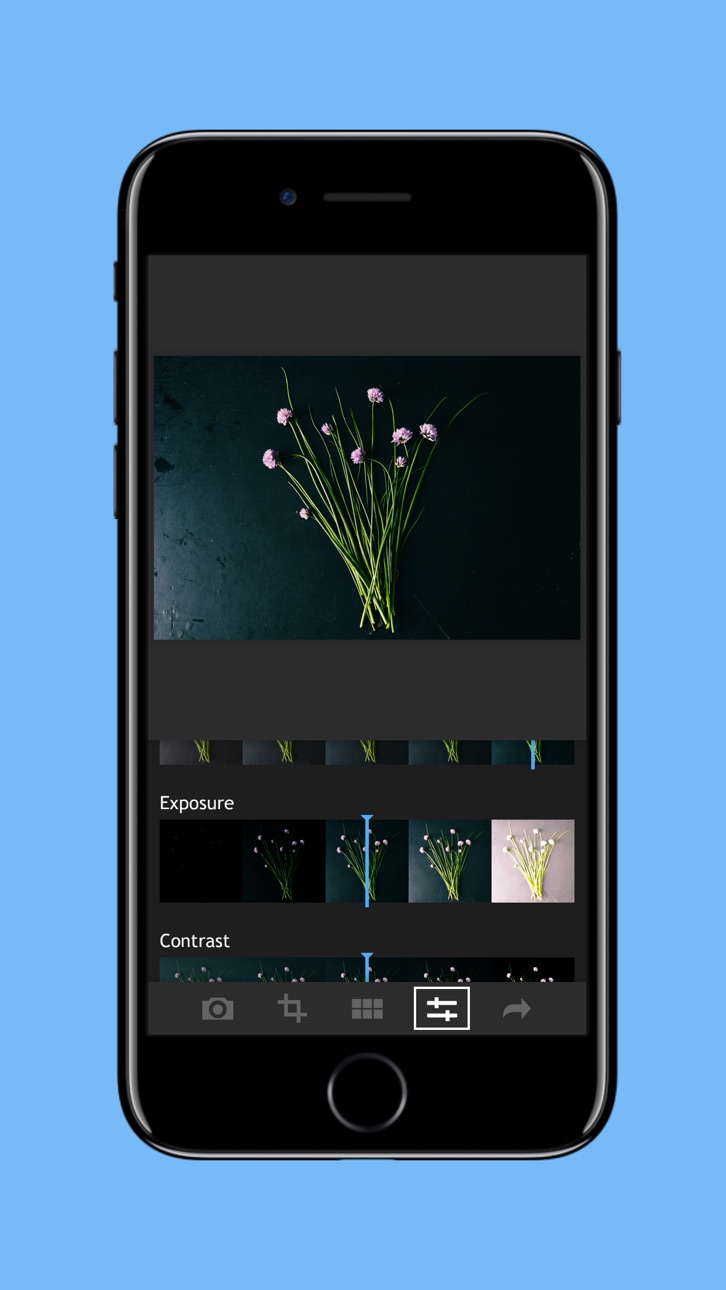


iPad 4 images


What’s New Version 1.4.1
This update from Apple will improve the functionality of this app. No new features are included.
- Fixed memory bug on file save introduced in 1.4.0 (caused crash after multiple saves)
- Be sure to also check out the newest version of CameraBag Photo for Mac, which you can use to design custom filters to use in Fotograf!
Description
Besides having 36 amazingly versatile, high-quality filters and a buttery-smooth interface, Fotograf does a bunch of useful things your other photo apps don’t, including:
- Allows you to make your own presets by tweaking built-in filters or saving a set of adjustments as your own custom filter.
- If there are, say, 3 filters that you use all the time, save them each as their own custom presets (without any additional adjustments) and they’ll show up at the very front of your list of filters for easy access at all times.
- Has the perfect no-fuss manual camera mode, with a single exposure slider, to let you get perfectly-exposed shots without having to mess with a bunch of other settings.
- The app automatically opens to either the in-app camera or your photo library, depending on which you last used, to get you quickly to the part where you’re choosing or taking photos.
- Features a brilliantly simple way to take well-exposed flash photos: when you enable the flash, it turns it on and leaves it on until you take the photo, so you can see the effect the flash will have (and adjust exposure if you want) before taking the shot.
- Works in portrait or landscape mode - so if you want to take photos in the app and edit them, you can do so without having to keep changing your phone orientation back and forth.
- You can take photos and have them auto-saved in any filter - just long-press on a filter to enter the in-app camera in auto-filter mode for that filter, and every photo you take will then be automatically filtered and saved to your library.
- There’s no silly and annoying extra step of having to import photos into a separate in-app library - just load and save things directly to and from your camera’s existing photo library.
- The filters are grouped into collapsible sets, so you can hide whole sets of filters you don’t want to worry about.
- Everything in Fotograf is tuned for photo fidelity - from the way the in-app camera takes photos to the bit depth of the adjustments (96-bit), Fotograf’s entire pipeline is engineered for incredibly high fidelity.
- Use our desktop app, CameraBag Photo, to fully craft your own filters using a huge array of adjustment tools, and import them for use in Fotograf.
In-App Purchases US pricing
One-Time Purchases
Import Filters From CameraBag for Mac/PC$0.99
Filter Set: Filtered B+W$0.99
Filter Set: Monocolor$0.99
Filter Set: Love Taza$0.99
Filter Set: Mattes$0.99
Filter Set: Portrait$0.99
Filter Set: Color Washes$0.99
Filter Set: Vintage$0.99
Filter Set: Philip Edsel$0.99
Everything$4.99
Capabilities
In-App Purchases
Accessibility
ipadiphonemacrealityDevicetvoswatch
Version history 12 versions
Build 819799436v1.4.12016-11-19 01:03:03
This update from Apple will improve the functionality of this app. No new features are included.
- Fixed memory bug on file save introduced in 1.4.0 (caused crash after multiple saves)
- Be sure to also check out the newest version of CameraBag Photo for Mac, which you can use to design custom filters to use in Fotograf!
Build 819648945v1.4.02016-11-11 18:52:00
- Updated to fix extensions saving bug Apple introduced in iOS10.
- Other bug fixes, speed improvements, and polishing.
Build 815618489v1.3.02016-01-14 17:10:00
- Filter sections are collapsible
- Filter updates
- App will now start either in the camera or the library chooser, depending on which you last used
- Social media follow buttons fixed - follow us!
If you love Fotograf, please do us a favor and take a minute to leave us a review in the App Store, thanks!
Build 812652552v1.2.52015-07-06 23:08:39
- Updated in-app camera behavior to allow taking multiple photos by default: now you press the Done button when you're done taking photos and want to edit the last photo taken
- Changed the way you auto-filter photos with a given filter: now you press and hold on the filter thumbnail in the filter chooser
- Fixed bug that lost exif data on photo import
- Fixed bug that improperly rotated some photos on import
Build 812060854v1.2.02015-04-30 01:53:43
- Added native iPad support!
- Landscape mode now available on both iPhone and iPad.
- Bug fixes and performance improvements.
Build 811906221v1.1.12015-03-08 21:18:07
- Fixed a bug that prevented some committed filters from being applied when saving
Build 811691743v1.1.02015-02-09 21:56:00
- Cool new feature! Enable "Autofilter" in the camera to be able to take multiple photos in a row and have them all automatically filtered and saved to your camera roll with your current filter!
- Filter updates! Film Tone filters have been expanded and improved!
- Bug fixes!
- Please leave us a great review if you like Fotograf!
Build 810803973v1.0.62014-11-18 21:37:17
- Finally found a workaround for the iOS8 bug where some people weren't able to make in-app purchases!
- Added the ability to set your own custom default hashtags (from the main menu)!
Build 773102672v1.0.52014-11-06 06:36:20
- New sharpen tool in adjustments tab
- You can now rotate photos by 90 degrees in the crop page (by sliding the tilt slider all the way to either end)
- Resolution update for the iPhone 6+ (to adjust for it having 400 dpi vs 300 dpi on the 5 and 6).
- Updated filters in Color Essentials - you can download the previous versions for free if you liked them better, from the filters download page.
Build 727122668v1.0.22014-10-06 22:36:50
- Found some workarounds for iOS 8 extensions memory limits - re-enabled adjust tab and full-resolution saving in the extension!
Build 717222644v1.0.12014-09-25 16:29:38
- Added support for native iPhone 6 resolution, and it is beautiful!
- Streamlined the iOS8 photo extension to handle extension memory limits better
Build 276162747v1.0.02014-09-18 23:56:31
Price history by region
Currency
Show
Columns
Search
Availability 1 of 1 storefronts
| Region | Language | Price | Ratings | Avg | Version |
|---|---|---|---|---|---|
| US | en-US | Free | 51 | 4.4 | 1.4.1 |
Change log 15 changes · US
✎
releaseNotes updated
This update from Apple will improve the functionality of this app. No new features are included.
- Fixed memory bug on file save introduced in 1.4.0 (caused cr
✎
description updated
Besides having 36 amazingly versatile, high-quality filters and a buttery-smooth interface, Fotograf does a bunch of useful things your other photo apps don’t,
✎
name updated
Fotograf
◆
Version 1.4.1 released
This update from Apple will improve the functionality of this app. No new features are included.
- Fixed memory bug on file save introduced in 1.4.0 (caused crash after multiple saves)
- Be sure to also check out the newest version of Came
◆
Version 1.4.0 released
- Updated to fix extensions saving bug Apple introduced in iOS10.
- Other bug fixes, speed improvements, and polishing.
◆
Version 1.3.0 released
- Filter sections are collapsible
- Filter updates
- App will now start either in the camera or the library chooser, depending on which you last used
- Social media follow buttons fixed - follow us!
If you love Fotograf, please do us a fav
◆
Version 1.2.5 released
- Updated in-app camera behavior to allow taking multiple photos by default: now you press the Done button when you're done taking photos and want to edit the last photo taken
- Changed the way you auto-filter photos with a given filter: no
◆
Version 1.2.0 released
- Added native iPad support!
- Landscape mode now available on both iPhone and iPad.
- Bug fixes and performance improvements.
◆
Version 1.1.1 released
- Fixed a bug that prevented some committed filters from being applied when saving
◆
Version 1.1.0 released
- Cool new feature! Enable "Autofilter" in the camera to be able to take multiple photos in a row and have them all automatically filtered and saved to your camera roll with your current filter!
- Filter updates! Film Tone filters have been
◆
Version 1.0.6 released
- Finally found a workaround for the iOS8 bug where some people weren't able to make in-app purchases!
- Added the ability to set your own custom default hashtags (from the main menu)!
◆
Version 1.0.5 released
- New sharpen tool in adjustments tab
- You can now rotate photos by 90 degrees in the crop page (by sliding the tilt slider all the way to either end)
- Resolution update for the iPhone 6+ (to adjust for it having 400 dpi vs 300 dpi on the
◆
Version 1.0.2 released
- Found some workarounds for iOS 8 extensions memory limits - re-enabled adjust tab and full-resolution saving in the extension!
◆
Version 1.0.1 released
- Added support for native iPhone 6 resolution, and it is beautiful!
- Streamlined the iOS8 photo extension to handle extension memory limits better
◆
Version 1.0.0 released