Home › Photo & Video

 ZM
ZM
 USen-US
 JMen-GB
 UAen-GB
 AGen-GB
 AOen-GB
 BBen-GB
 BHen-GB
 BSen-GB
 BWen-GB
 BZen-GB
 CAen-CA
 CGen-GB
 CIfr-FR
 CMfr-FR
 CVen-GB
 DMen-GB
 DOes-MX
 DZen-GB
 FJen-GB
 FMen-GB
 GDen-GB
 GYen-GB
 HNes-MX
 ITit
ITit JOen-GB
 KNen-GB
 KWen-GB
 LTen-GB
 LUen-GB
 LVen-GB
 MLen-GB
 MUen-GB
 MVen-GB
 MZen-GB
 NAen-GB
 NIes-MX
 OMen-GB
 PGen-GB
 QAen-GB
 RUru
RUru SBen-GB
 SNen-GB
 SRen-GB
 SVes-MX
 TOen-GB
 TTen-GB
 UGen-GB
 VNen-GB
 VUen-GBZMen-GB
 ZWen-GB
51 of 51 storefronts
Content in en-US
Content in en-US
Information
Apple ID725234253
Bundle IDcom.pachysoft.Video-Pause
SellerSeller
Min iOS8.0
Min macOS11.0
Device familiesiphone, ipad, ipod
Released2013-10-20
Copyright© Pachyderm Software 2013
Privacy policyLink ↗
Preview 2 platforms
iPhone 2 images

iPad 2 images

What’s New Version 1.9.7
Fixed some ssues when toggling back and front cameras during recording.
NOTE: If using Stabilization and you toggle from the front camera (which doesn't support stabilization) then Stabilization is turned off for the duration of the recording, even if you toggle to the back camera
Description
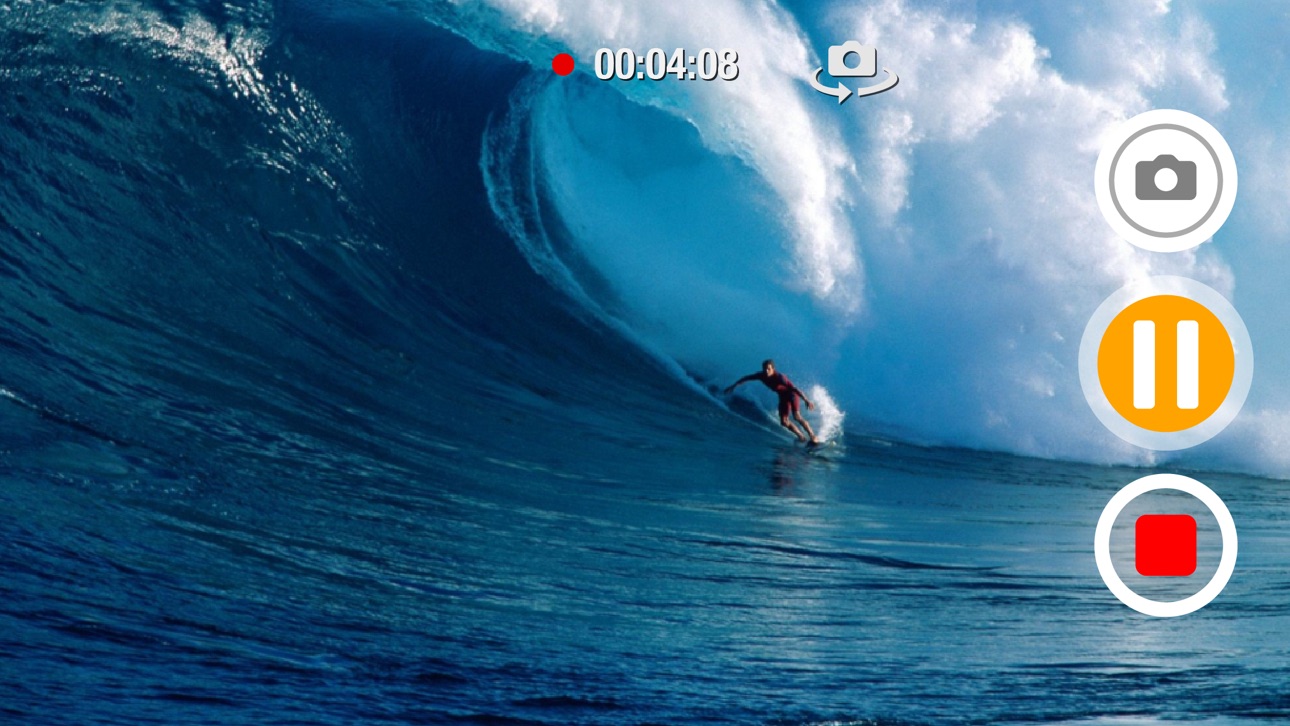
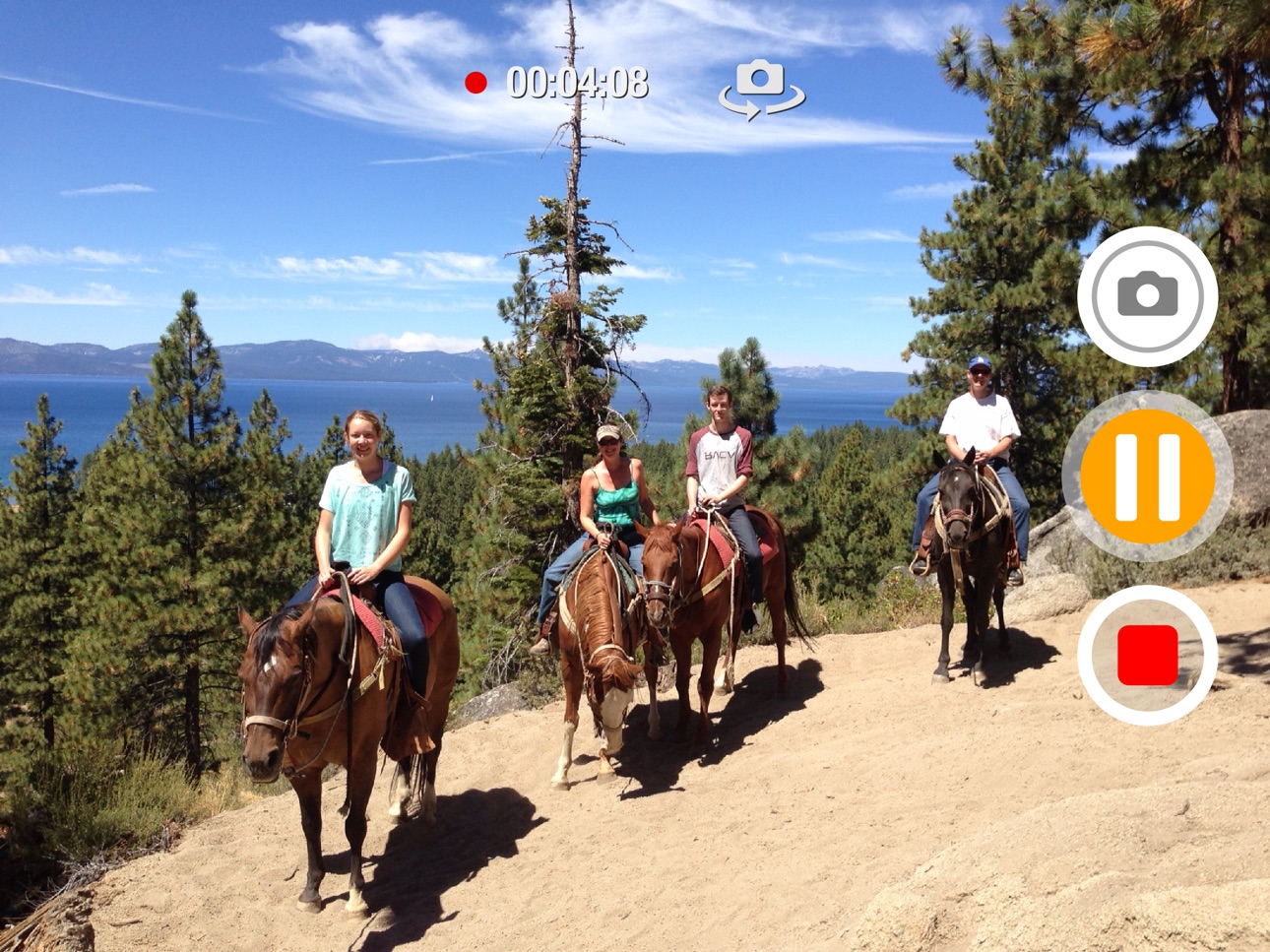
Video Pause simply allows you to record, pause, resume and stop video.
▸ No lengthy and tedious editing, splicing and combining of numerous clips when all you really needed was a pause button
▸ Capture your kids sports action sequences in one clip (Yes, soccer and little league parents, this app was made for you) and then easily re-watch that back on your Apple TV (item sold separately).
▸ Universal App: One price fits all (use for your iPad, iPhone and/or iPod Touch and pay only once)
▶ Some features include:
▸ Ability to snap photos while recording video
▸ Ability to Zoom while recording, paused or stopped (device must support video zooming)
▸ Square video capture support (Thanks for your patience Vine fans! See the 'Video Aspect Ratio' option under settings)
▸ Not only is Square (1:1 aspect ratio) supported, you are now able to record video holding device vertically (Portrait) but getting landscape (16:9 or 4:3 aspect ratios) output! (Again, see the 'Video Aspect Ratio' option under settings)
▸ SWIPE UP to access photos library so you can view and play what you just recorded (Recording must be paused or stopped)
▸ SWIPE LEFT or RIGHT to access settings
▸ If you leave the app, get a phone call or turn off the device, you now have the options to automatically save, pause or discard the video when recording or in pause mode (See 'When Leaving app (Multicasting)' under settings)
▸ Video stabilization is automatically enabled but can also be disabled (Configurable under settings)
▸ To pause/resume video simply tap once anywhere on the screen (Also configurable)
Accessibility
ipadiphonemacrealityDevicetvoswatch
Version history 14 versions
Build 829794853v1.9.72018-12-31 15:48:34
Fixed some ssues when toggling back and front cameras during recording.
NOTE: If using Stabilization and you toggle from the front camera (which doesn't support stabilization) then Stabilization is turned off for the duration of the recording, even if you toggle to the back camera
Build 829508923v1.9.62018-12-04 19:32:52
- Fixed issue where stabilization was broken
- Added ability to swap front/back camera while recording. (allowed only for devices that support 1080p on front camera)
Build 813052047v1.9.52016-01-05 23:08:05
This update squishes some bugs. Thank you so much for you support!
Build 812949284v1.9.12015-07-30 19:52:52
Fixed orientation on startup where video preview was in portrait even if device was in landscape orientation.
Build 716653137v1.9.02014-10-02 18:00:35
- Updated to support iOS 8 and iPhone 6/6+
Build 626263103v1.8.02014-07-16 21:56:38
- Minor fixes and improvements
- Name changed back to Video Pause
Build 332782640v1.7.02014-02-06 15:47:30
- Added ability to take photo snapshots while shooting video
- Renamed app from Video Pause to Action!
- Fixed issue where user would not allow access to Microphone or Photo Library, app would crash on re-launch or video would not record. User is now presented with a notification showing how to re-enable these settings.
Build 282582643v1.6.02014-01-10 23:46:05
Can now record selfie videos with the addition of Front-facing camera support
Build 277762679v1.5.02014-01-02 15:25:17
- Added tap to focus and improved the way focus works while recording
- The way Exposure is handled has been improved
- Tap Anywhere for Pause/Resume option has been changed from a Single tap to a Two-finger tap (due to a single tap now being used for focusing/exposure)
Build 195452635v1.4.02013-12-05 07:55:18
Added new Aspect Ratio feature. This not only allows you to record in a square video format (1:1) but also has settings for 16:9 and 4:3, even when device is in Portrait mode!
Added more help features, including a Help/FAQ section under settings (About section)
Changed interface color scheme so that you know when you are paused versus recording or stopped
Added 'Rate This App', 'Tell A Friend' and 'Submit Feedback' links accessible via settings (About section)
Removed top status bar from video display (can toggle this on via 'Show Status Bar' option under settings)
Build 96932741v1.32013-11-07 20:04:16
Add in ability to Zoom during recording (two-finger pinch; iOS 7.0 or higher required).
NOTE: Device must be able to support zooming (iPhone 5, iPod Touch 5th generation, iPad Air and iPad mini with Retina or newer)
Build 85733183v1.22013-11-02 04:36:13
▸ Option to pause when app goes to background, instead of always auto-saving (See 'When Leaving app (Multicasting)' under settings)
▸ A visual so you know the video was saved into the camera roll (See 'Video Save Notification' under settings)
▸ User-definable photos library album storage for your captured videos (See 'Video Player Options' under settings)
Build 84522680v1.12013-10-26 15:08:29
This update adds the following features:
▸ Can now play videos in Landscape mode (to access, swipe UP)
▸ Customizable settings which includes the ability to turn off video Stabilization (to access, simply swipe LEFT or RIGHT)
Build 83713459v1.02013-10-20 00:44:16
Price history by region
Currency
Show
Columns
Search
Availability 51 of 51 storefronts
| Region | Language | Price | Ratings | Avg | Version |
|---|---|---|---|---|---|
| US | en-US | USD 1.99 | 17 | 3.0 | 1.9.7 |
| JM | en-GB | USD 1.99 | 1 | 5.0 | 1.9.7 |
| UA | en-GB | USD 1.99 | 1 | 1.0 | 1.9.7 |
| AG | en-GB | USD 1.99 | 0 | — | 1.9.7 |
| AO | en-GB | USD 1.99 | 0 | — | 1.9.7 |
| BB | en-GB | USD 1.99 | 0 | — | 1.9.7 |
| BH | en-GB | USD 1.99 | 0 | — | 1.9.7 |
| BS | en-GB | USD 1.99 | 0 | — | 1.9.7 |
| BW | en-GB | USD 1.99 | 0 | — | 1.9.7 |
| BZ | en-GB | USD 1.99 | 0 | — | 1.9.7 |
| CA | en-CA | CAD 2.99 | 0 | — | 1.9.7 |
| CG | en-GB | USD 1.99 | 0 | — | 1.9.7 |
| CI | fr-FR | USD 1.99 | 0 | — | 1.9.7 |
| CM | fr-FR | USD 1.99 | 0 | — | 1.9.7 |
| CV | en-GB | USD 1.99 | 0 | — | 1.9.7 |
| DM | en-GB | USD 1.99 | 0 | — | 1.9.7 |
| DO | es-MX | USD 1.99 | 0 | — | 1.9.7 |
| DZ | en-GB | USD 1.99 | 0 | — | 1.9.7 |
| FJ | en-GB | USD 1.99 | 0 | — | 1.9.7 |
| FM | en-GB | USD 1.99 | 0 | — | 1.9.7 |
| GD | en-GB | USD 1.99 | 0 | — | 1.9.7 |
| GY | en-GB | USD 1.99 | 0 | — | 1.9.7 |
| HN | es-MX | USD 1.99 | 0 | — | 1.9.7 |
| IT | it | EUR 1.99 | 0 | — | 1.9.7 |
| JO | en-GB | USD 1.99 | 0 | — | 1.9.7 |
| KN | en-GB | USD 1.99 | 0 | — | 1.9.7 |
| KW | en-GB | USD 1.99 | 0 | — | 1.9.7 |
| LT | en-GB | EUR 1.99 | 0 | — | 1.9.7 |
| LU | en-GB | EUR 1.99 | 0 | — | 1.9.7 |
| LV | en-GB | EUR 1.99 | 0 | — | 1.9.7 |
| ML | en-GB | USD 1.99 | 0 | — | 1.9.7 |
| MU | en-GB | USD 1.99 | 0 | — | 1.9.7 |
| MV | en-GB | USD 1.99 | 0 | — | 1.9.7 |
| MZ | en-GB | USD 1.99 | 0 | — | 1.9.7 |
| NA | en-GB | USD 1.99 | 0 | — | 1.9.7 |
| NI | es-MX | USD 1.99 | 0 | — | 1.9.7 |
| OM | en-GB | USD 1.99 | 0 | — | 1.9.7 |
| PG | en-GB | USD 1.99 | 0 | — | 1.9.7 |
| QA | en-GB | QAR 7.99 | 0 | — | 1.9.7 |
| RU | ru | RUB 199 | 0 | — | 1.9.7 |
| SB | en-GB | USD 1.99 | 0 | — | 1.9.7 |
| SN | en-GB | USD 1.99 | 0 | — | 1.9.7 |
| SR | en-GB | USD 1.99 | 0 | — | 1.9.7 |
| SV | es-MX | USD 1.99 | 0 | — | 1.9.7 |
| TO | en-GB | USD 1.99 | 0 | — | 1.9.7 |
| TT | en-GB | USD 1.99 | 0 | — | 1.9.7 |
| UG | en-GB | USD 1.99 | 0 | — | 1.9.7 |
| VN | en-GB | VND 59000 | 0 | — | 1.9.7 |
| VU | en-GB | USD 1.99 | 0 | — | 1.9.7 |
| ZM | en-GB | USD 1.99 | 0 | — | 1.9.7 |
| ZW | en-GB | USD 1.99 | 0 | — | 1.9.7 |
Change log 17 changes · ZM
✎
releaseNotes updated
Fixed some ssues when toggling back and front cameras during recording.
NOTE: If using Stabilization and you toggle from the front camera (which doesn't suppor
✎
description updated
Video Pause simply allows you to record, pause, resume and stop video.
▸ No lengthy and tedious editing, splicing and combining of numerous clips when all you
✎
name updated
Video Pause
◆
Version 1.9.7 released
Fixed some ssues when toggling back and front cameras during recording.
NOTE: If using Stabilization and you toggle from the front camera (which doesn't support stabilization) then Stabilization is turned off for the duration of the record
◆
Version 1.9.6 released
- Fixed issue where stabilization was broken
- Added ability to swap front/back camera while recording. (allowed only for devices that support 1080p on front camera)
◆
Version 1.9.5 released
This update squishes some bugs. Thank you so much for you support!
◆
Version 1.9.1 released
Fixed orientation on startup where video preview was in portrait even if device was in landscape orientation.
◆
Version 1.9.0 released
- Updated to support iOS 8 and iPhone 6/6+
◆
Version 1.8.0 released
- Minor fixes and improvements
- Name changed back to Video Pause
◆
Version 1.7.0 released
- Added ability to take photo snapshots while shooting video
- Renamed app from Video Pause to Action!
- Fixed issue where user would not allow access to Microphone or Photo Library, app would crash on re-launch or video would not record.
◆
Version 1.6.0 released
Can now record selfie videos with the addition of Front-facing camera support
◆
Version 1.5.0 released
- Added tap to focus and improved the way focus works while recording
- The way Exposure is handled has been improved
- Tap Anywhere for Pause/Resume option has been changed from a Single tap to a Two-finger tap (due to a single tap now b
◆
Version 1.4.0 released
Added new Aspect Ratio feature. This not only allows you to record in a square video format (1:1) but also has settings for 16:9 and 4:3, even when device is in Portrait mode!
Added more help features, including a Help/FAQ section under se
◆
Version 1.3 released
Add in ability to Zoom during recording (two-finger pinch; iOS 7.0 or higher required).
NOTE: Device must be able to support zooming (iPhone 5, iPod Touch 5th generation, iPad Air and iPad mini with Retina or newer)
◆
Version 1.2 released
▸ Option to pause when app goes to background, instead of always auto-saving (See 'When Leaving app (Multicasting)' under settings)
▸ A visual so you know the video was saved into the camera roll (See 'Video Save Notification' under setti
◆
Version 1.1 released
This update adds the following features:
▸ Can now play videos in Landscape mode (to access, swipe UP)
▸ Customizable settings which includes the ability to turn off video Stabilization (to access, simply swipe LEFT or RIGHT)
◆
Version 1.0 released