Home › Business

 US
US
USen-US AUen-AU
 NGen-GB
 KEen-GB
 MXes-MX
 GHen-GB
 LKen-GB
 ZWen-GB
 TZen-GB
 JMen-GB
 UGen-GB
 PAes-MX
 TTen-GB
 DOes-MX
 NAen-GB
 IEen-GB
 ZMen-GB
 BWen-GB
 COes-MX
 HNes-MX
 BBen-GB
 CRes-MX
 MUen-GB
 GTes-MX
 BSen-GB
 ARes-MX
 MWen-GB
 BRpt-BR
 KHen-GB
 MAen-GB
 CLes-MX
 GYen-GB
 CDen-GB
 VEes-MX
 PEes-MX
 SNen-GB
 MZen-GB
 SVes-MX
 KYen-GB
 BZen-GB
 CIfr-FR
 ECes-MX
 NPen-GB
 GMen-GB
 NIes-MX
 TNen-GB
 AGen-GB
 SRen-GB
 LYen-GB
 VCen-GB
 LCen-GB
 GDen-GB
 KNen-GB
 SZen-GB
 PYes-MX
 AOen-GB
 BGen-GB
 DZen-GB
 UYen-GB
 BOes-MX
 DMen-GB
 LRen-GB
 SCen-GB
 SLen-GB
 RWen-GB
 CMfr-FR
 MGen-GB
 ROen-GB
 TCen-GB
 AIen-GB
 CGen-GB
 MLen-GB
 BFen-GB
 BJen-GB
 CVen-GB
 GAfr-FR
 NEen-GB
 STen-GB
 GWen-GB
 MSen-GB
 TDen-GB
 VGen-GB
82 of 82 storefronts
Content in en-US
Content in en-US
Information
Preview 4 platforms



iPhone 10 images


iPad 6 images


Apple TV 3 images


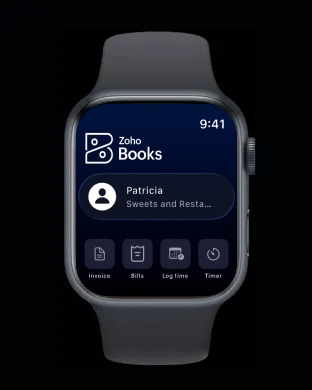
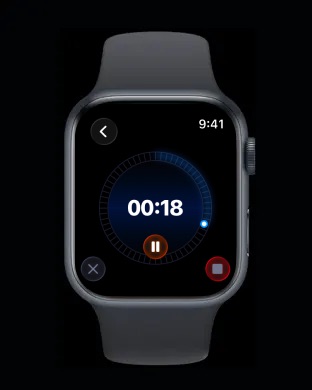
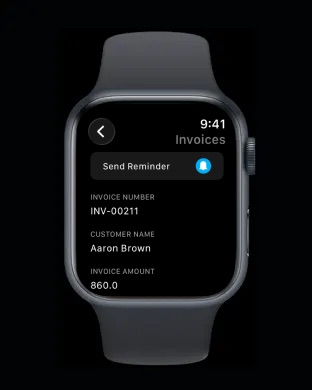
Apple Watch 6 images



What’s New Version 5.1.37
We've made a few bugfixes and performance enhancements.
Description
Zoho Books is ready for GST in India, Australia and Canada.
Today no business goes to sleep. Being able to manage transactions and access your financial information anytime is vital for any business. Zoho Books is available on iPhone, iPad, Mac and Apple Watch.
Here's what some of users have said about our mobile app
"I have been using ZOHO for my business for a year now & it has saved me so much time. I would highly recommend it for any business or even general home use for end of year TAX. Great work ZOHO."
"So user-friendly, this app has turned a beginner accountant into an auditor! Must-try instead of paying a lot of money for other applications in the market. Really good customer service and reliable in numbers! If you want your business figures to be on your watch anytime, this is the app to choose!"
"This is very handy. I don’t need a laptop or computer when I need to send an invoice to a client while I am on the move and don’t have my laptop with me."
With the Zoho Books iOS App you can
1. Manage Money Coming In
You can create and send estimates and invoices on the move. You can choose invoices that match your business identity and accept payments from your customers online!
2. Manage Money Going Out
Record expenses and bills and categorize them right from your iPhone. Get to know how much you owe and always pay your bills on time.
3. Your Accountant is never far away
With the Zoho Books iPhone app your accountant is never far away to advise you. Invite your trusted advisor to review your numbers right from the comfort of his home or office.
4. Business Insights In Your Pocket
Do you have enough cash for payroll and paying supplier bills? How much do your customers owe? What are your top expenses? Answers to these are just a tap away.
5. Track time accurately
Get to track time you spend on your projects and bill them right from the app.
6. Going Global. No worries!
Zoho Books supports transactions in multiple currencies and is precision personified.
7. No limitations!
There is absolutely no limitations on the number of transactions or users who can access Zoho Books. Truly unlimited!
8. Get Paid Instantly, Anywhere
Turn your phone into a POS with the all new Tap to Pay feature for Stripe users using Zoho Books. Collect payments on the spot and have them seamlessly synced with your books without the need for any manual entry.
Privacy Policy and Terms & Conditions:
- https://www.zoho.com/privacy.html
- https://www.zoho.com/terms.html
Disclaimer: Continued use of GPS running in the background can dramatically decrease battery life.
In-App Purchases US pricing
Basic - Monthly Subscription
Monthly$8.99
Global Edition Subscription
Professional - Monthly · Monthly$23.99
Standard - Monthly · Monthly$11.99
Special Editions Subscription
Professional - Monthly · Monthly$49.99
Standard - Monthly · Monthly$19.99
Standard - Yearly · Yearly$179.99
Standard - Monthly Subscription
Monthly$18.99
US Edition Subscription
Professional Plan - Monthly · Monthly$28.99
Standard Plan - Monthly · Monthly$18.99
Basic Plan - Monthly · Monthly$8.99
Capabilities
In-App PurchasesiMessageWallet
Accessibility
ipadiphonemacrealityDevicetvoswatch
Version history 25 versions
Build 887683483v5.1.372026-07-03 04:47:55
We've made a few bugfixes and performance enhancements.
Build 887603857v5.1.362026-06-30 05:59:23
We've made a few bugFixes and performance enhancements.
Build 887341221v5.1.352026-06-25 04:38:19
We've made a few bugfixes and performance enhancements.
Build 887047719v5.1.342026-06-19 05:20:35
We've made a few bugFixes and performance enhancements.
Build 886778713v5.1.332026-06-12 08:28:45
We've made a few bugFixes and performance enhancements.
Build 886687036v5.1.322026-06-09 14:14:10
We've made a few bugFixes and performance enhancements.
Build 886656837v5.1.312026-06-08 14:27:37
We've made a few bugfixes and performance enhancements.
Build 886477057v5.1.302026-06-05 04:52:20
We've made a few bugFixes and performance enhancements.
Build 885877139v5.1.292026-05-20 05:20:05
We've made a few bugfixes and performance enhancements.
Build 885336669v5.1.282026-05-07 05:15:11
We've made a few bugfixes and performance enhancements.
Build 885133232v5.1.272026-05-06 04:32:03
Tap to Pay is now available for Zoho Books organisation with the Stripe integration in Malaysia, Singapore, the US (Early Access), Australia, Canada, the UK, Germany, Spain, France, Sweden, Czech Republic, Ireland, Netherlands, New Zealand, Poland, Portugal, Austria, Belgium, Denmark, Italy, Switzerland. You can now accept all types of in-person contactless payments directly on your iPhone, from physical debit and credit cards to Apple Pay and other digital wallets. No additional hardware is required.
Build 884966692v5.1.262026-04-28 05:04:54
Tap to Pay is now available for Zoho Books organisation with the Stripe integration in Malaysia, Singapore, the US (Early Access), Australia, Canada, the UK, Germany, Spain, France, Sweden, Czech Republic, Ireland, Netherlands, New Zealand, Poland, Portugal, Austria, Belgium, Denmark, Italy, Switzerland. You can now accept all types of in-person contactless payments directly on your iPhone, from physical debit and credit cards to Apple Pay and other digital wallets. No additional hardware is required.
Build 884890376v5.1.252026-04-27 04:36:39
Tap to Pay is now available for Zoho Books organisation with the Stripe integration in Malaysia, Singapore, the US (Early Access), Australia, Canada, the UK, Germany, Spain, France, Sweden, Czech Republic, Ireland, Netherlands, New Zealand, Poland, Portugal, Austria, Belgium, Denmark, Italy, Switzerland. You can now accept all types of in-person contactless payments directly on your iPhone, from physical debit and credit cards to Apple Pay and other digital wallets. No additional hardware is required.
Build 884719322v5.1.242026-04-22 02:10:57
Tap to Pay is now available for Zoho Books organisation with the Stripe integration in Malaysia, Singapore, the US (Early Access), Australia, Canada, the UK, Germany, Spain, France, Sweden, Czech Republic, Ireland, Netherlands, New Zealand, Poland, Portugal, Austria, Belgium, Denmark, Italy, Switzerland. You can now accept all types of in-person contactless payments directly on your iPhone, from physical debit and credit cards to Apple Pay and other digital wallets. No additional hardware is required.
Build 884460924v5.1.232026-04-14 05:25:15
We've made a few bug fixes and performance enhancements.
Build 884289875v5.1.222026-04-10 04:25:55
We've made a few bug fixes and performance enhancements.
Build 883800707v5.1.212026-03-30 05:02:23
Tap to Pay is now available for Zoho Books organisation with the Stripe integration in Singapore, the US (Early Access), Australia, Canada, the UK, Germany, Spain, France, Sweden, Czech Republic, Ireland, Netherlands, New Zealand, Poland, Portugal, Austria, Belgium, Denmark, Italy, Switzerland. You can now accept all types of in-person contactless payments directly on your iPhone, from physical debit and credit cards to Apple Pay and other digital wallets. No additional hardware is required.
Build 883694379v5.1.202026-03-25 01:00:49
We've made a few bugfixes and performance enhancements.
Build 883006775v5.1.192026-03-11 06:53:32
• View and monitor key metrics of your organization using the custom dashboards you've created on the Zoho Books web app.
• Use the Tasks module to create and assign tasks to users in your organization, set due dates, and track progress with reminders.
Build 882537294v5.1.182026-02-19 04:22:36
We've made a few bug fixes and performance enhancements.
Build 882325132v5.1.172026-02-11 04:56:20
We've made a few bug fixes and performance enhancements.
Build 880668950v5.1.162025-12-22 10:24:50
Tap to Pay is now available for Zoho Books organisation with the Stripe integration in Singapore, the US (Early Access), Australia, Canada, the UK, Germany, Spain, and France. You can now accept all types of in-person contactless payments directly on your iPhone, from physical debit and credit cards to Apple Pay and other digital wallets. No additional hardware is required.
Build 880517297v5.1.152025-12-11 02:04:37
We've made a few bug fixes and performance enhancements.
Build 880307482v5.1.142025-12-04 04:51:53
Tap to Pay on iPhone is now available for Zoho Books users integrated with Stripe. You can accept all types of in-person contactless payments right on your iPhone, from physical credit and debit cards to Apple Pay and other digital wallets—no additional hardware needed. (Available in the Singapore edition and Global edition organizations with Singapore as the country.)
Build 879961087v5.1.132025-12-02 01:23:05
Tap to Pay on iPhone is now available for Zoho Books users integrated with Stripe. You can accept all types of in-person contactless payments right on your iPhone, from physical credit and debit cards to Apple Pay and other digital wallets—no additional hardware needed. (Available in the Singapore edition and Global edition organisations with Singapore as the country.)
Price history by region
Currency
Show
Columns
Search
Availability 82 of 82 storefronts
| Region | Language | Price | Ratings | Avg | Version |
|---|---|---|---|---|---|
| US | en-US | Free | 4.9k | 4.8 | 5.1.37 |
| AU | en-AU | Free | 972 | 4.8 | 5.1.37 |
| NG | en-GB | Free | 614 | 4.8 | 5.1.37 |
| KE | en-GB | Free | 376 | 4.9 | 5.1.37 |
| MX | es-MX | Free | 290 | 4.9 | 5.1.37 |
| GH | en-GB | Free | 273 | 4.8 | 5.1.37 |
| LK | en-GB | Free | 250 | 4.8 | 5.1.37 |
| ZW | en-GB | Free | 205 | 4.8 | 5.1.37 |
| TZ | en-GB | Free | 176 | 4.8 | 5.1.37 |
| JM | en-GB | Free | 166 | 4.8 | 5.1.37 |
| UG | en-GB | Free | 163 | 4.7 | 5.1.37 |
| PA | es-MX | Free | 162 | 4.9 | 5.1.37 |
| TT | en-GB | Free | 132 | 4.8 | 5.1.37 |
| DO | es-MX | Free | 111 | 4.9 | 5.1.37 |
| NA | en-GB | Free | 102 | 4.8 | 5.1.37 |
| IE | en-GB | Free | 93 | 4.8 | 5.1.37 |
| ZM | en-GB | Free | 83 | 4.7 | 5.1.37 |
| BW | en-GB | Free | 72 | 4.8 | 5.1.37 |
| CO | es-MX | Free | 64 | 4.9 | 5.1.37 |
| HN | es-MX | Free | 61 | 4.9 | 5.1.37 |
| BB | en-GB | Free | 60 | 4.6 | 5.1.37 |
| CR | es-MX | Free | 44 | 4.9 | 5.1.37 |
| MU | en-GB | Free | 41 | 4.7 | 5.1.37 |
| GT | es-MX | Free | 36 | 4.7 | 5.1.37 |
| BS | en-GB | Free | 33 | 4.8 | 5.1.37 |
| AR | es-MX | Free | 31 | 4.9 | 5.1.37 |
| MW | en-GB | Free | 31 | 4.6 | 5.1.37 |
| BR | pt-BR | Free | 30 | 4.7 | 5.1.37 |
| KH | en-GB | Free | 30 | 4.6 | 5.1.37 |
| MA | en-GB | Free | 27 | 4.7 | 5.1.37 |
| CL | es-MX | Free | 25 | 5.0 | 5.1.37 |
| GY | en-GB | Free | 24 | 4.9 | 5.1.37 |
| CD | en-GB | Free | 21 | 4.6 | 5.1.37 |
| VE | es-MX | Free | 19 | 4.8 | 5.1.37 |
| PE | es-MX | Free | 18 | 4.9 | 5.1.37 |
| SN | en-GB | Free | 18 | 4.9 | 5.1.37 |
| MZ | en-GB | Free | 17 | 4.6 | 5.1.37 |
| SV | es-MX | Free | 17 | 4.8 | 5.1.37 |
| KY | en-GB | Free | 16 | 4.8 | 5.1.37 |
| BZ | en-GB | Free | 14 | 4.8 | 5.1.37 |
| CI | fr-FR | Free | 14 | 5.0 | 5.1.37 |
| EC | es-MX | Free | 14 | 5.0 | 5.1.37 |
| NP | en-GB | Free | 14 | 4.9 | 5.1.37 |
| GM | en-GB | Free | 13 | 4.6 | 5.1.37 |
| NI | es-MX | Free | 13 | 4.8 | 5.1.37 |
| TN | en-GB | Free | 13 | 4.6 | 5.1.37 |
| AG | en-GB | Free | 12 | 4.2 | 5.1.37 |
| SR | en-GB | Free | 12 | 4.9 | 5.1.37 |
| LY | en-GB | Free | 11 | 5.0 | 5.1.37 |
| VC | en-GB | Free | 11 | 4.7 | 5.1.37 |
| LC | en-GB | Free | 10 | 4.7 | 5.1.37 |
| GD | en-GB | Free | 9 | 4.8 | 5.1.37 |
| KN | en-GB | Free | 9 | 4.8 | 5.1.37 |
| SZ | en-GB | Free | 9 | 5.0 | 5.1.37 |
| PY | es-MX | Free | 8 | 5.0 | 5.1.37 |
| AO | en-GB | Free | 7 | 4.9 | 5.1.37 |
| BG | en-GB | Free | 7 | 5.0 | 5.1.37 |
| DZ | en-GB | Free | 7 | 4.4 | 5.1.37 |
| UY | en-GB | Free | 7 | 4.7 | 5.1.37 |
| BO | es-MX | Free | 6 | 5.0 | 5.1.37 |
| DM | en-GB | Free | 6 | 4.5 | 5.1.37 |
| LR | en-GB | Free | 6 | 5.0 | 5.1.37 |
| SC | en-GB | Free | 6 | 5.0 | 5.1.37 |
| SL | en-GB | Free | 6 | 4.7 | 5.1.37 |
| RW | en-GB | Free | 5 | 5.0 | 5.1.37 |
| CM | fr-FR | Free | 4 | 4.0 | 5.1.37 |
| MG | en-GB | Free | 4 | 4.5 | 5.1.37 |
| RO | en-GB | Free | 4 | 5.0 | 5.1.37 |
| TC | en-GB | Free | 4 | 4.5 | 5.1.37 |
| AI | en-GB | Free | 3 | 5.0 | 5.1.37 |
| CG | en-GB | Free | 3 | 5.0 | 5.1.37 |
| ML | en-GB | Free | 3 | 5.0 | 5.1.37 |
| BF | en-GB | Free | 2 | 3.5 | 5.1.37 |
| BJ | en-GB | Free | 1 | 5.0 | 5.1.37 |
| CV | en-GB | Free | 1 | 5.0 | 5.1.37 |
| GA | fr-FR | Free | 1 | 5.0 | 5.1.37 |
| NE | en-GB | Free | 1 | 5.0 | 5.1.37 |
| ST | en-GB | Free | 1 | 5.0 | 5.1.37 |
| GW | en-GB | Free | 0 | — | 5.1.37 |
| MS | en-GB | Free | 0 | — | 5.1.37 |
| TD | en-GB | Free | 0 | — | 5.1.37 |
| VG | en-GB | Free | 0 | — | 5.1.37 |
Reviews 30 reviews · US
★★★★★
Simple and Complete
Love the simplicity while still having everything you need. Way better than QB. No app errors to date. Would recommend trying
NROCQUE2026-05-08
★★★★★
Charts
I would love to see more charts for the reports as well even online on the website as well and it would be nice if you could customize the colors of them instead of blue and orange red green maybe even a yellow for pending on the payments etc green not overdue or paid red overdue on both and yellow payment pending awaiting release would be nice on both the app and web on the main charges for bills and outstanding invoice thanks
IdoReviews!2026-04-21
★★★★★
It took some practice, but I love it
With zero accounting experince or knowledge, I dove into Books for my solo service business. I stumbled around for a few months while getting familiar with the interface and processes, but now, I love using this app! Keeps me organized with clean books. Customer support is also reasonable. They always respond and encourage our questions.
hobbs0262026-04-05
★★★★★
Great Small Biz Fit
Zoho Books has been a great fit for my business because it offers strong accounting tools in a system that is clean, organized, and easy to use. It makes it much simpler to track expenses, manage invoices, and keep records straight without feeling overly complicated, and it gives me the features I need without the higher cost of some other bookkeeping platforms.
James622026-03-14
★★★★★
Best bookkeeping tool
I love the app. I snapshot my bills into it. I can reconcile. I am able to send invoices. All my expenses are customized as well as classifying what is taxable and not. Reporting is easy as pie.
Jenn Reed Artistry2026-01-28
★★★★★
DO NOT RECOMMEND
I was a paid member. Transaction from my bank stopped coming in for two months. They couldn’t figure out how to fix it and would not offer a compliment month to offset my expense because it has to be pre paid. Consumer service can fix issues, they tell you they will email you back and it can take weeks.
Jogee102026-01-26
★★★★★
Not enough functionality and data
The app should automatically download data from desktop version and update but it does not. I have almost 100 projects on desktop but app only shows one
PhilsTracks2026-01-21
★★★★★
New to this but…
I’m trying to get ahead of taxes by actively tracking throughout the year. So far experimenting with the app….. It’s intense but I like it. I can see features that are applicable to other business types but tracking expenses, sending invoices as needed, where I draw money to pay for expenses etc etc, is pretty nicely setup. Nice job with the application.
DSGB?2026-01-16
★★★★★
App functions are limited.
The desktop version is pretty good. The app is reallly bad. I can’t manually categorize a lot of transactions. It doesn’t automatically learn rules. You have to teach it each one. There is no rule function in the app and it often hangs up after correctly idetifying that some transactions match a rule. But it won’t let you actually save the transaction.
Bone doctor2026-01-14
★★★★★
Excellent
Finally an accounting program that hits the sweet spot for small business. It has everything you need and nothing you don’t.
JohnnyCLK2026-01-14
★★★★★
Easy!
With having multiple companies to manage, I love how easy it is to switch between the companies with Zoho. With QuickBooks, I had to log out and log back into each company.
M Dub Tunes2026-01-07
★★★★★
Book for my company
Ive been using this system since 2011 and i must say, it works as expected. Keeps me efficient. Excellent product.
MyStoresYourStore2025-12-30
★★★★★
Snappy and affordable
Zoho is way under rated. It is snappy and fully featured.
The only improvement I would love to see is a documents section that allows me to upload a batch of receipts and have Zoho automatically link them to transactions, just like Digits does.
BackSharpiePen2025-12-25
★★★★★
Poor support
Support for the product is poor - the turn around on email support is just crazy.
Zimbabwe20302025-12-17
★★★★★
Better than QB
I wish all my clients would switch to Zoho Books. It is easy to use and not the constant ads you get from QB. Finally, an alternative to Intuit that is actually far superior.
Vickir9572025-12-13
★★★★★
Much Better Than QuickBooks
This review is about the web app and the mobile app.
We've been using Zoho Books for a few years since we switched from Quick Books.
It offers much more features and customizations that we could only dream of with QB. The user interface is user-friendly and intuitive.
The automation possibilities and ability to create custom functionality and workflows makes Zoho Books powerful accounting system that reduces our cost and increase productivity.
The integration with Zoho CRM and other apps on the Zoho platform empower our business and provides us with great tools to run the business.
The mobile
Bluemanta072025-11-13
★★★★★
If you are on OS 18 they force the new OS 26 icon on you
Rolled back to 18.7 as OS 26 is so ugly and clunky. Have almost all my old icons back but Zoho has baked the ugly icon frame in the style of OS 26 into the app.
Please at least give the option to go back to the non-OS 26 app icon please!
sapphiresky832025-09-18
★★★★★ · edited
Tune the transactions logic
Since you are the Wave partner for EU customers, please put all the logic that handles any kind of transaction to one place. I expect to see all the transactions in single place and has single workflow. Add transaction splitting as well. I do not want to read a tons of your documentation: go here if your need to add expense, go there if it’s income, go to other place if it’s something else. For now the Zoho Books not attractive due it’s “Induslogic”. Just be simpler and think outside the box.
OK_unknown2025-09-11
★★★★★
Zoho Bookkeeping App
Fabulous! Intuitive yet comprehensive with reports: Balance Sheet, Income Statement, and Cash Flow. Screens for Payables, Receivables, Income, and Expenses. - Charlie Whooph Whooph LLC Writing and Consulting on Trading fir Income, Fraud Schemes Detection and Deterrence
24-Year Daily Swing-Trader2025-08-18
★★★★★
Just what you need for small business invoicing
I ran a business for 25 years using expensive, complicated accounting software. Now in retirement and running a small side gig, I don’t wanna spend a lot of money or have complicated software. This does everything I need and more but very easy to use. And the price is perfect.
jhfdchhg2025-07-11
★★★★★
Better option than QB
I switched from QuickBooks to Zoho and couldn’t be happier. Better price, same or better features than the plan I had with QB.
My only complaint is when I enter an expense amount the current version displays a standard keyboard instead of the numeric keyboard like it used to. But I’m sure it’s just a temporary oopsie.
Captain Fava2025-06-17
★★★★★
Just what I need
It was a drama to manage my small handyman business, it’s a part time job I had no need for bigger and expensive programs. We use Zoho for everything and it is just what we need
Maxharpoon2025-06-13
Change log 29 changes · US
✎
releaseNotes updated
We've made a few bugfixes and performance enhancements.
✎
description updated
Zoho Books is ready for GST in India, Australia and Canada.
Today no business goes to sleep. Being able to manage transactions and access your financial infor
✎
subtitle updated
Small Business Bookkeeping
✎
name updated
Accounting App - Zoho Books
◆
Version 5.1.37 released
We've made a few bugfixes and performance enhancements.
◆
Version 5.1.36 released
We've made a few bugFixes and performance enhancements.
◆
Version 5.1.35 released
We've made a few bugfixes and performance enhancements.
◆
Version 5.1.34 released
We've made a few bugFixes and performance enhancements.
◆
Version 5.1.33 released
We've made a few bugFixes and performance enhancements.
◆
Version 5.1.32 released
We've made a few bugFixes and performance enhancements.
◆
Version 5.1.31 released
We've made a few bugfixes and performance enhancements.
◆
Version 5.1.30 released
We've made a few bugFixes and performance enhancements.
◆
Version 5.1.29 released
We've made a few bugfixes and performance enhancements.
◆
Version 5.1.28 released
We've made a few bugfixes and performance enhancements.
◆
Version 5.1.27 released
Tap to Pay is now available for Zoho Books organisation with the Stripe integration in Malaysia, Singapore, the US (Early Access), Australia, Canada, the UK, Germany, Spain, France, Sweden, Czech Republic, Ireland, Netherlands, New Zealand,
◆
Version 5.1.26 released
Tap to Pay is now available for Zoho Books organisation with the Stripe integration in Malaysia, Singapore, the US (Early Access), Australia, Canada, the UK, Germany, Spain, France, Sweden, Czech Republic, Ireland, Netherlands, New Zealand,
◆
Version 5.1.25 released
Tap to Pay is now available for Zoho Books organisation with the Stripe integration in Malaysia, Singapore, the US (Early Access), Australia, Canada, the UK, Germany, Spain, France, Sweden, Czech Republic, Ireland, Netherlands, New Zealand,
◆
Version 5.1.24 released
Tap to Pay is now available for Zoho Books organisation with the Stripe integration in Malaysia, Singapore, the US (Early Access), Australia, Canada, the UK, Germany, Spain, France, Sweden, Czech Republic, Ireland, Netherlands, New Zealand,
◆
Version 5.1.23 released
We've made a few bug fixes and performance enhancements.
◆
Version 5.1.22 released
We've made a few bug fixes and performance enhancements.
◆
Version 5.1.21 released
Tap to Pay is now available for Zoho Books organisation with the Stripe integration in Singapore, the US (Early Access), Australia, Canada, the UK, Germany, Spain, France, Sweden, Czech Republic, Ireland, Netherlands, New Zealand, Poland, P
◆
Version 5.1.20 released
We've made a few bugfixes and performance enhancements.
◆
Version 5.1.19 released
• View and monitor key metrics of your organization using the custom dashboards you've created on the Zoho Books web app.
• Use the Tasks module to create and assign tasks to users in your organization, set due dates, and track progress wit
◆
Version 5.1.18 released
We've made a few bug fixes and performance enhancements.
◆
Version 5.1.17 released
We've made a few bug fixes and performance enhancements.
◆
Version 5.1.16 released
Tap to Pay is now available for Zoho Books organisation with the Stripe integration in Singapore, the US (Early Access), Australia, Canada, the UK, Germany, Spain, and France. You can now accept all types of in-person contactless payments d
◆
Version 5.1.15 released
We've made a few bug fixes and performance enhancements.
◆
Version 5.1.14 released
Tap to Pay on iPhone is now available for Zoho Books users integrated with Stripe. You can accept all types of in-person contactless payments right on your iPhone, from physical credit and debit cards to Apple Pay and other digital wallets
◆
Version 5.1.13 released
Tap to Pay on iPhone is now available for Zoho Books users integrated with Stripe. You can accept all types of in-person contactless payments right on your iPhone, from physical credit and debit cards to Apple Pay and other digital wallets