Home › Music

 MO
MO
 PLen-GB
 AEen-GB
 AFen-GB
 AGen-GB
 AIen-GB
 ALen-GB
 AMen-GB
 AOen-GB
 ARes-MX
 ATde-DE
 AUen-AU
 AZen-GB
 BAen-GB
 BBen-GB
 BEen-GB
 BFen-GB
 BGen-GB
 BHen-GB
 BJen-GB
 BMen-GB
 BNen-GB
 BOes-MX
 BRpt-BR
 BSen-GB
 BTen-GB
 BWen-GB
 BYen-GB
 BZen-GB
 CAen-CA
 CDen-GB
 CGen-GB
 CHde-CH
 CIfr-FR
 CLes-MX
 CMfr-FR
 CNzh-Hans-CN
 COes-MX
 CRes-MX
 CVen-GB
 CYen-GB
 CZen-GB
 DEde-DE
 DKen-GB
 DMen-GB
 DOes-MX
 DZen-GB
 ECes-MX
 EEen-GB
 EGen-GB
 ESes-ES
 FIen-GB
 FJen-GB
 FMen-GB
 FRfr-FR
 GAfr-FR
 GBen-GB
 GDen-GB
 GEen-GB
 GHen-GB
 GMen-GB
 GRen-GB
 GTes-MX
 GWen-GB
 GYen-GB
 HKzh-Hant-HK
 HNes-MX
 HRen-GB
 HUen-GB
 IDen-GB
 IEen-GB
 ILen-GB
 INen-GB
 IQen-GB
 ISen-GB
 ITit
ITit JMen-GB
 JOen-GB
 JPja
JPja KEen-GB
 KGen-GB
 KHen-GB
 KNen-GB
 KRko
KRko KWen-GB
 KYen-GB
 KZen-GB
 LAen-GB
 LBen-GB
 LCen-GB
 LKen-GB
 LRen-GB
 LTen-GB
 LUen-GB
 LVen-GB
 LYen-GB
 MAen-GB
 MDen-GB
 MEen-GB
 MGen-GB
 MKen-GB
 MLen-GB
 MMen-GB
 MNen-GBMOzh-Hant-HK
 MRen-GB
 MSen-GB
 MTen-GB
 MUen-GB
 MVen-GB
 MWen-GB
 MXes-MX
 MYen-GB
 MZen-GB
 NAen-GB
 NEen-GB
 NGen-GB
 NIes-MX
 NLnl
NLnl NOen-GB
 NPen-GB
 NRen-GB
 NZen-AU
 OMen-GB
 PAes-MX
 PEes-MX
 PGen-GB
 PHen-GB
 PKen-GB
 PTpt-PT
 PWen-GB
 PYes-MX
 QAen-GB
 ROen-GB
 RSen-GB
 RUru
RUru RWen-GB
 SAen-GB
 SBen-GB
 SCen-GB
 SEsv
SEsv SGen-GB
 SIen-GB
 SKen-GB
 SLen-GB
 SNen-GB
 SRen-GB
 STen-GB
 SVes-MX
 SZen-GB
 TCen-GB
 TDen-GB
 THen-GB
 TJen-GB
 TMen-GB
 TNen-GB
 TOen-GB
 TRen-GB
 TTen-GB
 TWzh-Hant-TW
 TZen-GB
 UAen-GB
 UGen-GB
 USen-US
 UYen-GB
 UZen-GB
 VCen-GB
 VEes-MX
 VGen-GB
 VNen-GB
 VUen-GB
 XKen-GB
 YEen-GB
 ZAen-GB
 ZMen-GB
 ZWen-GB
175 of 175 storefronts
Content in en-US
Content in en-US
Information
Preview 3 platforms
iPhone 4 images
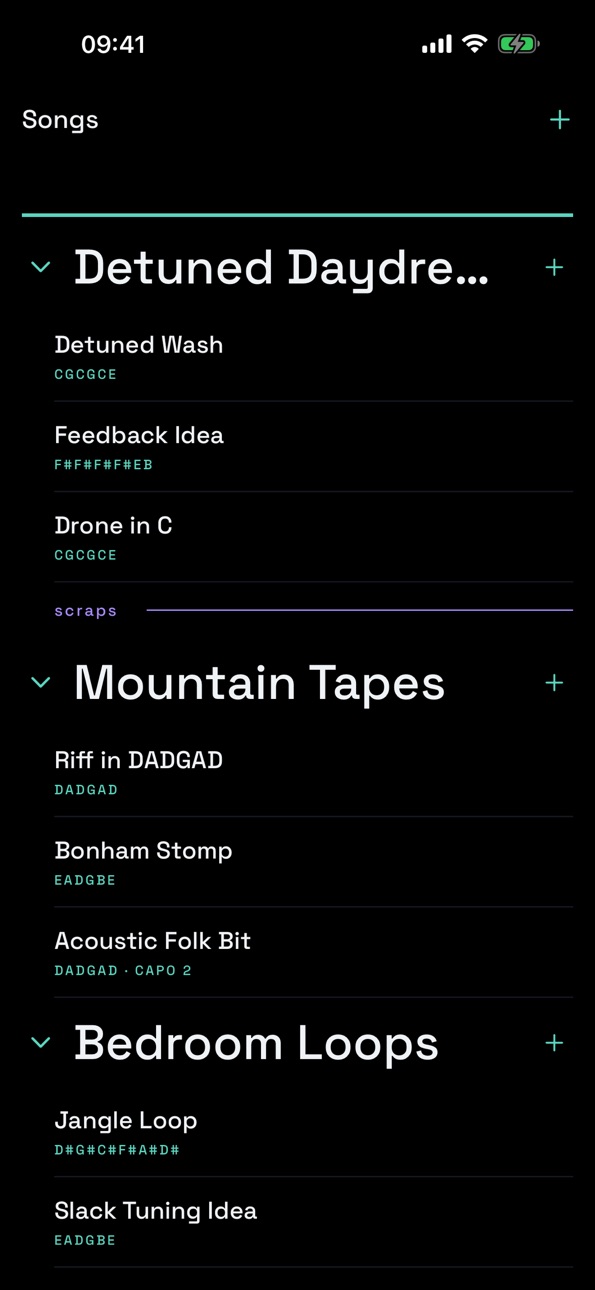


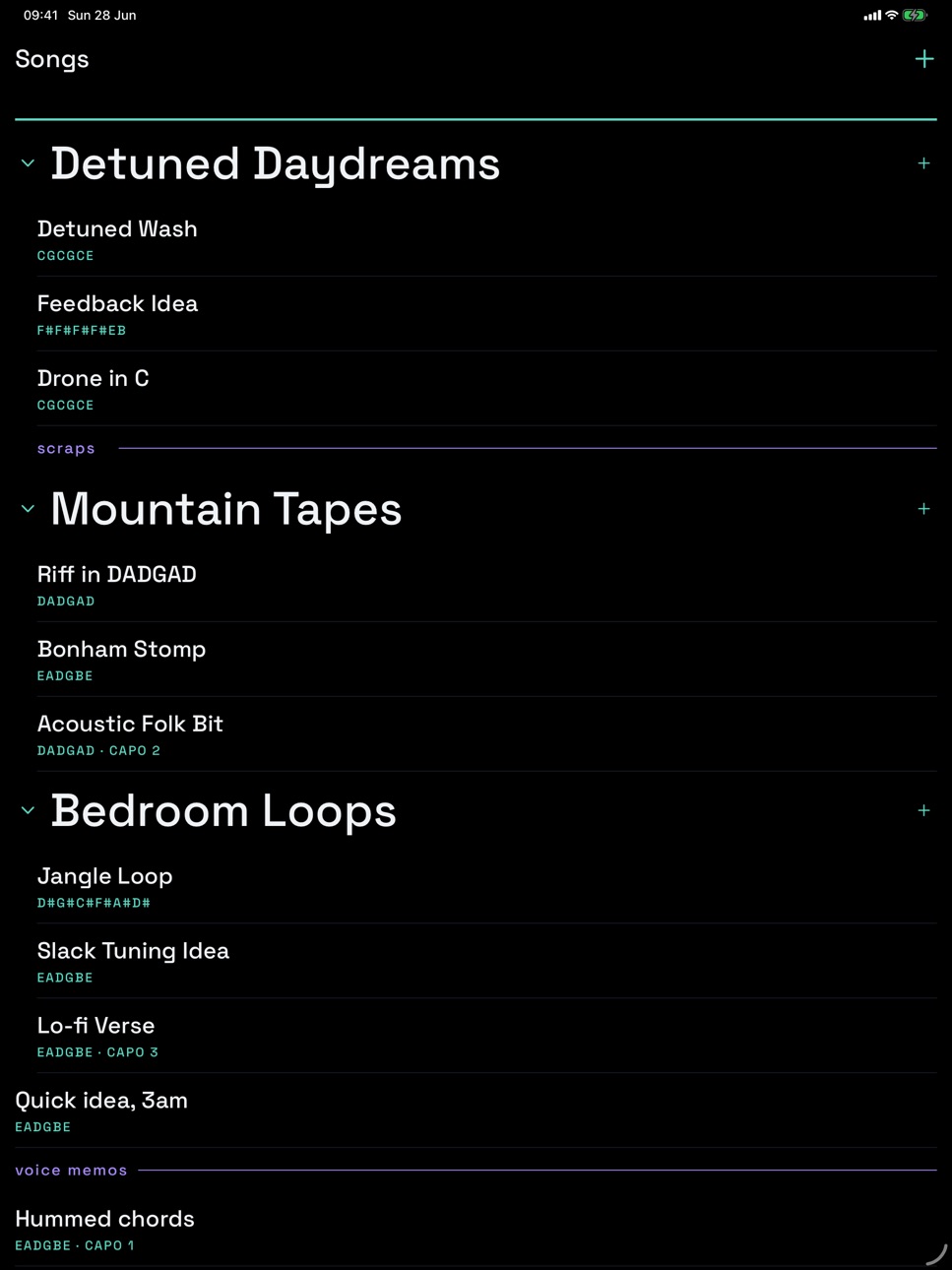
iPad 8 images


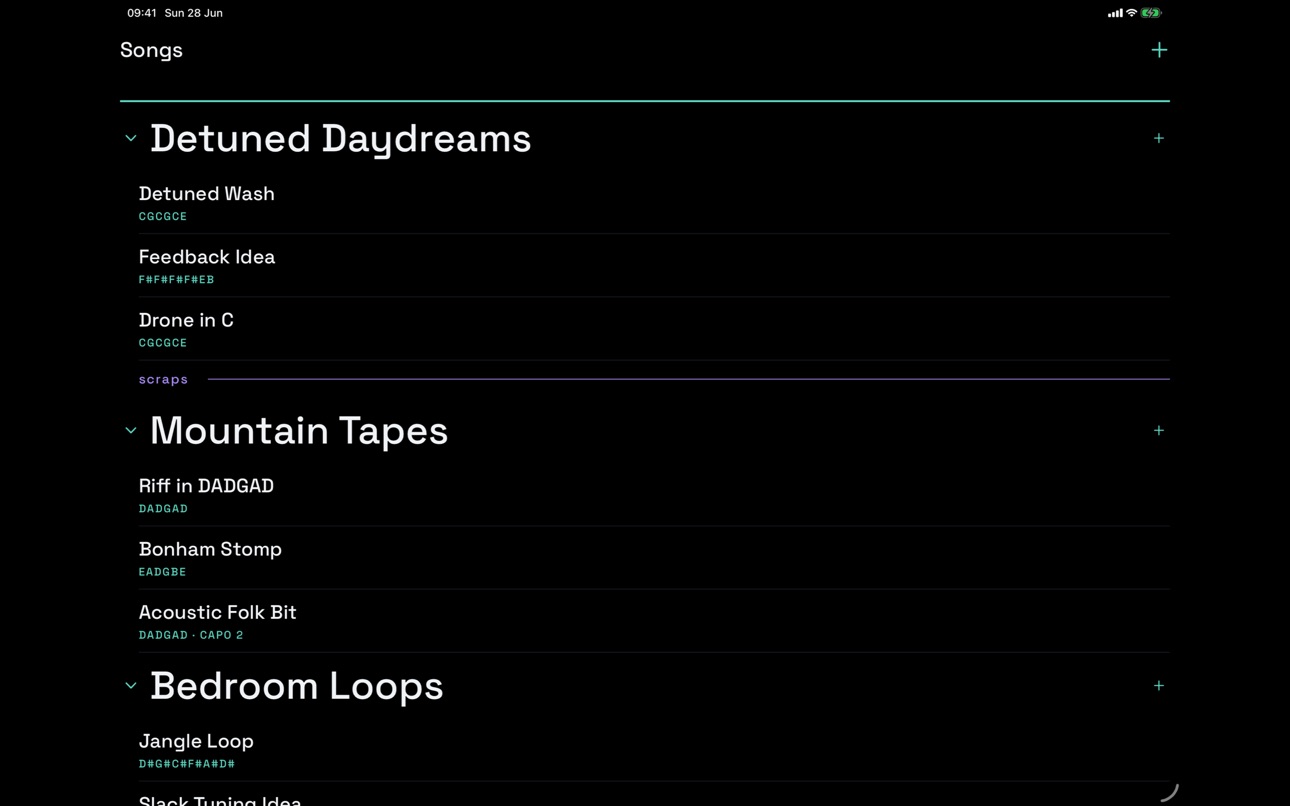
Mac 4 images


What’s New Version 1.0.2
- Colors can now share one spot: put an accent color on the main note (or on another color) and the dot splits into clean colored sections. Works on fretted notes, open strings and the capo bar
- Import songs from a backup file: open Backups, tap the import button and pick a file. Imported songs are added on top of your library and nothing gets replaced, so it is a safe way to bring sketches in from another device
- Small fixes and polish, including accent dots on the capo bar now matching the size of other notes
Description
Guitar Tab Notes is a fast sketchpad for guitar players. When a riff or a chord shape shows up, open the app and get it down before it slips away.
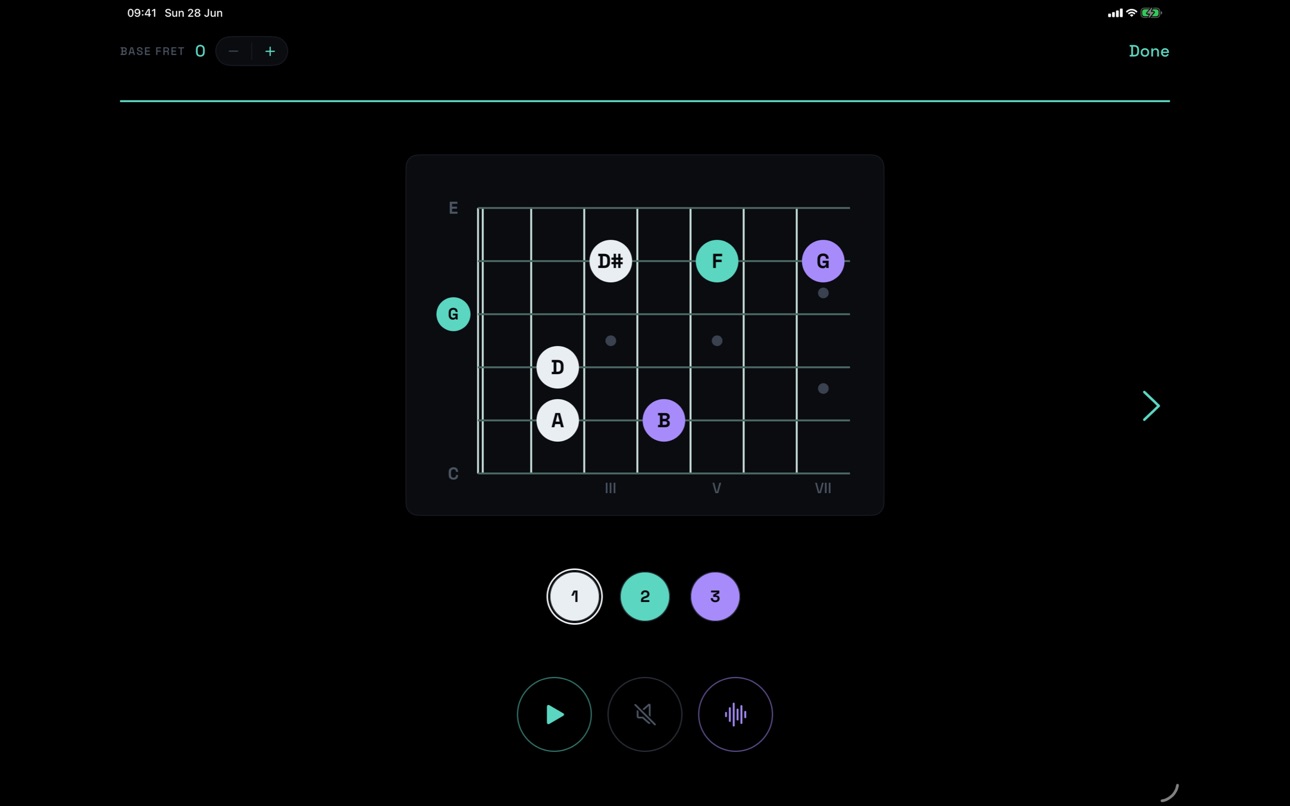
Instead of finger numbers or fret numbers, every position on the fretboard is shown as the actual note it plays (C, C#, D and so on). You read the sounds, not the shapes, so an idea still makes sense days later and is easy to move around in your head.
WHY GUITARISTS USE IT
- Capture ideas fast. Tap the fretboard and the note appears. Nothing in the way.
- Think in any tuning. Standard, drop, open, or completely custom alt tunings that you type in and save. Every note name updates instantly across all of your chords.
- Made for sketches, not for perfection. Group ideas into projects, drop in quick section labels like verse or chorus, and reorder everything by dragging.
- Hear it back. Tap play to strum a chord and check an idea on the spot.
- Color your voicings. Highlight alternate notes in four accent colors (turquoise, violet, amber, coral) right on the diagram. Colors can even share one spot with the main note: the dot splits into colored sections.
- Capo aware. Set a capo and the fretboard and note names follow along.
EVERYWHERE YOU WRITE
Guitar Tab Notes runs on iPhone, iPad and Mac, and your whole sketchbook syncs automatically through your private iCloud. Start a riff on the couch with your phone, then finish the arrangement on iPad or Mac later. Nothing to set up and no account to create.
EXPORT AND SHARE
Send a single chord as an image, or a whole song as a clean one-page PDF or as plain text, straight from the share sheet.
Simple on purpose and quick by design. Keep the guitar in your hands and let the ideas land.
Accessibility
ipadiphonemacrealityDevicetvoswatch
Version history 3 versions
Build 887856524v1.0.22026-07-06 02:37:26
- Colors can now share one spot: put an accent color on the main note (or on another color) and the dot splits into clean colored sections. Works on fretted notes, open strings and the capo bar
- Import songs from a backup file: open Backups, tap the import button and pick a file. Imported songs are added on top of your library and nothing gets replaced, so it is a safe way to bring sketches in from another device
- Small fixes and polish, including accent dots on the capo bar now matching the size of other notes
Build 887509939v1.02026-07-02 14:19:41
Build 887746226v1.0.12026-07-02 23:55:02
- Four accent colors: mark alternate notes in turquoise, violet, amber and coral, one of each color per string
- Automatic local backups of your whole library, with one-tap restore of a song or a full snapshot
- Clearer diagrams: circles for open strings and capo notes, plus fret numbers along the neck
- Haptic feedback and press highlights on all controls
- Duplicating a chord is now instant
- Stability and sync improvements
No pricing data captured yet — comparisons appear once the app has paid storefronts or in-app purchases.
Availability 175 of 175 storefronts
| Region | Language | Price | Ratings | Avg | Version |
|---|---|---|---|---|---|
| PL | en-GB | Free | 1 | 5.0 | 1.0.2 |
| AE | en-GB | Free | 0 | — | 1.0.2 |
| AF | en-GB | Free | 0 | — | 1.0.2 |
| AG | en-GB | Free | 0 | — | 1.0.2 |
| AI | en-GB | Free | 0 | — | 1.0.2 |
| AL | en-GB | Free | 0 | — | 1.0.2 |
| AM | en-GB | Free | 0 | — | 1.0.2 |
| AO | en-GB | Free | 0 | — | 1.0.2 |
| AR | es-MX | Free | 0 | — | 1.0.2 |
| AT | de-DE | Free | 0 | — | 1.0.2 |
| AU | en-AU | Free | 0 | — | 1.0.2 |
| AZ | en-GB | Free | 0 | — | 1.0.2 |
| BA | en-GB | Free | 0 | — | 1.0.2 |
| BB | en-GB | Free | 0 | — | 1.0.2 |
| BE | en-GB | Free | 0 | — | 1.0.2 |
| BF | en-GB | Free | 0 | — | 1.0.2 |
| BG | en-GB | Free | 0 | — | 1.0.2 |
| BH | en-GB | Free | 0 | — | 1.0.2 |
| BJ | en-GB | Free | 0 | — | 1.0.2 |
| BM | en-GB | Free | 0 | — | 1.0.2 |
| BN | en-GB | Free | 0 | — | 1.0.2 |
| BO | es-MX | Free | 0 | — | 1.0.2 |
| BR | pt-BR | Free | 0 | — | 1.0.2 |
| BS | en-GB | Free | 0 | — | 1.0.2 |
| BT | en-GB | Free | 0 | — | 1.0.2 |
| BW | en-GB | Free | 0 | — | 1.0.2 |
| BY | en-GB | Free | 0 | — | 1.0.2 |
| BZ | en-GB | Free | 0 | — | 1.0.2 |
| CA | en-CA | Free | 0 | — | 1.0.2 |
| CD | en-GB | Free | 0 | — | 1.0.2 |
| CG | en-GB | Free | 0 | — | 1.0.2 |
| CH | de-CH | Free | 0 | — | 1.0.2 |
| CI | fr-FR | Free | 0 | — | 1.0.2 |
| CL | es-MX | Free | 0 | — | 1.0.2 |
| CM | fr-FR | Free | 0 | — | 1.0.2 |
| CN | zh-Hans-CN | Free | 0 | — | 1.0.2 |
| CO | es-MX | Free | 0 | — | 1.0.2 |
| CR | es-MX | Free | 0 | — | 1.0.2 |
| CV | en-GB | Free | 0 | — | 1.0.2 |
| CY | en-GB | Free | 0 | — | 1.0.2 |
| CZ | en-GB | Free | 0 | — | 1.0.2 |
| DE | de-DE | Free | 0 | — | 1.0.2 |
| DK | en-GB | Free | 0 | — | 1.0.2 |
| DM | en-GB | Free | 0 | — | 1.0.2 |
| DO | es-MX | Free | 0 | — | 1.0.2 |
| DZ | en-GB | Free | 0 | — | 1.0.2 |
| EC | es-MX | Free | 0 | — | 1.0.2 |
| EE | en-GB | Free | 0 | — | 1.0.2 |
| EG | en-GB | Free | 0 | — | 1.0.2 |
| ES | es-ES | Free | 0 | — | 1.0.2 |
| FI | en-GB | Free | 0 | — | 1.0.2 |
| FJ | en-GB | Free | 0 | — | 1.0.2 |
| FM | en-GB | Free | 0 | — | 1.0.2 |
| FR | fr-FR | Free | 0 | — | 1.0.2 |
| GA | fr-FR | Free | 0 | — | 1.0.2 |
| GB | en-GB | Free | 0 | — | 1.0.2 |
| GD | en-GB | Free | 0 | — | 1.0.2 |
| GE | en-GB | Free | 0 | — | 1.0.2 |
| GH | en-GB | Free | 0 | — | 1.0.2 |
| GM | en-GB | Free | 0 | — | 1.0.2 |
| GR | en-GB | Free | 0 | — | 1.0.2 |
| GT | es-MX | Free | 0 | — | 1.0.2 |
| GW | en-GB | Free | 0 | — | 1.0.2 |
| GY | en-GB | Free | 0 | — | 1.0.2 |
| HK | zh-Hant-HK | Free | 0 | — | 1.0.2 |
| HN | es-MX | Free | 0 | — | 1.0.2 |
| HR | en-GB | Free | 0 | — | 1.0.2 |
| HU | en-GB | Free | 0 | — | 1.0.2 |
| ID | en-GB | Free | 0 | — | 1.0.2 |
| IE | en-GB | Free | 0 | — | 1.0.2 |
| IL | en-GB | Free | 0 | — | 1.0.2 |
| IN | en-GB | Free | 0 | — | 1.0.2 |
| IQ | en-GB | Free | 0 | — | 1.0.2 |
| IS | en-GB | Free | 0 | — | 1.0.2 |
| IT | it | Free | 0 | — | 1.0.2 |
| JM | en-GB | Free | 0 | — | 1.0.2 |
| JO | en-GB | Free | 0 | — | 1.0.2 |
| JP | ja | Free | 0 | — | 1.0.2 |
| KE | en-GB | Free | 0 | — | 1.0.2 |
| KG | en-GB | Free | 0 | — | 1.0.2 |
| KH | en-GB | Free | 0 | — | 1.0.2 |
| KN | en-GB | Free | 0 | — | 1.0.2 |
| KR | ko | Free | 0 | — | 1.0.2 |
| KW | en-GB | Free | 0 | — | 1.0.2 |
| KY | en-GB | Free | 0 | — | 1.0.2 |
| KZ | en-GB | Free | 0 | — | 1.0.2 |
| LA | en-GB | Free | 0 | — | 1.0.2 |
| LB | en-GB | Free | 0 | — | 1.0.2 |
| LC | en-GB | Free | 0 | — | 1.0.2 |
| LK | en-GB | Free | 0 | — | 1.0.2 |
| LR | en-GB | Free | 0 | — | 1.0.2 |
| LT | en-GB | Free | 0 | — | 1.0.2 |
| LU | en-GB | Free | 0 | — | 1.0.2 |
| LV | en-GB | Free | 0 | — | 1.0.2 |
| LY | en-GB | Free | 0 | — | 1.0.2 |
| MA | en-GB | Free | 0 | — | 1.0.2 |
| MD | en-GB | Free | 0 | — | 1.0.2 |
| ME | en-GB | Free | 0 | — | 1.0.2 |
| MG | en-GB | Free | 0 | — | 1.0.2 |
| MK | en-GB | Free | 0 | — | 1.0.2 |
| ML | en-GB | Free | 0 | — | 1.0.2 |
| MM | en-GB | Free | 0 | — | 1.0.2 |
| MN | en-GB | Free | 0 | — | 1.0.2 |
| MO | zh-Hant-HK | Free | 0 | — | 1.0.2 |
| MR | en-GB | Free | 0 | — | 1.0.2 |
| MS | en-GB | Free | 0 | — | 1.0.2 |
| MT | en-GB | Free | 0 | — | 1.0.2 |
| MU | en-GB | Free | 0 | — | 1.0.2 |
| MV | en-GB | Free | 0 | — | 1.0.2 |
| MW | en-GB | Free | 0 | — | 1.0.2 |
| MX | es-MX | Free | 0 | — | 1.0.2 |
| MY | en-GB | Free | 0 | — | 1.0.2 |
| MZ | en-GB | Free | 0 | — | 1.0.2 |
| NA | en-GB | Free | 0 | — | 1.0.2 |
| NE | en-GB | Free | 0 | — | 1.0.2 |
| NG | en-GB | Free | 0 | — | 1.0.2 |
| NI | es-MX | Free | 0 | — | 1.0.2 |
| NL | nl | Free | 0 | — | 1.0.2 |
| NO | en-GB | Free | 0 | — | 1.0.2 |
| NP | en-GB | Free | 0 | — | 1.0.2 |
| NR | en-GB | Free | 0 | — | 1.0.2 |
| NZ | en-AU | Free | 0 | — | 1.0.2 |
| OM | en-GB | Free | 0 | — | 1.0.2 |
| PA | es-MX | Free | 0 | — | 1.0.2 |
| PE | es-MX | Free | 0 | — | 1.0.2 |
| PG | en-GB | Free | 0 | — | 1.0.2 |
| PH | en-GB | Free | 0 | — | 1.0.2 |
| PK | en-GB | Free | 0 | — | 1.0.2 |
| PT | pt-PT | Free | 0 | — | 1.0.2 |
| PW | en-GB | Free | 0 | — | 1.0.2 |
| PY | es-MX | Free | 0 | — | 1.0.2 |
| QA | en-GB | Free | 0 | — | 1.0.2 |
| RO | en-GB | Free | 0 | — | 1.0.2 |
| RS | en-GB | Free | 0 | — | 1.0.2 |
| RU | ru | Free | 0 | — | 1.0.2 |
| RW | en-GB | Free | 0 | — | 1.0.2 |
| SA | en-GB | Free | 0 | — | 1.0.2 |
| SB | en-GB | Free | 0 | — | 1.0.2 |
| SC | en-GB | Free | 0 | — | 1.0.2 |
| SE | sv | Free | 0 | — | 1.0.2 |
| SG | en-GB | Free | 0 | — | 1.0.2 |
| SI | en-GB | Free | 0 | — | 1.0.2 |
| SK | en-GB | Free | 0 | — | 1.0.2 |
| SL | en-GB | Free | 0 | — | 1.0.2 |
| SN | en-GB | Free | 0 | — | 1.0.2 |
| SR | en-GB | Free | 0 | — | 1.0.2 |
| ST | en-GB | Free | 0 | — | 1.0.2 |
| SV | es-MX | Free | 0 | — | 1.0.2 |
| SZ | en-GB | Free | 0 | — | 1.0.2 |
| TC | en-GB | Free | 0 | — | 1.0.2 |
| TD | en-GB | Free | 0 | — | 1.0.2 |
| TH | en-GB | Free | 0 | — | 1.0.2 |
| TJ | en-GB | Free | 0 | — | 1.0.2 |
| TM | en-GB | Free | 0 | — | 1.0.2 |
| TN | en-GB | Free | 0 | — | 1.0.2 |
| TO | en-GB | Free | 0 | — | 1.0.2 |
| TR | en-GB | Free | 0 | — | 1.0.2 |
| TT | en-GB | Free | 0 | — | 1.0.2 |
| TW | zh-Hant-TW | Free | 0 | — | 1.0.2 |
| TZ | en-GB | Free | 0 | — | 1.0.2 |
| UA | en-GB | Free | 0 | — | 1.0.2 |
| UG | en-GB | Free | 0 | — | 1.0.2 |
| US | en-US | Free | 0 | — | 1.0.2 |
| UY | en-GB | Free | 0 | — | 1.0.2 |
| UZ | en-GB | Free | 0 | — | 1.0.2 |
| VC | en-GB | Free | 0 | — | 1.0.2 |
| VE | es-MX | Free | 0 | — | 1.0.2 |
| VG | en-GB | Free | 0 | — | 1.0.2 |
| VN | en-GB | Free | 0 | — | 1.0.2 |
| VU | en-GB | Free | 0 | — | 1.0.2 |
| XK | en-GB | Free | 0 | — | 1.0.2 |
| YE | en-GB | Free | 0 | — | 1.0.2 |
| ZA | en-GB | Free | 0 | — | 1.0.2 |
| ZM | en-GB | Free | 0 | — | 1.0.2 |
| ZW | en-GB | Free | 0 | — | 1.0.2 |
Change log 7 changes · MO
✎
releaseNotes updated
- Colors can now share one spot: put an accent color on the main note (or on another color) and the dot splits into clean colored sections. Works on fretted not
✎
description updated
Guitar Tab Notes is a fast sketchpad for guitar players. When a riff or a chord shape shows up, open the app and get it down before it slips away.
Instead of f
✎
subtitle updated
Sketch chords in any tuning
✎
name updated
Guitar Tab Notes
◆
Version 1.0.2 released
- Colors can now share one spot: put an accent color on the main note (or on another color) and the dot splits into clean colored sections. Works on fretted notes, open strings and the capo bar
- Import songs from a backup file: open Backup
◆
Version 1.0.1 released
- Four accent colors: mark alternate notes in turquoise, violet, amber and coral, one of each color per string
- Automatic local backups of your whole library, with one-tap restore of a song or a full snapshot
- Clearer diagrams: circles fo
◆
Version 1.0 released