Home › Business

 US
US
1 of 1 storefronts
Content in en-US
Content in en-US
Information
Preview 1 platform
iPhone 5 images


What’s New Version 1.1
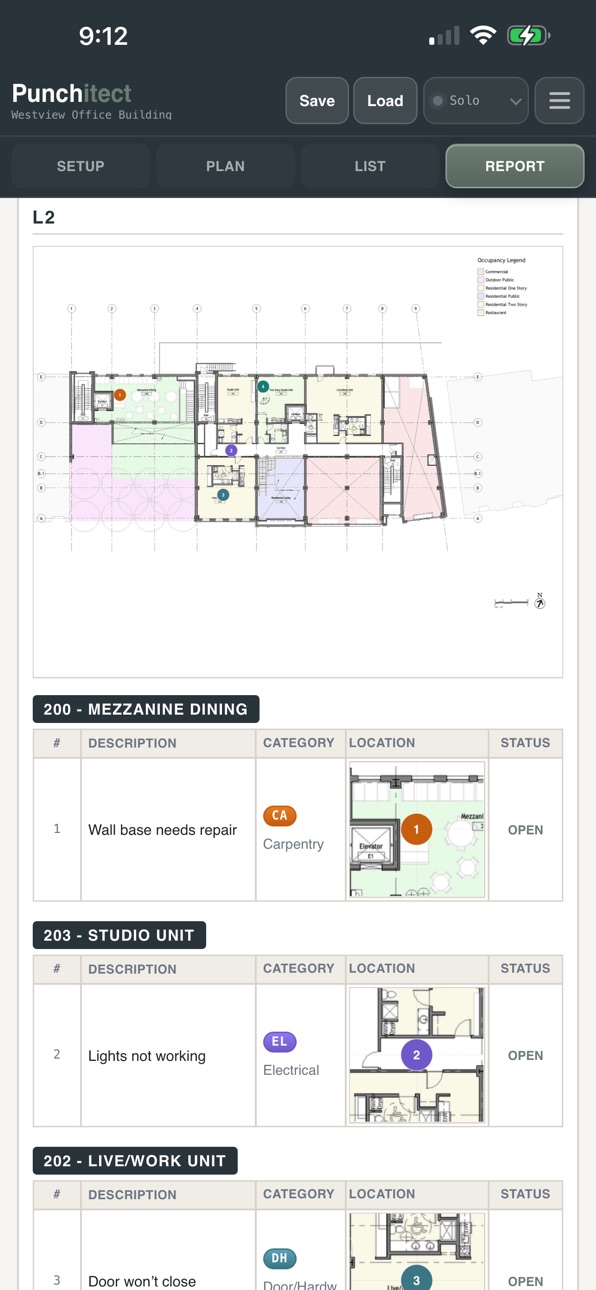
- Added support for multiple plan views per level, including Construction, Reflected Ceiling, Power & Signal, Finishes, and custom plan types.
- Pins and punch items now stay attached to the specific plan view where they were placed.
- Added a guided plan replacement workflow to align a new drawing, remap existing pins, and update room boundaries.
- Added editable report disclaimers for punch lists and field reports, with show/hide controls and reset-to-default text.
- Improved Revit room detection imports and exports, including multi-plan bundles, plan-type labeling, and more stable crop/output dimensions.
- Improved iOS PDF report exports so photos, plans, and location graphics render more reliably.
- Added in-app help for the description formatting workflow.
- Polished floor plan cards, plan menus, cloud save/load, autosave, reports, and exports.
- Added security and reliability improvements for Revit tool access and app routing.
Description
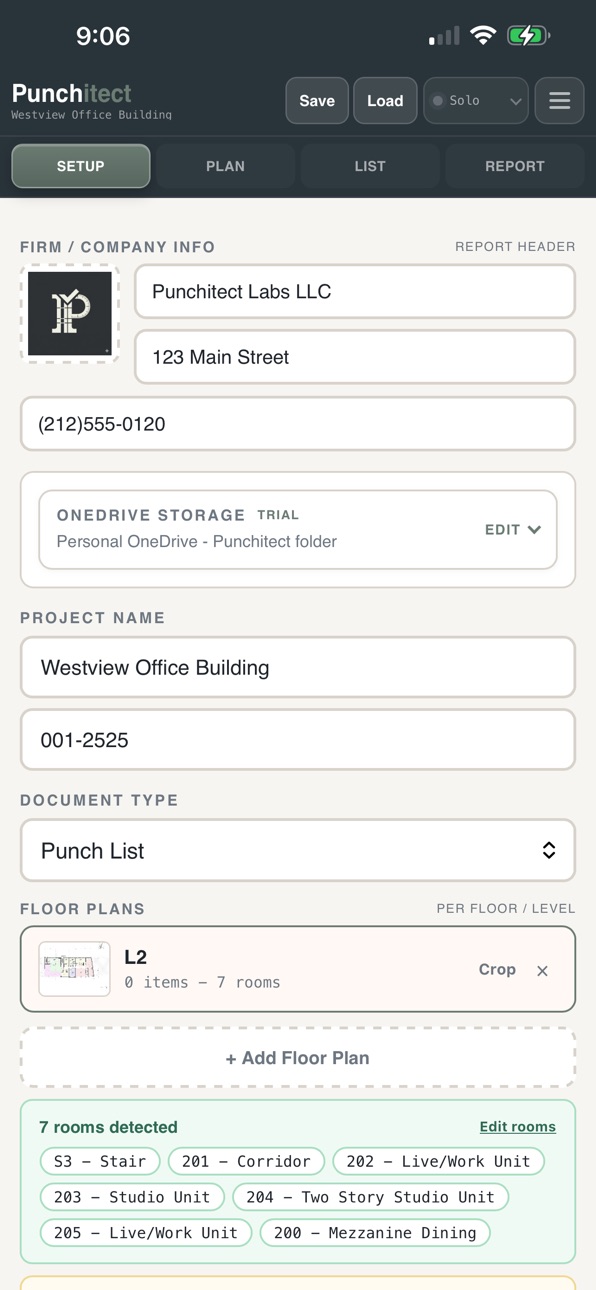
Punchitect helps designers, architects, and field teams document punch list and field observation notes on site.
Use Punchitect to create and manage punch items, attach photos, organize project notes, track status, and prepare field reports from your iPhone. The app is designed for existing Punchitect users and firms that manage project access through Microsoft work accounts.
Punchitect supports field workflows for walkthroughs, closeout, inspections, and project documentation.
Features include:
- Microsoft sign-in for authorized firm users
- Project and punch list organization
- Photo attachments for field conditions
- Notes, locations, status, and item details
- Report preview and export workflows
- Support for firm-managed project storage
Punchitect for iOS is intended for existing Punchitect accounts. Firm access and subscriptions are managed outside the iOS app by the firm administrator.
Accessibility
ipadiphonemacrealityDevicetvoswatch
Version history 2 versions
Build 887921629v1.12026-07-07 06:10:33
- Added support for multiple plan views per level, including Construction, Reflected Ceiling, Power & Signal, Finishes, and custom plan types.
- Pins and punch items now stay attached to the specific plan view where they were placed.
- Added a guided plan replacement workflow to align a new drawing, remap existing pins, and update room boundaries.
- Added editable report disclaimers for punch lists and field reports, with show/hide controls and reset-to-default text.
- Improved Revit room detection imports and exports, including multi-plan bundles, plan-type labeling, and more stable crop/output dimensions.
- Improved iOS PDF report exports so photos, plans, and location graphics render more reliably.
- Added in-app help for the description formatting workflow.
- Polished floor plan cards, plan menus, cloud save/load, autosave, reports, and exports.
- Added security and reliability improvements for Revit tool access and app routing.
Build 887012767v1.02026-06-24 14:53:56
No pricing data captured yet — comparisons appear once the app has paid storefronts or in-app purchases.
Availability 1 of 1 storefronts
| Region | Language | Price | Ratings | Avg | Version |
|---|---|---|---|---|---|
| US | en-US | Free | 1 | 5.0 | 1.1 |
Change log 5 changes · US
✎
releaseNotes updated
- Added support for multiple plan views per level, including Construction, Reflected Ceiling, Power & Signal, Finishes, and custom plan types.
- Pins and punch
✎
description updated
Punchitect helps designers, architects, and field teams document punch list and field observation notes on site.
Use Punchitect to create and manage punch item
✎
name updated
Punchitect
◆
Version 1.1 released
- Added support for multiple plan views per level, including Construction, Reflected Ceiling, Power & Signal, Finishes, and custom plan types.
- Pins and punch items now stay attached to the specific plan view where they were placed.
- Adde
◆
Version 1.0 released