Home › Productivity

 BJ
BJ
 NGen-GB
 AGen-GB
 AIen-GB
 AOen-GB
 ARes-MX
 BBen-GB
 BFen-GBBJen-GB
 BOes-MX
 BRpt-BR
 BSen-GB
 BWen-GB
 BZen-GB
 CDen-GB
 CGen-GB
 CIfr-FR
 CLes-MX
 CMfr-FR
 COes-MX
 CRes-MX
 CVen-GB
 DMen-GB
 DOes-MX
 DZen-GB
 ECes-MX
 GAfr-FR
 GDen-GB
 GHen-GB
 GMen-GB
 GTes-MX
 GWen-GB
 GYen-GB
 HNes-MX
 JMen-GB
 KEen-GB
 KNen-GB
 KYen-GB
 LCen-GB
 LRen-GB
 LYen-GB
 MAen-GB
 MGen-GB
 MLen-GB
 MSen-GB
 MUen-GB
 MWen-GB
 MXes-MX
 MZen-GB
 NAen-GB
 NEen-GB
 NIes-MX
 PAes-MX
 PEes-MX
 PYes-MX
 RWen-GB
 SCen-GB
 SLen-GB
 SNen-GB
 SRen-GB
 STen-GB
 SVes-MX
 SZen-GB
 TCen-GB
 TDen-GB
 TNen-GB
 TTen-GB
 TZen-GB
 UGen-GB
 USen-US
 UYen-GB
 VCen-GB
 VEes-MX
 VGen-GB
 ZMen-GB
 ZWen-GB
75 of 75 storefronts
Content in en-US
Content in en-US
Information
Preview 2 platforms
iPhone 10 images



iPad 10 images





What’s New Version 2.90.0
This update brings the Word closer, faster.
Search the Bible by phrase right inside the Study Bible. Type at least four words of a passage you remember, tap Search, and VerseTap finds it and scrolls you straight to the verse. No reference needed. This is for the moments when the passage is clear in your spirit but the address escapes you.
Study Bible now enters Focus Mode automatically when you open it. The status bar disappears, the screen stays on, and nothing competes for your attention. The same Focus Mode already available in note reading and writing now extends to every part of the app.
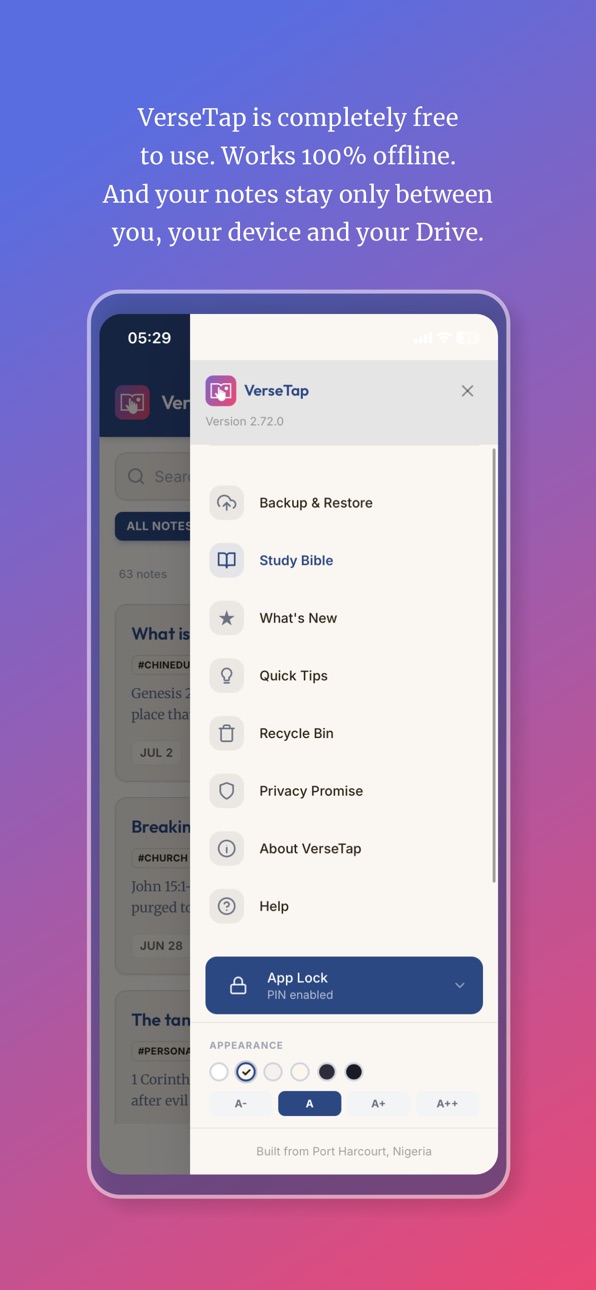
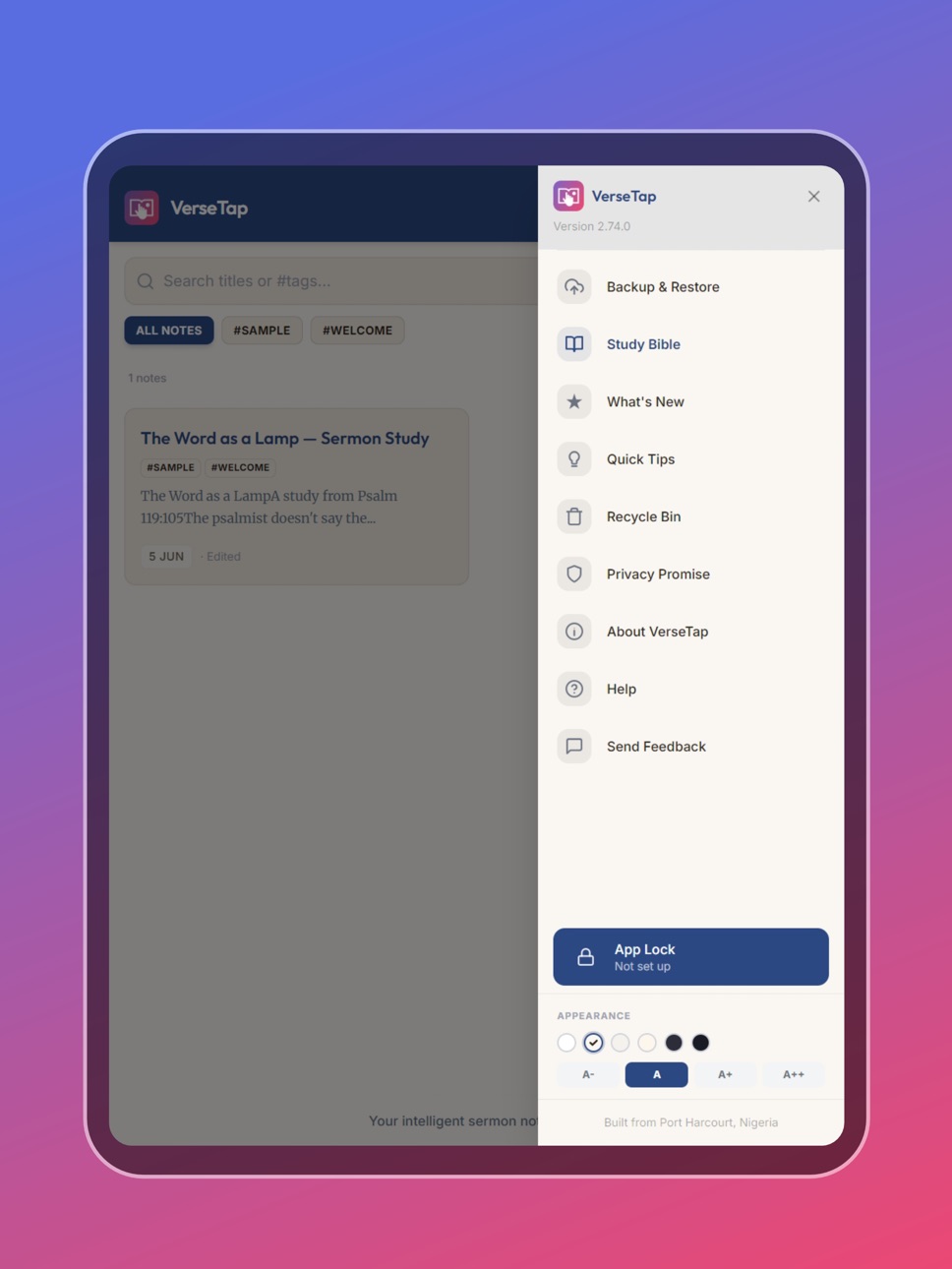
The side menu has been simplified. What's New and Send Feedback are removed. Connect & Support now handles everything in one place — Instagram, X, and direct support contact.
Description
VerseTap is an AI sermon note-taking app built for pastors, Bible teachers, and serious students of the Word.
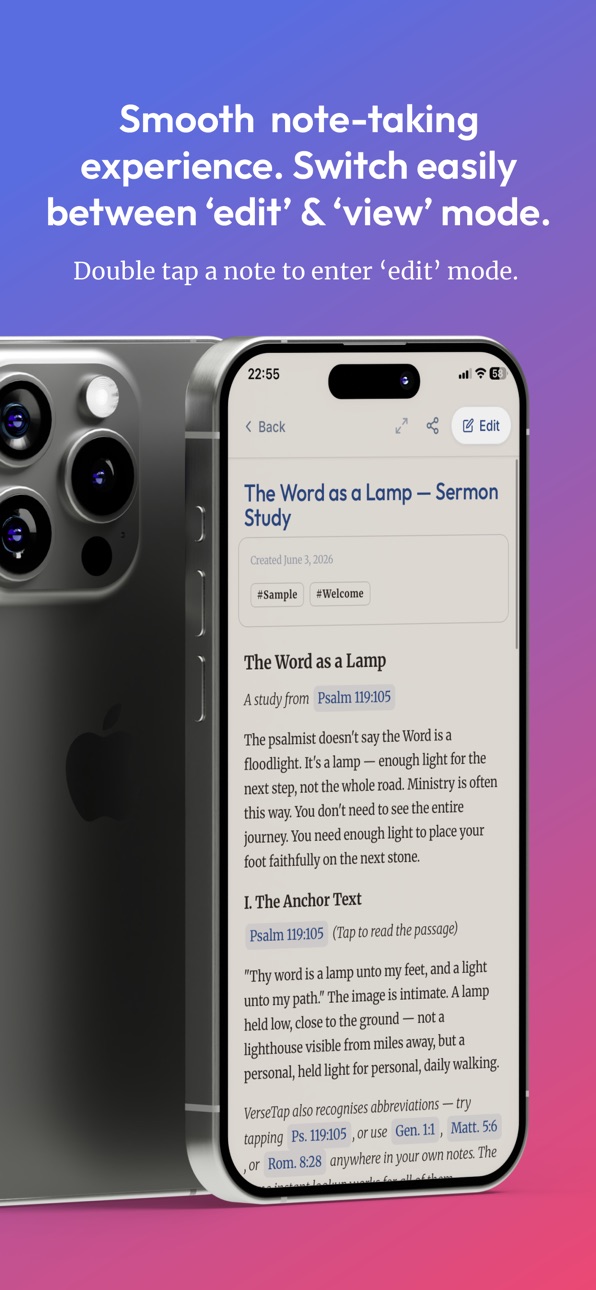
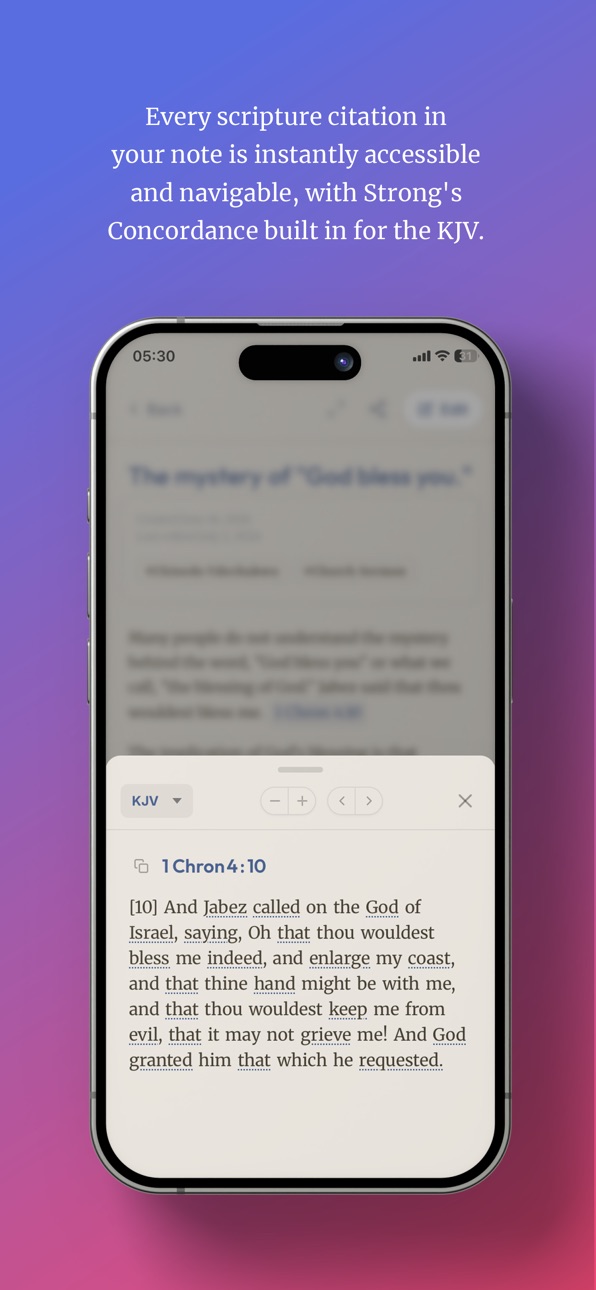
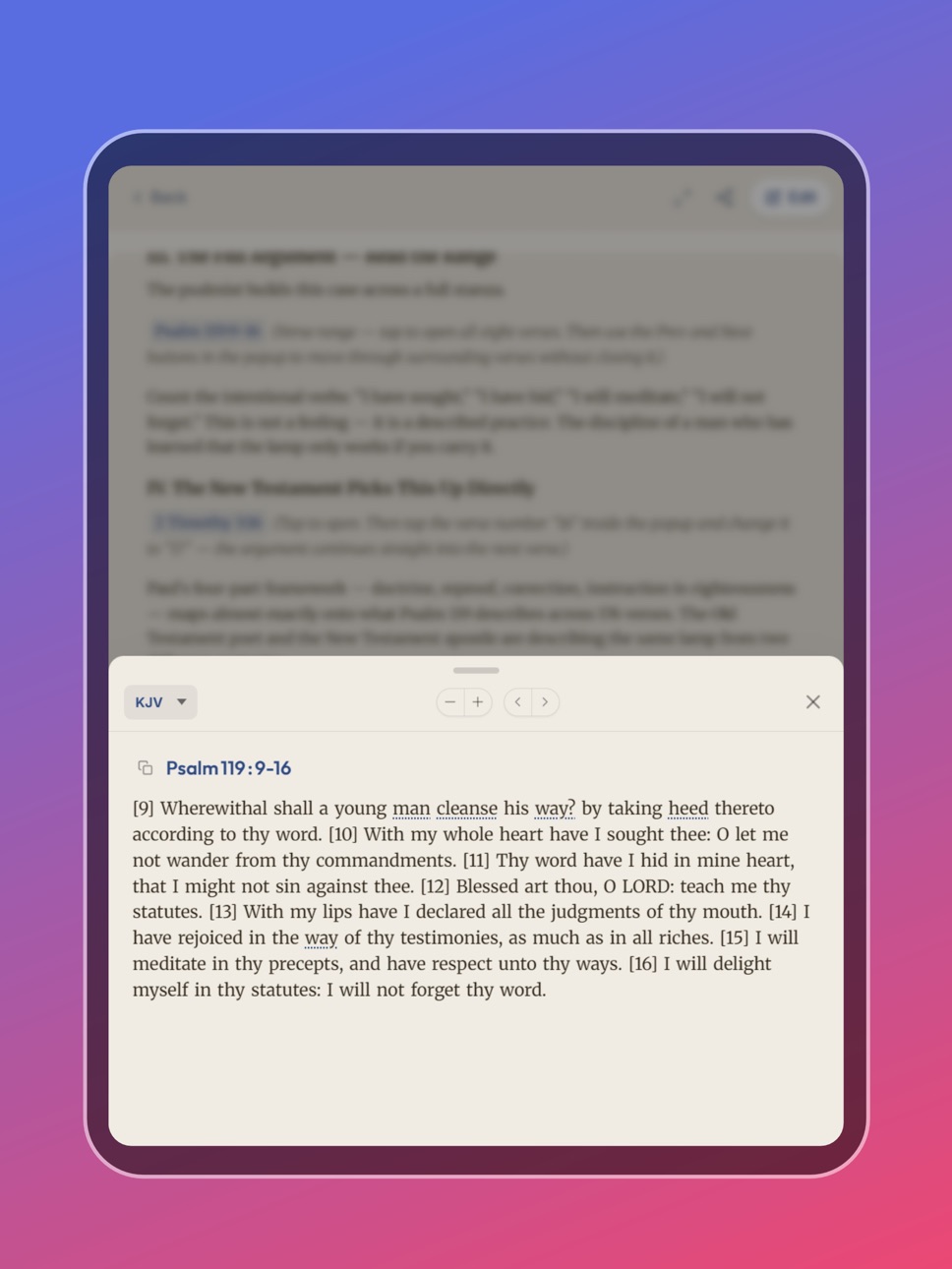
Type any scripture reference in your notes – John 3:16, Romans 8:28, or Psalm 23 – or just the short form, Gen 1:1, Matt 5, Rom 8:28, and VerseTap detects it instantly and shows you the full passage without leaving your notes. No switching apps. No losing your train of thought.
WORKS FULLY OFFLINE
VerseTap includes a complete offline Bible with KJV, ASV, WEB, and YLT translations. All 124,408 verses available without a data connection. Take notes in church, on a bus, in a village – wherever the Word takes you.
STUDY THE ORIGINAL WORDS
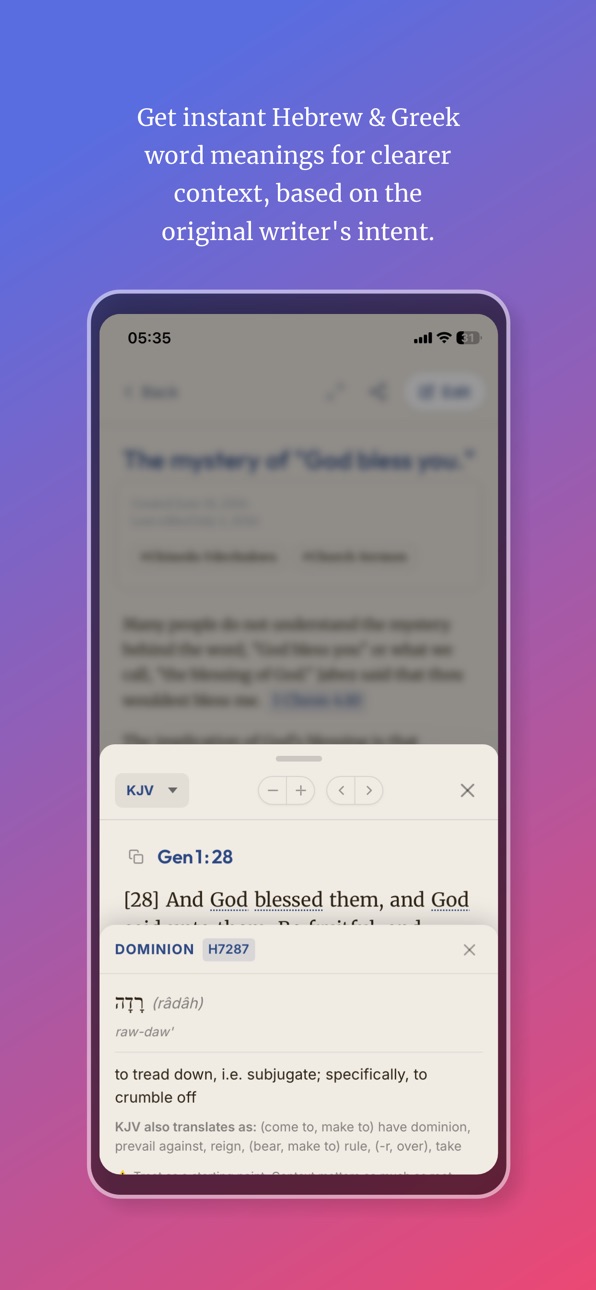
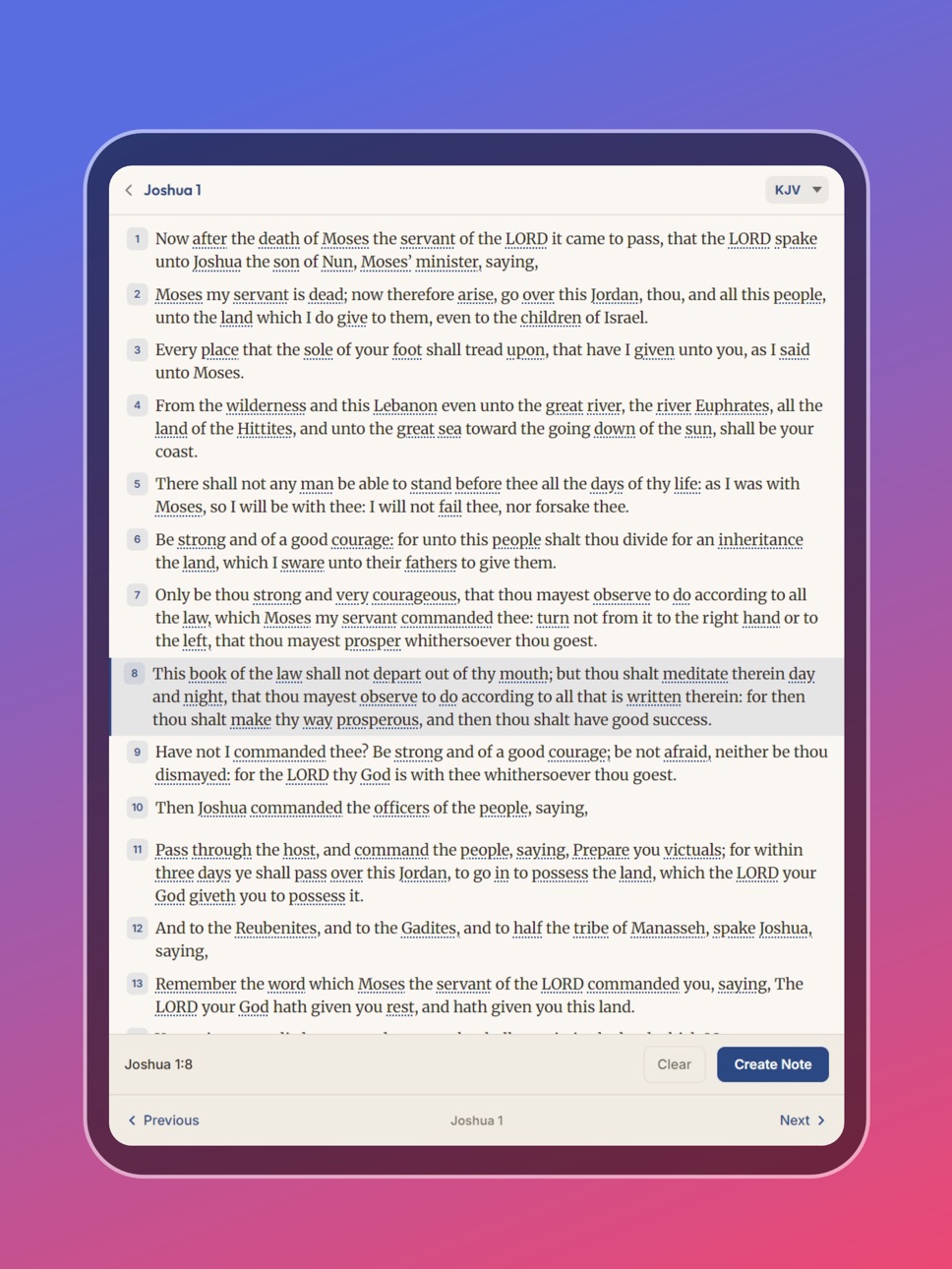
Tap any underlined word in the KJV to see its original Greek or Hebrew meaning, straight from Strong's Concordance. Over 14,000 entries covering the Old and New Testaments, all built in, all offline. Study a passage the way the original writers meant it.
READ THE WHOLE BIBLE, NOT JUST YOUR NOTES
Bible Study mode gives you a full offline Bible browser separate from your notes. Read by book and chapter, then long-press any verse to jump straight into a note when something speaks to you.
YOUR NOTES STAY PRIVATE
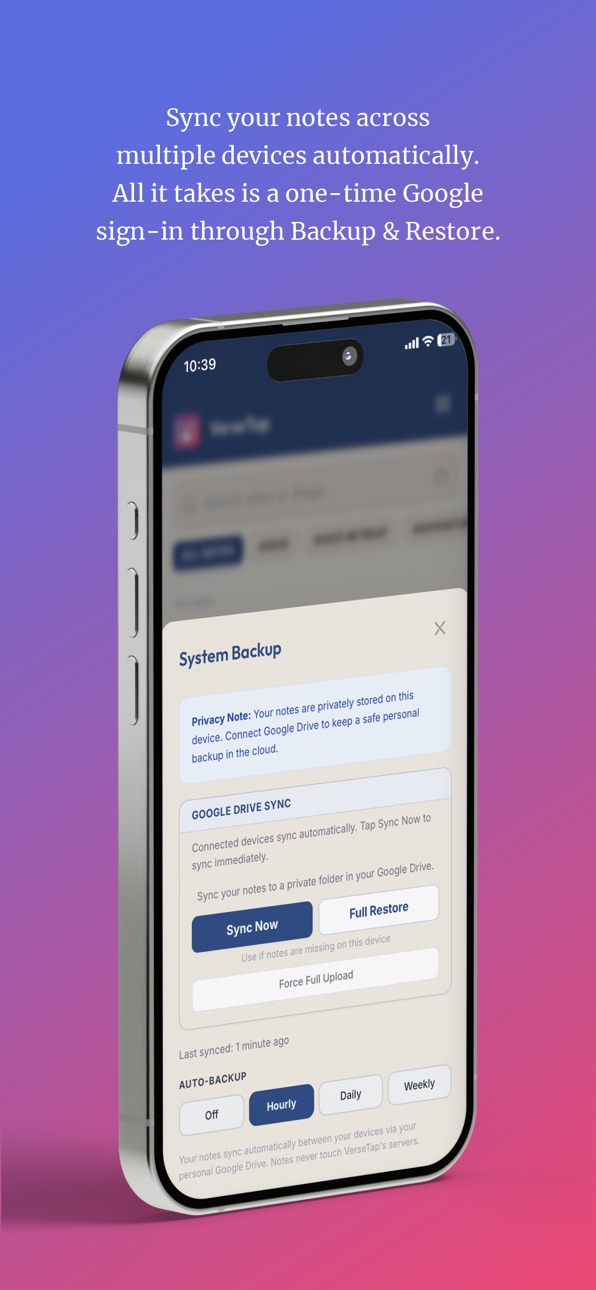
Your notes are stored on your device, not on our servers. When you back up, your notes go to your own Google Drive, not VerseTap's. We never read, store, or process your sermon notes. Ever.
BUILT FOR HOW PASTORS ACTUALLY WORK
- Automatic scripture detection as you write
- Full offline Bible with 4 public domain translations (KJV, ASV, WEB, YLT)
- Strong's Concordance for Hebrew and Greek word study
- Bible Study mode for reading independent of note-taking
- Google Drive backup to your personal storage
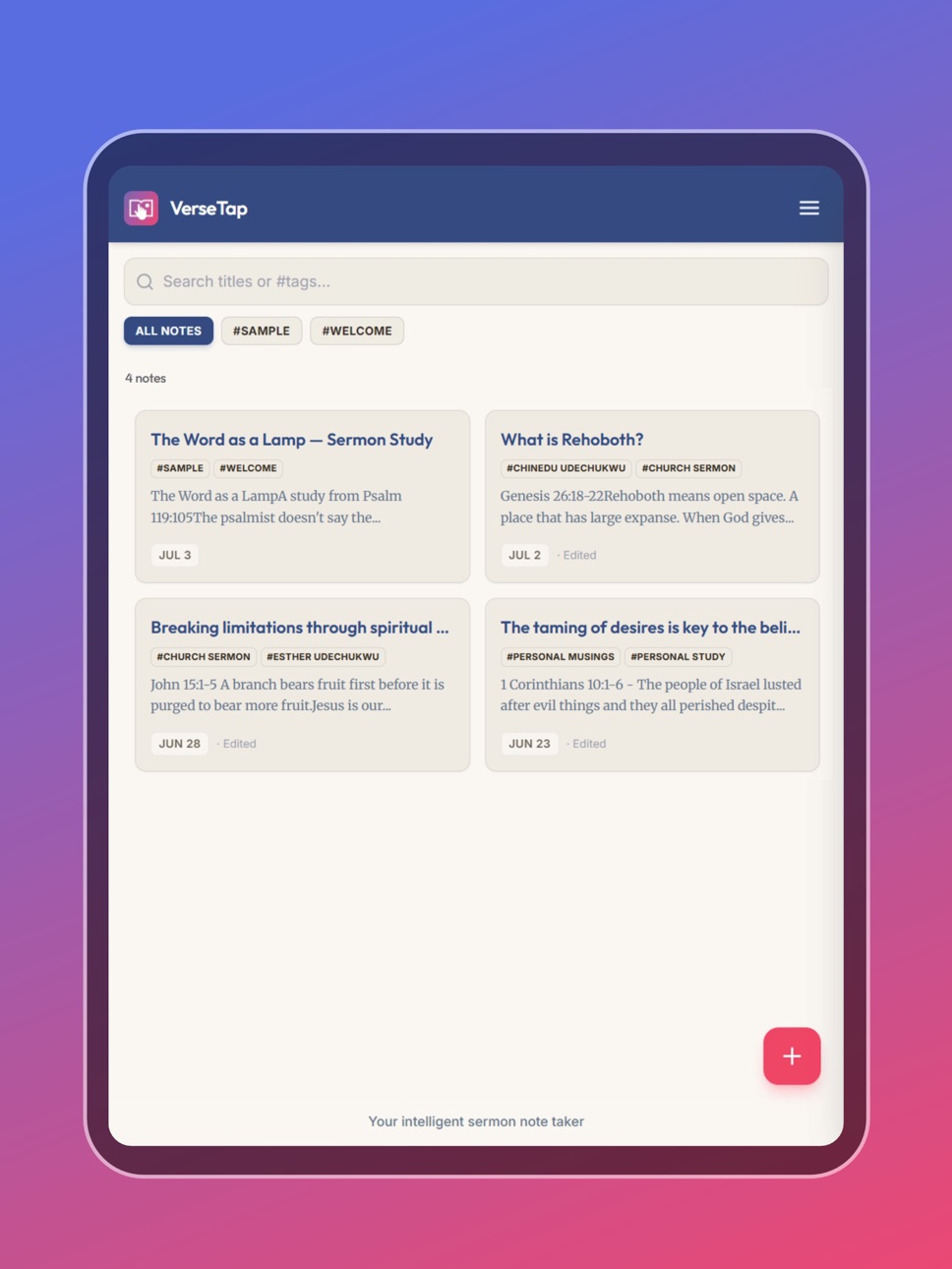
- Tags to organize notes by sermon series, topic, or speaker
- Search across all your notes by title, tag, or content
- Recycle bin, deleted notes kept for 30 days
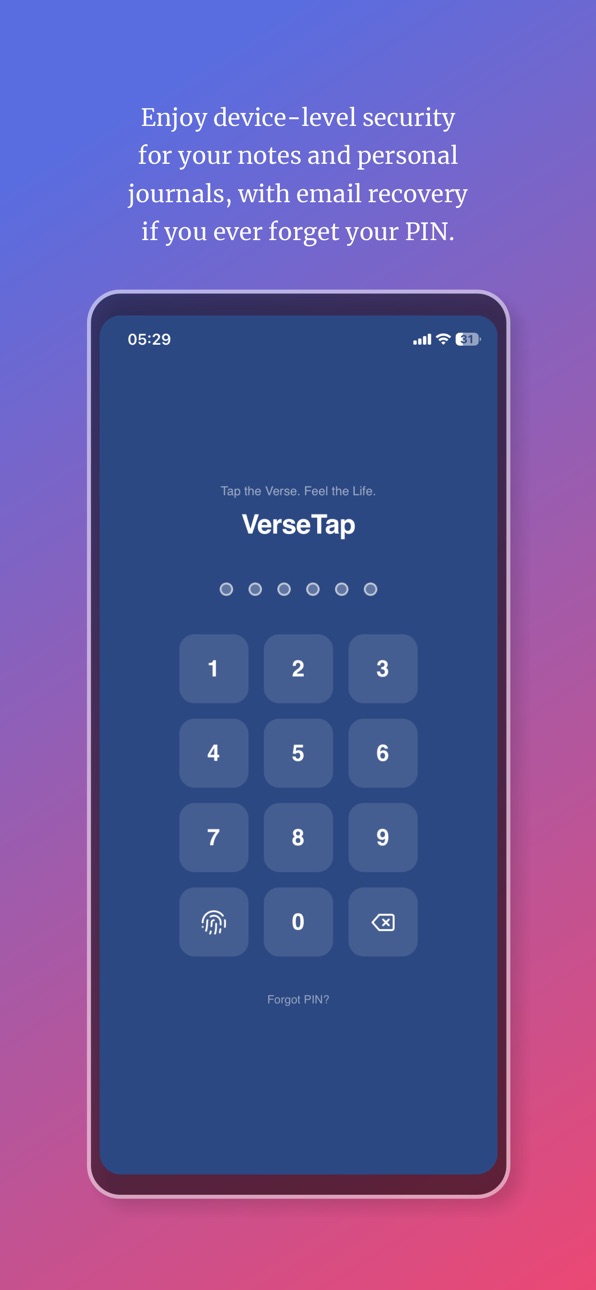
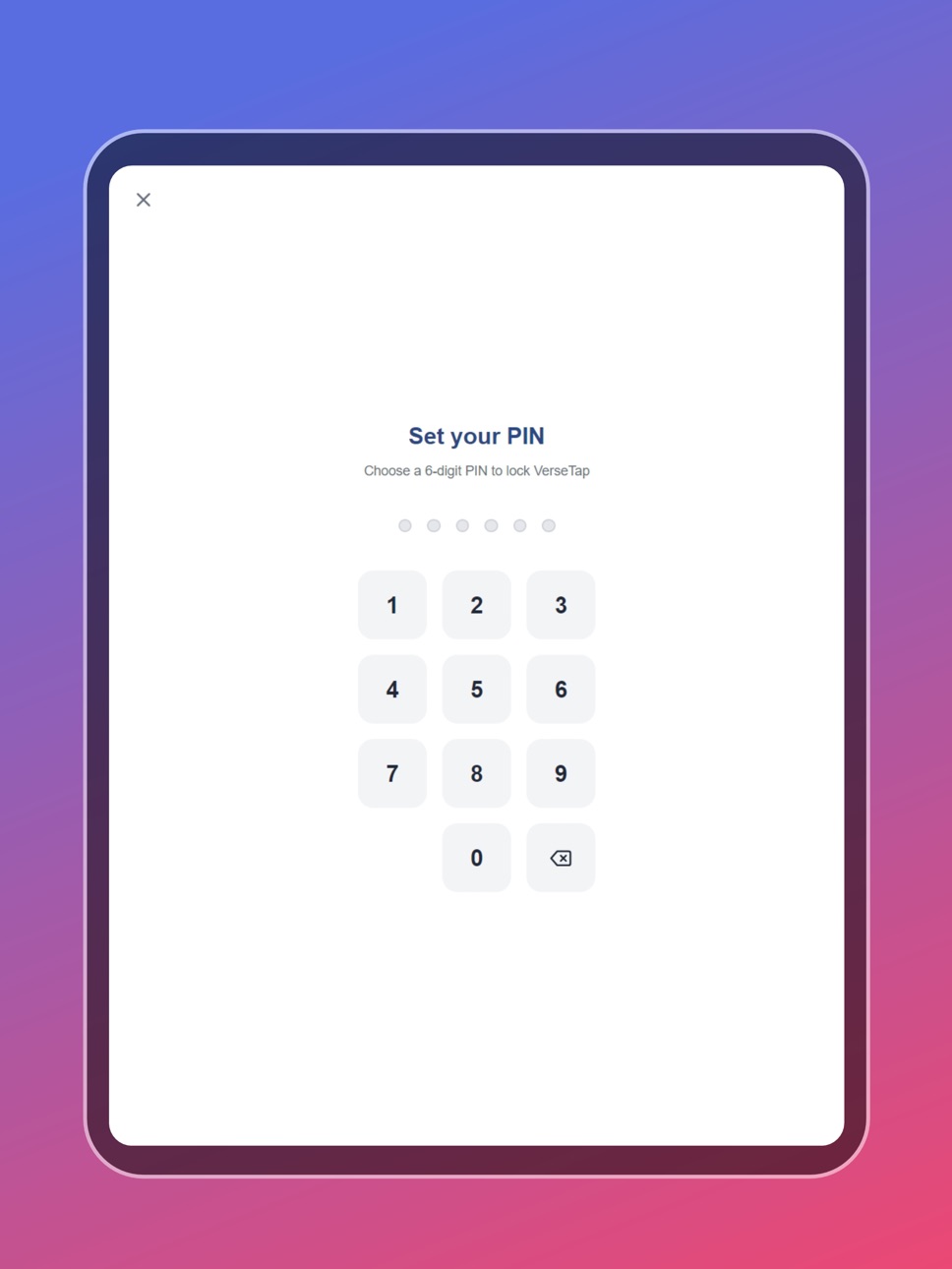
- PIN and biometric app lock to protect sensitive notes
- 6 themes and 4 font sizes for comfortable reading
DESIGNED FOR THE LONG HAUL
Build a searchable library of sermon notes that grows with your ministry. Find any note from years ago by searching a scripture reference, tag, or phrase. Your sermon archive is always with you and always offline.
FROM PORT HARCOURT, WITH LOVE.
VerseTap is built by Clarylife Global, Port Harcourt, Nigeria. Serving pastors and Bible students in 45+ countries.
Tap the Verse. Feel the Life.
Accessibility
ipadiphonemacrealityDevicetvoswatch
Version history 7 versions
Build 888019111v2.42026-07-09 05:06:23
This update brings the Word closer, faster.
Search the Bible by phrase — right inside the Study Bible. Type at least four words of a passage you remember, tap Search, and VerseTap finds it and scrolls you straight to the verse. No reference needed. This is for the moments when the passage is clear in your spirit but the address escapes you.
Study Bible now enters Focus Mode automatically when you open it. The status bar disappears, the screen stays on, and nothing competes for your attention. The same Focus Mode already available in note reading and writing now extends to every part of the app.
The side menu has been simplified. What's New and Send Feedback are removed. Connect & Support now handles everything in one place — Instagram, X, and direct support contact.
A few things that were quietly wrong are now right. The empty library screen no longer spans the full width of the phone. The app version displays correctly on all devices.
Build 888051274v2.90.02026-07-09 22:46:22
This update brings the Word closer, faster.
Search the Bible by phrase right inside the Study Bible. Type at least four words of a passage you remember, tap Search, and VerseTap finds it and scrolls you straight to the verse. No reference needed. This is for the moments when the passage is clear in your spirit but the address escapes you.
Study Bible now enters Focus Mode automatically when you open it. The status bar disappears, the screen stays on, and nothing competes for your attention. The same Focus Mode already available in note reading and writing now extends to every part of the app.
The side menu has been simplified. What's New and Send Feedback are removed. Connect & Support now handles everything in one place — Instagram, X, and direct support contact.
Build 887954190v2.32026-07-07 21:09:40
This update is built around one word: FOCUS.
FOCUS MODE
--------------
When you're in the middle of a message or deep in Scripture study, distractions cost more than time. They break the thread. They pull your attention to things that can wait.
Focus Mode now hides the status bar and gives the screen entirely to the Word. No notification badges. No visual clutter at the top. Just your notes, your Bible, and what God is saying.
When you start typing in a note, Focus Mode activates on its own. When you switch to reading a note, tap the Focus icon and the interface steps back. One tap exits. Simple.
This was built for ministers and Bible teachers who study in environments where a phone on the desk already signals distraction. Now VerseTap can be open during a service and still feel like a study tool, not a phone.
PDF Export, Fixed Properly
Sharing your notes as a PDF now looks the way it should.
Checklist items render with clean checkmarks. Spacing between list items is consistent. The note title sits clearly above all other content in the document, the way a title should. When you hand a PDF to your church or save it to your records, it now looks like something you meant to create.
Highlight Formatting
Highlighting now does exactly what you tell it to do.
Toggle it off and the cursor stays put. Drag-select a range, toggle highlighting off, and your selection holds. Starting a new paragraph no longer carries the old highlight into the new line.
Build 887746962v2.22026-07-04 05:13:11
Faster, smoother AI lookups. We tightened how VerseTap talks to its AI engine behind the scenes, so scripture detection runs leaner without any change to accuracy.
Fixed a freeze some users hit when switching between notes and the verse view. The app should feel more stable now, especially during longer note-taking sessions.
Verse numbers in Bible Study mode are now easier to tap. We gave them a clear highlighted look, so it's obvious you can tap a verse number to select it.
Build 887170547v2.12026-06-19 16:01:41
This update focuses on making your notes safer and more reliable. We've fixed an issue affecting incremental sync with Google Drive, so your downloads and restores now work exactly as expected. We've also strengthened how deleted notes are tracked across devices, so a note you delete on one device stays deleted everywhere, even after a sync or restore.
You'll also notice a smoother experience when working with your notes: we fixed a rare issue where double-tapping could create a duplicate note and resolved a conflict between long-pressing and scrolling on note cards.
As always, thank you for trusting VerseTap with your notes. Update now for a more stable, dependable experience.
Build 887132980v2.02026-06-18 20:00:07
Study Bible — Browse the Full Bible In-App:
You can now browse all 66 books of the Bible without leaving your notes. Open any book, jump to any chapter, long-press to select verses, and insert them directly into your notes. Offline. No internet needed.
Word Study — Original Greek and Hebrew:
Tap any underlined word in a KJV verse to see its original Greek or Hebrew entry: the word script, transliteration, pronunciation, definition, and how it's used across the Bible.
Cross-Device Sync That Actually Works:
Your notes now sync automatically every time you open the app and every time you return to it from the background. Full Restore has also been rebuilt to make sure Drive notes never silently overwrite your local notes.
Cleaner Recycle Bin:
Deleted notes now display with cleaner cards, better action buttons, and a smoother bulk delete experience.
Build 886473963v1.02026-06-12 11:53:18
No pricing data captured yet — comparisons appear once the app has paid storefronts or in-app purchases.
Availability 75 of 75 storefronts
| Region | Language | Price | Ratings | Avg | Version |
|---|---|---|---|---|---|
| NG | en-GB | Free | 5 | 5.0 | 2.90.0 |
| AG | en-GB | Free | 0 | — | 2.90.0 |
| AI | en-GB | Free | 0 | — | 2.90.0 |
| AO | en-GB | Free | 0 | — | 2.90.0 |
| AR | es-MX | Free | 0 | — | 2.90.0 |
| BB | en-GB | Free | 0 | — | 2.90.0 |
| BF | en-GB | Free | 0 | — | 2.90.0 |
| BJ | en-GB | Free | 0 | — | 2.90.0 |
| BO | es-MX | Free | 0 | — | 2.90.0 |
| BR | pt-BR | Free | 0 | — | 2.90.0 |
| BS | en-GB | Free | 0 | — | 2.90.0 |
| BW | en-GB | Free | 0 | — | 2.90.0 |
| BZ | en-GB | Free | 0 | — | 2.90.0 |
| CD | en-GB | Free | 0 | — | 2.90.0 |
| CG | en-GB | Free | 0 | — | 2.90.0 |
| CI | fr-FR | Free | 0 | — | 2.90.0 |
| CL | es-MX | Free | 0 | — | 2.90.0 |
| CM | fr-FR | Free | 0 | — | 2.90.0 |
| CO | es-MX | Free | 0 | — | 2.90.0 |
| CR | es-MX | Free | 0 | — | 2.90.0 |
| CV | en-GB | Free | 0 | — | 2.90.0 |
| DM | en-GB | Free | 0 | — | 2.90.0 |
| DO | es-MX | Free | 0 | — | 2.90.0 |
| DZ | en-GB | Free | 0 | — | 2.90.0 |
| EC | es-MX | Free | 0 | — | 2.90.0 |
| GA | fr-FR | Free | 0 | — | 2.90.0 |
| GD | en-GB | Free | 0 | — | 2.90.0 |
| GH | en-GB | Free | 0 | — | 2.90.0 |
| GM | en-GB | Free | 0 | — | 2.90.0 |
| GT | es-MX | Free | 0 | — | 2.90.0 |
| GW | en-GB | Free | 0 | — | 2.90.0 |
| GY | en-GB | Free | 0 | — | 2.90.0 |
| HN | es-MX | Free | 0 | — | 2.90.0 |
| JM | en-GB | Free | 0 | — | 2.90.0 |
| KE | en-GB | Free | 0 | — | 2.90.0 |
| KN | en-GB | Free | 0 | — | 2.90.0 |
| KY | en-GB | Free | 0 | — | 2.90.0 |
| LC | en-GB | Free | 0 | — | 2.90.0 |
| LR | en-GB | Free | 0 | — | 2.90.0 |
| LY | en-GB | Free | 0 | — | 2.90.0 |
| MA | en-GB | Free | 0 | — | 2.90.0 |
| MG | en-GB | Free | 0 | — | 2.90.0 |
| ML | en-GB | Free | 0 | — | 2.90.0 |
| MS | en-GB | Free | 0 | — | 2.90.0 |
| MU | en-GB | Free | 0 | — | 2.90.0 |
| MW | en-GB | Free | 0 | — | 2.90.0 |
| MX | es-MX | Free | 0 | — | 2.90.0 |
| MZ | en-GB | Free | 0 | — | 2.90.0 |
| NA | en-GB | Free | 0 | — | 2.90.0 |
| NE | en-GB | Free | 0 | — | 2.90.0 |
| NI | es-MX | Free | 0 | — | 2.90.0 |
| PA | es-MX | Free | 0 | — | 2.90.0 |
| PE | es-MX | Free | 0 | — | 2.90.0 |
| PY | es-MX | Free | 0 | — | 2.90.0 |
| RW | en-GB | Free | 0 | — | 2.90.0 |
| SC | en-GB | Free | 0 | — | 2.90.0 |
| SL | en-GB | Free | 0 | — | 2.90.0 |
| SN | en-GB | Free | 0 | — | 2.90.0 |
| SR | en-GB | Free | 0 | — | 2.90.0 |
| ST | en-GB | Free | 0 | — | 2.90.0 |
| SV | es-MX | Free | 0 | — | 2.90.0 |
| SZ | en-GB | Free | 0 | — | 2.90.0 |
| TC | en-GB | Free | 0 | — | 2.90.0 |
| TD | en-GB | Free | 0 | — | 2.90.0 |
| TN | en-GB | Free | 0 | — | 2.90.0 |
| TT | en-GB | Free | 0 | — | 2.90.0 |
| TZ | en-GB | Free | 0 | — | 2.90.0 |
| UG | en-GB | Free | 0 | — | 2.90.0 |
| US | en-US | Free | 0 | — | 2.90.0 |
| UY | en-GB | Free | 0 | — | 2.90.0 |
| VC | en-GB | Free | 0 | — | 2.90.0 |
| VE | es-MX | Free | 0 | — | 2.90.0 |
| VG | en-GB | Free | 0 | — | 2.90.0 |
| ZM | en-GB | Free | 0 | — | 2.90.0 |
| ZW | en-GB | Free | 0 | — | 2.90.0 |
Change log 11 changes · BJ
✎
releaseNotes updated
This update brings the Word closer, faster.
Search the Bible by phrase right inside the Study Bible. Type at least four words of a passage you remember, tap Se
✎
description updated
VerseTap is an AI sermon note-taking app built for pastors, Bible teachers, and serious students of the Word.
Type any scripture reference in your notes – John
✎
subtitle updated
AI Sermon Note Taker - Offline
✎
name updated
VerseTap
◆
Version 2.90.0 released
This update brings the Word closer, faster.
Search the Bible by phrase right inside the Study Bible. Type at least four words of a passage you remember, tap Search, and VerseTap finds it and scrolls you straight to the verse. No reference
◆
Version 2.4 released
This update brings the Word closer, faster.
Search the Bible by phrase — right inside the Study Bible. Type at least four words of a passage you remember, tap Search, and VerseTap finds it and scrolls you straight to the verse. No referenc
◆
Version 2.3 released
This update is built around one word: FOCUS.
FOCUS MODE
--------------
When you're in the middle of a message or deep in Scripture study, distractions cost more than time. They break the thread. They pull your attention to things that can
◆
Version 2.2 released
Faster, smoother AI lookups. We tightened how VerseTap talks to its AI engine behind the scenes, so scripture detection runs leaner without any change to accuracy.
Fixed a freeze some users hit when switching between notes and the verse vi
◆
Version 2.1 released
This update focuses on making your notes safer and more reliable. We've fixed an issue affecting incremental sync with Google Drive, so your downloads and restores now work exactly as expected. We've also strengthened how deleted notes are
◆
Version 2.0 released
Study Bible — Browse the Full Bible In-App:
You can now browse all 66 books of the Bible without leaving your notes. Open any book, jump to any chapter, long-press to select verses, and insert them directly into your notes. Offline. No inte
◆
Version 1.0 released