Home › Lifestyle

 PY
PY
 AGen-GB
 AIen-GB
 AOen-GB
 ARes-MX
 BBen-GB
 BFen-GB
 BJen-GB
 BOes-MX
 BRpt-BR
 BSen-GB
 BWen-GB
 BZen-GB
 CDen-GB
 CGen-GB
 CIfr-FR
 CLes-MX
 CMfr-FR
 COes-MX
 CRes-MX
 CVen-GB
 DMen-GB
 DOes-MX
 DZen-GB
 ECes-MX
 GAfr-FR
 GDen-GB
 GHen-GB
 GTes-MX
 GYen-GB
 HNes-MX
 JMen-GB
 KNen-GB
 KYen-GB
 LCen-GB
 LYen-GB
 MAen-GB
 MGen-GB
 MLen-GB
 MSen-GB
 MUen-GB
 MWen-GB
 MXes-MX
 MZen-GB
 NAen-GB
 NEen-GB
 NIes-MX
 PAes-MX
 PEes-MXPYes-MX
 SCen-GB
 SLen-GB
 SNen-GB
 SRen-GB
 SVes-MX
 TCen-GB
 TDen-GB
 TNen-GB
 TTen-GB
 TZen-GB
 UGen-GB
 USen-US
 UYen-GB
 VCen-GB
 VEes-MX
 VGen-GB
 ZMen-GB
 ZWen-GB
67 of 67 storefronts
Content in en-US
Content in en-US
Information
Preview 3 platforms
iPhone 6 images


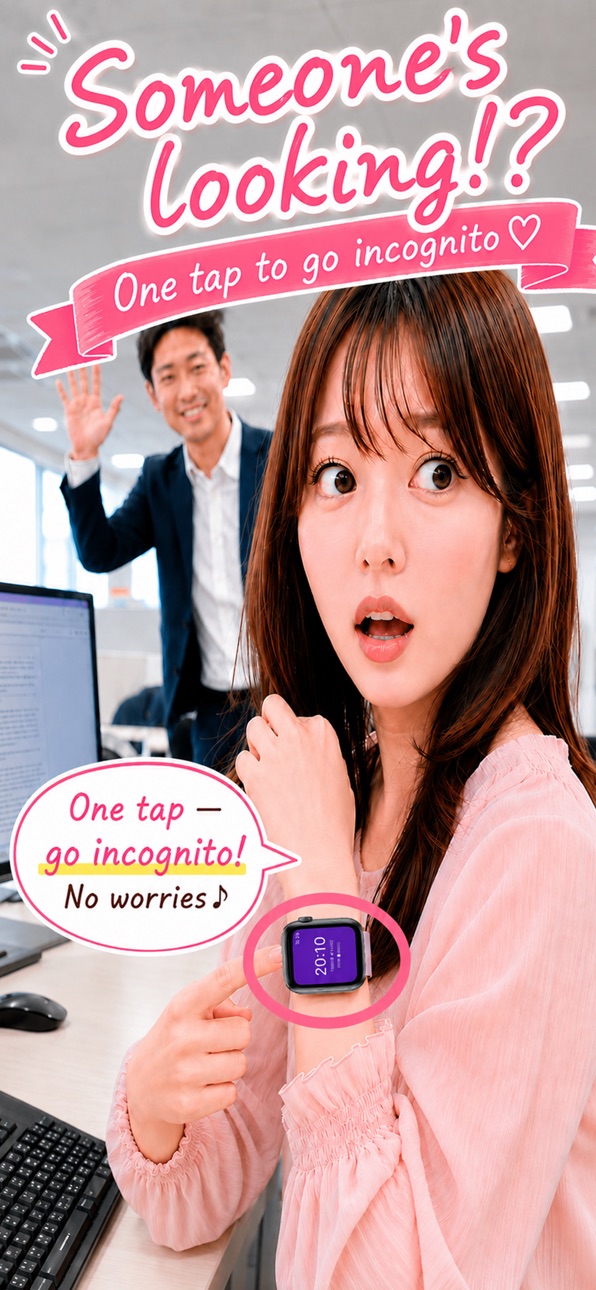
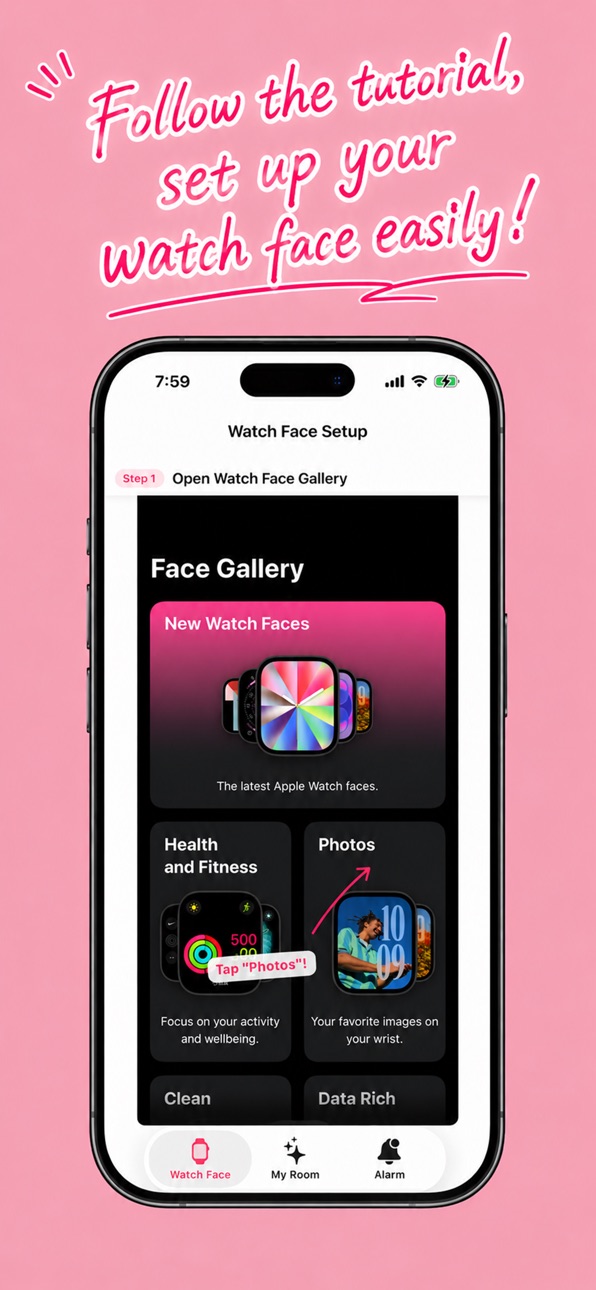
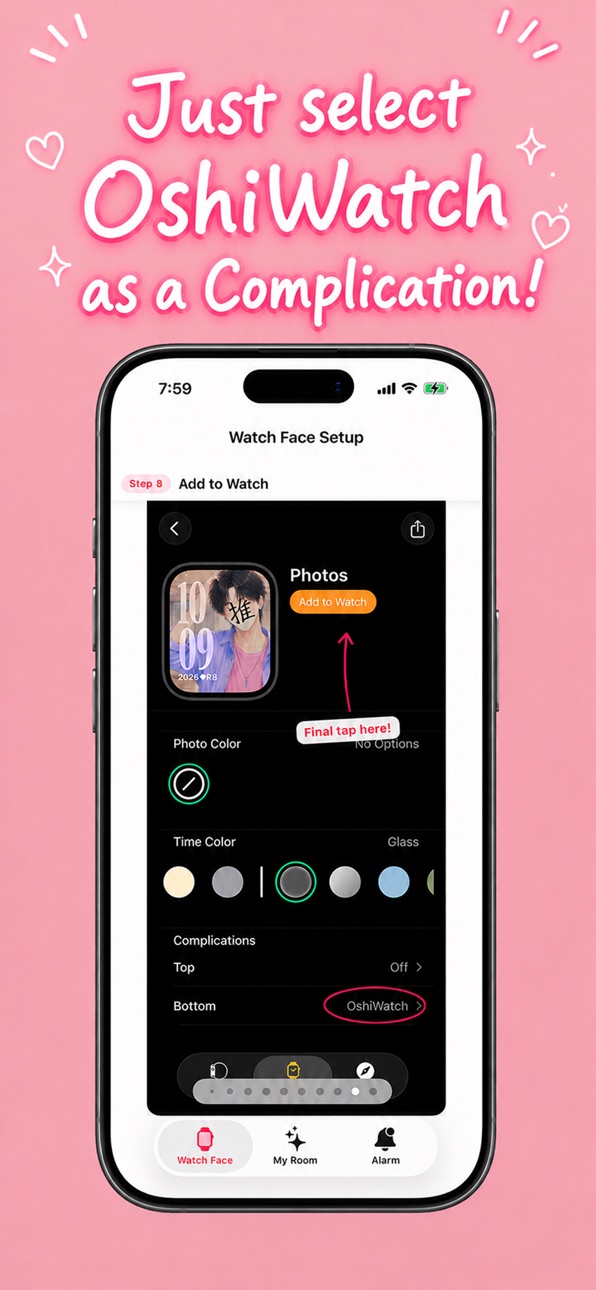

iPad 6 images
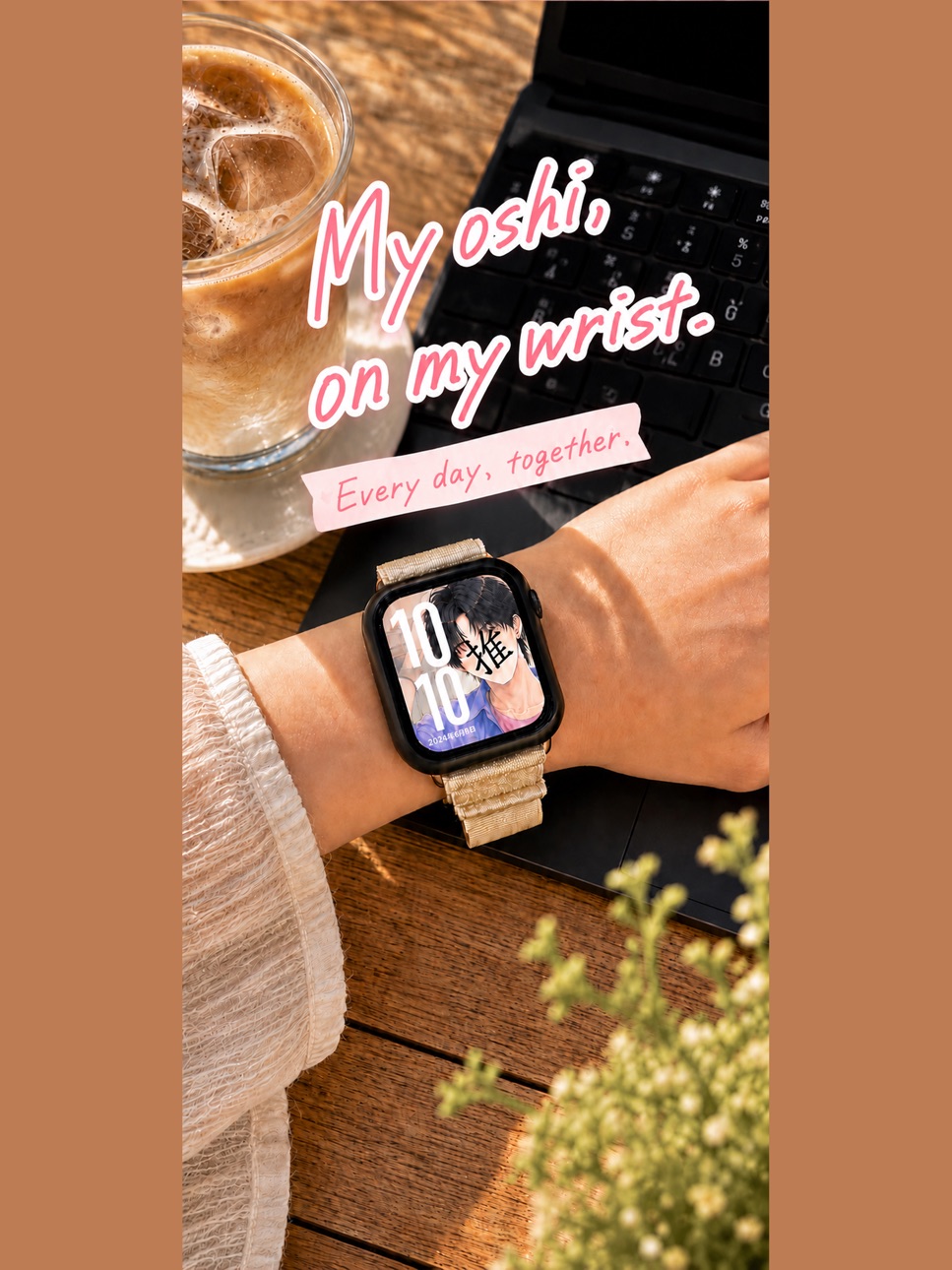


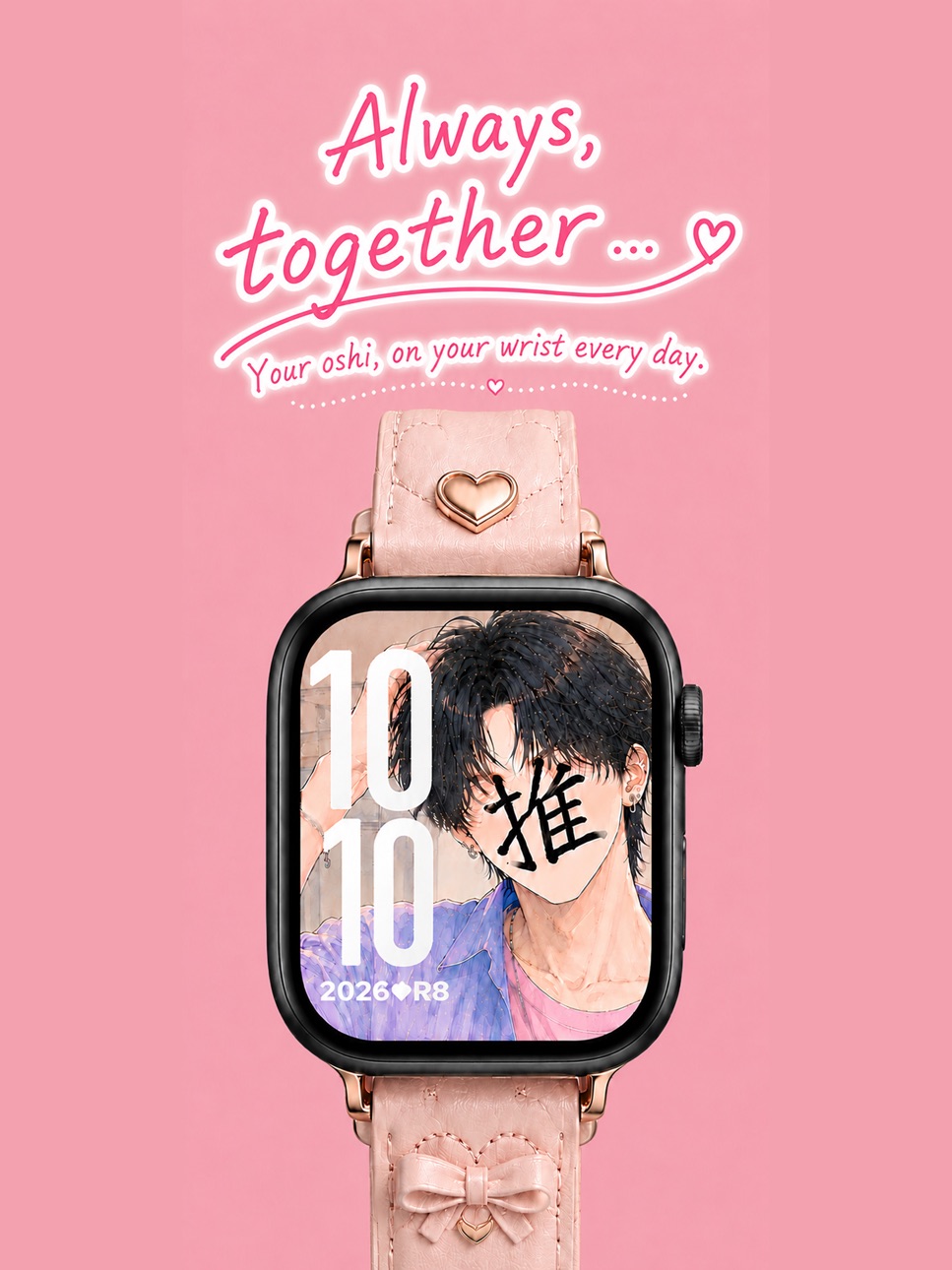

Apple Watch 2 images


What’s New Version 1.6
New: Secret Mode!
Keep your usual watch face. Add the complication, and your chosen
oshi image appears on your Watch with a single tap.
A moment of calm, in an instant.
- My Room reorganized into two styles: "1. Always with your oshi" / "2. Secretly with your oshi"
- Improved photo cropping
- Bug fixes
Description
OshiWatch is an Apple Watch app that lets you enjoy your oshi life more freely.
■ Oshi Watch Face
Set your favorite oshi image as your Apple Watch face from the Photos watch face gallery. Meet your oshi's eyes every time you check your watch.
■ Camo Mode — switch instantly with one tap
At work, on the train — no worries even when you can't show your oshi. Tap the ◆ mark on your watch face and it instantly switches to a simple clock screen. Press the Digital Crown to return to your oshi face.
■ NEW! Secret Mode — meet your oshi, secretly
Keep your usual watch face. Add the complication, and with a single tap, your chosen oshi image appears on your Watch. A moment of calm during your busy day. Lower your wrist, and everything returns to normal — as if nothing happened.
■ OshiWatch Complication
Add a date display with your oshi vibes:
- 2026◆R8 (Year + Japanese era, short)
- 26◆Reiwa 8 (2-digit year + full era)
- 05/31◆(日) (Date + weekday in Japanese)
- S◆31/05 (Weekday initial + day/month)
■ My Room
Customize the Camo Mode background color and set your Secret Mode image from your iPhone. Choose your style: "1. Always with your oshi" or "2. Secretly with your oshi." Settings sync to your Apple Watch instantly.
■ Oshi Alarm (Coming Soon)
An alarm app where your oshi gently wakes you with haptics is in development.
---
One-time purchase: ¥500 (7-day free trial included)
No subscription — buy once, use forever.
Capabilities
In-App Purchases
Accessibility
ipadiphonemacrealityDevicetvoswatch
Version history 6 versions
Build 887812771v1.62026-07-04 23:35:53
New: Secret Mode!
Keep your usual watch face. Add the complication, and your chosen
oshi image appears on your Watch with a single tap.
A moment of calm, in an instant.
- My Room reorganized into two styles: "1. Always with your oshi" / "2. Secretly with your oshi"
- Improved photo cropping
- Bug fixes
Build 887467973v1.52026-06-27 00:12:20
Improved purchase stability.
Build 887409389v1.42026-06-25 21:45:23
Cheering you on in your fan life! This update improves the purchase experience and includes minor adjustments.
Build 887355707v1.32026-06-24 02:50:40
Improved the purchase experience and made minor adjustments.
Build 886906171v1.22026-06-14 00:03:22
What's New:
• English is now supported! The app is fully available in English for international fans.
• Tutorial redesigned with a fresh new look.
• OshiWatch widget now displays in English on English-language devices.
• Share link now directs to your region's App Store.
Build 886317070v1.12026-06-11 13:34:29
No pricing data captured yet — comparisons appear once the app has paid storefronts or in-app purchases.
Availability 67 of 67 storefronts
| Region | Language | Price | Ratings | Avg | Version |
|---|---|---|---|---|---|
| AG | en-GB | Free | 0 | — | 1.6 |
| AI | en-GB | Free | 0 | — | 1.6 |
| AO | en-GB | Free | 0 | — | 1.6 |
| AR | es-MX | Free | 0 | — | 1.6 |
| BB | en-GB | Free | 0 | — | 1.6 |
| BF | en-GB | Free | 0 | — | 1.6 |
| BJ | en-GB | Free | 0 | — | 1.6 |
| BO | es-MX | Free | 0 | — | 1.6 |
| BR | pt-BR | Free | 0 | — | 1.6 |
| BS | en-GB | Free | 0 | — | 1.6 |
| BW | en-GB | Free | 0 | — | 1.6 |
| BZ | en-GB | Free | 0 | — | 1.6 |
| CD | en-GB | Free | 0 | — | 1.6 |
| CG | en-GB | Free | 0 | — | 1.6 |
| CI | fr-FR | Free | 0 | — | 1.6 |
| CL | es-MX | Free | 0 | — | 1.6 |
| CM | fr-FR | Free | 0 | — | 1.6 |
| CO | es-MX | Free | 0 | — | 1.6 |
| CR | es-MX | Free | 0 | — | 1.6 |
| CV | en-GB | Free | 0 | — | 1.6 |
| DM | en-GB | Free | 0 | — | 1.6 |
| DO | es-MX | Free | 0 | — | 1.6 |
| DZ | en-GB | Free | 0 | — | 1.6 |
| EC | es-MX | Free | 0 | — | 1.6 |
| GA | fr-FR | Free | 0 | — | 1.6 |
| GD | en-GB | Free | 0 | — | 1.6 |
| GH | en-GB | Free | 0 | — | 1.6 |
| GT | es-MX | Free | 0 | — | 1.6 |
| GY | en-GB | Free | 0 | — | 1.6 |
| HN | es-MX | Free | 0 | — | 1.6 |
| JM | en-GB | Free | 0 | — | 1.6 |
| KN | en-GB | Free | 0 | — | 1.6 |
| KY | en-GB | Free | 0 | — | 1.6 |
| LC | en-GB | Free | 0 | — | 1.6 |
| LY | en-GB | Free | 0 | — | 1.6 |
| MA | en-GB | Free | 0 | — | 1.6 |
| MG | en-GB | Free | 0 | — | 1.6 |
| ML | en-GB | Free | 0 | — | 1.6 |
| MS | en-GB | Free | 0 | — | 1.6 |
| MU | en-GB | Free | 0 | — | 1.6 |
| MW | en-GB | Free | 0 | — | 1.6 |
| MX | es-MX | Free | 0 | — | 1.6 |
| MZ | en-GB | Free | 0 | — | 1.6 |
| NA | en-GB | Free | 0 | — | 1.6 |
| NE | en-GB | Free | 0 | — | 1.6 |
| NI | es-MX | Free | 0 | — | 1.6 |
| PA | es-MX | Free | 0 | — | 1.6 |
| PE | es-MX | Free | 0 | — | 1.6 |
| PY | es-MX | Free | 0 | — | 1.6 |
| SC | en-GB | Free | 0 | — | 1.6 |
| SL | en-GB | Free | 0 | — | 1.6 |
| SN | en-GB | Free | 0 | — | 1.6 |
| SR | en-GB | Free | 0 | — | 1.6 |
| SV | es-MX | Free | 0 | — | 1.6 |
| TC | en-GB | Free | 0 | — | 1.6 |
| TD | en-GB | Free | 0 | — | 1.6 |
| TN | en-GB | Free | 0 | — | 1.6 |
| TT | en-GB | Free | 0 | — | 1.6 |
| TZ | en-GB | Free | 0 | — | 1.6 |
| UG | en-GB | Free | 0 | — | 1.6 |
| US | en-US | Free | 0 | — | 1.6 |
| UY | en-GB | Free | 0 | — | 1.6 |
| VC | en-GB | Free | 0 | — | 1.6 |
| VE | es-MX | Free | 0 | — | 1.6 |
| VG | en-GB | Free | 0 | — | 1.6 |
| ZM | en-GB | Free | 0 | — | 1.6 |
| ZW | en-GB | Free | 0 | — | 1.6 |
Change log 10 changes · PY
✎
releaseNotes updated
New: Secret Mode!
Keep your usual watch face. Add the complication, and your chosen
oshi image appears on your Watch with a single tap.
A moment of calm, in an
✎
description updated
OshiWatch is an Apple Watch app that lets you enjoy your oshi life more freely.
■ Oshi Watch Face
Set your favorite oshi image as your Apple Watch face from th
✎
subtitle updated
Your Bias on Your Wrist
✎
name updated
推しウォッチ
◆
Version 1.6 released
New: Secret Mode!
Keep your usual watch face. Add the complication, and your chosen
oshi image appears on your Watch with a single tap.
A moment of calm, in an instant.
- My Room reorganized into two styles: "1. Always with your oshi" / "
◆
Version 1.5 released
Improved purchase stability.
◆
Version 1.4 released
Cheering you on in your fan life! This update improves the purchase experience and includes minor adjustments.
◆
Version 1.3 released
Improved the purchase experience and made minor adjustments.
◆
Version 1.2 released
What's New:
• English is now supported! The app is fully available in English for international fans.
• Tutorial redesigned with a fresh new look.
• OshiWatch widget now displays in English on English-language devices.
• Share link now
◆
Version 1.1 released