Home › Productivity

 MO
MO
 TRen-GB
 AEen-GB
 AFen-GB
 AGen-GB
 AIen-GB
 ALen-GB
 AMen-GB
 AOen-GB
 ARes-MX
 AUen-AU
 AZen-GB
 BAen-GB
 BBen-GB
 BFen-GB
 BHen-GB
 BJen-GB
 BMen-GB
 BNen-GB
 BOes-MX
 BRpt-BR
 BSen-GB
 BTen-GB
 BWen-GB
 BYen-GB
 BZen-GB
 CAen-CA
 CDen-GB
 CGen-GB
 CHde-CH
 CIfr-FR
 CLes-MX
 CMfr-FR
 CNzh-Hans-CN
 COes-MX
 CRes-MX
 CVen-GB
 DMen-GB
 DOes-MX
 DZen-GB
 ECes-MX
 EGen-GB
 FJen-GB
 FMen-GB
 GAfr-FR
 GBen-GB
 GDen-GB
 GEen-GB
 GHen-GB
 GMen-GB
 GTes-MX
 GWen-GB
 GYen-GB
 HKzh-Hant-HK
 HNes-MX
 IDen-GB
 ILen-GB
 INen-GB
 IQen-GB
 ISen-GB
 JMen-GB
 JOen-GB
 JPja
JPja KEen-GB
 KGen-GB
 KHen-GB
 KNen-GB
 KRko
KRko KWen-GB
 KYen-GB
 KZen-GB
 LAen-GB
 LBen-GB
 LCen-GB
 LKen-GB
 LRen-GB
 LYen-GB
 MAen-GB
 MDen-GB
 MEen-GB
 MGen-GB
 MKen-GB
 MLen-GB
 MMen-GB
 MNen-GBMOzh-Hant-HK
 MRen-GB
 MSen-GB
 MUen-GB
 MVen-GB
 MWen-GB
 MXes-MX
 MYen-GB
 MZen-GB
 NAen-GB
 NEen-GB
 NGen-GB
 NIes-MX
 NOen-GB
 NPen-GB
 NRen-GB
 NZen-AU
 OMen-GB
 PAes-MX
 PEes-MX
 PGen-GB
 PHen-GB
 PKen-GB
 PWen-GB
 PYes-MX
 QAen-GB
 RSen-GB
 RUru
RUru RWen-GB
 SAen-GB
 SBen-GB
 SCen-GB
 SGen-GB
 SLen-GB
 SNen-GB
 SRen-GB
 STen-GB
 SVes-MX
 SZen-GB
 TCen-GB
 TDen-GB
 THen-GB
 TJen-GB
 TMen-GB
 TNen-GB
 TOen-GB
 TTen-GB
 TWzh-Hant-TW
 TZen-GB
 UAen-GB
 UGen-GB
 USen-US
 UYen-GB
 UZen-GB
 VCen-GB
 VEes-MX
 VGen-GB
 VNen-GB
 VUen-GB
 XKen-GB
 YEen-GB
 ZAen-GB
 ZMen-GB
 ZWen-GB
 ATNot Available
 BENot Available
 BGNot Available
 CYNot Available
 CZNot Available
 DENot Available
 DKNot Available
 EENot Available
 ESNot Available
 FINot Available
 FRNot Available
 GRNot Available
 HRNot Available
 HUNot Available
 IENot Available
 ITNot Available
 LTNot Available
 LUNot Available
 LVNot Available
 MTNot Available
 NLNot Available
 PLNot Available
 PTNot Available
 RONot Available
 SENot Available
 SINot Available
 SKNot Available
148 of 175 storefronts
Content in en-US
Content in en-US
Information
Icon history 2 versions
Current←
 Previous
Preview 2 platforms
iPhone 5 images

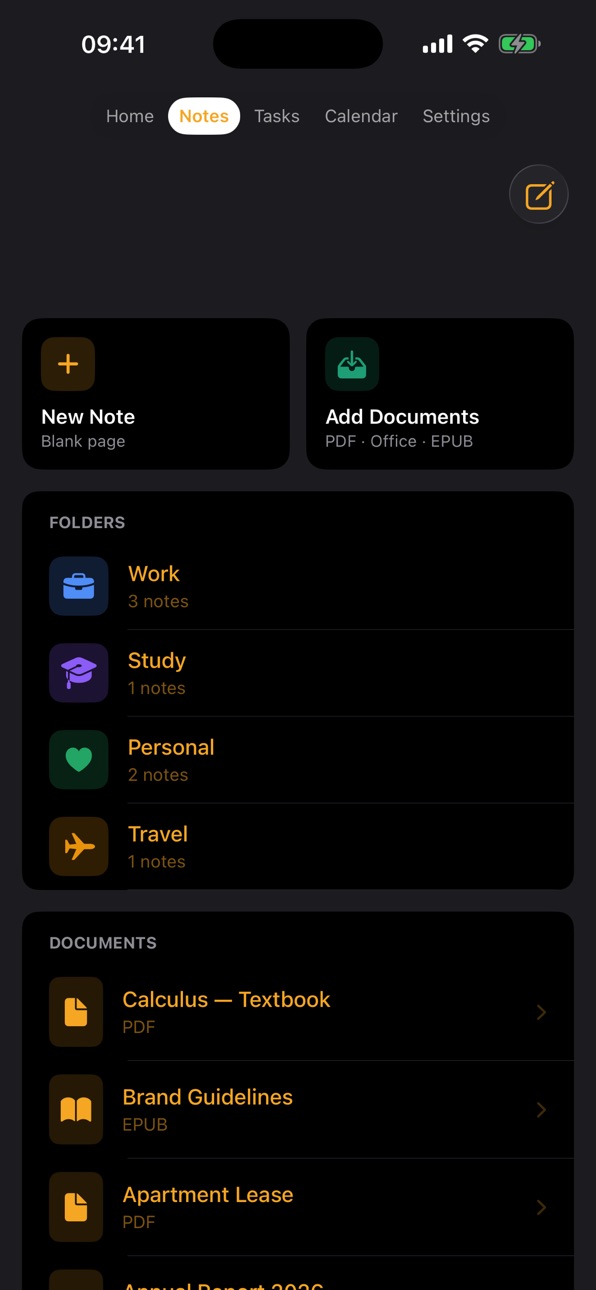


iPad 4 images


What’s New Version 1.5
Calorie tracking redesigned, and everything feels smoother!
• Brand-new calorie screen: a big remaining-calories ring, daily protein/carb/fat totals, and a Last 7 Days chart.
• One-tap meal logging: tap a meal icon, snap a photo, and let AI count the calories — your photos are never saved.
• Your calorie profile now lives under Settings > Account.
• AI now speaks your language: summaries and analyses follow the app language, while writing tools preserve your note's own language.
• Swipe fixed in lists: swiping left or right now only reveals Delete — it no longer opens the note.
• Note and document rows now respond to taps anywhere on the row.
• Typed notes now start at the margin line on ruled paper — just like a real notebook.
• Clearer sidebar filters on iPad: tapping opens the list, and "Unfiled" says exactly what it shows.
• General improvements and bug fixes.
Your feedback shapes LuNote — thank you!
Description
Write with Apple Pencil on lined, grid, or dotted paper. Add photos, documents, and PDFs directly to your notes. Switch between handwriting and typing instantly.
Calendar & Tasks
Stay on top of your schedule with a beautiful calendar that syncs with iPhone Calendar. Set reminders, create recurring events, and manage tasks with groups and priorities.
Meeting Recorder
Record meetings and lectures, then transcribe them automatically. Get AI-powered meeting summaries with key topics and decisions.
Library
Read EPUB books and PDF documents with annotation support. Scan physical documents directly into PDF format.
Calculator
A powerful scientific calculator with calculation history. Edit past calculations and see updated results instantly.
Weather Widget
See today's weather at a glance on the home screen.
LuNote works beautifully on iPad with full Apple Pencil support, and on iPhone for quick notes and task management on the go.
Privacy Policy: https://lunote.app/privacy.html
Terms of Use (EULA): https://lunote.app/terms.html
In-App Purchases MO pricing
LuNote Premium Subscription
Agenda Plan · Monthly—
Agenda Plan · Yearly—
Capabilities
In-App Purchases
Accessibility
ipadiphonemacrealityDevicetvoswatch
Version history 10 versions
Build 888158067v1.102026-07-11 23:14:41
Calorie tracking redesigned, and everything feels smoother!
• Brand-new calorie screen: a big remaining-calories ring, daily protein/carb/fat totals, and a Last 7 Days chart.
• One-tap meal logging: tap a meal icon, snap a photo, and let AI count the calories — your photos are never saved.
• Your calorie profile now lives under Settings > Account.
• AI now speaks your language: summaries and analyses follow the app language, while writing tools preserve your note's own language.
• Swipe fixed in lists: swiping left or right now only reveals Delete — it no longer opens the note.
• Note and document rows now respond to taps anywhere on the row.
• Typed notes now start at the margin line on ruled paper — just like a real notebook.
• Clearer sidebar filters on iPad: tapping opens the list, and "Unfiled" says exactly what it shows.
• General improvements and bug fixes.
Your feedback shapes LuNote — thank you!
Build 888113371v1.92026-07-10 22:25:10
Calorie tracking, redesigned!
• Brand-new calorie screen: a big ring showing your remaining calories, clear at a glance.
• Daily macro summary: protein, carb, and fat totals right on the main screen.
• Last 7 Days chart: see your weekly calorie balance against your goal line.
• One-tap meal logging: tap a meal icon, snap a photo, and let AI count the calories.
• Confidence indicator on results, and full privacy: your food photos are never saved.
• Your calorie profile now lives under Settings > Account — personal info in one place.
• AI now speaks your language: summaries and analyses follow the app language, while writing tools preserve your note's own language.
• General improvements and bug fixes.
Your feedback shapes LuNote — thank you!
Build 888025037v1.82026-07-09 05:37:01
This release is a top-to-bottom smoothness and stability update:
• The app is dramatically more fluid: notes open instantly, with no lag while typing or tapping.
• PDF annotation rebuilt — the pen now draws flawlessly in both reading and presentation mode, and your ink stays anchored to the page.
• New floating pen bar: drag it to any edge, hide it, and pick from three eraser sizes (S/M/L).
• Apple Pencil now draws only in notes and PDFs — everywhere else it behaves like a finger.
• Tap typed text to place the cursor there; tap empty space to continue writing from that spot.
• Scans now look like real documents: white background, crisp text, and clean black-and-white PDFs in B/W mode.
• Tags and people in Tasks: filter by tag or assignee from the sidebar, and assign owners to tasks.
• The Calendar opens at the current hour, and iPhone calendar events can now be tapped and edited.
• The "Continue Editing" card now shows and opens the note you last worked on.
• Fixed sharing, note thumbnails, account info display, and the verification email timer.
Shaped by your feedback — thank you!
Build 887935599v1.72026-07-08 05:24:05
This update is all about smoothness and everyday ease:
• The Calendar now opens right at your current hour — no more scrolling up from midnight.
• Events from your iPhone Calendar can now be tapped to edit and update.
• New floating pen: drag the pen to any corner of the screen in notes, PDFs, and presentation mode — and hide it when you're done.
• Redesigned Account section: your email, name, sign-in method (Apple/Google/email), and plan at a glance.
• More reliable tap-to-open, swipe-to-delete, and move-to-folder in Notes.
• Fixed drawing, page turns, and sharing in PDFs and documents.
• The verification email "resend" timer now counts down correctly even when the app is backgrounded.
• General performance improvements and bug fixes.
Thanks for all your feedback!
Build 887868245v1.62026-07-07 05:41:22
This is a big one: a fresh look, much wider device support, and smoothness everywhere.
• Brand-new app icon and a refreshed look — warmer and calmer
• Now runs on ALL devices with iOS 17 or later (iPhone Xs and newer)
• All-new Tasks: areas, projects, recurring tasks, templates — your existing tasks migrate automatically
• Write on PDFs like paper: ink sticks to the page — scroll, zoom and turn pages with your fingers while the pencil draws
• Smoother than ever: faster handwriting, stutter-free scrolling, ink that stays sharp when zoomed
• iPhone note editor now writes on real paper — text sits on the lines; pick paper pattern (lined/grid/dots) and color right inside the note
• Swipe to delete, long-press to rename or move to a folder, A–Z / date sorting, drag & drop into folders
• "Continue editing" opens your note directly
• Share notes with a link or code; full backups including handwriting; undo/redo for everything
• Dozens of fixes across presentation mode, calendar, voice recordings and UI; performance and security improvements
Build 887836268v1.52026-07-05 03:36:02
Smoother, faster, and more powerful than ever.
• Buttery-smooth zoom — pan and pinch your notes like real paper, no lag
• Draw on images with your finger or Apple Pencil, just like PDFs
• Write directly on PDFs — ink stays put when you turn the page
• AI Organize — LuNote finds related notes & documents and files them into folders for you (handwriting, PDFs, typed notes)
• Beautiful paper — 15 background colors and new templates (College Rule, Manuscript, Hexagonal, Columns)
• Typed text now lines up perfectly on ruled paper at any spacing
• Reorder folders by dragging; rename or delete with a long press
• Color-coded highlight navigator to jump between marked pages
• Faster imports — no more freezing on large files
• Draw with your finger on iPhone
• Stability and performance improvements throughout
Thanks for using LuNote! Questions or ideas? We'd love to hear from you.
Build 887734314v1.42026-07-04 05:17:02
Our biggest update yet — better reading, studying, tasks and peace of mind:
• Read PDFs & books naturally — smooth vertical scrolling, a presentation mode for slide-style page turns, jump to any page, and pick up right where you left off
• New highlight navigator — a color-coded bar shows every page you've marked; tap a mark to jump straight there (red to red, yellow to yellow)
• Draw & highlight with your finger on iPhone — no Apple Pencil required — and a cleaner, less cluttered drawing toolbar on iPad
• Tasks made easier — a clear, always-there add button and smoother quick-add
• Better calendar — move week by week with a swipe or the arrows, jump right to the next day, and collapse the weather bar when you don't need it; smoother note zoom too
• More reliable voice dictation — on-device transcription that works offline, with clearer feedback when you're recording
• Smarter AI — study questions and flashcards focus on the actual material, and AI tools show a clear loading state
• Automatic backups — keep a safe local snapshot, plus clearer account and iCloud sync info (signing out never deletes your notes)
• New Note opens straight into full-screen, swipe left to delete notes and documents, clearer subscription status, email verification and password reset, and a dark-mode Settings fix
Thanks for using LuNote! We read every review.
Build 887704703v1.32026-07-02 05:46:25
Thanks for using LuNote! A big update — new features, a smoother editor, and lots of fixes:
NEW
• Tasks, reimagined — projects, smart lists (Today, Upcoming, Inbox) and board, list, calendar & stats views
• Full undo/redo in the note editor — pen strokes, text, handwriting-to-text and images can all be undone and redone
• Location reminders — get notified when you arrive at or leave a place
• Note templates — Cornell, Lecture, Meeting and Daily Planner
• Import Notability & GoodNotes backups from Google Drive, iCloud or Files
• Rate LuNote right from the app
IMPROVED
• EPUB reader — smooth swipe page turns and working text-size control
• Cleaner, faster Tasks and note toolbars on every iPhone
• Handwriting → Text now replaces the ink cleanly
• Task reminders respect your "Default Reminder" timing
FIXED
• Sign in with Apple & Google (fixed a Google sign-in crash)
• Sign out now works correctly
• Presentation mode: ink stays with the page while swiping
• Many other fixes and refinements
Available in 11 languages. We'd love your feedback!
Build 887671166v1.22026-07-01 15:46:16
Thanks for using LuNote! This is our first big update — packed with new features and fixes:
NEW
• Tasks, reimagined — projects, smart lists (Today, Upcoming, Inbox, Ad-hoc) and board, list, calendar, gallery and stats views
• Location reminders — get notified the moment you arrive at or leave a place
• Note templates — Cornell, Lecture, Meeting and Daily Planner
• In-app User Guide and a guided welcome tour to discover every feature
• Available in 11 languages
IMPROVED
• EPUB reader — smooth swipe page turns and adjustable text size
• Faster, cleaner Tasks screen on iPhone
• Task reminders now respect your "Default Reminder" timing
FIXED
• Sign in with Apple and Google reliability (fixed a Google sign-in crash)
• Sign out now works correctly
• AI presentation builder and several other fixes
We'd love to hear what you think — thank you for your support!
Build 886279535v1.12026-06-30 21:20:57
Price history by region
Currency
Show
Columns
Search
Availability 148 of 175 storefronts
| Region | Language | Price | Ratings | Avg | Version |
|---|---|---|---|---|---|
| TR | en-GB | Free | 4 | 5.0 | 1.5 |
| AE | en-GB | Free | 0 | — | 1.5 |
| AF | en-GB | Free | 0 | — | 1.5 |
| AG | en-GB | Free | 0 | — | 1.5 |
| AI | en-GB | Free | 0 | — | 1.5 |
| AL | en-GB | Free | 0 | — | 1.5 |
| AM | en-GB | Free | 0 | — | 1.5 |
| AO | en-GB | Free | 0 | — | 1.5 |
| AR | es-MX | Free | 0 | — | 1.5 |
| AU | en-AU | Free | 0 | — | 1.5 |
| AZ | en-GB | Free | 0 | — | 1.5 |
| BA | en-GB | Free | 0 | — | 1.5 |
| BB | en-GB | Free | 0 | — | 1.5 |
| BF | en-GB | Free | 0 | — | 1.5 |
| BH | en-GB | Free | 0 | — | 1.5 |
| BJ | en-GB | Free | 0 | — | 1.5 |
| BM | en-GB | Free | 0 | — | 1.5 |
| BN | en-GB | Free | 0 | — | 1.5 |
| BO | es-MX | Free | 0 | — | 1.5 |
| BR | pt-BR | Free | 0 | — | 1.5 |
| BS | en-GB | Free | 0 | — | 1.5 |
| BT | en-GB | Free | 0 | — | 1.5 |
| BW | en-GB | Free | 0 | — | 1.5 |
| BY | en-GB | Free | 0 | — | 1.5 |
| BZ | en-GB | Free | 0 | — | 1.5 |
| CA | en-CA | Free | 0 | — | 1.5 |
| CD | en-GB | Free | 0 | — | 1.5 |
| CG | en-GB | Free | 0 | — | 1.5 |
| CH | de-CH | Free | 0 | — | 1.5 |
| CI | fr-FR | Free | 0 | — | 1.5 |
| CL | es-MX | Free | 0 | — | 1.5 |
| CM | fr-FR | Free | 0 | — | 1.5 |
| CN | zh-Hans-CN | Free | 0 | — | 1.5 |
| CO | es-MX | Free | 0 | — | 1.5 |
| CR | es-MX | Free | 0 | — | 1.5 |
| CV | en-GB | Free | 0 | — | 1.5 |
| DM | en-GB | Free | 0 | — | 1.5 |
| DO | es-MX | Free | 0 | — | 1.5 |
| DZ | en-GB | Free | 0 | — | 1.5 |
| EC | es-MX | Free | 0 | — | 1.5 |
| EG | en-GB | Free | 0 | — | 1.5 |
| FJ | en-GB | Free | 0 | — | 1.5 |
| FM | en-GB | Free | 0 | — | 1.5 |
| GA | fr-FR | Free | 0 | — | 1.5 |
| GB | en-GB | Free | 0 | — | 1.5 |
| GD | en-GB | Free | 0 | — | 1.5 |
| GE | en-GB | Free | 0 | — | 1.5 |
| GH | en-GB | Free | 0 | — | 1.5 |
| GM | en-GB | Free | 0 | — | 1.5 |
| GT | es-MX | Free | 0 | — | 1.5 |
| GW | en-GB | Free | 0 | — | 1.5 |
| GY | en-GB | Free | 0 | — | 1.5 |
| HK | zh-Hant-HK | Free | 0 | — | 1.5 |
| HN | es-MX | Free | 0 | — | 1.5 |
| ID | en-GB | Free | 0 | — | 1.5 |
| IL | en-GB | Free | 0 | — | 1.5 |
| IN | en-GB | Free | 0 | — | 1.5 |
| IQ | en-GB | Free | 0 | — | 1.5 |
| IS | en-GB | Free | 0 | — | 1.5 |
| JM | en-GB | Free | 0 | — | 1.5 |
| JO | en-GB | Free | 0 | — | 1.5 |
| JP | ja | Free | 0 | — | 1.5 |
| KE | en-GB | Free | 0 | — | 1.5 |
| KG | en-GB | Free | 0 | — | 1.5 |
| KH | en-GB | Free | 0 | — | 1.5 |
| KN | en-GB | Free | 0 | — | 1.5 |
| KR | ko | Free | 0 | — | 1.5 |
| KW | en-GB | Free | 0 | — | 1.5 |
| KY | en-GB | Free | 0 | — | 1.5 |
| KZ | en-GB | Free | 0 | — | 1.5 |
| LA | en-GB | Free | 0 | — | 1.5 |
| LB | en-GB | Free | 0 | — | 1.5 |
| LC | en-GB | Free | 0 | — | 1.5 |
| LK | en-GB | Free | 0 | — | 1.5 |
| LR | en-GB | Free | 0 | — | 1.5 |
| LY | en-GB | Free | 0 | — | 1.5 |
| MA | en-GB | Free | 0 | — | 1.5 |
| MD | en-GB | Free | 0 | — | 1.5 |
| ME | en-GB | Free | 0 | — | 1.5 |
| MG | en-GB | Free | 0 | — | 1.5 |
| MK | en-GB | Free | 0 | — | 1.5 |
| ML | en-GB | Free | 0 | — | 1.5 |
| MM | en-GB | Free | 0 | — | 1.5 |
| MN | en-GB | Free | 0 | — | 1.5 |
| MO | zh-Hant-HK | Free | 0 | — | 1.5 |
| MR | en-GB | Free | 0 | — | 1.5 |
| MS | en-GB | Free | 0 | — | 1.5 |
| MU | en-GB | Free | 0 | — | 1.5 |
| MV | en-GB | Free | 0 | — | 1.5 |
| MW | en-GB | Free | 0 | — | 1.5 |
| MX | es-MX | Free | 0 | — | 1.5 |
| MY | en-GB | Free | 0 | — | 1.5 |
| MZ | en-GB | Free | 0 | — | 1.5 |
| NA | en-GB | Free | 0 | — | 1.5 |
| NE | en-GB | Free | 0 | — | 1.5 |
| NG | en-GB | Free | 0 | — | 1.5 |
| NI | es-MX | Free | 0 | — | 1.5 |
| NO | en-GB | Free | 0 | — | 1.5 |
| NP | en-GB | Free | 0 | — | 1.5 |
| NR | en-GB | Free | 0 | — | 1.5 |
| NZ | en-AU | Free | 0 | — | 1.5 |
| OM | en-GB | Free | 0 | — | 1.5 |
| PA | es-MX | Free | 0 | — | 1.5 |
| PE | es-MX | Free | 0 | — | 1.5 |
| PG | en-GB | Free | 0 | — | 1.5 |
| PH | en-GB | Free | 0 | — | 1.5 |
| PK | en-GB | Free | 0 | — | 1.5 |
| PW | en-GB | Free | 0 | — | 1.5 |
| PY | es-MX | Free | 0 | — | 1.5 |
| QA | en-GB | Free | 0 | — | 1.5 |
| RS | en-GB | Free | 0 | — | 1.5 |
| RU | ru | Free | 0 | — | 1.5 |
| RW | en-GB | Free | 0 | — | 1.5 |
| SA | en-GB | Free | 0 | — | 1.5 |
| SB | en-GB | Free | 0 | — | 1.5 |
| SC | en-GB | Free | 0 | — | 1.5 |
| SG | en-GB | Free | 0 | — | 1.5 |
| SL | en-GB | Free | 0 | — | 1.5 |
| SN | en-GB | Free | 0 | — | 1.5 |
| SR | en-GB | Free | 0 | — | 1.5 |
| ST | en-GB | Free | 0 | — | 1.5 |
| SV | es-MX | Free | 0 | — | 1.5 |
| SZ | en-GB | Free | 0 | — | 1.5 |
| TC | en-GB | Free | 0 | — | 1.5 |
| TD | en-GB | Free | 0 | — | 1.5 |
| TH | en-GB | Free | 0 | — | 1.5 |
| TJ | en-GB | Free | 0 | — | 1.5 |
| TM | en-GB | Free | 0 | — | 1.5 |
| TN | en-GB | Free | 0 | — | 1.5 |
| TO | en-GB | Free | 0 | — | 1.5 |
| TT | en-GB | Free | 0 | — | 1.5 |
| TW | zh-Hant-TW | Free | 0 | — | 1.5 |
| TZ | en-GB | Free | 0 | — | 1.5 |
| UA | en-GB | Free | 0 | — | 1.5 |
| UG | en-GB | Free | 0 | — | 1.5 |
| US | en-US | Free | 0 | — | 1.10 |
| UY | en-GB | Free | 0 | — | 1.5 |
| UZ | en-GB | Free | 0 | — | 1.5 |
| VC | en-GB | Free | 0 | — | 1.5 |
| VE | es-MX | Free | 0 | — | 1.5 |
| VG | en-GB | Free | 0 | — | 1.5 |
| VN | en-GB | Free | 0 | — | 1.5 |
| VU | en-GB | Free | 0 | — | 1.5 |
| XK | en-GB | Free | 0 | — | 1.5 |
| YE | en-GB | Free | 0 | — | 1.5 |
| ZA | en-GB | Free | 0 | — | 1.5 |
| ZM | en-GB | Free | 0 | — | 1.5 |
| ZW | en-GB | Free | 0 | — | 1.5 |
Not available in: AT, BE, BG, CY, CZ, DE, DK, EE, ES, FI, FR, GR, HR, HU, IE, IT, LT, LU, LV, MT, NL, PL, PT, RO, SE, SI, SK
Change log 18 changes · MO
✎
releaseNotes updated
Calorie tracking redesigned, and everything feels smoother!
• Brand-new calorie screen: a big remaining-calories ring, daily protein/carb/fat totals, and a La
✎
subtitle updated
Notes, PDF, Scan & Handwriting
▣
App icon changed
◆
Version changed
1.5 → 1.10
◆
Version 1.10 released
Calorie tracking redesigned, and everything feels smoother!
• Brand-new calorie screen: a big remaining-calories ring, daily protein/carb/fat totals, and a Last 7 Days chart.
• One-tap meal logging: tap a meal icon, snap a photo, and let
◆
Version 1.9 released
Calorie tracking, redesigned!
• Brand-new calorie screen: a big ring showing your remaining calories, clear at a glance.
• Daily macro summary: protein, carb, and fat totals right on the main screen.
• Last 7 Days chart: see your weekly c
◆
Version 1.8 released
This release is a top-to-bottom smoothness and stability update:
• The app is dramatically more fluid: notes open instantly, with no lag while typing or tapping.
• PDF annotation rebuilt — the pen now draws flawlessly in both reading and p
◆
Version 1.7 released
This update is all about smoothness and everyday ease:
• The Calendar now opens right at your current hour — no more scrolling up from midnight.
• Events from your iPhone Calendar can now be tapped to edit and update.
• New floating pen: d
◆
Version 1.6 released
This is a big one: a fresh look, much wider device support, and smoothness everywhere.
• Brand-new app icon and a refreshed look — warmer and calmer
• Now runs on ALL devices with iOS 17 or later (iPhone Xs and newer)
• All-new Tasks: area
✎
releaseNotes updated
Smoother, faster, and more powerful than ever.
• Buttery-smooth zoom — pan and pinch your notes like real paper, no lag
• Draw on images with your finger or Ap
✎
description updated
Write with Apple Pencil on lined, grid, or dotted paper. Add photos, documents, and PDFs directly to your notes. Switch between handwriting and typing instantly
✎
subtitle updated
Not, Takvim, Görev, Kitaplık
✎
name updated
LuNote: All-in-One Planner
◆
Version 1.5 released
Smoother, faster, and more powerful than ever.
• Buttery-smooth zoom — pan and pinch your notes like real paper, no lag
• Draw on images with your finger or Apple Pencil, just like PDFs
• Write directly on PDFs — ink stays put when you tur
◆
Version 1.4 released
Our biggest update yet — better reading, studying, tasks and peace of mind:
• Read PDFs & books naturally — smooth vertical scrolling, a presentation mode for slide-style page turns, jump to any page, and pick up right where you left off
•
◆
Version 1.3 released
Thanks for using LuNote! A big update — new features, a smoother editor, and lots of fixes:
NEW
• Tasks, reimagined — projects, smart lists (Today, Upcoming, Inbox) and board, list, calendar & stats views
• Full undo/redo in the note edito
◆
Version 1.2 released
Thanks for using LuNote! This is our first big update — packed with new features and fixes:
NEW
• Tasks, reimagined — projects, smart lists (Today, Upcoming, Inbox, Ad-hoc) and board, list, calendar, gallery and stats views
• Location remin
◆
Version 1.1 released