Home › Photo & Video

 QA
QA
 CNzh-Hans-CN
 USen-US
 AEen-GB
 AFen-GB
 AGen-GB
 AIen-GB
 ALen-GB
 AMen-GB
 AOen-GB
 ARes-MX
 ATde-DE
 AUen-AU
 AZen-GB
 BAen-GB
 BBen-GB
 BEen-GB
 BFen-GB
 BGen-GB
 BHen-GB
 BJen-GB
 BMen-GB
 BNen-GB
 BOes-MX
 BRpt-BR
 BSen-GB
 BTen-GB
 BWen-GB
 BYen-GB
 BZen-GB
 CAen-CA
 CDen-GB
 CGen-GB
 CHde-CH
 CIfr-FR
 CLes-MX
 CMfr-FR
 COes-MX
 CRes-MX
 CVen-GB
 CYen-GB
 CZen-GB
 DEde-DE
 DKen-GB
 DMen-GB
 DOes-MX
 DZen-GB
 ECes-MX
 EEen-GB
 EGen-GB
 ESes-ES
 FIen-GB
 FJen-GB
 FMen-GB
 FRfr-FR
 GAfr-FR
 GBen-GB
 GDen-GB
 GEen-GB
 GHen-GB
 GMen-GB
 GRen-GB
 GTes-MX
 GWen-GB
 GYen-GB
 HKzh-Hant-HK
 HNes-MX
 HRen-GB
 HUen-GB
 IDen-GB
 IEen-GB
 ILen-GB
 INen-GB
 IQen-GB
 ISen-GB
 ITit
ITit JMen-GB
 JOen-GB
 JPja
JPja KEen-GB
 KGen-GB
 KHen-GB
 KNen-GB
 KRko
KRko KWen-GB
 KYen-GB
 KZen-GB
 LAen-GB
 LBen-GB
 LCen-GB
 LKen-GB
 LRen-GB
 LTen-GB
 LUen-GB
 LVen-GB
 LYen-GB
 MAen-GB
 MDen-GB
 MEen-GB
 MGen-GB
 MKen-GB
 MLen-GB
 MMen-GB
 MNen-GB
 MOzh-Hant-HK
 MRen-GB
 MSen-GB
 MTen-GB
 MUen-GB
 MVen-GB
 MWen-GB
 MXes-MX
 MYen-GB
 MZen-GB
 NAen-GB
 NEen-GB
 NGen-GB
 NIes-MX
 NLnl
NLnl NOen-GB
 NPen-GB
 NRen-GB
 NZen-AU
 OMen-GB
 PAes-MX
 PEes-MX
 PGen-GB
 PHen-GB
 PKen-GB
 PLen-GB
 PTpt-PT
 PWen-GB
 PYes-MXQAen-GB
 ROen-GB
 RSen-GB
 RUru
RUru RWen-GB
 SAen-GB
 SBen-GB
 SCen-GB
 SEsv
SEsv SGen-GB
 SIen-GB
 SKen-GB
 SLen-GB
 SNen-GB
 SRen-GB
 STen-GB
 SVes-MX
 SZen-GB
 TCen-GB
 TDen-GB
 THen-GB
 TJen-GB
 TMen-GB
 TNen-GB
 TOen-GB
 TRen-GB
 TTen-GB
 TWzh-Hant-TW
 TZen-GB
 UAen-GB
 UGen-GB
 UYen-GB
 UZen-GB
 VCen-GB
 VEes-MX
 VGen-GB
 VNen-GB
 VUen-GB
 XKen-GB
 YEen-GB
 ZAen-GB
 ZMen-GB
 ZWen-GB
175 of 175 storefronts
Content in en-US
Content in en-US
Information
Apple ID6768196167
Bundle IDcom.dongzhang.ZControl
SellerSeller
Min iOS17.0
Min macOS14.0
Device familiesiphone, ipad
Released2026-07-02
Copyright©️2026 Dong Zhang
Privacy policyLink ↗
Icon history 2 versions
Current←
 Previous
Preview 2 platforms
iPhone 9 images

1 older version


1 older version
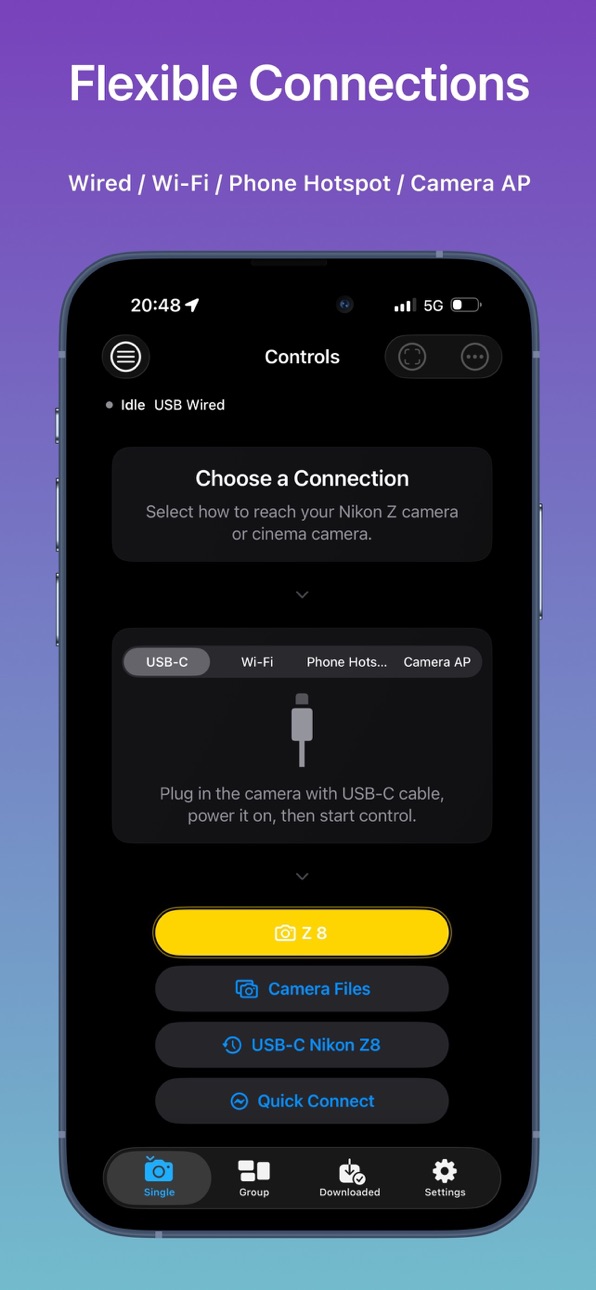
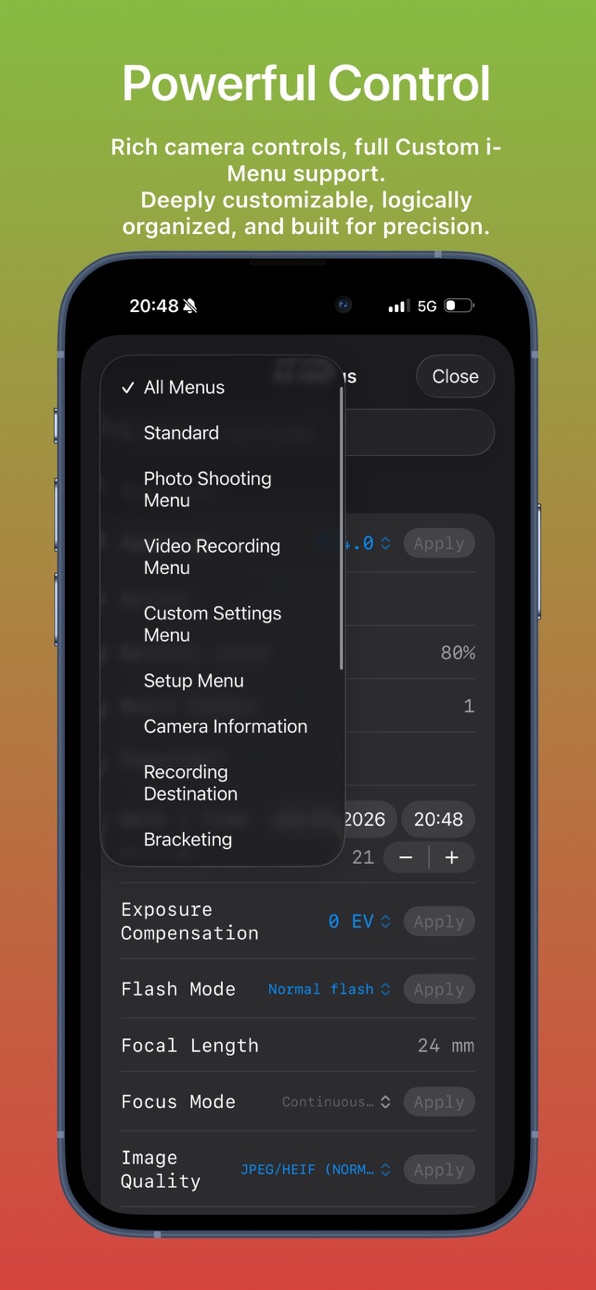
1 older version
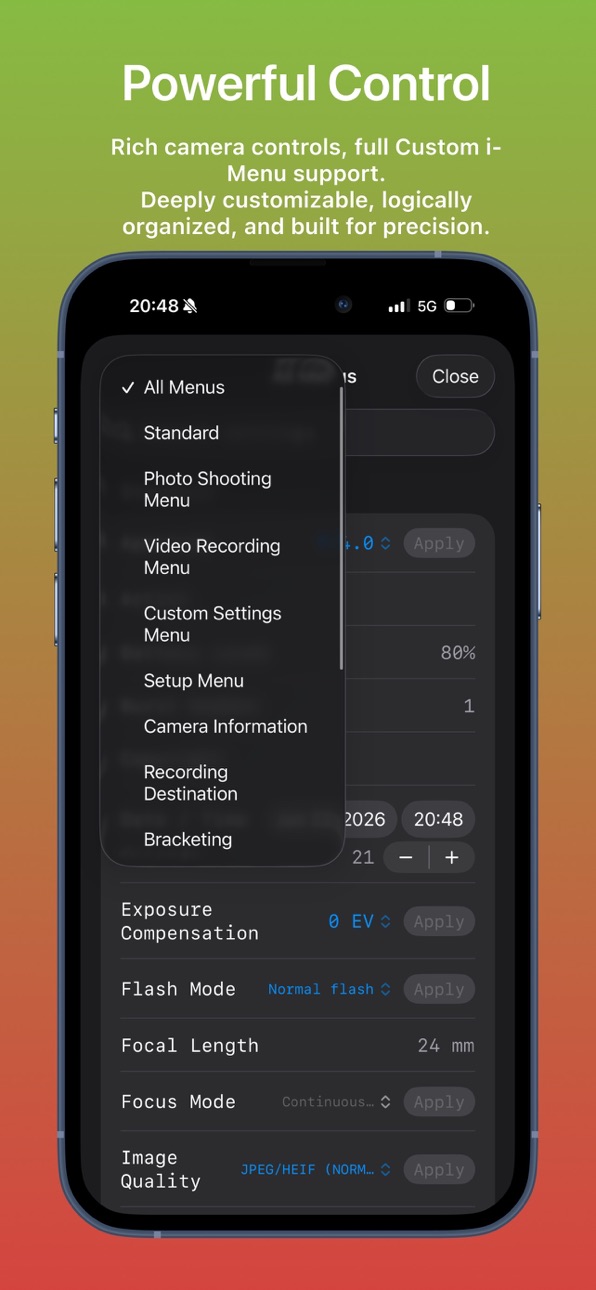
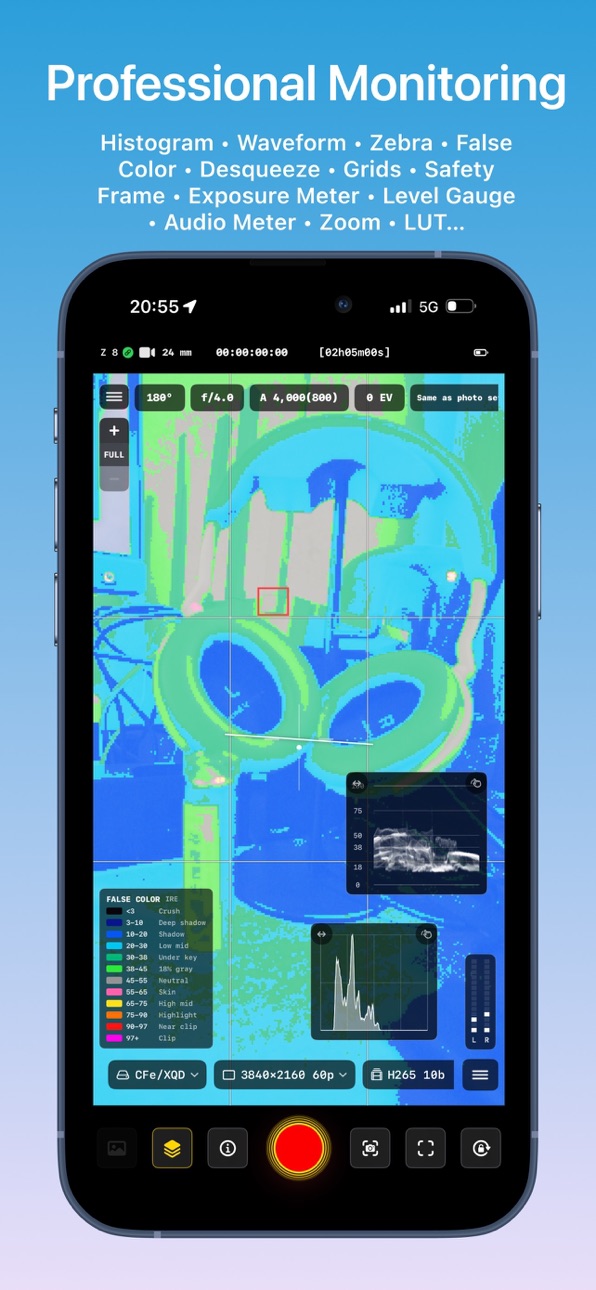
1 older version

1 older version
1 older version
1 older version


1 older version

1 older version
iPad 9 images

1 older version


1 older version


1 older version

1 older version


1 older version


1 older version


1 older version

1 older version


1 older version
What’s New Version 1.1.1
- LivePhoto upgrade: added custom generation and export options.
- Added GPS attachment option for LivePhoto export.
- LivePhotos from HDR videos now preserve HDR by default.
- Fixed Lock control in LiveView.
- Added "Clean Display" mode for LiveView.
- Improved tap accuracy for menus to reduce accidental touches.
- Adjusted exit method — no longer requires entering the LiveView menu.
- Refined LiveView menu categories.
- Optimized iPad display.
- Added desqueeze support for anamorphic vertical video (experimental).
- Added bitrate info display for video files.
- Added bitrate selection for LUT-baked in-camera downloads.
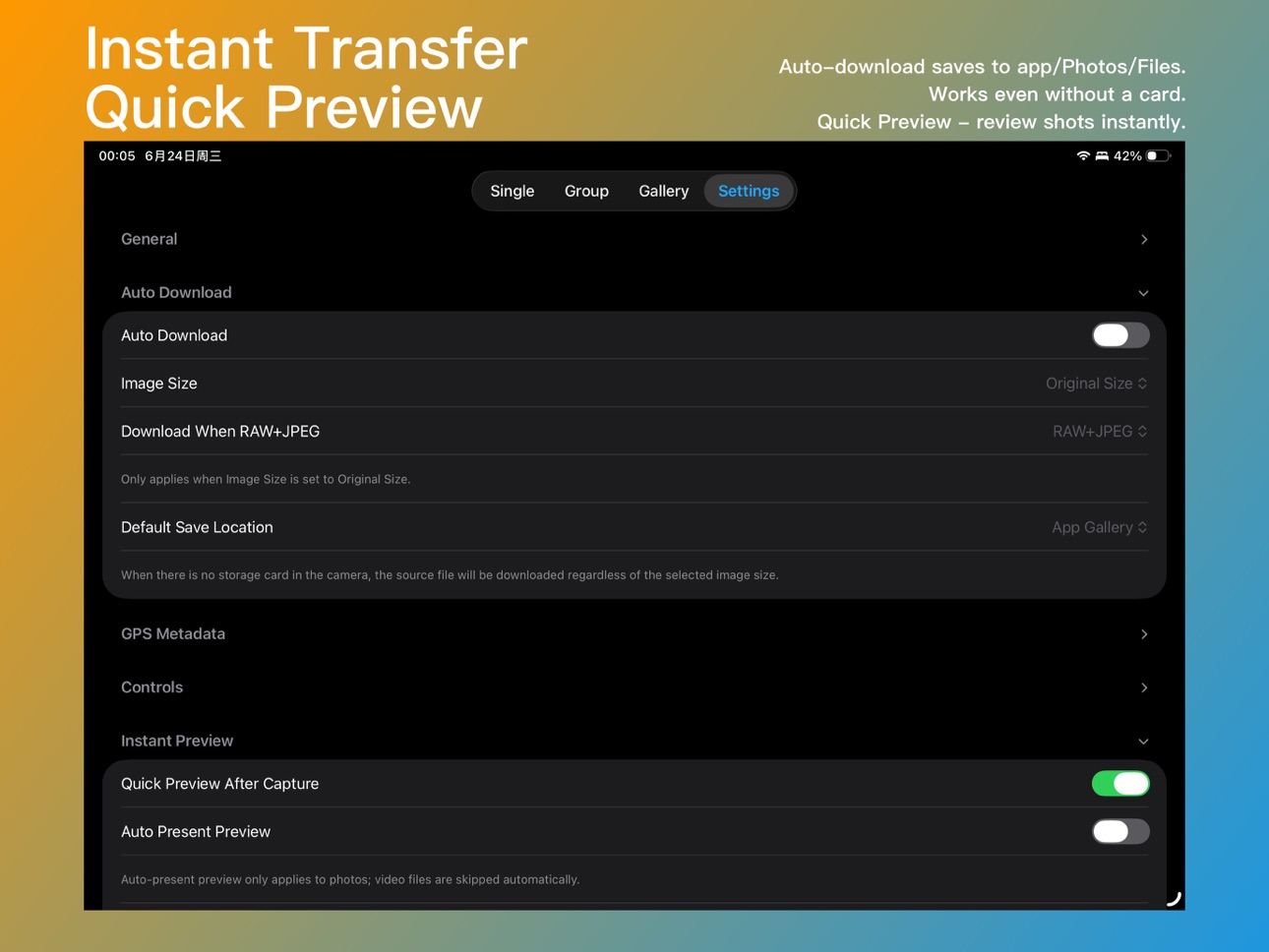
- Fixed Quick Preview not working in LiveView mode.
- Improved Quick Preview handling of RAW+JPEG.
- When shooting RAW+JPEG/HEIF, Quick Preview now supports downloading RAW, JPEG/HEIF, or both.
- Optimized PZ lens controls.
- Added option to automatically enter a specific page (Control, Files, or LiveView) after connecting.
- Fixed silent shooting display for older models.
- UI refinements: "Nikon Yellow" is fully back.
- Added "Plum Purple" as an accent color option.
- Other bug fixes.
Description
Imaging Console is a professional third-party camera control, monitoring, and file transfer application compatible with Nikon Z series mirrorless cameras and cinema cameras.
**Compatibility**
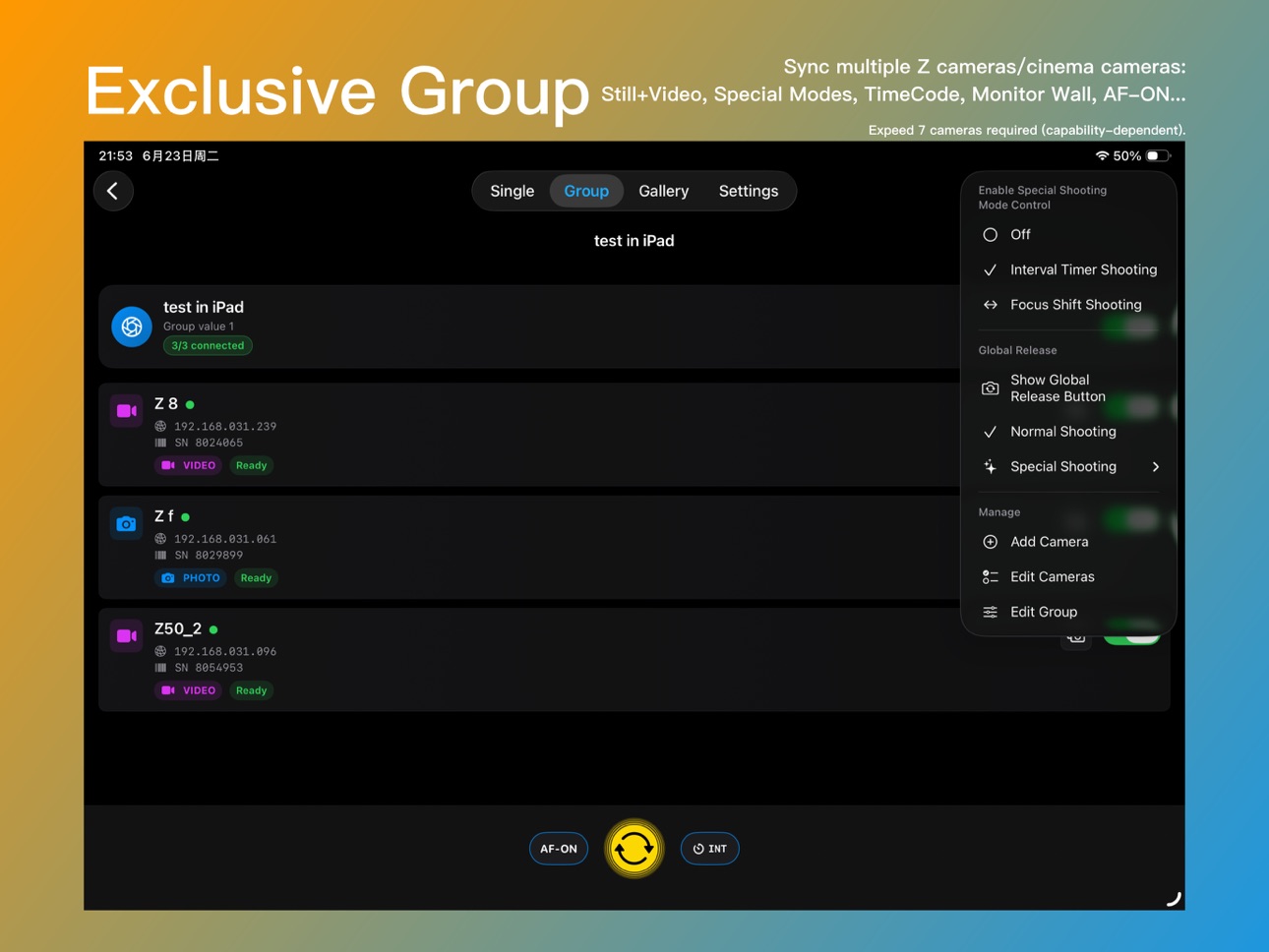
Expeed 7 models (Z9, Z8, ZR, Z6III, Z5II, Zf, Z50II) are fully compatible and support all app features.
Expeed 6 models (Z5, Z6, Z7, Z6II, Z7II, Z50, Z30, Zfc) do not support group functions, and some features (such as in‑camera file access) are limited over wireless connections. A wired connection is recommended. Compatibility continues to improve with app updates.
Important Notice
Imaging Console is independently developed and is not affiliated with, endorsed by, authorized by, or associated with Nikon Corporation, RED Digital Cinema, or their affiliated companies. References to Nikon, RED, and related product names are used solely to identify compatible devices.
Key Features
Hybrid Connectivity
Supports USB (MTP/PTP) and wireless (PTP/IP) connections, including camera hotspot, Wi-Fi, and mobile hotspot. Supports both single-camera and multi-camera workflows.
Multi-Camera Control
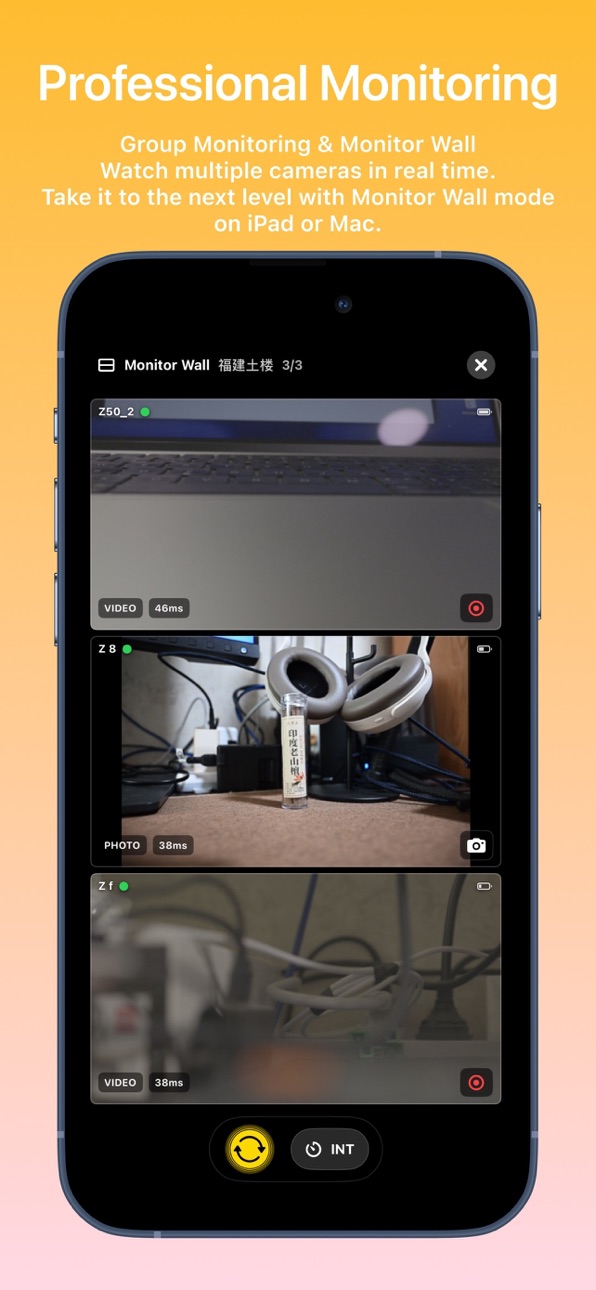
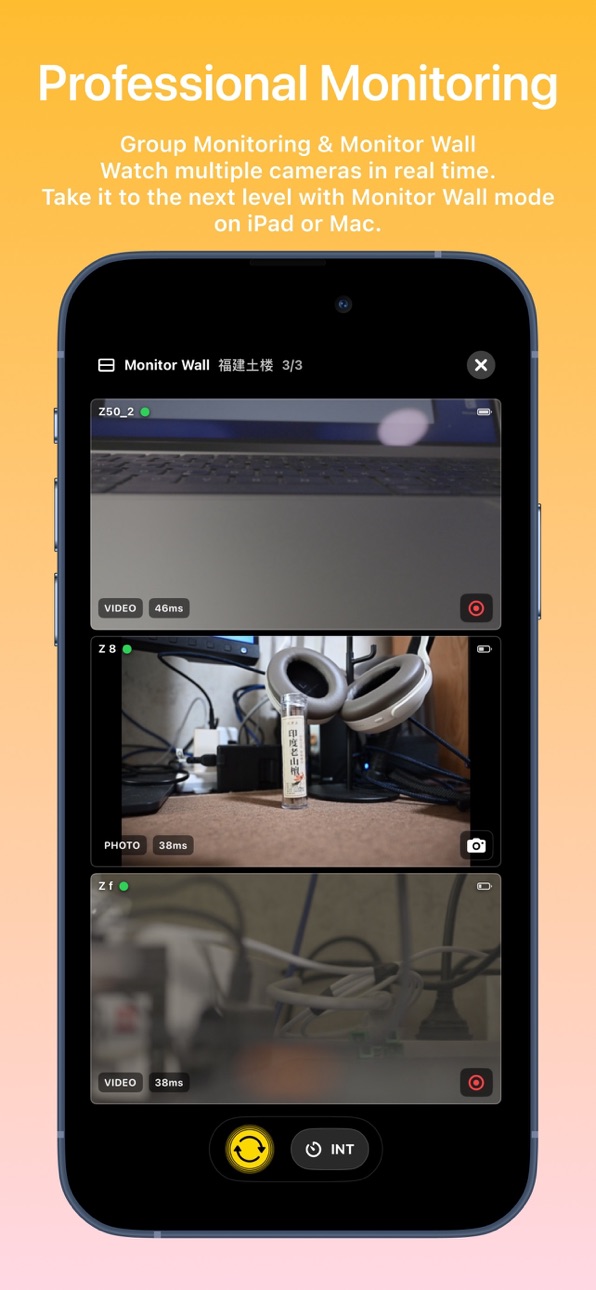
Manage and control multiple cameras wirelessly with synchronized photo capture, video recording, mixed capture modes, live monitoring, and synchronized operation for supported shooting modes.
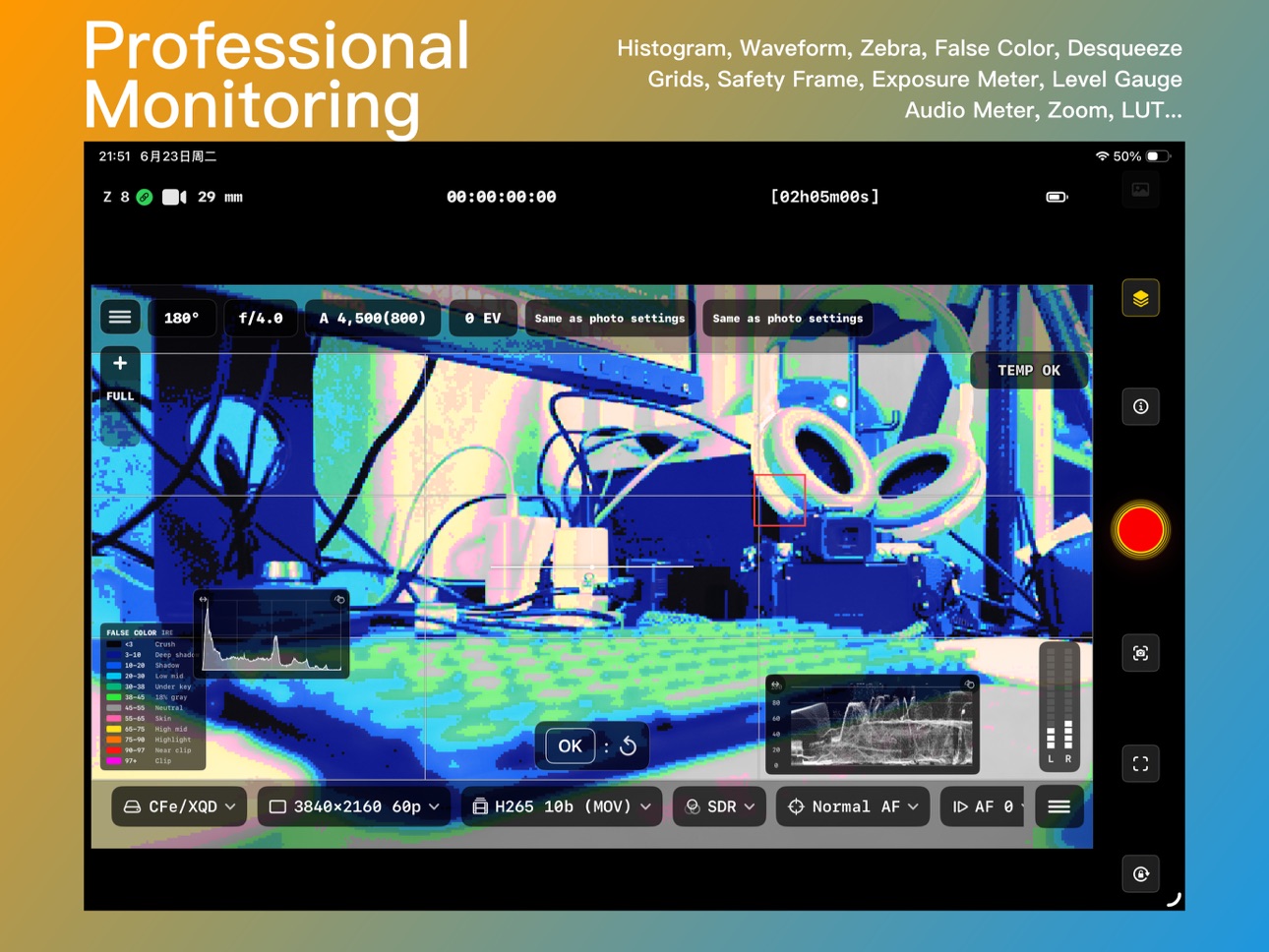
Professional Live View
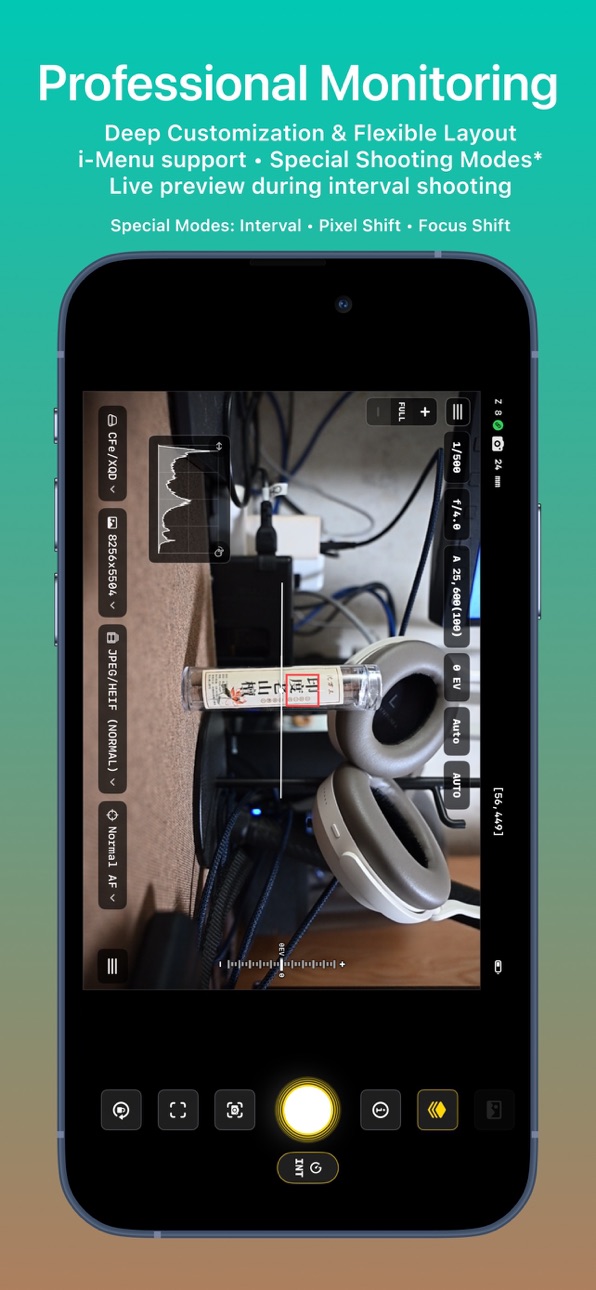
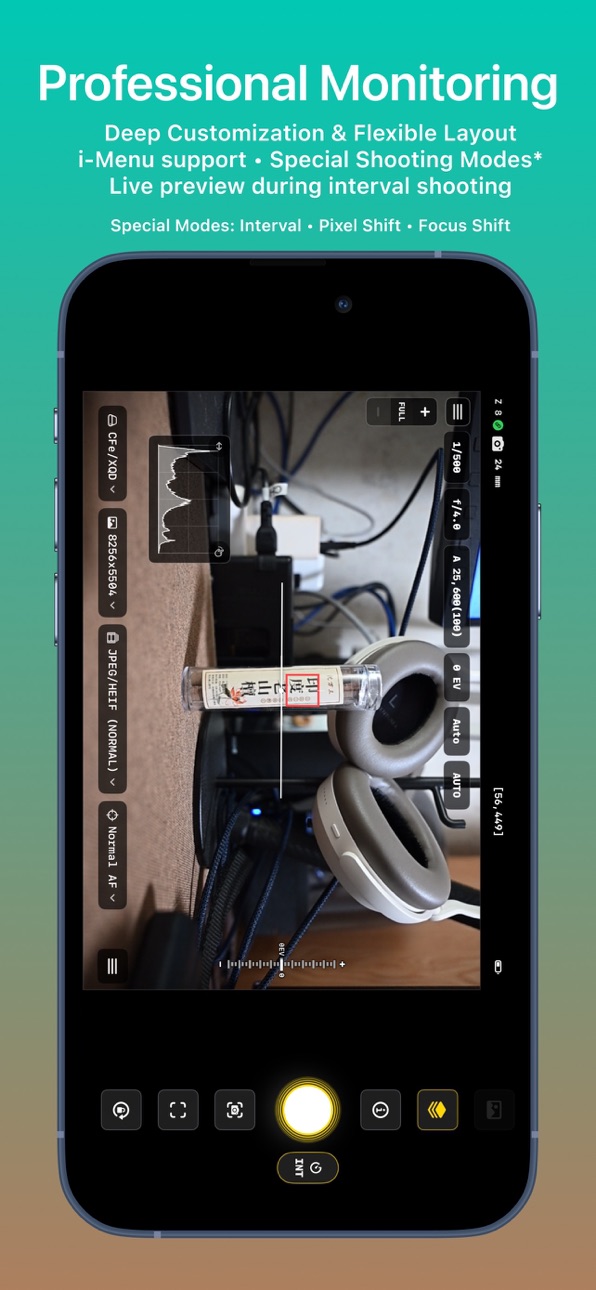
Monitor live video with touch focus and convenient camera parameter control. Includes professional monitoring tools such as LUT preview, false color, zebra, histogram, waveform, safe area, level indicator, and composition grids.
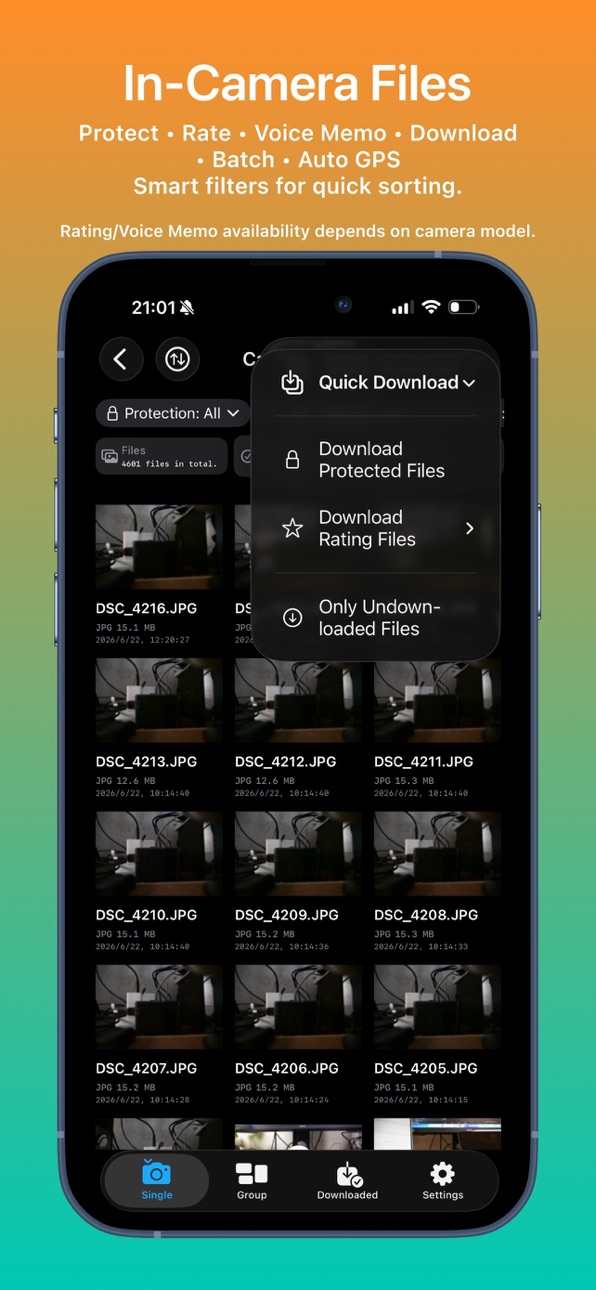
In-Camera File Management
Browse, review, download, protect, rate, and preview files with LUT support. Batch download and advanced filtering are supported. Voice memo management is available on supported flagship cameras.
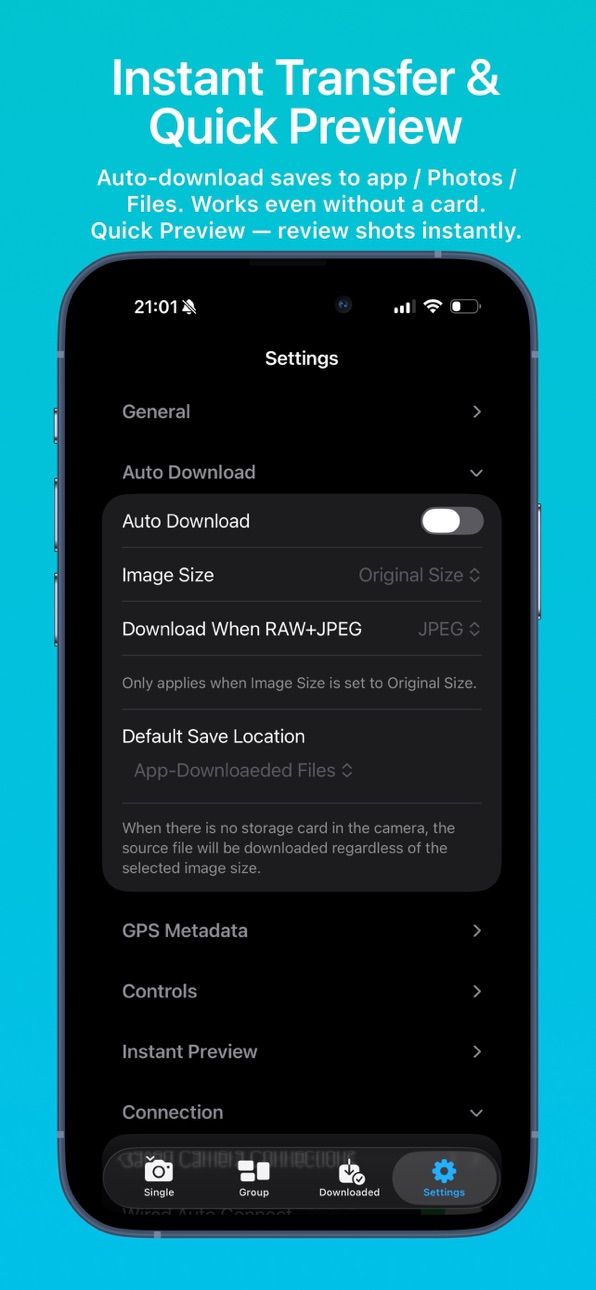
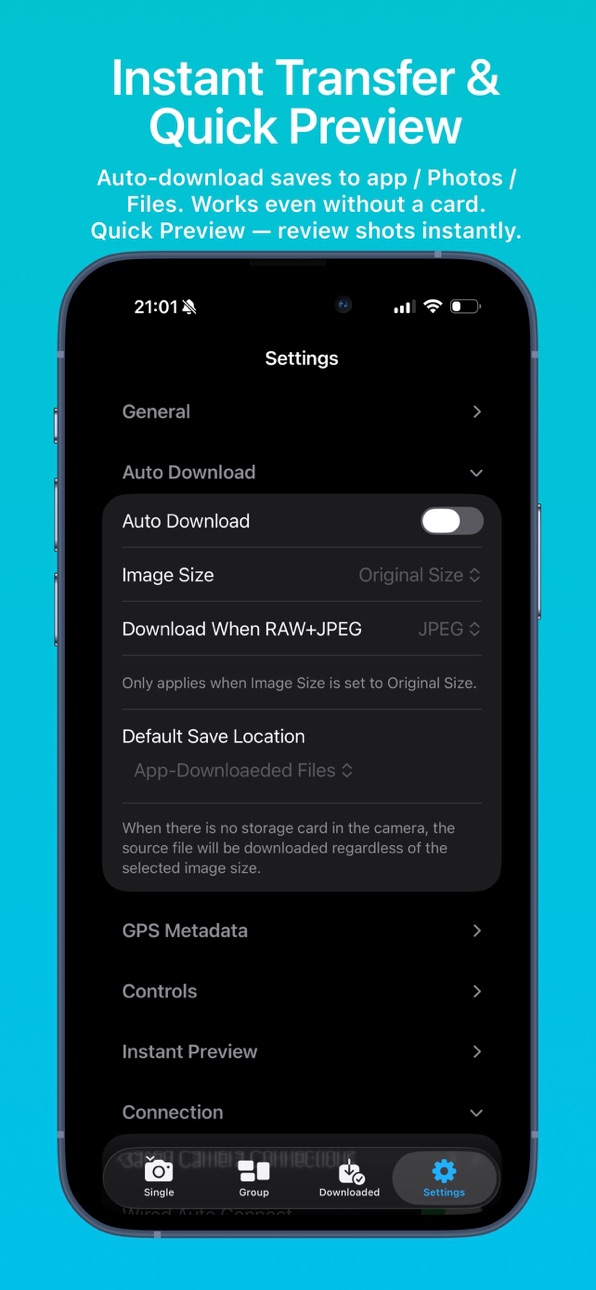
Instant Transfer Workflow
Automatically download newly captured files, customize storage locations, attach GPS metadata automatically, and support cardless shooting workflows. Quickly review captured content to improve on-set efficiency.
LUT & Image Optimization
Import custom LUTs and optimization profiles for live preview, in-camera file browsing, post-capture preview, and library viewing.
LivePhoto generation and export
Supports flexible export from in‑camera video files or imported gallery videos, with HDR preservation and automatic GPS location tagging.
Imaging Console is designed to provide photographers, filmmakers, and professional creators with a reliable and efficient camera control workflow.
Accessibility
ipadiphonemacrealityDevicetvoswatch
Version history 3 versions
Build 887911759v1.1.02026-07-07 19:37:18
- LivePhoto upgrade: added custom generation and export options.
- Added GPS attachment option for LivePhoto export.
- LivePhotos from HDR videos now preserve HDR by default.
- Fixed Lock control in LiveView.
- Added "Clean Display" mode for LiveView.
- Improved tap accuracy for menus to reduce accidental touches.
- Adjusted exit method — no longer requires entering the LiveView menu.
- Refined LiveView menu categories.
- Optimized iPad display.
- Added desqueeze support for anamorphic vertical video (experimental).
- Added bitrate info display for video files.
- Added bitrate selection for LUT-baked in-camera downloads.
- Fixed Quick Preview not working in LiveView mode.
- Improved Quick Preview handling of RAW+JPEG.
- When shooting RAW+JPEG/HEIF, Quick Preview now supports downloading RAW, JPEG/HEIF, or both.
- Optimized PZ lens controls.
- Added option to automatically enter a specific page (Control, Files, or LiveView) after connecting.
- Fixed silent shooting display for older models.
- UI refinements: "Nikon Yellow" is fully back.
- Added "Plum Purple" as an accent color option.
- Other bug fixes.
Build 887782827v1.0.12026-07-04 15:35:29
- LUT selector return
- LUT selector now supports automatic positioning and expansion to the current LUT
- Optimized quick color temperature adjustment; long press the plus/minus buttons to rapidly adjust color temperature values
- Partial translation optimizations
- Adjusted the position of "Download & Share" on the in-camera file preview page, now requiring one less operation
- Fixed a minor connectivity issue
Build 885509299v1.02026-07-02 19:42:37
Price history by region
Currency
Show
Columns
Search
Availability 175 of 175 storefronts
| Region | Language | Price | Ratings | Avg | Version |
|---|---|---|---|---|---|
| CN | zh-Hans-CN | CNY 98 | 21 | 5.0 | 1.1.1 |
| US | en-US | USD 14.99 | 2 | 5.0 | 1.1.0 |
| AE | en-GB | AED 59.99 | 0 | — | 1.1.1 |
| AF | en-GB | USD 14.99 | 0 | — | 1.1.1 |
| AG | en-GB | USD 14.99 | 0 | — | 1.0.1 |
| AI | en-GB | USD 14.99 | 0 | — | 1.0.1 |
| AL | en-GB | USD 17.99 | 0 | — | 1.1.1 |
| AM | en-GB | USD 17.99 | 0 | — | 1.1.1 |
| AO | en-GB | USD 14.99 | 0 | — | 1.0.1 |
| AR | es-MX | USD 14.99 | 0 | — | 1.0.1 |
| AT | de-DE | EUR 17.99 | 0 | — | 1.1.1 |
| AU | en-AU | AUD 22.99 | 0 | — | 1.1.0 |
| AZ | en-GB | USD 17.99 | 0 | — | 1.1.1 |
| BA | en-GB | EUR 17.99 | 0 | — | 1.1.1 |
| BB | en-GB | USD 17.99 | 0 | — | 1.0.1 |
| BE | en-GB | EUR 17.99 | 0 | — | 1.1.1 |
| BF | en-GB | USD 14.99 | 0 | — | 1.0.1 |
| BG | en-GB | EUR 17.99 | 0 | — | 1.1.1 |
| BH | en-GB | USD 14.99 | 0 | — | 1.1.1 |
| BJ | en-GB | USD 17.99 | 0 | — | 1.0.1 |
| BM | en-GB | USD 14.99 | 0 | — | 1.1.1 |
| BN | en-GB | USD 14.99 | 0 | — | 1.1.1 |
| BO | es-MX | USD 14.99 | 0 | — | 1.0.1 |
| BR | pt-BR | BRL 99.9 | 0 | — | 1.0.1 |
| BS | en-GB | USD 14.99 | 0 | — | 1.0.1 |
| BT | en-GB | USD 14.99 | 0 | — | 1.1.1 |
| BW | en-GB | USD 14.99 | 0 | — | 1.0.1 |
| BY | en-GB | USD 17.99 | 0 | — | 1.1.1 |
| BZ | en-GB | USD 14.99 | 0 | — | 1.0.1 |
| CA | en-CA | CAD 19.99 | 0 | — | 1.1.0 |
| CD | en-GB | USD 14.99 | 0 | — | 1.0.1 |
| CG | en-GB | USD 14.99 | 0 | — | 1.0.1 |
| CH | de-CH | CHF 14 | 0 | — | 1.1.1 |
| CI | fr-FR | USD 17.99 | 0 | — | 1.0.1 |
| CL | es-MX | CLP 17990 | 0 | — | 1.0.1 |
| CM | fr-FR | USD 17.99 | 0 | — | 1.0.1 |
| CO | es-MX | COP 69900 | 0 | — | 1.0.1 |
| CR | es-MX | USD 14.99 | 0 | — | 1.0.1 |
| CV | en-GB | USD 14.99 | 0 | — | 1.0.1 |
| CY | en-GB | EUR 17.99 | 0 | — | 1.1.1 |
| CZ | en-GB | CZK 399 | 0 | — | 1.1.1 |
| DE | de-DE | EUR 17.99 | 0 | — | 1.1.0 |
| DK | en-GB | DKK 129 | 0 | — | 1.1.1 |
| DM | en-GB | USD 14.99 | 0 | — | 1.0.1 |
| DO | es-MX | USD 14.99 | 0 | — | 1.0.1 |
| DZ | en-GB | USD 14.99 | 0 | — | 1.0.1 |
| EC | es-MX | USD 14.99 | 0 | — | 1.0.1 |
| EE | en-GB | EUR 17.99 | 0 | — | 1.1.1 |
| EG | en-GB | EGP 799.99 | 0 | — | 1.1.1 |
| ES | es-ES | EUR 17.99 | 0 | — | 1.1.0 |
| FI | en-GB | EUR 17.99 | 0 | — | 1.1.1 |
| FJ | en-GB | USD 14.99 | 0 | — | 1.1.1 |
| FM | en-GB | USD 14.99 | 0 | — | 1.1.1 |
| FR | fr-FR | EUR 17.99 | 0 | — | 1.1.0 |
| GA | fr-FR | USD 14.99 | 0 | — | 1.0.1 |
| GB | en-GB | GBP 14.99 | 0 | — | 1.1.0 |
| GD | en-GB | USD 14.99 | 0 | — | 1.0.1 |
| GE | en-GB | USD 17.99 | 0 | — | 1.1.1 |
| GH | en-GB | USD 17.99 | 0 | — | 1.0.1 |
| GM | en-GB | USD 14.99 | 0 | — | 1.0.1 |
| GR | en-GB | EUR 17.99 | 0 | — | 1.1.1 |
| GT | es-MX | USD 14.99 | 0 | — | 1.0.1 |
| GW | en-GB | USD 14.99 | 0 | — | 1.0.1 |
| GY | en-GB | USD 14.99 | 0 | — | 1.0.1 |
| HK | zh-Hant-HK | HKD 118 | 0 | — | 1.1.1 |
| HN | es-MX | USD 14.99 | 0 | — | 1.0.1 |
| HR | en-GB | EUR 17.99 | 0 | — | 1.1.1 |
| HU | en-GB | HUF 6990 | 0 | — | 1.1.1 |
| ID | en-GB | IDR 249000 | 0 | — | 1.1.1 |
| IE | en-GB | EUR 17.99 | 0 | — | 1.1.0 |
| IL | en-GB | ILS 49.9 | 0 | — | 1.1.1 |
| IN | en-GB | INR 1499 | 0 | — | 1.1.1 |
| IQ | en-GB | USD 14.99 | 0 | — | 1.1.1 |
| IS | en-GB | USD 17.99 | 0 | — | 1.1.1 |
| IT | it | EUR 17.99 | 0 | — | 1.1.1 |
| JM | en-GB | USD 14.99 | 0 | — | 1.0.1 |
| JO | en-GB | USD 14.99 | 0 | — | 1.1.1 |
| JP | ja | JPY 2500 | 0 | — | 1.1.1 |
| KE | en-GB | USD 17.99 | 0 | — | 1.0.1 |
| KG | en-GB | USD 14.99 | 0 | — | 1.1.1 |
| KH | en-GB | USD 14.99 | 0 | — | 1.1.1 |
| KN | en-GB | USD 14.99 | 0 | — | 1.0.1 |
| KR | ko | KRW 25000 | 0 | — | 1.1.1 |
| KW | en-GB | USD 14.99 | 0 | — | 1.1.1 |
| KY | en-GB | USD 14.99 | 0 | — | 1.0.1 |
| KZ | en-GB | KZT 8990 | 0 | — | 1.1.1 |
| LA | en-GB | USD 14.99 | 0 | — | 1.1.1 |
| LB | en-GB | USD 14.99 | 0 | — | 1.1.1 |
| LC | en-GB | USD 14.99 | 0 | — | 1.0.1 |
| LK | en-GB | USD 14.99 | 0 | — | 1.1.1 |
| LR | en-GB | USD 14.99 | 0 | — | 1.0.1 |
| LT | en-GB | EUR 17.99 | 0 | — | 1.1.1 |
| LU | en-GB | EUR 17.99 | 0 | — | 1.1.1 |
| LV | en-GB | EUR 17.99 | 0 | — | 1.1.1 |
| LY | en-GB | USD 14.99 | 0 | — | 1.0.1 |
| MA | en-GB | USD 14.99 | 0 | — | 1.0.1 |
| MD | en-GB | USD 17.99 | 0 | — | 1.1.1 |
| ME | en-GB | EUR 12.99 | 0 | — | 1.1.1 |
| MG | en-GB | USD 14.99 | 0 | — | 1.0.1 |
| MK | en-GB | USD 14.99 | 0 | — | 1.1.1 |
| ML | en-GB | USD 14.99 | 0 | — | 1.0.1 |
| MM | en-GB | USD 14.99 | 0 | — | 1.1.1 |
| MN | en-GB | USD 14.99 | 0 | — | 1.1.1 |
| MO | zh-Hant-HK | USD 14.99 | 0 | — | 1.1.1 |
| MR | en-GB | USD 14.99 | 0 | — | 1.1.1 |
| MS | en-GB | USD 14.99 | 0 | — | 1.0.1 |
| MT | en-GB | EUR 17.99 | 0 | — | 1.1.1 |
| MU | en-GB | USD 17.99 | 0 | — | 1.0.1 |
| MV | en-GB | USD 14.99 | 0 | — | 1.1.1 |
| MW | en-GB | USD 14.99 | 0 | — | 1.0.1 |
| MX | es-MX | MXN 299 | 0 | — | 1.0.1 |
| MY | en-GB | MYR 69.9 | 0 | — | 1.1.1 |
| MZ | en-GB | USD 14.99 | 0 | — | 1.0.1 |
| NA | en-GB | USD 14.99 | 0 | — | 1.0.1 |
| NE | en-GB | USD 14.99 | 0 | — | 1.0.1 |
| NG | en-GB | NGN 24900 | 0 | — | 1.0.1 |
| NI | es-MX | USD 14.99 | 0 | — | 1.0.1 |
| NL | nl | EUR 17.99 | 0 | — | 1.1.1 |
| NO | en-GB | NOK 199 | 0 | — | 1.1.1 |
| NP | en-GB | USD 17.99 | 0 | — | 1.1.1 |
| NR | en-GB | USD 14.99 | 0 | — | 1.1.1 |
| NZ | en-AU | NZD 29.99 | 0 | — | 1.1.0 |
| OM | en-GB | USD 14.99 | 0 | — | 1.1.1 |
| PA | es-MX | USD 14.99 | 0 | — | 1.0.1 |
| PE | es-MX | PEN 69.9 | 0 | — | 1.0.1 |
| PG | en-GB | USD 14.99 | 0 | — | 1.1.1 |
| PH | en-GB | PHP 999 | 0 | — | 1.1.1 |
| PK | en-GB | PKR 3900 | 0 | — | 1.1.1 |
| PL | en-GB | PLN 69.99 | 0 | — | 1.1.1 |
| PT | pt-PT | EUR 17.99 | 0 | — | 1.1.1 |
| PW | en-GB | USD 14.99 | 0 | — | 1.1.1 |
| PY | es-MX | USD 14.99 | 0 | — | 1.0.1 |
| QA | en-GB | QAR 49.99 | 0 | — | 1.1.1 |
| RO | en-GB | RON 79.99 | 0 | — | 1.1.1 |
| RS | en-GB | EUR 17.99 | 0 | — | 1.1.1 |
| RU | ru | RUB 1290 | 0 | — | 1.1.1 |
| RW | en-GB | USD 14.99 | 0 | — | 1.0.1 |
| SA | en-GB | SAR 59.99 | 0 | — | 1.1.1 |
| SB | en-GB | USD 14.99 | 0 | — | 1.1.1 |
| SC | en-GB | USD 14.99 | 0 | — | 1.0.1 |
| SE | sv | SEK 199 | 0 | — | 1.1.1 |
| SG | en-GB | SGD 19.98 | 0 | — | 1.1.1 |
| SI | en-GB | EUR 17.99 | 0 | — | 1.1.1 |
| SK | en-GB | EUR 17.99 | 0 | — | 1.1.1 |
| SL | en-GB | USD 14.99 | 0 | — | 1.0.1 |
| SN | en-GB | USD 17.99 | 0 | — | 1.0.1 |
| SR | en-GB | USD 14.99 | 0 | — | 1.0.1 |
| ST | en-GB | USD 14.99 | 0 | — | 1.0.1 |
| SV | es-MX | USD 14.99 | 0 | — | 1.0.1 |
| SZ | en-GB | USD 14.99 | 0 | — | 1.0.1 |
| TC | en-GB | USD 14.99 | 0 | — | 1.0.1 |
| TD | en-GB | USD 14.99 | 0 | — | 1.0.1 |
| TH | en-GB | THB 499 | 0 | — | 1.1.1 |
| TJ | en-GB | USD 14.99 | 0 | — | 1.1.1 |
| TM | en-GB | USD 14.99 | 0 | — | 1.1.1 |
| TN | en-GB | USD 14.99 | 0 | — | 1.0.1 |
| TO | en-GB | USD 14.99 | 0 | — | 1.1.1 |
| TR | en-GB | TRY 799.99 | 0 | — | 1.1.1 |
| TT | en-GB | USD 14.99 | 0 | — | 1.0.1 |
| TW | zh-Hant-TW | TWD 490 | 0 | — | 1.1.1 |
| TZ | en-GB | TZS 39900 | 0 | — | 1.0.1 |
| UA | en-GB | USD 17.99 | 0 | — | 1.1.1 |
| UG | en-GB | USD 17.99 | 0 | — | 1.0.1 |
| UY | en-GB | USD 14.99 | 0 | — | 1.0.1 |
| UZ | en-GB | USD 14.99 | 0 | — | 1.1.1 |
| VC | en-GB | USD 14.99 | 0 | — | 1.0.1 |
| VE | es-MX | USD 14.99 | 0 | — | 1.0.1 |
| VG | en-GB | USD 14.99 | 0 | — | 1.0.1 |
| VN | en-GB | VND 499000 | 0 | — | 1.1.1 |
| VU | en-GB | USD 14.99 | 0 | — | 1.1.1 |
| XK | en-GB | EUR 17.99 | 0 | — | 1.1.1 |
| YE | en-GB | USD 14.99 | 0 | — | 1.1.1 |
| ZA | en-GB | ZAR 299.99 | 0 | — | 1.1.1 |
| ZM | en-GB | USD 17.99 | 0 | — | 1.0.1 |
| ZW | en-GB | USD 17.99 | 0 | — | 1.0.1 |
Change log 112 changes · QA
◆
Version changed
1.0.1 → 1.1.1
◆
Version changed
1.0.1 → 1.1.1
◆
Version changed
1.0.1 → 1.1.1
◆
Version changed
1.0.1 → 1.1.1
◆
Version changed
1.0.1 → 1.1.1
◆
Version changed
1.0.1 → 1.1.1
◆
Version changed
1.0.1 → 1.1.1
◆
Version changed
1.0.1 → 1.1.1
◆
Version changed
1.0.1 → 1.1.1
◆
Version changed
1.0.1 → 1.1.1
◆
Version changed
1.0.1 → 1.1.1
◆
Version changed
1.0.1 → 1.1.1
◆
Version changed
1.0.1 → 1.1.1
◆
Version changed
1.0.1 → 1.1.1
◆
Version changed
1.0.1 → 1.1.1
◆
Version changed
1.0.1 → 1.1.1
◆
Version changed
1.0.1 → 1.1.1
◆
Version changed
1.0.1 → 1.1.1
◆
Version changed
1.0.1 → 1.1.1
◆
Version changed
1.0.1 → 1.1.1
◆
Version changed
1.0.1 → 1.1.1
◆
Version changed
1.0.1 → 1.1.1
◆
Version changed
1.0.1 → 1.1.1
◆
Version changed
1.0.1 → 1.1.1
◆
Version changed
1.0.1 → 1.1.1
◆
Version changed
1.0.1 → 1.1.1
◆
Version changed
1.0.1 → 1.1.1
◆
Version changed
1.0.1 → 1.1.1
◆
Version changed
1.0.1 → 1.1.1
◆
Version changed
1.0.1 → 1.1.1
◆
Version changed
1.0.1 → 1.1.1
◆
Version changed
1.0.1 → 1.1.1
◆
Version changed
1.0.1 → 1.1.1
◆
Version changed
1.0.1 → 1.1.1
◆
Version changed
1.0.1 → 1.1.1
◆
Version changed
1.0.1 → 1.1.1
◆
Version changed
1.0.1 → 1.1.1
◆
Version changed
1.0.1 → 1.1.1
◆
Version changed
1.0.1 → 1.1.1
◆
Version changed
1.0.1 → 1.1.1
◆
Version changed
1.0.1 → 1.1.1
◆
Version changed
1.0.1 → 1.1.1
◆
Version changed
1.0.1 → 1.1.1
◆
Version changed
1.0.1 → 1.1.1
◆
Version changed
1.0.1 → 1.1.1
◆
Version changed
1.0.1 → 1.1.1
◆
Version changed
1.0.1 → 1.1.1
◆
Version changed
1.0.1 → 1.1.1
◆
Version changed
1.0.1 → 1.1.1
◆
Version changed
1.0.1 → 1.1.1
◆
Version changed
1.0.1 → 1.1.1
◆
Version changed
1.0.1 → 1.1.1
◆
Version changed
1.0.1 → 1.1.1
◆
Version changed
1.0.1 → 1.1.1
◆
Version changed
1.0.1 → 1.1.1
◆
Version changed
1.0.1 → 1.1.1
◆
Version changed
1.0.1 → 1.1.1
◆
Version changed
1.0.1 → 1.1.1
◆
Version changed
1.0.1 → 1.1.1
◆
Version changed
1.0.1 → 1.1.1
◆
Version changed
1.0.1 → 1.1.1
◆
Version changed
1.0.1 → 1.1.1
◆
Version changed
1.0.1 → 1.1.1
◆
Version changed
1.0.1 → 1.1.1
◆
Version changed
1.0.1 → 1.1.1
◆
Version changed
1.0.1 → 1.1.1
◆
Version changed
1.0.1 → 1.1.1
◆
Version changed
1.0.1 → 1.1.1
◆
Version changed
1.0.1 → 1.1.1
◆
Version changed
1.0.1 → 1.1.1
◆
Version changed
1.0.1 → 1.1.1
◆
Version changed
1.0.1 → 1.1.1
◆
Version changed
1.0.1 → 1.1.1
◆
Version changed
1.0.1 → 1.1.1
◆
Version changed
1.0.1 → 1.1.1
◆
Version changed
1.0.1 → 1.1.1
◆
Version changed
1.0.1 → 1.1.1
◆
Version changed
1.0.1 → 1.1.1
◆
Version changed
1.0.1 → 1.1.1
◆
Version changed
1.0.1 → 1.1.1
◆
Version changed
1.0.1 → 1.1.1
◆
Version changed
1.0.1 → 1.1.1
◆
Version changed
1.0.1 → 1.1.1
◆
Version changed
1.0.1 → 1.1.1
◆
Version changed
1.0.1 → 1.1.1
◆
Version changed
1.0.1 → 1.1.1
◆
Version changed
1.0.1 → 1.1.1
◆
Version changed
1.0.1 → 1.1.1
◆
Version changed
1.0.1 → 1.1.1
◆
Version changed
1.0.1 → 1.1.1
◆
Version changed
1.0.1 → 1.1.1
◆
Version changed
1.0.1 → 1.1.1
◆
Version changed
1.0.1 → 1.1.0
◆
Version changed
1.0.1 → 1.1.0
◆
Version changed
1.0.1 → 1.1.0
◆
Version changed
1.0.1 → 1.1.0
◆
Version changed
1.0.1 → 1.1.0
◆
Version changed
1.0.1 → 1.1.0
◆
Version changed
1.0.1 → 1.1.0
◆
Version changed
1.0.1 → 1.1.0
✎
releaseNotes updated
- LivePhoto upgrade: added custom generation and export options.
- Added GPS attachment option for LivePhoto export.
- LivePhotos from HDR videos now preser
✎
description updated
Imaging Console is a professional third-party camera control, monitoring, and file transfer application compatible with Nikon Z series mirrorless cameras and ci
▣
App icon changed
▣
Screenshots updated
◆
Version changed
1.0.1 → 1.1.0
◆
Version 1.1.0 released
- LivePhoto upgrade: added custom generation and export options.
- Added GPS attachment option for LivePhoto export.
- LivePhotos from HDR videos now preserve HDR by default.
- Fixed Lock control in LiveView.
- Added "Clean Display"
✎
releaseNotes updated
- LUT selector return
- LUT selector now supports automatic positioning and expansion to the current LUT
- Optimized quick color temperature adjustment; long pr
✎
description updated
Imaging Console is a professional third-party camera control, monitoring, and file transfer application compatible with Nikon Z series mirrorless cameras and ci
✎
subtitle updated
Control & Transfer & Monitor
✎
name updated
Imaging Console
◆
Version 1.0.1 released
- LUT selector return
- LUT selector now supports automatic positioning and expansion to the current LUT
- Optimized quick color temperature adjustment; long press the plus/minus buttons to rapidly adjust color temperature values
- Partial
◆
Version 1.0 released