Home › Family

 PG
PG
 RUru
RUru EEen-GB
 USen-US
 AEen-GB
 ALen-GB
 AMen-GB
 ATde-DE
 AUen-AU
 AZen-GB
 BAen-GB
 BEen-GB
 BGen-GB
 BHen-GB
 BMen-GB
 BNen-GB
 BTen-GB
 BYen-GB
 CAen-CA
 CHde-CH
 CNzh-Hans-CN
 CYen-GB
 CZen-GB
 DEde-DE
 DKen-GB
 EGen-GB
 ESes-ES
 FIen-GB
 FJen-GB
 FMen-GB
 FRfr-FR
 GBen-GB
 GEen-GB
 GRen-GB
 HKzh-Hant-HK
 HRen-GB
 HUen-GB
 IDen-GB
 IEen-GB
 ILen-GB
 INen-GB
 IQen-GB
 ISen-GB
 ITit
ITit JOen-GB
 JPja
JPja KGen-GB
 KHen-GB
 KRko
KRko KWen-GB
 KZen-GB
 LAen-GB
 LBen-GB
 LKen-GB
 LTen-GB
 LUen-GB
 LVen-GB
 MDen-GB
 MEen-GB
 MKen-GB
 MMen-GB
 MNen-GB
 MOzh-Hant-HK
 MRen-GB
 MTen-GB
 MVen-GB
 MYen-GB
 NLnl
NLnl NOen-GB
 NPen-GB
 NRen-GB
 NZen-AU
 OMen-GBPGen-GB
 PHen-GB
 PKen-GB
 PLen-GB
 PTpt-PT
 PWen-GB
 QAen-GB
 ROen-GB
 RSen-GB
 SAen-GB
 SBen-GB
 SEsv
SEsv SGen-GB
 SIen-GB
 SKen-GB
 THen-GB
 TJen-GB
 TMen-GB
 TOen-GB
 TRen-GB
 TWzh-Hant-TW
 UAen-GB
 UZen-GB
 VNen-GB
 VUen-GB
 XKen-GB
 YEen-GB
 ZAen-GB
 AFNot Available
100 of 101 storefronts
Content in en-US
Content in en-US
Information
Preview 2 platforms
iPhone 5 images


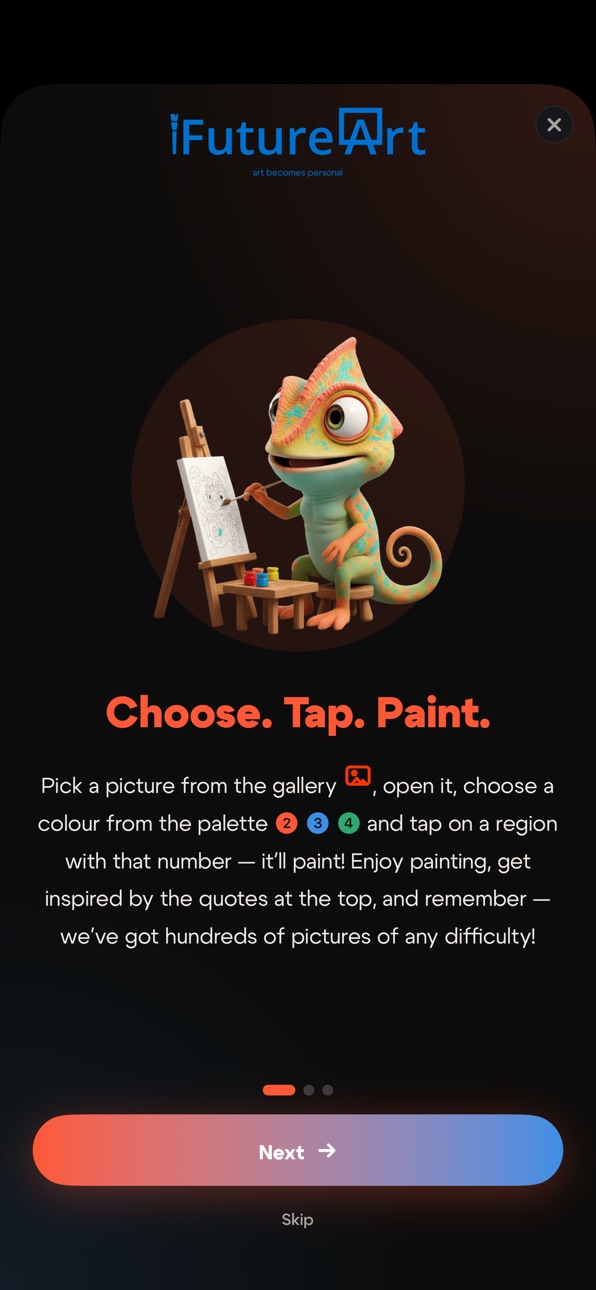
iPad 5 images


What’s New Version 1.9.120
Chameleon saboteurs in Together mode!
Now there are four — prank your friends and defend yourself:
• Blots — splatter their canvas
• Quake — shake their screen
• Fog — hide the numbers for a few seconds
• Shield — secretly block incoming pranks
And whoever's in the lead gets sabotaged twice as long. A conspiracy against first place!
Plus a tidied-up points history: clearer names, fresh icons and colors.
Little things: your day streak now shows in the app's language, the timelapse lost an extra gap up top, plus stability improvements.
Description
REAL CANVASES
Every digital picture in iFutureArt is a real canvas from our own factory. The palettes in the app match the palettes on the physical kits. Pick a picture and paint it like a real canvas, and if you fall in love with it you can order it on marketplaces via the link inside the app.
ONE CANVAS, ALL TOGETHER
Invite friends with a link. Paint at the same time on one canvas, see who is coloring what, throw reactions, and mess with friends using chameleon-saboteurs — splatter ink blots, shake their canvas with a quake, fog up their numbers, or hide behind a shield — and chat. No turn-taking, no delays. One canvas for a group of up to 10, plus a global mode: the whole world paints today's daily picture together.
DAILY PICTURE
Every day, one picture from the gallery is selected for the Daily tab. Finish it first to set the day's record. Completing the daily picture earns double points and a bonus timelapse.
ANIMATIONS AND TIMELAPSE
Save your timelapse: a short replay of how your picture came to life under your hand. Many pictures also have a post-completion video animation: feel how the picture you painted comes alive.
DAILY ART QUOTE
Every day in the app header: a new quote on art by Picasso, da Vinci, Matisse, Kandinsky and other masters. A small ritual before you start coloring.
OFFLINE MODE
Pre-load pictures and paint on a plane, on the metro, anywhere off-grid. Progress syncs when you are back online.
POINTS, MEDALS, LEADERBOARDS
Points for every finished work. Medals for streaks, speed, team wins. Weekly leaderboard among players worldwide, across all platforms. Trade points for promo codes or for a real canvas from our factory, with delivery.
LARGE GALLERY
Categories: nature, animals, flowers, architecture, fantasy, portraits, for kids, still life. Difficulty 1 to 5 stars. From 29 to 5000+ regions per picture, from a five-minute breather to deep multi-hour work. New pictures every week.
FOR EVERY LEVEL
Hints if you get stuck. Multiple region-highlight styles: dots, hatch, outline, transparency. Dynamic Type support. Calm palettes, smooth gestures, clean regions. No ads during painting. In fact, NO ADS at all in the app right now.
Open a picture. Color the first region. Then the second. Ten minutes later you'll notice you haven't been distracted by anything. That is iFutureArt. Art becomes personal.
---
Privacy Policy: https://ifutureart.com/privacy/
Terms of Use: https://ifutureart.com/terms/
Accessibility
ipadiphonemacrealityDevicetvoswatch
Version history 14 versions
Build 887056642v1.9.1152026-06-17 17:52:05
Chameleon saboteurs in Together mode!
Now there are four — prank your friends and defend yourself:
• Blots — splatter their canvas
• Quake — shake their screen
• Fog — hide the numbers for a few seconds
• Shield — secretly block incoming pranks
And whoever's in the lead gets sabotaged twice as long. A conspiracy against first place!
Plus a tidied-up points history: clearer names, fresh icons and colors.
Little things: your day streak now shows in the app's language, the timelapse lost an extra gap up top, plus stability improvements.
Build 886977818v1.9.1102026-06-15 19:04:13
• Three coloring styles: with outlines, without outlines, or "Photo mode" — the real photo is revealed as you paint. Choose per picture or set a default in Settings.
• Timelapse and animation in one video: share your process — a sped-up recording of your coloring plus an AI animation of the finished artwork, in a single clip.
• Faster and smoother: faster gallery loading, better offline mode, and lots of small fixes.
Build 886742435v1.9.1052026-06-09 22:26:27
Offline mode
• All pictures are now available without internet — color anywhere right after installing.
• Your progress and finished works are saved offline and sync when you reconnect.
Faster and smoother
• The gallery opens noticeably faster, with a new loading screen.
Paint together
• A refreshed participant design, readable in light and dark themes, including Liquid Glass.
Plus many fixes and stability improvements.
Build 886420288v1.9.1002026-06-05 20:04:18
A big update: new sign-in options, account merging, a refreshed design, and noticeably faster performance.
Sign in
• Added Google sign-in, with more options available in some countries.
• Account merging: signed in with different methods? Link them into one and your points, painting progress, and purchases all combine.
Design
• A refreshed design with glass effects across the gallery, the coloring screen, and collaborative mode.
• A new animated welcome screen with the chameleon — and a lively chameleon now greets you across many screens.
Speed
• The gallery loads noticeably faster after signing in.
• Categories switch instantly, with no waiting.
Painting together
• Reliable reconnect after losing connection or turning off the screen.
• You are highlighted in the player list, and you can see who is offline.
• A compact chat with message history.
More
• Clearer records in the Daily challenge.
• Dozens of improvements, speed-ups, and fixes throughout the app.
Build 886353489v1.8.2502026-06-02 07:32:32
• The palette now shows a counter on the selected colour — how many areas are left to fill
• Pop-ups now look correct in light theme
• In "My works" — a details button right in the corner of the card, just like in the gallery
• Smoother gallery scrolling: finished works no longer reload
• A refreshed Chameleon with a brush greets you on the sign-in screen
• Painting together got smoother
• Many small improvements and bug fixes
Build 886291140v1.8.2452026-05-30 15:57:35
Meet our refreshed Chameleon!
Our 3D mascot now joins you in the welcome flow, on empty screens, when you finish a picture, and on your Share cards.
Also in this update:
• More accurate painting timer
• "Start over" now works reliably
• Gallery and search instantly show your finished works
• The Chameleon now appears on your share card
• Lots of small improvements and bug fixes
Build 886194397v1.8.2402026-05-27 21:01:04
What's new:
• Daily picture: the painted result now fills the whole card
(was previously shown as a small square in the middle).
• "Together → Completed": cards are the same size now, no more
visual misalignment between different image types.
• Gallery no longer reloads when returning from coloring —
opens instantly with the same content as before.
• A picture you just finished now immediately appears as
completed in the gallery (with photorealistic result and V).
• Timelapse: the first regions are now correctly shown from
the start of the recording.
• Tiny region numbers: visible as dots at low zoom — so you
can see where uncolored areas remain.
• Completion time: now consistent between card, leaderboard,
and "Recent" — used to differ by 1-2 seconds.
• Category and sort switching in gallery: instant (was taking
10-20 seconds before).
Build 886119460v1.8.2352026-05-26 18:52:16
What's new:
• Shop got clearer: balance pinned in the corner,
prices shown next to each option. Animating today's
painting is free on the day it's daily.
• Leaderboards now show your rank even when outside
top-5 — as a separate row with your name and time.
Your runs in "Recent" are highlighted too.
• Marketplace links (WB, OZON, MM) now appear in
"My works" on both completed and in-progress paintings.
• Gallery rebuilt on a new architecture — uniform card
sizes, smooth scrolling, fast category and sort
switching.
• "Start over" now truly resets the timer and syncs
across devices.
• Login streaks survive offline — days without internet
count automatically when you reconnect.
• Dozens of polish items: photorealistic image loading,
friendlier network error messages, smoother iOS 26
experience.
Build 886069118v1.8.2302026-05-25 00:07:46
• Shop redesigned: balance is now big in the top-right corner, and prices are shown for "Animation" and "Quote change". Bonus — today's daily picture animation is free on its day.
• "My Works → In Progress": pictures that ended up there by mistake are gone, and ones you deleted with progress reset stay gone.
• Co-op session creation: removed the extra "2 / 3 / 4 / 10 players?" step — the invite opens right away.
• Login streak now extends even when you opened the app offline — after going back online, missed days are caught up automatically.
• Offline mode is cleaner: the "Daily" tab is locked if there's no data for today; unavailable cards no longer react to taps; finished pictures' photos auto-reload when you come back online.
• Dozens of small improvements and stability.
Build 886035022v1.8.2252026-05-23 20:02:12
Fresh new pictures have arrived! On top of that:
• Co-op coloring is more stable: no more false "session open in another window" or empty results screen — the completion popup now loads time and points correctly, even on fast finishes.
• Invite links now open right inside the app — no more "separate window on top" feel.
• More reliable offline mode: the daily picture and finished works (including those colored offline) display correctly. "Download all for offline" now also saves photorealistic versions of every picture.
• "My Works → In Progress" no longer shows untouched pictures that ended up there by mistake.
• Quote popup: "Another quote" changes the quote instantly, without an extra confirmation; the close button looks and behaves the same everywhere.
Build 885982672v1.8.2202026-05-22 04:08:52
• Fixed quick zoom — double- or triple-tap to zoom in instantly (enable it in Settings).
• Animation on the picture card — the animated version of a finished picture is now available right in the carousel. And by the way, we've added animations to almost every picture!
• Fixed per-picture leaderboards — the "Solo" and "Recent" tabs failed to open on some pictures.
• A more reliable offline mode: coloring progress and finished pictures display correctly.
• Light theme: fixed readability of tabs and pop-ups, plus dozens of small improvements.
Build 885935045v1.8.2152026-05-21 17:23:24
A big update to offline mode and stability.
Offline painting is now reliable: progress is saved and never resets, pictures appear correctly in the gallery and My Works, and the timer carries over online without loss.
The Daily picture section now opens offline.
Completed works display photorealistically, including saved for offline access.
The leaderboard now highlights your place. The team board shows the top-5 teams.
Fixed an oversized photo on the detail page in landscape orientation.
Dozens of other stability improvements.
Build 885442163v1.8.2002026-05-20 09:14:48
Build 885904420v1.8.2102026-05-20 17:52:50
A big update to the painting experience.
Picture views carousel on the detail page: outline, current progress, painted, no-borders, original — swipe between them.
Daily picture now has a carousel between solo and global collab — both modes show live progress.
Per-picture leaderboards: top-5 solo, top-5 teams, recent completions. Tap any name for a mini-profile with weekly and monthly rank.
Share today's quote with friends — clean text with an invite.
Push notifications now work properly.
Plus dozens of polishes: loading indicators instead of flashing empty screens, redesigned popup styles, fixes for daily picture and stability.
No pricing data captured yet — comparisons appear once the app has paid storefronts or in-app purchases.
Availability 100 of 101 storefronts
| Region | Language | Price | Ratings | Avg | Version |
|---|---|---|---|---|---|
| RU | ru | Free | 2 | 5.0 | 1.9.115 |
| EE | en-GB | Free | 1 | 5.0 | 1.9.115 |
| US | en-US | Free | 1 | 5.0 | 1.9.115 |
| AE | en-GB | Free | 0 | — | 1.9.120 |
| AL | en-GB | Free | 0 | — | 1.9.115 |
| AM | en-GB | Free | 0 | — | 1.9.120 |
| AT | de-DE | Free | 0 | — | 1.9.115 |
| AU | en-AU | Free | 0 | — | 1.9.115 |
| AZ | en-GB | Free | 0 | — | 1.9.120 |
| BA | en-GB | Free | 0 | — | 1.9.115 |
| BE | en-GB | Free | 0 | — | 1.9.115 |
| BG | en-GB | Free | 0 | — | 1.9.115 |
| BH | en-GB | Free | 0 | — | 1.9.120 |
| BM | en-GB | Free | 0 | — | 1.9.120 |
| BN | en-GB | Free | 0 | — | 1.9.120 |
| BT | en-GB | Free | 0 | — | 1.9.120 |
| BY | en-GB | Free | 0 | — | 1.9.115 |
| CA | en-CA | Free | 0 | — | 1.9.115 |
| CH | de-CH | Free | 0 | — | 1.9.115 |
| CN | zh-Hans-CN | Free | 0 | — | 1.9.120 |
| CY | en-GB | Free | 0 | — | 1.9.120 |
| CZ | en-GB | Free | 0 | — | 1.9.115 |
| DE | de-DE | Free | 0 | — | 1.9.115 |
| DK | en-GB | Free | 0 | — | 1.9.115 |
| EG | en-GB | Free | 0 | — | 1.9.120 |
| ES | es-ES | Free | 0 | — | 1.9.115 |
| FI | en-GB | Free | 0 | — | 1.9.115 |
| FJ | en-GB | Free | 0 | — | 1.9.120 |
| FM | en-GB | Free | 0 | — | 1.9.120 |
| FR | fr-FR | Free | 0 | — | 1.9.115 |
| GB | en-GB | Free | 0 | — | 1.9.115 |
| GE | en-GB | Free | 0 | — | 1.9.120 |
| GR | en-GB | Free | 0 | — | 1.9.115 |
| HK | zh-Hant-HK | Free | 0 | — | 1.9.120 |
| HR | en-GB | Free | 0 | — | 1.9.115 |
| HU | en-GB | Free | 0 | — | 1.9.115 |
| ID | en-GB | Free | 0 | — | 1.9.120 |
| IE | en-GB | Free | 0 | — | 1.9.115 |
| IL | en-GB | Free | 0 | — | 1.9.120 |
| IN | en-GB | Free | 0 | — | 1.9.120 |
| IQ | en-GB | Free | 0 | — | 1.9.120 |
| IS | en-GB | Free | 0 | — | 1.9.115 |
| IT | it | Free | 0 | — | 1.9.115 |
| JO | en-GB | Free | 0 | — | 1.9.120 |
| JP | ja | Free | 0 | — | 1.9.120 |
| KG | en-GB | Free | 0 | — | 1.9.120 |
| KH | en-GB | Free | 0 | — | 1.9.120 |
| KR | ko | Free | 0 | — | 1.9.120 |
| KW | en-GB | Free | 0 | — | 1.9.120 |
| KZ | en-GB | Free | 0 | — | 1.9.120 |
| LA | en-GB | Free | 0 | — | 1.9.120 |
| LB | en-GB | Free | 0 | — | 1.9.120 |
| LK | en-GB | Free | 0 | — | 1.9.120 |
| LT | en-GB | Free | 0 | — | 1.9.115 |
| LU | en-GB | Free | 0 | — | 1.9.115 |
| LV | en-GB | Free | 0 | — | 1.9.115 |
| MD | en-GB | Free | 0 | — | 1.9.115 |
| ME | en-GB | Free | 0 | — | 1.9.120 |
| MK | en-GB | Free | 0 | — | 1.9.115 |
| MM | en-GB | Free | 0 | — | 1.9.120 |
| MN | en-GB | Free | 0 | — | 1.9.120 |
| MO | zh-Hant-HK | Free | 0 | — | 1.9.120 |
| MR | en-GB | Free | 0 | — | 1.9.120 |
| MT | en-GB | Free | 0 | — | 1.9.120 |
| MV | en-GB | Free | 0 | — | 1.9.120 |
| MY | en-GB | Free | 0 | — | 1.9.120 |
| NL | nl | Free | 0 | — | 1.9.115 |
| NO | en-GB | Free | 0 | — | 1.9.115 |
| NP | en-GB | Free | 0 | — | 1.9.120 |
| NR | en-GB | Free | 0 | — | 1.9.120 |
| NZ | en-AU | Free | 0 | — | 1.9.115 |
| OM | en-GB | Free | 0 | — | 1.9.120 |
| PG | en-GB | Free | 0 | — | 1.9.120 |
| PH | en-GB | Free | 0 | — | 1.9.120 |
| PK | en-GB | Free | 0 | — | 1.9.120 |
| PL | en-GB | Free | 0 | — | 1.9.115 |
| PT | pt-PT | Free | 0 | — | 1.9.115 |
| PW | en-GB | Free | 0 | — | 1.9.120 |
| QA | en-GB | Free | 0 | — | 1.9.120 |
| RO | en-GB | Free | 0 | — | 1.9.115 |
| RS | en-GB | Free | 0 | — | 1.9.115 |
| SA | en-GB | Free | 0 | — | 1.9.120 |
| SB | en-GB | Free | 0 | — | 1.9.120 |
| SE | sv | Free | 0 | — | 1.9.115 |
| SG | en-GB | Free | 0 | — | 1.9.120 |
| SI | en-GB | Free | 0 | — | 1.9.115 |
| SK | en-GB | Free | 0 | — | 1.9.115 |
| TH | en-GB | Free | 0 | — | 1.9.120 |
| TJ | en-GB | Free | 0 | — | 1.9.120 |
| TM | en-GB | Free | 0 | — | 1.9.120 |
| TO | en-GB | Free | 0 | — | 1.9.120 |
| TR | en-GB | Free | 0 | — | 1.9.120 |
| TW | zh-Hant-TW | Free | 0 | — | 1.9.120 |
| UA | en-GB | Free | 0 | — | 1.9.115 |
| UZ | en-GB | Free | 0 | — | 1.9.120 |
| VN | en-GB | Free | 0 | — | 1.9.120 |
| VU | en-GB | Free | 0 | — | 1.9.120 |
| XK | en-GB | Free | 0 | — | 1.9.120 |
| YE | en-GB | Free | 0 | — | 1.9.120 |
| ZA | en-GB | Free | 0 | — | 1.9.120 |
Not available in: AF
Change log 18 changes · PG
✎
releaseNotes updated
Chameleon saboteurs in Together mode!
Now there are four — prank your friends and defend yourself:
• Blots — splatter their canvas
• Quake — shake their screen
✎
description updated
REAL CANVASES
Every digital picture in iFutureArt is a real canvas from our own factory. The palettes in the app match the palettes on the physical kits. Pick a
✎
subtitle updated
Color by Numbers with friends
✎
name updated
iFutureArt: Coloring together
◆
Version 1.9.115 released
Chameleon saboteurs in Together mode!
Now there are four — prank your friends and defend yourself:
• Blots — splatter their canvas
• Quake — shake their screen
• Fog — hide the numbers for a few seconds
• Shield — secretly block incoming pr
◆
Version 1.9.110 released
• Three coloring styles: with outlines, without outlines, or "Photo mode" — the real photo is revealed as you paint. Choose per picture or set a default in Settings.
• Timelapse and animation in one video: share your process — a sped-up rec
◆
Version 1.9.105 released
Offline mode
• All pictures are now available without internet — color anywhere right after installing.
• Your progress and finished works are saved offline and sync when you reconnect.
Faster and smoother
• The gallery opens noticeably fa
◆
Version 1.9.100 released
A big update: new sign-in options, account merging, a refreshed design, and noticeably faster performance.
Sign in
• Added Google sign-in, with more options available in some countries.
• Account merging: signed in with different methods?
◆
Version 1.8.250 released
• The palette now shows a counter on the selected colour — how many areas are left to fill
• Pop-ups now look correct in light theme
• In "My works" — a details button right in the corner of the card, just like in the gallery
• Smoother gal
◆
Version 1.8.245 released
Meet our refreshed Chameleon!
Our 3D mascot now joins you in the welcome flow, on empty screens, when you finish a picture, and on your Share cards.
Also in this update:
• More accurate painting timer
• "Start over" now works reliably
• Ga
◆
Version 1.8.240 released
What's new:
• Daily picture: the painted result now fills the whole card
(was previously shown as a small square in the middle).
• "Together → Completed": cards are the same size now, no more
visual misalignment between different imag
◆
Version 1.8.235 released
What's new:
• Shop got clearer: balance pinned in the corner,
prices shown next to each option. Animating today's
painting is free on the day it's daily.
• Leaderboards now show your rank even when outside
top-5 — as a separate row
◆
Version 1.8.230 released
• Shop redesigned: balance is now big in the top-right corner, and prices are shown for "Animation" and "Quote change". Bonus — today's daily picture animation is free on its day.
• "My Works → In Progress": pictures that ended up there by
◆
Version 1.8.225 released
Fresh new pictures have arrived! On top of that:
• Co-op coloring is more stable: no more false "session open in another window" or empty results screen — the completion popup now loads time and points correctly, even on fast finishes.
• I
◆
Version 1.8.220 released
• Fixed quick zoom — double- or triple-tap to zoom in instantly (enable it in Settings).
• Animation on the picture card — the animated version of a finished picture is now available right in the carousel. And by the way, we've added animat
◆
Version 1.8.215 released
A big update to offline mode and stability.
Offline painting is now reliable: progress is saved and never resets, pictures appear correctly in the gallery and My Works, and the timer carries over online without loss.
The Daily picture sec
◆
Version 1.8.210 released
A big update to the painting experience.
Picture views carousel on the detail page: outline, current progress, painted, no-borders, original — swipe between them.
Daily picture now has a carousel between solo and global collab — both mode
◆
Version 1.8.200 released