Home › Productivity

 UG
UG
 USen-US
 SAen-GB
 EGen-GB
 ILen-GB
 IQen-GB
 JOen-GB
 YEen-GB
 AEen-GB
 AFen-GB
 AGen-GB
 AIen-GB
 ALen-GB
 AMen-GB
 AOen-GB
 ARes-MX
 AUen-AU
 AZen-GB
 BAen-GB
 BBen-GB
 BFen-GB
 BHen-GB
 BJen-GB
 BMen-GB
 BNen-GB
 BOes-MX
 BRpt-BR
 BSen-GB
 BTen-GB
 BWen-GB
 BYen-GB
 BZen-GB
 CAen-CA
 CDen-GB
 CGen-GB
 CHde-CH
 CIfr-FR
 CLes-MX
 CMfr-FR
 CNzh-Hans-CN
 COes-MX
 CRes-MX
 CVen-GB
 DMen-GB
 DOes-MX
 DZen-GB
 ECes-MX
 FJen-GB
 FMen-GB
 GAfr-FR
 GBen-GB
 GDen-GB
 GEen-GB
 GHen-GB
 GMen-GB
 GTes-MX
 GWen-GB
 GYen-GB
 HKzh-Hant-HK
 HNes-MX
 IDen-GB
 INen-GB
 ISen-GB
 JMen-GB
 JPja
JPja KEen-GB
 KGen-GB
 KHen-GB
 KNen-GB
 KRko
KRko KWen-GB
 KYen-GB
 KZen-GB
 LAen-GB
 LBen-GB
 LCen-GB
 LKen-GB
 LRen-GB
 LYen-GB
 MAen-GB
 MDen-GB
 MEen-GB
 MGen-GB
 MKen-GB
 MLen-GB
 MMen-GB
 MNen-GB
 MOzh-Hant-HK
 MRen-GB
 MSen-GB
 MUen-GB
 MVen-GB
 MWen-GB
 MXes-MX
 MYen-GB
 MZen-GB
 NAen-GB
 NEen-GB
 NGen-GB
 NIes-MX
 NOen-GB
 NPen-GB
 NRen-GB
 NZen-AU
 OMen-GB
 PAes-MX
 PEes-MX
 PGen-GB
 PHen-GB
 PKen-GB
 PWen-GB
 PYes-MX
 QAen-GB
 RSen-GB
 RUru
RUru RWen-GB
 SBen-GB
 SCen-GB
 SGen-GB
 SLen-GB
 SNen-GB
 SRen-GB
 STen-GB
 SVes-MX
 SZen-GB
 TCen-GB
 TDen-GB
 THen-GB
 TJen-GB
 TMen-GB
 TNen-GB
 TOen-GB
 TRen-GB
 TTen-GB
 TWzh-Hant-TW
 TZen-GB
 UAen-GBUGen-GB
 UYen-GB
 UZen-GB
 VCen-GB
 VEes-MX
 VGen-GB
 VNen-GB
 VUen-GB
 XKen-GB
 ZAen-GB
 ZMen-GB
 ZWen-GB
 ATNot Available
 BENot Available
 BGNot Available
 CYNot Available
 CZNot Available
 DENot Available
 DKNot Available
 EENot Available
 ESNot Available
 FINot Available
 FRNot Available
 GRNot Available
 HRNot Available
 HUNot Available
 IENot Available
 ITNot Available
 LTNot Available
 LUNot Available
 LVNot Available
 MTNot Available
 NLNot Available
 PLNot Available
 PTNot Available
 RONot Available
 SENot Available
 SINot Available
 SKNot Available
148 of 175 storefronts
Content in en-US
Content in en-US
Information
Apple ID6766622150
Bundle IDcom.yousifmauk.accessiblePdfApp
SellerSeller
Min iOS15.0
Min macOS12.0
Device familiesiphone, ipad, ipod
Released2026-05-08
Copyright© ipdf team
Privacy policyLink ↗
Icon history 2 versions
Current←
 Previous
Preview 2 platforms
iPhone 10 images

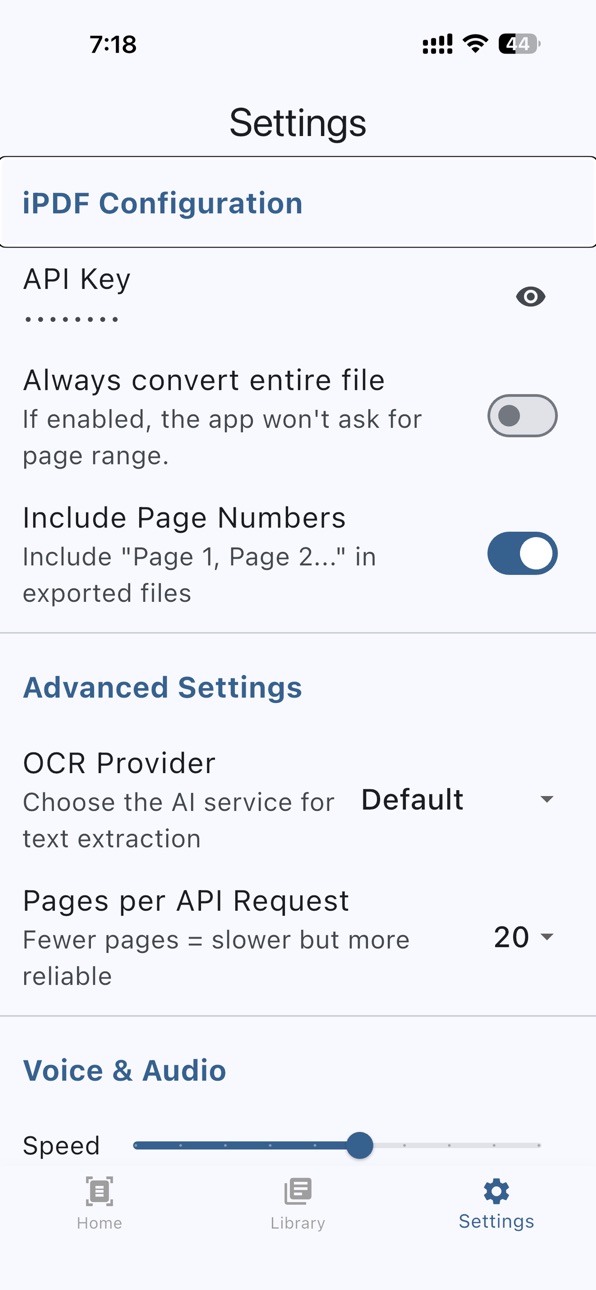


iPad 7 images


What’s New Version 1.1.0
Welcome to version 1.1.0, our biggest update yet, bringing you a wealth of new features!
What's New in This Update:
• Extract Text from Lectures: You can now extract text from your lectures wherever they are—whether in local files, videos, or even YouTube (supports both audio and video files).
• Live Reader: Empowers blind and visually impaired users to read physical paper documents directly in real-time using AI. It features 30 high-quality voices that can be switched seamlessly from the settings.
• PDF Tools: An entirely new tab featuring a comprehensive suite of PDF utilities, including: creating PDFs from images, splitting PDFs, merging PDFs, converting Docx to PDF, encrypting and decrypting PDFs, and compressing PDF files.
• History Feature: You can now save your extraction progress. If the app is closed or the extraction is paused, you can return later and resume exactly from where you left off without starting over. You can resume in multiple ways: by re-sharing the file to the app, selecting it again from "Extract text from PDF," or directly from the History tab. The History section includes 3 tabs (All, Completed, Incomplete), along with a "Clear History" button that deletes the entire selected tab's records.
• Export to Audio: You can now export your text files into high-quality audio files using any of our 30 distinct voices. This can be accessed from the export options immediately after extraction or from your Library.
• Massive Read Aloud Improvements: You can now choose a specific voice for each supported language independently. We have added support for multiple languages, all configurable in the settings. Read Aloud now supports pause and resume. For VoiceOver users, you can conveniently use the two-finger "Magic Tap" gesture to pause and resume playback.
• Ask iPDF Live Chat: Ask iPDF now features Live Chat, an interactive voice conversation powered by Gemini. (Note: This feature uses the same voice selected in settings for the Live Reader, and handles a maximum of 50 pages per file).
• Home Screen Shortcuts (Quick Actions): We have added a feature that allows you to customize up to 4 shortcuts accessible by long-pressing the app icon using Haptic Touch. This gives you quick, direct access to key tools such as: Extract Text from PDF, Extract Text from Image, Extract Text from Lecture, and Live Reader. You can toggle your preferred shortcuts on or off by navigating to (Settings > Home Screen Shortcuts). Additionally, using VoiceOver actions, you can easily arrange the order of the shortcuts by moving them up or down.
• Plenty of bug fixes and performance improvements to ensure a smoother, more stable user experience.
Thank you,
iPDF Team
Description
Experience the future of accessibility with iPDF, the world’s first mobile application that integrates multiple advanced AI OCR models to transform the way the visually impaired interact with documents.
iPDF is designed with a core mission: to eliminate the barriers faced by the blind and visually impaired when reading complex PDF files. By leveraging a suite of state-of-the-art Artificial Intelligence models, iPDF ensures that no document is out of reach, providing highly accurate text extraction where traditional readers fail.
Key Features:
Multi-Model AI OCR:
The first of its kind to offer multiple powerful OCR engines. Switch between different AI models to find the best results for any document type, ensuring maximum accuracy for even the most difficult layouts.
Built for Accessibility:
Specifically engineered to solve the "inaccessible PDF" problem. iPDF converts static images and complex PDFs into clear, readable text, perfectly optimized for screen readers.
Instant Document Scanner:
Turn your phone into a high-powered scanner. Capture physical documents, letters, or books in real-time and instantly convert them into readable digital text with ease and precision.
Intelligent PDF Processing:
Effortlessly handle large books and multi-page documents. Our AI-driven batch processing makes reading long-form content smooth and efficient.
Seamless User Experience:
A clean, intuitive interface designed for speed and simplicity, ensuring that everyone can navigate and use the app’s powerful features without any hassle.
Say goodbye to inaccessible content. With iPDF, the world of printed and digital text is finally open to everyone.
Accessibility
ipadiphonemacrealityDevicetvoswatch
Version history 6 versions
Build 887659557v1.1.02026-07-01 13:08:15
Welcome to version 1.1.0, our biggest update yet, bringing you a wealth of new features!
What's New in This Update:
• Extract Text from Lectures: You can now extract text from your lectures wherever they are—whether in local files, videos, or even YouTube (supports both audio and video files).
• Live Reader: Empowers blind and visually impaired users to read physical paper documents directly in real-time using AI. It features 30 high-quality voices that can be switched seamlessly from the settings.
• PDF Tools: An entirely new tab featuring a comprehensive suite of PDF utilities, including: creating PDFs from images, splitting PDFs, merging PDFs, converting Docx to PDF, encrypting and decrypting PDFs, and compressing PDF files.
• History Feature: You can now save your extraction progress. If the app is closed or the extraction is paused, you can return later and resume exactly from where you left off without starting over. You can resume in multiple ways: by re-sharing the file to the app, selecting it again from "Extract text from PDF," or directly from the History tab. The History section includes 3 tabs (All, Completed, Incomplete), along with a "Clear History" button that deletes the entire selected tab's records.
• Export to Audio: You can now export your text files into high-quality audio files using any of our 30 distinct voices. This can be accessed from the export options immediately after extraction or from your Library.
• Massive Read Aloud Improvements: You can now choose a specific voice for each supported language independently. We have added support for multiple languages, all configurable in the settings. Read Aloud now supports pause and resume. For VoiceOver users, you can conveniently use the two-finger "Magic Tap" gesture to pause and resume playback.
• Ask iPDF Live Chat: Ask iPDF now features Live Chat, an interactive voice conversation powered by Gemini. (Note: This feature uses the same voice selected in settings for the Live Reader, and handles a maximum of 50 pages per file).
• Home Screen Shortcuts (Quick Actions): We have added a feature that allows you to customize up to 4 shortcuts accessible by long-pressing the app icon using Haptic Touch. This gives you quick, direct access to key tools such as: Extract Text from PDF, Extract Text from Image, Extract Text from Lecture, and Live Reader. You can toggle your preferred shortcuts on or off by navigating to (Settings > Home Screen Shortcuts). Additionally, using VoiceOver actions, you can easily arrange the order of the shortcuts by moving them up or down.
• Plenty of bug fixes and performance improvements to ensure a smoother, more stable user experience.
Thank you,
iPDF Team
Build 886797353v1.0.42026-06-11 01:02:21
Welcome to the biggest upgrade to iPDF since our initial launch!
In this release, we've added exceptional features and made significant improvements for an easier, smarter experience:
New in this release:
• Continuous Read-Aloud: This feature allows you to follow the read-aloud audio continuously without having to manually turn the pages. It can be enabled via Settings.
• Local Network File Sharing: Easily send and receive files between your phone and computer using your local Wi-Fi network (access via Library > Import > Network Import).
• Three-Finger Swipe Navigation: Navigate between book pages faster and more naturally by swiping left or right with three fingers.
• Model Limits Checker: Added a new "Model Limits" page in Settings that displays the capabilities and limits of each AI model used in the app. This page updates continuously.
• Enhanced Library Management: You can now rename files and change their assigned sections directly within the library.
• Attachments in "Ask iPDF": You can now attach images to your queries by taking a photo directly with your camera or importing one from your photo album.
• Voice Messages in "Ask iPDF": Communicate more naturally! Long-press the voice message button to record and release to send. Swipe left while recording to cancel. You can also tap the button once to start hands-free recording without holding it down.
Improvements & Fixes:
• General under-the-hood fixes that significantly increase the app's speed and overall stability for a flawless experience.
Thank you,
iPDF Team
Build 886165918v1.0.32026-05-28 20:56:59
Welcome to version 1.0.3!
In this release, we have added new features and made several important improvements:
What's New in this Release:
• Resume where you left off: Through this feature, the app keeps the last position you were reading in the library and returns you to it directly when opening the document.
• Import to Library: This feature allows you to import DOCX or TXT files directly to the app's library so you can read them. The app automatically pages the file if it does not contain page numbers by placing every 3000 words on a separate page.
Improvements and Fixes:
• Upgraded Gemini models to the latest version.
• Improvements to the Gemini service.
• Other general improvements and fixes.
Thank you,
iPDF Team
Build 885730907v1.0.22026-05-16 21:15:46
Welcome to version 1.0.2!
In this release, we fixed several issues and added important improvements:
• Fixed the sharing feature: The app can now receive any image directly from any other app.
• Fixed DOCX export: The app no longer creates a corrupted file when exporting or sharing DOCX files.
• General fixes and improvements.
What has been added in this release:
• Background processing: The app can now continue extracting text in the background and sends a notification when the file is complete.
• Read Aloud settings: A new dedicated Read Aloud section has been added inside Settings.
Thank you,
iPDF Team
Build 885466639vV1.0.12026-05-10 20:26:16
Welcome to version V1.0.1!
In this release, we have made several important improvements:
• Fixed Sharing Issue: The app now receives PDF files and images directly and seamlessly from any other app (such as Files, WhatsApp, etc.).
• Automatic Language Detection: The app now automatically detects your device's language upon first installation to provide the best experience instantly.
• Comprehensive Localization: Completed the full translation of all user interfaces into Arabic.
• Performance Improvements: Fixed general bugs and improved overall app stability.
Thank you,
iPDF Team
Build 885295434v1.0.02026-05-08 13:59:49
No pricing data captured yet — comparisons appear once the app has paid storefronts or in-app purchases.
Availability 148 of 175 storefronts
| Region | Language | Price | Ratings | Avg | Version |
|---|---|---|---|---|---|
| US | en-US | Free | 18 | 4.8 | 1.1.0 |
| SA | en-GB | Free | 5 | 4.6 | 1.1.0 |
| EG | en-GB | Free | 2 | 5.0 | 1.1.0 |
| IL | en-GB | Free | 1 | 5.0 | 1.1.0 |
| IQ | en-GB | Free | 1 | 5.0 | 1.1.0 |
| JO | en-GB | Free | 1 | 5.0 | 1.1.0 |
| YE | en-GB | Free | 1 | 5.0 | 1.1.0 |
| AE | en-GB | Free | 0 | — | 1.1.0 |
| AF | en-GB | Free | 0 | — | 1.1.0 |
| AG | en-GB | Free | 0 | — | 1.1.0 |
| AI | en-GB | Free | 0 | — | 1.1.0 |
| AL | en-GB | Free | 0 | — | 1.1.0 |
| AM | en-GB | Free | 0 | — | 1.1.0 |
| AO | en-GB | Free | 0 | — | 1.1.0 |
| AR | es-MX | Free | 0 | — | 1.1.0 |
| AU | en-AU | Free | 0 | — | 1.1.0 |
| AZ | en-GB | Free | 0 | — | 1.1.0 |
| BA | en-GB | Free | 0 | — | 1.1.0 |
| BB | en-GB | Free | 0 | — | 1.1.0 |
| BF | en-GB | Free | 0 | — | 1.1.0 |
| BH | en-GB | Free | 0 | — | 1.1.0 |
| BJ | en-GB | Free | 0 | — | 1.1.0 |
| BM | en-GB | Free | 0 | — | 1.1.0 |
| BN | en-GB | Free | 0 | — | 1.1.0 |
| BO | es-MX | Free | 0 | — | 1.1.0 |
| BR | pt-BR | Free | 0 | — | 1.1.0 |
| BS | en-GB | Free | 0 | — | 1.1.0 |
| BT | en-GB | Free | 0 | — | 1.1.0 |
| BW | en-GB | Free | 0 | — | 1.1.0 |
| BY | en-GB | Free | 0 | — | 1.1.0 |
| BZ | en-GB | Free | 0 | — | 1.1.0 |
| CA | en-CA | Free | 0 | — | 1.1.0 |
| CD | en-GB | Free | 0 | — | 1.1.0 |
| CG | en-GB | Free | 0 | — | 1.1.0 |
| CH | de-CH | Free | 0 | — | 1.1.0 |
| CI | fr-FR | Free | 0 | — | 1.1.0 |
| CL | es-MX | Free | 0 | — | 1.1.0 |
| CM | fr-FR | Free | 0 | — | 1.1.0 |
| CN | zh-Hans-CN | Free | 0 | — | 1.1.0 |
| CO | es-MX | Free | 0 | — | 1.1.0 |
| CR | es-MX | Free | 0 | — | 1.1.0 |
| CV | en-GB | Free | 0 | — | 1.1.0 |
| DM | en-GB | Free | 0 | — | 1.1.0 |
| DO | es-MX | Free | 0 | — | 1.1.0 |
| DZ | en-GB | Free | 0 | — | 1.1.0 |
| EC | es-MX | Free | 0 | — | 1.1.0 |
| FJ | en-GB | Free | 0 | — | 1.1.0 |
| FM | en-GB | Free | 0 | — | 1.1.0 |
| GA | fr-FR | Free | 0 | — | 1.1.0 |
| GB | en-GB | Free | 0 | — | 1.1.0 |
| GD | en-GB | Free | 0 | — | 1.1.0 |
| GE | en-GB | Free | 0 | — | 1.1.0 |
| GH | en-GB | Free | 0 | — | 1.1.0 |
| GM | en-GB | Free | 0 | — | 1.1.0 |
| GT | es-MX | Free | 0 | — | 1.1.0 |
| GW | en-GB | Free | 0 | — | 1.1.0 |
| GY | en-GB | Free | 0 | — | 1.1.0 |
| HK | zh-Hant-HK | Free | 0 | — | 1.1.0 |
| HN | es-MX | Free | 0 | — | 1.1.0 |
| ID | en-GB | Free | 0 | — | 1.1.0 |
| IN | en-GB | Free | 0 | — | 1.1.0 |
| IS | en-GB | Free | 0 | — | 1.1.0 |
| JM | en-GB | Free | 0 | — | 1.1.0 |
| JP | ja | Free | 0 | — | 1.1.0 |
| KE | en-GB | Free | 0 | — | 1.1.0 |
| KG | en-GB | Free | 0 | — | 1.1.0 |
| KH | en-GB | Free | 0 | — | 1.1.0 |
| KN | en-GB | Free | 0 | — | 1.1.0 |
| KR | ko | Free | 0 | — | 1.1.0 |
| KW | en-GB | Free | 0 | — | 1.1.0 |
| KY | en-GB | Free | 0 | — | 1.1.0 |
| KZ | en-GB | Free | 0 | — | 1.1.0 |
| LA | en-GB | Free | 0 | — | 1.1.0 |
| LB | en-GB | Free | 0 | — | 1.1.0 |
| LC | en-GB | Free | 0 | — | 1.1.0 |
| LK | en-GB | Free | 0 | — | 1.1.0 |
| LR | en-GB | Free | 0 | — | 1.1.0 |
| LY | en-GB | Free | 0 | — | 1.1.0 |
| MA | en-GB | Free | 0 | — | 1.1.0 |
| MD | en-GB | Free | 0 | — | 1.1.0 |
| ME | en-GB | Free | 0 | — | 1.1.0 |
| MG | en-GB | Free | 0 | — | 1.1.0 |
| MK | en-GB | Free | 0 | — | 1.1.0 |
| ML | en-GB | Free | 0 | — | 1.1.0 |
| MM | en-GB | Free | 0 | — | 1.1.0 |
| MN | en-GB | Free | 0 | — | 1.1.0 |
| MO | zh-Hant-HK | Free | 0 | — | 1.1.0 |
| MR | en-GB | Free | 0 | — | 1.1.0 |
| MS | en-GB | Free | 0 | — | 1.1.0 |
| MU | en-GB | Free | 0 | — | 1.1.0 |
| MV | en-GB | Free | 0 | — | 1.1.0 |
| MW | en-GB | Free | 0 | — | 1.1.0 |
| MX | es-MX | Free | 0 | — | 1.1.0 |
| MY | en-GB | Free | 0 | — | 1.1.0 |
| MZ | en-GB | Free | 0 | — | 1.1.0 |
| NA | en-GB | Free | 0 | — | 1.1.0 |
| NE | en-GB | Free | 0 | — | 1.1.0 |
| NG | en-GB | Free | 0 | — | 1.1.0 |
| NI | es-MX | Free | 0 | — | 1.1.0 |
| NO | en-GB | Free | 0 | — | 1.1.0 |
| NP | en-GB | Free | 0 | — | 1.1.0 |
| NR | en-GB | Free | 0 | — | 1.1.0 |
| NZ | en-AU | Free | 0 | — | 1.1.0 |
| OM | en-GB | Free | 0 | — | 1.1.0 |
| PA | es-MX | Free | 0 | — | 1.1.0 |
| PE | es-MX | Free | 0 | — | 1.1.0 |
| PG | en-GB | Free | 0 | — | 1.1.0 |
| PH | en-GB | Free | 0 | — | 1.1.0 |
| PK | en-GB | Free | 0 | — | 1.1.0 |
| PW | en-GB | Free | 0 | — | 1.1.0 |
| PY | es-MX | Free | 0 | — | 1.1.0 |
| QA | en-GB | Free | 0 | — | 1.1.0 |
| RS | en-GB | Free | 0 | — | 1.1.0 |
| RU | ru | Free | 0 | — | 1.1.0 |
| RW | en-GB | Free | 0 | — | 1.1.0 |
| SB | en-GB | Free | 0 | — | 1.1.0 |
| SC | en-GB | Free | 0 | — | 1.1.0 |
| SG | en-GB | Free | 0 | — | 1.1.0 |
| SL | en-GB | Free | 0 | — | 1.1.0 |
| SN | en-GB | Free | 0 | — | 1.1.0 |
| SR | en-GB | Free | 0 | — | 1.1.0 |
| ST | en-GB | Free | 0 | — | 1.1.0 |
| SV | es-MX | Free | 0 | — | 1.1.0 |
| SZ | en-GB | Free | 0 | — | 1.1.0 |
| TC | en-GB | Free | 0 | — | 1.1.0 |
| TD | en-GB | Free | 0 | — | 1.1.0 |
| TH | en-GB | Free | 0 | — | 1.1.0 |
| TJ | en-GB | Free | 0 | — | 1.1.0 |
| TM | en-GB | Free | 0 | — | 1.1.0 |
| TN | en-GB | Free | 0 | — | 1.1.0 |
| TO | en-GB | Free | 0 | — | 1.1.0 |
| TR | en-GB | Free | 0 | — | 1.1.0 |
| TT | en-GB | Free | 0 | — | 1.1.0 |
| TW | zh-Hant-TW | Free | 0 | — | 1.1.0 |
| TZ | en-GB | Free | 0 | — | 1.1.0 |
| UA | en-GB | Free | 0 | — | 1.1.0 |
| UG | en-GB | Free | 0 | — | 1.1.0 |
| UY | en-GB | Free | 0 | — | 1.1.0 |
| UZ | en-GB | Free | 0 | — | 1.1.0 |
| VC | en-GB | Free | 0 | — | 1.1.0 |
| VE | es-MX | Free | 0 | — | 1.1.0 |
| VG | en-GB | Free | 0 | — | 1.1.0 |
| VN | en-GB | Free | 0 | — | 1.1.0 |
| VU | en-GB | Free | 0 | — | 1.1.0 |
| XK | en-GB | Free | 0 | — | 1.1.0 |
| ZA | en-GB | Free | 0 | — | 1.1.0 |
| ZM | en-GB | Free | 0 | — | 1.1.0 |
| ZW | en-GB | Free | 0 | — | 1.1.0 |
Not available in: AT, BE, BG, CY, CZ, DE, DK, EE, ES, FI, FR, GR, HR, HU, IE, IT, LT, LU, LV, MT, NL, PL, PT, RO, SE, SI, SK
Change log 12 changes · UG
✎
releaseNotes updated
Welcome to version 1.1.0, our biggest update yet, bringing you a wealth of new features!
What's New in This Update:
• Extract Text from Lectures: You can now e
✎
description updated
Experience the future of accessibility with iPDF, the world’s first mobile application that integrates multiple advanced AI OCR models to transform the way the
✎
subtitle updated
AI text extractor
✎
name updated
i PDf accessible
▣
App icon changed
✎
Privacy labels 0 → 1 categories
◆
Version 1.1.0 released
Welcome to version 1.1.0, our biggest update yet, bringing you a wealth of new features!
What's New in This Update:
• Extract Text from Lectures: You can now extract text from your lectures wherever they are—whether in local files, videos,
◆
Version 1.0.4 released
Welcome to the biggest upgrade to iPDF since our initial launch!
In this release, we've added exceptional features and made significant improvements for an easier, smarter experience:
New in this release:
• Continuous Read-Aloud: This feat
◆
Version 1.0.3 released
Welcome to version 1.0.3!
In this release, we have added new features and made several important improvements:
What's New in this Release:
• Resume where you left off: Through this feature, the app keeps the last position you were reading
◆
Version 1.0.2 released
Welcome to version 1.0.2!
In this release, we fixed several issues and added important improvements:
• Fixed the sharing feature: The app can now receive any image directly from any other app.
• Fixed DOCX export: The app no longer creates
◆
Version V1.0.1 released
Welcome to version V1.0.1!
In this release, we have made several important improvements:
• Fixed Sharing Issue: The app now receives PDF files and images directly and seamlessly from any other app (such as Files, WhatsApp, etc.).
• Automat
◆
Version 1.0.0 released