Home › Education

 CA
CA
 KRko
KRko AEen-GB
 AFen-GB
 ALen-GB
 AMen-GB
 ATde-DE
 AUen-AU
 AZen-GB
 BAen-GB
 BEen-GB
 BGen-GB
 BHen-GB
 BMen-GB
 BNen-GB
 BTen-GB
 BYen-GBCAen-CA
 CHde-CH
 CNzh-Hans-CN
 CYen-GB
 CZen-GB
 DEde-DE
 DKen-GB
 EEen-GB
 EGen-GB
 ESes-ES
 FIen-GB
 FJen-GB
 FMen-GB
 FRfr-FR
 GBen-GB
 GEen-GB
 GRen-GB
 HKzh-Hant-HK
 HRen-GB
 HUen-GB
 IDen-GB
 IEen-GB
 ILen-GB
 INen-GB
 IQen-GB
 ISen-GB
 ITit
ITit JOen-GB
 JPja
JPja KGen-GB
 KHen-GB
 KWen-GB
 KZen-GB
 LAen-GB
 LBen-GB
 LKen-GB
 LTen-GB
 LUen-GB
 LVen-GB
 MDen-GB
 MEen-GB
 MKen-GB
 MMen-GB
 MNen-GB
 MOzh-Hant-HK
 MRen-GB
 MTen-GB
 MVen-GB
 MYen-GB
 NLnl
NLnl NOen-GB
 NPen-GB
 NRen-GB
 NZen-AU
 OMen-GB
 PGen-GB
 PHen-GB
 PKen-GB
 PLen-GB
 PTpt-PT
 PWen-GB
 QAen-GB
 ROen-GB
 RSen-GB
 RUru
RUru SAen-GB
 SBen-GB
 SEsv
SEsv SGen-GB
 SIen-GB
 SKen-GB
 THen-GB
 TJen-GB
 TMen-GB
 TOen-GB
 TRen-GB
 TWzh-Hant-TW
 UAen-GB
 USen-US
 UZen-GB
 VNen-GB
 VUen-GB
 XKen-GB
 YEen-GB
 ZAen-GB
101 of 101 storefronts
Content in en-US
Content in en-US
Information
Preview 2 platforms
iPhone 6 images
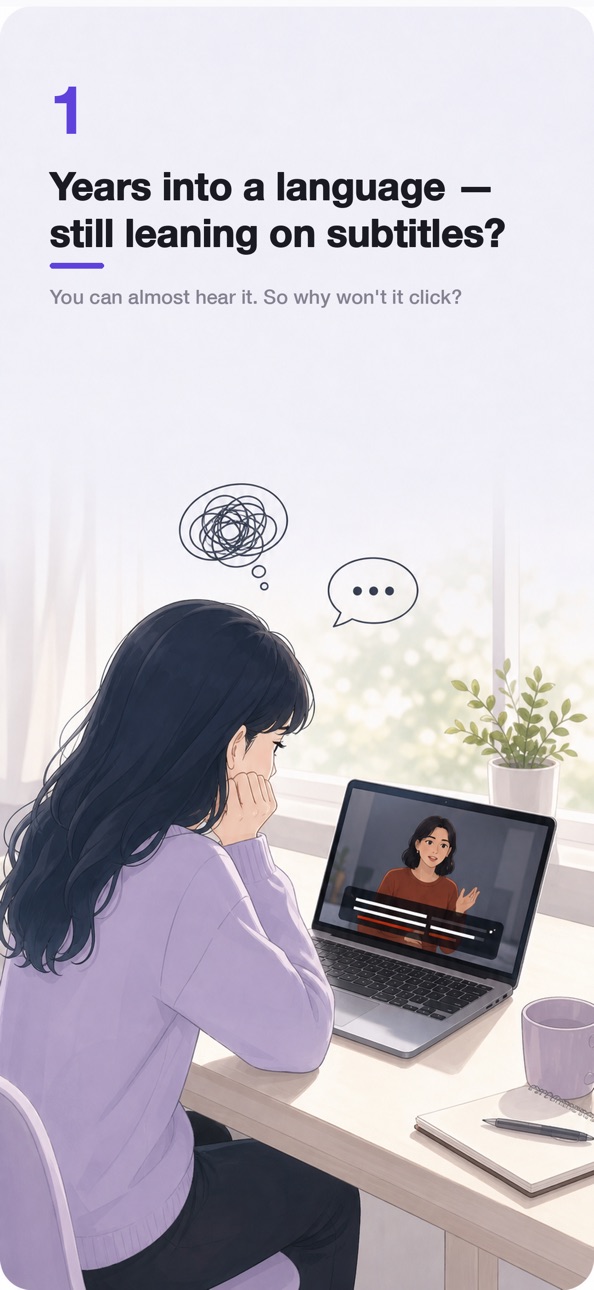


iPad 6 images


What’s New Version 1.4.4
• Today's 5 minutes: saved lines come back over the next days so you re-hear them by ear until they click
• When you save a loop, note why it was hard to catch (sounds ran together, too fast, accent, unfamiliar words) and Dollim shapes your review around it
• Then vs Now: hear a line you practiced earlier next to how you hear it today — by ear, never scored
• A gentler first run: a quick "can you hear it?" listening intro for new learners
• Stability improvements and bug fixes
Description
That one sentence you tried to catch — and missed?
Most listeners just keep going. Then they miss the next sentence too. And the next. They finish the video knowing roughly what it was about, without ever really hearing it.
Dollim takes a different approach: if you can't hear it, loop it. Five times. Twenty times. Until every consonant lands. Then say it back and compare with the original by ear. And when a line still won't click, ask the AI. Loop it, say it back, ask the AI — keep that small loop going and you start to hear it, without subtitles.
— Made for you if
• You watch YouTube lectures, interviews, or news in your target language and want to keep up
• Fast movie or drama dialogue leaves you behind
• You want subtitle-free listening but don't know how to train for it
• You're done with passive replay and want deliberate practice
— Core features
• Loop just the part you missed
Pinch the A/B start and end of any clip on a carousel timeline, down to 0.25 seconds. The hard part, on repeat, until every word lands.
• Half speed, voices still natural
Slow fast talkers to 0.5x — the pitch stays put, so nothing turns to mush. You finally catch the sounds you used to skip past.
• YouTube + your library
Paste a YouTube link or import any video or audio file from your phone. Podcasts work too.
• Discover — ready videos to practice with
A dedicated tab of hand-picked videos in your study language, grouped by topic: Interviews, Talks, Conversations, and Lessons. No more hunting for something to study — open it and start.
• Record & compare (shadowing)
Record your own take of a loop, then play it against the original and compare by ear. Shadow a line until it sounds right to you. No scores, no grading — just your ear, getting sharper.
• Save loops (up to 10 per session)
Keep favorite passages with custom names. One tap to re-activate.
• Captions — in the video's original language
YouTube renders the video's native track. Device files show embedded captions or external SRT files. Three caption-size presets.
• Long-press caption translation
Tap and hold any caption phrase for an instant translation. Save the ones worth remembering. Free users get 10 translations per day.
• Vocabulary list
Saved phrases live in one place, with their translations, ready for review.
• Lock screen controls (device files)
Listen with earbuds and skip ±15 seconds without unlocking.
— Dollim Pro
A subscription priced like a coffee.
• Remove ads
• Unlimited caption translation (free tier is capped at 10/day)
• $1.99/month or $14.99/year (yearly includes a 7-day free trial)
• Family Sharing supported
— Design principles
• No account — open the app and start
• Ads only for free users; Pro is clean
That one sentence you missed — find it again in Dollim, then say it back.
— Legal
Terms of Use (EULA): https://www.apple.com/legal/internet-services/itunes/dev/stdeula/
Privacy Policy: https://hyunsanglabs.com/apps/dollim/privacy
In-App Purchases CA pricing
Dollim Pro Subscription
Yearly · Yearly—
Monthly · Monthly—
Capabilities
In-App Purchases
Accessibility
ipadiphonemacrealityDevicetvoswatch
Version history 13 versions
Build 887831448v1.4.32026-07-05 21:30:25
• Today's 5 minutes: saved lines come back over the next days so you re-hear them by ear until they click
• When you save a loop, note why it was hard to catch (sounds ran together, too fast, accent, unfamiliar words) and Dollim shapes your review around it
• Then vs Now: hear a line you practiced earlier next to how you hear it today — by ear, never scored
• A gentler first run: a quick "can you hear it?" listening intro for new learners
• Stability improvements and bug fixes
Build 887471610v1.4.22026-06-30 19:12:47
• Stability improvements and bug fixes
Build 887219783v1.4.12026-06-24 08:51:23
• Stability improvements and bug fixes
Build 886694325v1.4.02026-06-10 18:03:57
• New Discover tab — a dedicated page of curated videos for your study language, organized into topic rows: Interviews, Talks, Conversations, and Lessons. Switch languages right on the tab
• Home recommendations are now a quick-start aid for new users and can be turned off in Settings
Build 886638136v1.3.02026-06-07 17:50:25
• Record & Compare — record yourself during any looped section, then play it back against the original and compare by ear. Long-press the loop button to start
• Curated video recommendations on Home, matched to your study language — tap one you've already practiced to pick up where you left off
• Onboarding now asks which language you're studying and sets your caption language to match
• A tip in the practice screen now teaches the caption-language long-press menu
• Fixed short Japanese captions wrapping onto two lines
Build 886605388v1.2.32026-06-06 17:07:59
• Home now lets you know when a newer version is on the App Store — dismiss the banner and it stays gone for that release
• Small fixes and stability improvements
Build 886321090v1.2.22026-06-05 13:52:28
• New welcome tour on first launch — shows the core flow: add a YouTube link or file, loop a section, slow it down, and tap a caption to translate or ask AI
• Saved vocabulary now shows each phrase inside its full sentence — the highlighted part is what you picked, the rest is greyed out for context
• Wording polish and small fixes throughout
Build 886137797v1.2.12026-05-28 13:21:04
• Ask AI right from your vocabulary — meaning, nuance, and examples for any saved phrase
• Translations now follow your app language automatically
Build 885985204v1.1.02026-05-25 05:51:20
• Introducing Dollim Pro: ad-free experience + unlimited AI caption translation (free tier: 10/day)
• Yearly subscription includes a 7-day free trial
• Three caption-size presets and long-press to save vocabulary
• Lock screen controls for device files
• Resume where you left off — playhead and caption toggle remembered per session
• App UI in Japanese, Spanish, Portuguese (Brazil), German, Vietnamese, Indonesian, and Thai
• Caption language defaults to Auto; long-press to override per session
• Pick AI translation target language in Practice Settings
• Home auto-pastes YouTube links from your clipboard
• YouTube auto-generated caption indicator
• Improved caption display and playback stability
Build 886091670v1.2.02026-05-25 18:19:04
• Dark mode, with an in-app appearance switch (System / Light / Dark)
• Sort your vocabulary — manual, recent, alphabetical, or by source
• Jump straight from a saved word back to the moment in the video
• Saved words now stay even after you delete the source video
• New 2-second skip for replaying a single word
• Stability — fixed a rare crash when opening a session with saved loops or bookmarks, plus minor fixes
Build 885765524v1.0.22026-05-19 15:38:32
- Able to change the caption size
- Fixed minor bugs
Build 885702165v1.0.12026-05-15 08:08:09
- Local video files are now supported. Select a video and subtitle file to practice more comfortably.
- The app design has been refined for a cleaner, more polished look.
- Minor bugs have been fixed.
Build 885175228v1.02026-05-12 08:57:13
Price history by region
Currency
Show
Columns
Search
Availability 101 of 101 storefronts
| Region | Language | Price | Ratings | Avg | Version |
|---|---|---|---|---|---|
| KR | ko | Free | 7 | 5.0 | 1.4.4 |
| AE | en-GB | Free | 0 | — | 1.4.4 |
| AF | en-GB | Free | 0 | — | 1.4.4 |
| AL | en-GB | Free | 0 | — | 1.4.4 |
| AM | en-GB | Free | 0 | — | 1.4.4 |
| AT | de-DE | Free | 0 | — | 1.4.4 |
| AU | en-AU | Free | 0 | — | 1.4.4 |
| AZ | en-GB | Free | 0 | — | 1.4.4 |
| BA | en-GB | Free | 0 | — | 1.4.4 |
| BE | en-GB | Free | 0 | — | 1.4.4 |
| BG | en-GB | Free | 0 | — | 1.4.4 |
| BH | en-GB | Free | 0 | — | 1.4.4 |
| BM | en-GB | Free | 0 | — | 1.4.4 |
| BN | en-GB | Free | 0 | — | 1.4.4 |
| BT | en-GB | Free | 0 | — | 1.4.4 |
| BY | en-GB | Free | 0 | — | 1.4.4 |
| CA | en-CA | Free | 0 | — | 1.4.4 |
| CH | de-CH | Free | 0 | — | 1.4.4 |
| CN | zh-Hans-CN | Free | 0 | — | 1.4.4 |
| CY | en-GB | Free | 0 | — | 1.4.4 |
| CZ | en-GB | Free | 0 | — | 1.4.4 |
| DE | de-DE | Free | 0 | — | 1.4.4 |
| DK | en-GB | Free | 0 | — | 1.4.4 |
| EE | en-GB | Free | 0 | — | 1.4.4 |
| EG | en-GB | Free | 0 | — | 1.4.4 |
| ES | es-ES | Free | 0 | — | 1.4.4 |
| FI | en-GB | Free | 0 | — | 1.4.4 |
| FJ | en-GB | Free | 0 | — | 1.4.4 |
| FM | en-GB | Free | 0 | — | 1.4.4 |
| FR | fr-FR | Free | 0 | — | 1.4.4 |
| GB | en-GB | Free | 0 | — | 1.4.4 |
| GE | en-GB | Free | 0 | — | 1.4.4 |
| GR | en-GB | Free | 0 | — | 1.4.4 |
| HK | zh-Hant-HK | Free | 0 | — | 1.4.4 |
| HR | en-GB | Free | 0 | — | 1.4.4 |
| HU | en-GB | Free | 0 | — | 1.4.4 |
| ID | en-GB | Free | 0 | — | 1.4.4 |
| IE | en-GB | Free | 0 | — | 1.4.4 |
| IL | en-GB | Free | 0 | — | 1.4.4 |
| IN | en-GB | Free | 0 | — | 1.4.4 |
| IQ | en-GB | Free | 0 | — | 1.4.4 |
| IS | en-GB | Free | 0 | — | 1.4.4 |
| IT | it | Free | 0 | — | 1.4.4 |
| JO | en-GB | Free | 0 | — | 1.4.4 |
| JP | ja | Free | 0 | — | 1.4.4 |
| KG | en-GB | Free | 0 | — | 1.4.4 |
| KH | en-GB | Free | 0 | — | 1.4.4 |
| KW | en-GB | Free | 0 | — | 1.4.4 |
| KZ | en-GB | Free | 0 | — | 1.4.4 |
| LA | en-GB | Free | 0 | — | 1.4.4 |
| LB | en-GB | Free | 0 | — | 1.4.4 |
| LK | en-GB | Free | 0 | — | 1.4.4 |
| LT | en-GB | Free | 0 | — | 1.4.4 |
| LU | en-GB | Free | 0 | — | 1.4.4 |
| LV | en-GB | Free | 0 | — | 1.4.4 |
| MD | en-GB | Free | 0 | — | 1.4.4 |
| ME | en-GB | Free | 0 | — | 1.4.4 |
| MK | en-GB | Free | 0 | — | 1.4.4 |
| MM | en-GB | Free | 0 | — | 1.4.4 |
| MN | en-GB | Free | 0 | — | 1.4.4 |
| MO | zh-Hant-HK | Free | 0 | — | 1.4.4 |
| MR | en-GB | Free | 0 | — | 1.4.4 |
| MT | en-GB | Free | 0 | — | 1.4.4 |
| MV | en-GB | Free | 0 | — | 1.4.4 |
| MY | en-GB | Free | 0 | — | 1.4.4 |
| NL | nl | Free | 0 | — | 1.4.4 |
| NO | en-GB | Free | 0 | — | 1.4.4 |
| NP | en-GB | Free | 0 | — | 1.4.4 |
| NR | en-GB | Free | 0 | — | 1.4.4 |
| NZ | en-AU | Free | 0 | — | 1.4.4 |
| OM | en-GB | Free | 0 | — | 1.4.4 |
| PG | en-GB | Free | 0 | — | 1.4.4 |
| PH | en-GB | Free | 0 | — | 1.4.4 |
| PK | en-GB | Free | 0 | — | 1.4.4 |
| PL | en-GB | Free | 0 | — | 1.4.4 |
| PT | pt-PT | Free | 0 | — | 1.4.4 |
| PW | en-GB | Free | 0 | — | 1.4.4 |
| QA | en-GB | Free | 0 | — | 1.4.4 |
| RO | en-GB | Free | 0 | — | 1.4.4 |
| RS | en-GB | Free | 0 | — | 1.4.4 |
| RU | ru | Free | 0 | — | 1.4.4 |
| SA | en-GB | Free | 0 | — | 1.4.4 |
| SB | en-GB | Free | 0 | — | 1.4.4 |
| SE | sv | Free | 0 | — | 1.4.4 |
| SG | en-GB | Free | 0 | — | 1.4.4 |
| SI | en-GB | Free | 0 | — | 1.4.4 |
| SK | en-GB | Free | 0 | — | 1.4.4 |
| TH | en-GB | Free | 0 | — | 1.4.4 |
| TJ | en-GB | Free | 0 | — | 1.4.4 |
| TM | en-GB | Free | 0 | — | 1.4.4 |
| TO | en-GB | Free | 0 | — | 1.4.4 |
| TR | en-GB | Free | 0 | — | 1.4.4 |
| TW | zh-Hant-TW | Free | 0 | — | 1.4.4 |
| UA | en-GB | Free | 0 | — | 1.4.4 |
| US | en-US | Free | 0 | — | 1.4.3 |
| UZ | en-GB | Free | 0 | — | 1.4.4 |
| VN | en-GB | Free | 0 | — | 1.4.4 |
| VU | en-GB | Free | 0 | — | 1.4.4 |
| XK | en-GB | Free | 0 | — | 1.4.4 |
| YE | en-GB | Free | 0 | — | 1.4.4 |
| ZA | en-GB | Free | 0 | — | 1.4.4 |
Change log 17 changes · CA
✎
releaseNotes updated
• Today's 5 minutes: saved lines come back over the next days so you re-hear them by ear until they click
• When you save a loop, note why it was hard to catch
✎
description updated
That one sentence you tried to catch — and missed?
Most listeners just keep going. Then they miss the next sentence too. And the next. They finish the video kn
✎
subtitle updated
Shadow it, hear it all. Free
✎
name updated
Dollim - YouTube English Loop
◆
Version 1.4.3 released
• Today's 5 minutes: saved lines come back over the next days so you re-hear them by ear until they click
• When you save a loop, note why it was hard to catch (sounds ran together, too fast, accent, unfamiliar words) and Dollim shapes your
◆
Version 1.4.2 released
• Stability improvements and bug fixes
◆
Version 1.4.1 released
• Stability improvements and bug fixes
◆
Version 1.4.0 released
• New Discover tab — a dedicated page of curated videos for your study language, organized into topic rows: Interviews, Talks, Conversations, and Lessons. Switch languages right on the tab
• Home recommendations are now a quick-start aid fo
◆
Version 1.3.0 released
• Record & Compare — record yourself during any looped section, then play it back against the original and compare by ear. Long-press the loop button to start
• Curated video recommendations on Home, matched to your study language — tap one
◆
Version 1.2.3 released
• Home now lets you know when a newer version is on the App Store — dismiss the banner and it stays gone for that release
• Small fixes and stability improvements
◆
Version 1.2.2 released
• New welcome tour on first launch — shows the core flow: add a YouTube link or file, loop a section, slow it down, and tap a caption to translate or ask AI
• Saved vocabulary now shows each phrase inside its full sentence — the highlighted
◆
Version 1.2.1 released
• Ask AI right from your vocabulary — meaning, nuance, and examples for any saved phrase
• Translations now follow your app language automatically
◆
Version 1.2.0 released
• Dark mode, with an in-app appearance switch (System / Light / Dark)
• Sort your vocabulary — manual, recent, alphabetical, or by source
• Jump straight from a saved word back to the moment in the video
• Saved words now stay even after yo
◆
Version 1.1.0 released
• Introducing Dollim Pro: ad-free experience + unlimited AI caption translation (free tier: 10/day)
• Yearly subscription includes a 7-day free trial
• Three caption-size presets and long-press to save vocabulary
• Lock screen controls for
◆
Version 1.0.2 released
- Able to change the caption size
- Fixed minor bugs
◆
Version 1.0.1 released
- Local video files are now supported. Select a video and subtitle file to practice more comfortably.
- The app design has been refined for a cleaner, more polished look.
- Minor bugs have been fixed.
◆
Version 1.0 released