Home › Productivity

 US
US
1 of 1 storefronts
Content in en-US
Content in en-US
Information
Apple ID6760294401
Bundle IDcom.galinial.brainrotapp
SellerSeller
Min iOS18.0
Min macOS15.0
Device familiesiphone, ipad
Released2026-03-18
Copyright© Gal Linial
Privacy policyLink ↗
Preview 2 platforms
iPhone 8 images




iPad 8 images



What’s New Version 1.3
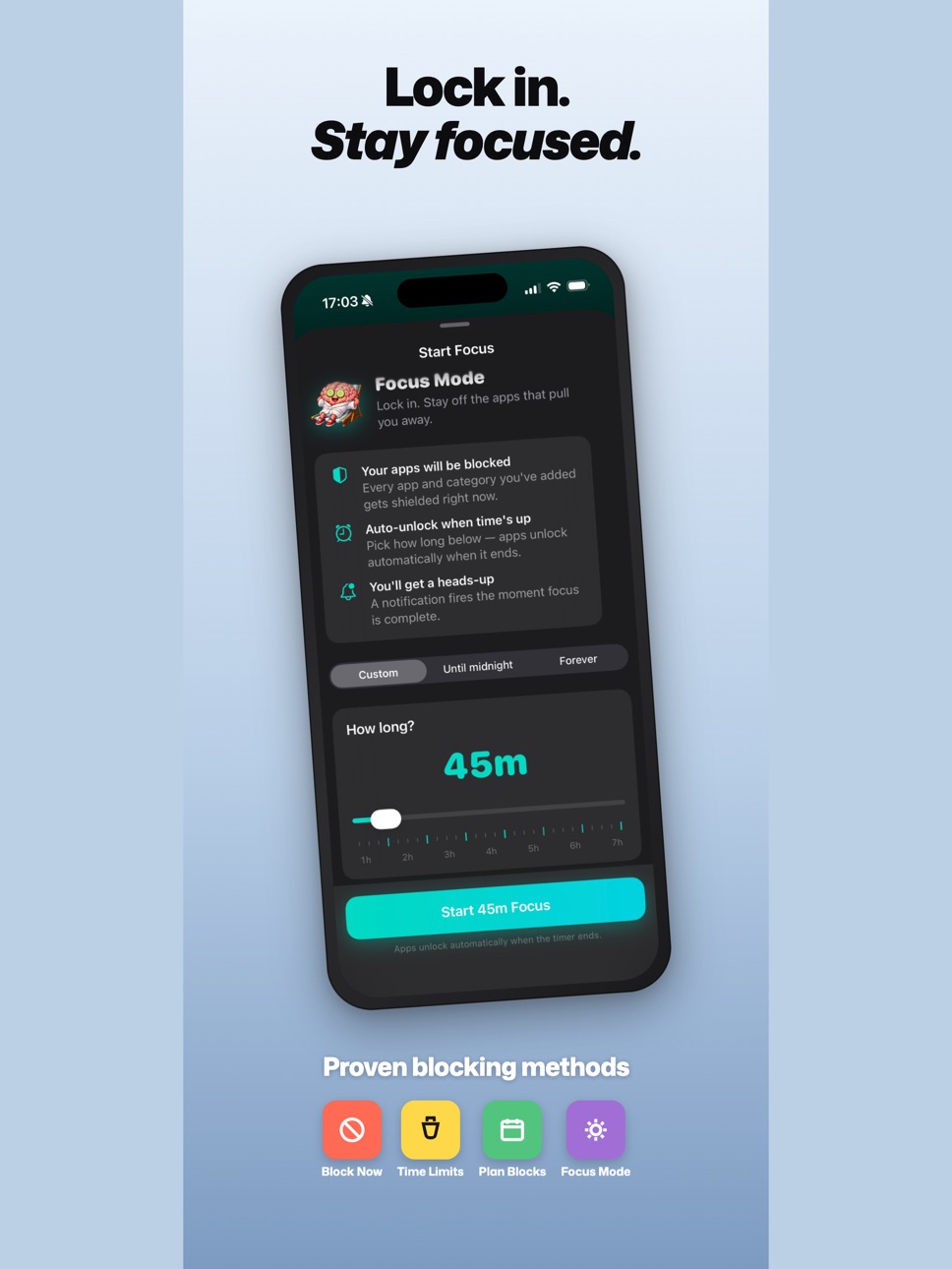
- Focus Mode Feature Added
Description
You already know you're on your phone too much. BrainRot puts a number on it.
Set a daily screen time goal. Every day, you start with a perfect Brain Score of 100%. The more you scroll past your goal, the lower it drops. Simple. Honest. Hard to ignore.
YOUR BRAIN SCORE, AT A GLANCE
Your Brain Score updates throughout the day as you use your phone. Green means Thriving. Orange means Watch Out. Red means Danger Zone. No judgment — just data you can actually act on.
Add a widget to your home screen and your score is the first thing you see when you pick up your phone. That's intentional.
KNOW EXACTLY WHERE YOUR TIME GOES
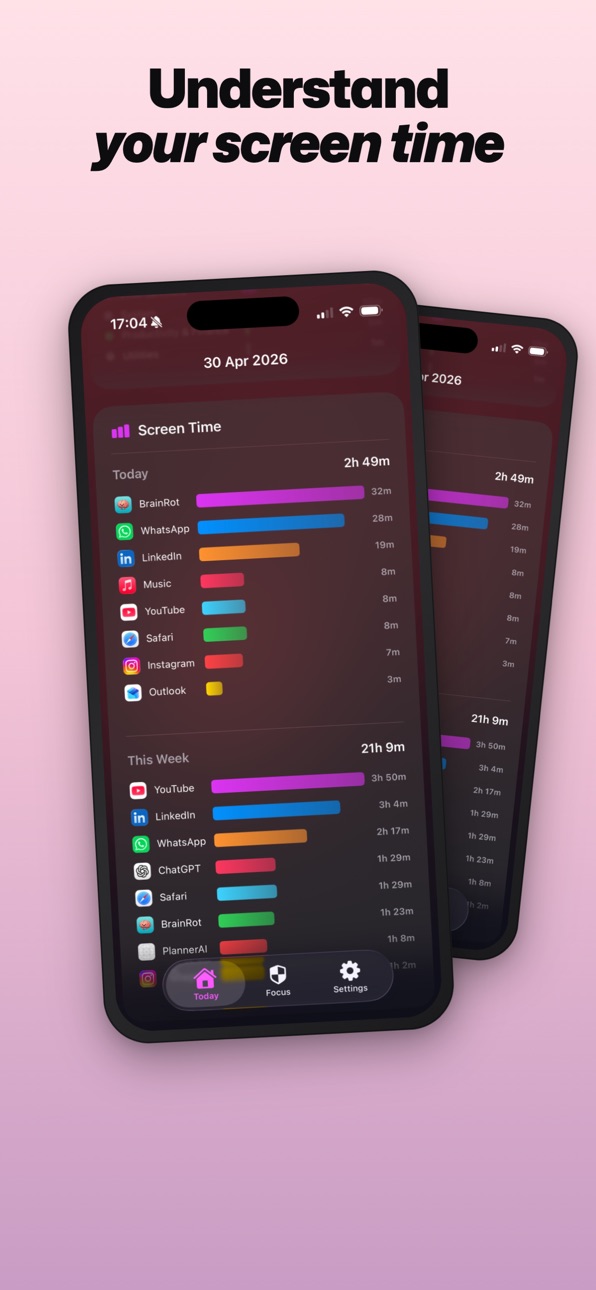
See a full breakdown of every app you used today, sorted by time, with bar charts that make it obvious where the hours went. Your usage is grouped by category too — Social, Entertainment, Games, and more — so you
can spot patterns, not just numbers.
MIND CHECK
The Mind Check card goes deeper than time. How many times did you pick up your phone today? When was the first time? How many notifications did you get? What was your longest unbroken session? These numbers tell
a story most people have never seen about their own day.
SCORE HISTORY
A color-coded calendar shows your Brain Score for every day of the month. Scroll back and see which weeks you were Thriving and which ones you were in the Danger Zone.
SMART NOTIFICATIONS
BrainRot sends you a nudge when your score crosses key milestones — 75%, 50%, 25%, and 10%. Not spam. Just a heads up when it matters. You also get a Morning Brain Report and an Evening Brain Check.
BUILT AROUND YOUR GOAL
You set the Daily Goal. BrainRot doesn't tell you how much screen time is too much — that's your call. The app just holds you accountable to the number you chose.
YOUR DATA STAYS ON YOUR DEVICE
BrainRot uses Apple's Screen Time API to read your usage. No account required. No data sent to servers. Everything stays on your phone. That's not a selling point — it's just how it should work.
Unlock the full experience with BrainRot.
- Weekly plan: $9.99/week
- Annual plan: $59.99/year
Both plans include a 7-day free trial. Cancel anytime before the trial ends and you won't be charged.
Payment is charged to your Apple ID at confirmation of purchase. Subscription automatically renews unless canceled at least 24 hours before the end of the current period. You can manage or cancel your
subscription in your Apple ID account settings at any time.
Privacy Policy: https://sites.google.com/view/brainrot-privacy
Terms of Use: https://sites.google.com/view/brainrot-termofuse
In-App Purchases US pricing
Brainrot Premium Group Subscription
Annual Premium · Yearly 7-day free trial$59.99
Monthly Premium · Monthly 7-day free trial$9.99
Monthly · Monthly$4.99
Annual · Yearly$29.99
Capabilities
In-App Purchases
Accessibility
ipadiphonemacrealityDevicetvoswatch
Version history 3 versions
Build 885120192v1.32026-04-30 17:00:20
- Focus Mode Feature Added
Build 883610761v1.12026-03-24 02:16:39
- bug fixes
- analytics added
Build 883176959v1.02026-03-18 18:59:14
Price history by region
Currency
Show
Columns
Search
Availability 1 of 1 storefronts
| Region | Language | Price | Ratings | Avg | Version |
|---|---|---|---|---|---|
| US | en-US | Free | 1 | 2.0 | 1.3 |
Change log 7 changes · US
✎
releaseNotes updated
- Focus Mode Feature Added
✎
description updated
You already know you're on your phone too much. BrainRot puts a number on it.
Set a daily screen time goal. Every day, you start with a perfect Brain Score of 1
✎
subtitle updated
Track screen time. Stay sharp
✎
name updated
Brainrot: Focus & Screen Time
◆
Version 1.3 released
- Focus Mode Feature Added
◆
Version 1.1 released
- bug fixes
- analytics added
◆
Version 1.0 released