Home › Music

 MK
MK
 GBen-GB
 AEen-GB
 AFen-GB
 ALen-GB
 AMen-GB
 ATde-DE
 AUen-AU
 AZen-GB
 BAen-GB
 BEen-GB
 BGen-GB
 BHen-GB
 BMen-GB
 BNen-GB
 BTen-GB
 BYen-GB
 CAen-CA
 CHde-CH
 CNzh-Hans-CN
 CYen-GB
 CZen-GB
 DEde-DE
 DKen-GB
 EEen-GB
 EGen-GB
 ESes-ES
 FIen-GB
 FJen-GB
 FMen-GB
 FRfr-FR
 GEen-GB
 GRen-GB
 HKzh-Hant-HK
 HRen-GB
 HUen-GB
 IDen-GB
 IEen-GB
 ILen-GB
 INen-GB
 IQen-GB
 ISen-GB
 ITit
ITit JOen-GB
 JPja
JPja KGen-GB
 KHen-GB
 KRko
KRko KWen-GB
 KZen-GB
 LAen-GB
 LBen-GB
 LKen-GB
 LTen-GB
 LUen-GB
 LVen-GB
 MDen-GB
 MEen-GBMKen-GB
 MMen-GB
 MNen-GB
 MOzh-Hant-HK
 MRen-GB
 MTen-GB
 MVen-GB
 MYen-GB
 NLnl
NLnl NOen-GB
 NPen-GB
 NRen-GB
 NZen-AU
 OMen-GB
 PGen-GB
 PHen-GB
 PKen-GB
 PLen-GB
 PTpt-PT
 PWen-GB
 QAen-GB
 ROen-GB
 RSen-GB
 RUru
RUru SAen-GB
 SBen-GB
 SEsv
SEsv SGen-GB
 SIen-GB
 SKen-GB
 THen-GB
 TJen-GB
 TMen-GB
 TOen-GB
 TRen-GB
 TWzh-Hant-TW
 UAen-GB
 USen-US
 UZen-GB
 VNen-GB
 VUen-GB
 XKen-GB
 YEen-GB
 ZAen-GB
101 of 101 storefronts
Content in en-US
Content in en-US
Information
Apple ID6759258261
Bundle IDcom.qualium.ms50GEditor
SellerSeller
Min iOS16.0
Min macOS13.0
Device familiesiphone, ipad
Released2026-03-22
Copyright© 2026 Nobuhito Muto
Privacy policyLink ↗
Preview 2 platforms
iPhone 6 images


iPad 5 images


What’s New Version 1.6.0
This update fixes issues with in-app purchases.
• Fixed an issue where the Premium upgrade could get stuck on "Downloading…" and never unlock. After updating, simply launch the app once — any stuck purchase will be cleared automatically.
• Added a notice when a purchase is awaiting approval (e.g. Ask to Buy with Family Sharing). Premium will unlock automatically once the purchase is approved.
If you still experience issues, please try "Restore Purchases" on the purchase screen. Thank you for using MS50G Editor.
Description
MS50G Editor is the only dedicated patch editor for the original ZOOM MS-50G MultiStomp guitar effects pedal.
ZOOM discontinued their official editor for the original MS-50G long ago. MS50G Editor fills that gap — giving you full control over your pedal's patches right from your iPhone.
FEATURES
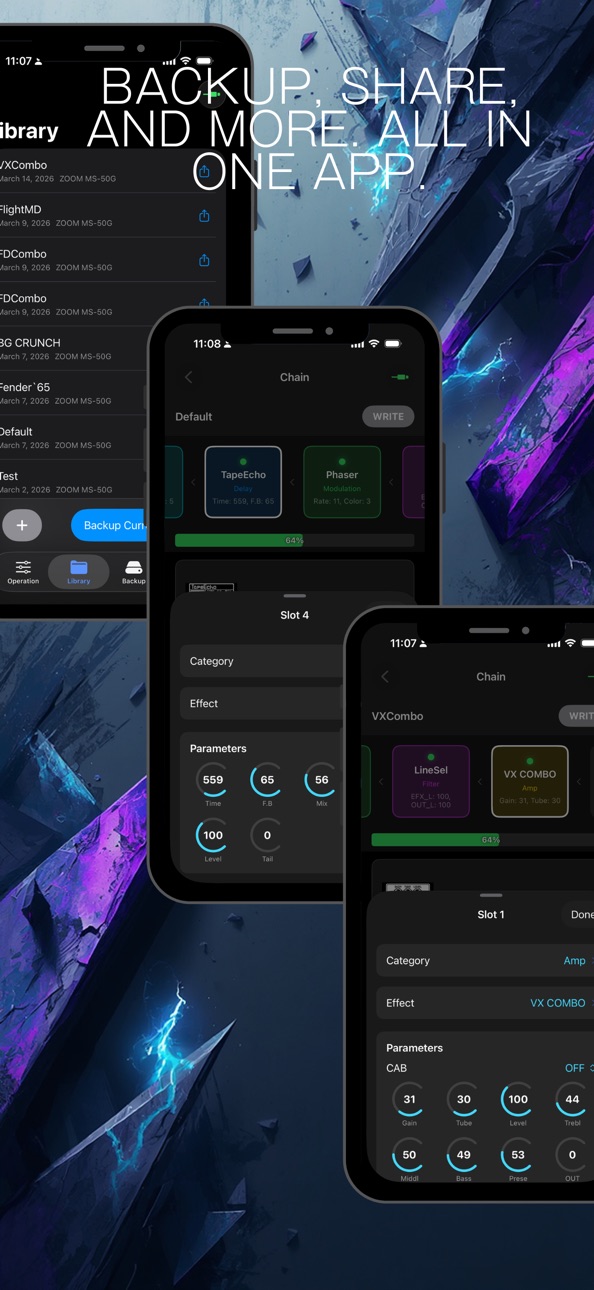
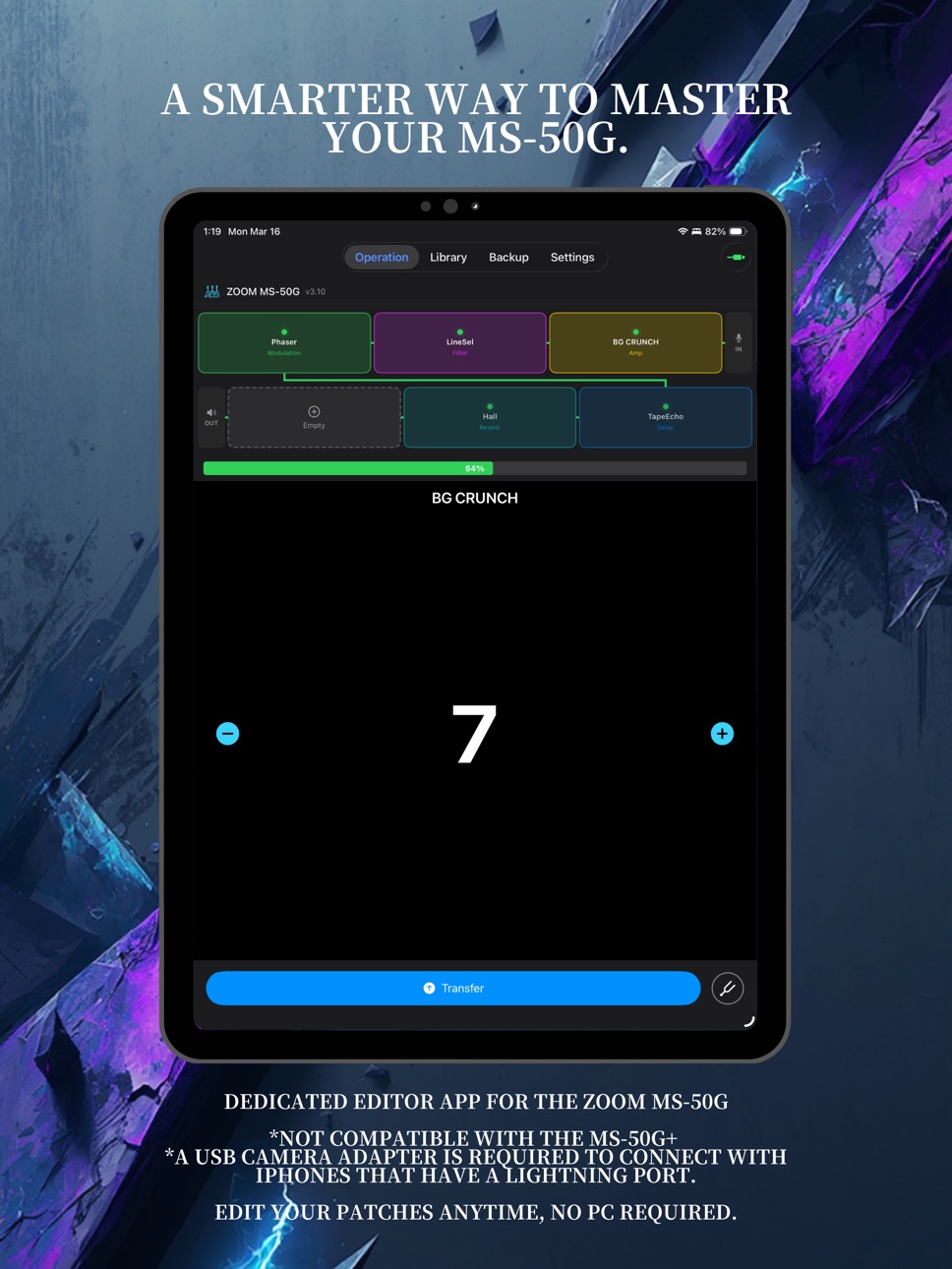
• Patch Editor
Edit all effect parameters visually with an intuitive interface. Fine-tune your tone without squinting at the tiny pedal screen.
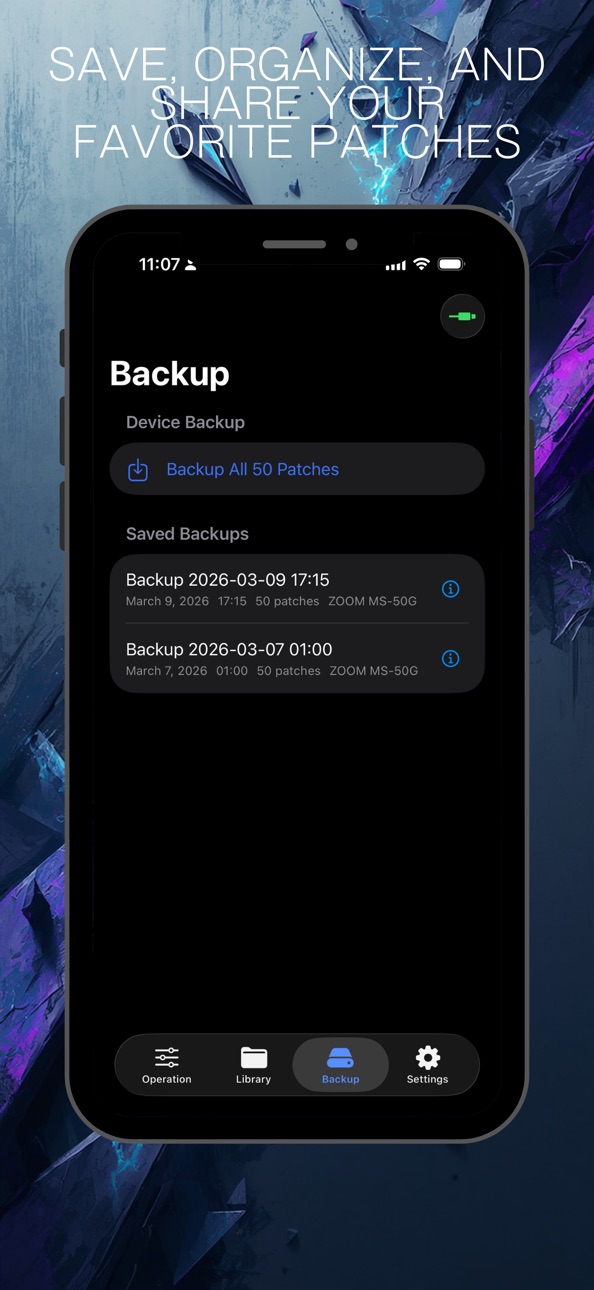
• Backup & Restore
Back up all 50 patches at once. Restore your entire setup or individual patches anytime. Never lose your custom sounds again.
• Real-Time MIDI Transfer
Send edited patches to your MS-50G and receive current settings via USB-MIDI SysEx communication. What you see is what you hear.
• Effect Library
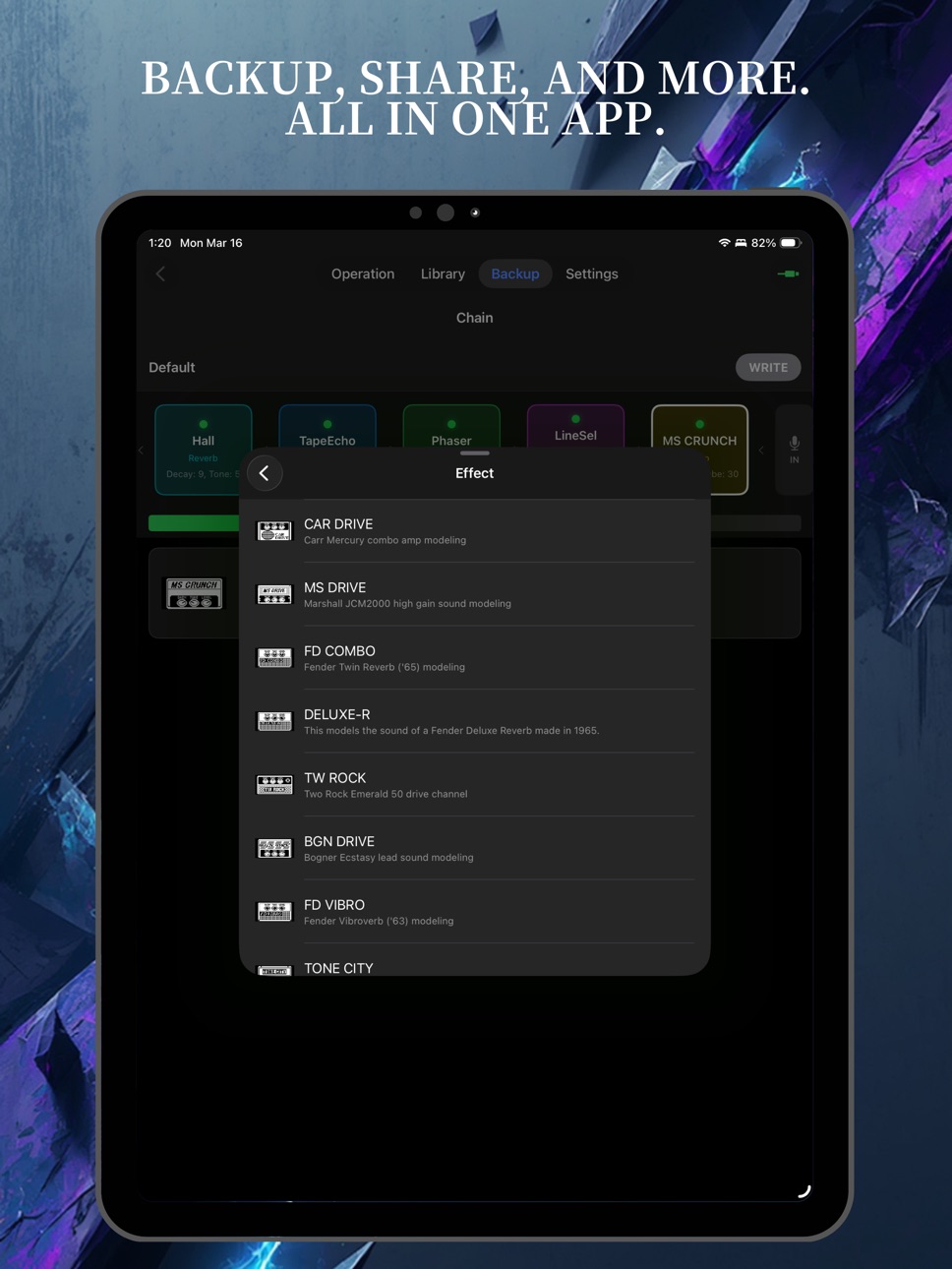
Browse the complete MS-50G effect catalog. View detailed parameter information for every effect.
• Custom Presets
Save your favorite patch configurations as custom presets. Build and organize your personal tone library.
REQUIREMENTS
• ZOOM MS-50G with firmware v3.10
• USB-MIDI interface + Camera Connection Kit (Lightning or USB-C)
• iOS 16.0 or later
IMPORTANT NOTES
• This app is NOT affiliated with ZOOM Corporation.
• The ZOOM MS-50G+ is not supported (use ZOOM's official app instead).
• A powered Camera Connection Kit adapter or separate power supply for the MS-50G is recommended. USB bus power from iOS alone is not guaranteed.
• Effect type swapping within patches is not currently supported.
PRICING
Free download with a 1-week trial of all features. After the trial, a one-time purchase unlocks the patch transfer feature. Editing, browsing, and backup remain free.
In-App Purchases MK pricing
One-Time Purchases
Premium Plan—
Capabilities
In-App Purchases
Accessibility
ipadiphonemacrealityDevicetvoswatch
Version history 7 versions
Build 888014787v1.6.02026-07-09 04:57:36
This update fixes issues with in-app purchases.
• Fixed an issue where the Premium upgrade could get stuck on "Downloading…" and never unlock. After updating, simply launch the app once — any stuck purchase will be cleared automatically.
• Added a notice when a purchase is awaiting approval (e.g. Ask to Buy with Family Sharing). Premium will unlock automatically once the purchase is approved.
If you still experience issues, please try "Restore Purchases" on the purchase screen. Thank you for using MS50G Editor.
Build 885473228v1.5.02026-05-10 20:02:23
Version 1.5.0
A big update for iPad and Mac, with major accessibility and reliability improvements.
iPad / Mac
• NavigationSplitView layout on iPad (regular width) and Mac
• Mac menu bar commands and keyboard shortcuts for key actions
• Hover feedback for pointer-based input
• Fixed effect chain layout in Mac Catalyst SplitView
Accessibility
• Comprehensive VoiceOver labels across all primary screens
• Dynamic Type-friendly font scaling
iCloud Backup
• Atomic restore with concurrent backup/restore guard
• Cached backup timestamp survives transient network errors
• Premium entitlement now verified through StoreKit
UI / UX
• Larger tap target on the program stepper
• Clearer registered-device status badges (connected / filtered)
• Promoted Premium upgrade CTA
• Better-positioned Library toast notifications
Under the hood
• Swift 6 strict concurrency fully enabled
• Expanded logging and crash reporting on critical paths
Build 884901626v1.4.02026-04-25 20:38:00
What's New in v1.4.0
Added a guided onboarding experience for first-time users.
- A quick tour of what this app can do
- A connection guide tailored to your device's port (USB-C / Lightning)
- Clear illustrations of the cables and adapters you'll need
Build 884117937v1.3.12026-04-04 17:19:36
New Features
You can now share patches via QR code. Generate a QR code from the patch detail screen, and other users can scan it with their camera or import it from an image.
Improvements
Even when a device is not connected, effects that are not installed on your previously registered device are now grayed out in the effect selection screen.
Fixed an issue where effects unavailable on the target device model could be selected when the device was not connected.
Build 883718579v1.2.02026-03-25 00:09:02
What's New in Version 1.2.0
【Device Effect Compatibility Check】
The app now automatically detects which effects are installed on your connected device. In the effect selection screen, effects not available on your device are shown in gray so you can tell at a glance. When transferring patches, you'll also see a warning listing any missing effects — preventing unexpected "THRU" entries.
【Other Improvements】
Simplified the restore operation from the library
The operation screen now resets properly when the device is disconnected
Build 882514445v1.02026-03-22 15:41:54
Build 883635619v1.1.02026-03-22 18:03:12
This update includes several UI improvements. Enjoy!
Transfer Warning
A warning alert now appears before transferring patches to your device, notifying you if effects may display as "THRU" due to incompatibility. This applies to all transfer operations — Device Operation, Backup restore, and Library restore.
You can dismiss it permanently or re-enable it from Settings.
Improved User Experience
- Library Save: The "WRITE" button has been renamed to "SAVE" for clearer overwrite behavior.
- Effect Slot Toggle: All 6 effect slots can now be toggled On/Off by tapping in Device Operation view. Slots 4–6 changes are applied when you press Transfer.
- Transfer Timeout Protection: Transfer and restore operations now have timeout protection to prevent the app from hanging if the device stops responding.
- CloudKit Error Messages: Cloud backup errors now show user-friendly messages with retry guidance instead of raw error codes.
Price history by region
Currency
Show
Columns
Search
Availability 101 of 101 storefronts
| Region | Language | Price | Ratings | Avg | Version |
|---|---|---|---|---|---|
| GB | en-GB | Free | 1 | 1.0 | 1.6.0 |
| AE | en-GB | Free | 0 | — | 1.6.0 |
| AF | en-GB | Free | 0 | — | 1.6.0 |
| AL | en-GB | Free | 0 | — | 1.6.0 |
| AM | en-GB | Free | 0 | — | 1.6.0 |
| AT | de-DE | Free | 0 | — | 1.6.0 |
| AU | en-AU | Free | 0 | — | 1.6.0 |
| AZ | en-GB | Free | 0 | — | 1.6.0 |
| BA | en-GB | Free | 0 | — | 1.6.0 |
| BE | en-GB | Free | 0 | — | 1.6.0 |
| BG | en-GB | Free | 0 | — | 1.6.0 |
| BH | en-GB | Free | 0 | — | 1.6.0 |
| BM | en-GB | Free | 0 | — | 1.6.0 |
| BN | en-GB | Free | 0 | — | 1.6.0 |
| BT | en-GB | Free | 0 | — | 1.6.0 |
| BY | en-GB | Free | 0 | — | 1.6.0 |
| CA | en-CA | Free | 0 | — | 1.6.0 |
| CH | de-CH | Free | 0 | — | 1.6.0 |
| CN | zh-Hans-CN | Free | 0 | — | 1.6.0 |
| CY | en-GB | Free | 0 | — | 1.6.0 |
| CZ | en-GB | Free | 0 | — | 1.6.0 |
| DE | de-DE | Free | 0 | — | 1.6.0 |
| DK | en-GB | Free | 0 | — | 1.6.0 |
| EE | en-GB | Free | 0 | — | 1.6.0 |
| EG | en-GB | Free | 0 | — | 1.6.0 |
| ES | es-ES | Free | 0 | — | 1.6.0 |
| FI | en-GB | Free | 0 | — | 1.6.0 |
| FJ | en-GB | Free | 0 | — | 1.6.0 |
| FM | en-GB | Free | 0 | — | 1.6.0 |
| FR | fr-FR | Free | 0 | — | 1.6.0 |
| GE | en-GB | Free | 0 | — | 1.6.0 |
| GR | en-GB | Free | 0 | — | 1.6.0 |
| HK | zh-Hant-HK | Free | 0 | — | 1.6.0 |
| HR | en-GB | Free | 0 | — | 1.6.0 |
| HU | en-GB | Free | 0 | — | 1.6.0 |
| ID | en-GB | Free | 0 | — | 1.6.0 |
| IE | en-GB | Free | 0 | — | 1.6.0 |
| IL | en-GB | Free | 0 | — | 1.6.0 |
| IN | en-GB | Free | 0 | — | 1.6.0 |
| IQ | en-GB | Free | 0 | — | 1.6.0 |
| IS | en-GB | Free | 0 | — | 1.6.0 |
| IT | it | Free | 0 | — | 1.6.0 |
| JO | en-GB | Free | 0 | — | 1.6.0 |
| JP | ja | Free | 0 | — | 1.6.0 |
| KG | en-GB | Free | 0 | — | 1.6.0 |
| KH | en-GB | Free | 0 | — | 1.6.0 |
| KR | ko | Free | 0 | — | 1.6.0 |
| KW | en-GB | Free | 0 | — | 1.6.0 |
| KZ | en-GB | Free | 0 | — | 1.6.0 |
| LA | en-GB | Free | 0 | — | 1.6.0 |
| LB | en-GB | Free | 0 | — | 1.6.0 |
| LK | en-GB | Free | 0 | — | 1.6.0 |
| LT | en-GB | Free | 0 | — | 1.6.0 |
| LU | en-GB | Free | 0 | — | 1.6.0 |
| LV | en-GB | Free | 0 | — | 1.6.0 |
| MD | en-GB | Free | 0 | — | 1.6.0 |
| ME | en-GB | Free | 0 | — | 1.6.0 |
| MK | en-GB | Free | 0 | — | 1.6.0 |
| MM | en-GB | Free | 0 | — | 1.6.0 |
| MN | en-GB | Free | 0 | — | 1.6.0 |
| MO | zh-Hant-HK | Free | 0 | — | 1.6.0 |
| MR | en-GB | Free | 0 | — | 1.6.0 |
| MT | en-GB | Free | 0 | — | 1.6.0 |
| MV | en-GB | Free | 0 | — | 1.6.0 |
| MY | en-GB | Free | 0 | — | 1.6.0 |
| NL | nl | Free | 0 | — | 1.6.0 |
| NO | en-GB | Free | 0 | — | 1.6.0 |
| NP | en-GB | Free | 0 | — | 1.6.0 |
| NR | en-GB | Free | 0 | — | 1.6.0 |
| NZ | en-AU | Free | 0 | — | 1.6.0 |
| OM | en-GB | Free | 0 | — | 1.6.0 |
| PG | en-GB | Free | 0 | — | 1.6.0 |
| PH | en-GB | Free | 0 | — | 1.6.0 |
| PK | en-GB | Free | 0 | — | 1.6.0 |
| PL | en-GB | Free | 0 | — | 1.6.0 |
| PT | pt-PT | Free | 0 | — | 1.6.0 |
| PW | en-GB | Free | 0 | — | 1.6.0 |
| QA | en-GB | Free | 0 | — | 1.6.0 |
| RO | en-GB | Free | 0 | — | 1.6.0 |
| RS | en-GB | Free | 0 | — | 1.6.0 |
| RU | ru | Free | 0 | — | 1.6.0 |
| SA | en-GB | Free | 0 | — | 1.6.0 |
| SB | en-GB | Free | 0 | — | 1.6.0 |
| SE | sv | Free | 0 | — | 1.6.0 |
| SG | en-GB | Free | 0 | — | 1.6.0 |
| SI | en-GB | Free | 0 | — | 1.6.0 |
| SK | en-GB | Free | 0 | — | 1.6.0 |
| TH | en-GB | Free | 0 | — | 1.6.0 |
| TJ | en-GB | Free | 0 | — | 1.6.0 |
| TM | en-GB | Free | 0 | — | 1.6.0 |
| TO | en-GB | Free | 0 | — | 1.6.0 |
| TR | en-GB | Free | 0 | — | 1.6.0 |
| TW | zh-Hant-TW | Free | 0 | — | 1.6.0 |
| UA | en-GB | Free | 0 | — | 1.6.0 |
| US | en-US | Free | 0 | — | 1.6.0 |
| UZ | en-GB | Free | 0 | — | 1.6.0 |
| VN | en-GB | Free | 0 | — | 1.6.0 |
| VU | en-GB | Free | 0 | — | 1.6.0 |
| XK | en-GB | Free | 0 | — | 1.6.0 |
| YE | en-GB | Free | 0 | — | 1.6.0 |
| ZA | en-GB | Free | 0 | — | 1.6.0 |
Change log 11 changes · MK
✎
releaseNotes updated
This update fixes issues with in-app purchases.
• Fixed an issue where the Premium upgrade could get stuck on "Downloading…" and never unlock. After updating,
✎
description updated
MS50G Editor is the only dedicated patch editor for the original ZOOM MS-50G MultiStomp guitar effects pedal.
ZOOM discontinued their official editor for the o
✎
subtitle updated
Patch Editor for ZOOM MS-50G
✎
name updated
MS50G Editor
◆
Version 1.6.0 released
This update fixes issues with in-app purchases.
• Fixed an issue where the Premium upgrade could get stuck on "Downloading…" and never unlock. After updating, simply launch the app once — any stuck purchase will be cleared automatically.
•
◆
Version 1.5.0 released
Version 1.5.0
A big update for iPad and Mac, with major accessibility and reliability improvements.
iPad / Mac
• NavigationSplitView layout on iPad (regular width) and Mac
• Mac menu bar commands and keyboard shortcuts for key actions
• H
◆
Version 1.4.0 released
What's New in v1.4.0
Added a guided onboarding experience for first-time users.
- A quick tour of what this app can do
- A connection guide tailored to your device's port (USB-C / Lightning)
- Clear illustrations of the cables and adapter
◆
Version 1.3.1 released
New Features
You can now share patches via QR code. Generate a QR code from the patch detail screen, and other users can scan it with their camera or import it from an image.
Improvements
Even when a device is not connected, effects that
◆
Version 1.2.0 released
What's New in Version 1.2.0
【Device Effect Compatibility Check】
The app now automatically detects which effects are installed on your connected device. In the effect selection screen, effects not available on your device are shown in gray
◆
Version 1.1.0 released
This update includes several UI improvements. Enjoy!
Transfer Warning
A warning alert now appears before transferring patches to your device, notifying you if effects may display as "THRU" due
◆
Version 1.0 released