Home › Photo & Video

 ZM
ZM
 AEen-GB
 AFen-GB
 AGen-GB
 AIen-GB
 ALen-GB
 AMen-GB
 AOen-GB
 ARes-MX
 ATde-DE
 AUen-AU
 AZen-GB
 BAen-GB
 BBen-GB
 BEen-GB
 BFen-GB
 BGen-GB
 BHen-GB
 BJen-GB
 BMen-GB
 BNen-GB
 BOes-MX
 BRpt-BR
 BSen-GB
 BTen-GB
 BWen-GB
 BYen-GB
 BZen-GB
 CAen-CA
 CDen-GB
 CGen-GB
 CHde-CH
 CIfr-FR
 CLes-MX
 CMfr-FR
 CNzh-Hans-CN
 COes-MX
 CRes-MX
 CVen-GB
 CYen-GB
 CZen-GB
 DEde-DE
 DKen-GB
 DMen-GB
 DOes-MX
 DZen-GB
 ECes-MX
 EEen-GB
 EGen-GB
 ESes-ES
 FIen-GB
 FJen-GB
 FMen-GB
 FRfr-FR
 GAfr-FR
 GBen-GB
 GDen-GB
 GEen-GB
 GHen-GB
 GMen-GB
 GRen-GB
 GTes-MX
 GWen-GB
 GYen-GB
 HKzh-Hant-HK
 HNes-MX
 HRen-GB
 HUen-GB
 IDen-GB
 IEen-GB
 ILen-GB
 INen-GB
 IQen-GB
 ISen-GB
 ITit
ITit JMen-GB
 JOen-GB
 JPja
JPja KEen-GB
 KGen-GB
 KNen-GB
 KRko
KRko KWen-GB
 KYen-GB
 KZen-GB
 LBen-GB
 LCen-GB
 LRen-GB
 LTen-GB
 LUen-GB
 LVen-GB
 LYen-GB
 MAen-GB
 MDen-GB
 MEen-GB
 MGen-GB
 MKen-GB
 MLen-GB
 MOzh-Hant-HK
 MSen-GB
 MTen-GB
 MUen-GB
 MVen-GB
 MWen-GB
 MXes-MX
 MYen-GB
 MZen-GB
 NAen-GB
 NEen-GB
 NGen-GB
 NIes-MX
 NLnl
NLnl NOen-GB
 NRen-GB
 NZen-AU
 OMen-GB
 PAes-MX
 PEes-MX
 PGen-GB
 PHen-GB
 PKen-GB
 PLen-GB
 PTpt-PT
 PWen-GB
 PYes-MX
 QAen-GB
 ROen-GB
 RSen-GB
 RUru
RUru RWen-GB
 SAen-GB
 SBen-GB
 SCen-GB
 SEsv
SEsv SGen-GB
 SIen-GB
 SKen-GB
 SLen-GB
 SNen-GB
 SRen-GB
 STen-GB
 SVes-MX
 SZen-GB
 TCen-GB
 TDen-GB
 THen-GB
 TJen-GB
 TMen-GB
 TNen-GB
 TOen-GB
 TRen-GB
 TTen-GB
 TWzh-Hant-TW
 TZen-GB
 UAen-GB
 UGen-GB
 USen-US
 UYen-GB
 UZen-GB
 VCen-GB
 VEes-MX
 VGen-GB
 VNen-GB
 VUen-GB
 XKen-GB
 YEen-GB
 ZAen-GBZMen-GB
 ZWen-GB
168 of 168 storefronts
Content in en-US
Content in en-US
Information
Apple ID6759013062
Bundle IDcom.kade.AFCam
SellerSeller
Min iOS16.6
Min macOS13.5
Device familiesiphone
Released2026-02-17
Copyright© 2026 Kade Walton. All rights reserved.
Privacy policyLink ↗
Preview 1 platform
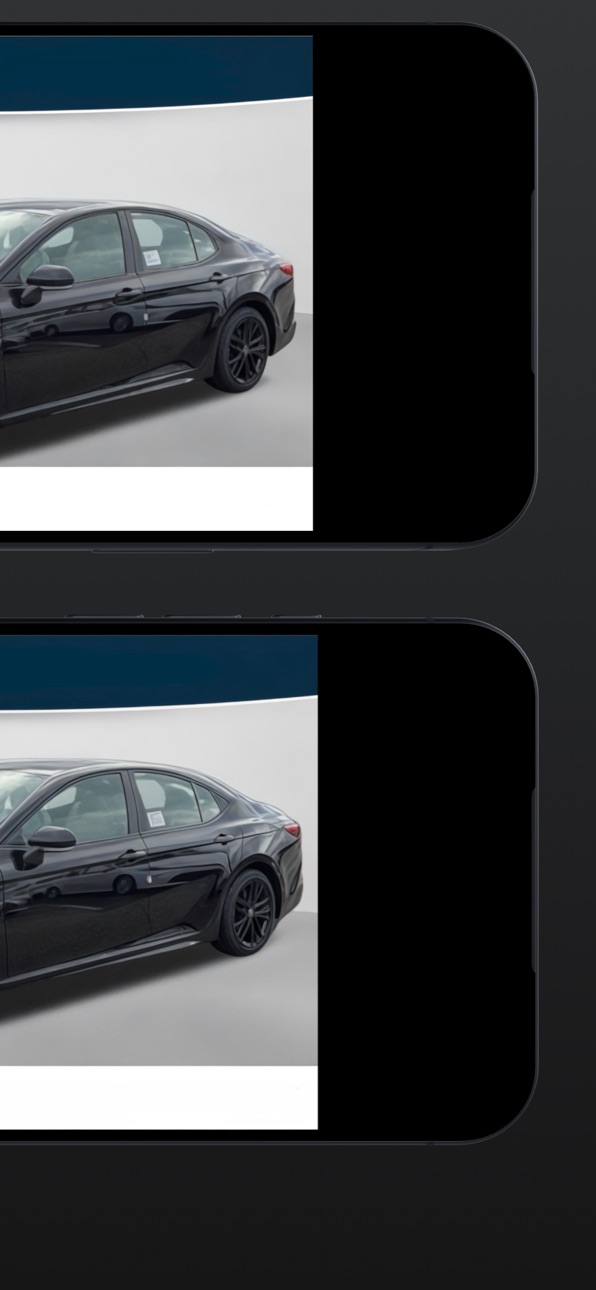
iPhone 9 images


What’s New Version 3.1.1
- Removed "Show center line" toggle and its center line from the camera view
- Vehicle centering assist is now off by default
- Sun button is now hidden unless enabled in settings
- Bug fixes
Description
AutoFocusCam is a purpose-built camera app designed for consistent, repeatable framing during professional shoots.
Instead of generic grid lines, AutoFocusCam uses custom framing guides to help you keep subjects properly positioned and avoid unwanted cropping. This is ideal for vehicle photography, inventory shoots, and any workflow where consistency matters.
Key Features
• Custom framing guides to keep important details inside a safe area
• Real camera capture, not simulated images
• Hardware shutter support, including volume buttons and the iPhone Camera Control button
• Tap-to-focus for quick adjustments
• Portrait and landscape support with proper orientation handling
• Minimal interface focused on speed and reliability
In-App Purchases ZM pricing
Membership to AutoFocusCam Subscription
AutoFocusCam Pro Monthly · Monthly—
AutoFocusCam Pro Yearly · Yearly—
Capabilities
In-App Purchases
Accessibility
ipadiphonemacrealityDevicetvoswatch
Version history 11 versions
Build 884561374v3.1.12026-04-15 23:59:15
- Removed "Show center line" toggle and its center line from the camera view
- Vehicle centering assist is now off by default
- Sun button is now hidden unless enabled in settings
- Bug fixes
Build 884510327v3.12026-04-14 19:35:53
- Added favorite/common notes so frequently used vehicle notes can be saved and added quickly.
- Added a cleaner note editor with a minimal star button for saving favorite notes.
- Added note actions from the main inventory screen, including edit and delete options.
- Added photographed vehicle history with saved dates for previously photographed vehicles.
- Improved inventory note controls and made the note options button easier to tap.
- Improved camera zoom behavior to reduce occasional screen flicker or color flashing.
- Fixed issues where favorite note behavior could appear in the wrong inventory context.
- Improved delete note behavior and note editing reliability.
- Refined inventory screen layout and note UI polish.
Build 884390214v3.02026-04-11 17:39:46
Fixed subscription paywall — purchase options now load correctly
Added offer code redemption — tap "Redeem Code" on the paywall to apply a trial code
Added free trial request option on the paywall
Customizable zoom shortcuts — configure each zoom button's primary and shortcut levels in Camera Settings
Resolution picker now uses a compact dropdown menu
Product loading now retries automatically if the App Store is temporarily unavailable
Build 883677110v2.02026-03-24 01:24:37
Zoom Controls
- Added tap-toggle zoom behavior:
- `0.8x` toggles with `0.5x`
- `1.0x` toggles with `1.2x`
- `1.5x` toggles with `1.8x`
- Zoom pill labels now update live by active range.
- Fixed range display edge cases so `1.5x` range won’t incorrectly show `2.0x`.
Lens Routing
- Added new setting: **Ultra Wide Lens Only**.
- When enabled, all zoom levels stay on the Ultra Wide lens.
Photo Metadata
- Improved metadata handling during save/export.
- Preserves metadata better when resizing/custom-sizing photos.
- Adds capture context metadata (zoom + lens) to saved images.
Guideline / Advanced Panels
- Cleaned up Guideline Adjuster layout and centered header title.
- Converted **Guideline color** to compact dropdown (with chevron).
- Converted **Grid color** and **Border color** to compact dropdowns.
- Grid and border option sections now hide/show based on their toggles:
- Grid options only appear when **Show grid** is enabled.
- Border options only appear when **Camera frame border** is enabled.
- Removed duplicate guideline controls from Advanced while keeping custom grid controls in place.
Build 883530076v1.92026-03-19 08:25:03
- Improved the exposure circle so it does not move from accidental taps.
- Exposure circle now requires a short hold before dragging to move it.
- Exposure circle can still be removed with a double tap.
- Added `Amount Earned` to the Inventory summary.
- Added daily `Found / Photographed` earnings tracking based on the per-car amount.
- Fixed the Inventory list so the last vehicle no longer gets cut off at the bottom.
Build 883155952v1.82026-03-12 09:08:22
- Added inventory managing section
- Improved Inventory search flow so the search field stays visible and results are easier to follow while typing.
- Refined custom number keypad behavior and layout for smoother input and better visibility.
- Fixed search/result positioning issues where matches could appear behind the keypad.
- Polished Inventory and Camera UI spacing/alignment for a cleaner, more consistent experience.
- Added multiple stability and usability fixes across filters, orientation behavior, and guideline controls.
Build 882722589v1.62026-02-25 11:16:33
• Added a compact “Guideline Adjuster” pop-out for quickly setting the top/bottom red guideline positions without opening the full settings panel
• Added support for uploading a dealership template overlay image, with adjustable opacity and enable/disable controls
• Template overlay now rotates with Core Motion into landscape and fits/clips correctly to the camera preview
• Template overlay is landscape-only to prevent oversized/cropped behavior in portrait
• Advanced Settings UI updated for improved transparency and readability; removed duplicated guideline controls since they live in the pop-out now
• Minor UI polish, persistence improvements, and general stability fixes
Build 882620713v1.52026-02-20 20:28:58
• Performance improvements and minor bug fixes
• General stability enhancements under heavy use
• Fixed bug where landscape mode with orientation lock disabled would cause camera preview to black out
Build 882583684v1.42026-02-19 17:11:40
• Increased the size of the zoom buttons
• Added setting to enable/disable status bar
• Performance improvements and minor bug fixes
• General stability enhancements under heavy use
Build 882553704v1.32026-02-18 10:41:46
• Added customizable camera frame border
• Border can now be enabled or disabled in Settings
• Adjustable border thickness
• Multiple border color options
• Improved shutter responsiveness
• Shutter flash now triggers instantly with capture
• Improved volume button capture behavior
• Fixed audio session handling so background music no longer stops
• Performance improvements and minor bug fixes
• General stability enhancements under heavy use
Build 882353606v1.02026-02-17 20:53:31
Price history by region
Currency
Show
Columns
Search
Availability 168 of 168 storefronts
| Region | Language | Price | Ratings | Avg | Version |
|---|---|---|---|---|---|
| AE | en-GB | Free | 0 | — | 3.1.1 |
| AF | en-GB | Free | 0 | — | 3.1.1 |
| AG | en-GB | Free | 0 | — | 3.1.1 |
| AI | en-GB | Free | 0 | — | 3.1.1 |
| AL | en-GB | Free | 0 | — | 3.1.1 |
| AM | en-GB | Free | 0 | — | 3.1.1 |
| AO | en-GB | Free | 0 | — | 3.1.1 |
| AR | es-MX | Free | 0 | — | 3.1.1 |
| AT | de-DE | Free | 0 | — | 3.1.1 |
| AU | en-AU | Free | 0 | — | 3.1.1 |
| AZ | en-GB | Free | 0 | — | 3.1.1 |
| BA | en-GB | Free | 0 | — | 3.1.1 |
| BB | en-GB | Free | 0 | — | 3.1.1 |
| BE | en-GB | Free | 0 | — | 3.1.1 |
| BF | en-GB | Free | 0 | — | 3.1.1 |
| BG | en-GB | Free | 0 | — | 3.1.1 |
| BH | en-GB | Free | 0 | — | 3.1.1 |
| BJ | en-GB | Free | 0 | — | 3.1.1 |
| BM | en-GB | Free | 0 | — | 3.1.1 |
| BN | en-GB | Free | 0 | — | 3.1.1 |
| BO | es-MX | Free | 0 | — | 3.1.1 |
| BR | pt-BR | Free | 0 | — | 3.1.1 |
| BS | en-GB | Free | 0 | — | 3.1.1 |
| BT | en-GB | Free | 0 | — | 3.1.1 |
| BW | en-GB | Free | 0 | — | 3.1.1 |
| BY | en-GB | Free | 0 | — | 3.1.1 |
| BZ | en-GB | Free | 0 | — | 3.1.1 |
| CA | en-CA | Free | 0 | — | 3.1.1 |
| CD | en-GB | Free | 0 | — | 3.1.1 |
| CG | en-GB | Free | 0 | — | 3.1.1 |
| CH | de-CH | Free | 0 | — | 3.1.1 |
| CI | fr-FR | Free | 0 | — | 3.1.1 |
| CL | es-MX | Free | 0 | — | 3.1.1 |
| CM | fr-FR | Free | 0 | — | 3.1.1 |
| CN | zh-Hans-CN | Free | 0 | — | 3.1.1 |
| CO | es-MX | Free | 0 | — | 3.1.1 |
| CR | es-MX | Free | 0 | — | 3.1.1 |
| CV | en-GB | Free | 0 | — | 3.1.1 |
| CY | en-GB | Free | 0 | — | 3.1.1 |
| CZ | en-GB | Free | 0 | — | 3.1.1 |
| DE | de-DE | Free | 0 | — | 3.1.1 |
| DK | en-GB | Free | 0 | — | 3.1.1 |
| DM | en-GB | Free | 0 | — | 3.1.1 |
| DO | es-MX | Free | 0 | — | 3.1.1 |
| DZ | en-GB | Free | 0 | — | 3.1.1 |
| EC | es-MX | Free | 0 | — | 3.1.1 |
| EE | en-GB | Free | 0 | — | 3.1.1 |
| EG | en-GB | Free | 0 | — | 3.1.1 |
| ES | es-ES | Free | 0 | — | 3.1.1 |
| FI | en-GB | Free | 0 | — | 3.1.1 |
| FJ | en-GB | Free | 0 | — | 3.1.1 |
| FM | en-GB | Free | 0 | — | 3.1.1 |
| FR | fr-FR | Free | 0 | — | 3.1.1 |
| GA | fr-FR | Free | 0 | — | 3.1.1 |
| GB | en-GB | Free | 0 | — | 3.1.1 |
| GD | en-GB | Free | 0 | — | 3.1.1 |
| GE | en-GB | Free | 0 | — | 3.1.1 |
| GH | en-GB | Free | 0 | — | 3.1.1 |
| GM | en-GB | Free | 0 | — | 3.1.1 |
| GR | en-GB | Free | 0 | — | 3.1.1 |
| GT | es-MX | Free | 0 | — | 3.1.1 |
| GW | en-GB | Free | 0 | — | 3.1.1 |
| GY | en-GB | Free | 0 | — | 3.1.1 |
| HK | zh-Hant-HK | Free | 0 | — | 3.1.1 |
| HN | es-MX | Free | 0 | — | 3.1.1 |
| HR | en-GB | Free | 0 | — | 3.1.1 |
| HU | en-GB | Free | 0 | — | 3.1.1 |
| ID | en-GB | Free | 0 | — | 3.1.1 |
| IE | en-GB | Free | 0 | — | 3.1.1 |
| IL | en-GB | Free | 0 | — | 3.1.1 |
| IN | en-GB | Free | 0 | — | 3.1.1 |
| IQ | en-GB | Free | 0 | — | 3.1.1 |
| IS | en-GB | Free | 0 | — | 3.1.1 |
| IT | it | Free | 0 | — | 3.1.1 |
| JM | en-GB | Free | 0 | — | 3.1.1 |
| JO | en-GB | Free | 0 | — | 3.1.1 |
| JP | ja | Free | 0 | — | 3.1.1 |
| KE | en-GB | Free | 0 | — | 3.1.1 |
| KG | en-GB | Free | 0 | — | 3.1.1 |
| KN | en-GB | Free | 0 | — | 3.1.1 |
| KR | ko | Free | 0 | — | 3.1.1 |
| KW | en-GB | Free | 0 | — | 3.1.1 |
| KY | en-GB | Free | 0 | — | 3.1.1 |
| KZ | en-GB | Free | 0 | — | 3.1.1 |
| LB | en-GB | Free | 0 | — | 3.1.1 |
| LC | en-GB | Free | 0 | — | 3.1.1 |
| LR | en-GB | Free | 0 | — | 3.1.1 |
| LT | en-GB | Free | 0 | — | 3.1.1 |
| LU | en-GB | Free | 0 | — | 3.1.1 |
| LV | en-GB | Free | 0 | — | 3.1.1 |
| LY | en-GB | Free | 0 | — | 3.1.1 |
| MA | en-GB | Free | 0 | — | 3.1.1 |
| MD | en-GB | Free | 0 | — | 3.1.1 |
| ME | en-GB | Free | 0 | — | 3.1.1 |
| MG | en-GB | Free | 0 | — | 3.1.1 |
| MK | en-GB | Free | 0 | — | 3.1.1 |
| ML | en-GB | Free | 0 | — | 3.1.1 |
| MO | zh-Hant-HK | Free | 0 | — | 3.1.1 |
| MS | en-GB | Free | 0 | — | 3.1.1 |
| MT | en-GB | Free | 0 | — | 3.1.1 |
| MU | en-GB | Free | 0 | — | 3.1.1 |
| MV | en-GB | Free | 0 | — | 3.1.1 |
| MW | en-GB | Free | 0 | — | 3.1.1 |
| MX | es-MX | Free | 0 | — | 3.1.1 |
| MY | en-GB | Free | 0 | — | 3.1.1 |
| MZ | en-GB | Free | 0 | — | 3.1.1 |
| NA | en-GB | Free | 0 | — | 3.1.1 |
| NE | en-GB | Free | 0 | — | 3.1.1 |
| NG | en-GB | Free | 0 | — | 3.1.1 |
| NI | es-MX | Free | 0 | — | 3.1.1 |
| NL | nl | Free | 0 | — | 3.1.1 |
| NO | en-GB | Free | 0 | — | 3.1.1 |
| NR | en-GB | Free | 0 | — | 3.1.1 |
| NZ | en-AU | Free | 0 | — | 3.1.1 |
| OM | en-GB | Free | 0 | — | 3.1.1 |
| PA | es-MX | Free | 0 | — | 3.1.1 |
| PE | es-MX | Free | 0 | — | 3.1.1 |
| PG | en-GB | Free | 0 | — | 3.1.1 |
| PH | en-GB | Free | 0 | — | 3.1.1 |
| PK | en-GB | Free | 0 | — | 3.1.1 |
| PL | en-GB | Free | 0 | — | 3.1.1 |
| PT | pt-PT | Free | 0 | — | 3.1.1 |
| PW | en-GB | Free | 0 | — | 3.1.1 |
| PY | es-MX | Free | 0 | — | 3.1.1 |
| QA | en-GB | Free | 0 | — | 3.1.1 |
| RO | en-GB | Free | 0 | — | 3.1.1 |
| RS | en-GB | Free | 0 | — | 3.1.1 |
| RU | ru | Free | 0 | — | 3.1.1 |
| RW | en-GB | Free | 0 | — | 3.1.1 |
| SA | en-GB | Free | 0 | — | 3.1.1 |
| SB | en-GB | Free | 0 | — | 3.1.1 |
| SC | en-GB | Free | 0 | — | 3.1.1 |
| SE | sv | Free | 0 | — | 3.1.1 |
| SG | en-GB | Free | 0 | — | 3.1.1 |
| SI | en-GB | Free | 0 | — | 3.1.1 |
| SK | en-GB | Free | 0 | — | 3.1.1 |
| SL | en-GB | Free | 0 | — | 3.1.1 |
| SN | en-GB | Free | 0 | — | 3.1.1 |
| SR | en-GB | Free | 0 | — | 3.1.1 |
| ST | en-GB | Free | 0 | — | 3.1.1 |
| SV | es-MX | Free | 0 | — | 3.1.1 |
| SZ | en-GB | Free | 0 | — | 3.1.1 |
| TC | en-GB | Free | 0 | — | 3.1.1 |
| TD | en-GB | Free | 0 | — | 3.1.1 |
| TH | en-GB | Free | 0 | — | 3.1.1 |
| TJ | en-GB | Free | 0 | — | 3.1.1 |
| TM | en-GB | Free | 0 | — | 3.1.1 |
| TN | en-GB | Free | 0 | — | 3.1.1 |
| TO | en-GB | Free | 0 | — | 3.1.1 |
| TR | en-GB | Free | 0 | — | 3.1.1 |
| TT | en-GB | Free | 0 | — | 3.1.1 |
| TW | zh-Hant-TW | Free | 0 | — | 3.1.1 |
| TZ | en-GB | Free | 0 | — | 3.1.1 |
| UA | en-GB | Free | 0 | — | 3.1.1 |
| UG | en-GB | Free | 0 | — | 3.1.1 |
| US | en-US | Free | 0 | — | 3.1.1 |
| UY | en-GB | Free | 0 | — | 3.1.1 |
| UZ | en-GB | Free | 0 | — | 3.1.1 |
| VC | en-GB | Free | 0 | — | 3.1.1 |
| VE | es-MX | Free | 0 | — | 3.1.1 |
| VG | en-GB | Free | 0 | — | 3.1.1 |
| VN | en-GB | Free | 0 | — | 3.1.1 |
| VU | en-GB | Free | 0 | — | 3.1.1 |
| XK | en-GB | Free | 0 | — | 3.1.1 |
| YE | en-GB | Free | 0 | — | 3.1.1 |
| ZA | en-GB | Free | 0 | — | 3.1.1 |
| ZM | en-GB | Free | 0 | — | 3.1.1 |
| ZW | en-GB | Free | 0 | — | 3.1.1 |
Change log 15 changes · ZM
✎
releaseNotes updated
- Removed "Show center line" toggle and its center line from the camera view
- Vehicle centering assist is now off by default
- Sun button is now hidden unless
✎
description updated
AutoFocusCam is a purpose-built camera app designed for consistent, repeatable framing during professional shoots.
Instead of generic grid lines, AutoFocusCam
✎
subtitle updated
Precision framing for shots
✎
name updated
AutoFocusCam
◆
Version 3.1.1 released
- Removed "Show center line" toggle and its center line from the camera view
- Vehicle centering assist is now off by default
- Sun button is now hidden unless enabled in settings
- Bug fixes
◆
Version 3.1 released
- Added favorite/common notes so frequently used vehicle notes can be saved and added quickly.
- Added a cleaner note editor with a minimal star button for saving favorite notes.
- Added note actions from the main inventory screen, includin
◆
Version 3.0 released
Fixed subscription paywall — purchase options now load correctly
Added offer code redemption — tap "Redeem Code" on the paywall to apply a trial code
Added free trial request option on the paywall
Customizable zoom shortcuts — configure eac
◆
Version 2.0 released
Zoom Controls
- Added tap-toggle zoom behavior:
- `0.8x` toggles with `0.5x`
- `1.0x` toggles with `1.2x`
- `1.5x` toggles with `1.8x`
- Zoom pill labels now update live by active range.
- Fixed range display edge cases so `1.5x` range won’
◆
Version 1.9 released
- Improved the exposure circle so it does not move from accidental taps.
- Exposure circle now requires a short hold before dragging to move it.
- Exposure circle can still be removed with a double tap.
- Added `Amount Earned` to the Invent
◆
Version 1.8 released
- Added inventory managing section
- Improved Inventory search flow so the search field stays visible and results are easier to follow while typing.
- Refined custom number keypad behavior and layout for smoother input and better visibility
◆
Version 1.6 released
• Added a compact “Guideline Adjuster” pop-out for quickly setting the top/bottom red guideline positions without opening the full settings panel
• Added support for uploading a dealership template overlay image, with adjustable opacity and
◆
Version 1.5 released
• Performance improvements and minor bug fixes
• General stability enhancements under heavy use
• Fixed bug where landscape mode with orientation lock disabled would cause camera preview to black out
◆
Version 1.4 released
• Increased the size of the zoom buttons
• Added setting to enable/disable status bar
• Performance improvements and minor bug fixes
• General stability enhancements under heavy use
◆
Version 1.3 released
• Added customizable camera frame border
• Border can now be enabled or disabled in Settings
• Adjustable border thickness
• Multiple border color options
• Improved shutter responsiveness
• Shutter flash now triggers instantly with captur
◆
Version 1.0 released