Home › Developer Tools

 ZM
ZM
 USen-US
 DEde-DE
 KRko
KRko CAen-CA
 CNzh-Hans-CN
 ITit
ITit NLnl
NLnl TWzh-Hant-TW
 ARes-MX
 BRpt-BR
 CIfr-FR
 COes-MX
 CZen-GB
 DKen-GB
 ESes-ES
 GTes-MX
 INen-GB
 LVen-GB
 RUru
RUru SKen-GB
 THen-GB
 AEen-GB
 AFen-GB
 AGen-GB
 AIen-GB
 ALen-GB
 AMen-GB
 AOen-GB
 ATde-DE
 AUen-AU
 AZen-GB
 BAen-GB
 BBen-GB
 BEen-GB
 BFen-GB
 BGen-GB
 BHen-GB
 BJen-GB
 BMen-GB
 BNen-GB
 BOes-MX
 BSen-GB
 BTen-GB
 BWen-GB
 BYen-GB
 BZen-GB
 CDen-GB
 CGen-GB
 CHde-CH
 CLes-MX
 CMfr-FR
 CRes-MX
 CVen-GB
 CYen-GB
 DMen-GB
 DOes-MX
 DZen-GB
 ECes-MX
 EEen-GB
 EGen-GB
 FIen-GB
 FJen-GB
 FMen-GB
 FRfr-FR
 GAfr-FR
 GBen-GB
 GDen-GB
 GEen-GB
 GHen-GB
 GMen-GB
 GRen-GB
 GWen-GB
 GYen-GB
 HKzh-Hant-HK
 HNes-MX
 HRen-GB
 HUen-GB
 IDen-GB
 IEen-GB
 ILen-GB
 IQen-GB
 ISen-GB
 JMen-GB
 JOen-GB
 JPja
JPja KEen-GB
 KGen-GB
 KHen-GB
 KNen-GB
 KWen-GB
 KYen-GB
 KZen-GB
 LAen-GB
 LBen-GB
 LCen-GB
 LKen-GB
 LRen-GB
 LTen-GB
 LUen-GB
 LYen-GB
 MAen-GB
 MDen-GB
 MEen-GB
 MGen-GB
 MKen-GB
 MLen-GB
 MMen-GB
 MNen-GB
 MOzh-Hant-HK
 MRen-GB
 MSen-GB
 MTen-GB
 MUen-GB
 MVen-GB
 MWen-GB
 MXes-MX
 MYen-GB
 MZen-GB
 NAen-GB
 NEen-GB
 NGen-GB
 NIes-MX
 NOen-GB
 NPen-GB
 NRen-GB
 NZen-AU
 OMen-GB
 PAes-MX
 PEes-MX
 PGen-GB
 PHen-GB
 PKen-GB
 PLen-GB
 PTpt-PT
 PWen-GB
 PYes-MX
 QAen-GB
 ROen-GB
 RSen-GB
 RWen-GB
 SAen-GB
 SBen-GB
 SCen-GB
 SEsv
SEsv SGen-GB
 SIen-GB
 SLen-GB
 SNen-GB
 SRen-GB
 STen-GB
 SVes-MX
 SZen-GB
 TCen-GB
 TDen-GB
 TJen-GB
 TMen-GB
 TNen-GB
 TOen-GB
 TRen-GB
 TTen-GB
 TZen-GB
 UAen-GB
 UGen-GB
 UYen-GB
 UZen-GB
 VCen-GB
 VEes-MX
 VGen-GB
 VNen-GB
 VUen-GB
 XKen-GB
 YEen-GB
 ZAen-GBZMen-GB
 ZWen-GB
175 of 175 storefronts
Content in en-US
Content in en-US
Information
Preview 2 platforms
iPhone 10 images


iPad 4 images


What’s New Version 2.5.1
Self-hosted Git over SSH is here. This update fixes SSH-only Forgejo and Git server support for cloning, pulling, and pushing repositories.
• SSH transport is now bundled correctly for iPhone and iPad
• Ed25519, ECDSA, and RSA private keys are supported
• Unknown SSH hosts now show a fingerprint trust prompt
• Changed SSH host keys are blocked until you review them
• Repository settings now make it easier to update remote URLs and SSH credentials
Thanks for helping test this with real Forgejo servers.
Description
Sync.md brings real Git to your iPhone. Clone any GitHub repository, pull the latest changes, edit your notes and markdown files, then commit and push — all without a terminal.
Real Git, Not a Workaround
Sync.md uses libgit2 to perform actual Git operations on your device. Your repos have a real .git directory. Commit history, branches, diffs — it's all there. No proprietary sync layer, no lock-in.
Works With Your Favorite Editor
Cloned repositories appear directly in the iOS Files app. Open them in Obsidian, iA Writer, 1Writer, Taio, or any app that supports the Files provider. Edit however you like, then come back to Sync.md to commit and push.
GitHub Native
Sign in with GitHub OAuth or paste a Personal Access Token. Browse your repositories and clone with one tap. Author name, email, and branch are configured per-repo.
Full Git Workflow
• Clone any GitHub repository to your iPhone
• Pull to fetch the latest remote changes
• Stage all changes, write a commit message, and push
• See uncommitted change counts at a glance
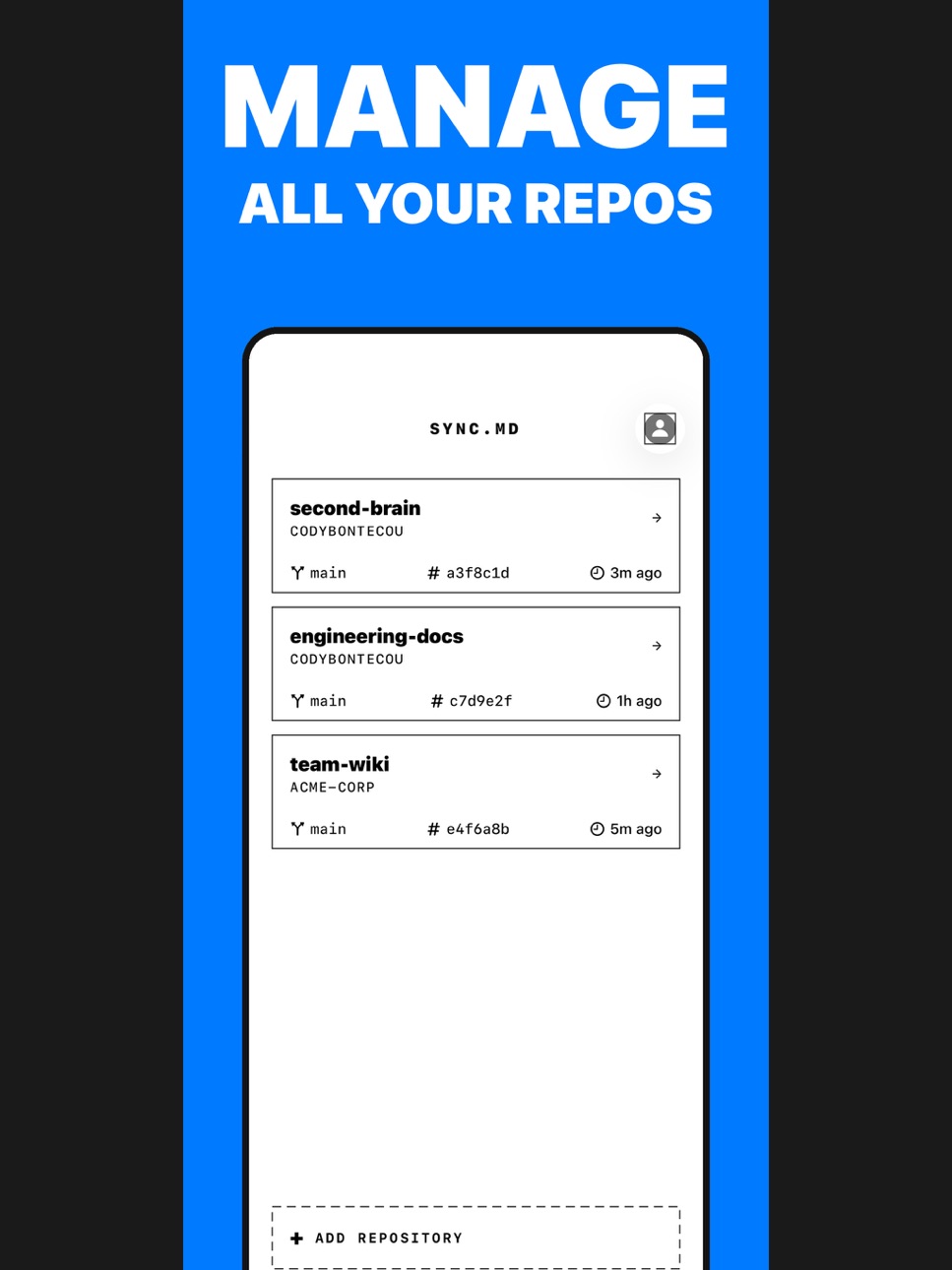
• View branch, commit SHA, and last sync time per repo
Obsidian Integration
Sync.md supports x-callback-url so other apps can trigger Git operations programmatically. The Obsidian Git community plugin can call syncmd://x-callback-url/sync to pull and push without leaving Obsidian.
Multiple Repositories
Manage as many repos as you need. Each one gets its own branch, author, and storage location. Clone your blog, your Zettelkasten, your dotfiles — all in one app.
Your Data Stays Yours
No accounts to create, no cloud service to trust. Your files live on your device and sync directly with GitHub. Sync.md never sees your content.
Accessibility
ipadiphonemacrealityDevicetvoswatch
Version history 25 versions
Build 887718781v2.5.12026-07-02 18:43:18
Self-hosted Git over SSH is here. This update fixes SSH-only Forgejo and Git server support for cloning, pulling, and pushing repositories.
• SSH transport is now bundled correctly for iPhone and iPad
• Ed25519, ECDSA, and RSA private keys are supported
• Unknown SSH hosts now show a fingerprint trust prompt
• Changed SSH host keys are blocked until you review them
• Repository settings now make it easier to update remote URLs and SSH credentials
Thanks for helping test this with real Forgejo servers.
Build 887617957v2.52026-06-30 21:09:53
Safer repository removal is here. Removing a repo from GitSync.md now keeps your local files on device, while Delete Local Files remains a separate, explicit action for GitSync-managed folders.
Build 887494947v2.4.72026-06-27 00:45:11
- New: Pull with Rebase for diverged branches
- Replay your local commits on top of the latest remote changes, with conflict resolution built into the app
- After a successful rebase, Push Current Branch sends your committed changes without creating another commit
Build 886962057v2.4.62026-06-17 12:37:42
Adds Apple Shortcuts for Pull All Repositories and Pull Repository, including an easy way to auto-pull when GitSync.md opens.
Build 886651957v2.4.52026-06-08 17:20:44
Adds Apple Shortcuts for Pull All Repositories and Pull Repository, including an easy way to auto-pull when GitSync.md opens.
Build 886609811v2.4.42026-06-06 23:14:28
• Fixed a Git author setup issue that could block Commit & Push with a cryptic signature error.
• GitSync.md now clearly explains when Author Name or Author Email needs to be set.
Build 886477183v2.4.32026-06-03 21:57:19
• GitSync.md is now a paid-up-front app
• Unlimited repositories are included for everyone — no paywall, no in-app unlock
• Existing users are grandfathered in automatically
Build 886334875v2.4.22026-05-31 18:24:25
• Improves onboarding so new users can get connected faster
• Adds privacy-safe diagnostics to help us understand setup issues without collecting repo contents, paths, or GitHub data
• Includes behind-the-scenes reliability fixes
Build 886244240v2.4.12026-05-28 20:03:33
• Delete previously cloned repositories from the Previously Cloned list
• Free up old local repo slots without deleting anything from GitHub
• New in-app release notes highlight updates only after existing users reach the home page
Build 885909218v2.4.02026-05-20 20:57:23
- Fixes a clone error-reporting issue where some failures could appear as "Clone failed: no error"
- Shows clearer guidance for missing, rejected, or mismatched Git credentials
- Improves certificate and SSH-key failure messages during clone, fetch, and push
Build 885753166v2.3.02026-05-19 23:25:40
• Add Git LFS support for large files in your repositories
• Download Git LFS objects after clone and pull so pointer files are replaced with real content
• Add safer large-file staging prompts, LFS auto-tracking, and push validation to prevent oversized Git blobs
Build 885643199v2.2.02026-05-14 22:05:36
• Add support for non-GitHub Git remotes, including self-hosted HTTPS and SSH repositories
• Add a no-GitHub setup path for local and alternative Git workflows
• Improve repository authentication handling for public, token, and SSH-key remotes
Build 885546969v2.1.12026-05-13 21:33:41
• Add support for non-GitHub Git remotes, including self-hosted HTTPS and SSH repositories
• Add a no-GitHub setup path for local and alternative Git workflows
• Improve repository authentication handling for public, token, and SSH-key remotes
Build 885388172v2.1.02026-05-08 18:07:14
• First repo now shows a confirmation reminder so you don't accidentally use your free slot on the wrong repo
• New name: GitSync.md—same app, clearer purpose
• Background polish and stability fixes
Build 885174792v2.0.52026-05-02 17:50:01
- New: a Stage All button in the Changes section of the git view
- One tap stages every unstaged change so you can commit faster
- Per-file Stage and Diff actions still work the same way
Build 885053450v2.0.42026-04-29 21:39:21
- New: a Join the community banner at the top of your repo list with a one-tap invite to the Sync.md Discord
- Added a matching Join our Discord row in App Settings → Feedback
- Dismiss the banner once and it stays gone
Build 884952894v2.0.32026-04-27 22:23:26
• Resolve merge conflicts in-app without leaving the editor
• Fixed iPhone pull falsely blocked as "local edits" after a desktop push
• General stability improvements
Build 884923920v2.0.22026-04-26 17:24:12
• Fixed Korean, Japanese, Chinese, and other non-ASCII filenames showing as "Renamed" or "Modified" when no changes were made
• Fixed staging and committing files with non-ASCII filenames
• Fixed diff view showing "No Diff Available" for files with non-ASCII filenames
• Improved Unicode filename handling across all git operations
Build 884870052v2.0.12026-04-24 19:47:24
• Polished toolbar UI — xmark icon replaces CANCEL text on sheet close buttons
• Repo list rows now have full-width tap targets for easier interaction
• Subtle subtitle text styling in action rows for better visual hierarchy
Build 884525147v2.0.02026-04-15 17:22:50
• Polished toolbar UI — xmark icon replaces CANCEL text on sheet close buttons
• Repo list rows now have full-width tap targets for easier interaction
• Subtle subtitle text styling in action rows for better visual hierarchy
Build 884459575v1.9.82026-04-13 22:15:10
- File diff view now renders correctly — added lines show in green, removed lines in red, with accurate add/remove counts
- Diff rows fill the full screen width, so wrapped content reads edge to edge
- Tapping Diff in the Git status sheet opens the full rendered diff instead of a raw-text preview
Build 884407436v1.9.72026-04-11 23:52:24
- Fixed re-cloning a repository ignoring the default save location — re-clones now land in your chosen folder instead of the in-app Documents directory
Build 884301699v1.9.52026-04-09 14:30:35
- Fixed push and pull buttons appearing to do nothing — errors are now shown clearly
- Your chosen file location (e.g. Obsidian vault) now persists when you sign out and back in
- Added Move Vault option in repository settings to relocate files after cloning
Build 884332088v1.9.62026-04-09 17:49:06
- Fixed re-cloning a repository ignoring the default save location — re-clones now land in your chosen folder instead of the in-app Documents directory
Build 884287038v1.9.42026-04-08 21:20:34
• Bug fixes and performance improvements
Price history by region
Currency
Show
Columns
Search
Availability 175 of 175 storefronts
| Region | Language | Price | Ratings | Avg | Version |
|---|---|---|---|---|---|
| US | en-US | USD 9.99 | 11 | 4.8 | 2.5.1 |
| DE | de-DE | EUR 9.99 | 4 | 5.0 | 2.5.1 |
| KR | ko | KRW 17000 | 3 | 5.0 | 2.5.1 |
| CA | en-CA | CAD 12.99 | 2 | 5.0 | 2.5.1 |
| CN | zh-Hans-CN | CNY 68 | 2 | 3.0 | 2.5.1 |
| IT | it | EUR 9.99 | 2 | 5.0 | 2.5.1 |
| NL | nl | EUR 9.99 | 2 | 5.0 | 2.5.1 |
| TW | zh-Hant-TW | TWD 320 | 2 | 5.0 | 2.5.1 |
| AR | es-MX | USD 9.99 | 1 | 5.0 | 2.5.1 |
| BR | pt-BR | BRL 59.9 | 1 | 5.0 | 2.5.1 |
| CI | fr-FR | USD 11.99 | 1 | 5.0 | 2.5.1 |
| CO | es-MX | COP 49900 | 1 | 5.0 | 2.5.1 |
| CZ | en-GB | CZK 249 | 1 | 1.0 | 2.5.1 |
| DK | en-GB | DKK 89 | 1 | 5.0 | 2.5.1 |
| ES | es-ES | EUR 9.99 | 1 | 5.0 | 2.5.1 |
| GT | es-MX | USD 9.99 | 1 | 5.0 | 2.5.1 |
| IN | en-GB | INR 999 | 1 | 5.0 | 2.5.1 |
| LV | en-GB | EUR 9.99 | 1 | 5.0 | 2.5.1 |
| RU | ru | RUB 899 | 1 | 1.0 | 2.5.1 |
| SK | en-GB | EUR 9.99 | 1 | 5.0 | 2.5.1 |
| TH | en-GB | THB 399 | 1 | 1.0 | 2.5.1 |
| AE | en-GB | AED 39.99 | 0 | — | 2.5.1 |
| AF | en-GB | USD 9.99 | 0 | — | 2.5.1 |
| AG | en-GB | USD 9.99 | 0 | — | 2.5.1 |
| AI | en-GB | USD 9.99 | 0 | — | 2.5.1 |
| AL | en-GB | USD 11.99 | 0 | — | 2.5.1 |
| AM | en-GB | USD 11.99 | 0 | — | 2.5.1 |
| AO | en-GB | USD 9.99 | 0 | — | 2.5.1 |
| AT | de-DE | EUR 9.99 | 0 | — | 2.5.1 |
| AU | en-AU | AUD 14.99 | 0 | — | 2.5.1 |
| AZ | en-GB | USD 11.99 | 0 | — | 2.5.1 |
| BA | en-GB | EUR 9.99 | 0 | — | 2.5.1 |
| BB | en-GB | USD 11.99 | 0 | — | 2.5.1 |
| BE | en-GB | EUR 9.99 | 0 | — | 2.5.1 |
| BF | en-GB | USD 9.99 | 0 | — | 2.5.1 |
| BG | en-GB | EUR 9.99 | 0 | — | 2.5.1 |
| BH | en-GB | USD 9.99 | 0 | — | 2.5.1 |
| BJ | en-GB | USD 11.99 | 0 | — | 2.5.1 |
| BM | en-GB | USD 9.99 | 0 | — | 2.5.1 |
| BN | en-GB | USD 9.99 | 0 | — | 2.5.1 |
| BO | es-MX | USD 9.99 | 0 | — | 2.5.1 |
| BS | en-GB | USD 9.99 | 0 | — | 2.5.1 |
| BT | en-GB | USD 9.99 | 0 | — | 2.5.1 |
| BW | en-GB | USD 9.99 | 0 | — | 2.5.1 |
| BY | en-GB | USD 11.99 | 0 | — | 2.5.1 |
| BZ | en-GB | USD 9.99 | 0 | — | 2.5.1 |
| CD | en-GB | USD 9.99 | 0 | — | 2.5.1 |
| CG | en-GB | USD 9.99 | 0 | — | 2.5.1 |
| CH | de-CH | CHF 9 | 0 | — | 2.5.1 |
| CL | es-MX | CLP 9990 | 0 | — | 2.5.1 |
| CM | fr-FR | USD 11.99 | 0 | — | 2.5.1 |
| CR | es-MX | USD 9.99 | 0 | — | 2.5.1 |
| CV | en-GB | USD 9.99 | 0 | — | 2.5.1 |
| CY | en-GB | EUR 9.99 | 0 | — | 2.5.1 |
| DM | en-GB | USD 9.99 | 0 | — | 2.5.1 |
| DO | es-MX | USD 9.99 | 0 | — | 2.5.1 |
| DZ | en-GB | USD 9.99 | 0 | — | 2.5.1 |
| EC | es-MX | USD 9.99 | 0 | — | 2.5.1 |
| EE | en-GB | EUR 9.99 | 0 | — | 2.5.1 |
| EG | en-GB | EGP 499.99 | 0 | — | 2.5.1 |
| FI | en-GB | EUR 9.99 | 0 | — | 2.5.1 |
| FJ | en-GB | USD 9.99 | 0 | — | 2.5.1 |
| FM | en-GB | USD 9.99 | 0 | — | 2.5.1 |
| FR | fr-FR | EUR 9.99 | 0 | — | 2.5.1 |
| GA | fr-FR | USD 9.99 | 0 | — | 2.5.1 |
| GB | en-GB | GBP 9.99 | 0 | — | 2.5.1 |
| GD | en-GB | USD 9.99 | 0 | — | 2.5.1 |
| GE | en-GB | USD 11.99 | 0 | — | 2.5.1 |
| GH | en-GB | USD 11.99 | 0 | — | 2.5.1 |
| GM | en-GB | USD 9.99 | 0 | — | 2.5.1 |
| GR | en-GB | EUR 9.99 | 0 | — | 2.5.1 |
| GW | en-GB | USD 9.99 | 0 | — | 2.5.1 |
| GY | en-GB | USD 9.99 | 0 | — | 2.5.1 |
| HK | zh-Hant-HK | HKD 88 | 0 | — | 2.5.1 |
| HN | es-MX | USD 9.99 | 0 | — | 2.5.1 |
| HR | en-GB | EUR 9.99 | 0 | — | 2.5.1 |
| HU | en-GB | HUF 4490 | 0 | — | 2.5.1 |
| ID | en-GB | IDR 169000 | 0 | — | 2.5.1 |
| IE | en-GB | EUR 9.99 | 0 | — | 2.5.1 |
| IL | en-GB | ILS 34.9 | 0 | — | 2.5.1 |
| IQ | en-GB | USD 9.99 | 0 | — | 2.5.1 |
| IS | en-GB | USD 11.99 | 0 | — | 2.5.1 |
| JM | en-GB | USD 9.99 | 0 | — | 2.5.1 |
| JO | en-GB | USD 9.99 | 0 | — | 2.5.1 |
| JP | ja | JPY 1500 | 0 | — | 2.5.1 |
| KE | en-GB | USD 11.99 | 0 | — | 2.5.1 |
| KG | en-GB | USD 9.99 | 0 | — | 2.5.1 |
| KH | en-GB | USD 9.99 | 0 | — | 2.5.1 |
| KN | en-GB | USD 9.99 | 0 | — | 2.5.1 |
| KW | en-GB | USD 9.99 | 0 | — | 2.5.1 |
| KY | en-GB | USD 9.99 | 0 | — | 2.5.1 |
| KZ | en-GB | KZT 5990 | 0 | — | 2.5.1 |
| LA | en-GB | USD 9.99 | 0 | — | 2.5.1 |
| LB | en-GB | USD 9.99 | 0 | — | 2.5.1 |
| LC | en-GB | USD 9.99 | 0 | — | 2.5.1 |
| LK | en-GB | USD 9.99 | 0 | — | 2.5.1 |
| LR | en-GB | USD 9.99 | 0 | — | 2.5.1 |
| LT | en-GB | EUR 9.99 | 0 | — | 2.5.1 |
| LU | en-GB | EUR 9.99 | 0 | — | 2.5.1 |
| LY | en-GB | USD 9.99 | 0 | — | 2.5.1 |
| MA | en-GB | USD 9.99 | 0 | — | 2.5.1 |
| MD | en-GB | USD 11.99 | 0 | — | 2.5.1 |
| ME | en-GB | EUR 9.99 | 0 | — | 2.5.1 |
| MG | en-GB | USD 9.99 | 0 | — | 2.5.1 |
| MK | en-GB | USD 9.99 | 0 | — | 2.5.1 |
| ML | en-GB | USD 9.99 | 0 | — | 2.5.1 |
| MM | en-GB | USD 9.99 | 0 | — | 2.5.1 |
| MN | en-GB | USD 9.99 | 0 | — | 2.5.1 |
| MO | zh-Hant-HK | USD 9.99 | 0 | — | 2.5.1 |
| MR | en-GB | USD 9.99 | 0 | — | 2.5.1 |
| MS | en-GB | USD 9.99 | 0 | — | 2.5.1 |
| MT | en-GB | EUR 9.99 | 0 | — | 2.5.1 |
| MU | en-GB | USD 11.99 | 0 | — | 2.5.1 |
| MV | en-GB | USD 9.99 | 0 | — | 2.5.1 |
| MW | en-GB | USD 9.99 | 0 | — | 2.5.1 |
| MX | es-MX | MXN 199 | 0 | — | 2.5.1 |
| MY | en-GB | MYR 49.9 | 0 | — | 2.5.1 |
| MZ | en-GB | USD 9.99 | 0 | — | 2.5.1 |
| NA | en-GB | USD 9.99 | 0 | — | 2.5.1 |
| NE | en-GB | USD 9.99 | 0 | — | 2.5.1 |
| NG | en-GB | NGN 14900 | 0 | — | 2.5.1 |
| NI | es-MX | USD 9.99 | 0 | — | 2.5.1 |
| NO | en-GB | NOK 129 | 0 | — | 2.5.1 |
| NP | en-GB | USD 11.99 | 0 | — | 2.5.1 |
| NR | en-GB | USD 9.99 | 0 | — | 2.5.1 |
| NZ | en-AU | NZD 19.99 | 0 | — | 2.5.1 |
| OM | en-GB | USD 9.99 | 0 | — | 2.5.1 |
| PA | es-MX | USD 9.99 | 0 | — | 2.5.1 |
| PE | es-MX | PEN 44.9 | 0 | — | 2.5.1 |
| PG | en-GB | USD 9.99 | 0 | — | 2.5.1 |
| PH | en-GB | PHP 599 | 0 | — | 2.5.1 |
| PK | en-GB | PKR 2900 | 0 | — | 2.5.1 |
| PL | en-GB | PLN 49.99 | 0 | — | 2.5.1 |
| PT | pt-PT | EUR 9.99 | 0 | — | 2.5.1 |
| PW | en-GB | USD 9.99 | 0 | — | 2.5.1 |
| PY | es-MX | USD 9.99 | 0 | — | 2.5.1 |
| QA | en-GB | QAR 39.99 | 0 | — | 2.5.1 |
| RO | en-GB | RON 49.99 | 0 | — | 2.5.1 |
| RS | en-GB | EUR 9.99 | 0 | — | 2.5.1 |
| RW | en-GB | USD 9.99 | 0 | — | 2.5.1 |
| SA | en-GB | SAR 39.99 | 0 | — | 2.5.1 |
| SB | en-GB | USD 9.99 | 0 | — | 2.5.1 |
| SC | en-GB | USD 9.99 | 0 | — | 2.5.1 |
| SE | sv | SEK 129 | 0 | — | 2.5.1 |
| SG | en-GB | SGD 14.98 | 0 | — | 2.5.1 |
| SI | en-GB | EUR 9.99 | 0 | — | 2.5.1 |
| SL | en-GB | USD 9.99 | 0 | — | 2.5.1 |
| SN | en-GB | USD 11.99 | 0 | — | 2.5.1 |
| SR | en-GB | USD 9.99 | 0 | — | 2.5.1 |
| ST | en-GB | USD 9.99 | 0 | — | 2.5.1 |
| SV | es-MX | USD 9.99 | 0 | — | 2.5.1 |
| SZ | en-GB | USD 9.99 | 0 | — | 2.5.1 |
| TC | en-GB | USD 9.99 | 0 | — | 2.5.1 |
| TD | en-GB | USD 9.99 | 0 | — | 2.5.1 |
| TJ | en-GB | USD 9.99 | 0 | — | 2.5.1 |
| TM | en-GB | USD 9.99 | 0 | — | 2.5.1 |
| TN | en-GB | USD 9.99 | 0 | — | 2.5.1 |
| TO | en-GB | USD 9.99 | 0 | — | 2.5.1 |
| TR | en-GB | TRY 499.99 | 0 | — | 2.5.1 |
| TT | en-GB | USD 9.99 | 0 | — | 2.5.1 |
| TZ | en-GB | TZS 29900 | 0 | — | 2.5.1 |
| UA | en-GB | USD 11.99 | 0 | — | 2.5.1 |
| UG | en-GB | USD 11.99 | 0 | — | 2.5.1 |
| UY | en-GB | USD 9.99 | 0 | — | 2.5.1 |
| UZ | en-GB | USD 9.99 | 0 | — | 2.5.1 |
| VC | en-GB | USD 9.99 | 0 | — | 2.5.1 |
| VE | es-MX | USD 9.99 | 0 | — | 2.5.1 |
| VG | en-GB | USD 9.99 | 0 | — | 2.5.1 |
| VN | en-GB | VND 299000 | 0 | — | 2.5.1 |
| VU | en-GB | USD 9.99 | 0 | — | 2.5.1 |
| XK | en-GB | EUR 9.99 | 0 | — | 2.5.1 |
| YE | en-GB | USD 9.99 | 0 | — | 2.5.1 |
| ZA | en-GB | ZAR 199.99 | 0 | — | 2.5.1 |
| ZM | en-GB | USD 11.99 | 0 | — | 2.5.1 |
| ZW | en-GB | USD 11.99 | 0 | — | 2.5.1 |
Change log 29 changes · ZM
✎
releaseNotes updated
Self-hosted Git over SSH is here. This update fixes SSH-only Forgejo and Git server support for cloning, pulling, and pushing repositories.
• SSH transport is
✎
description updated
Sync.md brings real Git to your iPhone. Clone any GitHub repository, pull the latest changes, edit your notes and markdown files, then commit and push — all wit
✎
subtitle updated
Git-synced markdown notes
✎
name updated
GitSync.md
◆
Version 2.5.1 released
Self-hosted Git over SSH is here. This update fixes SSH-only Forgejo and Git server support for cloning, pulling, and pushing repositories.
• SSH transport is now bundled correctly for iPhone and iPad
• Ed25519, ECDSA, and RSA private keys
◆
Version 2.5 released
Safer repository removal is here. Removing a repo from GitSync.md now keeps your local files on device, while Delete Local Files remains a separate, explicit action for GitSync-managed folders.
◆
Version 2.4.7 released
- New: Pull with Rebase for diverged branches
- Replay your local commits on top of the latest remote changes, with conflict resolution built into the app
- After a successful rebase, Push Current Branch sends your committed changes without
◆
Version 2.4.6 released
Adds Apple Shortcuts for Pull All Repositories and Pull Repository, including an easy way to auto-pull when GitSync.md opens.
◆
Version 2.4.5 released
Adds Apple Shortcuts for Pull All Repositories and Pull Repository, including an easy way to auto-pull when GitSync.md opens.
◆
Version 2.4.4 released
• Fixed a Git author setup issue that could block Commit & Push with a cryptic signature error.
• GitSync.md now clearly explains when Author Name or Author Email needs to be set.
◆
Version 2.4.3 released
• GitSync.md is now a paid-up-front app
• Unlimited repositories are included for everyone — no paywall, no in-app unlock
• Existing users are grandfathered in automatically
◆
Version 2.4.2 released
• Improves onboarding so new users can get connected faster
• Adds privacy-safe diagnostics to help us understand setup issues without collecting repo contents, paths, or GitHub data
• Includes behind-the-scenes reliability fixes
◆
Version 2.4.1 released
• Delete previously cloned repositories from the Previously Cloned list
• Free up old local repo slots without deleting anything from GitHub
• New in-app release notes highlight updates only after existing users reach the home page
◆
Version 2.4.0 released
- Fixes a clone error-reporting issue where some failures could appear as "Clone failed: no error"
- Shows clearer guidance for missing, rejected, or mismatched Git credentials
- Improves certificate and SSH-key failure messages during clon
◆
Version 2.3.0 released
• Add Git LFS support for large files in your repositories
• Download Git LFS objects after clone and pull so pointer files are replaced with real content
• Add safer large-file staging prompts, LFS auto-tracking, and push validation to pre
◆
Version 2.2.0 released
• Add support for non-GitHub Git remotes, including self-hosted HTTPS and SSH repositories
• Add a no-GitHub setup path for local and alternative Git workflows
• Improve repository authentication handling for public, token, and SSH-key remo
◆
Version 2.1.1 released
• Add support for non-GitHub Git remotes, including self-hosted HTTPS and SSH repositories
• Add a no-GitHub setup path for local and alternative Git workflows
• Improve repository authentication handling for public, token, and SSH-key remo
◆
Version 2.1.0 released
• First repo now shows a confirmation reminder so you don't accidentally use your free slot on the wrong repo
• New name: GitSync.md—same app, clearer purpose
• Background polish and stability fixes
◆
Version 2.0.5 released
- New: a Stage All button in the Changes section of the git view
- One tap stages every unstaged change so you can commit faster
- Per-file Stage and Diff actions still work the same way
◆
Version 2.0.4 released
- New: a Join the community banner at the top of your repo list with a one-tap invite to the Sync.md Discord
- Added a matching Join our Discord row in App Settings → Feedback
- Dismiss the banner once and it stays gone
◆
Version 2.0.3 released
• Resolve merge conflicts in-app without leaving the editor
• Fixed iPhone pull falsely blocked as "local edits" after a desktop push
• General stability improvements
◆
Version 2.0.2 released
• Fixed Korean, Japanese, Chinese, and other non-ASCII filenames showing as "Renamed" or "Modified" when no changes were made
• Fixed staging and committing files with non-ASCII filenames
• Fixed diff view showing "No Diff Available" for fi
◆
Version 2.0.1 released
• Polished toolbar UI — xmark icon replaces CANCEL text on sheet close buttons
• Repo list rows now have full-width tap targets for easier interaction
• Subtle subtitle text styling in action rows for better visual hierarchy
◆
Version 2.0.0 released
• Polished toolbar UI — xmark icon replaces CANCEL text on sheet close buttons
• Repo list rows now have full-width tap targets for easier interaction
• Subtle subtitle text styling in action rows for better visual hierarchy
◆
Version 1.9.8 released
- File diff view now renders correctly — added lines show in green, removed lines in red, with accurate add/remove counts
- Diff rows fill the full screen width, so wrapped content reads edge to edge
- Tapping Diff in the Git status sheet o
◆
Version 1.9.7 released
- Fixed re-cloning a repository ignoring the default save location — re-clones now land in your chosen folder instead of the in-app Documents directory
◆
Version 1.9.6 released
- Fixed re-cloning a repository ignoring the default save location — re-clones now land in your chosen folder instead of the in-app Documents directory
◆
Version 1.9.5 released
- Fixed push and pull buttons appearing to do nothing — errors are now shown clearly
- Your chosen file location (e.g. Obsidian vault) now persists when you sign out and back in
- Added Move Vault option in repository settings to relocate f
◆
Version 1.9.4 released
• Bug fixes and performance improvements