Home › Photo & Video

 VU
VU
 USen-US
 CHde-CH
 ESes-ES
 FIen-GB
 PLen-GB
 AEen-GB
 AFen-GB
 AGen-GB
 AIen-GB
 ALen-GB
 AMen-GB
 AOen-GB
 ARes-MX
 ATde-DE
 AUen-AU
 AZen-GB
 BAen-GB
 BBen-GB
 BEen-GB
 BFen-GB
 BGen-GB
 BHen-GB
 BJen-GB
 BMen-GB
 BNen-GB
 BOes-MX
 BRpt-BR
 BSen-GB
 BTen-GB
 BWen-GB
 BYen-GB
 BZen-GB
 CAen-CA
 CDen-GB
 CGen-GB
 CIfr-FR
 CLes-MX
 CMfr-FR
 CNzh-Hans-CN
 COes-MX
 CRes-MX
 CVen-GB
 CYen-GB
 CZen-GB
 DEde-DE
 DKen-GB
 DMen-GB
 DOes-MX
 DZen-GB
 ECes-MX
 EEen-GB
 EGen-GB
 FJen-GB
 FMen-GB
 FRfr-FR
 GAfr-FR
 GBen-GB
 GDen-GB
 GEen-GB
 GHen-GB
 GMen-GB
 GRen-GB
 GTes-MX
 GWen-GB
 GYen-GB
 HKzh-Hant-HK
 HNes-MX
 HRen-GB
 HUen-GB
 IDen-GB
 IEen-GB
 ILen-GB
 INen-GB
 IQen-GB
 ISen-GB
 ITit
ITit JMen-GB
 JOen-GB
 JPja
JPja KEen-GB
 KGen-GB
 KHen-GB
 KNen-GB
 KRko
KRko KWen-GB
 KYen-GB
 KZen-GB
 LAen-GB
 LBen-GB
 LCen-GB
 LKen-GB
 LRen-GB
 LTen-GB
 LUen-GB
 LVen-GB
 LYen-GB
 MAen-GB
 MDen-GB
 MEen-GB
 MGen-GB
 MKen-GB
 MLen-GB
 MMen-GB
 MNen-GB
 MOzh-Hant-HK
 MRen-GB
 MSen-GB
 MTen-GB
 MUen-GB
 MVen-GB
 MWen-GB
 MXes-MX
 MYen-GB
 MZen-GB
 NAen-GB
 NEen-GB
 NGen-GB
 NIes-MX
 NLnl
NLnl NOen-GB
 NPen-GB
 NRen-GB
 NZen-AU
 OMen-GB
 PAes-MX
 PEes-MX
 PGen-GB
 PHen-GB
 PKen-GB
 PTpt-PT
 PWen-GB
 PYes-MX
 QAen-GB
 ROen-GB
 RSen-GB
 RUru
RUru RWen-GB
 SAen-GB
 SBen-GB
 SCen-GB
 SEsv
SEsv SGen-GB
 SIen-GB
 SKen-GB
 SLen-GB
 SNen-GB
 SRen-GB
 STen-GB
 SVes-MX
 SZen-GB
 TCen-GB
 TDen-GB
 THen-GB
 TJen-GB
 TMen-GB
 TNen-GB
 TOen-GB
 TRen-GB
 TTen-GB
 TWzh-Hant-TW
 TZen-GB
 UAen-GB
 UGen-GB
 UYen-GB
 UZen-GB
 VCen-GB
 VEes-MX
 VGen-GB
 VNen-GBVUen-GB
 XKen-GB
 YEen-GB
 ZAen-GB
 ZMen-GB
 ZWen-GB
175 of 175 storefronts
Content in en-US
Content in en-US
Information
Preview 2 platforms
iPhone 8 images


iPad 7 images




What’s New Version 1.10.0
- Five new screen styles — Elegant, Cinematic, Festive, Neon, and Velvet — bring distinct looks to your flow screens, each with its own animated backdrop, typography, and themed wording (Velvet sets a theatre mood, complete with playbill-style copy). Pick them from the screen picker for the Start, Instructions, Disclaimer, Capture Type, Sharing, and Goodbye screens.
- Reorder the intro screens in your Event Sequence — drag a Start, Instructions, Disclaimer, or Capture Type card to a new spot, or use Move Up / Move Down in its menu. The capture, sharing, and goodbye steps stay fixed, and your order is saved for the booth.
- Refined the whole booth flow for a more polished feel: capsule action buttons, a subtle entrance animation as each screen appears, and a soft glow on the main button so it's always clear what to tap.
- Cleaner, more consistent screen layouts — titles, descriptions, and buttons line up as you move through the flow, with extra tuning for iPad in portrait: a lighter instructions list, wider button pairs, a higher-sitting description, and a larger template preview on the Sharing screen.
- The full-screen photo zoom on the Sharing screen now opens and closes with a smoother, more natural animation.
- The event template picker now opens more smoothly the first time, with templates filling in progressively after the sheet appears.
- Closing the photo notice now returns to Event Details instead of restarting the booth flow.
- Fixed the main action button's tap animation occasionally jumping.
- The hands-free remote no longer advances the flow while a QR code is on screen, so guests can finish scanning before moving on.
- General reliability fixes around QR sharing and GIF capture.
Thank you for reading this release notes! Please email me at info@thephotoboothapp.com any suggestions to make the App better for you.
Manuel
Description
Turn any event into an unforgettable experience with The Photo Booth App. Capture photos, GIFs, boomerangs, and videos instantly, customize them to match your event, and share them with your guests in seconds.
Get the best from your iPhone or iPad and turn it into a powerful, modern photo booth.
NEW: Improved version with new features and performance enhancements.
CAPTURE MODES
• Photos
• GIFs
• Boomerangs
• Videos
• Optional 360° experiences
• Live preview with countdown and guidance
CUSTOMIZATION
• Custom layouts (single, multiple, collage)
• Add logos, text, and overlays
• Filters and visual effects
• Branded start and end screens
• Backgrounds and green screen support
SHARING OPTIONS
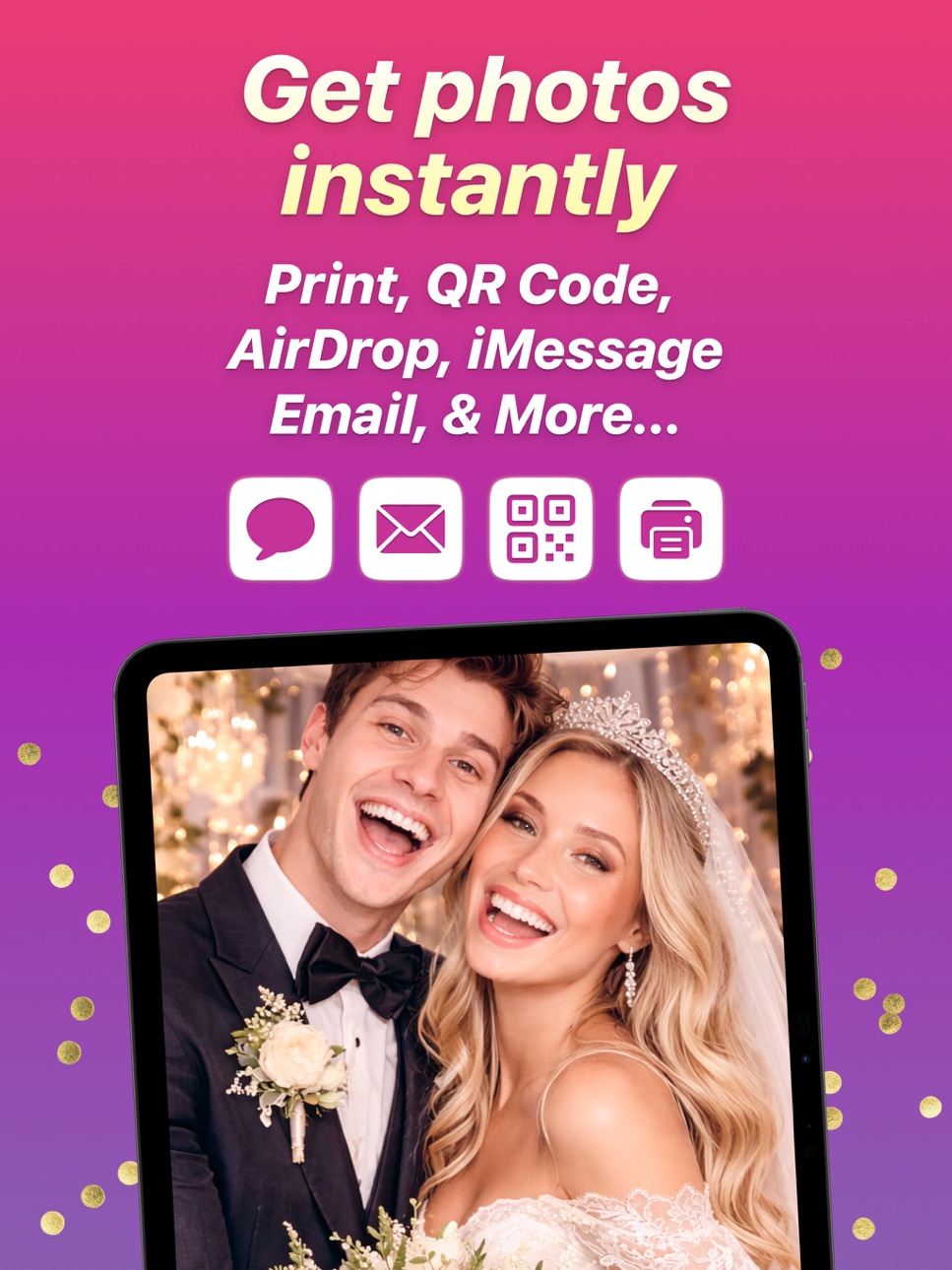
• Share via QR code
• Send via Email or SMS
• AirDrop support
• Instant preview after each session
• Online gallery options
MAIN FEATURES
• Smooth and fast capture experience
• Customizable session flow (countdown, number of shots, etc.)
• Automatic playback after capture
• Support for external cameras and accessories
• Works on iPhone and iPad
• Optimized for live events and continuous use
ADDITIONAL FEATURES
• Full screen mode
• Landscape or portrait orientation
• Simple and intuitive interface
• Reliable performance for long events
• Regular updates and improvements
EXAMPLE USE CASES
• Weddings and private parties
• Corporate and branded events
• Birthdays and celebrations
• Photo booth businesses
• Content creation and social media
The Photo Booth App uses the full capabilities of your device to deliver a high-quality photo booth experience. Capture content, customize it, and share it instantly with your guests.
No complicated setup. Just launch the app and start capturing.
SUBSCRIPTIONS
• Monthly Premium Subscription (Enjoy all features)
• Yearly Premium Subscription (Enjoy all features)
Cancel subscription any time. Subscription automatically renews unless auto-renew is turned off at least 24 hours before the end of the current period by going to your App Store Account Settings after purchase. Payment will be charged to your Apple ID account. Any unused portion of a free trial period, if offered, will be forfeited when you purchase a subscription.
MORE INFORMATION
Website: https://www.thephotoboothapp.com
Terms of use: https://www.thephotoboothapp.com/terms/
Privacy Policy: https://www.thephotoboothapp.com/privacy/
Capabilities
In-App Purchases
Accessibility
ipadiphonemacrealityDevicetvoswatch
Version history 12 versions
Build 886768142v1.10.02026-06-10 20:49:46
- Five new screen styles — Elegant, Cinematic, Festive, Neon, and Velvet — bring distinct looks to your flow screens, each with its own animated backdrop, typography, and themed wording (Velvet sets a theatre mood, complete with playbill-style copy). Pick them from the screen picker for the Start, Instructions, Disclaimer, Capture Type, Sharing, and Goodbye screens.
- Reorder the intro screens in your Event Sequence — drag a Start, Instructions, Disclaimer, or Capture Type card to a new spot, or use Move Up / Move Down in its menu. The capture, sharing, and goodbye steps stay fixed, and your order is saved for the booth.
- Refined the whole booth flow for a more polished feel: capsule action buttons, a subtle entrance animation as each screen appears, and a soft glow on the main button so it's always clear what to tap.
- Cleaner, more consistent screen layouts — titles, descriptions, and buttons line up as you move through the flow, with extra tuning for iPad in portrait: a lighter instructions list, wider button pairs, a higher-sitting description, and a larger template preview on the Sharing screen.
- The full-screen photo zoom on the Sharing screen now opens and closes with a smoother, more natural animation.
- The event template picker now opens more smoothly the first time, with templates filling in progressively after the sheet appears.
- Closing the photo notice now returns to Event Details instead of restarting the booth flow.
- Fixed the main action button's tap animation occasionally jumping.
- The hands-free remote no longer advances the flow while a QR code is on screen, so guests can finish scanning before moving on.
- General reliability fixes around QR sharing and GIF capture.
Thank you for reading this release notes! Please email me at info@thephotoboothapp.com any suggestions to make the App better for you.
Manuel
Build 886676329v1.9.02026-06-09 18:03:12
- Event Settings now opens a dedicated Analytics screen for each event — a hero photos-captured count with vs-last-event delta, prints/shares/GIFs pills, an engagement donut with printed/shared/GIF'd breakdowns, an activity-by-hour chart with peak indicator, and a top frames used list.
- Flow screens (Start, Instructions, Disclaimer, Capture Type, Review, Sharing, Goodbye) now ship with independently designed landscape layouts and switch to them automatically when the device is held in landscape; the screen editor's orientation toggle lets you author the portrait and landscape layouts independently for every built-in and custom screen.
- Remote control support: pair an inexpensive Bluetooth camera remote (or use the device's volume buttons) to trigger the booth hands-free — a press fires the primary action of the current screen, so guests can start the flow and take photos without touching the device.
- Polished animations and a smoother, more reliable app under the hood.
Thank you for reading this release notes! Please email me at info@thephotoboothapp.com any suggestions to make the App better for you.
- Manuel
Build 886465593v1.8.02026-06-04 20:31:24
- GIF capture: choose GIF on the capture type screen to record a short animated clip styled with your layout — guests can share or save the looping GIF.
- Added a launch readiness screen when you start an event: grant camera and photo library access in one place, and see at a glance whether your device is plugged in and has enough storage so a session won't be interrupted.
- Improved stability on older iPhones and iPads, fixing several rare crashes.
- The photo gallery is more reliable — deleting photos now works smoothly every time.
- Smoother, more responsive browsing in the templates gallery.
- Less waiting right after you take a photo.
- More accurate translations across all eight supported languages.
- Tap a template in your event to preview it full-size and jump straight into editing.
- Wider, more reliable device support — PhotoBooth now runs on iPhone and iPad models going back to iOS 15.
- Faster, smoother layout and flow-screen pickers — previews now load ahead of time and fill in progressively instead of freezing.
- Printing now remembers the printer you picked — photos print straight to it instead of asking you to choose every time (falls back to the print dialog if it's unavailable).
Thank you, as always, for using the app and sharing feedback that helps me improve it.
− Manuel
Build 886094094v1.7.12026-05-25 17:39:09
Fixed templates with invalid size data failing to render with a usable layout.
Have any feedback? Tap Settings then Feedback. I’d love to hear from you!
Manuel
Build 885984366v1.7.02026-05-22 15:43:42
- Redesigned the event setup screens — step previews now match each screen's real proportions, and the screen picker is cleaner and faster to open.
- Sharing screen action buttons now display as icons instead of text labels for a cleaner, more compact layout.
- Refreshed the default copy on the welcome, instructions, disclaimer, sharing, and goodbye screens, with distinct wording for each screen style and full localization in all eight languages.
Thanks for reading! Have any feedback? Tap Settings then Feedback. I'd really love to hear from you!
Manuel
Build 885860835v1.5.02026-05-20 14:48:13
- Added new seasonal templates.
- Canvas editor now supports multi-stop linear/radial gradients, letter spacing, background image opacity/blur/content-mode, eight new shape types, tintable SVG stickers, and wallet-size templates.
- Updated the app startup path so older iOS devices can launch without scene lifecycle support.
- Improved sticker category organization, thumbnail prefetching, template loading responsiveness, and event/settings screen consistency.
- Fixed duplicate and missing sticker references, oversized assets, transparent/background artifacts, and several SVG viewBox/padding issues.
- Fixed Poppins font project references so all bundled weights are copied into the app.
Thanks for reading! Have any feedback? Tap Settings then Feedback. I’d love to hear from you!
Manuel
Build 885930798v1.6.02026-05-20 22:47:19
- Sticker artwork now renders on-device, improving build and update reliability.
- Fixed launch screen validation issue.
Thanks for reading! Have any feedback? Tap Settings then Feedback. I’d love to hear from you!
Manuel
Manuel
Build 885171326v1.42026-05-18 19:27:44
- New templates, with more coming soon.
- New seasonal and event sticker packs.
- A new Profile screen to edit your account details.
- Improved canvas editing, text outlines, shadows, borders, layout selection, and property panels.
- Performance improvements, polish, and bug fixes.
Have feedback? Tap Settings then Feedback. I’d love to hear from you!
Build 884501840v1.32026-04-15 16:05:40
Say cheese! Here's what's new:
- Added 52 new stickers, including a new Decorations category.
- The app now works better without an internet connection.
- Photos waiting to upload to an online gallery will automatically upload once you're back online.
Now go strike a pose. We'll handle the rest.
Build 884375138v1.22026-04-12 12:45:58
Say cheese! Here's what's new:
- Added multi-step event creation onboarding flow.
- Added animated bubbles background to onboarding screens.
- Smoother curtain close animation during onboarding.
- Event onboarding now supports landscape orientation.
- Consistent template previews across the app.
- Welcome screen subtitle styling.
- Refreshed paywall pricing.
- Editor improvements.
- General code quality improvements.
Now go strike a pose. We'll handle the rest.
Build 884016216v1.12026-04-09 03:11:53
- Fixed various crashes and stability improvements.
Build 881830651v1.02026-03-31 23:20:32
No pricing data captured yet — comparisons appear once the app has paid storefronts or in-app purchases.
Availability 175 of 175 storefronts
| Region | Language | Price | Ratings | Avg | Version |
|---|---|---|---|---|---|
| US | en-US | Free | 18 | 4.4 | 1.10.0 |
| CH | de-CH | Free | 1 | 1.0 | 1.10.0 |
| ES | es-ES | Free | 1 | 5.0 | 1.10.0 |
| FI | en-GB | Free | 1 | 5.0 | 1.10.0 |
| PL | en-GB | Free | 1 | 5.0 | 1.10.0 |
| AE | en-GB | Free | 0 | — | 1.10.0 |
| AF | en-GB | Free | 0 | — | 1.10.0 |
| AG | en-GB | Free | 0 | — | 1.10.0 |
| AI | en-GB | Free | 0 | — | 1.10.0 |
| AL | en-GB | Free | 0 | — | 1.10.0 |
| AM | en-GB | Free | 0 | — | 1.10.0 |
| AO | en-GB | Free | 0 | — | 1.10.0 |
| AR | es-MX | Free | 0 | — | 1.10.0 |
| AT | de-DE | Free | 0 | — | 1.10.0 |
| AU | en-AU | Free | 0 | — | 1.10.0 |
| AZ | en-GB | Free | 0 | — | 1.10.0 |
| BA | en-GB | Free | 0 | — | 1.10.0 |
| BB | en-GB | Free | 0 | — | 1.10.0 |
| BE | en-GB | Free | 0 | — | 1.10.0 |
| BF | en-GB | Free | 0 | — | 1.10.0 |
| BG | en-GB | Free | 0 | — | 1.10.0 |
| BH | en-GB | Free | 0 | — | 1.10.0 |
| BJ | en-GB | Free | 0 | — | 1.10.0 |
| BM | en-GB | Free | 0 | — | 1.10.0 |
| BN | en-GB | Free | 0 | — | 1.10.0 |
| BO | es-MX | Free | 0 | — | 1.10.0 |
| BR | pt-BR | Free | 0 | — | 1.10.0 |
| BS | en-GB | Free | 0 | — | 1.10.0 |
| BT | en-GB | Free | 0 | — | 1.10.0 |
| BW | en-GB | Free | 0 | — | 1.10.0 |
| BY | en-GB | Free | 0 | — | 1.10.0 |
| BZ | en-GB | Free | 0 | — | 1.10.0 |
| CA | en-CA | Free | 0 | — | 1.10.0 |
| CD | en-GB | Free | 0 | — | 1.10.0 |
| CG | en-GB | Free | 0 | — | 1.10.0 |
| CI | fr-FR | Free | 0 | — | 1.10.0 |
| CL | es-MX | Free | 0 | — | 1.10.0 |
| CM | fr-FR | Free | 0 | — | 1.10.0 |
| CN | zh-Hans-CN | Free | 0 | — | 1.10.0 |
| CO | es-MX | Free | 0 | — | 1.10.0 |
| CR | es-MX | Free | 0 | — | 1.10.0 |
| CV | en-GB | Free | 0 | — | 1.10.0 |
| CY | en-GB | Free | 0 | — | 1.10.0 |
| CZ | en-GB | Free | 0 | — | 1.10.0 |
| DE | de-DE | Free | 0 | — | 1.10.0 |
| DK | en-GB | Free | 0 | — | 1.10.0 |
| DM | en-GB | Free | 0 | — | 1.10.0 |
| DO | es-MX | Free | 0 | — | 1.10.0 |
| DZ | en-GB | Free | 0 | — | 1.10.0 |
| EC | es-MX | Free | 0 | — | 1.10.0 |
| EE | en-GB | Free | 0 | — | 1.10.0 |
| EG | en-GB | Free | 0 | — | 1.10.0 |
| FJ | en-GB | Free | 0 | — | 1.10.0 |
| FM | en-GB | Free | 0 | — | 1.10.0 |
| FR | fr-FR | Free | 0 | — | 1.10.0 |
| GA | fr-FR | Free | 0 | — | 1.10.0 |
| GB | en-GB | Free | 0 | — | 1.10.0 |
| GD | en-GB | Free | 0 | — | 1.10.0 |
| GE | en-GB | Free | 0 | — | 1.10.0 |
| GH | en-GB | Free | 0 | — | 1.10.0 |
| GM | en-GB | Free | 0 | — | 1.10.0 |
| GR | en-GB | Free | 0 | — | 1.10.0 |
| GT | es-MX | Free | 0 | — | 1.10.0 |
| GW | en-GB | Free | 0 | — | 1.10.0 |
| GY | en-GB | Free | 0 | — | 1.10.0 |
| HK | zh-Hant-HK | Free | 0 | — | 1.10.0 |
| HN | es-MX | Free | 0 | — | 1.10.0 |
| HR | en-GB | Free | 0 | — | 1.10.0 |
| HU | en-GB | Free | 0 | — | 1.10.0 |
| ID | en-GB | Free | 0 | — | 1.10.0 |
| IE | en-GB | Free | 0 | — | 1.10.0 |
| IL | en-GB | Free | 0 | — | 1.10.0 |
| IN | en-GB | Free | 0 | — | 1.10.0 |
| IQ | en-GB | Free | 0 | — | 1.10.0 |
| IS | en-GB | Free | 0 | — | 1.10.0 |
| IT | it | Free | 0 | — | 1.10.0 |
| JM | en-GB | Free | 0 | — | 1.10.0 |
| JO | en-GB | Free | 0 | — | 1.10.0 |
| JP | ja | Free | 0 | — | 1.10.0 |
| KE | en-GB | Free | 0 | — | 1.10.0 |
| KG | en-GB | Free | 0 | — | 1.10.0 |
| KH | en-GB | Free | 0 | — | 1.10.0 |
| KN | en-GB | Free | 0 | — | 1.10.0 |
| KR | ko | Free | 0 | — | 1.10.0 |
| KW | en-GB | Free | 0 | — | 1.10.0 |
| KY | en-GB | Free | 0 | — | 1.10.0 |
| KZ | en-GB | Free | 0 | — | 1.10.0 |
| LA | en-GB | Free | 0 | — | 1.10.0 |
| LB | en-GB | Free | 0 | — | 1.10.0 |
| LC | en-GB | Free | 0 | — | 1.10.0 |
| LK | en-GB | Free | 0 | — | 1.10.0 |
| LR | en-GB | Free | 0 | — | 1.10.0 |
| LT | en-GB | Free | 0 | — | 1.10.0 |
| LU | en-GB | Free | 0 | — | 1.10.0 |
| LV | en-GB | Free | 0 | — | 1.10.0 |
| LY | en-GB | Free | 0 | — | 1.10.0 |
| MA | en-GB | Free | 0 | — | 1.10.0 |
| MD | en-GB | Free | 0 | — | 1.10.0 |
| ME | en-GB | Free | 0 | — | 1.10.0 |
| MG | en-GB | Free | 0 | — | 1.10.0 |
| MK | en-GB | Free | 0 | — | 1.10.0 |
| ML | en-GB | Free | 0 | — | 1.10.0 |
| MM | en-GB | Free | 0 | — | 1.10.0 |
| MN | en-GB | Free | 0 | — | 1.10.0 |
| MO | zh-Hant-HK | Free | 0 | — | 1.10.0 |
| MR | en-GB | Free | 0 | — | 1.10.0 |
| MS | en-GB | Free | 0 | — | 1.10.0 |
| MT | en-GB | Free | 0 | — | 1.10.0 |
| MU | en-GB | Free | 0 | — | 1.10.0 |
| MV | en-GB | Free | 0 | — | 1.10.0 |
| MW | en-GB | Free | 0 | — | 1.10.0 |
| MX | es-MX | Free | 0 | — | 1.10.0 |
| MY | en-GB | Free | 0 | — | 1.10.0 |
| MZ | en-GB | Free | 0 | — | 1.10.0 |
| NA | en-GB | Free | 0 | — | 1.10.0 |
| NE | en-GB | Free | 0 | — | 1.10.0 |
| NG | en-GB | Free | 0 | — | 1.10.0 |
| NI | es-MX | Free | 0 | — | 1.10.0 |
| NL | nl | Free | 0 | — | 1.10.0 |
| NO | en-GB | Free | 0 | — | 1.10.0 |
| NP | en-GB | Free | 0 | — | 1.10.0 |
| NR | en-GB | Free | 0 | — | 1.10.0 |
| NZ | en-AU | Free | 0 | — | 1.10.0 |
| OM | en-GB | Free | 0 | — | 1.10.0 |
| PA | es-MX | Free | 0 | — | 1.10.0 |
| PE | es-MX | Free | 0 | — | 1.10.0 |
| PG | en-GB | Free | 0 | — | 1.10.0 |
| PH | en-GB | Free | 0 | — | 1.10.0 |
| PK | en-GB | Free | 0 | — | 1.10.0 |
| PT | pt-PT | Free | 0 | — | 1.10.0 |
| PW | en-GB | Free | 0 | — | 1.10.0 |
| PY | es-MX | Free | 0 | — | 1.10.0 |
| QA | en-GB | Free | 0 | — | 1.10.0 |
| RO | en-GB | Free | 0 | — | 1.10.0 |
| RS | en-GB | Free | 0 | — | 1.10.0 |
| RU | ru | Free | 0 | — | 1.10.0 |
| RW | en-GB | Free | 0 | — | 1.10.0 |
| SA | en-GB | Free | 0 | — | 1.10.0 |
| SB | en-GB | Free | 0 | — | 1.10.0 |
| SC | en-GB | Free | 0 | — | 1.10.0 |
| SE | sv | Free | 0 | — | 1.10.0 |
| SG | en-GB | Free | 0 | — | 1.10.0 |
| SI | en-GB | Free | 0 | — | 1.10.0 |
| SK | en-GB | Free | 0 | — | 1.10.0 |
| SL | en-GB | Free | 0 | — | 1.10.0 |
| SN | en-GB | Free | 0 | — | 1.10.0 |
| SR | en-GB | Free | 0 | — | 1.10.0 |
| ST | en-GB | Free | 0 | — | 1.10.0 |
| SV | es-MX | Free | 0 | — | 1.10.0 |
| SZ | en-GB | Free | 0 | — | 1.10.0 |
| TC | en-GB | Free | 0 | — | 1.10.0 |
| TD | en-GB | Free | 0 | — | 1.10.0 |
| TH | en-GB | Free | 0 | — | 1.10.0 |
| TJ | en-GB | Free | 0 | — | 1.10.0 |
| TM | en-GB | Free | 0 | — | 1.10.0 |
| TN | en-GB | Free | 0 | — | 1.10.0 |
| TO | en-GB | Free | 0 | — | 1.10.0 |
| TR | en-GB | Free | 0 | — | 1.10.0 |
| TT | en-GB | Free | 0 | — | 1.10.0 |
| TW | zh-Hant-TW | Free | 0 | — | 1.10.0 |
| TZ | en-GB | Free | 0 | — | 1.10.0 |
| UA | en-GB | Free | 0 | — | 1.10.0 |
| UG | en-GB | Free | 0 | — | 1.10.0 |
| UY | en-GB | Free | 0 | — | 1.10.0 |
| UZ | en-GB | Free | 0 | — | 1.10.0 |
| VC | en-GB | Free | 0 | — | 1.10.0 |
| VE | es-MX | Free | 0 | — | 1.10.0 |
| VG | en-GB | Free | 0 | — | 1.10.0 |
| VN | en-GB | Free | 0 | — | 1.10.0 |
| VU | en-GB | Free | 0 | — | 1.10.0 |
| XK | en-GB | Free | 0 | — | 1.10.0 |
| YE | en-GB | Free | 0 | — | 1.10.0 |
| ZA | en-GB | Free | 0 | — | 1.10.0 |
| ZM | en-GB | Free | 0 | — | 1.10.0 |
| ZW | en-GB | Free | 0 | — | 1.10.0 |
Change log 16 changes · VU
✎
releaseNotes updated
- Five new screen styles — Elegant, Cinematic, Festive, Neon, and Velvet — bring distinct looks to your flow screens, each with its own animated backdrop, typog
✎
description updated
Turn any event into an unforgettable experience with The Photo Booth App. Capture photos, GIFs, boomerangs, and videos instantly, customize them to match your e
✎
subtitle updated
Weddings, Birthdays & Parties
✎
name updated
Photo Booth App for Events
◆
Version 1.10.0 released
- Five new screen styles — Elegant, Cinematic, Festive, Neon, and Velvet — bring distinct looks to your flow screens, each with its own animated backdrop, typography, and themed wording (Velvet sets a theatre mood, complete with playbill-st
◆
Version 1.9.0 released
- Event Settings now opens a dedicated Analytics screen for each event — a hero photos-captured count with vs-last-event delta, prints/shares/GIFs pills, an engagement donut with printed/shared/GIF'd breakdowns, an activity-by-hour chart wi
◆
Version 1.8.0 released
- GIF capture: choose GIF on the capture type screen to record a short animated clip styled with your layout — guests can share or save the looping GIF.
- Added a launch readiness screen when you start an event: grant camera and photo libra
◆
Version 1.7.1 released
Fixed templates with invalid size data failing to render with a usable layout.
Have any feedback? Tap Settings then Feedback. I’d love to hear from you!
Manuel
◆
Version 1.7.0 released
- Redesigned the event setup screens — step previews now match each screen's real proportions, and the screen picker is cleaner and faster to open.
- Sharing screen action buttons now display as icons instead of text labels for a cleaner, m
◆
Version 1.6.0 released
- Sticker artwork now renders on-device, improving build and update reliability.
- Fixed launch screen validation issue.
Thanks for reading! Have any feedback? Tap Settings then Feedback. I’d love to hear from you!
Manuel
Manuel
◆
Version 1.5.0 released
- Added new seasonal templates.
- Canvas editor now supports multi-stop linear/radial gradients, letter spacing, background image opacity/blur/content-mode, eight new shape types, tintable SVG stickers, and wallet-size templates.
- Updated
◆
Version 1.4 released
- New templates, with more coming soon.
- New seasonal and event sticker packs.
- A new Profile screen to edit your account details.
- Improved canvas editing, text outlines, shadows, borders, layout selection, and property panels.
- Perfor
◆
Version 1.3 released
Say cheese! Here's what's new:
- Added 52 new stickers, including a new Decorations category.
- The app now works better without an internet connection.
- Photos waiting to upload to an online gallery will automatically upload once you're b
◆
Version 1.2 released
Say cheese! Here's what's new:
- Added multi-step event creation onboarding flow.
- Added animated bubbles background to onboarding screens.
- Smoother curtain close animation during onboarding.
- Event onboarding now supports landscape ori
◆
Version 1.1 released
- Fixed various crashes and stability improvements.
◆
Version 1.0 released