Home › Photo & Video

 US
US
1 of 1 storefronts
Content in en-US
Content in en-US
Information
Apple ID6758134243
Bundle IDcom.nextvpu.aac
SellerSeller
Min iOS15
Min macOS15.0
Device familiesiphone, ipod
Released2026-01-26
Copyright© 2024 NextVPU(Shanghai) Co., Ltd.
Privacy policyLink ↗
Preview 1 platform
iPhone 3 images

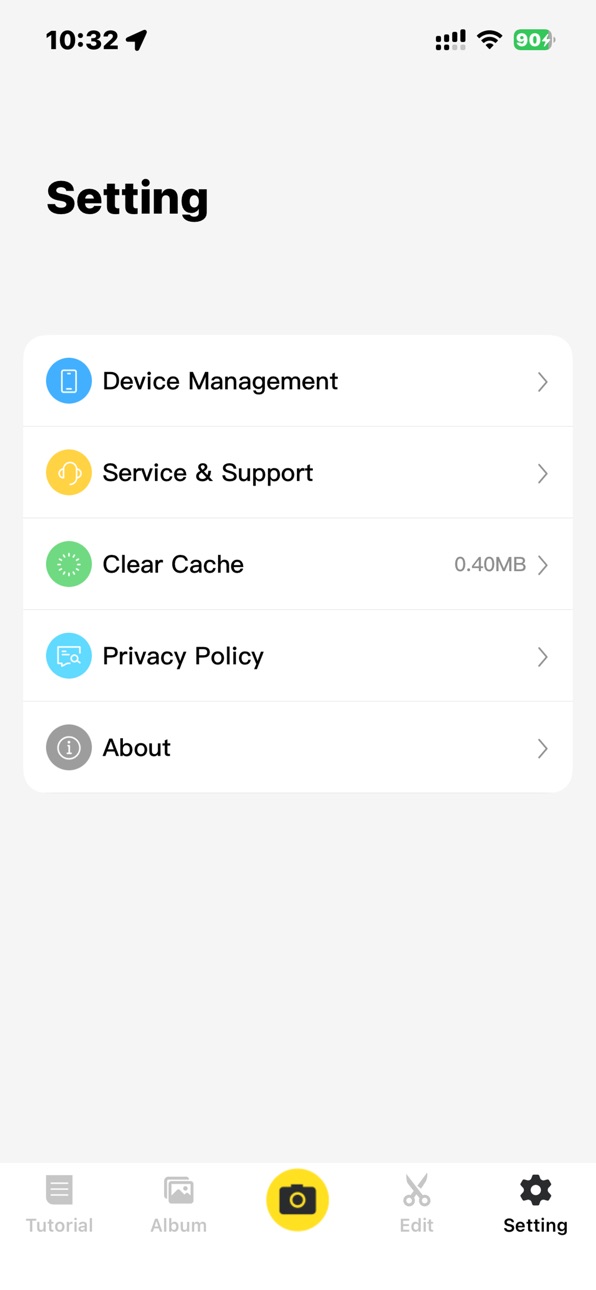

What’s New Version 1.2.12
What’s New in Version 1.2.12
• Improved device connection reliability
• Optimized media transfer stability
• Improved UI interaction experience
• Fixed several known issues
Description
Key Features Include: (1.2.11)
1. Smart Connection & Device Management
Quick and convenient Bluetooth/Wi-Fi pairing for a stable connection to your action camera.
Remote camera control: live preview, mode switching, parameter adjustment, and start/stop recording.
Manage camera settings like resolution, frame rate, image stabilization, all at your fingertips.
2. Multimedia Hub: Browse & Download
Wirelessly and swiftly browse photo and video thumbnails stored on your camera.
Selectively or batch download original footage to your phone's local album, freeing up camera storage.
3. Built-in Editor: Quick Editing & Enhancement
Provides essential editing tools: trim, split, and merge videos.
Add music, text, filters, and dynamic effects to make your videos stand out.
Supports keyframe speed ramping, cropping, and rotation to meet your creative needs.
4. Convenient Sharing
After editing, directly share HD videos or photos to mainstream social platforms like WeChat, TikTok, and Instagram.
Supports saving in different formats and resolutions to meet various platform requirements.
5. Firmware Updates & Service Support
Automatically detects and pushes the latest camera firmware, guiding users through a safe and easy upgrade process to enjoy new features and performance optimizations.
Built-in help center and online customer service portal for resolving queries anytime.
Accessibility
ipadiphonemacrealityDevicetvoswatch
Version history 4 versions
Build 883040370v1.2.122026-03-14 03:11:19
What’s New in Version 1.2.12
• Improved device connection reliability
• Optimized media transfer stability
• Improved UI interaction experience
• Fixed several known issues
Build 882594617v1.2.112026-02-22 23:57:33
Version 1.2.11
What’s New:
• Improved device pairing stability under certain iOS environments
• Enhanced media transfer reliability
• Optimized initialization behavior
• General performance and stability improvements
Build 882393242v1.2.102026-02-13 22:40:41
What’s New
• Refreshed user interface for a smoother experience
• Added a new device setup guide for easier first-time connection
• Improved firmware upgrade process and reliability
• Enhanced overall stability and performance
• Added a new Q&A section in Service & Support
Build 881733614v1.2.72026-01-26 09:24:07
No pricing data captured yet — comparisons appear once the app has paid storefronts or in-app purchases.
Availability 1 of 1 storefronts
| Region | Language | Price | Ratings | Avg | Version |
|---|---|---|---|---|---|
| US | en-US | Free | 2 | 1.0 | 1.2.12 |
Change log 8 changes · US
✎
releaseNotes updated
What’s New in Version 1.2.12
• Improved device connection reliability
• Optimized media transfer stability
• Improved UI interaction experience
• Fixed several
✎
description updated
Key Features Include: (1.2.11)
1. Smart Connection & Device Management
Quick and convenient Bluetooth/Wi-Fi pairing for a stable connection to your action camer
✎
subtitle updated
Remote control, edit, share.
✎
name updated
AngelEye Camera
◆
Version 1.2.12 released
What’s New in Version 1.2.12
• Improved device connection reliability
• Optimized media transfer stability
• Improved UI interaction experience
• Fixed several known issues
◆
Version 1.2.11 released
Version 1.2.11
What’s New:
• Improved device pairing stability under certain iOS environments
• Enhanced media transfer reliability
• Optimized initialization behavior
• General performance and stability improvements
◆
Version 1.2.10 released
What’s New
• Refreshed user interface for a smoother experience
• Added a new device setup guide for easier first-time connection
• Improved firmware upgrade process and reliability
• Enhanced overall stability and performance
• Added a ne
◆
Version 1.2.7 released