Home › Utilities

 ZW
ZW
 USen-US
 JPja
JPja AEen-GB
 AFen-GB
 AGen-GB
 AIen-GB
 ALen-GB
 AMen-GB
 AOen-GB
 ARes-MX
 ATde-DE
 AUen-AU
 AZen-GB
 BAen-GB
 BBen-GB
 BEen-GB
 BFen-GB
 BGen-GB
 BHen-GB
 BJen-GB
 BMen-GB
 BNen-GB
 BOes-MX
 BRpt-BR
 BSen-GB
 BTen-GB
 BWen-GB
 BYen-GB
 BZen-GB
 CAen-CA
 CDen-GB
 CGen-GB
 CHde-CH
 CIfr-FR
 CLes-MX
 CMfr-FR
 COes-MX
 CRes-MX
 CVen-GB
 CYen-GB
 CZen-GB
 DEde-DE
 DKen-GB
 DMen-GB
 DOes-MX
 DZen-GB
 ECes-MX
 EEen-GB
 EGen-GB
 ESes-ES
 FIen-GB
 FJen-GB
 FMen-GB
 FRfr-FR
 GAfr-FR
 GBen-GB
 GDen-GB
 GEen-GB
 GHen-GB
 GMen-GB
 GRen-GB
 GTes-MX
 GWen-GB
 GYen-GB
 HKzh-Hant-HK
 HNes-MX
 HRen-GB
 HUen-GB
 IDen-GB
 IEen-GB
 ILen-GB
 INen-GB
 IQen-GB
 ISen-GB
 ITit
ITit JMen-GB
 JOen-GB
 KEen-GB
 KGen-GB
 KHen-GB
 KNen-GB
 KRko
KRko KWen-GB
 KYen-GB
 KZen-GB
 LAen-GB
 LBen-GB
 LCen-GB
 LKen-GB
 LRen-GB
 LTen-GB
 LUen-GB
 LVen-GB
 LYen-GB
 MAen-GB
 MDen-GB
 MEen-GB
 MGen-GB
 MKen-GB
 MLen-GB
 MMen-GB
 MNen-GB
 MOzh-Hant-HK
 MRen-GB
 MSen-GB
 MTen-GB
 MUen-GB
 MVen-GB
 MWen-GB
 MXes-MX
 MYen-GB
 MZen-GB
 NAen-GB
 NEen-GB
 NGen-GB
 NIes-MX
 NLnl
NLnl NOen-GB
 NPen-GB
 NRen-GB
 NZen-AU
 OMen-GB
 PAes-MX
 PEes-MX
 PGen-GB
 PHen-GB
 PKen-GB
 PLen-GB
 PTpt-PT
 PWen-GB
 PYes-MX
 QAen-GB
 ROen-GB
 RSen-GB
 RUru
RUru RWen-GB
 SAen-GB
 SBen-GB
 SCen-GB
 SEsv
SEsv SGen-GB
 SIen-GB
 SKen-GB
 SLen-GB
 SNen-GB
 SRen-GB
 STen-GB
 SVes-MX
 SZen-GB
 TCen-GB
 TDen-GB
 THen-GB
 TJen-GB
 TMen-GB
 TNen-GB
 TOen-GB
 TRen-GB
 TTen-GB
 TWzh-Hant-TW
 TZen-GB
 UAen-GB
 UGen-GB
 UYen-GB
 UZen-GB
 VCen-GB
 VEes-MX
 VGen-GB
 VNen-GB
 VUen-GB
 XKen-GB
 YEen-GB
 ZAen-GB
 ZMen-GBZWen-GB
 CNNot Available
174 of 175 storefronts
Content in en-US
Content in en-US
Information
Preview 2 platforms
iPhone 10 images



iPad 8 images



What’s New Version 3.1.4
+ Minor Bug Fixes
Description
Talk, type, draw, and search with the AI you self-host. Lemonade
Chat is the polished mobile client for your Lemonade AI server — no
cloud account, no subscription, no telemetry. Just a clean app that
turns the LLM, image, and voice models you run at home into a
phone-friendly experience.
Whether you're chatting from the couch, on a flight, or running
your AI on a beefy desktop next door, Lemonade Chat keeps the
conversation in your pocket.
WHAT'S NEW IN 3.0
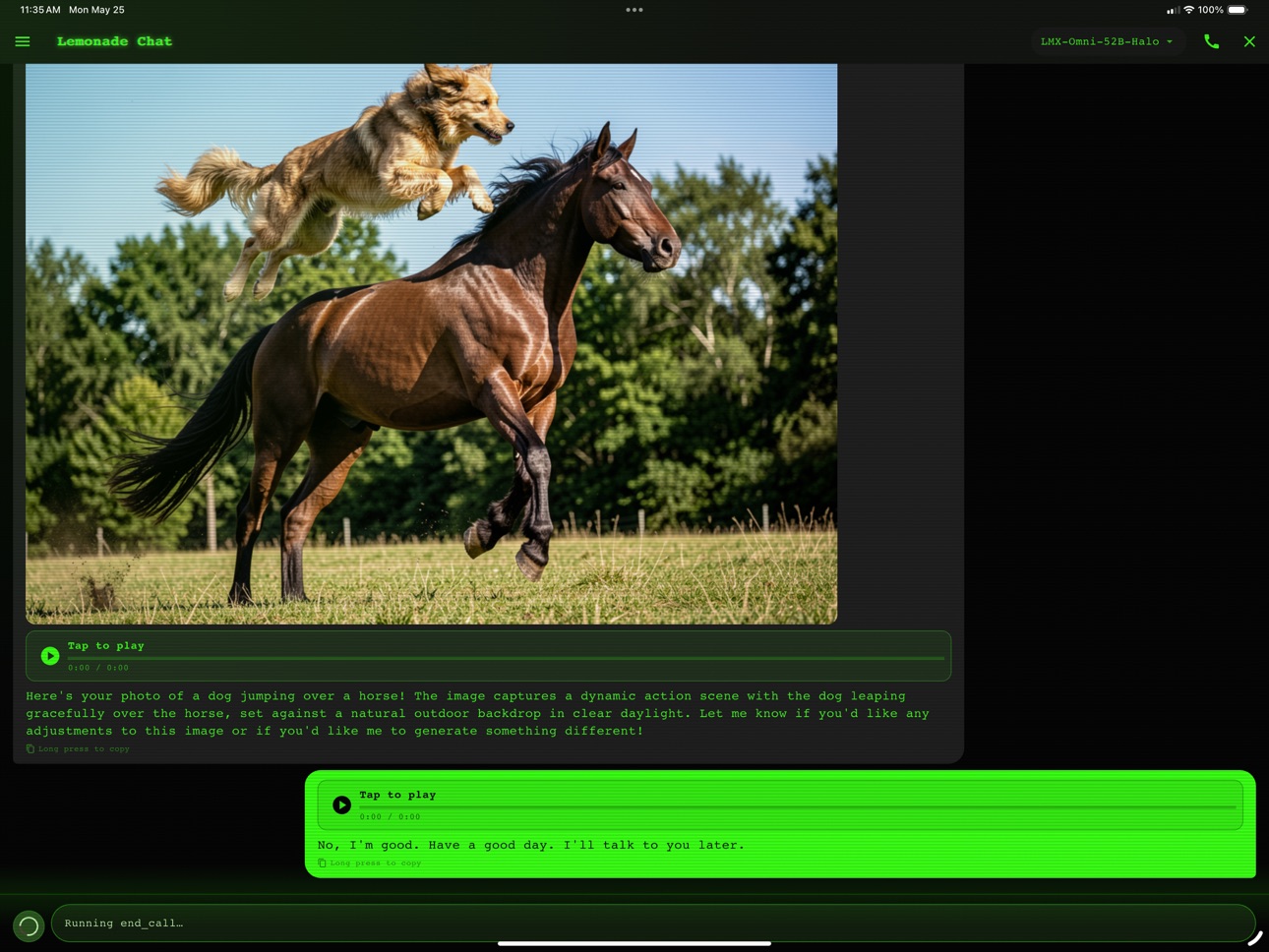
PHONE-CALL VOICE MODE
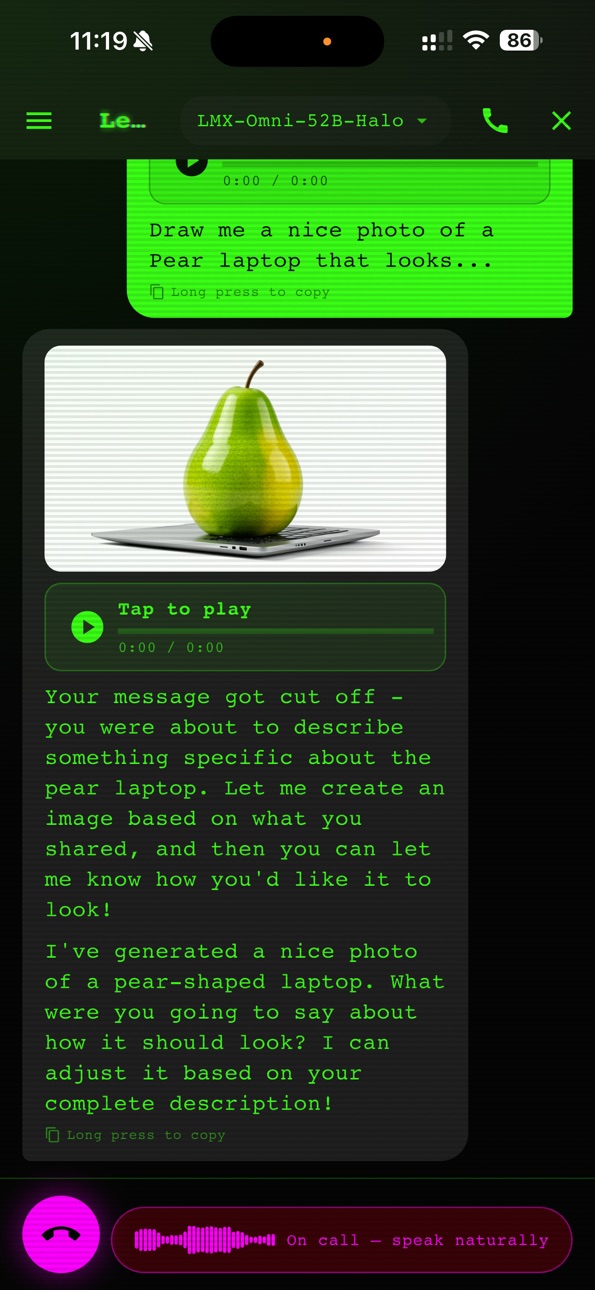
Tap the call button in the chat input and start talking — naturally,
like a phone call. The AI listens, transcribes what you said, thinks,
and replies aloud. Adaptive pause detection (Silero VAD) means you
can pause mid-thought without getting cut off. Each turn is saved
to chat as a normal message with both the audio clip and the
transcript. Hang up by tapping end-call or just telling the AI
("end the call", "goodbye", "I'm done") — it understands.
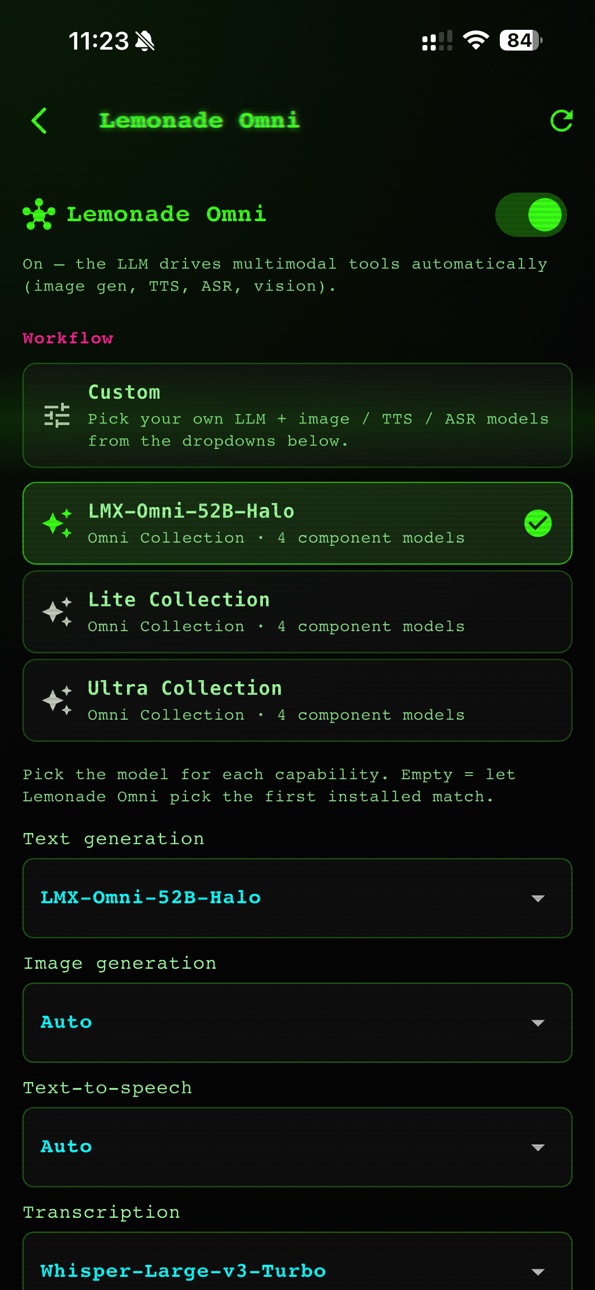
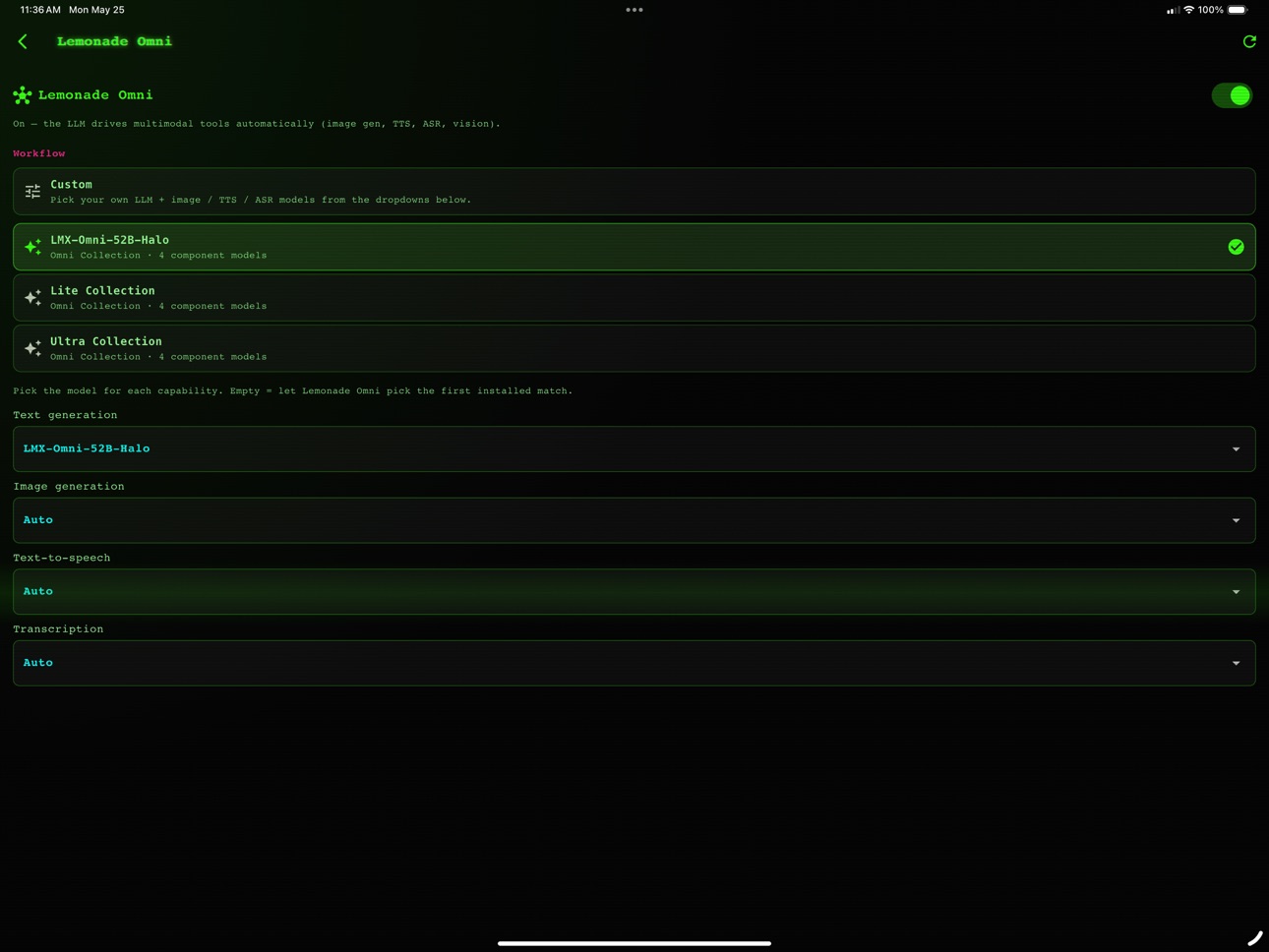
LEMONADE OMNI
Stop hunting for the right tool. Just say (or type) what you want:
• "Make me a picture of a sunset" → generates a new image.
• "Add a hat to her" → edits the previous image.
• "Read this aloud" → speaks the answer.
• "What's in this photo?" → analyzes an image you sent.
• "Find a coffee shop near me" → finds places by name + address.
• "What's the latest on X?" → searches the live web.
Voice or text — same experience either way. Tools run concurrently
when the request needs more than one, so research-heavy turns stay
fast.
IMAGE ACTIONS
Tap any image to open it fullscreen with pinch-to-zoom, then share,
download to Photos, or delete with one tap. Image generation now
supports 512 / 1K / 2K / 3K / 4K presets — pick the quality you
want in Settings.
THEMES
Multiple built-in themes, light and dark. Pick one in Settings.
CORE THINGS THAT KEEP GETTING BETTER
Multi-server management — switch between local boxes, cloud GPUs,
and a friend's instance with one tap. Per-chat model overrides for
when you need a specific LLM. Selected model now persists across
restarts (including Omni Collections).
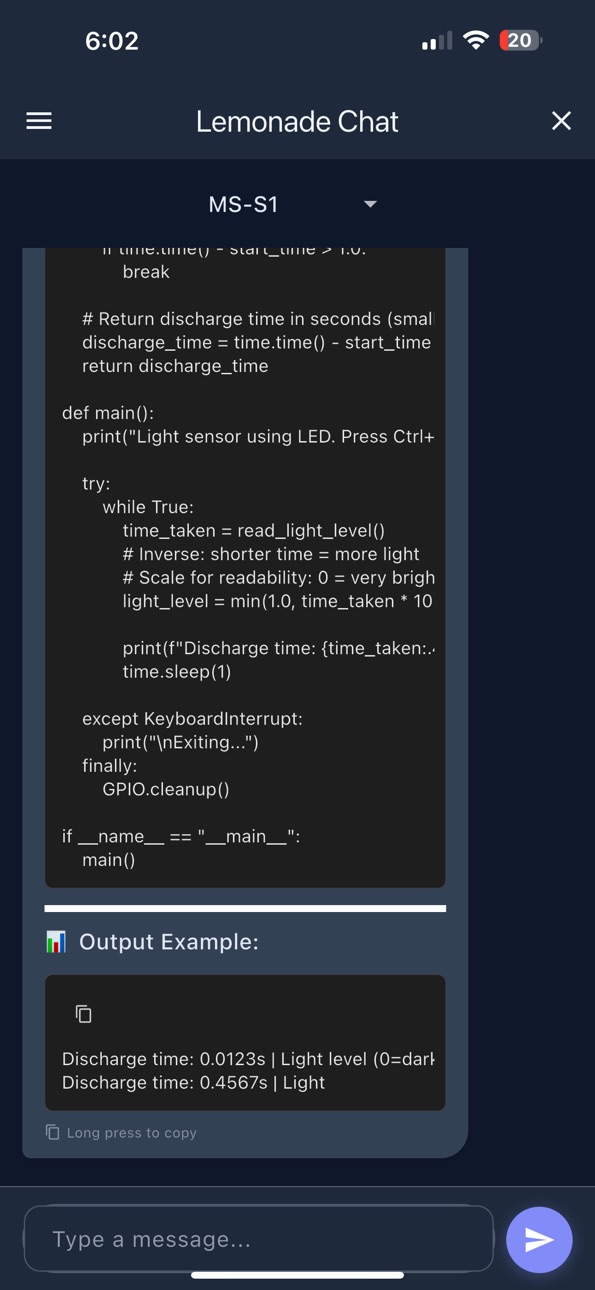
Folders for organizing chats. Beautiful code rendering with
automatic language detection. Real-time streaming — answers appear
as the AI generates them. Persistent local chat history with
attachments stored on-device.
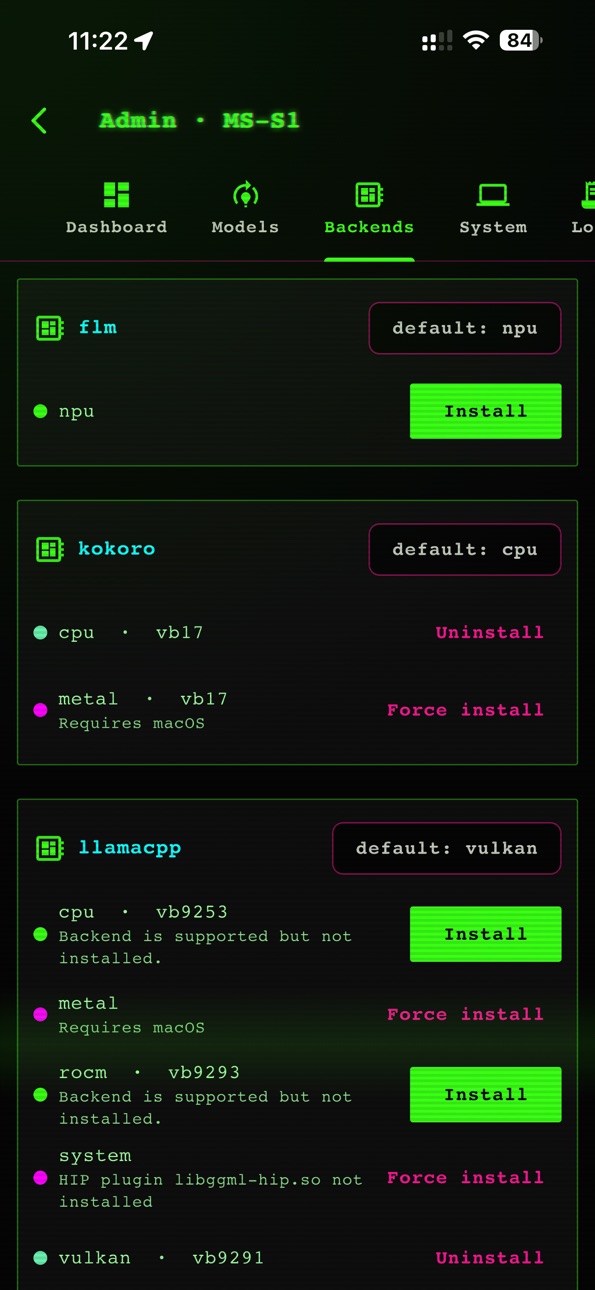
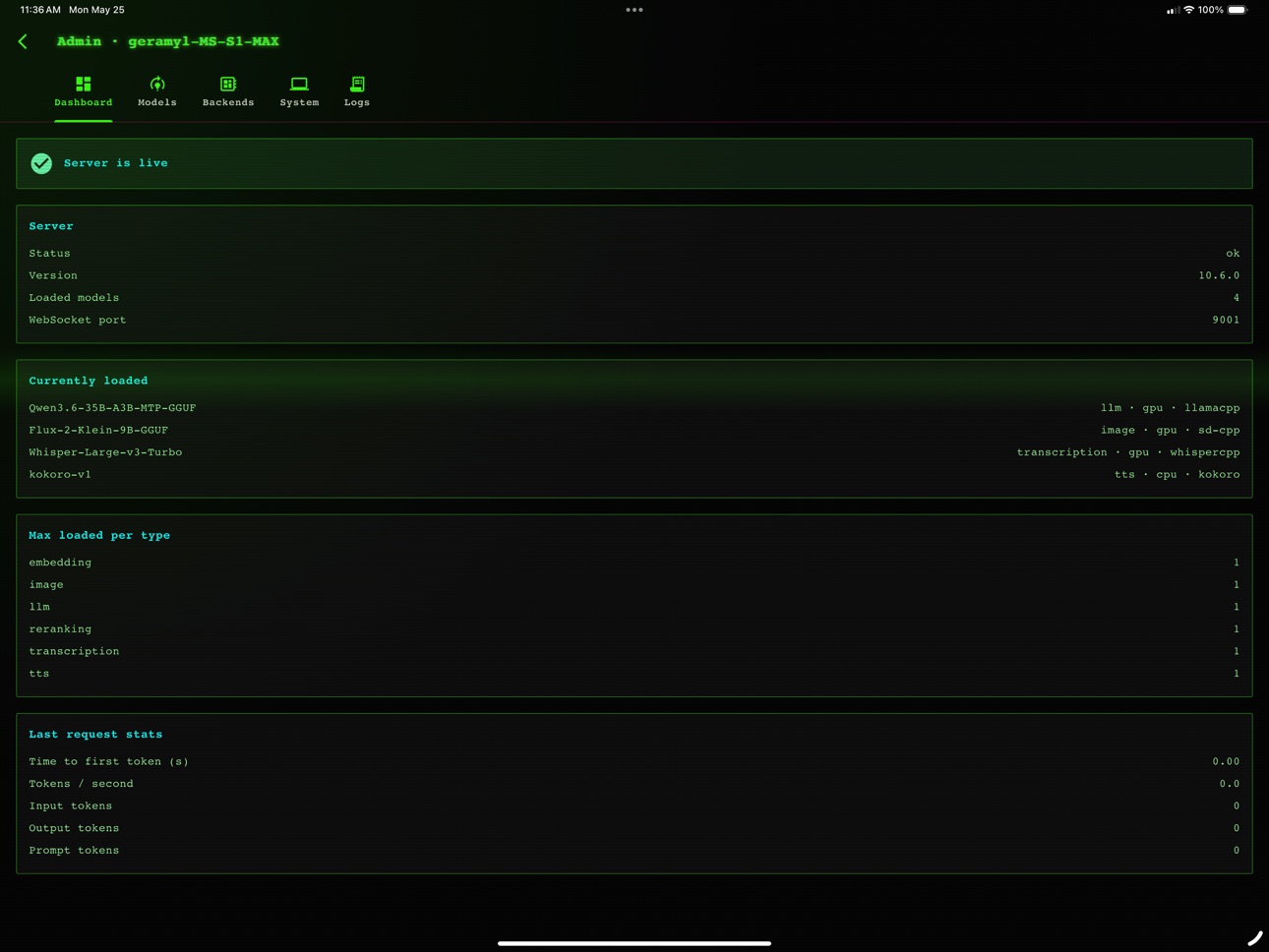
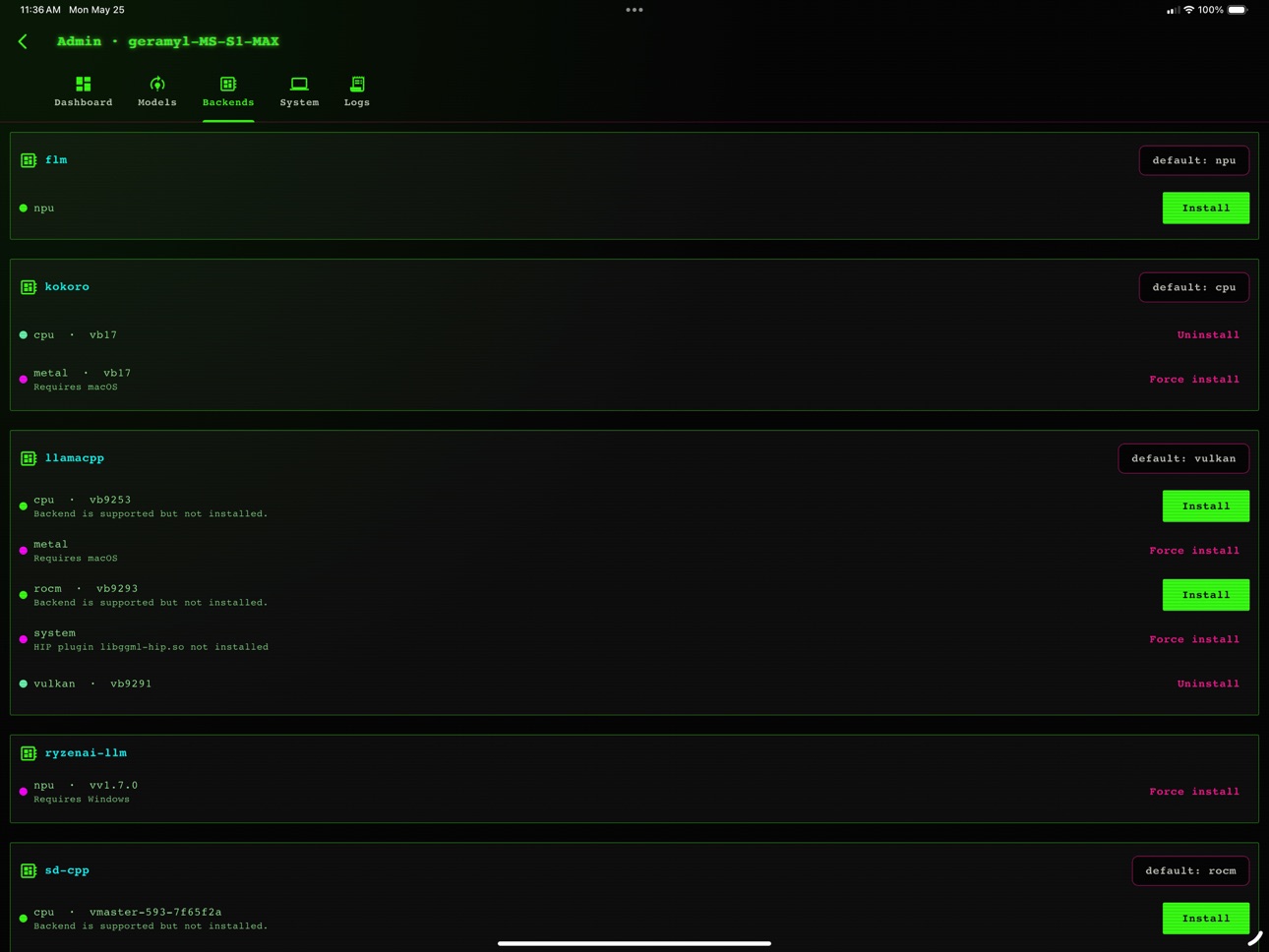
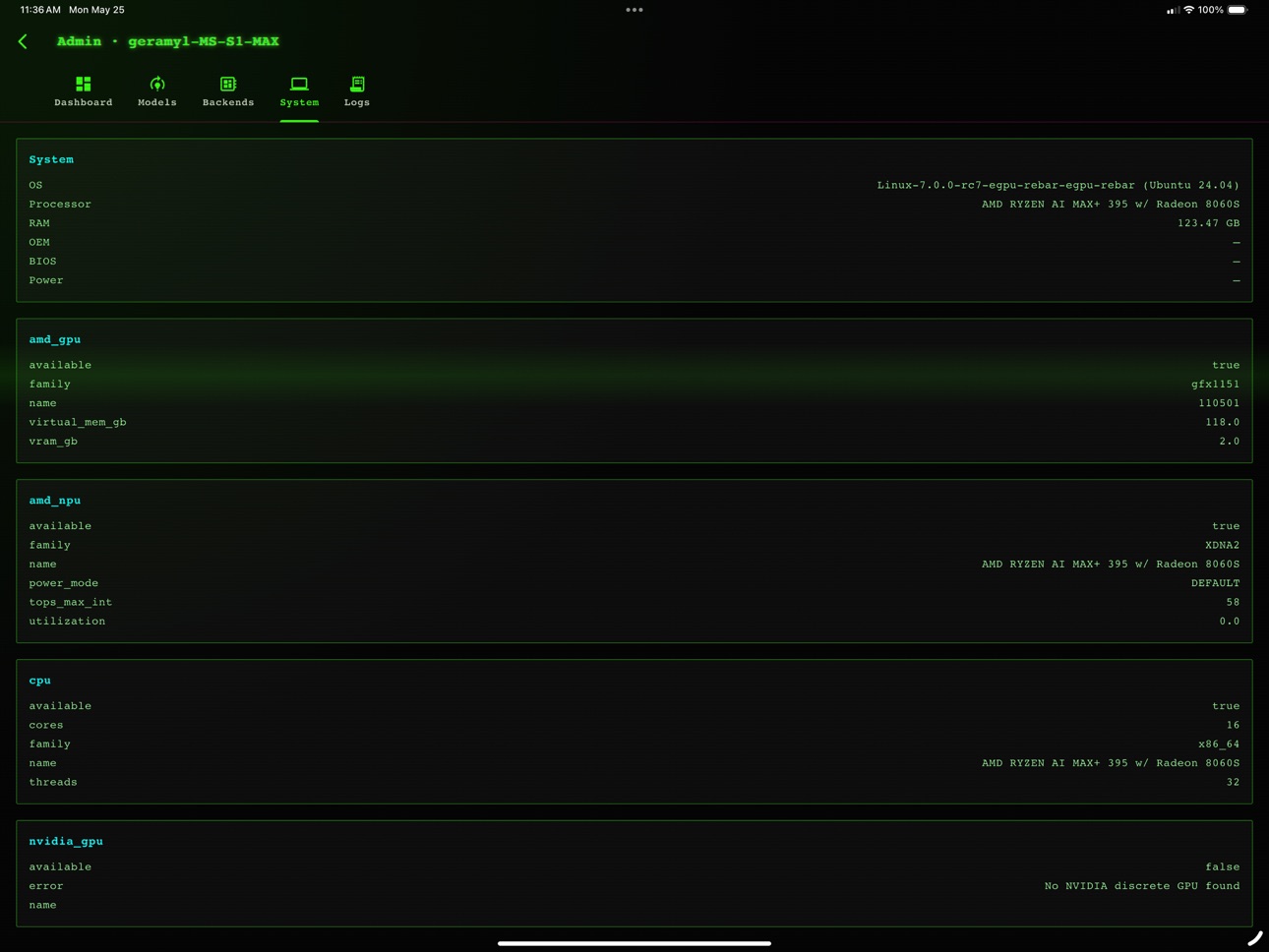
Optional Admin Console for power users (server health, loaded
models, hardware info, backends, live logs) — hidden until you
turn it on in Settings.
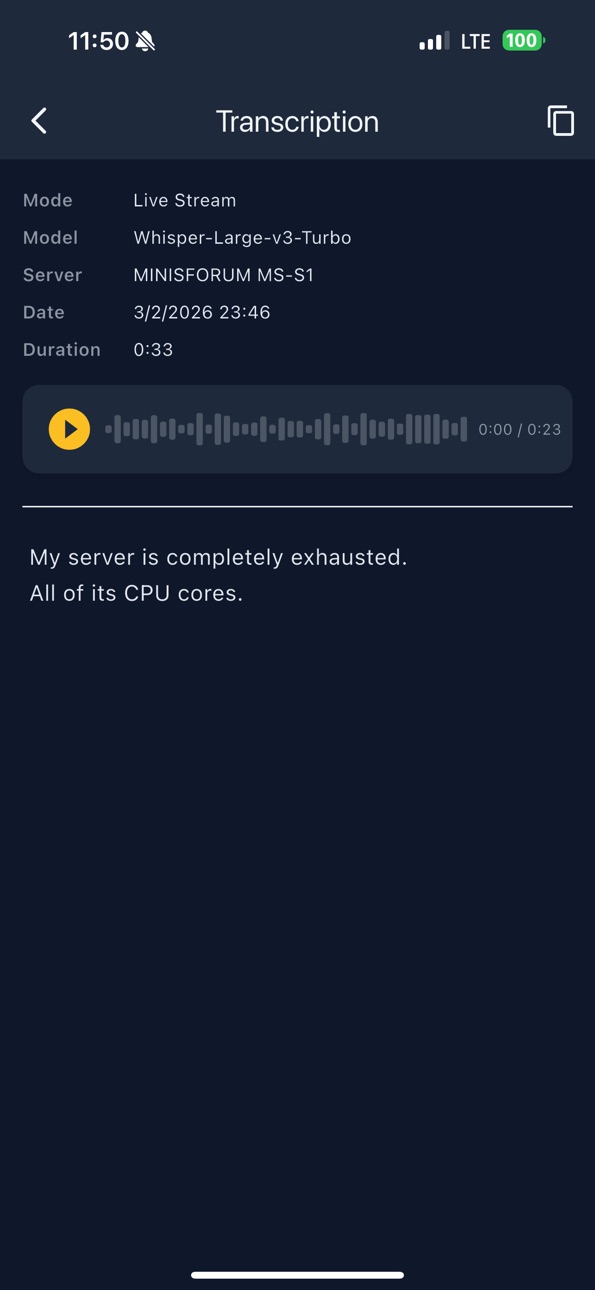
Standalone live transcription tool still available for one-shot
audio → text workflows.
GROUNDED IN OPEN SOURCE
Built to work with the lemonade-sdk server, which runs on Linux,
macOS, and Windows. Bring your own LLMs (Qwen, Gemma, Llama,
Mistral, …), image models (SD, Flux, …), TTS voices (Kokoro and
friends), and Whisper for ASR. Lemonade Chat is the front door.
PRIVACY
This app talks only to the server you configure. No analytics, no
third-party SDKs, no Lemonade cloud. Conversations and server
configs live locally on your device. Your API keys stay in your
control.
GETTING STARTED
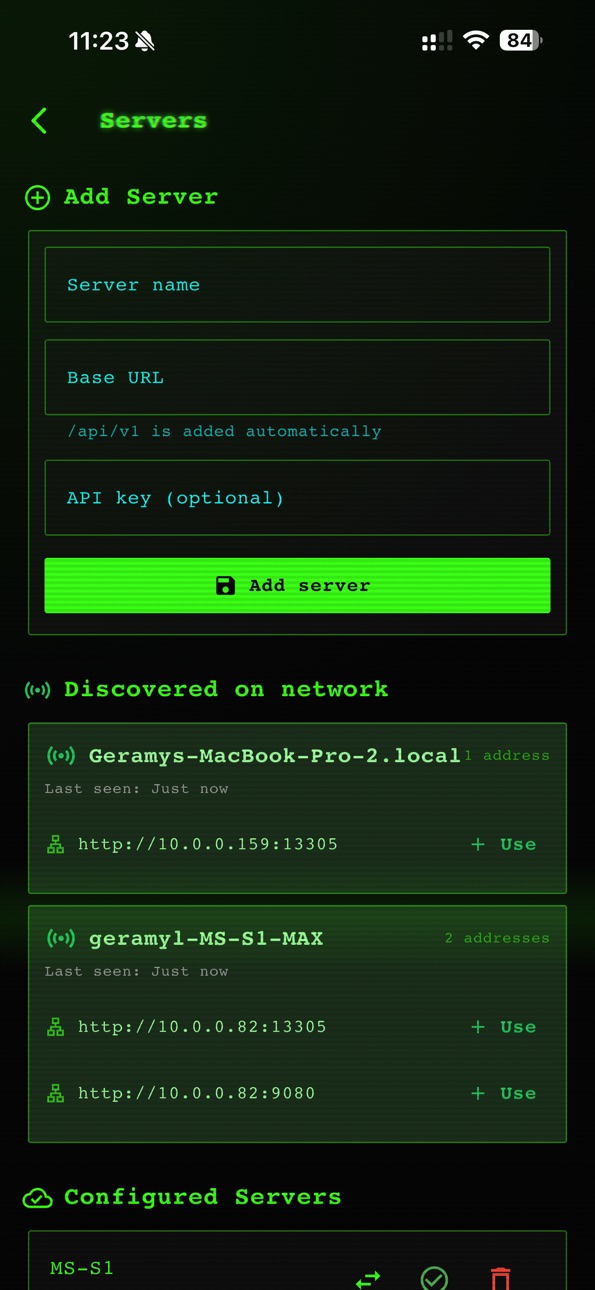
Add your server URL and (optional) API key in Settings → Manage
servers, pick a model, and start chatting. Or tap the call button
to skip typing entirely.
Accessibility
ipadiphonemacrealityDevicetvoswatch
Version history 5 versions
Build 886406212v3.1.42026-06-02 17:49:57
+ Minor Bug Fixes
Build 882968051v3.0.32026-05-27 06:06:12
NEW IN THE 3.x SERIES
• Phone-call voice mode — tap the call button and talk naturally.
The AI listens, replies aloud, and saves both audio and
transcript to chat history.
• Lemonade Omni — one chat, every tool: generate or edit images
by voice, look things up on the web, find places on the map,
speak text aloud, analyze photos.
• Image viewer — tap any image to zoom fullscreen, then share,
save to Photos, or delete.
• Image generation resolution presets (512 → 4K) in Settings.
• Themes — multiple light and dark options.
• Folders for organizing chats.
• Per-chat model overrides.
• Selected model now persists across restarts.
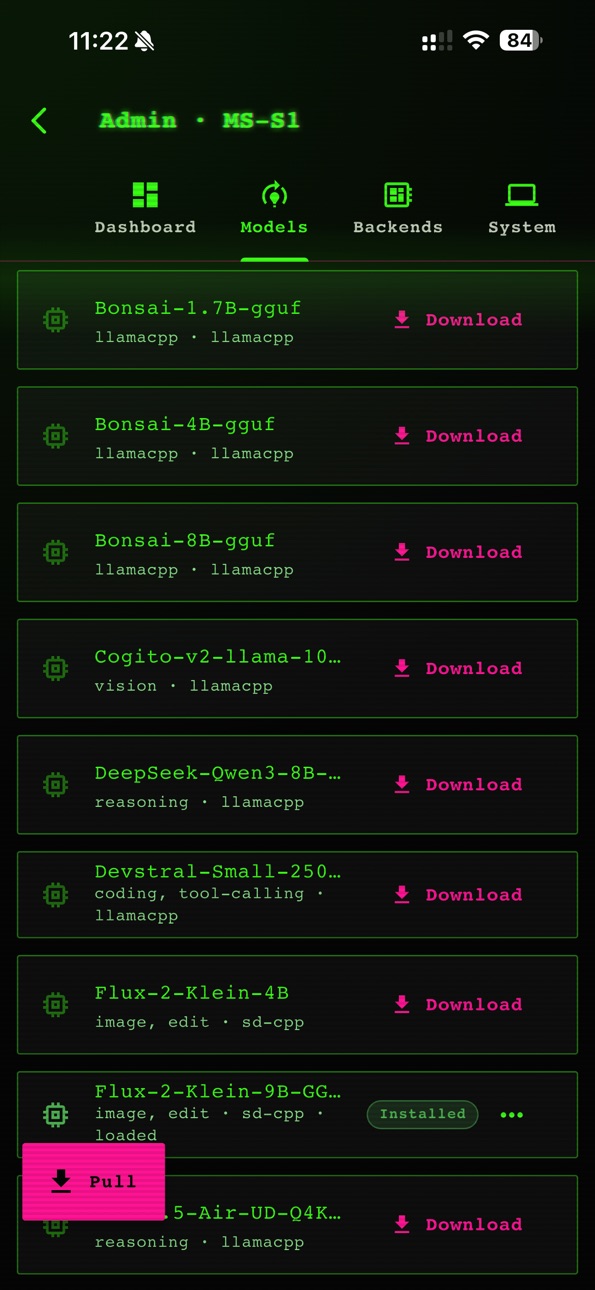
• Admin Mode of Lemonade Server
• Download / Remove models
• Update local backends and/or remove / install them.
3.0.3 SPECIFIC
• iOS: ONNX Runtime included for better voice signaling detection.
• Many smaller voice-mode and tool-routing fixes.
Build 882879883v1.2.22026-02-28 16:28:32
What's New in 1.2.2
Automatic Server Discovery
Lemonade Mobile can now automatically detect Lemonade servers on your local network. No more manually typing in IP addresses and ports - when a server is running, your phone will find it.
- Get a notification the moment a new server appears on your network
- View all discovered servers in Settings with live status indicators
- Tap "Add Server" to instantly configure a detected server
- Servers that go offline are automatically removed from the discovery list
This update also includes improved network permissions for more reliable connectivity on both iOS and Android.
Build 881330539v1.2.12026-01-13 22:43:09
What's New
Image Capabilities & Vision
Image Attachments: Upload photos from your camera or gallery directly into the chat.
AI Vision: Use vision-capable models to analyze and discuss your uploaded images.
Image Generation: Create images on the fly using text prompts.
Quick Commands: Use the new / menu to quickly access tools like /draw and /image.
Enhanced Model Experience
Redesigned Model Selector: Easily switch models using the new menu in the top bar.
Model Info Tags: Visual labels now show you exactly what each model is capable of.
Smart Server Switching: We now automatically fetch and select the first available model when you connect to a new server.
Build 881202384v1.02026-01-08 19:51:44
No pricing data captured yet — comparisons appear once the app has paid storefronts or in-app purchases.
Availability 174 of 175 storefronts
| Region | Language | Price | Ratings | Avg | Version |
|---|---|---|---|---|---|
| US | en-US | Free | 5 | 3.2 | 3.1.4 |
| JP | ja | Free | 1 | 5.0 | 3.1.4 |
| AE | en-GB | Free | 0 | — | 3.1.4 |
| AF | en-GB | Free | 0 | — | 3.1.4 |
| AG | en-GB | Free | 0 | — | 3.1.4 |
| AI | en-GB | Free | 0 | — | 3.1.4 |
| AL | en-GB | Free | 0 | — | 3.1.4 |
| AM | en-GB | Free | 0 | — | 3.1.4 |
| AO | en-GB | Free | 0 | — | 3.1.4 |
| AR | es-MX | Free | 0 | — | 3.1.4 |
| AT | de-DE | Free | 0 | — | 3.1.4 |
| AU | en-AU | Free | 0 | — | 3.1.4 |
| AZ | en-GB | Free | 0 | — | 3.1.4 |
| BA | en-GB | Free | 0 | — | 3.1.4 |
| BB | en-GB | Free | 0 | — | 3.1.4 |
| BE | en-GB | Free | 0 | — | 3.1.4 |
| BF | en-GB | Free | 0 | — | 3.1.4 |
| BG | en-GB | Free | 0 | — | 3.1.4 |
| BH | en-GB | Free | 0 | — | 3.1.4 |
| BJ | en-GB | Free | 0 | — | 3.1.4 |
| BM | en-GB | Free | 0 | — | 3.1.4 |
| BN | en-GB | Free | 0 | — | 3.1.4 |
| BO | es-MX | Free | 0 | — | 3.1.4 |
| BR | pt-BR | Free | 0 | — | 3.1.4 |
| BS | en-GB | Free | 0 | — | 3.1.4 |
| BT | en-GB | Free | 0 | — | 3.1.4 |
| BW | en-GB | Free | 0 | — | 3.1.4 |
| BY | en-GB | Free | 0 | — | 3.1.4 |
| BZ | en-GB | Free | 0 | — | 3.1.4 |
| CA | en-CA | Free | 0 | — | 3.1.4 |
| CD | en-GB | Free | 0 | — | 3.1.4 |
| CG | en-GB | Free | 0 | — | 3.1.4 |
| CH | de-CH | Free | 0 | — | 3.1.4 |
| CI | fr-FR | Free | 0 | — | 3.1.4 |
| CL | es-MX | Free | 0 | — | 3.1.4 |
| CM | fr-FR | Free | 0 | — | 3.1.4 |
| CO | es-MX | Free | 0 | — | 3.1.4 |
| CR | es-MX | Free | 0 | — | 3.1.4 |
| CV | en-GB | Free | 0 | — | 3.1.4 |
| CY | en-GB | Free | 0 | — | 3.1.4 |
| CZ | en-GB | Free | 0 | — | 3.1.4 |
| DE | de-DE | Free | 0 | — | 3.1.4 |
| DK | en-GB | Free | 0 | — | 3.1.4 |
| DM | en-GB | Free | 0 | — | 3.1.4 |
| DO | es-MX | Free | 0 | — | 3.1.4 |
| DZ | en-GB | Free | 0 | — | 3.1.4 |
| EC | es-MX | Free | 0 | — | 3.1.4 |
| EE | en-GB | Free | 0 | — | 3.1.4 |
| EG | en-GB | Free | 0 | — | 3.1.4 |
| ES | es-ES | Free | 0 | — | 3.1.4 |
| FI | en-GB | Free | 0 | — | 3.1.4 |
| FJ | en-GB | Free | 0 | — | 3.1.4 |
| FM | en-GB | Free | 0 | — | 3.1.4 |
| FR | fr-FR | Free | 0 | — | 3.1.4 |
| GA | fr-FR | Free | 0 | — | 3.1.4 |
| GB | en-GB | Free | 0 | — | 3.1.4 |
| GD | en-GB | Free | 0 | — | 3.1.4 |
| GE | en-GB | Free | 0 | — | 3.1.4 |
| GH | en-GB | Free | 0 | — | 3.1.4 |
| GM | en-GB | Free | 0 | — | 3.1.4 |
| GR | en-GB | Free | 0 | — | 3.1.4 |
| GT | es-MX | Free | 0 | — | 3.1.4 |
| GW | en-GB | Free | 0 | — | 3.1.4 |
| GY | en-GB | Free | 0 | — | 3.1.4 |
| HK | zh-Hant-HK | Free | 0 | — | 3.1.4 |
| HN | es-MX | Free | 0 | — | 3.1.4 |
| HR | en-GB | Free | 0 | — | 3.1.4 |
| HU | en-GB | Free | 0 | — | 3.1.4 |
| ID | en-GB | Free | 0 | — | 3.1.4 |
| IE | en-GB | Free | 0 | — | 3.1.4 |
| IL | en-GB | Free | 0 | — | 3.1.4 |
| IN | en-GB | Free | 0 | — | 3.1.4 |
| IQ | en-GB | Free | 0 | — | 3.1.4 |
| IS | en-GB | Free | 0 | — | 3.1.4 |
| IT | it | Free | 0 | — | 3.1.4 |
| JM | en-GB | Free | 0 | — | 3.1.4 |
| JO | en-GB | Free | 0 | — | 3.1.4 |
| KE | en-GB | Free | 0 | — | 3.1.4 |
| KG | en-GB | Free | 0 | — | 3.1.4 |
| KH | en-GB | Free | 0 | — | 3.1.4 |
| KN | en-GB | Free | 0 | — | 3.1.4 |
| KR | ko | Free | 0 | — | 3.1.4 |
| KW | en-GB | Free | 0 | — | 3.1.4 |
| KY | en-GB | Free | 0 | — | 3.1.4 |
| KZ | en-GB | Free | 0 | — | 3.1.4 |
| LA | en-GB | Free | 0 | — | 3.1.4 |
| LB | en-GB | Free | 0 | — | 3.1.4 |
| LC | en-GB | Free | 0 | — | 3.1.4 |
| LK | en-GB | Free | 0 | — | 3.1.4 |
| LR | en-GB | Free | 0 | — | 3.1.4 |
| LT | en-GB | Free | 0 | — | 3.1.4 |
| LU | en-GB | Free | 0 | — | 3.1.4 |
| LV | en-GB | Free | 0 | — | 3.1.4 |
| LY | en-GB | Free | 0 | — | 3.1.4 |
| MA | en-GB | Free | 0 | — | 3.1.4 |
| MD | en-GB | Free | 0 | — | 3.1.4 |
| ME | en-GB | Free | 0 | — | 3.1.4 |
| MG | en-GB | Free | 0 | — | 3.1.4 |
| MK | en-GB | Free | 0 | — | 3.1.4 |
| ML | en-GB | Free | 0 | — | 3.1.4 |
| MM | en-GB | Free | 0 | — | 3.1.4 |
| MN | en-GB | Free | 0 | — | 3.1.4 |
| MO | zh-Hant-HK | Free | 0 | — | 3.1.4 |
| MR | en-GB | Free | 0 | — | 3.1.4 |
| MS | en-GB | Free | 0 | — | 3.1.4 |
| MT | en-GB | Free | 0 | — | 3.1.4 |
| MU | en-GB | Free | 0 | — | 3.1.4 |
| MV | en-GB | Free | 0 | — | 3.1.4 |
| MW | en-GB | Free | 0 | — | 3.1.4 |
| MX | es-MX | Free | 0 | — | 3.1.4 |
| MY | en-GB | Free | 0 | — | 3.1.4 |
| MZ | en-GB | Free | 0 | — | 3.1.4 |
| NA | en-GB | Free | 0 | — | 3.1.4 |
| NE | en-GB | Free | 0 | — | 3.1.4 |
| NG | en-GB | Free | 0 | — | 3.1.4 |
| NI | es-MX | Free | 0 | — | 3.1.4 |
| NL | nl | Free | 0 | — | 3.1.4 |
| NO | en-GB | Free | 0 | — | 3.1.4 |
| NP | en-GB | Free | 0 | — | 3.1.4 |
| NR | en-GB | Free | 0 | — | 3.1.4 |
| NZ | en-AU | Free | 0 | — | 3.1.4 |
| OM | en-GB | Free | 0 | — | 3.1.4 |
| PA | es-MX | Free | 0 | — | 3.1.4 |
| PE | es-MX | Free | 0 | — | 3.1.4 |
| PG | en-GB | Free | 0 | — | 3.1.4 |
| PH | en-GB | Free | 0 | — | 3.1.4 |
| PK | en-GB | Free | 0 | — | 3.1.4 |
| PL | en-GB | Free | 0 | — | 3.1.4 |
| PT | pt-PT | Free | 0 | — | 3.1.4 |
| PW | en-GB | Free | 0 | — | 3.1.4 |
| PY | es-MX | Free | 0 | — | 3.1.4 |
| QA | en-GB | Free | 0 | — | 3.1.4 |
| RO | en-GB | Free | 0 | — | 3.1.4 |
| RS | en-GB | Free | 0 | — | 3.1.4 |
| RU | ru | Free | 0 | — | 3.1.4 |
| RW | en-GB | Free | 0 | — | 3.1.4 |
| SA | en-GB | Free | 0 | — | 3.1.4 |
| SB | en-GB | Free | 0 | — | 3.1.4 |
| SC | en-GB | Free | 0 | — | 3.1.4 |
| SE | sv | Free | 0 | — | 3.1.4 |
| SG | en-GB | Free | 0 | — | 3.1.4 |
| SI | en-GB | Free | 0 | — | 3.1.4 |
| SK | en-GB | Free | 0 | — | 3.1.4 |
| SL | en-GB | Free | 0 | — | 3.1.4 |
| SN | en-GB | Free | 0 | — | 3.1.4 |
| SR | en-GB | Free | 0 | — | 3.1.4 |
| ST | en-GB | Free | 0 | — | 3.1.4 |
| SV | es-MX | Free | 0 | — | 3.1.4 |
| SZ | en-GB | Free | 0 | — | 3.1.4 |
| TC | en-GB | Free | 0 | — | 3.1.4 |
| TD | en-GB | Free | 0 | — | 3.1.4 |
| TH | en-GB | Free | 0 | — | 3.1.4 |
| TJ | en-GB | Free | 0 | — | 3.1.4 |
| TM | en-GB | Free | 0 | — | 3.1.4 |
| TN | en-GB | Free | 0 | — | 3.1.4 |
| TO | en-GB | Free | 0 | — | 3.1.4 |
| TR | en-GB | Free | 0 | — | 3.1.4 |
| TT | en-GB | Free | 0 | — | 3.1.4 |
| TW | zh-Hant-TW | Free | 0 | — | 3.1.4 |
| TZ | en-GB | Free | 0 | — | 3.1.4 |
| UA | en-GB | Free | 0 | — | 3.1.4 |
| UG | en-GB | Free | 0 | — | 3.1.4 |
| UY | en-GB | Free | 0 | — | 3.1.4 |
| UZ | en-GB | Free | 0 | — | 3.1.4 |
| VC | en-GB | Free | 0 | — | 3.1.4 |
| VE | es-MX | Free | 0 | — | 3.1.4 |
| VG | en-GB | Free | 0 | — | 3.1.4 |
| VN | en-GB | Free | 0 | — | 3.1.4 |
| VU | en-GB | Free | 0 | — | 3.1.4 |
| XK | en-GB | Free | 0 | — | 3.1.4 |
| YE | en-GB | Free | 0 | — | 3.1.4 |
| ZA | en-GB | Free | 0 | — | 3.1.4 |
| ZM | en-GB | Free | 0 | — | 3.1.4 |
| ZW | en-GB | Free | 0 | — | 3.1.4 |
Not available in: CN
Change log 9 changes · ZW
✎
releaseNotes updated
+ Minor Bug Fixes
✎
description updated
Talk, type, draw, and search with the AI you self-host. Lemonade
Chat is the polished mobile client for your Lemonade AI server — no
cloud account, no subs
✎
subtitle updated
Omni AI Chat Interface
✎
name updated
Lemonade Mobile
◆
Version 3.1.4 released
+ Minor Bug Fixes
◆
Version 3.0.3 released
NEW IN THE 3.x SERIES
• Phone-call voice mode — tap the call button and talk naturally.
The AI listens, replies aloud, and saves both audio and
transcript to chat history.
• Lemonade Omni — one chat, every tool: generate or edit
◆
Version 1.2.2 released
What's New in 1.2.2
◆
Version 1.2.1 released
What's New
Image Capabilities & Vision
Image Attachments: Upload photos from your camera or gallery directly into the chat.
AI Vision: Use vision-capable models to analyze and discuss your uploaded images.
Image Generation: Create images o
◆
Version 1.0 released