Home › Education

 US
US
1 of 1 storefronts
Content in en-US
Content in en-US
Information
Apple ID6757367151
Bundle IDhanziflow.app
SellerSeller
Min iOS15.1
Min macOS12.0
Device familiesiphone, ipad, ipod
Released2026-01-12
Copyright© Marcin Zurek
Privacy policyLink ↗
Preview 2 platforms
iPhone 5 images



iPad 6 images


What’s New Version 1.9
• My Hanzi Wall — home-screen widget — Add a widget that fills in with the characters you study, day by day, shaded by how much you reviewed. A living streak of your progress, right on your home screen.
• 连一连 Match the Sound — a new mini-game — Draw a line from each character to its pinyin without crossing the pipes. A quick, satisfying way to drill recognition between reviews.
• Vote on what's next — A new Upcoming Features area lets you try previews and vote for the features you want us to build next.
• Cleaner Settings — Your progress stats and upcoming features now tuck into tidy bottom sheets behind icons at the top.
Description
Hanzi Flow: The Smart Way to Learn Chinese
Stop struggling with generic study apps. Hanzi Flow is designed specifically for Mandarin learners, combining AI-powered study with gamified motivation to help you stay in the "flow."
----------
Features
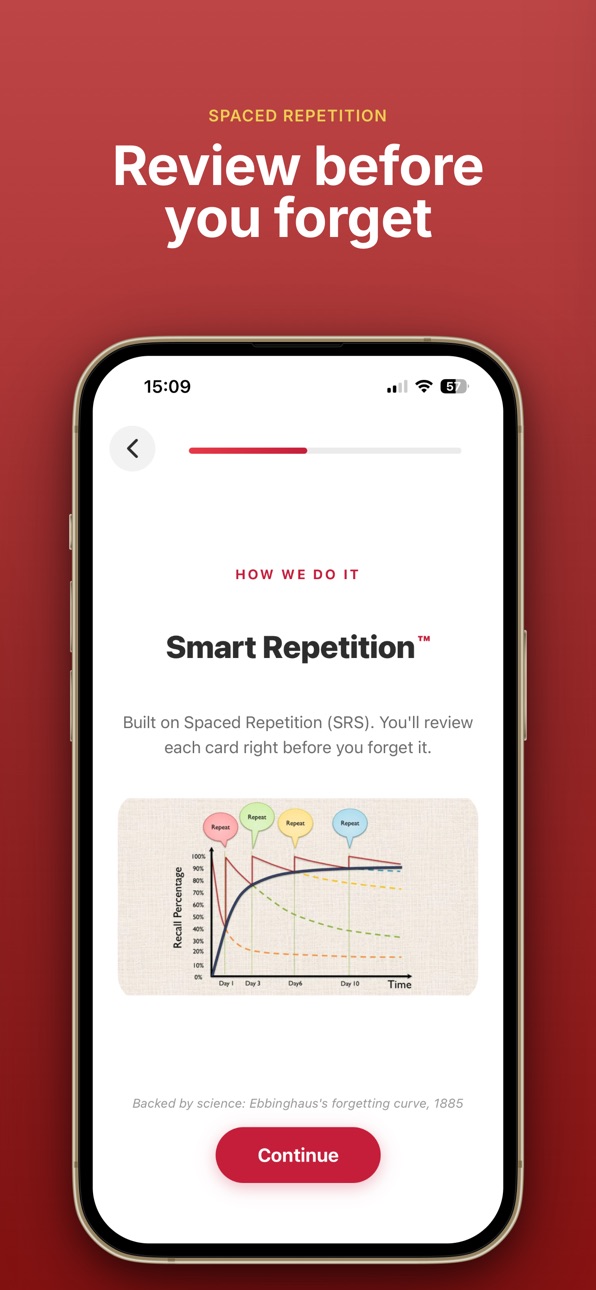
- Smart Spaced Repetition – Swipe through your deck and cards return exactly when you're about to forget them. No more guessing what to review.
- AI-Powered Flashcards – Snap a photo of any Chinese text and our AI transforms it into custom flashcards instantly.
- Manual Entry – Create your own sets with dictionary autocomplete for Hanzi, Pinyin, and English.
- Master Your Exams – Access standardized vocabulary sets for all levels of New HSK (1–7), Old HSK (1–6), and TOCFL (1–7).
- Toggle Characters – Switch between Simplified and Traditional Chinese globally with one tap.
- Gamified Motivation – Hit your daily goal to celebrate with your Lucky Cat mascot, and keep your "fire" streak alive with weekly activity charts.
- Deep Dictionary Integration – Example sentences, word details, and deep-links directly to the Pleco dictionary for deeper study.
-----------
Subscription & Premium Access
Hanzi Flow offers an auto-renewing subscription that unlocks unlimited flashcard study, AI Photo-to-Flashcard conversions, and all premium features:
- $4.99 per month
- $29.99 per year (with a 3-day free trial)
----------
Auto-Renewal Details
- Payment will be charged to your Apple ID account at the confirmation of purchase.
- Subscription automatically renews unless canceled at least 24 hours before the end of the current period.
- Your account will be charged for renewal within 24 hours prior to the end of the current period.
- You can manage and cancel your subscriptions by going to your account settings on the App Store after purchase.
----------
Credits & Legal
- Dictionary Data: Built using CC-CEDICT data, licensed under CC BY-SA 4.0.
- Privacy Policy: https://mobile.hanziflow.com/privacy
- Terms of Use (EULA): https://www.apple.com/legal/internet-services/itunes/dev/stdeula/
In-App Purchases US pricing
Premium Subscription
Monthly · Monthly 3-day free trial$4.99
Yearly · Yearly 3-day free trial$29.99
Capabilities
In-App Purchases
Accessibility
ipadiphonemacrealityDevicetvoswatch
Version history 9 versions
Build 887259784v1.92026-06-22 13:31:16
• My Hanzi Wall — home-screen widget — Add a widget that fills in with the characters you study, day by day, shaded by how much you reviewed. A living streak of your progress, right on your home screen.
• 连一连 Match the Sound — a new mini-game — Draw a line from each character to its pinyin without crossing the pipes. A quick, satisfying way to drill recognition between reviews.
• Vote on what's next — A new Upcoming Features area lets you try previews and vote for the features you want us to build next.
• Cleaner Settings — Your progress stats and upcoming features now tuck into tidy bottom sheets behind icons at the top.
Build 886778796v1.82026-06-10 18:33:37
• A brand-new look across every screen
• Smarter flashcards: your deck is now a true spaced-repetition queue — cards come back exactly when you're about to forget them
• Daily goals and streaks to keep your habit going
• Today's Queue: see exactly what's due, what's scheduled, and what's new
• Much faster app start
• My Vocabulary: multi-select, easier adding and removing of words, richer word details
• Review your photo before scanning text
• Streaks no longer break around midnight in your local timezone
• Lots of polish and bug fixes throughout
Build 882156496v1.72026-02-04 18:18:04
• Redesigned Onboarding - Fresh new welcome experience to get you started learning Chinese faster
• Smart Repetition 2.0 - Improved spaced repetition algorithm helps you remember characters more efficiently
• Bookmark & Delete Flashcards - Save your favorites and remove cards you no longer need
• Get Premium for Free - Share Hanziflow on social media and earn free Premium access
• Cleaner Interface - Simplified home screen and unified layouts throughout the app
Build 881957716v1.62026-01-29 12:49:24
- Added examples of sentences for each flashcard / vocabulary item
Build 881842752v1.52026-01-26 17:34:09
- Users are informed about availability of 3 days free trial!
Build 881743610v1.42026-01-23 00:58:39
Minor improvements
Build 881568924v1.32026-01-18 17:04:13
Improved Camera Scan
• Scan Chinese text and see it broken down into sentences
• Tap on any word to see its meaning, pinyin, and details
Better User Experience
• Faster loading when viewing character details
• Smoother navigation throughout the app
Bug Fixes
• Fixed issue where new users weren't seeing the welcome tutorial
• Improved app stability
Build 881506502v1.22026-01-15 11:10:27
1. Improved dictionary lookup when adding flashcards manually.
2. 'Read more' button on the fllashcards to check the dictionary definition
3. Big fixes.
Build 881199074v1.02026-01-12 22:59:21
Price history by region
Currency
Show
Columns
Search
Availability 1 of 1 storefronts
| Region | Language | Price | Ratings | Avg | Version |
|---|---|---|---|---|---|
| US | en-US | Free | 1 | 3.0 | 1.9 |
Change log 13 changes · US
✎
releaseNotes updated
• My Hanzi Wall — home-screen widget — Add a widget that fills in with the characters you study, day by day, shaded by how much you reviewed. A living streak of
✎
description updated
Hanzi Flow: The Smart Way to Learn Chinese
Stop struggling with generic study apps. Hanzi Flow is designed specifically for Mandarin learners, combining AI-powe
✎
subtitle updated
Learn Chinese Pinyin & Hanzi
✎
name updated
Hanzi Flow: HSK AI Flashcards
◆
Version 1.9 released
• My Hanzi Wall — home-screen widget — Add a widget that fills in with the characters you study, day by day, shaded by how much you reviewed. A living streak of your progress, right on your home screen.
• 连一连 Match the Sound — a new mini-ga
◆
Version 1.8 released
• A brand-new look across every screen
• Smarter flashcards: your deck is now a true spaced-repetition queue — cards come back exactly when you're about to forget them
• Daily goals and streaks to keep your habit going
• Today's Que
◆
Version 1.7 released
• Redesigned Onboarding - Fresh new welcome experience to get you started learning Chinese faster
• Smart Repetition 2.0 - Improved spaced repetition algorithm helps you remember characters more efficiently
• Bookmark & Delete Flashcards -
◆
Version 1.6 released
- Added examples of sentences for each flashcard / vocabulary item
◆
Version 1.5 released
- Users are informed about availability of 3 days free trial!
◆
Version 1.4 released
Minor improvements
◆
Version 1.3 released
Improved Camera Scan
• Scan Chinese text and see it broken down into sentences
• Tap on any word to see its meaning, pinyin, and details
Better User Experience
• Faster loading when viewing character details
• Smoother navigation throughou
◆
Version 1.2 released
1. Improved dictionary lookup when adding flashcards manually.
2. 'Read more' button on the fllashcards to check the dictionary definition
3. Big fixes.
◆
Version 1.0 released