Home › Photo & Video

 ZM
ZM
 DEde-DE
 USen-US
 GBen-GB
 ITit
ITit PHen-GB
 ATde-DE
 AUen-AU
 BRpt-BR
 INen-GB
 JPja
JPja SEsv
SEsv CAen-CA
 FRfr-FR
 IDen-GB
 IEen-GB
 MUen-GB
 MXes-MX
 NOen-GB
 NPen-GB
 PEes-MX
 PLen-GB
 ROen-GB
 RUru
RUru SGen-GB
 SKen-GB
 THen-GB
 VNen-GB
 AEen-GB
 AFen-GB
 AGen-GB
 AIen-GB
 ALen-GB
 AMen-GB
 AOen-GB
 ARes-MX
 AZen-GB
 BAen-GB
 BBen-GB
 BEen-GB
 BFen-GB
 BGen-GB
 BHen-GB
 BJen-GB
 BMen-GB
 BNen-GB
 BOes-MX
 BSen-GB
 BTen-GB
 BWen-GB
 BYen-GB
 BZen-GB
 CDen-GB
 CGen-GB
 CHde-CH
 CIfr-FR
 CLes-MX
 CMfr-FR
 CNzh-Hans-CN
 COes-MX
 CRes-MX
 CVen-GB
 CYen-GB
 CZen-GB
 DKen-GB
 DMen-GB
 DOes-MX
 DZen-GB
 ECes-MX
 EEen-GB
 EGen-GB
 ESes-ES
 FIen-GB
 FJen-GB
 FMen-GB
 GAfr-FR
 GDen-GB
 GEen-GB
 GHen-GB
 GMen-GB
 GRen-GB
 GTes-MX
 GWen-GB
 GYen-GB
 HKzh-Hant-HK
 HNes-MX
 HRen-GB
 HUen-GB
 ILen-GB
 IQen-GB
 ISen-GB
 JMen-GB
 JOen-GB
 KEen-GB
 KGen-GB
 KHen-GB
 KNen-GB
 KRko
KRko KWen-GB
 KYen-GB
 KZen-GB
 LAen-GB
 LBen-GB
 LCen-GB
 LKen-GB
 LRen-GB
 LTen-GB
 LUen-GB
 LVen-GB
 LYen-GB
 MAen-GB
 MDen-GB
 MEen-GB
 MGen-GB
 MKen-GB
 MLen-GB
 MMen-GB
 MNen-GB
 MOzh-Hant-HK
 MRen-GB
 MSen-GB
 MTen-GB
 MVen-GB
 MWen-GB
 MYen-GB
 MZen-GB
 NAen-GB
 NEen-GB
 NGen-GB
 NIes-MX
 NLnl
NLnl NRen-GB
 NZen-AU
 OMen-GB
 PAes-MX
 PGen-GB
 PKen-GB
 PTpt-PT
 PWen-GB
 PYes-MX
 QAen-GB
 RSen-GB
 RWen-GB
 SAen-GB
 SBen-GB
 SCen-GB
 SIen-GB
 SLen-GB
 SNen-GB
 SRen-GB
 STen-GB
 SVes-MX
 SZen-GB
 TCen-GB
 TDen-GB
 TJen-GB
 TMen-GB
 TNen-GB
 TOen-GB
 TRen-GB
 TTen-GB
 TWzh-Hant-TW
 TZen-GB
 UAen-GB
 UGen-GB
 UYen-GB
 UZen-GB
 VCen-GB
 VEes-MX
 VGen-GB
 VUen-GB
 XKen-GB
 YEen-GB
 ZAen-GBZMen-GB
 ZWen-GB
175 of 175 storefronts
Content in en-US
Content in en-US
Information
Preview 1 platform
iPhone 5 images


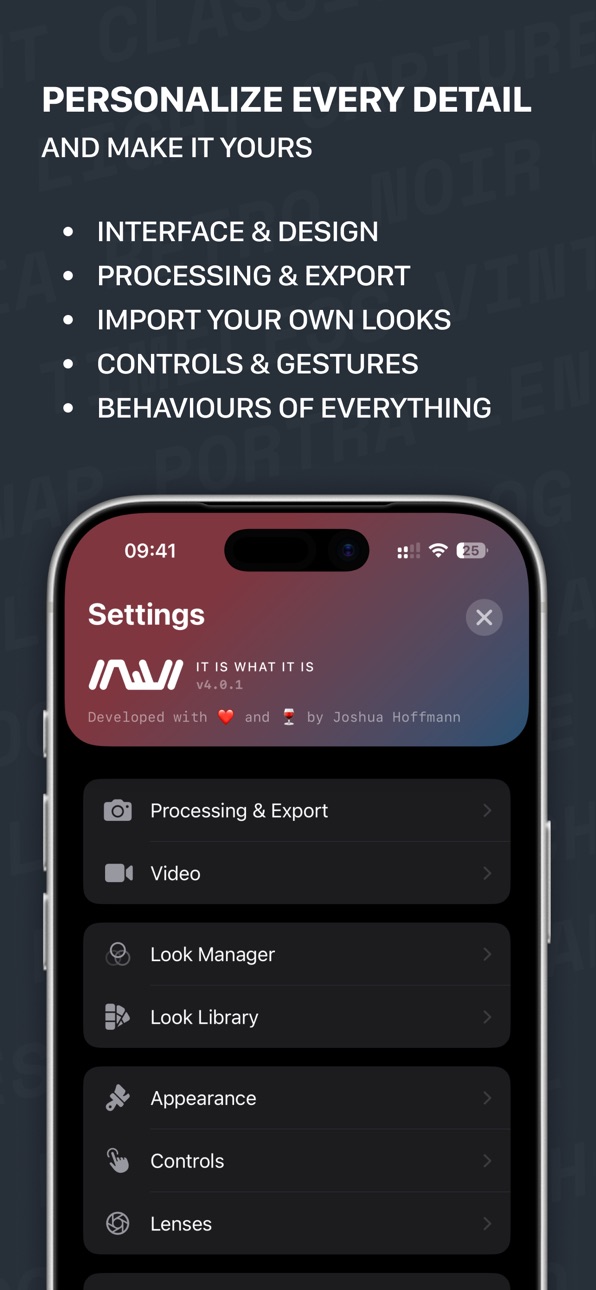

What’s New Version 5.1.0
New:
- RAW as TIFF — save your RAW shots as a flat 16-bit TIFF instead of DNG, a neutral base for color grading in desktop editors
Improvements:
- More reliable look editing in the gallery
- Improved stability and memory handling
Description
IIWII is a minimalist camera app that brings the beauty of analog film photography to your iPhone.
IT IS WHAT IT IS — No complicated settings, no endless menus. Just point, shoot, and capture authentic moments with stunning film-inspired looks applied in real-time.
TIMELESS FILM LOOKS
• Carefully crafted presets inspired by classic film stocks
• Real-time preview — what you see is what you get
• Adjustable intensity for your perfect look
• Import your own .cube LUT files as custom looks
• Look Manager — create and fine-tune your looks with tone curves, color mixing, white balance and more
• Natural Processing — less computational overprocessing, more authentic camera feel
FULL MANUAL CONTROL
• White Balance, Shutter Speed, ISO and Focus
• Each parameter toggleable between Auto and Manual
• Swipe down to reveal, swipe up to hide
THOUGHTFUL FEATURES
• RAW+ Capture on all iPhones — save DNG files alongside your photo
• Portrait mode with natural depth-of-field blur
• Double Exposure — blend two shots into one, just like real film
• Self-Timer with 2, 5 or 10 second countdown
• Record video with real-time film looks applied
• Grid overlays and horizon level for composition
• Built-in gallery with sharing and favorites
• QR Code detection
DESIGNED FOR SIMPLICITY
• Clean, distraction-free interface
• Ambient light effect reacts to your camera feed (iOS 26)
• Quick preset switching with swipe gestures
• Double-tap to flip camera
• Edge exposure slider for precise control
• Customizable top bar — choose your controls
• Lock Screen camera with shared settings and looks
PRIVACY FIRST
• GPS tagging is optional and controllable
• Location data automatically removed when sharing (configurable)
• No analytics, no tracking, no ads — ever
IIWII respects your moments. No cloud uploads, no accounts, no subscriptions. Your photos stay on your device.
Capture what matters. It is what it is.
Accessibility
ipadiphonemacrealityDevicetvoswatch
Version history 18 versions
Build 887488945v5.1.02026-06-27 00:22:14
New:
- RAW as TIFF — save your RAW shots as a flat 16-bit TIFF instead of DNG, a neutral base for color grading in desktop editors
Improvements:
- More reliable look editing in the gallery
- Improved stability and memory handling
Build 886746772v5.0.02026-06-11 05:59:37
FEATURES & IMPROVEMENTS
• Throwback: Re-apply any look to a photo after you've shot it or even export one as RAW
• Improved Image Quality: A refined processing pipeline with deeper blacks and more true-to-film colors
• 35mm Lens: Virtual 35mm focal length. Enable it in Settings. Many of you have requested that one ;)
• Mirror Front Camera: Separate controls for mirroring the live preview and the saved selfie
• Bug fixes and stability improvements
Build 885045081v4.1.12026-04-29 14:57:34
FEATURES
- New Look added: London
IMPROVEMENTS
- Bug fixes and improvements
Build 885002552v4.1.02026-04-28 03:49:27
FEATURES
- Aspect Ratios: 4:3, 16:9 and 1:1 with quick top bar toggle.
- Widgets: Lock Screen access to the camera.
IMPROVEMENTS
- Enhanced video recording stability.
- Refined lens switching performance.
- Optimized memory management.
Build 884609405v4.0.12026-04-20 08:48:32
Bug fixes and stability improvements.
Build 884346342v4.0.02026-04-10 14:58:09
New
– Look Manager — create and fine-tune your looks with real-time preview
Improved
– Stability and performance
Build 883940961v3.2.02026-03-31 17:11:40
New
– 8 film simulations: Provia, Astia, Classic Chrome, Classic Neg, Reala Ace, Eterna, Acros, Pro Neg Std
– Classic Cuban look
– Swipe EV — adjust exposure by swiping horizontally on the viewfinder
– Alternate app icons (Settings > Appearance)
– Brand labels in the look selector
Improved
– Capture reliability
– Gesture handling
– Battery usage
– Stability and performance
Build 883520649v3.1.02026-03-19 00:34:35
New:
• Natural Processing — bypasses multi-frame fusion for single-frame captures with natural grain, softer detail and authentic skin tones. Enabled by default.
• RAW+ for All iPhones — Bayer RAW capture now available on every iPhone
Improved:
• Completely rebuilt Lock Screen camera with shared looks and settings
• Fixed double exposure blending when mixing portrait and landscape shots
• Stability improvements
Build 883398273v3.0.02026-03-16 17:31:06
New:
- Manual Mode – Control White Balance, Shutter Speed, ISO, and Focus independently
- Double Exposure – Blend two shots into one, just like real film
- Self-Timer – 2, 5, or 10 second countdown
- Video Stabilization – Standard and Cinematic modes
- QR Code Detection – Tap to open links, contacts, and more
- Open in Apple Photos – Optional gallery shortcut
Improvements:
- Smart performance optimization for Low Power Mode and thermal management
- iPhone 17e and iPhone Air support
- Stability and performance fixes
Build 883096379v2.1.02026-03-06 21:16:24
New Features:
Camera Button — Swipe the Camera Button to adjust exposure, switch lenses, or change looks. Double light press to switch between controls. iPhone 16 and later.
Horizon Level — An on-screen level indicator to keep your shots perfectly straight. Enable it in settings.
Batch LUT Import — Select multiple .cube files at once to import them all in one go.
Improvements:
Under-the-hood improvements for better battery life and smoother performance.
Build 882855908v2.0.12026-02-27 21:35:08
New Looks:
3 new film looks — Summer Glow, Coffee, Bark Morken
Portra 400, Kodak Gold and Polaroid have been refined for more authentic, true-to-film colors
Improvements:
Expanded Look Settings – Tap any look in settings to adjust intensity, EV compensation, film grain and version info at a glance
Custom LUT card colors – Set your own gradient colors for imported LUTs in the look selector
Build 882714158v2.0.02026-02-24 00:31:41
New Features:
- Video Mode – Record videos with real-time film looks applied. Long press the shutter button to start recording, tap to stop
- Portrait Mode – Natural depth-of-field blur behind people or objects. Adjust the blur intensity in settings. Available on iPhones with multiple rear cameras
- Soft Light – A gentle touch — highlights are ever so slightly softened for a more analog feel
Improvements:
- Redesigned Settings – Completely revamped with a fresh layout for a better overview and smoother experience
- Performance & Battery – Optimized image processing and smarter sensor usage for smoother performance and longer battery life
Build 882390682v1.3.02026-02-13 19:36:24
New Features:
- 7 New Film Looks – Kodak Gold, Polaroid, Autochrome, CineStill 800T, Cyberpunk, Infrared and Ilford Delta — each carefully crafted to bring iconic analog character to your photos
- Enhanced Flash – Automatically corrects washed-out skin tones and flat contrast in flash photos for more natural-looking results
- Grain Control – Enable or disable film grain per look directly from the look selector
- Hide Looks – Declutter your selector by hiding film looks you don't use
- Edge-to-Edge Viewfinder – Fill the full display width by removing rounded corners and side margins
Improvements:
- Refreshed Look Selector – Redesigned cards, smoother scrolling and a unified control bar for grain and intensity
- Various performance and stability improvements
Build 881745290v1.2.02026-01-23 09:19:49
New Features:
- RAW+ Capture – Save a DNG file alongside your photo for professional editing (Pro iPhones)
- 2x Wide Lens – Virtual 2x lens using the main camera's center crop (Pro iPhones)
- Transparent Background – Completely rewritten ambient light effect with smooth performance (iOS 26+)
- Customizable Top Bar – Choose which controls appear: Flash, Camera Flip, Exposure, or RAW+
- Compact Lens Selector – Collapse to show only the current focal length, tap to expand
- Tips & Tricks – Discover hidden gestures and features
Improvements:
Redesigned Settings – Better organized into logical groups for easier navigation
Build 881713481v1.1.22026-01-22 00:21:14
New Features:
• Grid Overlay – 3x3 (Rule of Thirds) and Cinemascope (2.35:1) framing guides
• Look in Gallery – The Look used for each photo is saved and displayed
Bug Fixes:
• Fixed selfie orientation on iPhone 17
• Corrected focal lengths in photo metadata for all iPhone models
• Corrected aperture values in photo metadata for all iPhone models
Build 881596479v1.1.12026-01-19 12:36:20
Lock Screen Camera
• Looks now sync with the main app
• Photos are saved with correct orientation
Improvements
• UI polish and bug fixes
Tip: Add IIWII to your Lock Screen controls to capture moments without unlocking your device!
Build 881350031v1.1.02026-01-09 22:59:19
New Features:
• Tap to Focus – Tap anywhere to set focus point
• Pinch to Zoom – Switch between lenses with a pinch gesture
• Export format selection (HEIF or JPEG)
• EV quick reset – Long press EV button to reset to 0
• Lens selector position – Move to bottom in settings
Improvements:
• More reliable swipe gesture for look picker
• Optimized image compression
• Minor bug fixes
Build 880898672v1.0.02026-01-07 08:43:20
Price history by region
Currency
Show
Columns
Search
Availability 175 of 175 storefronts
| Region | Language | Price | Ratings | Avg | Version |
|---|---|---|---|---|---|
| DE | de-DE | EUR 1.99 | 16 | 5.0 | 5.1.0 |
| US | en-US | USD 1.99 | 13 | 4.5 | 5.1.0 |
| GB | en-GB | GBP 1.99 | 5 | 4.8 | 5.1.0 |
| IT | it | EUR 1.99 | 4 | 5.0 | 5.1.0 |
| PH | en-GB | PHP 129 | 4 | 5.0 | 5.1.0 |
| AT | de-DE | EUR 1.99 | 3 | 5.0 | 5.1.0 |
| AU | en-AU | AUD 2.99 | 2 | 4.5 | 5.1.0 |
| BR | pt-BR | BRL 12.9 | 2 | 5.0 | 5.1.0 |
| IN | en-GB | INR 199 | 2 | 5.0 | 5.1.0 |
| JP | ja | JPY 300 | 2 | 5.0 | 5.1.0 |
| SE | sv | SEK 29 | 2 | 5.0 | 5.1.0 |
| CA | en-CA | CAD 2.99 | 1 | 3.0 | 5.1.0 |
| FR | fr-FR | EUR 1.99 | 1 | 5.0 | 5.1.0 |
| ID | en-GB | IDR 29000 | 1 | 5.0 | 5.1.0 |
| IE | en-GB | EUR 1.99 | 1 | 5.0 | 5.1.0 |
| MU | en-GB | USD 1.99 | 1 | 5.0 | 5.1.0 |
| MX | es-MX | MXN 39 | 1 | 5.0 | 5.1.0 |
| NO | en-GB | NOK 29 | 1 | 5.0 | 5.1.0 |
| NP | en-GB | USD 1.99 | 1 | 5.0 | 5.1.0 |
| PE | es-MX | PEN 9.9 | 1 | 5.0 | 5.1.0 |
| PL | en-GB | PLN 9.99 | 1 | 5.0 | 5.1.0 |
| RO | en-GB | RON 9.99 | 1 | 5.0 | 5.1.0 |
| RU | ru | RUB 199 | 1 | 5.0 | 5.1.0 |
| SG | en-GB | SGD 2.98 | 1 | 5.0 | 5.1.0 |
| SK | en-GB | EUR 1.99 | 1 | 5.0 | 5.1.0 |
| TH | en-GB | THB 79 | 1 | 5.0 | 5.1.0 |
| VN | en-GB | VND 59000 | 1 | 5.0 | 5.1.0 |
| AE | en-GB | AED 7.99 | 0 | — | 5.1.0 |
| AF | en-GB | USD 1.99 | 0 | — | 5.1.0 |
| AG | en-GB | USD 1.99 | 0 | — | 5.1.0 |
| AI | en-GB | USD 1.99 | 0 | — | 5.1.0 |
| AL | en-GB | USD 1.99 | 0 | — | 5.1.0 |
| AM | en-GB | USD 1.99 | 0 | — | 5.1.0 |
| AO | en-GB | USD 1.99 | 0 | — | 5.1.0 |
| AR | es-MX | USD 1.99 | 0 | — | 5.1.0 |
| AZ | en-GB | USD 1.99 | 0 | — | 5.1.0 |
| BA | en-GB | EUR 1.99 | 0 | — | 5.1.0 |
| BB | en-GB | USD 1.99 | 0 | — | 5.1.0 |
| BE | en-GB | EUR 1.99 | 0 | — | 5.1.0 |
| BF | en-GB | USD 1.99 | 0 | — | 5.1.0 |
| BG | en-GB | EUR 1.99 | 0 | — | 5.1.0 |
| BH | en-GB | USD 1.99 | 0 | — | 5.1.0 |
| BJ | en-GB | USD 1.99 | 0 | — | 5.1.0 |
| BM | en-GB | USD 1.99 | 0 | — | 5.1.0 |
| BN | en-GB | USD 1.99 | 0 | — | 5.1.0 |
| BO | es-MX | USD 1.99 | 0 | — | 5.1.0 |
| BS | en-GB | USD 1.99 | 0 | — | 5.1.0 |
| BT | en-GB | USD 1.99 | 0 | — | 5.1.0 |
| BW | en-GB | USD 1.99 | 0 | — | 5.1.0 |
| BY | en-GB | USD 1.99 | 0 | — | 5.1.0 |
| BZ | en-GB | USD 1.99 | 0 | — | 5.1.0 |
| CD | en-GB | USD 1.99 | 0 | — | 5.1.0 |
| CG | en-GB | USD 1.99 | 0 | — | 5.1.0 |
| CH | de-CH | CHF 2 | 0 | — | 5.1.0 |
| CI | fr-FR | USD 1.99 | 0 | — | 5.1.0 |
| CL | es-MX | CLP 1990 | 0 | — | 5.1.0 |
| CM | fr-FR | USD 1.99 | 0 | — | 5.1.0 |
| CN | zh-Hans-CN | CNY 15 | 0 | — | 5.1.0 |
| CO | es-MX | COP 9900 | 0 | — | 5.1.0 |
| CR | es-MX | USD 1.99 | 0 | — | 5.1.0 |
| CV | en-GB | USD 1.99 | 0 | — | 5.1.0 |
| CY | en-GB | EUR 1.99 | 0 | — | 5.1.0 |
| CZ | en-GB | CZK 49 | 0 | — | 5.1.0 |
| DK | en-GB | DKK 19 | 0 | — | 5.1.0 |
| DM | en-GB | USD 1.99 | 0 | — | 5.1.0 |
| DO | es-MX | USD 1.99 | 0 | — | 5.1.0 |
| DZ | en-GB | USD 1.99 | 0 | — | 5.1.0 |
| EC | es-MX | USD 1.99 | 0 | — | 5.1.0 |
| EE | en-GB | EUR 1.99 | 0 | — | 5.1.0 |
| EG | en-GB | EGP 99.99 | 0 | — | 5.1.0 |
| ES | es-ES | EUR 1.99 | 0 | — | 5.1.0 |
| FI | en-GB | EUR 1.99 | 0 | — | 5.1.0 |
| FJ | en-GB | USD 1.99 | 0 | — | 5.1.0 |
| FM | en-GB | USD 1.99 | 0 | — | 5.1.0 |
| GA | fr-FR | USD 1.99 | 0 | — | 5.1.0 |
| GD | en-GB | USD 1.99 | 0 | — | 5.1.0 |
| GE | en-GB | USD 1.99 | 0 | — | 5.1.0 |
| GH | en-GB | USD 1.99 | 0 | — | 5.1.0 |
| GM | en-GB | USD 1.99 | 0 | — | 5.1.0 |
| GR | en-GB | EUR 1.99 | 0 | — | 5.1.0 |
| GT | es-MX | USD 1.99 | 0 | — | 5.1.0 |
| GW | en-GB | USD 1.99 | 0 | — | 5.1.0 |
| GY | en-GB | USD 1.99 | 0 | — | 5.1.0 |
| HK | zh-Hant-HK | HKD 18 | 0 | — | 5.1.0 |
| HN | es-MX | USD 1.99 | 0 | — | 5.1.0 |
| HR | en-GB | EUR 1.99 | 0 | — | 5.1.0 |
| HU | en-GB | HUF 999 | 0 | — | 5.1.0 |
| IL | en-GB | ILS 7.9 | 0 | — | 5.1.0 |
| IQ | en-GB | USD 1.99 | 0 | — | 5.1.0 |
| IS | en-GB | USD 1.99 | 0 | — | 5.1.0 |
| JM | en-GB | USD 1.99 | 0 | — | 5.1.0 |
| JO | en-GB | USD 1.99 | 0 | — | 5.1.0 |
| KE | en-GB | USD 1.99 | 0 | — | 5.1.0 |
| KG | en-GB | USD 1.99 | 0 | — | 5.1.0 |
| KH | en-GB | USD 1.99 | 0 | — | 5.1.0 |
| KN | en-GB | USD 1.99 | 0 | — | 5.1.0 |
| KR | ko | KRW 3300 | 0 | — | 5.1.0 |
| KW | en-GB | USD 1.99 | 0 | — | 5.1.0 |
| KY | en-GB | USD 1.99 | 0 | — | 5.1.0 |
| KZ | en-GB | KZT 999 | 0 | — | 5.1.0 |
| LA | en-GB | USD 1.99 | 0 | — | 5.1.0 |
| LB | en-GB | USD 1.99 | 0 | — | 5.1.0 |
| LC | en-GB | USD 1.99 | 0 | — | 5.1.0 |
| LK | en-GB | USD 1.99 | 0 | — | 5.1.0 |
| LR | en-GB | USD 1.99 | 0 | — | 5.1.0 |
| LT | en-GB | EUR 1.99 | 0 | — | 5.1.0 |
| LU | en-GB | EUR 1.99 | 0 | — | 5.1.0 |
| LV | en-GB | EUR 1.99 | 0 | — | 5.1.0 |
| LY | en-GB | USD 1.99 | 0 | — | 5.1.0 |
| MA | en-GB | USD 1.99 | 0 | — | 5.1.0 |
| MD | en-GB | USD 1.99 | 0 | — | 5.1.0 |
| ME | en-GB | EUR 1.99 | 0 | — | 5.1.0 |
| MG | en-GB | USD 1.99 | 0 | — | 5.1.0 |
| MK | en-GB | USD 1.99 | 0 | — | 5.1.0 |
| ML | en-GB | USD 1.99 | 0 | — | 5.1.0 |
| MM | en-GB | USD 1.99 | 0 | — | 5.1.0 |
| MN | en-GB | USD 1.99 | 0 | — | 5.1.0 |
| MO | zh-Hant-HK | USD 1.99 | 0 | — | 5.1.0 |
| MR | en-GB | USD 1.99 | 0 | — | 5.1.0 |
| MS | en-GB | USD 1.99 | 0 | — | 5.1.0 |
| MT | en-GB | EUR 1.99 | 0 | — | 5.1.0 |
| MV | en-GB | USD 1.99 | 0 | — | 5.1.0 |
| MW | en-GB | USD 1.99 | 0 | — | 5.1.0 |
| MY | en-GB | MYR 9.9 | 0 | — | 5.1.0 |
| MZ | en-GB | USD 1.99 | 0 | — | 5.1.0 |
| NA | en-GB | USD 1.99 | 0 | — | 5.1.0 |
| NE | en-GB | USD 1.99 | 0 | — | 5.1.0 |
| NG | en-GB | NGN 3200 | 0 | — | 5.1.0 |
| NI | es-MX | USD 1.99 | 0 | — | 5.1.0 |
| NL | nl | EUR 1.99 | 0 | — | 5.1.0 |
| NR | en-GB | USD 1.99 | 0 | — | 5.1.0 |
| NZ | en-AU | NZD 3.99 | 0 | — | 5.1.0 |
| OM | en-GB | USD 1.99 | 0 | — | 5.1.0 |
| PA | es-MX | USD 1.99 | 0 | — | 5.1.0 |
| PG | en-GB | USD 1.99 | 0 | — | 5.1.0 |
| PK | en-GB | PKR 500 | 0 | — | 5.1.0 |
| PT | pt-PT | EUR 1.99 | 0 | — | 5.1.0 |
| PW | en-GB | USD 1.99 | 0 | — | 5.1.0 |
| PY | es-MX | USD 1.99 | 0 | — | 5.1.0 |
| QA | en-GB | QAR 7.99 | 0 | — | 5.1.0 |
| RS | en-GB | EUR 1.99 | 0 | — | 5.1.0 |
| RW | en-GB | USD 1.99 | 0 | — | 5.1.0 |
| SA | en-GB | SAR 9.99 | 0 | — | 5.1.0 |
| SB | en-GB | USD 1.99 | 0 | — | 5.1.0 |
| SC | en-GB | USD 1.99 | 0 | — | 5.1.0 |
| SI | en-GB | EUR 1.99 | 0 | — | 5.1.0 |
| SL | en-GB | USD 1.99 | 0 | — | 5.1.0 |
| SN | en-GB | USD 1.99 | 0 | — | 5.1.0 |
| SR | en-GB | USD 1.99 | 0 | — | 5.1.0 |
| ST | en-GB | USD 1.99 | 0 | — | 5.1.0 |
| SV | es-MX | USD 1.99 | 0 | — | 5.1.0 |
| SZ | en-GB | USD 1.99 | 0 | — | 5.1.0 |
| TC | en-GB | USD 1.99 | 0 | — | 5.1.0 |
| TD | en-GB | USD 1.99 | 0 | — | 5.1.0 |
| TJ | en-GB | USD 1.99 | 0 | — | 5.1.0 |
| TM | en-GB | USD 1.99 | 0 | — | 5.1.0 |
| TN | en-GB | USD 1.99 | 0 | — | 5.1.0 |
| TO | en-GB | USD 1.99 | 0 | — | 5.1.0 |
| TR | en-GB | TRY 99.99 | 0 | — | 5.1.0 |
| TT | en-GB | USD 1.99 | 0 | — | 5.1.0 |
| TW | zh-Hant-TW | TWD 60 | 0 | — | 5.1.0 |
| TZ | en-GB | TZS 5900 | 0 | — | 5.1.0 |
| UA | en-GB | USD 1.99 | 0 | — | 5.1.0 |
| UG | en-GB | USD 1.99 | 0 | — | 5.1.0 |
| UY | en-GB | USD 1.99 | 0 | — | 5.1.0 |
| UZ | en-GB | USD 1.99 | 0 | — | 5.1.0 |
| VC | en-GB | USD 1.99 | 0 | — | 5.1.0 |
| VE | es-MX | USD 1.99 | 0 | — | 5.1.0 |
| VG | en-GB | USD 1.99 | 0 | — | 5.1.0 |
| VU | en-GB | USD 1.99 | 0 | — | 5.1.0 |
| XK | en-GB | EUR 1.99 | 0 | — | 5.1.0 |
| YE | en-GB | USD 1.99 | 0 | — | 5.1.0 |
| ZA | en-GB | ZAR 39.99 | 0 | — | 5.1.0 |
| ZM | en-GB | USD 1.99 | 0 | — | 5.1.0 |
| ZW | en-GB | USD 1.99 | 0 | — | 5.1.0 |
Change log 21 changes · ZM
✎
releaseNotes updated
New:
- RAW as TIFF — save your RAW shots as a flat 16-bit TIFF instead of DNG, a neutral base for color grading in desktop editors
Improvements:
- More reliabl
✎
description updated
IIWII is a minimalist camera app that brings the beauty of analog film photography to your iPhone.
IT IS WHAT IT IS — No complicated settings, no endless menus
✎
name updated
IIWII
◆
Version 5.1.0 released
New:
- RAW as TIFF — save your RAW shots as a flat 16-bit TIFF instead of DNG, a neutral base for color grading in desktop editors
Improvements:
- More reliable look editing in the gallery
- Improved stability and memory handling
◆
Version 5.0.0 released
FEATURES & IMPROVEMENTS
• Throwback: Re-apply any look to a photo after you've shot it or even export one as RAW
• Improved Image Quality: A refined processing pipeline with deeper blacks and more true-to-film colors
• 35mm Lens: Virtual 35
◆
Version 4.1.1 released
FEATURES
- New Look added: London
IMPROVEMENTS
- Bug fixes and improvements
◆
Version 4.1.0 released
FEATURES
- Aspect Ratios: 4:3, 16:9 and 1:1 with quick top bar toggle.
- Widgets: Lock Screen access to the camera.
IMPROVEMENTS
- Enhanced video recording stability.
- Refined lens switching performance.
- Optimized memory management.
◆
Version 4.0.1 released
Bug fixes and stability improvements.
◆
Version 4.0.0 released
New
– Look Manager — create and fine-tune your looks with real-time preview
Improved
– Stability and performance
◆
Version 3.2.0 released
New
– 8 film simulations: Provia, Astia, Classic Chrome, Classic Neg, Reala Ace, Eterna, Acros, Pro Neg Std
– Classic Cuban look
– Swipe EV — adjust exposure by swiping horizontally on the viewfinder
– Alternate app icons (Settings > Appear
◆
Version 3.1.0 released
New:
• Natural Processing — bypasses multi-frame fusion for single-frame captures with natural grain, softer detail and authentic skin tones. Enabled by default.
• RAW+ for All iPhones — Bayer RAW capture now available on every iPhone
Impr
◆
Version 3.0.0 released
New:
- Manual Mode – Control White Balance, Shutter Speed, ISO, and Focus independently
- Double Exposure – Blend two shots into one, just like real film
- Self-Timer – 2, 5, or 10 second countdown
- Video Stabilization – Standard and Cinem
◆
Version 2.1.0 released
New Features:
Camera Button — Swipe the Camera Button to adjust exposure, switch lenses, or change looks. Double light press to switch between controls. iPhone 16 and later.
Horizon Level — An on-screen level indicator to keep your shots pe
◆
Version 2.0.1 released
New Looks:
3 new film looks — Summer Glow, Coffee, Bark Morken
Portra 400, Kodak Gold and Polaroid have been refined for more authentic, true-to-film colors
Improvements:
Expanded Look Settings – Tap any look in settings to adjust intensit
◆
Version 2.0.0 released
New Features:
- Video Mode – Record videos with real-time film looks applied. Long press the shutter button to start recording, tap to stop
- Portrait Mode – Natural depth-of-field blur behind people or objects. Adjust the blur intensity in
◆
Version 1.3.0 released
New Features:
- 7 New Film Looks – Kodak Gold, Polaroid, Autochrome, CineStill 800T, Cyberpunk, Infrared and Ilford Delta — each carefully crafted to bring iconic analog character to your photos
- Enhanced Flash – Automatically corrects was
◆
Version 1.2.0 released
New Features:
- RAW+ Capture – Save a DNG file alongside your photo for professional editing (Pro iPhones)
- 2x Wide Lens – Virtual 2x lens using the main camera's center crop (Pro iPhones)
- Transparent Background – Completely rewritten am
◆
Version 1.1.2 released
New Features:
• Grid Overlay – 3x3 (Rule of Thirds) and Cinemascope (2.35:1) framing guides
• Look in Gallery – The Look used for each photo is saved and displayed
Bug Fixes:
• Fixed selfie orientation on iPhone 17
• Corrected focal length
◆
Version 1.1.1 released
Lock Screen Camera
• Looks now sync with the main app
• Photos are saved with correct orientation
Improvements
• UI polish and bug fixes
Tip: Add IIWII to your Lock Screen controls to capture moments without unlocking your device!
◆
Version 1.1.0 released
New Features:
• Tap to Focus – Tap anywhere to set focus point
• Pinch to Zoom – Switch between lenses with a pinch gesture
• Export format selection (HEIF or JPEG)
• EV quick reset – Long press EV button to reset to 0
• Lens selector posit
◆
Version 1.0.0 released