Home › Graphics & Design

 BB
BB
 USen-US
 MXes-MX
 ZMen-GB
 AGen-GB
 AIen-GB
 AOen-GB
 ARes-MXBBen-GB
 BFen-GB
 BJen-GB
 BOes-MX
 BRpt-BR
 BSen-GB
 BWen-GB
 BZen-GB
 CDen-GB
 CGen-GB
 CIfr-FR
 CLes-MX
 CMfr-FR
 COes-MX
 CRes-MX
 CVen-GB
 DMen-GB
 DOes-MX
 DZen-GB
 ECes-MX
 GAfr-FR
 GDen-GB
 GHen-GB
 GMen-GB
 GTes-MX
 GWen-GB
 GYen-GB
 HNes-MX
 JMen-GB
 KEen-GB
 KNen-GB
 KYen-GB
 LCen-GB
 LRen-GB
 LYen-GB
 MAen-GB
 MGen-GB
 MLen-GB
 MSen-GB
 MUen-GB
 MWen-GB
 MZen-GB
 NAen-GB
 NEen-GB
 NGen-GB
 NIes-MX
 NZen-AU
 PAes-MX
 PEes-MX
 PYes-MX
 RWen-GB
 SCen-GB
 SLen-GB
 SNen-GB
 SRen-GB
 STen-GB
 SVes-MX
 SZen-GB
 TCen-GB
 TDen-GB
 TNen-GB
 TTen-GB
 TZen-GB
 UGen-GB
 UYen-GB
 VCen-GB
 VEes-MX
 VGen-GB
 ZWen-GB
76 of 76 storefronts
Content in en-US
Content in en-US
Information
Apple ID6756059994
Bundle IDcom.showcreative.wallcomposer
SellerSeller
Min iOS18.6
Min macOS15.6
Device familiesiphone
Released2025-12-25
Copyright© Sean Kelly
Privacy policyLink ↗
Preview 1 platform
iPhone 5 images


What’s New Version 1.0.17
Bug fixes and code efficiency
Description
Transform your iPhone with dynamic, intelligent wallpapers that evolve throughout your day.
WallComposer empowers you to design stunning custom wallpapers featuring weather data, location information, time-based elements, and personal photos. With powerful Shortcuts integration, everything updates automatically.
THEME-BASED DESIGN SYSTEM
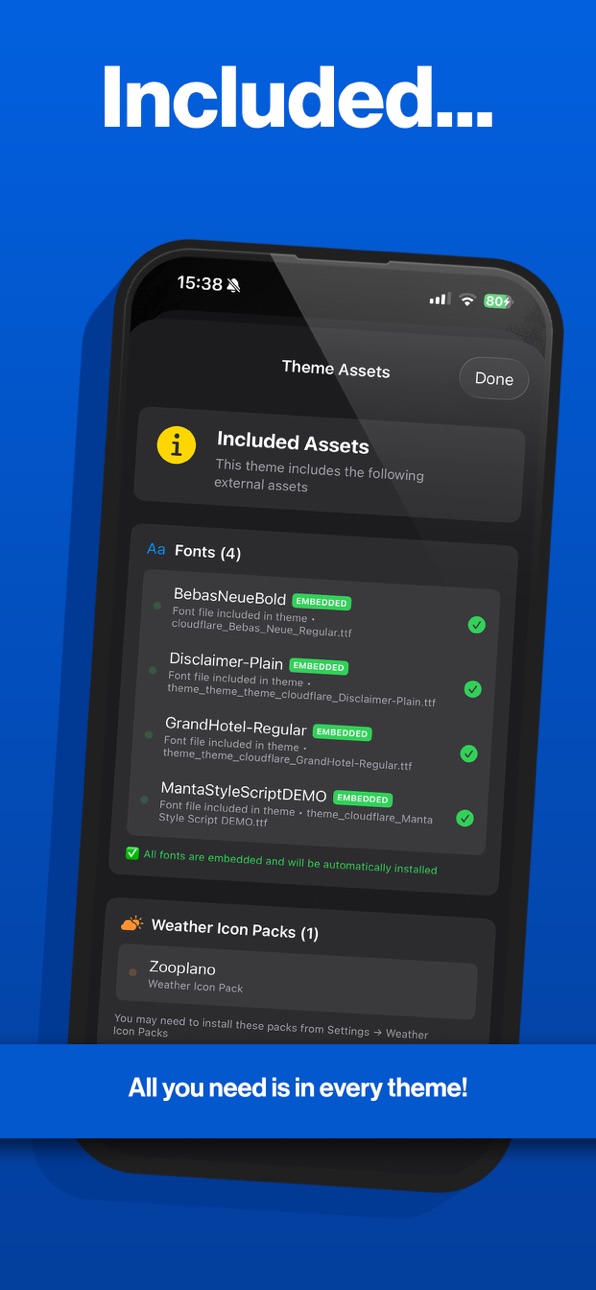
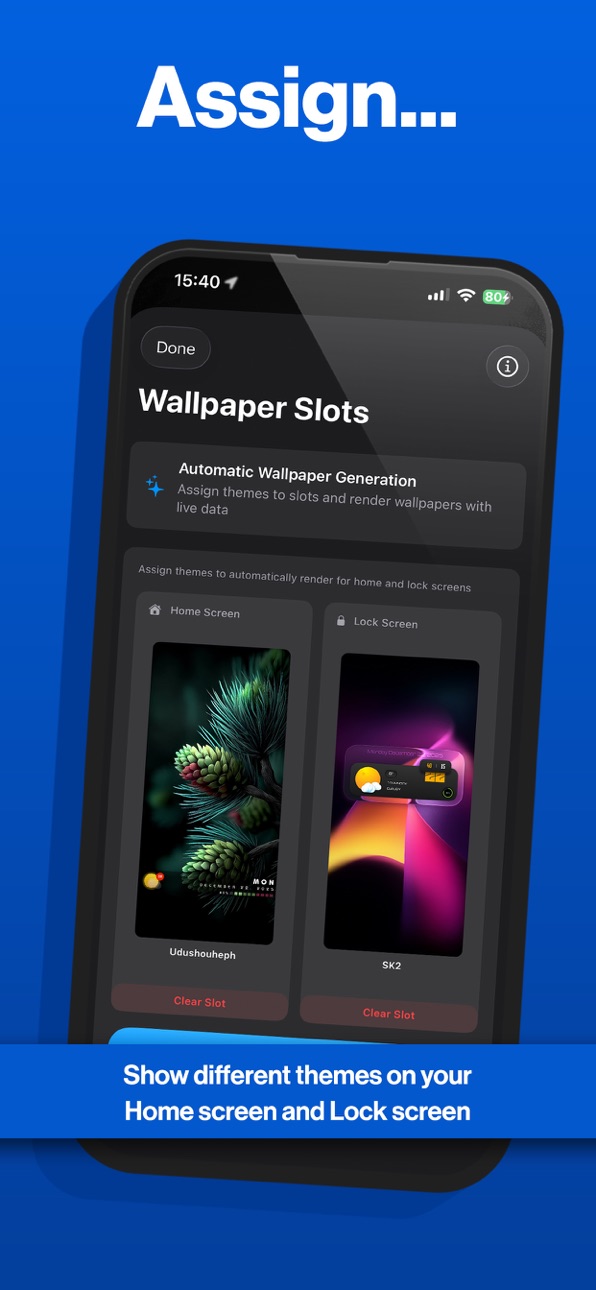
Create and save unlimited wallpaper themes with complete customization control. Import and export .walltheme files to share your designs with friends and family. Mix and match elements to build your perfect aesthetic, then assign different themes to your home and lock screens for a cohesive experience.
SMART, CONTEXT-AWARE CONTENT
Experience wallpapers that respond to your environment. Real-time weather integration displays current conditions, while location-based designs adapt to where you are. Time-sensitive elements change throughout the day, ensuring your screens always feel fresh and relevant.
COMPLETE PERSONALIZATION
Add your own photos and images to make each design uniquely yours. Customize text, colors, and layouts with precision. Layer multiple elements to create complex, professional-looking compositions. Preview all changes in real-time before applying.
POWERFUL AUTOMATION
Shortcuts integration enables one-tap wallpaper updates and scheduled automatic refreshes. Advanced URL scheme support unlocks sophisticated workflows, while Quick Actions provide instant access from your home screen.
SEAMLESS BACKGROUND UPDATES
Update your home screen, lock screen, or both simultaneously. Background refresh keeps your wallpapers current without manual intervention. The slot-based system makes screen management effortless, with automatic updates running on your preferred schedule.
ADVANCED CAPABILITIES
Export your creations for use across devices and platforms. Granular permission management for location and photos ensures your privacy. The dark mode optimized interface looks beautiful in any lighting condition, while the efficient rendering engine delivers fast performance.
PERFECT FOR
iOS customisation enthusiasts seeking complete creative control, automation power users building advanced workflows, anyone wanting their iPhone to feel truly personal, and creatives exploring dynamic design possibilities.
Make your iPhone screens as unique as you are. Download WallComposer today and experience wallpapers that adapt to your life.
In-App Purchases BB pricing
One-Time Purchases
Unlock Theme Slots—
ShowBoard Generous Tip—
ShowBoard Small Tip—
ShowBoard Large Tip—
ShowBoard Medium Tip—
Capabilities
In-App Purchases
Accessibility
ipadiphonemacrealityDevicetvoswatch
Version history 14 versions
Build 886536447v1.0.172026-06-05 19:31:26
Bug fixes and code efficiency
Build 882833278v1.0.162026-02-26 23:44:11
Fixed Automations bug
Other UI updates and fixes
Build 882291851v1.0.152026-02-24 15:22:41
New in this version:
- Added data-driven colours for text, shapes, and symbols. Choose which data source controls each colour.
- Background images can now change dynamically — set separate wallpapers for Light and Dark mode.
- Improved multi-line text height adjustment for text elements.
- Added a new container width adjustment slider (may affect some existing themes).
- Expanded localisation options in Settings.
- Updated weather icons to show pack versions and new pack information in Settings (some packs may need re-downloading).
- Introduced a News view for the latest updates, available in the drawer.
- Added extra delay to App Intents to prevent blurry wallpapers.
Build 882251907v1.0.142026-02-07 21:17:40
What’s New:
- Dynamic Text Enhancements: You can now customize both font style and color within individual text segments.
- Refined Interface: We’ve updated the Dynamic Text segment picker for a smoother editing experience.
- Stability Fixes: Resolved an issue that caused crashes when importing themes or adding elements to the canvas.
Build 882119313v1.0.132026-02-05 19:19:29
In this update...
New Features:
Performance Monitoring: Track device health with new CPU and Memory monitoring tools in Settings.
Element Masking: Use one element to mask another for advanced design layouts.
Flatten Canvas: Easily merge glass effects, shapes, and images to ensure they appear in headless rendering.
Image Progress: New element supporting 5% increments from 0 to 100 for visual tracking.
Improvements:
Dynamic Text Padding: Added a Padded Date option to show leading zeros (e.g., 04 instead of 4).
Expanded Variables: Added more calendar information variables to Dynamic Text.
Theme Importing: Improved handling for different date formats when importing themes.
Bug Fixes:
Fixed a rendering issue when setting different themes to the Home Screen and Lock Screen simultaneously.
Build 882005088v1.0.122026-01-30 19:06:18
Improved device screen dimension function with refresh
Added custom magnifier to moveable toolbar
Build 881930819v1.0.112026-01-28 19:21:17
This update includes bug fixes and improvements
Calendar fix for an issue where dates displayed incorrectly when adjusting visible weeks
Diagnostic files are no longer created and existing files are automatically cleaned up
Added frame cropping option for fonts
Custom font library now includes iOS system fonts
Update to the UI for selecting custom fonts
Overlay images now have corner radius adjustment support
Build 881789613v1.0.102026-01-26 16:54:53
What's New
This update brings important fixes and exciting new features:
Fixes
Resolved font scaling issues when exporting compositions
Dynamic text for sunrise and sunset times now displays correctly
Improvements
Refined theme saving mechanism for better reliability
Reworked toast notification system
Added in-app font scaling options for the UI
New Features
Custom font selection for the today date in calendar elements
Weather icon previews so you can see icons before applying them
New element: Matrix Progress - a fresh way to visualise your data
Thank you for your continued support and feedback.
Build 881633153v1.0.72026-01-20 02:01:25
What's New
This update brings significant performance improvements and new features to enhance your WallBoard experience.
New Features
- Intelligent Scaling: Automatically adjusts element sizes with a fine-tuning slider for precise control. Find it in Settings > Canvas > Intelligent Scaling.
- Theme Gallery Navigation: Browse previous and next themes directly from the preview without returning to the gallery.
- Wallpaper Preview: View theme wallpapers before applying them.
- Find and Replace: Quickly update text across Dynamic Text elements.
- Copy and Paste Layers: Duplicate layer elements between themes.
- Multi-Select for Folders: Select multiple themes at once when organising into folders.
- Folder Filters: Apply filter options to themes within folders.
- Folder Export: Export entire folders of themes.
- Weather Icon Import: Import custom weather icons using Shortcuts.
Improvements
- Enhanced performance for wallpaper filter functions.
- Optimised weather refresh intervals to improve efficiency. Use the manual refresh button when needed.
Bug Fixes
- Fixed an issue where audio playback would stop when opening the app.
- Fixed Theme Gallery not refreshing correctly for some users.
Other Changes
- Removed wallpaper background blur.
Build 881529753v1.0.52026-01-16 19:57:37
In this update:
Ive added a new Debug section in the app settings that allows you to share diagnostic information with me.
Updated the My Themes section and added the ability to add folders and move your themes into these folders for better organisation.
Updated the Calendar and added Event indicators.
Added a notification for new app updates.
New Dark Mode app icon.
Some other tweaks and bug fixes.
Build 881499390v1.0.42026-01-15 00:20:52
In this version:
I've changed how device size calculation is done.
Added extra 3d offset controls for all elements
Various bug fixes and other UI improvements
Build 881378062v1.0.32026-01-10 23:08:56
In this update I've added more elements, fixed some bugs and updated parts of the UI.
Don't forget to check our dedicated Discord channel!
Build 881098091v1.0.22026-01-08 20:04:10
What’s New in This Version
– Added a Theme Upload section (requires an access code, contact me if you’d like to try it)
– Updated the floating toolbar so it fits properly on all device sizes; if you’re missing options, try scrolling across
– Added two extra customisable slots to Default, Custom 1, and Custom 2
– Added theme creation time tracking, just for fun
– Fixed an issue where themes could disappear by moving to a more reliable file-based storage system
– Added backup and restore for themes, including an automatic backup option that runs in the background
– Fixed the symbol size slider/stepper so it no longer triggers other actions when tapped
– You can now edit both the name and author of a theme (please don’t use this to misrepresent other creators)
– Added helpful footer descriptions to some settings to make them easier to understand
- Massive UI Overhaul - Hope you like it!
-- PLEASE NOTE - This version requires Open Weather API 3.0 - Details are in the app.
Build 880304864v1.0.12025-12-26 05:57:38
Price history by region
Currency
Show
Columns
Search
Availability 76 of 76 storefronts
| Region | Language | Price | Ratings | Avg | Version |
|---|---|---|---|---|---|
| US | en-US | Free | 22 | 4.5 | 1.0.17 |
| MX | es-MX | Free | 1 | 5.0 | 1.0.17 |
| ZM | en-GB | Free | 1 | 5.0 | 1.0.17 |
| AG | en-GB | Free | 0 | — | 1.0.17 |
| AI | en-GB | Free | 0 | — | 1.0.17 |
| AO | en-GB | Free | 0 | — | 1.0.17 |
| AR | es-MX | Free | 0 | — | 1.0.17 |
| BB | en-GB | Free | 0 | — | 1.0.17 |
| BF | en-GB | Free | 0 | — | 1.0.17 |
| BJ | en-GB | Free | 0 | — | 1.0.17 |
| BO | es-MX | Free | 0 | — | 1.0.17 |
| BR | pt-BR | Free | 0 | — | 1.0.17 |
| BS | en-GB | Free | 0 | — | 1.0.17 |
| BW | en-GB | Free | 0 | — | 1.0.17 |
| BZ | en-GB | Free | 0 | — | 1.0.17 |
| CD | en-GB | Free | 0 | — | 1.0.17 |
| CG | en-GB | Free | 0 | — | 1.0.17 |
| CI | fr-FR | Free | 0 | — | 1.0.17 |
| CL | es-MX | Free | 0 | — | 1.0.17 |
| CM | fr-FR | Free | 0 | — | 1.0.17 |
| CO | es-MX | Free | 0 | — | 1.0.17 |
| CR | es-MX | Free | 0 | — | 1.0.17 |
| CV | en-GB | Free | 0 | — | 1.0.17 |
| DM | en-GB | Free | 0 | — | 1.0.17 |
| DO | es-MX | Free | 0 | — | 1.0.17 |
| DZ | en-GB | Free | 0 | — | 1.0.17 |
| EC | es-MX | Free | 0 | — | 1.0.17 |
| GA | fr-FR | Free | 0 | — | 1.0.17 |
| GD | en-GB | Free | 0 | — | 1.0.17 |
| GH | en-GB | Free | 0 | — | 1.0.17 |
| GM | en-GB | Free | 0 | — | 1.0.17 |
| GT | es-MX | Free | 0 | — | 1.0.17 |
| GW | en-GB | Free | 0 | — | 1.0.17 |
| GY | en-GB | Free | 0 | — | 1.0.17 |
| HN | es-MX | Free | 0 | — | 1.0.17 |
| JM | en-GB | Free | 0 | — | 1.0.17 |
| KE | en-GB | Free | 0 | — | 1.0.17 |
| KN | en-GB | Free | 0 | — | 1.0.17 |
| KY | en-GB | Free | 0 | — | 1.0.17 |
| LC | en-GB | Free | 0 | — | 1.0.17 |
| LR | en-GB | Free | 0 | — | 1.0.17 |
| LY | en-GB | Free | 0 | — | 1.0.17 |
| MA | en-GB | Free | 0 | — | 1.0.17 |
| MG | en-GB | Free | 0 | — | 1.0.17 |
| ML | en-GB | Free | 0 | — | 1.0.17 |
| MS | en-GB | Free | 0 | — | 1.0.17 |
| MU | en-GB | Free | 0 | — | 1.0.17 |
| MW | en-GB | Free | 0 | — | 1.0.17 |
| MZ | en-GB | Free | 0 | — | 1.0.17 |
| NA | en-GB | Free | 0 | — | 1.0.17 |
| NE | en-GB | Free | 0 | — | 1.0.17 |
| NG | en-GB | Free | 0 | — | 1.0.17 |
| NI | es-MX | Free | 0 | — | 1.0.17 |
| NZ | en-AU | Free | 0 | — | 1.0.17 |
| PA | es-MX | Free | 0 | — | 1.0.17 |
| PE | es-MX | Free | 0 | — | 1.0.17 |
| PY | es-MX | Free | 0 | — | 1.0.17 |
| RW | en-GB | Free | 0 | — | 1.0.17 |
| SC | en-GB | Free | 0 | — | 1.0.17 |
| SL | en-GB | Free | 0 | — | 1.0.17 |
| SN | en-GB | Free | 0 | — | 1.0.17 |
| SR | en-GB | Free | 0 | — | 1.0.17 |
| ST | en-GB | Free | 0 | — | 1.0.17 |
| SV | es-MX | Free | 0 | — | 1.0.17 |
| SZ | en-GB | Free | 0 | — | 1.0.17 |
| TC | en-GB | Free | 0 | — | 1.0.17 |
| TD | en-GB | Free | 0 | — | 1.0.17 |
| TN | en-GB | Free | 0 | — | 1.0.17 |
| TT | en-GB | Free | 0 | — | 1.0.17 |
| TZ | en-GB | Free | 0 | — | 1.0.17 |
| UG | en-GB | Free | 0 | — | 1.0.17 |
| UY | en-GB | Free | 0 | — | 1.0.17 |
| VC | en-GB | Free | 0 | — | 1.0.17 |
| VE | es-MX | Free | 0 | — | 1.0.17 |
| VG | en-GB | Free | 0 | — | 1.0.17 |
| ZW | en-GB | Free | 0 | — | 1.0.17 |
Change log 18 changes · BB
✎
releaseNotes updated
Bug fixes and code efficiency
✎
description updated
Transform your iPhone with dynamic, intelligent wallpapers that evolve throughout your day.
WallComposer empowers you to design stunning custom wallpapers feat
✎
subtitle updated
Stunning dynamic wallpapers
✎
name updated
WallBoard
◆
Version 1.0.17 released
Bug fixes and code efficiency
◆
Version 1.0.16 released
Fixed Automations bug
Other UI updates and fixes
◆
Version 1.0.15 released
New in this version:
- Added data-driven colours for text, shapes, and symbols. Choose which data source controls each colour.
- Background images can now change dynamically — set separate wallpapers for Light and Dark mode.
- Improved mul
◆
Version 1.0.14 released
What’s New:
- Dynamic Text Enhancements: You can now customize both font style and color within individual text segments.
- Refined Interface: We’ve updated the Dynamic Text segment picker for a smoother editing experience.
- Stability Fix
◆
Version 1.0.13 released
In this update...
New Features:
Performance Monitoring: Track device health with new CPU and Memory monitoring tools in Settings.
Element Masking: Use one element to mask another for advanced design layouts.
Flatten Canvas: Easily merge
◆
Version 1.0.12 released
Improved device screen dimension function with refresh
Added custom magnifier to moveable toolbar
◆
Version 1.0.11 released
This update includes bug fixes and improvements
Calendar fix for an issue where dates displayed incorrectly when adjusting visible weeks
Diagnostic files are no longer created and existing files are automatically cleaned up
Added frame c
◆
Version 1.0.10 released
What's New
This update brings important fixes and exciting new features:
Fixes
Resolved font scaling issues when exporting compositions
Dynamic text for sunrise and sunset times now displays correctly
Improvements
Refined theme saving m
◆
Version 1.0.7 released
What's New
This update brings significant performance improvements and new features to enhance your WallBoard experience.
New Features
- Intelligent Scaling: Automatically adjusts element sizes with a fine-tuning slider for precise contr
◆
Version 1.0.5 released
In this update:
Ive added a new Debug section in the app settings that allows you to share diagnostic information with me.
Updated the My Themes section and added the ability to add folders and move your themes into these folders for bett
◆
Version 1.0.4 released
In this version:
I've changed how device size calculation is done.
Added extra 3d offset controls for all elements
Various bug fixes and other UI improvements
◆
Version 1.0.3 released
In this update I've added more elements, fixed some bugs and updated parts of the UI.
Don't forget to check our dedicated Discord channel!
◆
Version 1.0.2 released
What’s New in This Version
– Added a Theme Upload section (requires an access code, contact me if you’d like to try it)
– Updated the floating toolbar so it fits properly on all device sizes; if you’re missing options, try scrolling acro
◆
Version 1.0.1 released