Home › Business

 CA
CA
 USen-US
 AEen-GB
 AFen-GB
 AGen-GB
 AIen-GB
 ALen-GB
 AMen-GB
 AOen-GB
 ARes-MX
 ATde-DE
 AUen-AU
 AZen-GB
 BAen-GB
 BBen-GB
 BEen-GB
 BFen-GB
 BGen-GB
 BHen-GB
 BJen-GB
 BMen-GB
 BNen-GB
 BOes-MX
 BRpt-BR
 BSen-GB
 BTen-GB
 BWen-GB
 BYen-GB
 BZen-GBCAen-CA
 CDen-GB
 CGen-GB
 CHde-CH
 CIfr-FR
 CLes-MX
 CMfr-FR
 CNzh-Hans-CN
 COes-MX
 CRes-MX
 CVen-GB
 CYen-GB
 CZen-GB
 DEde-DE
 DKen-GB
 DMen-GB
 DOes-MX
 DZen-GB
 ECes-MX
 EEen-GB
 EGen-GB
 ESes-ES
 FIen-GB
 FJen-GB
 FMen-GB
 FRfr-FR
 GAfr-FR
 GBen-GB
 GDen-GB
 GEen-GB
 GHen-GB
 GMen-GB
 GRen-GB
 GTes-MX
 GWen-GB
 GYen-GB
 HKzh-Hant-HK
 HNes-MX
 HRen-GB
 HUen-GB
 IDen-GB
 IEen-GB
 ILen-GB
 INen-GB
 IQen-GB
 ISen-GB
 ITit
ITit JMen-GB
 JOen-GB
 JPja
JPja KEen-GB
 KGen-GB
 KHen-GB
 KNen-GB
 KRko
KRko KWen-GB
 KYen-GB
 KZen-GB
 LAen-GB
 LBen-GB
 LCen-GB
 LKen-GB
 LRen-GB
 LTen-GB
 LUen-GB
 LVen-GB
 LYen-GB
 MAen-GB
 MDen-GB
 MEen-GB
 MGen-GB
 MKen-GB
 MLen-GB
 MMen-GB
 MNen-GB
 MOzh-Hant-HK
 MRen-GB
 MSen-GB
 MTen-GB
 MUen-GB
 MVen-GB
 MWen-GB
 MXes-MX
 MYen-GB
 MZen-GB
 NAen-GB
 NEen-GB
 NGen-GB
 NIes-MX
 NLnl
NLnl NOen-GB
 NPen-GB
 NRen-GB
 NZen-AU
 OMen-GB
 PAes-MX
 PEes-MX
 PGen-GB
 PHen-GB
 PKen-GB
 PLen-GB
 PTpt-PT
 PWen-GB
 PYes-MX
 QAen-GB
 ROen-GB
 RSen-GB
 RUru
RUru RWen-GB
 SAen-GB
 SBen-GB
 SCen-GB
 SEsv
SEsv SGen-GB
 SIen-GB
 SKen-GB
 SLen-GB
 SNen-GB
 SRen-GB
 STen-GB
 SVes-MX
 SZen-GB
 TCen-GB
 TDen-GB
 THen-GB
 TJen-GB
 TMen-GB
 TNen-GB
 TOen-GB
 TRen-GB
 TTen-GB
 TWzh-Hant-TW
 TZen-GB
 UAen-GB
 UGen-GB
 UYen-GB
 UZen-GB
 VCen-GB
 VEes-MX
 VGen-GB
 VNen-GB
 VUen-GB
 XKen-GB
 YEen-GB
 ZAen-GB
 ZMen-GB
 ZWen-GB
175 of 175 storefronts
Content in en-US
Content in en-US
Information
Preview 2 platforms
iPhone 5 images


iPad 5 images


What’s New Version 2.2.7
Notifications got their identity back in this build.
What to test:
• Reply notifications now look like messages. When a lead texts back, the banner shows their name, their photo when we have one, and the message itself, instead of a generic "New Lead Response". Works on the lock screen and in Notification Center.
• Hot Lead Race cleanup. When another rep claims a race, the race banner and the lock-screen card both disappear on their own within seconds. No stale Claim buttons, no consolation banner. If you tapped Claim but lost, you still see who got there quicker.
• In the app during a race: the in-app race banner and the Unclaimed list now update the moment someone else claims, instead of waiting for the next refresh.
If anything looks off, note your device model + iOS version. Thanks!
Description
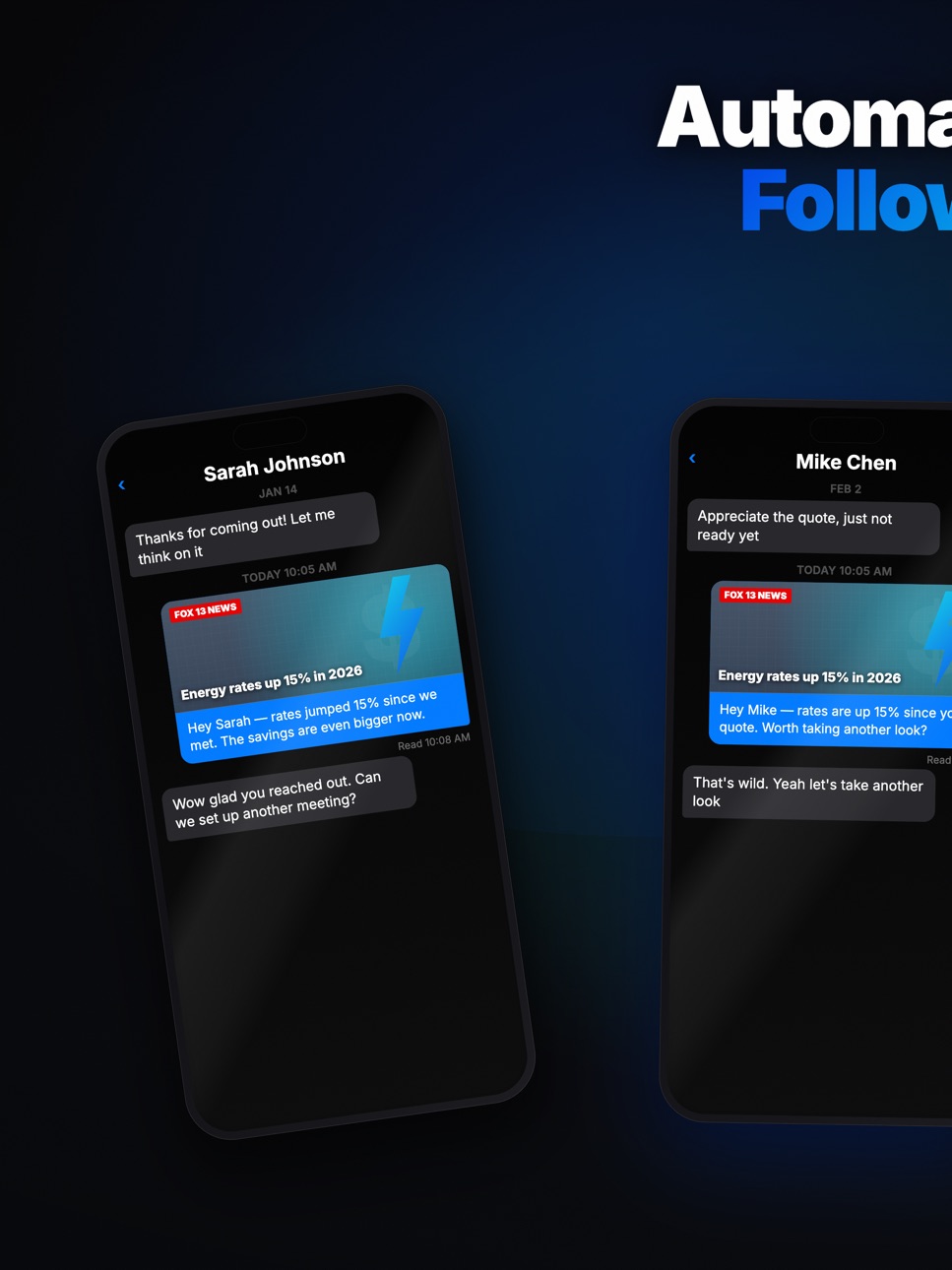
Transform how you manage leads and customers with FollowUp - the professional SMS automation platform that helps businesses stay connected, automate follow-ups, and close more deals.
AUTOMATE YOUR FOLLOW-UPS
Create powerful SMS workflows that run on autopilot. Set up multi-step sequences with time-based delays and let FollowUp handle the rest. Never miss a follow-up again.
BLAST MESSAGES THAT FEEL PERSONAL
Send group messages that arrive individually - not as group texts. Perfect for announcements, promotions, and referral campaigns that get results.
CUSTOM WORKFLOWS FOR EVERY NEED
Build exactly what you need with our flexible workflow builder. Add delays, conditions, and custom fields to create the perfect follow-up sequence for your business.
TAKEOVER MODE
Take control of any conversation instantly. Switch from autopilot to manual mode and respond personally when it matters most.
TWO-WAY CONVERSATIONS
All your SMS conversations in one place. See full message history, add notes, and respond in real-time from any device.
SMART LEAD MANAGEMENT
Import contacts, organize with tags, track engagement, and monitor which workflows are driving results.
STAY COMPLIANT
Built-in TCPA compliance with automatic quiet hours (8 AM - 9 PM) and opt-out handling. Your business stays protected.
POWERFUL INTEGRATIONS
Connect with Google Calendar, Microsoft Teams, and more. Your workflows work with the tools you already use.
ANALYTICS THAT MATTER
Track response rates, engagement metrics, and conversion data. See what's working and optimize your outreach.
Perfect for:
• Real estate agents managing buyer and seller leads
• Solar sales teams following up with prospects
• Small businesses automating customer communication
• Recruiters staying in touch with candidates
• Anyone who needs reliable SMS automation
FollowUp gives you the power of enterprise SMS automation with the simplicity your business needs.
Download now and start automating your follow-ups today.
Accessibility
ipadiphonemacrealityDevicetvoswatch
Version history 25 versions
Build 887808760v2.2.72026-07-04 05:31:48
Notifications got their identity back in this build.
What to test:
• Reply notifications now look like messages. When a lead texts back, the banner shows their name, their photo when we have one, and the message itself, instead of a generic "New Lead Response". Works on the lock screen and in Notification Center.
• Hot Lead Race cleanup. When another rep claims a race, the race banner and the lock-screen card both disappear on their own within seconds. No stale Claim buttons, no consolation banner. If you tapped Claim but lost, you still see who got there quicker.
• In the app during a race: the in-app race banner and the Unclaimed list now update the moment someone else claims, instead of waiting for the next refresh.
If anything looks off, note your device model + iOS version. Thanks!
Build 887572202v2.2.62026-07-03 19:20:05
New: Pitch Activity, plus exact open timestamps.
What to test:
• Pitch Activity (new). Open More → Pitch Activity. You'll see every pitch link you've shared, and tapping into one shows who opened it, when (exact date & time, in your local time), how long they spent on the page, what device they used, and a flag if the link was forwarded to other devices.
• Open history now shows the exact date & time of each open instead of "X days ago."
Plus assorted fixes and polish across the app.
If anything looks off, note your device model + iOS version. Thanks!
Build 887264939v2.2.52026-06-22 15:50:39
What's new:
• New FollowUp Queue widget for your Home Screen and Lock Screen — see today's send queue at a glance
• Tap the widget to jump straight into rapid-fire sending: review your ready-to-send leads, then fire them off one tap at a time
• Smarter widget states — a clear "ready to send" count, a celebration when you're all caught up, and a nudge to enroll leads when your queue is empty
• Referral improvements so your invites are always credited
• Stability and polish throughout
Thanks for using FollowUp!
Build 887214507v2.2.42026-06-20 16:45:13
What's new:
• Redesigned voicemail blast composer — cleaner and faster, with everything on one screen
• Draft voicemail scripts with AI, or reuse your saved scripts and workflow voicemails as templates
• Voicemail blasts now reach your entire tag or list, not just the first ~100 contacts
• Voicemails send from the number each contact already knows you by
• Stability and polish throughout
Thanks for using FollowUp!
Build 887198261v2.2.32026-06-19 21:56:56
What's new in this build:
• NEW — "Ready to Send" Lock Screen widget: long-press your Lock Screen → Customize → add the FollowUp widget to see, at a glance, how many leads have a message due to send today. A little gauge shows your progress through the day, and tapping it jumps straight to your workflows. (Please add it and tell us how it looks on your wallpaper!)
• Your Home workflow cards now show "N ready to send" for iMessage sequences with sends due today, instead of a vague "in sequence"
• "Due today" counts now follow YOUR local timezone — evening sends in your zone are counted correctly instead of being dropped past UTC midnight
• Clearer upgrade prompts everywhere you hit a free-plan limit (contacts, automations, AI writing, voice, integrations): each one now explains the limit and how to upgrade, on both the app and the web
• Stability and polish fixes throughout
Thanks for using FollowUp!
Build 887110376v2.2.22026-06-18 06:05:09
What's new in this build:
• New-user Home is cleaner: the starter workflows now use the real app color palette, and the Top Story news card stays hidden until you've picked your news topics (no more random energy headlines on day one)
• Finishing setup no longer pops a confusing "Demo Complete / Pro unlocked" screen — onboarding ends cleanly
• Deactivating a workflow now confirms with a clear message and keeps the card visible in Paused, and you can archive the sample workflows you don't need
• Sharing Market Intel articles and links over iMessage now works on every plan — no more "couldn't reach the server" when sending to your contacts
• Voice Drops now uses one consistent composer everywhere — record, upload, pick from your library, or generate AI audio, and (on Business) write a script that's personalized with each contact's name. Cleaner campaign list and detail screens too
• Sending a voicemail drop after hours now shows a calm "resumes in the morning" note with the exact resume time — instead of looking like a failed send — plus a heads-up before you send when it's late
• Redesigned Workflows cards — cleaner, more premium layout with a clear status, "ready to reply" count, and a tidy action row on each card
• Frame your link-card photo before you send — Fill or Fit, drag and pinch to compose it, so the preview never looks awkwardly cropped
• Fixed sending a link/article one recipient at a time from a business number
• Redesigned Tools tab — every tool explains what it does, with an "On the roadmap" section for what's coming
• Refreshed Voice Drops, Missed Call Auto Text, and Call Forwarding with a cleaner, more premium graphite look that matches your Card
• New accounts now get the guided setup (industry, territory, goals, branding) even on a device that's been used before — with a simpler, clearer plan picker (start free in one tap, upgrade when you're ready)
• Edit every appointment-reminder message — reminders, no-show follow-ups, post-meeting check-in, and the confirmation reply
• The notification bell badge clears the moment you open it
• Stability and polish fixes throughout
Thanks for using FollowUp!
Build 887070194v2.2.12026-06-17 17:40:57
What's new in this build:
• New-user Home is cleaner: the starter workflows now use the real app color palette, and the Top Story news card stays hidden until you've picked your news topics (no more random energy headlines on day one)
• Finishing setup no longer pops a confusing "Demo Complete / Pro unlocked" screen — onboarding ends cleanly
• Deactivating a workflow now confirms with a clear message and keeps the card visible in Paused, and you can archive the sample workflows you don't need
• Sharing Market Intel articles and links over iMessage now works on every plan — no more "couldn't reach the server" when sending to your contacts
• Voice Drops now uses one consistent composer everywhere — record, upload, pick from your library, or generate AI audio, and (on Business) write a script that's personalized with each contact's name. Cleaner campaign list and detail screens too
• Sending a voicemail drop after hours now shows a calm "resumes in the morning" note with the exact resume time — instead of looking like a failed send — plus a heads-up before you send when it's late
• Redesigned Workflows cards — cleaner, more premium layout with a clear status, "ready to reply" count, and a tidy action row on each card
• Frame your link-card photo before you send — Fill or Fit, drag and pinch to compose it, so the preview never looks awkwardly cropped
• Fixed sending a link/article one recipient at a time from a business number
• Redesigned Tools tab — every tool explains what it does, with an "On the roadmap" section for what's coming
• Refreshed Voice Drops, Missed Call Auto Text, and Call Forwarding with a cleaner, more premium graphite look that matches your Card
• New accounts now get the guided setup (industry, territory, goals, branding) even on a device that's been used before — with a simpler, clearer plan picker (start free in one tap, upgrade when you're ready)
• Edit every appointment-reminder message — reminders, no-show follow-ups, post-meeting check-in, and the confirmation reply
• The notification bell badge clears the moment you open it
• Stability and polish fixes throughout
Thanks for using FollowUp!
Build 887012507v2.2.02026-06-16 17:53:12
What's new in this build:
• Sharing Market Intel articles and links over iMessage now works on every plan — no more "couldn't reach the server" when sending to your contacts
• Voice Drops now uses one consistent composer everywhere — record, upload, pick from your library, or generate AI audio, and (on Business) write a script that's personalized with each contact's name. Cleaner campaign list and detail screens too
• Sending a voicemail drop after hours now shows a calm "resumes in the morning" note with the exact resume time — instead of looking like a failed send — plus a heads-up before you send when it's late
• Redesigned Workflows cards — cleaner, more premium layout with a clear status, "ready to reply" count, and a tidy action row on each card
• Frame your link-card photo before you send — Fill or Fit, drag and pinch to compose it, so the preview never looks awkwardly cropped
• Fixed sending a link/article one recipient at a time from a business number
• Redesigned Tools tab — every tool explains what it does, with an "On the roadmap" section for what's coming
• Refreshed Voice Drops, Missed Call Auto Text, and Call Forwarding with a cleaner, more premium graphite look that matches your Card
• New accounts now get the guided setup (industry, territory, goals, branding) even on a device that's been used before — with a simpler, clearer plan picker (start free in one tap, upgrade when you're ready)
• Edit every appointment-reminder message — reminders, no-show follow-ups, post-meeting check-in, and the confirmation reply
• The notification bell badge clears the moment you open it
• Stability and polish fixes throughout
Thanks for using FollowUp!
Build 886983101v2.1.92026-06-15 18:33:05
What's new in this build:
• Sharing Market Intel articles and links over iMessage now works on every plan — no more "couldn't reach the server" when sending to your contacts
• Voice Drops now uses one consistent composer everywhere — record, upload, pick from your library, or generate AI audio, and (on Business) write a script that's personalized with each contact's name. Cleaner campaign list and detail screens too
• Sending a voicemail drop after hours now shows a calm "resumes in the morning" note with the exact resume time — instead of looking like a failed send — plus a heads-up before you send when it's late
• Redesigned Workflows cards — cleaner, more premium layout with a clear status, "ready to reply" count, and a tidy action row on each card
• Frame your link-card photo before you send — Fill or Fit, drag and pinch to compose it, so the preview never looks awkwardly cropped
• Fixed sending a link/article one recipient at a time from a business number
• Redesigned Tools tab — every tool explains what it does, with an "On the roadmap" section for what's coming
• Refreshed Voice Drops, Missed Call Auto Text, and Call Forwarding with a cleaner, more premium graphite look that matches your Card
• New accounts now get the guided setup (industry, territory, goals, branding) even on a device that's been used before
• Edit every appointment-reminder message — reminders, no-show follow-ups, post-meeting check-in, and the confirmation reply
• The notification bell badge clears the moment you open it
• Stability and polish fixes throughout
Thanks for using FollowUp!
Build 886938381v2.1.82026-06-14 17:00:26
What's new in this build:
• Voice Drops now uses one consistent composer everywhere — record, upload, pick from your library, or generate AI audio, and (on Business) write a script that's personalized with each contact's name. Cleaner campaign list and detail screens too
• Sending a voicemail drop after hours now shows a calm "resumes in the morning" note with the exact resume time — instead of looking like a failed send — plus a heads-up before you send when it's late
• Redesigned Workflows cards — cleaner, more premium layout with a clear status, "ready to reply" count, and a tidy action row on each card
• Frame your link-card photo before you send — Fill or Fit, drag and pinch to compose it, so the preview never looks awkwardly cropped
• Fixed sending a link/article one recipient at a time from a business number
• Redesigned Tools tab — every tool explains what it does, with an "On the roadmap" section for what's coming
• Refreshed Voice Drops, Missed Call Auto Text, and Call Forwarding with a cleaner, more premium graphite look that matches your Card
• New accounts now get the guided setup (industry, territory, goals, branding) even on a device that's been used before
• Edit every appointment-reminder message — reminders, no-show follow-ups, post-meeting check-in, and the confirmation reply
• The notification bell badge clears the moment you open it
• Stability and polish fixes throughout
Thanks for using FollowUp!
Build 886890144v2.1.72026-06-12 22:40:11
What's new in this build:
• Put a deadline on a photo offer — the hosted page shows a live countdown and gracefully closes when time's up
• Get notified when someone opens your offer page, even if the link was forwarded to them
• Photo offers: send a flyer or graphic and we host it as a branded page on your site with a Text-me button
• Preview the exact page your recipients will open before you choose anyone
• Tap any notification to jump straight into that conversation
• Notifications grouped by day, unread ones stand out, hot leads glow
• Paste a link with one tap in the Send a Link composer
• Stability and polish fixes throughout
Thanks for using FollowUp!
Build 886755142v2.1.52026-06-11 01:02:21
Lots of polish in this update:
• See who opens your card — viewing alerts land in the bell with their own Card Views section, and each contact shows their open history
• Search, filter, and sort your notifications — find any reply, missed call, or card view in seconds
• Send a meeting as easily as you send your rep card — search a contact and go
• New "Responded" section on workflow cards so replies never slip past you
• Set up call forwarding to your cell with a built-in test call
• Smoother, faster loading across Workflows, Messages, and Analytics
• Stability fixes across Tools, Sales, and Workflows
Thanks for using FollowUp!
Build 886836939v2.1.62026-06-11 21:26:23
Lots of polish in this update:
• Send a blast as a ringless voicemail — pick Voicemail as a channel, record or upload, and drop it to everyone
• See who opens your card — viewing alerts land in the bell with their own Card Views section, and each contact shows their open history
• Search, filter, and sort your notifications — find any reply, missed call, or card view in seconds
• Send a meeting as easily as you send your rep card — search a contact and go
• New "Responded" section on workflow cards so replies never slip past you
• Set up call forwarding to your cell with a built-in test call
• Smoother, faster loading across Workflows, Messages, and Analytics
• Stability fixes across Tools, Sales, and Workflows
Thanks for using FollowUp!
Build 886272247v2.1.42026-06-10 01:49:05
Hold your rep card to send it via iMessage.
- Long-press the card on the Create screen to open iMessage pre-filled with your card link and a branded image. Whoever you send it to gets auto-saved as a lead.
- Workflow tab: filter by status — Replied, Opted Out, Paused, Completed, In Progress — with per-status counts and urgency sorting.
- Set a separate display email for your rep card without changing your login credentials.
- Multiple meeting time slots: offer a range of start times on your booking page and leads pick what works.
- Bug fixes and performance improvements.
Build 886148000v2.1.32026-05-27 15:07:32
Offer multiple meeting times on your booking page.
- Recurring meetings can now offer a range of start times instead of just one. In the meeting editor, flip on "Offer multiple times" and set a latest start — leads pick the slot that works for them.
- Your booking page shows the available times as a clean, tappable grid; already-booked times drop off automatically.
- Leave the toggle off and your meeting works exactly as before — a single fixed time.
Bug fixes and performance improvements.
Build 886041900v2.1.22026-05-24 18:44:40
Managed Contacts gets a real add menu, and the Replied bucket now catches RVM callbacks.
- Managed Contacts: tap "+" and pick Phone Contacts, Upload CSV, or Add Manually. No more dead-end when your phone book is empty because everyone's already managed by FollowUp.
- CSV and manual adds from the Managed Contacts page now land directly on the Managed list.
- Workflow "Replied" filter now includes leads who called back the campaign number, not just text replies. RVM callbacks finally show up in the bucket where they belong.
- Enroll Leads picker: new "Filter by tag" affordance, alphabet scrubber for long lists, and a TCPA gate when enrolling into a known workflow.
- Quick Add: new "Enroll Leads" tile for jumping straight from contact creation into a workflow.
Bug fixes and performance improvements.
Build 885685695v2.1.12026-05-21 17:59:03
Managed Contacts gets a real add menu, and the Replied bucket now catches RVM callbacks.
- Managed Contacts: tap "+" and pick Phone Contacts, Upload CSV, or Add Manually. No more dead-end when your phone book is empty because everyone's already managed by FollowUp.
- CSV and manual adds from the Managed Contacts page now land directly on the Managed list.
- Workflow "Replied" filter now includes leads who called back the campaign number, not just text replies. RVM callbacks finally show up in the bucket where they belong.
- Enroll Leads picker: new "Filter by tag" affordance, alphabet scrubber for long lists, and a TCPA gate when enrolling into a known workflow.
- Quick Add: new "Enroll Leads" tile for jumping straight from contact creation into a workflow.
Bug fixes and performance improvements.
Build 885263373v2.1.02026-05-14 16:35:12
Contact detail redesign: the deal status is now the headline.
- Pipeline stage moves onto the property photo as a color-coded pill, so you can see exactly where the deal stands at a glance.
- Utility rate jump (then vs. now, plus the delta) is now front and center under the hero, pitch numbers ready before you tap Call.
- Last contacted line cleaned up: no more "25 days, 23 hr ago"; it rounds to whole days past a week.
- Nav header subtitle prefers the company or title you have on file instead of a bare city.
- Cleaner chrome: simpler ellipsis menu, address line under the avatar when there's no property image, fewer competing badges.
Bug fixes and performance improvements.
Build 885180895v2.0.92026-05-03 02:00:16
iMessage workflows for everyone, plus blast composer polish.
- Messages tab is now open to all plans. Free and Pro reps can move contacts into FollowUp, run iMessage workflows, and let the app monitor replies. Daily message limits still apply on free.
- Schedule workflow: the "No recipients" dead-end is gone. Pick a start date before adding recipients and new recipients inherit it.
- Audience chips: crisper press feedback, Dynamic Type support, and iOS 26 liquid-glass tint on the selected chip.
- Draft Message: opening the composer no longer activates the FollowUp Shortcut. Shortcut verification now runs at send time.
- New workflow templates: Sat - Need Follow-Up for Solar, Roofing, HVAC, Battery, Insurance, and Real Estate. Low-pressure nurture over 6 months with a primary + alternate message per step.
Build 884893537v2.0.82026-04-25 19:38:42
Blast composer polish + a bug fix for the Draft Message flow.
- Schedule workflow: the "No recipients" dead-end is gone. Pick a start date before adding recipients and new recipients inherit it.
- Audience chips: crisper press feedback, Dynamic Type support, and iOS 26 liquid-glass tint on the selected chip.
- Draft Message: opening the composer no longer activates the FollowUp Shortcut. Shortcut verification now runs at send time.
- New workflow templates: Sat - Need Follow-Up for Solar, Roofing, HVAC, Battery, Insurance, and Real Estate. Low-pressure nurture over 6 months with a primary + alternate message per step.
Build 884777890v2.0.72026-04-23 18:24:35
Blast composer + workflow enrollment polish.
- Blast: rep card preview chip, pre-send confirmation sheet with compliance guardrails, and after-send workflow enrollment
- Workflow enrollment: delivery controls docked above the Enroll button, tap-to-reveal reason when it's blocked, cleaner CTA + title
- Workflows tab: channel-sort chip rail; "Inactive" is now "No Leads Yet" (expanded by default)
- Visual: disabled primary buttons now read as inert, tag-pill accent bar matches the pill's rounded corners
Build 884570465v2.0.62026-04-21 12:22:17
Workflow + contact polish.
- Rapid Fire now sends through the FollowUp Shortcut (no more Messages-compose dead-end)
- Resume a paused workflow from the inbox: leading swipe "Resume" + long-press "Resume Workflow" + subtle in-thread banner
- Contact picker: phoneless contacts are hidden (Contacts.app style) instead of greyed and shake-on-tap
- Add Lead: clipboard paste banner with one-tap fill when you have a phone copied; native QuickType contact suggestions on name/phone/email
- Contacts tab: native search scopes (All / Favorites / In Workflow / Paused)
Build 884408674v2.0.52026-04-15 17:16:44
- Phone number required on sign-up so your team can reach you
- Notification permission prompt for all users (no more missed lead alerts)
- Lead claiming blocked without a phone number on file
- Bug fixes and performance improvements
Build 883917185v2.0.42026-04-09 21:56:22
Bug fixes, performance improvements, and UI polish.
- Meeting Disposition — After a booked meeting, get a quick recap card with AI-analyzed outcomes so you always know where things stand.
- Weekly Digest — Redesigned outcome-focused weekly summary with clearer metrics.
- Pipeline Automations — Auto-triggered workflows when leads hit specific pipeline stages, plus a new Long-Term Nurture stage.
- Market Intel — Improved news feed accuracy and redesigned settings with sub-topics and My Markets.
- Email Redesign — Cleaner, adaptive email templates across all notifications.
- Dozens of fixes and polish improvements.
Build 883894453v2.0.32026-03-30 00:23:01
Bug fixes, performance improvements, and UI polish.
- Meeting Disposition — After a booked meeting, get a quick recap card with AI-analyzed outcomes so you always know where things stand.
- Weekly Digest — Redesigned outcome-focused weekly summary with clearer metrics.
- Pipeline Automations — Auto-triggered workflows when leads hit specific pipeline stages, plus a new Long-Term Nurture stage.
- Market Intel — Improved news feed accuracy and redesigned settings with sub-topics and My Markets.
- Email Redesign — Cleaner, adaptive email templates across all notifications.
- Dozens of fixes and polish improvements.
No pricing data captured yet — comparisons appear once the app has paid storefronts or in-app purchases.
Availability 175 of 175 storefronts
| Region | Language | Price | Ratings | Avg | Version |
|---|---|---|---|---|---|
| US | en-US | Free | 5 | 5.0 | 2.2.7 |
| AE | en-GB | Free | 0 | — | 2.2.7 |
| AF | en-GB | Free | 0 | — | 2.2.7 |
| AG | en-GB | Free | 0 | — | 2.2.7 |
| AI | en-GB | Free | 0 | — | 2.2.7 |
| AL | en-GB | Free | 0 | — | 2.2.7 |
| AM | en-GB | Free | 0 | — | 2.2.7 |
| AO | en-GB | Free | 0 | — | 2.2.7 |
| AR | es-MX | Free | 0 | — | 2.2.7 |
| AT | de-DE | Free | 0 | — | 2.2.7 |
| AU | en-AU | Free | 0 | — | 2.2.7 |
| AZ | en-GB | Free | 0 | — | 2.2.7 |
| BA | en-GB | Free | 0 | — | 2.2.7 |
| BB | en-GB | Free | 0 | — | 2.2.7 |
| BE | en-GB | Free | 0 | — | 2.2.7 |
| BF | en-GB | Free | 0 | — | 2.2.7 |
| BG | en-GB | Free | 0 | — | 2.2.7 |
| BH | en-GB | Free | 0 | — | 2.2.7 |
| BJ | en-GB | Free | 0 | — | 2.2.7 |
| BM | en-GB | Free | 0 | — | 2.2.7 |
| BN | en-GB | Free | 0 | — | 2.2.7 |
| BO | es-MX | Free | 0 | — | 2.2.7 |
| BR | pt-BR | Free | 0 | — | 2.2.7 |
| BS | en-GB | Free | 0 | — | 2.2.7 |
| BT | en-GB | Free | 0 | — | 2.2.7 |
| BW | en-GB | Free | 0 | — | 2.2.7 |
| BY | en-GB | Free | 0 | — | 2.2.7 |
| BZ | en-GB | Free | 0 | — | 2.2.7 |
| CA | en-CA | Free | 0 | — | 2.2.7 |
| CD | en-GB | Free | 0 | — | 2.2.7 |
| CG | en-GB | Free | 0 | — | 2.2.7 |
| CH | de-CH | Free | 0 | — | 2.2.7 |
| CI | fr-FR | Free | 0 | — | 2.2.7 |
| CL | es-MX | Free | 0 | — | 2.2.7 |
| CM | fr-FR | Free | 0 | — | 2.2.7 |
| CN | zh-Hans-CN | Free | 0 | — | 2.2.7 |
| CO | es-MX | Free | 0 | — | 2.2.7 |
| CR | es-MX | Free | 0 | — | 2.2.7 |
| CV | en-GB | Free | 0 | — | 2.2.7 |
| CY | en-GB | Free | 0 | — | 2.2.7 |
| CZ | en-GB | Free | 0 | — | 2.2.7 |
| DE | de-DE | Free | 0 | — | 2.2.7 |
| DK | en-GB | Free | 0 | — | 2.2.7 |
| DM | en-GB | Free | 0 | — | 2.2.7 |
| DO | es-MX | Free | 0 | — | 2.2.7 |
| DZ | en-GB | Free | 0 | — | 2.2.7 |
| EC | es-MX | Free | 0 | — | 2.2.7 |
| EE | en-GB | Free | 0 | — | 2.2.7 |
| EG | en-GB | Free | 0 | — | 2.2.7 |
| ES | es-ES | Free | 0 | — | 2.2.7 |
| FI | en-GB | Free | 0 | — | 2.2.7 |
| FJ | en-GB | Free | 0 | — | 2.2.7 |
| FM | en-GB | Free | 0 | — | 2.2.7 |
| FR | fr-FR | Free | 0 | — | 2.2.7 |
| GA | fr-FR | Free | 0 | — | 2.2.7 |
| GB | en-GB | Free | 0 | — | 2.2.7 |
| GD | en-GB | Free | 0 | — | 2.2.7 |
| GE | en-GB | Free | 0 | — | 2.2.7 |
| GH | en-GB | Free | 0 | — | 2.2.7 |
| GM | en-GB | Free | 0 | — | 2.2.7 |
| GR | en-GB | Free | 0 | — | 2.2.7 |
| GT | es-MX | Free | 0 | — | 2.2.7 |
| GW | en-GB | Free | 0 | — | 2.2.7 |
| GY | en-GB | Free | 0 | — | 2.2.7 |
| HK | zh-Hant-HK | Free | 0 | — | 2.2.7 |
| HN | es-MX | Free | 0 | — | 2.2.7 |
| HR | en-GB | Free | 0 | — | 2.2.7 |
| HU | en-GB | Free | 0 | — | 2.2.7 |
| ID | en-GB | Free | 0 | — | 2.2.7 |
| IE | en-GB | Free | 0 | — | 2.2.7 |
| IL | en-GB | Free | 0 | — | 2.2.7 |
| IN | en-GB | Free | 0 | — | 2.2.7 |
| IQ | en-GB | Free | 0 | — | 2.2.7 |
| IS | en-GB | Free | 0 | — | 2.2.7 |
| IT | it | Free | 0 | — | 2.2.7 |
| JM | en-GB | Free | 0 | — | 2.2.7 |
| JO | en-GB | Free | 0 | — | 2.2.7 |
| JP | ja | Free | 0 | — | 2.2.7 |
| KE | en-GB | Free | 0 | — | 2.2.7 |
| KG | en-GB | Free | 0 | — | 2.2.7 |
| KH | en-GB | Free | 0 | — | 2.2.7 |
| KN | en-GB | Free | 0 | — | 2.2.7 |
| KR | ko | Free | 0 | — | 2.2.7 |
| KW | en-GB | Free | 0 | — | 2.2.7 |
| KY | en-GB | Free | 0 | — | 2.2.7 |
| KZ | en-GB | Free | 0 | — | 2.2.7 |
| LA | en-GB | Free | 0 | — | 2.2.7 |
| LB | en-GB | Free | 0 | — | 2.2.7 |
| LC | en-GB | Free | 0 | — | 2.2.7 |
| LK | en-GB | Free | 0 | — | 2.2.7 |
| LR | en-GB | Free | 0 | — | 2.2.7 |
| LT | en-GB | Free | 0 | — | 2.2.7 |
| LU | en-GB | Free | 0 | — | 2.2.7 |
| LV | en-GB | Free | 0 | — | 2.2.7 |
| LY | en-GB | Free | 0 | — | 2.2.7 |
| MA | en-GB | Free | 0 | — | 2.2.7 |
| MD | en-GB | Free | 0 | — | 2.2.7 |
| ME | en-GB | Free | 0 | — | 2.2.7 |
| MG | en-GB | Free | 0 | — | 2.2.7 |
| MK | en-GB | Free | 0 | — | 2.2.7 |
| ML | en-GB | Free | 0 | — | 2.2.7 |
| MM | en-GB | Free | 0 | — | 2.2.7 |
| MN | en-GB | Free | 0 | — | 2.2.7 |
| MO | zh-Hant-HK | Free | 0 | — | 2.2.7 |
| MR | en-GB | Free | 0 | — | 2.2.7 |
| MS | en-GB | Free | 0 | — | 2.2.7 |
| MT | en-GB | Free | 0 | — | 2.2.7 |
| MU | en-GB | Free | 0 | — | 2.2.7 |
| MV | en-GB | Free | 0 | — | 2.2.7 |
| MW | en-GB | Free | 0 | — | 2.2.7 |
| MX | es-MX | Free | 0 | — | 2.2.7 |
| MY | en-GB | Free | 0 | — | 2.2.7 |
| MZ | en-GB | Free | 0 | — | 2.2.7 |
| NA | en-GB | Free | 0 | — | 2.2.7 |
| NE | en-GB | Free | 0 | — | 2.2.7 |
| NG | en-GB | Free | 0 | — | 2.2.7 |
| NI | es-MX | Free | 0 | — | 2.2.7 |
| NL | nl | Free | 0 | — | 2.2.7 |
| NO | en-GB | Free | 0 | — | 2.2.7 |
| NP | en-GB | Free | 0 | — | 2.2.7 |
| NR | en-GB | Free | 0 | — | 2.2.7 |
| NZ | en-AU | Free | 0 | — | 2.2.7 |
| OM | en-GB | Free | 0 | — | 2.2.7 |
| PA | es-MX | Free | 0 | — | 2.2.7 |
| PE | es-MX | Free | 0 | — | 2.2.7 |
| PG | en-GB | Free | 0 | — | 2.2.7 |
| PH | en-GB | Free | 0 | — | 2.2.7 |
| PK | en-GB | Free | 0 | — | 2.2.7 |
| PL | en-GB | Free | 0 | — | 2.2.7 |
| PT | pt-PT | Free | 0 | — | 2.2.7 |
| PW | en-GB | Free | 0 | — | 2.2.7 |
| PY | es-MX | Free | 0 | — | 2.2.7 |
| QA | en-GB | Free | 0 | — | 2.2.7 |
| RO | en-GB | Free | 0 | — | 2.2.7 |
| RS | en-GB | Free | 0 | — | 2.2.7 |
| RU | ru | Free | 0 | — | 2.2.7 |
| RW | en-GB | Free | 0 | — | 2.2.7 |
| SA | en-GB | Free | 0 | — | 2.2.7 |
| SB | en-GB | Free | 0 | — | 2.2.7 |
| SC | en-GB | Free | 0 | — | 2.2.7 |
| SE | sv | Free | 0 | — | 2.2.7 |
| SG | en-GB | Free | 0 | — | 2.2.7 |
| SI | en-GB | Free | 0 | — | 2.2.7 |
| SK | en-GB | Free | 0 | — | 2.2.7 |
| SL | en-GB | Free | 0 | — | 2.2.7 |
| SN | en-GB | Free | 0 | — | 2.2.7 |
| SR | en-GB | Free | 0 | — | 2.2.7 |
| ST | en-GB | Free | 0 | — | 2.2.7 |
| SV | es-MX | Free | 0 | — | 2.2.7 |
| SZ | en-GB | Free | 0 | — | 2.2.7 |
| TC | en-GB | Free | 0 | — | 2.2.7 |
| TD | en-GB | Free | 0 | — | 2.2.7 |
| TH | en-GB | Free | 0 | — | 2.2.7 |
| TJ | en-GB | Free | 0 | — | 2.2.7 |
| TM | en-GB | Free | 0 | — | 2.2.7 |
| TN | en-GB | Free | 0 | — | 2.2.7 |
| TO | en-GB | Free | 0 | — | 2.2.7 |
| TR | en-GB | Free | 0 | — | 2.2.7 |
| TT | en-GB | Free | 0 | — | 2.2.7 |
| TW | zh-Hant-TW | Free | 0 | — | 2.2.7 |
| TZ | en-GB | Free | 0 | — | 2.2.7 |
| UA | en-GB | Free | 0 | — | 2.2.7 |
| UG | en-GB | Free | 0 | — | 2.2.7 |
| UY | en-GB | Free | 0 | — | 2.2.7 |
| UZ | en-GB | Free | 0 | — | 2.2.7 |
| VC | en-GB | Free | 0 | — | 2.2.7 |
| VE | es-MX | Free | 0 | — | 2.2.7 |
| VG | en-GB | Free | 0 | — | 2.2.7 |
| VN | en-GB | Free | 0 | — | 2.2.7 |
| VU | en-GB | Free | 0 | — | 2.2.7 |
| XK | en-GB | Free | 0 | — | 2.2.7 |
| YE | en-GB | Free | 0 | — | 2.2.7 |
| ZA | en-GB | Free | 0 | — | 2.2.7 |
| ZM | en-GB | Free | 0 | — | 2.2.7 |
| ZW | en-GB | Free | 0 | — | 2.2.7 |
Change log 29 changes · CA
✎
releaseNotes updated
Notifications got their identity back in this build.
What to test:
• Reply notifications now look like messages. When a lead texts back, the banner shows thei
✎
description updated
Transform how you manage leads and customers with FollowUp - the professional SMS automation platform that helps businesses stay connected, automate follow-ups,
✎
subtitle updated
Automate SMS & Manage Leads
✎
name updated
FollowUp.
◆
Version 2.2.7 released
Notifications got their identity back in this build.
What to test:
• Reply notifications now look like messages. When a lead texts back, the banner shows their name, their photo when we have one, and the message itself, instead of a gener
◆
Version 2.2.6 released
New: Pitch Activity, plus exact open timestamps.
What to test:
• Pitch Activity (new). Open More → Pitch Activity. You'll see every pitch link you've shared, and tapping into one shows who opened it, when (exact date & time, in your local
◆
Version 2.2.5 released
What's new:
• New FollowUp Queue widget for your Home Screen and Lock Screen — see today's send queue at a glance
• Tap the widget to jump straight into rapid-fire sending: review your ready-to-send leads, then fire them off one tap at a t
◆
Version 2.2.4 released
What's new:
• Redesigned voicemail blast composer — cleaner and faster, with everything on one screen
• Draft voicemail scripts with AI, or reuse your saved scripts and workflow voicemails as templates
• Voicemail blasts now reach your ent
◆
Version 2.2.3 released
What's new in this build:
• NEW — "Ready to Send" Lock Screen widget: long-press your Lock Screen → Customize → add the FollowUp widget to see, at a glance, how many leads have a message due to send today. A little gauge shows your progres
◆
Version 2.2.2 released
What's new in this build:
• New-user Home is cleaner: the starter workflows now use the real app color palette, and the Top Story news card stays hidden until you've picked your news topics (no more random energy headlines on day one)
• Fi
◆
Version 2.2.1 released
What's new in this build:
• New-user Home is cleaner: the starter workflows now use the real app color palette, and the Top Story news card stays hidden until you've picked your news topics (no more random energy headlines on day one)
• Fi
◆
Version 2.2.0 released
What's new in this build:
• Sharing Market Intel articles and links over iMessage now works on every plan — no more "couldn't reach the server" when sending to your contacts
• Voice Drops now uses one consistent composer everywhere — recor
◆
Version 2.1.9 released
What's new in this build:
• Sharing Market Intel articles and links over iMessage now works on every plan — no more "couldn't reach the server" when sending to your contacts
• Voice Drops now uses one consistent composer everywhere — recor
◆
Version 2.1.8 released
What's new in this build:
• Voice Drops now uses one consistent composer everywhere — record, upload, pick from your library, or generate AI audio, and (on Business) write a script that's personalized with each contact's name. Cleaner camp
◆
Version 2.1.7 released
What's new in this build:
• Put a deadline on a photo offer — the hosted page shows a live countdown and gracefully closes when time's up
• Get notified when someone opens your offer page, even if the link was forwarded to them
• Photo off
◆
Version 2.1.6 released
Lots of polish in this update:
• Send a blast as a ringless voicemail — pick Voicemail as a channel, record or upload, and drop it to everyone
• See who opens your card — viewing alerts land in the bell with their own Card Views section, a
◆
Version 2.1.5 released
Lots of polish in this update:
• See who opens your card — viewing alerts land in the bell with their own Card Views section, and each contact shows their open history
• Search, filter, and sort your notifications — find any reply, missed
◆
Version 2.1.4 released
Hold your rep card to send it via iMessage.
- Long-press the card on the Create screen to open iMessage pre-filled with your card link and a branded image. Whoever you send it to gets auto-saved as a lead.
- Workflow tab: filter by status
◆
Version 2.1.3 released
Offer multiple meeting times on your booking page.
- Recurring meetings can now offer a range of start times instead of just one. In the meeting editor, flip on "Offer multiple times" and set a latest start — leads pick the slot that works
◆
Version 2.1.2 released
Managed Contacts gets a real add menu, and the Replied bucket now catches RVM callbacks.
- Managed Contacts: tap "+" and pick Phone Contacts, Upload CSV, or Add Manually. No more dead-end when your phone book is empty because everyone's al
◆
Version 2.1.1 released
Managed Contacts gets a real add menu, and the Replied bucket now catches RVM callbacks.
- Managed Contacts: tap "+" and pick Phone Contacts, Upload CSV, or Add Manually. No more dead-end when your phone book is empty because everyone's al
◆
Version 2.1.0 released
Contact detail redesign: the deal status is now the headline.
- Pipeline stage moves onto the property photo as a color-coded pill, so you can see exactly where the deal stands at a glance.
- Utility rate jump (then vs. now, plus the delta
◆
Version 2.0.9 released
iMessage workflows for everyone, plus blast composer polish.
- Messages tab is now open to all plans. Free and Pro reps can move contacts into FollowUp, run iMessage workflows, and let the app monitor replies. Daily message limits still ap
◆
Version 2.0.8 released
Blast composer polish + a bug fix for the Draft Message flow.
- Schedule workflow: the "No recipients" dead-end is gone. Pick a start date before adding recipients and new recipients inherit it.
- Audience chips: crisper press feedback, Dy
◆
Version 2.0.7 released
Blast composer + workflow enrollment polish.
- Blast: rep card preview chip, pre-send confirmation sheet with compliance guardrails, and after-send workflow enrollment
- Workflow enrollment: delivery controls docked above the Enroll button
◆
Version 2.0.6 released
Workflow + contact polish.
- Rapid Fire now sends through the FollowUp Shortcut (no more Messages-compose dead-end)
- Resume a paused workflow from the inbox: leading swipe "Resume" + long-press "Resume Workflow" + subtle in-thread banner
◆
Version 2.0.5 released
- Phone number required on sign-up so your team can reach you
- Notification permission prompt for all users (no more missed lead alerts)
- Lead claiming blocked without a phone number on file
- Bug fixes and performance improvements
◆
Version 2.0.4 released
Bug fixes, performance improvements, and UI polish.
- Meeting Disposition — After a booked meeting, get a quick recap card with AI-analyzed outcomes so you always know where things stand.
- Weekly Digest — Redesigned outcome-focused weekly
◆
Version 2.0.3 released
Bug fixes, performance improvements, and UI polish.
- Meeting Disposition — After a booked meeting, get a quick recap card with AI-analyzed outcomes so you always know where things stand.
- Weekly Digest — Redesigned outcome-focused weekly