Home › Utilities

Information
Preview 2 platforms
iPhone 10 images




iPad 10 images


What’s New Version 1.2.4
- Fixed a bug where step row at the bottom of page 1 would be cut off by footer instead of pushing to next page
Description
Quick SOP helps you create Standard Operating Procedures ( SOPs ), Work Instructions, and training procedures in minutes — right from your iPhone.
Whether you’re training staff, improving safety, or locking in consistent quality, Quick SOP makes it easy to build step-by-step procedures that anyone can follow.
Stop using messy Word docs, scattered photos, or outdated PDFs. Build modern SOPs with images, templates, and exports that look polished and stay up to date.
What you can do with Quick SOP
- Build SOPs fast
• Create procedures in a clean step-by-step format
• Add titles, instructions, and notes with zero friction
• Duplicate and reuse procedures to save time
- Add photos to every step
• Use real workplace photos so instructions are crystal clear
• Visual steps reduce training time and mistakes
• Perfect for hands-on roles and repeatable tasks
- Export & share instantly
• Generate a professional PDF in seconds
• Share to email, Messages, Discord, AirDrop, or save to Files
• Great for audits, onboarding packs, or compliance records
- Use templates to stay consistent
• Start from ready-made layouts and structured formats
• Keep SOPs uniform across teams and sites
• Makes scaling your business simpler
- Optional translations
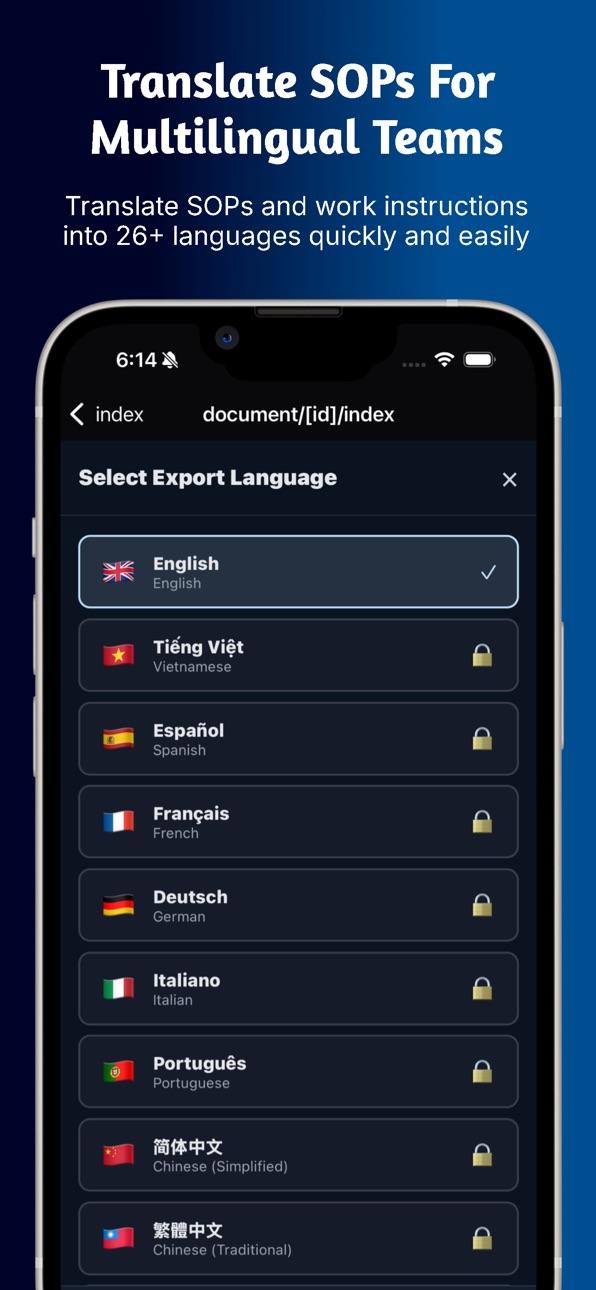
• Translate your SOPs to support multilingual teams
• Translate into 26 different languages
• Clearer training for diverse workplaces
• One-tap translated output ready to share
- Your docs stay private
• Your SOPs are stored securely on your device
• You control what gets shared and exported
• No clutter, no confusion
Built for real workplaces
Quick SOP is ideal for:
• Small business owners
• Managers & supervisors
• Safety & compliance staff
• Training coordinators
• Operations teams
And industries like:
Manufacturing, Construction, Warehousing, Hospitality, Cleaning, Retail, Health, Trades, Logistics, and more.
Why teams love it
• Faster onboarding
• Fewer mistakes
• Clearer training
• Professional SOPs without admin work
• Everything in your pocket, ready when needed
Download Quick SOP and start creating SOPs that are actually used — not ignored.
________________________________________
Notes:
• Some features require a Pro upgrade or in-app purchases (templates, advanced exports, translations).
• More features are being added regularly as the app grows.
Links:
Terms of Use (EULA): https://www.apple.com/legal/internet-services/itunes/dev/stdeula/
Privacy Policy: https://quicksophq.com/privacy-policy/
Capabilities
In-App Purchases
Accessibility
ipadiphonemacrealityDevicetvoswatch
Version history 6 versions
Build 882409587v1.2.42026-02-14 00:29:39
- Fixed a bug where step row at the bottom of page 1 would be cut off by footer instead of pushing to next page
Build 881865528v1.2.32026-01-27 19:35:25
- Implemented feedback and bug report system to better identify and resolve any issues and get user feedback about desired features etc
- Implemented crashlytics for recording any crash events so can resolve them
- Resolved some crashes on certain iPad devices
Build 880634556v1.2.12025-12-16 10:26:42
Bug fixes, image repair buttons and new logic to prevent image loss after app updates
Build 880428691v1.22025-12-11 00:37:26
Improved user flow & step creation
Fixed a bug in the preview and upgraded it
fixed a footer bug when in free mode - footer would not sit at foot of doc.
Easier “next step” after adding a step
A floating “Add Next Step” button now stays in the bottom-right corner, so you can quickly add your next step.
After you tap “Save Step”, a new prompt helps guide you:
“Great! You’ve added your first step. What’s next?”
With options: Add Another Step · Move to Design · I’m Done for Now
This makes it clearer what to do next, especially for new users.
Safer step deletion
When you delete a step, you’ll now see a confirmation message:
“Are you sure you want to delete?”
This helps prevent accidental deletions.
Clear 3-step guide when a document has no steps
If your document has 0 steps, you’ll now see a simple visual guide:
1 Add Steps → 2 Customize Design → 3 Export PDF
Tapping each number takes you straight to that part of the app, so the creation flow is easier to understand.
Simpler language selection
The language options have been combined into one clear language selector, instead of two in different places, reducing confusion.
Automatic scroll to your new step
When you add a step, the screen now automatically scrolls to the new step so you can see and edit it right away.
New user guided tour system to help users through the creation process
Updated links - metadata edits
Build 880334666v1.12025-12-04 19:25:21
Minor changes - Opened up some of the better templates for free users to get a better fell for what app can do. Fixed a bug with the template preview. Removed the initial paywall when app was first opened. Changed the subtitle text in app info.
Build 878473781v1.02025-12-02 15:14:13
No pricing data captured yet — comparisons appear once the app has paid storefronts or in-app purchases.
Availability 29 of 29 storefronts
| Region | Language | Price | Ratings | Avg | Version |
|---|---|---|---|---|---|
 US US | en-US | Free | 1 | 5.0 | 1.2.4 |
 BF BF | en-GB | Free | 0 | — | 1.2.4 |
 BJ BJ | en-GB | Free | 0 | — | 1.2.4 |
 CD CD | en-GB | Free | 0 | — | 1.2.4 |
 CG CG | en-GB | Free | 0 | — | 1.2.4 |
 CI CI | fr-FR | Free | 0 | — | 1.2.4 |
 CM CM | fr-FR | Free | 0 | — | 1.2.4 |
 CV CV | en-GB | Free | 0 | — | 1.2.4 |
 DZ DZ | en-GB | Free | 0 | — | 1.2.4 |
 GA GA | fr-FR | Free | 0 | — | 1.2.4 |
 GH GH | en-GB | Free | 0 | — | 1.2.4 |
 GM GM | en-GB | Free | 0 | — | 1.2.4 |
 GW GW | en-GB | Free | 0 | — | 1.2.4 |
 LR LR | en-GB | Free | 0 | — | 1.2.4 |
 LY LY | en-GB | Free | 0 | — | 1.2.4 |
 MA MA | en-GB | Free | 0 | — | 1.2.4 |
 MG MG | en-GB | Free | 0 | — | 1.2.4 |
 ML ML | en-GB | Free | 0 | — | 1.2.4 |
 NE NE | en-GB | Free | 0 | — | 1.2.4 |
 NG NG | en-GB | Free | 0 | — | 1.2.4 |
 RW RW | en-GB | Free | 0 | — | 1.2.4 |
 SC SC | en-GB | Free | 0 | — | 1.2.4 |
 SL SL | en-GB | Free | 0 | — | 1.2.4 |
 SN SN | en-GB | Free | 0 | — | 1.2.4 |
 ST ST | en-GB | Free | 0 | — | 1.2.4 |
 SZ SZ | en-GB | Free | 0 | — | 1.2.4 |
 TD TD | en-GB | Free | 0 | — | 1.2.4 |
 TN TN | en-GB | Free | 0 | — | 1.2.4 |
 TZ TZ | en-GB | Free | 0 | — | 1.2.4 |
Change log 10 changes · BF
✎
releaseNotes updated
- Fixed a bug where step row at the bottom of page 1 would be cut off by footer instead of pushing to next page
✎
description updated
Quick SOP helps you create Standard Operating Procedures ( SOPs ), Work Instructions, and training procedures in minutes — right from your iPhone.
Whether you’r
✎
subtitle updated
Create visual SOPs in minutes
✎
name updated
Quick SOP: Work Instructions
◆
Version 1.2.4 released
- Fixed a bug where step row at the bottom of page 1 would be cut off by footer instead of pushing to next page
◆
Version 1.2.3 released
- Implemented feedback and bug report system to better identify and resolve any issues and get user feedback about desired features etc
- Implemented crashlytics for recording any crash events so can resolve them
- Resolved some crashes on
◆
Version 1.2.1 released
Bug fixes, image repair buttons and new logic to prevent image loss after app updates
◆
Version 1.2 released
Improved user flow & step creation
Fixed a bug in the preview and upgraded it
fixed a footer bug when in free mode - footer would not sit at foot of doc.
Easier “next step” after adding a step
A floating “Add Next Step” button now stays
◆
Version 1.1 released
Minor changes - Opened up some of the better templates for free users to get a better fell for what app can do. Fixed a bug with the template preview. Removed the initial paywall when app was first opened. Changed the subtitle text in app i
◆
Version 1.0 released