Home › Photo & Video

RestoreAI - Enhance old photos
Repair, fix, colorize, restore
 DK
DK
 USen-US
 AUen-AU
 FRfr-FR
 GBen-GB
 AFen-GB
 AGen-GB
 AMen-GB
 ATde-DE
 AZen-GB
 BEen-GB
 BGen-GB
 BHen-GB
 BMen-GB
 BTen-GB
 CAen-CA
 CGen-GB
 CHde-CH
 CMfr-FR
 CNzh-Hans-CN
 COes-MX
 CYen-GB
 CZen-GB
 DEde-DEDKen-GB
 EEen-GB
 EGen-GB
 ESes-ES
 FIen-GB
 GAfr-FR
 GHen-GB
 GMen-GB
 GRen-GB
 GWen-GB
 HKzh-Hant-HK
 HRen-GB
 HUen-GB
 IDen-GB
 IEen-GB
 ILen-GB
 IQen-GB
 ISen-GB
 ITit
ITit JOen-GB
 JPja
JPja KHen-GB
 KRko
KRko KWen-GB
 KZen-GB
 LAen-GB
 LBen-GB
 LCen-GB
 LKen-GB
 LTen-GB
 LUen-GB
 LVen-GB
 MDen-GB
 MKen-GB
 MMen-GB
 MNen-GB
 MTen-GB
 NAen-GB
 NEen-GB
 NLnl
NLnl NZen-AU
 OMen-GB
 PAes-MX
 PHen-GB
 PLen-GB
 PTpt-PT
 RSen-GB
 SAen-GB
 SEsv
SEsv SGen-GB
 SIen-GB
 SKen-GB
 SNen-GB
 THen-GB
 TJen-GB
 TMen-GB
 TZen-GB
 UAen-GB
 VCen-GB
 VNen-GB
 YEen-GB
 ZWen-GB
85 of 85 storefronts
Content in en-US
Content in en-US
Information
Apple ID6752878397
Bundle IDwhocares.PhotoAI
SellerSeller
Min iOS16.6
Min macOS13.5
Device familiesiphone
Released2025-10-17
Copyright© 2026 Lightbox Studios
Privacy policyLink ↗
Preview 1 platform
iPhone 6 images


What’s New Version 1.50.1
Tuesday December 23
Minor update to video output returned as original photos aspect ratio
Description
Turn your old, blurry photos into gorgeous, sharp HD memories in just ONE TAP. It feels like magic!
With Restore AI, you can upload your faded, damaged, or low-resolution photos and watch as cutting-edge AI models restore, enhance, colorize, and sharpen them instantly. From vintage family albums to recent snapshots, Restore AI makes every memory look brand new.
Unlike other apps, Restore AI uses the latest advancements in AI to deliver superior quality and more powerful features — all in one place.
-------- Use Restore AI to... --------
• Auto Restore: Instantly repair and enhance your photos in one tap
• Colorize: Transform black-and-white images into natural, vivid color
• Smart Retouch: Fix scratches, noise, and imperfections with ease
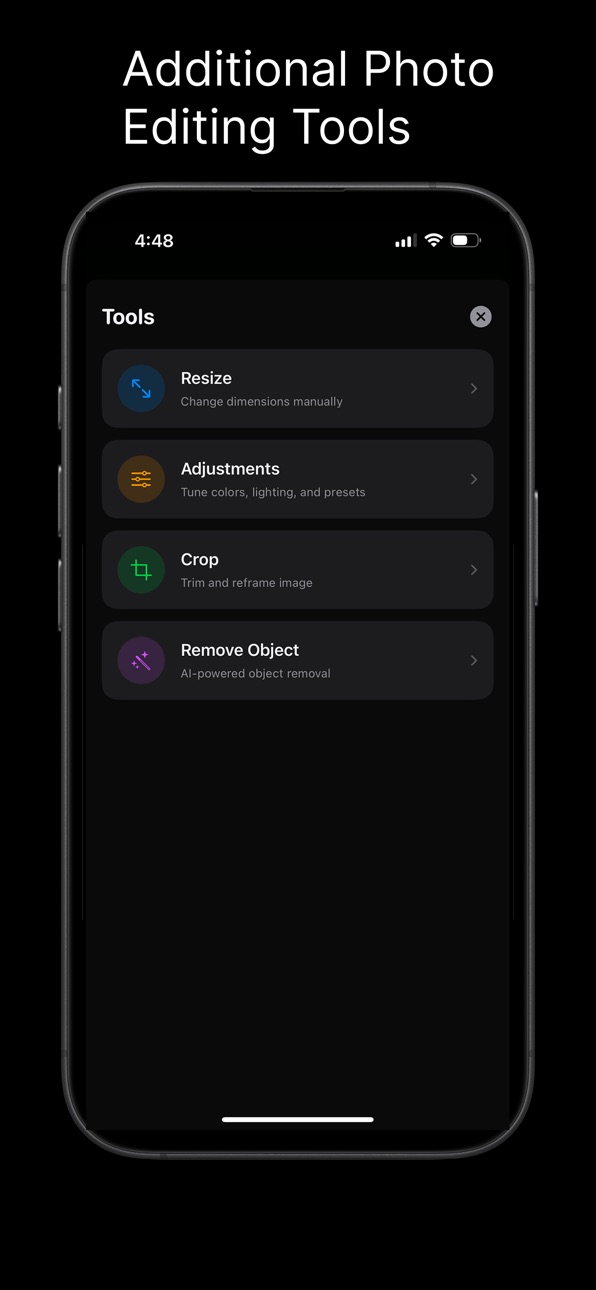
• AI Upscale & Resize: Sharpen and enlarge photos without losing detail
• Crop & Edit: Adjust your results directly inside the app
• Personal Library: Save, organize, and manage your restored images
• Share Anywhere: Send, post, or print your enhanced photos instantly
All powered by the most advanced AI photo restoration models available.
-------- Free & Unlimited --------
• Start free with 3 photo restorations
• Upgrade to Weekly or Annual Plans for unlimited images
Subscriptions
Subscribe for unlimited access to premium features.
• Subscription length: weekly or annual
• Manage subscriptions and turn off auto-renewal in Account Settings after purchase
Have a feature request you’d like to see in a future version of Restore AI? Contact us anytime at support@restoreai.app
Terms of Service: https://www.lightboxlabs.org/terms
Privacy Policy: https://www.lightboxlabs.org/privacy
EULA: https://www.apple.com/legal/internet-services/itunes/dev/stdeula/
In-App Purchases DK pricing
Pro Access Subscription
Pro - 1 Year · Yearly—
Pro - 1 Week · 7 days—
Capabilities
In-App Purchases
Accessibility
ipadiphonemacrealityDevicetvoswatch
Version history 13 versions
Build 880959408v1.50.12025-12-24 01:48:57
Tuesday December 23
Minor update to video output returned as original photos aspect ratio
Build 880893803v1.52025-12-22 07:15:09
Fixed Remove feature when editing already restored photos in the gallery! Also improved resizing tool to blur out borders of images for smoother boundary extensions!
Build 880462157v1.432025-12-10 13:24:32
New Feature: Animate Photos
Bring Your Photos to Life: Turn static images into stunning videos with our new Animate tool. Whether it's adding subtle motion to a portrait or cinematic life to a landscape, you can now generate high-definition videos directly from your library.
Improved Processing Reliability
Smart Retries: Fixed an issue where retrying a failed photo would sometimes get stuck. Retries now work instantly and reliably.
Background Safety: Added protection for "Zombie Tasks" to prevent old or cancelled jobs from interfering with new edits.
No More "Stuck at 100%": Fixed a bug where the processing screen would occasionally hang after finishing an edit.
Network & Connection Upgrades
Data Saver Mode: If a poor connection is detected, the app now automatically optimizes images for faster uploading and notifies you with a new, non-intrusive banner.
Network Status Capsule: A new dynamic indicator appears during processing to let you know if your connection is unstable.
Increased Timeouts: Uploads are now much more resilient on slow (3G/4G) connections and won't fail prematurely.
Bug Fixes & Improvements
Storage Cleanup: Fixed a bug where deleting a photo from the app didn't always free up space on your device.
Gallery Persistence: Resolved an issue where some photos might appear missing or "Image Not Found" after restarting the app.
Smoother Navigation: Fixed various navigation glitches when cancelling or backing out of the Crop and Edit screens.
UI Polish: Added a new, dedicated Profile button to the home screen for easier access to settings.
Build 880251873v1.42.32025-12-02 17:26:02
Content Creator actually is still stuck on IOS 16.... so now deployment updated to include IOS 16 and above. Also did something to make sure data between firebase and local device is consistent and galleryview is cached to improve image scrolling.
Build 880245264v1.42.22025-12-01 21:40:02
Lower deployment for easier access to more users!
Build 880154774v1.42.12025-11-28 18:12:33
This is a major update featuring a beautiful new home screen, a completely redesigned editing experience, and professional AI tools for advanced photo manipulation.
Here are the suggested texts for the App Store fields:
Promotional Text (Max 170 characters)
NEW HOME SCREEN! Experience our delightful new UI and unlock the next level of photo editing with the AI Resize tool and a powerful Zoomable Before/After slider!
What's New in This Version? (Max 4,000 characters)
We're excited to launch our biggest update yet, featuring a stunning new user interface and two powerful new AI-driven capabilities!
All-New User Experience
The entire app has been redesigned from the ground up to be more intuitive, modern, and delightful to use.
Bento-Style Home Screen: The main screen now uses a clean, modern "Bento Box" grid, making it easier than ever to find the tool you need. The most popular tool, Auto Restore, is showcased in a vibrant Hero Card.
Intuitive Floating Bar: The new tab bar design is clean, centered, and gives quick access to Share, Save, Edit, and Info buttons. The bar is crafted with an ultra-thin material for a sophisticated, modern look.
Thumbnail Strip for Options: When viewing multiple restored options, a new horizontal thumbnail strip at the bottom lets you easily swipe or tap to switch between them.
Enhanced Editing View
We've completely overhauled the editing and viewing experience for more control and clarity.
Zoomable Image Comparison: The Before/After Slider is now fully integrated with Pinch-to-Zoom and Panning. You can inspect the smallest details of your photo restoration at up to 5x magnification, ensuring quality without compromise.
Zoomable Single Image View: The single image view (when the slider is not visible) also supports Pinch-to-Zoom and Panning for close inspection. A hint overlay reminds you to double-tap to reset the zoom.
Smoother Undo: The Undo functionality now includes subtle animations and smoother transitions for removing the last edit from your photo history.
New AI Tool: AI Resize
Take full control of your image's composition and dimensions with our most advanced tool yet!
Canvas-Based Expansion: Select a new aspect ratio, and our cutting-edge AI will intelligently fill in the missing areas (both horizontal and vertical expansion are supported).
Pixel-Accurate Control: Use simple inputs to set your exact canvas size (up to 2048×2048px).
Dynamic Preview: A real-time preview shows exactly how the image will be positioned and what areas the AI will generate.
Mask Feathering: We've introduced soft-edge feathering to the AI mask to ensure a seamless, professional blend between your original photo and the new AI-generated expansion.
Build 879755869v1.422025-11-14 04:19:16
Light and dark mode now activated! Processing screens beautified. And most importantly, editing now comes with an undo feature and and has been simplified.
Build 879565592v1.0412025-11-07 18:02:20
A Cleaner Before and After: We heard your feedback and fixed the return of a processed image to have the same photo dimensions post processing.
Bug Squashed: Fixed an annoying bug where you couldn't scroll the results page right away after it loaded. Now it's smooth sailing!
Build 879225758v1.042025-10-27 15:36:38
Ui update
Build 879128279v1.032025-10-23 14:34:05
* Resolved a memory crash that could occur when processing very large images. Images are now resized more efficiently to prevent crashes and ensure compatibility with AI models.
* Corrected a bug where tapping a notification for a completed multi-result photo (like Auto Restore) incorrectly opened the wrong viewer. It now correctly shows the result selection screen.
* Fixed a crash that could occur when trying to view a photo that had previously failed processing from the main library. Failed photos now display correctly with options to retry or delete.
* Improved the retry process for photos that failed after the app was closed, ensuring the correct processing type is used and preventing "Could not load original image" errors in this specific scenario.
* Enhanced error handling to provide clearer messages when an AI model cannot process a specific image due to its content or size.
* Addressed a potential issue where a photo might not save correctly to the cloud without notifying the user; backup failures are now indicated.
* Fixed stability issues related to retrying failed photos directly from the gallery view.
* Resolved an issue with incorrect credit display for new users under certain sign-in conditions.
*Added Scanning photos ability
Build 879051547v1.012025-10-21 19:04:26
Cloud Syncing
Build 879126386v1.022025-10-21 20:31:35
This update fixes a critical bug that could cause an error message when dismissing the processing screen. We've also improved the stability of our photo restore process, handling refunding credits when errors occur during processing.
Build 878343296v1.02025-10-17 08:00:51
Price history by region
Currency
Show
Columns
Search
Availability 85 of 85 storefronts
| Region | Language | Price | Ratings | Avg | Version |
|---|---|---|---|---|---|
| US | en-US | Free | 5 | 5.0 | 1.50.1 |
| AU | en-AU | Free | 1 | 3.0 | 1.50.1 |
| FR | fr-FR | Free | 1 | 1.0 | 1.50.1 |
| GB | en-GB | Free | 1 | 5.0 | 1.50.1 |
| AF | en-GB | Free | 0 | — | 1.50.1 |
| AG | en-GB | Free | 0 | — | 1.50.1 |
| AM | en-GB | Free | 0 | — | 1.50.1 |
| AT | de-DE | Free | 0 | — | 1.50.1 |
| AZ | en-GB | Free | 0 | — | 1.50.1 |
| BE | en-GB | Free | 0 | — | 1.50.1 |
| BG | en-GB | Free | 0 | — | 1.50.1 |
| BH | en-GB | Free | 0 | — | 1.50.1 |
| BM | en-GB | Free | 0 | — | 1.50.1 |
| BT | en-GB | Free | 0 | — | 1.50.1 |
| CA | en-CA | Free | 0 | — | 1.50.1 |
| CG | en-GB | Free | 0 | — | 1.50.1 |
| CH | de-CH | Free | 0 | — | 1.50.1 |
| CM | fr-FR | Free | 0 | — | 1.50.1 |
| CN | zh-Hans-CN | Free | 0 | — | 1.50.1 |
| CO | es-MX | Free | 0 | — | 1.50.1 |
| CY | en-GB | Free | 0 | — | 1.50.1 |
| CZ | en-GB | Free | 0 | — | 1.50.1 |
| DE | de-DE | Free | 0 | — | 1.50.1 |
| DK | en-GB | Free | 0 | — | 1.50.1 |
| EE | en-GB | Free | 0 | — | 1.50.1 |
| EG | en-GB | Free | 0 | — | 1.50.1 |
| ES | es-ES | Free | 0 | — | 1.50.1 |
| FI | en-GB | Free | 0 | — | 1.50.1 |
| GA | fr-FR | Free | 0 | — | 1.50.1 |
| GH | en-GB | Free | 0 | — | 1.50.1 |
| GM | en-GB | Free | 0 | — | 1.50.1 |
| GR | en-GB | Free | 0 | — | 1.50.1 |
| GW | en-GB | Free | 0 | — | 1.50.1 |
| HK | zh-Hant-HK | Free | 0 | — | 1.50.1 |
| HR | en-GB | Free | 0 | — | 1.50.1 |
| HU | en-GB | Free | 0 | — | 1.50.1 |
| ID | en-GB | Free | 0 | — | 1.50.1 |
| IE | en-GB | Free | 0 | — | 1.50.1 |
| IL | en-GB | Free | 0 | — | 1.50.1 |
| IQ | en-GB | Free | 0 | — | 1.50.1 |
| IS | en-GB | Free | 0 | — | 1.50.1 |
| IT | it | Free | 0 | — | 1.50.1 |
| JO | en-GB | Free | 0 | — | 1.50.1 |
| JP | ja | Free | 0 | — | 1.50.1 |
| KH | en-GB | Free | 0 | — | 1.50.1 |
| KR | ko | Free | 0 | — | 1.50.1 |
| KW | en-GB | Free | 0 | — | 1.50.1 |
| KZ | en-GB | Free | 0 | — | 1.50.1 |
| LA | en-GB | Free | 0 | — | 1.50.1 |
| LB | en-GB | Free | 0 | — | 1.50.1 |
| LC | en-GB | Free | 0 | — | 1.50.1 |
| LK | en-GB | Free | 0 | — | 1.50.1 |
| LT | en-GB | Free | 0 | — | 1.50.1 |
| LU | en-GB | Free | 0 | — | 1.50.1 |
| LV | en-GB | Free | 0 | — | 1.50.1 |
| MD | en-GB | Free | 0 | — | 1.50.1 |
| MK | en-GB | Free | 0 | — | 1.50.1 |
| MM | en-GB | Free | 0 | — | 1.50.1 |
| MN | en-GB | Free | 0 | — | 1.50.1 |
| MT | en-GB | Free | 0 | — | 1.50.1 |
| NA | en-GB | Free | 0 | — | 1.50.1 |
| NE | en-GB | Free | 0 | — | 1.50.1 |
| NL | nl | Free | 0 | — | 1.50.1 |
| NZ | en-AU | Free | 0 | — | 1.50.1 |
| OM | en-GB | Free | 0 | — | 1.50.1 |
| PA | es-MX | Free | 0 | — | 1.50.1 |
| PH | en-GB | Free | 0 | — | 1.50.1 |
| PL | en-GB | Free | 0 | — | 1.50.1 |
| PT | pt-PT | Free | 0 | — | 1.50.1 |
| RS | en-GB | Free | 0 | — | 1.50.1 |
| SA | en-GB | Free | 0 | — | 1.50.1 |
| SE | sv | Free | 0 | — | 1.50.1 |
| SG | en-GB | Free | 0 | — | 1.50.1 |
| SI | en-GB | Free | 0 | — | 1.50.1 |
| SK | en-GB | Free | 0 | — | 1.50.1 |
| SN | en-GB | Free | 0 | — | 1.50.1 |
| TH | en-GB | Free | 0 | — | 1.50.1 |
| TJ | en-GB | Free | 0 | — | 1.50.1 |
| TM | en-GB | Free | 0 | — | 1.50.1 |
| TZ | en-GB | Free | 0 | — | 1.50.1 |
| UA | en-GB | Free | 0 | — | 1.50.1 |
| VC | en-GB | Free | 0 | — | 1.50.1 |
| VN | en-GB | Free | 0 | — | 1.50.1 |
| YE | en-GB | Free | 0 | — | 1.50.1 |
| ZW | en-GB | Free | 0 | — | 1.50.1 |
Change log 17 changes · DK
✎
releaseNotes updated
Tuesday December 23
Minor update to video output returned as original photos aspect ratio
✎
description updated
Turn your old, blurry photos into gorgeous, sharp HD memories in just ONE TAP. It feels like magic!
With Restore AI, you can upload your faded, damaged, or low
✎
subtitle updated
Repair, fix, colorize, restore
✎
name updated
RestoreAI - Enhance old photos
◆
Version 1.50.1 released
Tuesday December 23
Minor update to video output returned as original photos aspect ratio
◆
Version 1.5 released
Fixed Remove feature when editing already restored photos in the gallery! Also improved resizing tool to blur out borders of images for smoother boundary extensions!
◆
Version 1.43 released
New Feature: Animate Photos
Bring Your Photos to Life: Turn static images into stunning videos with our new Animate tool. Whether it's adding subtle motion to a portrait or cinematic life to a landscape, you can now generate high-definitio
◆
Version 1.42.3 released
Content Creator actually is still stuck on IOS 16.... so now deployment updated to include IOS 16 and above. Also did something to make sure data between firebase and local device is consistent and galleryview is cached to improve image scr
◆
Version 1.42.2 released
Lower deployment for easier access to more users!
◆
Version 1.42.1 released
This is a major update featuring a beautiful new home screen, a completely redesigned editing experience, and professional AI tools for advanced photo manipulation.
Here are the suggested texts for the App Store fields:
Promotional Text
◆
Version 1.42 released
Light and dark mode now activated! Processing screens beautified. And most importantly, editing now comes with an undo feature and and has been simplified.
◆
Version 1.041 released
A Cleaner Before and After: We heard your feedback and fixed the return of a processed image to have the same photo dimensions post processing.
Bug Squashed: Fixed an annoying bug where you couldn't scroll the results page right away afte
◆
Version 1.04 released
Ui update
◆
Version 1.03 released
* Resolved a memory crash that could occur when processing very large images. Images are now resized more efficiently to prevent crashes and ensure compatibility with AI models.
* Corrected a bug where tapping a notification for a completed
◆
Version 1.02 released
This update fixes a critical bug that could cause an error message when dismissing the processing screen. We've also improved the stability of our photo restore process, handling refunding credits when errors occur during processing.
◆
Version 1.01 released
Cloud Syncing
◆
Version 1.0 released