Home › Utilities

 US
US
1 of 1 storefronts
Content in en-US
Content in en-US
Information
Apple ID6749268409
Bundle IDcom.51yourdream.converter
SellerSeller
Min iOS16.6
Min macOS13.5
Device familiesiphone, ipad
Released2025-07-31
CopyrightCopyright © 2025 Peng Li. All rights reserved.
Privacy policyLink ↗
Preview 2 platforms
iPhone 3 images


iPad 3 images


What’s New Version 1.0.5
1. Modify the app icon
2. Optimize image import URLs
3. Fix known bugs
Description
Transform Your Images with PicConverter - The Ultimate Image Format Converter
PicConverter is a powerful and user-friendly image converter designed to meet all your format conversion needs. Whether you're a professional photographer, designer, or casual user, our photo converter provides seamless image format conversion between all major photo format types.
Key Features
Multi-Format Image Converter
Convert between PNG, JPEG, HEIC, WEBP, GIF, TIFF, BMP, PDF, and more
Support for both static and animated images
High-quality image format converter with preserved image details
Advanced Photo Converter
HEIC converter - Convert HEIC to JPG, PNG, and other formats
GIF converter - Convert animated GIFs with full quality preservation
WebP converter - Convert WebP images to popular formats
PDF converter - Convert images to PDF format
PNG converter - Convert to PNG with transparency support
JPEG converter - Optimize JPEG quality and compression
Live photo converter - Convert live photo to GIF format
Multiple Import Methods
Import from Photos library
Select from Files app
Paste from clipboard
Import via URL links
Scan QR codes to import images
Batch Image Converter
Convert images in batches for efficiency
Select all or choose specific images
Batch convert multiple images simultaneously
Time-saving image conversion workflows
Smart Export Options
Save directly to Photos library
Share via various apps and platforms
Export to Files app for organization
Support for different file converter formats
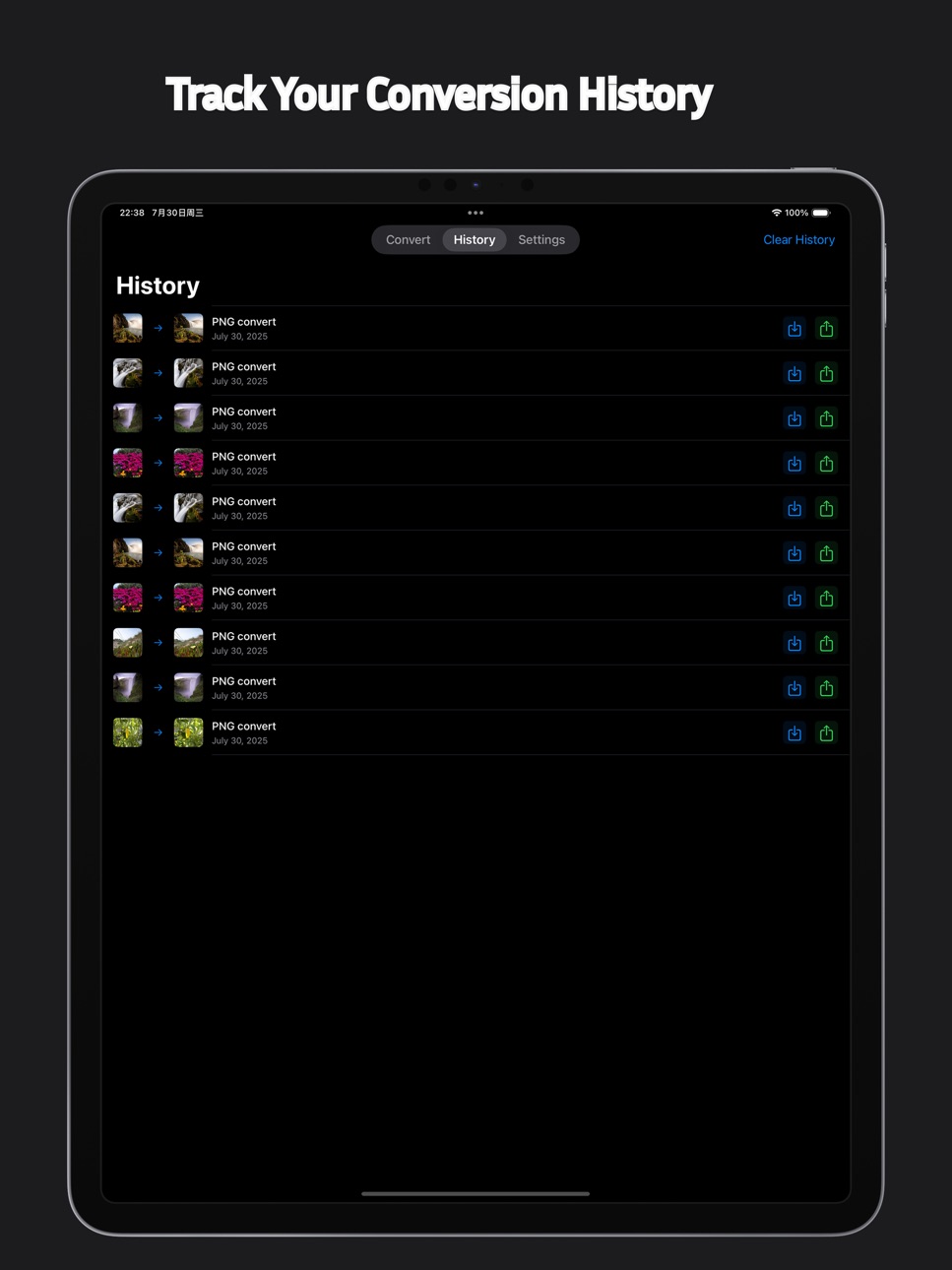
Conversion History
Track all your image converter activities
Quick access to previously converted images
Easy management of conversion history
Perfect For
Photographers & Designers
Convert RAW images to web-friendly formats
Prepare images for different platforms
Maintain quality across various image formats
Business Users
Convert documents to PDF format
Prepare images for presentations
Batch convert company assets
Casual Users
Convert photos for social media
Change image formats for different apps
Organize personal photo collections
Supported Formats
Input Formats: PNG, JPEG, JPG, HEIC, WEBP, GIF, TIFF, BMP, PDF, PSD, EPS
Output Formats: PNG, JPEG, JPG, HEIC, WEBP, GIF, TIFF, BMP, PDF
Live Photo to GIF Converter
Device Compatibility
iPhone (iOS 16.6+)
iPad (iOS 16.6+)
Optimized for all screen sizes
Universal app - one purchase for all devices
Privacy & Security
All processing done locally on your device
No data uploaded to servers
Complete privacy protection
No tracking or data collection
Why Choose PicConverter?
User-Friendly Interface - Intuitive design that makes image conversion simple
High-Quality Results - Professional-grade image converter algorithms
Multiple Import Options - Flexible ways to get your images into the app
Batch Processing - Save time with multiple image conversions
Privacy-First - Your images stay on your device
Regular Updates - Continuous improvements and new features
What's New
Enhanced batch convert processing
Improved format converter compatibility
Better performance optimization
New import methods
Updated user interface
Subscription Information
Free version with basic image converter features
Premium subscription for advanced format converter options
Auto-renewable subscription for continuous access
UseCancel anytime in App Store Settings
Download PicConverter today and experience the easiest way to convert images between formats!
Terms of
This app uses the standard Apple Terms of Use (EULA): https://www.apple.com/legal/internet-services/itunes/dev/stdeula/
Capabilities
In-App Purchases
Accessibility
ipadiphonemacrealityDevicetvoswatch
Version history 6 versions
Build 878179113v1.0.52025-09-17 23:31:50
1. Modify the app icon
2. Optimize image import URLs
3. Fix known bugs
Build 877259068v1.0.42025-08-14 21:38:29
1. update name
2. fix bug
Build 877099733v1.0.32025-08-08 22:59:14
update app name
Build 876961301v1.0.22025-08-05 06:47:54
1. Added Live Photo conversion to GIF
2. fix known issues
Build 876907776v1.0.12025-08-02 11:50:58
1.Update default language
2.Update international translations
Build 876803161v1.0.02025-08-01 00:51:21
No pricing data captured yet — comparisons appear once the app has paid storefronts or in-app purchases.
Availability 1 of 1 storefronts
| Region | Language | Price | Ratings | Avg | Version |
|---|---|---|---|---|---|
| US | en-US | Free | 3 | 3.7 | 1.0.5 |
Change log 10 changes · US
✎
releaseNotes updated
1. Modify the app icon
2. Optimize image import URLs
3. Fix known bugs
✎
description updated
Transform Your Images with PicConverter - The Ultimate Image Format Converter
PicConverter is a powerful and user-friendly image converter designed to meet all
✎
subtitle updated
jpeg converter gif converter
✎
name updated
Jpg Converter Photos to JPEG ™
◆
Version 1.0.5 released
1. Modify the app icon
2. Optimize image import URLs
3. Fix known bugs
◆
Version 1.0.4 released
1. update name
2. fix bug
◆
Version 1.0.3 released
update app name
◆
Version 1.0.2 released
1. Added Live Photo conversion to GIF
2. fix known issues
◆
Version 1.0.1 released
1.Update default language
2.Update international translations
◆
Version 1.0.0 released