Home › Photo & Video

Rando - Random Photo Slideshow
Rediscover forgotten memories
 EC
EC
 AEen-GB
 AFen-GB
 AGen-GB
 AIen-GB
 AMen-GB
 AOen-GB
 ARes-MX
 ATde-DE
 AUen-AU
 AZen-GB
 BAen-GB
 BBen-GB
 BEen-GB
 BFen-GB
 BGen-GB
 BHen-GB
 BJen-GB
 BMen-GB
 BNen-GB
 BOes-MX
 BRpt-BR
 BTen-GB
 BWen-GB
 BYen-GB
 BZen-GB
 CAen-CA
 CDen-GB
 CGen-GB
 CHde-CH
 CIfr-FR
 CLes-MX
 CMfr-FR
 CNzh-Hans-CN
 COes-MX
 CRes-MX
 CVen-GB
 CYen-GB
 CZen-GB
 DEde-DE
 DKen-GB
 DMen-GB
 DOes-MX
 DZen-GBECes-MX
 EEen-GB
 EGen-GB
 ESes-ES
 FIen-GB
 FJen-GB
 FMen-GB
 FRfr-FR
 GAfr-FR
 GBen-GB
 GDen-GB
 GEen-GB
 GHen-GB
 GMen-GB
 GRen-GB
 GTes-MX
 GWen-GB
 GYen-GB
 HKzh-Hant-HK
 HNes-MX
 HRen-GB
 HUen-GB
 IDen-GB
 IEen-GB
 ILen-GB
 INen-GB
 IQen-GB
 ISen-GB
 ITit
ITit JMen-GB
 JOen-GB
 JPja
JPja KEen-GB
 KGen-GB
 KHen-GB
 KNen-GB
 KRko
KRko KWen-GB
 KYen-GB
 KZen-GB
 LAen-GB
 LBen-GB
 LCen-GB
 LKen-GB
 LRen-GB
 LUen-GB
 LVen-GB
 LYen-GB
 MAen-GB
 MEen-GB
 MGen-GB
 MLen-GB
 MMen-GB
 MNen-GB
 MOzh-Hant-HK
 MRen-GB
 MSen-GB
 MUen-GB
 MVen-GB
 MWen-GB
 MXes-MX
 MYen-GB
 MZen-GB
 NAen-GB
 NEen-GB
 NIes-MX
 NLnl
NLnl NOen-GB
 NPen-GB
 NRen-GB
 NZen-AU
 OMen-GB
 PEes-MX
 PGen-GB
 PHen-GB
 PKen-GB
 PLen-GB
 PTpt-PT
 PWen-GB
 PYes-MX
 QAen-GB
 ROen-GB
 RUru
RUru RWen-GB
 SAen-GB
 SBen-GB
 SCen-GB
 SEsv
SEsv SGen-GB
 SIen-GB
 SKen-GB
 SLen-GB
 SNen-GB
 SRen-GB
 STen-GB
 SVes-MX
 SZen-GB
 TCen-GB
 TDen-GB
 THen-GB
 TJen-GB
 TMen-GB
 TNen-GB
 TOen-GB
 TRen-GB
 TTen-GB
 TWzh-Hant-TW
 TZen-GB
 UAen-GB
 UGen-GB
 USen-US
 UYen-GB
 UZen-GB
 VCen-GB
 VEes-MX
 VGen-GB
 VNen-GB
 VUen-GB
 XKen-GB
 YEen-GB
 ZAen-GB
 ZMen-GB
 ZWen-GB
166 of 166 storefronts
Content in en-US
Content in en-US
Information
Preview 3 platforms
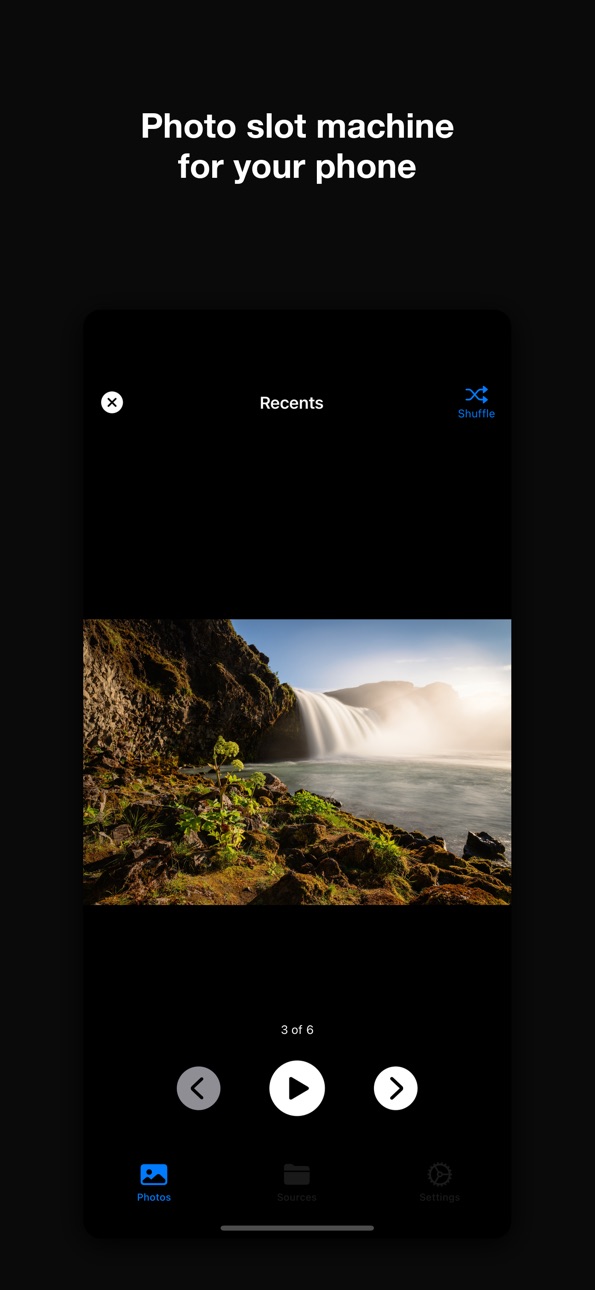
iPhone 4 images


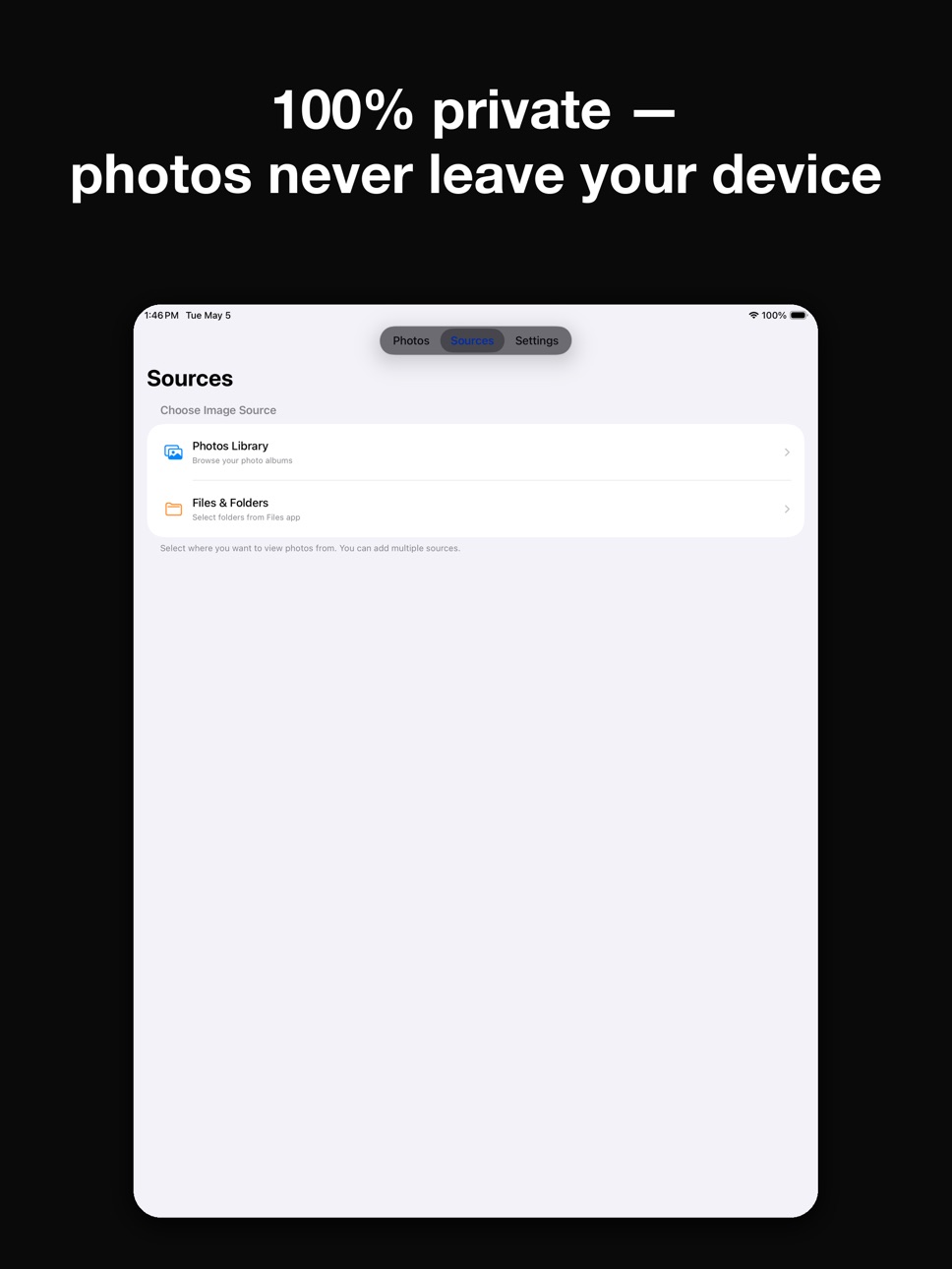
iPad 5 images



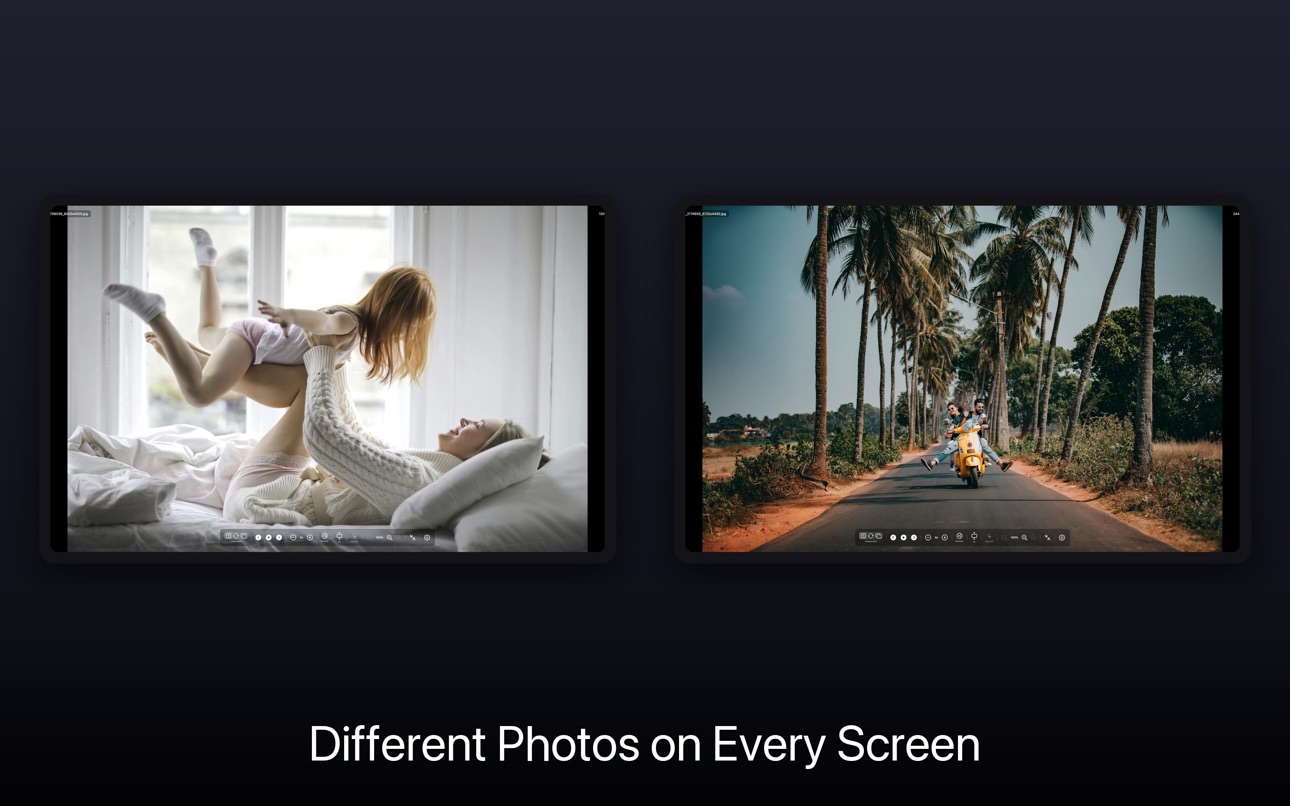
Mac 8 images




What’s New Version 1.5 - Video Support
VIDEO SUPPORT
Your videos now join the random rotation alongside your photos.
What's New:
- Videos in Photos albums and folders — Tap the random button or run a slideshow and your videos appear right alongside your photos, playing automatically (mute toggle in Settings → Media).
- Live Photos — Live Photos in your library play their motion preview in the slideshow with a Live Photos badge in the corner.
- Video scrub bar — Drag the slider on a playing video to scrub to any point; elapsed and remaining time labels help you find your spot.
- Videos play to their natural end — The slideshow waits for the video to finish before advancing, instead of cutting it off at the photo interval.
- Folder video support — Videos in folder sources (Files app, iCloud Drive, On My iPhone) are included too. A Settings toggle lets you change your mind later.
- Smoother middle-tap — Fixed a glitch where tapping in the middle band of the screen during a slideshow didn't hide the controls reliably.
Settings → Media lets you control video inclusion per source, audio behavior, and a duration cap for very long videos.
100% private. Photos and videos never leave your device.
Description
Your Photos library is full of forgotten gems. Rando brings them back - randomly.
TAP FOR INSTANT JOY
One tap = a random photo from your collection. It's like a slot machine for memories. Swipe for more, or let the slideshow run. Rediscover that vacation from 2015, your kid's first steps, that sunset you completely forgot about.
PHOTO SLOT MACHINE (iPhone)
Quick, fun, and surprisingly addictive. Tap the button for a fresh photo. Great for:
• Morning coffee nostalgia
• "Remember when?" conversations
• Finding photos to share on social media
WORKS WITH YOUR PHOTOS — AND YOUR VIDEOS
• Photos Library - all your albums and memories
• Files app - folders from iCloud Drive, On My iPhone, Dropbox, and more
• Videos play right in the rotation, with a scrub bar to seek
• Live Photos play their motion preview
• Mix multiple sources together
SLIDESHOW FEATURES
• Shuffle or sequential playback
• Adjustable timing (3 to 30 seconds)
• Videos play to their natural end before advancing
• Pinch to zoom in on any photo, double-tap to reset
• Auto-resume when you return to the app
• Full-screen, distraction-free viewing
100% PRIVATE
Your photos never leave your device. No cloud uploads, no accounts, no AI scanning. We literally cannot see your photos - that's the point.
ALSO ON MAC
Love Rando on your iPhone or iPad? The Mac companion app takes it further — multi-monitor slideshows, drill into any folder, sort and cull your photo archive. Search "Rando" on the Mac App Store.
------
Rando for iOS is completely free. No subscriptions, no limits, no ads. Just your photos, randomly.
Privacy Policy: https://www.randopicker.com/privacy/
Terms of Use: https://www.apple.com/legal/internet-services/itunes/dev/stdeula/
Capabilities
In-App Purchases
Accessibility
ipadiphonemacrealityDevicetvoswatch
Version history 3 versions
Build 885789881v1.5 - Video Support2026-05-18 18:03:06
VIDEO SUPPORT
Your videos now join the random rotation alongside your photos.
What's New:
- Videos in Photos albums and folders — Tap the random button or run a slideshow and your videos appear right alongside your photos, playing automatically (mute toggle in Settings → Media).
- Live Photos — Live Photos in your library play their motion preview in the slideshow with a Live Photos badge in the corner.
- Video scrub bar — Drag the slider on a playing video to scrub to any point; elapsed and remaining time labels help you find your spot.
- Videos play to their natural end — The slideshow waits for the video to finish before advancing, instead of cutting it off at the photo interval.
- Folder video support — Videos in folder sources (Files app, iCloud Drive, On My iPhone) are included too. A Settings toggle lets you change your mind later.
- Smoother middle-tap — Fixed a glitch where tapping in the middle band of the screen during a slideshow didn't hide the controls reliably.
Settings → Media lets you control video inclusion per source, audio behavior, and a duration cap for very long videos.
100% private. Photos and videos never leave your device.
Build 885543310v1.1.0 - Faster, Friendlier Album Browsing2026-05-12 17:59:23
FASTER, FRIENDLIER ALBUM BROWSING
The albums you actually use are now where you can find them.
What's New:
- Recents pinned to the top - No more hunting. Recents leads the album list, followed by Recently Added and Favorites.
- New "All Photos" album - Turn on the Hidden Album in Settings and a brand-new "All Photos" option appears at the top, pulling random images from your entire library — hidden ones included.
- Smoother taps - Fixed a glitch where "See All" on the home screen could accidentally launch a slideshow instead of opening your album list.
- Less interruption on first launch - The Mac companion app suggestion now waits until you've actually used Rando before saying hello.
100% private. Photos never leave your device.
Build 883068428v1.0.02026-05-07 05:40:47
No pricing data captured yet — comparisons appear once the app has paid storefronts or in-app purchases.
Availability 166 of 166 storefronts
| Region | Language | Price | Ratings | Avg | Version |
|---|---|---|---|---|---|
| AE | en-GB | Free | 0 | — | 1.5 - Video Support |
| AF | en-GB | Free | 0 | — | 1.5 - Video Support |
| AG | en-GB | Free | 0 | — | 1.5 - Video Support |
| AI | en-GB | Free | 0 | — | 1.5 - Video Support |
| AM | en-GB | Free | 0 | — | 1.5 - Video Support |
| AO | en-GB | Free | 0 | — | 1.5 - Video Support |
| AR | es-MX | Free | 0 | — | 1.5 - Video Support |
| AT | de-DE | Free | 0 | — | 1.5 - Video Support |
| AU | en-AU | Free | 0 | — | 1.5 - Video Support |
| AZ | en-GB | Free | 0 | — | 1.5 - Video Support |
| BA | en-GB | Free | 0 | — | 1.5 - Video Support |
| BB | en-GB | Free | 0 | — | 1.5 - Video Support |
| BE | en-GB | Free | 0 | — | 1.5 - Video Support |
| BF | en-GB | Free | 0 | — | 1.5 - Video Support |
| BG | en-GB | Free | 0 | — | 1.5 - Video Support |
| BH | en-GB | Free | 0 | — | 1.5 - Video Support |
| BJ | en-GB | Free | 0 | — | 1.5 - Video Support |
| BM | en-GB | Free | 0 | — | 1.5 - Video Support |
| BN | en-GB | Free | 0 | — | 1.5 - Video Support |
| BO | es-MX | Free | 0 | — | 1.5 - Video Support |
| BR | pt-BR | Free | 0 | — | 1.5 - Video Support |
| BT | en-GB | Free | 0 | — | 1.5 - Video Support |
| BW | en-GB | Free | 0 | — | 1.5 - Video Support |
| BY | en-GB | Free | 0 | — | 1.5 - Video Support |
| BZ | en-GB | Free | 0 | — | 1.5 - Video Support |
| CA | en-CA | Free | 0 | — | 1.5 - Video Support |
| CD | en-GB | Free | 0 | — | 1.5 - Video Support |
| CG | en-GB | Free | 0 | — | 1.5 - Video Support |
| CH | de-CH | Free | 0 | — | 1.5 - Video Support |
| CI | fr-FR | Free | 0 | — | 1.5 - Video Support |
| CL | es-MX | Free | 0 | — | 1.5 - Video Support |
| CM | fr-FR | Free | 0 | — | 1.5 - Video Support |
| CN | zh-Hans-CN | Free | 0 | — | 1.5 - Video Support |
| CO | es-MX | Free | 0 | — | 1.5 - Video Support |
| CR | es-MX | Free | 0 | — | 1.5 - Video Support |
| CV | en-GB | Free | 0 | — | 1.5 - Video Support |
| CY | en-GB | Free | 0 | — | 1.5 - Video Support |
| CZ | en-GB | Free | 0 | — | 1.5 - Video Support |
| DE | de-DE | Free | 0 | — | 1.5 - Video Support |
| DK | en-GB | Free | 0 | — | 1.5 - Video Support |
| DM | en-GB | Free | 0 | — | 1.5 - Video Support |
| DO | es-MX | Free | 0 | — | 1.5 - Video Support |
| DZ | en-GB | Free | 0 | — | 1.5 - Video Support |
| EC | es-MX | Free | 0 | — | 1.5 - Video Support |
| EE | en-GB | Free | 0 | — | 1.5 - Video Support |
| EG | en-GB | Free | 0 | — | 1.5 - Video Support |
| ES | es-ES | Free | 0 | — | 1.5 - Video Support |
| FI | en-GB | Free | 0 | — | 1.5 - Video Support |
| FJ | en-GB | Free | 0 | — | 1.5 - Video Support |
| FM | en-GB | Free | 0 | — | 1.5 - Video Support |
| FR | fr-FR | Free | 0 | — | 1.5 - Video Support |
| GA | fr-FR | Free | 0 | — | 1.5 - Video Support |
| GB | en-GB | Free | 0 | — | 1.5 - Video Support |
| GD | en-GB | Free | 0 | — | 1.5 - Video Support |
| GE | en-GB | Free | 0 | — | 1.5 - Video Support |
| GH | en-GB | Free | 0 | — | 1.5 - Video Support |
| GM | en-GB | Free | 0 | — | 1.5 - Video Support |
| GR | en-GB | Free | 0 | — | 1.5 - Video Support |
| GT | es-MX | Free | 0 | — | 1.5 - Video Support |
| GW | en-GB | Free | 0 | — | 1.5 - Video Support |
| GY | en-GB | Free | 0 | — | 1.5 - Video Support |
| HK | zh-Hant-HK | Free | 0 | — | 1.5 - Video Support |
| HN | es-MX | Free | 0 | — | 1.5 - Video Support |
| HR | en-GB | Free | 0 | — | 1.5 - Video Support |
| HU | en-GB | Free | 0 | — | 1.5 - Video Support |
| ID | en-GB | Free | 0 | — | 1.5 - Video Support |
| IE | en-GB | Free | 0 | — | 1.5 - Video Support |
| IL | en-GB | Free | 0 | — | 1.5 - Video Support |
| IN | en-GB | Free | 0 | — | 1.5 - Video Support |
| IQ | en-GB | Free | 0 | — | 1.5 - Video Support |
| IS | en-GB | Free | 0 | — | 1.5 - Video Support |
| IT | it | Free | 0 | — | 1.5 - Video Support |
| JM | en-GB | Free | 0 | — | 1.5 - Video Support |
| JO | en-GB | Free | 0 | — | 1.5 - Video Support |
| JP | ja | Free | 0 | — | 1.5 - Video Support |
| KE | en-GB | Free | 0 | — | 1.5 - Video Support |
| KG | en-GB | Free | 0 | — | 1.5 - Video Support |
| KH | en-GB | Free | 0 | — | 1.5 - Video Support |
| KN | en-GB | Free | 0 | — | 1.5 - Video Support |
| KR | ko | Free | 0 | — | 1.5 - Video Support |
| KW | en-GB | Free | 0 | — | 1.5 - Video Support |
| KY | en-GB | Free | 0 | — | 1.5 - Video Support |
| KZ | en-GB | Free | 0 | — | 1.5 - Video Support |
| LA | en-GB | Free | 0 | — | 1.5 - Video Support |
| LB | en-GB | Free | 0 | — | 1.5 - Video Support |
| LC | en-GB | Free | 0 | — | 1.5 - Video Support |
| LK | en-GB | Free | 0 | — | 1.5 - Video Support |
| LR | en-GB | Free | 0 | — | 1.5 - Video Support |
| LU | en-GB | Free | 0 | — | 1.5 - Video Support |
| LV | en-GB | Free | 0 | — | 1.5 - Video Support |
| LY | en-GB | Free | 0 | — | 1.5 - Video Support |
| MA | en-GB | Free | 0 | — | 1.5 - Video Support |
| ME | en-GB | Free | 0 | — | 1.5 - Video Support |
| MG | en-GB | Free | 0 | — | 1.5 - Video Support |
| ML | en-GB | Free | 0 | — | 1.5 - Video Support |
| MM | en-GB | Free | 0 | — | 1.5 - Video Support |
| MN | en-GB | Free | 0 | — | 1.5 - Video Support |
| MO | zh-Hant-HK | Free | 0 | — | 1.5 - Video Support |
| MR | en-GB | Free | 0 | — | 1.5 - Video Support |
| MS | en-GB | Free | 0 | — | 1.5 - Video Support |
| MU | en-GB | Free | 0 | — | 1.5 - Video Support |
| MV | en-GB | Free | 0 | — | 1.5 - Video Support |
| MW | en-GB | Free | 0 | — | 1.5 - Video Support |
| MX | es-MX | Free | 0 | — | 1.5 - Video Support |
| MY | en-GB | Free | 0 | — | 1.5 - Video Support |
| MZ | en-GB | Free | 0 | — | 1.5 - Video Support |
| NA | en-GB | Free | 0 | — | 1.5 - Video Support |
| NE | en-GB | Free | 0 | — | 1.5 - Video Support |
| NI | es-MX | Free | 0 | — | 1.5 - Video Support |
| NL | nl | Free | 0 | — | 1.5 - Video Support |
| NO | en-GB | Free | 0 | — | 1.5 - Video Support |
| NP | en-GB | Free | 0 | — | 1.5 - Video Support |
| NR | en-GB | Free | 0 | — | 1.5 - Video Support |
| NZ | en-AU | Free | 0 | — | 1.5 - Video Support |
| OM | en-GB | Free | 0 | — | 1.5 - Video Support |
| PE | es-MX | Free | 0 | — | 1.5 - Video Support |
| PG | en-GB | Free | 0 | — | 1.5 - Video Support |
| PH | en-GB | Free | 0 | — | 1.5 - Video Support |
| PK | en-GB | Free | 0 | — | 1.5 - Video Support |
| PL | en-GB | Free | 0 | — | 1.5 - Video Support |
| PT | pt-PT | Free | 0 | — | 1.5 - Video Support |
| PW | en-GB | Free | 0 | — | 1.5 - Video Support |
| PY | es-MX | Free | 0 | — | 1.5 - Video Support |
| QA | en-GB | Free | 0 | — | 1.5 - Video Support |
| RO | en-GB | Free | 0 | — | 1.5 - Video Support |
| RU | ru | Free | 0 | — | 1.5 - Video Support |
| RW | en-GB | Free | 0 | — | 1.5 - Video Support |
| SA | en-GB | Free | 0 | — | 1.5 - Video Support |
| SB | en-GB | Free | 0 | — | 1.5 - Video Support |
| SC | en-GB | Free | 0 | — | 1.5 - Video Support |
| SE | sv | Free | 0 | — | 1.5 - Video Support |
| SG | en-GB | Free | 0 | — | 1.5 - Video Support |
| SI | en-GB | Free | 0 | — | 1.5 - Video Support |
| SK | en-GB | Free | 0 | — | 1.5 - Video Support |
| SL | en-GB | Free | 0 | — | 1.5 - Video Support |
| SN | en-GB | Free | 0 | — | 1.5 - Video Support |
| SR | en-GB | Free | 0 | — | 1.5 - Video Support |
| ST | en-GB | Free | 0 | — | 1.5 - Video Support |
| SV | es-MX | Free | 0 | — | 1.5 - Video Support |
| SZ | en-GB | Free | 0 | — | 1.5 - Video Support |
| TC | en-GB | Free | 0 | — | 1.5 - Video Support |
| TD | en-GB | Free | 0 | — | 1.5 - Video Support |
| TH | en-GB | Free | 0 | — | 1.5 - Video Support |
| TJ | en-GB | Free | 0 | — | 1.5 - Video Support |
| TM | en-GB | Free | 0 | — | 1.5 - Video Support |
| TN | en-GB | Free | 0 | — | 1.5 - Video Support |
| TO | en-GB | Free | 0 | — | 1.5 - Video Support |
| TR | en-GB | Free | 0 | — | 1.5 - Video Support |
| TT | en-GB | Free | 0 | — | 1.5 - Video Support |
| TW | zh-Hant-TW | Free | 0 | — | 1.5 - Video Support |
| TZ | en-GB | Free | 0 | — | 1.5 - Video Support |
| UA | en-GB | Free | 0 | — | 1.5 - Video Support |
| UG | en-GB | Free | 0 | — | 1.5 - Video Support |
| US | en-US | Free | 0 | — | 1.5 - Video Support |
| UY | en-GB | Free | 0 | — | 1.5 - Video Support |
| UZ | en-GB | Free | 0 | — | 1.5 - Video Support |
| VC | en-GB | Free | 0 | — | 1.5 - Video Support |
| VE | es-MX | Free | 0 | — | 1.5 - Video Support |
| VG | en-GB | Free | 0 | — | 1.5 - Video Support |
| VN | en-GB | Free | 0 | — | 1.5 - Video Support |
| VU | en-GB | Free | 0 | — | 1.5 - Video Support |
| XK | en-GB | Free | 0 | — | 1.5 - Video Support |
| YE | en-GB | Free | 0 | — | 1.5 - Video Support |
| ZA | en-GB | Free | 0 | — | 1.5 - Video Support |
| ZM | en-GB | Free | 0 | — | 1.5 - Video Support |
| ZW | en-GB | Free | 0 | — | 1.5 - Video Support |
Change log 7 changes · EC
✎
releaseNotes updated
VIDEO SUPPORT
Your videos now join the random rotation alongside your photos.
What's New:
- Videos in Photos albums and folders — Tap the random button or ru
✎
description updated
Your Photos library is full of forgotten gems. Rando brings them back - randomly.
TAP FOR INSTANT JOY
One tap = a random photo from your collection. It's like
✎
subtitle updated
Rediscover forgotten memories
✎
name updated
Rando - Random Photo Slideshow
◆
Version 1.5 - Video Support released
VIDEO SUPPORT
Your videos now join the random rotation alongside your photos.
What's New:
- Videos in Photos albums and folders — Tap the random button or run a slideshow and your videos appear right alongside your photos, playing automa
◆
Version 1.1.0 - Faster, Friendlier Album Browsing released
FASTER, FRIENDLIER ALBUM BROWSING
The albums you actually use are now where you can find them.
What's New:
- Recents pinned to the top - No more hunting. Recents leads the album list, followed by Recently Added and Favorites.
- New "Al
◆
Version 1.0.0 released