Home › Business

 BR
BR
 AEen-GB
 AFen-GB
 AGen-GB
 AIen-GB
 ALen-GB
 AMen-GB
 AOen-GB
 ARes-MX
 ATde-DE
 AUen-AU
 AZen-GB
 BAen-GB
 BBen-GB
 BEen-GB
 BFen-GB
 BGen-GB
 BHen-GB
 BJen-GB
 BMen-GB
 BNen-GB
 BOes-MXBRpt-BR
 BSen-GB
 BTen-GB
 BWen-GB
 BYen-GB
 BZen-GB
 CAen-CA
 CDen-GB
 CGen-GB
 CHde-CH
 CIfr-FR
 CLes-MX
 CMfr-FR
 COes-MX
 CRes-MX
 CVen-GB
 CYen-GB
 CZen-GB
 DEde-DE
 DKen-GB
 DMen-GB
 DOes-MX
 DZen-GB
 ECes-MX
 EEen-GB
 EGen-GB
 ESes-ES
 FIen-GB
 FJen-GB
 FMen-GB
 FRfr-FR
 GAfr-FR
 GBen-GB
 GDen-GB
 GEen-GB
 GHen-GB
 GMen-GB
 GRen-GB
 GTes-MX
 GWen-GB
 GYen-GB
 HKzh-Hant-HK
 HNes-MX
 HRen-GB
 HUen-GB
 IDen-GB
 IEen-GB
 ILen-GB
 INen-GB
 IQen-GB
 ISen-GB
 ITit
ITit JMen-GB
 JOen-GB
 JPja
JPja KEen-GB
 KGen-GB
 KHen-GB
 KNen-GB
 KRko
KRko KWen-GB
 KYen-GB
 KZen-GB
 LAen-GB
 LBen-GB
 LCen-GB
 LKen-GB
 LRen-GB
 LTen-GB
 LUen-GB
 LVen-GB
 LYen-GB
 MAen-GB
 MDen-GB
 MEen-GB
 MGen-GB
 MKen-GB
 MLen-GB
 MMen-GB
 MNen-GB
 MOzh-Hant-HK
 MRen-GB
 MSen-GB
 MTen-GB
 MUen-GB
 MVen-GB
 MWen-GB
 MXes-MX
 MYen-GB
 MZen-GB
 NAen-GB
 NEen-GB
 NGen-GB
 NIes-MX
 NLnl
NLnl NOen-GB
 NPen-GB
 NRen-GB
 NZen-AU
 OMen-GB
 PAes-MX
 PEes-MX
 PGen-GB
 PHen-GB
 PKen-GB
 PLen-GB
 PTpt-PT
 PWen-GB
 PYes-MX
 QAen-GB
 ROen-GB
 RSen-GB
 RUru
RUru RWen-GB
 SAen-GB
 SBen-GB
 SCen-GB
 SEsv
SEsv SGen-GB
 SIen-GB
 SKen-GB
 SLen-GB
 SNen-GB
 SRen-GB
 STen-GB
 SVes-MX
 SZen-GB
 TCen-GB
 TDen-GB
 THen-GB
 TJen-GB
 TMen-GB
 TNen-GB
 TOen-GB
 TRen-GB
 TTen-GB
 TWzh-Hant-TW
 TZen-GB
 UAen-GB
 UGen-GB
 USen-US
 UYen-GB
 UZen-GB
 VCen-GB
 VEes-MX
 VGen-GB
 VNen-GB
 VUen-GB
 XKen-GB
 YEen-GB
 ZAen-GB
 ZMen-GB
 ZWen-GB
 CNNot Available
174 of 175 storefronts
Content in en-US
Content in en-US
Information
Preview 1 platform
iPhone 5 images




What’s New Version 2.5.5
- Various improvements under the hood.
Description
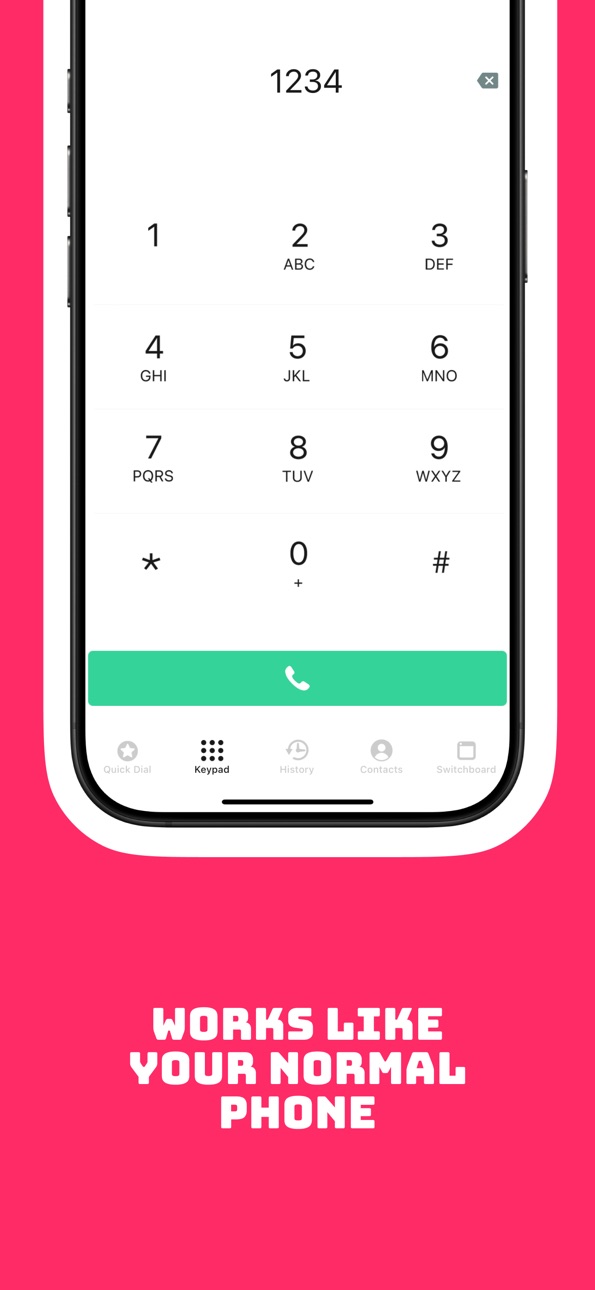
CallTo365 Softphone unifies your business communications in one powerful and secure mobile app. Whether you're using Microsoft Teams or a PBX, CallTo365 Softphone ensures seamless voice calling, smart call handling and presence sync. Wherever you work.
Designed for modern businesses and organizations, CallTo365 Softphone supports:
• Native Microsoft Teams Direct Routing
• PBX extensions
• Presence and contact integration
• Call transfer (attended & blind)
• Hold, mute and call forwarding
• Secure provisioning and Single Sign-On
• Centralized management and support for remote users
With support for both cloud-based and on-premise VoIP infrastructures, CallTo365 Softphone is the flexible, professional communication app trusted by companies in healthcare, public sector and international enterprise environments.
CallTo365 Softphone is part of the CallTo platform, experts in enterprise telephony and unified communications.
Download CallTo365 Softphone and experience smart, reliable business calling today.
Capabilities
Siri
Accessibility
ipadiphonemacrealityDevicetvoswatch
Version history 14 versions
Build 883967838v2.5.52026-03-31 18:41:36
- Various improvements under the hood.
Build 882596694v2.5.32026-02-20 00:09:25
- The Switchboard tab is back in shape and doing its job again. We also gave the default ringtone a well-deserved makeover.
Build 879903512v2.5.12025-11-24 19:06:43
- This update is a small bugfix release with several under-the-hood improvements to keep the app running smoothly.
Build 879638505v2.5.02025-11-10 23:04:19
- The app now supports secure calling, encrypted phone calls. We’re starting with a first group of customers who will use this new, secure connection. For everyone else, nothing changes yet: regular calling continues to work as before.
Build 879547170v2.4.02025-11-06 17:53:37
- You can now choose whether call waiting is on or off. It’s off by default, but just one tap in the app and you’re ready to switch between calls.
Build 878886530v2.3.52025-10-14 12:25:33
The app could occasionally lose its cool when paired with a Yealink headset. That’s been sorted.
Build 878835889v2.3.42025-10-13 03:15:16
A small but nice update:
- Fixed a missing Dutch translation shown to iPad users.
Build 878556145v2.3.22025-10-01 06:59:21
In this update, we tidied up a few things:
- In certain Bluetooth scenarios, the app would stubbornly pick the wrong audio source. That’s fixed.
- Some users ran into a white screen when opening the app and heading to Switchboard. That’s gone now.
- On larger iPhone devices, the top part of the screen didn’t always look the way it should. It does now.
- We fixed a crash that could happen when sorting contacts. Scroll away without worries.
Build 878418176v2.3.12025-09-29 07:31:13
- In the previous version, we promised that as a call group member you could choose whether to receive a notification when a colleague answers a group call… but well, that option was sneakily hidden.
- With this small update, it’s finally visible and works as promised. By default it’s still turned off, so you won’t be flooded with notifications.
Build 878372479v2.3.02025-09-25 06:14:54
- Users who are members of a call group can now choose whether they want to receive a notification when a group call is answered by a colleague. By default, this setting is disabled.
- Fixed various compatibility issues when controlling calls via a headset while Microsoft Teams is also in use.
- Resolved an issue with the tray icon.
Build 878335205v2.2.02025-09-23 07:01:36
Desktop:
The default setting for incoming calls has been changed. You will now only receive a notification; the app will no longer automatically come to the foreground (you can still adjust this yourself).
Desktop & Smartphone:
Synchronization with the PBX for contacts now occurs every hour instead of every minute, resulting in less load and more efficient operation.
Build 878120993v2.1.02025-09-22 14:28:00
New Features
Desktop apps
- Users can now sort their contacts in different ways.
Improvements
Smartphone apps
- Visual updates for a more modern look and improved user experience.
Build 877770261v2.0.02025-09-08 12:43:30
• Completely new backend for improved stability and performance
• Single Sign-On (SSO) support for seamless login
• Refreshed login screen with a modern design
• General improvements and bug fixes for a smoother calling experience
Build 875936098v1.0.02025-09-01 08:44:49
No pricing data captured yet — comparisons appear once the app has paid storefronts or in-app purchases.
Availability 174 of 175 storefronts
| Region | Language | Price | Ratings | Avg | Version |
|---|---|---|---|---|---|
| AE | en-GB | Free | 0 | — | 2.5.5 |
| AF | en-GB | Free | 0 | — | 2.5.5 |
| AG | en-GB | Free | 0 | — | 2.5.5 |
| AI | en-GB | Free | 0 | — | 2.5.5 |
| AL | en-GB | Free | 0 | — | 2.5.5 |
| AM | en-GB | Free | 0 | — | 2.5.5 |
| AO | en-GB | Free | 0 | — | 2.5.5 |
| AR | es-MX | Free | 0 | — | 2.5.5 |
| AT | de-DE | Free | 0 | — | 2.5.5 |
| AU | en-AU | Free | 0 | — | 2.5.5 |
| AZ | en-GB | Free | 0 | — | 2.5.5 |
| BA | en-GB | Free | 0 | — | 2.5.5 |
| BB | en-GB | Free | 0 | — | 2.5.5 |
| BE | en-GB | Free | 0 | — | 2.5.5 |
| BF | en-GB | Free | 0 | — | 2.5.5 |
| BG | en-GB | Free | 0 | — | 2.5.5 |
| BH | en-GB | Free | 0 | — | 2.5.5 |
| BJ | en-GB | Free | 0 | — | 2.5.5 |
| BM | en-GB | Free | 0 | — | 2.5.5 |
| BN | en-GB | Free | 0 | — | 2.5.5 |
| BO | es-MX | Free | 0 | — | 2.5.5 |
| BR | pt-BR | Free | 0 | — | 2.5.5 |
| BS | en-GB | Free | 0 | — | 2.5.5 |
| BT | en-GB | Free | 0 | — | 2.5.5 |
| BW | en-GB | Free | 0 | — | 2.5.5 |
| BY | en-GB | Free | 0 | — | 2.5.5 |
| BZ | en-GB | Free | 0 | — | 2.5.5 |
| CA | en-CA | Free | 0 | — | 2.5.5 |
| CD | en-GB | Free | 0 | — | 2.5.5 |
| CG | en-GB | Free | 0 | — | 2.5.5 |
| CH | de-CH | Free | 0 | — | 2.5.5 |
| CI | fr-FR | Free | 0 | — | 2.5.5 |
| CL | es-MX | Free | 0 | — | 2.5.5 |
| CM | fr-FR | Free | 0 | — | 2.5.5 |
| CO | es-MX | Free | 0 | — | 2.5.5 |
| CR | es-MX | Free | 0 | — | 2.5.5 |
| CV | en-GB | Free | 0 | — | 2.5.5 |
| CY | en-GB | Free | 0 | — | 2.5.5 |
| CZ | en-GB | Free | 0 | — | 2.5.5 |
| DE | de-DE | Free | 0 | — | 2.5.5 |
| DK | en-GB | Free | 0 | — | 2.5.5 |
| DM | en-GB | Free | 0 | — | 2.5.5 |
| DO | es-MX | Free | 0 | — | 2.5.5 |
| DZ | en-GB | Free | 0 | — | 2.5.5 |
| EC | es-MX | Free | 0 | — | 2.5.5 |
| EE | en-GB | Free | 0 | — | 2.5.5 |
| EG | en-GB | Free | 0 | — | 2.5.5 |
| ES | es-ES | Free | 0 | — | 2.5.5 |
| FI | en-GB | Free | 0 | — | 2.5.5 |
| FJ | en-GB | Free | 0 | — | 2.5.5 |
| FM | en-GB | Free | 0 | — | 2.5.5 |
| FR | fr-FR | Free | 0 | — | 2.5.5 |
| GA | fr-FR | Free | 0 | — | 2.5.5 |
| GB | en-GB | Free | 0 | — | 2.5.5 |
| GD | en-GB | Free | 0 | — | 2.5.5 |
| GE | en-GB | Free | 0 | — | 2.5.5 |
| GH | en-GB | Free | 0 | — | 2.5.5 |
| GM | en-GB | Free | 0 | — | 2.5.5 |
| GR | en-GB | Free | 0 | — | 2.5.5 |
| GT | es-MX | Free | 0 | — | 2.5.5 |
| GW | en-GB | Free | 0 | — | 2.5.5 |
| GY | en-GB | Free | 0 | — | 2.5.5 |
| HK | zh-Hant-HK | Free | 0 | — | 2.5.5 |
| HN | es-MX | Free | 0 | — | 2.5.5 |
| HR | en-GB | Free | 0 | — | 2.5.5 |
| HU | en-GB | Free | 0 | — | 2.5.5 |
| ID | en-GB | Free | 0 | — | 2.5.5 |
| IE | en-GB | Free | 0 | — | 2.5.5 |
| IL | en-GB | Free | 0 | — | 2.5.5 |
| IN | en-GB | Free | 0 | — | 2.5.5 |
| IQ | en-GB | Free | 0 | — | 2.5.5 |
| IS | en-GB | Free | 0 | — | 2.5.5 |
| IT | it | Free | 0 | — | 2.5.5 |
| JM | en-GB | Free | 0 | — | 2.5.5 |
| JO | en-GB | Free | 0 | — | 2.5.5 |
| JP | ja | Free | 0 | — | 2.5.5 |
| KE | en-GB | Free | 0 | — | 2.5.5 |
| KG | en-GB | Free | 0 | — | 2.5.5 |
| KH | en-GB | Free | 0 | — | 2.5.5 |
| KN | en-GB | Free | 0 | — | 2.5.5 |
| KR | ko | Free | 0 | — | 2.5.5 |
| KW | en-GB | Free | 0 | — | 2.5.5 |
| KY | en-GB | Free | 0 | — | 2.5.5 |
| KZ | en-GB | Free | 0 | — | 2.5.5 |
| LA | en-GB | Free | 0 | — | 2.5.5 |
| LB | en-GB | Free | 0 | — | 2.5.5 |
| LC | en-GB | Free | 0 | — | 2.5.5 |
| LK | en-GB | Free | 0 | — | 2.5.5 |
| LR | en-GB | Free | 0 | — | 2.5.5 |
| LT | en-GB | Free | 0 | — | 2.5.5 |
| LU | en-GB | Free | 0 | — | 2.5.5 |
| LV | en-GB | Free | 0 | — | 2.5.5 |
| LY | en-GB | Free | 0 | — | 2.5.5 |
| MA | en-GB | Free | 0 | — | 2.5.5 |
| MD | en-GB | Free | 0 | — | 2.5.5 |
| ME | en-GB | Free | 0 | — | 2.5.5 |
| MG | en-GB | Free | 0 | — | 2.5.5 |
| MK | en-GB | Free | 0 | — | 2.5.5 |
| ML | en-GB | Free | 0 | — | 2.5.5 |
| MM | en-GB | Free | 0 | — | 2.5.5 |
| MN | en-GB | Free | 0 | — | 2.5.5 |
| MO | zh-Hant-HK | Free | 0 | — | 2.5.5 |
| MR | en-GB | Free | 0 | — | 2.5.5 |
| MS | en-GB | Free | 0 | — | 2.5.5 |
| MT | en-GB | Free | 0 | — | 2.5.5 |
| MU | en-GB | Free | 0 | — | 2.5.5 |
| MV | en-GB | Free | 0 | — | 2.5.5 |
| MW | en-GB | Free | 0 | — | 2.5.5 |
| MX | es-MX | Free | 0 | — | 2.5.5 |
| MY | en-GB | Free | 0 | — | 2.5.5 |
| MZ | en-GB | Free | 0 | — | 2.5.5 |
| NA | en-GB | Free | 0 | — | 2.5.5 |
| NE | en-GB | Free | 0 | — | 2.5.5 |
| NG | en-GB | Free | 0 | — | 2.5.5 |
| NI | es-MX | Free | 0 | — | 2.5.5 |
| NL | nl | Free | 0 | — | 2.5.5 |
| NO | en-GB | Free | 0 | — | 2.5.5 |
| NP | en-GB | Free | 0 | — | 2.5.5 |
| NR | en-GB | Free | 0 | — | 2.5.5 |
| NZ | en-AU | Free | 0 | — | 2.5.5 |
| OM | en-GB | Free | 0 | — | 2.5.5 |
| PA | es-MX | Free | 0 | — | 2.5.5 |
| PE | es-MX | Free | 0 | — | 2.5.5 |
| PG | en-GB | Free | 0 | — | 2.5.5 |
| PH | en-GB | Free | 0 | — | 2.5.5 |
| PK | en-GB | Free | 0 | — | 2.5.5 |
| PL | en-GB | Free | 0 | — | 2.5.5 |
| PT | pt-PT | Free | 0 | — | 2.5.5 |
| PW | en-GB | Free | 0 | — | 2.5.5 |
| PY | es-MX | Free | 0 | — | 2.5.5 |
| QA | en-GB | Free | 0 | — | 2.5.5 |
| RO | en-GB | Free | 0 | — | 2.5.5 |
| RS | en-GB | Free | 0 | — | 2.5.5 |
| RU | ru | Free | 0 | — | 2.5.5 |
| RW | en-GB | Free | 0 | — | 2.5.5 |
| SA | en-GB | Free | 0 | — | 2.5.5 |
| SB | en-GB | Free | 0 | — | 2.5.5 |
| SC | en-GB | Free | 0 | — | 2.5.5 |
| SE | sv | Free | 0 | — | 2.5.5 |
| SG | en-GB | Free | 0 | — | 2.5.5 |
| SI | en-GB | Free | 0 | — | 2.5.5 |
| SK | en-GB | Free | 0 | — | 2.5.5 |
| SL | en-GB | Free | 0 | — | 2.5.5 |
| SN | en-GB | Free | 0 | — | 2.5.5 |
| SR | en-GB | Free | 0 | — | 2.5.5 |
| ST | en-GB | Free | 0 | — | 2.5.5 |
| SV | es-MX | Free | 0 | — | 2.5.5 |
| SZ | en-GB | Free | 0 | — | 2.5.5 |
| TC | en-GB | Free | 0 | — | 2.5.5 |
| TD | en-GB | Free | 0 | — | 2.5.5 |
| TH | en-GB | Free | 0 | — | 2.5.5 |
| TJ | en-GB | Free | 0 | — | 2.5.5 |
| TM | en-GB | Free | 0 | — | 2.5.5 |
| TN | en-GB | Free | 0 | — | 2.5.5 |
| TO | en-GB | Free | 0 | — | 2.5.5 |
| TR | en-GB | Free | 0 | — | 2.5.5 |
| TT | en-GB | Free | 0 | — | 2.5.5 |
| TW | zh-Hant-TW | Free | 0 | — | 2.5.5 |
| TZ | en-GB | Free | 0 | — | 2.5.5 |
| UA | en-GB | Free | 0 | — | 2.5.5 |
| UG | en-GB | Free | 0 | — | 2.5.5 |
| US | en-US | Free | 0 | — | 2.5.5 |
| UY | en-GB | Free | 0 | — | 2.5.5 |
| UZ | en-GB | Free | 0 | — | 2.5.5 |
| VC | en-GB | Free | 0 | — | 2.5.5 |
| VE | es-MX | Free | 0 | — | 2.5.5 |
| VG | en-GB | Free | 0 | — | 2.5.5 |
| VN | en-GB | Free | 0 | — | 2.5.5 |
| VU | en-GB | Free | 0 | — | 2.5.5 |
| XK | en-GB | Free | 0 | — | 2.5.5 |
| YE | en-GB | Free | 0 | — | 2.5.5 |
| ZA | en-GB | Free | 0 | — | 2.5.5 |
| ZM | en-GB | Free | 0 | — | 2.5.5 |
| ZW | en-GB | Free | 0 | — | 2.5.5 |
Not available in: CN
Change log 18 changes · BR
✎
releaseNotes updated
- Various improvements under the hood.
✎
description updated
CallTo365 Softphone unifies your business communications in one powerful and secure mobile app. Whether you're using Microsoft Teams or a PBX, CallTo365 Softpho
✎
subtitle updated
Teams & PBX calling in one app
✎
name updated
CallTo365 Softphone
◆
Version 2.5.5 released
- Various improvements under the hood.
◆
Version 2.5.3 released
- The Switchboard tab is back in shape and doing its job again. We also gave the default ringtone a well-deserved makeover.
◆
Version 2.5.1 released
- This update is a small bugfix release with several under-the-hood improvements to keep the app running smoothly.
◆
Version 2.5.0 released
- The app now supports secure calling, encrypted phone calls. We’re starting with a first group of customers who will use this new, secure connection. For everyone else, nothing changes yet: regular calling continues to work as before.
◆
Version 2.4.0 released
- You can now choose whether call waiting is on or off. It’s off by default, but just one tap in the app and you’re ready to switch between calls.
◆
Version 2.3.5 released
The app could occasionally lose its cool when paired with a Yealink headset. That’s been sorted.
◆
Version 2.3.4 released
A small but nice update:
- Fixed a missing Dutch translation shown to iPad users.
◆
Version 2.3.2 released
In this update, we tidied up a few things:
- In certain Bluetooth scenarios, the app would stubbornly pick the wrong audio source. That’s fixed.
- Some users ran into a white screen when opening the app and heading to Switchboard. That’s
◆
Version 2.3.1 released
- In the previous version, we promised that as a call group member you could choose whether to receive a notification when a colleague answers a group call… but well, that option was sneakily hidden.
- With this small update, it’s finally
◆
Version 2.3.0 released
- Users who are members of a call group can now choose whether they want to receive a notification when a group call is answered by a colleague. By default, this setting is disabled.
- Fixed various compatibility issues when controlling ca
◆
Version 2.2.0 released
Desktop:
The default setting for incoming calls has been changed. You will now only receive a notification; the app will no longer automatically come to the foreground (you can still adjust this yourself).
Desktop & Smartphone:
Synchroni
◆
Version 2.1.0 released
New Features
Desktop apps
- Users can now sort their contacts in different ways.
Improvements
Smartphone apps
- Visual updates for a more modern look and improved user experience.
◆
Version 2.0.0 released
• Completely new backend for improved stability and performance
• Single Sign-On (SSO) support for seamless login
• Refreshed login screen with a modern design
• General improvements and bug fixes for a smoother calling experience
◆
Version 1.0.0 released