Home › Music

 BB
BB
 USen-US
 MXes-MX
 AGen-GB
 AIen-GB
 AOen-GB
 ARes-MXBBen-GB
 BFen-GB
 BJen-GB
 BOes-MX
 BRpt-BR
 BSen-GB
 BWen-GB
 BZen-GB
 CDen-GB
 CGen-GB
 CIfr-FR
 CLes-MX
 CMfr-FR
 COes-MX
 CRes-MX
 CVen-GB
 DMen-GB
 DOes-MX
 DZen-GB
 ECes-MX
 GAfr-FR
 GDen-GB
 GHen-GB
 GMen-GB
 GTes-MX
 GWen-GB
 GYen-GB
 HNes-MX
 JMen-GB
 KEen-GB
 KNen-GB
 KYen-GB
 LCen-GB
 LRen-GB
 LYen-GB
 MAen-GB
 MGen-GB
 MLen-GB
 MSen-GB
 MUen-GB
 MWen-GB
 MZen-GB
 NAen-GB
 NEen-GB
 NGen-GB
 NIes-MX
 PAes-MX
 PEes-MX
 PYes-MX
 RWen-GB
 SCen-GB
 SLen-GB
 SNen-GB
 SRen-GB
 STen-GB
 SVes-MX
 SZen-GB
 TCen-GB
 TDen-GB
 TNen-GB
 TTen-GB
 TZen-GB
 UGen-GB
 UYen-GB
 VCen-GB
 VEes-MX
 VGen-GB
 ZMen-GB
 ZWen-GB
75 of 75 storefronts
Content in en-US
Content in en-US
Information
Preview 4 platforms
iPhone 8 images


iPad 7 images




Mac 7 images


Apple TV 7 images




What’s New Version 1.2.28
New in this update:
- Crossfade (iOS 18+): smoothly blend the end of one song into the start of the next. Turn it on and set the length (1 - 12 seconds) in Settings under Song Transitions.
- Album "About" notes: Apple Music's editorial write-ups now appear on album pages. Tap "More" to read the full notes. (iOS, macOS, and tvOS.)
Library updates:
- Updated toolbar menu on Songs, Albums, Artists, Recently Added, and Playlists with quick Play, Shuffle, Search, and Refresh.
- Play or Shuffle a whole library view in one tap (up to 10,000 songs). Use filtering to reduce to your desired content.
- Search now lives in the menu to show more content when not needed - tap Search to show it.
Description
Lysoniq is a premium music player/streamer with cross-device remote control. Install it on your Apple devices to seamlessly play music through any one of them and control the app with the others.
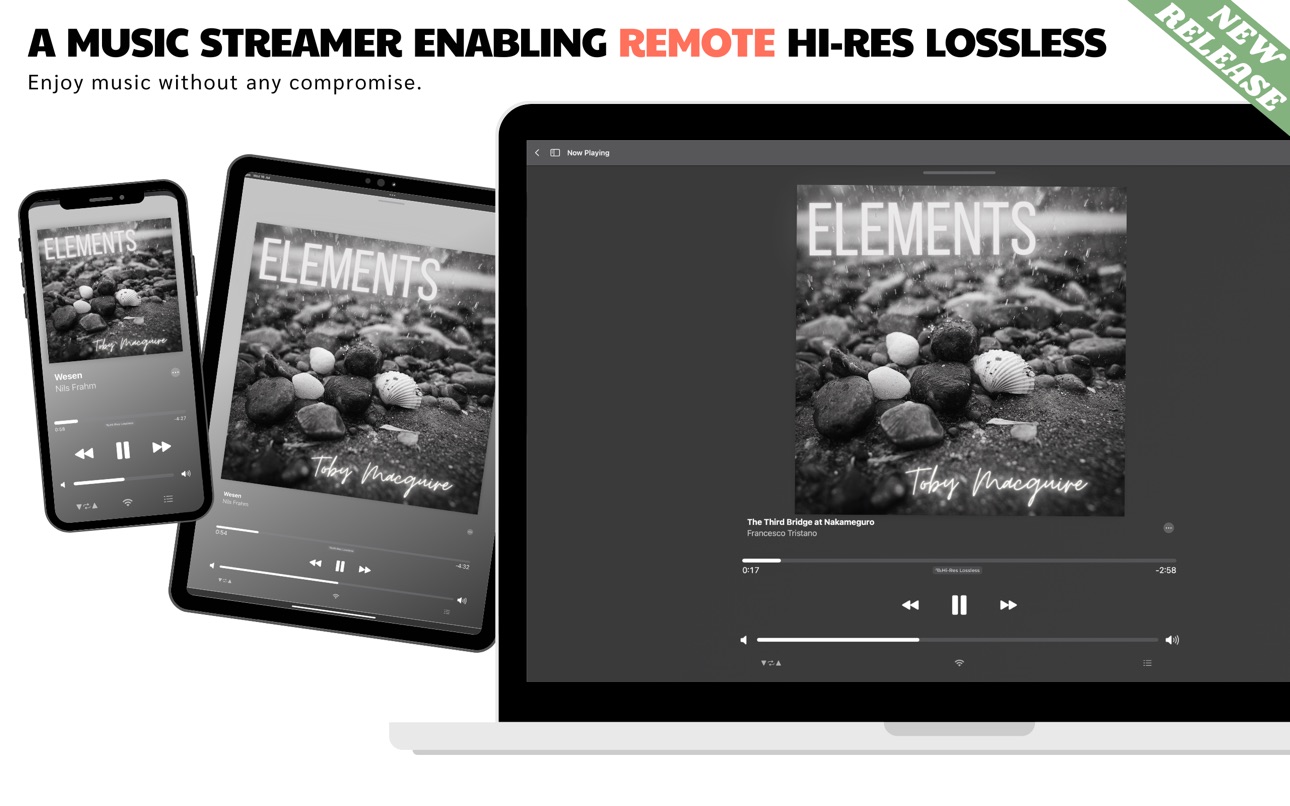
Unlike AirPlay, the playing device streams directly from Apple Music at full resolution — enabling Hi-Res Lossless with zero compression or downsampling on compatible devices. Using an iPhone, iPad, Mac or Apple TV in your hifi system just became easier. No more extension cables or compromises.
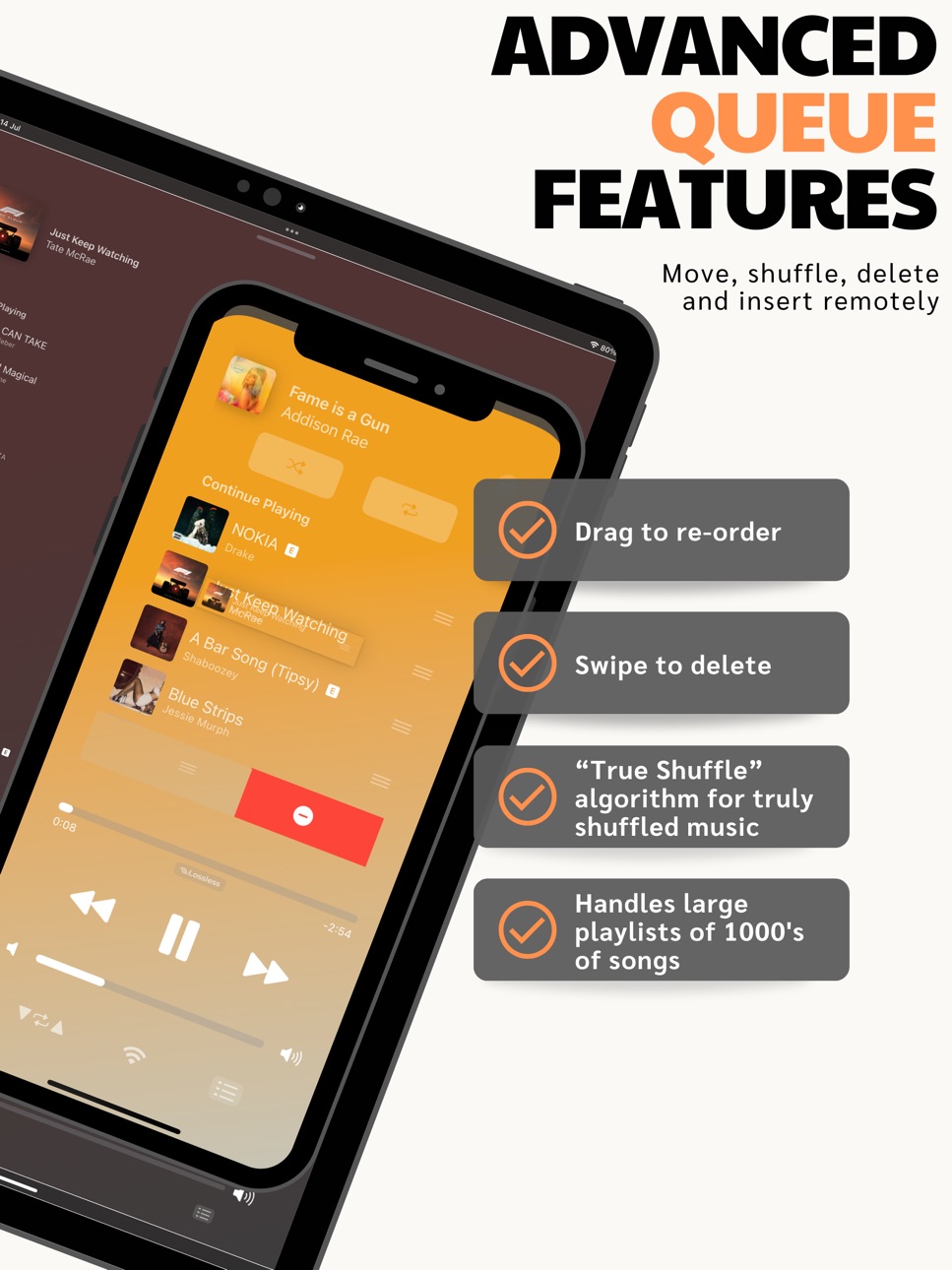
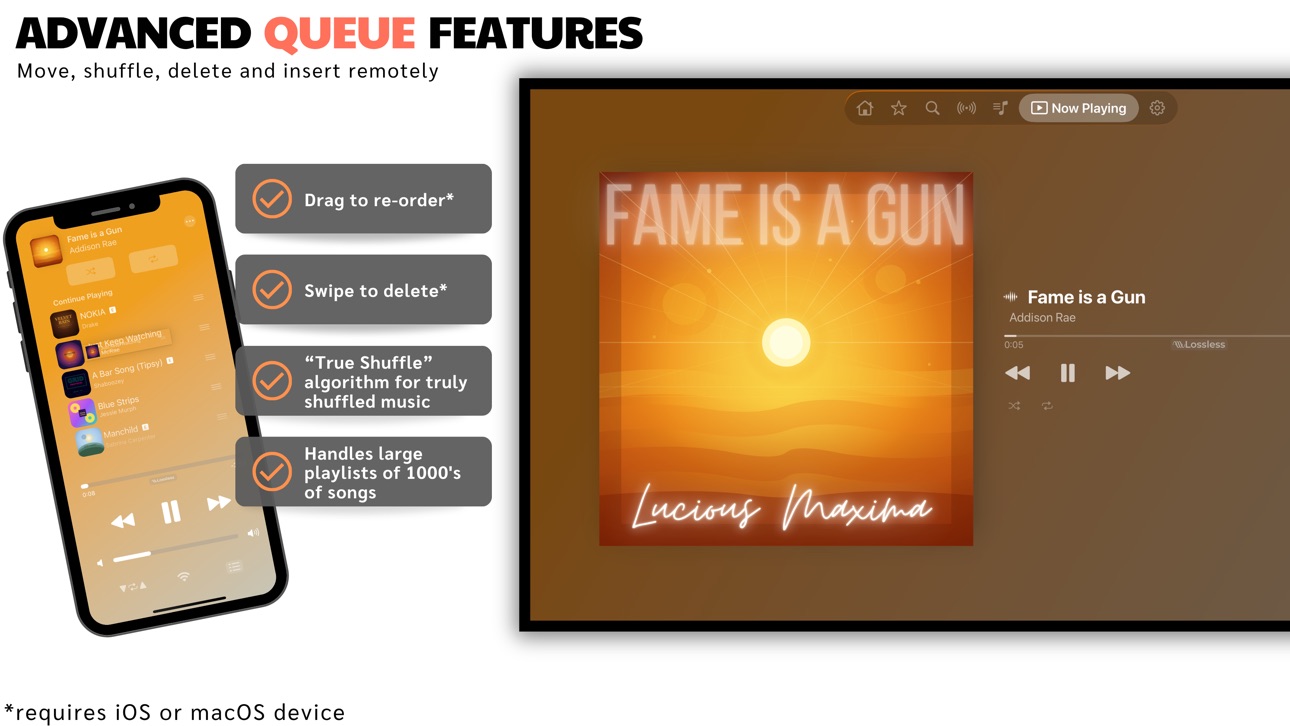
Built to handle huge libraries — load thousands of songs into the player without slowdown. Full queue management with swipe to delete, drag to rearrange, tap to skip ahead, and insert into the queue. True Shuffle that actually randomizes your music.
Browse the full Apple Music catalog with top songs, albums, and playlists across 30+ cities and countries, 17 genres, and dedicated Hi-Res Lossless and Dolby Atmos sections. Access Made For You, Recently Played, New Releases, live radio stations, and all of Apple Music's personalized recommendations. Your full synced library with sorting and filtering included.
Connect and control devices across your home Wi-Fi network with LYNQ. Extend connectivity across cellular data and different Wi-Fi networks with the LYNQ+ subscription.
Built-in Last.fm scrobbling with full history and stats. Four themes including Light, Dark, True Light, and True Dark.
Built from the ground up with audiophiles in mind. Reviewing audio gear? Use a subloop to focus in on a particular section of a track, with the option to add a timer between loops to switch equipment. Automatic sample rate switching on macOS — the system output adjusts to match each track's native resolution, so nothing gets resampled (up to 24-bit/96kHz). Output up to 24-bit/192kHz on iOS, 24-bit/96kHz on macOS, and 24-bit/48kHz on Apple TV.
Now available in 20 languages including Chinese (Hong Kong, Simplified, and Traditional), Dutch, Finnish, French, German, Hebrew, Hindi, Italian, Japanese, Norwegian Bokmål, Polish, Portuguese (Portugal), Russian, Slovak, Spanish, Swedish, and Turkish.
Provide feedback to guide its development further and get the features you want. Enjoy all future updates with a one-time purchase.
Requires Apple Music installed on your devices and an active Apple Music subscription. See https://www.lysoniq.app/support for more details.
Terms of Use: https://www.lysoniq.app/terms
License Agreement (EULA): https://www.apple.com/legal/internet-services/itunes/dev/stdeula/
Compatibility includes iOS 16.4+, macOS 14.6+, tvOS 17.6+
In-App Purchases BB pricing
LYNQ Subscription
+ Monthly · Monthly—
Capabilities
In-App Purchases
Accessibility
ipadiphonemacrealityDevicetvoswatch
Version history 14 versions
Build 887710800v1.2.282026-07-02 07:36:27
New in this update:
- Crossfade (iOS 18+): smoothly blend the end of one song into the start of the next. Turn it on and set the length (1 - 12 seconds) in Settings under Song Transitions.
- Album "About" notes: Apple Music's editorial write-ups now appear on album pages. Tap "More" to read the full notes. (iOS, macOS, and tvOS.)
Library updates:
- Updated toolbar menu on Songs, Albums, Artists, Recently Added, and Playlists with quick Play, Shuffle, Search, and Refresh.
- Play or Shuffle a whole library view in one tap (up to 10,000 songs). Use filtering to reduce to your desired content.
- Search now lives in the menu to show more content when not needed - tap Search to show it.
Build 887410907v1.2.262026-06-25 20:51:06
Minor update:
- UI improvements (more content now loads in Popular tab and Genre views as you scroll right or with "load more" button, and side menu now always available in iOS views).
- Bug fixes
Build 886860784v1.2.252026-06-23 23:48:19
This release introduces connectivity across 5G/LTE and different Wi-Fi networks!
Other updates include:
- New LYNQ Group system to allow private sessions. Connect with only the devices you choose to add.
- Improved Search results with advanced search for Library content.
- UI updates
- Bug fixes
Build 885888228v1.2.192026-05-26 19:55:40
minor bug fixes. See previous version for latest features and updates.
Build 885670827v1.2.182026-05-14 22:02:24
- A new persistent Library cache makes browsing dramatically faster. Once synced to the device, albums, artists, and playlists open instantly.
- Favorite and Suggest Less are available throughout the app, for songs, albums, artists, and playlists.
- New remote device controls in the LYNQ menu: adjust the source's settings such as screen brightness on iOS, audio output on macOS, or prevent sleep on any device. Includes an option to black out iOS screens entirely (an alternative to sleep).
New/Updated Settings
- Restore your previous session, including queue and volume setting.
- Refreshed Rate and Review flow.
- Library Sync options: limit to Wi-Fi only, and reset the local cache.
- History view is persistent, keeping the last 50 entries.
- Clearer descriptions throughout.
Views
- Refreshed layout for albums and playlists on iPad.
- Recently Played on the Home view updates live as songs play.
Playlists
- Track sorting for library playlists, on all platforms.
- "NEW" tags in Playlists stay for the day rather than disappearing after a single view.
Playback
- Smoother queue animations: the list scrolls up as a new song starts, and animates cleanly when a song is removed.
- The queue view stays in place when you delete a song instead of resetting to the top.
- The queue context menu now includes Favorite, Suggest Less, View Lyrics in Shazam, and the other options available elsewhere in the app.
- Station playback is more stable: the Next button no longer restarts the current song or skips multiple tracks, the queue stays accurate, and the upcoming station song appears within seconds.
- Multi-device sync is more reliable, with cleaner reconnects on launch.
Specific to Mac
- Create playlists, add to playlists (with multi-playlist selection) and add to Library.
- Smart playlists appear in the playlist tab.
- Media keys are supported.
- The close button minimises the window instead of quitting.
- Sharing logs and crash reports works correctly.
Also in This Release
- Context menus expanded and reorganised for consistency across the app.
- Translations updated across all supported languages.
- "Date Added" filter for Library songs works correctly.
- Crash fixes, bug fixes and other UI improvements also included across all platforms.
Build 883998426v1.2.02026-04-01 20:24:25
- Many UI enhancements, including more ways to interact with options via long press.
- Lysoniq now available in 20 languages (perfect translation not guaranteed, any feedback please contact info@lysoniq.app).
- Further updates for stability and connectivity.
- Adding 3 new Now Playing views (off by default), access them by long pressing on the view cycle button in the Now Playing View or in settings on tvOS.
- Adding the option to pin and unpin Library sections for all platforms (long press).
- Compatibility added for the Apple TV remote control on tvOS for play/pause/next/previous. Press play/pause as normal, or long press to bring up a quick control menu.
- Updated the Content Alert system, removed the connection alerts.
- Bug fixes.
- Adding a "Connection Help" section to the Settings page, offering steps on how to resolve any connection issues.
New Setting options:
- Disable touch beneath the New Playing Bar (for anyone often tapping a song when dismissing the app) on iOS.
- Prevent sleep (or screensaver) options while using the app.
- Enable physical volume buttons on iOS for both local and remote adjustment (Lysoniq must be in foreground).
- Hide sublooping button on Now Playing View on iOS and macOS.
- Select language (note that the Apple Music content language will not be affected, this depends on your system settings).
** Please remember to update all devices to the latest version to avoid any connectivity issues **
Visit our subreddit r/Lysoniq for the latest news and community feedback.
Build 883111847v1.1.192026-03-27 09:18:23
- Lysoniq now available on Apple TV
- Last.fm scrobbling — full integration with scrobble history, stats, love tracks, and cross-device credential sync
- Redesigned welcome and onboarding screens across all platforms
- Improvements to stability and connectivity
- UI updates
- Full screen Now Playing view on all devices
- Various optimizations for faster navigation and UI responsiveness
- Improvements to background mode
- Various bug fixes
Please contact info@lysoniq.app for any issues or feedback, more updates to come!
Build 881657137v1.1.102026-01-20 21:14:57
Small update to 1.1.10
-Adding an additional minimalist Now Playing view option, better for OLED screens susceptible to burn-in.
-Bug fix for playlists/folders not syncing correctly.
More to come!
Build 881441963v1.1.72026-01-13 23:31:31
In 1.1.7:
- Nested playlists inside Folders
- Adding TrueLight mode
- Adding many filtering and sorting options for Playlists and Library content
- Grid or List viewing options now available for most Library content
- Updating the "Add to Queue" to "Play After" in some cases
- New "Song Details" in the option menu for some details on songs. More to come.
Various UI and Bug fixes including:
- When navigating to an album but finding something different with the same name...
- Recently Added should show up to date information now without needing to scroll down
- Some reduced lag while scrolling in some cases
Build 878059594v1.1.32025-10-13 00:11:08
In this update to 1.1.3:
- iOS version now compatible with iOS 16.4
- added option to view lyrics in Shazam.
- added more related content to the album view including other version of a particular album
- added "new" icon for new songs added to playlists that haven't been seen yet, handy to see what apple has added to their playlists for example.
- some UI improvements
- bug fixes
Build 877304556v1.0.92025-08-26 11:30:59
In this update to 1.0.9
- added a new tab "Popular" for current top songs/albums, with a genre section
- added curators and radio shows to search results
- added more information in settings in regard to the different toggles.
- added a "true dark" mode for a completely black background.
- "Recently Played" in the home view now properly shows all recently played songs including those played in Lysoniq.
- adding iOS 17 compatibility.
- bug fixes
Let me know if you have any issues or thoughts/feedback - info@lysoniq.app
more updates to come!
Build 877138674v1.0.52025-08-12 17:12:53
Small update to get in sync with the now released Mac version!
- while listening to a station and changing source device, there is the option to keep the current song playing (the default). This will reset the station seed however and can be disabled in settings.
- app should now detect when volume is not adjustable, like when connected to a DAC, volume will display at reduced opacity and be fixed.
- many bug fixes
Please download and try the mac version at your leisure!
Build 876969827v1.0.32025-08-06 15:48:56
Updates for 1.0.3:
- "Recently Added" section added to the Library
- Playlist Folders added
- RadioShows added to the "Radio" section (these are limited compared to what apple can offer)
- Options menu expanded with create station, share, open in Apple Music and add to library buttons
- various UI updates and improvements
- various bug fixes (including a freezing issue on some devices when viewing artists)
More updates coming soon! Mac release coming soon!
Submit any feedback to info@lysoniq.app to help shape development of this app.
Build 875239153v1.0.02025-07-22 16:21:55
Price history by region
Currency
Show
Columns
Search
Availability 75 of 75 storefronts
| Region | Language | Price | Ratings | Avg | Version |
|---|---|---|---|---|---|
| US | en-US | USD 13.99 | 32 | 4.8 | 1.2.28 |
| MX | es-MX | MXN 249 | 2 | 5.0 | 1.2.28 |
| AG | en-GB | USD 11.99 | 0 | — | 1.2.28 |
| AI | en-GB | USD 11.99 | 0 | — | 1.2.28 |
| AO | en-GB | USD 11.99 | 0 | — | 1.2.28 |
| AR | es-MX | USD 11.99 | 0 | — | 1.2.28 |
| BB | en-GB | USD 14.99 | 0 | — | 1.2.28 |
| BF | en-GB | USD 11.99 | 0 | — | 1.2.28 |
| BJ | en-GB | USD 14.99 | 0 | — | 1.2.28 |
| BO | es-MX | USD 11.99 | 0 | — | 1.2.28 |
| BR | pt-BR | BRL 79.9 | 0 | — | 1.2.28 |
| BS | en-GB | USD 12.99 | 0 | — | 1.2.28 |
| BW | en-GB | USD 11.99 | 0 | — | 1.2.28 |
| BZ | en-GB | USD 11.99 | 0 | — | 1.2.28 |
| CD | en-GB | USD 11.99 | 0 | — | 1.2.28 |
| CG | en-GB | USD 11.99 | 0 | — | 1.2.28 |
| CI | fr-FR | USD 14.99 | 0 | — | 1.2.28 |
| CL | es-MX | CLP 12990 | 0 | — | 1.2.28 |
| CM | fr-FR | USD 14.99 | 0 | — | 1.2.28 |
| CO | es-MX | COP 59900 | 0 | — | 1.2.28 |
| CR | es-MX | USD 11.99 | 0 | — | 1.2.28 |
| CV | en-GB | USD 11.99 | 0 | — | 1.2.28 |
| DM | en-GB | USD 11.99 | 0 | — | 1.2.28 |
| DO | es-MX | USD 11.99 | 0 | — | 1.2.28 |
| DZ | en-GB | USD 11.99 | 0 | — | 1.2.28 |
| EC | es-MX | USD 11.99 | 0 | — | 1.2.28 |
| GA | fr-FR | USD 11.99 | 0 | — | 1.2.28 |
| GD | en-GB | USD 11.99 | 0 | — | 1.2.28 |
| GH | en-GB | USD 14.99 | 0 | — | 1.2.28 |
| GM | en-GB | USD 11.99 | 0 | — | 1.2.28 |
| GT | es-MX | USD 11.99 | 0 | — | 1.2.28 |
| GW | en-GB | USD 11.99 | 0 | — | 1.2.28 |
| GY | en-GB | USD 11.99 | 0 | — | 1.2.28 |
| HN | es-MX | USD 11.99 | 0 | — | 1.2.28 |
| JM | en-GB | USD 11.99 | 0 | — | 1.2.28 |
| KE | en-GB | USD 14.99 | 0 | — | 1.2.28 |
| KN | en-GB | USD 11.99 | 0 | — | 1.2.28 |
| KY | en-GB | USD 11.99 | 0 | — | 1.2.28 |
| LC | en-GB | USD 11.99 | 0 | — | 1.2.28 |
| LR | en-GB | USD 11.99 | 0 | — | 1.2.28 |
| LY | en-GB | USD 11.99 | 0 | — | 1.2.28 |
| MA | en-GB | USD 11.99 | 0 | — | 1.2.28 |
| MG | en-GB | USD 11.99 | 0 | — | 1.2.28 |
| ML | en-GB | USD 11.99 | 0 | — | 1.2.28 |
| MS | en-GB | USD 11.99 | 0 | — | 1.2.28 |
| MU | en-GB | USD 14.99 | 0 | — | 1.2.28 |
| MW | en-GB | USD 11.99 | 0 | — | 1.2.28 |
| MZ | en-GB | USD 11.99 | 0 | — | 1.2.28 |
| NA | en-GB | USD 11.99 | 0 | — | 1.2.28 |
| NE | en-GB | USD 11.99 | 0 | — | 1.2.28 |
| NG | en-GB | NGN 19900 | 0 | — | 1.2.28 |
| NI | es-MX | USD 11.99 | 0 | — | 1.2.28 |
| PA | es-MX | USD 11.99 | 0 | — | 1.2.28 |
| PE | es-MX | PEN 49.9 | 0 | — | 1.2.28 |
| PY | es-MX | USD 11.99 | 0 | — | 1.2.28 |
| RW | en-GB | USD 11.99 | 0 | — | 1.2.28 |
| SC | en-GB | USD 11.99 | 0 | — | 1.2.28 |
| SL | en-GB | USD 11.99 | 0 | — | 1.2.28 |
| SN | en-GB | USD 14.99 | 0 | — | 1.2.28 |
| SR | en-GB | USD 12.99 | 0 | — | 1.2.28 |
| ST | en-GB | USD 11.99 | 0 | — | 1.2.28 |
| SV | es-MX | USD 11.99 | 0 | — | 1.2.28 |
| SZ | en-GB | USD 11.99 | 0 | — | 1.2.28 |
| TC | en-GB | USD 11.99 | 0 | — | 1.2.28 |
| TD | en-GB | USD 11.99 | 0 | — | 1.2.28 |
| TN | en-GB | USD 11.99 | 0 | — | 1.2.28 |
| TT | en-GB | USD 11.99 | 0 | — | 1.2.28 |
| TZ | en-GB | TZS 34900 | 0 | — | 1.2.28 |
| UG | en-GB | USD 14.99 | 0 | — | 1.2.28 |
| UY | en-GB | USD 11.99 | 0 | — | 1.2.28 |
| VC | en-GB | USD 11.99 | 0 | — | 1.2.28 |
| VE | es-MX | USD 11.99 | 0 | — | 1.2.28 |
| VG | en-GB | USD 11.99 | 0 | — | 1.2.28 |
| ZM | en-GB | USD 14.99 | 0 | — | 1.2.28 |
| ZW | en-GB | USD 14.99 | 0 | — | 1.2.28 |
Change log 18 changes · BB
✎
releaseNotes updated
New in this update:
- Crossfade (iOS 18+): smoothly blend the end of one song into the start of the next. Turn it on and set the length (1 - 12 seconds) in Set
✎
description updated
Lysoniq is a premium music player/streamer with cross-device remote control. Install it on your Apple devices to seamlessly play music through any one of them a
✎
subtitle updated
remote Hi-Res Lossless
✎
name updated
Lysoniq
◆
Version 1.2.28 released
New in this update:
- Crossfade (iOS 18+): smoothly blend the end of one song into the start of the next. Turn it on and set the length (1 - 12 seconds) in Settings under Song Transitions.
- Album "About" notes: Apple Music's editorial wri
◆
Version 1.2.26 released
Minor update:
- UI improvements (more content now loads in Popular tab and Genre views as you scroll right or with "load more" button, and side menu now always available in iOS views).
- Bug fixes
◆
Version 1.2.25 released
This release introduces connectivity across 5G/LTE and different Wi-Fi networks!
Other updates include:
- New LYNQ Group system to allow private sessions. Connect with only the devices you choose to add.
- Improved Search results with adva
◆
Version 1.2.19 released
minor bug fixes. See previous version for latest features and updates.
◆
Version 1.2.18 released
- A new persistent Library cache makes browsing dramatically faster. Once synced to the device, albums, artists, and playlists open instantly.
- Favorite and Suggest Less are available throughout the app, for songs, albums, artists, and pla
◆
Version 1.2.0 released
- Many UI enhancements, including more ways to interact with options via long press.
- Lysoniq now available in 20 languages (perfect translation not guaranteed, any feedback please contact info@lysoniq.app).
- Further updates for stability
◆
Version 1.1.19 released
- Lysoniq now available on Apple TV
- Last.fm scrobbling — full integration with scrobble history, stats, love tracks, and cross-device credential sync
- Redesigned welcome and onboarding screens across all platforms
- Improvements to stabi
◆
Version 1.1.10 released
Small update to 1.1.10
-Adding an additional minimalist Now Playing view option, better for OLED screens susceptible to burn-in.
-Bug fix for playlists/folders not syncing correctly.
More to come!
◆
Version 1.1.7 released
In 1.1.7:
- Nested playlists inside Folders
- Adding TrueLight mode
- Adding many filtering and sorting options for Playlists and Library content
- Grid or List viewing options now available for most Library content
- Updating the "Add to
◆
Version 1.1.3 released
In this update to 1.1.3:
- iOS version now compatible with iOS 16.4
- added option to view lyrics in Shazam.
- added more related content to the album view including other version of a particular album
- added "new" icon for new songs adde
◆
Version 1.0.9 released
In this update to 1.0.9
- added a new tab "Popular" for current top songs/albums, with a genre section
- added curators and radio shows to search results
- added more information in settings in regard to the different toggles.
- added a "t
◆
Version 1.0.5 released
Small update to get in sync with the now released Mac version!
- while listening to a station and changing source device, there is the option to keep the current song playing (the default). This will reset the station seed however and can
◆
Version 1.0.3 released
Updates for 1.0.3:
- "Recently Added" section added to the Library
- Playlist Folders added
- RadioShows added to the "Radio" section (these are limited compared to what apple can offer)
- Options menu expanded with create station, share,
◆
Version 1.0.0 released