Home › Business

 US
US
1 of 1 storefronts
Content in en-US
Content in en-US
Information
Preview 2 platforms
iPhone 7 images




iPad 7 images




What’s New Version 2.19.2
Squashed a bunch of pesky bugs!
Description
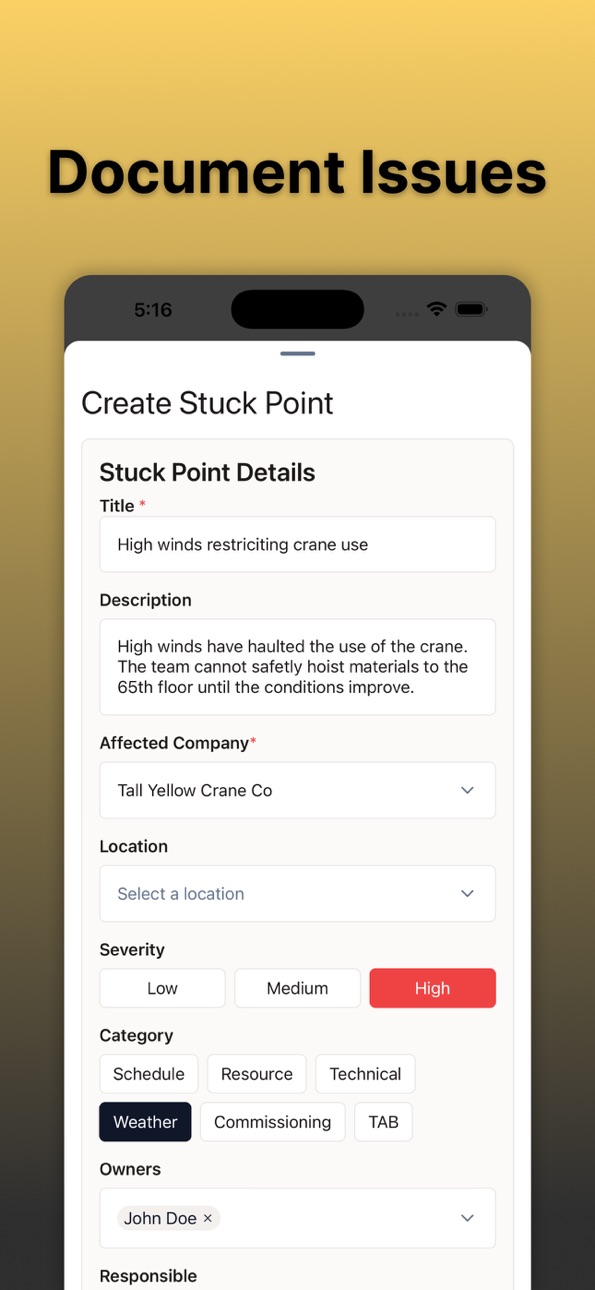
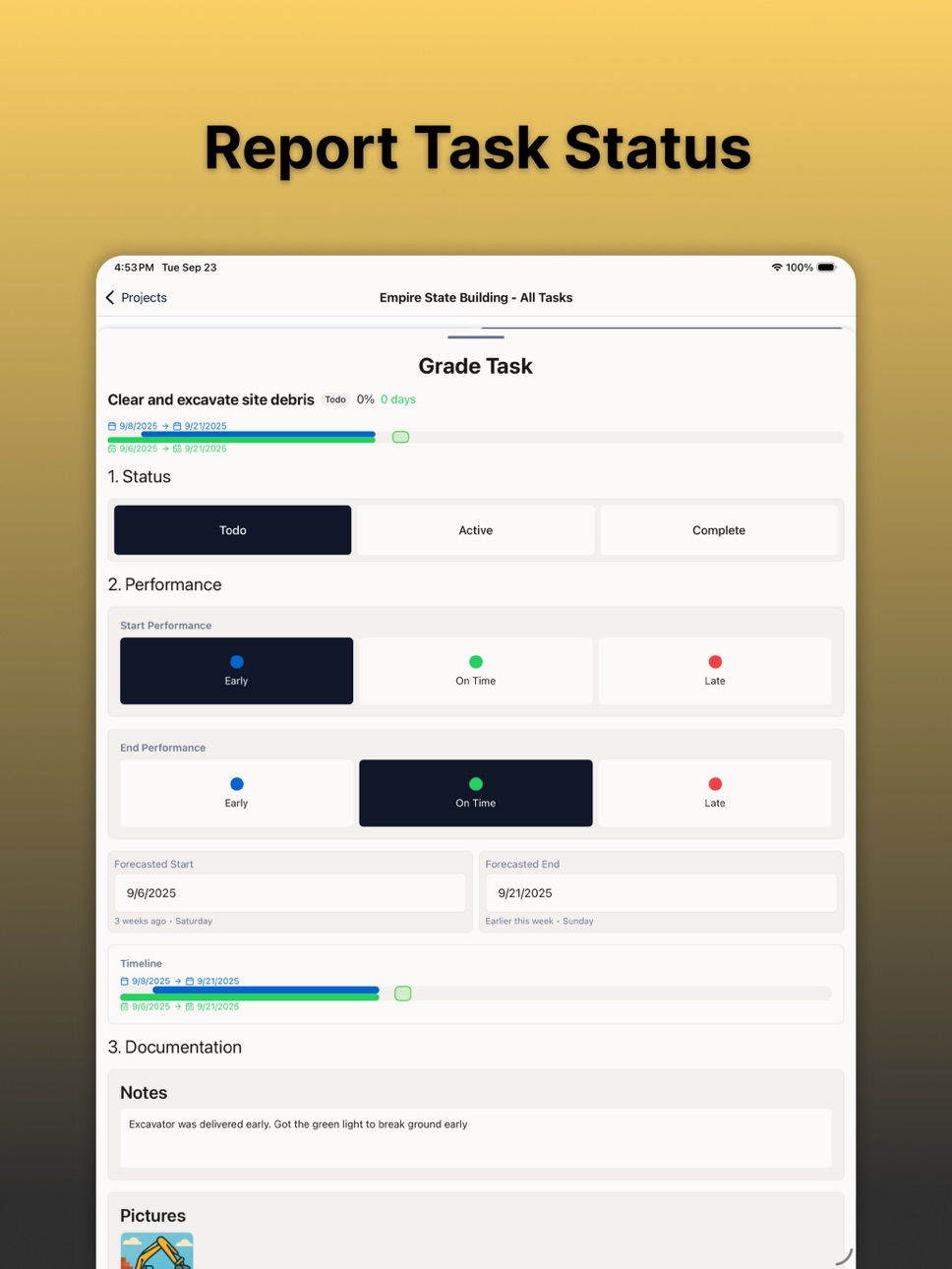
The BlackHyve Mobile app makes jobwalks simple, fast, and accountable by turning field notes into clear action plans that feed your company’s accountability loop. Every jobwalk captures photos, notes, and stuck points in real time, giving crews and leadership the same view of what’s happening on site. Issues get flagged before they turn into rework or delays, trades stay aligned on daily priorities and weekly commitments, and leadership sees verified progress they can trust. This closed loop of visibility and follow-through means fewer surprises, cleaner handoffs, and a steady flow of work that protects margin and keeps projects on track.
Accessibility
ipadiphonemacrealityDevicetvoswatch
Version history 18 versions
Build 886853439v2.19.22026-06-12 16:13:20
Squashed a bunch of pesky bugs!
Build 886451110v2.17.22026-06-03 16:33:29
• Progress tracking has landed! Mark off checklist stages, log percentage complete and capture a video for proof of work
• Pick and filter multiple scopes at once, group related work to see combined completion at a glance
• "Scopes" is now "Cost Codes" to match how you talk on site
• Plus a cleaner Drift tab, smoother captures and a pile of fixes!
Build 885695534v2.14.02026-05-15 18:26:22
Sooooo we're been a little busy lately! Here's what we've been cooking:
• Plans in your pocket, on phone & tablet: let's hear it for fewer trips to the trailer!
• A brand new and (mostly) automated capture triage flow that matches the web app
• Real iPad & tablet layouts (not just "phone, stretched")
• Added Safety as a new Law of Production
• ¡Más español!
• Big-text support that actually works: crank that font size!
Build 884085380v2.1.02026-04-03 19:07:57
• Updated Drift categories: added "Quality" because we always strive for perfection and consolidated "Tools" and "Equipment" into a single category because not only is redundancy unnecessary, it's also unnecessary
Build 884074026v2.0.22026-04-02 20:40:31
• Another day, another bug squashed!
Build 883998999v2.0.12026-04-01 18:14:17
• Squashed a teensy little Enterprise SSO bug: we're ready to rock now!
Build 883959292v2.0.02026-03-31 17:45:06
• Enterprise login: We're making it easier for large teams to sign in securely. Stay tuned.
• Crew timecards: Submit time for your whole crew at once. You're welcome, supervisors!
• Jobwalk fixes: Tasks that last one day now actually show up as one day. Math is hard.
Build 883441933v1.29.12026-03-17 17:26:31
• Status badges on tasks. Little color-coded chips so you can see what's done, what's active, and what's being aggressively ignored.
• Task counts on locations. See how many tasks each location has without playing detective.
• Switch locations mid-shift. Because the schedule was a suggestion anyway.
Build 883032094v1.26.02026-03-04 21:28:46
• Progress Captures: Take video captures of job site progress. Tag location and activity. Track completion %. A simple, powerful workflow that won't make you want to throw your phone into wet concrete.
• Crew Timecards: One screen to clock in your whole crew. Quick fill templates because your time is too valuable to tap the same buttons 47 times!
Build 882948127v1.24.02026-03-02 22:25:56
• Oops-proof your timeclock. Accidentally clocked in during lunch? Started the timer while still in the parking lot? You can now discard time entries. We've all been there.
• Camera glow-up. We squashed a flickering bug so the camera behaves itself, and switched to 0.5x wide-angle so you can actually fit the whole wall in the shot.
• Cost codes → Systems. We renamed "cost code" to "system" across the app to match how your team actually talks about work.
Build 882845762v1.22.12026-02-27 20:01:20
• BlackHyve is now available in Spanish: because construction shouldn't get lost in translation!
• BlackHyve ya está disponible en español: ¡porque la construcción no debe perderse en la traducción!
Build 882761059v1.21.02026-02-25 03:08:09
• Remember that thing where you'd get to the end of the day and think, "Wait, where did all my hours go?" Us too. So we built Timecards!
• Clock in, clock out, allocate your time across locations and systems, all from a shiny new Time Clock tab. It'll even greet you. We're polite like that :)
Build 882558432v1.20.02026-02-18 22:25:22
• Jobwalk camera is photos-only for now. Video will return, we promise!
• The app also no longer asks for microphone permission to take a photo, yeah, we know...
• Daily logs save immediately instead of staring at you from a loading screen for 45 seconds.
Build 882304348v1.19.02026-02-09 22:29:39
Jobwalk Camera, Now With More Hands
Our jobwalk camera got an upgrade. Snap photos mid-recording, take a bunch of shots after, mix and match videos and pictures, then attach them all to your grade in one go. It's like a one-person film crew, minus the director's chair.
Daily Logs (Dear Diary...)
Pop in, capture what happened today, and get back to whatever you were doing, right from the main screen. Your future self will thank you the next time someone asks "what happened on Tuesday?"
Build 881943827v1.18.12026-01-29 02:00:06
- Pinch to zoom is here. We know. It should have been here from the start. Time moves forward, ever-forward, undeterred, unyielding-- but at least now you can zoom in on that rebar.
- Speaking of cameras, you can also flip to the front-facing camera while recording. And toggle the flashlight. Mid-video. Without stopping. We're not saying you should narrate a dramatic flashlight reveal, but we're also not saying you shouldn't...
- The tool labels in the sidebar finally learned some manners and now gently fade away while you're recording!
Build 880752482v1.15.22025-12-18 18:22:08
- Fixed: stuck points can now be created again
- Fixed: grading live schedule tasks without forecasted dates
- Added: more options for managing offline data sync
Build 880583221v1.1.02025-12-12 21:08:10
Introducing Captures, a fast way to document job site issues before they impact your margin. Record a short video, and on-device speech recognition automatically transcribes your notes. Tag each capture to a location or cost code, assign a crew, and log the labor hours impact. Whether it's a work stoppage, material delay, or rework, Captures gives you a timestamped record you can act on.
Build 874658278v1.02025-10-03 14:23:59
No pricing data captured yet — comparisons appear once the app has paid storefronts or in-app purchases.
Availability 1 of 1 storefronts
| Region | Language | Price | Ratings | Avg | Version |
|---|---|---|---|---|---|
| US | en-US | Free | 1 | 4.0 | 2.19.2 |
Change log 22 changes · US
✎
releaseNotes updated
Squashed a bunch of pesky bugs!
✎
description updated
The BlackHyve Mobile app makes jobwalks simple, fast, and accountable by turning field notes into clear action plans that feed your company’s accountability loo
✎
subtitle updated
Jobwalks Made Easy
✎
name updated
BlackHyve
◆
Version 2.19.2 released
Squashed a bunch of pesky bugs!
◆
Version 2.17.2 released
• Progress tracking has landed! Mark off checklist stages, log percentage complete and capture a video for proof of work
• Pick and filter multiple scopes at once, group related work to see combined completion at a glance
• "Scopes" is now
◆
Version 2.14.0 released
Sooooo we're been a little busy lately! Here's what we've been cooking:
• Plans in your pocket, on phone & tablet: let's hear it for fewer trips to the trailer!
• A brand new and (mostly) automated capture triage flow that matches the web
◆
Version 2.1.0 released
• Updated Drift categories: added "Quality" because we always strive for perfection and consolidated "Tools" and "Equipment" into a single category because not only is redundancy unnecessary, it's also unnecessary
◆
Version 2.0.2 released
• Another day, another bug squashed!
◆
Version 2.0.1 released
• Squashed a teensy little Enterprise SSO bug: we're ready to rock now!
◆
Version 2.0.0 released
• Enterprise login: We're making it easier for large teams to sign in securely. Stay tuned.
• Crew timecards: Submit time for your whole crew at once. You're welcome, supervisors!
• Jobwalk fixes: Tasks that last one day now actually show u
◆
Version 1.29.1 released
• Status badges on tasks. Little color-coded chips so you can see what's done, what's active, and what's being aggressively ignored.
• Task counts on locations. See how many tasks each location has without playing detective.
• Switch locati
◆
Version 1.26.0 released
• Progress Captures: Take video captures of job site progress. Tag location and activity. Track completion %. A simple, powerful workflow that won't make you want to throw your phone into wet concrete.
• Crew Timecards: One screen to clock
◆
Version 1.24.0 released
• Oops-proof your timeclock. Accidentally clocked in during lunch? Started the timer while still in the parking lot? You can now discard time entries. We've all been there.
• Camera glow-up. We squashed a flickering bug so the camera behave
◆
Version 1.22.1 released
• BlackHyve is now available in Spanish: because construction shouldn't get lost in translation!
• BlackHyve ya está disponible en español: ¡porque la construcción no debe perderse en la traducción!
◆
Version 1.21.0 released
• Remember that thing where you'd get to the end of the day and think, "Wait, where did all my hours go?" Us too. So we built Timecards!
• Clock in, clock out, allocate your time across locations and systems, all from a shiny new Time Clock
◆
Version 1.20.0 released
• Jobwalk camera is photos-only for now. Video will return, we promise!
• The app also no longer asks for microphone permission to take a photo, yeah, we know...
• Daily logs save immediately instead of staring at you from a loading screen
◆
Version 1.19.0 released
Jobwalk Camera, Now With More Hands
Our jobwalk camera got an upgrade. Snap photos mid-recording, take a bunch of shots after, mix and match videos and pictures, then attach them all to your grade in one go. It's like a one-person film cre
◆
Version 1.18.1 released
- Pinch to zoom is here. We know. It should have been here from the start. Time moves forward, ever-forward, undeterred, unyielding-- but at least now you can zoom in on that rebar.
- Speaking of cameras, you can also flip to the front-faci
◆
Version 1.15.2 released
- Fixed: stuck points can now be created again
- Fixed: grading live schedule tasks without forecasted dates
- Added: more options for managing offline data sync
◆
Version 1.1.0 released
Introducing Captures, a fast way to document job site issues before they impact your margin. Record a short video, and on-device speech recognition automatically transcribes your notes. Tag each capture to a location or cost code, assign a
◆
Version 1.0 released