Home › Photo & Video

 US
US
1 of 1 storefronts
Content in en-US
Content in en-US
Information
Apple ID6744530166
Bundle IDorg.blanboom.ConvertToHEIFHEVC
SellerSeller
Min iOS26.0
Min macOS26.0
Device familiesiphone, ipad
Released2025-04-14
Copyright© 2025 Blanboom
Privacy policyLink ↗
Preview 2 platforms
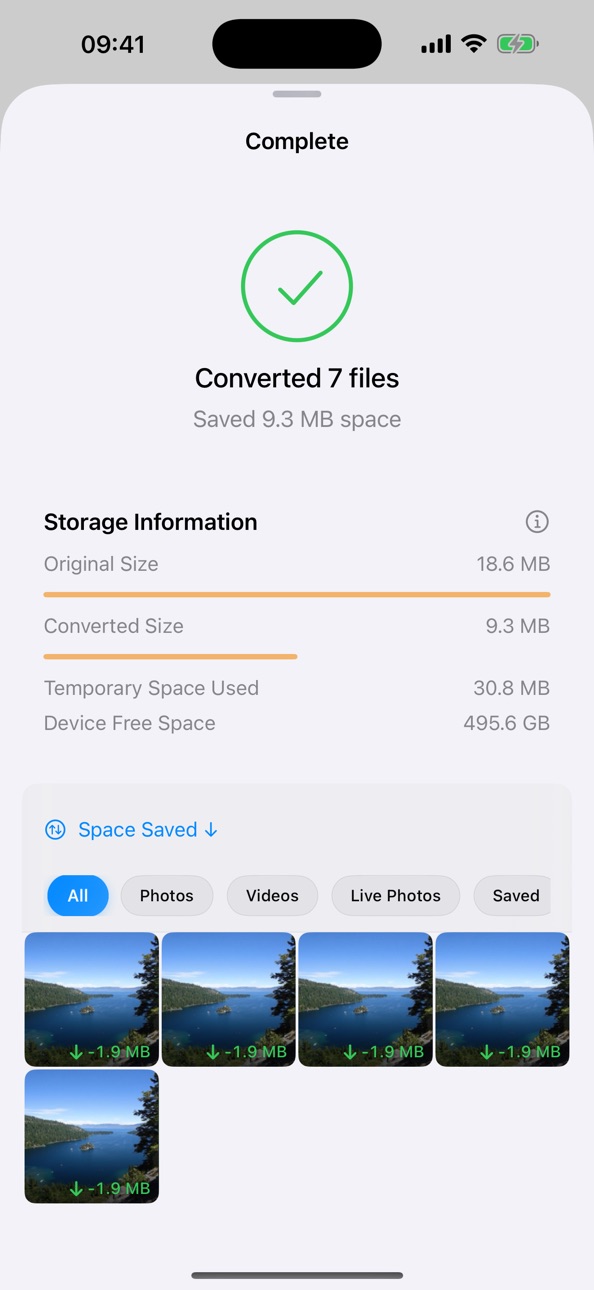
iPhone 8 images




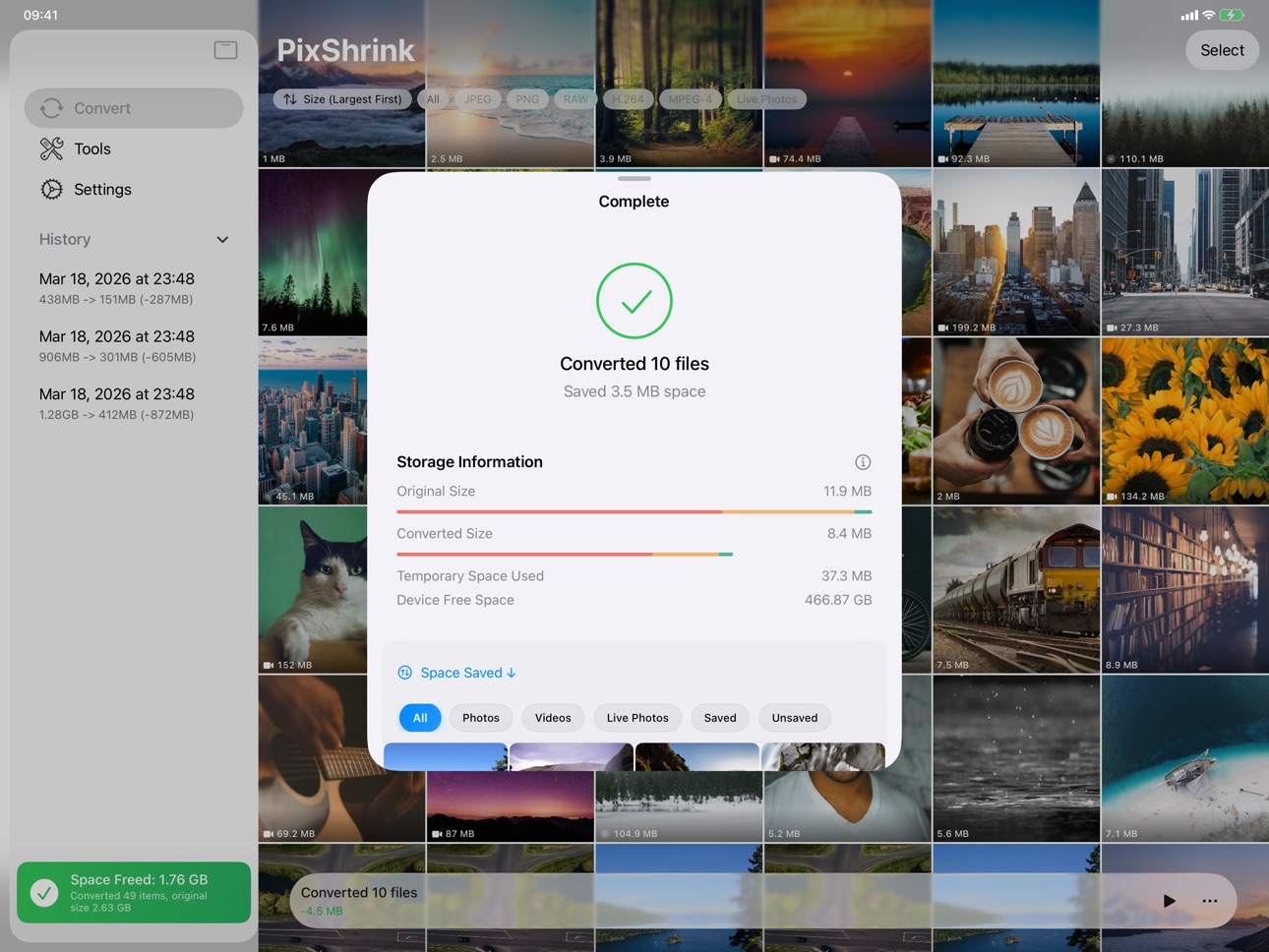
iPad 8 images




What’s New Version 3.2
- Added support for converting compatible Motion Photos to iOS Live Photos.
- Improved Live Photo conversion and compatibility with HDR Gain Map information.
- Added drag selection in the photo grid for faster batch selection.
- Improved stability for large batch conversions, pause/resume recovery, and app relaunch behavior.
- Fixed repeated system confirmation dialogs when deleting converted originals in bulk.
- Improved iPad scan controls and reduced runtime warning noise.
Description
PixShrink compresses your photo library to save space, without compromising quality.
---
Convert your photos and videos to more efficient HEIF and HEVC formats. Compress your photo library and free up device storage, all while minimizing quality loss as much as possible.
Key Features:
• Batch convert your entire photo library, or manually select specific photos and videos
• Full support for Live Photos, including both image and video components
• Preserve original metadata as much as possible, including location info and favorites
• Converted media stays in the original albums for easy organization
• Accelerated conversion with Metal and other hardware technologies
• 100% local processing, no internet required, no privacy risk
----
Note:
Original media will be deleted after conversion. Please make sure to back up your photo library before use.
---
Terms of Use: https://www.apple.com/legal/internet-services/itunes/dev/stdeula/
Privacy Policy: https://github.com/blanboom/HEIF_HEVC_Converter/blob/main/PrivacyPolicy.md
Capabilities
In-App Purchases
Accessibility
ipadiphonemacrealityDevicetvoswatch
Version history 19 versions
Build 887819899v3.22026-07-05 01:45:13
- Added support for converting compatible Motion Photos to iOS Live Photos.
- Improved Live Photo conversion and compatibility with HDR Gain Map information.
- Added drag selection in the photo grid for faster batch selection.
- Improved stability for large batch conversions, pause/resume recovery, and app relaunch behavior.
- Fixed repeated system confirmation dialogs when deleting converted originals in bulk.
- Improved iPad scan controls and reduced runtime warning noise.
Build 886979280v3.12026-06-15 23:59:45
Bug fixes and performance improvements
Build 883691137v3.02026-04-27 23:46:00
HEIF & HEVC Converter has been upgraded to version 3.0 and now has a new name: PixShrink.
Highlights in this release:
1. A full PixShrink rebrand with a new app icon and refreshed identity
2. A more immersive Photos-style browsing experience, with smoother grid zoom, detail views, and iPad navigation
3. New before/after comparison for photos, videos, and Live Photos
4. Faster and more reliable large-library performance across thumbnails, filtering, scanning, and save flows
Build 881391630v2.02026-01-12 00:09:07
HEIF & HEVC Converter has officially reached version 2.0.
Version 2.0 is a major update. While the interface remains largely unchanged, this release includes significant under-the-hood optimizations: scan and conversion results are now stored in a database. This brings the following benefits:
1. Faster photo library scanning
2. Faster app launch
3. Lower memory usage: fixed crashes caused by insufficient memory during conversion
More importantly, the database architecture lays the foundation for future feature expansions.
Additionally, this version includes the following improvements:
1. New History page
2. Conversion automatically resumes after exiting and reopening the app
3. New To-Do list on home screen to save converted media to the library or delete originals
4. Option to disable iCloud downloads over cellular to save mobile data
5. Improved format chart on home screen showing pending scans and iCloud downloads
Build 880903453v1.142025-12-29 08:54:54
This version introduces a new "Toolbox" page, which currently includes three tools:
• Back Up Photo Library: Back up your photo library to external storage, such as the built-in storage on iPhone/iPad, USB drives or external hard drives, NAS devices, and more
• Restore from Backup: Restore photos from a backup to your photo library. Existing photos in the library will not be duplicated
• Convert External Folders: Convert photos or videos in external folders to the HEIF/HEVC format
In addition, this version adds support for more languages and fixes several issues.
Build 880198969v1.132025-11-30 01:08:27
This version includes a few minor bug fixes.
Build 880054714v1.122025-11-29 01:46:25
This update introduces a new pricing model: free download + in-app purchases/subscriptions.
(Existing users do not need to repurchase, simply tap Restore Purchases in the app to unlock the full version for free.)
You can now download the app for free and try converting photos to experience the actual storage savings after compression.
After purchasing, you can save the converted photos back to your system photo library. The available purchase options include a monthly subscription, an annual subscription, and a lifetime unlock:
• Monthly subscription: Ideal for short-term use, such as converting all photos and videos in your library in one batch.
• Annual subscription / Lifetime unlock: Better for long-term needs, such as regularly compressing screenshots, downloaded images, or photos imported from a camera.
Build 880042461v1.112025-11-24 19:09:47
This update introduces a new pricing model: free download + in-app purchases/subscriptions.
(Existing users do not need to repurchase, simply tap Restore Purchases in the app to unlock the full version for free.)
You can now download the app for free and try converting photos to experience the actual storage savings after compression.
After purchasing, you can save the converted photos back to your system photo library. The available purchase options include a monthly subscription, an annual subscription, and a lifetime unlock:
• Monthly subscription: Ideal for short-term use, such as converting all photos and videos in your library in one batch.
• Annual subscription / Lifetime unlock: Better for long-term needs, such as regularly compressing screenshots, downloaded images, or photos imported from a camera.
Build 879638983v1.102025-11-11 22:08:38
This version brings five small improvements:
1. Instant cancellation: Conversion can now be canceled immediately without waiting for the current media to finish; also fixed an issue where cancellation didn’t work when conversion was paused.
2. Photo scanning: Added recognition support for JPEG XL and AVIF formats.
3. Download progress: During media conversion, if the original photo or video needs to be downloaded from iCloud, the download progress is now displayed.
4. Memory optimization: Fixed an issue where memory usage kept growing during photo conversion.
5. Video format recognition: If a video fails to download from iCloud and its format can’t be determined, it will now be classified as Unknown; overall accuracy of video format detection has also been improved.
Build 879457369v1.92025-11-04 01:36:11
1. Added support for converting RAW photos (disabled by default).
2. Added options to exclude specific media types from conversion — for example, convert only photos but not videos, or convert only PNG screenshots while skipping other photo and video formats.
Build 879329339v1.82025-10-30 06:29:13
Implemented basic scan progress persistence: if the app is restarted during the photo scanning process, it can now restore the previous scan progress and continue scanning.
Build 879103614v1.72025-10-22 08:34:34
Added support for background scanning and conversion on iOS 26 and iPadOS 26.
Build 879011487v1.62025-10-18 13:10:17
Fixed an issue where Live Photos with rotated orientations could not be saved.
Build 875965364v1.52025-06-29 17:03:42
Bug Fix: After a photo fails to save, subsequent photos could not be saved either.
Build 875024046v1.42025-05-23 19:20:04
This version focuses on optimizing the video conversion feature, with the following improvements:
1. Optimized video file size - in this version, converted videos will no longer be larger than the original ones;
2. The video portion of Live Photos can now be converted according to the selected video quality settings.
Build 874393500v1.32025-04-30 05:41:37
Support converting HDR photos, while preserving HDR effects.
Build 874340117v1.22025-04-28 09:02:40
Performance optimization for photo conversion.
Build 874165329v1.12025-04-20 11:27:35
Bug fixes
Build 873964448v1.02025-04-14 10:41:02
No pricing data captured yet — comparisons appear once the app has paid storefronts or in-app purchases.
Availability 1 of 1 storefronts
| Region | Language | Price | Ratings | Avg | Version |
|---|---|---|---|---|---|
| US | en-US | Free | 0 | — | 3.2 |
Change log 23 changes · US
✎
releaseNotes updated
- Added support for converting compatible Motion Photos to iOS Live Photos.
- Improved Live Photo conversion and compatibility with HDR Gain Map information.
-
✎
description updated
PixShrink compresses your photo library to save space, without compromising quality.
---
Convert your photos and videos to more efficient HEIF and HEVC format
✎
subtitle updated
Free Space, Keep Quality
✎
name updated
PixShrink - HEIF Conv.
◆
Version 3.2 released
- Added support for converting compatible Motion Photos to iOS Live Photos.
- Improved Live Photo conversion and compatibility with HDR Gain Map information.
- Added drag selection in the photo grid for faster batch selection.
- Improved st
◆
Version 3.1 released
Bug fixes and performance improvements
◆
Version 3.0 released
HEIF & HEVC Converter has been upgraded to version 3.0 and now has a new name: PixShrink.
Highlights in this release:
1. A full PixShrink rebrand with a new app icon and refreshed identity
2. A more immersive Photos-style browsing experie
◆
Version 2.0 released
HEIF & HEVC Converter has officially reached version 2.0.
Version 2.0 is a major update. While the interface remains largely unchanged, this release includes significant under-the-hood optimizations: scan and conversion results are now sto
◆
Version 1.14 released
This version introduces a new "Toolbox" page, which currently includes three tools:
• Back Up Photo Library: Back up your photo library to external storage, such as the built-in storage on iPhone/iPad, USB drives or external hard drives, N
◆
Version 1.13 released
This version includes a few minor bug fixes.
◆
Version 1.12 released
This update introduces a new pricing model: free download + in-app purchases/subscriptions.
(Existing users do not need to repurchase, simply tap Restore Purchases in the app to unlock the full version for free.)
You can now download the a
◆
Version 1.11 released
This update introduces a new pricing model: free download + in-app purchases/subscriptions.
(Existing users do not need to repurchase, simply tap Restore Purchases in the app to unlock the full version for free.)
You can now download the a
◆
Version 1.10 released
This version brings five small improvements:
1. Instant cancellation: Conversion can now be canceled immediately without waiting for the current media to finish; also fixed an issue where cancellation didn’t work when conversion was pause
◆
Version 1.9 released
1. Added support for converting RAW photos (disabled by default).
2. Added options to exclude specific media types from conversion — for example, convert only photos but not videos, or convert only PNG screenshots while skipping other photo
◆
Version 1.8 released
Implemented basic scan progress persistence: if the app is restarted during the photo scanning process, it can now restore the previous scan progress and continue scanning.
◆
Version 1.7 released
Added support for background scanning and conversion on iOS 26 and iPadOS 26.
◆
Version 1.6 released
Fixed an issue where Live Photos with rotated orientations could not be saved.
◆
Version 1.5 released
Bug Fix: After a photo fails to save, subsequent photos could not be saved either.
◆
Version 1.4 released
This version focuses on optimizing the video conversion feature, with the following improvements:
1. Optimized video file size - in this version, converted videos will no longer be larger than the original ones;
2. The video portion of Live
◆
Version 1.3 released
Support converting HDR photos, while preserving HDR effects.
◆
Version 1.2 released
Performance optimization for photo conversion.
◆
Version 1.1 released
Bug fixes
◆
Version 1.0 released